# Oxygen — Full documentation (llms-full.txt) > Full-text export of every Oxygen documentation page, concatenated into one > file for AI agents and LLMs. This is the companion to the short link index > at /llms.txt. Docs home: https://oxygen-agent.com/docs Index (llms.txt): https://oxygen-agent.com/llms.txt Pages: 64 --- # What is Oxygen > Pick the guide for the step you are on, and find the screen that owns each job. Source: https://oxygen-agent.com/docs Target lists, enrichment, email sending, the shared inbox, CRM records, and the automation between them run in one workspace. Every job is reachable three ways — the web app, the `oxygen` CLI, and any MCP client — over one API, with the same approvals and one credit balance. Need help with the product? The support chat is in the bottom-right corner of every page — expand it and write. **Retry** is the only recovery control if it cannot connect; it returns after each failed attempt and never creates another case. See the [Support guide](/docs/surfaces/support). **Reading these docs with an agent?** Fetch [`/llms.txt`](/llms.txt) for the map of every public surface and [`/llms-full.txt`](/llms-full.txt) for every documentation page and every capability, audience and list-target page in one file. For plan credits, coupons and the partner bonus, read [Billing](/docs/safety/billing#agency-partner-bonus). For applying, editing and publishing a partner listing, read [Agency directory](/docs/workspace/agency-directory). ## The guides, in order Before a lookup, read [own-key fees and retries](/docs/providers/waterfalls#own-key-fees-and-retries): what `max_credits` covers, why an own-key miss can spend again, and how to interpret `retry_safe` and `own_key_spend`. 1. **[First session](/docs/guides/first-session)** — sign up, pick a plan, install the CLI. 2. **[Source leads](/docs/guides/source-leads)** — build a target list into a table. 3. **[Enrich leads](/docs/guides/enrich-leads)** — add work emails, firmographics, AI columns. 4. **[Email setup](/docs/guides/email-setup)** — sending domains, inboxes, DNS, OXYGEN Warm-up. 5. **[First sequence](/docs/guides/first-sequence)** — attach senders, write the steps with lead-column and sender-name variables, launch. 6. **[Handle replies](/docs/guides/handle-replies)** — triage what comes back and answer it. 7. **[Track deals in the CRM](/docs/guides/crm-records)** — turn replies into records, activity, and pipeline. Signing up needs no card and starts nothing you have to cancel. You land in a permanently free workspace with a one-time grant of 1,000 [credits](/docs/safety/billing). The CRM, Tables, Workflows, Knowledge, Agents, and the Workspace Copilot are free to use; credits pay for enrichment and AI. A plan is what lets you act on the outside world — connecting a sending mailbox, LinkedIn account, or WhatsApp number, dispatching a sequence, publishing, buying managed email infrastructure, or bringing your own provider keys. Anything that spends credits or reaches a real person previews first. From the CLI: run it, read the preview, then re-run with `--approved` and `--max-credits `. In the app the same gate is a button you press on purpose — the sequence stepper's **Review & start**. ## Where each job lives All fifteen primitives are below. The sidebar carries most of them under Data, Action, External, and Knowledge — close to the layers here, not identical. ⌘K searches that same sidebar list. {/* SCREENSHOT: /home | the expanded left sidebar with the Data, Action, External, and Knowledge group headers and every nav label readable */} | Layer | Primitive | Where it is | |---|---|---| | Knowledge | [Knowledge Graph](/docs/knowledge/knowledge-graph) — company profile, ICP, positioning, connected GitHub or Obsidian repositories | **Knowledge Graph** → `/knowledge` | | Knowledge | Recipes — installable GTM plays | **Recipes** → `/blueprints` | | Data | [Records](/docs/guides/crm-records) — companies, people, deals, plus any object you define | **CRM** → `/crm` | | Data | [Tables](/docs/data/tables) — working datasets and their columns | **Tables** → `/tables` | | Data | Messages — email, LinkedIn, WhatsApp threads | **Unibox** → `/unibox` | | Data | Posts — published content and engagement | **Publishing** → `/publishing` | | Data | Signals — visits, profile views, reactions, follows | no screen yet; `oxygen signals list` | | Data | Dashboards — funnel from touch to won | `/dashboards`, not in the sidebar | | Data | Ads — competitor ad intelligence | a tool column in **Tables** | | Data | Tags — one label vocabulary | **Tags** → `/tags` | | Action | Sequences — multichannel outbound | **Sequencer** → `/sequencer` | | Action | Publishing — approval-gated posting | **Publishing** → `/publishing` | | Action | Workflows — triggers, branches, retries | **Workflows** → `/workflows` | | Action | Agents — standing workers on a credit budget | **Agents** → `/agents` | | Action | Observability — runs, costs, errors | **Observability** → `/observability` | Missing a page from the sidebar? You may have hidden it from your own sidebar in **Settings → Customise** (`/settings#/customise`, or `oxygen settings pages list`); each person chooses their own pages in each workspace; see [Customise the sidebar](/docs/surfaces/web#customise-the-sidebar). Agents and Approvals stay out of the sidebar on purpose, and their pages still open from links. Two things are deliberately not primitives. **Control** is where you drive from — the web app, the [`oxygen` CLI](/docs/surfaces/cli), [MCP](/docs/surfaces/mcp) clients, the Workspace Copilot — all on one API, so nothing you do in one is invisible in another. **External** is what Oxygen connects to rather than owns: enrichment providers, mailbox accounts, LinkedIn, HubSpot, Attio, under [**Connections**](/docs/providers/integrations) → `/connections`. Run `oxygen integrations list --json` to see every supported provider and its connection status. --- # Quickstart > Three ways to connect — the CLI, an MCP client, or an AI assistant. Pick one and start asking for what you want. Source: https://oxygen-agent.com/docs/quickstart All three reach the same workspace, the same approvals, and the same credit balance. Signing up lands you in a working workspace on the free tier — no card required, no trial deadline. Eligible billing owners receive a one-time grant of 1,000 [credits](/docs/safety/billing) when signup grants are enabled; Free has no monthly refill. Check `oxygen billing balance --json` for your available credits. Sending, supported publishing and managed email purchases use credits on Free when `oxygen billing estimate --json` reports `sender_billing: credit_reservations`; the legacy model also requires a paid plan and sending seats. Your own provider keys and Instagram, TikTok, YouTube and Facebook publishing still require a paid plan. ## From the CLI Requires Node.js >=22.22.0 and npm >=10.9.0. ```sh npm install -g @oxygen-agent/cli oxygen login ``` A global install keeps itself up to date; see [Updates](/docs/surfaces/cli#updates) to check the version or pin a build server. `oxygen login` opens your browser and shows a confirmation code — approve the terminal there and it connects. No browser? Create a token under **Settings → CLI and MCP** and run the `oxygen login --token ` command it shows. Now describe what you want. The CLI ships its own discovery, so you do not need to memorise commands: ```sh oxygen capabilities search "find companies hiring sales reps" --json oxygen commands search "import a csv" --json ``` Every command is in the [CLI reference](/docs/surfaces/cli-reference). ## From an MCP client Point any MCP-capable client at the hosted server: ``` https://oxygen-agent.com/mcp ``` Authenticate with OAuth in the client, or a bearer token from **Settings → CLI and MCP**. Then ask for what you want in plain language — the client picks the tools. A fresh connection sees the core tools. Find any other customer tool with `oxygen_capabilities_search`, inspect its arguments with `oxygen_capabilities_schema`, then run it through `oxygen_capabilities_read` or `oxygen_capabilities_call`. A domain pack (`?toolset=`) optionally lists its tools directly. Every tool is in the [MCP reference](/docs/surfaces/mcp-reference). Client-specific setup: [Claude Code](/docs/surfaces/claude-code), [Claude Desktop](/docs/surfaces/claude-desktop), [Claude Cowork](/docs/surfaces/claude-cowork), [Codex](/docs/surfaces/codex), [Cursor](/docs/surfaces/cursor), [any other client](/docs/surfaces/generic-mcp). ## With an AI assistant Same connection as above, with the assistant driving. ```sh claude mcp add --transport http oxygen https://oxygen-agent.com/mcp ``` Then talk to it: > Build me a list of Seed-stage B2B SaaS companies in the US that are hiring their first AE, find work emails, and show me what it will cost before you run anything. The assistant plans the work, previews the spend, and asks before anything paid or outbound happens. You approve or you don't. Anything that spends credits or reaches a real person previews first. Read the preview, then approve it on purpose — `--approved` with `--max-credits ` from the CLI, or the button in the app. ## Choose a Recipe or Blueprint Connected, and not sure what to run? Browse the catalogs and choose the outcome that fits your workspace. ```sh oxygen recipes list --json oxygen blueprints list --json ``` [Recipes](/docs/knowledge/recipes) transfer the operating judgment for a proven business case. Blueprints describe installable Tables, Workflows, and other workspace resources. Inspect the selected item before applying or running it; paid work and external actions still require their own preview and approval. ## Next [The guides](/docs) walk the whole journey: source leads, enrich them, set up sending, launch a sequence, handle replies, and track deals. --- # Your first session > Choose how you work with OXYGEN, find your way around Home, connect the CLI, and create your first table without spending a credit. Source: https://oxygen-agent.com/docs/guides/first-session Sign-up runs **create organization** (your company website is the one required field, or your company's LinkedIn page if you have no website: OXYGEN reads it once to seed your workspace knowledge) → **How did you hear about us?** → **How do you want to work?** There is no plan to pick, no trial, and no checkout on the way in. The last step is one choice: - **Your own agent.** Connect Claude, ChatGPT, Cursor, Codex or another agent through MCP or the CLI on the **Install OXYGEN** step, then paste the onboarding prompt it gives you into your agent. - **OXYGEN Copilot.** OXYGEN's own agent, in the app, with nothing to install. Your onboarding conversation starts right away: it tells you in a few lines what OXYGEN's research found about your company, drafts your ideal customer profile for you to correct and asks what you want to build first. Then it walks you through the **Get started** steps one at a time: your first leads in a **First leads** table, a first sequence, connecting your LinkedIn account, and the launch. You can use both later; the choice only decides where your first session starts. If the Copilot is not available to your account, sign-up goes straight to **Install OXYGEN**. ## What the free tier gives you The Free plan has no recurring charge or trial deadline. Eligible billing owners receive **1,000 signup credits** once when signup grants are enabled, with no monthly refill. Read `oxygen billing balance --json` for your available balance. Live enrichment and other paid work consume credits; author and preview your outbound motion before running it. Plan prices, included credits, and what each unit costs: [pricing reference](/docs/safety/pricing-reference). Read `oxygen billing estimate --json` for your connection model. With `credit_reservations`, an eligible Free workspace can fund supported publishing and managed infrastructure from its balance. Connecting a sending account (a LinkedIn account, mailbox, WhatsApp number, X account or phone number) needs a plan on either model, as do plan-gated providers; new provider API keys need $99 or above after repricing, with existing-key exceptions ([billing](/docs/safety/billing#managed-vs-byok)). Use **Billing & credits** (sidebar footer → **Settings** → `/settings#/billing`) to add credits or choose a plan. Everything you built carries over; separately funded purchases keep their own billing terms. ## Reading Home Home is where you talk to OXYGEN Copilot. Ask for what you want in your own words, or start from one of the suggested plays under the composer. Each message opens a conversation at `/copilot/`, and your earlier conversations are listed beside it. The Copilot runs the same tools as the CLI and MCP, shows what each paid or outbound step costs, and asks before it spends credits beyond a small allowance or sends anything. If the Copilot is not available to your account, Home shows the featured plays as prompts to copy into your own agent, your last 30 days of outreach and content, and what is running: sequences, scheduled posts and workflows. A read-only standup of your workspace is in the terminal, 0 credits: ```sh oxygen home --json ``` ## The sidebar | Group | Item | What it holds | |---|---|---| | | Home `/home` | OXYGEN Copilot, or featured plays and recent activity without it. | | Data | CRM `/crm` | Companies, people, deals, and their timelines. | | Data | Tables `/tables` | Working datasets — lists, enrichment, scoring. | | Data | Unibox `/unibox` | Email, LinkedIn, and WhatsApp conversations in one inbox. | | Action | Sequencer `/sequencer` | Outbound programs, sending accounts, analytics. | | Action | Publishing `/publishing` | Scheduled posts and their engagement. | | Action | Workflows `/workflows` | Deterministic multi-step automations. | | External | Connections `/connections` | Provider accounts and API keys. | | Knowledge | Tags `/tags` | Shared vocabulary across records, tables, and campaigns. | | Knowledge | Observability `/observability` | Every run, its cost, and its provenance. | Agents, Knowledge Graph, Recipes, and Approvals appear only once an organization turns on **Beta features** in Settings. `Cmd`-`K` opens a palette that jumps to any visible destination by name. ## Where credits live The sidebar footer holds the workspace switcher and a settings popover. **Billing & credits** (`/settings#/billing`) there answers every money question in one place: your plan, top-ups, seats and cancellation, and below them where credits went — by feature, provider, and day. From the CLI, `oxygen billing balance --json` and `oxygen billing usage --json`. ## Connect the CLI Home's top bar has a **CLI and MCP** button (Home only — other pages give that space to their own actions). It opens the same setup block as the settings popover's **CLI and MCP** entry at `/settings/cli`. ```sh npm install -g @oxygen-agent/cli oxygen login ``` Needs Node.js 22.22.0+ and npm 10.9.0+. `oxygen login` opens the browser and waits; check the confirmation code matches your terminal, then click **Approve this terminal**. If the handoff never completes — no browser on that box, a network that blocks the wait — the terminal prints the manual path. On `/settings/cli`, click **Create session** and paste the `oxygen login --token ` line it shows into that terminal. The token is shown once. Confirm you are connected, against the right workspace: ```sh oxygen whoami --json oxygen orgs list --json oxygen orgs use ``` The CLI updates itself, including when a command fails with `cli_update_required` because it is older than the deployed API. If automatic updates are off (see [Updates](/docs/surfaces/cli#updates)), run `oxygen update` and retry. `oxygen status --json` compares the two versions directly. Using an MCP client instead of a terminal? The panel's **MCP** tab prints the endpoint and per-client steps; [MCP setup](/docs/surfaces/mcp) has the full list. ## A first action that costs nothing Create a table and look at it. Click **Tables** in the sidebar. An empty workspace opens the source picker straight away; otherwise click **New table** in the table rail (`/tables/new`). The picker lists every way a table can start — a file or a public link, Supabase or HubSpot, company and people searches (including lookalikes and local businesses on Google Maps), signal feeds, a webhook, a Function draft — and under each card the number of providers behind it and what a row costs, before anything runs. Pick **Blank table**: it creates a table named `New table` with one text column, `Name`, and opens the grid. Rename it in the breadcrumb. The grid's controls are **Import rows**, **Add column** and **Export CSV** in the toolbar, a magnifier in the breadcrumb that searches the rows, and **New row** as the last row of the grid itself — rows are appended at the bottom, where that button is. {/* SCREENSHOT: /tables/new | The source picker showing the Blank table and Import a CSV cards */} The same thing from the terminal: ```sh oxygen tables create "First list" \ --columns-json '[{"key":"company","label":"Company","dataType":"text"},{"key":"domain","label":"Domain","dataType":"text"}]' \ --json oxygen tables list --json oxygen tables preview --limit 10 --json ``` The create response carries a `web_url`. Open it and you are looking at the same grid. **Blank table** and **Import a CSV** spend nothing. Every other card on that screen — the **Total addressable market** and **Signals** groups — runs a priced provider search, as do AI columns, enrichment columns, and sending. Those paths price the work first and wait for your approval: [approvals](/docs/safety/approvals), [spend caps](/docs/safety/caps). ## Next - [Tables](/docs/data/tables) and [Columns](/docs/data/columns) — what a table does once it has rows. - [Billing](/docs/safety/billing) — credit math, top-ups, failed payments. --- # Source your first leads > Get real target companies or people into an Oxygen table — sourced from your ICP, or uploaded from a file you already have. Source: https://oxygen-agent.com/docs/guides/source-leads Rows land in a Table either way: Oxygen buys them from a provider, or you upload them. ## Start a table in the app Open **Data → Tables**, then **New table** at the top of the table rail (`/tables/new`). Choose **Import a CSV** to upload your list, **Import from a link** to fetch a public CSV, JSON or XLSX file or a Google Sheet (preview first, free), **Import from HubSpot** to bring CRM companies or contacts into Records, or **Blank table** to start with an empty grid. The same picker offers company sources (Company Search, lookalikes, local businesses on Google Maps, web search, a known page), a people search, the signal feeds and a webhook; every card shows its providers and per-row credit estimate before anything runs. Two cards read LinkedIn through accounts you have already connected rather than buying data: **LinkedIn Post Engager Scraper** collects the people who engage with posts you watch, and **LinkedIn Profile Viewers** collects the people who viewed your own profiles — you tick which connected accounts to read, they fill one table in the background at your accounts' safe daily read budget, and it is free. The same account list, with each account's status, sits behind the LinkedIn chip on that table, where unticking an account pauses it and keeps its rows. LinkedIn hides anonymous and private-mode viewers, so that one is always a partial sample of real viewers. **Scrape LinkedIn Company Followers** is different: it reads no account of yours. Paste a company page — a competitor's, say — and a follower count, and the free **Check this page** quotes the exact order (per follower, 100 minimum) before you buy. Our data provider fulfils the order on its side, so the table is created at once and fills when the followers arrive; there is no published delivery time. The same order runs from the terminal as `oxygen tables followers check --company --records ` and then `oxygen tables followers order --approved` with the quoted `--max-credits`. From the terminal, `oxygen tables sources` lists the same catalog. Under **People**, the **People — Blitz** card sources everyone who works at the companies you already have. Pick the table holding your companies, then the column holding each company's LinkedIn URL, narrow by job level, job function, connections, country, continent and sales region, and Oxygen fetches the first 50 people from the first company for 1 credit so you can look before buying the rest. **Pages per company** in the footer sets how deep each company goes — 50 people per page, 1 credit per page. The Total addressable market and Signals source groups are temporarily hidden while their setup is redesigned. To source companies or signals, use the CLI paths below and the [Signals guide](/docs/data/signals). ## From your ICP, from the CLI Planning is free — the only provider call is the people planner's zero-credit count probe, which `--no-estimate` skips. ```sh oxygen companies search plan \ --prompt "Seed-stage B2B SaaS in the US hiring their first AE" \ --target-count 500 --json oxygen people search plan \ --prompt "Heads of Sales at US B2B SaaS companies" \ --titles "Head of Sales,VP Sales" --employees 20-200 --countries US --json ``` The plan returns ordered `routes` — each with `estimated_credits` — plus `estimated_match_count`, `filter_application` (which of your filters the provider applies, and which it drops), and the `table_blueprint` it would create. `--target-count` is capped at 50,000 per plan; larger asks return a clamp warning. Not sure whether you want accounts or contacts? `oxygen sourcing plan --prompt ` and `oxygen lead-sourcing plan --prompt ` classify the request and recommend routes without executing any paid tool. Dry-run next — still free, and `--mode` defaults to `dry_run`: ```sh oxygen companies search run --prompt "Seed-stage B2B SaaS in the US" --target-count 500 --json ``` Then live. This spends credits: ```sh oxygen companies search run \ --prompt "Seed-stage B2B SaaS in the US" --target-count 500 \ --mode live --approved --max-credits 2500 --json ``` Both flags are mandatory. Without `--approved` the run fails `approval_required` (409); without `--max-credits`, `spend_cap_required` (400); with a ceiling under the route estimate, `spend_cap_too_low` (400), and the error names the `estimated_max_credits` you need. Omit `--table` and Oxygen creates the table for you. Company rows dedupe on `domain`, people rows on `linkedin_url`, so re-running the same search updates rows instead of duplicating them. ## Everyone at the companies you already have When the account list is already a table, point people search at it instead of describing the companies again. `--from-table` names the table, `--linkedin-url-column` names the column holding each company's LinkedIn URL, and Oxygen runs Blitz Employee Finder once per company: **1 credit per company per page**, 50 people per page. `--prompt` is optional here — the table is the request — but pass one to steer the persona further. ```sh oxygen people search plan \ --from-table accounts --linkedin-url-column company_linkedin_url \ --job-functions Sales,Marketing --seniorities VP,Director \ --countries US --sales-regions EMEA --min-connections 200 --json ``` The plan's `source.companies_planned` is the real company count the run will spend against. Buy the first company first, then source the rest into the same table: ```sh oxygen people search run --plan-json ./plan.json --route-id employee-roster-from-table \ --company-limit 1 --mode live --approved --max-credits 10 --json oxygen people search run --plan-json ./plan.json --route-id employee-roster-from-table \ --table --company-offset 1 \ --pages-per-company 2 --mode live --approved --max-credits 1000 --json ``` `--max-pages` means pages **per company** on a `--from-table` run; `--pages-per-company` is the same ceiling spelled the way it reads. The people table's default columns are First Name, Last Name, LinkedIn URL and a **Company** link back to the row the person was found at, so every person stays attached to their account. ## From a file you already have Free — no provider call, no credits. In the app: open the table and click **Import rows** in the top bar (an icon button; the tooltip names it), or pick **Import a CSV** in the wizard. The dialog is **Import file**, or **Create table from file** when there is no table yet: **Click to upload** or drag and drop, **CSV, JSON, JSONL, or XLSX**. Set **Table name** and **Folder** when it is creating the table, press **Preview** to check the parsed rows — importing into an existing table then draws **Column mapping** — then **Import**. ```sh oxygen tables import --create "Starter TAM" --file leads.csv --background --json oxygen tables import --file leads.csv --upsert-key domain --json ``` `--format` is inferred from the extension (`json`, `jsonl`, `csv`, `xlsx`). Files over 500 rows load in the background and the command returns before the rows land — wait on the `table-ingestions wait ` it prints before you trust a row count. The per-file row ceiling equals your plan's rows-per-Table limit (`oxygen limits show`). The file-size ceiling is 500 MiB on free, 1 GiB on $49–$99, 2 GiB on $199–$499 and 5 GiB on $999 and up ([table and signal limits](/docs/safety/pricing-reference#table-and-signal-limits)); an import into a non-empty Table must also fit its remaining capacity. JSON and XLSX are read whole, so they stop at 100 MiB on every plan: save a larger file as CSV or JSONL. A CSV or JSONL file over 64 MiB uploads straight from disk to file storage and always loads in the background. ## Watch it fill A live search returns a durable ingestion run, not rows. The envelope carries `ingestion_run` and a `web_url` for `/tables//ingestions/`, which shows **Items**, **Rows**, **Inserted**, **Updated**, and the **Pending / Running / Completed / Failed** breakdown. ```sh oxygen table-ingestions get --json oxygen table-ingestions wait --json # polls until terminal; 600s default oxygen tables preview
--limit 25 --json ``` `counts.rows` at 0 while the status is still `queued` or `running` is normal — the envelope's `message` says so explicitly. If the run ends `completed_with_errors` or `failed`, the table holds whatever landed first; `oxygen table-ingestions items --status failed --json` names the items that broke. If a live search returns `search_ingestion_enqueue_failed` (503), the table was created but nothing was queued into it. The error's `next_step` says whether Oxygen already archived the empty table or you must archive it before retrying. --- # Enrich your leads > Fill work emails, mobile phones, LinkedIn URLs, and company facts onto a table you already have, for a cost you approve first. Source: https://oxygen-agent.com/docs/guides/enrich-leads Start from a table whose rows carry one identity signal each: a LinkedIn profile URL, or a full name plus a company domain. ## Add the column in the app Open **Tables** in the sidebar, open your table (`/tables/`), then click the **+** at the right end of the column header row (tooltip: **Add column**). The panel opens on **Column types**. The first two rows are bundles: **Person enrichment** (one LinkedIn profile lookup, then 13 free formula columns — headline, bio, location, followers, full/first/last name, job title, current company, current company LinkedIn URL, job start date, education, school — needs a LinkedIn URL column; rows without one are skipped and cost nothing) and **Company enrichment** (one company lookup, about 1 credit a company, then 8 free formula columns — name, domain, LinkedIn URL, headcount, industry, description, founded year, HQ country — with the whole profile kept in its JSON column; needs a domain or company LinkedIn URL column, rows with neither are skipped and cost nothing, and it auto-binds to a `current_company_linkedin_url` column left by Person enrichment). Clicking one asks which column holds its input, then creates the whole bundle and opens the one paid column; nothing runs until you run it. The rows after them are the single-field waterfalls: **Work email**, **Mobile phone**, **LinkedIn URL** (a person's profile URL from their full name plus their company's domain, name or LinkedIn page). Everything under the **Integrations** divider is one vendor's tool rather than a waterfall. Choosing an entry creates the column and opens its editor, which has five parts: - **Intent** — what the column resolves. - **Waterfall sequence** — the ordered provider lanes. On a work-email column you also pick a keying: **Auto** is recommended; **LinkedIn URL**, **Name + Domain**, and **First/Last + Domain** force every row down one. - **Input mapping** — map your row columns onto the canonical inputs. A column with nothing mapped cannot run. - **Email verification** (work email only) — a toggle. On, every found address is verified before it lands in the cell. - **Estimated cost** — the typical spend, with the worst case shown as "up to". Nothing is charged yet. The footer has **Save without running** and **Run**; **Run** offers **Run for first 10 rows**, **Run for next 25 rows**, **Run missing results**, **Rerun full table**, and selected rows, then a cost step showing **Estimated credits**, **Rows affected**, **Per row**, **Recommended cap**, **Available**, and a **Max credits** field ("Hard cap on credits spent. The run stops before exceeding it."). Credits move only when you confirm that step. ![A workspace table grid with typed columns](/images/docs/enrich-leads/table-grid.png) ## Why a waterfall is cheaper than one provider Lanes run in order and a row stops at the first lane that returns a result. On OXYGEN’s managed credentials, billing depends on the intent: **work email and phone bill on a hit** — a lane that finds nothing releases its reservation, so a row resolved early never pays the lanes behind it. **Company-field enrichment bills every lane it attempts**, hit or miss, and so does LinkedIn URL until the 2026-09 repricing date. From that date **a LinkedIn URL costs a flat 5 credits when one is found that matches the person**, and nothing when none is. Full rules: [tool costs](/docs/providers/tool-costs#how-a-provider-call-is-charged). On **Auto**, a lane a row cannot drive is skipped, so a row with only a name and domain never pays for a LinkedIn-keyed provider. On `linkedin_url`, managed lanes over 50 credits per call stay off unless you pass `--allow-premium-lanes` (until the repricing date); on managed work email and phone there is nothing to gate, because a lane that misses costs nothing. Successful calls on your own provider key pay the separate platform fee even on a miss, and a dispatched own-key miss is not retry-safe. Your provider may charge separately, outside the OXYGEN credit cap. See [own-key fees and retries](/docs/providers/waterfalls#own-key-fees-and-retries). ## The same thing from the CLI Preview first. It makes no provider calls and costs nothing: ```sh oxygen enrich-column preview leads \ --capability work_email \ --linkedin-url-column linkedin_url \ --company-domain-column domain \ --limit 10 --json ``` Read `expected_credits` (typical), `estimated_credits` (worst case), `recommended_max_credits`, `estimated_row_count`, `selected_providers`, `blocked_providers`, and `runnable`. The next command spends credits. `--approved` authorizes this one run; `--max-credits` is the ceiling it cannot cross. ```sh oxygen enrich-column run leads \ --capability work_email \ --linkedin-url-column linkedin_url \ --company-domain-column domain \ --only-missing \ --max-credits 200 \ --approved --json ``` `--capability` also takes `mobile_phone` and `linkedin_url`; add `--verify-phone` to get line type and carrier. Follow the run with `oxygen table-runs wait --json` and `oxygen table-runs provider-summary --json`. The response's `web_url` opens the same run in the app. Three errors stop this command: - `approval_required` (exit 7) — you left off `--approved`. Read the preview, then retry with it. - `selection_required` — pass `--limit `, `--all`, or `--only-missing`. - `invalid_enrichment_mapping` — no provider can run on the columns you mapped. Map a LinkedIn URL column, or a name column plus `--company-domain-column`. ## What lands in the table A `work_email` run writes `email`, `email_provider`, `email_status`, and `email_enriched_at`, plus the JSON column `work_email_enrichment` holding every attempt. A `mobile_phone` run writes `mobile_phone_e164`, `phone_source`, `phone_line_type`, `phone_carrier`, `phone_enrichment_status`, and `phone_enriched_at`. ## Read a cell before you trust it Unsettled cells wear a chip: **Queued**, **Running**, **Retrying**, **Rate limited**, **Failed**. A settled cell shows none, so a blank cell with no chip means the waterfall ran and found nothing — not that it never ran. Double-click a cell (or select it and press Enter) to open **Cell details**: **Last run** (Status, Attempts, Completed), the **Value** tree, and **Rerun this cell**. The hover button on a filled cell's right edge is **Expand into result columns** — or **Expand sub-columns** on the column header — which fans the waterfall out into one column per provider attempt; clicking one opens it as a **Waterfall attempt**. Same data on the terminal: ```sh oxygen cells inspect leads work_email_enrichment --json ``` {/* SCREENSHOT: /tables/:id | an enrichment column expanded into per-provider attempt columns, with the Cell details panel open on one attempt */} ## One row, no table Each lookup previews for free (`dry_run` is the default) and needs `--mode live --max-credits ` to actually spend: ```sh oxygen find email --full-name "Ada Lovelace" --company-domain acme.com --json oxygen find email --full-name "Ada Lovelace" --company-domain acme.com --mode live --max-credits 20 --json oxygen find personal-email --linkedin-url https://www.linkedin.com/in/ada --json oxygen find personal-email --linkedin-url https://www.linkedin.com/in/ada --mode live --max-credits 20 --json oxygen find person --linkedin-url https://www.linkedin.com/in/ada --json oxygen find person --linkedin-url https://www.linkedin.com/in/ada --mode live --max-credits 10 --json ``` `oxygen find phone`, `oxygen find linkedin`, and `oxygen find company --fields headcount,industry,funding_stage,latest_funding_round,revenue,technologies,job_openings` take the same two modes. `find personal-email` finds a personal (non-work) address through its own managed lane (see `oxygen enrichment catalog --intent find_personal_email`), billed only on a hit and graded by MillionVerifier. `find person` is a single managed LinkedIn profile lookup (10 credits) returning the full profile block — name, current company, title, job start date, education, headline, bio, location, and follower count. With no identity signal at all they fail with `missing_identity_input`. `oxygen find company --list-fields` prints the whole company field catalog (identity, firmographics, funding, relationships, signals, technology, web presence) with each field's per-row credits: a `free` field is read from the profile the run already fetched, a `fixed` field costs one priced lane, and an `~estimated` field walks a cascade that bills only on a hit. An unknown field key is refused, never silently replaced by the defaults. Revenue and valuation are not in that catalog — no provider sells them — so they come from the `company_revenue_estimate_v1` and `company_valuation_estimate_v1` column templates as a labelled estimate with a range. ## Verify addresses you already have ```sh oxygen verify email ada@acme.com --json oxygen verify email ada@acme.com --mode live --max-credits 40 --json ``` The free first call returns `estimate.recommended_max_credits` — use that number, because catch-all addresses escalate to a second, dearer verifier. Verdicts are `valid`, `invalid`, `catch_all`, or `unknown`; see [Email verification](/docs/providers/email-verification) before you filter on them. ## Company facts across the table ```sh oxygen companies enrich preview leads --missing-fields domain,linkedin_url,headcount,industry --limit 10 --json oxygen companies enrich run leads --missing-fields domain,linkedin_url,headcount,industry --limit 100 --approved --max-credits 150 --json ``` More on the mechanics: [Waterfalls](/docs/providers/waterfalls), [Cells](/docs/data/cells), [Spend caps](/docs/safety/caps). --- # Set up email sending > Buy or bring sending domains, provision mailboxes, fix DNS, and warm up — so a Sequence has somewhere to send from. Source: https://oxygen-agent.com/docs/guides/email-setup Cold email needs separate sending domains, mailboxes on them, correct DNS, and a warm-up before the first campaign. Pick a road first — switching later means buying twice. | | Managed (OXYGEN buys) | BYOK (your Cloudflare) | | ----------------------- | ------------------------------------------ | ------------------------------------------------ | | Prerequisite | none | a Cloudflare account; Registrar access for new domains | | Domain purchase | billed in OXYGEN credits at the live price | billed to your Cloudflare card, 0 OXYGEN credits | | SPF / DKIM / DMARC / MX | set by the vendor | vendor setup for managed inboxes, or `domains dns plan` then `dns apply` | | Mailbox | billed in OXYGEN credits per inbox monthly | buy managed inboxes or supply existing Google/Microsoft accounts | Managed inboxes bill monthly per inbox, in credits (100 credits = $1). From the 2026-09 repricing date a managed Google Workspace or Microsoft 365 inbox is **400 credits ($4) a month together**: a flat 300-credit mailbox plus the 100-credit ($1) connected-inbox fee every sending mailbox pays, billed separately, with warm-up included. An Azure tenant (one dedicated Microsoft tenant per domain, a flat monthly charge for up to 100 inboxes) is **4,000 credits ($40) a month**, and every inbox on it holds the same connection. The [pricing page](/pricing) lists the prices in force in credits and dollars, and `oxygen managed-inboxes list --json` reports them under `prices`. A domain registered through OXYGEN costs the registrar's price once a year, 1,250 credits ($12.50) for a .com. Until the repricing date warm-up is its own monthly line. Inbox placement is always an optional add-on. Warm-up is not a managed-road-only cost: a BYOK mailbox enrolled with `oxygen mailboxes warmup enable` carries the same monthly per-inbox line, so both roads pay it while warm-up runs. From the 2026-09 repricing, warm-up on a mailbox you connected yourself is included in that mailbox's 100-credit monthly connection once the connection is charged; the warm-up preview's `included_in_connection` says whether it applies to you yet, and then quotes 0. Every price is in the [pricing reference](/docs/safety/pricing-reference). The live preview reports the connection commitment and any separately billed add-ons. ## Where this lives Sidebar **Sequencer → Accounts** (`/sequencer/accounts`), tabs **Senders / LinkedIn / Email / WhatsApp / Phone numbers**. The **Email** tab nests inboxes under their domains; top-right is **Add inboxes**. Domains have their own page at `/sequencer/domains` — by URL only, deliberately not in the sidebar. {/* SCREENSHOT: /sequencer/accounts?tab=email | the Email tab with the top-right "Add inboxes" button and one domain expanded to show its inboxes */} ## Road A — managed inboxes In the app: **Email** tab → **Add inboxes** → **Buy managed**. The wizard steps **Domains → Inboxes → Review**; the last button is **Buy · <n> cr**. The first order asks for a **Registrant contact** (the WHOIS record); later orders reuse it. Closing mid-order saves the cart — the button becomes **Resume order**. From the CLI, preview first — without `--approved` nothing is ordered or charged: ```sh oxygen managed-inboxes subscribe send-acme.com --provider google \ --file ./mailboxes.json --billing ./registrant.json --json ``` The order includes warm-up by default (`--no-warmup` opts out); inbox placement is added only with `--placement`. The preview lists the mailbox line, the add-on lines and, once the all-in price applies, each inbox's mailbox connection (`connection_monthly_credits`, reserved from your balance once the inbox connects, not charged with the order); `total_monthly_credits` is what the inboxes cost every month. Check `quote_id`, the lines, and `warmup_activation`, then order: ```sh oxygen managed-inboxes subscribe send-acme.com --provider google \ --file ./mailboxes.json --billing ./registrant.json \ --approved --quote ``` `--approved` spends real credits and registers a real domain. Without a fresh `--quote` it is refused with `quote_required`, never charged; a stale quote is refused with `quote_mismatch`. `subscribe` registers a **new** domain, puts the first inboxes on a domain you bought on its own through OXYGEN, or uses an existing Cloudflare domain with `--existing-domain` (below). A domain that already has inboxes grows with `add-inboxes` instead. A domain holds at most 5 Google or Microsoft inboxes (100 on azure), counting existing ones: ```sh oxygen managed-inboxes add-inboxes send-acme.com --count 3 --prefix ada --json oxygen managed-inboxes add-inboxes send-acme.com --count 3 --prefix ada --approved --quote ``` ### Who the inboxes are ordered for — the sender profile and its photo An order is placed **for a person**: pass `--sender ` (from `oxygen senders profiles list --json`) and every mailbox in it is stamped with that sender profile's first name, last name, and profile picture. The vendor cannot change any of the three after provisioning, so the profile is the identity to get right, once. The photo follows one rule. A sender profile with a LinkedIn account attached carries that account's LinkedIn photo automatically — attaching the account (`oxygen senders profiles attach --senders `, or picking it when creating the sender) mirrors the picture into Oxygen's own storage, and profiles connected before this rule are backfilled. A photo you upload yourself (`oxygen senders profiles set-photo --file `) or set by URL is your choice and is never overwritten by the LinkedIn one, so an upload always wins; removing the photo of a LinkedIn-connected sender is temporary, because the LinkedIn photo is adopted again on the next sync. Read the result back on the profile: `avatar_source` says where the picture came from, and `avatar_durable: true` means Oxygen hosts it and the vendor will still be able to fetch it hours after the order. `avatar_durable: false` means only an expiring LinkedIn link could be kept — Oxygen re-syncs the LinkedIn account and retries on its own; to fix it right now, upload a file. ## Recover canceled managed inboxes Recovery keeps the original domain, addresses, sender profiles and history when the provider still permits restoration. Inspect canceled subscriptions, then request a free preview: ```sh oxygen managed-inboxes list --status cancelled --json oxygen managed-inboxes recover send-acme.com --json ``` Review eligibility, upfront credits and ongoing hosting plus connection costs. Approve only that scope with `oxygen managed-inboxes recover send-acme.com --approved --quote --max-credits --json`. Microsoft replacement licenses require a new `--rebuy` preview and separate approval. Hosted MCP offers the same flow through `oxygen_managed_inboxes_recover`. An unfinished cancellation must settle before recovery. After provider restoration, verify each inbox's sending authorization and warm-up progress, then resume healthy senders within their existing bounce protections and ramp limits. ## Buy a domain on its own Without a Cloudflare account of your own, **Buy domains** on `/sequencer/domains` registers the domain through OXYGEN. It costs the registrar's price in credits for one year (a .com is 1,250 credits) and renews yearly at the registrar's renewal price, charged 30 days before expiry. If your balance cannot pay the renewal, OXYGEN retries for 7 days and then lets the domain lapse. ```sh oxygen domains search acme-mail --json # free: names with their yearly price in credits oxygen domains buy acme-mail.com --json # free preview + quote_id oxygen domains buy acme-mail.com --approved --quote --billing ./registrant.json oxygen domains check acme-mail.com try-acme.com # free: exact names, same prices oxygen domains renewal acme-mail.com --off # stop renewing; it lapses at expiry ``` The first purchase needs the registrant (`--billing`); later ones reuse it. `oxygen domains list --json` shows the domain under `registered_domains` with its expiry and next renewal charge. OXYGEN hosts its DNS and sets the mail records when inboxes are added; editing them yourself is not offered. To send from it, order its first inboxes with the same `subscribe` command as Road A, or **Add inboxes** on its row on `/sequencer/domains`. The preview shows `domain_source: owned` and no registration charge; Google and Microsoft inboxes are offered: ```sh oxygen managed-inboxes subscribe acme-mail.com --provider google --sender --locals ada,ada.lee --json ``` `oxygen domains delete acme-mail.com` (or **Delete** on its row) ends the registration: any inboxes on it are cancelled, renewal stops, and the domain leaves the workspace. It stays registered until its expiry, which is not refunded, and this cannot be undone. ## Road B — your own Cloudflare Connect the account once at **Connections** (`/connections`), or **Connect Cloudflare** on `/sequencer/domains`. The dialog needs a **user-owned** Cloudflare API token (account-owned tokens cannot use the Registrar API) scoped **Zone → Zone: Read**, **Zone → DNS: Read** (DNS Edit to let OXYGEN fix records), and **Account → Registrar: Domains: Edit**; finish with **Verify & connect**. Until then the Domains page shows the connect card, not the domain table. {/* SCREENSHOT: /sequencer/domains | the header actions "Sync from Cloudflare", "Add domain", "Buy domains" above the domain table */} With Cloudflare connected, **Buy domains** buys through your own Registrar instead. In the app: **Buy domains** → **Get quote** → **Approve purchase**, or from the CLI: ```sh oxygen domains check acme-mail.com try-acme.com # free oxygen domains buy acme-mail.com --json # priced preview + quote_id oxygen domains buy acme-mail.com --approved --quote ``` That purchase is **non-refundable and bills your Cloudflare account**. Registration can stay pending — `oxygen domains registration-status acme-mail.com --wait` polls to a terminal state. Already own the domain? **Add domain** → **Apex domain** → **Create zone**, then set the printed nameservers at your registrar (CLI: `oxygen domains add acme.com`). Nothing works until the nameservers move. Then write the mail records: `plan` is free, `apply` writes into your zone for 0 credits: ```sh oxygen domains dns plan send-acme.com --provider google --json oxygen domains dns apply send-acme.com --provider google --approved --plan ``` A stale `plan_hash` is rejected — re-run `plan`. Both only work on Cloudflare zones; a managed domain's records are vendor-held, so read them with `oxygen domains dns send-acme.com --json` instead (`--deep` is ignored there). ### Buy managed inboxes on your existing Cloudflare domains You can keep the domain at your registrar and purchase Google or Microsoft inboxes through Oxygen. After syncing the domain from Cloudflare, preview: In the app, open **Buy inboxes → Use Cloudflare domains**, select domains and set **Max inboxes** on each domain. Review the DNS scope, blockers and costs before Buy. ```sh oxygen managed-inboxes subscribe acme-mail.com --existing-domain --provider google \ --sender --locals ada,ada.lee --max-per-domain 2 --json ``` The preview shows `domain_source: external`, zero domain registration charge, the monthly cost and sender identity. `existing_domain` lists occupied addresses, connection requirements, and the DNS scope. `--max-per-domain 2` saves a limit with the approved order of two addresses on that domain, including existing or parked inboxes; future `add-inboxes` orders honor it. Preview does not save the limit or change workspace data. For a free connection setup preview, run `oxygen integrations connect cloudflare --json` without credentials, then use the returned Connections link to enter the token. Use only the permissions required by this mailbox quote; the general integration recommendations also cover domain registration. Submitting credentials creates or replaces the connection immediately. Run `oxygen domains sync --json` after connecting, then preview the mailbox order again. Approval connects only the named domain using your customer Cloudflare token and then buys mailboxes once the connection is confirmed active. It does not transfer the registrar, change nameservers or set website forwarding. Use a token with Zone Read and DNS Edit scoped to the selected domain. Oxygen verifies the token's complete policy before sharing it; an unavailable verification or broader grant blocks the connection. DNS Edit permits changes to any DNS record on that domain; the planned connection changes email records. Keep token-management permissions off the delegated token. Oxygen keeps its shared platform token private. During approved managed setup, the [inbox provider generates and applies MX, SPF, DKIM and DMARC](https://www.inboxkit.com/resources/knowledge-base/dns-management). This preview shows current records and planned record types; it does not include the provider-generated values. The separate `domains dns plan/apply` tools are for self-managed DNS. A new provider connection requires all listed existing email DNS records to be absent, even when they match the chosen provider. Your DNS administrator can remove them in Cloudflare after confirming they are unused and approving the exact removal. If the domain receives email, keep the records and choose another domain. Preview again after the records are removed. Oxygen does not delete them automatically. A first subscription on an occupied domain is also blocked until its existing inboxes are reconciled; use `add-inboxes` for a domain already subscribed through Oxygen. If `executable` is false, resolve the listed blockers and get a fresh quote. Repeat the same inputs with `--approved --quote ` only after reviewing the cost and DNS scope. ## Connect the mailboxes ### Your existing Gmail or Microsoft 365 inbox Where managed mailbox connection is enabled, **Add inboxes → Connect existing** uses Composio's managed sign-in application for Gmail, Microsoft 365, Exchange Online and Outlook. Each mailbox owner signs in and grants mail access. Reviews contain up to 10 exact addresses. Self-hosted Exchange is not supported. After importing a missing address, preview its connection: ```sh oxygen mailboxes connect-oauth --provider google --vendor composio \ --mailboxes ada@acme.com --json ``` Use `--provider microsoft` for Microsoft accounts. Review the **100 credits per mailbox per month**, then repeat with `--approved` and open the returned authorization link. Existing paid mailbox coverage is reused. History import, ongoing sync and CRM analysis are included; analysis adds no separate credit charge. If the managed connection is unavailable, contact support to finish connecting. Inbox, Sent and archive history imports in bounded pages while recent mail keeps syncing. Spam, trash and drafts are excluded. Business messages create contacts, companies and email activities, with summaries and intent in Unibox. Personal and automated messages remain in Unibox without CRM records. Existing CRM fields and relationships are preserved; ambiguous identities and deal/stage suggestions need review. Historical messages do not execute campaign reply actions. ```sh oxygen mailboxes sync ada@acme.com --json oxygen mailboxes sync ada@acme.com --action pause --json oxygen mailboxes sync ada@acme.com --action pause --approved --json ``` The first command reads history and CRM progress. Actions preview before applying; `resume` continues, `start` restarts history, and `disconnect` stops importing, analysis and sending while retaining mail and CRM records. The mailbox panel also shows progress and links to its Unibox. Existing native and provisioned connections continue on their current authorization until explicitly reconnected. ### Provisioned inboxes and existing native authorization Provisioning and native campaign sending use separate authorization contracts. For an InboxKit-managed Google order, OXYGEN completes its destination-bound OAuth authorization automatically and unattended after the domain approval lands; verify the exact mailbox with `oxygen mailboxes oauth-health` instead of opening a second customer sign-in by default. The vendor approval usually lands within minutes, but that is not an SLA: while `oauth-health` reports `client_id_not_approved`, no customer action is required and the worker keeps retrying. Zapmail-linked rows use the same operator rule when `automatic_repair` is non-null: `queued` or `cooldown` means OXYGEN owns the next retry, even if a lower-level compatibility verdict still says `consent_required`; do not ask the mailbox owner to sign in or run `connect-oauth`. Only rows with `automatic_repair: null` follow their explicit manual remedy. Only `oxygen_native_send.state: connected` proves the transport is authorized, and even that does not mean warm-up or the actual-sending campaign ramp is complete. BYOK/imported Google and ordinary Microsoft accounts sign in individually, in reviews of at most 10. In the app: **Add inboxes** → **Connect existing** (paste up to 500 exact addresses) or **Import a file** for a CSV/JSON/JSONL/XLSX export. A dedicated Microsoft sending tenant can instead use one Entra **Global Administrator** or **Privileged Role Administrator** authorization per resolved tenant, followed by read-only verification of only the exact addresses you submitted. Those built-in roles are required because tenant mode requests Microsoft Graph application permissions; an ordinary Application Administrator cannot grant them. ```sh oxygen mailboxes import --file ./mailboxes.csv --validate-only --json # local, no network oxygen mailboxes import --file ./mailboxes.csv oxygen mailboxes connect-oauth --provider google --vendor oxygen \ --mailboxes ada@send-acme.com --json # preview oxygen mailboxes connect-oauth --provider google --vendor oxygen \ --mailboxes ada@send-acme.com --approved ``` Verify with `oxygen mailboxes oauth-health --json`: it lists every Google/Microsoft inbox with no usable grant — a token on one mailbox proves nothing about another. The detailed [existing-mailbox guide](/docs/providers/mailboxes) covers the Entra tenant and individual paths, secure file fields, and managed-mailbox fallback. Which origins support warm-up and monitoring at all: [mailbox compatibility](/docs/providers/mailbox-compatibility). Which IP address connected mailboxes are used from, for sends, reply reads and token refreshes: `oxygen egress status`. That is the address your IT team allowlists in Microsoft Conditional Access or Google context-aware access; a workspace-only IP is described under [dedicated sending IP](/docs/safety/billing#dedicated-sending-ip-billing). ## Warm up before you send A managed order with the warm-up add-on activates itself after provisioning — do not enable it a second time. A non-managed Microsoft mailbox first needs one separate OXYGEN Warm-up Outlook authorization for that exact mailbox, even when an Entra administrator authorized the selected tenant for native sending; there is no tenant-wide warm-up shortcut. A compatible Google import uses its mailbox-scoped app password. A connected Google inbox without that credential uses separate owner sign-in: preview `oxygen mailboxes warmup google --mailboxes
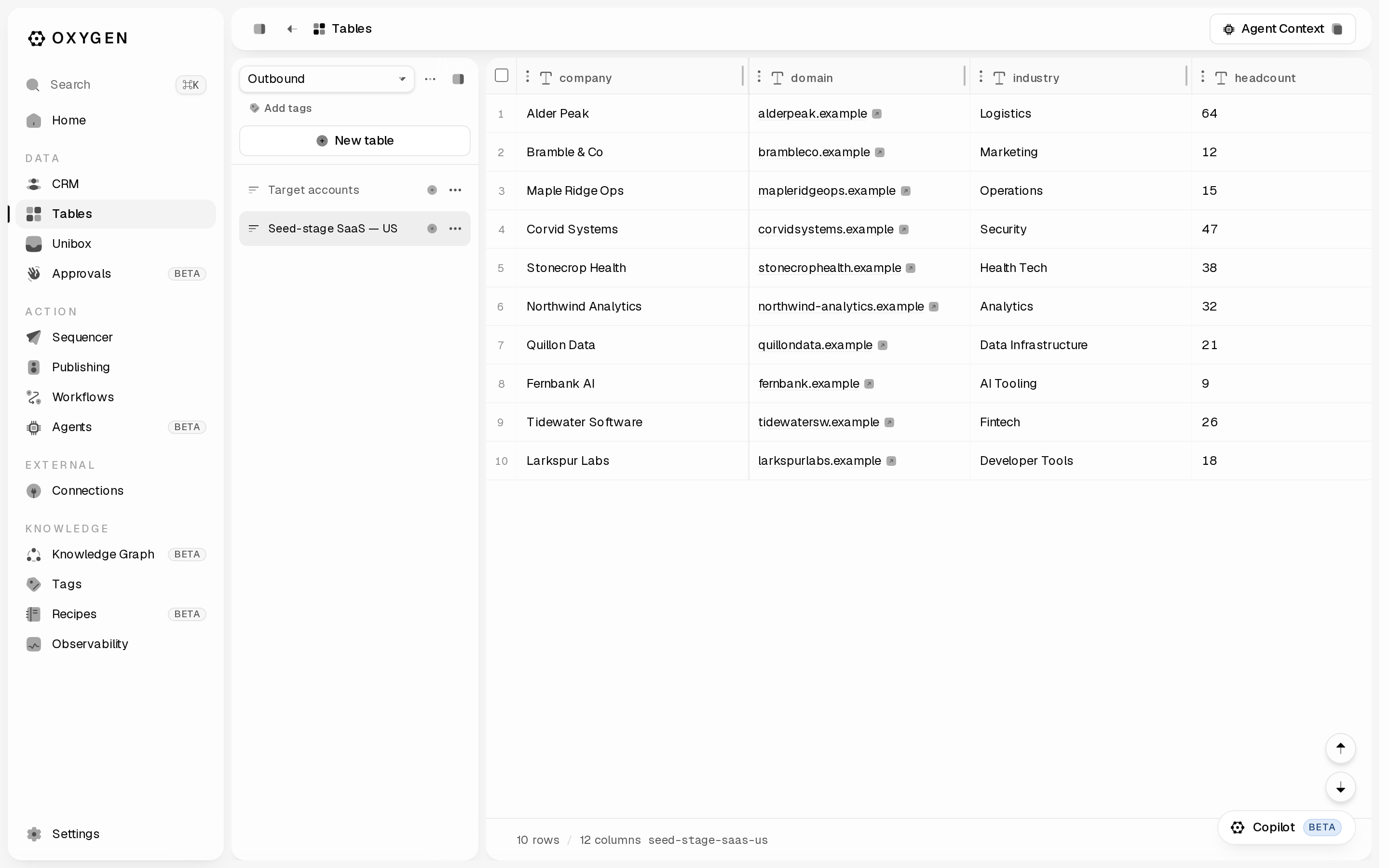
`, approve its fresh setup plan at `--max-credits 0`, open the returned link as that exact inbox, then poll with `--status`. The app's Enable Warmup button follows this Google sign-in flow. Authorization starts no warm-up and charges no credits. Then, for BYOK, imported, or opted-out inboxes: ```sh oxygen mailboxes warmup enable --mailboxes ada@send-acme.com --json oxygen mailboxes warmup enable --mailboxes ada@send-acme.com \ --approved --plan --max-credits ``` Both `--plan` and `--max-credits` must echo the fresh preview. The JSON field `plan_hash` supplies the value for the CLI flag `--plan`. A [pending enrollment hold](/docs/safety/billing#pending-warm-up-enrollment) is reserved credit, not a captured charge; its recovery preview reports existing and additional credits separately. In the app: the flame icon on a mailbox row (**Enable OXYGEN Warm-up**); the dialog quotes 4 weeks and confirms with **Approve <n> credits/month**, or **Start warm-up** when warm-up is included in the mailbox connection (`--max-credits 0`). Track it with `oxygen mailboxes warmup status --json`. For read-only activity inspection, use `oxygen mailboxes get --json`. The status refresh above persists state and may auto-pause a runaway mailbox. An enabled warm-up or a missing graph is not proof of sending or zero sending: see [warm-up activity and history troubleshooting](/docs/providers/mailboxes#missing-warm-up-history-or-enabled-without-sends). Campaign ramp-up and warm-up are separate. A new inbox's campaign sending ramps up over actual days with accepted sends: by default 5/day with 0–2 completed UTC sending days, 10/day with 3–5, 20/day with 6–8, then the mailbox's daily campaign limit from 9 completed sending days onward (25/day by default, maximum 50/day). Idle days since import do not advance this ramp. Historical accepted sends count. `oxygen mailboxes get --json` exposes configured and effective limits under `effective_cap`, including the ramp's levels (`ramp_schedule`) and the sending day it reaches the daily limit (`full_cap_on_sending_day`); `oxygen limits show` reports technical limits. Optional standard warm-up starts at 1/day, increases by 1/day and targets 10/day. Dedicated infrastructure retains its more restrictive domain-density profile. Warm-up settings remain configurable; OXYGEN Warm-up does not support the configured reply-rate percentage, which the panel and API report explicitly. Before launching, account for campaign plus known warm-up volume; Oxygen warns when that combined volume exceeds 50/day and cannot measure mail sent outside Oxygen. This combined-volume warning is separate from the 50/day maximum campaign cap per mailbox. These defaults do not guarantee inbox placement. Click a mailbox address to open its panel — **OXYGEN Warm-up / Settings / Campaigns**. On **Settings**, set **Daily campaign limit** and **Ramp-up**: **Standard** (5, 10, then 20 a day), **Custom** (a starting volume plus an increase every few sending days, climbing to the daily limit), or **Off** for an inbox that already has a sending history elsewhere. The panel shows the resulting levels and the inbox's current sending day. The same settings from the CLI, or `oxygen_mailboxes_set_ramp` over MCP: ```sh oxygen mailboxes cap set ada@send-acme.com --daily-cap 30 oxygen mailboxes ramp set ada@send-acme.com --start-per-day 5 --increase-every-days 2 --step 5 oxygen mailboxes ramp set ada@send-acme.com --off # full daily limit from the first sending day oxygen mailboxes ramp set ada@send-acme.com --clear # back to the standard ramp ``` A custom ramp's optional `--cap` holds the inbox at that number for good, even when its daily limit is higher; leave it out to climb to the limit. ## Check before launching Check recipient addresses separately from your sending mailboxes: [Email verification](/docs/providers/email-verification) explains the free preview, catch-all handling, provider availability and the credit ceiling needed for a live check. ```sh oxygen mailboxes health --json # deliverability reputation per mailbox oxygen mailboxes oauth-health --json oxygen billing balance --json ``` If one inbox degrades, pull it from rotation without losing its warm-up: tick its checkbox and hit **Pause** in the selection bar, or `oxygen mailboxes status ada@send-acme.com --status paused`. Sequences pick from this pool at their **Senders** stage. --- # First sequence > Build a multichannel sequence, load leads without sending anything, then launch it behind a preview and a spend cap. Source: https://oxygen-agent.com/docs/guides/first-sequence A sequence is one journey per lead, mixing email, LinkedIn, WhatsApp, rep call tasks, and CRM tasks. Building it and enrolling leads spends nothing and sends nothing; only starting it dispatches. ## Attach a sender first Sidebar → **Sequencer → Accounts** (`/sequencer/accounts`). Tabs: Senders, LinkedIn, Email, WhatsApp, Phone numbers. - **Email** tab → **Add inboxes** - **LinkedIn** tab → **Connect LinkedIn account**: the account becomes a sender on its own, named and pictured from its LinkedIn profile (or it joins the sender with the same name who has no LinkedIn account yet) - **Senders** tab → **New sender** — one person's inboxes plus their LinkedIn and WhatsApp accounts as one sending identity. `oxygen senders list --json` and `oxygen mailboxes list --json` show what is connected. `oxygen senders connect --country DE` mints a shareable hosted-auth link, valid 10 minutes; `--country` is the account owner's normal LinkedIn login country, not your target market. ## Build it in the app Sidebar → **Sequencer** (`/sequencer`) → **New sequence** opens `/sequencer/sequences/`: an empty draft with four stages — **Leads → Senders → Sequence → Launch**. The **Next: …** button at the bottom moves through them. ![The sequence editor's four stages: Leads, Senders, Sequence, Launch](/images/docs/first-sequence/stepper.png) **Leads.** **Import leads** offers **Upload a file** (CSV, JSON, JSONL, or XLSX), **Copy from a table**, or **HubSpot list**. Imported rows are deduped and enrolled automatically — there is no separate enroll button. On the toast *N leads imported but not enrolled — no LinkedIn URL*, open **Identifiers** beside the import button, map the LinkedIn column, and re-import. **Senders.** **Add senders** chooses who this sequence sends from. With several senders, Oxygen gives each lead one of those people: its LinkedIn steps come from that person's account and its emails from one of their inboxes, even while that account or inbox is at a limit or needs reconnection. To send one step from someone specific, open the step in **Sequence** → **Advanced** → **From**. On a **Send email** step you pick a person, whose inboxes then share that email across your leads (each lead keeps the same one), or one exact inbox; a change of From starts a new email thread, so give that step a subject. On a LinkedIn connection or message step, the person you pick sends every lead's connection request and messages (LinkedIn allows one of your accounts per conversation), while email still comes from each lead's own person. A profile visit, follow, like or comment can each come from anyone. The launch review lists the sender of every step. **Sequence.** The canvas opens on **Sequence start**. Click the **+** between steps ("Add a step") and pick from the catalogue: **Send email**, **Reply email**, **Send invite**, **Send message**, **Send InMail**, **WhatsApp message**, **Call task**, **Create CRM task**, **Wait**, **Wait for signal**, **Branch on signal or data**. Copy fields interpolate `{{column}}` from the lead's row; use `{{column|fallback}}` where a value may be missing. `{{sender_first_name}}`, `{{sender_last_name}}` and `{{sender_full_name}}` fill in the person who sends that step, on every channel, with no table column; email steps also take `{{sender_email}}`. The `{{ }}` button beside a copy field inserts any of them. {/* SCREENSHOT: /sequencer/sequences/:id?stage=sequence | the step catalogue popover open on the "+" inserter, showing the LinkedIn / Email / WhatsApp / Call / CRM / Timing / Logic groups */} **Launch.** One **Sending schedule** (timezone, days, From/To) applies to every channel in the journey. **Sending limits** caps sends per day across every sender (blank for no limit, reset at UTC midnight; profile views and other reads don't count). **Unsubscribe** adds a visible link and one-click headers to first-touch emails. Details: [Sending schedule](/docs/execution/sequences#sending-schedule) and [Unsubscribe option](/docs/execution/sequences#unsubscribe-option). ## Build it from the CLI ```sh oxygen sequences create --name "Q3 founders" --slug q3-founders \ --steps-file ./steps.json --table --json ``` `steps.json` holds `{ "steps": [...] }`, each step with its own `id`: ```json { "steps": [ { "id": "s1", "channel": "email", "kind": "email_send", "subject_template": "{{company}} + inbound", "body_template": "Hi {{first_name|there}} — quick question." }, { "id": "s2", "kind": "wait", "days": 3 }, { "id": "s3", "channel": "email", "kind": "email_send", "body_template": "Bumping this once, {{first_name}}." } ] } ``` `s3` has no `subject_template`, so it continues the lead's previous email: it goes out as `Re: ` inside that thread, like a reply. Give a step its own `subject_template` to start a new email instead. The first email step always needs one. To send one email from a person, set `sender_profile_id` on that `email_send` step to a selected sender profile's ID: each lead gets one of that person's inboxes and keeps it for every step naming them. For one exact inbox, set `sender_mailbox_id` to that inbox's ID instead (never both), and give the step a `subject_template`. For a LinkedIn step, set `sender_profile_id` to a selected sender profile's ID; on `invite`, `message`, `inmail` and `withdraw_invite` it must be the same on all of them (or absent). Select people with `--sender-profiles ` when creating or updating the sequence. `oxygen sequences start ` previews `sender_journey` before anything sends: every email and LinkedIn step with its sender, and for default steps the people a lead can be assigned. Contacts shows the lead's **Sender** and the **Last email From** separately; sequence analytics groups actual sends and attributed replies by inbox and step. Enrolling is inert — no provider call, no credits, no message: ```sh oxygen sequences enroll q3-founders --from-table --json ``` `--from-table` takes up to 500 not-yet-enrolled rows per run; re-run while `from_table.has_more` is `true`. For leads outside the bound table, pass `--leads-file` with `{ "leads": [{ "row_values": { "email": "…" }, "lead_name": "…" }] }`. Attach senders with `oxygen sequences update q3-founders --senders `. Set when it sends and add an unsubscribe option: ```sh oxygen sequences update q3-founders --schedule-timezone Europe/Berlin --schedule-days mon-fri \ --schedule-hours-start 09:00 --schedule-hours-end 17:00 --include-unsubscribe --json ``` The schedule applies to every channel; LinkedIn sends also stay within each LinkedIn account's working hours and are spread across them: an account's 20 daily invites go out 30–45 minutes apart, starting at a different time each day. `--include-unsubscribe` adds a visible link to first-touch emails (plain text shows the URL, HTML a linked **Unsubscribe**) and one-click headers that mail apps show as an Unsubscribe button. On MCP, use `sending_schedule` and `include_unsubscribe` on `oxygen_sequences_update`. ## Set the do-not-contact list before launching Sidebar → **Sequencer → Do not contact** (`/sequencer/do-not-contact`). **Add entries** takes pasted people, emails, phones, or company identities; **Sync HubSpot** pulls in a saved list. Enrollment always enforces this list. ```sh oxygen suppressions add --lead --reason manual oxygen suppressions import --file ./dnc.txt --reason manual oxygen suppressions addresses --json ``` `import` takes a mixed file of emails, bare domains, and LinkedIn URLs, up to 5000 entries. `--reason` is required when the file contains any domain — a domain block silences everyone at that company. ## Launch No flags means preview only: it activates nothing and sends nothing. ```sh oxygen sequences start q3-founders --json ``` Read `launch_readiness.blockers`, `sender_journey`, `copy_preview` (rendered LinkedIn/WhatsApp samples per lead), and the estimated credits. Email copy is not rendered in this check; use `sequences get` to inspect the saved email templates and unsubscribe settings before approval. `--dry-run` activates the sequence in simulated mode: every step advances, with no provider call, CRM write, or credit. A later `--approved` start restarts those leads from the first step so they are contacted for real, except a lead whose source row was deleted, a person another live campaign contacts under `exclude_contacted`, and older duplicates of a person. ```sh oxygen sequences start q3-founders --dry-run --json ``` **This command sends real messages to real people.** ```sh oxygen sequences start q3-founders --approved --max-live-sends 200 --max-credits 5000 --json ``` `--max-live-sends` is a positive-integer ceiling on real external actions, **required** for any sequence with email, WhatsApp, or CRM-task steps — those cost 0 Oxygen credits, so `--max-credits` cannot bound them. Omitting it fails with `sequence_send_cap_required`. `--max-credits` bounds the LinkedIn track and is optional — omit it for an unbounded run. Every per-action LinkedIn charge is 0 credits today ([pricing reference](/docs/safety/pricing-reference)). In the app the same gate is **Review & start** on the Launch stage: a dialog listing pending enrollments, estimated credits, rendered copy samples, and any blockers. **Start live** confirms, and stays disabled while a blocker is listed. {/* SCREENSHOT: /sequencer/sequences/:id?stage=launch | the Review & start dialog with pending enrollments, estimated credits, a rendered copy sample, and the "Start live" button */} It is hidden until the draft has at least one step and — for LinkedIn or WhatsApp — at least one sender; the CLI reports these as `sequence_no_steps` and `sequence_no_senders`. ## Watch it, pause it, or retire it A reply stops that lead's enrollment automatically, on every channel — nothing to configure. To pause the replier's colleagues too, create the sequence with `--company-reply-pause default` (freemail domains are never company-matched); `oxygen sequences paused-companies` lists what is paused and `oxygen sequences resume-company` resumes it. To pause a company yourself — say, after a meeting is booked — run `oxygen sequences pause-company --domain acme.com`. | What you want | Where | |---|---| | Funnel: enrolled, sent, replied, reply rate | `oxygen sequences stats q3-founders --json`, or **Analytics → Outreach** (`/analytics/outreach`) | | Every send, failure, deferral, open, click, reply, bounce | `oxygen sequences events q3-founders --limit 50 --json` | | Per-lead state and the last error | `oxygen sequences enrollments q3-founders --json` | | The replies themselves | **Unibox** (`/unibox`) | `oxygen sequences pause q3-founders` stops new dispatches without deleting the campaign; `oxygen sequences resume q3-founders` restarts them, and enrollments pick up where they left off. In the app: **Pause** while active, **Resume live** while paused. To retire the Sequence permanently, preview the exact blast radius first, then approve that same deletion: ```sh oxygen sequences delete q3-founders --json oxygen sequences delete q3-founders --approved --json ``` The current CLI does not create new archived Sequences. Legacy archived rows remain readable and taggable, but new retirement uses pause for a reversible stop or the preview-first delete flow above for permanent removal. --- # Handle replies > Triage and answer every email, LinkedIn, and WhatsApp reply from one inbox — in the app or from the CLI. Source: https://oxygen-agent.com/docs/guides/handle-replies Replies to your sequences, plus LinkedIn and WhatsApp DMs, land in one place: **Unibox** in the sidebar under **Data**, at `/unibox`. ## Read the inbox Three panes. Left: a rail with **Senders** (once two people in the workspace have sending accounts), **Channels** (an **All channels** row, then each channel down to the individual mailbox or account), **Replies** (on Primary), **Status**, and **Tags**. Middle: icon-only tabs — **Primary**, **All**, **Others**, **Sent**, **Warmup**, **DMARC** (hover for the name) — with **Mark all read** at the end of that row, over a full-width search field and the conversation rows. Right: the thread and the reply box. **Sync** in the top bar reloads the list and the open thread. Primary shows sent and received conversations. Check **Unanswered** under **Replies** to keep only conversations whose last message is inbound; clear it to bring back threads you already answered. **Mark all read** counts what your filters match, asks to confirm, and says to run it again if more still match. The view chip in the top bar (**Unibox › All conversations**) saves the current filters as a view your whole team can open. Star a view to make it the one `/unibox` opens for you. {/* SCREENSHOT: /unibox | the three panes, with the icon-only segment tab strip hovered so the "Primary" tooltip is readable */} The same list from the terminal: ```sh oxygen inbox list --channel all --unanswered --json oxygen inbox get --channel email ``` `list` defaults to the merged stream (every channel, interleaved) and narrows with `--channel`; `get` and `send` resolve a conversation's channel from the conversation itself when `--channel` is omitted. `status`, `tag`, `archive`, and `analyze` still default to email, so pass `--channel linkedin` or `--channel whatsapp` there for a DM thread. A search spans every non-warmup conversation — all channels, every folder except the Warmup and DMARC tabs, and message text — whichever tab it is typed on. ## Triage Each row and each open thread carries a status pill. Click it for the picker: a search box, the label list, and **Create Label** at the bottom. The eight system labels are Interested, Neutral, Out of office, Wrong person, Not now, Not interested, Lost, and Bounced — the rail's **Status** section groups them under **Positive** / **Neutral** / **Negative**. ```sh oxygen inbox labels list --json oxygen inbox status interested --channel email oxygen inbox tag --add "q3 outbound" --channel email oxygen inbox archive --channel email ``` Setting a status by hand is an override — the AI classifier will not change it again. Tags cost 0 credits and are never shown to the counterpart; `oxygen tags list` shows the workspace vocabulary. `oxygen inbox tag` with neither `--add` nor `--remove` exits 1 with `Pass --add and/or --remove.` Triage up to 100 conversations at once. Without `--yes` you get counts only: ```sh oxygen inbox bulk --action set-status --ids , --status interested --channel email oxygen inbox bulk --action set-status --ids , --status interested --channel email --yes ``` In the thread header, **Archive** works; **Forward** is disabled and its tooltip says forwarding ships with the inbox actions update. ## Reply In the app, type into the composer at the bottom of the thread. Its footer names the mailbox you are sending from. Enter sends, Shift+Enter adds a line. From the CLI, run it once without `--approved` — that returns a preview of exactly what would go out — then send: ```sh oxygen inbox send --channel email --text "Thursday 10:00 works. Here is the link." oxygen inbox send --channel email --text "Thursday 10:00 works. Here is the link." --approved ``` Sends cost 0 credits per message on all three channels. Connected senders have separate monthly costs: credit reservations when `sender_billing` is `credit_reservations`, or dollar sending seats in the legacy model. Check `oxygen billing estimate --json` for the workspace's model and current prices ([pricing reference](/docs/safety/pricing-reference#sending-seats)). The message still reaches a real person, so `--approved` is required. When it fails: `mailbox_not_active` or `mailbox_not_sendable` means the mailbox that owns the conversation is paused or has no send transport — fix it under **Sequencer → Accounts**. `email_conversation_no_recipient` means the thread has no address to reply to. A LinkedIn send returning `unibox_stale: true` did send, it is only missing from the thread; run `oxygen inbox sync` (which pulls LinkedIn and WhatsApp — email is polled by the background worker). ## Let the agents take the first pass Neither agent sends anything. **AI Inbox Tagger** tags each new inbound conversation using only the allowlist you give it, additively, and never re-adds a tag you removed. It has no web form — set it from the CLI: ```sh oxygen inbox auto-tagger set --enabled --tags "pricing,demo request,not now" ``` **AI Sales Agent** classifies replies and writes draft answers into a review queue — each draft it writes spends credits, so cap it. A human approves every one. ```sh oxygen inbox reply-agent set --enabled --persona "Jonas, founder of Acme (dev-tools for CI caching)" --tone "warm, concise, low-pressure" --max-drafts-per-day 25 oxygen inbox drafts list --json oxygen inbox drafts edit --text "Rewritten answer." oxygen inbox drafts reject oxygen inbox send --channel email --text "Rewritten answer." --draft-id --approved ``` Configuring is free. In the app, the **AI Sales Agent** link at the bottom of the Unibox rail opens `/agents/inbox-reply-drafts`: a **Configuration** card (Persona, Tone, Instructions, Signature, Draft for these statuses, Draft for these campaigns, Max drafts per day, **Save settings**) above a **Review queue** with **Approve & send**, **Edit**, and **Reject** on every draft. {/* SCREENSHOT: /agents/inbox-reply-drafts | one queued draft showing the Approve & send / Edit / Reject buttons */} ## What a reply changes elsewhere - The lead's sequence enrollment stops and its open steps are cancelled on every channel, before the next step can dispatch. - If the campaign pauses the company on reply (**Launch → Reply handling**, or `oxygen sequences update --company-reply-pause default`), the replier's colleagues in that campaign are held at once. When the reply is classified, the pause stays if its category is one you chose and lifts on its own if not. Resume from **Sequencer → Do not contact → Paused companies** or `oxygen sequences resume-company`. To pause a company yourself, for example after a meeting is booked, run `oxygen sequences pause-company --domain acme.com`; unlike a do-not-contact entry, a pause can be resumed. - A hard opt-out in the reply body sets the conversation to Not interested and suppresses that address, so the sequencer never emails it again (**Sequencer → Do not contact**). - A timeline activity is logged on the matching CRM person, when that person already exists. - Once classified, the reply emits the workspace event `crm.email_reply_classified`, which a workflow can trigger on. ## Search conversations and message bodies `oxygen inbox list --search` is fuzzy — typos, word order and prefixes all match — and it always spans every non-warmup conversation: all channels, archived and sent-only threads included, matching names, addresses, subjects and the text of every message in both directions. The folder, `--unanswered` and the Primary tab's negative-tier exclusion are ignored while a term is set; explicit facets such as `--status` still narrow. Conversations come back newest first: ```sh oxygen inbox list --search "sandra prak" --json ``` For a relevance-ranked, message-level read across every channel: ```sh oxygen messages query -q "pricing" --channel all --since 2026-07-01 --json ``` --- # Track deals in the CRM > Keep companies, people, and deals as canonical records — open them in the app, write them from the CLI, enrich them, merge duplicates, keep a sample record as real, and promote table columns onto them. Source: https://oxygen-agent.com/docs/guides/crm-records The CRM holds one canonical row per company, person, and deal, each with identities, an owner, a stage, and a timeline. ## Records are truth, Tables are work A [table](/docs/data/tables) builds and enriches a list: a TAM pull, a CSV, a scrape. A record is that entity deduped, addressed by identity — companies by `domain`, people by `email`, deals by `deal_key`. They connect one way: bind rows to records, then promote the columns worth keeping. ```sh # 1. Resolve each row to a CRM record. Free. In the app: "Add column" → "Bind to CRM record". oxygen columns add my-leads --label "CRM person" --bind-object people --bind-map email=work_email oxygen columns run my-leads crm_person --limit 25 # 2. Preview which record fields would change. Free, writes nothing. oxygen tables promote my-leads --object people --map job_title=job_title,seniority=seniority # 3. The same command plus --approved writes them onto the records. ``` `columns add` prints the key it derived from the label — pass that to `columns run`. `promote` defaults to `--policy fill-empty-only` (also `overwrite`, `skip-conflicts`), never touches identity or system attributes, and queues a background run you follow with `oxygen table-runs wait `. ### Work a Records view in a table The other direction copies records into a table to work them: a whole object or one saved view, once or kept in sync. In the app: **New table → Import from Records**. ```sh oxygen tables records import --object deals --view "Open deals" --dry-run # free: record count and columns oxygen tables records import --object deals --view "Open deals" --refresh sync --every daily@6 --approved oxygen tables records status
# last sync and schedule ``` The copy is one way and costs 0 credits; a kept-in-sync table bills one [workflow step](/docs/safety/billing#workflow-steps) per scheduled sync. Records never change; rows are keyed by `record_id`. On each sync, changed record values update the table, but a cell you edited in the table and any column you added stay as they are. A record that leaves the view keeps its row with `in_records` set to false, so nothing you worked on disappears. `oxygen tables records sync
--refresh once` stops the schedule. MCP: `oxygen_tables_records_import`, `oxygen_tables_records_sync`, `oxygen_tables_records_status`. ## Set up the objects Sidebar **Data → CRM**; each object is a child: Companies, People, Deals, plus any custom object. **Data model** (`/crm/objects`) sits under them and is where the workspace's objects are listed, created and read: what each one records, which field makes two records the same, and how they link. An empty workspace lands on **No CRM objects yet**. ```sh oxygen crm setup # dry run: what it would create or repair oxygen crm setup --live # creates companies, people, deals ``` Most `crm` writes preview first and need `--live`: `setup`, `assert`, `activity log|note`, `objects create|delete|add-attr|update-attr|remove-attr`, `relationships define|upsert`, `merge`, `automation set`, and `sync import|configure|run`. `crm tag`, `crm keep`, every `enrichment` verb, and `sync enable|disable` write on the spot. Check any command's own `--help` before running it. Custom objects come from **Data model → New object** (`/crm/objects/new`) or `oxygen crm objects create --slug projects --display-name Projects --columns-json '[…]' --live`. `oxygen crm objects` lists what exists, and `/crm/objects/` shows one object's fields, identities and links. Two slug groups are reserved. `companies`, `people`, `deals`, `lists` and `activities` belong to standard objects and the engines behind them; `objects`, `automation`, `calls` and `new` are fixed `/crm/*` routes, and an object named after one would be shadowed by the page of the same name. Adding a field to an object you already have — including Companies, People and Deals — is **Settings → CRM Data Model → the object → Add field**, or `oxygen crm objects add-attr --column-json '{…}' --live`. A field you add belongs to the workspace and survives later `crm setup` runs. Changing a field is the same page: click its row to rename it, make it required or optional, change a select or status field's choices, or remove it. On the terminal that is `oxygen crm objects update-attr --name "…" | --required | --no-required | --options-json '[…]' --live` and `oxygen crm objects remove-attr --live`. The field's key never changes, so anything that reads it by key keeps working. A removed field's column is archived rather than dropped and its key is free again immediately; `oxygen columns restore` brings it back as the same field. `oxygen crm describe --field ` reads one field on its own. What Oxygen ships on a standard object keeps its key, type and required flag and cannot be removed, but its name and its choices — the deal pipeline, the lead stages — are yours to shape. An identity is what makes two records the same one — it is what stops a re-import creating a second copy of the same company. Each identity names a column plus how its value is compared: `email_v1`, `domain_v1`, `linkedin_url_v1`, `exact_text_v1` or `uuid_v1`. These are not the short `exact`/`email`/`domain` spellings that `--lookup-normalize` takes on a Table column. At most one identity per object is primary. A select or status column carries its choices at create time, in the column's own `options` array alongside `option_model_type` (`status`, `single_select` or `multi_select`) — not in a `metadata` block, which is part of what `crm describe` reports back rather than something create accepts: ```json { "key": "status", "label": "Status", "data_type": "text", "semantic_type": "status", "option_model_type": "status", "options": [{ "value": "prospect", "label": "Prospect" }, { "value": "active", "label": "Active" }] } ``` ## Sample records A new workspace starts with Companies, People and Deals already holding sample records, so every view has something to show: five well-known companies (Stripe, Vercel, OpenAI, Anthropic, Notion), their CEOs, and eight `sample-` deals across the pipeline. The sample people can never be reached: their emails use the reserved `.example` domain, their phone numbers are fictional, and their LinkedIn profiles are on your do-not-contact list. Samples always say they are samples: - **Reads mark them.** Rows from `crm get`, `crm search`, `tables query` and `tables preview` carry `_sample: true`; `crm search --suggest` hits and `crm pipeline` deals carry `sample: true`. The record page shows a **Sample** badge. - **Totals leave them out, and say so.** `crm pipeline` drops samples from stage counts, amounts and `totals` and reports them under `samples`. Dashboard summaries report `caveats.sampleRecordsExcluded` for the funnel, lifecycle and cold-deal numbers, a chart over a CRM object reports `sampleRecordsExcluded`, and the pipeline dashboard, the Command Center and chart cards add a line such as "Leaves out 8 sample deals." When a sample turns out to be real, keep it. Its marker clears and it counts like any other record: ```sh oxygen crm pipeline --json # sample deals carry "sample": true and their row id oxygen crm keep deals # keep one deal as real oxygen crm keep companies stripe.com # an identity value works too ``` `crm keep` writes immediately. It is free, cannot be undone, and changes nothing on a record that is already real. It keeps that one record only: a kept deal's company and contact stay samples until you keep each of them. Agents call `oxygen_crm_record_keep` over MCP (through `oxygen_capabilities_call` when their connector does not list it), the record page has **Keep as real**, and the Copilot asks you before it keeps one. ## Work a record `/crm/deals` opens on a seeded board view named **Pipeline**, grouped by Stage: Lead → In Progress → Won / Lost. Drag a card to move the deal. The stage set is workspace-editable, so a team that wants a longer ladder adds its own. Switch to the table view and a deal opens on six fields — **Deal Name**, **Stage**, **Deal Owner**, **Associated People**, **Associated Company**, **Created at**. Everything else it carries (amount, priority, close date, source, the buying committee, tags) is one click away in the column menu, and `oxygen crm describe deals --json` names the opening set as `openingGrid` so an agent can read it too. Any cell opens the account view: the record's attributes on the left and, on the right, **Activity**, **Inbox** / **Sequences** where the object has them, **Notes**, **Tasks** and **Files**. The stage cell opens its picker in place instead. **Notes** are the record's own notes — written in the same markdown editor as a markdown field, pinnable, editable, and mirrored onto the timeline. **Tasks** are the reminders filed on the record (a title, an optional owner, deadline and priority), grouped **To do** / **Done**. **Files** are what the customer sent you, attached to the record. Every one of them is free and internal: no preview, no approval. **CRM → Tasks** (`/crm/tasks`) is the same list across the whole workspace — every open reminder, which record it is about, its owner and deadline — with a **Mine** filter. ![The CRM companies grid](/images/docs/crm-records/companies.png) From the CLI: ```sh oxygen crm search "acme.com" --object companies oxygen crm get companies --json oxygen crm assert companies --identity domain=acme.com --values-json '{"lifecycle_stage":"customer"}' --live oxygen crm activity note companies "Intro call booked" --live oxygen crm activity log deals --type meeting_booked --summary "Demo with CTO" --live oxygen crm activity timeline companies acme.com oxygen crm tag companies --add tier-1 oxygen crm pipeline --pipeline sales oxygen crm notes add companies "They want a pilot with 3 seats; decision maker is the Head of RevOps" oxygen crm tasks add companies "Send the deck" --due 2026-09-25 --priority high --assignee you@company.com oxygen crm tasks list # every open reminder in the workspace, with its record oxygen crm tasks list --assignee me # just yours oxygen crm tasks complete oxygen crm files attach companies ./proposal.pdf ``` `search` takes exactly one query — narrow it with `--object`, never a second argument. `timeline` accepts a row id *or* an identity value (`acme.com`, `sarah@acme.com`); a miss returns `crm_record_not_found` naming what to pass instead. `crm tag` writes deltas (`--add` unions, `--remove` subtracts) against the same [tag](/docs/workspace/tags) vocabulary as sequences and conversations, and needs the `tags` attribute `crm setup` adds. For a large record, `oxygen crm get companies --projection compact --max-chars 10000 --json` leaves out the object's field configuration and names any omitted cells in `omitted_row_fields`. MCP record reads use this compact window by default. The result's `detail` points to the Table row inspector, where `projection=value` retrieves a complete cell in resumable windows; retained values are never shortened. An ordinary CLI read keeps the full result. A live `crm assert` fires the object's standing automatic enrichment on the record it wrote, spending credits up to that object's per-batch ceiling. Run `oxygen crm enrichment list` first to see what is armed. ## Automatic enrichment (paid) Every CRM grid's top bar carries the enrichment popover, headed **New records added to Companies are enriched automatically.** It lists each preset's per-record credit cost, the per-batch ceiling, and **Backfill existing records** with an **Enrich … now** button and **Enrich all**. ```sh oxygen crm enrichment list --object companies # armed presets, cost per record, ceiling, how many records were never enriched. Free. oxygen crm enrichment enable company_linkedin_profile --object companies oxygen crm enrichment backfill --object companies # free preview: one batch's cost, and the cost to finish oxygen crm enrichment backfill --object companies --limit 200 --live --approved --max-credits 2000 ``` Arming covers only records written after it, so existing records stay blank until you backfill. `crm setup` arms the default presets on objects it creates; `crm setup --with-enrichment` arms them on objects that already existed. When your plan runs fewer columns per record than the defaults, setup arms the ones that fit and lists the rest under `autoRunColumnsOverLimit`. A live batch without `--approved` fails with `approval_required` (exit 7). Records past `--max-credits` are skipped with `credit_limit_reached` — the preview says how many. `oxygen crm enrichment off --object companies` clears the configuration entirely. ## Merge duplicates `/crm/companies/duplicates` (no sidebar entry yet — type the URL) ranks candidate pairs. **Review merge** opens the field-level diff, **Confirm merge** writes it. ```sh oxygen crm duplicates companies --limit 25 oxygen crm merge companies # dry run: field diff + relink plan oxygen crm merge companies --live --confirm ``` The survivor keeps its values, the loser fills its blanks and is tombstoned with its links moved over. `--live` without `--confirm` refuses: *"crm merge --live requires --confirm after inspecting the dry-run field diff."* ## Standing automations `/crm/automation` lists the templates that advance a record when a reply, meeting, or signup arrives — `crm-lead-stage-router`, `crm-meeting-booked`, `crm-signup-to-person` — each badged **Armed** or **Disarmed** with a toggle. The lead-stage router arms itself the first time a sequence goes live; once disarmed, nothing re-arms it but you. ```sh oxygen crm automation rules oxygen crm automation set crm-meeting-booked --armed --live --approved --max-credits 1 # drop --live to preview it first oxygen crm automation audit --limit 20 ``` An armed rule is a standing permission for free internal CRM writes; `--max-credits` is the ceiling per event delivery. ## Two-way sync with HubSpot or Attio Connect the provider under **External → Connections**, then: ```sh oxygen crm sync import hubspot --object contacts --into people # dry run oxygen crm sync configure --provider hubspot --object contacts --direction bidirectional # dry run of the next cycle oxygen crm sync enable --provider hubspot --object contacts --approved --max-rows 500 --max-credits 1000 ``` `sync enable` is always live: it arms the cron trigger and the standing write permission, then runs a first cycle. Inbound previews and every cycle read through your own provider credentials, consuming your CRM's API quota. Details in [Integrations](/docs/providers/integrations). ### Importing one HubSpot saved list instead of a whole object `crm sync import` pulls **every** record in an object into Records. It has no list or segment filter. To bring **one HubSpot saved list** in as rows you can filter and enrich, import it into a table instead: ```sh oxygen tables hubspot lists # the portal's saved lists; free oxygen tables hubspot import --list --dnc-list # free preview, returns a fingerprint oxygen tables hubspot import --list --dnc-list \ --live --approved --reviewed-fingerprint ``` Choose by destination: **Records** for canonical truth about every contact, a **Table** for one segment you want to work. The table path also imports a do-not-contact list — any list passed as `--dnc-list` is synchronised into your suppression ledger *before a single row is written*, and if that snapshot fails no row lands. Suppression is additive: removing someone from the HubSpot list never un-suppresses them in Oxygen. Importing with no DNC list is allowed but must be deliberate (`--no-dnc`). Oxygen suppresses from a saved **list** only — a HubSpot opt-out property such as `hs_email_optout` is not a supported source. --- # CLI > Install, authenticate, discover commands, and read the `oxygen` output envelope. Source: https://oxygen-agent.com/docs/surfaces/cli ## Compact reads JSON output is compact by default. Add `--pretty` for human reading. Command lists show short summaries while preserving cost and approval guidance; selected commands retain complete flag descriptions and examples. Use `--help-full` to expand the command list or `oxygen commands get --json` for exact grammar. Start discovery with `oxygen commands search --json`. Raw `oxygen tables query
--json` defaults to 20 rows and a 12,000-character compact JSON envelope. Select needed columns with `--fields` and follow `nextCursor` with the same filters. Oversized results return `table_query_result_too_large` with recovery instructions; values are never silently shortened. Use `tables rows inspect` to read an exact cell or JSON path through lossless value windows. `--full` restores legacy raw query defaults. `--output ` writes the full current page to a private local JSON file and returns its path, counts and continuation. It preserves existing files. A saved page is not a whole-table export; use `tables export` for that. Table run get/wait now return progress summaries with counts, costs, failures and next actions. Sequence enrollment reads default to compact rows with invite state and next-message timing. Add `--full` to either read for the full stored details. Native API defaults and existing MCP host limits remain unchanged. For formula discovery, `oxygen formulas functions --query "dot-separated path" --json` returns matching functions with their signatures and dialect guidance. Every command is listed in the [CLI reference](/docs/surfaces/cli-reference). MCP tools and the web app call the same `/api/cli/*` contract, so state created here is visible from all three. ## Install and authenticate ```sh npm install -g @oxygen-agent/cli oxygen login oxygen status --json ``` `oxygen status` compares the local CLI against the deployed API. It stays usable — along with `oxygen whoami` and `oxygen update` — when an outdated CLI is refused with `cli_update_required`. ## Updates The CLI keeps itself current. Once a day it checks npm in the background and installs a newer release; the command you ran never waits, and the next command prints one line saying what was updated. If the API refuses your CLI as too old (`cli_update_required`), the CLI updates itself and re-runs that command once. ```sh oxygen update --status # installed vs newest version, and whether automatic updates are on oxygen update # update now oxygen update --disable-auto # keep this computer on its current version oxygen update --enable-auto ``` Automatic updates need a global install (`npm install -g @oxygen-agent/cli`). They are off when `CI` is set, when `OXYGEN_NO_AUTO_UPDATE=1` is set, and for a CLI run through `npx` or from a project's `node_modules`; `oxygen update --status --json` then names the reason (`auto_update.reason_text`) and the step that works (`auto_update.next_step`). On a build server that must stay pinned, install the version you want (`oxygen update --package @oxygen-agent/cli@`), then set `OXYGEN_NO_AUTO_UPDATE=1` or run `oxygen update --disable-auto` once. `oxygen update` also refreshes the Oxygen agent skills in the global skill folders of Codex, Claude Code and Cursor; set `OXYGEN_SKIP_SKILLS=1` to skip that. A pinned CLI that falls below the API's minimum still stops with `cli_update_required` until you run `oxygen update`. `oxygen login` registers the terminal server-side and sends you to **Settings → CLI and MCP** to approve it; the browser and the terminal show the same confirmation code. No loopback server is involved, so it also works over SSH, WSL, and in containers — open the printed URL in any browser. It works when your agent runs it for you, too (Claude Code, Codex or Cursor): their command shells are not interactive terminals, and you approve the sign-in in your browser. `--no-browser` skips the handoff; `oxygen login --token ` stores a token minted on that same page. Where nobody can approve a sign-in, such as CI, use a token (with `CI` set, `oxygen login` without `--token` stops at once): ```sh oxygen api-keys create --name "automation key" --json oxygen auth use-token --token --json ``` `oxygen` talks to `https://oxygen-agent.com`. `oxygen-dev` targets the Oxygen dev deployment and is not for customer workspaces. ## Profiles and organizations ```sh oxygen profiles list --json oxygen profiles use --json oxygen orgs list --json oxygen orgs use --json oxygen whoami --json ``` A profile stores one host plus one token. The active organization scopes tables, context, integrations, runs, and credits. ## Discovery Start from the outcome, then hydrate one exact command: ```sh oxygen capabilities search "waterfall-enrich work emails in this table" --json oxygen commands search "preview a work-email waterfall" --limit 5 --json oxygen commands get "enrich-column preview" --json ``` The capability card names the owning primitive, what it is not for, execution and spend posture, related skills, and gateway commands. `commands get` returns one command's exact arguments, flags, and safety markers. `oxygen commands --json` still emits the full manifest for diagnostics, but agents should not load it by default. Skills and provider operations are separate catalogs: ```sh oxygen skills search "host a deterministic signup workflow" --json oxygen skills get --json oxygen tools search "public LinkedIn post engagers" --json oxygen tools get --json ``` Provider operations are not CLI commands — they are the units a tool column or `oxygen tools run` invokes, listed in the [provider reference](/docs/providers/reference). Public LinkedIn reads prefer native cookieless `scraper.*` operations; connected `linkedin.*` is for the workspace account's private data and writes. ## Output envelope `--json` returns one shape on every state-bearing command: ```json { "ok": true, "data": { "web_url": "https://oxygen-agent.com/workspaces//tables/" }, "meta": { "command": "tables preview", "version": "", "minimum_cli_version": "" } } ``` A failure keeps `meta` and replaces `data` with `error.code`, `error.message`, and an optional `error.details`. The exit code classifies the failure so a shell agent can branch without parsing the body: | Exit | Meaning | |---|---| | 0 | ok | | 1 | unclassified error | | 2 | usage or input validation | | 3 | auth or CLI compatibility (`not_authenticated`, `cli_update_required`) | | 4 | not found | | 5 | provider or server failure | | 6 | rate limited — wait `error.details.retry_after_seconds`, then retry | | 7 | approval, spend gate, or subscription recovery — follow `error.details.next_step` | | 8 | timeout | `data.web_url` opens the same state in the [web app](/docs/surfaces/web). Run-oriented commands add run ids, status, item counts, credits, and error summaries. ## Safety posture Previews and dry runs make no provider calls and spend nothing. A paid provider call, AI or tool column run, enrichment run, CRM write, outbound enrollment, or LinkedIn action refuses to execute until you pass `--approved`, and refuses again without a `--max-credits` ceiling on anything that carries a price. `approval_required` and `max_credits_required` both exit 7 and spend nothing. ```sh oxygen tools run --input-json '{...}' --mode dry-run --json oxygen tools run --input-json '{...}' --mode live --approved --max-credits 5 --json ``` `--max-credits` is a ceiling, not a charge: unused reserved credits are released. See [Approvals](/docs/safety/approvals) for what each action requires, and check what a run actually cost with: ```sh oxygen billing balance --json oxygen billing usage --limit 50 --json ``` --- # CLI command reference > Every public oxygen command, generated from the CLI's own command tree. Source: https://oxygen-agent.com/docs/surfaces/cli-reference Every released public command the `oxygen` CLI registers — over 1,100 commands across 101 groups — generated from the CLI's own self-index (`oxygen commands --json`, which returns the exact total for the version you have installed). Hidden compatibility commands and unreleased internal pilots are omitted from this public reference. Run `oxygen commands get "" --json` for one public command's full description, arguments, and flags. Markers in **Notes**: | Marker | Meaning | | --- | --- | | `paid` | Some invocation mode spends credits or performs an approval-gated external write. | | `writes` | Mutates workspace, provider, or account state. | | `staff` | OXYGEN staff only; a customer identity is refused. | | `deprecated` | Retired, removed, or superseded — kept listed so the replacement is discoverable. | | `alias` | A second spelling of another command. | A blank **Notes** cell means the command is read-only and free. ## action-column | Command | What it does | Notes | | --- | --- | --- | | `oxygen action-column add-provider` | Add a catalog-backed provider action picker column to a workspace table. | `writes` | ## activation | Command | What it does | Notes | | --- | --- | --- | | `oxygen activation checklist` | Read this workspace's getting-started checklist: leads in a table, a first sequence, a connected sending account and a launched sequence, each with whether it is done and a link to do it; eligible… | | ## admin | Command | What it does | Notes | | --- | --- | --- | | `oxygen admin automation-usage divergences` | List every automation-usage window whose counter and event ledger disagree, including windows that have outlived the detector's lookback and can only be cleared by a repair. | `staff` | | `oxygen admin automation-usage reconcile` | Write the one audited adjustment that closes a window's counter/ledger divergence. | `writes` `staff` | | `oxygen admin costs` | Show provider costs (COGS) per workspace. Staff only. | `staff` | | `oxygen admin directory delist` | Remove an organization's listing from the public directory (kill switch). | `writes` `staff` | | `oxygen admin directory enable` | Invite an organization to the directory, optionally prefilling its profile. | `writes` `staff` | | `oxygen admin directory list` | List every agency directory listing across all organizations. | `staff` | | `oxygen admin egress` | Read-only Fly email-egress overview: shared IP, dedicated workspace apps and IPs, liveness, image drift, billing, and stuck orders. OXYGEN staff only. | `staff` | | `oxygen admin kpis` | Show the company conversion funnel (visitors → signups → activation on any surface, web, CLI or MCP → paid, with step rates and agent connected beside it), self-reported signup-channel… | `staff` | | `oxygen admin lead-magnets get` | Show one lead magnet (resource) by slug: every field, draft or published, and its public /resources URL. Staff only, read-only. | `staff` | | `oxygen admin lead-magnets list` | List every lead magnet (resource) on /resources, drafts included, with status and public URL. Staff only, read-only. | `staff` | | `oxygen admin lead-magnets unpublish` | Unpublish a lead magnet (resource): set it to draft, which removes it and its page from /resources and keeps its email records. Dry run by default; --live applies it. Staff only. | `writes` `staff` | | `oxygen admin lead-magnets upsert` | Publish or update the lead magnet (resource) at a slug on /resources from a resource JSON file and/or flags; --cover uploads a local image. | `writes` `staff` | | `oxygen admin price-book list` | List every pricing-book row with its stored value, what charging bills now, the committed default, and who reads it. Read-only. | `staff` | | `oxygen admin price-book restore` | Put a pricing-book row back to its committed default. For a plan, --field restores one allowance field; without it all three are restored. | `writes` `staff` | | `oxygen admin price-book set` | Set one editable pricing-book field. | `writes` `staff` | | `oxygen admin primary-providers` | Provider board: primary managed data providers, inference, fallbacks, conditional companions and product services with default/conditional/legacy selection and required configuration. | `staff` | | `oxygen admin spend` | Global managed-provider spend limiter: burn, ceilings, breakers. Staff only. | `staff` | | `oxygen admin spend halt` | Force a breaker OPEN — the platform kill switch for managed provider spend. --scope managed_credit --key <provider> benches Oxygen's managed account for one provider (the same bench a vendor 402… | `staff` | | `oxygen admin spend resume` | Close a breaker and clear its backoff, resuming managed provider spend. | `writes` `staff` | | `oxygen admin spend set-limit` | Set a ceiling for one scope + window. action=warn meters only; block arms it. | `writes` `staff` | ## ads | Command | What it does | Notes | | --- | --- | --- | | `oxygen ads searches delete` | Archive a saved search; hide it from lists and tag footprints. | `writes` | | `oxygen ads searches get` | Read one saved Ads search definition without running it. | | | `oxygen ads searches list` | List saved Ads search definitions, optionally filtered by tag. | | | `oxygen ads searches save` | Save a named Ads search query for 0 credits; no provider call. | `writes` | | `oxygen ads searches update` | Replace a saved search's name or query; keep its tags. No provider call. | `writes` | ## agent | Command | What it does | Notes | | --- | --- | --- | | `oxygen agent approval-decide` | Approve or reject one pending Workspace or custom Agent tool call, then resume its durable run. | | | `oxygen agent cancel` | Request cancellation of an active Workspace or custom Agent run. | `writes` | | `oxygen agent create` | Create a custom Agent and publish its first immutable version. This internal configuration write starts no chat/run and spends no credits. | `writes` | | `oxygen agent custom` | List the org's user-defined custom agents (distinct from `agent list`, which shows the built-in roster). | | | `oxygen agent delete` | Archive a custom agent (soft delete): its triggers stop firing and it leaves the roster; versions/runs are preserved. | `writes` | | `oxygen agent disable` | Disable a workspace or specialist agent so it stops new runs on the next worker tick. | `writes` | | `oxygen agent enable` | Enable a workspace or specialist agent so it resumes its governed runs. | `writes` | | `oxygen agent file-create` | Store a tenant-owned text file for Agent context and sandbox input. | `writes` | | `oxygen agent files` | List tenant-owned Agent context files. | | | `oxygen agent get` | Show one agent — the Workspace Agent, a specialist, or a custom agent — with its active version and recent runs. | | | `oxygen agent list` | List the Workspace Agent and built-in specialists with state and recent run history. | | | `oxygen agent run` | Start a durable chat/run for the Workspace Agent or a custom Agent on the Fly worker. | `paid` `writes` | | `oxygen agent run-get` | Inspect one Workspace or custom Agent run and its append-only event ledger. | `writes` | | `oxygen agent runs` | List recent runs across all agents (or one via <slug>), newest first. | | | `oxygen agent session activate` | Approve the exact preview revision and activate scoped standing authority. | `paid` `writes` | | `oxygen agent session archive` | Archive this ongoing session, retaining conversation and run history. | `writes` | | `oxygen agent session complete` | Complete this ongoing session, retaining conversation and run history. | `writes` | | `oxygen agent session configure` | Replace settings at the expected revision. Clears standing authority and pauses active work; review again before activation. | `writes` | | `oxygen agent session create` | Create a draft ongoing session. Explicit caps are required; review and activate separately. | `writes` | | `oxygen agent session get` | Read this session's configuration revision, conversation, memory, next check, approvals and budget reservations. | | | `oxygen agent session list` | List independent ongoing sessions under an Agent, including status, next check and spend. | | | `oxygen agent session message` | Queue durable human steering. Draft chat proposes settings for review; active chat resumes the same memory. A bounded run reserves the approved per-run cap. | `paid` `writes` | | `oxygen agent session pause` | Pause this ongoing session, retaining conversation and run history. | `writes` | | `oxygen agent session preview` | Preview the exact pinned Agent version, resource scope, actions, schedule and caps. Returns the revision and approval token; starts no inference. | `writes` | | `oxygen agent session resume` | Resume this ongoing session. Requires unchanged approved settings. | `paid` `writes` | | `oxygen agent session run` | Run this active session's next check now, within its approved caps. Refused while a check runs or a cap is reached. | `paid` `writes` | | `oxygen agent session templates` | Discover eight ongoing Agent job templates, reviewed actions, required resources, the full config schema and a draft example. Staff on dev only; legacy Agents remain available. | | | `oxygen agent session webhook` | Create this session's webhook or rotate its secret (returned once); remove deletes it. A delivery wakes the active session within its caps; its external writes then ask first. | `writes` | | `oxygen agent set` | Publish an immutable version (reconfigure) for a runtime agent: the Workspace Agent or a custom agent. | `writes` | | `oxygen agent trigger-create` | Create a cron, internal event, or signed-webhook trigger for the Workspace Agent. | `paid` | | `oxygen agent trigger-set` | Activate, pause, or archive one Workspace Agent trigger. | | | `oxygen agent triggers` | List Workspace Agent cron, internal event, and webhook triggers. A legacy cron held to the plan minimum includes slowed_to_plan_minimum and its next run time. | | ## api-keys | Command | What it does | Notes | | --- | --- | --- | | `oxygen api-keys create` | Create a CLI API key. The token is shown once. | `writes` | | `oxygen api-keys list` | List active CLI API keys for the current user and organization. | | | `oxygen api-keys revoke` | Revoke a CLI API key for the current user and organization. | `writes` | ## approvals | Command | What it does | Notes | | --- | --- | --- | | `oxygen approvals cancel` | Withdraw a pending request you filed (or, as an admin, clear a stale one). | `writes` | | `oxygen approvals client grant` | Restrict a member to the client role. | `writes` | | `oxygen approvals client list` | Every member of this workspace and what they may do — the workspace role plus the Oxygen client overlay — followed by anyone invited who has not joined yet, and what they will land as. | | | `oxygen approvals client revoke` | Clear the client role and restore full workspace access. Works on a pending invitation too, clearing what that address would land as. | `writes` | | `oxygen approvals decide` | Answer a pending request. | `writes` | | `oxygen approvals gate list` | Which gates this workspace requires. | | | `oxygen approvals gate set` | Require (or stop requiring) an approval before the live action. | `writes` | | `oxygen approvals inbox` | What is waiting on YOU: pending approvals assigned to you plus open threads that name you, each with the command that answers it. This is the surface a client logs in to. | | | `oxygen approvals list` | Approval requests in this workspace, newest first. Use --mine for the ones assigned to you, or `approvals inbox` for the daily view. | | | `oxygen approvals request` | Ask a named second party to decide. | `writes` | | `oxygen approvals show` | One approval request by its own id: what is being asked, on what, by whom, who must decide, and whether it can still be decided at all. | | ## auth | Command | What it does | Notes | | --- | --- | --- | | `oxygen auth doctor` | Diagnose the active Oxygen CLI credentials without printing token material. | | | `oxygen auth use-token` | Store a CLI API token non-interactively. | `writes` | ## billing | Command | What it does | Notes | | --- | --- | --- | | `oxygen billing activate` | Activate a trial subscription now and charge its saved payment method; administrator approval is required. An optional tier reprices the active trial in the same call. | `paid` `writes` | | `oxygen billing allowance` | Show this billing cycle's credit pool as one breakdown: fixed spend, flexible spend, credits committed to the next renewal, and what is free to spend — the numbers behind the bar on the… | `writes` | | `oxygen billing allowance view` | Inspect the current-cycle allowance, billing owner and partner-bonus eligibility; due plan grants or credit expiry may apply. 0 credits; reserves nothing. | `writes` | | `oxygen billing audit` | Summarize where managed credits were granted, reserved, captured, released, or spent. | `writes` | | `oxygen billing balance` | May apply due plan grants or credit expiry. | `writes` | | `oxygen billing cancel` | Turn off subscription renewal. | `writes` | | `oxygen billing change` | Create an approval link (`approval_url`) to start or change a plan; no charge or plan change until confirmation. | `writes` | | `oxygen billing checkout` | Open browser Checkout; payment approves purchase. First purchase: admin/owner. New yearly plans use interval month, term year and the current terms_version. | `writes` | | `oxygen billing commitments` | List recurring commitments, or inspect monthly connection prices and first-debit timing with --view connection-prices without creating authorization. | | | `oxygen billing commitments view` | Read the complete fixed-credit commitment view and linked billing-owner display, without enumerating a child's sibling resources. | | | `oxygen billing confirm` | Confirm a plan-change preview within 15 minutes; approved accepts payment, term and effective date. Unrestricted members allowed; restricted clients denied. | `paid` `writes` | | `oxygen billing estimate` | Quote prospective enrichment, senders, X/WhatsApp, EmailGuard tests and an unsaved Workflow without provider calls, writes or reservations. | | | `oxygen billing grant` | Grant managed credits to the current organization (staff only). | `writes` `staff` | | `oxygen billing invoices` | List every invoice Stripe has issued for this workspace, newest first, each with a direct PDF link. | | | `oxygen billing invoices view` | Read the browser invoice-history projection, including exact native timestamps, amounts and signed Stripe invoice links. | | | `oxygen billing ownership clear` | Restore this workspace's own billing ownership after the same administrator checks as the browser. | `writes` | | `oxygen billing ownership get` | Read the active workspace's shared billing owner, candidate owners and credit cap. | | | `oxygen billing ownership set` | Set the billing owner and optional monthly credit cap using the browser's administrator and workspace eligibility checks. | `writes` | | `oxygen billing portal` | Create a Stripe billing-portal URL. Unrestricted members allowed; restricted clients denied. | `writes` | | `oxygen billing reconcile-paid-period` | Find active subscriptions whose current billing period was paid in Stripe but never had its plan credits minted, and restore them (staff only). | `writes` `staff` | | `oxygen billing resume` | Remove a scheduled cancellation so the subscription renews (or the trial converts) normally. Free (no fee, no credits). Prints the next charge date and amount. | `writes` | | `oxygen billing retain` | Stay subscribed with the one-month retention discount from billing retention-offer. Restores renewal if cancellation was scheduled. No charge today; the normal price returns afterwards. | `writes` | | `oxygen billing retention-offer` | Preview a one-month discount before cancelling your monthly subscription. Reports eligibility, the next invoice price and normal price. Reads only; no discount is applied. | | | `oxygen billing seats` | Show sending seats, current billing-period end and next-connection eligibility (null: unknown, with a reason). | `writes` | | `oxygen billing seats set` | Manage legacy dollar sending seats for one channel; check `billing seats` for retirement status. | `writes` | | `oxygen billing set-plan` | Create or update an off-Stripe custom plan for an organization (staff only). | `writes` `staff` | | `oxygen billing summary` | Read wallet, plan, partner-bonus eligibility/timing and billing owner without grants. | | | `oxygen billing topup` | No amount: read-only price quote, no checkout. | `writes` | | `oxygen billing usage` | Credit-ledger and BYOK views may apply due plan grants or credit expiry. 0 credits. | `writes` | | `oxygen billing usage view` | Credit spend over 7, 30 or 90 days by category and provider, each with its share, plus permitted linked-workspace rollups. totalSpent is reserved minus released; billing usage managed_credits_used… | | ## blueprints | Command | What it does | Notes | | --- | --- | --- | | `oxygen blueprints apply` | Apply a blueprint: 0 credits and no provider calls or external writes, but creates workspace tables, columns, prompts, and a disabled workflow. | `writes` | | `oxygen blueprints archive` | Archive a saved blueprint (seed blueprints cannot be archived). | `writes` | | `oxygen blueprints describe` | Describe one blueprint (seed or saved) by slug. The workflow's compiled bundle is left out (its size and sha256 are listed) unless --include-bundle is passed. | | | `oxygen blueprints export` | Build a portable blueprint JSON from an existing workflow. | | | `oxygen blueprints list` | List Oxygen blueprints visible in this workspace (seeds + saved). | | | `oxygen blueprints marketplace` | Browse the public Oxygen blueprint marketplace. | | | `oxygen blueprints preflight` | Preflight a blueprint (slug, local file, or shared URL) against this workspace. | | | `oxygen blueprints publish` | List a blueprint on the public Oxygen marketplace. Auto-creates a share URL if none exists. | `paid` `writes` | | `oxygen blueprints save` | Persist a blueprint envelope into this workspace's gallery. | `writes` | | `oxygen blueprints share` | Create a public share URL for a saved blueprint (oxygen-agent.com/b/<code>). | `writes` | | `oxygen blueprints shares` | List existing share URLs for this workspace. | | | `oxygen blueprints tag` | Replace a saved blueprint's workspace tags (whole set; `--tags ""` clears). Works on already-saved blueprints — no re-export needed. See `oxygen tags list` for the vocabulary. | `writes` | | `oxygen blueprints unpublish` | Remove a blueprint from the public marketplace. The share URL stays valid for direct visitors. | `writes` | | `oxygen blueprints unshare` | Revoke a public share URL by short code. | `writes` | ## budget | Command | What it does | Notes | | --- | --- | --- | | `oxygen budget delete` | Delete a standing budget policy by id. | `writes` | | `oxygen budget list` | Read-only, 0 credits. | | | `oxygen budget set` | Set, raise, or lower a standing credit cap (idempotent per scope+window). Daily/monthly windows start at 00:00 UTC and count reservations minus releases; inspect current use with `oxygen budget list`. | `paid` `writes` | ## callables | Command | What it does | Notes | | --- | --- | --- | | `oxygen callables bind` | Add a callable-function column to a source table with explicit input and callback mappings. | `paid` `writes` | | `oxygen callables describe` | Describe a callable's typed input/output contract and pinned backing columns. | | | `oxygen callables disable` | Disable new invocations without changing existing tables or in-flight runs. | `writes` | | `oxygen callables enable` | Enable a callable table. | `writes` | | `oxygen callables list` | List published callable tables and their current credit posture. | | | `oxygen callables publish` | Publish an existing table as a versioned callable function. | `paid` `writes` | ## capabilities | Command | What it does | Notes | | --- | --- | --- | | `oxygen capabilities get` | Hydrate one exact capability card by id. | | | `oxygen capabilities search` | Find the owning capability, boundary, gateways, and next hydration step. | | ## cells | Command | What it does | Notes | | --- | --- | --- | | `oxygen cells history` | Show cell change history. | | | `oxygen cells inspect` | Inspect one cell's value, row context, and recent history. | | | `oxygen cells resolve` | Record what a human verified about a cell whose external write was dispatched but never confirmed. | `writes` | ## columns | Command | What it does | Notes | | --- | --- | --- | | `oxygen columns add` | Add a nullable column, a catalog template (--prompt-key) or a multi-column enrichment bundle (--preset) to a workspace table. | `writes` | | `oxygen columns archive` | Archive a workspace column without dropping physical data. Hides it indefinitely with no purge timer; for cleanup with a restorable deadline use `columns delete`. | `writes` | | `oxygen columns catalog` | List column templates and native Classify; multi-column enrichment bundles (presets such as person_enrich and company_enrich) are listed by `oxygen enrichment catalog`. | | | `oxygen columns convert` | Convert a column between an AI column and a Web Research Agent column (--to agent or --to ai), or switch an agent to Keyword search and back. | `writes` | | `oxygen columns create` | Create a Table column at an optional zero-based position; type is a field type, and a choice type takes options (cells store each value). | `writes` | | `oxygen columns delete` | Delete workspace columns: archives now, frees the key for reuse, and schedules the physical purge (default 14 days; restorable via `columns restore` until then). --now purges immediately and… | `writes` | | `oxygen columns deps` | Show the column dependency graph: which columns feed which (formulas, input mappings, run conditions, waterfall targets), transitive up/downstream, and cycles. Read-only. | | | `oxygen columns duplicate` | Duplicate a Table column and its definition with an optional new label. | `writes` | | `oxygen columns edit` | Save a column's label, type, order or definition. Returns downstream reference warnings rather than silently discarding them. | `writes` | | `oxygen columns execute` | Run one column over an exact row or bounded selection. Paid execution requires approval and a max_credits ceiling; uncertain prior effects need explicit resolution approval. | `paid` `writes` | | `oxygen columns fields` | List what a column's output exposes: every field you can reference as {{column.field}}, filter on, sort by, or promote to its own column with `columns materialize`. | | | `oxygen columns kind-estimates` | Read managed credit estimates for available Table column kinds. | | | `oxygen columns materialize` | Copy JSON paths from a result column into existing or new target columns. | `writes` | | `oxygen columns provider-action` | Preview or create a provider action column; creating it does not execute provider actions. | `writes` | | `oxygen columns rename` | Rename a workspace column's stable key (requires --key), optionally updating its display label. | `writes` | | `oxygen columns reorder` | Move a workspace column to a new position, by absolute index or relative to another column. | `writes` | | `oxygen columns rerun` | Re-run a single AI column cell, optionally threading a prior message review's feedback into the prompt. | `paid` `writes` | | `oxygen columns restore` | Restore an archived or delete-scheduled column: cancels the purge timer and reclaims its key. | `writes` | | `oxygen columns retype` | Convert a manual text column to a stronger data type, migrating stored values. | `writes` | | `oxygen columns run` | Run an executable AI, tool, formula, enrichment, bind, lookup, or custom HTTP column for one row or a bounded batch. | `paid` `writes` | | `oxygen columns update` | Update a workspace column: label, note, position and visibility; a choice column's options; a lookup or bind column's source, join and mode; and for AI/research columns the prompt, named inputs… | `writes` | | `oxygen columns web-search-mode` | Convert a web-search column between agent, AI or keyword modes. Conversion requires confirm=true; mode plus column seeds an AI or keyword replacement. | `writes` | ## commands | Command | What it does | Notes | | --- | --- | --- | | `oxygen commands` | Discover CLI commands. With no subcommand, print the backwards-compatible full manifest. | | | `oxygen commands get` | Hydrate one exact CLI command with its arguments, flags, and safety markers. | | | `oxygen commands search` | Find a bounded set of CLI commands from a natural-language outcome. | | ## comments | Command | What it does | Notes | | --- | --- | --- | | `oxygen comments add` | Comment on a workspace object. | `writes` | | `oxygen comments delete` | Retract one of your own comments. AUTHOR ONLY, idempotent. The row stays so the thread remains a complete audit trail; the text is redacted on every read path. | `writes` | | `oxygen comments edit` | Rewrite one of your own comments. AUTHOR ONLY. The edit stamps edited_at — a thread that decided a launch is evidence, and evidence that changes without a trace is not evidence. | `writes` | | `oxygen comments list` | Every comment thread on one object, newest first, with its comments inline. Defaults to open threads only. | | | `oxygen comments resolve` | Mark a thread settled, or reopen it with --reopen. Idempotent both ways: re-resolving keeps the original resolver and timestamp. This is conversation state only — it never unblocks an approval gate. | `writes` | | `oxygen comments show` | One thread by its own id, with every comment. | | ## companies | Command | What it does | Notes | | --- | --- | --- | | `oxygen companies enrich preview` | Inspect missing company fields, provider routing, and credit estimates without provider calls. | | | `oxygen companies enrich run` | Queue a live company enrichment waterfall after explicit approval, or return a dry-run plan. | `paid` `writes` | | `oxygen companies search filters` | List Company Search filter fields and options without a provider call, including every enum field's full accepted-value list. --source hiring lists the Job postings filters instead (job.* and… | | | `oxygen companies search plan` | Compile a company-search prompt into ordered provider routes without provider calls. | | | `oxygen companies search preview` | Preview up to 50 rows free, using native filters from companies search filters. --source google_maps previews 20 businesses with a q business-and-area filter; total_results is unavailable when the… | | | `oxygen companies search run` | Return a dry-run request or queue a live company-search ingestion run. | `paid` `writes` | ## connections | Command | What it does | Notes | | --- | --- | --- | | `oxygen connections import` | Start (or re-arm) a connections import. | `writes` | | `oxygen connections status` | Show connections-import progress (per-sender drip status, connections ingested, last error) plus a preview of the connections table and a deep-link to open it. | | ## connectors | Command | What it does | Notes | | --- | --- | --- | | `oxygen connectors events get` | Show one connected app's event subscriptions (filters, status, granted, renew-by and expiry, workspace) and its recent deliveries (status, attempts, failure category, times; never content). | | | `oxygen connectors events revoke` | Stop OXYGEN sending events to one connected app: revoke one of its event subscriptions (--subscription <id>) or every live one (--subscription all), optionally only in one --workspace. | `writes` | | `oxygen connectors get` | Show one connected app: its default workspace, its daily credit ceiling and what it spent in the last 24 hours in each workspace where it spends, and how many event subscriptions it holds. | | | `oxygen connectors list` | List your connected apps with each one's default workspace, its live event subscriptions, its daily credit ceiling and what it spent in the last 24 hours, when it was last used, and the workspaces… | | | `oxygen connectors set` | Change one connected app's settings (ChatGPT, Claude, Codex or another app connected to OXYGEN with OAuth); only that app changes. --default-workspace: where it works without asking (the same… | `writes` | ## context | Command | What it does | Notes | | --- | --- | --- | | `oxygen context assets archive` | Archive a context asset. Archiving the canonical brand, voice, positioning or playbook files an approval proposal and fails with knowledge_approval_required. | `writes` | | `oxygen context assets get` | Read one context asset. | | | `oxygen context assets list` | List workspace context assets. | | | `oxygen context assets search` | Full-text 'second brain' search across context assets, ranked by relevance. | | | `oxygen context assets set-default` | Pin a context asset as the canonical default for its type. | `writes` | | `oxygen context assets upsert` | Create or update a context asset. | `writes` | | `oxygen context canonical get` | Read the current canonical (pinned) voice, brand or positioning that AI copy uses, or any type's pinned asset. present=false means none is pinned; grounding_when_absent says what AI copy uses instead. | | | `oxygen context profile get` | Read the current workspace company profile. | | | `oxygen context profile update` | Merge one or more profile sections into workspace GTM memory. | `writes` | | `oxygen context resolve` | Resolve task-scoped workspace GTM context with readiness and revision provenance. | `writes` | ## copilot | Command | What it does | Notes | | --- | --- | --- | | `oxygen copilot approve` | Approve (or, with --reject, reject) an action a Workspace Copilot session is waiting on; approving re-queues the paused turn. | `paid` `writes` | | `oxygen copilot attach` | Attach a file to a Workspace Copilot session without sending a message yet. | `writes` | | `oxygen copilot attachments` | List the files attached to a Workspace Copilot session, sent and unsent. | | | `oxygen copilot attachments complete` | Verify and describe an uploaded Copilot attachment in its session. | `writes` | | `oxygen copilot attachments delete` | Detach an unsent Copilot attachment; attachments already quoted by a turn cannot be removed. | `writes` | | `oxygen copilot attachments list` | List sent and unsent attachments in one Copilot session. | | | `oxygen copilot attachments prepare` | Reserve a Copilot attachment and return its scoped upload URL; complete only after uploading the exact bytes. | `writes` | | `oxygen copilot cancel` | End a Workspace Copilot session for good, stopping any in-flight turn. The session cannot take new messages afterwards — to stop only the current turn, use `copilot interrupt`. | `writes` | | `oxygen copilot feedback` | Rate one attended Copilot turn and optionally explain the rating. | `writes` | | `oxygen copilot follow` | Turn screen-follow ON (or, with --off, OFF) for an open Workspace Copilot session: while it is open in the browser, your screen opens onto whatever the copilot creates or changes, with the live… | | | `oxygen copilot get` | Show one Workspace Copilot session: its state, turns, and event log. Use --after-seq to page through the event stream, --before to read earlier turns of a long chat. | | | `oxygen copilot interrupt` | Stop the turn a Workspace Copilot session is currently working on, leaving the session open for your next message. | `writes` | | `oxygen copilot list` | List Workspace Copilot conversations by session status, newest first; this read starts no inference. | | | `oxygen copilot plan` | Show how far along a Workspace Copilot session is: its plan's major steps, the substeps under each, what is done, and how much longer the rest is expected to take. | | | `oxygen copilot policy set` | Set an attended Copilot session's approval and screen-follow policies. Paid auto-approval is explicit standing authorization. | `paid` `writes` | | `oxygen copilot send` | Send a message to a Workspace Copilot session and stream the reply to stderr. Waits for the turn to finish (or pause for an approval) unless --no-wait. Managed inference uses workspace credits. | `paid` `writes` | | `oxygen copilot start` | Start an attended Workspace Copilot session on Oxygen Balanced by default. | `writes` | ## crm | Command | What it does | Notes | | --- | --- | --- | | `oxygen crm activity log` | Log a timeline activity on a CRM record. Defaults to dry-run. | `writes` | | `oxygen crm activity note` | Log a free-text note on a CRM record. Defaults to dry-run. | `writes` | | `oxygen crm activity timeline` | Show a CRM record's activity timeline, newest first. Address the record by row id OR by any of the object's identities — a company domain, a person's email or LinkedIn URL. | | | `oxygen crm assert` | Create or update one CRM record by object identity. | | | `oxygen crm automation audit` | Show recent CRM automation rule changes, newest first. | | | `oxygen crm automation rules` | List the standing CRM automation templates and their armed state. | | | `oxygen crm automation set` | Arm or disarm a standing CRM automation template. | `paid` `writes` | | `oxygen crm connections` | Show the conversations and sequence enrollments connected to one CRM record, resolved through its people and identities — never by fuzzy name or domain. | | | `oxygen crm describe` | Describe one configured CRM object: its fields, identities and relationships. | | | `oxygen crm duplicates` | List ranked duplicate-candidate record pairs for one CRM object (identity-overlap + fuzzy-label). Read-only. | | | `oxygen crm enrichment backfill` | Enrich the records you ALREADY have. | `paid` `writes` | | `oxygen crm enrichment disable` | Disarm one enrichment on a CRM object and leave every other choice untouched. New records stop running its columns; already-written values stay. | `writes` | | `oxygen crm enrichment enable` | Arm one enrichment on a CRM object and leave every other choice untouched. | `writes` | | `oxygen crm enrichment list` | Show the enrichments available per CRM object: which are armed, what each costs per record, the per-record total, the per-batch credit ceiling, how much of the column allowance is spent, and how… | | | `oxygen crm enrichment off` | Turn automatic enrichment off for a CRM object: revokes the standing permission and clears the WHOLE configuration — every named preset plus any columns you added to it yourself, so nothing keeps… | `writes` | | `oxygen crm enrichment set` | Replace the armed enrichment set for a CRM object outright — any preset not listed is disarmed, while columns you added to the config yourself are kept. | `paid` `writes` | | `oxygen crm fields` | Fill the stored CRM fields (Industry, Employees, HQ, and their siblings) from enrichment data this workspace already holds. | | | `oxygen crm files attach` | Upload a local file and attach it to a CRM record. | `writes` | | `oxygen crm files attach-inline` | Attach inline base64 bytes to a CRM record; each call creates a new file and attachment, including identical retries. | `writes` | | `oxygen crm files complete-upload` | Verify a reserved CRM upload and attach it to its record; mismatched bytes remain pending. | `writes` | | `oxygen crm files detach` | Remove a file from a record. Removes the LINK only — the stored file is kept, so anywhere else it is attached still has it. | `writes` | | `oxygen crm files download` | Download a tenant-owned record attachment by attachment_id. The native authenticated response contains its exact bytes. | | | `oxygen crm files list` | List one record's attachments, newest first. | | | `oxygen crm files prepare-upload` | Reserve a CRM file upload by exact name, length and SHA-256; returns a scoped upload URL. | `writes` | | `oxygen crm files read` | Read a bounded chunk of original file bytes, separate from extracted text. Follow next_offset with the same sha256. No credits. | | | `oxygen crm get` | Get one CRM record aggregate with row values, identities, and relationships. | | | `oxygen crm keep` | Keep one sample record as real. | `writes` | | `oxygen crm merge` | Merge two CRM records: survivor-wins-with-loser-fill field write + relink/tombstone. Defaults to dry-run; --live requires --confirm. | `writes` | | `oxygen crm notes add` | Write a note on a CRM record. | `writes` | | `oxygen crm notes delete` | Delete a note. Soft: the note stops showing its text while its place in the timeline stays, so the record still shows that a note was written and removed. | `writes` | | `oxygen crm notes list` | List one record's notes, pinned first then newest. Address the record by row id OR by any of the object's identities. | | | `oxygen crm notes update` | Edit a note's body, title or pin. Addressed by note id because one note can be filed on several records. | `writes` | | `oxygen crm objects` | List configured CRM objects, or create/extend custom objects. | | | `oxygen crm objects add-attr` | Add one field to an existing CRM object, optionally as an identity. Works on custom objects and on companies/people/deals — a field you add is yours and survives `crm setup`. Defaults to dry-run. | `writes` | | `oxygen crm objects create` | Create or repair a custom CRM object. Defaults to dry-run. | `writes` | | `oxygen crm objects delete` | Delete a CUSTOM CRM object: removes the object and schedules its backing table for deletion (restorable for 14 days). | `writes` | | `oxygen crm objects remove-attr` | Remove a field you added to a CRM object. | `writes` | | `oxygen crm objects update-attr` | Change one field on a CRM object: rename it, make it required or optional, or replace the choices of a select/status field. | `writes` | | `oxygen crm photos` | Fill CRM people photos from LinkedIn data this workspace already holds — inbox conversations, connections, followers, and post engagers. | `writes` | | `oxygen crm pipeline` | Show the deals pipeline grouped by stage, with per-stage counts and amount totals. Seeded sample deals are listed with `sample: true` but never counted; `samples` reports them. | | | `oxygen crm related` | Show the records linked to one CRM record, grouped by relationship with a true count per group. | | | `oxygen crm relationships define` | Define a relationship (and its relation column) from a custom object to any object. Defaults to dry-run. | | | `oxygen crm relationships upsert` | Create or replace a CRM relationship edge. Defaults to dry-run. | `writes` | | `oxygen crm rollup` | Recompute the Open Deal column on companies (and the copy stamped on their people) from this workspace's deals. | | | `oxygen crm search` | Search CRM records by identity or record label. Takes ONE query; narrow the objects with --object, not a second argument. | | | `oxygen crm setup` | Create or repair standard CRM object-backed tables; defaults to dry-run. | `writes` | | `oxygen crm signals leads-today` | List people to contact today, ranked by their most recent GTM intent signal. | | | `oxygen crm signals record` | Record one inbound GTM signal (website_visit, profile_view, post_engager, new_follower) into the CRM. Internal write — free, no approval. Idempotent on --external-event-id. | `writes` | | `oxygen crm sync configure` | Configure a standing bidirectional sync for one CRM object pair. | `paid` `writes` | | `oxygen crm sync disable` | Disable the scheduled sync for one CRM object pair: stops the cron trigger and revokes the standing write permission. | `writes` | | `oxygen crm sync enable` | Enable continuous (scheduled) bidirectional sync for one CRM object pair: arms the cron trigger + the standing write permission, and runs an immediate first cycle. | `paid` `writes` | | `oxygen crm sync import` | Import provider records into an Oxygen CRM object (canonical CRM truth) as a durable workflow run. | `paid` `writes` | | `oxygen crm sync links` | Show provider record links (HubSpot/Attio/Pipedrive ids) mapped to one Oxygen CRM record. | | | `oxygen crm sync run` | Run one bidirectional reconciliation cycle for a configured CRM object pair as a durable workflow run. Defaults to dry-run. | `paid` `writes` | | `oxygen crm sync status` | Show a CRM sync status: pass --run-id for one workflow run, or --provider/--object for the standing sync config (cadence, watermarks, last-cycle counts). | | | `oxygen crm tag` | Add/remove workspace tags on one CRM record (Tags primitive — the same vocabulary as sequences, tables, conversations; see `oxygen tags list`). | `writes` | | `oxygen crm tasks add` | Create a task on a CRM record. | `writes` | | `oxygen crm tasks complete` | Mark a task done. Completing an already-completed task keeps the original completion time and adds no second timeline entry. | | | `oxygen crm tasks list` | List open reminders across the whole workspace, or one record's with <object> <record>. | | | `oxygen crm tasks reopen` | Reopen a completed task, clearing its completion stamp. | | | `oxygen crm tasks update` | Change a task's title, body, status, priority, deadline or assignee. Addressed by task id because one task can be filed on several records. | `writes` | ## custom-integrations | Command | What it does | Notes | | --- | --- | --- | | `oxygen custom-integrations apply` | Create or update a custom HTTP integration manifest. Attach credentials with `custom-integrations connect`. Manifest schema + worked examples: https://oxygen-agent.com/docs/providers/custom-http | `writes` | | `oxygen custom-integrations connect` | Attach the credential (bearer token, API key, or basic password) for an applied custom HTTP integration. | `writes` | | `oxygen custom-integrations list` | List custom HTTP integrations for the active organization. | | ## dashboards | Command | What it does | Notes | | --- | --- | --- | | `oxygen dashboards create` | Create a saved dashboard. It starts with one empty tab; add widgets to it with `dashboards widgets add`. | `writes` | | `oxygen dashboards delete` | Archive a dashboard. Its slug becomes free to reuse; the definition is kept, not destroyed. | `writes` | | `oxygen dashboards get` | Read one dashboard with its tabs and widgets. | | | `oxygen dashboards list` | List the dashboards saved in this workspace. | | | `oxygen dashboards summary` | Show the GTM funnel summary: touches → replies → positive → meetings → deals → won, with this-period revenue, channel split, and current needs-action triage. | | | `oxygen dashboards tabs add` | Add a tab to a dashboard. | `writes` | | `oxygen dashboards tabs remove` | Remove a tab and every widget on it. A dashboard always keeps at least one tab. | `writes` | | `oxygen dashboards update` | Rename a dashboard, change its description or icon, or make it the default. | `writes` | | `oxygen dashboards widgets add` | Add a widget. Kinds: chart, view, iframe, rich_text, code, live_source. The configuration shape depends on the kind — run `oxygen dashboards widgets kinds` to see each one with an example. | `writes` | | `oxygen dashboards widgets data` | Read the data behind one widget — the same numbers the web page draws. | | | `oxygen dashboards widgets kinds` | List the widget kinds, what each one shows, whether it can cost credits, and an example configuration. | | | `oxygen dashboards widgets refresh` | Refresh a live-source widget now. This is the only dashboard command that can cost credits, bounded by the ceiling saved on the widget. Opening a dashboard never spends. | `writes` | | `oxygen dashboards widgets remove` | Remove a widget from a dashboard. | `writes` | | `oxygen dashboards widgets update` | Change a widget's title, configuration or placement, or pause/resume a live source. | `writes` | ## db | Command | What it does | Notes | | --- | --- | --- | | `oxygen db attach` | Attach an existing Postgres database as the current organization's tenant database. | `writes` | | `oxygen db backfill-table-order-indexes` | Converge stable row-order indexes on existing customer tables. Staff only; the default dry-run uses 0 credits and makes no database changes. | `writes` `staff` | | `oxygen db backfill-upsert-indexes` | Create missing upsert-key secondary indexes on customer tables. Staff only; defaults to dry-run. | `writes` `staff` | | `oxygen db cost-policy` | Read-only, 0 credits. Show the retired Neon cost-policy status. Its managed field describes the policy, not database hosting; PostgreSQL has no per-workspace sleep control. | | | `oxygen db migrate` | Apply pending tenant database migrations for the current organization. | `writes` | | `oxygen db migrate-all` | Apply pending tenant database migrations across all ready tenants (staff only). | `writes` `staff` | | `oxygen db provision` | Provision the current organization on a registered PostgreSQL shard. Staff can pass global --org to repair another org. | `writes` | | `oxygen db query` | Run one read-only SQL statement against the current tenant database. | | | `oxygen db reconcile` | Inspect tenant database registry drift. Staff only; defaults to dry-run. | `writes` `staff` | | `oxygen db reconcile-cost-policy` | Retired compatibility command: report that Neon endpoint controls no longer apply. | `writes` `deprecated` | | `oxygen db repair-preview` | Preview tenant database repair issues without mutating production state (staff only). | `staff` | | `oxygen db status` | Read-only, 0 credits: show the current database host and status, including historical Neon IDs, recorded region labels, and plan-included hosting; staff can pass global --org. | | ## deliverability | Command | What it does | Notes | | --- | --- | --- | | `oxygen deliverability placement-test get` | Inspect one saved directional inbox-placement test by id: status, seed counts, per-provider results, and a web result link. | | | `oxygen deliverability placement-test list` | Inspect recent directional inbox-placement tests, their status, results, and credits used, plus `pricing`: EmailGuard monitoring credits per inbox-month, two included tests per inbox per cycle… | | | `oxygen deliverability placement-test run` | Create a placement test for one sending mailbox. | `paid` `writes` | | `oxygen deliverability placement-test send` | Preview or send the exact EmailGuard seed message for a provider-created test. | `paid` `writes` | ## directory | Command | What it does | Notes | | --- | --- | --- | | `oxygen directory apply` | Apply to be listed in the public agency directory (reviewed by the OXYGEN team). | `writes` | | `oxygen directory get` | Read-only, 0 credits. Read the listing, publish state, and public/settings deep-links. | | | `oxygen directory logo upload` | Upload a public agency-directory logo and read back the updated listing; PNG, JPEG, WebP or SVG, at most 2 MB. | `writes` | | `oxygen directory publish` | Publish at https://oxygen-agent.com/agencies. Requires a tagline, description, and at least one contact method (website, booking link, email, or LinkedIn). | `writes` | | `oxygen directory unpublish` | Remove the listing from the public directory (keeps the draft editable). | `writes` | | `oxygen directory update` | Update listing fields. Changes to a published listing are public immediately. Only invited organizations can edit. | `writes` | ## domains | Command | What it does | Notes | | --- | --- | --- | | `oxygen domains add` | BYOK CLOUDFLARE: onboard a domain registered elsewhere by creating a zone in your connected Cloudflare account. For managed domain + inbox provisioning use `managed-inboxes subscribe`. | `writes` | | `oxygen domains adopt` | STAFF LEGACY RECOVERY: attach domains that already exist in the shared Oxygen-managed Cloudflare account to their workspace. | `writes` `staff` | | `oxygen domains archive` | Hide a domain from the default list — an Oxygen-side declutter flag only. | `writes` | | `oxygen domains buy` | Buy sending domains. | `paid` `writes` | | `oxygen domains check` | Check availability and first-year registration price for up to 20 exact domains. | | | `oxygen domains delete` | Delete domains and every inbox on them: cancels OXYGEN inbox orders; a domain bought through Oxygen on its own (`domains buy`) stops renewing and leaves the workspace, staying registered until… | `writes` | | `oxygen domains dns` | Run a live read-only DNS health check (SPF, DKIM, DMARC, MX) against the domain's Cloudflare zone and persist the result. | | | `oxygen domains dns apply` | Write the planned cold-email DNS records into your own Cloudflare zone. | `writes` | | `oxygen domains dns plan` | Preview the cold-email DNS records a domain should hold for its mailbox provider (SPF, per-provider DKIM, DMARC, MX, optional tracking) as a create/update/keep/conflict diff plus a plan_hash. | | | `oxygen domains forwarding get` | Show the domain's current web-root forwarding destination. Read-only, 0 credits. | | | `oxygen domains forwarding set` | Point the domain's web root at a URL. WITHOUT --approved this previews current -> new and writes nothing. Free (0 credits), but it changes what every visitor to the domain sees. | `paid` `writes` | | `oxygen domains get` | Get one domain's infrastructure/readiness detail: zone state, age with provenance, mailboxes, cached sending volume, and the last DNS health check. | | | `oxygen domains list` | List the org's cached Cloudflare domains with cold-email metadata (age, mailboxes, warmup, sending volume, DNS health). | | | `oxygen domains registration-status` | Get one domain registration's ledger state (the server performs a gated live poll when due — safe to call repeatedly). Pass --wait to poll until it settles. | | | `oxygen domains registrations` | List the org's domain purchase ledger: every registration attempt with status and price snapshot. | | | `oxygen domains renewal` | Turn the yearly renewal of a domain bought through Oxygen on or off. No charge. On: the registrar's renewal cost is charged in credits 30 days before expiry. Off: the domain lapses when it expires. | `writes` | | `oxygen domains search` | Search available domains with their first-year registration price. | | | `oxygen domains sync` | Refresh Cloudflare-backed domains only: zone pages, registrar metadata, RDAP age backfill, and DNS health. | `writes` | | `oxygen domains tag` | Replace a domain's workspace tags (whole set; `--tags ""` clears) — e.g. pool the domains behind one campaign tag. | `writes` | | `oxygen domains tracking setup` | Provision the open/click tracking CNAME (<track-host> CNAME <tracking target>) on the domain's Cloudflare zone. | `writes` | | `oxygen domains tracking status` | Show the open/click tracking status for a domain (configured host, verification status, CNAME target, whether the tracking secret is set). Reads the cache — 0 Oxygen credits. | | | `oxygen domains unarchive` | Restore an archived domain to the default list. | `writes` | ## egress | Command | What it does | Notes | | --- | --- | --- | | `oxygen egress assign` | Converge mailbox policy assignments: managed/shared by default, or the workspace's dedicated IP for every current and future inbox once that add-on is active. | `writes` | | `oxygen egress dedicated cancel` | Cancel the dedicated sending-IP add-on. | `writes` | | `oxygen egress dedicated request` | Preview the dedicated native egress add-on (2,500 credits per 30-day period, $25 face value). | `paid` `writes` | | `oxygen egress dedicated status` | Show this org's dedicated sending-IP add-on state (status, quantity, activation, price). Read-only, 0 credits. | | | `oxygen egress ips` | List the configured shared email-proxy IP and this workspace's dedicated IP history. | | | `oxygen egress register` | STAFF RECOVERY: register legacy/manual logical policy inventory for this environment. | `writes` `staff` | | `oxygen egress rotate` | RETIRED compatibility command. | `writes` `deprecated` | | `oxygen egress status` | Show this workspace's configured native email routing, active IP, transport readiness, health counts, dedicated add-on, and one bounded page of the mailbox policy ledger. | | ## email | Command | What it does | Notes | | --- | --- | --- | | `oxygen email send` | Send ONE email right now. Without --approved, returns a preview naming the exact mailbox + transport. --from pins a mailbox; otherwise the pool's LRU rotation picks one. | `paid` `writes` | ## engagement | Command | What it does | Notes | | --- | --- | --- | | `oxygen engagement comment` | Comment on a LinkedIn post (or reply to a comment with --comment-id). | `paid` `writes` | | `oxygen engagement engagers` | Read one post's reactors and commenters right now as a de-duplicated people list ready to enroll. | | | `oxygen engagement harvest` | Start (or re-arm) a harvest of a post's engagers into a workspace table you can enroll into a sequence. | `paid` `writes` | | `oxygen engagement react` | React to a LinkedIn post (or to a comment with --comment-id). | `paid` `writes` | | `oxygen engagement status` | Show an engagement harvest's progress (drip status, engagers ingested, last error) plus the workspace table it fills and a preview of harvested engagers. | | ## enrich-column | Command | What it does | Notes | | --- | --- | --- | | `oxygen enrich-column preview` | Preflight an enrichment column without provider calls or credit usage. | | | `oxygen enrich-column run` | Create or reuse an enrichment column and queue a background run. | `paid` `writes` | ## enrichment | Command | What it does | Notes | | --- | --- | --- | | `oxygen enrichment apply-default-cascade` | Patch an existing enrichment column to the server-side default provider cascade for its intent. | `writes` | | `oxygen enrichment catalog` | Name the DATA, not the provider: list every data type you can ask a table to fill (person profile, work email, phone, headcount, funding, tech stack, hiring, competitors, news, decision makers… | | ## feedback | Command | What it does | Notes | | --- | --- | --- | | `oxygen feedback` | Send feedback or a bug report to the OXYGEN team. | | ## feeds | Command | What it does | Notes | | --- | --- | --- | | `oxygen feeds bind` | Bind a feed to a table: a scheduled provider harvest (pull), with --schema-json a typed-or-rejected push feed, or with --source rb2b the web-intent feed landing RB2B website-visit reveals as rows. | `paid` `writes` | | `oxygen feeds deliveries` | List the shared table delivery ledger: pull-feed sync cycles and inbound webhook deliveries land in the same place. | | | `oxygen feeds get` | Get one table feed. Optional summary or lossless value JSON windows recover every public setting; resume value-cursor with the same feed/path/include-cursor. Read-only. | | | `oxygen feeds list` | List table feeds for the workspace, newest first. Optional summary/full windows resume with next-offset; exact settings use feeds get --projection value. Read-only. | | | `oxygen feeds pause` | Pause a feed: the cron stays armed but every cycle it fires is refused, so nothing is fetched and nothing is billed until you resume. Free. | `writes` | | `oxygen feeds resume` | Resume a feed: re-activates it AND clears an error/exhausted stop, so the next cron tick can claim it again. Re-uses the cadence and spend cap already approved at bind time. Free. | `writes` | | `oxygen feeds run` | Run one sync cycle now through the feed's own cron workflow (one harvest path, one cursor). --mode dry_run (default) renders the exact next-cycle provider request with the cursor or watermark… | `paid` `writes` | | `oxygen feeds unbind` | Delete a feed: removes its cron FIRST, then the feed row. The table and every row it already wrote are kept. | `writes` | | `oxygen feeds update` | Update an existing feed in place. | `writes` | ## find | Command | What it does | Notes | | --- | --- | --- | | `oxygen find company` | Enrich a company via a waterfall: identity, firmographics, structured funding, competitors, corporate structure, acquisitions, news, job openings, tech stack, web-presence URLs. | `paid` | | `oxygen find email` | Find a person's work email via an input-aware multi-provider waterfall: a LinkedIn URL, name+domain, or first/last+domain each select the best provider profile, with an email-pattern pre-step and… | `paid` | | `oxygen find linkedin` | Resolve a person's LinkedIn URL from name + company (or email), with identity validation. | `paid` | | `oxygen find person` | Enrich one person from a LinkedIn URL, a LinkedIn public id or member id, a Sales Navigator link, or an email / name + company: one managed profile lookup returns the profile block — first, last… | `paid` | | `oxygen find personal-email` | Find a person's personal (non-work) email — for ad-audience uploads, recruiting, or founder outreach — via a cost-ordered multi-provider waterfall that bills only on a hit and grades the address… | `paid` | | `oxygen find phone` | Find a person's mobile phone via a multi-provider waterfall. | `paid` | ## followers | Command | What it does | Notes | | --- | --- | --- | | `oxygen followers import` | Start (or re-arm) a followers import. | `writes` | | `oxygen followers status` | Show followers-import progress (per-sender drip status, followers ingested, last error) plus a preview of the followers table and a deep-link to open it. | | ## formulas | Command | What it does | Notes | | --- | --- | --- | | `oxygen formulas functions` | List every formula function (name, signature, examples), the operator grammar, and the expression_notes that a signature cannot teach (bare column keys, string escapes, no regex flags, read-time… | | | `oxygen formulas validate` | Validate a formula against a table and preview its output on sample rows — free, no writes. Draft → validate → attach with `oxygen columns add --kind formula`. | | ## functions | Command | What it does | Notes | | --- | --- | --- | | `oxygen functions bind` | Add a Function column with explicit input/output mappings and a caller credit cap. | `writes` | | `oxygen functions delete` | Preview removal from the Function library, then remove it with --yes; preserves backing tables, rows and run history. | `writes` | | `oxygen functions describe` | Inspect a Function's inputs, outputs, steps, per-row credit estimate, caps, and draft or published version. | | | `oxygen functions disable` | Disable future Function invocations; captured runs are unchanged. | `writes` | | `oxygen functions draft` | Create a Function draft, or save an existing Function's draft; executes nothing. | `writes` | | `oxygen functions duplicate` | Copy a Function's steps into a new editable draft (same inputs and outputs, no rows). | `writes` | | `oxygen functions enable` | Enable future Function invocations; captured runs are unchanged. | `writes` | | `oxygen functions favorite` | Favourite a Function so it appears under `functions list --favorites` and the Favorites tab; per user, per workspace. | | | `oxygen functions list` | List your workspace's drafts and published Functions with per-row credit estimates (up to 500). | | | `oxygen functions publish` | Publish the inspected draft for every caller's future invocations; preserves captured runs and caller caps. | `writes` | | `oxygen functions rename` | Rename a Function while preserving its identity, callers and published execution. | `writes` | | `oxygen functions restore` | Retired: OXYGEN-provided Functions can no longer be restored. Create a workspace Function instead. | `writes` `deprecated` | | `oxygen functions runs` | Inspect a Function's latest 100 invocations, the table that called each one, and their captured versions and bindings: each run's overwrite policy, output mapping and run condition as they were… | | | `oxygen functions unfavorite` | Remove a Function from your favourites. | | ## home | Command | What it does | Notes | | --- | --- | --- | | `oxygen home` | Your workspace standup: what happened since you last looked, what needs you, and a year of workspace activity. 0 credits. | `writes` | ## inbox | Command | What it does | Notes | | --- | --- | --- | | `oxygen inbox analyze` | Run analysis on a conversation now: status + a drafted reply (Oxygen's default model). The worker also does this automatically on inbound conversations. | | | `oxygen inbox archive` | Archive a conversation (triage it out of the inbox). --unarchive restores it. --channel linkedin/whatsapp archives a DM. | `writes` | | `oxygen inbox auto-tagger get` | Show the auto-tagger config (enabled, tag allowlist, channels). | | | `oxygen inbox auto-tagger set` | Update the auto-tagger. --tags replaces the whole allowlist (max 50; `--tags ""` clears, which pauses tagging while keeping the agent enabled). | `writes` | | `oxygen inbox backfill` | Opt-in, LinkedIn only: pull a LinkedIn account's OLDER message history into the unibox. | `writes` | | `oxygen inbox bulk` | Bulk-apply one triage action — set-status / archive / unarchive — across up to 100 hand-picked conversations (the ids `inbox list` returns) in one call. | | | `oxygen inbox delete-message` | Delete your sent LinkedIn message for everyone within 60 minutes. This cannot be undone. Omit --approved for a preview; show it before approving. Other channels and inbound messages are unsupported. | `writes` | | `oxygen inbox drafts edit` | Edit an open draft's body before approval. Does not send. | `writes` | | `oxygen inbox drafts list` | List drafts awaiting review (queued + edited by default), across email + LinkedIn. | | | `oxygen inbox drafts reject` | Reject an open draft so it leaves the queue. Does not send. | `writes` | | `oxygen inbox forget-whatsapp-chat` | Permanently erase a terminal old WhatsApp chat and its messages from OXYGEN. | `writes` | | `oxygen inbox get` | Get one conversation with its full message thread. <conversation> accepts a conversation id, Unipile chat id, or (email) Zapbox thread id, and is resolved on any channel by default (email first… | | | `oxygen inbox labels create` | Create a custom status label. | `writes` | | `oxygen inbox labels delete` | Archive a custom status label (system labels and in-use labels are rejected). | `writes` | | `oxygen inbox labels list` | List status labels. | | | `oxygen inbox labels restore` | Restore an archived custom status label under its original key. | `writes` | | `oxygen inbox labels update` | Update a status label's name, color, bucket, description, or (custom labels only) ai-settable flag. | `writes` | | `oxygen inbox list` | List conversations newest first across email, LinkedIn, and WhatsApp — the merged stream is the default, --channels narrows it, and --channel email/linkedin/whatsapp lists a single channel. | | | `oxygen inbox mark-all-read` | Mark EVERY conversation matching the filters as read — the whole filtered set across email + LinkedIn + WhatsApp, not just the conversations on the page you can see. | `writes` | | `oxygen inbox mark-read` | Mark visible messages in a conversation as read (LinkedIn by default; use --channel email or whatsapp for those channels). Sender filters retain the selected DM history window. | `writes` | | `oxygen inbox reply-agent get` | Show the reply-agent config. | | | `oxygen inbox reply-agent set` | Configure the reply agent (enable, persona/tone, targets). | `writes` | | `oxygen inbox rescan` | Re-queue conversations for AI re-classification (status + drafted reply). | `writes` | | `oxygen inbox send` | Reply into a conversation on its own channel, resolved from the conversation when --channel is omitted: an email thread replies from its own mailbox (Zapbox/native Gmail/Graph, threaded); a… | `paid` `writes` | | `oxygen inbox start-whatsapp` | Start a one-to-one WhatsApp chat from the Unibox. | `paid` `writes` | | `oxygen inbox status` | Set a conversation's status (the Instantly-style tier). A manual override that locks out AI re-classification. --channel linkedin/whatsapp sets a DM's status. | | | `oxygen inbox sync` | Force a backstop inbox sync from Unipile for the active LinkedIn and WhatsApp sender accounts (pulls recent chats + messages into the unibox). | `writes` | | `oxygen inbox tag` | Add/remove workspace tags on a conversation (Tags primitive — the same vocabulary as sequences, tables, posts; see `oxygen tags list`). | `writes` | | `oxygen inbox views create` | Save a view for the team. | `writes` | | `oxygen inbox views delete` | Delete a view for the whole team. Anyone using it as their default opens on the built-in view. | `writes` | | `oxygen inbox views list` | List the team's saved views; is_default marks your own default. | | | `oxygen inbox views update` | Rename, re-filter or reorder a view, or set it as (or stop using it as) your own default. | `writes` | ## integrations | Command | What it does | Notes | | --- | --- | --- | | `oxygen integrations actions` | List actions available for a connected integration — Composio toolkits and native providers (e.g. Instantly) alike. | | | `oxygen integrations cloudflare-connect` | Verify a Cloudflare token, choose an account when required, and save the encrypted connection. account_id is optional for initial account discovery; no credential is returned. | `writes` | | `oxygen integrations connect` | Connect an integration. | `writes` | | `oxygen integrations connection-test` | Test one workspace integration connection and save its health without changing its default or returning credentials. | `writes` | | `oxygen integrations connections` | List this workspace's stored integration connections and health without credentials. | | | `oxygen integrations default` | Set the default active integration connection within this workspace. | `writes` | | `oxygen integrations destinations` | List where a connected integration can send — for Microsoft Teams, your teams and your chats, plus one team's channels with --team-id. | | | `oxygen integrations disconnect` | Disconnect an integration. LinkedIn and WhatsApp remove the connected account; pass --connection-id when more than one is connected. | `writes` | | `oxygen integrations events deliveries` | List recent provider webhook deliveries (Composio triggers, HubSpot webhooks, etc.) and the workflow runs they kicked off. | | | `oxygen integrations events disable` | Disable a provider event for a connected integration account. | `writes` | | `oxygen integrations events enable` | Enable a provider event for a connected integration account. | `writes` | | `oxygen integrations events list` | List raw provider event definitions and this org's enabled subscriptions. To choose a workflow trigger, use `oxygen workflows events list`. | | | `oxygen integrations github branches` | | | | `oxygen integrations github repositories` | | | | `oxygen integrations github-start` | Create the authenticated GitHub authorization URL for this workspace. | `writes` | | `oxygen integrations hubspot-start` | Create the authenticated HubSpot authorization URL for this workspace. | `writes` | | `oxygen integrations list` | List supported integrations and this org's connections. Add --integration <id> to read one integration and its connection state. | | | `oxygen integrations managed-endpoints` | Read a managed integration's full action catalog and parameter schemas. | | | `oxygen integrations openrouter-models` | Read model and pricing metadata using this workspace's connected OpenRouter account; credentials are never returned. | | | `oxygen integrations run` | Run an action for a connected integration — Composio toolkits and native providers alike. | `paid` `writes` | | `oxygen integrations status` | Read active connection counts, sender connection state and the workspace's usable BYOK plan entitlement. | | | `oxygen integrations test` | Re-validate a stored integration API key against the provider and heal the connection when it passes (recovers benched or scope-degraded connections without re-pasting the key). | | ## knowledge | Command | What it does | Notes | | --- | --- | --- | | `oxygen knowledge agent get` | Show the synthesis-agent config (enabled, cadence, per-day credit cap). | | | `oxygen knowledge agent set` | Configure the synthesis agent. Enabling lets the background worker distill new sources on the cadence; it only writes working learnings pages. | `paid` `writes` | | `oxygen knowledge bootstrap` | Research this workspace's company through direct LinkedIn company enrichment and website reads. | `paid` `writes` | | `oxygen knowledge bootstrap status` | Report the once-ever bootstrap marker for this workspace: status (queued, running, completed, partial, skipped, failed, or never attempted), when it ran, its system run id, the credits it actually… | | | `oxygen knowledge files archive` | Archive a file with revision checking. A connected two-way repository publishes the deletion; history remains. | `writes` | | `oxygen knowledge files download` | Download exact original bytes with digest verification; refuses to overwrite an existing local file. | | | `oxygen knowledge files get` | Read original file content, properties and download link at an optional immutable revision. | | | `oxygen knowledge files list` | | | | `oxygen knowledge files upsert` | Create or replace an original file, or update frontmatter properties. Canonical copy still requires a proposal. | `writes` | | `oxygen knowledge folders create` | Create a persistent knowledge folder, optionally inside another folder. | `writes` | | `oxygen knowledge folders list` | List workspace folders and page locations, including empty folders. Read-only, 0 credits. | | | `oxygen knowledge folders move` | Move a folder and its contents to another folder or the workspace root. | `writes` | | `oxygen knowledge graph` | Knowledge graph of pages and their [[wikilink]] edges. Pass --center to render one page's local neighborhood instead of the whole graph. Read-only, 0 credits. | | | `oxygen knowledge index` | Compact wiki index: each page's slug, one-liner, tags, link degree, plus type/status counts over the whole wiki. | | | `oxygen knowledge lint` | Read-only structural wiki health report, 0 credits: orphans (unfilled seed stubs excluded), dead-ends, unresolved links, contradictions (disputed pages, conflicting trust tags, competing live-copy… | | | `oxygen knowledge lint relink` | Recompute [[wikilink]] edges (and gap-fill unlinked mentions) across wiki pages. | `writes` | | `oxygen knowledge log append` | Append an entry to the knowledge log. | | | `oxygen knowledge log list` | List knowledge log entries, newest first. Read-only, 0 credits. | | | `oxygen knowledge page archive` | Archive a knowledge wiki page while retaining its content and history. Links become unresolved. Restore with page upsert --status draft and the current --expected-revision. | `writes` | | `oxygen knowledge page get` | Read one knowledge wiki page by slug or UUID. Use --view sources for its evidence ledger or --view full for content, links and sources. Read-only, 0 credits. | | | `oxygen knowledge page list` | List knowledge wiki pages. Read-only, 0 credits. | | | `oxygen knowledge page pin` | Pin a knowledge wiki page as the canonical default for its type. Canonical voice/brand/positioning pages are auto-applied to AI copy generation. | `writes` | | `oxygen knowledge page restore` | Restore a knowledge wiki page to an earlier revision, as a new revision; history is kept. Use --expected-revision to refuse if the page changed since. | `writes` | | `oxygen knowledge page revision` | Read one full revision snapshot of a knowledge wiki page. Read-only, 0 credits. | | | `oxygen knowledge page revisions` | List the revision history of a knowledge wiki page, newest first. Read-only, 0 credits. | | | `oxygen knowledge page upsert` | Create or update a knowledge wiki page. Free internal write; canonical edits require proposal approval. | `writes` | | `oxygen knowledge profile` | Company profile and ICP memory. | | | `oxygen knowledge profile update` | Merge one or more profile sections into workspace GTM memory. | `writes` | | `oxygen knowledge proposals` | Review pending captured wiki changes. Optional summary traverses the live queue; exact proposal + value reads raw captured JSON. Read-only, 0 credits. | | | `oxygen knowledge proposals approve` | Approve a knowledge proposal and apply it to the target page. | `writes` | | `oxygen knowledge proposals reject` | Reject a knowledge proposal without changing the target page. | `writes` | | `oxygen knowledge purge` | Delete the whole local knowledge mirror for the active API host and organization. | `writes` | | `oxygen knowledge push` | Push locally edited or newly created mirror pages back to the workspace wiki. Edits to canonical voice/brand/positioning pages become approval proposals instead of writing live. | `writes` | | `oxygen knowledge repositories conflicts` | Read conflicts; add --path to inspect preserved base, Oxygen, and GitHub versions. | | | `oxygen knowledge repositories connect` | Approve the exact preview and start importing. two_way authorizes future automatic GitHub writes to the selected branch. 0 Oxygen credits. | `writes` | | `oxygen knowledge repositories disconnect` | Disconnect this repository; keep its files and history in Knowledge. | `writes` | | `oxygen knowledge repositories list` | Read connected repositories, import progress, sync freshness, pending changes, and errors. 0 credits. | | | `oxygen knowledge repositories pause` | Pause automatic sync; keep all imported files and history. | `writes` | | `oxygen knowledge repositories preview` | Preview branch/folder contents, exclusions and the future sync policy. Does not activate sync. 0 credits. | | | `oxygen knowledge repositories resolve` | Apply a reviewed conflict decision. Canonical copy remains proposal-gated; GitHub publishes under the saved sync policy. | `writes` | | `oxygen knowledge repositories resume` | Resume the previously approved sync policy. | `writes` | | `oxygen knowledge repositories sync` | Request an immediate sync attempt. Saved changes remain safe if GitHub is unavailable. | `writes` | | `oxygen knowledge resolve` | Resolve task-scoped workspace GTM context with readiness and revision provenance. | `writes` | | `oxygen knowledge search` | Search wiki pages by meaning and keywords. | | | `oxygen knowledge seed` | Seed the knowledge starter pages: on first run creates draft ICP and Offers pages, [[wikilinked]] to each other. Idempotent; never overwrites your edits. | `writes` | | `oxygen knowledge status` | Report the local knowledge mirror: path, page count, last sync, quarantined conflicts. Pass --all to report every locally mirrored workspace for the active API host. | | | `oxygen knowledge sync` | Clone or refresh the local knowledge mirror: server-rendered page markdown under the CLI config dir. Pass --all to mirror every workspace the credential can access. | `writes` | | `oxygen knowledge sync-delta` | Sync complete wiki pages/tombstones; first call may seed missing starter pages. Follow next_cursor; an oversized page is refused without skipping. 0 credits. | `writes` | | `oxygen knowledge sync-manifest` | Read complete wiki revision/hash metadata. has_more/truncated mean more pages, not cut entries. last_cursor marks the last returned page; next_cursor resumes when more remain. | | | `oxygen knowledge synthesize` | Synthesize knowledge from workspace evidence (one low-cost AI call, priced as one low-reasoning AI column cell): campaign learnings from auto-filed outreach outcomes, or your writing voice (a… | `paid` `writes` | ## lead-sourcing | Command | What it does | Notes | | --- | --- | --- | | `oxygen lead-sourcing audit` | Audit a sourced lead table against a lead-sourcing spec. | | | `oxygen lead-sourcing plan` | Compile a natural-language ICP into an account-first lead sourcing plan. | | ## limits | Command | What it does | Notes | | --- | --- | --- | | `oxygen limits provider delete` | Delete one provider override after approving its selector; admin/owner only, 0 credits; remaining matches apply, otherwise a code default if defined. | `writes` | | `oxygen limits provider list` | List enforced workspace provider overrides and the plan-tier BYOK daily threshold with its enforcement mode; read-only, 0 credits. | | | `oxygen limits provider set` | Set an enforced provider request limit; admin/owner only. Approve the exact provider, operation and window before running; execution saves the policy. Raising a cap can permit more use. 0 credits. | `writes` | | `oxygen limits show` | Compare every plan size: price, monthly credits, volume bonus and price per 100 credits (`plan_bands`). | | ## linkedin | Command | What it does | Notes | | --- | --- | --- | | `oxygen linkedin connections import-status` | Read the durable LinkedIn connections import status and target Table. | | | `oxygen linkedin connections invite` | Send a LinkedIn connection invitation. | `paid` `writes` | | `oxygen linkedin followers import-status` | Read the durable LinkedIn followers import status and target Table. | | | `oxygen linkedin inbox backfill-status` | Read the durable LinkedIn inbox backfill status. | | | `oxygen linkedin ingestion status` | Unified status of every LinkedIn ingestion drip (connections import, engagement harvest, message-history backfill) plus each account's remaining ingest read budget for the day. | | | `oxygen linkedin intent autoenroll` | Authorize the captures armed by `linkedin intent setup` to enroll the people they capture into a sequence — the step that turns captured rows into outreach. | `paid` `writes` | | `oxygen linkedin intent setup` | Create/reuse the canonical OXYGEN Tables, link them, and arm capture-only worker-backed engagement workflows for profile viewers, followers, and connections. | `writes` | | `oxygen linkedin intent status` | Show the canonical intent tables, their linked-table deep-links, and the capture feeds filling them. | | | `oxygen linkedin invitations list` | List the account's pending sent LinkedIn invitations with their invitation ids — the ids `linkedin invitations withdraw --ids` cancels. | | | `oxygen linkedin invitations pause` | Stop checking open connection requests for one account (--account) or every account. The table and its rows stay; `linkedin invitations setup` switches it back on. Free. | `writes` | | `oxygen linkedin invitations setup` | Switch on the open connection requests table. | `writes` | | `oxygen linkedin invitations status` | Show the open connection requests table: `accounts[]` lists every connected LinkedIn account with `on`, its state (off\|collecting\|waiting\|paused\|attention), and when it was last and will next be… | | | `oxygen linkedin invitations withdraw` | Withdraw pending sent LinkedIn invitations. | `paid` `writes` | | `oxygen linkedin network pause` | Switch network capture off: the worker stops reading that account's connections and followers until you run `linkedin network setup` again. | `writes` | | `oxygen linkedin network setup` | Arm (or re-arm) network capture. | `writes` | | `oxygen linkedin network status` | Show network capture progress: `accounts[]` lists every connected LinkedIn account with its headline, `on` (switched on or not), and state (off\|collecting\|waiting\|paused\|attention); which accounts… | | | `oxygen linkedin viewers list` | Read named LinkedIn profile viewers, respecting the connected account's privacy ceiling. | | ## login | Command | What it does | Notes | | --- | --- | --- | | `oxygen login` | Connect this terminal to Oxygen. Opens the browser to approve this terminal (matching confirmation code shown in both); paste a token with --token instead if you prefer. | `writes` | ## logout | Command | What it does | Notes | | --- | --- | --- | | `oxygen logout` | Remove the active stored CLI API token. | `writes` | ## mailboxes | Command | What it does | Notes | | --- | --- | --- | | `oxygen mailboxes cap set` | Set one sending mailbox's daily send cap (sends per day; new mailboxes get 25). --daily-cap must be a positive whole number; `oxygen limits show` reports the maximum in force. | `writes` | | `oxygen mailboxes compatibility` | Read-only compatibility report per mailbox — select with --mailboxes <address,…> (omit for the whole pool; filter here, not in a script): generic origin class, real infrastructure tier (including… | | | `oxygen mailboxes connect-oauth` | Connect Gmail/Microsoft 365 with --vendor composio to import all mail into Unibox and business activity into CRM. | `writes` | | `oxygen mailboxes delegation` | Google sending-domain delegation only — not Microsoft OAuth and not a credential-file handoff to OXYGEN Warm-up or EmailGuard. | | | `oxygen mailboxes delete` | Preview or approve removal of exact mailboxes from Oxygen at 0 credits. | `writes` | | `oxygen mailboxes emailguard auto-enroll` | Standing permission to connect NEW eligible mailboxes to EmailGuard automatically, so monitoring keeps up with the fleet instead of needing a manual connect per inbox. | `paid` `writes` | | `oxygen mailboxes emailguard connect` | Preview or connect selected mailboxes to EmailGuard. | `paid` `writes` | | `oxygen mailboxes emailguard disconnect` | Preview or remove selected mailboxes from EmailGuard and cancel their recurring monitoring subscription. Remote absence is confirmed before billing stops. | `paid` `writes` | | `oxygen mailboxes get` | Get one sending mailbox's configuration/readiness detail (provider, status, daily cap, warmup state, auth mode, and source — managed vs bring-your-own) plus a one-row pool summary. effective_cap… | | | `oxygen mailboxes health` | Fleet email-health: the sending pool rolled up by external deliverability reputation (healthy/degraded/critical/unknown), per-mailbox scores, connected health providers, and DIRECTIONAL… | | | `oxygen mailboxes import` | Register (or refresh) sending mailboxes in bulk. | `writes` | | `oxygen mailboxes list` | List the org's sending mailboxes with provider, status, warmup state, source (managed = bought through Oxygen, byok = bring-your-own), worker-owned connectionRepair and warmupRepair state, and a… | | | `oxygen mailboxes oauth-health` | Show every Google/Microsoft inbox with neither a usable per-mailbox OAuth token nor verified delegation/application access. automatic_repair marks Zapmail-linked rows whose safe retries OXYGEN… | | | `oxygen mailboxes order` | RETIRED — managed mailboxes are now purchased as monthly subscriptions via `oxygen managed-inboxes subscribe` (InboxKit-backed). | `writes` `deprecated` | | `oxygen mailboxes ramp set` | Set one mailbox's campaign ramp-up: a custom --start-per-day plus --step every --increase-every-days sending days until its daily cap, --off for the full daily cap from the first sending day, or… | `writes` | | `oxygen mailboxes sequences` | Read the sequences using one sending mailbox by id or email address. | | | `oxygen mailboxes status` | Set a sending mailbox's status. Pausing/disabling takes the inbox out of the rotation pool without losing its warmup state. | | | `oxygen mailboxes sync` | Read or control full Inbox, Sent and archive import for Gmail or Microsoft 365. | `writes` | | `oxygen mailboxes tag` | Replace a sending mailbox's workspace tags (whole set; `--tags ""` clears) — e.g. pool the mailboxes behind one campaign tag. See `oxygen tags list` for the vocabulary. | `writes` | | `oxygen mailboxes update` | Update a sending mailbox's rich-content profile: the From display name and/or the HTML signature appended to its sends. | `writes` | | `oxygen mailboxes warmup config` | Read or override optional provider warm-up traffic, separate from the campaign ramp. | | | `oxygen mailboxes warmup disable` | Disable warmup and unenroll each mailbox from the rail that actually enrolled it. | `writes` | | `oxygen mailboxes warmup enable` | Optional provider warm-up defaults to 1/day, +1/day, max 10/day (dedicated-tenant profiles stay stricter); see `mailboxes warmup config` for the effective plan and unsupported OXYGEN Warm-up… | `paid` `writes` | | `oxygen mailboxes warmup google` | Legacy Google owner consent for one to ten connected inboxes. | `writes` `deprecated` | | `oxygen mailboxes warmup microsoft` | NON-INBOXKIT FALLBACK ONLY: authorize eligible Microsoft/Outlook mailboxes for OXYGEN Warm-up with ONE browser consent PER MAILBOX, never a password or app password. | `paid` | | `oxygen mailboxes warmup pause` | Pause warmup at the rail that actually enrolled each mailbox — OXYGEN Warm-up for current enrollments, TrulyInbox for inboxes still warming there. | `writes` | | `oxygen mailboxes warmup profile` | Pin the SENDING ARCHITECTURE a domain is run as, which every inbox on it inherits: `standard` (a few mailboxes on a real business tenant, each climbing to a real number), `dedicated_tenant`… | `writes` | | `oxygen mailboxes warmup reactivate` | Manual reactivation of an existing live paid seat: ask the warm-up provider to re-run the connection check on an inbox it has DISABLED, without touching the credential, subscription, or ramp day. | `writes` | | `oxygen mailboxes warmup reconnect` | Manual repair for an existing live paid seat when automatic credential repair is disabled, exhausted, or needs a new credential: push the mailbox's CURRENT credential to its warmup provider. | `writes` | | `oxygen mailboxes warmup resume` | Resume paused warmup at each mailbox's recorded rail (OXYGEN Warm-up, or TrulyInbox for inboxes still warming there). 0 Oxygen credits; the existing subscription is unchanged. | `writes` | | `oxygen mailboxes warmup status` | Read warmup analytics back from the rail each mailbox is enrolled on and refresh each mailbox's warmupTruth (state, last send, pause reason, dispatch counters, next_action). | `writes` | ## managed-inboxes | Command | What it does | Notes | | --- | --- | --- | | `oxygen managed-inboxes add-inboxes` | Add mailboxes to a managed domain you ALREADY own — no new domain is registered and there is NO domain registration charge, only the extra inboxes' monthly rate (plus their add-ons). | `paid` `writes` | | `oxygen managed-inboxes avatars confirm` | Verify and normalize a mailbox profile picture owned by this workspace. | `writes` | | `oxygen managed-inboxes avatars prepare` | Prepare a scoped mailbox profile-picture upload; confirm the stored bytes before using its URL. | `writes` | | `oxygen managed-inboxes cancel` | Cancel a managed inbox order by domain: the inboxes AND every recurring add-on on them (warm-up, inbox placement). | `paid` `writes` | | `oxygen managed-inboxes exit` | Transfer ONE managed domain out of OXYGEN: stop every OXYGEN renewal for this domain after the paid period; keep the domain, mailboxes, DNS, warm-up state and data exactly as they are. | `paid` `writes` | | `oxygen managed-inboxes get` | Get one managed inbox subscription by domain (vendor, platform, mailbox count, monthly USD price, vendor order id, lifecycle status, auto-renew, period end, internal billing status). | | | `oxygen managed-inboxes list` | List the org's managed inbox orders: vendor, platform, live inbox count, lifecycle status, internal billing posture, and each order's FULL monthly cost — the inbox line, each inbox's mailbox… | | | `oxygen managed-inboxes recover` | Restore a cancelled managed subscription using its original addresses and domain. | `paid` `writes` | | `oxygen managed-inboxes registrant` | Show the registrant (WHOIS) contact this workspace files domain registrations under, or null if it has never bought one. | | | `oxygen managed-inboxes search-domains` | Search available domains for managed mailboxes; buys nothing. | | | `oxygen managed-inboxes subscribe` | Buy managed monthly inboxes on a new domain or your existing Cloudflare domain. | `paid` `writes` | | `oxygen managed-inboxes upload-avatar` | Host a one-off mailbox profile picture and print the URL to pass as profile_picture_url in --mailboxes JSON. | `writes` | | `oxygen managed-inboxes verify` | Compare purchased inbox inventory with the vendor and legacy Stripe mailbox seats. | | ## messages | Command | What it does | Notes | | --- | --- | --- | | `oxygen messages query` | Query messages across channels newest first, or relevance-ranked when -q is set. --channel all merges email + LinkedIn + WhatsApp (narrow with --channels); a campaign filter (--sequence-id)… | | | `oxygen messages stats` | INBOX-WIDE message-ledger analytics over the WHOLE corpus, not your campaigns: outbound/inbound totals, a conversation-level reply rate (has-inbound over has-outbound) by channel, status… | | ## notetaker | Command | What it does | Notes | | --- | --- | --- | | `oxygen notetaker calendar connect` | Create the OAuth authorization URL for a Google Calendar or Outlook notetaker connection. | `writes` | | `oxygen notetaker calendar schedule` | Schedule recording for an existing calendar event after approval; an external CLI or MCP caller must supply an explicit max_credits ceiling. | `paid` `writes` | | `oxygen notetaker calendar sync` | Synchronize upcoming Google Calendar or Outlook meeting events into this workspace's notetaker calendar. | `writes` | | `oxygen notetaker desktop-upload` | Prepare an approved desktop meeting recording and its scoped upload URL. Upload and completion remain separate steps. | `writes` | | `oxygen notetaker notes edit` | Save the markdown note for one meeting session and return the committed note. | `writes` | | `oxygen notetaker schedule` | Schedule an invited meeting bot. Defaults to dry-run. | `paid` `writes` | | `oxygen notetaker setup` | Configure the Recall-backed Oxygen Notetaker. Defaults to dry-run. | `writes` | | `oxygen notetaker status` | Get one notetaker session with artifacts and credit state. | | ## observability | Command | What it does | Notes | | --- | --- | --- | | `oxygen observability approvals` | List everything waiting for a human decision across workflows, publishing, message reviews, inbox reply drafts, and collaboration approval requests — the cross-primitive approvals inbox. | | | `oxygen observability events` | List recent redacted OXYGEN operation events and failures. Customer support triage and support-event history live in Plain Inbox. | | | `oxygen observability runs` | List active and failed runs across workflows and table action/ingestion runs — the cross-primitive runs lens. Read-only; each failed item carries the command that resolves it. | | ## onboarding | Command | What it does | Notes | | --- | --- | --- | | `oxygen onboarding complete` | Complete the active workspace's onboarding step and record its discovery-source choices. The other choice requires source_other. | `writes` | | `oxygen onboarding start` | Answer onboarding's choice card. own_agent continues to connecting your own agent. copilot opens the Workspace Copilot with the onboarding conversation already started, billed in credits like any… | `paid` `writes` | ## orgs | Command | What it does | Notes | | --- | --- | --- | | `oxygen orgs billing-link` | Cover a workspace with another organization's paid plan instead of buying a second subscription. | `writes` | | `oxygen orgs billing-owners` | Read-only, 0 Oxygen credits; does not reconcile credits. | | | `oxygen orgs billing-unlink` | Return a workspace to its own billing owner and credit balance. Its own subscription state, plan and sender_billing model determine which actions need a plan. | `writes` | | `oxygen orgs create` | Create a workspace for the authenticated person's account and begin native company setup. Workspace API keys cannot create personal workspaces. | `writes` | | `oxygen orgs list` | List organizations available to the current CLI identity. | | | `oxygen orgs member-role` | Move a member between the admin and member workspace roles. | `writes` | | `oxygen orgs select` | Alias for orgs use: this CLI profile only. For ChatGPT, Claude or another connected app, use `oxygen connectors set`. | `writes` `alias` | | `oxygen orgs use` | Select the active organization for this CLI profile. Apps connected with OAuth (ChatGPT, Claude…) keep their own default workspace: `oxygen connectors`. | `writes` | ## oxygents | Command | What it does | Notes | | --- | --- | --- | | `oxygen oxygents activity` | List an Oxygent's recent work: its runs and the actions taken in its chats, as metadata only (no goals or messages). | | | `oxygen oxygents chat` | Open your ongoing private chat with an Oxygent, creating it the first time. Starts no inference. | `writes` | | `oxygen oxygents create` | Add an Oxygent to the workspace, named "New Bot" unless you name it; tell it its job in your chat with it. | `writes` | | `oxygen oxygents forget` | Remove one entry from an Oxygent's team memory. | `writes` | | `oxygen oxygents get` | Read one Oxygent's profile and your ongoing private chat with it. | | | `oxygen oxygents group` | Read one of your group chats: its name, members and the chat's state. | | | `oxygen oxygents group-create` | Start a private group chat with 2 to 6 Oxygents (members, by slug), named name. Starts no inference: @mention a member in a message to have it answer. | `writes` | | `oxygen oxygents group-end` | End a group chat: nobody answers in it again, and its messages stay readable. | `writes` | | `oxygen oxygents group-message` | Send a message in a group chat. | `paid` `writes` | | `oxygen oxygents group-read` | Mark a group chat read up to its newest turn, or up to turn_index. | `writes` | | `oxygen oxygents group-update` | Rename a group chat, or add or remove Oxygents (by slug); it keeps 2 to 6. A removed member's earlier messages stay. | `writes` | | `oxygen oxygents groups` | List your group chats with Oxygents: name, members and the chat (working or waiting for you, unread, the latest words and who said them). Private to you. | | | `oxygen oxygents handoff` | From your chat with an Oxygent, ask another Oxygent (to) to do something: an unattended run of it, as you, within max_credits. | `paid` `writes` | | `oxygen oxygents hide` | Hide an Oxygent from your own sidebar, or show it again with hidden:false. Its chat is kept; only your sidebar changes. Free. The first Oxygent cannot be hidden. | `writes` | | `oxygen oxygents list` | List this workspace's Oxygents, the first one (is_default) on top: name, what each does, its look and your chat with each (working or waiting for you, unread, its latest words). | | | `oxygen oxygents memory` | List what the team asked an Oxygent to remember. Every chat with it reads this; it is a Knowledge page. | | | `oxygen oxygents message` | Send a message in your ongoing private chat with an Oxygent. Starts a turn billed from workspace credits; paid or external actions still need approval. | `paid` `writes` | | `oxygen oxygents notes` | Read what an Oxygent keeps about you: private to you, read only in your own chat with it. | | | `oxygen oxygents notes-set` | Replace what an Oxygent keeps about you; empty clears it. Private to you. | `writes` | | `oxygen oxygents pin` | Pin an Oxygent near the top of your own sidebar, or unpin it with pinned:false. Only your sidebar changes. Free. | `writes` | | `oxygen oxygents read` | Mark your chat with an Oxygent read up to its newest turn, or up to turn_index. | `writes` | | `oxygen oxygents remember` | Add one thing to an Oxygent's team memory: every chat with it reads it, and the whole workspace can see it. Free. | `writes` | | `oxygen oxygents routines` | List your routines with an Oxygent: schedule, status, next run and last report. Manage one with `agent session` (pause, resume). | | | `oxygen oxygents task` | Start a background task from your chat with an Oxygent: an unattended run of it, as you, within max_credits. | `paid` `writes` | | `oxygen oxygents update` | Edit an Oxygent's name, what it does (description) or its look (avatar_key, avatar_color). Its instructions, tools and versions are unchanged. Free. | `writes` | ## people | Command | What it does | Notes | | --- | --- | --- | | `oxygen people search filters` | List Find people filter fields and options without a provider call: people.* (title, level, function, location, education) and company.* (industry, headcount, location, funding, up to 50 company… | | | `oxygen people search plan` | Compile a people-search prompt and optional typed persona filters into ordered provider routes without provider calls. | | | `oxygen people search preview` | Preview up to 50 people free, using native filters from people search filters. | | | `oxygen people search run` | Return a dry-run request or queue a live people-search ingestion run. Upsert dedup is on linkedin_url. | `paid` `writes` | ## posts | Command | What it does | Notes | | --- | --- | --- | | `oxygen posts comments` | Read one post's comments live from LinkedIn (or one comment's replies with --comment-id). | | | `oxygen posts create` | Publish a LinkedIn post from the connected account. | `paid` `writes` | | `oxygen posts delete` | Delete a LinkedIn post the connected account authored — a REAL, irreversible public write. | `paid` `writes` | | `oxygen posts get` | LIVE provider read of one LinkedIn post. | | | `oxygen posts reactions` | List a post's reactions (or a comment's reactions with --comment-id). --post MUST be the composite social_id from `posts get`. Metered as an account read. | | ## pricing | Command | What it does | Notes | | --- | --- | --- | | `oxygen pricing customer-credit-prices` | Read the customer credit-price catalog, quantity decisions and price provenance used by the Table picker. | | ## profiles | Command | What it does | Notes | | --- | --- | --- | | `oxygen profiles current` | Show the profile the next command will use, and where it came from. | | | `oxygen profiles env` | Print shell `export` lines that pin this terminal to a stored CLI profile. | | | `oxygen profiles list` | List stored CLI credential profiles. | | | `oxygen profiles remove` | Remove one stored CLI credential profile. | `writes` | | `oxygen profiles use` | Switch the active CLI credential profile. | `writes` | ## projects | Command | What it does | Notes | | --- | --- | --- | | `oxygen projects color` | Set a folder's colour in the Tables sidebar (rail) for everyone in the workspace. `--color auto` restores the automatic colour. Free. | `writes` | | `oxygen projects create` | Create a schema-backed table project (folder). Free. Group tables into it with `oxygen tables move --project `. | `writes` | | `oxygen projects delete` | Delete a non-General folder and its tables. | `writes` | | `oxygen projects list` | List table projects (folders) with each one's active table count (`tableCount`), so empty and oversized folders show without listing every folder's tables. Free. | | | `oxygen projects rename` | Rename a table project's display name and slug without changing its tables. | `writes` | | `oxygen projects tag` | Replace a project's workspace tags (whole set; `--tags ""` clears). See `oxygen tags list` for the vocabulary. | `writes` | ## prompts | Command | What it does | Notes | | --- | --- | --- | | `oxygen prompts archive` | Archive a prompt template. Seeded templates cannot be archived. | `writes` | | `oxygen prompts get` | Read one prompt template by id or slug. | | | `oxygen prompts list` | List prompt templates in the workspace. | | | `oxygen prompts upsert` | Create or update a prompt template. | `writes` | ## publishing | Command | What it does | Notes | | --- | --- | --- | | `oxygen publishing amplification actions` | The policy's action ledger: what each participant account did (or is about to do) on which post, with status and cost. | | | `oxygen publishing amplification create` | Create an amplification policy. | `paid` `writes` | | `oxygen publishing amplification delete` | Delete a policy. | `writes` | | `oxygen publishing amplification disable` | Disarm a policy and skip every action it had already planned. Always allowed — the off switch is never gated. | `writes` | | `oxygen publishing amplification enable` | Arm a policy. | `paid` `writes` | | `oxygen publishing amplification get` | Get one policy: scope, participants, caps, pacing, enabled state, and standing approval. | | | `oxygen publishing amplification list` | List amplification policies with their scope, caps, and enabled state. | | | `oxygen publishing amplification update` | Update a policy's participants, actions, caps, or pacing. Tightening a cap takes effect on the next cycle. | `paid` `writes` | | `oxygen publishing analytics account` | Stored per-account metric series (followers) for connected LinkedIn and X publishing accounts, read once a day in the background. | | | `oxygen publishing analytics emv` | Set the workspace CPM used for earned-media value, per channel. EMV stays null on any channel whose provider does not expose impressions. | | | `oxygen publishing analytics post` | One post's stored daily metric series, totals, growth curve, 24h/7d benchmarks against the workspace median, and earned-media value. | | | `oxygen publishing analytics summary` | Workspace LinkedIn or X analytics. | | | `oxygen publishing analytics timeseries` | Impressions and engagements EARNED per day across all tracked posts (not only posts published in the range), with reactions, comments and reposts also reported on their own, whether each is… | | | `oxygen publishing comments approve` | Post one exact previewed reply publicly. A REAL LinkedIn write; refused without --approved and the preview's content hash. | `paid` `writes` | | `oxygen publishing comments get` | Get one stored public comment with its provider thread and immutable reply-action history. Read-only: no provider call, 0 credits. | | | `oxygen publishing comments list` | List the Publishing Community work queue, oldest first, with polling freshness/backoff even when empty. | | | `oxygen publishing comments reply` | Preview an exact public reply and return its action_id + content_hash. Makes no provider call, posts nothing, and uses 0 credits. | `writes` | | `oxygen publishing comments resolve` | Resolve, ignore, mark spam, or reopen one local public-comment work item. No provider write, 0 credits. | `writes` | | `oxygen publishing comments update` | Save local draft, notes, assignment, or triage state. Nothing is posted publicly and no credits are used. | `writes` | | `oxygen publishing drafts accept` | Accept a draft variant into the publish queue. The post is created needs-approval — approve it separately before it can publish. | `writes` | | `oxygen publishing drafts edit` | Rewrite one variant's text. The first edit snapshots the AI's original copy, so accepting it teaches the Knowledge Graph what you changed. | `writes` | | `oxygen publishing drafts list` | List post drafts. Defaults to the open queue (queued + edited). | | | `oxygen publishing drafts reject` | Reject a draft. The reason is filed to the Knowledge Graph so the next drafts learn from it. | `writes` | | `oxygen publishing ideas add` | File an idea into the backlog. Free — no AI call, nothing scheduled. Turn one into a post later with `publishing drafts accept --publish-at`. | `writes` | | `oxygen publishing ideas list` | List the idea backlog. | | | `oxygen publishing import` | Bulk-load scheduled posts from a .csv or .json file. | `paid` `writes` | | `oxygen publishing media upload` | Upload a local image, video, or PDF in one step and print its media id. | `writes` | | `oxygen publishing media upload-url` | Create a Publishing media asset and presigned upload URL with required upload headers. | `writes` | | `oxygen publishing media uploaded` | Verify an uploaded Publishing media object and mark the media asset uploaded. | | | `oxygen publishing mentions resolve` | Resolve @handles, LinkedIn profile/company links, provider ids, and URNs — through a connected sender (notify=false, free) or the managed scraper (--source scraper, paid, no sender/window needed). | `paid` `writes` | | `oxygen publishing mentions search` | Find LinkedIn company or person identities for a mention; free, subject to the connected account's read quota. | | | `oxygen publishing posts approve` | Approve a draft or scheduled post; drafts become scheduled for their saved publish time. | `writes` | | `oxygen publishing posts boost` | Boost ONE post: your teammates' connected accounts react to and comment on it, once. | `paid` | | `oxygen publishing posts cancel` | Cancel a draft, scheduled, queued, or failed post and revoke its approval. Use `publishing posts uncancel` to reopen it as an unapproved draft; approve it again before it can publish. | `writes` | | `oxygen publishing posts create` | Create a personal Publishing post. Use --ugc-participation-id to save it into one program as an unapproved draft; otherwise it defaults to scheduled and publishes only after approval. | `paid` `writes` | | `oxygen publishing posts delete` | Permanently delete the OXYGEN copy and its settled history, keeping the live platform post intact. | `writes` | | `oxygen publishing posts draft` | Draft posts with AI, grounded in the workspace Knowledge Graph. | `paid` `writes` | | `oxygen publishing posts get` | Get one scheduled post with the sender account it publishes from (id, name, profile URL), resolved media previews, its LinkedIn video cover, and attempt history. | | | `oxygen publishing posts list` | List scheduled posts by publish time, oldest first; pass --order newest for the latest first. Follow next_cursor for more than one page. | | | `oxygen publishing posts note` | Leave an internal review note on a post, or reply to one with --parent. Never published. | `writes` | | `oxygen publishing posts notes` | List the internal review notes on a post. Notes are workspace-only — they are never published. | | | `oxygen publishing posts resolve-note` | Resolve a review note, or reopen it. | `writes` | | `oxygen publishing posts restore` | Roll a post's TEXT back to an earlier revision (see `publishing posts revisions`). | `writes` | | `oxygen publishing posts retry` | Move a failed post back to scheduled for another worker attempt. A post that failed with publishing_effect_outcome_uncertain stays locked until you check the account and pass --confirm-not-published. | `writes` | | `oxygen publishing posts review` | Pre-publish review of a post: deterministic channel lint (free, and blocking at approve) plus an AI voice/claims check against the Knowledge Graph. | `paid` | | `oxygen publishing posts revisions` | List a post's content history: newest-first revisions with their number, title, text, author, and time. | | | `oxygen publishing posts uncancel` | Reopen a canceled post as an unapproved draft, keeping its publish time and its attempt history. | | | `oxygen publishing posts update` | Update an editable draft, scheduled, or failed post. Changing its text or content, the first comment included, revokes approval on an approved post: approve it again. | `writes` | | `oxygen publishing tags set` | Add and/or remove workspace tags on a post. | `writes` | ## recipes | Command | What it does | Notes | | --- | --- | --- | | `oxygen recipes apply` | Install a recipe's kit: every Blueprint stage in order under ONE approval — 0 credits, no provider calls, no external writes, every installed Workflow disabled until you arm it with its own credit… | `writes` | | `oxygen recipes install` | Install a recipe into the workspace wiki as a playbook page (revisioned, retrieval-grounded, with per-version provenance). | | | `oxygen recipes list` | Find a GTM play for a goal: recipes ranked by relevance to your words; --view summary for a compact index. Filter by business-case category, journey stage, or audience. | | | `oxygen recipes show` | Show one recipe: its kit, the install status of each stage here, prerequisites, credits, approval gates, and the playbook body. Alias: `get`. | | ## reviews | Command | What it does | Notes | | --- | --- | --- | | `oxygen reviews accept` | Accept a pending message review. | `writes` | | `oxygen reviews list` | List message reviews. | | | `oxygen reviews next` | Read the oldest pending review. | | | `oxygen reviews reject` | Reject a pending message review with optional highlights and auto-rerun. | `writes` | ## rows | Command | What it does | Notes | | --- | --- | --- | | `oxygen rows history` | Show row change history. | | ## runs | Command | What it does | Notes | | --- | --- | --- | | `oxygen runs get` | Get one run with events. | | | `oxygen runs list` | List workspace runs, newest first; --table gives one table's full run history. | | ## search | Command | What it does | Notes | | --- | --- | --- | | `oxygen search plan` | Plan an Oxygen search or scrape route before running provider jobs. | | | `oxygen search run` | Preview or enqueue a durable table-backed search/scrape job from a search plan. | `paid` `writes` | | `oxygen search runs cancel` | Request cancellation for a queued or running search/scrape run. | `writes` | | `oxygen search runs get` | Get one durable search/scrape run. | | | `oxygen search runs items` | List search/scrape run items. | | | `oxygen search runs retry-failed` | Requeue failed search/scrape run items. | `writes` | | `oxygen search runs wait` | Poll a durable search/scrape run until it finishes. | | ## senders | Command | What it does | Notes | | --- | --- | --- | | `oxygen senders checkpoint resend` | Ask LinkedIn to resend the checkpoint code so you can read a fresh one, then submit it with `senders checkpoint solve`. <id> accepts a sender account id, connection id, or Unipile account id. | `writes` | | `oxygen senders checkpoint solve` | Submit the LinkedIn checkpoint code Unipile is waiting on to finish authentication. <id> accepts a sender account id, connection id, or Unipile account id; <code> is the verification code LinkedIn… | `writes` | | `oxygen senders checkpoints` | List LinkedIn senders stuck on a security checkpoint (2FA / OTP / in-app validation), each with status, warm-up day, today's usage vs. caps, and the latest error — plus a fleet tally of every… | | | `oxygen senders connect` | Get a hosted sign-in link to connect a new LinkedIn account (or reconnect with --reconnect). | `writes` | | `oxygen senders disconnect` | Disconnect a LinkedIn sender account so it stops sending. Works on an account that is already disconnected. <id> accepts a sender account id, connection id, or Unipile account id. | `writes` | | `oxygen senders get` | Get one LinkedIn sender account with status, limits, daily-reset timezone, and usage. <id> accepts a sender account id, connection id, or Unipile account id. | | | `oxygen senders health` | Show a one-call health snapshot for a LinkedIn sender: status, the latest error reason, any open security checkpoint, today's usage, the warm-up ramp, when the daily quota resets, and inbox sync… | | | `oxygen senders inbox-scope get` | Show whether a sender syncs only OXYGEN-started conversations or its entire LinkedIn inbox. | | | `oxygen senders inbox-scope set` | Set LinkedIn inbox privacy. oxygen_initiated hides and stops ingesting unrelated chats; all opts into the full inbox. | `writes` | | `oxygen senders inmail-balance` | Show remaining LinkedIn InMail credits for a sender (Premium / Sales Navigator / Recruiter each hold a separate pool). | | | `oxygen senders limits get` | Show current limits, overrides, working hours (timezone, days, start, end), defaults, hard maximums, and the caution levels above which LinkedIn restriction risk rises, for an account. <id>… | | | `oxygen senders limits set` | Adjust per-account action limits and working hours. | `writes` | | `oxygen senders list` | List connected LinkedIn sender accounts with health status, rate limits, and today's usage. Disconnected accounts are hidden unless you pass --status disconnected. | | | `oxygen senders profiles attach` | Attach senders and/or inboxes to a profile. | `writes` | | `oxygen senders profiles create` | Create a sender profile: one person's sending identity — their LinkedIn/WhatsApp senders and email inboxes under one name and photo. --from-linkedin seeds the name + avatar from a LinkedIn account… | `writes` | | `oxygen senders profiles delete` | Delete a sender profile. Refused while the profile still owns inboxes — move them to another profile first; LinkedIn/WhatsApp accounts detach (return to the pool) and are never deleted. | `writes` | | `oxygen senders profiles detach` | Detach LinkedIn/WhatsApp senders from a profile, returning them to the unassigned pool. --mailboxes is refused: an email inbox always belongs to a sender, so there is no unassigned pool for it —… | | | `oxygen senders profiles get` | Get one sender profile with the LinkedIn/WhatsApp senders and inboxes attached to it. | | | `oxygen senders profiles list` | List sender profiles with their per-channel account counts (LinkedIn / WhatsApp / inboxes). | | | `oxygen senders profiles set-photo` | Set the reusable sender identity's profile picture for FUTURE managed-inbox orders made with --sender <id>. | `writes` | | `oxygen senders profiles tag` | Replace a sender profile's workspace tags (whole set; `--tags ""` clears) — one edit pools the whole sending identity behind a campaign tag. | `writes` | | `oxygen senders profiles update` | Update a sender profile's own fields (display name, first/last name, avatar, status). | `writes` | | `oxygen senders proxy-country` | Move a LinkedIn sender's automatic proxy to another country without reconnecting. | `writes` | | `oxygen senders sync` | Refresh LinkedIn account state (status, profile) from Unipile. Pass --connection-id to sync one account, or omit it to sync all. | `writes` | | `oxygen senders tag` | Replace a sender account's workspace tags (whole set; `--tags ""` clears) — e.g. pool the senders behind one campaign tag. See `oxygen tags list` for the vocabulary. | `writes` | ## sequences | Command | What it does | Notes | | --- | --- | --- | | `oxygen sequences analytics` | Show selected-window sequencer analytics with persisted status kept separate from operational state, fleet marked-active versus operationally-live counts, current open work… | | | `oxygen sequences contacts` | List a launched campaign's table-backed contacts with full source variables, contact tags, and factual or assigned sender. | | | `oxygen sequences contacts rows` | Read the full contact grid projection with exact contact-state filter and native synthetic status columns. | | | `oxygen sequences contacts-remove` | Remove leads from this campaign only: selected source-table rows (--table-row-ids), or every enrolled lead whose source-table row was deleted (--missing-source-rows; deleting a row never removes… | `paid` | | `oxygen sequences create` | Create a draft multichannel sequence from a steps JSON file. | `writes` | | `oxygen sequences delete` | Permanently delete a sequence and everything it owns (enrollments, actions, sender links, schedules). | `paid` `writes` | | `oxygen sequences draft` | Draft an email outreach sequence with AI, grounded in the workspace Knowledge Graph (voice, positioning, campaign learnings) — Instantly's AI sequence generator, with provenance. | `paid` `writes` | | `oxygen sequences duplicate` | Duplicate a sequence as a new DRAFT: copies the steps, settings, channels, source table, caps, tags and sender pool. | `writes` | | `oxygen sequences enroll` | Enroll leads into a sequence. | `writes` | | `oxygen sequences enrollments` | List per-lead enrollment state plus the latest action status, error, attempts, and retry time. --view compact answers 'when is each lead's next message due' per lead: lead, status, invite… | | | `oxygen sequences esp` | ESP breakdown of this sequence's email sending scope: which provider each enrolled lead's mail routes through (google/microsoft, plus named gateways like Proofpoint/Mimecast and non-matchable… | | | `oxygen sequences events` | Chronological activity feed for a sequence (like Instantly's Sending Activities): sends, failures, deferrals, opens, clicks, replies, bounces, unsubscribes, and positive reply-status transitions… | | | `oxygen sequences get` | Get a sequence's definition, senders, status, and credit usage. --readiness adds the launch check — whether it CAN go live, why not, and the mailbox pool it would send from — without touching it… | | | `oxygen sequences hubspot-list-import configure` | Preview or start a scheduled HubSpot-list import. Preview first; then pass its reviewed fingerprint with --live --approved. The complete DNC list is applied before leads are read or enrolled. | `paid` `writes` | | `oxygen sequences hubspot-list-import lists` | List saved HubSpot contact/company segments and readable identity fields available for a Sequence import. | | | `oxygen sequences hubspot-sync configure` | Preview or save the workspace-wide HubSpot projection. Existing fields need no new grant; creating missing properties requires --approved and HubSpot property-creation access. | `paid` `writes` | | `oxygen sequences hubspot-sync show` | Show the connected portal, live contact schema, activity/status configuration, component health, and enabled state. | | | `oxygen sequences leads rows` | Read the complete enrolled-lead grid projection, including sequence status, step, action and failure columns. | | | `oxygen sequences list` | List sequences with persisted launch status kept separate from current operational state. | | | `oxygen sequences pause` | Pause an active sequence (stops new dispatches; enrollments resume on un-pause). | `writes` | | `oxygen sequences pause-company` | Pause messaging to a company in your campaigns — e.g. after a meeting is booked — and resume it later. | `writes` | | `oxygen sequences paused-companies` | List the companies paused in your campaigns — by a reply (waiting for its classification, or classified into a paused status) or by hand/automation — with the leads each one holds. | | | `oxygen sequences preview` | The free launch check, as a read: the same preview sequences start returns without --approved. | | | `oxygen sequences push-external` | Inspect a possible push from an Oxygen table into an existing Smartlead, Instantly, lemlist, or HeyReach campaign. | `paid` `writes` | | `oxygen sequences reconcile` | Safely reconcile one ambiguous LinkedIn invite/message from provider reads. Zero credits. Preview-only unless --approved; never resends. | `writes` | | `oxygen sequences recover-capacity` | Preview definitive no-effect terminal failures that Oxygen can replay safely: provider-capacity denials and exact allowlisted request-format defects. | `writes` | | `oxygen sequences render` | Render a sequence's copy as the web step editor's Preview does: every A/B variant of each step (email subject/body, LinkedIn note/message/InMail, WhatsApp, comments) for leads of the bound table… | | | `oxygen sequences resume` | Resume a paused sequence. | `writes` | | `oxygen sequences resume-company` | Resume messaging to a paused company: its held leads continue where they stopped (due steps are spread over the next hour, waits keep their remaining time). | `writes` | | `oxygen sequences retry-deferred` | Preview or re-ready pending actions deferred by LinkedIn working hours or an email send window on a PAUSED sequence. | `paid` `writes` | | `oxygen sequences send` | Initiate one net-new LinkedIn message through a one-recipient, one-step hosted Sequence. | `paid` `writes` | | `oxygen sequences signal` | Record an external GTM signal (e.g. linkedin_connected, email_replied, company_raised_funds, job_change, web_visit, intent) onto a running sequence's enrollment(s) to drive signal-triggered… | | | `oxygen sequences start` | Preview or start a sequence. | `paid` `writes` | | `oxygen sequences stats` | Show one sequence's persisted launch status and current operational state separately, including reasons, open work, lifetime sent/terminal-failed/deferral counts, and the funnel. | | | `oxygen sequences update` | Update a sequence. | `writes` | | `oxygen sequences variants` | Generic per-step action/base-variant scoreboard for one sequence, plus native email by_mailbox, by_domain, reply types, rates, and explicit unattributed facts. | | | `oxygen sequences workflows configure` | Preview or maintain an existing legacy preset. | `paid` `writes` | | `oxygen sequences workflows list` | List the two legacy sequencer presets with armed state, editable config, and ordinary workflow deep-links. | | ## session | Command | What it does | Notes | | --- | --- | --- | | `oxygen session output` | Register a local session output file or table. | | | `oxygen session start` | Start a local Oxygen agent session or update a step. | `writes` | | `oxygen session status` | Attach a live status message to the current local session. | | | `oxygen session usage` | Summarize the current local session. Org credit usage is available through billing usage. | | ## sessions | Command | What it does | Notes | | --- | --- | --- | | `oxygen sessions list` | List your personal CLI sessions across workspaces, including your organizations; OAuth or personal user session required, organization API keys are refused. | | | `oxygen sessions revoke` | Revoke one personal CLI session; if this client uses it, calls stop until you reconnect with a new session. OAuth or personal user session required; organization API keys are refused. | `writes` | ## settings | Command | What it does | Notes | | --- | --- | --- | | `oxygen settings beta-features get` | Read this workspace's beta-navigation opt-in. | | | `oxygen settings beta-features set` | Enable or disable beta navigation for every workspace member; admin or owner only. Approve the preference change. This does not disable routes. 0 credits. | `writes` | | `oxygen settings pages list` | Page visibility in your own sidebar navigation menu in this workspace (Settings → Customise; only you see your choices): hidden_pages, then every page (path, name, section, parent) with hidden… | | | `oxygen settings pages set` | Hide or show pages in your own sidebar navigation menu in this workspace (Settings → Customise): --hide Unibox,Publishing, --show Unibox, --show-all. | `writes` | ## signals | Command | What it does | Notes | | --- | --- | --- | | `oxygen signals leads-today` | List people to contact today, ranked by their most recent GTM intent signal. | | | `oxygen signals list` | List the raw GTM signal-event feed newest-first (website_visit / profile_view / post_reaction / new_follower), each resolved onto the person it attached to. Read-only. | | | `oxygen signals record` | Record one inbound GTM signal (website_visit, profile_view, post_engager, new_follower). Internal write — free, no approval. Idempotent on --external-event-id. | `writes` | | `oxygen signals registry` | Show registered signal types with intent weight, capture status, and workspace tags. Tag a type with `oxygen tags attach signal_type --tags `. Read-only. | | | `oxygen signals search filters` | Read the LinkedIn post-search filter catalog and credential status; runs no search. | | | `oxygen signals search plan` | Compile a signal-sourcing request into ordered provider routes without provider calls: the chain, per-route applied/dropped filters, credit estimate, table blueprint, and whether the route can be… | | | `oxygen signals search preview` | Preview public LinkedIn posts for free on Oxygen's Managed rail (family linkedin_posts): up to 25 per keyword, with author, engagement and the --ai-filter applied. | | | `oxygen signals search run` | Return a dry-run request or queue a live signal-search ingestion run. | `paid` `writes` | ## signup-leads | Command | What it does | Notes | | --- | --- | --- | | `oxygen signup-leads deliveries get` | Get one signup lead webhook delivery by delivery id or event id. | | | `oxygen signup-leads deliveries list` | List signup lead webhook deliveries for the current organization. | | | `oxygen signup-leads deliveries retry` | Retry one failed signup lead webhook delivery. | `writes` | ## skills | Command | What it does | Notes | | --- | --- | --- | | `oxygen skills doctor` | Check Oxygen skill index reachability and local installer prerequisites. | | | `oxygen skills get` | Hydrate one exact Oxygen skill entrypoint and its document index. | | | `oxygen skills install` | Install Oxygen agent skills into local agent skill directories only; uses 0 credits and does not change the Oxygen workspace or call a provider. | | | `oxygen skills list` | List Oxygen agent skills available from the hosted skill index. | | | `oxygen skills search` | Find a bounded set of Oxygen skills and matching documents from an outcome. | | | `oxygen skills workspace archive` | Archive a workspace skill, retaining files and Knowledge history; 0 credits, no inference/provider calls or new tool/spend/approval authority. | `writes` | | `oxygen skills workspace create` | Create workspace-<name>, visible to this workspace's members; 0 credits, no inference/provider calls or new tool/spend/approval authority. | `writes` | | `oxygen skills workspace get` | Read a workspace skill's SKILL.md or one supporting text file, with exact content, revision and the document index. Skills are task guidance; they grant no tool, spend or approval authority. | | | `oxygen skills workspace import` | Import to workspace members atomically, create-only; ≤50 text files/1 MB; scripts inert; 0 credits, no inference/paid provider calls or new tool/spend/approval authority. | `writes` | | `oxygen skills workspace list` | Find skills shared with workspace members by literal substring of name or description; short keywords work best; read-only, 0 credits; next_cursor continues the list. | | | `oxygen skills workspace update` | Replace a skill file at its expected revision; read first, stale revisions refuse; 0 credits, no inference/provider calls or new tool/spend/approval authority. | `writes` | ## sourcing | Command | What it does | Notes | | --- | --- | --- | | `oxygen sourcing plan` | Classify a sourcing request and recommend provider routes without executing paid tools. | | ## spintax | Command | What it does | Notes | | --- | --- | --- | | `oxygen spintax generate` | Generate wording or copy variations as spintax: live (default) costs 3 credits and requires approval and a credit ceiling; explicit dry_run is a free preview. | `paid` `writes` | ## status | Command | What it does | Notes | | --- | --- | --- | | `oxygen status` | Compare the local Oxygen CLI version against the active profile's deployed Oxygen API. | | ## supabase | Command | What it does | Notes | | --- | --- | --- | | `oxygen supabase cancel` | Request cancellation of every still-active child table run in an import. | `writes` | | `oxygen supabase catalog` | Inspect readable base tables, columns, PostgreSQL types, primary keys, and estimated rows through the saved read-only connection. | | | `oxygen supabase connect` | Validate and encrypt a managed Supabase PostgreSQL URL. | `writes` | | `oxygen supabase get` | Get aggregate and per-table status, row counts, failures, and deep-links for a Supabase import. | | | `oxygen supabase import` | Start the previously previewed snapshot/refresh as durable Postgres-backed work. | `writes` | | `oxygen supabase plan` | Preview exact Oxygen Table creates/refreshes, row-limit posture, deletion semantics, and the schema fingerprint required to start. No writes and 0 credits. | | | `oxygen supabase retry` | Retry failed child table items without duplicating already-upserted source rows. | `writes` | ## support | Command | What it does | Notes | | --- | --- | --- | | `oxygen support admin assign` | Hand a live Thread to a named human, for escalation past an agent's authority or judgment boundary (staff only). | `writes` `staff` | | `oxygen support admin claim` | Claim a live Plain Thread and move it to In progress without overwriting another assignee (staff only). | `writes` `staff` | | `oxygen support admin done` | Preview or mark a Plain Thread Done after the exact verified agent reply; new customer activity reopens it to Todo (staff only). CLI completion is agent-only. | `writes` `staff` | | `oxygen support admin draft` | Stage a reply as a team-only Plain note; this never sends to the customer (staff and agents). | `writes` | | `oxygen support admin field-set` | Record OXYGEN workflow state on a live Thread as structured, filterable Plain data — which version and commit carry a fix, and the PR that shipped it (staff only). | `writes` `staff` | | `oxygen support admin get` | Show one live Plain Thread, its routing metadata, and customer-visible messages (staff only). | `staff` | | `oxygen support admin label-add` | Add an active Plain label by external ID (staff only). | `writes` `staff` | | `oxygen support admin label-remove` | Remove a Plain label by external ID (staff only). | `writes` `staff` | | `oxygen support admin list` | List live Plain Threads across customer Tenants (staff only). | `staff` | | `oxygen support admin note` | Add a team-only internal note to a live Plain Thread (staff only). | `writes` `staff` | | `oxygen support admin open` | Return the exact Plain Inbox URL for one live Thread (staff only). | `staff` | | `oxygen support admin priority` | Set the native Plain priority for a live Thread (staff only). | `writes` `staff` | | `oxygen support admin reply` | Preview or send a guarded public reply on the Thread's native Plain channel as Oxygen Support (staff only). CLI delivery is agent-only; named humans use Plain Inbox or Plain MCP. | `writes` `staff` | | `oxygen support admin setup` | Reconcile the shared Plain workspace against the taxonomy OXYGEN declares in code: request-type labels and intake fields, plus the workflow-state labels and release fields the support loop writes. | `writes` `staff` | | `oxygen support admin snooze` | Park a live Thread until a named time, so work blocked on a release, a provider, or a scheduled retry stops reading as unanswered (staff only). | `writes` `staff` | | `oxygen support admin start` | Set a live Plain Thread to Plain TODO with the In progress detail when OXYGEN work remains after a reply, preserving its assignee (staff only). | `writes` `staff` | | `oxygen support admin todo` | Return a snoozed Thread to the queue when its blocker clears (staff only). Never reopens a Done Thread: Plain does that on real customer activity. | `writes` `staff` | | `oxygen support chat` | Start a Plain Chat conversation from one message, or pass an existing Thread ID to continue it. | `writes` | | `oxygen support file` | Create a structured Plain support conversation with a subject and required message. | `writes` | | `oxygen support get` | Show one Plain support Thread and its customer-visible timeline. | | | `oxygen support list` | List Plain support Threads for the active organization. | | | `oxygen support reply` | Reply to a Plain Chat thread; migrated or native-channel history continues in one linked Chat thread. | `writes` | ## suppressions | Command | What it does | Notes | | --- | --- | --- | | `oxygen suppressions add` | Add or refresh selected lead ids on the org do-not-contact list so the sequencer never enrolls them again. Use --lead or --leads (1-500). Idempotent; --reason defaults to manual. | `writes` | | `oxygen suppressions addresses` | List the org's blocked email ADDRESSES, newest first (bounces, unsubscribes, and `suppressions import` land here). | | | `oxygen suppressions companies` | List explicit company-domain and LinkedIn-company suppressions. These stop every Sequence channel. | | | `oxygen suppressions crm-backfill` | Create a CRM person record for everyone already on the do-not-contact list, so you can see who they are. | `writes` | | `oxygen suppressions domains` | List the org's whole-domain email blocks, newest first. Filter by --reason (manual \| complaint \| policy) or --search (case-insensitive substring of the domain). | | | `oxygen suppressions hubspot lists` | List contact/company saved lists and readable identity properties. Reads definitions only; no memberships or writes. | | | `oxygen suppressions hubspot sync` | Preview or arm additive HubSpot → DNC sync. Requires at least one contact/company list. Live requires the exact dry-run fingerprint and approval; never enrolls or sends. | `paid` `writes` | | `oxygen suppressions import` | Bulk-import a do-not-contact blocklist from a file (newline / comma / whitespace separated, max 5000). | `writes` | | `oxygen suppressions import-identities` | Import a source-neutral typed JSON array into DNC. | `writes` | | `oxygen suppressions import-person` | Import one person as one DNC subject with any combination of email, LinkedIn, E.164 phone, and an explicitly supplied company domain. The domain is company-wide and is never inferred from --email. | `writes` | | `oxygen suppressions list` | List the org's do-not-contact suppressions, newest first. Filter by --reason or by --search (case-insensitive substring of the lead provider id). | | | `oxygen suppressions phones` | List phone suppressions (strict E.164) used by call, WhatsApp, and Sequence safety gates. | | | `oxygen suppressions policy reset` | Return one rule (--rule) or every rule (--all) to the shipped default. | `writes` | | `oxygen suppressions policy set` | Change one rule. Example: `oxygen suppressions policy set --rule linkedin_reply --effect stop_only` stops a LinkedIn replier's current campaign without blocking them from every future one. | `writes` | | `oxygen suppressions policy show` | Show every do-not-contact rule with its current setting, whether that is your change or the shipped default, and the values it accepts. | | | `oxygen suppressions remove` | Remove selected leads or every identity of selected merged people from the org do-not-contact list. | `writes` | | `oxygen suppressions remove-address` | Remove one blocked email address or 1-500 with --emails immediately; this can restore sending eligibility. | `writes` | | `oxygen suppressions remove-company` | Remove one explicit company suppression or 1-500 exact identities with --identities-json. | `writes` | | `oxygen suppressions remove-domain` | Remove one whole-domain email block or 1-500 with --domains immediately; this can restore sending eligibility. | `writes` | | `oxygen suppressions remove-phone` | Remove one phone suppression or 1-500 exact E.164 numbers with --phones. | `writes` | ## table-actions | Command | What it does | Notes | | --- | --- | --- | | `oxygen table-actions resolve` | Record a human-verified uncertain Table action outcome without repeating it. Use cells resolve for row/column coordinates. | `writes` | ## table-ingestions | Command | What it does | Notes | | --- | --- | --- | | `oxygen table-ingestions append` | Append generated row chunks with items [{position:0,payload:{rows:[{column:value}]}}]. | `writes` | | `oxygen table-ingestions cancel` | Request cancellation for a durable table ingestion run. | `writes` | | `oxygen table-ingestions create-tool-page` | Create a bounded paged tool-source ingestion. | `paid` `writes` | | `oxygen table-ingestions get` | Get one durable table ingestion run. For provider pages, completed means its bounded work finished; inspect table-ingestions items for the source cursor and exhaustion. | | | `oxygen table-ingestions items` | List ingestion items, including completed pages. | | | `oxygen table-ingestions retry-failed` | Requeue failed items for a durable table ingestion run. | `writes` | | `oxygen table-ingestions wait` | Wait for a table ingestion run (read-only, no credits). | | ## table-runs | Command | What it does | Notes | | --- | --- | --- | | `oxygen table-runs cancel` | Request cancellation for a durable table action run. | `writes` | | `oxygen table-runs create` | Create a durable background run for table tool-column actions. | `paid` `writes` | | `oxygen table-runs effect-unknown` | List the items of a run whose external write was dispatched but never confirmed. Oxygen will not retry them on its own: verify each destination, then record what you found with `oxygen cells resolve`. | | | `oxygen table-runs get` | Get one durable table action run. | | | `oxygen table-runs items` | List row items for a durable table action run. | | | `oxygen table-runs list` | List durable table action runs for one table. For every run of the table, imports included, use `runs list --table
`. | | | `oxygen table-runs pause` | Pause a durable table action run before it starts more row jobs. | `writes` | | `oxygen table-runs provider-summary` | Summarize provider attempts, upstream request events, and credit capture/release for a table action run. | | | `oxygen table-runs resume` | Resume a paused durable table action run. | `writes` | | `oxygen table-runs retry-failed` | Retry failed Table items or wake guarded Function callbacks from completed results at zero additional credits. | `paid` `writes` | | `oxygen table-runs wait` | Poll a durable table action run until it finishes. | | ## tables | Command | What it does | Notes | | --- | --- | --- | | `oxygen tables activity` | Show background runs active on a workspace table right now, with a worker-queue health rollup. | | | `oxygen tables archive` | Archive a workspace table without dropping physical data. Hides it indefinitely with no purge timer; for cleanup with a restorable deadline use `tables delete`. | `writes` | | `oxygen tables auto-dedupe disable` | Disable (clear) a table's standing auto-dedupe configuration. | `writes` | | `oxygen tables auto-dedupe get` | Show a table's standing auto-dedupe configuration. | | | `oxygen tables auto-dedupe set` | Enable a standing auto-dedupe: after every write (insert, upsert, import, send, webhook), duplicate groups containing a just-written row are collapsed by the keep policy — losers are DELETED… | `writes` | | `oxygen tables auto-run disable` | Disable (clear) a table's standing auto-run configuration. | `writes` | | `oxygen tables auto-run get` | Show a table's standing auto-run configuration (columns queued automatically when new rows are written). | | | `oxygen tables auto-run set` | Enable a standing auto-run: automatically queue the given columns for rows written to this table (imports, inserts, upserts), including workflow audience upserts and own-follower capture. | `paid` `writes` | | `oxygen tables changes` | Read a Table's live runs and queue health. | | | `oxygen tables column-stats` | Read per-column completion and provider statistics; large Tables use labeled samples. | | | `oxygen tables create` | Create a table private to the active workspace. Free — 0 Oxygen credits. To create a table and import a file in one step, use `tables import --create `. | `writes` | | `oxygen tables dedupe` | Collapse duplicate rows by normalized (email/domain/linkedin) or fuzzy-label keys, or cross-check a column against another table. | `paid` | | `oxygen tables delete` | Delete workspace tables: archives now and schedules the physical purge (default 14 days; restorable via `tables restore` until then). --now purges immediately and permanently — it previews and… | `writes` | | `oxygen tables delete-row` | Delete one workspace table row. A lead enrolled in a campaign stays enrolled; the response names those campaigns. | `writes` | | `oxygen tables delete-rows` | Delete exact workspace row IDs. For a matching filtered selection, use tables rows remove-selection. Campaign enrollments stay enrolled; the response names those campaigns. | `writes` | | `oxygen tables describe` | Describe a workspace table and its columns. | | | `oxygen tables duplicate` | Duplicate a workspace table. Copies row values unless --schema-only is set. | `writes` | | `oxygen tables edit` | Rename a Table or move it to a workspace project; returns the saved Table. | `writes` | | `oxygen tables export` | Export workspace table rows as JSON, JSONL, CSV, or a human-readable table. Rows only, capped at 1000; to copy a whole table including its columns and every row, use `tables export-bundle`. | | | `oxygen tables export-bundle` | Export a workspace table as a portable bundle (schema + every row) for cross-environment / cross-org copies. | | | `oxygen tables export-csv` | Download every row in the exact filtered Table view as streamed CSV. | | | `oxygen tables favorite` | Star/unstar exactly one table or folder (saved per-member preference). Free (0 credits). Catalog stars differ. | `writes` | | `oxygen tables favorites` | Read starred Tables/folders (per-member preference; free (0 credits)); next_cursor. Catalog stars differ. | | | `oxygen tables fill-progress` | Read hosted Table fill progress and any actionable ingestion failure. | | | `oxygen tables followers check` | Free order preview. | | | `oxygen tables followers order` | Place the follower order after checking it. | `paid` `writes` | | `oxygen tables followers status` | Read a fee-budgeted own-key follower order's total fee ceiling, allocated attempts, recorded fees and recovery outcome by its original request ID, including interrupted setup. | | | `oxygen tables hubspot import` | Preview or import HubSpot contacts/companies into a new table or Records. | `paid` `writes` | | `oxygen tables hubspot lists` | List the connected portal's saved contact/company segments and readable identity properties. | | | `oxygen tables import` | Import JSON, JSONL, CSV, or XLSX rows into a workspace table. | `writes` | | `oxygen tables import-bundle` | Recreate a workspace table from an export-bundle file in this org. | `writes` | | `oxygen tables import-csv` | Import inline CSV into a hosted Table through its durable ingestion run. Use staged upload for large files. | `writes` | | `oxygen tables import-file` | Import small base64 file bytes through the shared multipart import API; use staged upload for large files. | `writes` | | `oxygen tables import-preview` | Preview a staged file's headers, rows and existing-table mapping; writes no imported rows. | | | `oxygen tables import-staged` | Start a durable hosted import from this workspace's staged file; choose an existing table or create_name. | `writes` | | `oxygen tables import-upload` | Prepare a scoped storage upload for a hosted Table import; uploads and imports are separate, inspectable steps. | `writes` | | `oxygen tables ingestion retry` | Retry failed items in this Table's hosted ingestion run. | `writes` | | `oxygen tables ingestion stop` | Cancel this Table's active hosted ingestion run. | `writes` | | `oxygen tables insert` | Insert rows into a workspace table. Table writes cost 0 Oxygen credits; paid column runs are separate. | `writes` | | `oxygen tables link` | Link two tables: Oxygen finds the column that joins them, works out the direction, shows you how many rows will match, and on approval links every row. | `paid` | | `oxygen tables link-suggest` | Plan column links and matching row counts between Tables; creates no relation. Apply with tables link --to (MCP oxygen_tables_link_bulk). | | | `oxygen tables list` | List workspace tables in the current tenant database. | | | `oxygen tables move` | Move one or more workspace tables into a project (folder) in one call. Rows, columns, runs, and provenance are preserved. Free; reverse it by moving the table back. | `writes` | | `oxygen tables pipedrive filters` | Read connected Pipedrive saved filters and custom-field definitions; no people imported. | `paid` | | `oxygen tables pipedrive import` | Preview or run a Pipedrive saved people filter into a NEW table. | `paid` `writes` | | `oxygen tables preview` | Preview a workspace table with projected rows and summary stats. | | | `oxygen tables promote` | Write bound rows' columns onto their matched CRM records (Records<->Tables). | `paid` | | `oxygen tables query` | Read raw Table rows or --format grid cell previews/state with grid.nextCursor, in a JSON envelope. | | | `oxygen tables records import` | Create a Table from a Records object or saved view. --dry-run counts the records and lists the columns without creating anything. --refresh sync also arms a schedule (a Workflow you can pause)… | `paid` `writes` | | `oxygen tables records status` | Show a Records-imported Table's source object and view, the last sync's counts and its schedule. Read-only, 0 credits. | | | `oxygen tables records sync` | Copy a Records-imported Table's source again now: new records are added, changed cells updated, edited cells kept, and departed records marked in_records=false (they flip back if they return). | `paid` `writes` | | `oxygen tables recover-pending` | Recover existing BetterContact email or phone requests and inspect terminal verification blockers; no new orders. | `writes` | | `oxygen tables relate` | Link two tables (the web's "Link to another table"): creates an empty linked-record column on BOTH tables, so links show and can be removed from either side; matching values are not required. | | | `oxygen tables relations archive` | Archive a native relation, its active links, and both relation columns while preserving history. Previews by default. | `paid` `writes` | | `oxygen tables relations list` | List the native relations visible from one table, including cardinality, target, and active link count. | | | `oxygen tables relations update` | Rename either side of a relation or change its cardinality. Endpoints and slugs stay immutable. Previews by default. | `paid` `writes` | | `oxygen tables rename` | Rename a workspace table display name and slug. | `writes` | | `oxygen tables restore` | Restore an archived or delete-scheduled table: cancels the purge timer and reclaims its slug. A table whose purge has begun (lifecycle.purgeStartedAt) can no longer be restored. | `writes` | | `oxygen tables rows edit` | Patch one row's values and return the committed row. | `writes` | | `oxygen tables rows insert` | Insert Table row values and return the committed rows plus any existing automatic run or dedupe grant. | `writes` | | `oxygen tables rows inspect` | Read one row; field selects column keys and hydrate_relations=1 includes relations. projection=value returns lossless JSON fragments; resume value_cursor with identical table/row/field/path. | | | `oxygen tables rows page` | Read a Table row page with the same filter, sort, counts and CRM relationship projection as the grid. | | | `oxygen tables rows range-ids` | Resolve a bounded row range into exact ids, preserving the current filter, search, sort and CRM scope. | | | `oxygen tables rows relationship-set` | Link one Table row to a target row through a relation (Table or CRM) and return the link. | `writes` | | `oxygen tables rows relationships` | Read one Table row's linked records, across Table relations and CRM relationships, and the relations it can link through. | | | `oxygen tables rows remove` | Remove one row from a workspace Table. | `writes` | | `oxygen tables rows remove-selection` | Permanently delete Table rows by a readable filter tree, exact ids or a matching selection. Unsupported scope fields are refused. | `writes` | | `oxygen tables runs history` | Read this Table's action-run history and progress. | | | `oxygen tables runs pause` | Pause one durable Table run without discarding its approved scope. | `writes` | | `oxygen tables runs preview` | Preview selected Table action costs and provider availability, including draft column definitions; starts no run. | `writes` | | `oxygen tables runs provider-summary` | Read a Table run's provider outcomes, fulfilled rows, costs and timing. | | | `oxygen tables runs resume` | Resume a paused Table run within its existing approved scope and credit ceiling. | `writes` | | `oxygen tables runs retry` | Retry failed cells; a fresh allowance requires approved, retry_plan_hash and max_additional_credits. Uncertain effects require separate approval. | `paid` `writes` | | `oxygen tables runs start` | Start selected Table actions using the browser's exact row-selection contract. Paid runs require an approved max_credits ceiling. | `paid` `writes` | | `oxygen tables runs stop` | Cancel one durable Table run; never repeats external provider effects. | `writes` | | `oxygen tables schedule list` | List a table's scheduled column refreshes. | | | `oxygen tables schedule remove` | Remove a column's scheduled refresh (deletes the backing cron workflow; future scheduled runs stop). | `writes` | | `oxygen tables schedule set` | Create or replace a column's scheduled refresh (a cron-triggered hosted workflow; visible via `oxygen workflows list`). | `paid` `writes` | | `oxygen tables send` | Copy rows from one table into another as a durable background run (free, resumable). | `writes` | | `oxygen tables sources` | List every way a table can start — imports, company/people/signal sources, webhooks, functions — with the provider count and per-row credit estimate behind each. | | | `oxygen tables tag` | Replace a table's workspace tags (Tags primitive; "" clears). Tags link the table to sequences, wiki pages, and workflows carrying the same tag — browse with `oxygen tags get `. | `writes` | | `oxygen tables tidy-suggest` | Read-only tidy analysis for a workspace table: duplicate columns, formatting issues, hide candidates, and value-sanity findings. | | | `oxygen tables unlink` | Unlink one exact pair of rows by archiving their relation edge. The relation definition and both rows remain. Previews by default. | `paid` | | `oxygen tables update` | Update one workspace table row. | `writes` | | `oxygen tables upload` | Preview or import small uploaded CSV, JSON or XLSX bytes through the exact browser import contract. Preview writes no rows. | `writes` | | `oxygen tables upsert` | Insert or update rows in a workspace table by a column key. | `writes` | | `oxygen tables views create` | Create a saved view. | `writes` | | `oxygen tables views delete` | Delete a saved view by id. | `writes` | | `oxygen tables views get` | Get one saved view by id. | | | `oxygen tables views list` | List a table's saved views. | | | `oxygen tables views update` | Update a saved view. | `writes` | | `oxygen tables watcher create` | Create and activate a Professional Network Post Engagers table after approval of its exact preview. Starts collection now and daily at 07:00 UTC under the approved per-cycle cap. | `paid` `writes` | | `oxygen tables watcher get` | Read a table's Professional Network Post Engagers configuration and status. Free. | | | `oxygen tables watcher pause` | Pause daily monitoring while retaining the table and collected rows. | `writes` | | `oxygen tables watcher preview` | Free configuration and credit preview: no provider calls, writes, or scheduling. Omit --max-credits for a recommendation and preview hash. Ask for real profile URLs; never invent them. | | | `oxygen tables watcher resume` | Resume paid daily monitoring after reviewing a fresh preview and approving its per-cycle credit cap. | `paid` `writes` | | `oxygen tables watcher update` | Edit watched profiles or the per-cycle cap from the table. Preview the changes first; approval binds the exact new configuration. | `paid` `writes` | | `oxygen tables webhook create` | Create a direct webhook endpoint that writes inbound JSON into a table (600–12,000 requests a minute by plan size, per endpoint and sender IP; 429 returns Retry-After; `oxygen limits show` lists… | `writes` | | `oxygen tables webhook deliveries` | List direct table webhook deliveries and auto-run enqueue status. | | | `oxygen tables webhook get` | Get one direct table webhook by endpoint id. | | | `oxygen tables webhook list` | List direct table webhooks. | | | `oxygen tables webhook update` | Update a direct table webhook endpoint. | `writes` | ## tags | Command | What it does | Notes | | --- | --- | --- | | `oxygen tags attach` | Replace tags on a Signal type, saved Dashboard, runtime Agent, or saved Ads search. [] clears the item; no provider call is made. | `writes` | | `oxygen tags create` | Declare a tag before anything carries it, with an optional description, color, and pin. Idempotent: run it on a tag already in use to annotate it — carriers are never touched. | `writes` | | `oxygen tags delete` | Delete one or more tags: strips them from EVERY carrier (archived and finished items included) and removes their declaration. | `writes` | | `oxygen tags get` | Everything carrying one tag — publishing posts, knowledge pages, sequences, tables, workflows, recipes, inbox conversations, CRM records, mailboxes, sender accounts, sending domains, projects… | | | `oxygen tags list` | List every workspace tag with per-primitive counts, most-used first. | | | `oxygen tags merge` | Merge one or more tags into a single target, EVERYWHERE they appear (archived rows included). | `writes` | | `oxygen tags rename` | Rename one tag EVERYWHERE it appears (every primitive, archived rows included). | `writes` | | `oxygen tags update` | Change a tag's description, color, or pin. Only the flags you pass change; use the --clear-* flags to remove a value. To change the LABEL use `tags rename`. | `writes` | ## tools | Command | What it does | Notes | | --- | --- | --- | | `oxygen tools check-access` | Read tool access for this workspace; verify_credential explicitly opts into a provider credential probe. | | | `oxygen tools enums get` | Fetch the accepted values for one provider enum catalog. Use this before drafting payloads with enumRef fields. | | | `oxygen tools enums list` | List enum catalogs for a provider (or all providers). | | | `oxygen tools favorite` | Favourite one column-catalog entry for this workspace: a native column (find_email, preset:person_enrich, prompt:icp_fit_score_v1) or a vendor tool (tool:<tool_id>). | | | `oxygen tools favorites` | List your favourite column-catalog entries for this workspace, with each native entry's per-row price. | | | `oxygen tools get` | Read one provider operation's workspace-effective fee with --view pricing --json. | | | `oxygen tools run` | Preview or run one tool. `--mode dry-run` quotes the exact inputs at 0 credits without a provider call or data write; `--mode live` executes after any required approval and credit ceiling. | `paid` `writes` | | `oxygen tools search` | Search provider operations and OXYGEN columns for 0 credits; the default list is bounded. | | | `oxygen tools unfavorite` | Remove one column-catalog entry from your favourites for this workspace. | | ## ugc | Command | What it does | Notes | | --- | --- | --- | | `oxygen ugc amplification get` | Read this program's current amplification authority and immutable action history. Master workspace only; 0 credits, no provider call. | | | `oxygen ugc amplification reconcile` | Preview recording a provider observation for an uncertain program action. Confirmation needs a signed-in operator and --approved; it never contacts the provider or authorizes a retry. | `writes` | | `oxygen ugc amplification save` | Save exact opted-in sender scope and bounded post-specific amplification. Enabling needs explicit approval. | `paid` `writes` | | `oxygen ugc analytics get` | Read UGC analytics in the active workspace. | | | `oxygen ugc applications list` | Applications to public programs. Without --program-id: the ones this creator workspace sent, with status. With --program-id: the ones your program received (brand), pending first. Read-only. | | | `oxygen ugc calendar list` | Read the program's enrolled post calendar in a bounded UTC date range (up to 42 days). Stored data only, 0 credits. | | | `oxygen ugc creators accept` | Accept an exact invitation in the creator workspace. Check it first with creators invitation --token; a refusal names its reason (wrong account, the program's own workspace, withdrawn or expired). | `writes` | | `oxygen ugc creators approve` | Approve a pending application to your program (from applications list --program-id). The applicant becomes a creator at once and is emailed. Free: 0 credits. | `writes` | | `oxygen ugc creators decline` | Decline a pending application to your program. No email is sent, and the applicant cannot apply to this program again (you can still invite them). Free: 0 credits. | `writes` | | `oxygen ugc creators invitation` | Read what an invitation link points at before accepting it: the program, the invited email (masked), the posting deal, and can_accept with the reason when this account or workspace cannot accept it. | | | `oxygen ugc creators invite` | Preview an invitation email (0 credits) for one creator (--email) or up to 50 at once (--emails); send with --approved --preview-token from that preview and the same recipients. | `writes` | | `oxygen ugc creators list` | Read creators (name, picture, LinkedIn URL and posting_target, their own deal; null follows the program standard) and invitations, including persisted email delivery status. Read-only. | | | `oxygen ugc creators revoke-invite` | Revoke an unaccepted invitation. | `writes` | | `oxygen ugc creators send-invite` | Preview email for an existing pending invitation; send or resend with --approved --preview-token. | `writes` | | `oxygen ugc creators set-target` | Set one creator's own posting deal, e.g. 1/month while the program asks for 2/month, on a joined creator (--participation-id) or a pending invitation (--invitation-id). none returns them to the… | `writes` | | `oxygen ugc creators update` | Connect an existing LinkedIn sender, change approval authority, or leave the entire program. | `writes` | | `oxygen ugc knowledge list` | Read UGC knowledge in the active workspace. Read-only. | | | `oxygen ugc memberships list` | Read active program memberships for the creator workspace. Free, stored and provider-free. | | | `oxygen ugc peer-amplification get` | Read this creator's own peer-engagement policy, host gate, readiness and immutable receipts. Creator workspace only; free and provider-free. | | | `oxygen ugc peer-amplification reconcile` | Preview recording observed evidence for this creator's effect_unknown peer action. Approval records the outcome without a provider call or retry. | `writes` | | `oxygen ugc peer-amplification save` | Preview or save this creator workspace's own peer-engagement consent, sender, voice and caps. The creator wallet pays; the host gate must also be enabled. | `paid` `writes` | | `oxygen ugc posts approve` | Record the creator's approval of the current post, or the organizer's if the creator delegated it. | `paid` `writes` | | `oxygen ugc posts comment cancel` | Cancel a scheduled comment before it runs, including one still waiting for its post. Organizer workspace only; a comment that is already posting or posted cannot be cancelled. | `writes` | | `oxygen ugc posts comment schedule` | Schedule one exact comment on a creator's program post from one of this workspace's LinkedIn accounts; on a post not live yet it waits. | `paid` `writes` | | `oxygen ugc posts draft` | Draft a post from your topic in your voice, grounded in the program's shared pages. A bare call is a free preview; the creator repeats it with --request-id --approved --max-credits to run it. | `paid` `writes` | | `oxygen ugc posts draft-status` | Read the original paid draft request and saved result without generating again. Creator workspace only, 0 credits. | | | `oxygen ugc posts enroll` | Enroll one existing creator-owned post in this participation. | `writes` | | `oxygen ugc posts history` | Read retained public comments, metrics, and publication receipts for one enrolled post. Stored data only, 0 credits. | | | `oxygen ugc posts list` | Read UGC posts in the active workspace. Read-only. | | | `oxygen ugc posts remove` | Remove one creator-owned post from a program before publication while retaining immutable enrollment history. The personal draft remains in Publishing. | `writes` | | `oxygen ugc posts update` | Edit or schedule an enrolled post with creator or delegated authority; publishing gates still apply. | `writes` | | `oxygen ugc profile get` | Read your creator profile (topics, audience and LinkedIn profile URL). Free, read-only. | | | `oxygen ugc profile update` | Save your creator profile, which brands whose programs you joined can read. --topics replaces the list; --audience "" clears it. Free: 0 credits. | `writes` | | `oxygen ugc programs apply` | Join or apply to a public program from programs discover or a join link: with join_policy automatic you join at once (joined: true, with your participation); otherwise the brand approves or… | `writes` | | `oxygen ugc programs archive` | Archive a program: stop future access, publishing, tracking and amplification, revoke pending invitations and request cancellation of sponsorship renewals. | `writes` | | `oxygen ugc programs create` | Create a master UGC program from its product link; the name and icon come from the site. Creators approve their own posts; brands cannot require approval. Free: 0 credits, no provider call. | `writes` | | `oxygen ugc programs delete` | Permanently delete a program and its pending invitations. | `writes` | | `oxygen ugc programs discover` | Public programs from every brand on Oxygen that you can apply to, with each brand's deal, brief excerpt and join_policy (automatic: you join at once; approval: the brand decides), and whether you… | | | `oxygen ugc programs duplicate` | Copy a program's settings, shared knowledge and posting target into a new active program. Free: 0 credits. Never copies creators, invitations, posts or sponsorship. | `writes` | | `oxygen ugc programs get` | Read UGC program in the active workspace. Read-only. | | | `oxygen ugc programs list` | Read UGC programs in the active workspace, archived ones included unless --status filters. Read-only. | | | `oxygen ugc programs restore` | Restore an archived program. Creators removed earlier stay removed, revoked invitations stay revoked, and cancelled sponsorships need a new preview and confirmation. | `writes` | | `oxygen ugc programs update` | Update program settings and selected shared knowledge. | `writes` | | `oxygen ugc sponsorship cancel` | Preview stopping one program sponsorship. | `writes` | | `oxygen ugc sponsorship confirm` | Confirm the exact sponsorship quote as the same signed-in master admin. Card quotes return checkouts; credit quotes start the reservations or fail with insufficient_credits. | `paid` `writes` | | `oxygen ugc sponsorship get` | Read sponsorship in the active workspace. Creators see their remaining credits and exact organizer access; masters see program payment status. Read-only. | | | `oxygen ugc sponsorship preview` | Preview sponsoring creators who already joined, as a signed-in master admin: funding is card (seat plus 10,000-credit grant) or credits (one LinkedIn reservation per creator). | | | `oxygen ugc voice get` | Read UGC voice in the active workspace. Read-only. | | | `oxygen ugc voice import` | Preview all retrievable LinkedIn history and voice inference; approve a total credit ceiling to start. Use --import-id to resume a safely interrupted import with its saved progress and spend. | `paid` `writes` | | `oxygen ugc voice save` | Save your own writing preferences and examples as a private provisional Knowledge voice. | `writes` | ## unibox | Command | What it does | Notes | | --- | --- | --- | | `oxygen unibox metadata` | Read the complete authenticated inbox account, filter and tag metadata, including each sender profile (person) and its id. | | ## update | Command | What it does | Notes | | --- | --- | --- | | `oxygen update` | Update the Oxygen CLI from npm, then refresh the Oxygen agent skills in the global skill folders of Codex, Claude Code and Cursor (OXYGEN_SKIP_SKILLS=1 skips that). | `writes` | ## verify | Command | What it does | Notes | | --- | --- | --- | | `oxygen verify email` | Verify one or more email addresses. | `paid` | ## viewers | Command | What it does | Notes | | --- | --- | --- | | `oxygen viewers enrichment` | Turn automatic full-profile enrichment of NEW profile viewers on or off for the viewers table (Up2Data profile: about, current role and company, experience, education, location). | `writes` | | `oxygen viewers import` | Start (or re-arm, or resume a paused account) a durable profile-viewers (WVMP) import. | `writes` | | `oxygen viewers pause` | Switch the profile-viewers import off for one account or all: rows and the table stay exactly as they are, and `viewers import --account ` switches it back on. | `writes` | | `oxygen viewers status` | Show durable profile-viewers (WVMP) import progress: `accounts[]` lists every connected LinkedIn account with its display_name, headline, picture_url, per-account `on` (true when switched on… | | ## visuals | Command | What it does | Notes | | --- | --- | --- | | `oxygen visuals download` | Download a file with SHA-256 verification; refuses to overwrite existing local files. | | | `oxygen visuals file-get` | Read source, file metadata, provenance and web/download links. | `writes` | | `oxygen visuals render-cancel` | Request cancellation; read state to verify it stopped. | | | `oxygen visuals render-get` | Read render state and output downloads; optionally wait for a terminal state. | | | `oxygen visuals render-preview` | Preview rendering without starting paid compute. | | | `oxygen visuals render-start` | Approve an exact preview and enqueue one idempotent render job. | `paid` | | `oxygen visuals source-create` | Save an immutable HTML/CSS/SVG source revision; no code executes. | | ## voice | Command | What it does | Notes | | --- | --- | --- | | `oxygen voice numbers buy` | Buy phone numbers for the dialer. | `paid` `writes` | | `oxygen voice numbers cap set` | Set one phone number's daily dial cap (dials per day, 1-300; new numbers get 100). | `writes` | | `oxygen voice numbers list` | List the org's phone numbers with warm-up state, daily cap, and what each one costs per month. Optional --tag narrows to one campaign's numbers. | | | `oxygen voice numbers release` | Give a number back to the carrier and stop its monthly charge. | `writes` | | `oxygen voice numbers requirements` | What a country demands before it sells a number (business details, documents). Free, and read live from the carrier. | | | `oxygen voice numbers search` | Find numbers you could buy, by area code or region. Free: searching buys nothing and reserves nothing, so a listed number can be gone by the time you buy it. | | | `oxygen voice numbers tag` | Replace a phone number's workspace tags (whole set; `--tags ""` clears) — e.g. pool the numbers dialing one campaign behind its tag. See `oxygen tags list` for the vocabulary. | `writes` | | `oxygen voice tasks claim` | Take the next due call task, or a specific one with --task. | `writes` | | `oxygen voice tasks complete` | Record the outcome of a claimed call. Lease-guarded: a lease reclaimed mid-call fails with 409 rather than overwriting the new holder's outcome. | | | `oxygen voice tasks extend` | Renew a claimed task's 15-minute lease. Completing needs a live lease, so a longer call must heartbeat or its outcome and notes are rejected as stale. | | | `oxygen voice tasks list` | List the call queue, best-first (highest priority, then earliest due). Defaults to every status; filter with --status. | | | `oxygen voice tasks override` | Waive a guardrail for ONE lead — the exception path for a prospect who asked to be called outside their window, or one whose timezone you know you do not have. | | | `oxygen voice tasks queue` | Put a lead INTO the call queue. | | | `oxygen voice tasks skip` | Drop a task out of the queue without dialing (bad data, a rep pass, a guardrail block). Needs no lease — the guardrail gate skips tasks it never claimed. | | ## whatsapp | Command | What it does | Notes | | --- | --- | --- | | `oxygen whatsapp accounts` | Read stored WhatsApp account health. | | | `oxygen whatsapp chat-action` | Act on one WhatsApp chat: read/mute/archive/pin state, labels, group membership, or the group invite link. | `paid` `writes` | | `oxygen whatsapp connect` | Get a hosted sign-in link to connect a new WhatsApp account by scanning a QR in WhatsApp → Linked Devices (or reconnect with --reconnect). | `writes` | | `oxygen whatsapp disconnect` | Disconnect a WhatsApp account so it stops sending. Works on an account that is already disconnected. <id> accepts an account id, connection id, or Unipile account id. | `writes` | | `oxygen whatsapp draft` | Generate a WhatsApp reply draft in the workspace voice, or approve a reviewed draft for an existing chat. Draft generation uses managed AI credits. | `paid` `writes` | | `oxygen whatsapp drafts list` | Read stored WhatsApp agent drafts; personal composer drafts stay private. Use summary and exact draft_id/value for long content. | | | `oxygen whatsapp drafts reject` | Reject an open WhatsApp draft without sending it. | `writes` | | `oxygen whatsapp drafts update` | Edit an open WhatsApp draft before approving or sending it. | `writes` | | `oxygen whatsapp forward` | Forward an existing WhatsApp message into another chat. This delivers a new message, so it spends send budget and is approval-gated: omit --approved for a preview. | `paid` `writes` | | `oxygen whatsapp get` | Get one WhatsApp account with limits, warm-up ramp state (account age + today's effective send ceiling), daily-reset timezone, and usage. | | | `oxygen whatsapp history` | Backfill one WhatsApp conversation's full message history. | `writes` | | `oxygen whatsapp limits get` | Show current WhatsApp limits, the warm-up ramp state, direct-versus-Sequence delivery policy, daily-reset timezone, defaults, and safe maximums. <id> accepts an account id, connection id, or… | | | `oxygen whatsapp limits set` | Adjust per-account WhatsApp daily limits and the daily-reset timezone. | `writes` | | `oxygen whatsapp profile edit` | Edit the connected number's WhatsApp profile. Every contact who has the number sees the change, so this is approval-gated: omit --approved for a preview. | `paid` `writes` | | `oxygen whatsapp profile show` | Show the connected number's WhatsApp profile. | | | `oxygen whatsapp sync` | Refresh WhatsApp account state (status) from Unipile. Pass --connection-id to sync one account, or omit to sync all. | `writes` | | `oxygen whatsapp warm-send` | Send ONE warm WhatsApp message into an EXISTING conversation (warm-only; a cold phone number with no prior conversation is rejected). | `paid` `writes` | ## whoami | Command | What it does | Notes | | --- | --- | --- | | `oxygen whoami` | Show the current Oxygen CLI identity. | | ## worker | Command | What it does | Notes | | --- | --- | --- | | `oxygen worker failures` | List failed background action and ingestion items. | | | `oxygen worker queue-stats` | Show background action and ingestion queue health. | | | `oxygen worker repair` | Repair stale background action, ingestion, and workflow queue state. | `writes` | | `oxygen worker run-once` | Compatibility alias for worker repair; repairs Postgres-backed worker state for the current organization. | `writes` `alias` | ## workflows | Command | What it does | Notes | | --- | --- | --- | | `oxygen workflows apply` | Compile and save a workflow definition; --draft appends an editable revision without publishing it. | `paid` `writes` | | `oxygen workflows approvals` | List workflow runs awaiting a human approval decision (the mid-run approval inbox). | | | `oxygen workflows call` | Run a workflow — or preview it first. | `paid` `writes` | | `oxygen workflows cancel` | Cancel a queued or running workflow run. | `writes` | | `oxygen workflows delete` | Preview or permanently delete one or more workflow automations. | `writes` | | `oxygen workflows disable` | Disable one or more workflow automations and their current triggers. | `writes` | | `oxygen workflows duplicate` | Duplicate a workflow automation as a disabled copy by default. | `writes` | | `oxygen workflows enable` | Enable one or more workflow automations and their current triggers. | `paid` `writes` | | `oxygen workflows events emit` | Emit a normalized workflow event and enqueue matching event-triggered workflows. | `paid` `writes` | | `oxygen workflows events get` | Get one curated workspace-event preset and its ready-to-copy trigger object. | | | `oxygen workflows events list` | Search and filter every registered app-native and connected event this workspace can use as a workflow trigger, including setup-required events. | | | `oxygen workflows export` | Export one graph-native workflow as a portable, editable definition with source account ids and trigger authority removed. | | | `oxygen workflows failures` | List failed workflow runs and trigger scheduler failures. | | | `oxygen workflows get` | Get one workflow automation, including any cron slowdown to your plan's minimum interval and `draftRevision` when a saved revision is newer than the published one. | | | `oxygen workflows import` | Preflight or install a portable workflow definition. Imports are create-only and always disabled. | `writes` | | `oxygen workflows init` | Create a local editable workflow graph. Use --format recipe only for the legacy durable-recipe authoring path. | | | `oxygen workflows lint` | Compile and validate an authored workflow file against the same draft/publish readiness contract as the web editor and apply. | | | `oxygen workflows list` | List workflow automations. | | | `oxygen workflows mcp disable` | Unpublish a workflow's MCP tool. The workflow stays active and callable via `oxygen workflows call`. | `writes` | | `oxygen workflows mcp enable` | Publish an active workflow as a callable MCP tool so any MCP client can run it. The published tool appears to MCP clients as oxygen_workflow_<slug>. | `writes` | | `oxygen workflows mcp list` | List workflows currently published as MCP tools. | | | `oxygen workflows observed-output` | Inspect observed output paths and bounded samples from an exact run or recent matching workflow revision. | | | `oxygen workflows rename` | Rename a workflow automation's display name only — its id and slug are unchanged, and the next `workflows apply` from source overwrites the name. | `writes` | | `oxygen workflows resume` | Approve or reject a paused mid-run workflow approval, resuming the run. | `writes` | | `oxygen workflows retry` | Preview retrying a failed run from its first failed step. Completed steps stay preserved; ambiguous external writes are refused. | `paid` `writes` | | `oxygen workflows revisions` | Saved revision history for one workflow, newest first — includes unpublished drafts and published versions; use --include-manifest to inspect either. | | | `oxygen workflows revisions restore` | Re-publish an earlier version as the newest one. | `paid` `writes` | | `oxygen workflows run` | Read one workflow run, including waiting and awaiting_approval pause state. This command changes nothing. | | | `oxygen workflows runs` | List stored workflow runs. Optional windows preserve complete public values without executing a workflow. | | | `oxygen workflows runs events` | Read the exact Workflow run's bounded event history and whether it is still active. | | | `oxygen workflows runs step-statuses` | Read the current Workflow run status and every step status for immediate execution readback. | | | `oxygen workflows schema` | Print workflow JSON schemas. | | | `oxygen workflows status-set` | Enable or disable a Workflow and record an optional reason. Enabling paid recurring execution requires standing approval and max_credits; CRM-sync workflows use their paired lifecycle instead. | `paid` `writes` | | `oxygen workflows tag` | Replace a workflow's workspace tags (Tags primitive; "" clears). | `writes` | | `oxygen workflows tail` | Poll until a workflow finishes or parks in waiting/awaiting_approval; clock waits resume automatically. | | | `oxygen workflows templates apply` | Deprecated alias for `oxygen blueprints apply`. Creates a disabled workflow (plus its tables, columns, and prompts) from a blueprint. | `paid` `writes` `deprecated` | | `oxygen workflows templates describe` | Deprecated alias for `oxygen blueprints describe`. | `deprecated` | | `oxygen workflows templates preflight` | Deprecated alias for `oxygen blueprints preflight`. Validates inputs and previews effects without running. | `paid` `deprecated` | | `oxygen workflows templates run` | Removed: returns a typed 410 deprecation. Use `oxygen blueprints apply ` then `oxygen workflows call `. | `paid` `writes` `deprecated` | | `oxygen workflows templates search` | Deprecated alias for `oxygen blueprints list`. Searches Oxygen blueprints (seed templates plus saved blueprints). | `deprecated` | | `oxygen workflows tool-output-paths` | Discover bounded workspace-observed tool output paths and run/revision provenance, without exposing provider values. | | | `oxygen workflows webhooks deliveries` | List inbound workflow webhook deliveries: what arrived, whether it verified, and the run it started. | | | `oxygen workflows webhooks replay` | Create a durable, inspectable run in dry_run mode from one verified outcome=ran delivery's exact original revision and payload. | `writes` | | `oxygen workflows webhooks rotate` | Replace a workflow webhook's shared secret. Previews by default; the old sender secret stops working immediately after approval. | `writes` | ## workspace | Command | What it does | Notes | | --- | --- | --- | | `oxygen workspace infrastructure-exit` | Leave, close or offboard a workspace's managed external infrastructure in one action. | `paid` `writes` | | `oxygen workspace map` | What this workspace actually contains: the newest tables, CRM objects, sequences, workflows, agents, wiki pages, posts and projects, each with its id, last activity, tags and link. | | --- # MCP & AI agents > Connect an MCP client to the hosted `oxygen_*` tool server. Source: https://oxygen-agent.com/docs/surfaces/mcp Oxygen runs a hosted MCP server at `https://oxygen-agent.com/mcp`. It exposes the same primitives as the CLI, over the same `/api/cli/*` contract. Every tool is listed in the [MCP reference](/docs/surfaces/mcp-reference), grouped by the toolset pack that advertises it. Per-client setup and verification: [Claude Code](/docs/surfaces/claude-code), [Claude Desktop](/docs/surfaces/claude-desktop), [Claude Cowork](/docs/surfaces/claude-cowork), [Codex](/docs/surfaces/codex), [Cursor](/docs/surfaces/cursor), [any other MCP client](/docs/surfaces/generic-mcp). The [ChatGPT connection](/docs/surfaces/chatgpt#what-you-can-do) uses a separate reviewed allowlist at `?toolset=chatgpt-v1`. It lists named search, recurring-feed and column operations; it does not expose capability dispatch or arbitrary catalog tools. The core and domain-pack discovery flows below apply to general MCP clients. ## Connecting a client For Claude Desktop, add a custom connector pointing at: ```text https://oxygen-agent.com/mcp ``` Sign in when the OAuth flow opens, then ask Claude to run `oxygen_whoami` and `oxygen_tables_list`. For clients that need a bearer token, create a CLI API key and configure the client to send it as `Authorization: Bearer `: ```sh oxygen api-keys create --name "mcp client" --json ``` Do not paste API keys into prompts or docs. Store them in the client's credential or connector configuration. ## Session flow 1. `oxygen_whoami`. 2. `oxygen_orgs_select` if an organization is not already selected. An app connected with OAuth remembers the choice as its own default workspace; the person can change each app's default in [Connected apps](/docs/workspace/orgs#connected-apps). 3. `oxygen_context_resolve` for workspace context. 4. `oxygen_capabilities_search` to route the outcome. 5. `oxygen_capabilities_schema` on only the selected names, then call the gateway tool. 6. Open the returned `web_url` values and `ui://` widgets to inspect results. ## Search first, hydrate exactly A bare URL advertises the core toolset plus the always-listed `oxygen_capabilities_*` tools: search, schema, and the two runners. Some hosts — including Claude Cowork and Claude Desktop — refuse to call a name absent from their `tools/list`, so every other customer tool runs through `oxygen_capabilities_read` (read-only tools; it refuses writes and credit spend) or `oxygen_capabilities_call` (anything else), each taking `{ tool, arguments }`. `oxygen_capabilities_search` returns an ownership card (layer, primitive, negative boundary, posture, skills, endpoint families, recommended gateways) plus bounded MCP matches. Each match carries its `toolset_pack`, the smallest connector profile that advertises it. Follow with `oxygen_capabilities_schema` for one or a few exact names, then run the tool through the matching runner. The run is the tool's own: same validation, previews, spend caps, approvals and result. `?toolset=` remains available when you want a pack listed natively; use `?toolset=full` only when an automation truly needs the complete advertised registry. Provider operations use a separate path: bounded `oxygen_tools_search` → exact `oxygen_tools_get`. Public or third-party LinkedIn reads route to native cookieless `scraper.*` operations; `linkedin.*` is for the connected workspace account's private data and writes. ## Workflows as MCP tools `oxygen_workflows_apply`, `oxygen_workflows_call`, `oxygen_workflows_runs`, and `oxygen_workflows_tail` are the generic workflow surface. You can also **publish one workflow as its own MCP tool** — the "Clay Functions" pattern — so an agent calls it by name instead of routing through the generic dispatcher. - **Opt in per workflow.** `oxygen workflows mcp enable ` (or `oxygen_workflows_mcp_enable`). Only workflows you explicitly enable are published; `oxygen workflows mcp disable ` removes the tool again and leaves the workflow active and callable via `oxygen_workflows_call`. - **The tool name is `oxygen_workflow_`.** The slug is used verbatim, hyphens preserved — `lead-cleanup` becomes `oxygen_workflow_lead-cleanup`. A name over 64 characters is skipped from `tools/list` until the slug is shortened; `oxygen workflows mcp enable` warns you when that happens. - **Discovery is through `tools/list`.** Published workflows appear alongside the static `oxygen_*` tools; `oxygen workflows mcp list` shows what is currently published with each resolved `tool_name`. - **A bare call runs a dry run.** `mode` defaults to `dry_run`, which previews without spending credits or writing externally. - **Live execution is gated.** Pass `mode: "live"` with `approved: true` and a `max_credits` ceiling, after inspecting a dry run. Same gate `oxygen_workflows_call` enforces. ## Widgets The Table widget is the Oxygen grid itself, shown on MCP-Apps hosts such as Claude: previewing a table (`oxygen_tables_preview`) or a company search (`oxygen_companies_search_preview`) shows it beside readable text and structured JSON. Every other tool answers in text plus its deep-link. `oxygen_widgets_list` returns every advertised widget and the tools that render it; it sits in the `workspace` pack, so from core run it through `oxygen_capabilities_read`. Widgets are inspection surfaces — the JSON result stays the source for ids, cursors, and retry commands. ## Large files Do not send large CSV, JSON, JSONL, or XLSX files through an MCP prompt. Call `oxygen_cli_file_import_prepare` instead: it returns a local `oxygen tables import ... --background` command, so the file stays on the user's machine and the resulting ingestion run stays inspectable in Oxygen. ## Safety in MCP calls `oxygen_tools_run_dry` previews a tool call without spending credits. `oxygen_tools_run_live`, `oxygen_columns_run` on paid columns, enrichment runs, and external writes require the user's approved scope and credit ceiling first — see [Approvals](/docs/safety/approvals). For bulk work, prefer table or enrichment runs over many one-off live tool calls. Runs produce timelines, failed-item lists, provider summaries, billing entries, and web deep-links. --- # MCP tool reference > Every released oxygen_* MCP tool, grouped by the toolset pack that advertises it. Source: https://oxygen-agent.com/docs/surfaces/mcp-reference A fresh general MCP client sees only the core set — 45 curated tools plus the 4 always-listed `oxygen_capabilities_*` tools — and runs every other customer tool through `oxygen_capabilities_read` (read-only) or `oxygen_capabilities_call`, with no reconnect. `?toolset=` or `?toolset=full` lists more tools natively. The packs are `workspace`, `collaboration`, `ugc`, `knowledge`, `crm`, `tables`, `runs`, `enrichment`, `signals`, `sequences`, `deliverability`, `inbox`, `publishing`, `workflows`, `agents`, `billing`, `integrations`, `admin`; several may be combined (`?toolset=crm,tables`). General profiles shape `tools/list` only: `CallTool` dispatches over the full registry. The [ChatGPT reviewed profile](/docs/surfaces/chatgpt#what-you-can-do) at `?toolset=chatgpt-v1` is a separate allowlist for both listing and calls. Its named search, recurring-feed and column operations use narrower schemas than the general tools below. Capability dispatch, arbitrary catalog tools and broader packs cannot extend that connection. See the ChatGPT page for its supported operations and approvals. Markers in **Notes**: | Marker | Meaning | | --- | --- | | `core` | Advertised by default, before any `?toolset=` parameter. | | `read-only` | Annotated `readOnlyHint` — inspects state without changing it. | | `staff` | OXYGEN staff only; excluded from every profile including `?toolset=full`, but still dispatchable and still 403 for a customer identity. | Over 900 tools total: 45 core, 7 staff-only, across 18 packs plus the always-listed capabilities pair — every released tool is listed below. Unreleased internal pilots are omitted from this public reference. ## capabilities (always listed) | Tool | What it does | Notes | | --- | --- | --- | | `oxygen_capabilities_call` | Run a customer tool by name from any profile with its own previews, spend caps and approvals. Prefer oxygen_capabilities_read for reads. | `core` | | `oxygen_capabilities_read` | Run a read-only tool or selected read_operations by name from any profile. Host approval may apply. Refuses writes and credit spend; use oxygen_capabilities_call. | `core` `read-only` | | `oxygen_capabilities_schema` | Get up to 10 customer tool schemas by exact name; unknown names include did_you_mean. Run with the core read/call runners. | `core` `read-only` | | `oxygen_capabilities_search` | Customer MCP tools beyond core; native GTM owners/boundaries, not the provider/enrichment catalog (oxygen_tools_search). oxygen_capabilities_schema →… | `core` `read-only` | ## workspace (`?toolset=workspace`) | Tool | What it does | Notes | | --- | --- | --- | | `oxygen_activation_checklist` | Read this workspace's getting-started checklist: leads in a table, a first sequence, a connected sending account and a launched sequence, each with whether it is done and a link to do it; eligible… | `read-only` | | `oxygen_activation_state` | Read this workspace's onboarding activation state and next available actions. | `read-only` | | `oxygen_api_keys_create` | Create a workspace API key; requires the caller's personal user session. The token is returned once. | | | `oxygen_api_keys_list` | List workspace API keys without revealing their tokens. | `read-only` | | `oxygen_api_keys_revoke` | Revoke a workspace API key; requires the caller's personal user session. | | | `oxygen_connector_events_get` | What one connected app (ChatGPT…) is subscribed to: the OXYGEN events it gets (reply classified, run settled, approval requested…), each with filters, status, workspace and expiry, plus what… | `read-only` | | `oxygen_connector_events_revoke` | Destructive: stops OXYGEN sending events to one connected app (ChatGPT…) by revoking one event subscription, or "all" of its live ones, optionally in one workspace. | | | `oxygen_connector_list` | Lists your OAuth apps, default workspaces, live event subscriptions and rolling 24-hour credit ceilings/usage; this_app marks the caller. | `read-only` | | `oxygen_connector_settings_read` | This app's OXYGEN settings (its default workspace) as a form: schema, values, layout. Read-only. | `read-only` | | `oxygen_connector_settings_update` | Saves the settings changed in this app's settings form and returns every value. | | | `oxygen_connector_update` | Changes one connected app's settings (ChatGPT, Claude, Codex…), leaving your other apps unchanged: default_workspace (same setting as picking a workspace inside that app; latest wins) and… | | | `oxygen_customer_credit_prices` | Read the customer credit-price catalog, quantity decisions and price provenance used by the Table picker. | `read-only` | | `oxygen_database_attach` | Attach an owned PostgreSQL database and initialize this workspace's schema/roles immediately. | | | `oxygen_database_cost_policy` | Read this workspace's retired Neon cost-policy status. PostgreSQL has no per-workspace sleep control; stored Neon policy is historical. 0 credits. | `read-only` | | `oxygen_database_cost_policy_reconcile` | Retired Neon compatibility action: reports applied=false with no operations; does not suspend PostgreSQL. Native workspace write access applies; no preview or confirmation field. 0 credits. | | | `oxygen_database_migrate` | Apply pending workspace database migrations immediately; optionally repair runtime/read passwords. | | | `oxygen_database_query` | Read this workspace's database with one bounded SQL statement. | `read-only` | | `oxygen_feedback` | Sends feedback as a Plain conversation. | `core` | | `oxygen_home_standup` | The workspace standup as one read: what happened since this reader last looked, every queue waiting on a person (unread and positive replies, failed enrollments, cold deals, mailboxes needing… | `read-only` | | `oxygen_onboarding_complete` | Complete the active workspace's onboarding step and record its discovery-source choices. The other choice requires source_other. | | | `oxygen_onboarding_start` | Answer onboarding's choice card. own_agent continues to connecting your own agent. copilot opens the Workspace Copilot with the onboarding conversation already started, billed in credits like any… | | | `oxygen_orgs_billing_link` | One paid plan for multiple workspaces/agency clients, no duplicate payment. | `core` | | `oxygen_orgs_billing_unlink` | Stops sharing a plan: restores a workspace to paying for its own credits, reversing oxygen_orgs_billing_link. | | | `oxygen_orgs_list` | Lists the OXYGEN workspaces this credential can reach, and which is active. An org-bound API key reaches only its own — `credential` says if it can switch. | `read-only` | | `oxygen_orgs_select` | Switches the active OXYGEN workspace. An org-bound API key cannot: it is refused with org_scoped_credential. | `core` | | `oxygen_sessions_list` | List your personal CLI sessions across workspaces, including your organizations; OAuth or personal user session required, organization API keys are refused. | `read-only` | | `oxygen_sessions_revoke` | Revoke one personal CLI session; if this client uses it, calls stop until you reconnect with a new session. OAuth or personal user session required; organization API keys are refused. | | | `oxygen_settings_beta_features_get` | Read this workspace's beta-navigation opt-in. | `read-only` | | `oxygen_settings_beta_features_set` | Enable or disable beta navigation for every workspace member; admin or owner only. Approve the preference change. This does not disable routes. 0 credits. | | | `oxygen_settings_pages_get` | Lists the OXYGEN web app's sidebar navigation pages (Settings → Customise) with which ones you hid from your own sidebar in this workspace; only you see your choices. | `read-only` | | `oxygen_settings_pages_update` | Hides or shows pages in your own OXYGEN sidebar navigation in this workspace (Settings → Customise); teammates' sidebars do not change. hide/show take page paths or names from… | | | `oxygen_signup_lead_deliveries_list` | Lists durable signup lead webhook deliveries for the current organization, including retry/error state. | `read-only` | | `oxygen_signup_lead_delivery_get` | Fetches one durable signup lead webhook delivery by delivery id or event id, including retry/error state. | `read-only` | | `oxygen_signup_lead_delivery_retry` | Queues a failed signup lead webhook delivery for retry by delivery id or event id. | | | `oxygen_skills_get` | Read one authenticated, entitled product-skill entrypoint or manifest-listed supporting file. | `read-only` | | `oxygen_support_ticket_create` | Opens a Plain support conversation with a required message and optional subject. | | | `oxygen_support_ticket_get` | Fetch one Plain support Thread with its customer-visible message timeline. | `read-only` | | `oxygen_support_ticket_reply` | Reply to a Plain Chat thread as its original customer. | | | `oxygen_support_tickets_list` | List Plain support Threads scoped to the active OXYGEN organization. | `read-only` | | `oxygen_tags_attach` | Replaces workspace tags on one Signal type, saved Dashboard, runtime Agent, or saved Ads search. This is metadata only and never runs a provider. | | | `oxygen_tags_bulk` | Merges several workspace tags into one, or deletes them outright. | | | `oxygen_tags_get` | Everything carrying one workspace tag across publishing posts, knowledge pages, sequences, tables, workflows, recipes, inbox conversations, CRM records, mailboxes, sender accounts, sending… | `read-only` | | `oxygen_tags_list` | Lists every workspace tag with per-kind counts across publishing posts, knowledge pages, sequences, tables, workflows, recipes, inbox conversations, CRM records, mailboxes, sender accounts… | `read-only` | | `oxygen_tags_rename` | Renames one workspace tag everywhere it appears (archived rows included). Preview-first: without apply=true, returns per-kind would-change counts and mutates nothing. Idempotent — safe to re-run. | | | `oxygen_tags_set` | Declares a workspace tag before anything carries it, or annotates one already in use, with a description, pill color, and pinned flag. | | | `oxygen_whoami` | Returns the Oxygen organization and user this connector session is authorized for, plus factual `onboarding` markers. | `core` `read-only` | | `oxygen_widgets_list` | Lists the Oxygen MCP App widgets advertised through ui:// resources, including the tools that render them in Claude Desktop. | `read-only` | | `oxygen_workspace_billing_owners` | Read the current workspace's billing owner, entitlement and payer candidates, including ineligibility reasons. Optional organization asserts the current workspace. Free. | `read-only` | | `oxygen_workspace_create` | Create a workspace for the authenticated person's account and begin native company setup. Workspace API keys cannot create personal workspaces. | | | `oxygen_workspace_database_provision` | Provision or retry this workspace database immediately; already-ready workspaces retain it. | | | `oxygen_workspace_database_status` | Read this workspace's database status and latest completed provisioning/migration receipt; not a list of current pending migrations. | `read-only` | | `oxygen_workspace_map` | What THIS workspace actually contains, by primitive: the newest tables, CRM objects, sequences, workflows, agents, wiki pages, posts and projects, each with its id, name, last activity, tags and… | `read-only` | | `oxygen_workspace_queue_repair` | Repair this workspace's stalled execution queues through the native bounded recovery path. | | | `oxygen_workspace_skills_archive` | Archive a workspace skill, retaining files and Knowledge history; 0 credits, no inference/provider calls or new tool/spend/approval authority. | | | `oxygen_workspace_skills_create` | Create workspace-<name>, visible to this workspace's members; 0 credits, no inference/provider calls or new tool/spend/approval authority. | | | `oxygen_workspace_skills_get` | Read a workspace skill's SKILL.md or one supporting text file, with exact content, revision and the document index. Skills are task guidance; they grant no tool, spend or approval authority. | `read-only` | | `oxygen_workspace_skills_import` | Import to workspace members atomically, create-only; ≤50 text files/1 MB; scripts inert; 0 credits, no inference/paid provider calls or new tool/spend/approval authority. | | | `oxygen_workspace_skills_list` | Find skills shared with workspace members by literal substring of name or description; short keywords work best; read-only, 0 credits; next_cursor continues the list. | `read-only` | | `oxygen_workspace_skills_update` | Replace a skill file at its expected revision; read first, stale revisions refuse; 0 credits, no inference/provider calls or new tool/spend/approval authority. | | ## collaboration (`?toolset=collaboration`) | Tool | What it does | Notes | | --- | --- | --- | | `oxygen_approval_gates_list` | Read this workspace's approval gates, optionally for one exact subject. | `read-only` | | `oxygen_approvals_cancel` | Withdraw an approval request you created; grants no approval. | | | `oxygen_approvals_decide` | Answers one pending request: approve, reject, or changes_requested. | | | `oxygen_approvals_gate_set` | Turns the HARD gate on or off — the policy that makes an approval blocking rather than advisory. | | | `oxygen_approvals_inbox` | What this user must answer: approval requests assigned to them and still pending, plus open comment threads that name them — newest first, each with the exact command that answers it. | `read-only` | | `oxygen_approvals_list` | Approval requests across the workspace — who asked, who must decide, the decision and its note, and whether the request opens its gate. | `read-only` | | `oxygen_approvals_request` | Asks named workspace members to decide before work goes live — the client's documented go/no-go. launch gates a sequence (approve before a sequence starts sending live); signoff gates a table… | | | `oxygen_comments_add` | Opens a comment thread on one workspace object, or replies inside an existing one — the review conversation an agency has with its client, kept next to the work instead of in a Google Doc. | | | `oxygen_comments_delete` | Retract your own internal workspace comment while retaining its audit trail. | | | `oxygen_comments_edit` | Edit your own internal workspace comment; records the edit time. | | | `oxygen_comments_list` | Every internal comment thread on one workspace object, with its replies, authors, mentions, and resolution state. | `read-only` | | `oxygen_comments_resolve` | Marks one comment thread resolved, or reopens it with reopen=true. | | | `oxygen_members_client_role_set` | Set or clear the restricted client overlay; admin only. May read pending Clerk invitations; sends no invitation. Free. | | | `oxygen_members_workspace_role_set` | Change a member's workspace role in Clerk; admin only, with self-role and last-administrator protection. Free. | | | `oxygen_workspace_members_list` | Read workspace member roles, with Clerk profiles and pending invitations. Free. | `read-only` | ## ugc (`?toolset=ugc`) | Tool | What it does | Notes | | --- | --- | --- | | `oxygen_ugc_amplification_reconcile` | Preview an immutable observation for an effect_unknown action. Confirm with approved as an operator. Records evidence only; authorizes no provider call or retry. | | | `oxygen_ugc_amplification_save` | Save exact opted-in sender scope and bounded post-specific amplification. Enabling needs explicit approval. | | | `oxygen_ugc_application_create` | Apply to a public program (oxygen_ugc_get view discover, or a join link's program id). join_policy automatic joins at once (joined: true); otherwise the brand approves or declines, and approval… | | | `oxygen_ugc_application_decide` | Brand approves or declines a pending application (view applications with program_id). Approval adds the creator at once and emails them; a declined applicant cannot reapply. Free. | | | `oxygen_ugc_comment_cancel` | Cancel a scheduled program post comment before it runs. Organizer workspace only. | | | `oxygen_ugc_comment_schedule` | Schedule one exact public LinkedIn comment on a program post from an organizer-workspace sender; on a post not live yet it waits and posts once live (fails after 14 days). | | | `oxygen_ugc_creator_profile_update` | Save this creator workspace's profile (topics it posts about, its audience), readable by brands whose programs it joined. Free. | | | `oxygen_ugc_creator_target_update` | Organizer sets one creator's own posting deal (e.g. 1/month vs the program's 2/month) by participation_id or pending invitation_id; null returns them to the program standard. Free. | | | `oxygen_ugc_draft_create` | Draft a post from the creator's topic, voice and shared program pages. A bare call is a free preview returning request_id; only the creator repeats it with approved and max_credits. | | | `oxygen_ugc_get` | Read programs, creator memberships, posts, calendar/history, analytics, shared Knowledge, voice, sponsorship or host/peer amplification. post_history uses post_id + enrollment_version; voice… | `read-only` | | `oxygen_ugc_invite_accept` | Accept an exact invitation in the creator workspace. Check it first with oxygen_ugc_get view invitation; a refusal names its reason. | | | `oxygen_ugc_invite_create` | Preview a free creator invite email to one email or up to 50 emails, optionally sponsoring their LinkedIn accounts. | | | `oxygen_ugc_invite_revoke` | Revoke an unaccepted invitation. | | | `oxygen_ugc_invite_send` | Preview one pending invite email. | | | `oxygen_ugc_participation_update` | Change sender or approval authority, or leave permanently: posts and shared history remain, and neither this workspace nor its LinkedIn profile can rejoin. oxygen_ugc_post_remove removes one post. | | | `oxygen_ugc_peer_amplification_reconcile` | Preview an immutable observation for this creator's effect_unknown peer action. Approval records evidence without a provider call or retry. | | | `oxygen_ugc_peer_amplification_save` | Preview or save this creator's own peer-engagement consent, sender, voice and caps. The creator wallet pays; the host gate must also be enabled. | | | `oxygen_ugc_post_approve` | Record the creator's approval of the current post, or the program organizer's if the creator delegated approval (oxygen_ugc_participation_update). Brands cannot require approval. | | | `oxygen_ugc_post_enroll` | Enroll one existing creator-owned post in this participation. | | | `oxygen_ugc_post_remove` | Remove a creator-owned post from one program before publication. Keeps the personal draft and immutable enrollment history. | | | `oxygen_ugc_post_update` | Edit or schedule an enrolled post with creator or delegated authority; publishing gates still apply. | | | `oxygen_ugc_program_create` | Create a master UGC program from its product link; name defaults to the site's name and its icon is fetched. Creators approve their own posts; brands cannot require approval. Free. | | | `oxygen_ugc_program_delete` | Permanently delete a program and pending invites. Omit approved to preview. Refused after a creator joins; archive via program_update. | | | `oxygen_ugc_program_duplicate` | Copy settings, shared Knowledge and posting target to a new active program. Creators, invitations, posts and sponsorship are excluded. | | | `oxygen_ugc_program_update` | Update program settings and selected shared knowledge. | | | `oxygen_ugc_sponsorship_cancel` | Preview stopping one sponsorship without revoking participation. | | | `oxygen_ugc_sponsorship_confirm` | Confirm the exact sponsorship quote as the same signed-in master admin. Card quotes return checkouts; credit quotes start the reservations or fail with insufficient_credits. | | | `oxygen_ugc_sponsorship_preview` | Preview sponsoring creators who already joined, as a signed-in master admin: funding is card (seat plus 10,000-credit grant) or credits (one LinkedIn reservation per creator). | `read-only` | | `oxygen_ugc_voice_import` | Preview LinkedIn history and voice inference. | | | `oxygen_ugc_voice_save` | Save your writing preferences/examples as a private provisional Knowledge voice. | | ## knowledge (`?toolset=knowledge`) | Tool | What it does | Notes | | --- | --- | --- | | `oxygen_blueprints_apply` | Applies a blueprint as a 0-credit internal workspace write: creates the declared tables, grafts columns, upserts prompt templates, and registers the workflow as disabled. | | | `oxygen_blueprints_archive` | Archives a saved blueprint in this workspace by id or slug. Seed blueprints cannot be archived. | | | `oxygen_blueprints_describe` | Returns a single blueprint envelope: tables it creates, columns and prompt templates it grafts, required integrations and workspace context keys, and the workflow it produces. | `read-only` | | `oxygen_blueprints_export` | Builds a portable blueprint envelope from an existing workflow in this workspace, packaging its tables, columns, and prompt templates. | `read-only` | | `oxygen_blueprints_list` | Lists Oxygen blueprints — scaffolding bundles of tables, columns, prompt templates, and a workflow (seeds like account sourcing, waterfalls, ICP scoring, outbound pilots, plus workspace-saved ones). | `read-only` | | `oxygen_blueprints_marketplace_list` | Browse the public Oxygen blueprint marketplace. Returns every blueprint that has been opted into public listing, with category and listing kind filters. Read-only and public — does not require auth. | `read-only` | | `oxygen_blueprints_preflight` | Checks a blueprint against this workspace: lists missing integrations, context keys, and collisions. | `read-only` | | `oxygen_blueprints_publish` | Lists a blueprint on the public Oxygen marketplace at oxygen-agent.com/marketplace. | | | `oxygen_blueprints_save` | Persists a blueprint envelope into this workspace's blueprint gallery so it can be re-applied, listed, and shared as JSON. | | | `oxygen_blueprints_share` | Creates a public share URL for a blueprint (oxygen-agent.com/b/<code>). | | | `oxygen_blueprints_shares_list` | Lists existing public share URLs for blueprints in this workspace. | `read-only` | | `oxygen_blueprints_tag` | Replaces a saved blueprint's workspace tags (Tags primitive; see oxygen_tags_list). Whole-set: pass the full list, [] clears. Works on already-saved blueprints. | | | `oxygen_blueprints_unpublish` | Removes a blueprint from the public marketplace. The share URL stays valid for visitors who already have it; the blueprint is only hidden from /marketplace. | | | `oxygen_blueprints_unshare` | Revokes a public blueprint share URL by short code. Existing recipients will get a 404. | | | `oxygen_context_asset_archive` | Archives one durable workspace GTM context asset by id and writes a revision snapshot. | | | `oxygen_context_asset_get` | Reads one durable workspace GTM context asset by id. | `read-only` | | `oxygen_context_asset_search` | Relevance-ranked 'second brain' search across durable workspace GTM context assets (playbooks, strategies, positioning, personas, competitor + research notes). | `read-only` | | `oxygen_context_asset_set_default` | Pins a context asset as the canonical default for its type (or unpins with is_default=false). | | | `oxygen_context_asset_upsert` | Creates or updates a durable workspace GTM context asset (brand, voice, positioning, persona, playbook, ...). | | | `oxygen_context_assets_list` | Lists durable workspace GTM assets such as playbooks, strategies, campaigns, positioning, personas, competitor notes, and research notes. | `read-only` | | `oxygen_context_canonical_get` | Read the current canonical (pinned) voice, brand or positioning that AI copy uses, or any type's pinned asset. present=false means none is pinned; grounding_when_absent says what AI copy uses instead. | `read-only` | | `oxygen_context_profile_get` | Reads durable workspace GTM memory: company, offering, ICP, market, GTM stack, and custom fields. | `read-only` | | `oxygen_context_profile_update` | Updates durable workspace GTM memory. Provide only sections that changed; section objects shallow-merge with existing profile sections and every update creates a revision snapshot. | | | `oxygen_context_resolve` | Resolves workspace context and assets. purpose='onboarding' adds a research brief, inferred GTM hypotheses (user corrections win), workspace campaigns, data and access, and plays to offer; first… | `core` `read-only` | | `oxygen_context_synthesize` | Runs one low-cost AI synthesis of workspace evidence into durable knowledge; every run spends a few managed AI credits, the preview included, and reports credits_used. kind='voice' learns your… | | | `oxygen_knowledge_agent_get` | Read scheduled synthesis config: enabled (default off), cadence hours and daily managed-credit cap. | `read-only` | | `oxygen_knowledge_agent_set` | Configure unattended synthesis of sources into working learnings, with a UTC-day spend cap. | | | `oxygen_knowledge_bootstrap` | Research the company domain via LinkedIn and website reads; save company facts, a cited note and separate GTM hypotheses. | | | `oxygen_knowledge_file` | List/read original Knowledge files or upsert/archive with revision CAS (0=create). Use text, property_patch, or bytes_base64. Canonical edits may need approval. Get supports ranges. | | | `oxygen_knowledge_file_download` | Download exact bytes for one entitled Knowledge file or pinned revision. | `read-only` | | `oxygen_knowledge_file_get` | Read one entitled Knowledge file's metadata and bounded text when supported; revision pins historical content. | `read-only` | | `oxygen_knowledge_files_list` | List files in one entitled Knowledge repository mount; returns metadata and a bounded cursor. | `read-only` | | `oxygen_knowledge_folders_create` | Creates a persistent folder. Place files with oxygen_knowledge_page_upsert page.folderId. Free internal write. | | | `oxygen_knowledge_folders_list` | Lists folders and pages, including empty folders. Omit view for the existing explorer; view=folders returns id/name/parentId in bounded windows. Follow next_cursor; no sharing/permission metadata. | `read-only` | | `oxygen_knowledge_folders_move` | Moves a folder and its contents. Page slugs stay stable. Free internal write. | | | `oxygen_knowledge_graph` | Returns page nodes and [[wikilink]] edges, including unresolved targets. | `read-only` | | `oxygen_knowledge_index` | Free active/draft catalog with page links/revisions. | `core` `read-only` | | `oxygen_knowledge_lint` | Free structural health report: orphan/dead-end pages, unresolved links, contradictions, competing canonical copy, missing metadata, duplicate/oversized/stale pages, empty seed hubs, decisions… | | | `oxygen_knowledge_log_append` | Append a wiki filing. Pair with oxygen_knowledge_page_upsert when filing an answer; reference its slug. | `core` | | `oxygen_knowledge_log_list` | Read append-only wiki history: seeds, page writes, pins, filings, notes and decisions, newest first. Read-only, 0 credits. Skim before filing more; pass nextCursor as cursor for older entries. | `read-only` | | `oxygen_knowledge_page_archive` | Archive a knowledge page; content/history remain, links become unresolved. Pass expected_revision for the version you reviewed. | | | `oxygen_knowledge_page_get` | Free page read. | `core` `read-only` | | `oxygen_knowledge_page_list` | Index pages filtered by type, status or tags. Read matching pages with oxygen_knowledge_page_get before answering; cite slugs. | `read-only` | | `oxygen_knowledge_page_pin` | Pins an existing page as its type's default AI grounding copy; canonical=false unpins. | | | `oxygen_knowledge_page_restore` | Restore a knowledge page to an earlier revision as a new revision; history is kept. Pass expected_revision to refuse if the page changed since. Sensitive pages still need approval. | | | `oxygen_knowledge_page_revision_get` | Read full historical page metadata, Markdown and data by slug or id plus revision from oxygen_knowledge_page_revisions_list. | `read-only` | | `oxygen_knowledge_page_revisions_list` | Page history, newest first, with metadata, actor and timestamp; no bodies. Address by slug or id. Open a snapshot with oxygen_knowledge_page_revision_get. | `read-only` | | `oxygen_knowledge_page_upsert` | Free internal write: create/update by slug/id or title. | `core` | | `oxygen_knowledge_proposal_decide` | Approves or rejects an open Knowledge Graph proposal by its id or proposal slug. | | | `oxygen_knowledge_proposals_list` | Review pending captured Knowledge changes. | `read-only` | | `oxygen_knowledge_repository` | Manage GitHub Knowledge mounts after GitHub auth. Preview before connect; two_way permits branch writes. Conflict resolves pin the reviewed revision and SHA. 0 credits. | | | `oxygen_knowledge_search` | Free wiki search: hybrid when enabled (platform-funded allowance), else keywords. | `core` `read-only` | | `oxygen_knowledge_seed` | Ensure the starter ICP and Offers draft pages exist. Idempotent; preserves edits. Also runs on onboarding and first sync. Returns scaffold state. | | | `oxygen_knowledge_sync_delta` | Sync complete wiki pages/tombstones; first call may seed missing starter pages. Follow next_cursor; an oversized page is refused without skipping. 0 credits. | | | `oxygen_knowledge_sync_manifest` | Read complete wiki revision/hash metadata. has_more/truncated mean more pages, not cut entries. last_cursor marks the last returned page; next_cursor resumes when more remain. | `read-only` | | `oxygen_prompts_archive` | Archives a workspace-authored prompt template. Seeded OXYGEN defaults cannot be archived. | | | `oxygen_prompts_get` | Reads one prompt template by id or slug. | `read-only` | | `oxygen_prompts_list` | Lists reusable prompt templates layered into AI columns at run time. Includes the seeded outreach-message-default template plus any workspace-authored templates. | `read-only` | | `oxygen_prompts_upsert` | Creates or updates a reusable prompt template. AI columns reference templates via promptTemplateSlug. | | | `oxygen_recipes_apply` | Installs a recipe's kit under one approval: every Blueprint stage in order — tables and columns created or reused, each Workflow registered DISABLED, an already-active stage skipped, a receipt… | | | `oxygen_recipes_get` | Returns one recipe: the playbook body (or one section), prerequisites with check commands, credit posture, benchmarks, its kit (ordered Blueprint stages) and the kit's install status here. | `read-only` | | `oxygen_recipes_install` | Installs a recipe into the workspace wiki as a revisioned, retrieval-grounded playbook page with per-version provenance. | | | `oxygen_recipes_list` | Lists Oxygen recipes (GTM plays with prerequisites, credit posture, approval gates) ranked by relevance to query. Use when the user asks what to do; view summary to pick one, then oxygen_recipes_get. | `read-only` | | `oxygen_recipes_preflight` | Preflights a recipe's kit (its ordered Blueprint stages) into one forecast: missing integrations/context, collisions, priced upper bounds, and which stages are already installed or active. | `read-only` | ## crm (`?toolset=crm`) | Tool | What it does | Notes | | --- | --- | --- | | `oxygen_crm_activity_log` | Logs a timeline activity (note, call, meeting, email, stage change, etc.) on a CRM record. | | | `oxygen_crm_automation_audit` | Shows recent CRM automation rule changes (who armed/disarmed which template), newest first. Read-only. | `read-only` | | `oxygen_crm_automation_rule_set` | Arms or disarms a standing CRM automation template (e.g. crm-lead-stage-router). | | | `oxygen_crm_automation_rules_list` | Lists the standing CRM automation templates and whether each is armed. | `read-only` | | `oxygen_crm_connections` | Read a CRM record's connected conversations, sequence enrollments and related activity. | `read-only` | | `oxygen_crm_duplicates` | Lists ranked duplicate-candidate record PAIRS for one CRM object via two signals: identity-overlap (the same normalized identity value attached to more than one record) and fuzzy-label (records… | `read-only` | | `oxygen_crm_enrichment` | Read CRM automatic-enrichment configuration for companies/people: list is free via the call gateway; omit object and set backfill=false to skip backlog counts. | | | `oxygen_crm_fields` | Fills empty CRM fields from stored enrichment payloads. Free: no provider call, credits, external read, or overwrite. Dry-run by default; use live after reviewing the preview. | | | `oxygen_crm_file_attach` | Attach inline base64 bytes to a CRM record; each call creates a new file and attachment, including identical retries. | | | `oxygen_crm_file_complete_upload` | Verify a reserved CRM upload and attach it to its record; mismatched bytes remain pending. | | | `oxygen_crm_file_delete` | Detach a CRM attachment by attachment_id, preserving the stored file. | | | `oxygen_crm_file_download` | Download a tenant-owned record attachment by attachment_id. The native authenticated response contains its exact bytes. | `read-only` | | `oxygen_crm_file_prepare_upload` | Reserve a CRM file upload by exact name, length and SHA-256; returns a scoped upload URL. | | | `oxygen_crm_files_attach` | Attach inline base64 bytes to a CRM record; each call creates a new file and attachment, including identical retries. | | | `oxygen_crm_files_detach` | Removes the attachment link by attachment_id from files_list; keeps the stored file and any other links. No credits. | | | `oxygen_crm_files_list` | Lists attached originals, newest first: files[].id is the attachment id; fileId is storage identity, name is filename, sizeBytes is byte length and mimeType is opaque. | `read-only` | | `oxygen_crm_files_read` | Reads up to 2048 original bytes by attachment id from files_list, separate from extracted text. Returns base64 and exact same-file continuation. Read-only, no credits. | `read-only` | | `oxygen_crm_files_upload_complete` | Confirms a reserved file after its presigned PUT. Server verifies size, SHA-256 and type before attaching. file_id is the reserved file id; detach later uses attachment id. No credits. | | | `oxygen_crm_files_upload_prepare` | Reserves a record file and returns a presigned PUT URL. Upload the exact declared bytes, then call oxygen_crm_files_upload_complete; this step alone does not attach. No credits. | | | `oxygen_crm_merge` | Merges two CRM records of the same object into one. | | | `oxygen_crm_note_delete` | Delete one CRM note in this workspace. | | | `oxygen_crm_note_update` | Edit a CRM note's body, title or pinned state; an empty title clears it. | | | `oxygen_crm_notes_add` | Writes a note on a CRM record. Free, internal and editable afterwards, so it writes immediately rather than previewing first. Also lands on the record's timeline. | | | `oxygen_crm_notes_delete` | Soft-deletes a record note by note id. Its timeline position remains and reads redact its text. No credits. | | | `oxygen_crm_notes_list` | Lists a CRM record's notes, pinned first then newest, with cursor pagination. | `read-only` | | `oxygen_crm_notes_update` | Edits a tenant record note by note id. Omit unchanged fields; title=null clears and pinned=false unpins. No credits. | | | `oxygen_crm_object_add_attribute` | Adds one attribute (column) to an existing CRM object, optionally promoting it to an identity. | | | `oxygen_crm_object_create` | Creates or repairs a custom CRM object (its own object-backed table, attributes, and identities) over the same engine the standard objects use. | | | `oxygen_crm_object_delete` | Deletes one CUSTOM CRM object and schedules its backing table for 14-day recoverable deletion. | | | `oxygen_crm_object_describe` | Describes one configured CRM object, including its table binding, attributes, identities, and relationships. | `read-only` | | `oxygen_crm_object_remove_attribute` | Removes a field the workspace added to a CRM object. | | | `oxygen_crm_object_update_attribute` | Changes one field on a CRM object: rename it, make it required or optional, or replace the choices of a select/status field. | | | `oxygen_crm_objects_list` | Lists CRM object names and table bindings in compact cursor pages. Describe one object for field configuration. Defaults to a bounded compact result; full projection is explicit. | `read-only` | | `oxygen_crm_photos` | Fills people photos from LinkedIn data already held in this workspace. Free local join; no provider call. Default dry_run preview; live applies. | | | `oxygen_crm_photos_backfill` | Preview or fill people photos from data this workspace already holds. Free; mode defaults to dry_run. | | | `oxygen_crm_pipeline` | Reads the deals object grouped by pipeline stage (lead → in_progress → won/lost), with per-stage deal counts and amount totals. | `read-only` | | `oxygen_crm_record_assert` | Creates or updates one CRM record by object identity. | | | `oxygen_crm_record_connections` | Reads the recent Messages and Sequence links for a record, by row id or native identity. | `read-only` | | `oxygen_crm_record_get` | Gets one record with identities and relationships. | `read-only` | | `oxygen_crm_record_keep` | Keeps one sample record as real. | | | `oxygen_crm_record_related` | Lists the records linked to one CRM record, grouped by relationship. Each group carries its real total, not just the preview length. | `read-only` | | `oxygen_crm_record_search` | Finds CRM records by normalized identity (domain, email, LinkedIn URL, external ID) or label. Read-only and bounded. mode=suggest is ranked typeahead on a partial string. | `read-only` | | `oxygen_crm_record_timeline` | Lists a CRM record's activity timeline (notes, emails, replies, meetings, stage changes, list moves, syncs), newest first, with cursor pagination. Read-only. | `read-only` | | `oxygen_crm_relationship_define` | Defines a NEW relationship (and its relation column) from a CUSTOM CRM object to any object, custom or standard — e.g. projects.client -> companies. | | | `oxygen_crm_relationship_upsert` | Creates or replaces a CRM relationship edge, such as people.company or companies.team. Defaults to dry_run; pass mode='live' or live=true only after inspecting the preview. | | | `oxygen_crm_rollup` | Recomputes companies.deal_stage (Open Deal: the most advanced OPEN stage among an account's deals, blank once every deal is won or lost) and the copy stamped on its people. | | | `oxygen_crm_setup` | Creates or repairs standard CRM object-backed tables and metadata; defaults to dry_run, so pass mode='live' or live=true only after inspecting the plan. | | | `oxygen_crm_signal_record` | Records one inbound GTM intent signal (website_visit / profile_view / post_engager / new_follower) into the CRM by fanning it into the matching standing signal-touch automation, which asserts the… | | | `oxygen_crm_signals_today` | Lists people to contact today, ranked by their most recent GTM intent signal (website visit > profile view > post reaction > new follower), dropping terminal-stage and do-not-contact contacts. | `read-only` | | `oxygen_crm_sync_configure` | Configures a bidirectional sync between one CRM object (HubSpot contacts\|companies, Attio people\|companies) and the matching Oxygen object, and writes the standing (provider, object)… | | | `oxygen_crm_sync_disable` | Disables the scheduled sync for one (provider, object) pair: stops the cron trigger and revokes the standing write permission so no further scheduled cycle can fire or write. | | | `oxygen_crm_sync_enable` | Enables scheduled bidirectional CRM sync: arms a cron and standing provider-write permission, then runs an immediate first cycle. | | | `oxygen_crm_sync_import` | Import records from connected HubSpot, Attio or Pipedrive into Oxygen Records. dry_run returns current unit prices with an unknown run total and makes no provider calls. | | | `oxygen_crm_sync_links` | Lists the external provider-id registry for one CRM record — which HubSpot/Attio/Pipedrive external ids are mapped to this Oxygen record (the import/sync provenance). | `read-only` | | `oxygen_crm_sync_run` | Run one CRM reconciliation cycle: pull provider changes and push changed Oxygen rows, using most-recent-edit-wins without echo loops. dry_run makes no provider calls and returns current unit… | | | `oxygen_crm_sync_status` | Reads CRM sync status, newest cycle first. | `read-only` | | `oxygen_crm_tag` | Adds/removes workspace tags on one CRM record (Tags primitive; see oxygen_tags_list). | | | `oxygen_crm_tasks_add` | Creates a task on a CRM record — the human to-do, not the phone queue oxygen_voice_tasks_* serves. Free and internal, so it writes immediately. | | | `oxygen_crm_tasks_list` | Lists record to-dos, or workspace tasks when object and row_id are both omitted. Workspace defaults to open; assignee=me reads your work. Distinct from the Voice dial queue. | `read-only` | | `oxygen_crm_tasks_queue` | Read the workspace task queue by status, assignee and cursor. | `read-only` | | `oxygen_crm_tasks_update` | Completes, reopens, reassigns or re-dates a CRM task. Re-completing a completed task keeps its original completion time and adds no second timeline entry. | | | `oxygen_directory_apply` | Apply for an agency-directory listing for this workspace; reuses an existing open application. | | | `oxygen_directory_get` | Reads this organization's agency directory listing: profile fields, publish status (invited/published/delisted), and public/settings deep-links. | `read-only` | | `oxygen_directory_logo_upload` | Upload a public agency-directory logo and read back the updated listing; PNG, JPEG, WebP or SVG, at most 2 MB. | | | `oxygen_directory_publish` | Publishes this organization's listing to the public agency directory (a public web page — confirm with the user first). | | | `oxygen_directory_unpublish` | Removes this organization's listing from the public agency directory. The draft stays editable and can be re-published later. | | | `oxygen_directory_update` | Updates this organization's agency directory profile (name, tagline, plain-text description, logo URL, website, company LinkedIn, founding team with per-founder LinkedIn URLs, booking link… | | | `oxygen_notetaker_calendar_connect` | Create the OAuth authorization URL for a Google Calendar or Outlook notetaker connection. | | | `oxygen_notetaker_calendar_schedule` | Schedule recording for an existing calendar event after approval; an external CLI or MCP caller must supply an explicit max_credits ceiling. | | | `oxygen_notetaker_calendar_sync` | Synchronize upcoming Google Calendar or Outlook meeting events into this workspace's notetaker calendar. | | | `oxygen_notetaker_desktop_upload_prepare` | Prepare an approved desktop meeting recording and its scoped upload URL. Upload and completion remain separate steps. | | | `oxygen_notetaker_note_edit` | Save the markdown note for one meeting session and return the committed note. | | | `oxygen_projects_color` | Sets color; auto resets. | | | `oxygen_projects_create` | Creates table folders. | | | `oxygen_projects_delete` | Preview/delete folder + tables; oxygen_tables_restore before the purge date restores both. | | | `oxygen_projects_list` | Lists active folders. | `read-only` | | `oxygen_projects_rename` | Renames table folder. | | | `oxygen_projects_tag` | Sets tags; [] clears. | | | `oxygen_table_row_relationship_set` | Link one Table row to a target row through a relation (Table or CRM) and return the link. | | | `oxygen_table_row_relationships` | Read one Table row's linked records, across Table relations and CRM relationships, and the relations it can link through. | `read-only` | | `oxygen_tables_records_import` | Copy a Records object or saved view into a new Table, keyed by record id, once or kept in sync. The copy is free; each scheduled sync bills one workflow step. Records stay unchanged. dry_run previews. | | | `oxygen_tables_records_status` | Read a Records-imported Table's source object and view, last sync counts and schedule. Free. | `read-only` | | `oxygen_tables_records_sync` | Copy a Records-imported Table's source again now: adds new records, updates changed cells, keeps edited cells (preserved_cells counts those copied-field cells; added columns are never touched)… | | ## tables (`?toolset=tables`) | Tool | What it does | Notes | | --- | --- | --- | | `oxygen_action_column_add_provider` | Adds a provider action picker column: lists the provider's catalog operations as setup metadata; runs nothing until one becomes a tool column. | | | `oxygen_callables_manage` | Workspace Functions: list_functions (all or favorites; credit_estimate/row) → describe → bind → oxygen_columns_run, or create_draft/save_draft → publish. | | | `oxygen_cli_file_import_prepare` | Authenticated CLI import for any local CSV/JSONL/JSON/XLSX path (JSON/XLSX up to 100 MiB); rows bypass MCP. | `core` | | `oxygen_column_kind_estimates` | Read managed credit estimates for available Table column kinds. | `read-only` | | `oxygen_columns_add` | Add a column; AI {{column_key}}; inputMapping literals/context. | `core` | | `oxygen_columns_archive` | Archives a column. Cell values are retained but hidden from queries. | | | `oxygen_columns_catalog` | Lists column templates for oxygen_columns_add prompt_key, with the input each reads and its credits per row. Filter by category, kind, search, family. Bundles (preset): oxygen_enrichment_catalog. | `read-only` | | `oxygen_columns_delete` | Deletes a column: archives now, frees the key, physically purges after a window (default 14d; restorable via oxygen_columns_restore until then). now=true purges immediately and permanently: first… | | | `oxygen_columns_deps` | Read-only column dependency graph: formula/input-mapping/run-condition/waterfall edges, transitive up+downstream, cycles — what breaks if a column changes. | `read-only` | | `oxygen_columns_materialize` | Copy JSON fields into columns; no provider calls. mappings reuse targets. preset=work_email writes email, email_provider, email_status, and email_enriched_at—not work_email. | | | `oxygen_columns_rename` | Renames a column's stable key (key required); for a label-only change, use oxygen_columns_update with label. Costs 0 credits; read back with oxygen_tables_describe. | | | `oxygen_columns_reorder` | Moves a column to a new 0-based position (0 first; beyond last = end). Values, definitions, and run history are unchanged. dry_run previews. | | | `oxygen_columns_rerun_cell` | Re-run one AI cell. Preview with dry_run=true, then pass max_credits; from_review_id threads prior feedback. | | | `oxygen_columns_restore` | Restores an archived or delete-scheduled column: cancels the purge and renames it back to its original key (usable as the ref). | | | `oxygen_columns_retype` | Converts a manual column's stored type (the web's Data type choices) in one transaction; a non-convertible value rejects it. dry_run previews. | | | `oxygen_columns_update` | Updates a column's label, semantic type or definition (definition shallow merges: arrays and objects like definition.options or a lookup's match are replaced whole). | | | `oxygen_enrichment_catalog` | Name the data, not the provider: `intents` lists every data type a table can fill (profile, email, phone, headcount, funding, tech stack, hiring, news, decision makers, signals) with status… | `read-only` | | `oxygen_formulas_list` | Lists the formula function library (signatures, examples) and operator grammar — the language of formula columns and per-column run conditions (only-run-if). | `read-only` | | `oxygen_formulas_validate` | Validates a formula against a table and previews sample-row output — free, no writes. | `read-only` | | `oxygen_reviews_decide` | Accept or reject a review. Rejected highlights propose a playbook bullet for approval. auto_rerun re-quotes and caps its AI cell before deciding. | | | `oxygen_reviews_list` | Lists AI-generated outreach message reviews. Reviews are created automatically when an AI column with reviewRequired=true completes. | `read-only` | | `oxygen_reviews_next` | Returns the oldest pending message review across the workspace, optionally scoped to a table. Use this to drive a one-at-a-time human review queue. | `read-only` | | `oxygen_rows_delete` | Deletes exact row IDs; by filter: oxygen_table_rows_remove_selection filter_tree. | | | `oxygen_rows_history` | Returns the cell-change provenance of one row across all its columns — who/what wrote each value (api/cli/tool/workflow/system, with run ids and statuses), old → new values, and timestamps — plus… | `read-only` | | `oxygen_rows_insert` | Appends <=500 rows without value dedup. Reuse request_id after a timeout; payload changes are rejected. Use oxygen_rows_upsert for value dedup. | | | `oxygen_rows_update` | Updates the values of a single row by id. | `core` | | `oxygen_rows_upsert` | Inserts or updates a batch, deduplicating on the key column. dry_run=true first on messy lists; local files use oxygen_cli_file_import_prepare. | `core` | | `oxygen_supabase_catalog` | Reads the saved read-only Supabase connection and lists accessible base tables, columns, mapped Oxygen types, primary keys, and estimated rows. | `read-only` | | `oxygen_supabase_connection_open` | Returns the secure Oxygen Connections URL and exact setup instructions for a read-only Supabase PostgreSQL role. | `read-only` | | `oxygen_supabase_import_cancel` | Requests cancellation of every still-active child table run in a Supabase import. Does not delete rows already imported and never writes to Supabase. | | | `oxygen_supabase_import_get` | Returns aggregate and per-table status, row counts, failures, and deep-links for a durable Supabase import. Read-only; 0 credits. | `read-only` | | `oxygen_supabase_import_plan` | Previews one Oxygen Table per selected Supabase table, exact create/refresh behavior, row-limit posture, deletion marking, and a schema fingerprint. | `read-only` | | `oxygen_supabase_import_retry` | Retries failed child table items. Primary-keyed upserts make already-written source rows safe; 0 credits. | | | `oxygen_supabase_import_start` | Starts the exact previewed selection as durable Postgres-backed table ingestion. | | | `oxygen_table_action_item_resolve` | Record a human-verified uncertain Table action outcome without repeating it. Use cells resolve for row/column coordinates. | | | `oxygen_table_cells_resolve` | Records a HUMAN-VERIFIED outcome for a cell whose external write was dispatched but never confirmed. | | | `oxygen_table_column_create` | Create a Table column at an optional zero-based position; type is a field type, and a choice type takes options (cells store each value). | | | `oxygen_table_column_duplicate` | Duplicate a Table column and its definition with an optional new label. | | | `oxygen_table_column_edit` | Save a column's label, type, order or definition. Returns downstream reference warnings rather than silently discarding them. | | | `oxygen_table_column_fields` | Read the output fields available from one hosted Table column. | `read-only` | | `oxygen_table_column_stats` | Read per-column completion and provider statistics; large Tables use labeled samples. | `read-only` | | `oxygen_table_column_web_search_mode` | Convert a web-search column between agent, AI or keyword modes. Conversion requires confirm=true; mode plus column seeds an AI or keyword replacement. | | | `oxygen_table_export_csv` | Download every row in the exact filtered Table view as streamed CSV. | `read-only` | | `oxygen_table_fill_progress` | Read hosted Table fill progress and any actionable ingestion failure. | `read-only` | | `oxygen_table_provider_action_column` | Preview or create a provider action column; creating it does not execute provider actions. | | | `oxygen_table_resource_activity` | Read a Table's live runs and queue health. | `read-only` | | `oxygen_table_resource_edit` | Rename a Table or move it to a workspace project; returns the saved Table. | | | `oxygen_table_resource_upload` | Preview or import small uploaded CSV, JSON or XLSX bytes through the exact browser import contract. Preview writes no rows. | | | `oxygen_table_row_edit` | Patch one row's values and return the committed row. | | | `oxygen_table_row_inspect` | Read one row; field selects column keys and hydrate_relations=1 includes relations. projection=value returns lossless JSON fragments; resume value_cursor with identical table/row/field/path. | `read-only` | | `oxygen_table_row_remove` | Remove one row from a workspace Table. | | | `oxygen_table_rows_insert` | Insert Table row values and return the committed rows plus any existing automatic run or dedupe grant. | | | `oxygen_table_rows_page` | Read a Table row page with the same filter, sort, counts and CRM relationship projection as the grid. | `read-only` | | `oxygen_table_rows_range_ids` | Resolve a bounded row range into exact ids, preserving the current filter, search, sort and CRM scope. | `read-only` | | `oxygen_table_rows_remove_selection` | Permanently delete Table rows by a readable filter tree, exact ids or a matching selection. Unsupported scope fields are refused. | | | `oxygen_table_webhook_create` | Create an inbound Table webhook or platform LinkedIn feed. Optional auto_run is standing permission with explicit or plan-default delivery ceilings. | | | `oxygen_table_webhook_deliveries` | Lists direct table webhook deliveries and their auto-run enqueue status for the active organization. | `read-only` | | `oxygen_table_webhook_get` | Returns one direct table webhook endpoint by id: mode, auth mode, event field paths, standing auto-run configuration, webhook URL, table deep-link and rate_limit. | `read-only` | | `oxygen_table_webhook_update` | Edit a Table webhook's name, state or standing auto_run; auth_mode=secret rotates its secret and returns it once. | | | `oxygen_table_webhooks_list` | Lists the organization's direct table webhook endpoints, optionally filtered by table or status, each with its webhook URL, table deep-link and standing auto-run columns, plus rate_limit… | `read-only` | | `oxygen_tables_archive` | Archives a table. Rows and columns are retained but the table is hidden. | | | `oxygen_tables_auto_dedupe` | Manage a table's standing auto-dedupe: get/set/disable. | | | `oxygen_tables_cell_history` | Returns the cell-change provenance of one cell (table + row + column) — every recorded write with old → new value, the writing source (api/cli/tool/workflow/system) and run status, and timestamps. | `read-only` | | `oxygen_tables_cell_inspect` | Returns one cell's final value plus the full provider attempt timeline, recent write history, and a deep-link into the web app. | `read-only` | | `oxygen_tables_create` | Creates a table private to the active workspace. Mutates tenant schema. AI prompts read {{column_key}} or inputMapping {{name}}; unknown → invalid_prompt_column + near misses. | `core` | | `oxygen_tables_csv_import_open` | Returns the Oxygen tables page where the Import file dialog accepts local CSV/XLSX uploads. | `read-only` | | `oxygen_tables_dedupe` | Collapse duplicate rows by normalized (email/domain/linkedin) or fuzzy_label keys. dry_run previews groups; dry_run=false + approved=true deletes losers (kept in row history). | | | `oxygen_tables_dedupe_cross_check` | Read-only: report rows in one table whose normalized key value already exists in another table (e.g. leads already in the CRM). No fuzzy matching. | `read-only` | | `oxygen_tables_delete` | Archives a table, frees its slug; oxygen_tables_restore recovers it before purge (default 14 days). now=true purges permanently: preview (409), then approved=true; a large table returns purging. | | | `oxygen_tables_describe` | Reads columns, types and config; `column` returns one. A UUID in another accessible org returns `table_in_other_org`; select the org in `details.recovery` with `oxygen_orgs_select`, then retry. | `core` `read-only` | | `oxygen_tables_duplicate` | Duplicates a table (columns, definitions, row values); include_rows=false makes a schema-only copy. Response carries a deep-link. | | | `oxygen_tables_favorite` | Star/unstar exactly one table or folder (saved per-member preference). Free (0 credits). Catalog stars differ. | | | `oxygen_tables_favorites` | Read starred Tables/folders (per-member preference; free (0 credits)); next_cursor. Catalog stars differ. | `read-only` | | `oxygen_tables_followers` | Preview, create or inspect a follower order. | | | `oxygen_tables_hubspot_import` | Import HubSpot contacts/companies into a new table or Records after DNC sync. Never enrolls or sends. Live requires approval and the exact dry-run fingerprint. | | | `oxygen_tables_hubspot_lists` | List a connected HubSpot account's saved contact/company lists and identity properties for table or Records imports. Definitions only; 0 credits, uses HubSpot API quota. | `read-only` | | `oxygen_tables_import_csv` | Imports JSON-provided CSV; omit table to create from headers and queue durable row ingestion. Large local files: oxygen_tables_csv_import_open or CLI. | `core` | | `oxygen_tables_import_file` | Import small base64 file bytes through the shared multipart import API; use staged upload for large files. | | | `oxygen_tables_import_preview` | Preview a staged file's headers, rows and existing-table mapping; writes no imported rows. | `read-only` | | `oxygen_tables_import_staged` | Start a durable hosted import from this workspace's staged file; choose an existing table or create_name. | | | `oxygen_tables_import_upload` | Prepare a scoped storage upload for a hosted Table import; uploads and imports are separate, inspectable steps. | | | `oxygen_tables_import_url` | Imports a public CSV, TSV, JSON, JSONL or XLSX file — or a Google Sheet shared with anyone-with-the-link or published to the web — into a new or existing table. | | | `oxygen_tables_link` | Links one row to a row in the related table through a relation defined with oxygen_tables_relate. | | | `oxygen_tables_link_bulk` | Bulk relation fill: Oxygen measures which column joins the two tables, infers direction and cardinality, and links every matching row in one background run. | | | `oxygen_tables_link_suggest` | Plan column links and matching row counts between Tables; creates no relation. Apply with tables link --to (MCP oxygen_tables_link_bulk). | `read-only` | | `oxygen_tables_list` | Lists 50 summary tables. Resume nextCursor with unchanged filters. null rowCount is unknown; measure with oxygen_tables_describe include_stats:true. Largest: oxygen_limits_show. | `core` `read-only` | | `oxygen_tables_move` | Moves a table to another project. Rows, columns, runs, and provenance are preserved. Response carries a deep-link. | | | `oxygen_tables_pipedrive_filters` | Read connected Pipedrive saved filters and custom-field definitions; no people imported. Four BYOK fees may apply: approve with max_credits. Refusal returns the required cap without provider calls. | | | `oxygen_tables_pipedrive_import` | Preview or run a Pipedrive saved people filter into a NEW Oxygen table, once or on a schedule. | | | `oxygen_tables_preview` | Rows, columns, stats, and a deep-link; 0 credits. UI in MCP Apps hosts; data in terminals. Fill exact to cap, else summary.statsSampled; rowCount exact. | `core` `read-only` | | `oxygen_tables_promote` | Writes bound rows' columns onto their CRM records. Truth write: dry_run previews; approved=true writes. | | | `oxygen_tables_query` | Raw rows or grid (JSON null; __oxygen_grid_cell_previews digests). Grid rejects raw selectors; nextCursor pages. Full: oxygen_table_row_inspect projection=value. | `core` `read-only` | | `oxygen_tables_recover_pending` | Recover BetterContact email/phone requests and read verification blockers; no new orders or imports. | | | `oxygen_tables_relate` | Links two tables (web: Link to another table): a linked-record column on BOTH, empty until rows link; no matching values needed; plain tables are never registered as CRM objects. | | | `oxygen_tables_relations` | Table relation definitions: list is read-only; update changes display_name, inverse_display_name, or source-perspective cardinality, keeping endpoints/slugs. archive hides both columns and active… | | | `oxygen_tables_rename` | Renames an existing workspace table. | | | `oxygen_tables_restore` | Restores table and folder, cancels a purge that has not begun, and reclaims its slug when available. | | | `oxygen_tables_schedule` | Scheduled column refresh (create/list/remove): a cron workflow re-runs one column — empty/failed cells only unless force. | | | `oxygen_tables_send` | Copies rows between tables, or flattens a JSON array cell into one row per element, as a durable run (free). | | | `oxygen_tables_sources` | Lists every way a table can start — imports, company/people/signal sources, webhooks, functions — with the provider count and per-row credit estimate behind each, derived from the routing registry. | `read-only` | | `oxygen_tables_tag` | Replaces a table's workspace tags (whole-set; [] clears). Tags link the table to sequences, wiki pages, and workflows carrying the same tag — browse with oxygen_tags_get. | | | `oxygen_tables_tidy_suggest` | Read-only tidy analysis of one Oxygen table. | `read-only` | | `oxygen_tables_unlink` | Unlinks one exact source/target row pair by archiving its edge. | | | `oxygen_tables_views_create` | Creates a named view (type defaults to table). Prefer v2 config; invalid v2 returns invalid_view_config. Legacy config stays unchanged. is_default clears the prior default. | | | `oxygen_tables_views_delete` | Deletes a saved view by id. The table's rows and columns are untouched. | | | `oxygen_tables_views_get` | Returns a single saved view (name, type, default flag, full config) by id. | `read-only` | | `oxygen_tables_views_list` | Lists saved views by position. Read first to avoid duplicate names or find a view to edit. | `read-only` | | `oxygen_tables_views_update` | Updates a saved view. | | | `oxygen_tables_watcher` | Daily LinkedIn profile engagers in one editable table with source posts and employers. Preview is free; create/update/resume need approved, preview_hash and a per-cycle cap. Ask for real profile URLs. | | ## runs (`?toolset=runs`) | Tool | What it does | Notes | | --- | --- | --- | | `oxygen_columns_run` | Runs a column on selected rows. Preview, then pass approved=true + max_credits. limit fills empties. Large runs: execution_status=planning. | `core` | | `oxygen_table_action_runs_list` | Read durable Table action runs, optionally filtered by status or trace. | `read-only` | | `oxygen_table_column_execute` | Run one column over an exact row or bounded selection. Paid execution requires approval and a max_credits ceiling; uncertain prior effects need explicit resolution approval. | | | `oxygen_table_ingestions_append_items` | Appends small generated row chunks to an existing durable table ingestion. Use oxygen_tables_import_staged for owned CSV/Excel files; do not stream file rows through append. | | | `oxygen_table_ingestions_cancel` | Requests cancellation for a queued or running durable table ingestion. | | | `oxygen_table_ingestions_create` | Creates a durable Table ingestion for row chunks or bounded provider pages (source_type=tool_page; items contain the paging payload). | | | `oxygen_table_ingestions_get` | Returns ingestion status/counts and its web link. | `read-only` | | `oxygen_table_ingestions_items` | Lists ingestion items, including completed pages. tool_page item.output.has_next_cursor=true means more pages remain; item.output.stopped_by=provider_exhausted records cursor exhaustion. | `read-only` | | `oxygen_table_ingestions_retry_failed` | Requeues failed items for a durable table ingestion after you have inspected and fixed the cause. | | | `oxygen_table_ingestions_wait` | Polls an ingestion to a terminal status or timeout. | `read-only` | | `oxygen_table_resource_ingestion_retry` | Retry failed items in this Table's hosted ingestion run. | | | `oxygen_table_resource_ingestion_stop` | Cancel this Table's active hosted ingestion run. | | | `oxygen_table_resource_run_pause` | Pause one durable Table run without discarding its approved scope. | | | `oxygen_table_resource_run_preview` | Preview selected Table action costs and provider availability, including draft column definitions; starts no run. | | | `oxygen_table_resource_run_provider_summary` | Read a Table run's provider outcomes, fulfilled rows, costs and timing. | `read-only` | | `oxygen_table_resource_run_resume` | Resume a paused Table run within its existing approved scope and credit ceiling. | | | `oxygen_table_resource_run_retry` | Retry failed cells; a fresh allowance requires approved, retry_plan_hash and max_additional_credits. Uncertain effects require separate approval. | | | `oxygen_table_resource_run_start` | Start selected Table actions using the browser's exact row-selection contract. Paid runs require an approved max_credits ceiling. | | | `oxygen_table_resource_run_stop` | Cancel one durable Table run; never repeats external provider effects. | | | `oxygen_table_runs_cancel` | Cancels a table action run; imports use oxygen_table_ingestions_cancel. | | | `oxygen_table_runs_create` | Creates a background table action run over selected rows (tool/AI/enrichment columns). Paid: approved=true + max_credits after a dry run. Large runs: execution_status=planning. | | | `oxygen_table_runs_history` | Read this Table's action-run history and progress. | `read-only` | | `oxygen_table_runs_pause` | Pauses a run so item jobs start no new provider calls until resumed. | | | `oxygen_table_runs_resume` | Resumes a paused table action run and re-enqueues pending item jobs. | | | `oxygen_table_runs_retry_failed` | Retry failed items or wake guarded callbacks from saved results. | | | `oxygen_table_runs_retry_plan` | Read failed/dependent items or pending guarded callbacks, billing, refusals and approval hash. No writes or calls. Quote paid retries; callbacks-only delivery requires 0 additional credits. | `read-only` | | `oxygen_tables_auto_run` | Manage a table's standing auto-run (columns auto-queued for rows from a subscribed import/insert/upsert): get/set/disable. Default off; max_credits caps each batch. | | ## enrichment (`?toolset=enrichment`) | Tool | What it does | Notes | | --- | --- | --- | | `oxygen_ads_searches` | List, get, save, or update a named Ads search; action=delete archives it. | | | `oxygen_adyntel_ads_search` | Finds one page of company ads via Adyntel; collect all pages into a Table with oxygen_table_ingestions_create (source_type=tool_page). | | | `oxygen_companies_search_plan` | The canonical company-search entrypoint for a prompt or nonempty filters. | | | `oxygen_companies_search_preview` | List native source filters or preview free. view=full adds raw_source. company_search: 50 companies; hiring: 50 job postings, exact total; google_maps: 20 businesses for {q:business type and area}. | `core` `read-only` | | `oxygen_companies_search_run` | Dry-runs or queues company sourcing into a Table. | | | `oxygen_company_enrichment_preview` | Inspects an existing company/account table and plans a fill-missing company enrichment waterfall without provider calls or credit usage. | `read-only` | | `oxygen_company_enrichment_run` | Queues a live fill-missing company enrichment waterfall over existing table rows. | | | `oxygen_enrich_column_preview` | Preflights an enrichment intent without provider calls or credits. | `read-only` | | `oxygen_enrich_column_run` | Creates or reuses an enrichment column and queues a paid background table run. | | | `oxygen_enrichment_apply_default_cascade` | Patches an existing enrichment column to the server-side default provider cascade for its stored intent. Use dry_run=true first to inspect the normalized would-be definition without writing. | | | `oxygen_find_company` | Enrich one company (domain, name or linkedin_url) via a provider waterfall: firmographics, funding, competitors, corporate structure, news, jobs, tech stack, web URLs. | `core` | | `oxygen_find_email` | Find work email via a provider waterfall. | `core` | | `oxygen_find_linkedin` | Resolve a person's LinkedIn profile URL from full_name + company_domain (or email), with identity validation against the source name+company to avoid common-name false positives. | | | `oxygen_find_person` | Enrich one person: a managed LinkedIn profile lookup returning first/last/full name, current company + its LinkedIn URL, job title, job start date, education, school, headline, bio, location and… | | | `oxygen_find_personal_email` | Find a person's personal (non-work) email — ad-audience uploads, recruiting, founder outreach — via LeadMagic's personal-email finder, which bills only on a hit; MillionVerifier grades the address. | | | `oxygen_find_phone` | Find a mobile phone via a provider waterfall, advancing on empty/error. | `core` | | `oxygen_lead_sourcing_audit` | Audits a sourced lead table against a LeadSourcingSpec or prompt: title fit, geography fit, account qualification, hard-exclude leakage, contact coverage, duplicates, and enrichment waste. | `read-only` | | `oxygen_lead_sourcing_plan` | Compiles a natural-language ICP into an account-first lead sourcing plan with explicit filters, segment confidence, risks, attrition estimate, dedupe policy, enrichment gates, and the active… | | | `oxygen_people_search_plan` | Canonical people/contact search: compiles prompt + persona filters into provider routes, table columns, gates, credit/match estimates, filter coverage, and workspace context. | | | `oxygen_people_search_preview` | Up to 50 people free; action=filters. Table: oxygen_people_search_plan then oxygen_people_search_run with same source and typed filters. Otherwise run source=people_search + native source_filters. | `core` `read-only` | | `oxygen_people_search_run` | Dry-runs or queues a live table ingestion run for one people-search provider route. | | | `oxygen_search_plan` | Plans signal, web or source-specific searches; no longer plans people or company search. | `read-only` | | `oxygen_search_run` | Previews or enqueues a durable table-backed search/scrape job from an Oxygen search plan for signal, web, scrape, and local-business routes. | | | `oxygen_search_run_items` | Read durable search ingestion items by run id and optional status. | `read-only` | | `oxygen_search_runs_cancel` | Requests cancellation for a queued or running search/scrape run. | | | `oxygen_search_runs_get` | Gets one durable search/scrape run by id. | `read-only` | | `oxygen_search_runs_retry_failed` | Requeues failed items for a durable search/scrape run. | | | `oxygen_search_runs_wait` | Polls a durable search/scrape run until terminal status or timeout. | `read-only` | | `oxygen_sourcing_plan` | Classifies account, people, profile, or enrichment-handoff sourcing requests into an Oxygen strategy with runnable provider routes, cost posture, approval gates, and next commands. | | | `oxygen_tool_favorites` | Read this member's favorite tool catalog entries in the active workspace. | `read-only` | | `oxygen_tools_check_access` | Checks whether the active Oxygen organization can run a catalog tool. | `read-only` | | `oxygen_tools_enums_get` | Returns the accepted values for one provider enum catalog (e.g. blitzapi.industry, blitzapi.employee_range). | `read-only` | | `oxygen_tools_enums_list` | Lists provider enum catalogs (e.g. blitzapi industry, employee_range, country_code). Call before drafting payloads with enumRef fields so values match the provider contract. | `read-only` | | `oxygen_tools_favorite` | Adds or removes one column-catalog entry from the caller's favourites for this workspace. Entry ids: find_email, preset:person_enrich, prompt:<key>, tool:<tool_id>. | | | `oxygen_tools_get` | Catalog metadata (summary default); choose view/native field keys. Named omissions; exact schemas. MCP schemas: oxygen_capabilities_schema. enumRef: oxygen_tools_enums_get. | `core` `read-only` | | `oxygen_tools_plan_table_batch` | Creates or reuses a table for pasted records, upserts them, creates a native tool column if needed, and starts a durable table action run. | | | `oxygen_tools_run_dry` | Validates without provider calls/credit spend; returns resolved input, output schema, credit estimate and cache status. | `core` `read-only` | | `oxygen_tools_run_live` | Catalog upstream call or free cached managed lookup (max_credits=0). | `core` | | `oxygen_tools_search` | Provider operations and priced native_columns (Table kinds/presets/waterfalls), different from oxygen_capabilities_search (goal/price ownership; start there). | `core` `read-only` | | `oxygen_verify_email` | Verify emails you already have. | | ## signals (`?toolset=signals`) | Tool | What it does | Notes | | --- | --- | --- | | `oxygen_dashboard_summary` | Reads the GTM funnel: outbound touches → replies → positive replies across email, LinkedIn and WhatsApp → meetings → deals → won; revenue, channel split, lifecycle funnels and current triage. | `read-only` | | `oxygen_dashboard_tab_create` | Create a named tab in a workspace dashboard. | | | `oxygen_dashboard_tab_delete` | Remove one dashboard tab by its id. | | | `oxygen_dashboards_create` | Creates a saved dashboard in the CRM with one empty tab. Add widgets with oxygen_dashboards_widget_add. No credits. | | | `oxygen_dashboards_delete` | Archives a saved dashboard. The definition is kept, the slug becomes reusable, and the data it reported on is untouched. | | | `oxygen_dashboards_get` | Reads one saved dashboard with its tabs and widget configurations. Read-only. | `read-only` | | `oxygen_dashboards_list` | Lists the workspace's saved dashboards — the user-defined ones in the CRM, not the built-in Command Center funnel. Read-only. | `read-only` | | `oxygen_dashboards_tab_add` | Adds a tab to a saved dashboard; maximum 20 tabs. Use oxygen_dashboards_widget_add to place widgets on the returned tab. No credits. | | | `oxygen_dashboards_tab_remove` | Removes a tab and all its widgets. Dashboard keeps at least one tab; server refuses the final tab. No credits. | | | `oxygen_dashboards_update` | Renames a saved dashboard or changes its description, icon or default flag. No credits. | | | `oxygen_dashboards_widget_add` | Adds a widget to a saved dashboard. | | | `oxygen_dashboards_widget_data` | Reads the data behind one widget — the same numbers the web page draws. A live_source serves its cached result and never fetches here. Read-only, no credits. | `read-only` | | `oxygen_dashboards_widget_kinds` | Lists every dashboard widget kind with an example configuration and whether it can cost credits. Read this before building a widget. Read-only. | `read-only` | | `oxygen_dashboards_widget_refresh` | Refreshes a live_source widget now, calling its external tool. | | | `oxygen_dashboards_widget_remove` | Removes a widget from a saved dashboard. The data it reported on is untouched. | | | `oxygen_dashboards_widget_update` | Changes a widget's title, configuration or placement, or pauses/resumes a live_source. | | | `oxygen_feeds_bind` | Binds a table feed: pull (default) freezes one provider request and can arm a refill cadence; push (row_schema) mints a webhook that refuses rows not matching the schema (typed or rejected). | | | `oxygen_feeds_get` | Read one stored feed. summary omits long settings; value returns lossless public JSON fragments at path (JSON Pointer, empty=root). | `read-only` | | `oxygen_feeds_list` | List stored Table feeds. summary/full windows resume at next_offset with identical filters (live queue, unknown total). | `read-only` | | `oxygen_feeds_pause` | Pauses a feed. The cron stays armed but every cycle it fires is refused, so nothing is fetched and nothing is billed until the feed is resumed — resuming therefore needs no re-approval. Free. | | | `oxygen_feeds_resume` | Resumes a feed: re-activates it AND clears an error/exhausted stop, so the next cron tick can claim it again. | | | `oxygen_feeds_run` | Runs one sync cycle now, through the feed's own cron workflow — one harvest path, one lease, one cursor. | | | `oxygen_feeds_unbind` | Deletes a feed: removes its cron FIRST, then the feed row, so no orphan cron can keep spending at a feed that no longer exists. The table and every row the feed already wrote are kept. Free. | | | `oxygen_feeds_update` | Update an existing Table feed in place. | | | `oxygen_linkedin_ingestion_status` | One unified view of every 'read LinkedIn into the workspace' background drip — connections import, post-engagement harvest, and message-history backfill — across all connected accounts: each job's… | `read-only` | | `oxygen_signals_leads_today` | Lists people to contact today, ranked by their most recent GTM intent signal (website visit > profile view > post reaction > new follower), dropping terminal-stage and do-not-contact contacts. | `read-only` | | `oxygen_signals_list` | Lists the raw GTM signal-event feed newest-first — the typed intent events (website_visit / profile_view / post_reaction / new_follower) resolved onto the people they attached to. | `read-only` | | `oxygen_signals_record` | Records one inbound GTM intent signal (website_visit / profile_view / post_engager / new_follower) into the stream by fanning it into the matching standing signal-touch automation, which asserts… | | | `oxygen_signals_registry` | Shows the signal-type registry: each registered type with its human label, family, intent weight, and capture status. | `read-only` | | `oxygen_signals_search_plan` | Compiles a signal-sourcing request into ordered provider routes without calling a provider: the registry chain, per-route applied/dropped filters, credit estimate, table blueprint, and whether… | | | `oxygen_signals_search_preview` | linkedin_posts only: list the post-search filters, or preview public LinkedIn posts FREE (up to 25 per keyword) with author, engagement and the optional ai_filter applied. | `read-only` | | `oxygen_signals_search_run` | Returns a dry-run request or queues a live table ingestion run for one signal-search route, creating the table from the plan blueprint when none is passed. | | ## sequences (`?toolset=sequences`) | Tool | What it does | Notes | | --- | --- | --- | | `oxygen_linkedin_connections_import_status` | Read the durable LinkedIn connections import status and target Table. | `read-only` | | `oxygen_linkedin_followers_import_status` | Read the durable LinkedIn followers import status and target Table. | `read-only` | | `oxygen_sender_checkpoints` | Read connected sender authentication checkpoints that need human completion. | `read-only` | | `oxygen_sequence_contacts_rows` | Read the full contact grid projection with exact contact-state filter and native synthetic status columns. | `read-only` | | `oxygen_sequence_leads_rows` | Read the complete enrolled-lead grid projection, including sequence status, step, action and failure columns. | `read-only` | | `oxygen_sequences_analytics` | Shows selected-window Sequence health: persisted/operational state, fleet markedActive versus operationallyLive, open work, outcomes by action kind/failure class, exact links and per-campaign… | `read-only` | | `oxygen_sequences_company_pause` | Pauses messaging to one company in your campaigns (all, or only sequence_ids) until resumed, e.g. after a meeting is booked. | | | `oxygen_sequences_company_pauses` | Lists companies paused in your campaigns (by a reply awaiting or after classification, or by hand/automation) with the leads each holds. | `read-only` | | `oxygen_sequences_company_resume` | Resumes messaging to a paused company: its held leads continue where they stopped (due steps spread over the next hour). | | | `oxygen_sequences_contacts` | Lists campaign contacts with every source variable, contact tags, and the factual or assigned sender. | `read-only` | | `oxygen_sequences_contacts_remove` | Previews or applies permanent campaign-only removal of table_row_ids or of leads whose source row was deleted (missing_source_rows=true; preview names them). Stops queued work, keeps rows and history. | | | `oxygen_sequences_create` | Creates a draft multichannel Sequence; nothing sends until approval-gated start. | | | `oxygen_sequences_delete` | PERMANENTLY deletes a sequence and everything it owns — enrollments, actions, sender links, schedules. | | | `oxygen_sequences_draft` | Drafts an email outreach sequence with AI, grounded in the workspace Knowledge Graph (voice, positioning, campaign learnings) with cited provenance. | | | `oxygen_sequences_duplicate` | Copies a sequence as a new draft: steps, channels, settings, source table, caps, tags and (unless include_senders=false) senders. | | | `oxygen_sequences_enroll` | Enrolls leads into a sequence (0 credits; an active sequence contacts them on its next tick, a draft or paused one holds them until started). from_table:true: unenrolled bound rows, no leads… | `core` | | `oxygen_sequences_enrollments` | Lists per-lead enrollment state with current step and the latest action's status, error, attempt/max-attempt count, ready/retry time, and dispatch time. view=compact gives one short row per lead… | `read-only` | | `oxygen_sequences_esp` | ESP breakdown of a sequence's email scope: the provider each enrolled lead's mail routes through (google/microsoft, named gateways like Proofpoint resolved behind via SPF, and non-matchable… | `read-only` | | `oxygen_sequences_events` | Per-sequence activity feed: sends, failures, skips, opens/clicks (bot-filtered unless include_bots), replies, bounces, unsubscribes, and positive reply-status — newest first. | `read-only` | | `oxygen_sequences_get` | Gets a sequence's definition, senders, status and credit usage, led by warnings and sending_schedule (each channel's window, labelled). include_readiness=true adds the launch check. | `read-only` | | `oxygen_sequences_hubspot_list_import` | Preview or arm recurring HubSpot-list enrollment. DNC completes first; draft/paused recipients stay pending. Live requires approval and the dry-run fingerprint. | | | `oxygen_sequences_hubspot_lists` | List saved HubSpot contact and company segments plus readable identity fields without reading members or writing. Pass separate lead/contact-DNC/company-DNC ids to the import tool. | `read-only` | | `oxygen_sequences_hubspot_sync_configure` | Preview or save the workspace-wide HubSpot activity and lead-status projection for every Sequence. Dry-run first; live enable requires approval and installs two inspectable Workflows. | | | `oxygen_sequences_hubspot_sync_get` | Reads the workspace-wide HubSpot projection across every Sequence. | `read-only` | | `oxygen_sequences_list` | Status, work state, lifecycle and fleet markedActive/operationallyLive counts. | `core` `read-only` | | `oxygen_sequences_push_external` | Pushes selected Table rows into an EXISTING external sequencer campaign (Smartlead, Instantly, lemlist, HeyReach) through the workspace's own connection; dry_run previews, live requires approved. | | | `oxygen_sequences_reconcile` | Checks whether one failed/canceled live LinkedIn invite, message, or InMail actually landed at the provider. | | | `oxygen_sequences_recover_capacity` | Read-only by default: previews the exact terminal Sequence actions Oxygen can prove were not applied and knows how to replay safely—provider-capacity denials plus explicitly allowlisted Oxygen… | | | `oxygen_sequences_render` | Renders a sequence's copy like the web step editor's Preview: every A/B variant of each step (email subject/body, LinkedIn note/message/InMail, WhatsApp, comments) for leads of the bound table… | `read-only` | | `oxygen_sequences_retry_deferred` | Preview or re-ready pending actions deferred by LinkedIn working hours or an email send window. | | | `oxygen_sequences_send` | Starts a net-new LinkedIn conversation through hosted Sequences; reply to an existing thread with oxygen_inbox_send. | | | `oxygen_sequences_set_status` | Transitions an active/paused sequence's operational status: 'paused' pauses dispatch (resumable), 'active' resumes a paused sequence; one paused at its live send cap re-pauses until… | | | `oxygen_sequences_signal` | Records an external GTM signal onto a running sequence's enrollment(s) to drive signal-triggered branch/wait_for_signal control. | | | `oxygen_sequences_start` | approved=false preview (0 credits, no writes; oxygen_capabilities_read): launch_readiness, sender_journey, copy_preview. | `core` | | `oxygen_sequences_stats` | Shows one Sequence's persisted launch status separately from its current shared operational state, reason codes, open work, lifetime sent/terminal-failed/deferral analytics by action kind and… | `read-only` | | `oxygen_sequences_update` | Updates one Sequence for 0 credits without sending; pass only changed fields. | | | `oxygen_sequences_variants` | Shows a sequence's generic per-step action/base-variant scoreboard plus fact-grade email attribution by sending mailbox and sending domain: sent, replies, positive replies, reply-type counts… | `read-only` | | `oxygen_sequences_variants_action` | Mutates a sequence's A/B auto-winner state — the reversible control behind oxygen_sequences_variants. action='auto_optimize' runs the auto-winner now on every step with variants (pauses variants… | | | `oxygen_sequences_workflows_configure` | Compatibility surface that previews or saves one old sequencer preset. | | | `oxygen_sequences_workflows_list` | Compatibility surface for the two old sequencer presets: internal CRM lead-stage routing and positive-reply Microsoft Teams notifications. | `read-only` | | `oxygen_spintax_generate` | Generate wording or copy variations as spintax: live (default) costs 3 credits and requires approval and a credit ceiling; explicit dry_run is a free preview. | | | `oxygen_suppressed_addresses_remove` | Remove one email-address sending block or up to 500 exact addresses after approval of the keys. | | | `oxygen_suppressed_domains_list` | Read domain-wide sending blocks, newest first. Domain reasons differ from address reasons. MCP defaults to bounded summary pages; follow paging.next_offset with the same filters. 0 credits. | `read-only` | | `oxygen_suppressed_domains_remove` | Remove one domain-wide sending block or up to 500 exact domains after approval of the keys. | | | `oxygen_suppressions_add` | Adds or refreshes selected lead ids on the org DNC list. Choose lead_provider_id or lead_provider_ids (1-500). Idempotent; reason defaults to manual. Prevents enrollment and contact. 0 credits. | | | `oxygen_suppressions_addresses_list` | Read blocked email addresses (bounces, unsubscribes and imports), newest first, with matching CRM identities. | `read-only` | | `oxygen_suppressions_companies_list` | Lists explicit company-domain or LinkedIn-company DNC identities. These stop every Sequence channel and are never inferred from a contact email. 0 credits. | `read-only` | | `oxygen_suppressions_company_remove` | Deliberately re-enables one explicit company-domain or LinkedIn-company identity. 0 credits. | | | `oxygen_suppressions_crm_backfill` | Creates CRM person records for people already on the do-not-contact list. | | | `oxygen_suppressions_hubspot_lists` | Lists HubSpot contact/company saved lists and readable property schemas for DNC mapping. Reads definitions only: no memberships, writes, enrollment, or outbound action. 0 credits. | `read-only` | | `oxygen_suppressions_hubspot_sync` | Preview or arm a bounded, additive HubSpot contact/company list → shared Oxygen DNC Workflow. Live requires approval and the exact dry-run fingerprint. Never enrolls or sends. | | | `oxygen_suppressions_import` | Import bundled `people`, typed `identities`, or legacy `entries`. | | | `oxygen_suppressions_list` | Lists the org do-not-contact list (the people/multichannel suppression set the sequencer enroller always skips), newest first. | `read-only` | | `oxygen_suppressions_phone_remove` | Deliberately re-enables one strict E.164 phone identity. List removal is never automatic. 0 credits. | | | `oxygen_suppressions_phones_list` | Lists strict E.164 phone suppressions used by call, WhatsApp, and Sequence safety gates. 0 credits. | `read-only` | | `oxygen_suppressions_policy_get` | Rules for who is auto-added to do-not-contact: email hard bounce, one-click unsubscribe, opt-out wording in a reply, ANY inbound LinkedIn or WhatsApp reply, do-not-call/wrong-number outcomes, and… | `read-only` | | `oxygen_suppressions_policy_set` | Sets one do-not-contact rule, or resets it (reset) or all (reset_all) to the default. effect: off, stop_only (end this enrollment only), suppress (also add to the list). | | | `oxygen_suppressions_remove` | Removes selected lead ids or every identity of selected subject ids from the org DNC list. Choose one singular selector or a 1-500 item array. 0 credits. | | ## deliverability (`?toolset=deliverability`) | Tool | What it does | Notes | | --- | --- | --- | | `oxygen_dedicated_egress_status` | Read dedicated outbound egress status and its current monthly commitment without activating it. | `read-only` | | `oxygen_domains_add` | BYOK CLOUDFLARE ONLY. | | | `oxygen_domains_adopt` | STAFF-ONLY LEGACY RECOVERY. | `staff` | | `oxygen_domains_archive` | Archives (or unarchives) a cached domain — an Oxygen-side declutter flag only. | | | `oxygen_domains_buy` | Without approved=true, returns a free preview and quote_id; nothing is purchased. | | | `oxygen_domains_check` | Checks availability + price for 1-20 exact domains: own Cloudflare Registrar (USD) or Oxygen (credits at cost; reason=owned: already theirs). Free; pass registrable ones to oxygen_domains_buy. | `read-only` | | `oxygen_domains_delete` | Preview domain and inbox removal; execute with the exact plan hash and confirmation. Oxygen-bought domains stop renewing but stay registered until expiry; no refund. | | | `oxygen_domains_dns` | Live read-only DNS health check for one domain's Cloudflare zone (0 credits): evaluates the cold-email posture (SPF, DKIM, DMARC, MX presence, proxied mail CNAMEs) PLUS a DNS-over-HTTPS… | | | `oxygen_domains_dns_apply` | Writes planned cold-email DNS records into your own Cloudflare zone. | | | `oxygen_domains_dns_plan` | FREE cold-email DNS preview: SPF, provider MX, DMARC, DKIM and optional tracking, diffed against live records as create/update/keep/conflict plus plan_hash. | | | `oxygen_domains_forwarding_get` | Reads where an Oxygen-managed domain's WEB root forwards visitors (not mail — MX/SPF/DKIM/DMARC untouched). | `read-only` | | `oxygen_domains_forwarding_set` | Points an Oxygen-managed domain's WEB root at a URL, or clears it (forwarding_url: ""). | | | `oxygen_domains_get` | Fetches one domain's full detail. rail=cloudflare (cached zone): zone state, age with provenance (registrar/RDAP), mailboxes with warmup state, sending volume (7d/30d), reply rate (30d), DNS… | `read-only` | | `oxygen_domains_list` | Lists the org's cold-email domains from the Cloudflare-synced cache (zero Cloudflare calls): zone status, domain age with provenance (registrar/RDAP), mailbox + warmup rollup, sending volume… | `read-only` | | `oxygen_domains_registration_status` | Returns the purchase-ledger status for one domain registration (submitting, in_progress, succeeded, failed, action_required, or blocked, with failure_reason when failed). | | | `oxygen_domains_registrations_list` | Lists the org's domain purchase ledger (newest first) from the tenant cache — every registration attempt with status, price snapshot, and failure_reason — plus count and open_count (non-terminal… | `read-only` | | `oxygen_domains_renewal` | Turns yearly renewal of a domain bought through Oxygen on or off. No charge; off lets it lapse at expiry. | | | `oxygen_domains_search` | Searches purchasable domains for a query, with price. | `read-only` | | `oxygen_domains_sync` | Refreshes Cloudflare-backed domains only (BYOK — read-only against Cloudflare, 0 Oxygen credits): zone pages, registrar metadata, RDAP age backfill, and DNS health checks. | | | `oxygen_domains_tag` | Replaces a sending domain's workspace tags (Tags primitive; see oxygen_tags_list). Whole-set: pass the full list, [] clears. Survives domain syncs. | | | `oxygen_domains_tracking_setup` | Provisions the open/click tracking CNAME for a domain on its Cloudflare zone (the cluster-A DNS writer): ` CNAME `, DNS-only. | | | `oxygen_domains_tracking_status` | Returns the open/click tracking status for a domain: whether a tracking CNAME is configured, the tracking host, its verification status (pending \| verified \| failed \| not_configured), the CNAME… | `read-only` | | `oxygen_egress_assign` | Converges mailbox policy assignments: managed/shared by default, or the workspace's dedicated IP for every current and future inbox while its add-on is active. | | | `oxygen_egress_dedicated_cancel` | Cancels at the end of the paid 30-day period. | | | `oxygen_egress_dedicated_request` | Dedicated native egress add-on: 2,500 credits every 30 days ($25). | | | `oxygen_egress_ips` | Lists the shared native worker IP and this workspace's dedicated IP history, with endpoint, tier, and status. Staff also see provider metadata. Routing is workspace-scoped. Read-only, 0 credits. | `read-only` | | `oxygen_egress_register` | STAFF-ONLY RECOVERY: registers ONE legacy/manual logical policy-inventory row in this deployment environment (dev API -> dev policy inventory, prod -> prod). | `staff` | | `oxygen_egress_rotate` | RETIRED compatibility tool: workspace-scoped egress cannot rotate one mailbox. | `read-only` | | `oxygen_egress_status` | Shows actual native email egress: shared worker or dedicated drain, active endpoint, IP health, add-on state, and one page of mailbox policy assignments. | `read-only` | | `oxygen_email_send` | Previews or sends ONE ad-hoc email without a Sequence. | | | `oxygen_mailbox_sequences` | Read the sequences using one sending mailbox by id or email address. | `read-only` | | `oxygen_mailboxes_compatibility` | Read-only origin/platform/auth verdicts for native send, OXYGEN Warm-up, and EmailGuard. catalog_only returns the import contract and provider matrix without workspace rows. | `read-only` | | `oxygen_mailboxes_connect_oauth` | Composio Gmail/Microsoft 365: owner consent; max 10 exact registered addresses. | | | `oxygen_mailboxes_connect_oauth_status` | Read consent/history progress by OAuth run id. Connected requires verified mailbox identity/scopes. | `read-only` | | `oxygen_mailboxes_delegation_status` | Google sending-domain delegation only, not Microsoft OAuth or a credential-file handoff to OXYGEN Warm-up/EmailGuard. | `read-only` | | `oxygen_mailboxes_delete` | Preview/approve deleting exact mailboxes, or whole domains with all their inboxes, at 0 credits; no refund. | | | `oxygen_mailboxes_emailguard_auto_enroll_get` | Read the workspace's automatic monitoring enrollment grant and last sweep. | `read-only` | | `oxygen_mailboxes_emailguard_auto_enroll_set` | Preview, arm or disarm automatic mailbox monitoring. Arming recurring spend requires approved=true and max_credits_per_cycle. | | | `oxygen_mailboxes_emailguard_connect` | Preview every mailbox origin and approve EmailGuard monitoring for credential-capable Google Workspace mailboxes (managed, Zapmail, or a compatible encrypted external import). | | | `oxygen_mailboxes_emailguard_disconnect` | Preview/approve owned EmailGuard account deletion with plan_hash. Billing stops only after confirmed remote deletion. | | | `oxygen_mailboxes_get` | Gets one sender with connectionRepair/warmupRepair ownership; effective_cap is today's campaign limit and ramp-up. | `read-only` | | `oxygen_mailboxes_health` | Fleet email health, 0 credits, pure read: reputation bands per mailbox/fleet, plus OXYGEN's provider-free evidence, scoped by `signals.window`/`sendSource` (7d, sequence). | `read-only` | | `oxygen_mailboxes_import` | Imports non-secret identities, inline or Zapmail. Every inbox lands under a sender profile; sender_profile_id names it, else names on the row find or create one. Receipts carry the OAuth review plan. | | | `oxygen_mailboxes_list` | Lists senders with connectionRepair/warmupRepair ownership. Today's limit: oxygen_mailboxes_get. | `read-only` | | `oxygen_mailboxes_oauth_health` | Rolls up every Google/Microsoft sending mailbox with no usable individual OAuth or verified delegation/application access, minus Google domains already covered by delegation. | `read-only` | | `oxygen_mailboxes_set_cap` | Sets one mailbox's campaign daily cap, default 25; oxygen_limits_show reports the maximum. The campaign ramp-up (oxygen_mailboxes_set_ramp) may lower it. Free write. | | | `oxygen_mailboxes_set_ramp` | Sets the campaign ramp-up: start_per_day, then +step every increase_every_days sending days until the daily cap. off:true sends the full cap from day one; clear:true restores 5/10/20. | | | `oxygen_mailboxes_set_status` | Sets a sending mailbox's status. | | | `oxygen_mailboxes_sync` | Progress: oxygen_mailboxes_sync_status. Preview/approve controls. Disconnect stops sync/sends and mailbox renewals; mail/CRM stays. Seat/add-on contracts remain. | | | `oxygen_mailboxes_sync_status` | Read mail history/CRM analysis progress. | `read-only` | | `oxygen_mailboxes_tag` | Replaces a sending mailbox's workspace tags (Tags primitive; see oxygen_tags_list). Whole-set: pass the full list, [] clears. Pools identities under a campaign tag. | | | `oxygen_mailboxes_update` | Update a mailbox’s display name, signature or configurable bounce protection. Empty text clears it. No credits. | | | `oxygen_mailboxes_warmup_action` | Uses each inbox's recorded rail: OXYGEN Warm-up, or TrulyInbox for older rows. pause/resume: 0 credits, no preview, subscription unchanged. disable removes/cancels billing. reconnect uses the… | | | `oxygen_mailboxes_warmup_config` | Provider warm-up settings, separate from the campaign ramp. | | | `oxygen_mailboxes_warmup_enable` | STANDALONE path: OXYGEN Warm-up. | | | `oxygen_mailboxes_warmup_google` | Legacy Google owner consent for 1–10 connected inboxes; managed Gmail uses warmup_enable. | | | `oxygen_mailboxes_warmup_microsoft` | NON-INBOXKIT FALLBACK ONLY. | | | `oxygen_mailboxes_warmup_profile_set` | Preview or apply an OXYGEN Warm-up profile to exact mailboxes or domains; approved=true applies the reviewed scope. | | | `oxygen_mailboxes_warmup_profiles` | Read available OXYGEN Warm-up profiles and current bindings. | `read-only` | | `oxygen_mailboxes_warmup_status` | Syncs and persists warmup at 0 credits; conditionally auto-pauses runaways on fresh evidence. | | | `oxygen_managed_inbox_avatar_confirm` | Verify and normalize a mailbox profile picture owned by this workspace. | | | `oxygen_managed_inbox_avatar_prepare` | Prepare a scoped mailbox profile-picture upload; confirm the stored bytes before using its URL. | | | `oxygen_managed_inbox_domains_search` | Search available domains for managed mailboxes; buys nothing. | `read-only` | | `oxygen_managed_inbox_registrant` | Read this workspace's domain-registration contact. | `read-only` | | `oxygen_managed_inboxes_add_mailboxes` | Adds mailboxes to an owned domain. | | | `oxygen_managed_inboxes_cancel` | Cancel inboxes and all recurring warm-up/placement add-ons. | | | `oxygen_managed_inboxes_exit` | Stops every OXYGEN renewal for a managed domain (inboxes, warm-up, placement) after the paid period and records a handoff request. | | | `oxygen_managed_inboxes_get` | Gets one managed subscription; poll until active; only `warmup_activation.automatic_after_provisioning=true` on a preview or receipt is authoritative. | `read-only` | | `oxygen_managed_inboxes_list` | Lists subscriptions and orders. | `read-only` | | `oxygen_managed_inboxes_recover` | Restore original canceled inboxes: 0-credit eligibility, upfront and recurring quote. Verify authorization and warmup after recovery. | | | `oxygen_managed_inboxes_subscribe` | Quotes or buys managed inboxes on new, existing Cloudflare or Oxygen-bought domains. | | | `oxygen_managed_inboxes_verify` | Compares purchased inbox inventory with the vendor and legacy Stripe mailbox seats. | `read-only` | | `oxygen_placement_tests_get` | Read one directional placement test. Poll Zapmail while awaiting_results. Evaluation summary units are unverified; values are shown as recorded. | `read-only` | | `oxygen_placement_tests_list` | Lists recent DIRECTIONAL placement tests with provider, status, billing, seeds, score, and credits, plus `pricing` (monitoring credits per inbox-month, included and extra tests, own-key platform… | `read-only` | | `oxygen_placement_tests_run` | Free directional preview returns provider, cost and plan_hash. | | | `oxygen_placement_tests_send` | Free EmailGuard preview shows exact sender, transport, all seeds, content and plan_hash. | | | `oxygen_senders_checkpoint_resend` | Asks LinkedIn (via Unipile) to resend the security checkpoint notification (2FA / OTP / in-app validation) so the member can read a fresh code, then submit it with oxygen_senders_checkpoint_solve. | | | `oxygen_senders_checkpoint_solve` | Submits the LinkedIn checkpoint code (2FA / OTP / in-app validation) Unipile is waiting on to finish authentication and bring a stuck sender back to active. | | | `oxygen_senders_connect` | Creates 1-25 10-minute LinkedIn authorizations. | | | `oxygen_senders_disconnect` | Disconnects a LinkedIn sender account so it stops sending and reading immediately. | | | `oxygen_senders_get` | Gets one LinkedIn sender account with full limits, daily-reset timezone, and usage. id accepts sender account id, connection id, or Unipile account id. | `read-only` | | `oxygen_senders_health` | One-call health snapshot for a LinkedIn sender: tenant + connection status, the latest account error reason, any open security checkpoint, today's usage, the warm-up ramp, when the daily quota… | `read-only` | | `oxygen_senders_inbox_scope_get` | Reads whether one LinkedIn sender syncs only conversations started through OXYGEN or the entire LinkedIn inbox. No provider call and no credits. | `read-only` | | `oxygen_senders_inbox_scope_set` | Changes LinkedIn inbox privacy for one sender. oxygen_initiated stops ingesting and hides unrelated chats; all explicitly opts into the full inbox. | | | `oxygen_senders_limits_get` | Reads the per-account limits envelope: current effective limits, the org's overrides, working hours, the warm-up ramp state (whether the account is still warming and today's effective… | `read-only` | | `oxygen_senders_limits_set` | Updates per-account daily limits for sends (invites/messages/InMails) AND reads (relations lists, message history, searches, profile views), working hours, and the warm-up ramp… | | | `oxygen_senders_list` | Lists the workspace's connected LinkedIn sender accounts with health status, per-account rate limits, and today's usage. Use before creating sequences or to check account health. | `read-only` | | `oxygen_senders_profiles_create` | Creates a sender profile. from_sender_account_id seeds name + avatar from a LinkedIn account and attaches it (the person's identity); then assign inboxes (mailbox_ids) and WhatsApp/LinkedIn… | | | `oxygen_senders_profiles_delete` | Deletes a sender profile. Its accounts detach (return to the unassigned pool); they are never deleted. | | | `oxygen_senders_profiles_get` | Gets one sender profile with the LinkedIn/WhatsApp senders and email inboxes attached to it. | `read-only` | | `oxygen_senders_profiles_list` | Lists sender profiles (a person's LinkedIn/WhatsApp senders + inboxes as one sending identity) with per-channel account counts. | `read-only` | | `oxygen_senders_profiles_tag` | Replaces a sender profile's workspace tags (Tags primitive; see oxygen_tags_list). | | | `oxygen_senders_profiles_update` | Updates a sender profile's fields (name, first_name, last_name, photo, status) and/or membership. | | | `oxygen_senders_proxy_country_set` | Moves a LinkedIn sender's proxy to another country without reconnecting (zero credits). If none is free there, the sender stays paused and each sync retries. | | | `oxygen_senders_sync` | Refreshes account health/status from Unipile for all (or one) connected LinkedIn accounts. | | | `oxygen_senders_tag` | Replaces a LinkedIn/WhatsApp sender account's workspace tags (Tags primitive; see oxygen_tags_list). Whole-set: pass the full list, [] clears. | | ## inbox (`?toolset=inbox`) | Tool | What it does | Notes | | --- | --- | --- | | `oxygen_inbox_analyze` | Runs the default analysis on one conversation now — email (default), LinkedIn, or WhatsApp: assigns the triage status and a drafted reply. | | | `oxygen_inbox_archive` | Archives a conversation (triages it out of the Unibox), or restores it with archived=false. | | | `oxygen_inbox_attachment_upload` | Upload a PDF, DOCX, XLSX, PPTX, TXT, or CSV to one existing email conversation. | | | `oxygen_inbox_auto_tagger_get` | Shows the AI Inbox Tagger config: enabled state, tag allowlist, target channels. Null when never configured. | `read-only` | | `oxygen_inbox_auto_tagger_set` | Configures the AI Inbox Tagger: enable/disable, replace the tag allowlist (max 50; [] pauses tagging), pick target channels. | | | `oxygen_inbox_backfill` | Opt-in, LinkedIn only: pull a LinkedIn account's OLDER message history into the unibox as a slow durable background drip (one bounded page per thread per tick, default 10 reads/day) so long… | | | `oxygen_inbox_bulk` | Applies one triage action — set_status, archive, or unarchive — across up to 100 hand-picked conversation ids (from oxygen_inbox_list). | | | `oxygen_inbox_delete_message` | Delete your sent LinkedIn message for everyone within 60 minutes; irreversible. Show the default preview before approved=true. Only your LinkedIn messages are supported. Costs 0 credits. | | | `oxygen_inbox_draft_reject` | Rejects an open AI reply-agent draft so it leaves the review queue. Does not send anything. | | | `oxygen_inbox_draft_update` | Edits an open AI reply-agent draft's body before approval. Does not send. | | | `oxygen_inbox_drafts_list` | Lists the AI reply-agent review queue: queued + edited by default, across email + LinkedIn. | `read-only` | | `oxygen_inbox_forget_whatsapp_chat` | Preview or permanently erase one terminal old WhatsApp chat and its messages from OXYGEN only. | | | `oxygen_inbox_get` | Get one inbox conversation with its full chronological message thread, sales-intent status and suggested reply. | `read-only` | | `oxygen_inbox_label_archive` | Archives a custom status label. System labels and labels still applied to a conversation are rejected. | | | `oxygen_inbox_label_create` | Creates a custom inbox status label (the '+ Create Label' action). | | | `oxygen_inbox_label_restore` | Restores an archived custom status label under its original key. Idempotent if already active. | | | `oxygen_inbox_label_update` | Updates a status label's name, color, bucket, description, or (custom labels only) ai_settable flag. A system label's ai_settable flag is immutable and cannot be changed. | | | `oxygen_inbox_labels_list` | Lists the org's inbox status labels (the Instantly-style system set plus any custom labels), each with its Primary/Others bucket and whether the AI may assign it. | `read-only` | | `oxygen_inbox_list` | Unibox merges email/LinkedIn/WhatsApp by default, newest first; channel picks one. | `core` `read-only` | | `oxygen_inbox_mark_all_read` | Marks EVERY conversation matching the filters read across email, LinkedIn, and WhatsApp, not just one page. | | | `oxygen_inbox_mark_read` | Marks visible messages in an inbox conversation read, retaining selected DM sender scope: LinkedIn by default, WhatsApp with channel=whatsapp, or the email inbox with channel=email. | | | `oxygen_inbox_reply_agent_get` | Gets the AI reply-agent config (persona, tone, target campaigns/statuses, enabled flag). The agent only ever drafts replies — it never sends. | `read-only` | | `oxygen_inbox_reply_agent_set` | Configures the AI reply agent (the draft-only 'AI Sales Agent'). | | | `oxygen_inbox_rescan` | Re-queues conversations for background re-classification (status + drafted reply). | | | `oxygen_inbox_send` | Replies into a conversation on its own channel, resolved from the conversation when channel is omitted: an email thread replies from its own mailbox (threaded), a LinkedIn thread sends a Unipile… | | | `oxygen_inbox_set_status` | Sets the triage status on a conversation — email (default), LinkedIn, or WhatsApp (e.g. interested, neutral, not_now, not_interested, or a custom label key). | | | `oxygen_inbox_start_whatsapp` | Preview or send the first message of a one-to-one WhatsApp chat from a connected sender. | | | `oxygen_inbox_sync` | Forces a backstop sync from Unipile for LinkedIn and WhatsApp sender accounts, pulling recent chats and messages into the unibox. | | | `oxygen_inbox_tags` | Adds/removes workspace tags on a conversation — email (default), LinkedIn, or WhatsApp (Tags primitive; see oxygen_tags_list). | | | `oxygen_inbox_view_create` | Saves a named Unibox view for the whole team. filters is a Unibox URL or a query string of oxygen_inbox_list params (e.g. sender_profile_id=<id>&channels=linkedin&status=interested); without… | | | `oxygen_inbox_view_delete` | Deletes a team Unibox view. Members who used it as their default open on the built-in view. | | | `oxygen_inbox_view_update` | Renames, re-filters (replaces filters) or reorders a team Unibox view. default=true makes it the caller's own default; default=false stops using it as one. | | | `oxygen_inbox_views_list` | Lists the team's saved Unibox views (named filter states: senders, channels, statuses), each with its filters as inbox list params and web_url. is_default marks the caller's own default, which the… | `read-only` | | `oxygen_linkedin_inbox_backfill_status` | Read the durable LinkedIn inbox backfill status. | `read-only` | | `oxygen_messages_query` | Full-text search across every individual email, LinkedIn and WhatsApp message in the org — message-level, not conversation-level (use oxygen_inbox_list to triage threads). | `read-only` | | `oxygen_messages_stats` | INBOX-WIDE analytics over the org's whole message corpus. | `read-only` | | `oxygen_notetaker_schedule` | Schedules a Recall invited meeting bot. Defaults to dry_run and returns the credit estimate. Live scheduling requires live=true or mode='live', approved=true, and max_credits at or above the estimate. | | | `oxygen_notetaker_setup` | Configures the Recall-backed Oxygen Notetaker. Defaults to dry_run; pass mode='live' or live=true to save settings after reviewing the webhook URL and required Recall subscriptions. | | | `oxygen_notetaker_status` | Gets one notetaker session, including Recall status, artifacts, linked CRM activity id, and credit reservation/usage state. | `read-only` | | `oxygen_unibox_metadata` | Read the complete authenticated inbox account, filter and tag metadata, including each sender profile (person) and its id. | `read-only` | | `oxygen_voice_numbers` | The org's dialing pool. | | | `oxygen_voice_tasks_list` | Lists the call queue: leads waiting for a human to dial, queued by sequence call steps, CRM records, table rows, replies, or by hand. Best-first (priority, then due). Read-only, 0 credits. | `read-only` | | `oxygen_voice_tasks_update` | Moves one call task through the queue. queue puts a lead IN (needs lead_phone; idempotent, an already-queued lead returns created:false; warnings names anything undialable). claim takes the next… | | | `oxygen_whatsapp_accounts_list` | Read stored WhatsApp accounts (disconnected hidden by default; presence is not send readiness), health, warm-up and usage. include_disconnected includes retained accounts; status takes precedence. | `read-only` | | `oxygen_whatsapp_chat_action` | Acts on one WhatsApp chat (see the action enum). | | | `oxygen_whatsapp_connect` | Creates pending WhatsApp authorization for QR/phone pairing where supported; users complete it in their browser. | | | `oxygen_whatsapp_disconnect` | Disconnects a WhatsApp account so it stops sending and reading immediately. | | | `oxygen_whatsapp_draft` | Drafts a WhatsApp message to a prospect in YOUR canonical voice (workspace voice/brand/positioning) with the right prospect context — attendee, prior thread, and (with row_id) CRM fields + buying… | | | `oxygen_whatsapp_draft_reject` | Rejects an open WhatsApp draft so it leaves the review queue. | | | `oxygen_whatsapp_draft_update` | Edits an open WhatsApp draft's body before approval/send. | | | `oxygen_whatsapp_drafts_list` | Read stored WhatsApp agent drafts; personal composer drafts stay private. | `read-only` | | `oxygen_whatsapp_forward` | Forwards a WhatsApp message into another chat. Delivers a NEW message: spends send budget, bounded by the warm-up ramp, APPROVAL-GATED (previews unless approved). WhatsApp only. | | | `oxygen_whatsapp_get` | Gets one WhatsApp account with full limits, the warm-up ramp state (account age + today's effective send ceiling), daily-reset timezone, and usage. | `read-only` | | `oxygen_whatsapp_history_sync` | Backfills ONE WhatsApp conversation's message history; call again with the same chat_id to poll. | | | `oxygen_whatsapp_limits_get` | Reads the per-account limits envelope: current effective limits, the org's overrides, the warm-up ramp schedule and today's effective send ceiling, the direct-send versus Sequence cold-initiation… | `read-only` | | `oxygen_whatsapp_limits_set` | Updates per-account daily caps for WhatsApp sends (max 40/day) AND reads, plus action spacing and the daily-reset timezone. | | | `oxygen_whatsapp_profile_get` | Reads the connected number's own WhatsApp profile: display name, About/status, picture, business flag. | `read-only` | | `oxygen_whatsapp_profile_update` | Edits the connected number's own WhatsApp profile (the only three fields WhatsApp allows). APPROVAL-GATED: every contact sees the change, so it previews unless approved. Pass at least one field. | | | `oxygen_whatsapp_sync` | Refreshes account health/status from Unipile for all (or one) connected WhatsApp accounts. | | | `oxygen_whatsapp_warm_send` | Sends ONE warm WhatsApp message to a contact who ALREADY has a WhatsApp conversation with a connected account. | | ## publishing (`?toolset=publishing`) | Tool | What it does | Notes | | --- | --- | --- | | `oxygen_engagement_comment` | Comments on a LinkedIn post, or replies to a comment with comment_id. | | | `oxygen_engagement_harvest` | Starts a durable background harvest of a post's reactors and commenters into a workspace table; no messages are sent. source=cookieless uses the managed scraper and requires post_url plus… | | | `oxygen_engagement_harvest_status` | Shows the progress of a LinkedIn engagement harvest: the drip's status, engagers ingested so far, pages read, last error, plus the workspace table it fills (with a deep-link) and a preview of… | `read-only` | | `oxygen_engagement_list_engagers` | Reads reactors and commenters on a post the connected account owns, returning a de-duplicated people list for a Sequence or Table. | `read-only` | | `oxygen_engagement_react` | Adds a reaction to a LinkedIn post, or to a comment with comment_id. | | | `oxygen_inmail_balance` | Reads the remaining LinkedIn InMail credit balance for a connected sender account (requires Premium / Sales Navigator / Recruiter on that account). | `read-only` | | `oxygen_linkedin_connections_import` | Reads a LinkedIn account's 1st-degree connections into an enrichable Clay-like workspace table plus a deduped system-of-record mirror. | | | `oxygen_linkedin_connections_status` | Shows the progress of LinkedIn connections imports: each drip's status, connections ingested so far, pages read, last error, plus a preview of the connections table and a deep-link to open it… | `read-only` | | `oxygen_linkedin_followers_import` | Reads a LinkedIn account's followers into an enrichable workspace table and a deduped mirror. | | | `oxygen_linkedin_followers_status` | Shows the progress of LinkedIn followers imports: each drip's status, followers ingested so far, pages read, last error, plus a preview of the followers table and a deep-link to open it. account… | `read-only` | | `oxygen_linkedin_intent_autoenroll` | Binds the standing auto-enroll grant on LinkedIn intent captures: people a capture lands enroll into a Sequence each cycle, paced by the sender's warm-up ramp and the caps set here. | | | `oxygen_linkedin_intent_setup` | Creates or reuses two durable OXYGEN Tables: one deduped LinkedIn Engaged People table and one linked LinkedIn Touchpoints table. | | | `oxygen_linkedin_intent_status` | Shows the canonical linked people/touchpoint tables and the capture-only LinkedIn feeds filling them. Read-only. | `read-only` | | `oxygen_linkedin_invitations_pause` | Stops checking open connection requests for one account, or every account when account is omitted. | | | `oxygen_linkedin_invitations_setup` | Keeps one self-updating table of every open LinkedIn connection request on the workspace's own accounts: people who asked to connect (direction received) and requests sent that are still waiting… | | | `oxygen_linkedin_invitations_status` | Shows the open connection requests table: accounts[] lists every connected LinkedIn account with on, state and next_read_at, plus a table preview and deep-link. | `read-only` | | `oxygen_linkedin_invites_sent` | Live provider read of pending sent LinkedIn invitations; 0 credits, no provider write. | `read-only` | | `oxygen_linkedin_invites_withdraw` | Withdraws pending sent LinkedIn invitations. | | | `oxygen_linkedin_network_pause` | Switches LinkedIn network capture off: the worker stops reading that account's connections and followers until oxygen_linkedin_network_setup arms it again. | | | `oxygen_linkedin_network_setup` | Captures everyone already in the workspace's LinkedIn network — 1st-degree connections AND followers — into ONE self-refreshing table, deduped to a single row per person with a Relationship column… | | | `oxygen_linkedin_network_status` | Shows LinkedIn network capture progress: accounts[] lists every connected account with on (switched on or not), state and connections/followers counts; which accounts are armed, how far each… | `read-only` | | `oxygen_linkedin_send_invite` | Sends a LinkedIn connection invitation. | | | `oxygen_posts_comments_list` | Lists comments on a LinkedIn post (or, with comment_id, the replies under one comment). | `read-only` | | `oxygen_posts_create` | Publishes a LinkedIn post from a connected sender account (or as a company with as_organization), with optional media, an external-link preview, mentions, a repost, or an embedded job. | | | `oxygen_posts_delete` | Deletes a LinkedIn post the account authored — a real, irreversible LinkedIn write. post is the composite social_id returned by oxygen_posts_create (or oxygen_posts_get). | | | `oxygen_posts_get` | Gets a LinkedIn post by id and returns its full record — crucially the composite social_id you must pass to oxygen_posts_comments_list / oxygen_posts_reactions_list /… | `read-only` | | `oxygen_posts_reactions_list` | Lists who reacted to a LinkedIn post (or, with comment_id, to one comment). | `read-only` | | `oxygen_profile_viewers` | Lists the named LinkedIn profile viewers exposed by the connected account's Who Viewed My Profile (WVMP) analytics page. | `read-only` | | `oxygen_profile_viewers_enrichment` | Switches standing automatic full-profile enrichment of NEW profile viewers on or off (Up2Data profile: about, current role and company, experience, education, location). | | | `oxygen_profile_viewers_import` | Promotes 'who viewed my profile' (WVMP) from a one-shot read into a durable, deduped signal: reads named viewers into a Clay-like workspace table you can enrich and qualify, plus a deduped… | | | `oxygen_profile_viewers_pause` | Switches the profile-viewers (WVMP) import off for one account or all: rows and the table stay exactly as they are, and oxygen_profile_viewers_import switches it back on. account selects which… | | | `oxygen_profile_viewers_status` | Shows durable LinkedIn profile-viewers (WVMP) import progress: accounts[] lists every connected LinkedIn account with its display_name, headline, picture_url, per-account on (true when switched… | `read-only` | | `oxygen_publishing_amplification` | Standing engagement from named accounts, paced and capped. list/get/actions read; create/update/enable/disable/delete govern policies. create needs approved=true and both caps, lands DISABLED… | | | `oxygen_publishing_analytics` | Stored LinkedIn/X snapshots; no provider call. summary ranks posts; timeseries reports earned trends and followers; post/account read metric rows (MCP default 20); set_cpm writes EMV config… | | | `oxygen_publishing_comments` | Read and triage Publishing Community, the local public-comment queue for owned posts. list/get make no provider call; update/resolve are local. | | | `oxygen_publishing_draft_accept` | Accepts one draft variant into the publish queue as a NEEDS-APPROVAL post. It does not publish: approve the post separately. | | | `oxygen_publishing_draft_reject` | Rejects a post draft. The reason is filed to the Knowledge Graph, so later drafts learn what this workspace will not publish. | | | `oxygen_publishing_draft_update` | Edit a queued publishing draft's text without publishing it. | | | `oxygen_publishing_drafts_list` | Lists AI post drafts awaiting a human decision. Defaults to the open queue (queued + edited). | `read-only` | | `oxygen_publishing_idea_add` | Files a content idea into the backlog — a draft with kind=idea and no publish time. | | | `oxygen_publishing_import` | Bulk-loads scheduled posts from rows or a CSV string. dry_run=true (the DEFAULT) parses, lints, and reports invalid rows while writing NOTHING — inspect that before passing dry_run=false. | | | `oxygen_publishing_media_upload_url` | Creates media and an upload_url. PUT byte_length with upload_headers, then mark uploaded. | | | `oxygen_publishing_media_uploaded` | Verifies a Publishing media object exists in storage and marks the durable media asset uploaded. | | | `oxygen_publishing_mentions_resolve` | Checks that the LinkedIn identities a post references (@handles, /in/ and /company/ URLs, provider ids, URNs) exist and returns their profiles; it never changes the post. | | | `oxygen_publishing_mentions_search` | Find LinkedIn company or person identities for a mention; free, subject to the connected account's read quota. | `read-only` | | `oxygen_publishing_notes` | Internal post review notes. action=list\|add\|resolve; add replies with parent_comment_id, resolve settles a note or reopens it with resolved=false. list has resolved/limit filters and a… | | | `oxygen_publishing_posts_approve` | Approves a draft or scheduled post; drafts become scheduled for publish_at. | | | `oxygen_publishing_posts_boost` | One-off amplification of ONE post: creates a post-scoped, already-enabled policy and plans its actions immediately. | | | `oxygen_publishing_posts_cancel` | Cancels a draft, scheduled, queued, or failed Publishing post and revokes its approval. oxygen_publishing_posts_uncancel reopens it as an unapproved draft; approve it again before it can publish. | | | `oxygen_publishing_posts_create` | Creates a personal post. With ugc_participation_id it saves an unapproved program draft; ordinary posts default scheduled and publish only after approval. | | | `oxygen_publishing_posts_delete` | Deletes OXYGEN copies and settled history only; live platform posts stay intact. | | | `oxygen_publishing_posts_draft` | Drafts post variants with AI, grounded in the workspace Knowledge Graph (voice, positioning, campaign learnings). | | | `oxygen_publishing_posts_get` | Gets one scheduled Publishing post with its sender account, resolved media assets, preview URLs, provider result, and publish attempt history. | `read-only` | | `oxygen_publishing_posts_list` | Lists stored Publishing posts. Continue with next_cursor and identical filters; no provider call. | `read-only` | | `oxygen_publishing_posts_retry` | Moves a failed approved Publishing post back to scheduled so the worker can attempt it again on the next 5-minute scheduler tick. | | | `oxygen_publishing_posts_review` | Pre-publish review of one post: deterministic channel lint (free; error findings BLOCK approval) plus an AI voice/claims check against the Knowledge Graph (PAID, max_credits required; findings… | | | `oxygen_publishing_posts_uncancel` | Reopens a canceled post as an unapproved draft, keeping its publish time and attempt history. Approve it again to re-arm it. | | | `oxygen_publishing_posts_update` | Updates an editable draft, scheduled, or failed post. Changing its text or content revokes approval. | | | `oxygen_publishing_revisions` | Content history of one scheduled post. action=list reads newest-first revisions with limit and a whole-receipt window (MCP default 20 rows). action=restore rolls the post back to revision_number… | | | `oxygen_publishing_tags` | Adds/removes unified workspace tags on a scheduled post. Tags are internal and never published. | | | `oxygen_visual_file_download` | Download a tenant-owned visual source or rendered file as exact bytes. | `read-only` | ## workflows (`?toolset=workflows`) | Tool | What it does | Notes | | --- | --- | --- | | `oxygen_observability_approvals` | Workspace-wide approvals inbox across workflow approvals, publishing posts, AI message reviews, inbox reply drafts, and collaboration approval requests (a named human's go/no-go). | `read-only` | | `oxygen_observability_events` | Lists recent CLI/API operation events and provider request events for the active organization. Useful for debugging failed runs by trace id. | `read-only` | | `oxygen_observability_runs` | Workspace-wide runs lens: active and failed runs across workflows and table runs (search/sourcing included), newest first. | `read-only` | | `oxygen_runs_get` | Returns a workspace run record by id (provider call, AI column, or workflow step) including provenance and steps. | `read-only` | | `oxygen_runs_list` | Recent workspace runs (provider calls, AI column runs, workflow steps), newest first. One run's full provenance: oxygen_runs_get. | `core` `read-only` | | `oxygen_table_runs_effect_unknown` | Lists the items of a table action run whose external write (a custom HTTP POST) was dispatched but never confirmed — codes custom_http_effect_unknown / worker_step_outcome_unknown. | `read-only` | | `oxygen_table_runs_get` | Read one Table run: status, counts, costs and failures. Summary omits inputs/metadata. | `read-only` | | `oxygen_table_runs_items` | Lists per-row items for a table action run, optionally filtered by status. Use to inspect failures. | `read-only` | | `oxygen_table_runs_provider_summary` | Summarizes provider attempts, no-results, errors, upstream request events, poll statuses, and credit capture/release for a table action run. | `read-only` | | `oxygen_table_runs_wait` | Wait for a Table run to finish or time out; repeat to continue watching. | `core` `read-only` | | `oxygen_tables_activity` | Returns every active background run for a table (queued, running, or canceling) with status, item counts, throughput, ETA, credits, worker claim identity, and a worker-queue health rollup. | `read-only` | | `oxygen_worker_failures` | Lists failed background worker items — table action runs, table ingestions, and Postgres-queue jobs — with failure reasons and counts. | `read-only` | | `oxygen_worker_queue_stats` | Returns background worker queue health for table action runs, table ingestions, and workflows, including active worker ids and worker type (Fly worker, Vercel Queue, Vercel cron, or manual). | `read-only` | | `oxygen_workflow_observed_output` | Inspect observed output paths and bounded samples from an exact run or recent matching workflow revision. | `read-only` | | `oxygen_workflow_resource_status_set` | Enable or disable a Workflow and record an optional reason. Enabling paid recurring execution requires standing approval and max_credits; CRM-sync workflows use their paired lifecycle instead. | | | `oxygen_workflow_run_events` | Read the exact Workflow run's bounded event history and whether it is still active. | `read-only` | | `oxygen_workflow_run_step_statuses` | Read the current Workflow run status and every step status for immediate execution readback. | `read-only` | | `oxygen_workflow_templates_apply` | Deprecated alias for oxygen_blueprints_apply; creates a disabled workflow. | | | `oxygen_workflow_templates_describe` | Deprecated alias for oxygen_blueprints_describe. | `read-only` | | `oxygen_workflow_templates_preflight` | Deprecated alias for oxygen_blueprints_preflight. Price-aware seeds return current runtime descriptor pricing and an exact zero-credit disabled-install command. | `read-only` | | `oxygen_workflow_templates_run` | Removed alias (HTTP 410). Use oxygen_blueprints_apply, then oxygen_workflows_call. | | | `oxygen_workflow_templates_search` | Deprecated alias for oxygen_blueprints_list; view=summary/names enables bounded lists with next_cursor. | `read-only` | | `oxygen_workflow_tool_output_paths` | Discover bounded workspace-observed tool output paths and run/revision provenance, without exposing provider values. | `read-only` | | `oxygen_workflow_webhook_deliveries` | Lists webhook payloads, safe headers, auth outcomes, and started runs. rejected=auth failed; blocked=authenticated/no run; ran=run started. | `read-only` | | `oxygen_workflow_webhook_delivery_replay` | Durable inspectable dry_run of a verified outcome=ran delivery's exact revision/payload. | | | `oxygen_workflow_webhook_rotate` | Previews or rotates the current published webhook secret. Call without approved first; approved=true invalidates the old secret and returns the replacement once. | | | `oxygen_workflows_apply` | Saves a draft or publishes a Workflow. Autonomous tools need standing approval and an explicit or plan-default delivery cap. | | | `oxygen_workflows_approvals` | Lists durable mid-run approvals; defaults to pending. | `read-only` | | `oxygen_workflows_call` | Enqueues any workflow without simulating its trigger. live needs approved=true and a positive max_credits cap. | `core` | | `oxygen_workflows_cancel` | Cancels a queued or running workflow run. | | | `oxygen_workflows_delete` | Previews or permanently deletes one or many workflows. | | | `oxygen_workflows_disable` | Disables one or many workflows and their triggers. | | | `oxygen_workflows_duplicate` | Duplicates a workflow as a disabled copy by default, with new workflow and webhook ids. | | | `oxygen_workflows_enable` | Enables one or many workflows. | | | `oxygen_workflows_events_emit` | Emits an event to matching workflows. Live requires approval and a positive cap per delivery. | | | `oxygen_workflows_events_get` | Gets one curated workspace event by exact catalog id and returns a ready-to-copy workflow trigger object. | `read-only` | | `oxygen_workflows_events_list` | Searches and filters the trigger-ready catalog before returning results: every registered app-native event (including Meeting Notetaker), plus connected integration events. | `read-only` | | `oxygen_workflows_export` | Exports one graph-native workflow as portable editable JSON. Source account UUIDs and trigger authority are removed. | `read-only` | | `oxygen_workflows_failures` | Lists failed workflow runs and trigger scheduler failures for the organization. Durable recipe bundles are omitted unless include_bundle is true. | `read-only` | | `oxygen_workflows_get` | Gets a workflow automation definition and current manifest. | `read-only` | | `oxygen_workflows_import` | Creates a new current but disabled workflow from a portable graph definition. Never overwrites or enables a workflow. | | | `oxygen_workflows_import_preflight` | Checks create-only workflow id and exact destination account bindings without creating anything. | `read-only` | | `oxygen_workflows_lint` | Validate draft/publish readiness without saving, running, or spending. | `read-only` | | `oxygen_workflows_list` | Lists workflows; optionally filter by tag. Newest 200 by default; see `capped`. | `core` `read-only` | | `oxygen_workflows_mcp_callable` | List this workspace's published MCP-callable Workflow definitions and interfaces. | `read-only` | | `oxygen_workflows_mcp_disable` | Unpublishes a workflow's dynamic MCP tool without disabling the workflow. | | | `oxygen_workflows_mcp_enable` | Publishes an active workflow as a dynamic MCP tool; approval and spend gates remain unchanged. | | | `oxygen_workflows_rename` | Renames only the display label; the next apply may overwrite it from the manifest. | | | `oxygen_workflows_resume` | Approves or rejects a paused run. Pass its plan_hash to bind the decision to the reviewed plan; the run's cap remains enforced. | | | `oxygen_workflows_retry` | Previews a failed-run resume from its first failed step. Preserves completed work and refuses uncertain writes. approved=true executes; live needs a new positive cap. | | | `oxygen_workflows_revisions` | Every published version of one workflow, newest first: version, source hash, compiler version, publisher, and which one runs now (`isCurrent`). | `read-only` | | `oxygen_workflows_revisions_restore` | Republish an earlier version as a new revision. Restore stays append-only and reruns lint, effect, cadence, authority, and spend-cap gates. | | | `oxygen_workflows_run` | Gets one workflow run with step state, outputs, events, and worker claim identity. | `read-only` | | `oxygen_workflows_runs` | Stored runs newest first; default 50. | `read-only` | | `oxygen_workflows_schema` | Returns the JSON schema for OXYGEN workflow manifests and API calls. | `read-only` | | `oxygen_workflows_tag` | Replaces a workflow's tag set; [] clears it. Does not create a revision. | | | `oxygen_workflows_tail` | Polls until completion, failure, approval, clock wait, or timeout. | `core` `read-only` | ## agents (`?toolset=agents`) | Tool | What it does | Notes | | --- | --- | --- | | `oxygen_agent_approval_decide` | Approves or rejects one pending Workspace or custom Agent capability call and resumes the durable run. The approval id comes from oxygen_agent_run_get events. | | | `oxygen_agent_create` | Creates a user-defined custom Agent and publishes its first immutable version. | | | `oxygen_agent_custom` | Lists the org's user-defined custom agents (slug, name, status, deep-link). Distinct from oxygen_agent_list, which returns the fixed built-in roster (Workspace Agent + the three specialists). | `read-only` | | `oxygen_agent_delete` | Archives (soft-deletes) a custom agent: its triggers stop firing and it leaves the roster, while its versions, runs, and provenance are preserved. Built-in agents cannot be archived. | | | `oxygen_agent_disable` | Disables one workspace agent so it stops its drafts/runs next worker tick. The notetaker keeps manual scheduling by design. | | | `oxygen_agent_enable` | Enables one workspace agent so it resumes its approval-gated drafts/runs. Writes only its enabled flag. | | | `oxygen_agent_file_create` | Stores a tenant-owned text file for Agent context or sandbox input. Inline content is capped at 1.5 MB. | | | `oxygen_agent_files_list` | Lists tenant-owned text files available as Agent context and sandbox inputs. File content remains tenant-scoped. | `read-only` | | `oxygen_agent_get` | Shows one agent — the Workspace Agent, a specialist, or a custom agent — with its active version, approval boundary, and recent runs. | `read-only` | | `oxygen_agent_list` | Lists workspace agents with enabled state, approval boundary, and recent runs. | `read-only` | | `oxygen_agent_run` | Starts a durable run for a runtime agent (the Workspace Agent or a custom agent). Returns an inspectable run id and deep-link while Fly execution continues. | | | `oxygen_agent_run_cancel` | Requests checkpointed cancellation of an active Workspace or custom Agent run. | | | `oxygen_agent_run_get` | Reads one Workspace or custom Agent run plus its append-only event ledger. Use after_seq for incremental polling. | `read-only` | | `oxygen_agent_runs` | Recent runs across built-in and custom Agents (or one via slug), newest first, with status, credits, and deep-links. | `read-only` | | `oxygen_agent_session_activate` | Approve the exact preview revision and activate scoped standing authority. | | | `oxygen_agent_session_archive` | Archive this ongoing session, retaining conversation and run history. | | | `oxygen_agent_session_complete` | Complete this ongoing session, retaining conversation and run history. | | | `oxygen_agent_session_configure` | Replace settings at the expected revision. Clears standing authority and pauses active work; review again before activation. | | | `oxygen_agent_session_create` | Create a draft ongoing session. Explicit caps are required; review and activate separately. | | | `oxygen_agent_session_get` | Read this session's configuration revision, conversation, memory, next check, approvals and budget reservations. | `read-only` | | `oxygen_agent_session_list` | List independent ongoing sessions under an Agent, including status, next check and spend. | `read-only` | | `oxygen_agent_session_message` | Queue durable human steering. Draft chat proposes settings for review; active chat resumes the same memory. A bounded run reserves the approved per-run cap. | | | `oxygen_agent_session_pause` | Pause this ongoing session, retaining conversation and run history. | | | `oxygen_agent_session_preview` | Preview the exact pinned Agent version, resource scope, actions, schedule and caps. Returns the revision and approval token; starts no inference. | | | `oxygen_agent_session_resume` | Resume this ongoing session. Requires unchanged approved settings. | | | `oxygen_agent_session_run` | Run this active session's next check now, within its approved caps. Refused while a check runs or a cap is reached. | | | `oxygen_agent_session_templates` | Discover eight ongoing Agent job templates, reviewed actions, required resources, the full config schema and a draft example. Staff on dev only; legacy Agents remain available. | `read-only` | | `oxygen_agent_session_webhook` | Create this session's webhook or rotate its secret (returned once); remove deletes it. A delivery wakes the active session within its caps; its external writes then ask first. | | | `oxygen_agent_trigger_create` | Creates a cron, internal event, or signed-webhook trigger for the Workspace Agent. | | | `oxygen_agent_trigger_set` | Activates, pauses, or archives one Workspace Agent cron, event, or webhook trigger. | | | `oxygen_agent_triggers` | Lists Workspace Agent cron, event and webhook triggers: next cron time, plan slowdown, webhook URL and rate_limit; never secrets. | `read-only` | | `oxygen_agent_update` | Publishes an immutable version (governed model, context, skills, tools, sandbox, limits) for a runtime agent — the Workspace Agent or a custom agent. | | | `oxygen_copilot_approve` | Resolves one pending approval a Workspace Copilot turn is blocked on. | | | `oxygen_copilot_attachment_complete` | Verify and describe an uploaded Copilot attachment in its session. | | | `oxygen_copilot_attachment_delete` | Detach an unsent Copilot attachment; attachments already quoted by a turn cannot be removed. | | | `oxygen_copilot_attachment_prepare` | Reserve a Copilot attachment and return its scoped upload URL; complete only after uploading the exact bytes. | | | `oxygen_copilot_attachments` | Lists files attached to a Workspace Copilot session, sent and unsent, with each one's kind (tabular/document/image/other), size, and preview (a spreadsheet's columns and row count). | `read-only` | | `oxygen_copilot_attachments_list` | List sent and unsent attachments in one Copilot session. | `read-only` | | `oxygen_copilot_cancel` | Cancels an in-flight Workspace Copilot session: stops the current turn and marks the session cancelled so it makes no further inference calls. Cancelling an already-cancelled session is a no-op. | | | `oxygen_copilot_feedback` | Rate one attended Copilot turn and optionally explain the rating. | | | `oxygen_copilot_get` | Reads one Workspace Copilot session: the session, its turns, the event timeline after `after_seq`, pending approvals, and the latest sequence cursor. | `read-only` | | `oxygen_copilot_interrupt` | Request cancellation of one Copilot turn. Read the session again to confirm it stopped. | | | `oxygen_copilot_send` | Sends one user message to a Workspace Copilot session and starts inference for that turn. | | | `oxygen_copilot_session_update` | Set an attended Copilot session's approval and screen-follow policies. Paid auto-approval is explicit standing authorization. | | | `oxygen_copilot_sessions_list` | List attended Copilot sessions in this workspace. | `read-only` | | `oxygen_copilot_start` | Starts an attended Workspace Copilot session on Oxygen Balanced by default. | | | `oxygen_oxygents_activity` | List an Oxygent's recent work: its runs and the actions taken in its chats, as metadata only (no goals or messages). | `read-only` | | `oxygen_oxygents_chat` | Open your ongoing private chat with an Oxygent, creating it the first time. Starts no inference. | | | `oxygen_oxygents_create` | Add an Oxygent to the workspace, named "New Bot" unless you name it; tell it its job in your chat with it. | | | `oxygen_oxygents_forget` | Remove one entry from an Oxygent's team memory. | | | `oxygen_oxygents_get` | Read one Oxygent's profile and your ongoing private chat with it. | `read-only` | | `oxygen_oxygents_group` | Read one of your group chats: its name, members and the chat's state. | `read-only` | | `oxygen_oxygents_group_create` | Start a private group chat with 2 to 6 Oxygents (members, by slug), named name. Starts no inference: @mention a member in a message to have it answer. | | | `oxygen_oxygents_group_end` | End a group chat: nobody answers in it again, and its messages stay readable. | | | `oxygen_oxygents_group_message` | Send a message in a group chat. | | | `oxygen_oxygents_group_read` | Mark a group chat read up to its newest turn, or up to turn_index. | | | `oxygen_oxygents_group_update` | Rename a group chat, or add or remove Oxygents (by slug); it keeps 2 to 6. A removed member's earlier messages stay. | | | `oxygen_oxygents_groups` | List your group chats with Oxygents: name, members and the chat (working or waiting for you, unread, the latest words and who said them). Private to you. | `read-only` | | `oxygen_oxygents_handoff` | From your chat with an Oxygent, ask another Oxygent (to) to do something: an unattended run of it, as you, within max_credits. | | | `oxygen_oxygents_hide` | Hide an Oxygent from your own sidebar, or show it again with hidden:false. Its chat is kept; only your sidebar changes. Free. The first Oxygent cannot be hidden. | | | `oxygen_oxygents_list` | List this workspace's Oxygents, the first one (is_default) on top: name, what each does, its look and your chat with each (working or waiting for you, unread, its latest words). | `read-only` | | `oxygen_oxygents_memory` | List what the team asked an Oxygent to remember. Every chat with it reads this; it is a Knowledge page. | `read-only` | | `oxygen_oxygents_message` | Send a message in your ongoing private chat with an Oxygent. Starts a turn billed from workspace credits; paid or external actions still need approval. | | | `oxygen_oxygents_notes` | Read what an Oxygent keeps about you: private to you, read only in your own chat with it. | `read-only` | | `oxygen_oxygents_notes_set` | Replace what an Oxygent keeps about you; empty clears it. Private to you. | | | `oxygen_oxygents_pin` | Pin an Oxygent near the top of your own sidebar, or unpin it with pinned:false. Only your sidebar changes. Free. | | | `oxygen_oxygents_read` | Mark your chat with an Oxygent read up to its newest turn, or up to turn_index. | | | `oxygen_oxygents_remember` | Add one thing to an Oxygent's team memory: every chat with it reads it, and the whole workspace can see it. Free. | | | `oxygen_oxygents_routines` | List your routines with an Oxygent: schedule, status, next run and last report. Manage one with `agent session` (pause, resume). | `read-only` | | `oxygen_oxygents_task` | Start a background task from your chat with an Oxygent: an unattended run of it, as you, within max_credits. | | | `oxygen_oxygents_update` | Edit an Oxygent's name, what it does (description) or its look (avatar_key, avatar_color). Its instructions, tools and versions are unchanged. Free. | | | `oxygen_visual_file_get` | Read a visual file's metadata, editable source when HTML, provenance and authenticated download URL in the current workspace. | `read-only` | | `oxygen_visual_image_view` | Return actual PNG pixels to a vision-capable client for visual review of a rendered infographic. | `read-only` | | `oxygen_visual_render_cancel` | Request cancellation of one render. Queued jobs stop before compute; running jobs stop at a bounded cancellation checkpoint. Read the job to verify terminal status. | | | `oxygen_visual_render_get` | Read durable visual-render status, outputs, provenance and downloads. An effect_unknown run never automatically repeats billed compute. Read again while queued/running. | `read-only` | | `oxygen_visual_render_preview` | Preview isolated HTML-to-PNG/PDF rendering without starting compute. source_file_ids defines page order. | | | `oxygen_visual_render_start` | Approve one exact render preview and enqueue bounded isolated compute. | | | `oxygen_visual_source_create` | Save editable, immutable HTML/CSS/inline SVG source for a GTM infographic or carousel page. | | ## billing (`?toolset=billing`) | Tool | What it does | Notes | | --- | --- | --- | | `oxygen_billing_activate` | Activate a trial subscription now and charge its saved payment method; administrator approval is required. An optional tier reprices the active trial in the same call. | | | `oxygen_billing_allowance` | Inspect this workspace's recurring credit allowance and period; due plan grants or credit expiry may apply. 0 credits; reserves nothing. | | | `oxygen_billing_allowance_view` | Inspect the current-cycle allowance, billing owner and partner-bonus eligibility; due plan grants or credit expiry may apply. 0 credits; reserves nothing. | | | `oxygen_billing_audit` | Summarizes where managed Oxygen credits were granted, reserved, captured, released, or spent for the active organization. | | | `oxygen_billing_balance` | Due plan grants or expiry may apply. | `core` | | `oxygen_billing_cancel` | cancel records comment and stops renewal; resume restores it. offer reads only: 30% off one monthly invoice; retain accepts offer_id. | `core` | | `oxygen_billing_change_plan` | Preview via approval_url; confirm to apply/pay. First purchase: admin/owner; existing plan: unrestricted members. Terms: oxygen_billing_balance. | `core` | | `oxygen_billing_checkout` | Open browser Checkout; payment approves purchase. First purchase: admin/owner. New yearly plans use interval month, term year and the current terms_version. | | | `oxygen_billing_commitments` | Read current connected-resource commitments, or view=connection-prices for LinkedIn/WhatsApp/X/mailbox monthly prices and first billing timing before authorization. | `read-only` | | `oxygen_billing_commitments_view` | Read the complete fixed-credit commitment view and linked billing-owner display, without enumerating a child's sibling resources. | `read-only` | | `oxygen_billing_confirm` | Confirm a plan-change preview within 15 minutes; approved accepts payment, term and effective date. Unrestricted members allowed; restricted clients denied. | | | `oxygen_billing_estimate` | Quote prospective enrichment, senders, X/WhatsApp, EmailGuard managed/own-key tests and an unsaved Workflow. | `read-only` | | `oxygen_billing_invoices` | Read this workspace's billing invoices and their hosted payment links. | `read-only` | | `oxygen_billing_invoices_view` | Read the browser invoice-history projection, including exact native timestamps, amounts and signed Stripe invoice links. | `read-only` | | `oxygen_billing_ownership_clear` | Restore this workspace's own billing ownership after the same administrator checks as the browser. | | | `oxygen_billing_ownership_get` | Read the active workspace's shared billing owner, candidate owners and credit cap. | `read-only` | | `oxygen_billing_ownership_set` | Set the billing owner and optional monthly credit cap using the browser's administrator and workspace eligibility checks. | | | `oxygen_billing_portal` | Create a Stripe billing-portal URL. Unrestricted members allowed; restricted clients denied. | | | `oxygen_billing_seats` | Read sending seats, current billing-period end, monthly credit prices and connection affordability/sponsorship (null: unknown, with reason). | | | `oxygen_billing_seats_set` | Set purchased legacy sending-seat quantity. Retired seats cannot increase; reducing existing seats lowers the next renewal charge. | | | `oxygen_billing_set_plan` | Staff only. | `staff` | | `oxygen_billing_summary` | Read wallet, plan, partner-bonus eligibility/timing and billing owner without grants. | `read-only` | | `oxygen_billing_topup` | No amount: free quote via oxygen_capabilities_call; no checkout. credits/pack: creates Stripe Checkout/billing resources; no charge until payment. | | | `oxygen_billing_usage` | Due grants/expiry may apply. Ledger default; steps, BYOK fees, seats, holds. Workspace splits; ledger ISO from/to. Shares: oxygen_billing_audit via oxygen_capabilities_call. | `core` | | `oxygen_billing_usage_view` | Credit spend over 7, 30 or 90 days by category and provider, each with its share, plus permitted linked-workspace rollups. totalSpent is reserved minus released; billing usage managed_credits_used… | `read-only` | | `oxygen_budget_delete` | Deletes a standing budget policy by id. Requires an admin or owner role. | | | `oxygen_budget_list` | Lists the organization's standing credit caps by scope and window, plus the plan defaults that apply without one: the daily guard and per-run Agent and trigger ceilings. | `core` `read-only` | | `oxygen_budget_set` | Sets, raises, or lowers a standing credit cap (idempotent per scope+scope_id+window). hard_block stops runs at the cap; warn annotates but proceeds. Requires an admin or owner role. | | | `oxygen_limits_show` | Plan/storage summary: capacity=largest retained-row Table when all row counts reconciled; pricing=compare current plan prices/capacity; plan=one band. | `core` `read-only` | | `oxygen_provider_limits_delete` | Clear one provider request-limit override; admin or owner only. | | | `oxygen_provider_limits_list` | Read provider request limits and BYOK warning defaults. | `read-only` | | `oxygen_provider_limits_set` | Set an enforced provider request limit; admin or owner only. Approve the exact provider, operation and window: raising a cap may permit more provider use. 0 credits. | | | `oxygen_workspace_infrastructure_exit` | Preview all external infrastructure belonging to this workspace and, after explicit user confirmation, stop its renewals and begin teardown through already paid terms. | | ## integrations (`?toolset=integrations`) | Tool | What it does | Notes | | --- | --- | --- | | `oxygen_cloudflare_connect` | Verify a Cloudflare token, choose an account when required, and save the encrypted connection. account_id is optional for initial account discovery; no credential is returned. | | | `oxygen_custom_integration_connect` | Store an encrypted API key for an applied custom HTTP integration; the secret is never returned. | | | `oxygen_custom_integrations_apply` | Creates or updates a custom HTTP tool integration from a manifest, registering its operations as custom_http.* tools in the catalog. | | | `oxygen_custom_integrations_list` | Lists custom HTTP tool integrations registered for the active organization — slug, name, auth type, base URL, and the generated custom_http.* tool ids. | `read-only` | | `oxygen_github_connection_start` | Create the authenticated GitHub authorization URL for this workspace. | | | `oxygen_hubspot_connection_start` | Create the authenticated HubSpot authorization URL for this workspace. | | | `oxygen_integration_connection_test` | Test one workspace integration connection and save its health without changing its default or returning credentials. | | | `oxygen_integration_default_set` | Set the default active integration connection within this workspace. | | | `oxygen_integration_events_deliveries` | Lists recent provider webhook deliveries (Composio triggers, HubSpot webhooks, etc.) for this organization, including the resulting workflow run ids. | `read-only` | | `oxygen_integration_events_disable` | Disables a provider event subscription so matching provider webhooks stop triggering workflows. | | | `oxygen_integration_events_enable` | Enables a provider event subscription so matching provider webhooks can trigger workflows. | | | `oxygen_integration_events_list` | Lists raw provider webhook definitions and this organization's enabled subscriptions. Use oxygen_workflows_events_list for the trigger-ready workspace catalog. | `read-only` | | `oxygen_integration_managed_endpoints` | Read a managed integration's full action catalog and parameter schemas. | `read-only` | | `oxygen_integration_status` | Read active connection counts, sender connection state and the workspace's usable BYOK plan entitlement. | `read-only` | | `oxygen_integrations_connect` | Connect a provider account, including X (integration_id=twitter). | | | `oxygen_integrations_connections` | List this workspace's stored integration connections and health without credentials. | `read-only` | | `oxygen_integrations_disconnect` | Disconnects a supported integration (Composio OAuth or native API-key/BYOK) for this organization. Pass connection_id to target a specific connected account when several exist. | | | `oxygen_integrations_list` | Lists supported Composio-backed integrations plus this organization's stored integration connections (including native-provider connections like Salesforge and the Forge family), with… | `read-only` | | `oxygen_integrations_list_actions` | Lists the actions available for an integration — both Composio toolkits (e.g. all Slack actions) and native-provider integrations (Salesforge and the Forge family, Instantly, …, which expose their… | `read-only` | | `oxygen_integrations_list_destinations` | Lists where a connected integration can send, so you never ask a user to paste a raw provider id. | `read-only` | | `oxygen_integrations_run_action` | Runs an action for a connected integration — a Composio action or a native-provider operation (Salesforge and the Forge family, Instantly, …). | | | `oxygen_integrations_test` | Re-validates a stored integration API key against the provider (cheap read probe, zero credits) and heals the connection back to active/healthy when it passes. | | | `oxygen_openrouter_models` | Read model and pricing metadata using this workspace's connected OpenRouter account; credentials are never returned. | `read-only` | ## admin (`?toolset=admin`) | Tool | What it does | Notes | | --- | --- | --- | | `oxygen_admin_costs` | Staff-only. Returns COGS (USD) per provider, broken down by workspace for the last 30/7 days. Use to inspect margin and per-workspace spend. | `read-only` `staff` | | `oxygen_admin_kpis` | Staff-only. | `read-only` `staff` | | `oxygen_admin_price_book` | Staff-only. | `staff` | | `oxygen_admin_primary_providers` | Staff-only provider board with default, conditional and legacy selection, configuration, health, balances, COGS and limits. | `read-only` `staff` | --- # Web app > Inspect, approve, retry, and edit workspace state at oxygen-agent.com. Source: https://oxygen-agent.com/docs/surfaces/web CLI and MCP execute; the web app at `https://oxygen-agent.com` shows the state they produced and lets you act on it. | Use the web for | Use the [CLI](/docs/surfaces/cli) or [MCP](/docs/surfaces/mcp) for | |---|---| | Browsing tables and cells | Creating tables, importing files, adding columns | | Inspecting run timelines, failed items, and provider summaries | Triggering runs and retries | | Reviewing paid or external-write scope before live work | Building the dry run or preview | | Reading and editing Knowledge Graph pages | Resolving context for an agent task | | Managing team membership, billing, and connections | Running table, tool, and workflow commands | ## Deep-links Inspectable CLI and MCP responses carry a `web_url`. Open it to see the same state visually. | Resource | URL pattern | |---|---| | Table | `oxygen-agent.com/workspaces//tables/` | | Table run | `oxygen-agent.com/workspaces//tables//runs/` | | Record | `oxygen-agent.com/workspaces//tables//records/` | | Workflow | `oxygen-agent.com/workspaces//workflows/` | | Workflow run | `oxygen-agent.com/workspaces//workflows//runs/` | | Knowledge Graph | `oxygen-agent.com/knowledge`, one page at `/knowledge/pages/` | | Connections | `oxygen-agent.com/connections` | | Billing | `oxygen-agent.com/billing` | | Observability | `oxygen-agent.com/observability` | `/billing` is a short URL that redirects to the Settings billing tab. `/context` redirects to `/knowledge`: the Context dashboard folded into the workspace wiki, and `oxygen context resolve` now returns a `/knowledge` link. ## Customise the sidebar **Settings → Customise** lists every page the sidebar can show, grouped the way the sidebar groups them. Click a page's eye to hide it from your own sidebar in this workspace; your teammates keep theirs, and each workspace remembers its own choices. Hiding a section hides its sub-pages. Nothing is deleted: a hidden page leaves your sidebar and ⌘K, and still opens from its URL, a deep-link or a breadcrumb. The same setting from the CLI and MCP, naming pages by name or path: ```sh oxygen settings pages list --json oxygen settings pages set --hide Unibox,Publishing oxygen settings pages set --show Unibox oxygen settings pages set --show-all ``` MCP: `oxygen_settings_pages_get` and `oxygen_settings_pages_update`. **Settings → Beta features** turns on early-access features for a workspace. It does not bring back pages the sidebar leaves out on purpose, such as Agents and Approvals, whose routes and CLI/MCP paths stay reachable either way. ## Authentication and environments The web app uses the same user identity and organizations as the CLI and the MCP connector — the ones `oxygen orgs list --json` returns. | Environment | URL | CLI | |---|---|---| | Production | `https://oxygen-agent.com` | `oxygen` | | Developer testing | `https://dev.oxygen-agent.com` | `oxygen-dev` | `oxygen-dev` is for Oxygen developers and dev workspaces; customer work uses `oxygen`. --- # Support > Reach OXYGEN support through the web, CLI, MCP, or Slack in one Plain queue and avoid duplicate filings. Source: https://oxygen-agent.com/docs/surfaces/support Plain is OXYGEN's support system of record. In-app Chat, CLI, MCP, and connected customer Slack channels all create or continue Plain Threads; they are not separate ticket queues. One queue is not automatic issue-level deduplication: **Retry** reconnects the same in-app Chat, while a distinct CLI, MCP, or feedback filing can create another Thread. ## In the app The support chat sits in the bottom-right corner of every page. Select it to expand the conversation; the widget's own header collapses it again and can also grow it to a larger reading size. It opens straight into your conversation with its history, so there is nothing to choose or fill in before writing the first message. The sidebar's **Support** row and `/support` expand that same widget. There is one support surface, in one place, on every screen, and the control carries a count when support has replied and you have not read it yet. Past conversations are all there: the **Back** arrow in the chat header leaves the current conversation and lists every one you have had with us, open and closed, newest first. Select one to reopen it, or start a new one from the same screen. If the secure connection fails, the corner control says so and **Retry** is the only recovery control. It returns after each failed connection attempt and reconnects the same conversation; it never creates a fallback ticket or sends the request through a second system. If Retry keeps failing, continue through the CLI section below without blindly starting again: list open Plain Threads first, continue the same conversation when it already exists, and start one only when no matching Thread exists. This stays in the same Plain queue; it does not introduce a fallback support system. Chat is bound to your signed-in user and active OXYGEN organization. Every chat conversation reaches support as a question; the team re-classifies bugs and feature requests during triage, and `oxygen support chat --category` sets the type exactly when you would rather say it yourself. ## CLI Check existing conversations so the same issue is not reported twice: ```sh oxygen support list --status open --json ``` Start a conversation with one message. Plain still needs an internal Thread title, but OXYGEN derives it from the first non-empty line instead of asking you to write ticket metadata: ```sh oxygen support chat \ --message "The dedicated IP is not being assigned. Here is what I observed…" \ --category bug \ --json ``` Continue the returned Thread without creating a separate titled filing: ```sh oxygen support chat --message "Here is the additional evidence." --json ``` `oxygen support reply --body ...` remains an equivalent explicit reply command. Use the structured filing command only when an explicit subject and operation/run metadata materially help triage: ```sh oxygen support file \ --subject "In-app support chat will not open" \ --body "What happened, what you expected, and what you already tried." \ --category bug \ --severity normal \ --json ``` Both commands are real writes to Plain immediately. They cost zero credits but have no preview mode, so review the message or structured subject, body, category, and severity before running one. `--category` takes `question`, `bug`, `feature_request`, `billing`, `security_data`, `configuration`, `agency_directory`, or `other`; `--severity` takes `low`, `normal`, or `high`. `oxygen feedback` creates the same canonical Plain Thread — do not submit one issue through both paths. Sharing the Plain queue does not merge different filings automatically; continue the existing chat when the issue already has a Thread. Every new CLI or MCP support ticket needs an opening message. A subject alone is rejected, so the team receives the issue description in the Plain conversation. For a structured CLI report, you may explicitly attach a local agent transcript with `--transcript-file `, `--session-id `, or `--include-transcript` (most recent session). The CLI sends a bounded, best-effort redacted copy; review the session before sharing because it may include other private context. A selected file can be UTF-8 text or JSONL; the CLI does not validate JSONL. It keeps up to the last 2 MB of the file, drops older content, and redacts common credential patterns before uploading. Redaction cannot catch every secret. The hosted MCP tools cannot read a local file. With your approval, `oxygen_feedback` and `oxygen_support_ticket_create` can attach only a selected conversation excerpt through `transcript_text` (up to 200,000 UTF-8 bytes). Track or continue the returned Thread with: ```sh oxygen support get --json oxygen support reply --body "Additional context" --json ``` OXYGEN-created conversations are regular Plain Chat Threads, including requests filed from the CLI or MCP. Your support team replies to that same conversation from Plain Inbox or the staff support CLI; the reply appears in the embedded Chat immediately. If the customer has not read it after five minutes, Plain sends its native unread-message email to the customer's verified address. The email's **Reply** button returns to `https://oxygen-agent.com/support`. If a CLI/MCP attempt returns `plain_headless_portal_unavailable`, its error includes the Plain Thread ID and reference because the shell already exists but the message did not arrive. Do not file it again. Continue in the in-app chat or email `priority@oxygen-agent.com` and include that Thread reference so support can reconcile the fallback. A direct email is correlated recovery; it does not claim to append itself to the empty Chat shell. The shared `priority@oxygen-agent.com` Plain Email channel must also be enabled. It is separate from Tim's `tim@oxygen-agent.com` teammate login and lets a customer reply directly to the notification email without creating or losing a second conversation: Plain appends that email response to the existing Thread. OXYGEN does not send a duplicate custom email for the same Chat reply. State-changing responses return the `oxygen-agent.com/support/` deep-link. Plain remains authoritative for status, priority, assignment, messages, notes, and resolution. ## MCP and Slack `oxygen_support_ticket_create`, `oxygen_support_tickets_list`, `oxygen_support_ticket_get`, and `oxygen_support_ticket_reply` call the same contract as the CLI. An assistant must show the exact filing payload and obtain confirmation before creating the zero-credit Thread. Connected customer Slack channels remain native Slack conversations in Plain. A mapped channel uses its exact OXYGEN Tenant and ingestion policy. An enabled channel that is not mapped still reaches the support team for manual triage, but OXYGEN does not guess its organization or run org-aware automation until the exact route is mapped. For a product failure, include the operation or error code and any relevant run IDs, table IDs, or OXYGEN deep-links (`--operation`, `--error-code`, `--run-ids`, `--table-ids`, `--deep-links`). Never include API keys, secrets, or raw credentials. --- # Claude Code > Run Oxygen from Claude Code — the CLI in your terminal, plus the optional hosted MCP connector. Source: https://oxygen-agent.com/docs/surfaces/claude-code The [`oxygen` CLI](/docs/surfaces/cli) is the primary path here: full command surface, agent skills, and `--json` envelopes. The hosted [MCP](/docs/surfaces/mcp) connector is optional and additive. ## What works here | Capability | Claude Code | |---|---| | `oxygen` CLI in the terminal | Yes — the primary surface | | Agent skills (`--agents claude-code`) | Yes — installed into `~/.claude/skills` | | Hosted MCP connector (OAuth) | Yes — optional | | `ui://` widgets | No — the connector detects Claude Code and strips the inline widget block automatically | ## Setup — CLI ```sh npm install -g @oxygen-agent/cli oxygen login oxygen skills install --agents claude-code --json ``` Requires Node.js >=22.22.0 and npm >=10.9.0. `oxygen login` opens a browser and stores credentials for the active profile. `oxygen skills install` writes the Oxygen skills into `~/.claude/skills` (context first, table first, dry run before live, inspect runs after) and installs every skill unless you pass `--skill `. For headless or non-interactive sessions, use a token instead of the browser login: ```sh oxygen api-keys create --name "claude-code" --json oxygen auth use-token --token --json ``` ## Setup — hosted MCP (optional) ```sh claude mcp add --transport http oxygen https://oxygen-agent.com/mcp ``` Claude Code uses loopback OAuth redirects, which the connector's dynamic client registration allows by default. Complete the sign-in when the OAuth flow opens, then ask Claude to call `oxygen_whoami`. Do not paste API keys into prompts — let the OAuth flow hold the credential. A bare URL advertises the core toolset. The [MCP tool reference](/docs/surfaces/mcp-reference) lists every tool and the pack that advertises it. ## Verify your setup These are read-only and spend no credits: ```sh oxygen status --json oxygen whoami --json oxygen capabilities search "add an AI column and enrich work emails" --json oxygen commands get "enrich-column preview" --json ``` - `oxygen status` — `data.compatible: true` means your CLI is at or above the server's enforced minimum. The envelope also carries `client_version`, `server_version`, `minimum_cli_version`, `api_url`, and a `skew` of `in_sync`, `client_ahead`, or `client_behind`. - `oxygen whoami` — `data.user.email`, `data.organization.name`, and an `onboarding` block. If `onboarding.complete` is `false`, load [workspace context](/docs/workspace/context) before paid work. - `oxygen capabilities search` names the owning primitive, its negative boundary, the gateway commands/tools, and the exact hydration step. `oxygen commands get` returns only the selected command's flags and safety markers. The full `oxygen commands --json` manifest is an opt-in diagnostic, not the normal discovery path. - On MCP the same pair is `oxygen_capabilities_search` → `oxygen_capabilities_schema`. Provider operations use the separate bounded `oxygen_tools_search` → exact `oxygen_tools_get` path. ## Cost and approval posture Dry-run and preview commands never spend credits or write externally; paid provider calls, AI/tool column runs, enrichment, and external writes execute only after you pass `--approved` with a `--max-credits` ceiling. See [Approvals](/docs/safety/approvals) and [Spend caps](/docs/safety/caps). ## Known limitations - No `ui://` widget rendering — inspect results through the `web_url` in each JSON envelope or the [web app](/docs/surfaces/web). - The hosted MCP connector requires OAuth (dynamic client registration); if your environment blocks the browser handshake, use the CLI with a token instead. - Do not paste large CSV/JSON files into MCP prompts — import them with `oxygen tables import
--file --background`. --- # Claude Desktop > Connect Claude Desktop to Oxygen's hosted MCP server — an MCP-Apps host that renders Oxygen's ui:// widgets inline. Source: https://oxygen-agent.com/docs/surfaces/claude-desktop Claude Desktop has no terminal, so it drives Oxygen entirely through the hosted [MCP](/docs/surfaces/mcp) connector. It is an MCP-Apps host, so it shows the Table widget: when Claude previews a table or a company search, the rows appear in the conversation as the same grid as the Oxygen web app, and **Expand** opens all of it. ## What works here | Capability | Claude Desktop | |---|---| | Hosted MCP connector (OAuth) | Yes — the only surface | | `ui://` widgets | Yes — rendered inline | | `oxygen` CLI in a terminal | No — Claude Desktop has no shell; use [Claude Code](/docs/surfaces/claude-code) for the CLI | | Agent skills | Not applicable — skills teach terminal CLI agents; Claude Desktop reads the MCP tool descriptors directly | ## Setup 1. Open **Settings → Connectors** and add a custom connector. 2. Point it at the hosted server. Claude Desktop lists every advertised tool inline and has no tool search, so use the core profile rather than the full registry: ```text https://oxygen-agent.com/mcp?toolset=core ``` 3. Sign in when the OAuth flow opens. Then ask Claude to call `oxygen_whoami`. If your account has more than one organization, ask it to call `oxygen_orgs_select` with the org slug. `?toolset=core` trims what is advertised, and a bare URL selects the same core profile. Claude reaches every other tool without reconnecting: `oxygen_capabilities_search` finds it, `oxygen_capabilities_schema` returns its arguments, and `oxygen_capabilities_read` (read-only tools) or `oxygen_capabilities_call` (anything else) runs it by name with that tool's own previews, spend caps and approvals. A domain pack (`?toolset=`) still lists a pack's tools natively if you prefer. The [MCP tool reference](/docs/surfaces/mcp-reference) lists every tool, its pack, and which tools core advertises. ## Verify your setup Ask Claude to run these read-only tool calls (they spend no credits): - `oxygen_whoami` — returns your user email and the active `organization.name`, plus an `onboarding` block. If `onboarding.complete` is `false`, load [workspace context](/docs/workspace/context) before paid work. - `oxygen_capabilities_search` with a query like `find company emails` — returns ranked tool matches, each flagged `read_only`, `paid`, and `in_core`. A non-empty ranked list confirms the connector is live and searchable. To confirm widgets render, ask Claude to preview one of your tables (for example "show me a preview of my Leads table"). The Table widget appears under Claude's answer with the table's first rows, **Expand** and **Open in OXYGEN**. ## Cost and approval posture Read and dry-run tools (`oxygen_tools_run_dry`, table/context/billing reads) never spend credits; the paid tools (`oxygen_tools_run_live`, `oxygen_columns_run` on paid columns, enrichment, external writes) run only after you approve the row scope and credit ceiling. See [Approvals](/docs/safety/approvals) and [Spend caps](/docs/safety/caps). ## Known limitations - No terminal means no CLI, no local file imports, and no scripting. For bulk file work use `oxygen_cli_file_import_prepare`, which hands back a local `oxygen tables import ... --background` command to run on a machine that has the CLI. - The connector requires OAuth with dynamic client registration; a first-run failure usually means the OAuth handshake did not complete. - `?toolset=full` crowds Claude Desktop's context — prefer core or the returned domain pack. --- # Claude Cowork > Connect Claude Cowork to Oxygen and choose the tool scope scheduled tasks can actually dispatch. Source: https://oxygen-agent.com/docs/surfaces/claude-cowork Claude Cowork uses Oxygen through a hosted custom connector. Scheduled tasks reuse the connectors available to Cowork, so the connector URL determines which Oxygen tools a task can call. ## Choose the connector scope | URL | Advertised scope | Use when | |---|---|---| | `https://oxygen-agent.com/mcp` | Core | The bounded golden-path toolset is enough. A bare URL means core. | | `https://oxygen-agent.com/mcp?toolset=core` | Core | Same scope, made explicit. | | `https://oxygen-agent.com/mcp?toolset=crm` | Core + CRM | The task needs CRM record or relationship tools. | | `https://oxygen-agent.com/mcp?toolset=full` | Every customer tool | The task spans several domains or an existing automation requires the former full scope. | Core stays the default because the full registry's schemas consume most of a context window before the user says anything, and tool-selection accuracy degrades as the advertised list grows. In core, every other customer tool is still reachable without reconnecting through `oxygen_capabilities_read` (read-only tools) or `oxygen_capabilities_call` (anything else), so a pack is optional. Domain packs are additive on core, and several can be combined (`?toolset=crm,tables`). The [MCP tool reference](/docs/surfaces/mcp-reference) lists every pack and the tools it advertises. ## Restore the full scope 1. Open Claude **Settings → Connectors**. 2. Remove the existing Oxygen custom connector. Changing or removing `?toolset=core` is not enough: a bare Oxygen URL still selects core. 3. Add a custom connector with this exact URL: ```text https://oxygen-agent.com/mcp?toolset=full ``` 4. Complete the Oxygen OAuth sign-in again. 5. In Cowork, ask Oxygen to run the read-only `oxygen_whoami` tool and confirm the expected organization. 6. Re-run the scheduled task. No Oxygen data or schedule definition needs to be recreated. For a CRM-only task, use `https://oxygen-agent.com/mcp?toolset=crm` instead. That pack advertises `oxygen_crm_record_assert` and `oxygen_crm_relationship_upsert` without loading unrelated domains. ## Why capability search alone may not unblock Cowork `oxygen_capabilities_search` and `oxygen_capabilities_schema` can discover every Oxygen tool. Their results include `toolset_pack`, the smallest connector profile that advertises the selected tool. The Oxygen server can dispatch an exact hidden tool name, but Cowork rejects a name that was not in its connector's `tools/list` before the call reaches Oxygen. If Cowork reports **No such tool available**, run the same tool through `oxygen_capabilities_call` (or `oxygen_capabilities_read` for a read-only tool) with `{ "tool": "", "arguments": { ... } }`. Both are listed in every scope, so no reconnect is needed. Reconnect with the returned `?toolset=` only when a task should see those tools listed by name. ## Cost and approval posture Changing the advertised tool scope does not authorize spending or external writes. Paid calls and external mutations still require their normal preview, exact scope, approval, and credit ceiling. --- # ChatGPT > Connect your OXYGEN workspace to ChatGPT for company research, tables, and knowledge. Source: https://oxygen-agent.com/docs/surfaces/chatgpt The OXYGEN ChatGPT plugin is being prepared for review. Until it is published, you can test the connection in ChatGPT developer mode if your account supports it. You need an existing OXYGEN account and access to the workspace you want to use. ## Connect OXYGEN In ChatGPT, open **Settings → Apps**, enable developer mode in **Advanced settings**, and create an app using this MCP server URL: ```text https://oxygen-agent.com/mcp?toolset=chatgpt-v1 ``` Choose OAuth and sign in to OXYGEN when prompted. Keep the `toolset=chatgpt-v1` query parameter: it selects the reviewed ChatGPT tools. Add OXYGEN to a conversation and start with “Which OXYGEN workspace am I using?” If you belong to more than one workspace, choose the one you intend to use before working with its data. For a dev workspace, use `https://dev.oxygen-agent.com/mcp?toolset=chatgpt-v1` and a dev OXYGEN account. Dev and production accounts and data are separate. ## What you can do Ask ChatGPT to preview an existing table, plan a company search and estimate its cost, read workspace knowledge, or create a small table from data you provide. For example: - “Show the first three rows of my companies table. Do not change anything.” - “Plan a search for US software companies with 20–200 employees. Estimate costs without running it.” - “Find our ideal customer profile in OXYGEN knowledge and summarize its source.” Table previews and sourcing-run summaries can appear as inline cards when the host supports them. Other results appear as text. A preview does not save leads or complete a paid sourcing run. The reviewed connection lists each supported operation separately. Native company previews continue with `oxygen_companies_native_search_run`, hiring previews with `oxygen_companies_hiring_search_run`, and local-business previews with `oxygen_companies_maps_search_run`. Pass the preview filters as `source_filters` and start with `mode: "dry_run"`. Native people searches use `oxygen_people_native_search_run`; contacts at companies in an existing Table use `oxygen_people_company_contacts_run` with that Table's company LinkedIn URL column and typed people filters. Public LinkedIn posts use `oxygen_signals_search_run`. Recurring posts use the separate `oxygen_signals_linkedin_posts_feed_create` operation. Its `every` cadence uses UTC, and `max_credits_per_cycle` limits Oxygen credits for each refresh. A feed dry run quotes only the initial search; it creates no feed and does not validate live provider access or cadence. Live creation requires approval for the Table, recurring cadence and per-cycle ceiling, even when the search is free. `oxygen_columns_run` runs AI columns. Formula recalculation uses `oxygen_columns_formula_run`; research, enrichment, CRM binding and lookup columns have their corresponding named operations. A free formula run still changes cells. Saved catalog-tool, custom HTTP and workspace Function columns run through the OXYGEN app or CLI. They cannot run through this reviewed connection. Its tool list is an allowlist: capability dispatch and broader toolset packs cannot extend it. ## Approvals and credits Workspace writes follow your requested scope. Before paid sourcing, lookups, or column runs, approve the operation and a maximum number of credits. A zero ceiling permits only free operations. Existing workspace permissions, balance, and execution limits still apply. While ChatGPT is subscribed to OXYGEN events in a workspace, its paid calls there also count against its daily credit ceiling (by default 10% of the plan's monthly credits in any 24 hours); a call that would pass it is refused before anything runs. Change the ceiling in OXYGEN on the Connected apps page, `/settings/connected-apps`. The plugin cannot buy credits, change subscriptions, send outreach, or run arbitrary tools or workflows. ## Privacy OXYGEN sends the requested workspace data and tool results to the connected ChatGPT conversation. Share only the data you intend ChatGPT to process. Retrieved content cannot authorize a write or paid run. You can disconnect OXYGEN from ChatGPT's app settings. See the [connector privacy policy](/connector-privacy) and [terms of service](/terms). If ChatGPT subscribes to OXYGEN events, for example to act when a reply is classified or a run settles, OXYGEN also sends event notices to OpenAI: one signed notice per matching event, to the callback address ChatGPT registered for that subscription. A notice carries ids, statuses, counts, timestamps and a link to OXYGEN. It never carries message text, names, email addresses or other content; ChatGPT reads details back through its OXYGEN tools under your own access. A subscription lasts at most 24 hours unless ChatGPT renews it, and ends when you leave the workspace. See each subscription and every delivery, and revoke them, on the [Connected apps](/settings/connected-apps) page or with `oxygen connectors events get ChatGPT`. ## Support Email [support@oxygen-agent.com](mailto:support@oxygen-agent.com) with the operation, workspace name, and any returned run ID. Do not send passwords, API keys, or private table contents. If sign-in fails, confirm you used the correct production or dev URL and kept the `toolset=chatgpt-v1` parameter. --- # Codex > Run Oxygen from OpenAI Codex — the CLI in your terminal, plus the hosted MCP connector on the core toolset profile. Source: https://oxygen-agent.com/docs/surfaces/codex The [`oxygen` CLI](/docs/surfaces/cli) is the primary path here: full command surface, agent skills, and `--json` envelopes. The hosted [MCP](/docs/surfaces/mcp) connector is optional; Codex has no tool search, so connect it on the core profile. ## What works here | Capability | Codex | |---|---| | `oxygen` CLI in the terminal | Yes — the primary surface | | Agent skills (`--agents codex`) | Yes — installed into `~/.codex/skills` | | Hosted MCP connector (OAuth) | Yes — use `?toolset=core` | | `ui://` widgets | No — the connector detects Codex and strips the inline widget block automatically | ## Setup — CLI ```sh npm install -g @oxygen-agent/cli oxygen login oxygen skills install --agents codex --json ``` Requires Node.js >=22.22.0 and npm >=10.9.0. `oxygen login` opens a browser and stores credentials for the active profile. `oxygen skills install` writes the Oxygen skills into `~/.codex/skills` (context first, table first, dry run before live, inspect runs after) and installs every skill unless you pass `--skill `. For headless environments, use a token instead of the browser login: ```sh oxygen api-keys create --name "codex" --json oxygen auth use-token --token --json ``` ## Setup — hosted MCP (optional) Add this URL to Codex's MCP configuration: ```text https://oxygen-agent.com/mcp?toolset=core ``` The core profile advertises a bounded golden-path set plus the `oxygen_capabilities_search` / `oxygen_capabilities_schema` discovery pair instead of the full registry. A capability search first identifies the owning primitive and its boundary, then recommends the gateway tools; every hidden tool stays callable by exact name. Complete the OAuth sign-in when it opens. The [MCP tool reference](/docs/surfaces/mcp-reference) lists every tool and the pack that advertises it. ## Verify your setup These are read-only and spend no credits: ```sh oxygen status --json oxygen whoami --json oxygen capabilities search "build a hosted workflow for new signups" --json oxygen commands get "workflows schema" --json ``` - `oxygen status` — `data.compatible: true` means your CLI meets the server's enforced minimum. The envelope also carries `client_version`, `server_version`, `minimum_cli_version`, `api_url`, and a `skew` of `in_sync`, `client_ahead`, or `client_behind`. - `oxygen whoami` — `data.user.email`, `data.organization.name`, and an `onboarding` block; load [workspace context](/docs/workspace/context) first if `onboarding.complete` is `false`. - `oxygen capabilities search` returns one bounded ownership card and recommended gateways. `oxygen commands get` hydrates only the selected command's arguments, flags, and safety markers. The full `oxygen commands --json` manifest is an opt-in diagnostic. - If you connected MCP, ask Codex to call `oxygen_whoami` and `oxygen_capabilities_search` with a query like `enroll leads in a sequence`, then hydrate one result with `oxygen_capabilities_schema`. Provider and enrichment discovery is separate: bounded `oxygen_tools_search`, then exact `oxygen_tools_get`. ## Cost and approval posture Dry-run and preview calls never spend credits or write externally; paid provider calls, AI/tool column runs, enrichment, and external writes execute only after you pass `--approved` with a `--max-credits` ceiling (or approve the equivalent scope through MCP). See [Approvals](/docs/safety/approvals) and [Spend caps](/docs/safety/caps). ## Known limitations - No `ui://` widget rendering — inspect results via the `web_url` in each envelope or the [web app](/docs/surfaces/web). - Connect the MCP server with `?toolset=core`; the full advertised list will overwhelm a client without tool search. - Do not paste large CSV/JSON files into MCP prompts — import them with `oxygen tables import
--file --background`. --- # Cursor > Run Oxygen from Cursor — the CLI in Cursor's integrated terminal, with agent skills. Source: https://oxygen-agent.com/docs/surfaces/cursor The verified path is the [`oxygen` CLI](/docs/surfaces/cli) in Cursor's integrated terminal, with agent skills installed for Cursor. Cursor also supports MCP servers, but Oxygen's hosted connector has not been tested end to end with Cursor — see [Known limitations](#known-limitations) before relying on it. ## What works here | Capability | Cursor | |---|---| | `oxygen` CLI in Cursor's terminal | Yes — the verified surface | | Agent skills (`--agents cursor`) | Yes — installed into `~/.cursor/skills` | | Hosted MCP connector (OAuth) | Untested — the endpoint exists but we have not verified Cursor's remote-OAuth flow | | `ui://` widgets | Untested — treat as unavailable until verified | ## Setup — CLI Run these in Cursor's integrated terminal: ```sh npm install -g @oxygen-agent/cli oxygen login oxygen skills install --agents cursor --json ``` Requires Node.js >=22.22.0 and npm >=10.9.0. `oxygen login` opens a browser and stores credentials for the active profile. `oxygen skills install` writes the Oxygen skills into `~/.cursor/skills` (context first, table first, dry run before live, inspect runs after) and installs every skill unless you pass `--skill `. For non-interactive use, authenticate with a token instead: ```sh oxygen api-keys create --name "cursor" --json oxygen auth use-token --token --json ``` ## Verify your setup These are read-only and spend no credits: ```sh oxygen status --json oxygen whoami --json oxygen capabilities search "find public LinkedIn post engagers" --json oxygen commands get "tools search" --json ``` - `oxygen status` — `data.compatible: true` means your CLI meets the server's enforced minimum. The envelope also carries `client_version`, `server_version`, `minimum_cli_version`, `api_url`, and a `skew` value. - `oxygen whoami` — `data.user.email`, `data.organization.name`, and an `onboarding` block. Load [workspace context](/docs/workspace/context) first if `onboarding.complete` is `false`. - `oxygen capabilities search` returns a bounded ownership card and gateway recommendations. `oxygen commands get` hydrates only one exact command; the full `oxygen commands --json` manifest remains an opt-in diagnostic. ## Cost and approval posture Dry-run and preview commands never spend credits or write externally; paid provider calls, AI/tool column runs, enrichment, and external writes execute only after you pass `--approved` with a `--max-credits` ceiling. See [Approvals](/docs/safety/approvals) and [Spend caps](/docs/safety/caps). ## Known limitations - **Hosted MCP is untested with Cursor.** The connector at `https://oxygen-agent.com/mcp` uses OAuth with dynamic client registration; that flow is verified for Claude Desktop, Claude Code, and Codex, but Cursor's MCP client sends no distinguishable user agent in Oxygen's traffic, so we have neither verified nor instrumented it. Until it is verified, drive Oxygen through the CLI. - **If you do connect it**, use `https://oxygen-agent.com/mcp?toolset=core&widgets=off`. Cursor has no tool search, so it needs the core profile; and Oxygen auto-suppresses the inline widget block only for clients it recognizes as terminal-shaped, so an unrecognized client receives the block and pays for it in context whether or not it renders. Both parameters are documented in the [generic MCP client guide](/docs/surfaces/generic-mcp). - **Widget rendering is unverified** — do not assume `ui://` widgets appear; rely on the `web_url` in each JSON envelope and the [web app](/docs/surfaces/web). - Import large CSV/JSON files with `oxygen tables import
--file --background` rather than pasting them into a prompt. --- # Generic MCP client > Connect any MCP-capable client to Oxygen's hosted server, with OAuth or a bearer token. Source: https://oxygen-agent.com/docs/surfaces/generic-mcp Any MCP-capable client can operate Oxygen through the hosted [MCP](/docs/surfaces/mcp) server. If your client also has a terminal, the [`oxygen` CLI](/docs/surfaces/cli) is available too. ## What works here | Capability | Generic MCP client | |---|---| | Hosted MCP connector | Yes | | OAuth (dynamic client registration) | Yes — the recommended auth path | | Bearer token (CLI API key) | Yes — for clients that cannot do OAuth | | `ui://` widgets | Only on MCP-Apps hosts; other clients read the JSON result | | Core toolset profile (`?toolset=core`) | Yes — for clients without tool search | | Full toolset profile (`?toolset=full`) | Yes — explicit opt-in | ## Endpoint ```text https://oxygen-agent.com/mcp ``` The server speaks Streamable HTTP and publishes OAuth discovery metadata (RFC 9728 protected-resource metadata and RFC 8414 authorization-server metadata). Unauthenticated requests get a `401` with a `WWW-Authenticate` challenge pointing at the resource metadata. ## Setup — OAuth (recommended) Add the endpoint as a custom/remote MCP connector. On first use the client registers itself through dynamic client registration and opens the OAuth sign-in. After sign-in, call `oxygen_whoami`; if the account has more than one organization, call `oxygen_orgs_select` with the org slug. OXYGEN remembers that choice for this client only; see [connected apps](/docs/workspace/orgs#connected-apps) to change it later. ## Setup — bearer token For clients that cannot complete an OAuth flow, mint a CLI API key and configure the client to send it as an `Authorization: Bearer ` header: ```sh oxygen api-keys create --name "mcp client" --json ``` Store the token in the client's credential or connector configuration. Do not paste it into prompts or documents. ## Toolset and widget parameters Two query parameters shape the connection: - **No `toolset` parameter, or `?toolset=core`** — advertises the bounded golden-path tools plus the `oxygen_capabilities_*` tools: search, schema, and the `oxygen_capabilities_read` / `oxygen_capabilities_call` runners that run any other customer tool by name. A bare URL means core; it does not restore the former full list. - **`?toolset=`** — adds one or more focused domain packs on top of core, such as `?toolset=crm,sequences`. Capability results return `toolset_pack`, the smallest pack that advertises a selected tool. Every pack and its tools: [MCP tool reference](/docs/surfaces/mcp-reference). - **`?toolset=full`** — explicitly advertises every customer tool. Use it when an existing automation genuinely spans the registry and the host refuses tools omitted from `tools/list`. - **`?widgets=off|inline`** — forces the inline widget HTML block off or on, overriding client detection. See [Widgets](#widgets). An unrecognized `toolset` token is ignored rather than rejected, so a typo silently falls back to core instead of blanking the tool list. `full` anywhere in the list wins. The Oxygen server accepts an exact hidden tool name regardless of the advertised profile. Some hosts enforce their own `tools/list` first and reject that name client-side; run it through `oxygen_capabilities_read` or `oxygen_capabilities_call` as `{ tool, arguments }` instead, which needs no reconnect. For Claude Cowork setup, see the dedicated [Cowork guide](/docs/surfaces/claude-cowork). ## Widgets `ui://` widgets render on MCP-Apps hosts — Claude Desktop, Claude on the web, and ChatGPT connectors. Of these, only Anthropic's connector has been observed against Oxygen's server; treat any other host as unverified until you see a widget render. Oxygen auto-detects terminal-shaped agents (Claude Code, Codex) and strips the inline block for them. An unrecognized client — including one behind a proxy that hides its User-Agent — still receives it, so if your client does not render widgets, set `?widgets=off` rather than paying for the block in context. `?widgets=inline` forces it on for a rendering host Oxygen does not recognize. ## Verify your setup Ask the client to run these read-only tool calls (they spend no credits): - `oxygen_whoami` — returns your user email and the active `organization.name`, plus an `onboarding` block. If `onboarding.complete` is `false`, load [workspace context](/docs/workspace/context) before paid work. - `oxygen_capabilities_search` with a query like `export a table to my CRM` — returns ranked tool matches, each flagged `read_only`, `paid`, `in_core`, and `toolset_pack`. A non-empty ranked list confirms the connector is live; the pack tells strict clients how to advertise the selected tool. ## Cost and approval posture Read and dry-run tools (`oxygen_tools_run_dry`, reads) never spend credits; paid tools (`oxygen_tools_run_live`, `oxygen_columns_run` on paid columns, enrichment, external writes) run only after you approve the row scope and credit ceiling. See [Approvals](/docs/safety/approvals) and [Spend caps](/docs/safety/caps). ## Known limitations - On a client that does not render widgets, use the `web_url` in each result and the [web app](/docs/surfaces/web) to inspect state. - The full registry can exceed a small context budget. Prefer core or a domain pack for focused work; reserve `?toolset=full` for clients or existing automations that truly need it. - Do not stream large CSV/JSON files through an MCP prompt; use `oxygen_cli_file_import_prepare`, which returns a local `oxygen tables import ... --background` command to run where the CLI is installed. --- # Organizations > An organization is one workspace boundary for data, context, integrations, runs, members, and credits. Source: https://oxygen-agent.com/docs/workspace/orgs Every table, row, run, integration, wiki page, member, and credit belongs to exactly one organization, and each org's data sits in its own tenant database schema. Nothing crosses that line except a billing link (below). ## Projects Within an org, tables and workflows can be grouped into projects. The default project is `general`. ```sh oxygen projects list --json # every folder with its tableCount oxygen projects create "Outbound Q1" --json oxygen tables move leads-us leads-eu leads-uk --project outbound-q1 --json # one or several tables, one call oxygen projects rename outbound-q1 --name "Pipeline Q1" --json oxygen projects delete pipeline-q1 --json # dry-run preview oxygen projects delete pipeline-q1 --live --confirm --expected-table-ids "," --json ``` `projects list` reports each folder's active table count as `tableCount`, so empty and oversized folders are visible without listing every folder's tables one at a time. `tables move` takes one or several table ids or slugs and moves them into the folder in one call; with several, each table is reported separately under `results`, a bad reference fails only that one, and the response deep-links to the folder. A project is a grouping for navigation, not a separate billing or permission boundary. Rename changes its name and slug without renaming the physical database schema. Deleting a folder also deletes its tables: they disappear from normal listings immediately and enter the standard 14-day recovery period. You do not need to move them first. Restoring a table also restores its folder. CRM-backed tables remain protected, and the default `general` project cannot be renamed or deleted. A bare delete previews every affected table without changing anything. For a nonempty folder, copy those table IDs into `--expected-table-ids` when confirming with `--live --confirm`. Changed folder contents require a fresh preview. Empty folders need only `--live --confirm`. The web confirmation handles the table IDs for you and lists the affected tables before deletion. Projects also carry workspace tags: `oxygen projects tag --tags `. Each project is tinted in the Tables rail so folders are distinguishable at a glance. The colour is assigned automatically from the workspace's project order; set your own with `oxygen projects color --color ` (`gray` means no tint), and `--color auto` restores the automatic one. ## Switching orgs ```sh oxygen orgs list --json oxygen orgs use oxygen whoami --json ``` `oxygen whoami` returns the active org with its `plan_tier`, `entitled`, `shared_billing`, `billing_owner_organization_id`, and `monthly_credit_cap`, plus your membership and the API key in use. `--summary-json` prints the same identity with no credential-shaped fields, for health probes and logs. ## Multi-org users Agencies typically use one org per client. Org switching is per CLI profile or MCP session, so check the active org before importing client data or running paid work. If an MCP client returns `organization_selection_required`, ask it to call `oxygen_orgs_list` and then `oxygen_orgs_select` for the intended workspace, or give that app a default workspace (below) so it stops asking. ## Connected apps Each app you connect to OXYGEN with OAuth (ChatGPT, Claude, Codex or any other MCP client) keeps its own **default workspace**: the workspace it works in without asking. Changing one app never changes another app or the CLI. Choosing a workspace inside the app, where its assistant calls `oxygen_orgs_select`, changes the same setting, so the latest choice wins. - **Web:** the [Connected apps](/settings/connected-apps) page lists every connected app, when it was last used, and a default-workspace picker for each. **Ask each time** clears the default. - **CLI:** ```sh oxygen connectors list --json oxygen connectors set ChatGPT --default-workspace "Acme GTM" # use the id when two apps share a name oxygen connectors set --clear-default-workspace # ask each time again ``` - **MCP:** `oxygen_connector_list` and `oxygen_connector_update`; `connection: "current"` is the app you are talking to. - **ChatGPT:** the OXYGEN app's settings page in ChatGPT shows the same default-workspace picker. An app appears after its first request to OXYGEN. Connected apps belong to you rather than to a workspace, so a workspace API key (`oxy_live_…`) cannot read or change them; use your own sign-in (`oxygen login`). ### Events an app is subscribed to An app connected with OAuth, such as ChatGPT, can subscribe to OXYGEN events: a reply was classified, a Sequence enrollment ended, a meeting was processed, a record changed stage, a run settled, or a run is waiting for approval. OXYGEN then sends that app an id-only notice for each matching event (ids, statuses, counts and a link to OXYGEN, never message text, names or contact details). A subscription lasts at most 24 hours unless the app renews it. You can see what each app is subscribed to, in which workspace and with which filters, and every recent delivery with its status, attempts and failure reason (never its content). Revoking a subscription stops those events at once, and the app cannot renew it. - **Web:** the [Connected apps](/settings/connected-apps) page, the app's **Events** column. - **CLI:** ```sh oxygen connectors events get ChatGPT --json # subscriptions and recent deliveries oxygen connectors events revoke ChatGPT --subscription --json oxygen connectors events revoke ChatGPT --subscription all --workspace "Acme GTM" ``` - **MCP:** `oxygen_connector_events_get` and `oxygen_connector_events_revoke`. `oxygen connectors list` shows how many live subscriptions each app holds (`event_subscriptions.active`). Revoking changes nothing else about the app; to disconnect the app itself, remove it in that app's own settings. ### Daily credit ceiling An app that reacts to OXYGEN events can run with nobody watching, so while an app holds event subscriptions in a workspace, every paid call it makes there counts against its **daily credit ceiling**: the most credits it may spend in any rolling 24 hours. A call that would go past the ceiling is refused before anything runs, with how much was spent and when room opens again. The call's own `max_credits` still applies inside the ceiling. OXYGEN cannot tell a call ChatGPT makes on its own from one you watch, so the ceiling counts every paid call of a subscribed app. The default is your plan's trigger default, 10% of the plan's monthly credits (`oxygen limits show` reports it as `connected_app_daily_credit_ceiling`). You can set a lower or higher ceiling per app; above the default also needs your explicit approval, the same as an Agent run ceiling. - **Web:** the [Connected apps](/settings/connected-apps) page, the **Daily credit ceiling** column, with what the app spent in the last 24 hours. - **CLI:** ```sh oxygen connectors get ChatGPT --json # credit_ceiling: the ceiling, what it spent, what is left oxygen connectors set ChatGPT --credit-ceiling 300 oxygen connectors set ChatGPT --credit-ceiling 5000 --approve-above-default oxygen connectors set ChatGPT --clear-credit-ceiling # back to the plan default ``` - **MCP:** `oxygen_connector_update` with `credit_ceiling` (and `approve_above_default`). - **ChatGPT:** the app's settings page in ChatGPT shows the ceiling read-only; it can only be changed in OXYGEN. ## Billing ownership Each org owns its own credit balance by default. A workspace with no plan of its own can be covered by a plan you already pay for in another org instead of buying a second subscription. ```sh oxygen orgs billing-owners --json # which of your orgs may pay, and why the rest may not oxygen orgs billing-link --owner --json # omit --owner when exactly one is eligible oxygen orgs billing-link --owner --monthly-credit-cap 50000 --json oxygen orgs billing-unlink --json ``` Credit billing moves; data access does not — a billing owner gains no read of the linked workspace. It does see what each linked workspace spends: `oxygen billing usage --group-by workspace --json` from the paying org totals the credits per workspace ([usage per client workspace](/docs/safety/billing#usage-per-client-workspace)). `billing-link` targets the active org unless you pass `--organization`. Omitting `--monthly-credit-cap` leaves any existing cap untouched rather than clearing it. Linking needs admin in both organizations, and the workspace being linked must not already have its own subscription. The workspace uses its billing owner's credits and plan. Read `oxygen billing estimate --json`: when `sender_billing` is `credit_reservations`, the owner's credits fund connected accounts, sending and supported publishing, even if `plan_tier` is `free`, but adding a sending account needs the owner's paid plan. `oxygen billing seats --json` then reports `status: seats_retired`; adding dollar seats is refused. Your own provider keys and Instagram, TikTok, YouTube and Facebook publishing still need a paid plan. On the legacy `sending_seats` model, the owner's paid plan and purchased or grandfathered seats cover connections, and seats are managed on the owner. The response names the model in force. OAuth connections to your own tools are open on every plan. ## Members ```sh oxygen orgs member-role --role admin|member # admin only ``` Inviting people is still done in workspace settings; this only moves an existing member between the two workspace roles. Demote an admin to `member` before granting them the restricted [client role](/docs/workspace/collaboration) — an admin's role overrides the restriction. ## Related - [Workspace context](/docs/workspace/context) — what to put in your org once it's created. - [Billing](/docs/safety/billing) — credit balance and subscription per org. --- # Workspace database > Inspect PostgreSQL hosting, read SQL and configure the active workspace database. Source: https://oxygen-agent.com/docs/workspace/database Database operations belong to Platform operations. They use the active workspace's authenticated identity. Through MCP, discover them with `oxygen_capabilities_search`, inspect the selected schema, then use `oxygen_capabilities_read` for reads or `oxygen_capabilities_call` for configuration. | CLI | MCP | Behavior | | --- | --- | --- | | `oxygen db status` | `oxygen_workspace_database_status` | Read hosting/provisioning status. Hosting is included in the plan; region is a recorded label, not verified physical location. | | `oxygen db cost-policy` | `oxygen_database_cost_policy` | Read retired Neon policy status. `managed` describes that retired policy, not database hosting. PostgreSQL has no per-workspace sleep control. | | `oxygen db query` | `oxygen_database_query` | Run one read-only `SELECT`, `WITH` or `EXPLAIN` statement under the customer SQL boundary. Writes and multiple statements are refused. Request a small `max_rows` (hard cap 1000); legacy native requests default to 100. `rowCount` is returned rows, and `truncated` describes that window. There is no query continuation cursor; narrow the SQL for another read. | | `oxygen db attach` | `oxygen_database_attach` | Immediately attach the supplied `database_url`, set up tenant isolation and apply the native migration frontier. | | `oxygen db migrate` | `oxygen_database_migrate` | Immediately apply pending migrations. Optional `rotate_credentials` rotates role passwords; routine migration leaves it false. | | `oxygen db provision` | `oxygen_workspace_database_provision` | Provision the active workspace database through its bounded native provisioning path. | Attach, migrate and provision have no native preview, dry-run or `approved` input. Inspect status and the selected schema before a requested configuration change. Normal workspace identity/access rules apply. A restricted client can read status, cost-policy and SQL, but configuration writes are refused. Built-in Copilot and Agent approval policy is enforced separately; an absent HTTP approval flag does not waive that policy. `oxygen db reconcile-cost-policy` / `oxygen_database_cost_policy_reconcile` remains a compatibility no-op for a ready tenant: `applied: false`, `suspended: false`, `reason: "provider_retired"` and no operations. Its historical `suspend_idle` input cannot restore Neon controls or change PostgreSQL. Staff-wide migrations, repair and reconciliation procedures are separate privileged operations. --- # Workspace context > The typed company profile and typed assets every AI action resolves against, and the purposes that require each section. Source: https://oxygen-agent.com/docs/workspace/context Workspace context is the typed half of the [Knowledge Graph](/docs/knowledge/knowledge-graph): a structured company profile plus typed assets. Assets and wiki pages are the same rows in the same store — `oxygen context assets upsert` and `oxygen knowledge page upsert` are two names for one write, and `/context` redirects to `/knowledge`. ## Profile sections Sections are merged independently, so an update touching only `icp` leaves the rest alone. | Section | Fields | |---|---| | `company` | name, domain, category, geography | | `offering` | products, value propositions, use cases | | `icp` | target accounts, personas, disqualifiers | | `market` | competitors, alternatives, segments | | `gtm_stack` | CRM, outbound tools, channels | | `custom` | tone, user preferences, constraints | ## Asset types Type defaults to `other` on create. | Asset kind | Purpose | |---|---| | `playbook` | Operational guides for a GTM motion | | `strategy` | High-level GTM approach | | `campaign` | Campaign brief, target segment, offers, and copy direction | | `positioning` | Messaging, differentiators, objections, and proof points | | `brand` | Brand guidelines; the canonical one is injected into AI copy generation | | `voice` | How you sound; the canonical one is injected into AI copy generation | | `persona` | Buyer or user profile | | `competitor` | Notes on a market rival | | `message_playbook` | Outreach message patterns; the canonical one backs live outreach | | `research_note` | Ad-hoc research output (e.g. from onboarding) | | `other` | Flexible supporting context | `--default` (and `oxygen context assets set-default`) pins an asset as the canonical instance of its type, and canonical `brand`, `voice`, and `positioning` are injected into AI copy generation. The canonical instance of `voice`, `brand`, `positioning`, `playbook`, or `message_playbook` is live copy, so it changes only through an approved proposal, whether the asset is a file-backed page or not. Editing, retyping or archiving it does not save — it files an approval proposal and fails with `knowledge_approval_required`. `--default` on one of those types saves the asset unpinned and returns `pin.ok: false` with the `proposal_id` to approve (`oxygen knowledge proposals approve `); `set-default` files the same pin proposal. Other types pin at once. See [the approval gate](/docs/knowledge/knowledge-graph). Unpinned drafts of those types edit freely. ## Resolving ```sh oxygen context resolve --purpose general --require-ready --json ``` The resolver returns a task-specific, revision-pinned bundle. Each purpose requires different sections, and `--require-ready` turns a gap into a conflict error instead of a partial bundle: | `--purpose` | Required sections | |---|---| | `onboarding` | none; returns available research and current context | | `general` | company, offering, icp, market, gtm_stack | | `lead_sourcing` | company, offering, icp, market, gtm_stack | | `workflow_design` | company, offering, icp, gtm_stack | | `outbound_copy` | company, offering, icp | | `qualification` | offering, icp, market | It also carries up to `--max-assets` assets (default 10, hard cap 50). If it returns `context_missing` or reports `missing_required_context`, fill the named sections before resuming the work that needed them. With `--purpose onboarding`, the result also includes `workspace`, a read-only snapshot of what already runs and what is connected. `campaigns` counts sequences (and how many are active), workflows (and how many are enabled), signal sources, posts and agents; `data` counts tables, CRM records and objects, and wiki pages; `access` counts LinkedIn accounts that are not disconnected and sending mailboxes, and names connected integrations. It contains counts and integration names only and spends no credits. A count Oxygen could not read is `null` and is listed in `workspace.degraded`, so it is never shown as zero. It also includes `plays`: `workspace`, `blank` when nothing is connected or running yet (the agent then skips the warm-lead reads) and `has_sources` otherwise; `leads`, the free reads that find your warmest leads in order (open deals, unanswered interested replies, recent visitors, viewers, engagers and followers, your captured LinkedIn network, people posting about the problem, then net-new ICP matches), each with its CLI command and MCP call; the featured plays from the Recipe catalog; and the ranked catalog search. The `onboarding` block holds the research `brief`, the GTM `hypotheses` (ICP, offers and opportunities, or `research_note` when the research page lists hypotheses without sorting them), `unknowns` and the cited `evidence`. With no hypotheses, `hypothesesReason` says why: no research yet, a later profile change took precedence, or the research stated none. A brief that is too long is shortened between words and ends by naming where the full text is: the company profile or the `company-research` Knowledge page. `context.available` gives each brand, positioning and voice page a `state` of `canonical`, `draft` or `active`; only canonical copy grounds AI-written copy, and `context.missing` names each type that has none. In the ChatGPT app, `assets` carry each page's summary instead of its body, and `plays` keeps only the hint and the featured plays. ## Bootstrapping The company domain entered at workspace creation starts one background research pass, funded by Oxygen. A company with no website enters its LinkedIn company page instead, and the pass starts from that page. It gathers LinkedIn company and website evidence, attempts a bounded match for the signup creator, and saves company facts with a cited research note. Suggested ICPs, offers, and opportunities remain separate hypotheses. Unresolved person matches do not block company research. Your agent uses this context like a GTM consultant and takes you to a launched campaign. It first tells you in a few lines what the research found about your company, drafts your ICP and asks what you want to build first. Then it guides the Get started steps one at a time: your first leads (from your warmest people when you have connected sources, such as customers, open deals, unanswered replies, your network and engagers, or else from free searches of your ICP or a list you already have), a first sequence, the LinkedIn account or mailbox it sends from, and the launch. In a new workspace with nothing connected it skips the warm-lead search and answers in a few lines. Plays come after, to keep your list full. You can correct its assumptions as you work; corrections update durable context and take precedence over research. The `oxygen-onboarding` skill guides this conversation, while `oxygen-knowledge` carries the deeper context-bootstrap procedure. ```sh oxygen skills install --agents codex claude-code cursor --skill '*' --json oxygen context resolve --purpose onboarding --json oxygen knowledge bootstrap status --json ``` For an explicit company-research rerun, `oxygen knowledge bootstrap` previews the provider plan, costs, and writes without spending. Manual execution requires `--live --max-credits ` and uses workspace credits; an existing marker also requires `--force`. It writes company facts and separate hypotheses, preserves the offering, ICP, and market profile sections, and does not repeat the automatic creator lookup. Research does not authorize outreach or execute a suggested play. ## Working with context ```sh oxygen context profile get --json oxygen context profile update \ --data-json '{"icp":{"segments":["B2B SaaS at $1M-$20M ARR"],"personas":["Founder","Revenue leader"]}}' \ --summary "Refine ICP" \ --json oxygen context assets list --type playbook --json oxygen context assets search --query "objection handling" --json oxygen context assets upsert --type playbook --title "Outbound Q1" --body "..." --json oxygen context assets archive --json ``` None of these spend credits or call a provider. ## Related - [Knowledge Graph](/docs/knowledge/knowledge-graph) — the same store as wiki pages, with revisions, search, the link graph, and the proposal queue. - [Blueprints](/docs/authoring/templates) — a blueprint declares the context keys it expects (`required_context_keys`), reported by `blueprints preflight`. --- # Tags > One label vocabulary across every primitive: declare and annotate tags, attach them on each owning surface, filter by them, and rename, merge, or delete them everywhere at once. Source: https://oxygen-agent.com/docs/workspace/tags Tags are the campaign handle — there is no separate campaign object. Put the same label on a sequence, its lead table, the workflow feeding it, the conversations it produces, and its learnings wiki page, and `tags get` returns the whole footprint in one read. Signal types, saved Dashboards, runtime Agent definitions, and saved Ads search collections also join this index. Signal events, Agent runs, and individual ads do not carry tags. A tag exists once it is **declared** (a registry row carrying a description, colour, and pinned flag) or **carried** (some item's tags array holds it). Either alone is enough, and drift is permanent in both directions: a declared tag nobody uses stays declared with a count of 0, and a carried tag nobody declared is fully real — it indexes, renames, merges, and deletes like any other. Labels are lowercased, trimmed, and deduplicated, up to 50 per item. They are **not slugified**: `"Q3 Outbound"` becomes `q3 outbound`, spaces intact. Chip colour derives from the label unless someone sets an override, so the same tag looks the same everywhere by default. ## Browse ```bash oxygen tags list # every tag with per-primitive counts, most-used first oxygen tags get q3-outbound # everything carrying the tag, deep-linked ``` `/tags` is the same read plus editing: search across labels and descriptions, **All** / **Pinned** / **Unused** facets, **New tag**, per-row **Edit… / Rename… / Pin / Delete…**, and a selection bar with **Merge into… / Pin / Unpin / Delete**. Each tag's own page groups its items by kind. Tag chips filter the sequencer, publishing queue, and unibox lists; `?tag=` deep-links into a pre-filtered view. ## Declare and annotate ```bash oxygen tags create q3-outbound --description "Q3 founder-led launch" --color blue --pinned oxygen tags update q3-outbound --clear-color --unpinned ``` `create` is idempotent and never touches carriers — running it on a tag forty items already carry just annotates it. Colours are the named set (`gray`, `red`, `orange`, `amber`, `yellow`, `green`, `teal`, `blue`, `indigo`, `purple`, `pink`); omit `--color` to keep deriving it from the label. `update` changes only the flags you pass; `--clear-description` and `--clear-color` remove a value. To change the label itself use `tags rename`. ## Attach Tags are attached on each primitive's own surface: ```bash oxygen sequences create ... --tags q3-outbound,saas-founders oxygen sequences update --tags q3-outbound # replaces the set; "" clears oxygen tables tag
--tags q3-outbound oxygen workflows tag --tags q3-outbound # org metadata; no new revision oxygen knowledge page upsert --slug --tags q3-outbound ... oxygen publishing tags set --add q3-outbound # add/remove deltas oxygen inbox tag --add q3-outbound # add/remove deltas; --channel linkedin/whatsapp for DMs oxygen crm tag companies --add tier-1 # add/remove deltas (run `oxygen crm setup` once to add the attribute) oxygen mailboxes tag --tags q3-pool # pool sending identities under a campaign oxygen senders tag --tags q3-pool oxygen blueprints tag --tags q3-outbound # a saved blueprint; no re-export needed oxygen domains tag acme.com --tags q3-pool # sending domains (survives `domains sync`) oxygen projects tag outbound --tags q3-outbound # table projects oxygen senders profiles tag --tags q3-pool # a whole sending identity in one edit oxygen voice numbers tag +14155550142 --tags q3-pool # dialing numbers oxygen tags attach signal_type website_visit --tags q3-outbound oxygen tags attach dashboard --tags q3-outbound oxygen tags attach agent --tags q3-outbound oxygen tags attach ad_search_collection --tags q3-outbound ``` `tags attach` replaces the complete tag set on those four definition kinds; `--tags ""` clears it. It changes metadata only: a signal type remains a code-defined type, a Dashboard keeps its widgets, an Agent keeps its immutable versions, and a saved Ads search does not run. Over MCP, use `oxygen_tags_attach`. Save and browse Ads queries with `oxygen ads searches` or `oxygen_ads_searches`; see [Ads](/docs/data/ads). Feeds carry no tags of their own: a live table's capture is part of the table, so `oxygen tables tag` is where a feed joins a campaign. Most list commands accept `--tag` to filter — `sequences list`, `publishing posts list`, `tables list`, `workflows list`, `messages query`, `blueprints list`, `signals registry`, `dashboards list`, `agent custom`, and `ads searches list` — each taking **one** tag. Every sending-identity list — `mailboxes`, `domains`, `senders`, `senders profiles`, `voice numbers` — takes `--tag` as a comma-separated set instead, matching **any** of them: ```bash oxygen mailboxes list --tag q3-pool,q4-pool ``` `oxygen inbox list --tag` is the exception: it filters on the tags of the conversation's **campaign** (its sequence), not the conversation's own tags. DMs have no campaign link, so a tag filter there returns email only. An **archived** sequence is otherwise immutable but still accepts a tags-only update, so finished campaigns can still be filed into a learnings tag. ## In the web app Anywhere tags appear there is an editing affordance: **Add tags** beside a tag glyph on an item with none yet, collapsing to a **+** once it has some (tight call sites show the **+** in both states). It opens a picker listing the tags your workspace already uses, pinned first, each with its carrier count; type to filter. Pick any number of them; if what you type doesn't exist yet, choose **Create "…"** and it's added on save. On list rows, clicking an existing tag chip filters the list instead; the add affordance is what edits. Your changes save when you close the picker. If someone (or the AI Inbox Tagger) adds a tag while you have it open, that tag is kept — the picker only applies what you actually changed. ### Filtering the sending pool On **Sequencer → Accounts**, every tab (Senders, LinkedIn, Email, WhatsApp, Phone numbers) has a **Tags** dropdown next to its search box. Pick one or more tags to narrow the list to anything carrying **any** of them; clicking a tag chip on a row does the same thing, and clicking it again removes it. The Email tab lists inboxes under their domains, and both can be tagged. Tagging the **domain** is the shortcut: filter to that tag and the domain shows up with all of its inboxes, so you don't have to tag twenty inboxes one at a time. Combine the tag filter with another filter (say Provider) and it narrows to inboxes proper — a tagged domain with no matching inbox drops out. ## Auto-tagging inbound conversations The **AI Inbox Tagger** (a workspace agent at `/agents/inbox-auto-tagger`; the `/agents` nav entry is beta-gated) classifies every new inbound conversation against a tag allowlist you configure and applies the matches automatically — riding the same analysis call that already categorizes replies, so it adds no model cost. It only ever adds tags, and it never re-adds a tag you removed from a conversation. ```bash oxygen inbox auto-tagger get oxygen inbox auto-tagger set --enabled --tags "pricing-question,partnership,support-request" oxygen inbox auto-tagger set --channels email,linkedin # default is all three oxygen agent get inbox-auto-tagger # state + recent tag applications ``` `--tags` replaces the whole allowlist (max 50). `--tags ""` clears it, which pauses tagging while leaving the agent enabled. ## Reshape the vocabulary ```bash oxygen tags rename q3-outbound q3-founder-launch # preview: per-kind counts, no writes oxygen tags rename q3-outbound q3-founder-launch --apply oxygen tags merge q3-outbound q3-old --into q3-founder-launch --apply oxygen tags delete q3-old q3-scratch --apply # IRREVERSIBLE ``` All three are preview-first: without `--apply` they print per-kind (and per-tag) would-change counts and mutate nothing. All three are unfiltered by liveness — archived and finished items are rewritten too, so an un-archive never resurfaces the old name. That is why a preview count can legitimately **exceed** what `tags list` shows, which hides archived carriers. All three are safe to re-run after a partial failure. Rename onto an existing tag behaves exactly like merging into it. When a tag absorbs another, the surviving tag wins per field, but a field it left empty is filled from the first source that has one; `pinned` ORs. `delete` strips the tag from every carrier **and** removes its declaration. ## Semantics worth knowing - Whole-set vs delta is per-surface, and the flag names it: `--tags` **replaces** every tag on the item (`--tags ""` clears them) with no preview step, so read the current tags first when you mean to edit rather than overwrite. Exactly three surfaces take `--add`/`--remove` deltas instead — publishing posts, inbox conversations, and CRM records — so the auto-tagger and your edits merge instead of clobbering each other. Every other surface is whole-set, projects, sending domains, sender profiles and phone numbers included. - The tag index hides finished work: archived tables, wiki pages, blueprints, domains, projects, sender profiles and conversations drop out, as do canceled posts, disabled mailboxes, disconnected senders, and released phone numbers. Archived **sequences** stay in. - The unibox's warmup/DMARC/bounced markers are **system badges** — derived state, not tags. - Tags carry no approvals and spend no credits — they are workspace metadata. --- # Collaboration > Comment threads, approval requests assigned to a named person, the opt-in gate that blocks a live launch, and the restricted client role. Source: https://oxygen-agent.com/docs/workspace/collaboration Get a second person's documented go/no-go on the sequence about to launch or the list it sends to — and, when you want it, make that decision a precondition for the live launch. Comment threads hang off any workspace object, from a wiki page to a CRM record; approvals exist only where a gate does. This is not the [paid-action approval](/docs/safety/approvals) gate. That one asks **you** to authorize your own spend (`--approved`, `--max-credits`). This one asks **somebody else** to decide, stores their answer, and can hold the action until it arrives. Both can apply to the same launch. ## Where it lives Sidebar **Data → Approvals** opens `/collab`, titled "Waiting on you": approvals assigned to your login, plus comment threads that named you. Decide a card in place — **Approve**, **Request changes**, **Reject**, with an optional decision note. Withdrawing is the requester's move, not the assignee's: use `approvals cancel`, or the card's **Withdraw** button on the object's own panel. **Members and roles** in the header goes to `/collab/members`. The sidebar entry is beta-gated — a workspace admin turns it on at `/settings#/beta-features`. The routes are not. `/collab`, `/collab/approvals/`, and `/collab/threads/` open by direct URL at either setting, deliberately: an emailed "you have been asked to approve" link must work for a client whose agency never flipped the toggle. Every `approvals` and `comments` command returns the matching URL as `web_url`. {/* SCREENSHOT: /collab | the "Waiting on you" inbox with one pending approval card: title, who asked, the decision note field, and the Approve / Request changes / Reject buttons */} ## Ask someone to decide Sequence detail pages no longer show the comments or **Approvals** panels, and Knowledge files no longer show their comments panel. Use the commands below to request Sequence approval, and open an existing request or thread through its direct link. Existing requests, threads, and configured gates remain in place. Table grids no longer show a Comments button or column and cell comment actions; table comments and sign-off requests remain available through the CLI and MCP. CRM records mount the thread half only. No gate covers Knowledge pages or CRM records, so `approvals request` on either is refused with `gate_not_supported_for_subject`. Table sign-off requests apply to the whole table. ```bash oxygen approvals request --on sequence:9f1c2b7e --gate launch \ --assignee client@acme.com --title "Q3 outbound" --expires-hours 48 oxygen approvals inbox # what is waiting on you oxygen approvals list --on sequence:9f1c2b7e # also --status, --mine, --limit oxygen approvals show # the id from an email or a /collab link oxygen approvals decide --approve --note "Copy is fine" oxygen approvals cancel ``` You cannot assign yourself, and you cannot decide your own request — withdraw it with `approvals cancel` instead. Any one assignee can answer, and so can a workspace admin. Only `--approve` opens a gate: `--changes-requested` is a real answer that leaves it shut, and an expired request never opens one. ## The gate Asking blocks nothing on its own. A gate is workspace policy, and the owning primitive enforces it. | Gate | Means | Set on | Refuses | |---|---|---|---| | `launch` | approve before a sequence sends live | sequences | `oxygen sequences start`, `oxygen sequences resume` | | `signoff` | approve the table's rows before they are worked | tables | any enrollment from the bound source table — `oxygen sequences enroll`, a workflow's enroll step, the capture-feed sweep | ```bash oxygen approvals gate set --default sequence --gate launch --required oxygen approvals gate set --on sequence:9f1c2b7e --gate launch --not-required oxygen approvals gate list --on sequence:9f1c2b7e ``` Every gate is off until an admin turns it on, and `gate set` is admin-only and CLI/MCP-only — the web app has no control for it. A gated sequence still previews, dry-runs, and shows its steps, copy, and cost to everyone; that is what the approver reads. Only the live start refuses, with `approval_required` naming the pending request and its assignees. The yes binds to what was approved: rewrite the sequence afterwards and the next live start refuses with `approval_stale`. Clearing the gate is not authorization to spend — the live start still needs its own `--approved` and caps, and a start that raises `--max-credits` or `--max-live-sends` above the approved ceiling is refused with `approval_cap_exceeded`. ## Comments Threads hang off the object, never inside it: resolving one changes no campaign. ```bash oxygen comments add "Second step reads as a pitch" --on sequence:9f1c2b7e oxygen comments add "Wrong domain" --on table:2b7e --path row:8f2c1a4d#email oxygen comments list --on table:2b7e --status all oxygen comments resolve # --reopen flips it back ``` An `@email` in the body notifies that member. `comments edit` and `comments delete` are author-only and leave a trace. ## The client role The agency case: a login that can read the work, comment, and decide the approvals assigned to it — nothing else. Anything that runs, launches, spends, or reconfigures refuses with `insufficient_role`. ```bash oxygen approvals client grant client@acme.com # admin only oxygen approvals client list # everyone, and what they may do oxygen approvals client revoke client@acme.com ``` Invite the person in Settings → Members first; a grant on an invited-but-not-joined address applies the moment they accept. On `/collab/members`, the **Access** column shows who holds what, and an admin's **Change access** column switches a member between **Full access** and **Client (restricted)**. An admin's role overrides the restriction, so the grant is refused until you demote them with `oxygen orgs member-role --role member`. {/* SCREENSHOT: /collab/members | the members table showing Member / Workspace role / Access / Change access columns, with one row badged "client" */} --- # Agency directory > Apply for, edit, publish, and pull your agency's listing in the public OXYGEN directory. Source: https://oxygen-agent.com/docs/workspace/agency-directory Get your agency onto [oxygen-agent.com/agencies](/agencies), then edit or unpublish that listing from the web app or the CLI. The directory is invite-only. Until OXYGEN staff enable a listing for your organization, `oxygen directory get` returns `directory_not_enabled` and the settings screen shows an application form instead of the editor. ## Apply Two routes: - **Web** — open `oxygen-agent.com/settings/directory`, fill in **Your agency website** and **Tell us about your agency**, press **Submit application**. - **CLI**: ```sh oxygen directory apply \ --message "What we do, who we serve, and how we use OXYGEN for client work" \ --website https://your-agency.com ``` Applying files a support request with the OXYGEN team. It costs 0 credits, creates no listing, and publishes nothing. One open application per organization — apply twice and you get back `status: "already_applied"`. There is currently no separate directory application-status read. `directory get` reports the listing, not the application review stage. Keep the application’s `ticket_id` to follow up through support; review timing is unknown and no ETA is promised. If staff approve, they create the listing in `invited` status and seed its name and public slug. They may also prefill fields and set featured placement. That gives you an editor, not a live page; an update never publishes a draft. ## Find the editor `/settings/directory` is a deep link only. It has no sidebar entry and is not in the **Settings** popover in the sidebar footer. CLI and MCP responses hand you the URL as `settings_url`, and the public directory's **Apply to be listed** button points at it. Once a listing exists, an **Agency Directory** tab also appears in the settings dialog: sidebar footer **Settings** → **Organisation settings** → **Agency Directory** (`/settings#/agency-directory`). Organizations without a listing never see that tab. {/* SCREENSHOT: /settings/directory | status badge, the Publish to directory button, and the top of the profile form */} ## Edit the profile The editor autosaves: text fields save when you leave them, the **Services** and **Regions served** chips save shortly after you toggle them. Fields are Agency name, URL slug, Tagline, Logo (**Upload image** takes PNG, JPEG, WebP, or SVG up to 2 MB), Description, Founding team (**Add founder**), Website, Company LinkedIn, Book-a-call link, and Contact email. The same edits from the CLI: ```sh oxygen directory get --json oxygen directory update --tagline "GTM systems for seed-stage B2B SaaS" --website https://your-agency.com ``` `oxygen directory update --help` prints every field flag plus the fixed Services and Regions values the form offers as chips. `--profile-json` sends a whole profile object under the API field names (`website_url`, `booking_url`, …); individual flags override it, and a `null` in that object is the only way to clear a field — an empty flag value is ignored. On a published listing every save is public immediately — in the web editor that includes autosave. Unpublish first if you want to rework the copy. ## Publish and unpublish Publishing requires a tagline, a description, and at least one contact method (website, booking link, contact email, or company LinkedIn). Miss any of those and the call fails with `directory_profile_incomplete`, naming what to add. - **Web** — **Publish to directory**. Once live, that button becomes **Unpublish**. - **CLI** — `oxygen directory publish` and `oxygen directory unpublish`. Neither spends credits, and neither writes to any platform outside OXYGEN. Both change a public web page, so run them only when you mean to. Unpublishing returns the listing to an editable draft; it does not delete it. | Status | Badge in the editor | What it means | |---|---|---| | `invited` | Draft — not public | Editable, nothing public yet | | `published` | Published | Live at `oxygen-agent.com/agencies/` | | `delisted` | Removed by OXYGEN | Pulled by staff, read-only — contact support | ## Once you are live A published listing makes you an OXYGEN Certified Partner, or Featured Partner if staff pinned you. The editor then shows a **Partner program** panel with your badge in dark and light — **Download SVG** each, or **Copy embed code** for a badge that links back to your listing — the affiliate rate: 30% on the first 12 months of every customer you refer, and the partner bonus: 15% of your plan's price in bonus credits every month on Oxygen plans from $99, on top of the volume bonus. The bonus arrives as its own `partner_bonus` line with each monthly plan grant; `oxygen billing summary --json` reports eligibility, amount and timing under `partner_bonus` without applying credit grants or expiry, and [Billing](/docs/safety/billing#agency-partner-bonus) lists the amount for every plan. The **Activate your affiliate link** link appears only on deploys where the affiliate portal is configured. The bonus follows the paying organization’s published listing and eligible plan. Publishing a client workspace’s listing adds no separate bonus to a shared pool. Application submission or approval alone earns no bonus. First-grant timing and the next scheduled monthly grant are separate facts. Billing reports an explicit unknown reason when it cannot establish the first grant; publication does not promise an immediate credit arrival. Unpublishing stops eligibility for future bonus grants. Existing credits retain their normal paid-period, refund and rollover treatment. Existing PARTNERS2026 discounts end on cancellation or when a plan change takes effect. The separate prospective bonus-exclusion policy must be enabled before it applies. [Billing](/docs/safety/billing#agency-partner-bonus) explains the account's conditions and dated coupon evidence. Once enabled, an active approved coupon excludes only the bonus; an unavailable discount check withholds only the unvalidated bonus. Base plan credits and historical grants remain unchanged. --- # Knowledge Graph > Run the workspace wiki: write wikilinked pages, pin the canonical copy that grounds AI drafts, and clear the approval queue those pins create. Source: https://oxygen-agent.com/docs/knowledge/knowledge-graph Each wiki page has a kebab-case slug (`founder-voice`), a type, tags, a Markdown body, and a revision number. `[[wikilinks]]` in the body become graph edges. Every create, edit, pin, and filing appends to a log. Search is full-text and accepts quoted phrases, `OR`, and `-exclude`. Pages and [context assets](/docs/workspace/context) are the same rows in the same store: `oxygen knowledge page upsert` and `oxygen context assets upsert` write to it under two names, and `/context` redirects to `/knowledge`. ## Seed it A new workspace self-seeds two starter pages when it is provisioned: `icp` (who you sell to) and `offers` (what you sell), linked to each other. They ship as drafts, so they never ground AI copy until you fill them and set `status: active`. Create any other page, such as positioning, voice or a competitor teardown, when you have something real to put in it. Re-run seeding any time — it never overwrites your edits. ```bash oxygen knowledge seed ``` ## In the web app Open **Knowledge** under **Data** in the sidebar, at `/knowledge`. No beta opt-in is required. | Route | What it is | | ------------------------- | ------------------------------------------------------------------------------------ | | `/knowledge` | Folder and file explorer on the left; the knowledge graph opens by default | | `/knowledge/pages/new` | Create a knowledge file with a title, folder, and Markdown content | | `/knowledge/pages/` | Read and edit the file with automatic saving; deleted files show their deleted state | | `/knowledge/graph` | The force-directed graph | | `/knowledge/log` | Activity history grouped by day, with affected files and older activity | | `/knowledge/proposals` | The approval queue | Expand folders with their arrows to browse nested folders and files. Select a folder to see its contents, or a file to read and edit it on the right; the graph is hidden while viewing content. Choose **Knowledge graph** in the explorer to return to the graph. **New folder** and **New file** create persistent workspace items, including empty folders. Drag files or folders onto another folder to move them; hold over a collapsed folder to expand it. Drop on **Files** to move to the root. The row menu also offers **Move to**. For keyboard drag-and-drop, focus the drag handle, press Space, choose a destination with the arrow keys, then press Space to move or Escape to cancel. Files shared by UGC programs you joined are listed under **Programs**, below **Files**: expand a program to open its files and skills read-only. Files open in a continuous rich text editor. Select text to format it, or type `/` to insert headings, lists, tasks, tables, quotes, code, and dividers. Edit the title directly and select tags beneath it. Changes save automatically; the save status shows when they are safe. Canonical copy instead offers **Propose changes**. A failed save keeps your draft in the current browser tab for recovery. Advanced Markdown that cannot be represented safely stays available as Markdown source. Choose **Delete file** on an open file and confirm its deletion to remove it from active browsing. Wait for edits to finish saving first; unsaved changes block deletion. Oxygen archives the file and retains its content and revision history. Deleting canonical copy files a proposal and leaves the file in place until approved. Knowledge files no longer show a comments panel; existing threads remain accessible through their direct links and the [collaboration commands](/docs/workspace/collaboration). Slug auto-fills from the title until you type your own. The slug `new` is reserved for the creation screen; use a different slug such as `new-file`. Files are knowledge pages: folders organize them without changing stable slugs, URLs, or `[[wikilinks]]`. Open **Activity log** from the top breadcrumb bar. Changes appear in a history grouped by UTC date, with an action, summary, recorded actor kind, timestamp, and affected file link. **Details** appears only when the entry has additional meaningful metadata. **Older activity** continues through the workspace history; **Latest activity** returns to recent changes. Proposals are not listed in the Knowledge explorer; the approval queue remains available at `/knowledge/proposals` and through approval links. The graph starts in **2D**, with pastel colors identifying file types. Choose **3D** to rotate the same connections in space: drag to rotate and scroll to zoom. Switch back to **2D** at any time. Browsers without 3D support automatically keep the 2D view. Use **Find a connection…** to centre either view on a file. **Filters** opens label visibility, tags, file types, and **Include unlinked files**; **Fit graph to view** resets the camera. In 3D, **On hover** shows labels for the file under your pointer and the focused file; **More labels** shows up to 50, prioritizing those files. It loads 500 pages by default and caps at 2,000; when more pages exist, a **Load up to … files** picker beside **Filters** changes that limit. Clicking a node opens its file. Missing linked files appear as dashed nodes in 2D or gray nodes in 3D; select one and choose **Create linked file** to create it. {/* SCREENSHOT: /knowledge/graph | the knowledge graph with Filters open, showing labels, tags, file types, and Include unlinked files */} ## Read and write from the CLI ```bash oxygen knowledge index # every slug, one-liner, tags, link degree oxygen knowledge search "icp OR positioning" --limit 5 oxygen knowledge page get founder-voice oxygen knowledge page list --type competitor --status active oxygen knowledge lint # orphans, dead ends, unfilled stubs, missing canonicals ``` Plain-language search can combine keyword matches with semantic passages when semantic indexing is enabled for the workspace. The response reports `match_type` and `semantic_status`; the Knowledge index shows indexing coverage. Disabled, empty, or unavailable semantic indexing falls back to keyword search. Quoted phrases, `OR`, and exclusions retain strict keyword semantics. Results retain page revisions and relevant excerpts so you can open and verify the source. Page writes spend no credits. In enabled workspaces they queue background embedding updates funded by OXYGEN's budgeted search infrastructure: ```bash oxygen knowledge page upsert \ --slug founder-voice --title "Founder voice" --type voice \ --summary "How we sound" --body "Short sentences. See [[positioning]]." ``` Add `--expected-revision ` to fail the write if the page moved under you. `oxygen knowledge page revisions ` lists history; `oxygen knowledge page revision ` reads one snapshot back. Use `oxygen knowledge page get --view sources` for its evidence ledger, or `--view full` for content, links and sources together. Follow `next_cursor` for older sources. A citation in the body or structured data does not add an auto-filed source record. `oxygen knowledge page archive --expected-revision ` archives the version you reviewed. Archived pages remain readable by slug with their revision history, but leave active browsing and search. Wikilinks to an archived page become unresolved, and lint reports them. Restore a working page with `oxygen knowledge page upsert --slug --status draft --expected-revision `. Omit `--body` to retain its content. This adds a revision; canonical-copy changes still require proposal approval. ## Organize folders and files ```bash oxygen knowledge folders list --json oxygen knowledge folders create --name "Research" --json oxygen knowledge folders create --name "Competitors" --parent --json oxygen knowledge folders move --parent --json oxygen knowledge folders move --parent root --json oxygen knowledge page upsert --title "Competitor notes" --folder --create-only --json oxygen knowledge page upsert --slug competitor-notes --folder root --json ``` Use the returned folder UUID for `--parent` and `--folder`. Omit `--folder` on an edit to preserve placement; `--folder root` moves a file out of its folder. `--create-only` prevents an existing page from being overwritten. Folder listing includes page locations and a `truncated` flag when its page limit is reached. Folders are workspace organization, not separate permissions or graph links. Moving a page adds a revision and changes `data.knowledge_folder_id`; its slug and body are retained. ## The approval gate Editing or pinning the **canonical** page of a sensitive type does not save your change. It files a proposal. Sensitive types are `voice`, `brand`, `positioning`, `playbook`, and `message_playbook`. Only the pinned instance is gated — unpinned drafts of those same types edit freely, because nothing customer-facing reads them yet. The CLI returns error code `knowledge_approval_required` carrying the proposal id. The web editor toasts "Change proposed — pending approval" and keeps your text. Clear the queue with: ```bash oxygen knowledge proposals oxygen knowledge proposals approve # --force if the page moved since oxygen knowledge proposals reject ``` Or at `/knowledge/proposals`, where each card shows the target page, the reason, the changed fields, and **Approve** / **Reject**. `--approved` on `page upsert` and `page pin` does **not** bypass this gate. The flag is accepted for compatibility and ignored — the proposal is filed either way. {/* SCREENSHOT: /knowledge/proposals | one proposal card with its reason badge, the changed-field diff, and the Approve / Reject buttons */} ## What grounds your AI copy Pinned canonical `voice`, `brand`, and `positioning` pages are injected into AI copy generation — table AI columns, message drafts, reply drafting. That is what the gate is protecting. ```bash oxygen knowledge page pin founder-voice # sensitive type → files a proposal ``` Retrieval of the _rest_ of the wiki alongside those pins is built but switched off in production pending review, so pinning is the live path today. ## Synthesize (spends credits) `oxygen knowledge synthesize` distills auto-filed outreach outcomes into a learnings page, or sent messages into a voice guide. It previews by default — but the preview _is_ the AI call, so it spends credits and reports `credits_used`. `--approved` on its own runs the call a _second_ time before writing; pass `--body` with the text you reviewed to save it verbatim and skip that second charge. A voice guide saved with `--approved` files a pin proposal like any other canonical pin (`pinned: false`, `pin.proposal_id`); it becomes the canonical voice when that proposal is approved. The guide is saved as a Knowledge page (slug `founder-voice`, or the next free one such as `founder-voice-2`), so `knowledge search` and the index find it. ```bash oxygen knowledge synthesize --kind campaign_learnings # preview + cost oxygen knowledge synthesize --kind campaign_learnings --approved --body "…" # write what you read ``` Cap a run with `--max-credits ` (MCP and API: `max_credits`). When the estimate is higher, Oxygen refuses before the AI call with `spend_cap_too_low`, charges nothing and reports `estimated_credits`. Saving a reviewed `--body` makes no AI call and needs no cap. Unattended synthesis is off by default and spend-capped: `oxygen knowledge agent set --enabled --cadence-hours 24 --max-credits-per-day 100`. It only writes working learnings pages; canonical changes still queue as proposals. ## Local mirror Optional, for editing in your own editor. `oxygen knowledge sync` clones the pages as Markdown under your CLI config directory, `push --dry-run` shows what would go back, `status` reports staleness and quarantined conflicts, and `purge` deletes the mirror. Pushed edits to canonical pages become proposals, same as everywhere else. The config directory is `OXYGEN_CONFIG_DIR` when set; otherwise Oxygen uses the platform config default (`~/.config/oxygen` on macOS/Linux and the Oxygen folder under `%APPDATA%` on Windows). This mirror is a disposable, manually refreshed cache of hosted wiki pages. ## Connect an existing GitHub or Obsidian repository The Oxygen GitHub App requests Contents read and write plus Metadata read on the repositories you select, and push events; it requests no account or organization permissions. If GitHub shows as unavailable in Connections, repository connections are not enabled on your deployment yet; ask Oxygen support to enable them for your workspace. A repository mount is different from the local mirror. It keeps original repository-relative paths and case, retains eligible Markdown, Obsidian Bases, plugin data, and attachments as immutable file revisions, and can synchronize an exact GitHub repository, branch, and root folder automatically. The local mirror only renders hosted wiki pages into a CLI-managed editing directory and moves changes when you explicitly run `sync` or `push`. Connect the GitHub App, discover the repository and branch, preview the exact scope, and approve that preview: ```bash oxygen integrations connect github oxygen integrations github repositories --connection-id --json oxygen integrations github branches \ --connection-id --repository-id --json oxygen knowledge repositories preview \ --connection-id --repository-id \ --branch main --root-path "" --mode two_way --json oxygen knowledge repositories connect \ --connection-id --repository-id \ --branch main --root-path "" --mode two_way \ --preview-token --approved --json ``` Preview only reports the files, exclusions, limits, and future sync policy. It does not import or activate anything. `connect` requires the exact unexpired preview token and `--approved`. Choose `--mode import` for a one-time copy or `--mode two_way` to authorize future automatic writes to that same branch and root folder. Import, **Sync now**, webhook deliveries, and automatic polling queue work for the background worker. They do not mean a commit has already landed. Read `oxygen knowledge repositories list --json` until the status, pending count, and `last_synced_at` advance. After a successful cycle, the next automatic poll is scheduled with jitter at roughly 4.5–5.5 minutes; a GitHub push webhook or explicit sync request can make the mount due sooner. The web repository page lists files in pages of 500. Opening a Markdown file shows its exact source and resolves `[[wikilinks]]` against original paths inside the same mount. Opening an Obsidian `.base` file waits for every metadata page, then renders supported table, cards, and kanban views using filters, sort rules, grouped properties, Base Board column configuration, and `kanban_order`. Unknown view types or filter expressions remain preserved and are reported instead of being executed or guessed. Original file operations are also available from the CLI: ```bash oxygen knowledge files list --mount-id --limit 100 --json oxygen knowledge files get --id --revision --json oxygen knowledge files upsert --mount-id --id \ --expected-revision --properties-json '{"status":"Published"}' --json oxygen knowledge files upsert --mount-id --path assets/diagram.png \ --expected-revision 0 --file ./diagram.png --json oxygen knowledge files download --id --out ./diagram.png ``` Every edit and archive requires the file revision you reviewed; `0` is valid only when creating a new path. `--file` transports exact bytes, including binary attachments. `--properties-json` changes only the named Markdown frontmatter values and preserves the body and unrelated frontmatter. Downloads verify size and SHA-256 and refuse to overwrite an existing local file. If Oxygen and GitHub change the same file, both versions and their common base are retained. Inspect the exact path with `oxygen knowledge repositories conflicts --mount-id --path --json`. Resolve only after reviewing the returned local revision and remote SHA; `knowledge repositories resolve` requires those identities, a decision (`oxygen`, `github`, or `merged`), and `--approved`. A canonical voice, brand, positioning, or pinned playbook edit still enters the normal proposal queue. GitHub synchronization never grants approval authority. Repository limits are 25,000 eligible files, 1 GiB retained bytes per workspace, 100 MiB per attachment imported through GitHub, and 1.5 MB for editable UTF-8 Markdown. An inline `knowledge files upsert` request has a 2 MB JSON-envelope limit; base64 encoding makes the usable binary payload smaller, so move larger originals through the connected GitHub repository. Oxygen excludes credential files, machine state, symbolic links, submodules, and `.github/workflows`. Obsidian settings and plugin files can be preserved for round trips, but imported scripts and plugins are never executed. HTML and SVG are retained as downloads rather than active previews; inline previews are limited to signature-verified PNG, JPEG, and PDF files. ## For agents `oxygen_knowledge_index`, `_search`, `_page_get`, `_page_upsert`, and `_log_append` ship in the default MCP tool set. Discover other Knowledge tools with `oxygen_capabilities_search`, inspect the selected schema, then run through `oxygen_capabilities_read` for reads or `oxygen_capabilities_call` for writes. This includes folders, revisions, proposals and repository/file tools; `?toolset=knowledge` optionally lists them directly. Use `oxygen_knowledge_repository` for repository discovery, preview, connection, status, and conflicts. Use `oxygen_knowledge_file` for metadata, bounded text ranges, and revision-checked file edits. Per-tool detail: [MCP tool reference](/docs/surfaces/mcp-reference). GitHub previews label the size of Git blobs. Expanded Git LFS object sizes are additional and checked during import; the retained workspace quota can pause an import after some files are saved. Progress and accepted files remain available. --- # Recipes > Find a proven GTM play, read its prerequisites and credit cost, and install it into your workspace wiki as a page your agent follows. Source: https://oxygen-agent.com/docs/knowledge/recipes A recipe is a versioned GTM playbook: one motion written out with its prerequisites, credit posture, approval gates, and steps. Categories, each phrased as the question it answers: `start-here`, `pipeline-from-zero`, `catch-warm-signals`, `linkedin-engine`, `convert-faster`, `revenue-truth`, `agency-scale`. Recipes are advisory. Reading or installing one costs 0 credits and changes nothing outside the wiki. The paid steps inside a play run through their own primitives, with their own `--approved` and `--max-credits` gates. ## Start with this one ```sh oxygen recipes show day-1-first-win --json ``` If you have no play running yet, run that one. In one free session `day-1-first-win` writes down what you sell and who buys it, builds a table of about ten people to contact first with the reason for each, and drafts first messages for the top few. Warm contacts (customers, open deals, unanswered replies, your LinkedIn network) come first when the workspace has them; otherwise a free search finds people who match your buyers. Nothing is sent and no credits are spent. ## Find the others ```sh oxygen recipes list --stage day-1 --json oxygen recipes list "outbound" --category pipeline-from-zero --json oxygen recipes list --audience agency-operator --json ``` `--stage` takes `day-1`, `day-7`, `day-30`, or `ongoing`. `--audience` takes `founder`, `gtm-operator`, or `agency-operator`. An unknown value is rejected with the allowed list. In the browser, the catalog is **Plays** (`/plays`): open **Settings** at the foot of the sidebar and choose **Plays**, or follow **All plays** on Home. The web app calls a recipe a play, and a play is a prompt. Each card shows the play's icon, its name and one line on what it gets you, with a **Copy prompt** button: paste the prompt into the agent you connected to OXYGEN (Claude, Codex or another MCP client) and it runs the play from your workspace. The prompt is the play's request in your own words, then one line naming the play and your workspace and asking the agent to check that workspace and the folder it is working in, then show the plan and its cost first. One search box ranks plays the same way `oxygen recipes list ""` does; without a search, the page shows the featured plays first and then every other play under its category. Home shows the featured plays as the same cards. `/recipes`, `/recipes/` and `/plays/` land on Plays with that play's card highlighted. ## Read one ```sh oxygen recipes show outbound-pilot-50 --json ``` You get the full body plus the frontmatter facts. The body has four sections, always in this order: **The Play** (what you get and when it fits), **Before You Start** (what must exist, the command that checks it and what it costs), **Steps** and **If It Goes Wrong**. The frontmatter facts are: outcome, leading metric, a labelled benchmark range, effort, pilot and full credit cost, prerequisites with the check command for each, and the approval gates. A play has no page of its own in the web app: its card is the play, and your agent reads these facts when it opens the play. `recipes list --view summary` also returns each play's `summary` (the card's line) and `prompt` (what **Copy prompt** copies). On 2026-10-04 the catalog went from 33 plays to 13: plays that repeated another became options inside it. An old play's name still works. `oxygen recipes show competitor-post-engagers --json` opens `inbound-led-outbound` and says so first, and a play that was cut answers `recipe_retired` with what to use instead. Every paid or external step in the body is marked `> APPROVAL GATE — ` and names what you must see before approving. A recipe marked `trial-safe` keeps its pilot path at or under 100 credits. ## Install one ```sh oxygen recipes install outbound-pilot-50 --draft --json ``` This writes the play into your workspace wiki as a page at `playbook-` — revisioned, searchable, and readable by your agent. Automatic retrieval of wiki pages into AI columns and drafts is built but [switched off in production](/docs/knowledge/knowledge-graph), so an installed playbook is something your agent opens on purpose, not something injected into every AI call. `--draft` installs it inactive. Edit it freely afterwards; a re-install refuses to clobber your edits unless you pass `--force`, and `--slug ` installs under a different name instead. Read the result with `oxygen knowledge page get playbook-outbound-pilot-50 --json` or open the returned link at `/knowledge/pages/`. ## Three different things are called "recipe" | Name | What it is | Command | Where | |---|---|---|---| | **Recipe** (this page; a **play** in the web app) | A guided GTM playbook, installed into the wiki — and, when the play needs infrastructure, the ordered kit of blueprints that builds it | `oxygen recipes list \| show \| install \| apply` | **Plays** (a prompt card each) | | **Blueprint** (a workflow **template** in the web app) | One installable bundle: tables, columns, prompts, and one disabled workflow | `oxygen blueprints apply` | **Workflows → Templates**, `/blueprints/` | | **Durable recipe** | The legacy TypeScript workflow format, for imperative logic the v2 graph cannot express | `oxygen workflows init --format recipe` | [Durable workflows](/docs/authoring/durable-workflows) | ## The kit: install a whole motion in one step A play that needs several blueprints in order carries them as its **kit** — an ordered list of stages, where a later stage's table input is bound to the table an earlier stage created. `oxygen recipes apply` installs the whole thing under one approval instead of making you apply each blueprint by hand and copy table ids between them. ```sh oxygen recipes show inbound-led-outbound --json # the kit, and which stages you already have oxygen recipes apply inbound-led-outbound --dry-run --json # preflight every stage, one forecast oxygen recipes apply inbound-led-outbound --json # install, 0 credits, workflows disabled ``` Applying a kit spends **0 credits**, makes **no provider calls** and writes nothing outside your workspace. Every workflow it installs arrives **disabled**. Installing is not permission to run, enable, enroll, send or spend — each of those still asks you separately, with its own preview and cap. Re-running `apply` is safe: a stage you already have is reported as reused, and a stage whose workflow is currently **active** is skipped rather than replaced, so a reapply can never switch a live motion off. A stage that *is* republished comes back disabled and needs enabling again — workflow authority is bound to the revision you approved. ## Blueprints on their own Some recipes name a single blueprint that builds the infrastructure the play needs. `outbound-pilot-50` names `dm-outbound-pilot`; the recipe still works without it. You can always work a blueprint directly: ```sh oxygen blueprints list --json oxygen blueprints describe dm-outbound-pilot --json oxygen blueprints preflight dm-outbound-pilot --json # 0 credits, no workspace change oxygen blueprints apply dm-outbound-pilot --json # 0 credits, creates workspace objects ``` Preflight first: it validates inputs against your workspace, reports the per-run credit ceilings you would face later, and returns the exact `apply` command that preserves the inputs you validated. `apply` spends no credits and makes no provider calls, but it does create tables, columns, prompt templates, and a workflow — left **disabled**, so nothing runs until you enable it. To go the other direction, `oxygen blueprints export --workflow --out ./my-play.json` bundles a workflow you built, `oxygen blueprints save --file ./my-play.json` stores it in this workspace, and `oxygen blueprints share ` returns a public `oxygen-agent.com/b/` URL anyone can apply. Blueprints has its own sidebar item under **Knowledge**, labelled **Blueprints** and pointing at `/blueprints` — separate from **Recipes**, which points at the playbook catalog above. It is beta-gated: it stays hidden until an admin turns on **Beta features** in organization settings (`/settings#/beta-features`). The route itself works by URL either way. Recipes is not gated. `/blueprints/` lists **What this blueprint creates**, then **Apply via CLI** and **Share with someone else** as copy-paste commands — there is no create button, because blueprints are authored from the CLI. {/* SCREENSHOT: /recipes/outbound-pilot-50 | the fact card showing Outcome, Leading metric, Benchmark, Effort, Credits, Run it, and the Before you start prerequisite list */} ## From MCP Find Recipe and Blueprint tools with `oxygen_capabilities_search`, then load the selected schema. Use `oxygen_capabilities_read` to list, describe or preflight and `oxygen_capabilities_call` to apply a reviewed Blueprint. Both runners work from core; `?toolset=knowledge` optionally lists the tools directly. Per-tool detail: [MCP tool reference](/docs/surfaces/mcp-reference). --- # Tables > Typed GTM datasets and the audit surface for row-level work. Source: https://oxygen-agent.com/docs/data/tables A table is a typed dataset inside an [organization](/docs/workspace/orgs). Rows hold GTM entities such as accounts, contacts, leads, signups, product events, or campaign state. [Columns](/docs/data/columns) add behavior: enrichment, scoring, research, formulas, provider actions, and workflow links. [Cells](/docs/data/cells) carry the output and provenance for each row. ## Read rows and grid state These reads run no columns and cost 0 credits. Through MCP, search for the read you need, inspect its schema with `oxygen_capabilities_schema`, then call it through `oxygen_capabilities_read`. | Read | Use it for | | --- | --- | | `oxygen_tables_query` / `oxygen tables query` | Raw row values with filters, search, sorts or selected fields. Its optional `format: "grid"` returns the grid's summarized cell previews and per-cell run state. | | `oxygen_tables_preview` / `oxygen tables preview` | Compact rows and whole-table fill-rate summaries. `include_cell_states` adds state; `summary_only` omits row values. Its exact row count is separate from rates, which may be sampled (`summary.statsSampled`). | | `oxygen_table_rows_page` / `oxygen tables rows page` | A grid page with its native filter, sort, search, count mode and CRM scope. | | `oxygen_table_fill_progress` / `oxygen tables fill-progress` | Ingestion progress and actionable failure, separately from cell fill rates. | | `oxygen_tables_cell_inspect` / `oxygen cells inspect` | One cell's final value and provider attempt timeline. `oxygen_tables_cell_history` / `oxygen cells history` reads its recorded changes. | Query's grid mode defaults to 50 rows and caps at 200. It accepts `table`, `limit`, `cursor`, `include_stats`, `include_fill` and `max_chars`. It refuses `row_id`, fields, filters/filter trees, search, sorts, formula-value options and nonzero offset; omit grid format for a filtered or projected raw read. Follow `grid.nextCursor` by passing it as `cursor` with the same table and limit. Preview and rows-page reads return their own `nextCursor`; preserve each read's filters, sort, search, projection and CRM scope when continuing. Cursors are native continuation positions, not a snapshot of a changing Table. Grid's first page uses the reconciled registry row count when available, otherwise an exact count. Later pages skip counting and return a null count. `rowCountMode` identifies `registry`, `exact` or `skipped`; a registry count is stored metadata, not a count taken during this read. Rows page additionally accepts a `count` choice: `exact` counts the matching scope; `estimate` uses registry metadata only for an unfiltered scope and otherwise counts exactly; `registry` never counts and returns no total for a narrowed scope or unavailable metadata; `skip` returns no total. `include_stats` adds optional whole-table column statistics and their count to Query's grid response. A failed or timed-out stats read leaves those fields absent. `include_fill` adds optional fill state only when the first page has no rows; it is omitted on nonempty or continuation pages. Neither option authorizes a run. Use action-run reads for durable run/items history, and verify an external destination before recording an uncertain effect's outcome. ## Functions Open **Tables → Functions** to browse reusable table computations. Each Function declares its inputs, the column steps to run, and the outputs it returns. Selecting a Function opens a detail panel with its published configuration, estimated credits per row and activity. **View runs** shows the versions and outcomes of previous calls. The library contains Functions created in your workspace. Star a Function to keep it under **Favorites**; favourites are per person, per workspace. Use `oxygen functions duplicate ` to make an editable draft with the same inputs and outputs. Choose **Edit draft configuration** to work in the familiar table grid. Define the input and output fields and order the steps in the configuration panel. Use draft rows to test the columns, then save, review and publish the configuration. Running paid test columns uses the normal preview and credit approval controls. **Publishing automatically updates future calls from every connected table.** Each queued or running call keeps the version it started with. Past results stay unchanged, and draft edits stay separate from the published version. Publishing never raises a connected table's credit limit; if a new required input or a removed output breaks its mapping, correct that mapping before running it again. The same lifecycle is available from the CLI: ```sh oxygen functions list --json oxygen functions describe --json oxygen functions runs --json ``` Use `functions draft --definition-json ''` to create a draft, or include a Function ID to save its complete configuration. The JSON defines the backing table, name, inputs, step columns, outputs and limits; `functions draft --help` describes the fields. When editing an existing draft, pass `--expected-draft-hash` from inspection to detect concurrent edits. Inspect the returned `function.draft.contentHash`, then publish exactly that reviewed draft: ```sh oxygen functions publish --expected-draft-hash --json ``` Use `functions bind --help` to connect another table's columns to the Function's named inputs and outputs. In the web app the same bind is a row under **+ Add column → Functions**: pick your Function, select columns or nested JSON fields with the column reference picker, and choose where each output lands (a new column by default). Adding runs nothing and opens the column editor, where **Run for first 10 rows** shows the normal run preview. The configuration has no credit-cap field; the Function's existing per-row limit still applies. Adding without running spends nothing. Existing `callables` commands remain compatible. MCP exposes the same lifecycle through **Manage Functions** (`oxygen_callables_manage`). CLI `--inputs-json` and MCP `input_mapping` accept nested paths such as `{"domain":"profile.company.domain"}`; output mappings still name existing caller columns. Each Function's three-dot menu offers **Edit draft**, **Rename**, and **Delete**. Renaming preserves its identity, connected callers and published execution. Deleting removes it from the Function library while keeping the backing table, rows and run history. The confirmation names every column that calls the Function; those columns stop running and keep the values they already wrote. Only the Function's own active runs block deletion. Select several Functions with their checkboxes to delete them together. ```sh oxygen functions rename "Enrich company" --json oxygen functions delete --json oxygen functions delete --yes --json ``` The first delete command previews the affected Function and its dependencies; `--yes` confirms removal after review. After renaming, inspect a fresh draft hash before saving or publishing. ## Shape | Field | Notes | |---|---| | `id` | Stable table identifier | | `name` | Display name. The slug is derived from it and deduplicated workspace-wide (`leads`, `leads-2`), so duplicate names are allowed | | `project` | Optional project (folder) id or slug; defaults to `general` | | `description` | Free text | | `columns` | Ordered, typed; see [Columns](/docs/data/columns) | | `row_count` | Maintained by the runtime | | `web_url` | Deep-link for visual inspection when returned by CLI/MCP | ## Creating a table Find tables with `oxygen tables list --query "Acme" --projection summary --json`. The name filter searches every table. Follow `nextCursor` with `--cursor` and the same filters to continue; `--max-chars` bounds each page. HTTP and CLI lists keep their full 200-entry default. MCP's `oxygen_tables_list` returns 50 compact entries within the client's result window. Listed `rowCount` is `null` when it has not been measured. Use `oxygen limits show --json` (MCP: `oxygen_limits_show`) to find the largest table, or `tables describe
--stats` (MCP: `oxygen_tables_describe` with `include_stats:true`) to measure one table. ```sh oxygen tables create "Q1 TAM" \ --columns-json '[{"label":"Company Domain","key":"domain","data_type":"text","semantic_type":"company_domain"},{"label":"Company Name","key":"company_name","data_type":"text"}]' \ --json ``` `list`, `describe`, `preview`, `query`, `export`, `duplicate`, `rename`, `move`, `archive`, `views`, and `webhook` are the free rest of the group; `dedupe`, `link`, `promote`, and `schedule set` are `paid` and preview before they spend. Every command and flag is in the [CLI reference](/docs/surfaces/cli-reference#tables). ### Writing rows ```sh oxygen tables insert --rows-json '[{"domain":"acme.com"}]' --json oxygen tables upsert --key domain --rows-json '[{"domain":"acme.com","company_name":"Acme"}]' --json ``` Use `upsert` for idempotent writes against a stable natural key. Use `tables import --background` for file-backed or generated batches that should run durably in the worker. ### Deleting and restoring (the trash-can lifecycle) `delete` is reversible by default: it archives the table immediately (hidden from every list and query), frees its slug for reuse, and schedules the physical purge for 14 days later (`--purge-after ` to tune, `0` = next background sweep). Until the purge runs you can undo everything with `restore`, which also reclaims the original slug when it's still free. Columns share the exact same lifecycle via `columns delete` / `columns restore`. ```sh oxygen tables delete --reason "junk from testing" --json # archive + 14-day purge timer oxygen tables list --include-archived --json # the restorable trash, with purge dates oxygen tables restore --json # undo: cancels the purge, reclaims the slug oxygen tables delete --now --json # immediate purge: previews and refuses... oxygen tables delete --now --yes --json # ...until explicitly approved. Permanent. ``` The purge (scheduled or `--now --yes`) is the only operation that destroys data: the physical Postgres table, its rows, columns, and run history are gone, and the only durable record is the operation event carrying a pre-destruction snapshot (visible in [Observability](/docs/execution/runs)). Scheduled purges run at or shortly after `purge_scheduled_at` — the background sweep visits each workspace every few minutes. A table with a large history (millions of rows of runs and changes) is purged in stages: `--now --yes` answers `status: "purging"`, the table is hidden at once and can no longer be restored, and the sweep deletes its history in batches before dropping it. `tables get
--include-archived` answers `table_not_found` once it is gone. An archived, scheduled or purging table no longer counts as a full Table, but its rows count toward the workspace total until the purge finishes. `archive` remains the lighter verb: it only hides the table, with no purge timer and no end-state — use `delete` when you want cleanup with a deadline. **Cost:** deleting, restoring and purging are free. None of them charges credits (`credits_used: 0`), and the `--now` approval preview says so for the approved purge in `credits` (`estimated_credits: 0`). `columns delete --now` works the same way. **Custom CRM objects:** a table backing a CRM object refuses `tables delete`. For a **custom** object, delete the object instead: `oxygen crm objects delete ` removes it and schedules the backing table on the same 14-day restorable timer (dry-run by default; `--live` requires `--confirm`, and `--keep-table` deregisters the object while keeping the table). This is free as well. The **standard** objects — companies, people, and deals — are permanent and are refused by that command too; `tables archive` is the only way to hide one. In the web app, each active table in the left rail carries a **Table actions** menu: **Rename**, **Duplicate**, **Move to folder**, **Copy link**, **Open in new tab**, **Export CSV**, **Delete**. Archived and delete-scheduled tables stay out of that rail, so recovery is `tables list --include-archived` then `tables restore` through the CLI or MCP. Deleting from the web only ever archives — it never starts a purge timer. ### Large file imports In MCP, call `oxygen_cli_file_import_prepare` first so large files stay out of the assistant's context window. In a terminal: ```sh oxygen tables import --file leads.csv --upsert-key domain --background --json oxygen tables import --create "From CSV" --file leads.csv --background --json ``` `--upsert-key` makes a re-import update matched rows instead of duplicating them. `--create ` infers the columns from the file. ### Importing a Supabase database Supabase import is a free, read-only source operation that writes snapshots into Oxygen. Create a dedicated PostgreSQL role with read access only to the user schemas you need; Oxygen refuses the connection if the role has database-level elevation or write privileges. Managed/system schemas such as `auth`, `storage`, and `realtime` cannot be selected. Run this in the Supabase SQL editor, replacing the password and repeating the schema grants for each user schema you want to import: ```sql CREATE ROLE oxygen_reader WITH LOGIN PASSWORD 'replace-with-a-long-random-password' NOSUPERUSER NOCREATEDB NOCREATEROLE NOINHERIT NOREPLICATION; ALTER ROLE oxygen_reader SET default_transaction_read_only = on; GRANT CONNECT ON DATABASE postgres TO oxygen_reader; GRANT USAGE ON SCHEMA public TO oxygen_reader; GRANT SELECT ON ALL TABLES IN SCHEMA public TO oxygen_reader; ALTER DEFAULT PRIVILEGES IN SCHEMA public GRANT SELECT ON TABLES TO oxygen_reader; ``` URL-encode the generated password when constructing the PostgreSQL URL. If the connection check reports inherited write or schema-creation privileges, revoke those privileges in Supabase before connecting; Oxygen will not store a credential it can use to write. The web path is **New table → Supabase**. Connect the database, select base tables, review the create/refresh and row-limit plan, and start the durable import. One source table creates one Oxygen Table. The status page remains available at `/tables/imports/` and links to every child Table. The CLI keeps the connection string out of arguments and shell history by reading it from stdin: ```sh read -rsp "Supabase read-only database URL: " SUPABASE_DATABASE_URL printf '%s' "$SUPABASE_DATABASE_URL" | oxygen supabase connect --database-url-stdin --schemas public --json unset SUPABASE_DATABASE_URL oxygen supabase catalog --json oxygen supabase plan --tables public.customers,public.signups --json CATALOG_FINGERPRINT=copy_the_catalog_fingerprint_from_the_plan oxygen supabase import \ --tables public.customers,public.signups \ --catalog-fingerprint "$CATALOG_FINGERPRINT" \ --json IMPORT_ID=copy_the_import_id_from_the_start_response oxygen supabase get "$IMPORT_ID" --json ``` Refresh by planning and importing the same source again. A primary key gives Oxygen stable source identity: matching rows update in place, Oxygen-only columns remain untouched, and source rows missing from a completed refresh receive a source-deleted timestamp instead of being removed. A table without a primary key supports one snapshot only. Added, removed, or type-changed source columns refuse refresh so schema drift cannot silently corrupt the destination. Catalog, plan, import, status, cancel, and retry all charge 0 credits and never write to Supabase. One import carries at most 50 source tables; select the rest in a second import. A source table PostgreSQL has never analyzed reports no row estimate, and the plan says so rather than guessing zero — the worker measures the real count against your plan's per-table limit before it writes anything. The import itself is always free, but it is not the only thing that runs. If a destination Table already has a [standing auto-run](/docs/safety/approvals#standing-permissions) subscribed to imports, its columns run over every imported row and may spend credits. The plan discloses this before you start: `credits.standing_auto_run_may_spend`, a summed `credits.standing_auto_run_max_credits` when every subscribed config declares a ceiling, and the affected tables in `effects.standing_auto_run_tables`. ## Capacity and recovery Storage limits follow the plan size: retained rows per Table, retained Table rows across the workspace, and a hard limit on net-new PostgreSQL Workspace Table growth with a warning below it. Today every plan size up to Oxygen $499 allows 3,000,000 rows per Table, 25,000,000 across the workspace, a warning at 20 GiB and a limit at 30 GiB; Oxygen $999 and $1,999 allow 50,000,000 and 100,000,000 rows across the workspace and 60 GiB and 120 GiB, with 3,000,000 rows per Table until their capacity test passes (see the [pricing reference](/docs/safety/pricing-reference#table-and-signal-limits)). The byte counter includes Table heap, indexes, and TOAST; S3/object storage is separate. Run `oxygen limits show --json` for your plan's limits, every plan size's limits and current, timestamped usage, and see [Billing & credits](/docs/safety/billing#plan-allowances) for the complete boundary behavior. At a hard limit nothing is deleted: reads, previews, queries, exports, row deletion, permanent Table purge, and non-growing updates remain available, and only new growth is refused. `archive` and a default scheduled `delete` retain the physical table until purge, so use the preview-gated `tables delete
--now --yes` only when immediate, irreversible space recovery is intended. ## Table-first rule External writes mirror useful state back into the originating table. Provider record ids, sync status, errors, timestamps, run ids, and costs should be visible from [cells](/docs/data/cells) and [runs](/docs/execution/runs). The table is the audit log. CSV, JSON, and XLSX files are import/export artifacts. Don't make them the durable state. ## Related - [Columns](/docs/data/columns) — column kinds and run behavior. - [Cells](/docs/data/cells) — per-cell state and history. - [Runs](/docs/execution/runs) — running a column or workflow across rows. --- # Columns > Typed actions that produce row-level values, state, and provenance. Source: https://oxygen-agent.com/docs/data/columns A column is a typed action on every row of a [table](/docs/data/tables). Some columns hold source data; others compute values, call AI, call provider tools, enrich records, or link workflow state. Every executable column writes [cells](/docs/data/cells) with status, cost, provenance, and history. ## Column kinds | Kind | Produces | Cost | Determinism | |---|---|---|---| | `manual` | Imported, pasted, or entered value | 0 | Static | | `source` | Provider-sourced or imported fact | 0 or provider-defined | Source-defined | | `formula` | Computed from other cells in the row | 0 | Deterministic | | `research` | The Web Research Agent: live web searches — or one fetched page — + an LLM answer with its sources, per row | By depth: 2.1 / 5.5 / 10 credits typical per row | Non-deterministic, evidence-bound | | `ai` | LLM call, no web access | Credits per call | Non-deterministic | | `tool` | Provider tool call ([catalog](/docs/providers/catalog)) | Varies | Provider-defined | | `enrichment` | Managed provider waterfall for one identity intent: work email, personal email, mobile phone, LinkedIn URL, or email verification | Per provider attempt | Provider-defined | | `relation` | Durable links to rows in any other Table; plain tables stay outside CRM ([Relations](/docs/data/relations)) | 0 | Deterministic | | `bind` | Resolves each row to a CRM Record by identity matching | 0 | Deterministic | | `lookup` | Current value pulled from another table by matching a key (first match, count, exists, or aggregate) | 0 | Dynamic read + materialized runs | | `workflow` | Workflow-owned status or output | Depends on workflow | Workflow-defined | | `system` | Oxygen-managed metadata | 0 | System-defined | **Lookup vs. relation.** A `relation` is a durable, two-way row link; its definition and edges stay in Tables unless it fills a relationship explicitly defined in CRM. A `lookup` is a computed join by a normalized value such as id, email, or domain. Use a relation for “these two rows are connected”; use a lookup for “show the current company attributes for this contact's domain.” Lookup values are read-through and current, and filters and sorts resolve live via a join against the source rows. Past a row-count cap the source table is too large to join per-page without breaking cursor pagination, so filtering and sorting fall back to the last materialized cell — run the column to refresh that materialization. If current cross-table ordering is the core data model, use a relation and store the sortable fact on the table that owns it. ## Data types `--data-type` accepts exactly five storage types: | `data_type` | Holds | |---|---| | `text` | Strings | | `numeric` | Numbers | | `boolean` | True/false | | `jsonb` | Structured JSON — the default for AI and tool outputs | | `timestamptz` | Timestamps with timezone | Richer column behavior is layered on top of these, not new data types: - **Semantic type** (`semantic_type`) refines how a value is rendered and filtered: `email`, `phone`, `url`, `domain`, `markdown` / `rich_text`, `single_select`, `multi_select`, `status`, `date`, and similar. A select column is `text` + a select semantic type. - **Kind** (table above) is the column's behavior — `relation` is a kind, not a data type. Relation columns are never added with `columns add`; `oxygen tables link --to` creates one for you, or `oxygen tables relate` defines one by hand. See [Relations](/docs/data/relations). `columns retype` converts a `manual` or `source` column to a different storage type, coercing every stored value in one transaction — the escape hatch for a column imported as `text` that should have been `timestamptz`. Both the current and target type must be one of `text`, `numeric`, `boolean`, `jsonb`, `timestamptz`; every other kind is refused with `column_not_retypeable`. Every non-null value must coerce or the whole retype is rejected with `column_retype_failed` and a sample of the offending rows, so a table is never left half-converted. `--dry-run` shows the row counts and samples first. ## Adding a column ```sh oxygen columns add --label
--capability ` seeds it — same kind, jsonb cell, label, key and provider waterfall as the app's **+ Add column** picker — without running anything. It maps the column's inputs from the table's own columns, the way `preview` does; an input it cannot find comes back under `warnings` (`enrichment_inputs_unmapped`) with the `oxygen columns update
--input-mapping` command that maps it, and until then `columns run` quotes 0 credits and refuses to queue a run that could only find nothing. The first four FIND a value the row is missing; `verify_email` GRADES an email it already has — see [Email verification](/docs/providers/email-verification). See also [Waterfalls](/docs/providers/waterfalls). ## Referencing other columns Every column that reads another column uses one grammar: `{{column_key}}`. It works in an AI or research `prompt`, in a research `--research-query`, in a custom-HTTP URL or body, and in a tool column's `template` inputs. In the app, the **+ Column** button beside each of those fields inserts one, and a reference renders as a chip you can click to open the column it points at. ```sh {{domain}} # the whole cell {{research.answer}} # a field inside a JSON cell {{research.sources.0.url}} # an array element ``` Three rules are worth knowing: - **Naming a column in prose does nothing.** "Look at the scraped page content" sends the model those words, not the value. Only a `{{token}}` — or an entry in `inputMapping` — actually delivers the cell. - **A JSON cell interpolates as JSON.** `{{page_content}}` on a `jsonb` column renders the serialized object, so a whole scraped payload can go straight into a prompt. - **Unknown references are rejected before the write.** `oxygen columns add`, `columns update`, `tables create`, and every MCP equivalent refuse a definition whose `{{token}}` names no column, with `invalid_prompt_column` and the near-miss keys. The web editor saves anyway — it autosaves while you type — but paints the chip red and `columns run` refuses the paid run until it resolves. `inputMapping` is a second, narrower channel: named inputs delivered to the model alongside the prompt. Use it for the things a prompt cannot name on its own — literals and workspace context — and read them by the same `{{name}}` grammar: ```sh oxygen columns update icp_fit \ --input-mapping '{"icp":{"type":"context_profile","path":"icp"}}' \ --prompt "Score {{company_name}} against this ICP: {{icp}}." \ --json ``` Row columns belong in the prompt. Putting one in `inputMapping` instead still works — the value reaches the model — but nothing links the two, so the app cannot show the dependency and a reader cannot tell which input the prompt meant. `columns add` and `columns update` warn when an input is never referenced. Run conditions are the exception: `--run-condition` takes a **formula over bare column keys** (`eu_israel = true`), not a `{{token}}` template, because it is evaluated by the formula engine rather than interpolated into text. `oxygen columns deps ` prints the whole graph — what each column reads, what reads it, and any reference that resolves to nothing. Renaming a column does **not** rewrite the references pointing at it. `columns rename` warns which columns read the old key; update them, or they fail on their next run. ## Running a column Dry-run first. It spends nothing and prints the model tier (Oxygen Fast, Balanced or Max), the credit estimate, the run-condition posture, and — for an AI column — the prompt rendered against one real row: ```sh oxygen columns run --limit 1 --dry-run --json ``` Then run a small pilot, then the batch. A paid column always runs durably in the background and needs `--approved` plus a `--max-credits` ceiling: ```sh oxygen columns run --limit 1 --approved --max-credits 10 --json oxygen table-runs create --column --limit 100 --approved --max-credits 50 --json ``` `--limit` runs the next N rows whose target cell is still empty (`--force` runs the first N regardless); it defaults to 10, and inline deterministic runs cap at 25. `--all` requires `--background` for a live run; with `--dry-run` it previews the background run without queueing it. See [Runs](/docs/execution/runs), [Modes](/docs/execution/modes), [Approvals](/docs/safety/approvals), and [pricing reference](/docs/safety/pricing-reference) for what each kind costs. ## Maintenance `rename`, `reorder`, `archive`, `delete`, `restore`, `retype`, `deps`, `materialize`, `update`, and `rerun` are the rest of the group — see the [CLI reference](/docs/surfaces/cli-reference#columns). Three of them have sharp edges. **`materialize` copies JSON paths out of a result column.** The fixed `work_email` preset creates `email`, `email_provider`, `email_status`, and `email_enriched_at`; it never binds to an existing column named `work_email`. Use `--mappings-json` when you need to write into a specific column. ```sh oxygen columns materialize person_enrichment --preset work_email --json ``` **`rerun` is the narrow paid AI-only path** for one cell. `--dry-run` first, then a required `--max-credits`; `--from-review-id` threads a message review's feedback into the regeneration prompt. ```sh oxygen columns rerun --table --column --row --dry-run --json oxygen columns rerun --table --column --row --max-credits 10 --json ``` **`update` merges, it does not replace.** `--definition-json` shallow-merges, so it can add or overwrite keys but never remove one. Name the keys to remove with `--definition-unset` — everything you do not name is left as it is, including keys another surface wrote since you last read the column: ```sh oxygen columns update \ --definition-json '{"prompt":"Qualify ICP fit","credentialMode":"hosted"}' \ --definition-unset model,modelId --json ``` A lookup column's output type has to match its mode (`count`/`aggregate` need numeric, `exists` needs boolean, multi-column `first_match` needs jsonb). Change the mode and the type in one request — the cached cells are discarded and re-resolved on the next read: ```sh oxygen columns update open_invoices \ --definition-json '{"sourceTable":"invoices","match":{"sourceColumn":"company_id"},"inputMapping":{"match_value":{"type":"column","columnKey":"company_id"}},"mode":"count"}' \ --data-type numeric --json ``` Discarding cached cells is specific to lookup: on a `manual` or `source` column, `oxygen columns retype` coerces every stored value instead of dropping it. ## Related - [Cells](/docs/data/cells) — per-cell state model. - [Relations](/docs/data/relations) — relation columns and CRM relationships. - [Waterfalls](/docs/providers/waterfalls) — provider fallback for common enrichment jobs. --- # Cells > Where a value came from, which run wrote it, and what it cost. Source: https://oxygen-agent.com/docs/data/cells Trace any value in a [table](/docs/data/tables) back to the [run](/docs/execution/runs) that produced it and the credits it spent. A cell is one row of one [column](/docs/data/columns), and it keeps its own status, error, provenance, and write history. ## What the grid shows before you click Open **Tables** in the sidebar (`/tables`), then a table (`/tables/`). A tool or enrichment cell that never ran shows a grey `Not run` chip; an AI or formula cell shows its definition label instead. A cell with work in flight shows a status chip instead of a value: | Chip | Meaning | |---|---| | `Queued` | Claimed by a run, not started | | `Running` | In flight | | `Retrying` | Failed, still inside its attempt budget | | `Rate limited` | Provider throttled it; retries continue | | `Awaiting callback` | Waiting on an async provider response | | `Failed` | Out of attempts | Hover the chip for its attempt count and item id. While a run is active, a strip above the grid shows settled/total rows, credits used against the run's ceiling, and a **View** link to that run. ## Open one cell Double-click the cell or press `Enter` on it. The **Cell details** panel opens beside the grid: - **Last run** — Status, Attempts (`2 / 3`), Completed time, skip reason, and the failure message in red when the last attempt errored. - **Result** — a plain-language verdict for tool output, such as a verified email or an invalid number. - **Value** — the output as an expandable tree. Each field offers **Copy value**, and **Copy reference** where the path is referenceable — the `{{column_key.field}}` token for formula and AI columns. An empty cell says so: *This cell is empty. Run the column to populate a value.* On a [waterfall enrichment](/docs/providers/waterfalls) cell, **Expand into result columns** fans it into per-provider sub-cells; clicking one opens the same panel headed **Waterfall attempt**. {/* SCREENSHOT: /tables/ | the Cell details panel open beside the grid on a tool cell, showing the Last run, Result, and Value sections */} ## Inspect from the terminal ```sh oxygen cells inspect
--history-limit 25 --json ``` Row ids come from `oxygen tables query
--limit 1 --json` — the field is `_row_id`. You get the value, identity fields for the row, recent history (10 changes by default, cap 50), and a `deep_link` shaped `https://oxygen-agent.com/tables/
?cell=:`. That link opens a dialog: the value, its confidence badge and `via ` source, a **Timeline** of provider attempts (Provider, Operation, Detail, Latency), and **Recent writes** (When, Source, Status, Run). Only enrichment cells have a timeline. ## Full history ```sh oxygen cells history
--limit 100 --json oxygen rows history
--json ``` Each change carries `createdAt`, `sourceType` (`api`, `cli`, `tool`, `workflow`, `system`), `oldValue`, `newValue`, `runId`, and `runStatus` — enough to see that a CRM sync overwrote an AI classification. `rows history` covers every column on the row and has no web equivalent. ## What it cost The grid prints no per-cell credit number. Two commands do: ```sh oxygen tables preview
--include-cell-states --json # cellStates[row][column].billing oxygen table-runs get --json # the run that wrote it ``` `billing` reports `creditsUsed`, `creditsSaved`, `charged`, and `cacheHit`, so a cell served free from cache is distinguishable from one that spent. Pass the `runId` from any cell change to `table-runs get`, or open `/tables/
/runs/`, which shows **Credits used** against the run's ceiling. The run list at `/tables/
/runs` is not linked from the grid — reach it by URL, or from a run page's **Back to runs**. ## Rerun one cell **Rerun this cell** in the Cell details panel re-executes the executable kinds — `ai`, `tool`, `enrichment`, `formula`, `bind`, and `lookup`. On a paid column the grid's hover button reads **Run this cell (uses credits)**: one click, no dialog, bounded by a one-row ceiling the server derives. The paid kinds (`ai`, `tool`, `enrichment`) mint a durable run; `formula`, `bind`, and `lookup` execute synchronously and mint none. From the CLI, preview first: ```sh oxygen columns run
--row-id --force --dry-run --json oxygen columns run
--row-id --force --approved --max-credits 50 --json ``` `--dry-run` shows the model tier, credit estimate, and rendered prompt without spending. `--force` is what overwrites a cell that already holds a value. `oxygen columns rerun` is the narrower AI-only path — `--dry-run` first, then a required `--max-credits`, plus `--from-review-id` to thread a message review's feedback into the prompt. ## When a cell says the result was lost Some columns write to something outside Oxygen — a [custom HTTP](/docs/providers/custom-http) tool column that POSTs to your own API, or a provider enrichment call. When Oxygen dispatches that write and then loses the answer — a timeout, a connection reset, a 5xx, or a lost worker lease — it cannot tell whether the write actually landed at the destination. Rather than guess, Oxygen stops. The cell fails with `custom_http_effect_unknown` or `worker_step_outcome_unknown` and is **not** retried automatically, because a blind retry could apply the same external write twice — a duplicate charge, a duplicate record, a duplicate email. Because of that, rerunning such a cell is refused with `effect_unknown_approval_required` until you say what actually happened. ### How to resolve it List what is blocked on a run: ```sh oxygen table-runs effect-unknown --json ``` Each entry names the row, the column, the error code, the operation and the (secret-redacted) URL that was called, and how many attempts were made — enough to go check the destination yourself. Open the destination, check whether the write actually landed, then record what you found: ```sh oxygen cells resolve
--outcome not_applied ``` The write never landed. The cell stops counting as ambiguous and can be rerun normally — `oxygen columns run
--row-id --force` and the in-app **Rerun this cell** button both work again. ```sh oxygen cells resolve
--outcome applied --value '"ok"' ``` The write did land. The cell is marked complete. `--value` is optional; pass it only to record the value you read off the destination — Oxygen never invents a provider response, a value only ever appears because you supplied one. Add `--note "checked Supabase logs, no row created"` to either command to store how you verified it. ### In the app Open the cell. In place of **Rerun this cell**, the **Cell details** panel shows a **Verify external result** section: the reason Oxygen stopped, the operation, method and secret-redacted URL that were sent, and two buttons — **Mark as applied** (with an optional field for the value you read off the destination) and **Mark as not applied, allow rerun**. Both ask for confirmation first. After *not applied*, **Rerun this cell** comes back. On the run's page, **Retry failed** opens a dialog listing every item still awaiting a verdict and requires explicit confirmation before it will re-execute any of them. ### From an MCP client `oxygen_table_runs_effect_unknown` lists what is awaiting verification on a run, and `oxygen_table_cells_resolve` records the outcome. Like the CLI, both only read and write Oxygen's own record of what a person verified — neither one calls the destination. ### If you are sure re-running is safe anyway A whole run can be retried at once: ```sh oxygen table-runs retry-failed --approved-effect-unknown --json ``` This re-executes every unconfirmed item in the run. Only do this when duplicate external writes are genuinely harmless — an idempotent upsert against a key you control, for example. Recording an outcome is a note about what a person verified. It never calls the provider. --- # Relations > Link rows across any two tables — relation columns, edges, and cardinality. Source: https://oxygen-agent.com/docs/data/relations A relation links rows in one [table](/docs/data/tables) to rows in another. Unlike other [columns](/docs/data/columns), the linked values do not live in the row: each link is an **edge** stored in the tenant database with provenance (`api`, `cli`, `tool`, `workflow`, `system`), timestamps, and archive history. The relation column is the anchor that renders those edges on the grid and record page. Relations connect **any plain table** — a CSV import, a TAM build, or another working dataset — and may point at an existing CRM object table. A plain table stays a plain Table: the definition and its edges live in Tables, and creating the relation never registers either endpoint as a CRM custom object. Standard CRM object tables remain template-managed, so they are targets rather than sources for a new native definition. ## Create linked records In the table, choose **Add column → Link to another table**. Select the target table, optionally name the column, and click **Create linked records**. Oxygen creates a column in each table. Both start empty, even if the tables contain rows. No shared website, domain, email, LinkedIn URL, or matching ID is required. Double-click a linked-record cell (or select it and press Enter) to search for records by name. Select a record to link it; the reciprocal column shows the same connection automatically. Use the × beside a record to remove the link from either side without deleting either row. Leave **Allow linking to multiple records** enabled for multiple selections, or turn it off to select one record per source row. To connect existing rows automatically by shared values, choose **Table relations → Match existing rows** instead. ## Match existing rows This optional bulk action finds the column that joins your two tables, works out which way the link runs, and shows you how well it actually matches — before anything is written. ```sh # See the plan. Free, writes nothing. oxygen tables link people --to companies ``` ```text Linking "people" -> "companies" Matching on Website -> Domain (ignores http://, www., and capitalization) Direction Each people row links to one companies row. Each companies row can have many. Measured on 5,000 of 12,431 rows [##############################------] 4,611 will link 92% 49 ambiguous (skipped) 340 with no match yet Free — 0 credits. Nothing has been written. Apply: oxygen tables link people --to companies --approved ``` ```sh # Apply. Queues a background run; watch it with `oxygen table-runs wait `. oxygen tables link people --to companies --create-missing --approved ``` You never name a normalization, a cardinality, a relation slug, or an inverse slug — Oxygen derives all of them from your data and shows the result as a sentence. | Flag | What it does | |---|---| | `--on ` | Match on this column instead of the one Oxygen picked. Accepts the column's name or key. | | `--create-missing` | Also create target Table rows for native links, or CRM Records when filling an existing CRM relationship. Free. | | `--approved` | Apply. Without it you get the preview. | | `--undo ` | Archive exactly the links that run created. Nothing else is touched. | Things worth knowing: - **Ambiguous rows are never linked.** If a row's key matches more than one row on the other side, Oxygen reports it and skips it rather than guessing. Fix the duplicates with `oxygen tables dedupe` and re-run — re-running only retries the rows that didn't link. - **Every number names its sample.** Large tables are measured on a bounded sample, so "Measured on 5,000 of 12,431 rows" means the counts are estimates. - **An existing relation is filled, not duplicated.** `oxygen tables link people --to companies` fills the standard `Company` relation your CRM already ships. - **It's free**, and re-running is safe: rows that already linked are left alone. Each row's outcome lands in a system `link_status_` column. MCP: `oxygen_tables_link_bulk`. ## Relate two tables by hand `tables relate` creates empty linked-record columns without matching values. Use it for explicit record selection; `tables link --to` is the separate bulk-matching action. ```sh # Preview first (default is dry-run) oxygen tables relate invoices vendor \ --target-table vendors \ --cardinality many_to_one \ --inverse-slug invoices \ --json # Apply oxygen tables relate invoices vendor \ --target-table vendors \ --cardinality many_to_one \ --inverse-slug invoices \ --live --json ``` This creates a `vendor` relation column on `invoices` (and an `invoices` inverse column on `vendors`). MCP: `oxygen_tables_relate`. - The relation slug doubles as the relation column key on the source table (snake_case). - The target may be any table, including CRM object tables (companies, people, deals). - Definitions and links are stored in `ox_tables.relation_definitions` and `ox_tables.relation_edges`; the linked values are projected into relation cells at read time. - Definitions are free internal schema writes — no credits. Self-relations (a table to itself) are allowed with distinct forward and inverse slugs. - Standard CRM object tables cannot be the *source* (their schemas are template-managed) — point the relation at them and navigate back via the inverse. ### Cardinality `--cardinality` reads source:target and controls how many **active** links each row may hold. Writing past a `one` side archives the previous edge (visible in history, not deleted). | Value | Meaning | |---|---| | `one_to_one` | Each source row links one target, each target one source | | `one_to_many` | Each source row links many targets; each target links back to one source | | `many_to_one` | Each source row links one target; a target can be linked by many sources | | `many_to_many` | No limit on either side (default) | ## Link rows ```sh oxygen tables link invoices \ --relation vendor \ --target-row-id \ --live --json ``` Defaults to dry-run; the preview shows which edges would be created and which would be archived by cardinality. MCP: `oxygen_tables_link`. On the web, the record page renders each relation column with a server-backed search-picker; links also appear from the target row's side. Use the × control on a linked-record chip to unlink that exact pair. ## Unlink rows and manage a relation Unlinking removes one exact edge. It leaves both rows and the relation definition in place, so the same pair can be linked again later. ```sh # Preview (default) oxygen tables unlink invoices \ --relation vendor \ --target-row-id \ --json # Apply after inspecting the preview oxygen tables unlink invoices \ --relation vendor \ --target-row-id \ --approved --json ``` Manage the definition separately: ```sh oxygen tables relations list invoices --json # Rename either side or change cardinality; previews unless --approved is set. oxygen tables relations update invoices vendor \ --display-name Supplier \ --inverse-display-name Invoices \ --cardinality many_to_one # Archive the definition, its visible columns, and all active edges. oxygen tables relations archive invoices vendor oxygen tables relations archive invoices vendor --approved ``` A cardinality update is refused when existing links violate the requested shape; unlink the conflicting pairs first. Archiving retains the definition, columns, and edges in audit history while hiding them from active Tables and releasing the slugs for reuse. It never deletes either endpoint table or registers/unregisters a CRM object. In the app, open **Table relations → Manage relations** to inspect active-link counts, rename both sides, change cardinality, or archive the definition. Opening a relation column's editor shows the target table, links-per-row, inverse column, and storage owner, with a direct **Manage relation** action. MCP: `oxygen_tables_relations` and `oxygen_tables_unlink`. ## CRM objects Explicit CRM object relationships remain owned by Records and use the CRM relationship store. `oxygen crm setup` ships the standard relationships (`companies.team`, `deals.company`, `deals.primary_contact`, `deals.stakeholders` with a per-edge `--role`). Table reads hydrate both stores into the same linked-record cell shape, so relations created before this Tables-owned boundary continue to work. Use the object-level commands when the relationship is intentionally part of the CRM model: ```sh oxygen crm relationships define --target-object --live oxygen crm relationships upsert --relationship --target-row-id --live oxygen crm objects describe --json # relationships on an object oxygen crm get --json # a record's inbound/outbound links ``` MCP: `oxygen_crm_relationship_define`, `oxygen_crm_relationship_upsert`. ## Related - [Columns](/docs/data/columns) — the other column kinds. - [Tables](/docs/data/tables) — raw, object-backed, and list-backed tables. - [Approvals](/docs/safety/approvals) — dry-run/live doctrine. --- # Posts > Stored LinkedIn and X post performance, and the Publishing Community queue for public comments on owned posts. Source: https://oxygen-agent.com/docs/data/posts Posts published through Oxygen's LinkedIn and X Publishing paths are stored as **Posts** data, and recent posts created directly on a connected LinkedIn account are discovered into the same store. The latest cumulative metric snapshots back **Analytics → Content**; public comments on recent owned LinkedIn posts back the durable, oldest-first **Publishing → Community** queue. Three things that look alike and are not: a public comment and its thread belong to Posts; a private DM is a Message in the [Unibox](/docs/guides/handle-replies); draft text, assignment, and notes attached to a public comment are local workspace state that saving never posts. ## Creator-program enrollment A creator's program post remains one canonical personal Post. The creator chooses Personal or one joined Program on the first save; a Program choice adds a versioned enrollment and always starts unapproved. Before publication begins, the creator can remove that enrollment without deleting the personal draft. The program keeps its frozen shared snapshot and retained public history, while later personal edits remain private. Removal and re-enrollment create distinct enrollment versions. Read the current `enrollment_id`, `enrollment_version`, and `source_revision` with `oxygen ugc posts list`; send the version on each UGC edit, creator approval, and `posts history` read. Brands never approve creator posts. An old reviewed action cannot approve a newer enrollment. Joining, sponsorship and delegated publishing approval do not opt the creator into peer engagement: the host must permit it, and the creator separately controls their sender, voice, actions and wallet-funded caps. ## Analytics ```sh oxygen publishing analytics summary --range 30d --json oxygen publishing analytics summary --channel x --range 30d --json oxygen publishing analytics post --json ``` The summary defaults to owned LinkedIn posts recorded in Oxygen, including recently discovered posts created directly on LinkedIn. `--channel x` instead covers X posts published through Oxygen. Both paths read stored snapshots and never call the selected provider when opened or queried. `snapshotted_posts` counts posts with a stored background sync pass; its legacy alias `measured_posts` does not mean every engagement value was populated. Use `coverage..measured_posts` to see how many posts reported a non-null value for each metric. A `null` is unknown or unavailable, never zero. Stale and pending snapshots retry automatically; there is no manual provider retry to run. The current LinkedIn rail can supply reactions, comments, and reposts but not trustworthy impressions, saves, or sends. X ordinary post lookup maps impressions, likes, replies, reposts, bookmarks, conditional link clicks, and conditional video views into the same canonical fields; it exposes no send counter. LinkedIn's richer member-post analytics and X account analytics remain separate, unregistered capabilities. ## Publishing Community ```sh oxygen publishing comments list --view unanswered --json oxygen publishing comments list --view all --json oxygen publishing comments get --json ``` `unanswered` is an operating queue, not one database state: it spans `needs_reply`, `draft`, `awaiting_approval`, and `action_unavailable`. `all` adds `replied`, `resolved`, `ignored`, and `spam`, still bounded to the rolling 30-day recent-owned-post scope — not lifetime LinkedIn history. For one exact state pass `--status ` instead; `--view` and `--status` cannot be combined. Opening this queue is a local tenant-database read. It uses 0 Oxygen credits and makes no provider call. A background worker discovers and polls recent owned posts with a six-hour freshness target. Every list response includes `empty_queue_is_current` beside the count and a `freshness` block: | Field | Meaning | |---|---| | `status` | `current`, `awaiting_first_sync`, `partial`, `stale`, `backing_off`, or `no_targets` | | `sync_target_posts` | Recent owned posts the worker should poll | | `completed_posts` | Posts that have completed at least one pass | | `current_posts` | Posts with a successful pass inside the six-hour target | | `failed_posts` | Posts whose latest pass failed and is waiting to retry | | `last_completed_at` | Latest successful pass, or `null` before the first success | | `next_sync_at` | Next scheduled attempt or retry | | `last_error` | Exact provider/quota failure when polling is backing off | | `counts_trustworthy` | `true` only when discovery and comment polling are current | | `automatic_retry_at` | Scheduled automatic retry while backing off | | `manual_retry_available` | Always `false`; the worker owns quota-safe retry timing | | `guidance` | Self-contained degraded-state instruction, or `null` when none is needed | If an empty response has `empty_queue_is_current: false`, do not conclude that LinkedIn has no comments. `freshness.counts_trustworthy` remains false and `freshness.guidance` names the automatic retry time and exact failure. There is deliberately no manual sync button or retry command: the worker retries automatically, while a user-triggered retry loop could consume the same LinkedIn account quota that caused the backoff. A reply written directly on LinkedIn is reconciled by the next successful provider sync. Oxygen recognizes the connected account as the author and moves only that reply's exact parent comment to `replied`; local drafts, notes, and reply receipts remain available for inspection. Creating or approving a reply through Oxygen is refused if the bound LinkedIn sender is no longer active. ## Local queue versus live provider reads `oxygen posts get|comments|reactions` are a separate low-level path for one known LinkedIn post. Each is a **live provider read**. It uses 0 Oxygen credits but consumes the connected sender's metered account-read allowance, and it does not populate or refresh the durable queue. Do not use that path when a task forbids provider calls. ## Safe public reply flow ```sh oxygen publishing comments update --draft "Exact reply" --json oxygen publishing comments reply --text "Exact reply" --json oxygen publishing comments approve --content-hash --approved --json ``` `update` saves only local workspace state. `reply` freezes an exact unsent preview and returns its immutable action id plus SHA-256 content hash; it makes no provider call. Only `approve` performs the public LinkedIn write, and only for the newest preview with the exact hash. Never retry an `effect_unknown` action automatically—open the returned comment deep-link and verify the public thread first. CLI, MCP, and the web workspace run the same contract. Over MCP, inspect `oxygen_publishing_comments` with `oxygen_capabilities_schema`, then use `oxygen_capabilities_call` with its selected operation; this tool combines reads and approval-gated replies. It runs from core, or is listed directly by `?toolset=publishing`. LinkedIn is the only channel in Community today. ## Related - [Approvals](/docs/safety/approvals) — the external-write gate. - [CLI](/docs/surfaces/cli) and [MCP](/docs/surfaces/mcp) — the two execution surfaces. - [Sequences](/docs/execution/sequences) — private outreach after a commenter becomes a warm lead. --- # Signals > Capture inbound intent events about people and companies, rank who to contact today, and keep signal tables refilling on a cadence. Source: https://oxygen-agent.com/docs/data/signals A signal is one inbound intent event about a person or company: someone visited your site, viewed your profile, reacted to your post, or followed you. `oxygen signals leads-today` ranks them into a contact list. ## The type registry Four types are registered, all captured end to end, each with an intent weight that drives ranking: | Type | Weight | Captured by | |---|---|---| | `website_visit` | 100 | RB2B de-anonymization webhook | | `profile_view` | 60 | LinkedIn profile-viewer import | | `post_reaction` | 40 | LinkedIn engagement harvest | | `new_follower` | 20 | LinkedIn follower import | ```sh oxygen signals registry --json ``` Signals span three source families in the product model — pulse (external market events), engagement (inbound interaction), product (in-app usage). Only engagement is registered today: `signals registry` returns `families: ["engagement"]`. Three limits apply to every row above: - `signals record` and the RB2B webhook only land if the matching signal-touch automation — `crm-website-visitor`, `crm-profile-viewer`, `crm-post-engager`, `crm-follower` — is armed in the workspace. Otherwise the event dispatches with zero deliveries and nothing reaches the timeline. - The LinkedIn imports raise signals only on people who already have a CRM record: the bridge that drains them never creates one. - There is no `post_comment` type. A comment on a post is stored as `post_reaction` with `engagement_type=comment`. ## Where you see them There is no `/signals` page. Signals reach the browser in two places: - **CRM.** Open a person from **CRM** in the sidebar (`/crm`), then use the **Signals** filter on the record's Activity tab — `/crm/people/?tab=activity`. Each event renders as a timeline entry. - **Tables** (`/tables`). Every import and harvest fills a workspace table you can enrich, filter, and enroll from. The ranked queue is CLI/MCP only: ```sh oxygen signals leads-today --within-days 7 --limit 25 --json oxygen signals list --types website_visit,post_reaction --since 14 --json ``` `signals list` returns up to your plan's feed limit: 100 events over 30 days on free, rising to 1,000 events over 365 days on the largest plans ([table and signal limits](/docs/safety/pricing-reference#table-and-signal-limits); `oxygen limits show` names yours). A larger `--limit` or `--since` is refused with the limit named, not cut short. `leads-today` ranks by weight, then recency. Do-not-contact filtering is best-effort: suppression keys on LinkedIn provider ids, so an email-only person (an RB2B reveal) comes back with `suppressionResolvable: false` — surfaced unchecked, not cleared. {/* SCREENSHOT: /crm/people/?tab=activity | the record Activity tab with the Signals filter selected, showing website-visit and post-reaction entries */} ## Getting signals in One command arms standing capture of profile viewers, followers, and connections: ```sh oxygen linkedin intent setup --account --json oxygen linkedin intent status --json ``` Add `--post ` to also watch one post's reactions and comments. Nothing is sent and no credits are charged. The one-off imports fill the same tables and are also free: ```sh oxygen viewers import --json oxygen followers import --json oxygen connections import --json ``` Each drips in the background under a conservative read budget; poll `viewers status`, `followers status`, `connections status`. LinkedIn hides anonymous viewers, so the viewers table is always a partial sample. Harvesting one post's engagers **spends credits** when it runs cookieless (a public post URL through the managed scraper), so `--max-credits` is required: ```sh oxygen engagement harvest --post --max-credits 200 --json oxygen engagement status --json ``` Writing a signal yourself is free and idempotent on `--external-event-id`: ```sh oxygen signals record --event website_visit --email ada@acme.com \ --company-domain acme.com --page-url https://you.com/pricing --json ``` Events are `website_visit`, `profile_view`, `post_engager`, `new_follower` — `post_engager` stores as the registered `post_reaction` type. Identity comes from `--email` or `--linkedin-url`; `--company-name`, `--first-name`, `--last-name`, `--session-id`, and `--payload-json` fill the rest. ## Feeds A feed is a scheduled provider harvest bound to a table, so the table keeps filling itself. `linkedin intent setup` creates them; you operate them like any other. ```sh oxygen feeds list --json oxygen feeds get --json oxygen feeds pause oxygen feeds resume oxygen feeds unbind ``` Pause is free and total: the cadence stays armed but every cycle is refused, so nothing is fetched and nothing is billed. `unbind` deletes the feed and keeps every row it wrote. In the browser a bound table carries a **Live**, **Paused**, **Error**, or **Exhausted** chip beside its name on `/tables/`, a pause switch next to the chip, and **View deliveries** in the chip's menu. `oxygen feeds run ` defaults to `--mode dry_run`, which renders the exact next provider request — cursor already injected — for free. A live cycle spends credits: ```sh oxygen feeds run --mode dry_run --json oxygen feeds run --mode live --max-credits 50 --approved ``` LinkedIn capture feeds refuse `feeds run` with `feed_not_scheduled`: they cycle on the worker's claim loop, not a cron, so there is no scheduled cycle to fire by hand. `oxygen feeds bind
` arms a new one from a plan route's `--kind`, `--tool-id`, and `--request-json`. Adding a cadence on a paid provider is a standing spend grant and needs `--every`, `--max-credits`, and `--approved` together; without `--every` the feed is stored disarmed. ## Market signal search Plan first. This is free and calls no provider: ```sh oxygen signals search plan --family hiring --prompt "companies hiring SDRs" \ --countries US --last-days 30 --estimate --json ``` Families are `hiring`, `tech`, `funding`, `acquisition`, `news`, `job_change`; scope is `market` or `watch_list` with `--domains`. The plan returns the provider chain, which filters were dropped and why, a credit estimate, and the table blueprint. Then run. Dry run is the default; live needs both gates: ```sh oxygen signals search run --plan-json plan.json --json oxygen signals search run --plan-json plan.json --mode live --max-credits 200 --approved ``` Add `--bind-feed --every weekly@mon9 --max-credits-per-cycle 50` to the live call to bind the route as a feed at the same time. Cadences are `hourly`, `every_6h`, `daily@`, or `weekly@`, in UTC. Signal search remains available through the CLI and MCP. Its cards are temporarily hidden from the new-table picker while the browser setup is redesigned. A signal-search table is table data, not stream state. The registry holds no hiring, funding, or tech type, so those rows emit no signal and no workflow trigger sees them. `signals list` and `leads-today` cover the four engagement types only. ## MCP Discover Signals and Feed tools with `oxygen_capabilities_search`, inspect the selected schema, then use `oxygen_capabilities_read` for read-only tools or `oxygen_capabilities_call` for tools that write or spend. Both work from core; `?toolset=signals` optionally lists the pack directly. Its full contents are in the [MCP reference](/docs/surfaces/mcp-reference). --- # Dashboards > The stitched touches-to-won funnel, which of its numbers are attributed and which are directional, and how to read it from the web or the CLI. Source: https://oxygen-agent.com/docs/data/dashboards One windowed funnel stitched from the Sequencer, the Unibox, and the CRM, plus the counts that need a human today. Every read is free: 0 credits, no provider call. These pages are live for every workspace but **deliberately not in the sidebar** while the Command Center matures. Reach them by typing the URL. There is no nav item to switch on, and this is not the org beta toggle. | Route | Page title | |---|---| | `/dashboards` | GTM Command Center | | `/dashboards/outbound` | Outbound | | `/dashboards/replies` | Replies | | `/dashboards/pipeline` | Pipeline | Every page has range tabs — `7d`, `14d`, `28d`, `30d`, default `14d`. A tab writes `?range=`, so `/dashboards/pipeline?range=30d` is a shareable link. ## The funnel | Stage | What it counts | Primitive | |---|---|---| | Touches sent | Every live sequencer action marked sent in the window, whatever its kind | Sequences | | Replies | Enrolled leads that replied — a Unibox thread with no sequence behind it is not counted | Sequences | | Positive replies | Email conversations triaged `interested` | Messages | | Meetings booked | `meeting_booked` CRM activities | Records | | Deals created | New deals, with pipeline created | Records | | Won | Closed-won deals, with revenue | Records | The stages come from three systems with no row-level lineage between them, so the funnel is activity co-occurrence in the window, not cohort tracking. Conversion percentages are directional, and a rate is blank when a downstream stage exceeds the one above it. Positive-reply classification is email-only — LinkedIn and WhatsApp have no label taxonomy. The channel split covers email and LinkedIn only: WhatsApp sends read as zero there, though they still count under Touches sent. Money figures are the primary currency's totals, not a cross-currency sum, and the deal scan stops at 5,000 rows — Pipeline then captions its counts as partial. The **Needs action now** strip deep-links into the drill-downs: **Unread replies** and **Positive waiting** to Replies; **Failed sends** and **Mailboxes** to Outbound; **Cold deals (14d)** to Pipeline. The web always uses the 14-day default; only the CLI's `--cold-deal-days` moves that threshold. {/* SCREENSHOT: /dashboards | The GTM funnel strip with its six stages and directional conversion rates, plus the "Needs action now" triage row beside the channel split */} ## CLI and MCP ```sh oxygen dashboards summary oxygen dashboards summary --range 30d --json oxygen dashboards summary --from 2026-07-01 --to 2026-07-31 --cold-deal-days 21 --json ``` `--cold-deal-days` sets how many days an open deal can go quiet before it counts as cold (default 14). The response deep-links to `https://oxygen-agent.com/dashboards`. The MCP tool is `oxygen_dashboard_summary`, same arguments with `cold_deal_days`. Inspect its schema, then run it through `oxygen_capabilities_read` from core; `?toolset=signals` optionally lists it directly. ## Analytics that are in the sidebar For per-sequence and per-mailbox detail, **Analytics** (`/analytics`) shows Outreach, Deliverability and Content together; **Analytics → Outreach** (`/analytics/outreach`) and **Analytics → Deliverability** (`/analytics/deliverability`) are in the nav for every workspace, and **Analytics → Content** (`/analytics/content`) is there wherever Publishing is switched on. Deliverability charts mailbox health, bounces, warm-up and inbox-placement tests, and runs a new placement test for a mailbox with the same cost preview and approval as `oxygen deliverability placement-test run`. On the terminal: ```sh oxygen sequences analytics --range 28d --json ``` That is the campaign answer: per channel, how many people you messaged, how many replied, and the resulting reply rate. `oxygen messages stats` is a different question and a different denominator. It measures your **whole inbox** — every conversation in the workspace, including mail no campaign sent — and its reply rate is conversation-level, not campaign performance. Reach for it to understand your message corpus, never to score a campaign: ```sh oxygen messages stats --channel email --json ``` --- # Ads > Save reusable competitor Ads searches for free, or run a governed provider search and inspect its price. Source: https://oxygen-agent.com/docs/data/ads Ads is **competitor ad intelligence**: the ads a company is currently running, read out of the public ad libraries, so you can tell whether an account buys paid acquisition and what messaging it is testing. It does not buy ads and does not push audiences to an ad platform — audience activation is roadmap, not shipped. **Saved searches** are reusable query definitions at `/ads/searches`. Saving one makes no provider call and costs no credits. A saved search can carry a [workspace tag](/docs/workspace/tags), so a campaign tag links it to its signal types, tables, and other work. Individual ads are results, not tag carriers. To fetch ads, run the saved platform and query through the governed provider tool; that is a separate action with its own price and approval. ```bash oxygen ads searches save --name "Acme Meta ads" --platform facebook_ads --company-domain acme.com --tags competitor-watch oxygen ads searches list --tag competitor-watch oxygen ads searches get oxygen tags attach ad_search_collection --tags competitor-watch ``` For a keyword search, use `--platform facebook_ad_search`, `linkedin_keyword_search`, or `tiktok_search` with `--keyword` instead of `--company-domain`. Domain searches support `facebook_ads`, `google_ads`, and `linkedin_ads`. Add `--country-code US` when needed. `ads searches update` edits the saved query; `ads searches delete` archives it. Over MCP, use `oxygen_ads_searches` to save or read the definition and `oxygen_tags_attach` to change its tags. Ad data can also land in a [table](/docs/data/tables) column: one column across a list of companies shows who is spending and on what. ## Find the operation first ```bash oxygen tools search "competitor ads" --json oxygen tools get adyntel.linkedin_ads --json ``` `tools get` carries the input schema, output shape, availability, and **current** price. Every operation below is a paid provider call when run live; saving its query above is free. | What you want | Operation | |---|---| | Facebook + Instagram ads for a domain | `adyntel.facebook_ads` | | Google search, image, and video ads for a domain | `adyntel.google_ads` | | LinkedIn ads for a domain or page id | `adyntel.linkedin_ads` | | Search an ad library by keyword | `adyntel.facebook_ad_search`, `adyntel.linkedin_keyword_search`, `adyntel.tiktok_search` | | Paid vs organic keyword mix, estimated traffic, budget, CPC | `adyntel.domain_keywords` | | One LinkedIn ad, or the LinkedIn Ad Library by advertiser | `scraper.linkedin_ad`, `scraper.linkedin_ad_search` | Adyntel runs on Oxygen's managed key. To use your own, open **Connections** (`/connections`) → **Adyntel** → **Configure**, paste the *Adyntel API key* and *Adyntel account email*, then **Save key**. The `scraper.*` ad reads are managed only — nothing to connect. ## As a table column **Tables** (`/tables`) → your table → the **Add column** button at the right end of the header row → type `ads` into *Search all tools (e.g. apollo, hunter, firmographics)* → pick the operation and map the input column. {/* SCREENSHOT: /tables/[tableIdOrSlug] | the Add column panel open with "ads" in the tool search, showing the Adyntel and LinkedIn Ad Library operations */} From the CLI: ```bash oxygen columns add
--label "Meta ads" --kind tool --data-type jsonb \ --definition-json '{"toolId":"adyntel.facebook_ads","inputMapping":{"company_domain":{"type":"column","columnKey":"domain"}}}' --json oxygen columns run
meta_ads --dry-run --json # cost, no credits oxygen columns run
meta_ads --limit 1 --approved --max-credits --json oxygen columns run
meta_ads --all --background --approved --max-credits --json ``` `columns add` never spends. You can also create the table with its tool columns in one call: put `"kind":"tool"` and a `"definition"` (`toolId` plus `inputMapping`) on a column in `tables create --columns-json`. The domain column must hold a bare domain such as `acme.com`: `https://` and `www.` are refused before any request, so nothing is charged. Read the first cell before batching, and read the run's `creditsUsed` to see what an empty answer cost. ### Reading the cell A cell is one JSON object with `provider`, `operation`, `request`, `response` (Adyntel's body) and `meta`. The ads are under `response`: `response.ads` for LinkedIn and Google, `response.results` for Meta (each entry is an array of ad variants). A Meta page can be around 80 KB, so pull the values you need with a free formula column instead of reading the whole cell: ```bash oxygen columns add
--label "LinkedIn ad count" --kind formula \ --definition-json '{"expression":"path(linkedin_ads, \"response.total_ads\")"}' --json ``` Facebook, LinkedIn and Google ad-library lookups return one synchronous page. Oxygen refuses `all_ads=true` and `webhook_url` before a supplier call. An unexpected job acknowledgement or unusable page fails with `provider_outcome_unknown`; inspect it before another paid request. Do not poll these synchronous endpoints. Google Shopping is separate: its supported asynchronous lookup retains the returned ID and reads `google_shopping_status` without another start. A usable HTTP 200 page has `meta.outcome:ok`, including an empty page with terminal cursor state. An inline HTTP 204 has no usable page or cursor and fails with `provider_outcome_unknown`; Adyntel documents cases where the Meta source cannot be scraped. It is not a successful empty library. The separate Shopping status lookup retains `meta.outcome:no_content` for HTTP 204. Synthetic examples show shape, not a guaranteed number of ads per page. ## Collect bounded pages into a Table First inspect the free single-page quote. For LinkedIn, the Table ingestion uses `rows_path:response.ads`, `cursor_path:response.continuation_token` and `cursor_request_key:continuation_token`. Google uses the same paths. Meta has arrays of ad variants under `response.results`; inspect and map that different shape before Table ingestion. Preserve the company and other request filters on every page. ```sh oxygen table-ingestions create-tool-page
--tool adyntel.linkedin_ads \ --request-json '{"company_domain":"acme.com"}' \ --rows-path response.ads --row-mapping-json '{"ad_id":"ad_id","advertiser":"advertiser.name"}' \ --cursor-path response.continuation_token --cursor-request-key continuation_token \ --max-pages 1 --upsert-key ad_id --max-credits --json oxygen table-ingestions wait --json oxygen table-ingestions items --json ``` The Table needs the mapped columns. Ad-ID upsert updates the same row when a page repeats an ID. `max_pages` bounds one initial item's cursor chain and defaults to 1; the current quote prices each request, not a fixed number of records. A run's `completed` status means its bounded work finished. Inspect the last completed item: `output.has_next_cursor:true` means more pages remain; `output.stopped_by:provider_exhausted` records an exhausted cursor. A failed or `completed_with_errors` run is partial. To continue a successful capped run, create another approved run in the same Table, adding the saved `item.nextCursor` as `continuation_token` to the same request. Keep the filters, mapping and upsert key; authorize a new cap. Do not restart from page one or automatically retry an unknown supplier outcome. MCP uses `oxygen_table_ingestions_create` with `source_type:tool_page`; read progress with `oxygen_table_ingestions_get`/`wait` and the completed items with `oxygen_table_ingestions_items`. The exact CLI/MCP examples and recovery rules are in `oxygen-signals/provider-runbooks/adyntel.md`, available through `skills get oxygen-signals --file provider-runbooks/adyntel.md` or `oxygen_skills_get`. ## One-off lookup ```bash oxygen tools run adyntel.linkedin_ads --input-json '{"company_domain":"acme.com"}' --mode dry-run --json oxygen tools run adyntel.linkedin_ads --input-json '{"company_domain":"acme.com"}' \ --mode live --approved --max-credits --json ``` A live run is refused without both `--approved` and `--max-credits`. Adyntel operations default to `dry-run`; the `scraper.*` ad reads default to **live** — pass `--mode dry-run` explicitly for a quote. Over MCP the same path is `oxygen_adyntel_ads_search` (`mode`, `approved`, `max_credits`). Inspect its schema, then run it through `oxygen_capabilities_call` from core; `?toolset=enrichment` optionally lists it directly. ## Related - [Provider catalog](/docs/providers/catalog) — how operations, prices, and availability are exposed. - [LinkedIn data access](/docs/providers/linkedin-scraper) — `scraper.linkedin_ad` and the rest of the cookieless LinkedIn reads. - [Approvals](/docs/safety/approvals) — the paid-action gate. --- # Workflows > Durable orchestration over tables, columns, tools, transforms, approvals, and external sync. Source: https://oxygen-agent.com/docs/execution/workflows A workflow chains [columns](/docs/data/columns), [provider tool](/docs/providers/catalog) calls, transforms, approvals, table writes, and external sync. It fires from an API call, schedule, webhook, or event. Each fire produces a [run](/docs/execution/runs). ## Shape | Field | Notes | |---|---| | `id` | Stable workflow identifier | | `name` | Human-readable | | `trigger` | API, cron, webhook, or event; see [Triggers](/docs/execution/triggers) | | `nodes` / `edges` | The explicit executable graph: trigger, tool, data, control-flow, wait, approval, and code nodes | | `status` | `active` or `disabled`. Disabled workflows ignore autonomous triggers | | `max_credits` | Optional hard credit ceiling per run or trigger delivery | ## One graph, several starting points | Source | Use when | |---|---| | Visual builder | Create and configure the executable graph directly | | A `.workflow.json` file | Version and apply the same graph through CLI, API, or MCP | | [Blueprints](/docs/authoring/templates) | Start from a reusable graph pattern in the catalog | | Chained columns | Single-table, sequential, no branching | | [Durable recipe compatibility](/docs/authoring/durable-workflows) | Preserve imperative TypeScript that cannot yet be represented as explicit nodes | In the web app, open `/workspaces//workflows` and click **Create workflow**. It opens a blank canvas whose first question is the trigger. The button sits in the top-right corner, or in the middle of the page while the workspace has no workflows. **Import** beside it preflights a portable workflow definition and installs it disabled for review. **Templates**, beside them, lists the shipped workflow templates and the bundles that also install tables, columns, and prompts (`/workflows/templates`). New workflows use `oxygen-workflows-v2`: the graph the UI edits is the graph the worker executes. Historic linear manifests and durable recipes remain runnable, but opaque JavaScript stays on one real compatibility node until you replace it with explicit graph nodes; Oxygen never invents an editable diagram from source. ## Authoring ```sh oxygen workflows init --id my-workflow # scaffold a disabled v2 graph oxygen workflows schema --subject graph --json # graph JSON Schema oxygen workflows lint --file my-workflow.workflow.json --phase draft --json oxygen workflows apply --file my-workflow.workflow.json --draft --json oxygen workflows lint --file my-workflow.workflow.json --phase publish --json ``` `workflows lint` uses the same workspace-aware readiness contract as Apply, Enable, MCP, and the visual editor. It defaults to `--phase publish`; use `--phase draft` to ask whether an incomplete definition is still structurally safe to save. The report returns both `canSaveDraft` and `canPublish`, and every fatal issue names its blocking phase plus the exact trigger, node, or field to repair. Lint is read-only: it runs no workflow node, calls no provider, and spends no credits. `--approved` and `--max-credits` only validate a candidate autonomous authorization; they grant nothing. Draft apply stores an inert editable revision without publishing: it costs 0 credits, invokes no graph node, and creates no run. Once publish lint is clean, apply without `--draft` publishes the revision. Running or enabling the workflow is a separate action with its own approval and credit ceiling. Lifecycle, tagging, revision, webhook, and MCP-exposure subcommands are listed in the [CLI reference](/docs/surfaces/cli-reference). Cron-triggered workflows show a human-readable schedule ("Every 5 minutes", "Daily at 10:00") in list/get output. The trigger inspector accepts one representative nested JSON payload for API, webhook, and event workflows. Oxygen infers its input schema, keeps the exact author-selected payload as `input_schema.examples[0]`, exposes its nested paths to later mappings, and uses it as the input when **Test** saves and dry-runs that exact draft revision. Invalid visible JSON blocks Save and Test rather than being silently discarded. Treat the example as revisioned definition data: it is included in workflow exports, so replace sensitive values before saving. A verified webhook delivery may be adopted as the representative payload; rejected deliveries cannot. Webhook and event definitions also expose their idempotency path, while workspace event entries state their producer-owned delivery and deduplication contract. Workspace-event filters are editable typed AND clauses in the trigger inspector; each clause uses `eq`, `neq`, `exists`, or `not_exists` and is stored in the executable manifest rather than as display-only preset copy. The armed badge is derived from the current published trigger, so a newer draft cannot claim that it—not the older published revision—is live. Authenticated webhook secrets are shown once on first publish and duplication. To replace one, preview the exact current endpoint first, then approve the rotation: ```sh oxygen workflows webhooks rotate --json oxygen workflows webhooks rotate --approved --json ``` The approved response shows the replacement once. The old sender secret stops working immediately, so update the sending system before dismissing it. Rotation changes only the current published endpoint; it does not publish, enable, or run the draft open in the editor. The same confirmation and one-time handoff are available from the webhook trigger inspector and through MCP. Authenticated deliveries that started a run can be replayed safely through the trigger inspector, CLI, or MCP: ```sh oxygen workflows webhooks deliveries --workflow-id --outcome ran --json oxygen workflows webhooks replay --json ``` Only a verified `outcome=ran` delivery is replayable. Replay creates a durable, inspectable `dry_run` from the exact original immutable revision and payload. It records lineage to the delivery and original run but does not append a synthetic inbound row to webhook delivery history. Reusing the same delivery/request key returns the existing replay run instead of creating another. Replay never resends the webhook, reopens the original run, spends credits, calls a paid provider, performs an external write, or turns historical standing authorization into live authority. As with every non-live run, Oxygen internal reads and `oxygen.http_json_request` outbound GETs can still execute. ### Event payloads, Code, and mapped tool inputs A new Code node receives only the named `inputs` declared on that node. Each input is a normal workflow value reference to the trigger or a reachable prior node. Its function returns a JSON object matching the declared closed output schema, so a downstream node can map `steps..output.` before the workflow has ever run. Code runs as JavaScript in the fixed `oxygen-js-v1` sandbox with no network, provider tools, secrets, or ambient workflow context. `limits.timeout_ms` may be set up to 30000 (30 seconds) on every plan; the Code node stops with `workflow_code_user_timeout` when it runs longer. Historical Code revisions that still use `run_source` keep their one-second limit and remain inspectable without being silently rewritten. Mapped inputs list only values guaranteed to exist before the receiving step: later steps, disabled steps, and nodes on only one side of a branch are excluded. Array children remain visible as shape but require an explicit Loop before they can be selected. Each field identifies whether its type came from the endpoint's declared schema, the revision-pinned trigger sample, or an exact observed run. The current workflow may show a short representative value from that run; workspace-wide same-tool hints carry paths and types only, never another workflow's values. Stale evidence, nullability, and declared-versus-observed type drift are shown inline. A direct mapping can store an explicit fail-closed string/number/integer/boolean conversion; an unresolved mapped field fails before the provider call starts. **Test** is always a safe `dry_run`. Deterministic and Oxygen-internal reads may produce useful mapping evidence. An intercepted external provider call returns a stub and deliberately teaches no fields; capturing a real provider response is a separate live, approval-gated capability rather than a hidden side effect of Test. ```json { "trigger": { "type": "event", "source": "crm", "event": "signup", "status": "disabled" }, "nodes": [ { "id": "trigger", "kind": "trigger", "name": "Signup", "ui": { "x": 0, "y": 0 } }, { "id": "normalize", "kind": "code", "name": "Normalize", "ui": { "x": 280, "y": 0 }, "code": { "version": 1, "language": "javascript", "runtime": "oxygen-js-v1", "source": "(inputs) => ({ email: String(inputs.email || '').trim().toLowerCase() })", "inputs": { "email": { "type": "ref", "path": "trigger.input.email" } }, "output_schema": { "type": "object", "properties": { "email": { "type": "string" } }, "required": ["email"], "additionalProperties": false }, "limits": { "timeout_ms": 1000, "max_input_bytes": 250000, "max_output_bytes": 250000 } } }, { "id": "find_contact", "kind": "tool", "name": "Find contact", "ui": { "x": 560, "y": 0 }, "tool": "hubspot.contacts_search", "effect": "external_read", "params": { "query": { "type": "ref", "path": "steps.normalize.output.email" } } } ], "edges": [ { "id": "trigger--normalize", "source": "trigger", "target": "normalize" }, { "id": "normalize--find_contact", "source": "normalize", "target": "find_contact" } ] } ``` Discover the exact endpoint through `tools search --workflow-eligible`, hydrate it with `tools get`, and copy its canonical `workflow_effect`. First-party `oxygen.*` runtime tools can be used as hosted Workflow nodes even when their descriptor says they cannot be called directly through `tools run`. ## Running a workflow ```sh oxygen workflows call --input-json '{"key":"value"}' --mode smoke_test --json oxygen workflows call --input-json '{"key":"value"}' --mode dry_run --json oxygen workflows call --input-json '{"key":"value"}' --mode live --approved --max-credits 50 --json oxygen workflows call --preview --json oxygen workflows tail --json ``` `--mode` is required for a real call, and not needed with `--preview`. A `live` call is refused with `approval_required` without `--approved` and with `spend_cap_required` without `--max-credits` — unconditionally, whether or not the graph spends anything. `call` invokes the graph directly without simulating its declared trigger and returns a run id; `oxygen workflows run ` inspects one run, `oxygen workflows runs --workflow ` and `oxygen workflows failures` list them, and `oxygen workflows cancel ` stops one in flight. All of them return [run](/docs/execution/runs) records. ### Seeing what a live run would do, before approving it `oxygen workflows call --preview --json` answers "what am I about to approve" without enqueueing anything: every step that leaves Oxygen, the connected accounts it would act through, and what one run costs. It always describes a **live** run of that exact saved version, so it takes no `--mode`, needs no `--approved` or `--max-credits`, creates no run record, and spends nothing. It describes the whole graph, so it cannot be combined with `--node`. On MCP the same call is `oxygen_workflows_call` with `preview: true` and no `mode`. Read three fields together, because each answers a different question: - `externalStepCount` — steps that leave Oxygen at all, reads included. `externalWriteCount` is the subset that writes. A step whose stored effect reads `external_read` while `internal` is `true` is Oxygen reading its own workspace data and never left. - `connectionIds` — the exact outside accounts a live run would act through. - `billableStepFloor` with `creditsPerBillableStep` and `billableCreditsFloor` — the **minimum** a run costs. A tool priced `no_bill` still bills the automation-action meter, and AI or enrichment steps bill per row, so the floor can be well under the real total. `requiresStandingAuthorization` means this workflow's trigger can fire without a person present, so going live needs a standing authorization bound to this exact revision. Editing the workflow creates a new revision, which revokes it — the next live delivery is refused until it is granted again. A workflow can also emit events that other workflows subscribe to — see [Triggers](/docs/execution/triggers) for the event model and its live gate. ## Customizing an existing automation An existing canonical graph opens in the same visual editor as a newly created workflow. Tool nodes expose their exact endpoint, connection/account, schema-derived configuration, and typed mappings from guaranteed previous steps. Add, insert, reconnect, duplicate, disable, or delete nodes; Save creates a draft revision, while Publish makes that revision authoritative. The Add node and Change endpoint pickers load the provider inventory without running thousands of access checks. Opening a provider or entering a query checks only the visible, bounded result set against the active workspace. Each row shows whether it is Oxygen-managed, connected by OAuth/BYOK, missing setup, partially configured, needs reconnection, or unavailable; it also shows read/write effect and its BYOK or managed-credit posture. Filter by effect, readiness, or cost. A setup-required endpoint can still be added to a draft, and its repair link opens Connections without discarding the draft, but Publish rechecks and blocks until the connection is healthy—even when the workflow will remain disabled. Enable rechecks again before arming it. A historic source-backed workflow also opens on that canvas, but its opaque payload or durable recipe remains one real compatibility node. You may compose around, disable, duplicate, or delete that node. To edit its internal behavior, replace it with explicit graph nodes or fork the source — Oxygen does not render a decorative recipe plan as executable structure. Portable definitions move editable graphs between workspaces. `workflows export` strips source connection UUIDs and autonomous-trigger approval; `workflows import --preflight` shows the exact destination account bindings first. Import is create-only and always installs disabled, so inspection never arms a trigger or calls a provider. ## Permanently deleting a workflow Workflow definitions have active and disabled states; there is no definition archive/restore lifecycle. (Restoring an earlier revision is separate append-only version history.) `delete` is permanent and preview-first: run it without `--yes` and the preview confirms that no run is still non-terminal and names what will be removed. Repeat with `--yes` to disarm the workflow and remove its definition, revisions, triggers, and workflow-scoped budget policies. Historical run, usage, and audit records remain inspectable and read-only. Recreating the same slug creates a new workflow identity. Workflows owned by CRM sync, standing CRM automation, a Table feed, or a scheduled Table column must be removed from that owning surface. The delete response names the exact lifecycle command, preventing a schedule or standing configuration from pointing at a missing workflow. ## Related - [Triggers](/docs/execution/triggers) — what fires a workflow. - [Modes](/docs/execution/modes) — `smoke_test`, `dry_run`, `live`. - [Runs](/docs/execution/runs) — the record of a single fire. - [Blueprints](/docs/authoring/templates), [Durable recipes](/docs/authoring/durable-workflows) — defining workflows. --- # Triggers > API, cron, webhook, and event starts for workflows. Source: https://oxygen-agent.com/docs/execution/triggers A trigger is the condition that causes a [workflow](/docs/execution/workflows) to run. A workflow revision declares one trigger: API, cron, webhook, or event. The current trigger is visible in `oxygen workflows get`. ## Four kinds | Kind | Fires when | |---|---| | `api` | A user or agent calls `oxygen workflows call` or `oxygen_workflows_call` | | `cron` | A cron expression matches the current minute | | `webhook` | An HTTP POST hits the workflow webhook URL | | `event` | A subscribed event is emitted (internal or from an [integration](/docs/providers/integrations)) | Every fire produces a [run](/docs/execution/runs). ## Cron ```yaml trigger: type: cron cron: "0 9 * * 1" timezone: "America/New_York" ``` Cron expressions are standard five-field, so the fastest a schedule can be written is **once per minute** — the scheduler evaluates schedules every minute. For sub-minute cadence use a [webhook](#webhook) or [event](#event) trigger (fires per delivery, no cadence floor), or batch the work inside one scheduled run. Your plan sets the fastest schedule it runs. After the repricing takes effect, Free runs at most every 15 minutes; paid plans can run every minute. `oxygen limits show --section workflow --json` reports your workspace's current minimum as `workflow_limits.cron_min_interval_minutes`, and `--section all --band free` also returns the Free band's values under `plan_bands`. A band filter does not change your current plan. The check uses the two closest fires, not the average: `0,5 9 * * *` fires once a day but twice five minutes apart. A schedule whose fires come closer together than your plan allows is refused on `apply`, `enable` and Agent trigger creation with `cron_interval_below_plan_minimum`, which names the plan's minimum and a schedule that fits. A schedule that was already running when that happens keeps running at your plan's interval and is never deleted. The builder's schedule picker names your plan's minimum and shows the refusal beside the cadence while you edit, before you publish. A running schedule held to your plan's interval shows a **Schedule slowed** banner on the workflow's page, and `oxygen workflows get --json` returns it as `workflow.trigger.slowedToPlanMinimum` with the interval it fires at (`planMinimumIntervalMinutes`). The field disappears on the first fire after the schedule fits again, whether you upgraded or changed the schedule. Schedules faster than every 15 minutes come back with a warning on `apply`/`enable`, and every 2 minutes or faster with a stronger one. The warning does not block — confirm the cadence is intentional. Use cron for recurring work such as weekly TAM refreshes, daily CRM hygiene, or scheduled enrichment audits. Scheduled runs execute on Oxygen's managed workers; there is no separate per-run compute fee. Live workflow steps, tool calls, and retries each bill one step, priced in the [pricing reference](/docs/safety/pricing-reference#workflow-automation); writing rows is free, and `dry_run` and `smoke_test` cost nothing. A month of a schedule is runs × steps per run × the step price: a 5-step workflow every 15 minutes runs 2,880 times, or 14,400 steps. The per-run step count is not always what the graph looks like. A recipe bills 1 step per checkpoint its code emits at runtime, so one that loops over 100 items bills 100+ steps on every fire — on a minute-level schedule that is a different order of magnitude from the same-looking three-node graph. Before arming a hot schedule read the *observed* burn, not the estimate: `oxygen workflows get --json` returns `usage.estimate` (a floor), `usage.observed` (measured steps per run and the projected 30-day total), `usage.credits_per_step`, and `usage.allowance`. `enable` refuses a schedule only when its cheapest possible month costs more than both your plan's monthly credits and the credits you can spend now; the refusal names the fastest cadence that fits. ## Webhook ```yaml trigger: type: webhook trigger_id: inbound-lead ``` `oxygen workflows get --json` returns the webhook URL when the workflow has a webhook trigger. POST a JSON payload; the workflow receives it as `input`. Workflow webhooks require an Oxygen secret by default because they can enqueue live workflow runs. Send it in `x-oxygen-workflow-secret`. Use `secret_required: false` only for provider callbacks that cannot send custom headers and whose downstream workflow effects are safe to expose publicly. Each webhook trigger accepts a number of deliveries a minute that grows with your plan size: 600 on free, 1,500 on $49 and $99, 3,000 on $199 and $499, 6,000 on $999 and 12,000 on $1,999. Two limits apply at once, all deliveries to the trigger together and each sender IP on it (`scope: per_trigger_and_sender_ip`); they are equal, so one sender IP may use the whole rate and several IPs together still share it. Each accepted delivery starts one run with the whole body as its input, so sending several events in one delivery lowers the count only if the workflow reads an array. A delivery over the limit gets HTTP 429 with a `Retry-After` header and starts no run, so the sender can redeliver after that many seconds. `oxygen workflows get` and `oxygen workflows apply` return the trigger's own rate beside its URL under `rate_limit` (`requests_per_window` a `window_seconds` window, and what a delivery over it gets back under `over_limit`), the builder shows it under the URL, and an Agent webhook trigger carries the same `rate_limit` in `oxygen agent trigger-create` and `oxygen agent triggers`. `oxygen limits show --json` returns your plan's rate under `webhook_ingress`; the [pricing reference](/docs/safety/pricing-reference#webhook-ingress) lists every size. First publish and duplication return the shared secret once; Oxygen stores only its hash. Rotate a leaked or changed sender credential with a preview followed by explicit approval: ```sh oxygen workflows webhooks rotate --json oxygen workflows webhooks rotate --approved --json ``` The prior secret stops authenticating immediately when rotation commits, and the replacement is shown once. Rotation does not publish, enable, or run a workflow. The visual trigger inspector exposes the same confirmation and one-time handoff. Inspect every received delivery—including rejected authentication and verified deliveries that did not start a run—with: ```sh oxygen workflows webhooks deliveries --workflow-id --json ``` `rejected` means the `x-oxygen-workflow-secret` header was missing or did not match. Stored delivery headers never include that header, so its absence there does not show which, and a rejected delivery starts no run and costs nothing. A verified delivery with `outcome=ran` that started a run can be replayed as a new safe dry run from its exact original revision and payload: ```sh oxygen workflows webhooks replay --json ``` Replay never sends the webhook again, mutates the original run, spends credits, calls a paid provider, performs an external write, or runs that historical revision live. It creates a durable, inspectable Workflow run and stores source delivery/run lineage on that run, but it does not append a synthetic inbound row to webhook delivery history. Supply `--request-key` when retrying an uncertain client response: the same delivery/key returns the existing replay run instead of creating another. Without one, the CLI generates a key for that invocation. Oxygen internal reads and `oxygen.http_json_request` outbound GETs can still execute. ## Event Start with the workspace catalog. It combines every trigger-safe event Oxygen produces internally, provider definitions for active connections with exact subscription readiness, and source/event pairs used by existing workflows: ```sh oxygen workflows events list --kind builtin --json oxygen workflows events get --json ``` `get` returns a ready-to-copy trigger with its source, event, and any preset filters. Built-in events stay visible when setup is incomplete. In that case `readiness.status` is `needs_setup` and includes the exact action to take. You can keep that trigger in a disabled draft, but publish/enable refuses to arm it until Oxygen can verify its producer. The visual inspector turns those filters into explicit AND clauses. Each clause selects a payload path and one supported operator: `eq`, `neq`, `exists`, or `not_exists`. Comparison values keep their declared type, so text `"true"` is different from boolean `true`. Editing a preset stores the clauses in the revisioned trigger manifest and never changes the producer's catalog entry. The built-in catalog includes Sequencer activity and terminal outcomes, CRM timeline and signal events, and Meeting Notetaker completion. Connected integration definitions are merged into the same picker before their event subscription is enabled; those rows stay selectable as `needs_setup` and expose the exact repair command. Publish requires both an active provider account and the exact active subscription. Workspace-owned custom events emitted through `workflows events emit` need no provider setup. The lower-level `integrations events` commands manage provider subscriptions: ```yaml trigger: type: event source: instantly event: email.reply_received idempotency_key_path: message.id ``` Enable an integration event before it can deliver provider events: ```sh oxygen integrations events list --json oxygen integrations events enable --source instantly --event email.reply_received --json oxygen integrations events disable --source instantly --event email.reply_received --json oxygen integrations events deliveries --json ``` `deliveries` shows delivery status for provider events, which helps confirm that an external system actually sent the event. ## API calls ```sh oxygen workflows call --input-json '{"id":"123"}' --mode dry_run --json oxygen workflows call --input-json '{"id":"123"}' --mode live --approved --max-credits 50 --json ``` `--mode` is required, and a `live` call is refused without both `--approved` and `--max-credits` (see [Modes](/docs/execution/modes)). `call` is fire-and-forget: it enqueues the workflow and returns the run id. Use `oxygen workflows tail --json` to wait for completion. ## Emitting events from a workflow ```sh oxygen workflows events emit --source tenant --event lead.qualified --payload-json '{"id":"lead_123","score":87}' --mode dry_run --json ``` Other workflows subscribed to `lead.qualified` will fire. Live emission carries the same `--approved` / `--max-credits` pair, where `--max-credits` is the per-delivery ceiling. ## Related - [Workflows](/docs/execution/workflows) — what triggers fire. - [Modes](/docs/execution/modes) — the gate on a live call. - [Integrations](/docs/providers/integrations) — provider events that can act as triggers. - [Approvals](/docs/safety/approvals) — even triggered fires require approval before live external writes. --- # Modes > Every paid or external action runs in `smoke_test`, `dry_run`, or `live`. Source: https://oxygen-agent.com/docs/execution/modes | Mode | Validates inputs | Reads real data | Calls paid providers | Writes externally | Credits | |---|---|---|---|---|---| | `smoke_test` | Yes | Yes | No | No | 0 | | `dry_run` | Yes | Yes | No | No | 0 | | `live` | Yes | Yes | Yes | Yes | Bounded by the approved cap | `smoke_test` and `dry_run` have the same execution boundary; the distinct mode label is retained in the run record. Both spend 0 credits, skip paid provider calls, and prevent external writes. Oxygen internal reads still execute against current workspace data. One explicit exception to “no external calls” is the internal `oxygen.http_json_request` read tool, which may make a real outbound GET to the configured URL. Only `live` may spend credits, call paid providers, or write externally. ## Workflow runs `--mode` is required on `workflows call` and `workflows events emit`; all three values are accepted. A `live` call additionally requires **both** `--approved` and `--max-credits` — unconditionally, whether or not the graph spends anything. Omitting them fails with `approval_required` (409) or `spend_cap_required` (400) and enqueues nothing. Every successful call returns a `safety` receipt beside the run. It states the mode, maximum managed credits, provider/write posture, whether internal reads execute, and that an inspectable Workflow run record is created. ```sh oxygen workflows call --input-json '{...}' --mode smoke_test --json oxygen workflows call --input-json '{...}' --mode dry_run --json oxygen workflows call --input-json '{...}' --mode live --approved --max-credits 50 --json ``` ## Provider tool runs `tools run` takes `dry_run` or `live` only — there is no `smoke_test` for a single tool call. The live gate applies to **paid** tools (anything with a side effect or a billing mode): those require `--approved` and `--max-credits`, and refuse with `spend_cap_too_low` when the ceiling is under the pre-call estimate. A free, no-bill tool runs live without either flag. ```sh oxygen tools run --input-json '{...}' --mode dry_run --json oxygen tools run --input-json '{...}' --mode live --approved --max-credits 20 --json ``` MCP splits the two into separate tools: `oxygen_tools_run_dry` and `oxygen_tools_run_live`. ## Column runs `columns run` has no `--mode`. It takes a `--dry-run` flag — which returns the model tier, the credit estimate, and the prompt rendered against one real row — and paid runs then need `--approved` with `--max-credits`. ## Related - [Approvals](/docs/safety/approvals) — the gate before `live`. - [Spend caps](/docs/safety/caps) — the per-run credit limit. - [Runs](/docs/execution/runs) — the resulting record. --- # Runs > The durable record of an attempt to execute work at scale. Source: https://oxygen-agent.com/docs/execution/runs A run is the persistent record of one execution: a column applied to N rows, a workflow fire, an ingestion of a provider search page. Inside a run are items — one per row, per call, or per step. ## Three run types | Type | Created by | |---|---| | Column run (`table-runs`) | `oxygen columns run` or `oxygen table-runs create` | | Workflow run | `oxygen workflows call`, a schedule, a webhook, or an event trigger | | Ingestion run (`table-ingestions`) | `oxygen table-ingestions create-tool-page` | ## Statuses The run families do not share a status vocabulary, and the API rejects a value outside its own set. | | Values | |---|---| | Column run | `queued`, `running`, `paused`, `completed`, `completed_with_errors`, `failed`, `canceling`, `canceled` | | Ingestion run | the same set without `paused` — an ingestion cannot be paused | | Column / ingestion item | `pending`, `leased`, `completed`, `failed`, `skipped`, `canceled` | | Workflow run | `queued`, `running`, `waiting`, `awaiting_approval`, `completed`, `failed`, `canceling`, `canceled` | `waiting` is not a failure: the run is parked on an external condition it did not cause and cannot retry out of — today, a provider's exhausted daily quota — and resumes when that condition clears. Sequence actions use their own deferral and legacy-recovery model; see [Recovering old provider-capacity failures](/docs/execution/sequences#recovering-old-provider-capacity-failures). ### Large column runs are planned in the background A column run creates one item per row per step, so a 39,000-row table with eight chained columns is over 300,000 items. Writing those inside the create request took long enough to exceed the CLI's client timeout, so `oxygen table-runs create` (and `oxygen columns run`, and the web run button) now **accept a large run and prepare its rows in the background**. Such a run comes back in seconds with `execution_status: "planning"` and a `plan` block: ```json { "plan": { "status": "pending", "expected_item_count": 312160, "planned_item_count": 0 } } ``` `counts.total` already reports the full planned scope, the run's `web_url` already works, and nothing has to be re-sent — the run is durable the moment the request returns. It starts on its own as soon as its rows are prepared, so the normal follow-up is unchanged: ```sh oxygen table-runs wait --json ``` While `plan.status` is `pending` or `planning`, no worker may claim the run's items and no sweep may complete it, so a run whose rows are still being prepared can never be reported as an instantly-finished empty run. Runs below the threshold are unchanged: they are born with every item already written, at `plan.status: "planned"`. A column run also carries its selection, `maxCredits`, `creditsReserved`, `creditsUsed`, per-status `counts`, provider-error rollups, and the worker lease that claimed it. Each item carries `attemptCount`, `readyAt`, `skippedReason`, its last error, and its output. A workflow run additionally records the `mode` it fired in — see [Modes](/docs/execution/modes). Every run response carries `web_url`, the deep-link to that run's timeline in the [web app](/docs/surfaces/web): `/tables//runs/` for a column run, `/workflows//runs/` for a workflow run. ## Working with runs ```sh oxygen runs list --json oxygen runs get --json # summary, events, and a table run's failure cause and captured credits oxygen table-runs get --json oxygen table-runs items --status failed --json oxygen table-runs provider-summary --json # per-provider attempts and credit capture/release oxygen workflows run --json oxygen workflows failures --json ``` Workspace-wide lenses across every primitive live in [Observability](/docs/execution/observability). The full command surface is in the [CLI reference](/docs/surfaces/cli-reference). ## Bounded provider pages `table-ingestions create-tool-page` and MCP `oxygen_table_ingestions_create` (`source_type:tool_page`) fetch pages into a Table. Row and cursor paths start at the complete tool-result envelope, often `response.*`. `max_pages` bounds each initial item's cursor chain and defaults to 1; paid work needs an approved credit cap. A run's `completed` status means the bounded work finished. Read **completed** items with `table-ingestions items --json` or `oxygen_table_ingestions_items`: `item.output.has_next_cursor:true` means more pages remain, `item.output.stopped_by:provider_exhausted` records cursor exhaustion, and `item.nextCursor` is the saved continuation. These fields belong to items, not the run summary. Failed or `completed_with_errors` work is partial. To continue a successful capped run, create another approved run in the same Table from its last completed item's cursor. Keep the subject, filters, mapping and upsert key; authorize a new cap. Inspect failed/unknown supplier outcomes before retrying. For Adyntel's exact paths and CLI/MCP examples, see [Ads — bounded pages](/docs/data/ads#collect-bounded-pages-into-a-table). ## Controlling an in-flight run ```sh oxygen table-runs pause --json oxygen table-runs resume --json oxygen table-runs cancel --json oxygen workflows cancel --json ``` ## Retrying failures Per-item retry is built in. Only failed items re-execute: ```sh oxygen table-runs retry-failed --json oxygen table-ingestions retry-failed --json ``` If a table item failed with an unconfirmed external effect, the first command stops with `effect_unknown_approval_required` and returns the exact affected count plus a bounded item, row, step, and effect-context sample. Inspect all failed items and verify each destination first. Only when a human has confirmed another execution is safe, acknowledge that separate risk explicitly: ```sh oxygen table-runs retry-failed --approved-effect-unknown --json ``` This approval is recorded in the run event stream. Never add the flag to an automatic retry loop. See [Cells — when a cell says the result was lost](/docs/data/cells#when-a-cell-says-the-result-was-lost) for how to list and resolve the individual blocked items first. ## Debugging a failed run 1. `oxygen runs get --json` — overall status, and for a table run `failure` (the run's own error or its failed items grouped by code, with a `next_step`) and `credits.captured`. When every failed item says `retryable: false`, `next_step` sends you to review the failed items instead of `retry-failed`. `credits.complete: false` means some failed items may have been billed without recording it (`possibly_billed_items`), so `captured` is a floor; the billing ledger is the record of the charge. 2. `oxygen table-runs items --status failed --json` — failed items only. 3. For a failed item with a row: `oxygen cells inspect --json` — full provider error and inputs (see [Cells](/docs/data/cells)). 4. Fix the input or change provider. Then `oxygen table-runs retry-failed --json`. For `effect_unknown`, verify the external destination and use the explicit acknowledgement above only if replay is safe. ## Cost accounting A run reserves credits against the balance when it starts, captures on each item that succeeds with a cost, and releases the unused remainder. Every entry and its transaction type is listed in the [pricing reference](/docs/safety/pricing-reference#ledger-transaction-types); `oxygen table-runs provider-summary --json` shows the capture/release split for one run. ## Related - [Cells](/docs/data/cells) — per-cell view of what one item produced. - [Triggers](/docs/execution/triggers) — what started this run. - [Approvals](/docs/safety/approvals) — what blocked a `live` run waiting on input. --- # Sequence enrollment > Get leads into a sequence — from a bound table, an explicit list, or raw email/phone — before anything sends. Source: https://oxygen-agent.com/docs/execution/sequences A sequence is Oxygen's outbound journey: LinkedIn, email, WhatsApp, call, and CRM-task steps dispatched with rate limits, reply-stop, and a unibox. Enrollment puts leads into one. It is always free and never sends anything. Only [starting the sequence](#nothing-sends-until-you-start) dispatches real actions, behind its own approval gate. ## Prerequisites | Need | Required for | |---|---| | A sequence, usually created bound to a source [table](/docs/data/tables) (`sequences create --table `) | Every enrollment path — `--from-table` specifically requires the bound table | | An attached sender, connected and `active` (`oxygen senders list --json`) | Starting LinkedIn or WhatsApp steps live | | Sendable mailboxes in the pool (`oxygen mailboxes list --json`) | Starting an email step live | Enrollment itself doesn't touch a provider or spend anything — it only needs the sequence, and for `--from-table`, its bound table, to exist. Sender and mailbox health matter once you [start](#nothing-sends-until-you-start) the sequence live, not before. Connect a sender with `oxygen senders connect --country DE` — use the account owner's normal LinkedIn login country, not the campaign target. It mints a shareable hosted-auth link (valid 10 minutes, one account per link) you can open yourself or send to the account owner; they sign in to their own LinkedIn and need no Oxygen login. Bulk links (`--count` above 1) need `--owner-consent`. Like every sending account, a LinkedIn account connects only on a plan; on Free the connect returns `upgrade_required` with the plan page. The connected account appears under Connections and in `oxygen senders list`. ## Three enrollment paths | Path | Use for | |---|---| | Web — **Import leads** | Getting rows into the sequence's leads table from a file, another table, or a HubSpot list; the direct paths auto-enroll afterwards | | CLI/MCP — `--from-table` / `from_table: true` | The bound-table path, scriptable and re-runnable | | CLI/MCP — explicit leads (`--leads-file` / `leads`) | A list outside the bound table, or raw email/phone with no table at all | ### Web — the Leads stage The Leads stage has one button, **Import leads**. It opens a source chooser with three cards: **Upload a file** (CSV, JSON, JSONL, or XLSX), **Copy from a table** (rows from another workspace table; disabled until a leads table is bound), and **HubSpot list** (keeps a saved list synced through a hosted DNC-first workflow). None of them is an enroll button: the two direct paths wait for their durable ingestion run to reach a terminal state, then enroll the sequence's bound table on your behalf, paging until nothing is left. A toast reports the enrolled count and, for a LinkedIn sequence, how many were `skipped (no LinkedIn URL)`. A sequence with no bound table yet gets one created and bound by the import. Leads land as pending; nothing sends until you [start](#nothing-sends-until-you-start) the sequence. ### CLI/MCP — bound table (`--from-table`) The one-command path for a sequence already bound to a source table: ```sh oxygen sequences enroll --from-table --json ``` In MCP, call `oxygen_sequences_enroll` with `from_table: true` instead of a `leads` array. The response's `from_table` block reports the batch: | Field | Meaning | |---|---| | `table_id`, `table_slug` | The bound source table | | `scanned_rows` | Rows scanned this call | | `already_enrolled_rows` | Scanned rows skipped because they're already enrolled | | `candidate_rows` | Rows enrolled this call | | `has_more` | `true` if the table has more not-yet-enrolled rows | At most 500 rows enroll per call. When `has_more` is `true`, run the identical command again — already-enrolled rows are skipped automatically, so the enrolled set is its own cursor; there's no offset or page token to track. Once every row is enrolled, re-running returns `enrolled: 0` with the note "All table rows are already enrolled in this sequence." — success, not an error. A sequence with no bound source table fails with `sequence_no_source_table`. Create the sequence with `--table `, or use an explicit leads list instead. ### CLI/MCP — explicit leads For leads outside the bound table, or a sequence with no table at all: ```sh oxygen sequences enroll --leads-file leads.json --json ``` ```json { "leads": [ { "lead_name": "Ada Lovelace", "row_values": { "email": "ada@acme.com", "first_name": "Ada" } }, { "lead_profile_url": "https://www.linkedin.com/in/example" } ] } ``` MCP's `oxygen_sequences_enroll` accepts the same list under `leads`. Each entry identifies its lead one of these ways: | Identity | Resolves to | |---|---| | `table_row_id` | An existing row; auto-snapshots that row's columns (incl. AI/tool outputs) into `row_values` | | `lead_provider_id` (the LinkedIn `ACo…` id) | LinkedIn, pre-resolved | | `lead_profile_url` | LinkedIn, resolved to a member id at send time | | `row_values.email` / `row_values.phone` | Email/WhatsApp with no table required — auto-filed as a row in the sequence's leads table (auto-creating and binding one if there is none), deduped by email/phone, returned as `leads_table` with a `web_url` | ## LinkedIn URL resolution A LinkedIn sequence no longer needs a pre-resolved provider id on every lead. Oxygen resolves the LinkedIn member id at send time from, in order: an explicit `lead_provider_id`, an explicit `lead_profile_url`, or the enrolled row's LinkedIn URL column — the sequence's configured `linkedin_url_column_key`, falling back to `linkedin_url`, `linkedinUrl`, `linkedin`, `profile_url`, or `contact_linkedin`. Rows with no resolvable `/in/` URL are **not** enrolled — they're dropped, counted in the enroll response's `unresolved_linkedin_leads`, and listed in `unresolved_linkedin_lead_details` with a `missing` array naming everything the row lacks (`linkedin_profile`, and in a sequence with email steps also `email` or `source_row`). The exception is a sequence that also has email steps: a row with no profile but a recipient email is enrolled for those email steps, each of its LinkedIn steps is skipped (`skipped_reason: no_linkedin_profile`), and its connection waits and branches take the not-connected path. Those rows are listed in `linkedin_unavailable_leads` / `linkedin_unavailable_lead_details` instead, each with `reason: no_linkedin_profile` (why the LinkedIn value was unusable stays in `linkedin_reason`), and an email-only lead in `--leads-file` is auto-filed into the leads table as above. Fix the cell (or point `linkedin_url_column_key` at the right column) and re-run `--from-table`; already-resolved rows are skipped, so only the fixed rows enroll. That re-run does not upgrade a row already enrolled for email only: the profile is read at enrollment, so a URL added later does not add its LinkedIn steps. The reverse also holds: a lead with a profile but no recipient email skips each `email_send` step (`skipped_reason: no_recipient_email`). Rows that were not enrolled are not counted in the response's `skipped`, which covers only the `skipped_by_reason` buckets. ## Idempotency and skips Enrollment is idempotent per `(sequence, table_row_id)` — re-running any enrollment path only adds what's new. Enrolling by email/phone with no table dedupes per email/phone instead. Every enroll response reports `skipped` with a `skipped_by_reason` breakdown: | Reason | Meaning | |---|---| | `already_enrolled_this_sequence` | Already has an enrollment here — the normal idempotent re-run case | | `already_enrolled_other_sequence` | Only counted when `--exclude-contacted` opts in to cross-campaign exclusion | | `on_suppress_list` | Org do-not-contact list — always enforced | | `on_request_suppress_list` | This call's `--suppress-list` | | `bound_to_other_sender` | Already owned by a sender outside this sequence's pool — override with `--ignore-sender-bindings` only when cross-account contact is intended | `unresolved_linkedin_leads` is reported separately from `skipped_by_reason` since it isn't an exclusion decision — the row just has nothing to dispatch to yet. ## Deleting a table row does not remove its lead A lead keeps its own copy of the row it was enrolled from, so deleting that row from the table leaves the lead in the campaign and it keeps receiving steps. The row delete names the campaigns still enrolling it, `sequences get`, `sequences list`, the launch preview and the campaign's Contacts view count such leads, and `sequences enrollments` marks each one `missing_source_row: true`. To remove them, preview (it names the leads), then apply: ```sh oxygen sequences contacts-remove --missing-source-rows --json # preview oxygen sequences contacts-remove --missing-source-rows --approved --json # remove up to 500 per call ``` One call covers the oldest 500; the preview says when more remain, so repeat after applying. MCP: `oxygen_sequences_contacts_remove` with `missing_source_rows=true`. Web: **Remove from campaign** on the notice above the leads grid, on the Leads step of a draft and in the Contacts view once launched. A lead counts only when OXYGEN recorded its row being deleted from the campaign's own source table. A lead enrolled from another table's row is never counted: the row delete lists those row ids instead, and **Remove from campaign** on the web delete message, or `--table-row-ids`, removes them. Deleting the whole source table leaves its enrolled leads in the campaign too. `sequences get`, `sequences list`, the launch preview and the campaign page warn about it (`sequence_source_table_deleted`): pause the campaign to stop sending, or restore the table (`oxygen tables restore
`, or **Restore table** on the campaign page) to review and remove leads. ## Nothing sends until you start Enrollment — any path — never dispatches anything. Enrollments land `pending`; if the sequence is already active they activate for the next dispatch tick, but dispatch itself only fires for steps a live `start` has authorized (see [Modes](/docs/execution/modes) for `dry_run` vs `live`). ```sh oxygen sequences enrollments --json # inspect enrollment status and channels oxygen sequences preview --json # preview — no sends, no writes, 0 credits oxygen sequences start --dry-run --json # simulate — no sends, no credits oxygen sequences start --approved --max-credits --max-live-sends --json ``` `--approved` is the only flag that makes a `start` live; without it you get a preview with rendered LinkedIn/WhatsApp recipient samples, character counts, copy blockers, sender/mailbox capacity, and CRM readiness. Email copy is not rendered; inspect the saved email templates and unsubscribe settings with `sequences get`. `sequences preview` returns that same preview as a read-only command, and MCP clients reach it through `oxygen_capabilities_read` on `oxygen_sequences_start` with `approved: false`. Each enrollment's `channels` lists the channels that reach the lead (`usable`) and the ones that cannot, with a reason: `no_linkedin_profile` marks a lead enrolled for the email steps only. A `--dry-run` start walks the enrolled leads through every step in simulation, and a later `--approved` start restarts those leads from the first step so they are contacted for real, except a lead whose source row was deleted, a person another live campaign contacts under `exclude_contacted`, and older duplicates of a person. With several selected senders (sender profiles), each new lead gets one person at enrollment (whoever has the fewest of the campaign's leads, unless the lead already talks to one of them on LinkedIn), and its LinkedIn and email steps come from that person: LinkedIn from their account, email from one of their inboxes (kept for every default step). A contacted lead waits for its person's account or inbox to recover instead of switching sender. Per step: an `email_send` step's `sender_profile_id` sends that email from any inbox of one selected person (each lead keeps the same one of that person's inboxes for every step naming them), and its `sender_mailbox_id` from one exact inbox; set one or neither. A different From starts a new thread that needs its own subject. A LinkedIn step's `sender_profile_id` sends it from one selected person. LinkedIn lets one of your accounts hold a conversation with a lead, so the connection, message, InMail and withdraw steps share one `sender_profile_id` or none; a shared one makes that person the owner of every lead's LinkedIn thread while email still rotates. Profile visits, follows, likes and comments may each name anyone selected. The start preview's `sender_journey` lists every email and LinkedIn step's sender, with the `candidates` a lead can be assigned. Launch blocks a selected person who cannot carry a channel the journey uses, LinkedIn steps that name different people (a draft still saves them, with a `sequence_linkedin_owner_conflict` warning, and `sender_journey` shows those steps as written, marked `blocked`), and an unavailable or unselected step sender. Campaign analytics attribute sends and replies to the actual inbox and step. The two ceilings bound different things. `--max-credits` caps the LinkedIn track and is **optional** — omit it and the LinkedIn track runs unbounded. `--max-live-sends` caps total real external actions and is **required** whenever the sequence has email, WhatsApp, or `crm_task` steps, because those actions cost 0 Oxygen credits and a credit cap cannot bound them. Its effective value must also exceed the sequence's `live_sends_used`, or the start is refused. ### Email defaults and health New native email sequences use a 25/day campaign cap per mailbox, at least 12 minutes between sends, and Monday–Friday 09:00–17:00 UTC when no sending schedule is set, which the create result states. Sends are spread across that window. Mailbox caps, actual-send ramp and provider limits can reduce the effective allowance. All settings remain configurable in **Sending settings**, the schedule editor, CLI or MCP. Open and click tracking default to off. Turning them on also requires a verified tracking domain and deployment configuration. A journey that waits for opens/clicks or selects variants using those signals cannot start while the required tracking is off. New messages use plain text; Oxygen does not automatically insert images. Bounce protection warns above 2% and can pause above 3%, with at least 20 accepted sends in a rolling seven-day window. Thresholds, minimum volume, window and auto-pause remain configurable per sequence or mailbox. Hard-bounce facts are retained independently of suppression choices; existing do-not-contact entries stay enforced. ```sh oxygen sequences update --email-min-gap-minutes 12 --json oxygen sequences update --bounce-protection '{"enabled":true,"warning_rate":0.02,"pause_rate":0.03,"min_sends":20,"window_days":7}' --json ``` Launch readiness reports recipient-verification status, combined known warm-up/campaign volume and missing evidence. It never buys verification. A successful health poll with no measurement remains **unknown**, with its reason and separate poll/evidence timestamps; neither provider acceptance nor warm-up activity proves inbox placement. ### Sending schedule One schedule covers every channel in the journey: the Launch stage's **Sending schedule**, `--schedule-*` on the CLI, `sending_schedule` on MCP. It saves the same timezone, days and hours to the email window and the LinkedIn/WhatsApp window. ```sh oxygen sequences update --schedule-timezone Europe/Berlin --schedule-days mon-fri \ --schedule-hours-start 09:00 --schedule-hours-end 17:00 --json ``` An email step's own `send_window` overrides the schedule for that step. LinkedIn sends also stay within each LinkedIn account's working hours (default 07:00–22:00 in the account's timezone), which you set with `oxygen senders limits set`, and are spread across them: an account's 20 daily invites go out 30–45 minutes apart, starting at a different time each day. WhatsApp accounts and email mailboxes have no hours of their own, so for them the schedule (and, for email, a step's `send_window`) is the only hours limit. Email set to send in each recipient's own timezone keeps doing so; the schedule's zone then covers leads without one. Creating a sequence takes only this one schedule, as Launch does. To keep one channel on different hours on purpose, or to send email in each recipient's own timezone, set the per-channel window afterwards with `oxygen sequences update` (`--send-window-file`, `--linkedin-*`; MCP `email_send_window`, `linkedin_schedule`). `oxygen sequences get` names each channel's window and where it is stored under `sending_schedule`. When a mixed journey's two windows differ, `oxygen sequences list`, `oxygen sequences get` and the launch check warn with `sequence_schedule_windows_diverged`. ### Unsubscribe option One option adds unsubscribe to emails: the Launch switch, `--include-unsubscribe` on the CLI, `include_unsubscribe` on MCP. It turns on a visible link and one-click headers together. `oxygen sequences update` can still set either part alone (`--include-unsubscribe-link`, `--include-unsubscribe-headers`). Write any personal reply-to-stop wording into the email copy itself; there is no separate opt-out text setting. Existing authored copy is not rewritten by the defaults cutover. ```sh oxygen sequences update --include-unsubscribe --json oxygen sequences update --no-include-unsubscribe --json ``` Both parts go on future first-touch cold emails; in-thread follow-ups and replies carry neither. Plain-text links show the full URL; HTML links use **Unsubscribe**. Link scanners opening a URL do not unsubscribe: the signed confirmation requires POST. Disabling presentation does not remove existing do-not-contact entries. Google, Microsoft Graph and SMTP support the headers. Zapbox sends (mailboxes imported from Zapmail, shown as `transport: zapbox` in `oxygen mailboxes list --json`) keep the visible link when both options are enabled, but cannot add one-click headers; a headers-only Zapbox request is refused. For qualifying bulk marketing traffic to personal Gmail accounts, Google requires both one-click unsubscribe headers and a visible unsubscribe link. Optional controls alone do not establish compliance. See [Google's sender guidelines](https://support.google.com/mail/answer/81126?hl=en). ## Replies land in your CRM When someone replies, Oxygen files them as a person in your CRM and moves their lead stage: | They replied | Lead stage becomes | | --- | --- | | Interested | `engaged` | | Booked a meeting | `meeting` | | A clear no | `disqualified` | | Stop / unsubscribe | `unsubscribed` | Auto-replies, wrong-person and bounced conversations are skipped — those aren't people to add. Stage moves are forward-only, so a reply can never move someone backwards out of a closed stage (a customer stays a customer). This is **one automation for the whole workspace**, not a per-campaign setting. It switches on the first time you start a sequence live and then covers every sequence you create afterwards — you never set it up again. ```sh oxygen crm automation rules --json # is it armed? oxygen crm automation set crm-lead-stage-router --disarmed --live # turn it off ``` `crm automation set` defaults to dry-run; `--live` is what writes the change. Turning it off is a decision Oxygen remembers: a disarmed automation is never switched back on automatically. Want different behaviour — adding everyone you email rather than only the people who reply, or filing them in a nightly batch instead of instantly? That's a fork, not a setting; see [Customizing an existing automation](/docs/execution/workflows#customizing-an-existing-automation). ## Pause a company when someone replies A reply always stops that lead. A campaign can also pause the replier's colleagues: everyone at the same company (same work-email domain, never a freemail one, or the same company domain or LinkedIn company field) stops receiving messages until you resume the company, then continues where they left off. Choose which reply categories pause the company in **Launch → Reply handling**, or: Oxygen detects the work-email domain from each enrolled lead automatically. You do not enter a domain for reply-triggered pauses. New sequences leave this setting off until you enable it. If a replier has no work-email domain or explicit company identity, their own outreach stops and no company hold is created; the skipped hold is logged as `no_company_identity`. ```sh oxygen sequences update --company-reply-pause default --json # interested, neutral, not_now, not_interested oxygen sequences update --company-reply-pause off --json oxygen sequences get --json # inspect settings.company_reply_pause ``` The company is held as soon as a human reply arrives, and the pause stays or lifts once the reply is classified. The same pause is an action you can run yourself or from a workflow, for example when a meeting is booked in your CRM. It covers every campaign unless you name one: ```sh oxygen sequences pause-company --domain acme.com --dry-run --json oxygen sequences pause-company --domain acme.com --json oxygen sequences paused-companies --json oxygen sequences resume-company --domain acme.com --json ``` In the app, **Sequencer → Do not contact → Paused companies** lists and resumes them. A pause spends nothing and can always be resumed. Emails already handed to a bound Instantly campaign keep sending from Instantly, and a pause that reaches such a campaign warns you so. A company do-not-contact entry is different: it blocks the company in every campaign, permanently. ## Recovering terminal failures proven to have no effect Current provider-capacity pressure is a deferral, not a terminal failure: Oxygen records the reason as `provider_capacity`, waits without sending, and retries when capacity returns. Historical Sequence actions created before that deferral path can instead be left terminal even though the provider call definitively never happened. The same recovery seam also recognizes narrowly allowlisted Oxygen request-format defects when the provider's validation response proves the action was not applied—for example, the historical WhatsApp cold-chat request that sent bare digits instead of a provider-ready JID. Preview the exact legacy scope for one Sequence: ```sh oxygen sequences recover-capacity --json ``` The preview is read-only, costs 0 credits, makes 0 provider calls, and writes nothing externally. `scanned_count` is the number of terminal candidates inspected; `eligible_count` is the exact safe recovery scope; `excluded_by_reason` explains everything refused. A zero `scanned_count` across a Sequence means there is no candidate for this recovery path—it does not mean failures are unmeasured. Sequence action errors use the canonical `failure_class` values `capacity`, `recipient`, `authorization_scope`, `funding`, `validation`, `provider`, `internal`, `effect_unknown`, and `unknown`. `provider_capacity` is a deferral reason, while `provider_capacity_deferred` is its error code; neither is a separate failure class. Recovery accepts a terminal `capacity` failure only with definitive no-effect evidence, and a non-capacity failure only when its exact historical signature is explicitly allowlisted as an Oxygen request defect with a provider-confirmed no-effect outcome. It refuses ambiguous effects, ordinary recipient failures, later delivery evidence, suppression, and any changed execution scope. Applying recovery is deliberately separate from preview. Pause the Sequence, inspect the returned scope and exclusions, then use the preview-bound approval token only if that exact local repair is intended. Applying restores local action/enrollment state; it never sends, calls a provider, spends credits, or resumes dispatch, and the Sequence remains paused. ## Track performance and organize ```sh oxygen sequences list --stats --json # lifetime funnel per sequence: enrolled, sent, replies, reply rate, email opens/clicks, opportunities oxygen sequences analytics --range 30d --json # all campaigns + cross-campaign mailbox/domain attribution oxygen sequences variants # one campaign: generic action/base-variant, mailbox, domain, reply type, and bounce tables oxygen sequences events --json # per-lead activity with mailbox/domain provenance where known oxygen sequences list --tag q3-outbound --json # only sequences carrying a workspace tag oxygen sequences update --tags q3-outbound,saas-founders # replaces the set; "" clears; works on archived sequences too ``` `--stats` costs a stats pass per sequence — skip it for a quick name lookup. [Tags](/docs/workspace/tags) link the sequence to its lead table, workflow, and campaign-learnings wiki page; the `/sequencer` web list shows the same stats as sortable columns with per-row start/pause/duplicate/delete actions. Mailbox/domain attribution is built from Oxygen's durable send, conversation, reply-signal, and hard-bounce provenance. An event that preserved the campaign but not the sending identity stays under `unattributed` rather than being assigned to a likely inbox. Provider-owned campaigns do not enter this report merely because their integration is connected; their telemetry must first be normalized into Oxygen's native action/message ledgers. ## Calls and phone numbers A `call_task` step puts the lead in the call queue for a person to dial. The call itself happens in the web softphone at `/sequencer/calls`, a beta feature you turn on under Settings → Beta features. The CLI and MCP never dial. They work the queue and the phone numbers around the call. | Action | Web | CLI | MCP | | --- | --- | --- | --- | | Place a call | Softphone (`/sequencer/calls`) | — | — | | Work the call queue | Softphone | `voice tasks list\|queue\|claim\|complete\|extend\|skip\|override` | `oxygen_voice_tasks_list`, `oxygen_voice_tasks_update` | | List numbers, daily cap, dials left today | Settings → Billing & credits | `voice numbers list` | `oxygen_voice_numbers` | | Search numbers, country requirements (free) | — | `voice numbers search`, `voice numbers requirements` | `oxygen_voice_numbers` `action=search`, `action=requirements` | | Buy numbers | — | `voice numbers buy` | `oxygen_voice_numbers` `action=buy` | | Change a number's daily cap (1–300, default 100) | Settings → Billing & credits | `voice numbers cap set` | `oxygen_voice_numbers` `action=cap` | | Tag a number | — | `voice numbers tag` | `oxygen_voice_numbers` `action=tag` | | Release a number | Settings → Billing & credits | `voice numbers release` | `oxygen_voice_numbers` `action=release` | ```sh oxygen voice numbers search --area-code 415 --json oxygen voice numbers buy --count 2 --area-code 415 --json # preview: the numbers and the monthly credits oxygen voice numbers buy --count 2 --area-code 415 --approved --json # buys; a recurring monthly charge until released oxygen voice numbers cap set +14155550100 --daily-cap 150 --json ``` A number starts in warm-up and dials at its warm-up limit until it has warmed, even when its cap is higher. When a number's monthly credit reservation cannot be renewed, it stops dialing. `voice numbers list` then shows it with `reservation` and 0 dials left, and names the top-up link and the date it is released to the carrier under `reservations_paused`. Voice prices are in the [pricing reference](/docs/safety/pricing-reference#voice). ## Related - [Approvals](/docs/safety/approvals), [Spend caps](/docs/safety/caps) — the gate a live `start` enforces. - [Runs](/docs/execution/runs) — the adjacent `waiting` state for current provider-capacity pressure outside Sequences. - [Modes](/docs/execution/modes) — `dry_run` vs `live` for `sequences start`. - [Tables](/docs/data/tables) — the bound source table `--from-table` reads. - [Web app](/docs/surfaces/web) — the sequence's Leads stage. --- # Publishing posts > Compose, schedule, and approve a post so Oxygen publishes it on time — and nothing goes out that a human did not approve. Source: https://oxygen-agent.com/docs/execution/publishing Publishing holds scheduled posts, gates them behind a human approval, dispatches them to LinkedIn, X, Instagram, TikTok, Facebook, and YouTube, and records every attempt. Performance and public comments on what shipped belong to [Posts](/docs/data/posts). **Only an approved post publishes.** A publish time is not permission — an unapproved post sits in the queue past its scheduled minute. Every content edit revokes approval, because approval binds the exact copy reviewed: change a word, approve again. Every `/publishing` route sits behind the `OXYGEN_PUBLISHING_ENABLED` switch. When it is off the routes 404 and the **Publishing** sidebar item is gone — there is no setting you can flip yourself. ## Compose In the sidebar: **Publishing** (`/publishing`) → **New post** (`/publishing/posts/new`). Click a chip in the channel row to add that channel as a target and focus its composer; each target keeps its own body and its own limit (LinkedIn 3,000 characters, X 280 — or 25,000 when the selected X account is Premium — Instagram 2,200, YouTube Shorts 100). TikTok is not offered in the web channel row today; the CLI and MCP still accept it, and existing TikTok posts keep their stored configuration. **Add a first comment** posts a comment automatically right after the post — every composer channel except TikTok. The right rail holds the schedule picker, a comma-separated **Tags** field, and **Schedule** / **Post Now**. Both buttons approve as they save: you just read the post. On an existing post the composer flushes the pending autosave first, so approval binds what is on your screen. {/* SCREENSHOT: /publishing/posts/new | Channel chip row with two channels selected, the body composer, and the right rail — schedule picker, Tags, Schedule and Post Now */} The CLI creates a post **unapproved** unless you pass `--approved`: ```sh oxygen publishing posts create --publish-at 2026-09-01T09:00:00Z \ --sender --text "Copy. Mention @." --json ``` A `--publish-at` with `Z` or an offset is that exact instant; without one (`2026-09-01T09:00`) it is wall-clock time in `--timezone`, which defaults to the LinkedIn sender's own zone, else UTC. The first comment is `--first-comment ""` on the CLI (`publishing posts update` keeps the post's other content, and `--clear-first-comment` removes it) and `content.first_comment` on MCP. TikTok and Facebook posts cannot carry one, so a create or update that gives them one is refused with `publishing_first_comment_unsupported`. Tag a person with `@` from their profile URL (`linkedin.com/in/`), and a company page with `@` from its page URL (`linkedin.com/company/`). Approval looks each tag up and shows who it resolved to; OXYGEN sends a company tag to LinkedIn by the page's numeric id, so it appears as a clickable company tag. A company tag OXYGEN cannot find blocks approval with `linkedin_company_mention`: fix the handle, or write the name without the `@`. `--sender` is the LinkedIn sender; other channels take `--provider` and `--provider-connection`. Facebook has no composer chip — it is CLI-only. Upload media with `oxygen publishing media upload ` and attach the returned id through `content.media_asset_ids`. A LinkedIn video can carry a cover image: `oxygen publishing posts update --video-thumbnail-file cover.jpg` (a JPEG or PNG; `--video-thumbnail ` for one already uploaded, `--clear-video-thumbnail` to remove it). In the editor, **Cover** on the video picks a frame or an image, and **Preview** shows the post as LinkedIn will, video included. Retag with `oxygen publishing tags set --add launch`. For a creator program, first read `oxygen ugc memberships list --json`, then choose **Personal** or one **Program** before the first save. Program members find this dropdown in the editor breadcrumb; creators without an active program see no ownership selector. Adding `--ugc-participation-id ` to `publishing posts create` saves the personal post and enrolls it in that program as an unapproved draft. It refuses `--approved` and scheduled status; enrollment itself never authorizes publication. Before publication starts, the creator can run `oxygen ugc posts remove` with the active `enrollment_id` and current `source_revision`. The program enrollment is removed while the post remains a personal draft. A later enrollment has a new `enrollment_version` and needs a fresh creator approval. UGC edits, approvals and retained-history reads should always use the version returned by `oxygen ugc posts list`. **Leaving the whole program** is separate from removing one post. In UGC Settings, choose **Leave entire program**, or use `oxygen ugc creators update --participation-id --status revoked --json`. Future sharing, program publishing, metric refresh and engagement stop. Your posts, private history and voice stay in your workspace; the organizer retains previously shared snapshots and receipts. You lose access to that program's shared Knowledge. Paid credit lots remain until their period ends; check any pending sponsorship-cancellation notice. If the program paid your LinkedIn account's monthly credit reservation, your own balance carries it from its next renewal unless another program sponsors you; disconnect the account if you no longer need it. Leaving does not delete social posts or shared history. This workspace cannot currently restore the participation or rejoin the same program with another invitation. ## X posts An X post can be a single post or a thread, and the first post can carry a poll or media, never both. Each post takes up to 4 images, or one GIF, or one video, never mixed, and 280 characters (25,000 for an X Premium account). In the editor, add posts to the thread with **+**, open **Poll**, pick **Who can reply**, and use **Alt** on an image for its description. On the CLI: ```sh oxygen publishing media upload chart.png --json # prints the media id oxygen publishing posts create --provider x --provider-connection \ --publish-at 2026-10-06T09:00:00Z --draft --text "Post one" \ --content-json '{"media_asset_ids":[""]}' \ --thread-post "Post two" --thread-post "Post three" \ --alt-text ="What the chart shows" --photo-tag XDevelopers \ --reply-settings mentioned --json oxygen publishing posts create --provider x --provider-connection \ --publish-at 2026-10-06T09:00:00Z --draft --text "Which one?" \ --poll-option Data --poll-option Copy --poll-duration 2d --json ``` `publishing posts update` takes the same flags and merges them into the post; `--content-merge-json '{"poll":null}'` removes one. `oxygen publishing posts get ` returns `publish_plan`: every X post that will be sent, in order, with its media, alt text, poll and who can reply, plus the lint findings. It is free and makes no call to X. Mentions are plain `@username` text, which X links itself. Photo tags need images on the first post. X's API no longer lets self-serve apps create quote posts, and only accepts a reply to someone else's post when that person mentioned or quoted you, so OXYGEN warns on both. ## Approve ```sh oxygen publishing posts list --approval-status needs_approval --json oxygen publishing posts approve --json ``` Approve runs a deterministic channel lint, recomputed on every read and never stored. Five findings are errors and block approval: an empty body, a LinkedIn body over 3,000 characters, an Instagram caption over 2,200, a PDF on a channel that cannot carry one, and a poll outside 2–4 options. Everything else — including an over-limit X body, whose tier can only be read from a cache — is a warning that publishes anyway. On LinkedIn, approval also resolves every inline `@` and blocks with inspectable details if one cannot be verified. In the web queue this is **Approve…** in a row's ⋯ menu. A [workflow](/docs/execution/workflows) can create and schedule posts but never approve one: create forces `needs_approval` and strips any approval field a recipe passes. Cron cannot publish for you. ## The queue `/publishing` lists every post newest first, the ones waiting on you hoisted to the top and badged **Waiting on approval**. `oxygen publishing posts list` returns the oldest first; add `--order newest` for the latest first. The icon strip beside **New post** switches between **List**, **Board**, and **Calendar**; tag chips filter the list. A row's ⋯ menu carries **Edit post**, **Approve…**, **Retry now**, **Reopen**, **Cancel…**, and **Delete…**, whichever the state allows. `/publishing/posts/` shows the attempt history, with **Retry** on a failed post and **Cancel** on anything pending. | Situation | Do this | |---|---| | Publishing failed | Inspect the post and its attempt history first; see the recovery guidance below | | Stop it before it sends | `oxygen publishing posts cancel ` | | Undo that cancel | `oxygen publishing posts uncancel ` — reopens **unapproved** | | Roll the text back | `oxygen publishing posts revisions `, then `restore --revision ` | | Remove it entirely | `oxygen publishing posts delete ` — refused once attempted; cancel instead, so the attempt ledger stays honest | Each sender is paced at 25 published posts per rolling 24 hours — a rolling window, not a calendar day. A post over that ceiling is deferred rather than failed, but deferral is not unbounded: once it has been dragged more than 24 hours past its **original** `publish_at`, it fails loudly instead of publishing day-old content later. `oxygen publishing posts note --text "..."` leaves an internal note, never published. ## Investigate a failed or slow post Start with `oxygen publishing posts list --json`. Without a status filter, this includes every status in the returned page; follow its pagination before concluding that a post is missing. Read the exact post with `oxygen publishing posts get --json` for its current error and attempt history. These reads do not publish anything. An unapproved draft has not attempted publication. A published entry imported from LinkedIn is not evidence that Oxygen successfully sent it; inspect the publication attempt receipts. `linkedin_content_too_large` means the upload exceeded an accepted size limit. Reduce attachment size or count, or shorten the text, before publishing again. Older records can retain `linkedin_write_refused` while their displayed explanation correctly identifies a size failure. A generic `linkedin_write_refused` does not establish a duplicate, blocked link, or account limit. Check the LinkedIn profile before retrying: if the post already exists, do not publish it again. If it is absent and the refusal persists, contact support with the post link. After resolving the cause and reviewing the exact content, use `oxygen publishing posts retry ` only when you intend to publish it. **Post Now** requests immediate dispatch; it does not mean LinkedIn has already accepted the post. Queue waiting and the provider upload are separate parts of the delay. Provider cooldowns can defer an approved post, while an interrupted attempt can have an uncertain outcome. ### A post locked after an uncertain outcome `publishing_effect_outcome_uncertain` means the channel never confirmed whether the post went out, so OXYGEN locks it: retry, edit, and reschedule are refused rather than risk publishing it twice. Only you can settle it. Open the profile and look for the post: - **It is there:** nothing is left to publish; leave the post as it is. - **It is not there:** choose **It wasn't posted** on the post page, or confirm on the command itself. The post unlocks, still failed, and shows the channel's own error — fix that cause, then publish again. ```sh oxygen publishing posts update --text "Fixed copy" --confirm-not-published --json oxygen publishing posts retry --json # then approve if the edit revoked approval ``` `--confirm-not-published` (MCP and API: `confirm_not_published: true`) also works on `posts retry` when the text needs no change. An X thread whose first posts are already live cannot be confirmed away. ## Drafts, ideas, import `/publishing/drafts` holds the backlog upstream of the queue — AI variants and parked ideas — each with **Accept**, **Edit**, and **Reject**. Accepting creates a post that still needs approval. Generating copy is deliberately not a button there, because it spends credits. These spend credits. `--max-credits` is the ceiling the call cannot cross. ```sh oxygen publishing posts draft --template feature_launch --topic "..." --max-credits 20 --json oxygen publishing posts review --max-credits 10 --json ``` `review` is an advisory voice-and-claims check that never blocks approval. `oxygen publishing ideas add --text "..."` parks a free idea; `oxygen publishing import --file posts.csv` is dry-run by default, and `--approved` writes the rows as needs-approval drafts. A row's `publish_at` without `Z` or an offset is wall-clock time in its `timezone` column, else its sender's zone, else UTC. ## Amplification Amplification policies have teammates' connected LinkedIn accounts react to and comment on posts in scope, automatically. The web app has no amplification controls today; create, arm, pause and inspect them with the CLI or MCP. ```sh oxygen publishing amplification create --name "Launch week" --scope tag --tag launch \ --senders , --actions reaction --max-credits 50 --approved --acknowledge-risk --json oxygen publishing amplification enable --approved --acknowledge-risk --json ``` LinkedIn may warn, restrict or close accounts used for automated engagement. Creating, enabling, `posts boost` and saving an enabled UGC policy all require that acknowledgement (`--acknowledge-risk`, or `risk_acknowledged: true` in the API and MCP); without it the call is refused with `amplification_risk_acknowledgement_required` and nothing is written. OXYGEN records who acknowledged it, when and from which surface. Policies enabled before this requirement keep running and show `risk_acknowledgement: "missing"` until they are next edited with `--acknowledge-risk` or re-enabled. Pacing limits apply to every policy, whatever it stores: - At most 12 actions per post. A higher `--max-actions-per-post` is refused. - About 60% of the named teammates engage on a given post (always at least one). About a third of those comment; the rest react. - Reactions land 20 minutes to 6 hours after the post goes live, comments 45 minutes to 24 hours, and no two actions on a post are less than 4 minutes apart. - A pool comment is not reused within 30 days or twice on one post; when the pool runs out, the teammate reacts instead. An AI comment too close to a recent one is redrafted once, then skipped. The action ledger (`amplification actions`) shows each decision, including `not_selected`, `comment_pool_exhausted` and `duplicate_comment` skips. A policy is created disabled; both commands above spend credits and write publicly. `disable` is never gated and skips every action still planned. UGC has two independent amplification grants. A program operator's host policy uses the host's accounts, voice pages and wallet. The program's peer-engagement switch only permits creators to opt in: each creator separately chooses their own LinkedIn sender, actions, caps and voice page, and their own wallet pays. Joining a program, accepting sponsorship or delegating post approval does not grant engagement consent. Both lanes start disabled, and an unknown provider effect is reconciled only from observed evidence without retrying it. UGC amplification excludes the post author. To react or comment on your own post, use the separate `oxygen engagement react`, `oxygen engagement comment` or `oxygen publishing comments` commands after reviewing their help, preview, approval requirements and any cost. No publishing tool is in the default MCP set — connect with `?toolset=publishing`. ## Related - [Post analytics and Community](/docs/data/posts) — how a published post performed, and its public comments. - [Approvals](/docs/safety/approvals) — the external-write gate everywhere else. --- # Agents > Configure a governed workspace agent, authorize its tools and its spend separately, and inspect every run it produces. Source: https://oxygen-agent.com/docs/execution/agents An Agent is a workspace worker that takes one goal and executes it as a durable, inspectable run. The Workspace Agent and every custom agent are pinned to an immutable version — instructions, model, tool policy — so a chat already in flight never changes underneath you. Two separate gates. **Nav:** `/agents` is beta-gated — the sidebar item under **Action** stays hidden until someone turns on **Beta features** in **Settings**; the pages still load if you type the URL. **Execution:** starting a run is gated by the platform switch `OXYGEN_AGENTS_ENABLED`. When it is off the roster, the settings form, and `oxygen agent create` keep working, but starting a chat fails with `feature_disabled` — *"Workspace Agent execution is not enabled."* It is a platform-wide switch, not a per-workspace setting — support can tell you whether execution is live. ## Ongoing sessions (staff dev preview) Staff on the dev deployment can open **Agents → Workspace Agent → Sessions**, or the Sessions tab of a custom Agent. Each session is a separate continuing job with its own goal, conversation, memory, schedule and spend caps. Choose Campaign monitor, Lead replenishment, Reply handling, Deliverability, Account research, Inbound qualification, CRM hygiene, Pipeline review or Custom job. Select exact native resources and create a draft. Describe the job in chat or edit its settings; proposed settings need your review. Draft chat uses the entered credit caps and cannot perform writes. **Review activation** shows the exact version, resources, standing actions, schedule and budgets. **Approve and activate** grants that scope once. Later scope changes pause work and require another review. Every check reserves the per-run cap against the rolling 24-hour cap and optional lifetime cap. Confirmed costs replace the hold; uncertain costs remain held. A session can choose its next check within the earliest/latest bounds. It waits when its daily budget is full and pauses when its lifetime budget is exhausted. **Pause**, **Resume**, **Complete** and **Archive** preserve its conversation and run history. Run links show detailed actions, costs and approvals. ```sh oxygen agent session templates --slug workspace --json oxygen agent session create --slug workspace --config-json '{ "title": "Campaign monitor", "goal": "Review this campaign each day", "template": "campaign-monitor", "resources": {"sequences": [""], "tables": [], "conversations": [], "mailboxes": [], "records": [], "objects": [], "knowledge": [], "domains": []}, "actions": [], "events": [], "schedule": {"interval_minutes": 1440, "min_interval_minutes": 60, "max_interval_minutes": 10080}, "budget": {"per_run_credits": 5, "daily_credits": 20} }' --json oxygen agent session get --slug workspace --session --json oxygen agent session preview --slug workspace --session --json oxygen agent session activate --slug workspace --session \ --revision 1 --preview-token --approved --json oxygen agent session run --slug workspace --session --json oxygen agent session webhook --slug workspace --session --json oxygen agent session pause --slug workspace --session --json oxygen agent session resume --slug workspace --session --json ``` `run` starts an active session's next check now, within its caps. `webhook` returns a URL and a secret, shown once; another tool posts a JSON object to the URL with the `x-oxygen-agent-webhook-secret` header (add `x-oxygen-delivery-id` so a retry counts once), and each delivery wakes the active session within its caps. A delivery comes from outside your workspace: from its first one on, the session asks before every external write. Run `webhook` again to rotate the secret, or pass `--remove` to delete it. Use `oxygen agent session create --help` for flags. Pass the configuration as JSON directly; MCP exposes the same operations as `oxygen_agent_session_*`. Configuration needs `title`, `goal`, `template`, exact `resources` arrays, `actions`, `events`, `schedule` (interval, minimum and maximum minutes), and `budget` (`per_run_credits`, `daily_credits`, optional `lifetime_credits`). `ends_at` is optional. Only selected resources and reviewed native actions qualify for standing authority. Workflows remain the deterministic orchestration primitive; generic workflow dispatch, browser/voice autonomy and autonomous delegation are outside this preview. Production and restricted client logins cannot access this preview. Existing specialists and manual Agent chats keep their existing entry points. ## The roster | Agent | Slug | What it does | Configure with | |---|---|---|---| | Workspace Agent | `workspace` | Runs organization-grounded goals through the governed capability catalog | `oxygen agent set workspace` | | AI Sales Agent | `inbox-reply-drafts` | Drafts inbox replies — nothing sends without your approval | `oxygen inbox reply-agent` | | AI Meeting Notetaker | `meeting-notetaker` | Joins meetings in its configured scope to record, transcribe, and file notes | `oxygen notetaker setup` | | AI Knowledge Agent | `knowledge-synthesis` | Distills outreach and meeting learnings into knowledge pages | `oxygen knowledge agent` | | AI Inbox Tagger | `inbox-auto-tagger` | Auto-tags new inbound conversations from your tag allowlist | `oxygen inbox auto-tagger` | | Your custom agents | your slug | Whatever you write into the system prompt | `oxygen agent set ` | `oxygen agent list` shows the built-ins, `oxygen agent custom` lists yours. `oxygen agent enable ` and `disable ` accept built-in slugs only; a custom agent is retired with `oxygen agent delete ` (archive — versions and runs are preserved). ## Tool authority is not spend authority A published version grants **standing tool authorization**. It grants no money. Tool access is set per version. On `/agents/new` and on the **Settings** tab, the **Tool access** picker offers four presets: | Preset | Behavior | |---|---| | Read only | Inspects workspace data. No writes, no paid tools. | | Ask before changes | Reads freely, pauses before every paid call or write. The default. | | Specific tools | Only the tools you pick; new paid or write selections ask first. | | Full access | Uses eligible tools without asking — requires ticking the authorization checkbox first. | The CLI equivalent is `--tool-policy-json` on `agent create` / `agent set`, with `--confirm-full-access` for `"mode":"full"`. **Spend** is authorized separately, every time: - A manual run requires an explicit ceiling. `oxygen agent run` makes both `--max-credits` and `--approved` required flags — there is no unbounded run, and no version setting removes them. - A cron, event, or webhook trigger persists a **per-delivery** ceiling: `oxygen agent trigger-create` also requires `--max-credits` and `--approved`, and each firing is bounded by that number, not by the run before it. - Your plan sets a **default Agent run ceiling**. A `--max-credits` above it needs one more approval, for that run or trigger only: `--approve-above-default` on the CLI, `approve_above_default: true` on MCP, and a confirmation card in the web app. Without it the request is refused with `approval_required` (`details.approval_kind: agent_ceiling_above_default`), and nothing starts. Four things are enforced outside the model and cannot be prompted away: a platform deny list (agent self-management, credentials and secrets, billing, admin, support, Copilot, org selection, integration connect/disconnect, directory publishing); a scoped policy denying anything it does not explicitly match; full mode denying everything until standing authorization is recorded on the version; and the per-run credit ceiling. A run spends at most its approved `--max-credits`, and never more than the default ceiling unless you approved the higher number for it. `oxygen limits show --json` reports the default as `spend_safety_defaults.agent_run_max_total_credits` (and `agent_run_max_inference_credits` for the run's own model calls), and the [pricing reference](/docs/safety/pricing-reference#default-spend-ceilings) lists every size's. No approval goes above `agent_run_approved_max_credits` (25,000 credits), and the balance check, the daily spend guard and the run's upstream-cost, step and time bounds still apply. Grandfathered Starter, Pro, and Team keep the size their price maps to; Enterprise uses the $1,999 plan default. A paid tool call that arrives without its own credit cap is refused with `agent_paid_capability_requires_max_credits`. ## Create one **Web:** `/agents` → **New agent** → `/agents/new`. Fill **Name**, **System prompt**, **Model** (Oxygen Fast, Oxygen Balanced — the default — or Oxygen Max), and **Tool access**, then **Create agent**. The slug is generated from the name. {/* SCREENSHOT: /agents/new | The Tool access select showing all four presets, with Full access chosen so the standing-authorization checkbox is visible */} **CLI** — free, starts no run, spends nothing: ```sh oxygen agent create lead-research \ --name "Lead research agent" \ --instructions "Research inbound signups and write a one-paragraph brief onto their CRM record." \ --model-policy-json '{"level":"medium"}' \ --tool-policy-json '{"mode":"scoped","rules":[{"decision":"allow","effect":"read"}]}' ``` Editing configuration publishes a new immutable version. On `/agents/?tab=settings` that is the **Save settings** button; from the terminal it is `oxygen agent set --instructions "…"`. Chats already running stay pinned to the version they started on. ## Run it `oxygen agent run` is the paid entry point — it starts the run and its spend. ```sh oxygen agent run lead-research \ --goal "Brief the five newest inbound signups" \ --max-credits 200 --approved ``` In the web app, the **Chats** tab on `/agents/` has **Start a chat**: a **Prompt** box, a **Maximum credits** input, and the **Start chat** button. Starting approves managed inference and permitted tool actions up to that ceiling — nothing above it. A maximum above your default Agent run ceiling opens a card naming both numbers; **Approve and start** approves it for that chat only. ```sh oxygen agent runs lead-research --json # newest first oxygen agent run-get lead-research # append-only event ledger oxygen agent cancel lead-research ``` Each run has a transcript at `/agents//runs/`. When an `ask` rule pauses a tool call, decide it there with **Approve and resume** or **Reject**, or from the terminal: ```sh oxygen agent approval-decide lead-research --decision approved ``` ## Triggers, files, MCP Triggers have no web screen. `oxygen agent triggers workspace` lists them; `oxygen agent trigger-set workspace --status paused` stops deliveries without deleting one. A new trigger carries its standing per-delivery ceiling: ```sh oxygen agent trigger-create workspace --type cron \ --cron "0 9 * * 1" --timezone Europe/Berlin \ --instruction "Summarize last week's replies" \ --max-credits 100 --approved ``` Attach text context with `oxygen agent file-create --name notes.md --text "…"`, list it with `oxygen agent files`, pass it to a run with `--file-ids`. The agent MCP tools (`oxygen_agent_run`, `oxygen_agent_approval_decide`, and the rest) are not in the default set a fresh client sees. Reconnect with `?toolset=agents` to load them; they are listed in the [MCP reference](/docs/surfaces/mcp-reference). An agent can never manage or run agents through them: create, update, delete, enable, disable, run, cancel, approval-decide, and trigger create/set are all on the platform deny list. ## Related - [Approvals](/docs/safety/approvals) — how a paused `ask` rule is decided. - [Runs](/docs/execution/runs) — the durable record an agent run produces. - [Modes](/docs/execution/modes) — the gate on the tools an agent calls. --- # Observability > Find what your workspace ran, why it failed, what it cost, and what is still waiting on a human. Source: https://oxygen-agent.com/docs/execution/observability A CLI, MCP, or web call that changes workspace state, spends, or reaches a provider records an operation event; so does every provider API request and durable run. A dry run records one too — it is a real call with a real outcome, just without spend. Plain reads (listing tables, listing runs) do not. Observability is the read-only lens over that record, workspace-wide and correlated by trace id. A [run](/docs/execution/runs) page answers "what happened inside this one run"; this answers "what happened in my workspace". ## Start here when something did not happen ```sh oxygen observability runs --status failed --json # which runs broke oxygen observability events --status error --json # which calls broke oxygen observability approvals --json # what is blocked on a person ``` All three are list-only. Each run and approval item carries `decide_hint` (the exact command that resolves it), `hint_kind`, and `web_url`. Deciding or retrying always routes back through the primitive that owns the work. ## The web feed Sidebar **Knowledge → Observability**, route `/observability`, page header **Operation events**. No beta toggle — every workspace has it. Three rows of filter pills: **Status** (All, Success, Error, Queued, Skipped), **Type** (All, Operations, Provider calls), **Source** (All, CLI, Web, MCP, Provider). The feed lists Time, Operation, Status, Duration. Click a row to expand it: Source, Command, Route, Method, Tool, Provider, Operation, Trace, Run — a provider call swaps Route for Path and adds Credential — plus Credits est. and Credits actual when recorded, over two JSON panels (`input`/`output` for a provider call, `details`/`result` for an operation). Errors print their code and message on the row itself. Filters are URL state, so responses deep-link straight into the view: `/observability?status=error&source=provider`, `?trace_id=`, `?run_id=`. The web page shows the event feed only. The runs and approvals lenses are CLI and MCP today. ### Copy debug prompt When anything failed recently, a banner appears above the feed ("3 failed runs · 12 recent failed events") with a **Copy debug prompt** button. It copies the failed runs and events plus the Oxygen commands that investigate them. Paste it into Claude Code, Claude Desktop, Codex, or any agent holding your CLI or MCP server. {/* SCREENSHOT: /observability | the red failure banner with the "Copy debug prompt" button above the filter pills, and one expanded event row showing the meta grid plus both JSON panels */} ## Filter values | Command | Flag | Values | |---|---|---| | `observability events` | `--status` | `success`, `error`, `completed`, `failed`, `completed_with_errors`, `queued`, `skipped`, `blocked` | | `observability events` | `--type` | `operation`, `provider_request` | | `observability events` | `--source` | `cli`, `web`, `mcp`, `provider` | | `observability runs` | `--status` | `running`, `queued`, `waiting_approval`, `failed`, `completed`, `canceled` (comma-separated; defaults to active + failed) | | `observability runs` | `--source` | `workflow`, `table_run` | | `observability approvals` | `--source` | `workflow`, `publishing`, `message_review`, `inbox_draft`, `collab_request` | Anything outside those values is rejected with `invalid_request`, so a typo fails loudly instead of returning an empty, healthy-looking list. `runs` and `approvals` return at most `--limit` items **per source** (default 25, max 100). A capped source is marked `sources[].capped` in the JSON, and printed on stderr when you omit `--json` — raise `--limit` or narrow `--source`. ## Drill into one failure 1. `oxygen observability events --run-id --json` — every operation and provider call belonging to that run. 2. `oxygen runs get --json` — status, totals, event stream. 3. `oxygen table-runs items --status failed --json`, then `oxygen table-runs provider-summary --json` for provider attempts and credit capture/release. 4. `oxygen cells inspect
--json` — the value one item produced and where it came from. 5. `oxygen workflows failures --json` — failed workflow runs and trigger-scheduler failures. 6. Nothing recorded at all? `oxygen worker queue-stats --json` and `oxygen worker failures --json` show whether the work was ever claimed. Every CLI and MCP failure carries its trace id in `error.details.trace_id`. `oxygen observability events --trace-id --json` reassembles that one request end to end. ## What it cost Operation and provider events carry per-call `creditsEstimate` and `creditsActual`. The runs lens reports `cost.credits` as `null` — per-run credit rollups are not aggregated yet. For run-level spend use `oxygen table-runs provider-summary --json`, and `oxygen billing usage --meter credits --json` for the ledger. ## Retrying A retry re-executes the failed items and spends credits again. Read the item error first. Items with an unconfirmed external effect stay blocked until you verify the destination and pass `--approved-effect-unknown` — see [Runs](/docs/execution/runs#retrying-failures). ## MCP `oxygen_observability_events`, `oxygen_observability_runs`, and `oxygen_observability_approvals` take the same filters and return widgets. They are not in the default tool list a fresh client loads — reconnect with `?toolset=workflows` (or `?toolset=full`), or find them with `oxygen_capabilities_search`. ## Related - [Runs](/docs/execution/runs) — one run in depth: items, modes, retries. - [Approvals](/docs/safety/approvals) — how a pending decision is resolved. - [Pricing reference](/docs/safety/pricing-reference) — the ledger categories and transaction types behind the numbers above. --- # Provider reference > Providers in OXYGEN's runnable operation catalog, generated from the catalog that runs them. Source: https://oxygen-agent.com/docs/providers/reference This generated reference covers the 71 providers exposing 1,757 runnable operations in OXYGEN's operation catalog. Hydrate any single operation with `oxygen tools get --json`, which returns the live schema, price, and availability. Connection-only integrations can appear in Connections before they have operations in this generated reference. For the authoritative current connection list, run `oxygen integrations list --json`; to see the exact required fields for one API-key provider without submitting a credential, storing anything, making a provider call, or spending credits, run `oxygen integrations connect --json`. Column conventions: | Column | Meaning | | --- | --- | | **Provider** | Display name and the catalog id used in `.` tool ids. | | **What it does** | The connection definition's own description. Where the catalog records none, the provider's operation categories are listed instead. | | **Auth** | The connection definition's auth scheme, or the credential modes its operations accept. | | **Operations** | Runnable operations in the catalog today. | Markers in **Notes**: | Marker | Meaning | | --- | --- | | `managed` | OXYGEN holds the upstream credential; calls are billed in credits. | | `byok` | Connect your own key or account; provider calls run on it. | | `default` | Holds the primary step of at least one enrichment waterfall — see [Waterfall defaults](#waterfall-defaults). | | `composio` | Connects through Composio rather than a native adapter. | | `catalog-only` | Runnable through the operation catalog with no Connections entry. | | `disabled` | Some operations are present but currently disabled. | A provider that carries both `managed` and `byok` can run either way. A native provider call on your own API key spends the connected account's quota and incurs OXYGEN's 0.05-credit platform fee per call. Calls through your own OAuth connection have separate billing rules; check the operation's dry-run quote before running it. ## AI | Provider | What it does | Auth | Operations | Notes | | --- | --- | --- | --- | --- | | **OpenRouter** (`openrouter`) | AI columns across hosted models. | API key (hosted provider) | 0 | `byok` | ## Communication | Provider | What it does | Auth | Operations | Notes | | --- | --- | --- | --- | --- | | **WhatsApp** (`whatsapp`) | WhatsApp messaging for Sequencer sends and the Unibox. | OAuth | 29 | `managed` | ## CRM | Provider | What it does | Auth | Operations | Notes | | --- | --- | --- | --- | --- | | **Attio** (`attio`) | Sync CRM people, companies, and records. | OAuth | 90 | `byok` `composio` `disabled` | | **Breakcold** (`breakcold`) | Social selling CRM records, schema, tasks, notes, inbox, meetings, and webhooks through Breakcold API v1. | API key | 64 | `byok` | | **HubSpot** (`hubspot`) | Sync CRM contacts, companies, and deals. | OAuth | 55 | `byok` `composio` | | **Pipedrive** (`pipedrive`) | Import Pipedrive people, organizations, and deals, and sync a Pipedrive do-not-contact list. | API key | 7 | `byok` | ## Custom | Provider | What it does | Auth | Operations | Notes | | --- | --- | --- | --- | --- | | **Custom HTTP** (`custom_http`) | Wrap any HTTPS endpoint as a reusable tool. | API key | 0 | `byok` | ## Data | Provider | What it does | Auth | Operations | Notes | | --- | --- | --- | --- | --- | | **Apify** (`apify`) | Run web scrapers and data actors. | API key | 3 | `managed` `byok` | | **BuiltWith** (`builtwith`) | Read website technology profiles. | API key | 5 | `managed` `byok` | | **Supabase** (`supabase`) | Import selected Supabase tables into durable Oxygen Tables and refresh them safely. | API key | 0 | `byok` | ## Outbound | Provider | What it does | Auth | Operations | Notes | | --- | --- | --- | --- | --- | | **Cloudflare** (`cloudflare`) | Buy cold-email domains and check DNS. | API key | 0 | `byok` | | **EmailGuard** (`emailguard`) | Monitor sender reputation and run inbox-placement deliverability checks. | API key (hosted provider) | 0 | `byok` | | **GetSales** (`getsales`) | LinkedIn and email outbound automation. | API key | 24 | `byok` | | **HeyReach** (`heyreach`) | LinkedIn outreach campaigns and inbox. | API key | 56 | `byok` | | **Infraforge** (`infraforge`) | Cold-email domains and mailbox infrastructure. | API key | 42 | `byok` | | **Instantly** (`instantly`) | Cold email sending and inbox. | API key | 168 | `byok` | | **Lemlist** (`lemlist`) | Multichannel campaigns and inbox. | API key | 120 | `byok` | | **LinkedIn** (`linkedin`) | LinkedIn messaging and connection requests. | OAuth | 75 | `managed` | | **Mailforge** (`mailforge`) | Cold-email mailbox infrastructure. | API key | 31 | `byok` | | **PlusVibe** (`plusvibe`) | Cold email campaigns and Unibox. | API key | 86 | `byok` | | **Primeforge** (`primeforge`) | Register domains and provision mailboxes. | API key | 32 | `byok` | | **Salesforge** (`salesforge`) | AI multichannel email and LinkedIn sequences. | API key | 80 | `byok` | | **Smartlead** (`smartlead`) | Cold email campaigns and inbox. | API key | 65 | `byok` | | **TrulyInbox** (`trulyinbox`) | Retired warm-up vendor, kept for teardown: read, pause, stop and remove mailboxes still warming on TrulyInbox, with their placement and DNS health. New mailboxes warm up on OXYGEN Warm-up. | API key | 30 | `byok` | | **Warmforge** (`warmforge`) | Warm up mailboxes and test inbox placement. | API key | 13 | `byok` | | **Zapmail** (`zapmail`) | Cold-email mailboxes and domains. | API key | 109 | `byok` | ## Search | Provider | What it does | Auth | Operations | Notes | | --- | --- | --- | --- | --- | | **Exa** (`exa`) | Web search, page contents, and answers. | API key | 6 | `managed` `byok` `default` | | **Firecrawl** (`firecrawl`) | Scrape and crawl websites into markdown. | API key (hosted provider) | 16 | `managed` `byok` `default` | | **Linkup** (`linkup`) | Source-backed web search and research. | API key | 9 | `byok` | | **Parallel** (`parallel`) | Async web search and content extraction for research. | API key | 2 | `byok` | | **Serper** (`serper`) | Google web, maps, and places search. | API key (hosted provider) | 3 | `managed` `byok` `default` | ## Sourcing | Provider | What it does | Auth | Operations | Notes | | --- | --- | --- | --- | --- | | **Adyntel** (`adyntel`) | Competitor ad library and keyword research. | API key | 10 | `managed` `byok` | | **AI Ark** (`ai_ark`) | Company and people search with enrichment. | API key (hosted provider) | 16 | `managed` `byok` | | **Apollo** (`apollo`) | B2B people and company data. | API key (hosted provider) | 55 | `managed` `byok` `default` | | **BetterContact** (`bettercontact`) | Waterfall email and phone enrichment. | API key | 6 | `managed` `byok` `default` | | **Blitz API** (`blitzapi`) | Company and people search by ICP. | API key | 23 | `managed` `byok` `default` | | **BounceBan** (`bounceban`) | Verify catch-all and SEG-protected emails. | API key (hosted provider) | 12 | `managed` `byok` | | **Bright Data** (`brightdata`) | Collect and discover LinkedIn posts. | API key (hosted provider) | 6 | `managed` `byok` `default` | | **ClearoutPhone** (`clearoutphone`) | Validate phone numbers. | API key | 3 | `managed` `byok` `default` | | **ContactOut** (`contactout`) | People search and contact enrichment. | API key | 20 | `managed` `byok` `default` | | **Crustdata** (`crustdata`) | Company and people data and signals. | API key (hosted provider) | 33 | `byok` | | **DiscoLike** (`discolike`) | ICP company discovery and enrichment. | API key | 41 | `byok` | | **Findymail** (`findymail`) | Find and verify work emails. | API key | 7 | `byok` | | **Forager** (`forager`) | Verified mobile numbers, work and personal emails, and person/company/job search from LinkedIn identities. | API key | 21 | `byok` | | **FullEnrich** (`fullenrich`) | Waterfall contact enrichment. | API key | 8 | `byok` | | **Hunter** (`hunter`) | Domain search and email finder. | API key | 9 | `managed` `byok` | | **Icypeas** (`icypeas`) | Email finder and verification. | API key | 21 | `managed` `byok` `default` | | **LeadMagic** (`leadmagic`) | Email, phone, and company enrichment. | API key | 45 | `managed` `byok` `default` | | **Leadsforge** (`leadsforge`) | AI lead sourcing and intent signals. | API key | 20 | `byok` | | **Lusha** (`lusha`) | Contact prospecting with email, phone, and company enrichment. | API key | 4 | `byok` | | **MillionVerifier** (`millionverifier`) | Verify email deliverability. | API key (hosted provider) | 3 | `managed` `byok` `default` | | **MoltSets** (`moltsets`) | Verified work-email and mobile-phone enrichment. | API key | 4 | `byok` | | **Ocean.io** (`ocean`) | Lookalike company and people search. | API key | 22 | `managed` `byok` | | **People Data Labs** (`peopledatalabs`) | Enrich people and company records. | API key | 5 | `managed` `byok` | | **PredictLeads** (`predictleads`) | Hiring, funding, and tech signals. | API key | 28 | `managed` `byok` `default` | | **Professional Network Data · supplied by Up2Data** (`scraper`) | Enrich a person by LinkedIn profile or a company by domain, and read public posts, engagers, and search results with Oxygen managed credits. | API key (hosted provider) | 24 | `managed` `byok` `default` | | **Prospeo** (`prospeo`) | Email finder and people search. | API key | 8 | `byok` | | **RocketReach** (`rocketreach`) | People search with email and phone lookup. | API key | 3 | `byok` | | **Scalelist** (`scalelist`) | Work-email and mobile-phone finder. | API key (hosted provider) | 8 | `byok` | | **ScrapeLi** (`scrapeli`) | Order a LinkedIn company page's followers on your own ScrapeLi key. Oxygen's BYOK platform fee applies per call. | API key (hosted provider) | 5 | `managed` `byok` `default` | | **SignalBase** (`signalbase`) | Hiring, funding, and intent signals. | API key | 6 | `byok` | | **Up2Data** (`up2data`) | Run Professional Network Post Search and Post Engagers on your own Up2Data key. Oxygen's BYOK platform fee applies per call. | API key (hosted provider) | 0 | `byok` | | **WhiteWhale** (`whitewhale`) | Custom buying signals and fit scores for your target accounts. | API key | 23 | `byok` | | **Wiza** (`wiza`) | Find verified emails and phone numbers. | API key | 3 | `managed` `byok` | | **ZeroBounce** (`zerobounce`) | Validate and score email addresses. | API key | 4 | `managed` `byok` | ## Workspace | Provider | What it does | Auth | Operations | Notes | | --- | --- | --- | --- | --- | | **GitHub** (`github`) | Connect selected repositories to Knowledge while preserving their files and folders. Requests Contents read and write plus Metadata read on those repositories; no account or organization permissions. | OAuth | 0 | `byok` | ## Catalog-only providers | Provider | What it does | Auth | Operations | Notes | | --- | --- | --- | --- | --- | | **dropleads** (`dropleads`) | `email_finder` `email_verify` `people_enrich` `people_search` `research` | Managed, API key (BYOK) | 4 | `managed` `byok` `catalog-only` | | **openwebninja** (`openwebninja`) | `company_enrich` `company_search` | Managed, API key (BYOK) | 4 | `managed` `byok` `catalog-only` | | **oxygen** (`oxygen`) | `admin` `automation` `company_enrich` `outbound_tools` `people_enrich` `people_search` `research` | Managed | 16 | `managed` `catalog-only` | | **theirstack** (`theirstack`) | `admin` `autocomplete` `company_enrich` `company_search` | Managed, API key (BYOK) | 5 | `managed` `byok` `default` `catalog-only` | | **web** (`web`) | `company_enrich` `research` | Managed | 2 | `managed` `catalog-only` | ## Operation categories | Category | Operations | | --- | --- | | `admin` | 349 | | `autocomplete` | 26 | | `automation` | 807 | | `company_enrich` | 99 | | `company_search` | 117 | | `crm_write` | 64 | | `email_finder` | 74 | | `email_verify` | 33 | | `local` | 284 | | `outbound_tools` | 428 | | `people_enrich` | 241 | | `people_search` | 104 | | `phone_finder` | 40 | | `research` | 332 | ## Waterfall defaults The routing registry decides which provider a waterfall tries first. `Default` is the chain's `primary` step; `Fallbacks` run in the order shown when it misses. The standalone email verifier defaults are `millionverifier.verify_email` and, for catch-all domains, `bounceban.verify_single_waterfall`. | Intent | Input shape | Default | Fallbacks | | --- | --- | --- | --- | | `account_contacts` | `watch_list` | `blitzapi.waterfall_person_search` | `blitzapi.employee_search` `blitzapi.people_search` `dropleads.people_search` `contactout.decision_makers` | | `acquisition_events` | `market` | `predictleads.news_events` | `serper.search` | | `answer_question` | `question` | `exa.answer` | `serper.search` | | `audience_sizing` | `market` | | | | `concept_persona` | `market` | `exa.search` | `blitzapi.people_search` | | `discover_site_urls` | `known_domain` | `firecrawl.map` | `serper.search` | | `enrich_company` | `field:company_profile` | `blitzapi.company_profile_enrich` | `scraper.linkedin_company` | | `enrich_company` | `field:domain` | `blitzapi.linkedin_to_domain` | `scraper.linkedin_company` | | `enrich_company` | `field:funding` | `apollo.organization_enrich` | `peopledatalabs.company_enrich` `leadmagic.company_funding` | | `enrich_company` | `field:headcount` | `blitzapi.company_profile_enrich` | `scraper.linkedin_company` | | `enrich_company` | `field:hiring_signals` | `blitzapi.company_jobs_search` | `leadmagic.job_search` | | `enrich_company` | `field:industry` | `blitzapi.company_profile_enrich` | `scraper.linkedin_company` | | `enrich_company` | `field:linkedin_url` | `blitzapi.domain_to_linkedin` | `scraper.linkedin_company` | | `enrich_company` | `field:revenue` | `apollo.organization_enrich` | `peopledatalabs.company_enrich` | | `enrich_company` | `field:technologies` | `theirstack.technographics` | `leadmagic.technographics` | | `enrich_person_profile` | `linkedin_url` | `blitzapi.person_profile_enrich` | `scraper.linkedin_profile` | | `extract_from_source` | `known_urls` | `firecrawl.scrape` | `serper.search` | | `extract_records` | `known_urls` | `firecrawl.scrape` | `serper.search` | | `fallback_broad` | `market` | `blitzapi.people_search` | `dropleads.people_search` | | `find_accounts` | `market` | `blitzapi.company_search` | | | `find_by_description` | `market` | `exa.company_search` | `serper.search` | | `find_by_hiring` | `market` | `blitzapi.tam_by_jobs` | `theirstack.job_search` `serper.search` | | `find_by_technology` | `market` | `theirstack.company_search` | `peopledatalabs.company_search` | | `find_linkedin_profile` | `name_company` | `scraper.linkedin_profile_lookup` | `icypeas.profile_url_search` | | `find_local` | `market` | `serper.maps` | `serper.places` `firecrawl.search` `exa.search` | | `find_local_businesses` | `market` | `serper.maps` | `serper.places` `exa.search` | | `find_lookalikes` | `market` | `leadmagic.company_lookalike` | `exa.company_search` `ai_ark.company_search` | | `find_mobile_phone` | `email` | `leadmagic.mobile_finder` | `bettercontact.enrich_lead` | | `find_mobile_phone` | `linkedin_url` | `blitzapi.phone_enrich` | `leadmagic.mobile_finder` `bettercontact.enrich_lead` | | `find_mobile_phone` | `name_domain` | `bettercontact.enrich_lead` | | | `find_personal_email` | `linkedin_url` | `leadmagic.personal_email_finder` | | | `find_sources` | `market` | `serper.search` | `exa.search` | | `find_work_email` | `first_last_domain` | `icypeas.email_discovery` | `moltsets.search_business_email_by_name` `leadmagic.email_finder` `bettercontact.enrich_lead` | | `find_work_email` | `linkedin_url` | `blitzapi.person_enrich` | `moltsets.linkedin_to_business_email` `icypeas.email_discovery` `ai_ark.export_person_single` `leadmagic.profile_to_email` `bettercontact.enrich_lead` | | `find_work_email` | `name_domain` | `icypeas.email_discovery` | `moltsets.search_business_email_by_name` `leadmagic.email_finder` `bettercontact.enrich_lead` | | `funding_events` | `market` | `predictleads.financing_events` | `serper.search` | | `funding_events` | `watch_list` | `predictleads.company_financing_events` | `leadmagic.company_funding` | | `hiring_surge` | `market` | `blitzapi.job_search` | `theirstack.job_search` | | `hiring_surge` | `watch_list` | `blitzapi.company_jobs_search` | `theirstack.job_search` | | `job_change` | `market` | | | | `job_change` | `watch_list` | `leadmagic.job_change_detector` | | | `linkedin_topic_posts` | `market` | `scraper.linkedin_post_search` | | | `news_events` | `watch_list` | `predictleads.company_news_events` | `serper.search` | | `persona_search` | `market` | `blitzapi.people_search` | | | `profile_lookup` | `name_company` | `blitzapi.people_search` | | | `reachable_persona` | `market` | `contactout.people_search` | | | `recover_urls` | `company_names` | `serper.search` | `exa.search` | | `research_rows` | `watch_list` | `serper.search` | `firecrawl.scrape` | | `scrape_linkedin_company_followers` | `url_pattern:linkedin_company` | `scrapeli.linkedin_company_followers` | | | `scrape_linkedin_posts` | `url_pattern:linkedin_company` | `brightdata.linkedin_posts_discover_by_company_url` | `firecrawl.scrape` | | `scrape_linkedin_posts` | `url_pattern:linkedin_post` | `brightdata.linkedin_posts_collect_by_url` | `firecrawl.scrape` | | `scrape_linkedin_posts` | `url_pattern:linkedin_profile` | `brightdata.linkedin_posts_discover_by_profile_url` | `firecrawl.scrape` | | `scrape_page` | `known_urls` | `firecrawl.scrape` | `exa.contents` | | `scrape_site` | `known_domain` | `firecrawl.batch_scrape_start` | `firecrawl.crawl_start` `exa.contents` | | `scrape_source` | `source:linkedin_posts` | `brightdata.linkedin_posts_collect_by_url` | `firecrawl.scrape` | | `size_market` | `market` | | | | `tech_adoption` | `market` | `predictleads.discover_technology_technology_detections` | `theirstack.company_search` | | `tech_adoption` | `watch_list` | `predictleads.company_technology_detections` | `theirstack.technographics` | | `verify_email` | `email` | `millionverifier.verify_email` | | | `verify_phone` | `phone` | `clearoutphone.validate_phone` | | --- # Tool costs > What every runnable provider operation costs in credits, and how a provider call is charged. Source: https://oxygen-agent.com/docs/providers/tool-costs What every one of the 1,757 runnable provider operations costs, generated from the same resolver that prices a live call. Credits convert at $1 = 100 credits. ## How a provider call is charged **Reserve, then capture or release.** A paid call reserves credits against the approved ceiling before it runs (ledger type `reserve`), then settles: `capture` books the actual cost, `release` returns the remainder. A run that is cancelled or fails partway keeps the rows it already completed as `capture` entries and releases the reservations for the rows it never reached, so a half-finished run bills for half the work. **Which waterfalls bill on a hit.** These rules apply to OXYGEN’s managed credentials. Work-email, personal-email and mobile-phone waterfalls charge only the lane that returns a usable value: a lane that misses releases its reservation in full, and the cascade stops at the first hit, so a row resolved by the first provider never pays the providers behind it. The LinkedIn-URL waterfall bills a flat 5 credits per URL found that matches the person, whichever default lane finds it, and nothing when no lane finds one or the only match is someone else. Company-field enrichment bills its `blitzapi` legs (domain ↔ LinkedIn URL and the company profile) the same way: a `found: false` answer releases in full and the row moves on to the managed LinkedIn lookup, which bills what it uses. **Every other cascade bills each managed leg it attempts, hit or miss** — the rest of company-field enrichment and all search and sourcing intents. Email-verifier legs charge unless the verdict comes back `unknown`. `bettercontact.enrich_lead` holds its quote until terminal usage is known; a no-hit or confirmed failure releases it, and pending or unknown outcomes retain the hold. Its result polls are free. `fullenrich` bills when its async job is submitted, so its result poll is free but a miss is still charged. Raw `bettercontact.enrichment_create` and lead-finder submissions retain attempt billing. **A repeat lookup is not re-charged.** An identical managed lookup — same organization, provider, operation, credential mode, and request — served from the lookup cache within 30 days returns the stored provider response, bills 0, and reports `cache_hit` with `credits_saved` and the `reused_from` timestamp. It covers people, company, email, and phone lookups. The cache is scoped to one organization, and the credential mode is part of its key, so a result fetched on your own key never covers a managed lookup. **Provider hints are separate from OXYGEN settlement.** `cost_hint.scope: provider_native` with `customer_charge: false` describes the provider’s billing units; it does not promise a free OXYGEN call or a refund. Read the request-specific dry-run quote, then the run’s actual charge or pending reservation. Firecrawl page, JSON, proxy and PDF modifiers are quoted in OXYGEN credits; provider credits are a different unit. A target page’s 404 or blocked status inside a successful scrape response does not establish an OXYGEN release. Exact target-status and timeout billing is unknown unless the recorded run proves its settlement; do not infer it from a provider hint. **Confirmed failures release their reservation.** A rejected call, such as a rate limit or auth failure, releases the reservation in full. If a managed LinkedIn scraper request times out or returns an unreadable response, its outcome is unknown: the reservation stays held and automatic retry is blocked until the run is reconciled. A delivered result with missing usage or failed bookkeeping likewise keeps its reservation as a pending settlement while preserving the returned data. **BYOK pays OXYGEN's platform fee.** An ordinary provider operation on your own connected API key pays 0.05 OXYGEN credits for each successful call, including a miss, separately from anything the provider charges your account. A dispatched own-key miss is not retry-safe, and max_credits does not cap vendor-account spend ([own-key fees and retries](/docs/providers/waterfalls#own-key-fees-and-retries)). The call is recorded as a `byok_usage` ledger entry so the usage stays auditable. A call through your own OAuth connection is an integration and pays no fee. Your own AI model key has no inference platform fee; managed web-grounding calls and workflow steps retain their separate charges. **Why the actual differs from the estimate.** The price below is what one call reserves. The capture is often lower: managed bill-on-hit lanes release on a miss, managed cache hits bill nothing, the cascade stops early, and operations with native usage settlement reconcile against reported usage. AI Ark people search captures its requested-page quote on an accepted, uncached direct managed call even when fewer profiles are returned; a Table row is one tool invocation, not one returned person. A catalog quote at default inputs is not a minimum: preview the exact request to set a cap. Prices are held in the control plane and re-checked against your cap immediately before dispatch, so a preview taken much earlier can quote a different number than the run charges. Reading the **Credits** column: | Value | Meaning | | --- | --- | | a number | The credits one call reserves on OXYGEN's managed credential. | | `free` | Runs on the managed credential and costs 0 credits. | | `dynamic` | No managed price is set for this operation, so it cannot run on OXYGEN's credential yet. Not free — unpriced. | | `seat` | No per-call charge; the connected LinkedIn account or WhatsApp number is the price. | | `BYOK` | No managed rail — runs on your own provider account, which that provider bills. | **Posture** is `managed` (OXYGEN's credential only), `either` (managed or your own key), `BYOK required` (your own key only), `seat` (a connected LinkedIn account or WhatsApp number), or `native` (an OXYGEN workspace primitive that makes no provider call). ## Adyntel (`adyntel`) | Operation | Credits | USD | Posture | Notes | | --- | --- | --- | --- | --- | | `adyntel.domain_keywords` | `5` | $0.05 | either | | | `adyntel.facebook_ad_search` | `5` | $0.05 | either | | | `adyntel.facebook_ads` | `5` | $0.05 | either | | | `adyntel.google_ads` | `5` | $0.05 | either | | | `adyntel.google_shopping` | `5` | $0.05 | either | | | `adyntel.google_shopping_status` | `free` | $0.00 | either | | | `adyntel.linkedin_ads` | `5` | $0.05 | either | | | `adyntel.linkedin_keyword_search` | `5` | $0.05 | either | | | `adyntel.tiktok_ad_details` | `5` | $0.05 | either | | | `adyntel.tiktok_search` | `5` | $0.05 | either | | ## AI Ark (`ai_ark`) | Operation | Credits | USD | Posture | Notes | | --- | --- | --- | --- | --- | | `ai_ark.company_search` | `0.5 / result` | $0.005 / result | either | quoted at 10 requested results (0.5 Oxygen credits each) | | `ai_ark.email_finder` | `2.5 / result` | $0.025 / result | either | quoted at 10 requested results (2.5 Oxygen credits each); async — submitted, then polled | | `ai_ark.email_finder_results` | `free` | $0.00 | either | | | `ai_ark.email_finder_statistics` | `free` | $0.00 | either | | | `ai_ark.export_people` | `5 / result` | $0.05 / result | either | quoted at 10 requested results (5 Oxygen credits each); async — submitted, then polled | | `ai_ark.export_people_results` | `free` | $0.00 | either | | | `ai_ark.export_people_statistics` | `free` | $0.00 | either | | | `ai_ark.export_person_single` | `5` | $0.05 | either | provider-native hint bills on success; Oxygen customer settlement is separate; provider-native units per result; preview requested page size for the Oxygen quote | | `ai_ark.fetch_credit` | `free` | $0.00 | either | | | `ai_ark.mobile_phone_finder` | `25` | $0.25 | either | provider-native hint bills on success; Oxygen customer settlement is separate | | `ai_ark.people_search` | `2.5 / result` | $0.025 / result | either | quoted at 10 requested results (2.5 Oxygen credits each) | | `ai_ark.personality_analysis` | `20` | $0.20 | either | | | `ai_ark.resend_email_finder_webhook` | `free` | $0.00 | either | external write | | `ai_ark.resend_export_people_webhook` | `free` | $0.00 | either | external write | | `ai_ark.reverse_lookup` | `2.5` | $0.025 | either | | | `ai_ark.save_list` | `free` | $0.00 | either | external write | ## Apify (`apify`) | Operation | Credits | USD | Posture | Notes | | --- | --- | --- | --- | --- | | `apify.actor_run_status` | `free` | $0.00 | either | | | `apify.run_actor_async` | `dynamic` | — | either | no managed price is set, so managed execution is blocked until one is — run it on your own key; async — submitted, then polled | | `apify.run_actor_sync` | `dynamic` | — | either | no managed price is set, so managed execution is blocked until one is — run it on your own key | ## Apollo (`apollo`) | Operation | Credits | USD | Posture | Notes | | --- | --- | --- | --- | --- | | `apollo.account_bulk_create` | `free` | $0.00 | either | external write | | `apollo.account_bulk_update` | `free` | $0.00 | either | external write | | `apollo.account_create` | `free` | $0.00 | either | external write | | `apollo.account_get` | `free` | $0.00 | either | | | `apollo.account_search` | `free` | $0.00 | either | | | `apollo.account_stages_list` | `free` | $0.00 | either | | | `apollo.account_update` | `free` | $0.00 | either | external write | | `apollo.account_update_owners` | `free` | $0.00 | either | external write | | `apollo.analytics_report` | `free` | $0.00 | either | | | `apollo.api_usage_stats` | `free` | $0.00 | either | | | `apollo.call_create` | `free` | $0.00 | either | external write | | `apollo.call_search` | `free` | $0.00 | either | | | `apollo.call_update` | `free` | $0.00 | either | external write | | `apollo.contact_bulk_create` | `free` | $0.00 | either | external write | | `apollo.contact_bulk_update` | `free` | $0.00 | either | external write | | `apollo.contact_create` | `free` | $0.00 | either | external write | | `apollo.contact_deals_list` | `free` | $0.00 | either | | | `apollo.contact_get` | `free` | $0.00 | either | | | `apollo.contact_search` | `free` | $0.00 | either | | | `apollo.contact_stages_list` | `free` | $0.00 | either | | | `apollo.contact_update` | `free` | $0.00 | either | external write | | `apollo.contact_update_owners` | `free` | $0.00 | either | external write | | `apollo.contact_update_stages` | `free` | $0.00 | either | external write | | `apollo.deal_create` | `free` | $0.00 | either | external write | | `apollo.deal_get` | `free` | $0.00 | either | | | `apollo.deal_search` | `free` | $0.00 | either | | | `apollo.deal_stages_list` | `free` | $0.00 | either | | | `apollo.deal_update` | `free` | $0.00 | either | external write | | `apollo.email_accounts_list` | `free` | $0.00 | either | | | `apollo.email_message_activities` | `free` | $0.00 | either | | | `apollo.email_messages_search` | `free` | $0.00 | either | | | `apollo.field_create` | `free` | $0.00 | either | external write | | `apollo.fields_list` | `free` | $0.00 | either | | | `apollo.labels_list` | `free` | $0.00 | either | | | `apollo.news_articles_search` | `12.5` | $0.125 | either | provider-native hint bills on success; Oxygen customer settlement is separate | | `apollo.notes_list` | `free` | $0.00 | either | | | `apollo.organization_bulk_enrich` | `12.5 / requested domain` | $0.125 / requested domain | either | quoted at 1 requested domain (12.5 Oxygen credits each); up to 10 domains per request; duplicates count toward the quote; successful direct tool calls settle the quote even for partial matches; waterfall bill-on-hit is separate; provider-native hint bills on success; Oxygen customer settlement is separate | | `apollo.organization_enrich` | `12.5` | $0.125 | either | provider-native hint bills on success; Oxygen customer settlement is separate | | `apollo.organization_get` | `12.5` | $0.125 | either | provider-native hint bills on success; Oxygen customer settlement is separate | | `apollo.organization_job_postings` | `12.5` | $0.125 | either | provider-native hint bills on success; Oxygen customer settlement is separate | | `apollo.organization_search` | `BYOK` | — | BYOK required | | | `apollo.people_bulk_enrich` | `12.5` | $0.125 | either | provider-native hint bills on success; Oxygen customer settlement is separate | | `apollo.people_enrich` | `12.5` | $0.125 | either | provider-native hint bills on success; Oxygen customer settlement is separate | | `apollo.people_search` | `BYOK` | — | BYOK required | | | `apollo.sequence_abort` | `free` | $0.00 | either | external write | | `apollo.sequence_add_contacts` | `free` | $0.00 | either | external write | | `apollo.sequence_approve` | `free` | $0.00 | either | external write | | `apollo.sequence_archive` | `free` | $0.00 | either | external write | | `apollo.sequence_search` | `free` | $0.00 | either | | | `apollo.sequence_update_contact_status` | `free` | $0.00 | either | external write | | `apollo.task_bulk_create` | `free` | $0.00 | either | external write | | `apollo.task_create` | `free` | $0.00 | either | external write | | `apollo.task_search` | `free` | $0.00 | either | | | `apollo.typed_custom_fields_list` | `free` | $0.00 | either | | | `apollo.users_search` | `free` | $0.00 | either | | ## Attio (`attio`) | Operation | Credits | USD | Posture | Notes | | --- | --- | --- | --- | --- | | `attio.assert_a_list_entry_by_parent` | `BYOK` | — | BYOK required | external write | | `attio.assert_a_record` | `BYOK` | — | BYOK required | external write | | `attio.companies_query` | `BYOK` | — | BYOK required | | | `attio.create_a_comment` | `BYOK` | — | BYOK required | external write | | `attio.create_a_folder` | `BYOK` | — | BYOK required | external write | | `attio.create_a_list` | `BYOK` | — | BYOK required | external write | | `attio.create_a_note` | `BYOK` | — | BYOK required | external write | | `attio.create_a_record` | `BYOK` | — | BYOK required | external write | | `attio.create_a_select_option` | `BYOK` | — | BYOK required | external write | | `attio.create_a_status` | `BYOK` | — | BYOK required | external write | | `attio.create_a_task` | `BYOK` | — | BYOK required | external write | | `attio.create_a_webhook` | `BYOK` | — | BYOK required | external write | | `attio.create_an_attribute` | `BYOK` | — | BYOK required | external write | | `attio.create_an_entry` | `BYOK` | — | BYOK required | external write | | `attio.create_an_object` | `BYOK` | — | BYOK required | external write | | `attio.create_call_recording` | `BYOK` | — | BYOK required | external write | | `attio.create_scim_group` | `BYOK` | — | BYOK required | external write; disabled | | `attio.create_scim_user` | `BYOK` | — | BYOK required | external write; disabled | | `attio.delete_a_comment` | `BYOK` | — | BYOK required | external write | | `attio.delete_a_file` | `BYOK` | — | BYOK required | external write | | `attio.delete_a_list_entry` | `BYOK` | — | BYOK required | external write | | `attio.delete_a_note` | `BYOK` | — | BYOK required | external write | | `attio.delete_a_record` | `BYOK` | — | BYOK required | external write | | `attio.delete_a_task` | `BYOK` | — | BYOK required | external write | | `attio.delete_a_webhook` | `BYOK` | — | BYOK required | external write | | `attio.delete_call_recording` | `BYOK` | — | BYOK required | external write | | `attio.delete_scim_group` | `BYOK` | — | BYOK required | external write; disabled | | `attio.delete_scim_user` | `BYOK` | — | BYOK required | external write; disabled | | `attio.download_a_file` | `BYOK` | — | BYOK required | | | `attio.find_or_create_a_meeting` | `BYOK` | — | BYOK required | external write | | `attio.get_a_comment` | `BYOK` | — | BYOK required | | | `attio.get_a_file` | `BYOK` | — | BYOK required | | | `attio.get_a_list` | `BYOK` | — | BYOK required | | | `attio.get_a_list_entry` | `BYOK` | — | BYOK required | | | `attio.get_a_meeting` | `BYOK` | — | BYOK required | | | `attio.get_a_note` | `BYOK` | — | BYOK required | | | `attio.get_a_task` | `BYOK` | — | BYOK required | | | `attio.get_a_thread` | `BYOK` | — | BYOK required | | | `attio.get_a_webhook` | `BYOK` | — | BYOK required | | | `attio.get_a_workspace_member` | `BYOK` | — | BYOK required | | | `attio.get_an_attribute` | `BYOK` | — | BYOK required | | | `attio.get_an_object` | `BYOK` | — | BYOK required | | | `attio.get_call_recording` | `BYOK` | — | BYOK required | | | `attio.get_call_transcript` | `BYOK` | — | BYOK required | | | `attio.get_scim_group` | `BYOK` | — | BYOK required | disabled | | `attio.get_scim_user` | `BYOK` | — | BYOK required | disabled | | `attio.identify` | `BYOK` | — | BYOK required | | | `attio.list_all_lists` | `BYOK` | — | BYOK required | | | `attio.list_attribute_values_for_a_list_entry` | `BYOK` | — | BYOK required | | | `attio.list_attributes` | `BYOK` | — | BYOK required | | | `attio.list_call_recordings` | `BYOK` | — | BYOK required | | | `attio.list_entries` | `BYOK` | — | BYOK required | | | `attio.list_files` | `BYOK` | — | BYOK required | | | `attio.list_meetings` | `BYOK` | — | BYOK required | | | `attio.list_notes` | `BYOK` | — | BYOK required | | | `attio.list_record_attribute_values` | `BYOK` | — | BYOK required | | | `attio.list_record_entries` | `BYOK` | — | BYOK required | | | `attio.list_scim_groups` | `BYOK` | — | BYOK required | disabled | | `attio.list_scim_schemas` | `BYOK` | — | BYOK required | disabled | | `attio.list_scim_users` | `BYOK` | — | BYOK required | disabled | | `attio.list_select_options` | `BYOK` | — | BYOK required | | | `attio.list_statuses` | `BYOK` | — | BYOK required | | | `attio.list_tasks` | `BYOK` | — | BYOK required | | | `attio.list_threads` | `BYOK` | — | BYOK required | | | `attio.list_views_for_list` | `BYOK` | — | BYOK required | | | `attio.list_views_for_object` | `BYOK` | — | BYOK required | | | `attio.list_webhooks` | `BYOK` | — | BYOK required | | | `attio.list_workspace_members` | `BYOK` | — | BYOK required | | | `attio.objects_list` | `BYOK` | — | BYOK required | | | `attio.patch_lists_list_entries_entry_id` | `BYOK` | — | BYOK required | external write | | `attio.patch_objects_object_records_record_id` | `BYOK` | — | BYOK required | external write | | `attio.patch_scim_group` | `BYOK` | — | BYOK required | external write; disabled | | `attio.patch_scim_user` | `BYOK` | — | BYOK required | external write; disabled | | `attio.people_query` | `BYOK` | — | BYOK required | | | `attio.query_records` | `BYOK` | — | BYOK required | | | `attio.records_get` | `BYOK` | — | BYOK required | | | `attio.records_query` | `BYOK` | — | BYOK required | | | `attio.search_records` | `BYOK` | — | BYOK required | | | `attio.update_a_list` | `BYOK` | — | BYOK required | external write | | `attio.update_a_list_entry` | `BYOK` | — | BYOK required | external write | | `attio.update_a_record` | `BYOK` | — | BYOK required | external write | | `attio.update_a_select_option` | `BYOK` | — | BYOK required | external write | | `attio.update_a_status` | `BYOK` | — | BYOK required | external write | | `attio.update_a_task` | `BYOK` | — | BYOK required | external write | | `attio.update_a_webhook` | `BYOK` | — | BYOK required | external write | | `attio.update_an_attribute` | `BYOK` | — | BYOK required | external write | | `attio.update_an_object` | `BYOK` | — | BYOK required | external write | | `attio.update_scim_group` | `BYOK` | — | BYOK required | external write; disabled | | `attio.update_scim_user` | `BYOK` | — | BYOK required | external write; disabled | | `attio.upload_a_file` | `BYOK` | — | BYOK required | external write | ## BetterContact (`bettercontact`) | Operation | Credits | USD | Posture | Notes | | --- | --- | --- | --- | --- | | `bettercontact.account` | `free` | $0.00 | either | | | `bettercontact.enrich_lead` | `24.5` | $0.245 | either | provider-native units per result; preview requested page size for the Oxygen quote; async — submitted, then polled; credits stay held until terminal usage is known; a no-hit or confirmed failure releases the hold | | `bettercontact.enrichment_create` | `24.5` | $0.245 | either | provider-native units per result; preview requested page size for the Oxygen quote; async — submitted, then polled; the async submit is the billable event, so a miss is still charged | | `bettercontact.enrichment_result` | `free` | $0.00 | either | | | `bettercontact.lead_finder_create` | `2,450` | $24.50 | either | provider-native units per result; preview requested page size for the Oxygen quote; async — submitted, then polled; the async submit is the billable event, so a miss is still charged | | `bettercontact.lead_finder_result` | `free` | $0.00 | either | | ## Blitz API (`blitzapi`) | Operation | Credits | USD | Posture | Notes | | --- | --- | --- | --- | --- | | `blitzapi.changelog` | `free` | $0.00 | managed | | | `blitzapi.company_distribution_by_country` | `1` | $0.01 | either | | | `blitzapi.company_distribution_by_department` | `1` | $0.01 | either | | | `blitzapi.company_employment_distribution` | `1` | $0.01 | either | | | `blitzapi.company_enrich` | `1` | $0.01 | either | | | `blitzapi.company_jobs_search` | `1` | $0.01 | either | | | `blitzapi.company_profile_enrich` | `1` | $0.01 | either | | | `blitzapi.company_search` | `1` | $0.01 | either | | | `blitzapi.current_date` | `1` | $0.01 | either | | | `blitzapi.domain_to_linkedin` | `1` | $0.01 | either | | | `blitzapi.email_to_person` | `1` | $0.01 | either | | | `blitzapi.employee_search` | `1` | $0.01 | either | | | `blitzapi.job_search` | `1` | $0.01 | either | | | `blitzapi.key_info` | `free` | $0.00 | either | | | `blitzapi.linkedin_to_domain` | `1` | $0.01 | either | | | `blitzapi.people_search` | `1` | $0.01 | either | | | `blitzapi.person_enrich` | `1.5` | $0.015 | either | | | `blitzapi.person_profile_enrich` | `1` | $0.01 | either | | | `blitzapi.phone_enrich` | `10` | $0.10 | either | | | `blitzapi.phone_to_person` | `1` | $0.01 | either | | | `blitzapi.tam_by_jobs` | `1` | $0.01 | either | | | `blitzapi.waterfall_icp_search` | `1` | $0.01 | either | | | `blitzapi.waterfall_person_search` | `1` | $0.01 | either | | ## BounceBan (`bounceban`) | Operation | Credits | USD | Posture | Notes | | --- | --- | --- | --- | --- | | `bounceban.check` | `1.7` | $0.017 | either | provider-native hint bills on success; Oxygen customer settlement is separate | | `bounceban.destroy_bulk` | `free` | $0.00 | either | external write | | `bounceban.export_bulk` | `free` | $0.00 | either | | | `bounceban.get_account` | `free` | $0.00 | either | | | `bounceban.get_bulk_dump` | `free` | $0.00 | either | | | `bounceban.get_bulk_emails` | `free` | $0.00 | either | | | `bounceban.get_bulk_status` | `free` | $0.00 | either | | | `bounceban.get_single_status` | `free` | $0.00 | either | | | `bounceban.verify_bulk` | `1.7` | $0.017 | either | async — submitted, then polled | | `bounceban.verify_bulk_file` | `1.7` | $0.017 | either | async — submitted, then polled | | `bounceban.verify_single` | `1.7` | $0.017 | either | async — submitted, then polled | | `bounceban.verify_single_waterfall` | `1.7` | $0.017 | either | | ## Breakcold (`breakcold`) | Operation | Credits | USD | Posture | Notes | | --- | --- | --- | --- | --- | | `breakcold.crm_field_options_create` | `BYOK` | — | BYOK required | external write | | `breakcold.crm_field_options_delete` | `BYOK` | — | BYOK required | external write | | `breakcold.crm_field_options_list` | `BYOK` | — | BYOK required | | | `breakcold.crm_field_options_reorder` | `BYOK` | — | BYOK required | external write | | `breakcold.crm_field_options_update` | `BYOK` | — | BYOK required | external write | | `breakcold.crm_fields_create` | `BYOK` | — | BYOK required | external write | | `breakcold.crm_fields_delete` | `BYOK` | — | BYOK required | external write | | `breakcold.crm_fields_get` | `BYOK` | — | BYOK required | | | `breakcold.crm_fields_list` | `BYOK` | — | BYOK required | | | `breakcold.crm_fields_reorder` | `BYOK` | — | BYOK required | external write | | `breakcold.crm_fields_update` | `BYOK` | — | BYOK required | external write | | `breakcold.crm_objects_create` | `BYOK` | — | BYOK required | external write | | `breakcold.crm_objects_delete` | `BYOK` | — | BYOK required | external write | | `breakcold.crm_objects_get` | `BYOK` | — | BYOK required | | | `breakcold.crm_objects_list` | `BYOK` | — | BYOK required | | | `breakcold.crm_objects_reorder` | `BYOK` | — | BYOK required | external write | | `breakcold.crm_objects_update` | `BYOK` | — | BYOK required | external write | | `breakcold.crm_record_views_create` | `BYOK` | — | BYOK required | external write | | `breakcold.crm_record_views_delete` | `BYOK` | — | BYOK required | external write | | `breakcold.crm_record_views_get` | `BYOK` | — | BYOK required | | | `breakcold.crm_record_views_list` | `BYOK` | — | BYOK required | | | `breakcold.crm_record_views_reorder` | `BYOK` | — | BYOK required | external write | | `breakcold.crm_record_views_update` | `BYOK` | — | BYOK required | external write | | `breakcold.custom_activities_create` | `BYOK` | — | BYOK required | external write | | `breakcold.inbox_attachments_upload_url_create` | `BYOK` | — | BYOK required | external write | | `breakcold.inbox_conversation_draft_clear` | `BYOK` | — | BYOK required | external write | | `breakcold.inbox_conversation_draft_get` | `BYOK` | — | BYOK required | | | `breakcold.inbox_conversation_draft_set` | `BYOK` | — | BYOK required | external write | | `breakcold.inbox_conversations_compose` | `BYOK` | — | BYOK required | external write | | `breakcold.inbox_conversations_list` | `BYOK` | — | BYOK required | | | `breakcold.inbox_conversations_search` | `BYOK` | — | BYOK required | | | `breakcold.inbox_messages_get` | `BYOK` | — | BYOK required | | | `breakcold.inbox_messages_list` | `BYOK` | — | BYOK required | | | `breakcold.inbox_messages_send` | `BYOK` | — | BYOK required | external write | | `breakcold.inbox_send_accounts_list` | `BYOK` | — | BYOK required | | | `breakcold.inbox_views_create` | `BYOK` | — | BYOK required | external write | | `breakcold.inbox_views_delete` | `BYOK` | — | BYOK required | external write | | `breakcold.inbox_views_get` | `BYOK` | — | BYOK required | | | `breakcold.inbox_views_list` | `BYOK` | — | BYOK required | | | `breakcold.inbox_views_sidebar_get` | `BYOK` | — | BYOK required | | | `breakcold.inbox_views_sidebar_reorder` | `BYOK` | — | BYOK required | external write | | `breakcold.inbox_views_update` | `BYOK` | — | BYOK required | external write | | `breakcold.integration_hooks_create` | `BYOK` | — | BYOK required | external write | | `breakcold.integration_hooks_delete` | `BYOK` | — | BYOK required | external write | | `breakcold.integration_samples_list` | `BYOK` | — | BYOK required | | | `breakcold.meetings_get` | `BYOK` | — | BYOK required | | | `breakcold.meetings_list` | `BYOK` | — | BYOK required | | | `breakcold.meetings_transcript_list` | `BYOK` | — | BYOK required | | | `breakcold.notes_create` | `BYOK` | — | BYOK required | external write | | `breakcold.notes_get` | `BYOK` | — | BYOK required | | | `breakcold.notes_list` | `BYOK` | — | BYOK required | | | `breakcold.notes_update` | `BYOK` | — | BYOK required | external write | | `breakcold.records_archive` | `BYOK` | — | BYOK required | external write | | `breakcold.records_create` | `BYOK` | — | BYOK required | external write | | `breakcold.records_get` | `BYOK` | — | BYOK required | | | `breakcold.records_list` | `BYOK` | — | BYOK required | | | `breakcold.records_restore` | `BYOK` | — | BYOK required | external write | | `breakcold.records_update` | `BYOK` | — | BYOK required | external write | | `breakcold.tasks_complete` | `BYOK` | — | BYOK required | external write | | `breakcold.tasks_create` | `BYOK` | — | BYOK required | external write | | `breakcold.tasks_delete` | `BYOK` | — | BYOK required | external write | | `breakcold.tasks_list` | `BYOK` | — | BYOK required | | | `breakcold.tasks_update` | `BYOK` | — | BYOK required | external write | | `breakcold.workspaces_list` | `BYOK` | — | BYOK required | | ## Bright Data (`brightdata`) | Operation | Credits | USD | Posture | Notes | | --- | --- | --- | --- | --- | | `brightdata.linkedin_posts_collect_by_url` | `1.25` | $0.0125 | either | | | `brightdata.linkedin_posts_discover_by_company_url` | `1.25` | $0.0125 | either | | | `brightdata.linkedin_posts_discover_by_profile_url` | `1.25` | $0.0125 | either | | | `brightdata.linkedin_posts_discover_by_url` | `1.25` | $0.0125 | either | | | `brightdata.snapshot_deliver` | `free` | $0.00 | either | | | `brightdata.snapshot_progress` | `free` | $0.00 | either | | ## BuiltWith (`builtwith`) | Operation | Credits | USD | Posture | Notes | | --- | --- | --- | --- | --- | | `builtwith.domain_lookup` | `dynamic` | — | either | no managed price is set, so managed execution is blocked until one is — run it on your own key | | `builtwith.lists` | `dynamic` | — | either | no managed price is set, so managed execution is blocked until one is — run it on your own key | | `builtwith.relationships` | `dynamic` | — | either | no managed price is set, so managed execution is blocked until one is — run it on your own key | | `builtwith.technology_search` | `dynamic` | — | either | no managed price is set, so managed execution is blocked until one is — run it on your own key | | `builtwith.trends` | `free` | $0.00 | either | | ## ClearoutPhone (`clearoutphone`) | Operation | Credits | USD | Posture | Notes | | --- | --- | --- | --- | --- | | `clearoutphone.bulk_status` | `free` | $0.00 | either | | | `clearoutphone.get_credits` | `free` | $0.00 | either | | | `clearoutphone.validate_phone` | `1.75` | $0.0175 | either | | ## ContactOut (`contactout`) | Operation | Credits | USD | Posture | Notes | | --- | --- | --- | --- | --- | | `contactout.api_usage_stats` | `free` | $0.00 | either | | | `contactout.company_search` | `16.5` | $0.165 | either | | | `contactout.contact_info_linkedin` | `16.5` | $0.165 | either | | | `contactout.contact_info_linkedin_batch` | `16.5` | $0.165 | either | | | `contactout.contact_info_linkedin_batch_create` | `16.5` | $0.165 | either | async — submitted, then polled | | `contactout.contact_info_linkedin_batch_get` | `free` | $0.00 | either | async — submitted, then polled | | `contactout.decision_makers` | `16.5` | $0.165 | either | | | `contactout.domain_enrich` | `16.5` | $0.165 | either | | | `contactout.email_profile_enrich` | `16.5` | $0.165 | either | | | `contactout.email_to_linkedin` | `16.5` | $0.165 | either | | | `contactout.email_verify` | `16.5` | $0.165 | either | | | `contactout.email_verify_batch_create` | `16.5` | $0.165 | either | async — submitted, then polled | | `contactout.email_verify_batch_get` | `free` | $0.00 | either | async — submitted, then polled | | `contactout.linkedin_profile_enrich` | `16.5` | $0.165 | either | | | `contactout.people_count` | `free` | $0.00 | either | | | `contactout.people_enrich` | `16.5` | $0.165 | either | | | `contactout.people_search` | `16.5` | $0.165 | either | | | `contactout.personal_email_status` | `free` | $0.00 | either | | | `contactout.phone_status` | `free` | $0.00 | either | | | `contactout.work_email_status` | `free` | $0.00 | either | | ## Crustdata (`crustdata`) | Operation | Credits | USD | Posture | Notes | | --- | --- | --- | --- | --- | | `crustdata.account_credits` | `BYOK` | — | BYOK required | | | `crustdata.company_enrich` | `BYOK` | — | BYOK required | provider-native hint bills on success; Oxygen customer settlement is separate; provider-native units per result; preview requested page size for the Oxygen quote | | `crustdata.company_identify` | `BYOK` | — | BYOK required | | | `crustdata.company_professional_network_search_live` | `BYOK` | — | BYOK required | provider-native hint bills on success; Oxygen customer settlement is separate; provider-native units per result; preview requested page size for the Oxygen quote | | `crustdata.company_search` | `BYOK` | — | BYOK required | provider-native hint bills on success; Oxygen customer settlement is separate; provider-native units per result; preview requested page size for the Oxygen quote | | `crustdata.company_search_autocomplete` | `BYOK` | — | BYOK required | | | `crustdata.job_search` | `BYOK` | — | BYOK required | provider-native hint bills on success; Oxygen customer settlement is separate; provider-native units per result; preview requested page size for the Oxygen quote | | `crustdata.legacy_company_enrich` | `BYOK` | — | BYOK required | provider-native hint bills on success; Oxygen customer settlement is separate | | `crustdata.legacy_company_identify` | `BYOK` | — | BYOK required | | | `crustdata.legacy_company_linkedin_posts` | `BYOK` | — | BYOK required | provider-native hint bills on success; Oxygen customer settlement is separate | | `crustdata.legacy_company_search` | `BYOK` | — | BYOK required | provider-native hint bills on success; Oxygen customer settlement is separate | | `crustdata.legacy_companydb_autocomplete` | `BYOK` | — | BYOK required | | | `crustdata.legacy_companydb_search` | `BYOK` | — | BYOK required | provider-native hint bills on success; Oxygen customer settlement is separate | | `crustdata.legacy_filters_autocomplete` | `BYOK` | — | BYOK required | | | `crustdata.legacy_linkedin_filter_autocomplete` | `BYOK` | — | BYOK required | | | `crustdata.legacy_linkedin_posts_keyword_search` | `BYOK` | — | BYOK required | provider-native hint bills on success; Oxygen customer settlement is separate | | `crustdata.legacy_people_linkedin_posts` | `BYOK` | — | BYOK required | provider-native hint bills on success; Oxygen customer settlement is separate | | `crustdata.legacy_person_enrich` | `BYOK` | — | BYOK required | provider-native hint bills on success; Oxygen customer settlement is separate | | `crustdata.legacy_person_search` | `BYOK` | — | BYOK required | provider-native hint bills on success; Oxygen customer settlement is separate | | `crustdata.legacy_persondb_autocomplete` | `BYOK` | — | BYOK required | | | `crustdata.legacy_persondb_search` | `BYOK` | — | BYOK required | provider-native hint bills on success; Oxygen customer settlement is separate | | `crustdata.person_enrich` | `BYOK` | — | BYOK required | provider-native hint bills on success; Oxygen customer settlement is separate; provider-native units per result; preview requested page size for the Oxygen quote | | `crustdata.person_professional_network_enrich_live` | `BYOK` | — | BYOK required | provider-native hint bills on success; Oxygen customer settlement is separate; provider-native units per result; preview requested page size for the Oxygen quote | | `crustdata.person_professional_network_search_live` | `BYOK` | — | BYOK required | provider-native hint bills on success; Oxygen customer settlement is separate; provider-native units per result; preview requested page size for the Oxygen quote | | `crustdata.person_search` | `BYOK` | — | BYOK required | provider-native hint bills on success; Oxygen customer settlement is separate; provider-native units per result; preview requested page size for the Oxygen quote | | `crustdata.person_search_autocomplete` | `BYOK` | — | BYOK required | | | `crustdata.watcher_watches_cancel` | `BYOK` | — | BYOK required | async — submitted, then polled; external write | | `crustdata.watcher_watches_create` | `BYOK` | — | BYOK required | provider-native units per result; preview requested page size for the Oxygen quote; async — submitted, then polled; external write | | `crustdata.watcher_watches_get` | `BYOK` | — | BYOK required | | | `crustdata.watcher_watches_list` | `BYOK` | — | BYOK required | | | `crustdata.watcher_watches_update` | `BYOK` | — | BYOK required | async — submitted, then polled; external write | | `crustdata.web_enrich_live` | `BYOK` | — | BYOK required | provider-native hint bills on success; Oxygen customer settlement is separate; provider-native units per result; preview requested page size for the Oxygen quote | | `crustdata.web_search_live` | `BYOK` | — | BYOK required | | ## DiscoLike (`discolike`) | Operation | Credits | USD | Posture | Notes | | --- | --- | --- | --- | --- | | `discolike.append` | `BYOK` | — | BYOK required | | | `discolike.bizdata` | `BYOK` | — | BYOK required | | | `discolike.bulk_match` | `BYOK` | — | BYOK required | | | `discolike.contacts_discover` | `BYOK` | — | BYOK required | | | `discolike.contacts_discover_generate` | `BYOK` | — | BYOK required | async — submitted, then polled | | `discolike.count` | `BYOK` | — | BYOK required | | | `discolike.discogen_models` | `BYOK` | — | BYOK required | | | `discolike.discogen_process` | `BYOK` | — | BYOK required | async — submitted, then polled | | `discolike.discogen_process_personas` | `BYOK` | — | BYOK required | async — submitted, then polled | | `discolike.discover` | `BYOK` | — | BYOK required | | | `discolike.extract` | `BYOK` | — | BYOK required | | | `discolike.growth` | `BYOK` | — | BYOK required | | | `discolike.history` | `BYOK` | — | BYOK required | | | `discolike.llm_config_create` | `BYOK` | — | BYOK required | external write | | `discolike.llm_config_delete` | `BYOK` | — | BYOK required | external write | | `discolike.llm_config_get` | `BYOK` | — | BYOK required | | | `discolike.llm_config_list` | `BYOK` | — | BYOK required | | | `discolike.llm_config_set_default` | `BYOK` | — | BYOK required | external write | | `discolike.llm_config_update` | `BYOK` | — | BYOK required | external write | | `discolike.llm_provider_test_connection` | `BYOK` | — | BYOK required | | | `discolike.match` | `BYOK` | — | BYOK required | | | `discolike.metrics` | `BYOK` | — | BYOK required | | | `discolike.publiclink` | `BYOK` | — | BYOK required | | | `discolike.queries_exclusion_list_create` | `BYOK` | — | BYOK required | external write | | `discolike.queries_saved_list` | `BYOK` | — | BYOK required | | | `discolike.queries_update` | `BYOK` | — | BYOK required | external write | | `discolike.redirects` | `BYOK` | — | BYOK required | | | `discolike.score` | `BYOK` | — | BYOK required | | | `discolike.search_provider_clear_default` | `BYOK` | — | BYOK required | external write | | `discolike.search_provider_create` | `BYOK` | — | BYOK required | external write | | `discolike.search_provider_delete` | `BYOK` | — | BYOK required | external write | | `discolike.search_provider_models` | `BYOK` | — | BYOK required | | | `discolike.search_provider_set_default` | `BYOK` | — | BYOK required | external write | | `discolike.search_provider_update` | `BYOK` | — | BYOK required | external write | | `discolike.search_providers_list` | `BYOK` | — | BYOK required | | | `discolike.segment` | `BYOK` | — | BYOK required | | | `discolike.segment_file` | `BYOK` | — | BYOK required | | | `discolike.subsidiaries` | `BYOK` | — | BYOK required | | | `discolike.usage` | `BYOK` | — | BYOK required | | | `discolike.validate_icp` | `BYOK` | — | BYOK required | | | `discolike.vendors` | `BYOK` | — | BYOK required | | ## dropleads (`dropleads`) | Operation | Credits | USD | Posture | Notes | | --- | --- | --- | --- | --- | | `dropleads.email_finder` | `3.1` | $0.031 | either | provider-native hint bills on success; Oxygen customer settlement is separate; provider-native units per result; preview requested page size for the Oxygen quote | | `dropleads.email_verifier` | `0.31` | $0.0031 | either | provider-native hint bills on success; Oxygen customer settlement is separate; provider-native units per result; preview requested page size for the Oxygen quote | | `dropleads.people_count` | `free` | $0.00 | either | | | `dropleads.people_search` | `free` | $0.00 | either | | ## Exa (`exa`) | Operation | Credits | USD | Posture | Notes | | --- | --- | --- | --- | --- | | `exa.answer` | `2.5` | $0.025 | either | | | `exa.company_search` | `3.5` | $0.035 | either | | | `exa.contents` | `0.5` | $0.005 | either | | | `exa.find_similar` | `3.5` | $0.035 | either | | | `exa.people_search` | `3.5` | $0.035 | either | | | `exa.search` | `3.5` | $0.035 | either | | ## Findymail (`findymail`) | Operation | Credits | USD | Posture | Notes | | --- | --- | --- | --- | --- | | `findymail.enrich_company` | `BYOK` | — | BYOK required | provider-native hint bills on success; Oxygen customer settlement is separate | | `findymail.find_from_name` | `BYOK` | — | BYOK required | provider-native hint bills on success; Oxygen customer settlement is separate | | `findymail.find_phone` | `BYOK` | — | BYOK required | provider-native hint bills on success; Oxygen customer settlement is separate | | `findymail.intellimatch_search` | `BYOK` | — | BYOK required | provider-native units per result; preview requested page size for the Oxygen quote | | `findymail.reverse_email_lookup` | `BYOK` | — | BYOK required | provider-native hint bills on success; Oxygen customer settlement is separate | | `findymail.search_employees` | `BYOK` | — | BYOK required | provider-native hint bills on success; Oxygen customer settlement is separate; provider-native units per result; preview requested page size for the Oxygen quote | | `findymail.verify_email` | `BYOK` | — | BYOK required | provider-native hint bills on success; Oxygen customer settlement is separate | ## Firecrawl (`firecrawl`) | Operation | Credits | USD | Posture | Notes | | --- | --- | --- | --- | --- | | `firecrawl.active_crawls` | `free` | $0.00 | either | | | `firecrawl.activity` | `free` | $0.00 | either | | | `firecrawl.batch_scrape_cancel` | `free` | $0.00 | either | external write | | `firecrawl.batch_scrape_errors` | `free` | $0.00 | either | | | `firecrawl.batch_scrape_start` | `1.6` | $0.016 | either | provider-native units per result; preview requested page size for the Oxygen quote; async — submitted, then polled | | `firecrawl.batch_scrape_status` | `free` | $0.00 | either | | | `firecrawl.crawl_cancel` | `free` | $0.00 | either | external write | | `firecrawl.crawl_errors` | `free` | $0.00 | either | | | `firecrawl.crawl_params_preview` | `free` | $0.00 | either | | | `firecrawl.crawl_start` | `1.6` | $0.016 | either | provider-native units per result; preview requested page size for the Oxygen quote; async — submitted, then polled | | `firecrawl.crawl_status` | `free` | $0.00 | either | | | `firecrawl.credit_usage` | `free` | $0.00 | either | | | `firecrawl.map` | `1.6` | $0.016 | either | | | `firecrawl.queue_status` | `free` | $0.00 | either | | | `firecrawl.scrape` | `1.6` | $0.016 | either | provider-native units per result; preview requested page size for the Oxygen quote | | `firecrawl.search` | `3.2` | $0.032 | either | | ## Forager (`forager`) | Operation | Credits | USD | Posture | Notes | | --- | --- | --- | --- | --- | | `forager.account_info` | `BYOK` | — | BYOK required | | | `forager.autocomplete_industries` | `BYOK` | — | BYOK required | | | `forager.autocomplete_locations` | `BYOK` | — | BYOK required | | | `forager.autocomplete_organization_keywords` | `BYOK` | — | BYOK required | | | `forager.autocomplete_organizations` | `BYOK` | — | BYOK required | | | `forager.autocomplete_person_skills` | `BYOK` | — | BYOK required | | | `forager.autocomplete_web_technologies` | `BYOK` | — | BYOK required | | | `forager.credit_usage_totals` | `BYOK` | — | BYOK required | | | `forager.job_search` | `BYOK` | — | BYOK required | | | `forager.job_search_totals` | `BYOK` | — | BYOK required | | | `forager.organization_search` | `BYOK` | — | BYOK required | | | `forager.organization_search_totals` | `BYOK` | — | BYOK required | | | `forager.person_detail_lookup` | `BYOK` | — | BYOK required | | | `forager.person_reverse_lookup_by_email` | `BYOK` | — | BYOK required | | | `forager.person_reverse_lookup_by_phone` | `BYOK` | — | BYOK required | | | `forager.person_role_search` | `BYOK` | — | BYOK required | | | `forager.person_role_search_totals` | `BYOK` | — | BYOK required | | | `forager.personal_emails_lookup` | `BYOK` | — | BYOK required | | | `forager.phone_numbers_lookup` | `BYOK` | — | BYOK required | | | `forager.website_detail_lookup` | `BYOK` | — | BYOK required | | | `forager.work_emails_lookup` | `BYOK` | — | BYOK required | | ## FullEnrich (`fullenrich`) | Operation | Credits | USD | Posture | Notes | | --- | --- | --- | --- | --- | | `fullenrich.company_search` | `BYOK` | — | BYOK required | provider-native units per result; preview requested page size for the Oxygen quote | | `fullenrich.credit_balance` | `BYOK` | — | BYOK required | | | `fullenrich.enrichment_create` | `BYOK` | — | BYOK required | provider-native units per result; preview requested page size for the Oxygen quote | | `fullenrich.enrichment_result` | `BYOK` | — | BYOK required | | | `fullenrich.key_verify` | `BYOK` | — | BYOK required | | | `fullenrich.people_search` | `BYOK` | — | BYOK required | provider-native units per result; preview requested page size for the Oxygen quote | | `fullenrich.reverse_email_create` | `BYOK` | — | BYOK required | provider-native units per result; preview requested page size for the Oxygen quote | | `fullenrich.reverse_email_result` | `BYOK` | — | BYOK required | | ## GetSales (`getsales`) | Operation | Credits | USD | Posture | Notes | | --- | --- | --- | --- | --- | | `getsales.automations_add_contact` | `BYOK` | — | BYOK required | external write | | `getsales.automations_add_new_contact` | `BYOK` | — | BYOK required | external write | | `getsales.automations_cancel_contact` | `BYOK` | — | BYOK required | external write | | `getsales.automations_cancel_contact_all` | `BYOK` | — | BYOK required | external write | | `getsales.automations_list` | `BYOK` | — | BYOK required | | | `getsales.automations_start` | `BYOK` | — | BYOK required | external write | | `getsales.automations_stop` | `BYOK` | — | BYOK required | external write | | `getsales.contacts_delete` | `BYOK` | — | BYOK required | external write | | `getsales.contacts_get` | `BYOK` | — | BYOK required | | | `getsales.contacts_lookup_one` | `BYOK` | — | BYOK required | | | `getsales.contacts_search` | `BYOK` | — | BYOK required | | | `getsales.contacts_update` | `BYOK` | — | BYOK required | external write | | `getsales.contacts_upsert` | `BYOK` | — | BYOK required | external write | | `getsales.lists_create` | `BYOK` | — | BYOK required | external write | | `getsales.lists_get` | `BYOK` | — | BYOK required | | | `getsales.lists_list` | `BYOK` | — | BYOK required | | | `getsales.sender_profiles_connect_external` | `BYOK` | — | BYOK required | external write | | `getsales.sender_profiles_create` | `BYOK` | — | BYOK required | external write | | `getsales.sender_profiles_get` | `BYOK` | — | BYOK required | | | `getsales.sender_profiles_list` | `BYOK` | — | BYOK required | | | `getsales.unibox_email_send` | `BYOK` | — | BYOK required | external write | | `getsales.unibox_emails_list` | `BYOK` | — | BYOK required | | | `getsales.unibox_linkedin_message_send` | `BYOK` | — | BYOK required | external write | | `getsales.unibox_linkedin_messages_list` | `BYOK` | — | BYOK required | | ## HeyReach (`heyreach`) | Operation | Credits | USD | Posture | Notes | | --- | --- | --- | --- | --- | | `heyreach.auth_check_api_key` | `BYOK` | — | BYOK required | | | `heyreach.campaigns_add_leads` | `BYOK` | — | BYOK required | external write | | `heyreach.campaigns_add_leads_v2` | `BYOK` | — | BYOK required | external write | | `heyreach.campaigns_create` | `BYOK` | — | BYOK required | external write | | `heyreach.campaigns_get_all` | `BYOK` | — | BYOK required | | | `heyreach.campaigns_get_by_id` | `BYOK` | — | BYOK required | | | `heyreach.campaigns_get_for_lead` | `BYOK` | — | BYOK required | | | `heyreach.campaigns_get_leads` | `BYOK` | — | BYOK required | | | `heyreach.campaigns_get_sequence` | `BYOK` | — | BYOK required | | | `heyreach.campaigns_pause` | `BYOK` | — | BYOK required | external write | | `heyreach.campaigns_resume` | `BYOK` | — | BYOK required | external write | | `heyreach.campaigns_stop_lead` | `BYOK` | — | BYOK required | external write | | `heyreach.campaigns_update_accounts` | `BYOK` | — | BYOK required | external write | | `heyreach.campaigns_update_schedule` | `BYOK` | — | BYOK required | external write | | `heyreach.campaigns_update_sequence` | `BYOK` | — | BYOK required | external write | | `heyreach.campaigns_update_settings` | `BYOK` | — | BYOK required | external write | | `heyreach.inbox_get_chatroom` | `BYOK` | — | BYOK required | | | `heyreach.inbox_get_conversations_v2` | `BYOK` | — | BYOK required | | | `heyreach.inbox_send_message` | `BYOK` | — | BYOK required | external write | | `heyreach.inbox_set_seen_status` | `BYOK` | — | BYOK required | external write | | `heyreach.lead_tags_create` | `BYOK` | — | BYOK required | external write | | `heyreach.leads_add_tags` | `BYOK` | — | BYOK required | external write | | `heyreach.leads_get` | `BYOK` | — | BYOK required | | | `heyreach.leads_get_tags` | `BYOK` | — | BYOK required | | | `heyreach.leads_replace_tags` | `BYOK` | — | BYOK required | external write | | `heyreach.linkedin_accounts_get_all` | `BYOK` | — | BYOK required | | | `heyreach.linkedin_accounts_get_by_id` | `BYOK` | — | BYOK required | | | `heyreach.lists_add_leads` | `BYOK` | — | BYOK required | external write | | `heyreach.lists_add_leads_v2` | `BYOK` | — | BYOK required | external write | | `heyreach.lists_create_empty` | `BYOK` | — | BYOK required | external write | | `heyreach.lists_delete_leads` | `BYOK` | — | BYOK required | external write | | `heyreach.lists_delete_leads_by_profile_url` | `BYOK` | — | BYOK required | external write | | `heyreach.lists_get_all` | `BYOK` | — | BYOK required | | | `heyreach.lists_get_by_id` | `BYOK` | — | BYOK required | | | `heyreach.lists_get_companies` | `BYOK` | — | BYOK required | | | `heyreach.lists_get_for_lead` | `BYOK` | — | BYOK required | | | `heyreach.lists_get_leads` | `BYOK` | — | BYOK required | | | `heyreach.my_network_get_for_sender` | `BYOK` | — | BYOK required | | | `heyreach.my_network_is_connection` | `BYOK` | — | BYOK required | | | `heyreach.organization_users_get_all` | `BYOK` | — | BYOK required | | | `heyreach.organization_users_get_by_id` | `BYOK` | — | BYOK required | | | `heyreach.organization_users_invite_admins` | `BYOK` | — | BYOK required | external write | | `heyreach.organization_users_invite_managers` | `BYOK` | — | BYOK required | external write | | `heyreach.organization_users_invite_members` | `BYOK` | — | BYOK required | external write | | `heyreach.organization_workspace_api_keys_create` | `BYOK` | — | BYOK required | external write | | `heyreach.organization_workspace_api_keys_get` | `BYOK` | — | BYOK required | | | `heyreach.organization_workspace_users_get` | `BYOK` | — | BYOK required | | | `heyreach.organization_workspaces_create` | `BYOK` | — | BYOK required | external write | | `heyreach.organization_workspaces_get_all` | `BYOK` | — | BYOK required | | | `heyreach.organization_workspaces_update` | `BYOK` | — | BYOK required | external write | | `heyreach.stats_get_overall` | `BYOK` | — | BYOK required | | | `heyreach.webhooks_create` | `BYOK` | — | BYOK required | external write | | `heyreach.webhooks_delete` | `BYOK` | — | BYOK required | external write | | `heyreach.webhooks_get_all` | `BYOK` | — | BYOK required | | | `heyreach.webhooks_get_by_id` | `BYOK` | — | BYOK required | | | `heyreach.webhooks_update` | `BYOK` | — | BYOK required | external write | ## HubSpot (`hubspot`) | Operation | Credits | USD | Posture | Notes | | --- | --- | --- | --- | --- | | `hubspot.api_request` | `BYOK` | — | BYOK required | | | `hubspot.companies_archive` | `BYOK` | — | BYOK required | | | `hubspot.companies_create` | `BYOK` | — | BYOK required | | | `hubspot.companies_get` | `BYOK` | — | BYOK required | | | `hubspot.companies_list` | `BYOK` | — | BYOK required | | | `hubspot.companies_search` | `BYOK` | — | BYOK required | | | `hubspot.companies_update` | `BYOK` | — | BYOK required | | | `hubspot.contacts_archive` | `BYOK` | — | BYOK required | | | `hubspot.contacts_create` | `BYOK` | — | BYOK required | | | `hubspot.contacts_get` | `BYOK` | — | BYOK required | | | `hubspot.contacts_list` | `BYOK` | — | BYOK required | | | `hubspot.contacts_search` | `BYOK` | — | BYOK required | | | `hubspot.contacts_update` | `BYOK` | — | BYOK required | | | `hubspot.crm_association_labels_archive` | `BYOK` | — | BYOK required | | | `hubspot.crm_association_labels_create` | `BYOK` | — | BYOK required | | | `hubspot.crm_association_labels_list` | `BYOK` | — | BYOK required | | | `hubspot.crm_associations_archive` | `BYOK` | — | BYOK required | | | `hubspot.crm_associations_create_default` | `BYOK` | — | BYOK required | | | `hubspot.crm_associations_create_labeled` | `BYOK` | — | BYOK required | | | `hubspot.crm_associations_list` | `BYOK` | — | BYOK required | | | `hubspot.crm_objects_archive` | `BYOK` | — | BYOK required | | | `hubspot.crm_objects_batch_archive` | `BYOK` | — | BYOK required | | | `hubspot.crm_objects_batch_create` | `BYOK` | — | BYOK required | | | `hubspot.crm_objects_batch_read` | `BYOK` | — | BYOK required | | | `hubspot.crm_objects_batch_update` | `BYOK` | — | BYOK required | | | `hubspot.crm_objects_create` | `BYOK` | — | BYOK required | | | `hubspot.crm_objects_get` | `BYOK` | — | BYOK required | | | `hubspot.crm_objects_list` | `BYOK` | — | BYOK required | | | `hubspot.crm_objects_search` | `BYOK` | — | BYOK required | | | `hubspot.crm_objects_update` | `BYOK` | — | BYOK required | | | `hubspot.crm_owners_get` | `BYOK` | — | BYOK required | | | `hubspot.crm_owners_list` | `BYOK` | — | BYOK required | | | `hubspot.crm_pipeline_stages_archive` | `BYOK` | — | BYOK required | | | `hubspot.crm_pipeline_stages_create` | `BYOK` | — | BYOK required | | | `hubspot.crm_pipeline_stages_get` | `BYOK` | — | BYOK required | | | `hubspot.crm_pipeline_stages_list` | `BYOK` | — | BYOK required | | | `hubspot.crm_pipeline_stages_update` | `BYOK` | — | BYOK required | | | `hubspot.crm_pipelines_archive` | `BYOK` | — | BYOK required | | | `hubspot.crm_pipelines_create` | `BYOK` | — | BYOK required | | | `hubspot.crm_pipelines_get` | `BYOK` | — | BYOK required | | | `hubspot.crm_pipelines_list` | `BYOK` | — | BYOK required | | | `hubspot.crm_pipelines_update` | `BYOK` | — | BYOK required | | | `hubspot.crm_properties_archive` | `BYOK` | — | BYOK required | | | `hubspot.crm_properties_create` | `BYOK` | — | BYOK required | | | `hubspot.crm_properties_get` | `BYOK` | — | BYOK required | | | `hubspot.crm_properties_list` | `BYOK` | — | BYOK required | | | `hubspot.crm_properties_update` | `BYOK` | — | BYOK required | | | `hubspot.crm_schemas_archive` | `BYOK` | — | BYOK required | | | `hubspot.crm_schemas_create` | `BYOK` | — | BYOK required | | | `hubspot.crm_schemas_get` | `BYOK` | — | BYOK required | | | `hubspot.crm_schemas_list` | `BYOK` | — | BYOK required | | | `hubspot.crm_schemas_update` | `BYOK` | — | BYOK required | | | `hubspot.list_memberships` | `BYOK` | — | BYOK required | | | `hubspot.lists_get` | `BYOK` | — | BYOK required | | | `hubspot.lists_search` | `BYOK` | — | BYOK required | | ## Hunter (`hunter`) | Operation | Credits | USD | Posture | Notes | | --- | --- | --- | --- | --- | | `hunter.account` | `free` | $0.00 | either | | | `hunter.combined_find` | `8.5` | $0.085 | either | provider-native hint bills on success; Oxygen customer settlement is separate | | `hunter.companies_find` | `8.5` | $0.085 | either | provider-native hint bills on success; Oxygen customer settlement is separate | | `hunter.discover` | `free` | $0.00 | either | | | `hunter.domain_search` | `8.5` | $0.085 | either | provider-native hint bills on success; Oxygen customer settlement is separate; provider-native units per result; preview requested page size for the Oxygen quote | | `hunter.email_count` | `free` | $0.00 | either | | | `hunter.email_finder` | `8.5` | $0.085 | either | provider-native hint bills on success; Oxygen customer settlement is separate | | `hunter.email_verifier` | `4.25` | $0.0425 | either | | | `hunter.people_find` | `8.5` | $0.085 | either | provider-native hint bills on success; Oxygen customer settlement is separate | ## Icypeas (`icypeas`) | Operation | Credits | USD | Posture | Notes | | --- | --- | --- | --- | --- | | `icypeas.bulk_search` | `2.495` | $0.02495 | either | | | `icypeas.companies_count` | `free` | $0.00 | either | | | `icypeas.companies_search` | `2.495` | $0.02495 | either | | | `icypeas.company_url_bulk_search` | `2.495` | $0.02495 | either | | | `icypeas.company_url_search` | `2.495` | $0.02495 | either | | | `icypeas.domain_scan` | `2.494` | $0.02494 | either | | | `icypeas.email_discovery` | `2.494` | $0.02494 | either | | | `icypeas.email_verification` | `0.25` | $0.0025 | either | | | `icypeas.people_count` | `free` | $0.00 | either | | | `icypeas.people_search` | `1.248` | $0.01248 | either | | | `icypeas.profile_url_bulk_search` | `2.495` | $0.02495 | either | | | `icypeas.profile_url_search` | `2.494` | $0.02494 | either | | | `icypeas.reverse_email_lookup` | `24.95` | $0.2495 | either | | | `icypeas.reverse_email_lookup_bulk` | `2.495` | $0.02495 | either | | | `icypeas.scrape_companies_bulk` | `2.495` | $0.02495 | either | | | `icypeas.scrape_company` | `2.495` | $0.02495 | either | | | `icypeas.scrape_profile` | `2.495` | $0.02495 | either | | | `icypeas.scrape_profiles_bulk` | `2.495` | $0.02495 | either | | | `icypeas.search_files_read` | `free` | $0.00 | either | | | `icypeas.search_items_read` | `free` | $0.00 | either | | | `icypeas.subscription_information` | `free` | $0.00 | either | | ## Infraforge (`infraforge`) | Operation | Credits | USD | Posture | Notes | | --- | --- | --- | --- | --- | | `infraforge.delete_domains_by_domain_id_masking` | `BYOK` | — | BYOK required | | | `infraforge.delete_mailboxes_by_mailbox_id` | `BYOK` | — | BYOK required | | | `infraforge.delete_workspaces_by_workspace_id` | `BYOK` | — | BYOK required | | | `infraforge.delete_workspaces_ips_ip` | `BYOK` | — | BYOK required | | | `infraforge.get_check_domain_availability` | `BYOK` | — | BYOK required | | | `infraforge.get_credits_balance` | `BYOK` | — | BYOK required | | | `infraforge.get_domains` | `BYOK` | — | BYOK required | | | `infraforge.get_domains_by_domain_id_dns` | `BYOK` | — | BYOK required | | | `infraforge.get_domains_by_domain_id_renewal_price` | `BYOK` | — | BYOK required | | | `infraforge.get_domains_transfer_ns_info` | `BYOK` | — | BYOK required | | | `infraforge.get_mailboxes` | `BYOK` | — | BYOK required | | | `infraforge.get_mailboxes_by_mailbox_id` | `BYOK` | — | BYOK required | | | `infraforge.get_postal_code_details` | `BYOK` | — | BYOK required | | | `infraforge.get_workspaces` | `BYOK` | — | BYOK required | | | `infraforge.get_workspaces_by_workspace_id_eligible_ips` | `BYOK` | — | BYOK required | | | `infraforge.get_workspaces_domains_core` | `BYOK` | — | BYOK required | | | `infraforge.patch_credits_balance` | `BYOK` | — | BYOK required | | | `infraforge.patch_domains_forwards` | `BYOK` | — | BYOK required | | | `infraforge.patch_mailboxes_by_mailbox_id` | `BYOK` | — | BYOK required | | | `infraforge.patch_workspaces_by_workspace_id` | `BYOK` | — | BYOK required | | | `infraforge.post_adjust_mailbox_topup_amount` | `BYOK` | — | BYOK required | | | `infraforge.post_check_domain_availability_bulk` | `BYOK` | — | BYOK required | | | `infraforge.post_credits_balance` | `BYOK` | — | BYOK required | | | `infraforge.post_domains` | `BYOK` | — | BYOK required | | | `infraforge.post_domains_alternative_domains` | `BYOK` | — | BYOK required | | | `infraforge.post_domains_bulk_disable_autorenew` | `BYOK` | — | BYOK required | | | `infraforge.post_domains_bulk_enable_autorenew` | `BYOK` | — | BYOK required | | | `infraforge.post_domains_by_domain_id_transfer_out` | `BYOK` | — | BYOK required | | | `infraforge.post_domains_masking` | `BYOK` | — | BYOK required | | | `infraforge.post_domains_transfer` | `BYOK` | — | BYOK required | | | `infraforge.post_mailboxes` | `BYOK` | — | BYOK required | | | `infraforge.post_mailboxes_bulk_forward` | `BYOK` | — | BYOK required | | | `infraforge.post_mailboxes_export_to_salesforge` | `BYOK` | — | BYOK required | | | `infraforge.post_mailboxes_generate` | `BYOK` | — | BYOK required | | | `infraforge.post_workspaces` | `BYOK` | — | BYOK required | | | `infraforge.post_workspaces_by_workspace_id_mailboxes_export` | `BYOK` | — | BYOK required | | | `infraforge.post_workspaces_domains_core` | `BYOK` | — | BYOK required | | | `infraforge.post_workspaces_workspace_id_domains_transfer_to_workspace` | `BYOK` | — | BYOK required | | | `infraforge.update_domains_bulk_dns` | `BYOK` | — | BYOK required | | | `infraforge.update_domains_by_domain_id_disable_autorenew` | `BYOK` | — | BYOK required | | | `infraforge.update_domains_by_domain_id_dns` | `BYOK` | — | BYOK required | | | `infraforge.update_domains_by_domain_id_enable_autorenew` | `BYOK` | — | BYOK required | | ## Instantly (`instantly`) | Operation | Credits | USD | Posture | Notes | | --- | --- | --- | --- | --- | | `instantly.activate_campaign` | `BYOK` | — | BYOK required | external write | | `instantly.add_variables` | `BYOK` | — | BYOK required | external write | | `instantly.add_workspace_agency_domain` | `BYOK` | — | BYOK required | external write | | `instantly.bulk_add_leads` | `BYOK` | — | BYOK required | external write | | `instantly.bulk_assign_leads` | `BYOK` | — | BYOK required | external write | | `instantly.bulk_delete_leads` | `BYOK` | — | BYOK required | external write | | `instantly.cancel_dfy_email_accounts` | `BYOK` | — | BYOK required | async — submitted, then polled | | `instantly.change_workspace_owner` | `BYOK` | — | BYOK required | external write | | `instantly.check_domains_availability` | `BYOK` | — | BYOK required | async — submitted, then polled | | `instantly.check_verification_status` | `BYOK` | — | BYOK required | | | `instantly.count_launched` | `BYOK` | — | BYOK required | | | `instantly.count_leads_from_supersearch` | `BYOK` | — | BYOK required | async — submitted, then polled | | `instantly.count_unread_emails` | `BYOK` | — | BYOK required | | | `instantly.create_account` | `BYOK` | — | BYOK required | external write | | `instantly.create_ai_enrichment` | `BYOK` | — | BYOK required | async — submitted, then polled | | `instantly.create_api_key` | `BYOK` | — | BYOK required | external write | | `instantly.create_block_list_entry` | `BYOK` | — | BYOK required | external write | | `instantly.create_campaign` | `BYOK` | — | BYOK required | external write | | `instantly.create_campaign_subsequence` | `BYOK` | — | BYOK required | external write | | `instantly.create_custom_tag` | `BYOK` | — | BYOK required | external write | | `instantly.create_dfy_email_account_order` | `BYOK` | — | BYOK required | async — submitted, then polled | | `instantly.create_email_verification` | `BYOK` | — | BYOK required | async — submitted, then polled | | `instantly.create_from_export` | `BYOK` | — | BYOK required | external write | | `instantly.create_inbox_placement_test` | `BYOK` | — | BYOK required | async — submitted, then polled | | `instantly.create_lead` | `BYOK` | — | BYOK required | external write | | `instantly.create_lead_label` | `BYOK` | — | BYOK required | external write | | `instantly.create_lead_list` | `BYOK` | — | BYOK required | external write | | `instantly.create_super_search_enrichment` | `BYOK` | — | BYOK required | async — submitted, then polled | | `instantly.create_webhook` | `BYOK` | — | BYOK required | external write | | `instantly.create_workspace_group_member` | `BYOK` | — | BYOK required | external write | | `instantly.create_workspace_member` | `BYOK` | — | BYOK required | external write | | `instantly.createbluk_block_list_entry` | `BYOK` | — | BYOK required | external write | | `instantly.delete_account` | `BYOK` | — | BYOK required | external write | | `instantly.delete_api_key` | `BYOK` | — | BYOK required | external write | | `instantly.delete_block_list_entry` | `BYOK` | — | BYOK required | external write | | `instantly.delete_campaign` | `BYOK` | — | BYOK required | external write | | `instantly.delete_campaign_subsequence` | `BYOK` | — | BYOK required | external write | | `instantly.delete_custom_tag` | `BYOK` | — | BYOK required | external write | | `instantly.delete_email` | `BYOK` | — | BYOK required | external write | | `instantly.delete_inbox_placement_test` | `BYOK` | — | BYOK required | async — submitted, then polled | | `instantly.delete_lead` | `BYOK` | — | BYOK required | external write | | `instantly.delete_lead_label` | `BYOK` | — | BYOK required | external write | | `instantly.delete_lead_list` | `BYOK` | — | BYOK required | external write | | `instantly.delete_phone_number` | `BYOK` | — | BYOK required | external write | | `instantly.delete_webhook` | `BYOK` | — | BYOK required | external write | | `instantly.delete_workspace_domain` | `BYOK` | — | BYOK required | external write | | `instantly.delete_workspace_group_member` | `BYOK` | — | BYOK required | external write | | `instantly.delete_workspace_member` | `BYOK` | — | BYOK required | external write | | `instantly.deleteall_block_list_entry` | `BYOK` | — | BYOK required | external write | | `instantly.deletebulk_block_list_entry` | `BYOK` | — | BYOK required | external write | | `instantly.disable_warmup_for_accounts` | `BYOK` | — | BYOK required | async — submitted, then polled; external write | | `instantly.download_block_list_entry` | `BYOK` | — | BYOK required | | | `instantly.duplicate` | `BYOK` | — | BYOK required | external write | | `instantly.duplicate_subsequence` | `BYOK` | — | BYOK required | external write | | `instantly.enable_warmup_for_accounts` | `BYOK` | — | BYOK required | async — submitted, then polled; external write | | `instantly.enrich_leads_from_supersearch` | `BYOK` | — | BYOK required | async — submitted, then polled | | `instantly.export_campaign` | `BYOK` | — | BYOK required | | | `instantly.forward_email` | `BYOK` | — | BYOK required | external write | | `instantly.generate_similar_domains` | `BYOK` | — | BYOK required | async — submitted, then polled | | `instantly.get_account` | `BYOK` | — | BYOK required | | | `instantly.get_account_campaign_mapping` | `BYOK` | — | BYOK required | | | `instantly.get_admin_workspace_group_member` | `BYOK` | — | BYOK required | | | `instantly.get_ai_enrichment_for_resource` | `BYOK` | — | BYOK required | async — submitted, then polled | | `instantly.get_background_job` | `BYOK` | — | BYOK required | async — submitted, then polled | | `instantly.get_block_list_entry` | `BYOK` | — | BYOK required | | | `instantly.get_campaign` | `BYOK` | — | BYOK required | | | `instantly.get_campaign_analytics` | `BYOK` | — | BYOK required | | | `instantly.get_campaign_analytics_overview` | `BYOK` | — | BYOK required | | | `instantly.get_campaign_sending_status` | `BYOK` | — | BYOK required | | | `instantly.get_campaign_steps_analytics` | `BYOK` | — | BYOK required | | | `instantly.get_campaign_subsequence` | `BYOK` | — | BYOK required | | | `instantly.get_ctd_status` | `BYOK` | — | BYOK required | | | `instantly.get_custom_tag` | `BYOK` | — | BYOK required | | | `instantly.get_daily_account_analytics` | `BYOK` | — | BYOK required | | | `instantly.get_daily_campaign_analytics` | `BYOK` | — | BYOK required | | | `instantly.get_email` | `BYOK` | — | BYOK required | | | `instantly.get_enrichment_for_resource` | `BYOK` | — | BYOK required | async — submitted, then polled | | `instantly.get_enrichment_history` | `BYOK` | — | BYOK required | async — submitted, then polled | | `instantly.get_inbox_placement_analytics` | `BYOK` | — | BYOK required | async — submitted, then polled | | `instantly.get_inbox_placement_analytics_deliverability_insights` | `BYOK` | — | BYOK required | async — submitted, then polled | | `instantly.get_inbox_placement_analytics_stats_by_date` | `BYOK` | — | BYOK required | async — submitted, then polled | | `instantly.get_inbox_placement_analytics_stats_by_test_id` | `BYOK` | — | BYOK required | async — submitted, then polled | | `instantly.get_inbox_placement_blacklist_spam_assassin_report` | `BYOK` | — | BYOK required | async — submitted, then polled | | `instantly.get_inbox_placement_test` | `BYOK` | — | BYOK required | async — submitted, then polled | | `instantly.get_inbox_placement_test_esp_options` | `BYOK` | — | BYOK required | async — submitted, then polled | | `instantly.get_lead` | `BYOK` | — | BYOK required | | | `instantly.get_lead_label` | `BYOK` | — | BYOK required | | | `instantly.get_lead_list` | `BYOK` | — | BYOK required | | | `instantly.get_o_auth_session_status` | `BYOK` | — | BYOK required | | | `instantly.get_subsequence_sending_status` | `BYOK` | — | BYOK required | | | `instantly.get_verification_stats` | `BYOK` | — | BYOK required | | | `instantly.get_warmup_analytics` | `BYOK` | — | BYOK required | async — submitted, then polled | | `instantly.get_webhook` | `BYOK` | — | BYOK required | | | `instantly.get_webhook_event` | `BYOK` | — | BYOK required | | | `instantly.get_webhook_events_summary` | `BYOK` | — | BYOK required | | | `instantly.get_webhook_events_summary_by_date` | `BYOK` | — | BYOK required | | | `instantly.get_workspace` | `BYOK` | — | BYOK required | | | `instantly.get_workspace_domain_info` | `BYOK` | — | BYOK required | | | `instantly.get_workspace_group_member` | `BYOK` | — | BYOK required | | | `instantly.get_workspace_member` | `BYOK` | — | BYOK required | | | `instantly.get_workspace_plan_details` | `BYOK` | — | BYOK required | | | `instantly.get_workspace_subscription_details` | `BYOK` | — | BYOK required | | | `instantly.init_google_o_auth` | `BYOK` | — | BYOK required | external write | | `instantly.init_microsoft_o_auth` | `BYOK` | — | BYOK required | external write | | `instantly.list_account` | `BYOK` | — | BYOK required | | | `instantly.list_api_key` | `BYOK` | — | BYOK required | | | `instantly.list_audit_log` | `BYOK` | — | BYOK required | | | `instantly.list_background_job` | `BYOK` | — | BYOK required | async — submitted, then polled | | `instantly.list_block_list_entry` | `BYOK` | — | BYOK required | | | `instantly.list_campaign` | `BYOK` | — | BYOK required | | | `instantly.list_campaign_subsequence` | `BYOK` | — | BYOK required | | | `instantly.list_custom_tag` | `BYOK` | — | BYOK required | | | `instantly.list_custom_tag_mapping` | `BYOK` | — | BYOK required | | | `instantly.list_dfy_email_account_order` | `BYOK` | — | BYOK required | async — submitted, then polled | | `instantly.list_dfy_email_account_orders_accounts` | `BYOK` | — | BYOK required | async — submitted, then polled | | `instantly.list_email` | `BYOK` | — | BYOK required | | | `instantly.list_inbox_placement_analytics` | `BYOK` | — | BYOK required | async — submitted, then polled | | `instantly.list_inbox_placement_blacklist_spam_assassin_report` | `BYOK` | — | BYOK required | async — submitted, then polled | | `instantly.list_inbox_placement_test` | `BYOK` | — | BYOK required | async — submitted, then polled | | `instantly.list_lead_label` | `BYOK` | — | BYOK required | | | `instantly.list_lead_list` | `BYOK` | — | BYOK required | | | `instantly.list_leads` | `BYOK` | — | BYOK required | | | `instantly.list_phone_numbers` | `BYOK` | — | BYOK required | | | `instantly.list_webhook` | `BYOK` | — | BYOK required | | | `instantly.list_webhook_event` | `BYOK` | — | BYOK required | | | `instantly.list_webhook_event_types` | `BYOK` | — | BYOK required | | | `instantly.list_workspace_group_member` | `BYOK` | — | BYOK required | | | `instantly.list_workspace_member` | `BYOK` | — | BYOK required | | | `instantly.mark_account_fixed` | `BYOK` | — | BYOK required | external write | | `instantly.mark_thread_as_read` | `BYOK` | — | BYOK required | external write | | `instantly.merge_leads` | `BYOK` | — | BYOK required | external write | | `instantly.move_accounts` | `BYOK` | — | BYOK required | async — submitted, then polled; external write | | `instantly.move_lead_to_subsequence` | `BYOK` | — | BYOK required | external write | | `instantly.move_leads` | `BYOK` | — | BYOK required | async — submitted, then polled; external write | | `instantly.patch_account` | `BYOK` | — | BYOK required | external write | | `instantly.patch_block_list_entry` | `BYOK` | — | BYOK required | external write | | `instantly.patch_campaign` | `BYOK` | — | BYOK required | external write | | `instantly.patch_campaign_subsequence` | `BYOK` | — | BYOK required | external write | | `instantly.patch_custom_tag` | `BYOK` | — | BYOK required | external write | | `instantly.patch_email` | `BYOK` | — | BYOK required | external write | | `instantly.patch_inbox_placement_test` | `BYOK` | — | BYOK required | async — submitted, then polled | | `instantly.patch_lead` | `BYOK` | — | BYOK required | external write | | `instantly.patch_lead_label` | `BYOK` | — | BYOK required | external write | | `instantly.patch_lead_list` | `BYOK` | — | BYOK required | external write | | `instantly.patch_webhook` | `BYOK` | — | BYOK required | external write | | `instantly.patch_workspace` | `BYOK` | — | BYOK required | external write | | `instantly.patch_workspace_member` | `BYOK` | — | BYOK required | external write | | `instantly.pause_account` | `BYOK` | — | BYOK required | external write | | `instantly.pause_campaign` | `BYOK` | — | BYOK required | external write | | `instantly.pause_subsequence` | `BYOK` | — | BYOK required | external write | | `instantly.pre_warmed_up_domains_list` | `BYOK` | — | BYOK required | async — submitted, then polled | | `instantly.preview_leads_from_supersearch` | `BYOK` | — | BYOK required | async — submitted, then polled | | `instantly.remove_lead_from_subsequence` | `BYOK` | — | BYOK required | external write | | `instantly.reply_to_email` | `BYOK` | — | BYOK required | external write | | `instantly.resume_account` | `BYOK` | — | BYOK required | external write | | `instantly.resume_subsequence` | `BYOK` | — | BYOK required | external write | | `instantly.resume_webhook` | `BYOK` | — | BYOK required | external write | | `instantly.run_enrichment` | `BYOK` | — | BYOK required | async — submitted, then polled | | `instantly.search_by_contact` | `BYOK` | — | BYOK required | | | `instantly.send_test_email` | `BYOK` | — | BYOK required | external write | | `instantly.share_campaign` | `BYOK` | — | BYOK required | external write | | `instantly.signal_keywords_facet` | `BYOK` | — | BYOK required | async — submitted, then polled | | `instantly.test_account_vitals` | `BYOK` | — | BYOK required | | | `instantly.test_ai_reply_label_lead_labels` | `BYOK` | — | BYOK required | | | `instantly.test_webhook` | `BYOK` | — | BYOK required | external write | | `instantly.toggle_tag_resource` | `BYOK` | — | BYOK required | external write | | `instantly.update_enrichment_settings_for_resource` | `BYOK` | — | BYOK required | async — submitted, then polled | | `instantly.update_lead_interest_status` | `BYOK` | — | BYOK required | external write | ## LeadMagic (`leadmagic`) | Operation | Credits | USD | Posture | Notes | | --- | --- | --- | --- | --- | | `leadmagic.analytics_dashboard` | `free` | $0.00 | either | | | `leadmagic.b2b_ad_details` | `24.5` | $0.245 | either | provider-native hint bills on success; Oxygen customer settlement is separate | | `leadmagic.b2b_ads_search` | `12.25` | $0.1225 | either | provider-native hint bills on success; Oxygen customer settlement is separate; provider-native units per result; preview requested page size for the Oxygen quote | | `leadmagic.check_credits` | `free` | $0.00 | either | | | `leadmagic.company_enrichment` | `12.25` | $0.1225 | either | provider-native hint bills on success; Oxygen customer settlement is separate | | `leadmagic.company_funding` | `49` | $0.49 | either | provider-native hint bills on success; Oxygen customer settlement is separate | | `leadmagic.company_lookalike` | `12.25` | $0.1225 | either | provider-native hint bills on success; Oxygen customer settlement is separate | | `leadmagic.company_search` | `12.25` | $0.1225 | either | provider-native hint bills on success; Oxygen customer settlement is separate | | `leadmagic.competitors_search` | `61.25` | $0.6125 | either | provider-native hint bills on success; Oxygen customer settlement is separate | | `leadmagic.email_finder` | `12.25` | $0.1225 | either | provider-native hint bills on success; Oxygen customer settlement is separate | | `leadmagic.email_to_profile` | `122.5` | $1.225 | either | provider-native hint bills on success; Oxygen customer settlement is separate | | `leadmagic.email_validation` | `3.062` | $0.03062 | either | provider-native hint bills on success; Oxygen customer settlement is separate | | `leadmagic.employee_finder` | `0.612` | $0.00612 | either | provider-native hint bills on success; Oxygen customer settlement is separate; provider-native units per result; preview requested page size for the Oxygen quote | | `leadmagic.google_ads_search` | `2.45` | $0.0245 | either | provider-native hint bills on success; Oxygen customer settlement is separate; provider-native units per result; preview requested page size for the Oxygen quote | | `leadmagic.job_change_detector` | `36.75` | $0.3675 | either | provider-native hint bills on success; Oxygen customer settlement is separate | | `leadmagic.job_company_types` | `free` | $0.00 | either | | | `leadmagic.job_countries` | `free` | $0.00 | either | | | `leadmagic.job_industries` | `free` | $0.00 | either | | | `leadmagic.job_regions` | `free` | $0.00 | either | | | `leadmagic.job_search` | `12.25` | $0.1225 | either | provider-native hint bills on success; Oxygen customer settlement is separate; provider-native units per result; preview requested page size for the Oxygen quote | | `leadmagic.job_search_catalogs` | `free` | $0.00 | either | | | `leadmagic.job_search_companies` | `free` | $0.00 | either | | | `leadmagic.job_search_job_board_stats` | `free` | $0.00 | either | | | `leadmagic.job_search_locations` | `free` | $0.00 | either | | | `leadmagic.job_search_occupation_taxonomy` | `free` | $0.00 | either | | | `leadmagic.job_search_resolve` | `free` | $0.00 | either | | | `leadmagic.job_search_stats` | `free` | $0.00 | either | | | `leadmagic.job_search_tags` | `free` | $0.00 | either | | | `leadmagic.job_search_titles` | `free` | $0.00 | either | | | `leadmagic.job_types` | `free` | $0.00 | either | | | `leadmagic.jobs_finder` | `12.25` | $0.1225 | either | provider-native hint bills on success; Oxygen customer settlement is separate; provider-native units per result; preview requested page size for the Oxygen quote | | `leadmagic.meta_ads_search` | `2.45` | $0.0245 | either | provider-native hint bills on success; Oxygen customer settlement is separate; provider-native units per result; preview requested page size for the Oxygen quote | | `leadmagic.mobile_finder` | `61.25` | $0.6125 | either | provider-native hint bills on success; Oxygen customer settlement is separate | | `leadmagic.people_by_title` | `12.25` | $0.1225 | either | provider-native hint bills on success; Oxygen customer settlement is separate; provider-native units per result; preview requested page size for the Oxygen quote | | `leadmagic.people_employees` | `12.25` | $0.1225 | either | provider-native hint bills on success; Oxygen customer settlement is separate; provider-native units per result; preview requested page size for the Oxygen quote | | `leadmagic.people_icp_search` | `12.25` | $0.1225 | either | provider-native hint bills on success; Oxygen customer settlement is separate; provider-native units per result; preview requested page size for the Oxygen quote | | `leadmagic.people_lookalike` | `12.25` | $0.1225 | either | provider-native hint bills on success; Oxygen customer settlement is separate; provider-native units per result; preview requested page size for the Oxygen quote | | `leadmagic.people_mixed_search` | `12.25` | $0.1225 | either | provider-native hint bills on success; Oxygen customer settlement is separate; provider-native units per result; preview requested page size for the Oxygen quote | | `leadmagic.people_search` | `12.25` | $0.1225 | either | provider-native hint bills on success; Oxygen customer settlement is separate; provider-native units per result; preview requested page size for the Oxygen quote | | `leadmagic.personal_email_finder` | `24.5` | $0.245 | either | provider-native hint bills on success; Oxygen customer settlement is separate | | `leadmagic.profile_search` | `12.25` | $0.1225 | either | provider-native hint bills on success; Oxygen customer settlement is separate | | `leadmagic.profile_to_email` | `61.25` | $0.6125 | either | provider-native hint bills on success; Oxygen customer settlement is separate | | `leadmagic.role_finder` | `24.5` | $0.245 | either | provider-native hint bills on success; Oxygen customer settlement is separate | | `leadmagic.search_stats` | `free` | $0.00 | either | | | `leadmagic.technographics` | `12.25` | $0.1225 | either | provider-native hint bills on success; Oxygen customer settlement is separate | ## Leadsforge (`leadsforge`) | Operation | Credits | USD | Posture | Notes | | --- | --- | --- | --- | --- | | `leadsforge.get_balance` | `BYOK` | — | BYOK required | | | `leadsforge.get_company_followers_filters_countries` | `BYOK` | — | BYOK required | | | `leadsforge.get_company_followers_filters_departments` | `BYOK` | — | BYOK required | | | `leadsforge.get_company_followers_filters_job_titles` | `BYOK` | — | BYOK required | | | `leadsforge.get_company_followers_filters_levels` | `BYOK` | — | BYOK required | | | `leadsforge.get_company_followers_filters_states` | `BYOK` | — | BYOK required | | | `leadsforge.get_company_followers_jobs_by_job_id` | `BYOK` | — | BYOK required | | | `leadsforge.get_company_followers_jobs_by_job_id_results` | `BYOK` | — | BYOK required | | | `leadsforge.get_enrichment_jobs_by_job_id` | `BYOK` | — | BYOK required | | | `leadsforge.get_enrichment_jobs_by_job_id_results` | `BYOK` | — | BYOK required | | | `leadsforge.get_lookalikes_filters_departments` | `BYOK` | — | BYOK required | | | `leadsforge.get_lookalikes_filters_employee_ranges` | `BYOK` | — | BYOK required | | | `leadsforge.get_lookalikes_filters_locations` | `BYOK` | — | BYOK required | | | `leadsforge.get_lookalikes_filters_seniorities` | `BYOK` | — | BYOK required | | | `leadsforge.post_company_followers_search` | `BYOK` | — | BYOK required | | | `leadsforge.post_enrichment_emails` | `BYOK` | — | BYOK required | | | `leadsforge.post_enrichment_linkedin` | `BYOK` | — | BYOK required | | | `leadsforge.post_enrichment_phones` | `BYOK` | — | BYOK required | | | `leadsforge.post_lookalikes_search` | `BYOK` | — | BYOK required | | | `leadsforge.post_search` | `BYOK` | — | BYOK required | | ## Lemlist (`lemlist`) | Operation | Credits | USD | Posture | Notes | | --- | --- | --- | --- | --- | | `lemlist.add_and_update_company` | `BYOK` | — | BYOK required | external write | | `lemlist.add_and_update_contact` | `BYOK` | — | BYOK required | external write | | `lemlist.add_contacts_to_list` | `BYOK` | — | BYOK required | external write | | `lemlist.add_custom_variables_on_leads` | `BYOK` | — | BYOK required | external write | | `lemlist.add_step_to_sequence` | `BYOK` | — | BYOK required | external write | | `lemlist.add_unsubscribe_email_or_domain` | `BYOK` | — | BYOK required | external write | | `lemlist.add_webhook` | `BYOK` | — | BYOK required | external write | | `lemlist.associate_schedule_with_campaign` | `BYOK` | — | BYOK required | external write | | `lemlist.attach_labels_to_conversations` | `BYOK` | — | BYOK required | external write | | `lemlist.bulk_enrich_data` | `BYOK` | — | BYOK required | async — submitted, then polled | | `lemlist.bulk_unsubscribe_variables` | `BYOK` | — | BYOK required | async — submitted, then polled; external write | | `lemlist.connect_email_account` | `BYOK` | — | BYOK required | external write | | `lemlist.create_campaign` | `BYOK` | — | BYOK required | external write | | `lemlist.create_company_note` | `BYOK` | — | BYOK required | external write | | `lemlist.create_contact_list` | `BYOK` | — | BYOK required | external write | | `lemlist.create_draft` | `BYOK` | — | BYOK required | external write | | `lemlist.create_label` | `BYOK` | — | BYOK required | external write | | `lemlist.create_lead_in_campaign` | `BYOK` | — | BYOK required | external write | | `lemlist.create_schedule` | `BYOK` | — | BYOK required | external write | | `lemlist.create_task` | `BYOK` | — | BYOK required | external write | | `lemlist.delete_activity_recording_and_transcript` | `BYOK` | — | BYOK required | external write | | `lemlist.delete_draft` | `BYOK` | — | BYOK required | external write | | `lemlist.delete_or_unsubscribe_lead` | `BYOK` | — | BYOK required | external write | | `lemlist.delete_schedule` | `BYOK` | — | BYOK required | external write | | `lemlist.delete_sequence_step` | `BYOK` | — | BYOK required | external write | | `lemlist.delete_unsubscribe_email` | `BYOK` | — | BYOK required | external write | | `lemlist.delete_webhook` | `BYOK` | — | BYOK required | external write | | `lemlist.disconnect_email_account` | `BYOK` | — | BYOK required | external write | | `lemlist.duplicate_campaign` | `BYOK` | — | BYOK required | external write | | `lemlist.enrich_data` | `BYOK` | — | BYOK required | | | `lemlist.enrich_lead` | `BYOK` | — | BYOK required | | | `lemlist.erase_values_of_custom_variables_on_a_lead` | `BYOK` | — | BYOK required | external write | | `lemlist.export_campaign_leads` | `BYOK` | — | BYOK required | | | `lemlist.export_contact_list` | `BYOK` | — | BYOK required | | | `lemlist.export_unsubscribed_contacts` | `BYOK` | — | BYOK required | | | `lemlist.export_unsubscribed_variables` | `BYOK` | — | BYOK required | | | `lemlist.export_unsubscribes` | `BYOK` | — | BYOK required | | | `lemlist.get_batch_campaign_stats` | `BYOK` | — | BYOK required | external write | | `lemlist.get_campaign` | `BYOK` | — | BYOK required | | | `lemlist.get_campaign_export_status` | `BYOK` | — | BYOK required | | | `lemlist.get_campaign_reports` | `BYOK` | — | BYOK required | | | `lemlist.get_campaign_schedules` | `BYOK` | — | BYOK required | | | `lemlist.get_campaign_sequences` | `BYOK` | — | BYOK required | | | `lemlist.get_campaign_stats` | `BYOK` | — | BYOK required | | | `lemlist.get_campaign_statutes` | `BYOK` | — | BYOK required | | | `lemlist.get_companies_schema` | `BYOK` | — | BYOK required | | | `lemlist.get_company_notes` | `BYOK` | — | BYOK required | | | `lemlist.get_contact` | `BYOK` | — | BYOK required | | | `lemlist.get_contact_lists` | `BYOK` | — | BYOK required | | | `lemlist.get_contact_messages` | `BYOK` | — | BYOK required | external write | | `lemlist.get_contact_subscription_status` | `BYOK` | — | BYOK required | | | `lemlist.get_crm_filters` | `BYOK` | — | BYOK required | | | `lemlist.get_database_filters` | `BYOK` | — | BYOK required | | | `lemlist.get_draft` | `BYOK` | — | BYOK required | | | `lemlist.get_enrichment_result` | `BYOK` | — | BYOK required | | | `lemlist.get_label` | `BYOK` | — | BYOK required | | | `lemlist.get_lead_by_email` | `BYOK` | — | BYOK required | | | `lemlist.get_lead_by_email_or_id` | `BYOK` | — | BYOK required | | | `lemlist.get_lemwarm_settings` | `BYOK` | — | BYOK required | | | `lemlist.get_people_schema` | `BYOK` | — | BYOK required | | | `lemlist.get_schedule` | `BYOK` | — | BYOK required | | | `lemlist.get_team` | `BYOK` | — | BYOK required | | | `lemlist.get_team_credits` | `BYOK` | — | BYOK required | | | `lemlist.get_team_crm_users` | `BYOK` | — | BYOK required | | | `lemlist.get_team_senders` | `BYOK` | — | BYOK required | | | `lemlist.get_unsubscribe_by_email` | `BYOK` | — | BYOK required | | | `lemlist.get_unsubscribed_variable` | `BYOK` | — | BYOK required | | | `lemlist.get_user` | `BYOK` | — | BYOK required | | | `lemlist.get_user_channels` | `BYOK` | — | BYOK required | | | `lemlist.get_watchlist_signals` | `BYOK` | — | BYOK required | | | `lemlist.ignore_tasks` | `BYOK` | — | BYOK required | external write | | `lemlist.import_leads_from_crm` | `BYOK` | — | BYOK required | external write | | `lemlist.list_activities` | `BYOK` | — | BYOK required | | | `lemlist.list_campaign_leads` | `BYOK` | — | BYOK required | | | `lemlist.list_campaigns` | `BYOK` | — | BYOK required | | | `lemlist.list_companies` | `BYOK` | — | BYOK required | | | `lemlist.list_contacts` | `BYOK` | — | BYOK required | | | `lemlist.list_drafts` | `BYOK` | — | BYOK required | | | `lemlist.list_fields` | `BYOK` | — | BYOK required | | | `lemlist.list_inbox_labels` | `BYOK` | — | BYOK required | | | `lemlist.list_inboxes` | `BYOK` | — | BYOK required | | | `lemlist.list_schedules` | `BYOK` | — | BYOK required | | | `lemlist.list_tasks` | `BYOK` | — | BYOK required | | | `lemlist.list_unsubscribed_variables` | `BYOK` | — | BYOK required | | | `lemlist.list_unsubscribes` | `BYOK` | — | BYOK required | | | `lemlist.list_webhooks` | `BYOK` | — | BYOK required | | | `lemlist.mark_lead_as_interested` | `BYOK` | — | BYOK required | external write | | `lemlist.mark_lead_as_interested_in_campaign` | `BYOK` | — | BYOK required | external write | | `lemlist.mark_lead_as_not_interested` | `BYOK` | — | BYOK required | external write | | `lemlist.mark_lead_as_not_interested_in_campaign` | `BYOK` | — | BYOK required | external write | | `lemlist.pause_campaign` | `BYOK` | — | BYOK required | external write | | `lemlist.pause_lead` | `BYOK` | — | BYOK required | external write | | `lemlist.pause_lemwarm` | `BYOK` | — | BYOK required | external write | | `lemlist.re_subscribe_contact` | `BYOK` | — | BYOK required | external write | | `lemlist.re_subscribe_variable` | `BYOK` | — | BYOK required | external write | | `lemlist.remove_labels_from_conversation` | `BYOK` | — | BYOK required | external write | | `lemlist.resume_paused_lead` | `BYOK` | — | BYOK required | external write | | `lemlist.search_companies_database` | `BYOK` | — | BYOK required | | | `lemlist.search_people_database` | `BYOK` | — | BYOK required | | | `lemlist.send_email` | `BYOK` | — | BYOK required | external write | | `lemlist.send_linkedin_message` | `BYOK` | — | BYOK required | external write | | `lemlist.send_whatsapp_message` | `BYOK` | — | BYOK required | external write | | `lemlist.set_email_for_campaign_export_notification` | `BYOK` | — | BYOK required | external write | | `lemlist.start_campaign` | `BYOK` | — | BYOK required | external write | | `lemlist.start_campaign_stats_export` | `BYOK` | — | BYOK required | async — submitted, then polled; external write | | `lemlist.start_lemwarm` | `BYOK` | — | BYOK required | external write | | `lemlist.test_email_account` | `BYOK` | — | BYOK required | external write | | `lemlist.unsubscribe_contact` | `BYOK` | — | BYOK required | external write | | `lemlist.unsubscribe_lead_by_email_from_campaign` | `BYOK` | — | BYOK required | external write | | `lemlist.unsubscribe_lead_from_campaign` | `BYOK` | — | BYOK required | external write | | `lemlist.unsubscribe_variable` | `BYOK` | — | BYOK required | external write | | `lemlist.update_campaign` | `BYOK` | — | BYOK required | external write | | `lemlist.update_draft` | `BYOK` | — | BYOK required | external write | | `lemlist.update_lead_in_a_campaign` | `BYOK` | — | BYOK required | external write | | `lemlist.update_lemwarm_settings` | `BYOK` | — | BYOK required | external write | | `lemlist.update_schedule` | `BYOK` | — | BYOK required | external write | | `lemlist.update_sequence_step` | `BYOK` | — | BYOK required | external write | | `lemlist.update_task` | `BYOK` | — | BYOK required | external write | | `lemlist.update_values_of_custom_variables_of_a_lead` | `BYOK` | — | BYOK required | external write | | `lemlist.upload_lead_audio` | `BYOK` | — | BYOK required | external write | ## LinkedIn (`linkedin`) | Operation | Credits | USD | Posture | Notes | | --- | --- | --- | --- | --- | | `linkedin.accounts_checkpoint_resend` | `seat` | — | seat | no per-call charge — priced as a connected-account seat; external write | | `linkedin.accounts_checkpoint_solve` | `seat` | — | seat | no per-call charge — priced as a connected-account seat; external write | | `linkedin.accounts_delete` | `seat` | — | seat | no per-call charge — priced as a connected-account seat; external write | | `linkedin.accounts_get` | `seat` | — | seat | no per-call charge — priced as a connected-account seat | | `linkedin.accounts_list` | `seat` | — | seat | no per-call charge — priced as a connected-account seat | | `linkedin.accounts_restart` | `seat` | — | seat | no per-call charge — priced as a connected-account seat; external write | | `linkedin.accounts_sync` | `seat` | — | seat | no per-call charge — priced as a connected-account seat | | `linkedin.accounts_update_proxy` | `seat` | — | seat | no per-call charge — priced as a connected-account seat; external write | | `linkedin.chat_attendees_chats` | `seat` | — | seat | no per-call charge — priced as a connected-account seat | | `linkedin.chat_attendees_get` | `seat` | — | seat | no per-call charge — priced as a connected-account seat | | `linkedin.chat_attendees_list` | `seat` | — | seat | no per-call charge — priced as a connected-account seat | | `linkedin.chat_attendees_messages` | `seat` | — | seat | no per-call charge — priced as a connected-account seat | | `linkedin.chat_attendees_picture` | `seat` | — | seat | no per-call charge — priced as a connected-account seat | | `linkedin.chats_attendees_list` | `seat` | — | seat | no per-call charge — priced as a connected-account seat | | `linkedin.chats_create` | `seat` | — | seat | no per-call charge — priced as a connected-account seat; external write | | `linkedin.chats_delete` | `seat` | — | seat | no per-call charge — priced as a connected-account seat | | `linkedin.chats_get` | `seat` | — | seat | no per-call charge — priced as a connected-account seat | | `linkedin.chats_list` | `seat` | — | seat | no per-call charge — priced as a connected-account seat | | `linkedin.chats_messages_list` | `seat` | — | seat | no per-call charge — priced as a connected-account seat | | `linkedin.chats_messages_send` | `seat` | — | seat | no per-call charge — priced as a connected-account seat; external write | | `linkedin.chats_patch` | `seat` | — | seat | no per-call charge — priced as a connected-account seat | | `linkedin.chats_sync` | `seat` | — | seat | no per-call charge — priced as a connected-account seat | | `linkedin.company_get` | `seat` | — | seat | no per-call charge — priced as a connected-account seat | | `linkedin.hosted_auth_link` | `seat` | — | seat | no per-call charge — priced as a connected-account seat | | `linkedin.linkedin_contracts_list` | `seat` | — | seat | no per-call charge — priced as a connected-account seat | | `linkedin.linkedin_contracts_select` | `seat` | — | seat | no per-call charge — priced as a connected-account seat | | `linkedin.linkedin_inmail_balance` | `seat` | — | seat | no per-call charge — priced as a connected-account seat | | `linkedin.linkedin_jobs_applicants_get` | `seat` | — | seat | no per-call charge — priced as a connected-account seat | | `linkedin.linkedin_jobs_applicants_list` | `seat` | — | seat | no per-call charge — priced as a connected-account seat | | `linkedin.linkedin_jobs_applicants_resume` | `seat` | — | seat | no per-call charge — priced as a connected-account seat | | `linkedin.linkedin_jobs_close` | `seat` | — | seat | no per-call charge — priced as a connected-account seat; external write | | `linkedin.linkedin_jobs_create` | `seat` | — | seat | no per-call charge — priced as a connected-account seat; external write | | `linkedin.linkedin_jobs_get` | `seat` | — | seat | no per-call charge — priced as a connected-account seat | | `linkedin.linkedin_jobs_list` | `seat` | — | seat | no per-call charge — priced as a connected-account seat | | `linkedin.linkedin_jobs_publish` | `seat` | — | seat | no per-call charge — priced as a connected-account seat; external write | | `linkedin.linkedin_jobs_publish_checkpoint` | `seat` | — | seat | no per-call charge — priced as a connected-account seat; external write | | `linkedin.linkedin_jobs_update` | `seat` | — | seat | no per-call charge — priced as a connected-account seat; external write | | `linkedin.linkedin_profile_endorse` | `seat` | — | seat | no per-call charge — priced as a connected-account seat; external write | | `linkedin.linkedin_projects_get` | `seat` | — | seat | no per-call charge — priced as a connected-account seat | | `linkedin.linkedin_projects_list` | `seat` | — | seat | no per-call charge — priced as a connected-account seat | | `linkedin.linkedin_raw_data` | `seat` | — | seat | no per-call charge — priced as a connected-account seat | | `linkedin.linkedin_search` | `seat` | — | seat | no per-call charge — priced as a connected-account seat | | `linkedin.linkedin_search_parameters` | `seat` | — | seat | no per-call charge — priced as a connected-account seat | | `linkedin.linkedin_user_action` | `seat` | — | seat | no per-call charge — priced as a connected-account seat; external write | | `linkedin.messages_attachment_get` | `seat` | — | seat | no per-call charge — priced as a connected-account seat | | `linkedin.messages_delete` | `seat` | — | seat | no per-call charge — priced as a connected-account seat; external write | | `linkedin.messages_edit` | `seat` | — | seat | no per-call charge — priced as a connected-account seat; external write | | `linkedin.messages_get` | `seat` | — | seat | no per-call charge — priced as a connected-account seat | | `linkedin.messages_list` | `seat` | — | seat | no per-call charge — priced as a connected-account seat | | `linkedin.messages_reaction` | `seat` | — | seat | no per-call charge — priced as a connected-account seat; external write | | `linkedin.posts_comment_create` | `seat` | — | seat | no per-call charge — priced as a connected-account seat; external write | | `linkedin.posts_comments_list` | `seat` | — | seat | no per-call charge — priced as a connected-account seat | | `linkedin.posts_create` | `seat` | — | seat | no per-call charge — priced as a connected-account seat; external write | | `linkedin.posts_delete` | `seat` | — | seat | no per-call charge — priced as a connected-account seat; external write | | `linkedin.posts_get` | `seat` | — | seat | no per-call charge — priced as a connected-account seat | | `linkedin.posts_reaction_add` | `seat` | — | seat | no per-call charge — priced as a connected-account seat; external write | | `linkedin.posts_reactions_list` | `seat` | — | seat | no per-call charge — priced as a connected-account seat | | `linkedin.profile_viewers_list` | `seat` | — | seat | no per-call charge — priced as a connected-account seat | | `linkedin.users_comments` | `seat` | — | seat | no per-call charge — priced as a connected-account seat | | `linkedin.users_follow` | `seat` | — | seat | no per-call charge — priced as a connected-account seat; external write | | `linkedin.users_followers` | `seat` | — | seat | no per-call charge — priced as a connected-account seat | | `linkedin.users_get` | `seat` | — | seat | no per-call charge — priced as a connected-account seat | | `linkedin.users_invite` | `seat` | — | seat | no per-call charge — priced as a connected-account seat; external write | | `linkedin.users_invite_received_handle` | `seat` | — | seat | no per-call charge — priced as a connected-account seat; external write | | `linkedin.users_invite_received_list` | `seat` | — | seat | no per-call charge — priced as a connected-account seat | | `linkedin.users_invite_sent_list` | `seat` | — | seat | no per-call charge — priced as a connected-account seat | | `linkedin.users_invite_sent_withdraw` | `seat` | — | seat | no per-call charge — priced as a connected-account seat; external write | | `linkedin.users_me` | `seat` | — | seat | no per-call charge — priced as a connected-account seat | | `linkedin.users_me_edit` | `seat` | — | seat | no per-call charge — priced as a connected-account seat; external write | | `linkedin.users_posts` | `seat` | — | seat | no per-call charge — priced as a connected-account seat | | `linkedin.users_reactions` | `seat` | — | seat | no per-call charge — priced as a connected-account seat | | `linkedin.users_relations` | `seat` | — | seat | no per-call charge — priced as a connected-account seat | | `linkedin.webhooks_create` | `seat` | — | seat | no per-call charge — priced as a connected-account seat | | `linkedin.webhooks_delete` | `seat` | — | seat | no per-call charge — priced as a connected-account seat | | `linkedin.webhooks_list` | `seat` | — | seat | no per-call charge — priced as a connected-account seat | ## Linkup (`linkup`) | Operation | Credits | USD | Posture | Notes | | --- | --- | --- | --- | --- | | `linkup.credits_balance` | `BYOK` | — | BYOK required | | | `linkup.fetch` | `BYOK` | — | BYOK required | provider-native hint bills on success; Oxygen customer settlement is separate | | `linkup.research_create` | `BYOK` | — | BYOK required | provider-native hint bills on success; Oxygen customer settlement is separate; async — submitted, then polled | | `linkup.research_get` | `BYOK` | — | BYOK required | | | `linkup.research_list` | `BYOK` | — | BYOK required | | | `linkup.search` | `BYOK` | — | BYOK required | provider-native hint bills on success; Oxygen customer settlement is separate | | `linkup.tasks_create` | `BYOK` | — | BYOK required | provider-native hint bills on success; Oxygen customer settlement is separate; async — submitted, then polled | | `linkup.tasks_get` | `BYOK` | — | BYOK required | | | `linkup.tasks_list` | `BYOK` | — | BYOK required | | ## Lusha (`lusha`) | Operation | Credits | USD | Posture | Notes | | --- | --- | --- | --- | --- | | `lusha.account_usage` | `BYOK` | — | BYOK required | | | `lusha.company_enrich` | `BYOK` | — | BYOK required | provider-native hint bills on success; Oxygen customer settlement is separate; provider-native units per result; preview requested page size for the Oxygen quote | | `lusha.contacts_search` | `BYOK` | — | BYOK required | provider-native hint bills on success; Oxygen customer settlement is separate; provider-native units per result; preview requested page size for the Oxygen quote | | `lusha.person_enrich` | `BYOK` | — | BYOK required | provider-native hint bills on success; Oxygen customer settlement is separate; provider-native units per result; preview requested page size for the Oxygen quote | ## Mailforge (`mailforge`) | Operation | Credits | USD | Posture | Notes | | --- | --- | --- | --- | --- | | `mailforge.delete_api_keys_by_api_key_id` | `BYOK` | — | BYOK required | | | `mailforge.delete_domains_by_domain_id_masking` | `BYOK` | — | BYOK required | | | `mailforge.delete_mailboxes_by_mailbox_id` | `BYOK` | — | BYOK required | | | `mailforge.delete_workspaces_by_workspace_id` | `BYOK` | — | BYOK required | | | `mailforge.get_api_keys` | `BYOK` | — | BYOK required | | | `mailforge.get_check_domain_availability` | `BYOK` | — | BYOK required | | | `mailforge.get_domains` | `BYOK` | — | BYOK required | | | `mailforge.get_domains_by_domain_id_dns` | `BYOK` | — | BYOK required | | | `mailforge.get_mailboxes` | `BYOK` | — | BYOK required | | | `mailforge.get_mailboxes_by_mailbox_id` | `BYOK` | — | BYOK required | | | `mailforge.get_workspaces` | `BYOK` | — | BYOK required | | | `mailforge.patch_api_keys_by_api_key_id` | `BYOK` | — | BYOK required | | | `mailforge.patch_domains_forwards` | `BYOK` | — | BYOK required | | | `mailforge.patch_mailboxes_by_mailbox_id` | `BYOK` | — | BYOK required | | | `mailforge.patch_workspaces_by_workspace_id` | `BYOK` | — | BYOK required | | | `mailforge.post_adjust_mailbox_topup_amount` | `BYOK` | — | BYOK required | | | `mailforge.post_api_keys` | `BYOK` | — | BYOK required | | | `mailforge.post_check_domain_availability_bulk` | `BYOK` | — | BYOK required | | | `mailforge.post_domains` | `BYOK` | — | BYOK required | | | `mailforge.post_domains_alternative_domains` | `BYOK` | — | BYOK required | | | `mailforge.post_domains_bulk_disable_autorenew` | `BYOK` | — | BYOK required | | | `mailforge.post_domains_bulk_enable_autorenew` | `BYOK` | — | BYOK required | | | `mailforge.post_domains_masking` | `BYOK` | — | BYOK required | | | `mailforge.post_domains_transfer` | `BYOK` | — | BYOK required | | | `mailforge.post_mailboxes` | `BYOK` | — | BYOK required | | | `mailforge.post_mailboxes_bulk_forward` | `BYOK` | — | BYOK required | | | `mailforge.post_workspaces` | `BYOK` | — | BYOK required | | | `mailforge.update_domains_bulk_dns` | `BYOK` | — | BYOK required | | | `mailforge.update_domains_by_domain_id_disable_autorenew` | `BYOK` | — | BYOK required | | | `mailforge.update_domains_by_domain_id_dns` | `BYOK` | — | BYOK required | | | `mailforge.update_domains_by_domain_id_enable_autorenew` | `BYOK` | — | BYOK required | | ## MillionVerifier (`millionverifier`) | Operation | Credits | USD | Posture | Notes | | --- | --- | --- | --- | --- | | `millionverifier.get_credits` | `free` | $0.00 | either | | | `millionverifier.list_files` | `free` | $0.00 | either | | | `millionverifier.verify_email` | `0.225` | $0.00225 | either | | ## MoltSets (`moltsets`) | Operation | Credits | USD | Posture | Notes | | --- | --- | --- | --- | --- | | `moltsets.get_account` | `BYOK` | — | BYOK required | | | `moltsets.linkedin_to_business_email` | `BYOK` | — | BYOK required | provider-native units per result; preview requested page size for the Oxygen quote | | `moltsets.linkedin_to_mobile_phone` | `BYOK` | — | BYOK required | provider-native units per result; preview requested page size for the Oxygen quote | | `moltsets.search_business_email_by_name` | `BYOK` | — | BYOK required | provider-native units per result; preview requested page size for the Oxygen quote | ## Ocean.io (`ocean`) | Operation | Credits | USD | Posture | Notes | | --- | --- | --- | --- | --- | | `ocean.companies_autocomplete` | `free` | $0.00 | either | | | `ocean.companies_enrich_async` | `75` | $0.75 | either | async — submitted, then polled | | `ocean.companies_lookup` | `75` | $0.75 | either | | | `ocean.companies_warmup` | `free` | $0.00 | either | external write | | `ocean.company_enrich` | `375` | $3.75 | either | | | `ocean.company_lookalike_preview` | `free` | $0.00 | either | | | `ocean.company_lookalike_search` | `375` | $3.75 | either | | | `ocean.credits_balance` | `free` | $0.00 | either | | | `ocean.data_fields` | `free` | $0.00 | either | | | `ocean.emails_reveal` | `225` | $2.25 | either | async — submitted, then polled | | `ocean.job_titles_autocomplete` | `free` | $0.00 | either | | | `ocean.keywords_autocomplete` | `free` | $0.00 | either | | | `ocean.legacy_company_lookalike_search` | `375` | $3.75 | either | | | `ocean.legacy_people_search` | `375` | $3.75 | either | | | `ocean.locations_autocomplete` | `free` | $0.00 | either | | | `ocean.people_enrich_async` | `75` | $0.75 | either | async — submitted, then polled | | `ocean.people_lookalike_preview` | `free` | $0.00 | either | | | `ocean.people_lookalike_search` | `375` | $3.75 | either | | | `ocean.people_lookup` | `75` | $0.75 | either | | | `ocean.person_enrich` | `75` | $0.75 | either | | | `ocean.phones_reveal` | `750` | $7.50 | either | async — submitted, then polled | | `ocean.skills_autocomplete` | `free` | $0.00 | either | | ## openwebninja (`openwebninja`) | Operation | Credits | USD | Posture | Notes | | --- | --- | --- | --- | --- | | `openwebninja.glassdoor_company_search` | `dynamic` | — | either | no managed price is set, so managed execution is blocked until one is — run it on your own key | | `openwebninja.jsearch_jobs` | `dynamic` | — | either | no managed price is set, so managed execution is blocked until one is — run it on your own key | | `openwebninja.local_business_detail` | `dynamic` | — | either | no managed price is set, so managed execution is blocked until one is — run it on your own key | | `openwebninja.local_business_search` | `dynamic` | — | either | no managed price is set, so managed execution is blocked until one is — run it on your own key | ## oxygen (`oxygen`) | Operation | Credits | USD | Posture | Notes | | --- | --- | --- | --- | --- | | `oxygen.column_add` | `free` | $0.00 | native | | | `oxygen.column_run_enqueue` | `free` | $0.00 | native | | | `oxygen.company_follower_snapshot` | `free` | $0.00 | native | | | `oxygen.company_profile` | `2` | $0.02 | managed | | | `oxygen.context_profile_get` | `free` | $0.00 | native | | | `oxygen.crm_activity_log` | `free` | $0.00 | native | | | `oxygen.crm_record_assert` | `free` | $0.00 | native | | | `oxygen.http_json_post` | `free` | $0.00 | native | external write | | `oxygen.http_json_request` | `free` | $0.00 | native | | | `oxygen.person_profile` | `2` | $0.02 | managed | | | `oxygen.rows_query` | `free` | $0.00 | native | | | `oxygen.rows_upsert` | `free` | $0.00 | native | | | `oxygen.sequence_enroll` | `free` | $0.00 | native | external write | | `oxygen.table_create` | `free` | $0.00 | native | | | `oxygen.table_describe` | `free` | $0.00 | native | | | `oxygen.website_contacts` | `2.1` | $0.021 | managed | | ## Parallel (`parallel`) | Operation | Credits | USD | Posture | Notes | | --- | --- | --- | --- | --- | | `parallel.extract` | `BYOK` | — | BYOK required | | | `parallel.search` | `BYOK` | — | BYOK required | | ## People Data Labs (`peopledatalabs`) | Operation | Credits | USD | Posture | Notes | | --- | --- | --- | --- | --- | | `peopledatalabs.autocomplete` | `free` | $0.00 | either | | | `peopledatalabs.company_enrich` | `16` | $0.16 | either | | | `peopledatalabs.company_search` | `16` | $0.16 | either | | | `peopledatalabs.person_enrich` | `44.8` | $0.448 | either | | | `peopledatalabs.person_search` | `44.8` | $0.448 | either | | ## Pipedrive (`pipedrive`) | Operation | Credits | USD | Posture | Notes | | --- | --- | --- | --- | --- | | `pipedrive.deals_list` | `BYOK` | — | BYOK required | | | `pipedrive.filters_list` | `BYOK` | — | BYOK required | | | `pipedrive.organization_fields` | `BYOK` | — | BYOK required | | | `pipedrive.organizations_list` | `BYOK` | — | BYOK required | | | `pipedrive.person_fields` | `BYOK` | — | BYOK required | | | `pipedrive.persons_list` | `BYOK` | — | BYOK required | | | `pipedrive.users_me` | `BYOK` | — | BYOK required | | ## PlusVibe (`plusvibe`) | Operation | Credits | USD | Posture | Notes | | --- | --- | --- | --- | --- | | `plusvibe.analytics_all_campaigns_stats` | `BYOK` | — | BYOK required | | | `plusvibe.analytics_campaign_count_deprecated` | `BYOK` | — | BYOK required | | | `plusvibe.analytics_campaign_stats` | `BYOK` | — | BYOK required | | | `plusvibe.analytics_campaign_summary` | `BYOK` | — | BYOK required | | | `plusvibe.blocklist_add_entries` | `BYOK` | — | BYOK required | external write | | `plusvibe.blocklist_delete_entries` | `BYOK` | — | BYOK required | external write | | `plusvibe.blocklist_list` | `BYOK` | — | BYOK required | | | `plusvibe.campaign_activate` | `BYOK` | — | BYOK required | external write | | `plusvibe.campaign_create` | `BYOK` | — | BYOK required | external write | | `plusvibe.campaign_create_subsequence` | `BYOK` | — | BYOK required | external write | | `plusvibe.campaign_delete_or_archive` | `BYOK` | — | BYOK required | external write | | `plusvibe.campaign_get_email_accounts` | `BYOK` | — | BYOK required | | | `plusvibe.campaign_get_emails` | `BYOK` | — | BYOK required | | | `plusvibe.campaign_get_name` | `BYOK` | — | BYOK required | | | `plusvibe.campaign_get_status` | `BYOK` | — | BYOK required | | | `plusvibe.campaign_get_variation_stats` | `BYOK` | — | BYOK required | | | `plusvibe.campaign_list_all` | `BYOK` | — | BYOK required | | | `plusvibe.campaign_list_deprecated` | `BYOK` | — | BYOK required | | | `plusvibe.campaign_pause` | `BYOK` | — | BYOK required | external write | | `plusvibe.campaign_set_name` | `BYOK` | — | BYOK required | external write | | `plusvibe.campaign_set_schedules_deprecated` | `BYOK` | — | BYOK required | external write | | `plusvibe.campaign_update` | `BYOK` | — | BYOK required | external write | | `plusvibe.client_create` | `BYOK` | — | BYOK required | external write | | `plusvibe.client_delete` | `BYOK` | — | BYOK required | external write | | `plusvibe.client_list` | `BYOK` | — | BYOK required | | | `plusvibe.client_update` | `BYOK` | — | BYOK required | external write | | `plusvibe.client_update_status` | `BYOK` | — | BYOK required | external write | | `plusvibe.email_account_bulk_add_smtp` | `BYOK` | — | BYOK required | external write | | `plusvibe.email_account_bulk_assign_tags` | `BYOK` | — | BYOK required | external write | | `plusvibe.email_account_bulk_reconnect` | `BYOK` | — | BYOK required | external write | | `plusvibe.email_account_bulk_update` | `BYOK` | — | BYOK required | external write | | `plusvibe.email_account_bulk_update_warmup` | `BYOK` | — | BYOK required | external write | | `plusvibe.email_account_check_vitals` | `BYOK` | — | BYOK required | external write | | `plusvibe.email_account_delete` | `BYOK` | — | BYOK required | external write | | `plusvibe.email_account_enable_warmup` | `BYOK` | — | BYOK required | external write | | `plusvibe.email_account_get_stats` | `BYOK` | — | BYOK required | | | `plusvibe.email_account_get_status` | `BYOK` | — | BYOK required | | | `plusvibe.email_account_get_warmup_stats` | `BYOK` | — | BYOK required | | | `plusvibe.email_account_get_workspace_warmup_stats` | `BYOK` | — | BYOK required | | | `plusvibe.email_account_list` | `BYOK` | — | BYOK required | | | `plusvibe.email_account_pause_warmup` | `BYOK` | — | BYOK required | external write | | `plusvibe.lead_add` | `BYOK` | — | BYOK required | external write | | `plusvibe.lead_add_to_subsequence` | `BYOK` | — | BYOK required | external write | | `plusvibe.lead_count_by_status` | `BYOK` | — | BYOK required | | | `plusvibe.lead_delete` | `BYOK` | — | BYOK required | external write | | `plusvibe.lead_fetch_workspace` | `BYOK` | — | BYOK required | | | `plusvibe.lead_get` | `BYOK` | — | BYOK required | | | `plusvibe.lead_update_status` | `BYOK` | — | BYOK required | external write | | `plusvibe.lead_update_variables` | `BYOK` | — | BYOK required | external write | | `plusvibe.partner_bulk_add_smtp_username_password` | `BYOK` | — | BYOK required | external write | | `plusvibe.partner_google_oauth_url` | `BYOK` | — | BYOK required | external write | | `plusvibe.partner_list_email_accounts` | `BYOK` | — | BYOK required | | | `plusvibe.partner_list_workspaces` | `BYOK` | — | BYOK required | | | `plusvibe.partner_microsoft_oauth_url` | `BYOK` | — | BYOK required | external write | | `plusvibe.placement_child_get` | `BYOK` | — | BYOK required | | | `plusvibe.placement_child_list` | `BYOK` | — | BYOK required | | | `plusvibe.placement_parent_create` | `BYOK` | — | BYOK required | external write | | `plusvibe.placement_parent_delete` | `BYOK` | — | BYOK required | external write | | `plusvibe.placement_parent_duplicate` | `BYOK` | — | BYOK required | external write | | `plusvibe.placement_parent_get` | `BYOK` | — | BYOK required | | | `plusvibe.placement_parent_list` | `BYOK` | — | BYOK required | | | `plusvibe.placement_parent_update` | `BYOK` | — | BYOK required | external write | | `plusvibe.placement_recipient_providers` | `BYOK` | — | BYOK required | | | `plusvibe.placement_results_sender_result` | `BYOK` | — | BYOK required | | | `plusvibe.placement_results_statistics` | `BYOK` | — | BYOK required | | | `plusvibe.placement_results_summary` | `BYOK` | — | BYOK required | | | `plusvibe.tags_create` | `BYOK` | — | BYOK required | external write | | `plusvibe.tags_delete` | `BYOK` | — | BYOK required | external write | | `plusvibe.tags_list` | `BYOK` | — | BYOK required | | | `plusvibe.tags_update` | `BYOK` | — | BYOK required | external write | | `plusvibe.unibox_compose_email` | `BYOK` | — | BYOK required | external write | | `plusvibe.unibox_delete_message` | `BYOK` | — | BYOK required | external write | | `plusvibe.unibox_delete_thread` | `BYOK` | — | BYOK required | external write | | `plusvibe.unibox_forward_email` | `BYOK` | — | BYOK required | external write | | `plusvibe.unibox_get_emails` | `BYOK` | — | BYOK required | | | `plusvibe.unibox_get_emails_in_others_folder` | `BYOK` | — | BYOK required | | | `plusvibe.unibox_get_unread_count` | `BYOK` | — | BYOK required | | | `plusvibe.unibox_mark_email_read` | `BYOK` | — | BYOK required | external write | | `plusvibe.unibox_reply_email` | `BYOK` | — | BYOK required | external write | | `plusvibe.unibox_save_draft` | `BYOK` | — | BYOK required | external write | | `plusvibe.webhook_add` | `BYOK` | — | BYOK required | external write | | `plusvibe.webhook_delete` | `BYOK` | — | BYOK required | external write | | `plusvibe.webhook_list` | `BYOK` | — | BYOK required | | | `plusvibe.workspace_add` | `BYOK` | — | BYOK required | external write | | `plusvibe.workspace_copy_settings` | `BYOK` | — | BYOK required | external write | | `plusvibe.workspace_list` | `BYOK` | — | BYOK required | | ## PredictLeads (`predictleads`) | Operation | Credits | USD | Posture | Notes | | --- | --- | --- | --- | --- | | `predictleads.api_subscription` | `free` | $0.00 | either | | | `predictleads.companies` | `5 / result` | $0.05 / result | either | quoted at 100 requested results (5 Oxygen credits each); provider-native hint bills on success; Oxygen customer settlement is separate | | `predictleads.company` | `5` | $0.05 | either | | | `predictleads.company_connections` | `5` | $0.05 | either | | | `predictleads.company_financing_events` | `5` | $0.05 | either | | | `predictleads.company_github_repositories` | `5` | $0.05 | either | | | `predictleads.company_job_openings` | `5` | $0.05 | either | | | `predictleads.company_news_events` | `5` | $0.05 | either | | | `predictleads.company_products` | `5` | $0.05 | either | | | `predictleads.company_similar_companies` | `5 / result` | $0.05 / result | either | quoted at 100 requested results (5 Oxygen credits each); provider-native hint bills on success; Oxygen customer settlement is separate | | `predictleads.company_technology_detections` | `5` | $0.05 | either | | | `predictleads.company_website_evolution` | `5` | $0.05 | either | | | `predictleads.discover_connection_investors` | `5 / result` | $0.05 / result | either | quoted at 100 requested results (5 Oxygen credits each); provider-native hint bills on success; Oxygen customer settlement is separate | | `predictleads.discover_job_openings` | `5` | $0.05 | either | | | `predictleads.discover_products` | `5` | $0.05 | either | | | `predictleads.discover_technology_technology_detections` | `5` | $0.05 | either | | | `predictleads.extended_technology_detection` | `5` | $0.05 | either | | | `predictleads.financing_events` | `5` | $0.05 | either | | | `predictleads.follow_company` | `BYOK` | — | BYOK required | external write | | `predictleads.followed_companies` | `BYOK` | — | BYOK required | | | `predictleads.job_opening` | `5` | $0.05 | either | | | `predictleads.news_event` | `5` | $0.05 | either | | | `predictleads.news_events` | `5` | $0.05 | either | | | `predictleads.product` | `5` | $0.05 | either | | | `predictleads.startup_platform_posts` | `5` | $0.05 | either | | | `predictleads.technologies` | `5` | $0.05 | either | | | `predictleads.technology` | `5` | $0.05 | either | | | `predictleads.unfollow_company` | `BYOK` | — | BYOK required | external write | ## Primeforge (`primeforge`) | Operation | Credits | USD | Posture | Notes | | --- | --- | --- | --- | --- | | `primeforge.delete_domains_by_id` | `BYOK` | — | BYOK required | | | `primeforge.delete_domains_by_id_dns_by_dns_id` | `BYOK` | — | BYOK required | | | `primeforge.delete_mailboxes_by_id` | `BYOK` | — | BYOK required | | | `primeforge.delete_workspaces_by_id` | `BYOK` | — | BYOK required | | | `primeforge.get_domains` | `BYOK` | — | BYOK required | | | `primeforge.get_domains_by_id` | `BYOK` | — | BYOK required | | | `primeforge.get_domains_by_id_dns` | `BYOK` | — | BYOK required | | | `primeforge.get_domains_search_available` | `BYOK` | — | BYOK required | | | `primeforge.get_mailboxes` | `BYOK` | — | BYOK required | | | `primeforge.get_mailboxes_by_id` | `BYOK` | — | BYOK required | | | `primeforge.get_mailboxes_by_id_otp_code` | `BYOK` | — | BYOK required | | | `primeforge.get_mailboxes_pre_warmed` | `BYOK` | — | BYOK required | | | `primeforge.get_workspaces` | `BYOK` | — | BYOK required | | | `primeforge.get_workspaces_by_id` | `BYOK` | — | BYOK required | | | `primeforge.patch_mailboxes_by_id` | `BYOK` | — | BYOK required | | | `primeforge.post_domains` | `BYOK` | — | BYOK required | | | `primeforge.post_domains_bulk_disable_autorenew` | `BYOK` | — | BYOK required | | | `primeforge.post_domains_bulk_enable_autorenew` | `BYOK` | — | BYOK required | | | `primeforge.post_domains_by_id_dns` | `BYOK` | — | BYOK required | | | `primeforge.post_domains_by_id_mailboxes` | `BYOK` | — | BYOK required | | | `primeforge.post_domains_forwarding` | `BYOK` | — | BYOK required | | | `primeforge.post_mailboxes_adjust_mailbox_topup_amount` | `BYOK` | — | BYOK required | | | `primeforge.post_mailboxes_by_id_cancel_deletion` | `BYOK` | — | BYOK required | | | `primeforge.post_mailboxes_pre_warmed` | `BYOK` | — | BYOK required | | | `primeforge.post_workspaces` | `BYOK` | — | BYOK required | | | `primeforge.post_workspaces_by_id_exports` | `BYOK` | — | BYOK required | | | `primeforge.post_workspaces_by_id_exports_salesforge` | `BYOK` | — | BYOK required | | | `primeforge.post_workspaces_by_id_exports_warmforge` | `BYOK` | — | BYOK required | | | `primeforge.update_domains_bulk_dns` | `BYOK` | — | BYOK required | | | `primeforge.update_domains_by_domain_id_disable_autorenew` | `BYOK` | — | BYOK required | | | `primeforge.update_domains_by_domain_id_enable_autorenew` | `BYOK` | — | BYOK required | | | `primeforge.update_domains_by_id_dns_by_dns_id` | `BYOK` | — | BYOK required | | ## Professional Network Data · supplied by Up2Data (`scraper`) | Operation | Credits | USD | Posture | Notes | | --- | --- | --- | --- | --- | | `scraper.linkedin_ad` | `BYOK` | — | BYOK required | | | `scraper.linkedin_ad_search` | `BYOK` | — | BYOK required | | | `scraper.linkedin_comment_reactions` | `BYOK` | — | BYOK required | | | `scraper.linkedin_comment_replies` | `BYOK` | — | BYOK required | | | `scraper.linkedin_company` | `1` | $0.01 | either | default request ceiling; preview exact inputs; settles to reported usage | | `scraper.linkedin_company_posts` | `25` | $0.25 | either | default request ceiling; preview exact inputs; settles to reported usage | | `scraper.linkedin_company_search` | `1` | $0.01 | either | default request ceiling; preview exact inputs; settles to reported usage | | `scraper.linkedin_geo_id_search` | `BYOK` | — | BYOK required | | | `scraper.linkedin_group` | `BYOK` | — | BYOK required | | | `scraper.linkedin_group_search` | `BYOK` | — | BYOK required | | | `scraper.linkedin_job` | `1` | $0.01 | either | default request ceiling; preview exact inputs; settles to reported usage | | `scraper.linkedin_job_search` | `25` | $0.25 | either | default request ceiling; preview exact inputs; settles to reported usage | | `scraper.linkedin_lead_search` | `1` | $0.01 | either | default request ceiling; preview exact inputs; settles to reported usage | | `scraper.linkedin_post` | `1` | $0.01 | either | default request ceiling; preview exact inputs; settles to reported usage | | `scraper.linkedin_post_comments` | `25` | $0.25 | either | default request ceiling; preview exact inputs; settles to reported usage | | `scraper.linkedin_post_reactions` | `25` | $0.25 | either | default request ceiling; preview exact inputs; settles to reported usage | | `scraper.linkedin_post_search` | `free` | $0.00 | either | | | `scraper.linkedin_profile` | `1` | $0.01 | either | default request ceiling; preview exact inputs; settles to reported usage | | `scraper.linkedin_profile_comments` | `2` | $0.02 | either | default request ceiling; preview exact inputs; settles to reported usage | | `scraper.linkedin_profile_lookup` | `3` | $0.03 | either | default request ceiling; preview exact inputs; settles to reported usage | | `scraper.linkedin_profile_posts` | `2` | $0.02 | either | default request ceiling; preview exact inputs; settles to reported usage | | `scraper.linkedin_profile_reactions` | `2` | $0.02 | either | default request ceiling; preview exact inputs; settles to reported usage | | `scraper.linkedin_profile_search` | `1` | $0.01 | either | default request ceiling; preview exact inputs; settles to reported usage | | `scraper.linkedin_service_search` | `BYOK` | — | BYOK required | | ## Prospeo (`prospeo`) | Operation | Credits | USD | Posture | Notes | | --- | --- | --- | --- | --- | | `prospeo.account_information` | `BYOK` | — | BYOK required | | | `prospeo.bulk_enrich_company` | `BYOK` | — | BYOK required | | | `prospeo.bulk_enrich_person` | `BYOK` | — | BYOK required | | | `prospeo.enrich_company` | `BYOK` | — | BYOK required | | | `prospeo.enrich_person` | `BYOK` | — | BYOK required | | | `prospeo.search_company` | `BYOK` | — | BYOK required | | | `prospeo.search_person` | `BYOK` | — | BYOK required | | | `prospeo.search_suggestions` | `BYOK` | — | BYOK required | | ## RocketReach (`rocketreach`) | Operation | Credits | USD | Posture | Notes | | --- | --- | --- | --- | --- | | `rocketreach.account` | `BYOK` | — | BYOK required | | | `rocketreach.people_search` | `BYOK` | — | BYOK required | provider-native hint bills on success; Oxygen customer settlement is separate; provider-native units per result; preview requested page size for the Oxygen quote | | `rocketreach.person_lookup` | `BYOK` | — | BYOK required | provider-native hint bills on success; Oxygen customer settlement is separate; provider-native units per result; preview requested page size for the Oxygen quote | ## Salesforge (`salesforge`) | Operation | Credits | USD | Posture | Notes | | --- | --- | --- | --- | --- | | `salesforge.delete_multichannel_workspaces_by_workspace_id_sender_profiles_by_sender_profile_id` | `BYOK` | — | BYOK required | | | `salesforge.delete_multichannel_workspaces_by_workspace_id_sequences_by_sequence_id` | `BYOK` | — | BYOK required | | | `salesforge.delete_multichannel_workspaces_by_workspace_id_sequences_by_sequence_id_nodes_by_node_id` | `BYOK` | — | BYOK required | | | `salesforge.delete_workspaces_by_workspace_id_sequences_by_sequence_id` | `BYOK` | — | BYOK required | | | `salesforge.get_me` | `BYOK` | — | BYOK required | | | `salesforge.get_multichannel_actions` | `BYOK` | — | BYOK required | | | `salesforge.get_multichannel_conditions` | `BYOK` | — | BYOK required | | | `salesforge.get_multichannel_workspaces_by_workspace_id_linkedin_accounts_by_linkedin_account_id` | `BYOK` | — | BYOK required | | | `salesforge.get_multichannel_workspaces_by_workspace_id_sender_profiles` | `BYOK` | — | BYOK required | | | `salesforge.get_multichannel_workspaces_by_workspace_id_sequences` | `BYOK` | — | BYOK required | | | `salesforge.get_multichannel_workspaces_by_workspace_id_sequences_by_sequence_id` | `BYOK` | — | BYOK required | | | `salesforge.get_multichannel_workspaces_by_workspace_id_sequences_by_sequence_id_branches` | `BYOK` | — | BYOK required | | | `salesforge.get_multichannel_workspaces_by_workspace_id_sequences_by_sequence_id_nodes` | `BYOK` | — | BYOK required | | | `salesforge.get_multichannel_workspaces_by_workspace_id_sequences_by_sequence_id_nodes_by_node_id` | `BYOK` | — | BYOK required | | | `salesforge.get_multichannel_workspaces_by_workspace_id_sequences_by_sequence_id_schedule` | `BYOK` | — | BYOK required | | | `salesforge.get_multichannel_workspaces_by_workspace_id_sequences_by_sequence_id_sender_profiles` | `BYOK` | — | BYOK required | | | `salesforge.get_multichannel_workspaces_by_workspace_id_sequences_by_sequence_id_settings` | `BYOK` | — | BYOK required | | | `salesforge.get_multichannel_workspaces_by_workspace_id_validations_by_run_id_results` | `BYOK` | — | BYOK required | | | `salesforge.get_workspaces` | `BYOK` | — | BYOK required | | | `salesforge.get_workspaces_by_workspace_id` | `BYOK` | — | BYOK required | | | `salesforge.get_workspaces_by_workspace_id_contacts` | `BYOK` | — | BYOK required | | | `salesforge.get_workspaces_by_workspace_id_contacts_by_contact_id` | `BYOK` | — | BYOK required | | | `salesforge.get_workspaces_by_workspace_id_custom_vars` | `BYOK` | — | BYOK required | | | `salesforge.get_workspaces_by_workspace_id_integrations_webhooks` | `BYOK` | — | BYOK required | | | `salesforge.get_workspaces_by_workspace_id_integrations_webhooks_by_webhook_id` | `BYOK` | — | BYOK required | | | `salesforge.get_workspaces_by_workspace_id_mailboxes` | `BYOK` | — | BYOK required | | | `salesforge.get_workspaces_by_workspace_id_mailboxes_by_mailbox_id` | `BYOK` | — | BYOK required | | | `salesforge.get_workspaces_by_workspace_id_mailboxes_by_mailbox_id_emails_by_email_id_attachments` | `BYOK` | — | BYOK required | | | `salesforge.get_workspaces_by_workspace_id_mailboxes_by_mailbox_id_emails_by_email_id_attachments_by_content_id` | `BYOK` | — | BYOK required | | | `salesforge.get_workspaces_by_workspace_id_mailboxes_by_mailbox_id_threads_by_thread_id` | `BYOK` | — | BYOK required | | | `salesforge.get_workspaces_by_workspace_id_primebox_labels` | `BYOK` | — | BYOK required | | | `salesforge.get_workspaces_by_workspace_id_products` | `BYOK` | — | BYOK required | | | `salesforge.get_workspaces_by_workspace_id_products_by_product_id` | `BYOK` | — | BYOK required | | | `salesforge.get_workspaces_by_workspace_id_sending_data` | `BYOK` | — | BYOK required | | | `salesforge.get_workspaces_by_workspace_id_sequence_metrics` | `BYOK` | — | BYOK required | | | `salesforge.get_workspaces_by_workspace_id_sequences` | `BYOK` | — | BYOK required | | | `salesforge.get_workspaces_by_workspace_id_sequences_by_sequence_id` | `BYOK` | — | BYOK required | | | `salesforge.get_workspaces_by_workspace_id_sequences_by_sequence_id_analytics` | `BYOK` | — | BYOK required | | | `salesforge.get_workspaces_by_workspace_id_sequences_by_sequence_id_contacts_count` | `BYOK` | — | BYOK required | | | `salesforge.get_workspaces_by_workspace_id_sequences_by_sequence_id_contacts_validation_result` | `BYOK` | — | BYOK required | | | `salesforge.get_workspaces_by_workspace_id_threads` | `BYOK` | — | BYOK required | | | `salesforge.get_workspaces_by_workspace_id_threads_by_thread_id_linkedin_messages_by_message_id_attachments` | `BYOK` | — | BYOK required | | | `salesforge.get_workspaces_by_workspace_id_threads_by_thread_id_linkedin_messages_by_message_id_attachments_by_attachment_id` | `BYOK` | — | BYOK required | | | `salesforge.patch_multichannel_workspaces_by_workspace_id_sender_profiles_by_sender_profile_id` | `BYOK` | — | BYOK required | | | `salesforge.patch_multichannel_workspaces_by_workspace_id_sequences_by_sequence_id` | `BYOK` | — | BYOK required | | | `salesforge.patch_multichannel_workspaces_by_workspace_id_sequences_by_sequence_id_launch` | `BYOK` | — | BYOK required | | | `salesforge.patch_multichannel_workspaces_by_workspace_id_sequences_by_sequence_id_nodes_actions_by_node_id` | `BYOK` | — | BYOK required | | | `salesforge.patch_multichannel_workspaces_by_workspace_id_sequences_by_sequence_id_settings` | `BYOK` | — | BYOK required | | | `salesforge.patch_multichannel_workspaces_by_workspace_id_sequences_by_sequence_id_status` | `BYOK` | — | BYOK required | | | `salesforge.post_multichannel_workspaces_by_workspace_id_linkedin_accounts` | `BYOK` | — | BYOK required | | | `salesforge.post_multichannel_workspaces_by_workspace_id_linkedin_accounts_by_linkedin_account_id_otp` | `BYOK` | — | BYOK required | | | `salesforge.post_multichannel_workspaces_by_workspace_id_sequences` | `BYOK` | — | BYOK required | | | `salesforge.post_multichannel_workspaces_by_workspace_id_sequences_by_sequence_id_enrollments` | `BYOK` | — | BYOK required | | | `salesforge.post_multichannel_workspaces_by_workspace_id_sequences_by_sequence_id_enrollments_remove` | `BYOK` | — | BYOK required | | | `salesforge.post_multichannel_workspaces_by_workspace_id_sequences_by_sequence_id_nodes_actions` | `BYOK` | — | BYOK required | | | `salesforge.post_multichannel_workspaces_by_workspace_id_sequences_by_sequence_id_nodes_conditions` | `BYOK` | — | BYOK required | | | `salesforge.post_multichannel_workspaces_by_workspace_id_sequences_by_sequence_id_sender_profiles` | `BYOK` | — | BYOK required | | | `salesforge.post_multichannel_workspaces_by_workspace_id_sequences_by_sequence_id_sender_profiles_remove` | `BYOK` | — | BYOK required | | | `salesforge.post_multichannel_workspaces_by_workspace_id_validations` | `BYOK` | — | BYOK required | | | `salesforge.post_workspaces` | `BYOK` | — | BYOK required | | | `salesforge.post_workspaces_by_workspace_id_contacts` | `BYOK` | — | BYOK required | | | `salesforge.post_workspaces_by_workspace_id_contacts_bulk` | `BYOK` | — | BYOK required | | | `salesforge.post_workspaces_by_workspace_id_dnc_bulk` | `BYOK` | — | BYOK required | | | `salesforge.post_workspaces_by_workspace_id_integrations_webhooks` | `BYOK` | — | BYOK required | | | `salesforge.post_workspaces_by_workspace_id_mailboxes_by_mailbox_id_emails_by_email_id_reply` | `BYOK` | — | BYOK required | | | `salesforge.post_workspaces_by_workspace_id_products` | `BYOK` | — | BYOK required | | | `salesforge.post_workspaces_by_workspace_id_sequences` | `BYOK` | — | BYOK required | | | `salesforge.post_workspaces_by_workspace_id_sequences_by_sequence_id_contacts_validation_confirm` | `BYOK` | — | BYOK required | | | `salesforge.post_workspaces_by_workspace_id_sequences_by_sequence_id_contacts_validation_skip` | `BYOK` | — | BYOK required | | | `salesforge.post_workspaces_by_workspace_id_sequences_by_sequence_id_contacts_validation_start` | `BYOK` | — | BYOK required | | | `salesforge.post_workspaces_by_workspace_id_threads_by_thread_id_linkedin_reply` | `BYOK` | — | BYOK required | | | `salesforge.update_multichannel_workspaces_by_workspace_id_sequences_by_sequence_id_schedule` | `BYOK` | — | BYOK required | | | `salesforge.update_workspaces_by_workspace_id_mailboxes_by_mailbox_id_threads_by_thread_id_label` | `BYOK` | — | BYOK required | | | `salesforge.update_workspaces_by_workspace_id_sequences_by_sequence_id` | `BYOK` | — | BYOK required | | | `salesforge.update_workspaces_by_workspace_id_sequences_by_sequence_id_contacts` | `BYOK` | — | BYOK required | | | `salesforge.update_workspaces_by_workspace_id_sequences_by_sequence_id_import_lead` | `BYOK` | — | BYOK required | | | `salesforge.update_workspaces_by_workspace_id_sequences_by_sequence_id_mailboxes` | `BYOK` | — | BYOK required | | | `salesforge.update_workspaces_by_workspace_id_sequences_by_sequence_id_schedules` | `BYOK` | — | BYOK required | | | `salesforge.update_workspaces_by_workspace_id_sequences_by_sequence_id_status` | `BYOK` | — | BYOK required | | | `salesforge.update_workspaces_by_workspace_id_sequences_by_sequence_id_steps` | `BYOK` | — | BYOK required | | ## Scalelist (`scalelist`) | Operation | Credits | USD | Posture | Notes | | --- | --- | --- | --- | --- | | `scalelist.account` | `BYOK` | — | BYOK required | | | `scalelist.bulk_email_create` | `BYOK` | — | BYOK required | provider-native hint bills on success; Oxygen customer settlement is separate; provider-native units per result; preview requested page size for the Oxygen quote; async — submitted, then polled | | `scalelist.bulk_email_result` | `BYOK` | — | BYOK required | | | `scalelist.bulk_phone_create` | `BYOK` | — | BYOK required | provider-native hint bills on success; Oxygen customer settlement is separate; provider-native units per result; preview requested page size for the Oxygen quote; async — submitted, then polled | | `scalelist.bulk_phone_result` | `BYOK` | — | BYOK required | | | `scalelist.domain_email_finder` | `BYOK` | — | BYOK required | provider-native hint bills on success; Oxygen customer settlement is separate; provider-native units per result; preview requested page size for the Oxygen quote | | `scalelist.email_finder` | `BYOK` | — | BYOK required | provider-native hint bills on success; Oxygen customer settlement is separate; provider-native units per result; preview requested page size for the Oxygen quote | | `scalelist.phone_finder` | `BYOK` | — | BYOK required | provider-native hint bills on success; Oxygen customer settlement is separate; provider-native units per result; preview requested page size for the Oxygen quote | ## ScrapeLi (`scrapeli`) | Operation | Credits | USD | Posture | Notes | | --- | --- | --- | --- | --- | | `scrapeli.company_info` | `free` | $0.00 | either | | | `scrapeli.credits_balance` | `free` | $0.00 | either | | | `scrapeli.linkedin_company_followers` | `190` | $1.90 | either | async — submitted, then polled | | `scrapeli.order_progress` | `free` | $0.00 | either | | | `scrapeli.order_results` | `free` | $0.00 | either | | ## Serper (`serper`) | Operation | Credits | USD | Posture | Notes | | --- | --- | --- | --- | --- | | `serper.maps` | `0.5` | $0.005 | either | | | `serper.places` | `0.5` | $0.005 | either | | | `serper.search` | `0.5` | $0.005 | either | | ## SignalBase (`signalbase`) | Operation | Credits | USD | Posture | Notes | | --- | --- | --- | --- | --- | | `signalbase.acquisition_signals` | `BYOK` | — | BYOK required | | | `signalbase.companies` | `BYOK` | — | BYOK required | | | `signalbase.funding_signals` | `BYOK` | — | BYOK required | | | `signalbase.hiring_signals` | `BYOK` | — | BYOK required | | | `signalbase.investors` | `BYOK` | — | BYOK required | | | `signalbase.job_change_signals` | `BYOK` | — | BYOK required | | ## Smartlead (`smartlead`) | Operation | Credits | USD | Posture | Notes | | --- | --- | --- | --- | --- | | `smartlead.add_campaign_email_accounts` | `BYOK` | — | BYOK required | | | `smartlead.add_campaign_leads` | `BYOK` | — | BYOK required | external write | | `smartlead.assign_master_inbox_team_member` | `BYOK` | — | BYOK required | | | `smartlead.block_email_domains` | `BYOK` | — | BYOK required | | | `smartlead.client_api_keys_create` | `BYOK` | — | BYOK required | | | `smartlead.client_api_keys_delete` | `BYOK` | — | BYOK required | | | `smartlead.client_api_keys_list` | `BYOK` | — | BYOK required | | | `smartlead.client_api_keys_reset` | `BYOK` | — | BYOK required | | | `smartlead.clients_create` | `BYOK` | — | BYOK required | | | `smartlead.clients_get_all` | `BYOK` | — | BYOK required | | | `smartlead.clients_update` | `BYOK` | — | BYOK required | | | `smartlead.create_campaign` | `BYOK` | — | BYOK required | | | `smartlead.create_email_account` | `BYOK` | — | BYOK required | | | `smartlead.create_lead_list` | `BYOK` | — | BYOK required | | | `smartlead.create_webhook` | `BYOK` | — | BYOK required | | | `smartlead.delete_campaign` | `BYOK` | — | BYOK required | | | `smartlead.delete_campaign_lead` | `BYOK` | — | BYOK required | | | `smartlead.delete_lead_list` | `BYOK` | — | BYOK required | | | `smartlead.delete_webhook` | `BYOK` | — | BYOK required | | | `smartlead.export_campaign_leads` | `BYOK` | — | BYOK required | | | `smartlead.get_all_leads_activities` | `BYOK` | — | BYOK required | | | `smartlead.get_campaign` | `BYOK` | — | BYOK required | | | `smartlead.get_campaign_analytics` | `BYOK` | — | BYOK required | | | `smartlead.get_campaign_analytics_by_date` | `BYOK` | — | BYOK required | | | `smartlead.get_campaign_statistics` | `BYOK` | — | BYOK required | | | `smartlead.get_campaign_status_stats` | `BYOK` | — | BYOK required | | | `smartlead.get_campaign_webhook_summary` | `BYOK` | — | BYOK required | | | `smartlead.get_email_account` | `BYOK` | — | BYOK required | | | `smartlead.get_lead_by_email` | `BYOK` | — | BYOK required | | | `smartlead.get_lead_categories` | `BYOK` | — | BYOK required | | | `smartlead.get_lead_list` | `BYOK` | — | BYOK required | | | `smartlead.get_lead_message_history` | `BYOK` | — | BYOK required | | | `smartlead.get_overall_analytics` | `BYOK` | — | BYOK required | | | `smartlead.get_warmup_stats` | `BYOK` | — | BYOK required | | | `smartlead.get_webhook` | `BYOK` | — | BYOK required | | | `smartlead.list_campaign_email_accounts` | `BYOK` | — | BYOK required | | | `smartlead.list_campaign_leads` | `BYOK` | — | BYOK required | | | `smartlead.list_campaign_sequences` | `BYOK` | — | BYOK required | | | `smartlead.list_campaign_webhooks` | `BYOK` | — | BYOK required | | | `smartlead.list_campaigns` | `BYOK` | — | BYOK required | | | `smartlead.list_email_accounts` | `BYOK` | — | BYOK required | | | `smartlead.list_lead_campaigns` | `BYOK` | — | BYOK required | | | `smartlead.list_lead_lists` | `BYOK` | — | BYOK required | | | `smartlead.list_sent_emails` | `BYOK` | — | BYOK required | | | `smartlead.list_unread_replies` | `BYOK` | — | BYOK required | | | `smartlead.pause_campaign_lead` | `BYOK` | — | BYOK required | | | `smartlead.push_leads_to_campaign` | `BYOK` | — | BYOK required | | | `smartlead.remove_campaign_email_accounts` | `BYOK` | — | BYOK required | | | `smartlead.reply_to_lead_thread` | `BYOK` | — | BYOK required | | | `smartlead.resume_campaign_lead` | `BYOK` | — | BYOK required | | | `smartlead.retrigger_campaign_webhooks` | `BYOK` | — | BYOK required | | | `smartlead.save_campaign_sequences` | `BYOK` | — | BYOK required | | | `smartlead.save_campaign_webhook` | `BYOK` | — | BYOK required | | | `smartlead.unsubscribe_campaign_lead` | `BYOK` | — | BYOK required | | | `smartlead.unsubscribe_lead_globally` | `BYOK` | — | BYOK required | | | `smartlead.update_campaign_lead` | `BYOK` | — | BYOK required | | | `smartlead.update_campaign_lead_category` | `BYOK` | — | BYOK required | | | `smartlead.update_campaign_schedule` | `BYOK` | — | BYOK required | | | `smartlead.update_campaign_settings` | `BYOK` | — | BYOK required | | | `smartlead.update_campaign_status` | `BYOK` | — | BYOK required | | | `smartlead.update_email_account` | `BYOK` | — | BYOK required | | | `smartlead.update_lead_list` | `BYOK` | — | BYOK required | | | `smartlead.update_master_inbox_category` | `BYOK` | — | BYOK required | | | `smartlead.update_warmup_settings` | `BYOK` | — | BYOK required | | | `smartlead.update_webhook` | `BYOK` | — | BYOK required | | ## theirstack (`theirstack`) | Operation | Credits | USD | Posture | Notes | | --- | --- | --- | --- | --- | | `theirstack.catalog_keywords` | `free` | $0.00 | either | | | `theirstack.company_search` | `10` | $0.10 | either | | | `theirstack.credit_balance` | `free` | $0.00 | either | | | `theirstack.job_search` | `10` | $0.10 | either | | | `theirstack.technographics` | `30` | $0.30 | either | | ## TrulyInbox (`trulyinbox`) **Teardown only.** TrulyInbox is a retired warm-up vendor. These operations remain for mailboxes that still warm there: read their status, placement and DNS health, then pause, stop and remove them. Creating accounts or starting warm-up here is legacy use; new mailboxes warm up on OXYGEN Warm-up. | Operation | Credits | USD | Posture | Notes | | --- | --- | --- | --- | --- | | `trulyinbox.delete_email_accounts_by_id` | `BYOK` | — | BYOK required | | | `trulyinbox.get_dashboard` | `BYOK` | — | BYOK required | | | `trulyinbox.get_dns_health_by_id` | `BYOK` | — | BYOK required | | | `trulyinbox.get_email_accounts` | `BYOK` | — | BYOK required | | | `trulyinbox.get_email_accounts_by_id_status` | `BYOK` | — | BYOK required | | | `trulyinbox.get_health` | `BYOK` | — | BYOK required | | | `trulyinbox.get_rate_limit` | `BYOK` | — | BYOK required | | | `trulyinbox.get_setup_score_by_id` | `BYOK` | — | BYOK required | | | `trulyinbox.get_warmup_settings_by_id` | `BYOK` | — | BYOK required | | | `trulyinbox.get_warmup_status_by_id` | `BYOK` | — | BYOK required | | | `trulyinbox.get_workspaces_by_id_preview` | `BYOK` | — | BYOK required | | | `trulyinbox.get_workspaces_by_id_sync_status` | `BYOK` | — | BYOK required | | | `trulyinbox.get_workspaces_microsoft_consent_url` | `BYOK` | — | BYOK required | | | `trulyinbox.patch_warmup_settings_by_id` | `BYOK` | — | BYOK required | | | `trulyinbox.post_deliverability_score_by_id` | `BYOK` | — | BYOK required | | | `trulyinbox.post_email_accounts` | `BYOK` | — | BYOK required | | | `trulyinbox.post_email_accounts_bulk_delete` | `BYOK` | — | BYOK required | | | `trulyinbox.post_email_accounts_bulk_status` | `BYOK` | — | BYOK required | | | `trulyinbox.post_email_accounts_by_id_disconnect` | `BYOK` | — | BYOK required | | | `trulyinbox.post_email_accounts_tags_assign` | `BYOK` | — | BYOK required | | | `trulyinbox.post_email_accounts_tags_unassign` | `BYOK` | — | BYOK required | | | `trulyinbox.post_reports` | `BYOK` | — | BYOK required | | | `trulyinbox.post_reports_bulk` | `BYOK` | — | BYOK required | | | `trulyinbox.post_reports_export` | `BYOK` | — | BYOK required | | | `trulyinbox.post_setup_score_by_id_refresh` | `BYOK` | — | BYOK required | | | `trulyinbox.post_warmup_settings_bulk_action` | `BYOK` | — | BYOK required | | | `trulyinbox.post_warmup_settings_by_id_start` | `BYOK` | — | BYOK required | | | `trulyinbox.post_warmup_settings_by_id_stop` | `BYOK` | — | BYOK required | | | `trulyinbox.post_workspaces` | `BYOK` | — | BYOK required | | | `trulyinbox.post_workspaces_by_id_sync` | `BYOK` | — | BYOK required | | ## Warmforge (`warmforge`) | Operation | Credits | USD | Posture | Notes | | --- | --- | --- | --- | --- | | `warmforge.delete_mailboxes_by_address` | `BYOK` | — | BYOK required | | | `warmforge.delete_placement_tests_by_placement_test_id` | `BYOK` | — | BYOK required | | | `warmforge.get_mailboxes` | `BYOK` | — | BYOK required | | | `warmforge.get_mailboxes_by_address` | `BYOK` | — | BYOK required | | | `warmforge.get_mailboxes_by_address_warmup_stats` | `BYOK` | — | BYOK required | | | `warmforge.get_placement_tests` | `BYOK` | — | BYOK required | | | `warmforge.get_placement_tests_by_placement_test_id` | `BYOK` | — | BYOK required | | | `warmforge.patch_mailboxes_by_address` | `BYOK` | — | BYOK required | | | `warmforge.post_mailboxes_bulk_update` | `BYOK` | — | BYOK required | | | `warmforge.post_mailboxes_connect_oauth2` | `BYOK` | — | BYOK required | | | `warmforge.post_mailboxes_connect_smtp` | `BYOK` | — | BYOK required | | | `warmforge.post_mailboxes_placement_results_latest` | `BYOK` | — | BYOK required | | | `warmforge.post_placement_tests` | `BYOK` | — | BYOK required | | ## web (`web`) | Operation | Credits | USD | Posture | Notes | | --- | --- | --- | --- | --- | | `web.domain_check` | `0.1` | $0.001 | managed | | | `web.page_fetch` | `0.1` | $0.001 | managed | | ## WhatsApp (`whatsapp`) | Operation | Credits | USD | Posture | Notes | | --- | --- | --- | --- | --- | | `whatsapp.accounts_delete` | `seat` | — | seat | no per-call charge — priced as a connected-account seat; external write | | `whatsapp.accounts_get` | `seat` | — | seat | no per-call charge — priced as a connected-account seat | | `whatsapp.accounts_list` | `seat` | — | seat | no per-call charge — priced as a connected-account seat | | `whatsapp.accounts_restart` | `seat` | — | seat | no per-call charge — priced as a connected-account seat; external write | | `whatsapp.accounts_update_proxy` | `seat` | — | seat | no per-call charge — priced as a connected-account seat; external write | | `whatsapp.chat_attendees_chats` | `seat` | — | seat | no per-call charge — priced as a connected-account seat | | `whatsapp.chat_attendees_get` | `seat` | — | seat | no per-call charge — priced as a connected-account seat | | `whatsapp.chat_attendees_list` | `seat` | — | seat | no per-call charge — priced as a connected-account seat | | `whatsapp.chat_attendees_messages` | `seat` | — | seat | no per-call charge — priced as a connected-account seat | | `whatsapp.chat_attendees_picture` | `seat` | — | seat | no per-call charge — priced as a connected-account seat | | `whatsapp.chats_attendees_list` | `seat` | — | seat | no per-call charge — priced as a connected-account seat | | `whatsapp.chats_create` | `seat` | — | seat | no per-call charge — priced as a connected-account seat; external write | | `whatsapp.chats_delete` | `seat` | — | seat | no per-call charge — priced as a connected-account seat; external write | | `whatsapp.chats_get` | `seat` | — | seat | no per-call charge — priced as a connected-account seat | | `whatsapp.chats_list` | `seat` | — | seat | no per-call charge — priced as a connected-account seat | | `whatsapp.chats_messages_list` | `seat` | — | seat | no per-call charge — priced as a connected-account seat | | `whatsapp.chats_messages_send` | `seat` | — | seat | no per-call charge — priced as a connected-account seat; external write | | `whatsapp.chats_patch` | `seat` | — | seat | no per-call charge — priced as a connected-account seat; external write | | `whatsapp.chats_sync` | `seat` | — | seat | no per-call charge — priced as a connected-account seat | | `whatsapp.messages_attachment_get` | `seat` | — | seat | no per-call charge — priced as a connected-account seat | | `whatsapp.messages_delete` | `seat` | — | seat | no per-call charge — priced as a connected-account seat; external write | | `whatsapp.messages_edit` | `seat` | — | seat | no per-call charge — priced as a connected-account seat; external write | | `whatsapp.messages_forward` | `seat` | — | seat | no per-call charge — priced as a connected-account seat; external write | | `whatsapp.messages_get` | `seat` | — | seat | no per-call charge — priced as a connected-account seat | | `whatsapp.messages_list` | `seat` | — | seat | no per-call charge — priced as a connected-account seat | | `whatsapp.messages_reaction` | `seat` | — | seat | no per-call charge — priced as a connected-account seat; external write | | `whatsapp.users_get` | `seat` | — | seat | no per-call charge — priced as a connected-account seat | | `whatsapp.users_me` | `seat` | — | seat | no per-call charge — priced as a connected-account seat | | `whatsapp.users_me_edit` | `seat` | — | seat | no per-call charge — priced as a connected-account seat; external write | ## WhiteWhale (`whitewhale`) | Operation | Credits | USD | Posture | Notes | | --- | --- | --- | --- | --- | | `whitewhale.add_icp` | `BYOK` | — | BYOK required | external write | | `whitewhale.add_signals` | `BYOK` | — | BYOK required | external write | | `whitewhale.change_accounts_status` | `BYOK` | — | BYOK required | external write | | `whitewhale.create_user` | `BYOK` | — | BYOK required | external write | | `whitewhale.delete_signal` | `BYOK` | — | BYOK required | external write | | `whitewhale.delete_user` | `BYOK` | — | BYOK required | external write | | `whitewhale.farsight_state_switch` | `BYOK` | — | BYOK required | external write | | `whitewhale.get_account_contacts` | `BYOK` | — | BYOK required | | | `whitewhale.get_accounts` | `BYOK` | — | BYOK required | | | `whitewhale.get_all_user_data` | `BYOK` | — | BYOK required | | | `whitewhale.get_signal_templates` | `BYOK` | — | BYOK required | | | `whitewhale.get_user_data` | `BYOK` | — | BYOK required | | | `whitewhale.icp_details` | `BYOK` | — | BYOK required | | | `whitewhale.industries` | `BYOK` | — | BYOK required | | | `whitewhale.location_codes` | `BYOK` | — | BYOK required | | | `whitewhale.normalize_accounts` | `BYOK` | — | BYOK required | | | `whitewhale.run_farsight` | `BYOK` | — | BYOK required | external write | | `whitewhale.set_webhook` | `BYOK` | — | BYOK required | external write | | `whitewhale.swap_icp` | `BYOK` | — | BYOK required | external write | | `whitewhale.test_webhook` | `BYOK` | — | BYOK required | external write | | `whitewhale.update_farsight_constraints` | `BYOK` | — | BYOK required | external write | | `whitewhale.update_farsight_employee_bounds` | `BYOK` | — | BYOK required | external write | | `whitewhale.upload_accounts` | `BYOK` | — | BYOK required | external write | ## Wiza (`wiza`) | Operation | Credits | USD | Posture | Notes | | --- | --- | --- | --- | --- | | `wiza.people_search` | `free` | $0.00 | either | | | `wiza.person_reveal` | `25` | $0.25 | either | provider-native hint bills on success; Oxygen customer settlement is separate; async — submitted, then polled | | `wiza.person_reveal_get` | `free` | $0.00 | either | | ## Zapmail (`zapmail`) | Operation | Credits | USD | Posture | Notes | | --- | --- | --- | --- | --- | | `zapmail.delete_dns` | `BYOK` | — | BYOK required | external write | | `zapmail.delete_domains` | `BYOK` | — | BYOK required | | | `zapmail.delete_domains_catch_all` | `BYOK` | — | BYOK required | | | `zapmail.delete_domains_connection_requests` | `BYOK` | — | BYOK required | | | `zapmail.delete_domains_email_forwarding` | `BYOK` | — | BYOK required | | | `zapmail.delete_workspaces_invitations` | `BYOK` | — | BYOK required | external write | | `zapmail.delete_workspaces_members` | `BYOK` | — | BYOK required | external write | | `zapmail.get_aged_domains_available_domains` | `BYOK` | — | BYOK required | | | `zapmail.get_dns` | `BYOK` | — | BYOK required | | | `zapmail.get_dns_shield_allocated_domains` | `BYOK` | — | BYOK required | | | `zapmail.get_dns_shield_available_slots` | `BYOK` | — | BYOK required | | | `zapmail.get_dns_shield_eligible_domains` | `BYOK` | — | BYOK required | | | `zapmail.get_dns_shield_subscriptions` | `BYOK` | — | BYOK required | | | `zapmail.get_domains` | `BYOK` | — | BYOK required | | | `zapmail.get_domains_assignable` | `BYOK` | — | BYOK required | | | `zapmail.get_domains_connection_requests` | `BYOK` | — | BYOK required | | | `zapmail.get_domains_health_score` | `BYOK` | — | BYOK required | | | `zapmail.get_domains_tags` | `BYOK` | — | BYOK required | | | `zapmail.get_exports_accounts_third_party` | `BYOK` | — | BYOK required | | | `zapmail.get_exports_fetch_workspaces` | `BYOK` | — | BYOK required | | | `zapmail.get_exports_status` | `BYOK` | — | BYOK required | | | `zapmail.get_global_mailbox_domain_search` | `BYOK` | — | BYOK required | | | `zapmail.get_mailboxes` | `BYOK` | — | BYOK required | | | `zapmail.get_mailboxes_authenticator_code` | `BYOK` | — | BYOK required | | | `zapmail.get_mailboxes_list` | `BYOK` | — | BYOK required | | | `zapmail.get_onebox_connected_accounts` | `BYOK` | — | BYOK required | | | `zapmail.get_onebox_search_emails` | `BYOK` | — | BYOK required | | | `zapmail.get_onebox_thread_emails` | `BYOK` | — | BYOK required | | | `zapmail.get_onebox_top_emails` | `BYOK` | — | BYOK required | | | `zapmail.get_placement_tests_available_slots` | `BYOK` | — | BYOK required | | | `zapmail.get_placement_tests_orders` | `BYOK` | — | BYOK required | | | `zapmail.get_placement_tests_overall_report` | `BYOK` | — | BYOK required | | | `zapmail.get_placement_tests_report` | `BYOK` | — | BYOK required | | | `zapmail.get_placement_tests_subscriptions` | `BYOK` | — | BYOK required | | | `zapmail.get_prewarmed_domains_count` | `BYOK` | — | BYOK required | | | `zapmail.get_prewarmed_domains_get_domains` | `BYOK` | — | BYOK required | | | `zapmail.get_prewarmed_domains_subscriptions` | `BYOK` | — | BYOK required | | | `zapmail.get_subscriptions` | `BYOK` | — | BYOK required | | | `zapmail.get_users` | `BYOK` | — | BYOK required | | | `zapmail.get_wallet_balance` | `BYOK` | — | BYOK required | | | `zapmail.get_workspaces` | `BYOK` | — | BYOK required | | | `zapmail.get_workspaces_invitations` | `BYOK` | — | BYOK required | | | `zapmail.get_workspaces_members` | `BYOK` | — | BYOK required | | | `zapmail.post_aged_domains_purchase` | `BYOK` | — | BYOK required | | | `zapmail.post_billing` | `BYOK` | — | BYOK required | external write | | `zapmail.post_dns` | `BYOK` | — | BYOK required | external write | | `zapmail.post_dns_shield_allocate_domains` | `BYOK` | — | BYOK required | | | `zapmail.post_dns_shield_cancel_subscription` | `BYOK` | — | BYOK required | | | `zapmail.post_dns_shield_purchase` | `BYOK` | — | BYOK required | | | `zapmail.post_dns_shield_upgrade_plan` | `BYOK` | — | BYOK required | | | `zapmail.post_domains` | `BYOK` | — | BYOK required | | | `zapmail.post_domains_add_client_id` | `BYOK` | — | BYOK required | | | `zapmail.post_domains_ai_finder` | `BYOK` | — | BYOK required | | | `zapmail.post_domains_assign_tag` | `BYOK` | — | BYOK required | | | `zapmail.post_domains_available` | `BYOK` | — | BYOK required | | | `zapmail.post_domains_available_bulk` | `BYOK` | — | BYOK required | | | `zapmail.post_domains_buy` | `BYOK` | — | BYOK required | | | `zapmail.post_domains_catch_all` | `BYOK` | — | BYOK required | | | `zapmail.post_domains_connect_domain` | `BYOK` | — | BYOK required | | | `zapmail.post_domains_dmarc` | `BYOK` | — | BYOK required | | | `zapmail.post_domains_dns_check` | `BYOK` | — | BYOK required | | | `zapmail.post_domains_email_forwarding` | `BYOK` | — | BYOK required | | | `zapmail.post_domains_forwarding` | `BYOK` | — | BYOK required | | | `zapmail.post_domains_get_renewal_price` | `BYOK` | — | BYOK required | | | `zapmail.post_domains_move_workspace` | `BYOK` | — | BYOK required | | | `zapmail.post_domains_name_servers` | `BYOK` | — | BYOK required | | | `zapmail.post_domains_name_servers_verify` | `BYOK` | — | BYOK required | | | `zapmail.post_domains_remove_forwarding` | `BYOK` | — | BYOK required | | | `zapmail.post_domains_renew` | `BYOK` | — | BYOK required | | | `zapmail.post_domains_renewal_soon` | `BYOK` | — | BYOK required | | | `zapmail.post_domains_tags` | `BYOK` | — | BYOK required | | | `zapmail.post_domains_tags_delete` | `BYOK` | — | BYOK required | | | `zapmail.post_domains_tags_remove` | `BYOK` | — | BYOK required | | | `zapmail.post_domains_update_auto_renew` | `BYOK` | — | BYOK required | | | `zapmail.post_exports_accounts_third_party` | `BYOK` | — | BYOK required | | | `zapmail.post_exports_mailboxes` | `BYOK` | — | BYOK required | | | `zapmail.post_mailboxes` | `BYOK` | — | BYOK required | | | `zapmail.post_mailboxes_custom_oauth` | `BYOK` | — | BYOK required | | | `zapmail.post_onebox_create_new_label` | `BYOK` | — | BYOK required | external write | | `zapmail.post_onebox_delete_label` | `BYOK` | — | BYOK required | external write | | `zapmail.post_onebox_download_attachment` | `BYOK` | — | BYOK required | external write | | `zapmail.post_onebox_rename_label` | `BYOK` | — | BYOK required | external write | | `zapmail.post_onebox_send_email` | `BYOK` | — | BYOK required | external write | | `zapmail.post_payment_invoices` | `BYOK` | — | BYOK required | | | `zapmail.post_placement_tests_cancel_subscription` | `BYOK` | — | BYOK required | | | `zapmail.post_placement_tests_eligible_mailboxes` | `BYOK` | — | BYOK required | | | `zapmail.post_placement_tests_purchase` | `BYOK` | — | BYOK required | | | `zapmail.post_placement_tests_purchase_plan` | `BYOK` | — | BYOK required | | | `zapmail.post_prewarmed_domains_assign` | `BYOK` | — | BYOK required | | | `zapmail.post_prewarmed_domains_purchase` | `BYOK` | — | BYOK required | | | `zapmail.post_quick_setup` | `BYOK` | — | BYOK required | | | `zapmail.post_subscriptions_cancel` | `BYOK` | — | BYOK required | | | `zapmail.post_subscriptions_mailboxes` | `BYOK` | — | BYOK required | | | `zapmail.post_subscriptions_purchase` | `BYOK` | — | BYOK required | | | `zapmail.post_subscriptions_upgrade` | `BYOK` | — | BYOK required | | | `zapmail.post_wallet_balance` | `BYOK` | — | BYOK required | | | `zapmail.post_wallet_buy_addon_mailboxes` | `BYOK` | — | BYOK required | | | `zapmail.post_wallet_enable_auto_recharge` | `BYOK` | — | BYOK required | | | `zapmail.post_workspaces` | `BYOK` | — | BYOK required | external write | | `zapmail.post_workspaces_invitations` | `BYOK` | — | BYOK required | external write | | `zapmail.post_workspaces_update_domain_renewal_settings` | `BYOK` | — | BYOK required | | | `zapmail.put_billing` | `BYOK` | — | BYOK required | external write | | `zapmail.put_dns` | `BYOK` | — | BYOK required | external write | | `zapmail.put_exports_accounts_third_party` | `BYOK` | — | BYOK required | | | `zapmail.put_mailboxes` | `BYOK` | — | BYOK required | | | `zapmail.put_mailboxes_retry_failed` | `BYOK` | — | BYOK required | | | `zapmail.put_mailboxes_scheduled_removal` | `BYOK` | — | BYOK required | | | `zapmail.put_workspaces` | `BYOK` | — | BYOK required | external write | | `zapmail.put_workspaces_members` | `BYOK` | — | BYOK required | external write | ## ZeroBounce (`zerobounce`) | Operation | Credits | USD | Posture | Notes | | --- | --- | --- | --- | --- | | `zerobounce.get_api_usage` | `free` | $0.00 | either | | | `zerobounce.get_credits` | `free` | $0.00 | either | | | `zerobounce.validate_batch` | `4.95` | $0.0495 | either | | | `zerobounce.validate_email` | `4.95` | $0.0495 | either | | --- # Provider catalog > Every callable provider tool, discoverable through one interface. Source: https://oxygen-agent.com/docs/providers/catalog The catalog is the set of provider tools you can call from a [tool column](/docs/data/columns#tool), an enrichment waterfall, a [workflow](/docs/execution/workflows) step, or directly via `oxygen tools run`. ## Two surfaces | Surface | Naming | Implementation | |---|---|---| | Native | `.` (e.g. `blitzapi.person_enrich`) | Oxygen-normalized schema, costs, and errors | | App actions | `composio..` | Broad app-action coverage when a native adapter is not available | Prefer the native equivalent when both exist. Which providers exist today, their auth mode, and how many operations each one exposes: [provider reference](/docs/providers/reference). ## Tool descriptor shape | Field | Notes | |---|---| | `tool_id` | `provider.operation` | | `provider` | Provider name | | `display_name` | Human-readable | | `description` | What the tool does | | `categories` | Capability tags | | `cost.cost_hint` | Rough credit cost per call | | `estimated_credits_per_call` | Concrete estimate | | `side_effect_class` | `read` or `write` | | `latency_band` | `fast`, `medium`, `slow` | | `rate_limit` | Provider limit | | `fallback_to` | Recommended providers if this one fails | | `prefer_over` | Older providers this one supersedes | | `supports_managed` | True if Oxygen has a managed credential rail; this alone does not claim that a priced managed-credit call is available | | `managed_credit_posture` | `priced` for actual per-call managed credits; `fixed_account` for LinkedIn/WhatsApp seats; `no_bill` for free managed operations; `unpriced` when a managed credential exists but live managed execution is blocked pending a price; otherwise `unsupported`. Omitted on OXYGEN's own capabilities, whose credits depend on the operation and input: a dry run shows them | | `supports_node_credit_cap` | True only when a Workflow tool node's `max_credits` value changes runtime enforcement for this exact capability | | `supports_byok` | True if you can connect your own key | | `byok_required` | True if only your own API key works (no managed option). Your own keys need a $99 plan or above. A tool that runs on a connected OAuth account reports `false` and needs that connection instead | | `input_schema`, `output_schema` | JSON Schema for inputs and outputs | | `enum_catalogs` | Allowed values for enum inputs | ## Searching ```sh oxygen tools search --json oxygen tools search --provider blitzapi --all --no-access-check --json oxygen tools search people --capability mobile_phone --only-runnable --json oxygen tools search --no-access-check --terse --limit 100 --json # fast bounded catalog discovery oxygen tools get --json oxygen tools enums list --json oxygen tools enums get blitzapi industry --query software --json ``` `tools search` accepts free-text plus capability filters. `tools get` returns the full descriptor, including input and output schemas. ### Inspecting one selection CLI and HTTP descriptor reads retain full detail by default. MCP `oxygen_tools_get` starts with a compact `summary` view. Its `projection.omitted_paths` lists the metadata not returned; the schema completeness flags state whether an exact input or output schema is included. Request `pricing`, `access`, `guidance`, `examples`, `input_schema`, `output_schema`, or `full` for the details needed next. For native provider fields, first use `field_names`, optionally with `field_query`, then `native_fields` with exact `field_keys`. These are native metadata views, including authored aliases and enum references. They are not executable schemas and do not establish that an alias or example is accepted. Fetch accepted enum values with `oxygen_tools_enums_get`. ```sh oxygen tools get blitzapi.people_search --view field_names --field-query title --json oxygen tools get blitzapi.people_search --view native_fields --field-keys people.job_title.include,company.industry.include --max-chars 4000 --json oxygen tools get blitzapi.people_search --view input_schema --json ``` A requested context window returns the entire selected view or a typed size refusal. Schemas are never shortened. Use smaller metadata views or target native field keys after a refusal; no descriptor cursor or pagination is implied. CLI full reads without `--max-chars` retain the full native artifact. Provider operations and native Table columns differ from executable MCP tool definitions. Discover MCP capabilities with `oxygen_capabilities_search`, retrieve the selected complete definition with `oxygen_capabilities_schema`, then use its recommended read or write gateway. Reading catalog metadata does not authorize a provider call, a paid action, or a workspace change. Use a broad brand-name query to discover a provider id, then `--provider --all` for an exact inventory. This avoids treating fuzzy matches from other vendors as part of that provider's surface. For example, the provider id for Blitz is `blitzapi`; its current catalog contains 22 operation ids backed by 19 distinct routes (three ids are compatibility aliases). The response's `total_tools` counts every match for your query and filters (not just the rows returned under `--limit`), so the empty-query `--all --no-access-check` form is the fast way to inventory the whole catalog: it skips per-tool availability checks and returns compact descriptors without availability info. Every response carries `counts_complete`. When it is `true`, `total_tools` is exact. When it is `false`, `partial_sources` names the catalog source that did not answer (for example the Composio directory) and the totals are understated — retry, and the CLI prints a warning to stderr when this happens. A separate `access_check_failures` list names tools whose availability could not be determined; those tools are still in the catalog and the totals remain exact. Every row also carries per-row pricing: `estimated_credits_per_row`, `pricing_kind` (`fixed` for a list price every row pays, `estimated` for an expected value or a ceiling), `estimate_basis` (`list_price`, `expected`, `ceiling`, `floor`, or `default_request`), a ready-to-read `price_label` ("0.05 credits/call", "~1.925 credits/row", "up to 222.75 credits/row", "free", or "priced at run time"), and `provider_count`. A BYOK call on your own provider key pays OXYGEN's 0.05-credit platform fee per call; its `price_label` includes that fee. `estimated_credits_per_row: 0` means no OXYGEN charge for the row. `null` means the price is only known at run time — preview or dry-run the column instead of quoting it. A scalable provider quote uses `estimate_basis: default_request`: the resolver prices an empty estimator input (`quote_input: {}`) using its defaults. `cost.managed_credit_estimate.default_request_credits` names that quote; the retained `min` and `billing.managed_credit_band.floor` fields are compatibility aliases when `quote_basis: default_request`, not lower bounds. AI Ark people search defaults to 10 requested person slots (25 Oxygen credits); requesting one previews at 2.5, while its size-25 example previews at 62.5. A Table row invokes the tool once, so the row quote depends on that invocation's requested page size. Preview exact inputs before quoting a run. `cost_hint` uses provider-native units and sets `customer_charge: false`; the Oxygen customer price comes from `cost.managed_credit_estimate` and the native preview. For example, AI Ark's seed consumption is 0.5 provider credits per requested person slot, converted to 2.5 Oxygen credits by its current seed pricing. Blitz uses a fixed monthly managed subscription with zero marginal provider cost; its customer people-search quote remains 1 Oxygen credit per call for either 1 or 10 requested results. Customer prices are resolved from the current control-plane configuration, so provider-native hints do not authorize spend or fix a future customer rate. MCP catalog searches return a native context window of whole cards. `include_native=false` omits native column metadata (favorite searches retain their native entries); `workflow_eligible=true` selects hosted-workflow tools and carries their canonical `workflow_effect`. CLI uses `--no-include-native` and its existing `--workflow-eligible` flag. `returned_tools` is the number of tool cards present; `projection.arrays` reports selected, retained and omitted entries for every array. `counts_complete` describes catalog-source coverage, while `projection.returned_complete` says whether the response exposes every selected entry and known tool match. Provider summary counts describe the selected tools before the context window, so they are labelled separately from the retained cards. In the workflow-eligible view, legacy `total_tools` excludes synthetic `oxygen_*` capabilities and may count provider-source rows before workflow eligibility filtering. The exact array counts include the synthetic capabilities; `projection.returned_complete` remains false because this native view supplies no combined eligible total. Search has no cursor. Narrow oversized results with `provider`, `category`, `capability` or text, prefer `verbosity=minimal`, then inspect one selection with `oxygen_tools_get`. Executable MCP definitions use `oxygen_capabilities_schema`; provider operations run through `oxygen_tools_run_dry` / `oxygen_tools_run_live`. Native Table columns belong to `oxygen_columns_catalog` and `oxygen_enrichment_catalog`, and are configured with `oxygen_columns_add`. Workflow-eligible `oxygen_*` rows are named MCP capabilities: inspect their definitions and executable gateway with `oxygen_capabilities_schema`, rather than sending them through a provider run gateway. These references convey a path; live tools still enforce their own approval, credit and access requirements. The native HTTP and CLI defaults retain their full responses. CLI callers can opt into the same contract with `oxygen tools search people --max-chars 4000 --json`. A complete schema or card that exceeds its window returns `catalog_window_exceeded`; schemas are never shortened to make them fit. The connector retains its existing external catalog widget; built-in agents receive plain JSON; unattended Agents also budget their complete duplicate result envelope. Per-plan BYOK daily call thresholds and every other default ceiling: [pricing reference](/docs/safety/pricing-reference#default-spend-ceilings). ## Running a tool ```sh oxygen tools run --input-json '{"first_name":"Ada","domain":"acme.com"}' --mode dry-run --json oxygen tools run --input-json '{...}' --mode live --approved --max-credits 5 --json ``` Use `dry-run` first. Live calls can consume credits or write externally depending on the tool, so keep one-off live runs small and prefer table runs for batches. Bulk runs go through a [run](/docs/execution/runs): ```sh oxygen table-ingestions create-tool-page --tool --request-json '{...}' --max-credits --json ``` This writes each result as a row. `--max-credits` is required for paid tools; take the cap from the dry run's credit estimate times the pages you fetch. ## Checking access ```sh oxygen tools search --only-runnable --json oxygen integrations list --json ``` `--only-runnable` filters to tools the active org can currently call. If a tool is missing, check whether it requires a connected integration. MCP also exposes `oxygen_tools_check_access` for agents that need a structured access check. ## Related - [Columns](/docs/data/columns#tool) — wrapping a tool as a per-row column. - [Waterfalls](/docs/providers/waterfalls) — running providers in fallback order. - [Integrations](/docs/providers/integrations) — connecting BYOK accounts. - [LinkedIn data access](/docs/providers/linkedin-scraper) — choosing between the managed `scraper.*` operations and a connected account. --- # Integrations > Connected provider accounts. The auth state behind every tool call. Source: https://oxygen-agent.com/docs/providers/integrations An integration is a connected provider account scoped to one [organization](/docs/workspace/orgs). The [provider reference](/docs/providers/reference) covers the generated runnable-operation catalog; `oxygen integrations list --json` is the authoritative current connection list, including connection-only providers. Integrations are the credentials that let you call them. ## Two auth modes | Mode | Who pays | Setup | |---|---|---| | `managed` | Pay Oxygen credits per call; Oxygen holds the provider key | None | | `byok` | Pay the provider directly; you connect your own account | OAuth or API key per provider | Some providers support both; the [provider reference](/docs/providers/reference) marks each one `managed`, `byok`, or both. Connecting your own key needs a $99 plan or above ([billing](/docs/safety/billing#managed-vs-byok)). CRMs and third-party sequencers are BYOK-only — the data has to live in your account. Professional Network post search, post engagers and company followers run on Managed credits by default and can instead run on your own [Up2Data or ScrapeLi key](/docs/providers/linkedin-scraper#your-own-up2data-or-scrapeli-key-for-the-linkedin-lanes). ## Working with integrations ```sh oxygen integrations list --json oxygen integrations connect --json oxygen integrations actions --json oxygen integrations run --input '{...}' --dry-run --json oxygen integrations disconnect --json ``` `connect` returns an OAuth redirect URL for OAuth providers. For API-key providers, run it without credentials first: the preview names every required field, confirms the zero-credit/no-storage posture, states whether a separate approval is required, and returns a `web_url`. Open that URL to enter a secret manually without putting it in shell history or process arguments. `--api-key` remains available for controlled noninteractive use. ## Hosted sign-in channels: LinkedIn and WhatsApp LinkedIn and WhatsApp are not OAuth toolkits — they authenticate through a **hosted sign-in link**. `oxygen integrations connect linkedin --country ` and `oxygen integrations connect whatsapp` return a browser URL: sign in for LinkedIn, or scan the QR from WhatsApp → Settings → Linked Devices. The link is shareable, so the account's owner can connect without an Oxygen login, and it expires after 10 minutes. `--country` (ISO 3166-1 alpha-2, where that account normally signs in) picks the egress proxy and is required for a new LinkedIn account. It must be one of the 56 countries Oxygen has LinkedIn proxies in; any other is refused with the list. `oxygen senders proxy-country --country ` moves a connected account's proxy to another of them without reconnecting. Each channel's own command carries the full option set: ```sh oxygen senders connect --country US --json # LinkedIn oxygen whatsapp connect --json # WhatsApp oxygen senders disconnect --json oxygen whatsapp disconnect --json ``` `oxygen integrations disconnect linkedin|whatsapp` removes the connected Unipile account. When more than one account is connected it returns `multiple_connections` with the candidate ids — pass `--connection-id` to pick one. Read `oxygen billing estimate --json` before connecting a LinkedIn account or WhatsApp number. Either needs a paid plan: on Free the connect returns `upgrade_required` with the plan page. When `sender_billing` is `credit_reservations`, the connection reserves monthly credits, and the billing owner's credits must cover the first month. With the legacy `sending_seats` model, it occupies a dollar [sending seat](/docs/safety/pricing-reference#sending-seats). `oxygen billing seats --json` reports the current connection eligibility or `status: seats_retired`. Sending a message has no separate per-message credit charge. ## Native provider actions `integrations actions` serves two action sources. Composio toolkits return app actions (`composio..`). Native BYOK providers — the sequencers and mailbox-infrastructure vendors marked `byok` in the [provider reference](/docs/providers/reference) — are not Composio toolkits: their actions are the provider's own operations, run with your connected BYOK key. The actions response marks these integrations with `source: "native_provider"`. The same operations are runnable as integration actions or directly as tools: ```sh oxygen integrations actions salesforge --json oxygen integrations run salesforge --input '{...}' --live --approved --max-credits --json oxygen tools run salesforge. --input-json '{...}' --mode live --approved --max-credits --json ``` Dry-run is the default. Inspect its quote before a live call. A native BYOK call that pays OXYGEN's 0.05-credit platform fee requires `--live --approved --max-credits `, including read actions (side-effect class `none`); a ceiling below the quoted fee is refused before the provider call. A zero-fee read may run without approval. The provider bills any provider usage to your connected account separately. `oxygen tools run` and live Composio toolkit actions likewise require approval and a positive credit ceiling when they can charge credits. ### Example: drive Salesforge sequences ```sh # Discover actions, the workspace, and its mailboxes (reads) oxygen integrations actions salesforge --json oxygen integrations run salesforge get_workspaces --live --json oxygen integrations run salesforge get_workspaces_by_workspace_id_mailboxes --input '{"workspaceID":"ws_123"}' --live --json # Create a sequence (write: dry-run, inspect, then approve) oxygen integrations run salesforge post_multichannel_workspaces_by_workspace_id_sequences --input '{"workspaceID":"ws_123","name":"Q3 launch outreach"}' --dry-run --json oxygen integrations run salesforge post_multichannel_workspaces_by_workspace_id_sequences --input '{"workspaceID":"ws_123","name":"Q3 launch outreach"}' --live --approved --max-credits 20 --json # Enroll contacts, then launch (same gate) oxygen integrations run salesforge post_multichannel_workspaces_by_workspace_id_sequences_by_sequence_id_enrollments --input '{"workspaceID":"ws_123","sequenceID":42,"filters":{...}}' --live --approved --max-credits 20 --json oxygen integrations run salesforge patch_multichannel_workspaces_by_workspace_id_sequences_by_sequence_id_launch --input '{"workspaceID":"ws_123","sequenceID":42}' --live --approved --max-credits 20 --json ``` `..._enrollments_remove` removes enrollments with the same filter shape. Sequence steps, schedules, and settings patch the same way — `integrations actions` lists every operation with its input schema. ### Sending-pool boundary Connecting Salesforge or Mailforge does not add their mailboxes to Oxygen's native sending pool. The native sequencer sends only through Google and Microsoft OAuth mailboxes — imported inline or pulled from a connected Zapmail workspace — over the Gmail API and Microsoft Graph; there is no SMTP transport, so mailboxes hosted on Salesforge/Mailforge infrastructure cannot join it. "Sending through Salesforge" means driving Salesforge's own sequences with the actions above: the sends execute on Salesforge's side. Its campaign metrics stay readable as raw provider operations (`get_workspaces_by_workspace_id_sequence_metrics`, `get_workspaces_by_workspace_id_sending_data`), but Salesforge exposes no attributed reply/bounce rollup by mailbox, and those campaigns do not appear in Oxygen's mailbox/domain analytics. ## Connection shape | Field | Notes | |---|---| | `provider` | Provider name | | `auth_mode` | `managed` or `byok` | | `status` | `connected`, `disconnected`, `expired`, `error` | | `account_label` | Provider-side identifier (workspace name, email) | | `scopes` | Granted OAuth scopes, if applicable | | `connected_at`, `last_verified_at` | Timestamps | | `last_error` | If status is `error` | ## Provider events Many integrations emit events when something happens on the provider side (HubSpot contact created, Instantly reply, Attio record updated). Events can fire [workflow triggers](/docs/execution/triggers#event). ```sh oxygen integrations events list --json oxygen integrations events enable --source instantly --event email.reply_received --json oxygen integrations events disable --source instantly --event email.reply_received --json oxygen integrations events deliveries --json ``` `deliveries` lists recent webhook deliveries and the workflow runs they started — check it before debugging why a workflow did or did not fire. ## Mirroring external state An external write — CRM contact create, outbound enrollment, a LinkedIn action — should mirror its result back into the originating table through the tool/action column that made it: | Cell field | Holds | |---|---| | `value` | Provider record ID (e.g. `hubspot_contact_id`) | | `provenance.outputs.sync_status` | `queued`, `synced`, `failed` | | `provenance.outputs.last_synced_at` | Timestamp | | `error` | Provider error text on failure | ## Provider-specific docs Per-provider quirks, rate limits, and mapping examples live in the Oxygen agent skills. `install` defaults to every skill for Codex, Claude Code, and Cursor: ```sh oxygen skills install --json ``` ### Supabase Supabase is a connection-only database source for [Tables](/docs/data/tables#importing-a-supabase-database), not a generic provider-action toolkit. Oxygen accepts only managed Supabase PostgreSQL or pooler hosts, requires TLS, resolves the host again in the worker, and encrypts the connection string. Use a dedicated read-only database role: connection validation refuses superuser, role/database creation, replication, schema creation, or table write privileges anywhere outside PostgreSQL system schemas. MCP never accepts the credential. `oxygen_supabase_connection_open` returns the secure Connections page for the user to paste it into. In a terminal, `oxygen supabase connect --database-url-stdin` is the only supported credential input so the URL does not appear in process arguments. Connection validation, catalog inspection, plans, imports, and refreshes cost 0 Oxygen credits; Oxygen reads the selected source schemas and never writes to Supabase. A destination Table that already carries a standing auto-run subscribed to imports is the one thing an import can make spend — the plan discloses it per table before you start. One import carries at most 50 source tables. ### Breakcold Breakcold is BYOK with a `bc_live_` key. Run `connect` without a credential first — nothing is submitted or stored, and the response names the expected format and setup location: ```sh oxygen integrations connect breakcold --json oxygen integrations connect breakcold --api-key '' --json ``` Create the key in Breakcold **Settings → API keys**, limit its workspace access, and grant only the scopes the operations you plan to call need — never a write or send scope for a read-only workspace. Oxygen validates the submitted key with `GET /workspaces`, which Breakcold prices at zero tokens and Oxygen charges 0 credits for, before storing it. | Work you want to do | Breakcold scopes | | --- | --- | | Inspect or change CRM objects and fields | `crm:metadata:read`, `crm:metadata:write` | | Inspect or change inbox views | `inbox:views:read`, `inbox:views:write` | | Read or write CRM records and custom activities | `records:read`, `records:write` | | Read or write tasks | `tasks:read`, `tasks:write` | | Read or write notes | `notes:read`, `notes:write` | | Read conversations or send messages | `inbox:read`, `inbox:send` | | Read meetings and transcripts | `meetings:read` | | Manage integration hooks | `webhooks:write` | Each operation's exact scope, token cost, and side-effect class is on its descriptor — read it with `oxygen tools get breakcold. --json`. Most successful Breakcold reads cost 0.2 and writes 0.4 **Breakcold** tokens; a call on your connected key also pays OXYGEN's 0.05-credit platform fee. - **Legacy `breakcold-usr…` credential** — those keys do not authenticate against Breakcold API v1. Create a new `bc_live_…` personal key in **Settings → API keys** and reconnect. - **HTTP 412 from `/rest/me`** — that is Breakcold's deprecated API surface. Oxygen uses `https://rest.breakcold.com/api/v1` with Bearer authentication. - **`oxygen integrations test breakcold` is unsupported** — Breakcold has no stored-key validator, so `test` returns the free `connect ... --json` preview command. A stored Breakcold key cannot be re-checked in place; reconnect with a fresh credential instead. - **No authorized workspace** — the key is valid but its workspace limit excludes everything. Fix it in Breakcold **Settings → API keys**, then reconnect. Breakcold's own [API overview](https://docs.breakcold.com/api/overview) and [authentication](https://docs.breakcold.com/api/authentication) docs. ## Related - [Provider reference](/docs/providers/reference) — generated runnable-operation catalog and auth modes. - [Provider catalog](/docs/providers/catalog) — how tools are grouped and priced. - [Connect and warm up existing mailboxes](/docs/providers/mailboxes) — the general Google, Microsoft individual, and Entra tenant onboarding workflow into OXYGEN Warm-up. - [Mailbox warmup and monitoring compatibility](/docs/providers/mailbox-compatibility) — the closed origin/platform/auth matrix for OXYGEN Warm-up and EmailGuard monitoring. - [Waterfalls](/docs/providers/waterfalls) — combining multiple integrations for fallback. - [Columns](/docs/data/columns) — wiring row work to provider actions. --- # LinkedIn data access > Enrich people and companies with Oxygen managed LinkedIn data, preview exact request costs, and choose HarvestAPI BYOK when you want to use your own key. Source: https://oxygen-agent.com/docs/providers/linkedin-scraper Use **Oxygen managed LinkedIn enrichment**, shown in the app as **Professional Network Data · supplied by Up2Data**, to look up a person by LinkedIn profile or a company directly by its website domain. Supported managed operations need no connected LinkedIn account, cookie, browser extension, or provider key. HarvestAPI is a separate **bring your own key (BYOK)** option under the same `scraper.*` operation IDs. ## Where the data comes from Managed LinkedIn data is collected and provided by **Up2Data**, a named data supplier listed on the [subprocessors page](/subprocessors). OXYGEN never uses your LinkedIn account for it. Some data is visible on LinkedIn only to signed-in members: post reactions and comments, a profile's or company's activity feed, and search results. Up2Data may use signed-in sessions of its own to collect that data. Every managed operation states its sourcing in `data_sourcing`, and every managed run records the supplier in its provenance (`meta.supplier`): ```bash oxygen tools get scraper.linkedin_post_reactions --json ``` You are the controller of the personal data you choose to retrieve. You are responsible for your lawful basis, for informing the people concerned (GDPR Article 14 where it applies), and for honouring objections. Company-page followers come from a different supplier; see [Company followers (ScrapeLi)](/docs/providers/scrapeli). ## Prepare person and company enrichment Start with the operation descriptors. They list accepted inputs, output fields, supported credential modes, and current prices: ```bash oxygen tools search "public LinkedIn profile" --json oxygen tools get scraper.linkedin_profile --json oxygen tools get scraper.linkedin_company --json ``` | Enrichment | Managed input | Result | |---|---|---| | Person — `scraper.linkedin_profile` | LinkedIn profile URL, public identifier, or member `profile_id` from search or engagement | Profile details, headline, location, current position, experience, education, and follower/connection counts | | Company — `scraper.linkedin_company` | Website `domain`, LinkedIn company URL, slug, or company id | Company profile, industry, headcount, locations, website, specialties, and available funding information | The descriptor's `output_schema` names the fields you can map into a Table or Workflow before running an enrichment. Individual profiles may leave some fields empty. Preview both requests for free. Select managed mode explicitly to keep the plan on Oxygen credits even if your workspace also has a HarvestAPI key: ```bash oxygen tools run scraper.linkedin_profile \ --input-json '{"url":"https://www.linkedin.com/in/satyanadella/"}' \ --credential-mode managed --mode dry_run --json oxygen tools run scraper.linkedin_company \ --input-json '{"domain":"microsoft.com"}' \ --credential-mode managed --mode dry_run --json ``` These previews return the request-shaped price and confirm that no provider call happened (`meta.provider_call: false`). A preview does not fetch the profile or guarantee a matching record. Read its availability and validation result before approving a live call. Member IDs returned by search or post engagement can be passed as `profile_id` in managed mode. When you also provide a public profile URL or identifier, that public identity takes precedence. Company-name lookup through the `search` input requires HarvestAPI BYOK; managed company enrichment uses an exact domain or LinkedIn company identifier. ## Public data or a connected account Public research belongs on the scraper. Account-specific data and sending use a connected account. | What you want to read | Surface | Why | |---|---|---| | Public profiles, companies, posts, engagers, or supported searches | **`scraper.*`** — managed or explicit HarvestAPI BYOK | Reads without using a connected account's action quota. | | Your **own** connections, followers, profile viewers, inbox threads | Connected account (`linkedin.*`) | Only your logged-in account can see these. | | Sending — invites, DMs, comments, posts | Connected account, approval-gated | Writes require an account. See [Sequences](/docs/execution/sequences). | ## What it can read Every `scraper.*` operation currently in the catalog is listed under **Professional Network Data · supplied by Up2Data** in the [provider reference](/docs/providers/reference). Managed and HarvestAPI BYOK operations can accept different filters and pagination. Read the descriptor for the mode you intend to use. Ad lookup/search, group lookup/search, service search, geo-id search, comment replies, and comment reactions require HarvestAPI BYOK; managed mode reports them as unavailable. The descriptor is always the authority — its input schema, `when_to_use`, output shape, pagination, and **current** price: ```bash oxygen tools get scraper.linkedin_lead_search --json ``` ## Your own Up2Data or ScrapeLi key for the LinkedIn lanes Professional Network Post Search and Professional Network Post Engagers run on **Managed credits** by default. Pick **Bring your own API key** in the lane (CLI `--credential-mode user_api_key`, MCP `credential_mode`) to run them on your workspace's Up2Data key instead: Up2Data bills its usage to your account, and OXYGEN charges its 0.05-credit platform fee per call. Professional Network Company Followers offers the same choice with a ScrapeLi key. Save the key under **Connections → Up2Data** or **Connections → ScrapeLi**, or with `oxygen integrations connect up2data --api-key `. Without a saved key the lane refuses before creating anything. BYOK requires a $99 plan or above. ## Bring your own HarvestAPI key Open **Connections → Professional Network Data · supplied by Up2Data** and use the **HarvestAPI API key** field for your direct HarvestAPI key. An Apify token is not a HarvestAPI key. Oxygen stores the key encrypted and scoped to your workspace; BYOK requires a paid Oxygen plan. Adding this key is optional for supported managed operations. From the CLI, discover the required key field without submitting a credential: ```bash oxygen integrations connect scraper --json ``` Follow the returned connection instructions, or paste the key in Connections. For tool calls, select `--credential-mode user_api_key` explicitly so a missing or invalid key fails instead of using managed credits. Use the same mode for the preview and live request: ```bash oxygen tools run scraper.linkedin_profile \ --input-json '{"url":"https://www.linkedin.com/in/example"}' \ --credential-mode user_api_key --mode dry_run --json ``` HarvestAPI is BYOK only. Its calls use your HarvestAPI balance and incur no Oxygen managed provider-credit charge. Missing or invalid BYOK credentials fail instead of falling back to managed. Live provider calls still require approval and scope; other Oxygen actions retain their normal pricing. Choose `--credential-mode managed` for supported Oxygen-managed operations, with no key setup. ## Preview before you spend Every operation has a free dry run. It checks the input shape and credential mode, returns the request-shaped estimate or availability limitation, and confirms no provider call happened (`meta.provider_call: false`). A preview does not verify that a member ID is complete or that it resolves to an existing profile. Pass the unmodified ID returned by search or engagement. ```bash # Free — estimates the live price, calls nothing. oxygen tools run scraper.linkedin_post_reactions \ --input-json '{"post":"https://www.linkedin.com/posts/example_activity-123","page":1}' \ --credential-mode managed --mode dry_run --json # Paid — only after you've read the estimate. oxygen tools run scraper.linkedin_post_reactions \ --input-json '{"post":"https://www.linkedin.com/posts/example_activity-123","page":1}' \ --credential-mode managed --mode live --approved --max-credits --json ``` `--max-credits` is a **ceiling**. The usage receipt records what actually ran: result-based operations settle against returned results, while page-based operations settle against pages fetched. The descriptor names the billing unit; a preview alone does not fetch a result. ## One record vs. a whole table Managed feed operations return one page and a continuation token at `response.raw.pagination.paginationToken` when more data is available. Continue with the next `page` and that value as `pagination_token`; page numbers alone do not identify the next result set. Keep the token with the same input and credential mode. For company posts and post engagers, `max_results` caps the entire scrape (default 25), including later pages. Reaching that cap is a bounded sample; it does not establish that every post or engager was collected. Inspect `response.raw.pagination.truncated` before treating the result as complete. Managed searches use `max_results` to bound their internal pagination. Start at the first page; managed searches reject `page` values above one. Preview the requested limit before execution. HarvestAPI BYOK retains the pagination documented for its operation and mode. Use native runs for batches so pagination, retries, cost, and provenance stay inspectable. | Scope | Use | |---|---| | One known profile, company, or post | `oxygen tools run` directly, as above | | The same lookup across many rows | A **tool column** — one operation bound to one input column | | Collect engagers on a post within an approved cap | `oxygen engagement harvest --post --source cookieless --max-credits N` — a durable background harvest into a table | | Multi-page or multi-source harvests | A [workflow](/docs/execution/workflows) run | In the web app, add a **LinkedIn company** tool column, map **Domain** to your website-domain column, and keep **Credentials → Managed**. New managed scraper columns select Managed even when a HarvestAPI key is connected. Select **HarvestAPI BYOK** to use your own key with its supported inputs. Existing columns keep their saved credential choice. Workflows and blueprints, including the LinkedIn profile engager monitor, run every `scraper.*` step on the managed rail. A HarvestAPI key is used only when a call asks for it: `--credential-mode user_api_key` on the CLI, `credential_mode: "user_api_key"` over MCP, a column saved as **HarvestAPI BYOK**, or a workflow tool step that names the connection. The dry-run preview and the live run therefore always agree on which lane pays. From the CLI, a company-domain tool column binds the input directly: ```bash oxygen columns add
--label "LinkedIn company" --kind tool --data-type jsonb \ --definition-json '{"toolId":"scraper.linkedin_company","credentialMode":"managed","inputMapping":{"domain":{"type":"column","columnKey":"domain"}}}' --json ``` Preview a small row sample, inspect the result, and approve a bounded run before expanding. Posts and engagement operations add paid work per row, so scope them to a qualified shortlist — see [Columns](/docs/data/columns) for run conditions and batch execution. ## Cost Scraper prices are runtime data that can change independently of any document, so this page deliberately quotes none. The authoritative sequence is always: 1. `oxygen tools get --json` — the operation's units, output fields, supported modes, and current price. 2. Dry-run the exact input, result limit, and credential mode for a request-shaped estimate. 3. Use the preview's recommended ceiling and explicitly approve the live request. For a Table or Workflow, preview the whole bounded run. Watch actual burn with `oxygen billing usage --limit 20 --json`. See [Billing](/docs/safety/billing) and [Caps](/docs/safety/caps). ## What it cannot do - **Private data.** No private profiles, no connection-gated fields, no one else's inbox. - **Your own network.** Connections, followers, and profile viewers are connected-account surfaces. - **Writes.** No invites, DMs, comments, or posts — the scraper only reads. - **Guaranteed density.** A person who rarely posts returns thin or empty results. That is the real answer, not a failure; re-running will not produce more. If the scraper is unavailable, Oxygen surfaces the availability error rather than silently rerouting through another provider or spending a connected account's quota. ## Related - [Provider reference](/docs/providers/reference) — every `scraper.*` operation currently in the catalog - [Professional Network Data](https://oxygen-agent.com/integrations/scraper) — the integration overview and optional HarvestAPI connection - [Provider catalog](/docs/providers/catalog) — how operations, prices, and availability are exposed - [Columns](/docs/data/columns) — tool columns, run conditions, provenance - [Approvals](/docs/safety/approvals) — why live provider reads need an explicit cap - LinkedIn research columns — the `oxygen-signals` product skill (`references/public-research.md`), installed with `oxygen skills install`, walks your agent through them --- # Company followers (ScrapeLi) > Order the people who follow a LinkedIn company page as a table of leads, where the data comes from, and what you are responsible for when you use it. Source: https://oxygen-agent.com/docs/providers/scrapeli **Professional Network Company Followers (ScrapeLi)** turns the followers of a LinkedIn company page, typically a competitor's, into a table of leads. OXYGEN places the order with **ScrapeLi**, a named data supplier listed on the [subprocessors page](/subprocessors). No LinkedIn account of yours is connected or used. ## Check, then order Checking a page quotes the order for free. Managed checks read the follower count; fee-positive own-key previews leave it unknown: ```bash oxygen tables followers check --company https://www.linkedin.com/company/hubspot --records 1000 --json ``` Placing the managed order needs `--approved`, a credit ceiling at or above that quote, and one stable request ID. Retry the identical payload with that ID after an uncertain response; a new ID can buy the audience again: ```bash oxygen tables followers order --company https://www.linkedin.com/company/hubspot --records 1000 \ --approved --max-credits --request-id --json ``` `--package Basic` (the default) gives each follower's profile, job title, location and current employer. `--package Advanced` costs ten times as much and also finds a work email with its verification status and the follower's region; on Basic, add a find-email column to the table instead. In the web app, choose **New table → LinkedIn → Professional Network Company Followers (ScrapeLi)**. Over MCP, call `oxygen_tables_followers` with `action: "preview"`, then `action: "create"`. Managed orders are billed per follower, with a 100-follower minimum, so a page with fewer followers cannot be ordered. The table is created at once and stays empty until ScrapeLi delivers. ScrapeLi publishes no delivery time, so treat this as an order, not an instant export. OXYGEN lands the rows automatically when they arrive. The quoted credits are held while the order is open. They are charged when the rows land and returned if ScrapeLi fails or cancels the order. Re-sending an order with the same request id returns that same order and table. ## Orders on your own key Add `--credential-mode user_api_key` to the check and order commands to use the ScrapeLi key saved in Connections. ScrapeLi bills your provider usage separately. The free preview quotes Oxygen's placement fee, per-check/page platform fee and nominal recovery schedule. When the platform fee is positive, it leaves the follower count unknown instead of making a paid lookup. Choose a TOTAL `--max-credits` ceiling for placement plus later recovery. A placement-only ceiling cannot recover rows; budget exhaustion lands no partial rows. Paid pages can be refetched under the same ceiling. Key rotation stops recovery pinned to the original credential, and interrupted setup can remain unavailable. Inspect a fee-budgeted own-key order without a provider call: ```bash oxygen tables followers status --request-id --json ``` Add `--table-id ` to verify its Table binding. MCP uses `oxygen_tables_followers` with `action: "status"`, the original `request_id` and optional `table_id`. Allocated attempts, recorded fees and unconfirmed calls are separate; recorded fees settle through normal billing. A saved Table, run or fee budget does not prove provider acceptance or delivery. Keep the identical payload and original ID for retries. ## Where the data comes from LinkedIn shows a company page's follower list only to that page's own admins. ScrapeLi therefore collects this data itself rather than reading a public page, and it may use signed-in sessions of its own to do so. Coverage and freshness depend on ScrapeLi. `oxygen tools get scrapeli.linkedin_company_followers --json` states this in its `data_sourcing` field. Your own page's followers do not need an order: a connected LinkedIn account that administers the page reads them for no credits through `linkedin.users_followers`. ## Your responsibilities You decide which audiences to order and what you do with them. For the personal data in an order: - **You are the controller.** OXYGEN and ScrapeLi process the data on your instruction. - **You need a lawful basis** for collecting and using it, such as legitimate interest, assessed for your purpose. - **Tell the people concerned.** When you obtain personal data from a source other than the person, GDPR Article 14 requires you to inform them, normally within one month and at the latest at your first contact. - **Honour objections.** Stop processing and remove a person who objects, and add them to your suppression list so a later order or import does not bring them back. See [Outbound compliance](/outbound-compliance) and the [Data Processing Addendum](/dpa) for the full terms. --- # Connect and warm up existing mailboxes > The general setup for manually added or imported Google Workspace and Microsoft 365/Entra mailboxes. Source: https://oxygen-agent.com/docs/providers/mailboxes Use this guide when the mailboxes already exist outside OXYGEN. They may be pasted directly or imported from any authorized CSV, JSON, JSONL, or XLSX export. The source vendor is provenance only; it does not change the Google or Microsoft authorization model. > **One OXYGEN journey, two independent authorizations.** First authorize the > exact mailbox for OXYGEN Sequences. Then satisfy the separate OXYGEN Warm-up > connection. Importing an address alone does neither, and warm-up never starts > recurring billing without an approved quote. ## End-to-end workflow 1. Open **Accounts → Email → Add inboxes**. 2. Choose **Connect existing** to paste exact addresses, or **Import a file** for an authorized provider export. 3. Review the provider, tenant, and mailbox counts before registration. 4. Authorize native OXYGEN sending using the Google or Microsoft method below. 5. Complete the separate OXYGEN Warm-up prerequisite for every selected mailbox. 6. Review the exact mailbox scope, ramp, recurring price, and current-cycle credit ceiling. 7. Approve that plan or continue without warm-up. 8. Confirm sending authorization and warm-up status in OXYGEN. OXYGEN never scans a domain or imports a Google Workspace or Entra directory. Only explicitly submitted addresses can enter the sending pool. ## Choose the authorization path | Mailbox type | Native OXYGEN sending | OXYGEN Warm-up | | ---------------------------------------------- | ------------------------------------------------------------------------------------------------------- | ------------------------------------------------------------------------------------------------------------ | | Google Workspace | One Google OAuth sign-in per mailbox | A compatible mailbox-scoped Google app password, unless a managed provider-native handoff applies | | Microsoft dedicated sending tenant | One Entra administrator authorization per resolved tenant, followed by exact-address Graph verification | One separate Outlook authorization per mailbox for non-managed mailboxes | | Microsoft ordinary company or personal mailbox | One Microsoft OAuth sign-in per mailbox | One separate Outlook authorization per mailbox | | Mailboxes purchased through OXYGEN | OXYGEN attempts managed authorization unattended; a browser fallback appears only when required | Managed activation when the approved mailbox order includes it; otherwise use the standalone preview | The important Microsoft distinction is that **tenant authorization can replace individual mailbox sign-ins for native OXYGEN sending, but it does not replace per-mailbox OXYGEN Warm-up consent** for imported, manual, or other mailboxes outside an approved OXYGEN managed-mailbox order. ## Add the exact mailbox identities ### Connect existing Paste up to 500 exact Google or Microsoft addresses into **Connect existing**. Choose the actual hosting provider; Microsoft Azure/Entra mailboxes still use Microsoft transport. OXYGEN registers only those addresses and shows the provider-specific authorization review. ### Import a file from any source The browser and CLI accept CSV, JSON, JSONL, and XLSX files up to 500 rows and 5 MB. The source label is optional provenance, not a connection mode. Useful fields are: | Field | Required | Notes | | ------------------------- | ----------- | -------------------------------------------------------------------------- | | `email_address` | Yes | Exact sending address | | `provider` | Usually | `google` or `microsoft`; exact standard mail hosts can also prove it | | `workspace_external_id` | No | Source-side mailbox identifier | | `infrastructure_platform` | No | Google Workspace, Microsoft 365, or Microsoft Azure/Entra | | `tenant_id` | No | Microsoft Entra tenant GUID used for routing; never authority by itself | | `app_password` | Google only | Optional mailbox-scoped Google app password for compatible warm-up handoff | | `first_name` | No | The person this inbox sends as; used to name their sender profile | | `last_name` | No | Their family name; pairs with `first_name` | | `display_name` | No | The From name on the header (`From Name`, `Sender Name`) | | `sender_profile_id` | No | An existing sender profile this inbox joins; wins over the names above | Microsoft passwords, OAuth tokens, authorization codes, MFA/TOTP seeds, client secrets, service-account keys, and delegation keys are rejected. Never paste a mailbox credential into chat or pass it through MCP. A Google app password may enter only through the signed-in browser import or local CLI credential-file path, where it is encrypted immediately and never returned. ### Every inbox belongs to a sender An inbox is always somebody's: OXYGEN attaches every imported inbox to a **sender profile** — the person it sends as, shared with that person's LinkedIn and WhatsApp senders — so a campaign can send every channel from one identity and an inbox never sits in an anonymous pool. You decide who that is, in this order: - `oxygen mailboxes import --sender ` (or `sender_profile_id` in the request body) puts the whole import under one person. List ids with `oxygen senders profiles list`, or create a person with `oxygen senders profiles create`. - A row's own `sender_profile_id` overrides that for one inbox. - Otherwise OXYGEN derives the person from the row: `first_name` + `last_name` first, then `display_name`. A profile of that name already in the workspace is joined rather than duplicated, so a second inbox for Talia lands on Talia. - With none of those, OXYGEN creates a profile named from the address local part (`alex.rivera@…` → "Alex Rivera"), marks it auto-created, and the import receipt counts it under `sender_profiles.created` — rename it with `oxygen senders profiles update --name "..."`. An inbox with no From display name of its own takes the sender's name, so the person's name reaches the header the moment they are attached. **Moving an inbox means attaching it to the other sender**, not detaching it: `oxygen senders profiles attach --mailboxes ` reassigns it. Detaching an inbox is refused (there is no unassigned pool for one to return to), and deleting a profile that still owns inboxes is refused until they are moved — its LinkedIn and WhatsApp accounts detach normally. ## Authorize native OXYGEN sending Native authorization lets OXYGEN Sequences send and read replies. It does not start warm-up and cannot be inherited from the mailbox's source application. ### Google Workspace Each Google mailbox completes its own Google OAuth sign-in. The returned grant is bound to that exact Google account and OXYGEN workspace. ### Microsoft: dedicated sending tenant Choose **Tenant connection · one admin** when the selected mailboxes belong to a dedicated Microsoft sending tenant. For Microsoft's built-in roles, the person opening the link must be a **Global Administrator** or **Privileged Role Administrator**. Tenant mode asks for the Microsoft Graph application permissions `Mail.Send` and `Mail.Read`; Microsoft does not allow the standard Application Administrator or Cloud Application Administrator roles to consent to Microsoft Graph application roles. If the tenant uses a custom consent role, its Entra team must confirm that the role's policy explicitly covers those Graph app roles. See [Microsoft's tenant-wide admin-consent role matrix](https://learn.microsoft.com/en-us/entra/identity/enterprise-apps/grant-admin-consent#prerequisites). - OXYGEN groups the exact submitted addresses by resolved Entra tenant. - One administrator opens one authorization link for each resolved tenant. - Microsoft grants application access at tenant level. - OXYGEN then performs read-only Graph probes for only the submitted addresses and enables only those that pass. - No directory is listed, discovered, or imported. - A missing, inaccessible, or wrong-tenant address remains **Needs connection**. The provider grant is tenant-wide. OXYGEN enforces the selected-address boundary at verification and every send. A customer that also wants Microsoft itself to enforce a narrower boundary can configure [Exchange Application RBAC](https://learn.microsoft.com/en-us/exchange/permissions-exo/application-rbac) separately. This is a customer-owned Microsoft configuration: OXYGEN does not create, inspect, or verify the tenant's Exchange Application RBAC scope. One Entra tenant authorization never covers a different Entra tenant. A mixed selection produces one administrator step per resolved tenant. ### Microsoft: ordinary company or personal mailbox Choose **Individual sign-in · one per mailbox** for ordinary company tenants or personal Microsoft accounts. Each mailbox owner signs in separately. An individual run is capped at 10 links so its consent and retry scope stays reviewable; this is a batch limit, not a workspace limit. An Entra administrator may still need to approve delegated permissions under the organization's policy, but that prerequisite does not replace each mailbox-owner sign-in in individual mode. ### Mailboxes purchased through OXYGEN OXYGEN normally authorizes the native sending connection unattended after the sending domain's approval lands. Use the status and remedy shown in **Accounts**: - **Waiting on approval** needs no mailbox-owner action; OXYGEN keeps checking. - **Authorize now** lets a workspace administrator retry the unattended path. - **Connect** or **Not sending** means automatic authorization cannot finish; each affected mailbox owner completes the OXYGEN browser authorization shown. Do not obtain or paste a managed mailbox password. This native-send status does not change the managed OXYGEN Warm-up path below. ## Set up OXYGEN Warm-up Warm-up is a separate destination connection because the native Google or Microsoft sending grant cannot be transferred to the managed warm-up service. The customer stays inside the OXYGEN journey and does not need to create or manage a separate warm-up-provider account. ### Google Workspace - A compatible imported Google app password can normally continue into warm-up without a second Google browser login. - An identity-only Google import can complete native sending, but warm-up stays `credential_required` until someone who controls that exact mailbox enables Google 2-Step Verification, creates an app password, and re-imports it through the secure credential path. - OXYGEN never converts its Google OAuth refresh token into a warm-up password. ### Microsoft 365 and Entra Every eligible Microsoft mailbox outside an approved OXYGEN managed-mailbox order completes one OXYGEN Warm-up Outlook authorization. This remains true even when one Entra administrator authorized the whole selected set for native OXYGEN sending. There is currently no tenant-wide shortcut for this warm-up step. One mailbox's Outlook consent cannot authorize another mailbox. Microsoft passwords and app passwords are never accepted as a fallback. ### Managed mailboxes An OXYGEN managed-mailbox order can activate warm-up automatically after provisioning only when the approved quote explicitly contains the exact future addresses, warm-up ramp, recurring price, credit ceiling, and `automatic_after_provisioning=true`. That order approval is authority for its own scope only. Otherwise the mailbox uses the standalone warm-up preview. ## Review price before activation For existing or imported mailboxes, the first **Enable OXYGEN Warm-up** action is a zero-credit, no-provider-write preview. It returns: - eligible and blocked addresses; - the proposed ramp, normally four weeks; - the live recurring price, currently 100 credits per warming mailbox-month, or 0 once warm-up is included in the mailbox's 100-credit monthly connection (the 2026-09 repricing; `included_in_connection` says which); - the maximum current-cycle credit charge; and - a plan hash bound to the exact scope, credential revision, ramp, and price. Only a matching approved action may create the warm-up connection, reserve or capture credits, and start the ramp. If any bound input changes, OXYGEN returns `plan_stale` and requires a fresh review. The operator may explicitly continue without warm-up. ## CLI equivalent Use the web journey for ordinary onboarding. Operators can inspect the same contract through the CLI. Validate a provider-neutral identity export locally: ```sh oxygen mailboxes import --file ./mailboxes.csv \ --vendor provider-export --validate-only --json ``` Inspect the registered mailboxes: ```sh oxygen mailboxes compatibility --json oxygen mailboxes oauth-health --json ``` Preview a Google mailbox's native authorization: ```sh oxygen mailboxes connect-oauth --vendor oxygen --provider google \ --mailboxes sender1@example.com --json ``` Preview native authorization for a dedicated Microsoft sending tenant: ```sh oxygen mailboxes connect-oauth --vendor oxygen --provider microsoft \ --authorization-mode tenant \ --mailboxes sender1@example.com,sender2@example.com --json ``` Use `--authorization-mode individual` for ordinary company or personal Microsoft mailboxes: ```sh oxygen mailboxes connect-oauth --vendor oxygen --provider microsoft \ --authorization-mode individual \ --mailboxes sender1@example.com --json ``` Google always uses individual OAuth. For a connected Google inbox without a managed or imported app password, preview its separate warm-up authorization: ```sh oxygen mailboxes warmup google --mailboxes sender1@example.com --json ``` Approve the fresh setup plan with `--approved --plan --max-credits 0`, open its returned link as that exact Google inbox, then poll with `--status`. Google shows the warmup provider's application. This setup transfers no native grant or password, starts no warm-up and charges no credits. After authorization, preview and approve warm-up enrollment separately. In the app, Enable Warmup starts this Google sign-in and returns to the enrollment confirmation. For a Microsoft mailbox outside an approved OXYGEN managed-mailbox order, preview the separate warm-up consent: ```sh oxygen mailboxes warmup microsoft \ --mailboxes sender1@example.com,sender2@example.com --json ``` Then preview the priced warm-up plan. A paid enrollment ramps until 28 days with a provider-confirmed warm-up send (stalled days extend the ramp), then keeps warming at 10 emails a day, billed monthly, until you disable it; `--ramp-weeks` only spreads the volume climb: ```sh oxygen mailboxes warmup enable \ --mailboxes sender1@example.com,sender2@example.com \ --ramp-weeks 4 --json ``` Do not approve by copying placeholders from documentation. Review the current response, then echo its fresh plan hash and exact credit ceiling into the approved command. ## Verify and recover | State | Meaning | Next action | | --------------------- | ------------------------------------------------------------------------------------ | --------------------------------------------------------------------------------------------- | | `Needs connection` | Native destination authorization has not landed or exact-address verification failed | Complete or retry the correct Google, Microsoft tenant, or Microsoft individual authorization | | `credential_required` | Google warm-up lacks a compatible mailbox-scoped app password | Re-import through the secure browser or local CLI credential path | | `consent_required` | A Microsoft mailbox lacks its separate OXYGEN Warm-up Outlook authorization | Open that exact mailbox's consent link and poll status | | `not_connectable` | A readiness or provider prerequisite blocks enrollment | Follow the returned remediation; do not bypass it | | `plan_stale` | Scope, credential revision, ramp, or price changed after preview | Generate and review a fresh preview | | `already_enrolled` | OXYGEN already has a confirmed warm-up enrollment | Use status or lifecycle controls; do not create a second subscription | Never warm the same mailbox on two networks. Cancel any existing source-provider warm-up before approving OXYGEN Warm-up. ### Read mailbox health freshness `oxygen mailboxes health --json` returns stored health evidence. Read `healthFreshness` independently of the score and `healthSyncStatus`: | Freshness | Meaning | | --- | --- | | `current` | The trusted measurement timestamp is at most 24 hours old | | `stale` | The trusted measurement timestamp is more than 24 hours old | | `unmeasured` | No trusted measurement timestamp is available | `healthEvidenceAt` dates the measurement; `healthPolledAt` dates a successful provider read. An empty successful read advances the poll time without refreshing the measurement. Older checked-at timestamps alone do not establish measured evidence. Mailbox get/list expose these fields under `deliverability` using `health_freshness`, `health_evidence_at` and `health_polled_at`. The last recorded sync status is `ok` after a successful read, including an empty result; `blocked` after a plan refusal; or `failed` after a failed read. `unknown` means no recognized refresh outcome is recorded, which can apply to older readings. It does not establish success or the absence of a blocker. Read `healthSyncReason` (or `deliverability.health_sync_reason`) alongside it. `blocked` with `byok_requires_paid_plan` means the workspace plan prevents the read. Reconnecting the provider does not resolve this subscription restriction. Eligibility is rechecked automatically. Background health sync checks due inboxes every three minutes in bounded batches, normally after 24 hours since their last successful poll. Queued work, provider backoff and missing connections can delay checks; the schedule does not guarantee a new measurement. ### Missing warm-up history or enabled without sends An enabled warm-up or an advancing ramp day does not prove that mail was sent. Start with a read-only snapshot of the exact mailbox: ```sh oxygen mailboxes get sender1@example.com --json ``` Inspect `warmupMetrics.sent` (successful sends), `attempted`, and `daily`. The pause codes `runaway_dispatch` and `send_failure_rate` mean Oxygen's safety checks found excessive dispatch or too few successful sends. Use the reported pause reason and dated daily evidence to investigate. Lifetime attempt totals may span previous ramps and cannot be compared directly with a per-day cap. An active provider status or healthy DNS does not prove that its credential can send; compare exact successful-send timestamps and counters with a dated baseline before claiming recovery. Pauses stay paused until reviewed and explicitly resumed. The fleet health `warmup.byCause` counts currently paused or errored inboxes. Old failure evidence retained on a recovered, warming inbox is not a current stop and is excluded from that count. Mailbox health and OAuth health exclude deleted inboxes; retained disabled inboxes remain visible so their status and authorization needs can be inspected. A paused seat with `warmupTruth.billing.status: pending` needs [enrollment-hold recovery](/docs/safety/billing#pending-warm-up-enrollment), not an assumption that its subscription is already confirmed. Its compatibility and warm-up truth fields both point to the enrollment preview. Daily `sent` buckets count attempts, not necessarily successful sends. Today's bucket is a partial day at the capture time. Native campaign usage such as `lastUsedAt` is separate from warm-up activity. | Evidence | Meaning and safe next step | | --- | --- | | Missing `daily` or capture timestamp | Daily history is unavailable, not confirmed zero. Inspect the successful-send and attempt totals. | | Old `daily_captured_at`, newer `warmupSyncedAt` | Status refreshed more recently than history. Large pools rotate bounded daily-detail reads; do not treat retained history as freshly captured. | | Fresh empty `daily` | The provider returned no daily rows for the captured window. Check lifetime totals and the window before concluding it never sent. | | Ramp day 3 or later, both totals explicitly zero | Oxygen reports `never_dispatched` even if the provider says enabled. Compare the exact inbox's provider activity counts; this warning alone does not pause warm-up. | `mailboxes warmup status` is **not a read-only inspection**: it persists refreshed state and may automatically pause a runaway mailbox. Use it only when that protective action is in scope. A refresh does not authorize campaign sends. Do not disable/re-enable warm-up to repair a missing graph: disabling cancels the seat, and re-enrollment requires a new quote and approval. Follow an evidenced connection or configuration remedy without resetting a healthy ramp. `mailboxes warmup reconnect` also changes the provider connection and can restart its history. It is for an evidenced connection fault, not a stale-chart repair. `daily_captured_at` records the last successful daily-history read. `daily_history_attempted_at` also advances on a failed read, allowing other inboxes their turn. Each sync reads daily detail for at most 25 inboxes, ordered by the oldest attempt. Worker scheduling, pool size and provider errors affect freshness; there is no guaranteed next-capture timestamp. For OXYGEN Warm-up, normalized `inbox_rate` and `deliverability_rate` both reflect the provider statistics response's inbox rate; `health_score` is its health score. The raw `vendor_warmup_metrics` snapshot is a separate provider response and may disagree. Oxygen does not define the provider's scoring formula or silently reconcile these snapshots. None of these scores is an independent placement test. ## Common questions ### Does every mailbox connect twice? There are two authorization contracts, but one guided OXYGEN journey. Google uses native OAuth plus either a source app-password handoff or separate Google owner consent for warm-up. Microsoft ordinary accounts use two browser authorizations per mailbox. A dedicated Entra sending tenant can reduce the native stage to one administrator grant per tenant, while non-managed warm-up still needs one consent per mailbox. Mailboxes purchased through OXYGEN can use managed authorization and warm-up handoffs covered by their approved order; follow the exact **Accounts** status instead of assuming that a second browser step is required. ### Can OXYGEN reuse an OAuth grant from the source vendor? No. OAuth grants are bound to the application, account, tenant, scopes, and audience that obtained them. ### Does tenant mode connect the whole Entra directory? No. Microsoft grants the application tenant-level access, but OXYGEN registers, probes, and enables only the exact submitted addresses. It never lists or imports other directory users. ### Does import automatically start warm-up or billing? No. Import registers mailbox identities. Existing/imported mailbox warm-up starts only after its prerequisites and exact priced plan are approved. The separate managed-order exception applies only when that order's approved quote explicitly grants automatic activation for its exact addresses. ### Who sends outbound campaigns? OXYGEN Sequences. Warm-up authorization does not create a campaign or grant campaign-dispatch authority. ## Related - [Mailbox compatibility reference](/docs/providers/mailbox-compatibility) — the complete origin, hosting, and downstream-authentication matrix. - [Approvals](/docs/safety/approvals) — exact scope, previews, and approval tokens. - [Billing and credits](/docs/safety/billing) — recurring services and credit ceilings. - [Sequences](/docs/execution/sequences) — sender readiness, enrollment, and dispatch. --- # Mailbox warmup and monitoring compatibility > Which mailbox origins OXYGEN can warm up and monitor, how to import each one, and what to do when a pairing is blocked. Source: https://oxygen-agent.com/docs/providers/mailbox-compatibility **OXYGEN Warm-up** and **EmailGuard** deliverability monitoring need more than a sending connection, and whether your inboxes qualify depends on where they came from. Find your row: | What you have | Warm-up | EmailGuard | Do this | | ----------------------------------------------------------- | ---------------- | ---------- | ------------------------------------------------------------- | | Google inboxes bought through OXYGEN | yes, automatic | yes | nothing — the approved order starts warm-up after provisioning | | Microsoft 365 or Azure inboxes bought through OXYGEN | yes, automatic | no | nothing; leave monitoring off | | A Google Workspace export containing app passwords | yes | yes | `oxygen mailboxes import --from credentials` | | Google Workspace connected to OXYGEN without an app password | after Google consent | no | `oxygen mailboxes warmup google` | | Microsoft 365 / Entra you did not buy through OXYGEN | after one consent each | no | `oxygen mailboxes warmup microsoft` | EmailGuard is blocked on every Microsoft mailbox: its public account API exposes neither Microsoft OAuth nor tenant consent, and OXYGEN will not downgrade to password auth, which Exchange Online retired. That is a vendor limit, not a setting. OXYGEN's own Microsoft placement-test send still works. Buying domains, provisioning inboxes, DNS, and the warm-up wait are in [Set up email sending](/docs/guides/email-setup). For the exact imported/manual Google, Microsoft individual, and Entra tenant authorization sequence, use [Connect and warm up existing mailboxes](/docs/providers/mailboxes). ## Check your own pool Sidebar **Sequencer → Accounts** (`/sequencer/accounts`), tab **Email**, lists every domain with its inboxes nested; rows with no usable grant are badged **Needs connection**. For the exact verdict per mailbox: ```sh # Readiness for the mailboxes you name — or the whole pool if you omit --mailboxes. oxygen mailboxes compatibility --mailboxes ada@send-acme.com --json # The workspace-independent contract only: no mailbox rows are read or returned. oxygen mailboxes compatibility --catalog-only --json ``` The two flags cannot be combined. Both forms are pure reads: 0 credits, no credential decrypted, no call to OXYGEN Warm-up or EmailGuard. The first may make one bounded read-only warmup-status call to the managed vendor, so a conflicting source subscription surfaces before you approve anything. | JSON field | Meaning | | ---------------------------- | ----------------------------------------------------------------------------------- | | `data.compatibility` | Verdicts for the checked mailboxes: origin, platform, native send, warmup, emailguard | | `data.provider_matrix` | The public contract below, returned even when `--mailboxes` narrows the rows; its warm-up key is still spelled `trulyinbox` after the previous vendor | | `data.import_methods` | Each ingestion method with its surface, inputs, credential policy, and command | | `data.import_fields` | Canonical fields, aliases, requiredness, and whether each crosses the network | | `data.non_transferable_auth` | Credential kinds OXYGEN will never accept as an import | | `data.summary` | Pool rollup by native-send, warmup, and EmailGuard state | | `data.web_url` | The Accounts → Email page showing the same state | ## The matrix Three axes decide a verdict, and collapsing them is the usual mistake. **Origin** is how the mailbox entered OXYGEN: `inboxkit` and `cmr` are OXYGEN-managed provisioning (current and legacy), `zapmail` a connected inventory pull, `external` a file import carrying vendor provenance, `manual` an address you registered yourself, `native` one created in OXYGEN. **Infrastructure platform** is where it is really hosted — Azure is Microsoft transport, not a separate password protocol. **Downstream auth** is what a warmup or monitoring vendor can actually consume. A pairing absent from this table is not silently inferred or supported. | Origin | Infrastructure platform | Downstream auth | OXYGEN Warm-up | EmailGuard monitoring | | ---------- | ----------------------- | ------------------------ | ----------------------- | ----------------------- | | InboxKit | Google Workspace | Provider-native export | `ready` | `ready` | | InboxKit | Microsoft 365 | Provider-native export | `ready` | `vendor_blocked` | | InboxKit | Microsoft Azure | Provider-native export | `ready` | `vendor_blocked` | | Legacy CMR | Google Workspace | Google app password | `ready` | `ready` | | Legacy CMR | Microsoft 365 | Microsoft tenant consent | `consent_required` | `vendor_blocked` | | Zapmail | Google Workspace | Google app password | `ready` | `ready` | | Zapmail | Microsoft 365 | Microsoft tenant consent | `consent_required` | `vendor_blocked` | | External | Google Workspace | Google app password | `verification_required` | `verification_required` | | External | Microsoft 365 | Microsoft tenant consent | `consent_required` | `vendor_blocked` | | External | Microsoft Azure | Microsoft tenant consent | `consent_required` | `vendor_blocked` | | Manual | Google Workspace | Google owner consent | `consent_required` | `credential_required` | | Manual | Microsoft 365 | Microsoft tenant consent | `consent_required` | `vendor_blocked` | | Manual | Microsoft Azure | Microsoft tenant consent | `consent_required` | `vendor_blocked` | | Native | Google Workspace | Google owner consent | `consent_required` | `credential_required` | | Native | Microsoft 365 | Microsoft tenant consent | `consent_required` | `vendor_blocked` | External Google reads `verification_required` because only a mailbox-scoped vault check separates an identity-only import from a credential-bearing one. Run the exact command above to resolve it. | State | Meaning | Next action | | ----------------------- | ---------------------------------------------------------------------------------- | --------------------------------------------------------------------------------- | | `ready` | A safe handoff exists; a fresh managed-order quote may already authorize it | Approve the managed order, or preview the standalone warmup / EmailGuard action | | `verification_required` | The origin can support the handoff, but no mailbox-scoped credential was checked | `oxygen mailboxes compatibility --mailboxes
`, then read the verdict | | `credential_required` | No credential-capable origin; OXYGEN never exports its OAuth token as a password | Re-import through a credential file, or warm up at the source provider | | `consent_required` | A non-managed Microsoft mailbox needs one Outlook OAuth authorization first | `oxygen mailboxes warmup microsoft` — preview, approve, open the `consent_url` | | `vendor_blocked` | EmailGuard has no Microsoft OAuth or consent handoff, and password auth is retired | Leave monitoring off; use the native Microsoft placement-test send | ## Warm-up is not send authorization A managed order whose `warmup_activation.automatic_after_provisioning` is `true` authorizes warm-up only — `scope: "warmup_only"`, `mailbox_credentials_required: false`, `native_send_oauth_separate: true` — and needs no mailbox password or Google/Microsoft OAuth. Sending is a separate destination-bound grant: verify it per address with `oxygen mailboxes oauth-health --json` before your first campaign, because a token on one mailbox proves nothing about another. That object is the only authority for automatic warm-up: a selected add-on or a lifecycle status does not imply it, and `null` means the order grants none. Preview an order or expansion without `--approved` — nothing is charged — and read `mailboxes`, `addons`, `addons_monthly_credits`, `warmup_activation`, and `quote_id`. ## Getting mailboxes in | Source shape | CLI (`oxygen …`) | Browser | Credentials | | ----------------------------------- | -------------------------------------------------------- | ------------------------------------- | -------------------------------------------------- | | Identity file (CSV/JSON/JSONL/XLSX) | `mailboxes import --file … --vendor ` | **Add inboxes → Import a file** | Rejected | | Google app-password export | `mailboxes import --from credentials --vendor --file …` | **Import a file → Credential export** | Encrypted on arrival; seven-day transfer TTL | | Addresses you already own | `mailboxes import` then `mailboxes connect-oauth` | **Add inboxes → Connect existing** | Fresh destination OAuth; source grants never transfer | | Connected Zapmail inventory | `mailboxes import --from zapmail` | Connected integration flow | Provider inventory is authoritative; no file password | | Managed provisioning | `managed-inboxes subscribe` / `add-inboxes` | **Add inboxes → Buy managed** | The provider adapter owns the handoff | Vendor brands do not create new authentication protocols, so pick by the export you hold, not by the logo on it: | Export family | Preferred import | Boundary | | ------------------------------------------------ | -------------------- | ---------------------------------------------------------------------------------- | | Zapmail | `--from zapmail` | The API pull is authoritative; convert a legacy `.xls` workbook to CSV — `.xls` is not accepted | | Instantly, Smartlead, PlusVibe | file import | Use credential mode only for rows holding real Google app passwords | | Salesforge / Mailforge / Infraforge / Primeforge | file import | Strip generic SMTP passwords and import identity only; custom SMTP handoff is not implemented | | Lemlist or another sequencer | identity file import | Import identities and reconnect OAuth at the destination | The generic Tables upload is not a mailbox import — it creates rows and registers no sender. ### In the web app All three browser paths sit behind **Add inboxes**, top right of the **Email** tab. **Connect existing** takes a **Mailbox provider** (Google Workspace, or Microsoft 365 / Entra) and up to 500 exact addresses in **Inbox addresses**, then **Add and review connection**. OXYGEN registers only what you paste; it never discovers a domain or enumerates directory users. Google authorization is reviewed in batches of 10. Microsoft can instead take one tenant-admin authorization covering up to 500 selected addresses — the batch of 10 applies only to the one-link-per-mailbox path. **Import a file** takes an **Import source** (**Credential export** or **Identity-only export**), an optional **Source label** kept as non-secret provenance, and the file. The signed-in browser parses and policy-checks it whole in memory, then shows **Local validation passed** with Rows, Google, Microsoft, Credentials, and Connection steps. Until you click **Import <n> inboxes** there is no network request and no workspace write. {/* SCREENSHOT: /sequencer/accounts?tab=email | the Add inboxes → Import a file step after a local parse, showing the "Local validation passed" card with its Rows / Google / Microsoft / Credentials / Connection steps metrics */} Secret-bearing files are accepted only by this authenticated same-origin flow or the OXYGEN CLI; MCP, OAuth, Copilot, and Agent identities stay identity-only, so a credential never lands in an LLM transcript. On import the browser submits canonical fields only — raw vendor columns and SMTP/IMAP hosts never leave it, and a Google app password is encrypted server-side and never returned. ### From the CLI ```sh # Identity file. --validate-only needs no auth, makes no network request, writes nothing. oxygen mailboxes import --file ./mailboxes.csv --vendor instantly --validate-only --json oxygen mailboxes import --file ./mailboxes.csv --vendor instantly --json # Google app-password export. Same preflight, then re-run without --validate-only. oxygen mailboxes import --from credentials --vendor mailforge --file ./mailboxes.csv --validate-only --json ``` Files may hold **500 rows and 5 MB**. Canonical fields: `email_address`, `provider`, and optional `workspace_external_id`, `infrastructure_platform`, and Microsoft `tenant_id`. Aliases such as `Email`, `From Email`, `ESP`, `Mailbox ID`, `Mailbox UID`, and `Entra Tenant ID` are mapped locally. SMTP/IMAP hosts count only when they exactly match the standard Google or Microsoft endpoints — a custom host fails closed. In identity mode, OAuth and refresh tokens, MFA/TOTP seeds, client secrets, delegation keys, and every password field are rejected. Credential-mode JSON: ```json { "mailboxes": [ { "email_address": "ada@send-acme.com", "provider": "google", "app_password": "" } ] } ``` Only Google rows carry an app password, created from that mailbox's own Google Account after 2-Step Verification is on — never a super-admin credential. Microsoft rows should omit password fields; the parser discards them locally, and imported non-managed Microsoft inboxes warm up through per-mailbox Outlook OAuth instead. Import spends 0 credits but does write mailbox registrations. Any parse, shape, provider, platform, tenant, secret-policy, duplicate, or credential-conflict error rejects the whole file before the first write and names the failing row as `mailboxes[index]`. If infrastructure fails mid-upsert, re-run the same file — import is idempotent by address. ## Google Workspace Managed Google mailboxes hand off through provider-native export and never materialize an app password for warm-up. EmailGuard still receives a scoped Google SMTP/IMAP app password, fetched just in time after its own approval. Legacy CMR, Zapmail, and credential-file imports use that scoped app-password handoff for both services. A preview never materializes it; the stored secret is encrypted immediately and deleted once a handoff confirms the same revision, or after seven days unused. Manual and native Google rows stay `credential_required`: OXYGEN does not turn its Gmail OAuth refresh token into a third-party password. Connecting a `ready` Google row to EmailGuard is a recurring paid action, so preview it first. The preview writes nothing externally and materializes no password: ```sh oxygen mailboxes emailguard connect --mailboxes ada@send-acme.com --json oxygen mailboxes emailguard connect --mailboxes ada@send-acme.com \ --approved --plan --max-credits --json ``` Both `--plan` and `--max-credits` must echo that fresh preview (`--max-credits 0` on your own EmailGuard key). Account connection sends no placement probe. ## Microsoft 365 and Azure Microsoft warm-up never uses a mailbox password or app password — Exchange Online retired that authentication and OXYGEN refuses it categorically. Managed Microsoft 365 and Azure inboxes use native provider export. Warm-up defaults on for a fresh managed order where available: the preview itemizes the recurring add-on and the exact future addresses under `warmup_activation`, and approving that quote lets the worker export and start only those mailboxes once they provision. An approved expansion does the same for its new addresses. No second `mailboxes warmup enable` approval is needed, and there is no Outlook browser step. A non-cancelled warmup subscription at the provider blocks the handoff — cancel it (pausing is not enough) and let the worker retry. Every **non-managed** Microsoft mailbox needs one Outlook OAuth authorization, opened by someone who can sign in to that exact address. Warm-up has no tenant-wide shortcut: a 40-inbox pool means 40 authorizations. ```sh # 1. Preview the exact mailbox scope and plan hash. 0 credits, nothing minted. oxygen mailboxes warmup microsoft --mailboxes ada@send-acme.com --json # 2. Approve minting the per-mailbox consent links. Still 0 credits; --max-credits 0 is required. oxygen mailboxes warmup microsoft --mailboxes ada@send-acme.com \ --approved --plan --max-credits 0 --json # 3. Poll, then open a returned consent_url only for the mailboxes that have one. oxygen mailboxes warmup microsoft --mailboxes ada@send-acme.com --status --json ``` `--status` returns one headline `consent_state` plus a per-mailbox reason. A mailbox counts as authorized only when the warm-up rail confirms it. A consent nobody completed does not stay "in flight" forever: once a link passes its expiry, or an automatic consent request is older than 48 hours, the mailbox is listed in `stalled[]` with its `requested_at`, and `consent_state` reads `consent_stalled`. Approve the command again to re-request or mint a fresh link. Links are reused rather than re-minted on a repeat run and minting is bounded per run, so a large pool takes several passes. Warm-up stays **off** throughout — starting it is the separate priced approval `oxygen mailboxes warmup enable --approved --plan --max-credits `. An unauthorized mailbox reports `consent_required` and is never billed or reported as warming. Sending is a different grant again: `oxygen mailboxes connect-oauth --provider microsoft --vendor oxygen --authorization-mode tenant` covers up to 500 selected addresses with one administrator approval, while `individual` signs in per mailbox, 10 per run. Microsoft's application grant is tenant-wide at the provider, so OXYGEN — not Microsoft — enforces the selected-address boundary at verification and send time unless the tenant also configures Exchange Application RBAC. ## What it costs Compatibility reads, file validation, import and registration, `connect-oauth`, and the Microsoft warm-up consent all cost **0 credits**. Validation additionally makes no network request and needs no authentication; import and consent do write workspace state. OXYGEN Warm-up and EmailGuard monitoring are recurring per-inbox subscriptions; their prices are in the [pricing reference](/docs/safety/pricing-reference#email-infrastructure). EmailGuard monitoring is added to a new managed order only when you pass `--placement` — on Microsoft inboxes too — and bills 0 credits when it runs on your own EmailGuard key. The monthly sending-mailbox credit rail defaults to off in code. Deployed billing switches and the applicable billing path determine its charge; inspect `oxygen billing commitments --view connection-prices --json` before consent. See [Code-default billing rails](/docs/safety/pricing-reference#code-default-billing-rails) for source defaults. ## Removing a mailbox Select rows in **Accounts → Email** and press **Delete**; the dialog confirms with **Delete mailboxes**. This disconnects the address from OXYGEN and does not delete the Google or Microsoft account. History stays inspectable, the current period is not refunded, and any recurring line on that mailbox stops at the next renewal. Sequences referencing the selection keep their status but lose those senders — they are not auto-paused. Managed subscriptions, warm-up, and monitoring recur independently, so the preview blocks until you cancel those lines through their own controls. Re-importing a deleted address restores the row and needs fresh OAuth. ```sh oxygen mailboxes delete --mailboxes ada@send-acme.com --json oxygen mailboxes delete --mailboxes ada@send-acme.com \ --approved --plan-hash --confirmation "DELETE 1 MAILBOX" --json ``` ## Related - [Set up email sending](/docs/guides/email-setup) — the end-to-end setup walkthrough. - [Connect and warm up existing mailboxes](/docs/providers/mailboxes) — exact Google, Microsoft individual, and Entra tenant authorization steps. - [Integrations](/docs/providers/integrations) — how provider credentials are connected. - [Approvals](/docs/safety/approvals) — previews, exact scope, and approval tokens. - [Pricing reference](/docs/safety/pricing-reference#email-infrastructure) — the current price of every email-infrastructure line. --- # Custom HTTP integrations > Turn any HTTP API into catalog tools with a JSON manifest. Source: https://oxygen-agent.com/docs/providers/custom-http A custom HTTP integration registers your own HTTP API as [provider tools](/docs/providers/catalog). Each operation you declare becomes a callable tool (`custom_http..`) usable from tool columns, workflows, and [recipes](/docs/authoring/durable-workflows), with the credential injected server-side. Use it when the recipe-native HTTP tools are not enough: `oxygen.http_json_request` (GET) and `oxygen.http_json_post` (POST with JSON body) only reach **anonymous** public HTTPS endpoints — no credentials, no custom headers. Custom HTTP operations support `GET`, `POST`, `PUT`, `PATCH`, and `DELETE` with typed body/query/path fields and stored credentials. ## Registering ```sh oxygen custom-integrations apply --manifest ./my-integration.json --json oxygen custom-integrations list --json ``` `apply` requires exactly one of `--manifest ` (a JSON file) or `--manifest-json ''` (inline). Credentials are **not** passed here — see [Credentials](#credentials). ## Manifest shape ```json { "version": 1, "slug": "lead_scorer", "name": "Lead Scorer", "description": "Score leads via our internal API.", "baseUrl": "https://api.example.com/", "auth": { "type": "bearer" }, "operations": [ { "operation": "score_lead", "displayName": "Score Lead", "method": "POST", "path": "/score", "summary": "Score a lead by email.", "effect": "read", "fields": [ { "key": "email", "type": "string", "required": true, "description": "Lead email.", "location": "body" } ] } ] } ``` This mints the tool `custom_http.lead_scorer.score_lead`. ### Top-level fields | Field | Required | Notes | |---|---|---| | `version` | No | Defaults to `1`; must be `1` if set. | | `slug` | Yes | Integration id. Must match `^[a-z][a-z0-9_]{0,62}$`. | | `name` | Yes | Display name. | | `description` | No | Defaults to a generated description. | | `baseUrl` | Yes | Public HTTPS URL. Private/internal hosts are rejected. A base path and query are preserved when the operation path is appended. | | `auth` | No | Defaults to `{ "type": "none" }`. See [Auth](#auth). | | `operations` | Yes | Non-empty array. Operation ids must be unique. | ### Operation fields | Field | Required | Notes | |---|---|---| | `operation` | Yes | Operation id, same slug rules as above. | | `method` | Yes | `GET`, `POST`, `PUT`, `PATCH`, or `DELETE`. | | `path` | Yes | Must start with `/`. Appended to `baseUrl`; supports `{param}` segments filled by `location: "path"` fields. | | `displayName` | No | Defaults to a titleized operation id. | | `summary` | No | Defaults to ` `. | | `effect` | No | `read` (default) or `write`. Writes follow [approval rules](/docs/safety/approvals). | | `sideEffectClass` | No | Derived from `effect` unless set. | | `idempotent` | No | Defaults to `true` for `GET` and `false` otherwise. Set `true` only when replaying the same request is safe; this lets a reclaimed worker retry after an ambiguous interruption. | | `fields` | No | Typed inputs — see below. With no fields, a `GET` forwards the raw input as query params and other methods forward it as the JSON body. | | `timeoutMs` | No | Default `10000`, max `300000` (5 minutes). Values outside the supported range are rejected rather than silently clamped. | | `maxResponseBytes` | No | Default `1000000`, max `5000000`. | | `outputPath` | No | Dot-path to project out of the response. | | `inputSchema` / `outputSchema` | No | Optional JSON Schemas for the tool descriptor. | ### Field entries | Field | Required | Notes | |---|---|---| | `key` | Yes | Input name (slug rules). | | `type` | No | `string` (default), `number`, `boolean`, `string[]`, `number[]`, `object`, `object[]`, `array`. `integer` is accepted as an alias for `number`. | | `required` | No | Defaults to `true`. | | `description` | No | Defaults to the key. | | `location` | No | `body`, `query`, or `path`. Defaults to `query` on `GET`, otherwise `body`. | | `wireKey` | No | Rename the key on the wire. | ## Auth | `auth.type` | Extra fields | Sent as | |---|---|---| | `none` | — | — | | `bearer` | — | `Authorization: Bearer ` | | `api_key_header` | `header`, `prefix?` | `
: ` | | `api_key_query` | `param` | `?=` | | `basic` | `username` | `Authorization: Basic base64(:)` | Compatibility aliases are accepted for imported manifests: `api_key` for `api_key_header`, `headerName` for `header`, and `slug`, `id`, or `key` for an operation id. New manifests should use the canonical names above. ## Credentials The manifest never contains the secret (`apply` rejects a `secrets` field). After `apply`, attach the token/key from the terminal: ```sh oxygen custom-integrations connect lead_scorer --secrets-file ./.env ``` `--secrets-file` reads a `.env`-style file (a single entry, or one named `API_KEY`/`TOKEN`/`PASSWORD`/`SECRET`) so the credential stays out of shell history. You can also attach the credential from the web Connections page ([`/connections/custom_http`](https://oxygen-agent.com/connections/custom_http)). Either way, Oxygen stores the credential encrypted and injects it server-side at call time — recipe and column code never sees it, and it never enters a recipe bundle or run log. ## Calling the tools ```sh oxygen tools get custom_http.lead_scorer.score_lead --json oxygen tools run custom_http.lead_scorer.score_lead --input-json '{"email":"a@b.com"}' --mode dry-run --json ``` Custom HTTP tools use the `no_bill` credit posture: Oxygen charges 0 credits and the connected organization owns any upstream API cost. A live `write` operation still requires explicit approval, but no `max_credits` value; read-only operations do not require approval. Run summaries echo `idempotent`, `timeout_ms`, `max_response_bytes`, and `output_path` so the execution contract remains inspectable. A call returns the API's answer next to a record of the call: `output` is the `outputPath` projection (or the whole body), `data` is the full response body, `request` is the redacted request Oxygen sent and `response` holds the status and headers. In a workflow, bind later steps to `steps..output.output` or `steps..output.data.`, never to `request`. A table cell stores only the answer. In a [recipe](/docs/authoring/durable-workflows), allowlist the tool id and call it with `ctx.tools.run("custom_http.lead_scorer.score_lead", { email }, { key })`. In a table, bind it as a `tool` [column](/docs/data/columns). ## Custom integration vs. inline HTTP column Two different things share the "Custom HTTP" name. Pick by whether the request is reusable: **A. Reusable custom integration (this page).** `oxygen custom-integrations apply` registers org-wide `custom_http..` tools; the credential is stored encrypted in Oxygen, and the tools run in the background from tool columns, workflows, and recipes with billing and provenance. **B. Inline HTTP column (the web app's "Add column → HTTP API").** A single `tool` column whose definition uses `mode: "custom_http"` with an inline `request` block. It runs in the background on Oxygen like any other tool column — web, CLI, and MCP all queue the same durable run — and `{{column_key}}` tokens in the url, headers, and body are substituted from each row. ### Where an inline column's secrets come from A `secrets` entry is a **reference**, never a value: `{"acme": {"env": "ACME_KEY"}}`, used in the request as `{{secrets.acme}}`. Where `ACME_KEY` is read depends on where the column runs, and the two are deliberately different: | Run | `{"env": "ACME_KEY"}` resolves from | | --- | --- | | Background (web, CLI, MCP) | **this workspace's** registered custom integration with slug `acme_key`, reading its encrypted `api_key` secret | | `oxygen columns run
--local` | the environment variable `ACME_KEY` on your own machine | Oxygen never reads the server's own environment for a workspace column, so a background run whose reference names no registered integration fails that row with `custom_http_secret_unavailable` rather than silently sending a blank credential. Register it once and every surface can run the column: ```bash oxygen custom-integrations apply --slug acme_key --name "Acme" --base-url https://api.acme.com --auth bearer oxygen custom-integrations connect acme_key --api-key "$ACME_KEY" ``` Use `--local` when the key must not leave your machine. ### Effect, approval, and cost for an inline column A `GET` is a read: it needs no `--approved` and no `--max-credits`. Any other method is an external write and requires `--approved` like every other side-effecting tool column. Either way Oxygen charges 0 credits — you own the upstream API cost — and `--dry-run` previews the templated request for one real row with every secret masked as `***`, naming which references this workspace can resolve and which it cannot. ```bash oxygen columns run leads lead_score --limit 1 --dry-run --json oxygen columns run leads lead_score --limit 25 --background --json ``` ## Related - [Integrations](/docs/providers/integrations) — connection state and auth modes. - [Recipes](/docs/authoring/durable-workflows) — calling custom tools from workflow code. - [Approvals](/docs/safety/approvals) — write-effect operations and live runs. --- # Enrichment catalogue > Every data type a table can fill, its status, inputs, fields, region coverage and the provider chain behind it — generated from the routing registry. Source: https://oxygen-agent.com/docs/providers/enrichment-catalog {/* GENERATED by scripts/docs/generate-surface-reference.mjs — do not edit by hand. */} Name the data, not the provider. Each row is a data type you can ask a table to fill; the product picks the provider chain. Region bands are **vendor claims until measured** (`assumed`), and a row marked `no_default` or `coming_soon` has no add command on purpose. Provider order is metadata for debugging a miss or bringing your own key; prices come from `oxygen enrichment catalog --json` at request time, never from this page. Read it live: `oxygen enrichment catalog [--intent ] [--group ] [--region ] [--status ] --json`, `oxygen_enrichment_catalog` over MCP, or **+ Add column** in a table. ## Person | Data type | Status | Needs | Fills | Coverage (US · UK · DACH · EU · APAC) | Chain (metadata) | Add | | --- | --- | --- | --- | --- | --- | --- | | **Person profile** (`enrich_person_profile`) — Fills a person's name, title, company, headline, location, bio, career history, education and skills from their LinkedIn profile. | `default` | linkedin_url | Full name, First name, Last name, Job title, Headline, Current company, Current company LinkedIn URL, Job start date, Location, Bio, LinkedIn followers (only when the fallback lane answers), Education, School | unknown · unknown · unknown · unknown · unknown (claimed) | 2: blitzapi → scraper | `columns add --preset person_enrich` | | **LinkedIn profile URL** (`find_linkedin_profile`) — Resolves a person's LinkedIn profile from first/last name + company domain (or name), with identity validation on every hit. | `default` | name_company | LinkedIn URL, Match confidence | unknown · unknown · unknown · unknown · unknown (claimed) | 2: scraper → icypeas | `columns add --capability linkedin_url` | | **Person's company** (`person_company`) — Adds the person's current company from their profile, then fills that company's domain, industry and headcount. | `default` | linkedin_url | Company LinkedIn URL, Company domain, Industry, Headcount | — | — | `columns add --preset person_enrich` then `columns add --preset company_enrich` | | **LinkedIn engagement score** (`linkedin_engagement_score`) — A score of how engaged a person is on LinkedIn. | `rejected` — Owned by Posts and Signals (engagement telemetry), not by enrichment. | linkedin_url | — | — | — | — | ## Contact | Data type | Status | Needs | Fills | Coverage (US · UK · DACH · EU · APAC) | Chain (metadata) | Add | | --- | --- | --- | --- | --- | --- | --- | | **Work email** (`find_work_email`) — Finds a verified work email through a cost-ordered waterfall that bills only when an address is found. | `default` | linkedin_url, name_domain, first_last_domain | Work email, Deliverability, Personal email (with `--include-personal-email`) | unknown · unknown · unknown · unknown · unknown (claimed) | 6: blitzapi → moltsets → icypeas → ai_ark → leadmagic → bettercontact | `columns add --capability work_email` | | **Personal email** (`find_personal_email`) — Finds a personal (non-work) email from a LinkedIn profile, billed only on a hit and graded before it lands. | `selectable` — An option of the Work email column rather than a column of its own: switch on Personal email when you add or edit Work email. | linkedin_url | Personal email | usable · thin · thin · thin · thin (claimed) | 1: leadmagic | `columns add --capability work_email --include-personal-email` | | **Phone** (`find_phone`) — Finds a mobile or direct-dial number through a short cheapest-first waterfall that bills only on a hit, with optional line-type verification. | `default` | linkedin_url, email, name_domain | Mobile phone | usable · unknown · unknown · unknown · unknown (claimed) | 3: blitzapi → leadmagic → bettercontact | `columns add --capability mobile_phone` | | **Email verification** (`verify_email`) — Grades addresses you already have as valid, invalid, catch-all or unknown; catch-all domains escalate once to a second verifier. | `default` | email | Verdict | strong · strong · strong · strong · strong (claimed) | 1: millionverifier | `columns add --capability verify_email` | | **Phone verification** (`verify_phone`) — Checks line type, carrier and reachability of numbers you already hold. | `coming_soon` — Coming soon: checking numbers you already hold is not a column yet. The Phone column's optional verification step adds line type and carrier to the numbers it finds. | phone | Line type, Carrier | — | candidates: clearoutphone | — | | **Person from phone number** (`reverse_phone_lookup`) — Identify a person from a phone number. | `rejected` — No managed provider and no customer demand recorded. | phone | — | — | — | — | | **WhatsApp number check** (`whatsapp_number_validation`) — Whether a number is on WhatsApp. | `rejected` — No managed provider; WhatsApp reachability belongs to the messaging channel, not enrichment. | phone | — | — | — | — | ## Company | Data type | Status | Needs | Fills | Coverage (US · UK · DACH · EU · APAC) | Chain (metadata) | Add | | --- | --- | --- | --- | --- | --- | --- | | **Company identity** (`enrich_company:identity`) — Resolves a company's website domain and LinkedIn page from whichever one you have, or from the name. | `default` | name, domain, linkedin_url | Domain, LinkedIn URL | unknown · unknown · unknown · unknown · unknown (claimed) | 2: blitzapi → scraper | `columns add --preset company_enrich` | | **Headcount** (`enrich_company:headcount`) — Current employee count, or the size band when no exact count is published. | `default` | domain, linkedin_url | Headcount | unknown · unknown · unknown · unknown · unknown (claimed) | 2: blitzapi → scraper | `columns add --preset company_enrich` | | **Industry** (`enrich_company:industry`) — The company's industry classification. | `default` | domain, linkedin_url | Industry | unknown · unknown · unknown · unknown · unknown (claimed) | 2: blitzapi → scraper | `columns add --preset company_enrich` | | **Company profile** (`enrich_company:company_profile`) — Description, founded year and headquarters country from one profile lookup, with the whole profile kept alongside. | `default` | domain, linkedin_url | Company profile, Description, Founded year, HQ country | unknown · unknown · unknown · unknown · unknown (claimed) | 2: blitzapi → scraper | `columns add --preset company_enrich` | | **Funding** (`enrich_company:funding`) — Total raised, latest round with type, amount and date, number of rounds and named investors. | `default` | domain | Funding, Funding stage, Latest round, Total funding, Rounds, Investors | unknown · unknown · unknown · unknown · unknown (claimed) | 3: apollo → peopledatalabs → leadmagic | `columns add --preset company_funding` | | **Tech stack** (`enrich_company:technologies`) — Technologies the company runs: from its job postings with confidence and first/last-seen dates, or from its website. | `default` | domain | Technologies | unknown · unknown · unknown · unknown · unknown (claimed) | 2: theirstack → leadmagic | `columns add --preset company_tech_stack` | | **Hiring signals** (`enrich_company:hiring_signals`) — Open roles at the company: how many and which. | `default` | domain, linkedin_url | Hiring signals, Open roles | unknown · unknown · unknown · unknown · unknown (claimed) | 2: blitzapi → leadmagic | `columns add --preset company_hiring` | | **Competitors** (`enrich_company:competitors`) — Named competitors of the company. | `coming_soon` — Coming soon (D51, 2026-09-19): the catalogue ships the default chains customers need most first; this data type returns once its lane is measured. | domain | Competitors | — | candidates: leadmagic | — | | **Corporate structure** (`enrich_company:corporate_structure`) — Parent company and subsidiaries. | `coming_soon` — Coming soon (D51, 2026-09-19): the catalogue ships the default chains customers need most first; this data type returns once its lane is measured. | domain | Corporate structure, Parent company, Subsidiaries | — | candidates: discolike | — | | **Acquisitions** (`enrich_company:acquisitions`) — Companies it acquired and acquisition events it was part of. | `coming_soon` — Coming soon (D51, 2026-09-19): the catalogue ships the default chains customers need most first; this data type returns once its lane is measured. | domain | Acquisitions | — | candidates: predictleads, leadmagic | — | | **Recent news** (`enrich_company:news`) — Dated company announcements: launches, expansion, leadership, layoffs. | `coming_soon` — Coming soon (D51, 2026-09-19): the catalogue ships the default chains customers need most first; this data type returns once its lane is measured. | domain | News | — | candidates: predictleads, leadmagic | — | | **Web presence** (`enrich_company:web_presence`) — Crunchbase, GitHub, Facebook, Instagram and YouTube pages for the company. | `coming_soon` — Coming soon (D51, 2026-09-19): the catalogue ships the default chains customers need most first; this data type returns once its lane is measured. | name, domain | Crunchbase, GitHub, Facebook, Instagram, YouTube | — | candidates: serper | — | | **Domain status** (`domain_check`) — Whether a domain is live, redirecting, parked or dead, reused free for 30 days. | `coming_soon` — Coming soon (D51, 2026-09-19): the free domain-status check leaves the catalogue until the default chains are re-measured. | domain | Domain status, Domain status (label) | — | — | — | | **Revenue (estimate)** (`company_revenue_estimate`) — Estimated annual revenue as a figure or a range; no source reports exact revenue for private companies. | `default` | domain | Revenue (estimate) | unknown · unknown · unknown · unknown · unknown (claimed) | 2: apollo → peopledatalabs | `columns add --preset company_revenue` | | **Revenue (reported)** (`company_revenue_exact`) — Reported revenue figures. | `rejected` — Merged into Revenue (estimate): no provider in the catalogue reports exact revenue for private companies, so one Revenue row answers with a labelled estimate. | domain | — | — | — | — | | **Headcount growth** (`company_headcount_growth`) — Employee growth over 6, 12 and 24 months. | `coming_soon` — Coming soon (D51, 2026-09-19): four wired providers document headcount growth; the default is being chosen. | domain | Headcount growth | — | candidates: apollo, peopledatalabs, signalbase, crustdata | — | | **Website traffic** (`company_website_traffic`) — Estimated monthly visits to the company's website. | `coming_soon` — Coming soon (D51, 2026-09-19): only a keyword-derived traffic estimate is wired today; a visits-grade source is being chosen. | domain | Website traffic | — | candidates: adyntel, apollo | — | | **Is hiring (flag)** (`is_hiring_as_enrichment`) — A yes/no hiring flag as an enrichment column. | `rejected` — Covered by Hiring signals (open roles) and the Hiring surge signal; a bare flag would duplicate both. | domain | — | — | — | — | ## Decision makers | Data type | Status | Needs | Fills | Coverage (US · UK · DACH · EU · APAC) | Chain (metadata) | Add | | --- | --- | --- | --- | --- | --- | --- | | **Decision makers at each account** (`people_search:account_contacts`) — Finds the right people at accounts you already hold, by role and seniority. | `default` | company_domain, company_linkedin_url | First name, Last name, Job title, LinkedIn URL | — | 3: dropleads → blitzapi → contactout | `people search plan` | | **People matching a persona** (`people_search:persona_search`) — Builds a people list from title, seniority, department, location and company filters. | `default` | persona_filters | Full name, Job title, LinkedIn URL | — | 2: blitzapi → contactout | `people search plan` | | **Reachable people** (`people_search:reachable_persona`) — People matching a persona who already have an email or phone on file. | `coming_soon` — Coming soon (D51, 2026-09-19): the catalogue ships the default chains customers need most first; this data type returns once its lane is measured. | persona_filters | Full name, LinkedIn URL | — | candidates: contactout | — | | **Audience size** (`people_search:audience_sizing`) — How many people match a persona before you buy any of them. | `coming_soon` — Coming soon (D51, 2026-09-19): the catalogue ships the default chains customers need most first; this data type returns once its lane is measured. | persona_filters | Matching people | — | candidates: blitzapi | — | | **Lookalike companies** (`company_search:find_lookalikes`) — Companies that resemble the accounts you already hold. | `coming_soon` — Coming soon (D51, 2026-09-19): the catalogue ships the default chains customers need most first; this data type returns once its lane is measured. | seed_accounts | Company, Domain | — | candidates: leadmagic | — | ## Signals | Data type | Status | Needs | Fills | Coverage (US · UK · DACH · EU · APAC) | Chain (metadata) | Add | | --- | --- | --- | --- | --- | --- | --- | | **Funding events** (`signals:funding_events`) — Companies that raised a round, market-wide or across a watch-list. | `coming_soon` — Coming soon (D51, 2026-09-19): the catalogue ships the default chains customers need most first; this data type returns once its lane is measured. | market, watch_list | Funding event | — | candidates: predictleads | — | | **Hiring surge** (`signals:hiring_surge`) — Companies actively hiring for given roles, departments or locations. | `coming_soon` — Coming soon (D51, 2026-09-19): the catalogue ships the default chains customers need most first; this data type returns once its lane is measured. | market, watch_list | Hiring event | — | candidates: blitzapi, theirstack | — | | **Technology adoption** (`signals:tech_adoption`) — Companies using or newly adopting a named technology. | `coming_soon` — Coming soon (D51, 2026-09-19): the catalogue ships the default chains customers need most first; this data type returns once its lane is measured. | market, watch_list | Technology event | — | candidates: predictleads, theirstack | — | | **News events** (`signals:news_events`) — Dated company news across a market or a watch-list. | `coming_soon` — Coming soon (D51, 2026-09-19): the catalogue ships the default chains customers need most first; this data type returns once its lane is measured. | market, watch_list | News event | — | candidates: predictleads | — | | **Acquisition events** (`signals:acquisition_events`) — Companies acquired or acquiring in a time window. | `coming_soon` — Coming soon (D51, 2026-09-19): the catalogue ships the default chains customers need most first; this data type returns once its lane is measured. | market, watch_list | Acquisition event | — | candidates: predictleads | — | | **Job changes** (`signals:job_change`) — People on a watch-list who changed role or company. | `coming_soon` — Coming soon (D51, 2026-09-19): the catalogue ships the default chains customers need most first; this data type returns once its lane is measured. | watch_list | Job-change event | — | candidates: leadmagic | — | | **Signal monitor** (`signals:signal_monitor`) — Re-runs any signal on a cadence over a watch-list and writes only new events, under a recurring credit cap. | `coming_soon` — Coming soon (D51, 2026-09-19): the catalogue ships the default chains customers need most first; this data type returns once its lane is measured. | watch_list | Signal event | — | — | — | Provider order inside a tier is derived from the pricing resolver at request time; this page lists the seeded providers only. Decision ids referenced by rows live in `docs/gtm-program/decisions.md`; evidence captures under `docs/gtm-program/evidence/`. --- # Waterfalls > Ordered provider attempts that stop at the first usable result. Source: https://oxygen-agent.com/docs/providers/waterfalls A waterfall tries providers in order until one returns a usable result. Waterfalls **find** a value the row is missing. To check an address the row already has, see [Email verification](/docs/providers/email-verification) — a different chain with its own catch-all escalation. ## Capabilities `--capability` takes `work_email`, `personal_email`, `mobile_phone`, or `linkedin_url`. Each writes the value, a match confidence, and the provider that produced it. `mobile_phone` adds `--verify-phone` (line type and carrier); `linkedin_url` gates every hit through name-and-company identity validation. `personal_email` finds a person's personal (non-work) address through its own single managed lane keyed on `linkedin_url` (the [enrichment catalogue](/docs/providers/enrichment-catalog) names it). Like `work_email`, it bills only on a hit; there is no catch-all escalation and no pattern pre-step. The winning address is graded by MillionVerifier, and the result lands in `personal_email`, `personal_email_provider`, `personal_email_status`, and `personal_email_enriched_at` — separate columns from work email. Which provider each chain tries first and what it falls back to is listed under [Waterfall defaults](/docs/providers/reference#waterfall-defaults). Override the order for one run with `--provider-order`. ## Previewing an enrichment ```sh oxygen enrich-column preview \ --capability work_email \ --linkedin-url-column linkedin_url \ --company-domain-column domain \ --limit 10 \ --json ``` Preview calls no provider and spends 0 credits. It returns the resolved provider profile, per-provider preflight, and the credit estimate that sizes `--max-credits`. ## Own-key fees and retries A lane that runs on your own key bills no managed price; your provider bills the call under its own terms. Once the BYOK platform fee applies ([billing](/docs/safety/billing#managed-vs-byok)), each successful own-key call pays 0.05 OXYGEN credits, even when it finds nothing. Free-on-miss provider pricing does not waive that platform fee. `provider_cost_breakdown[].byok_platform_fee_credits_per_call` shows the fee for each lane, and the estimates include it. The run reserves it, and a row stops before an own-key lane that its remaining `--max-credits` cannot pay for. `--max-credits` caps Oxygen credits only: it never limits what your provider bills your account. Cap own-key calls with an enforced provider limit (`oxygen limits provider set`). A live `find` that dispatched an own-key lane lists it in `own_key_spend`, and its `retry_safe` is `false`: `retry_safe` is `true` only when a re-run spends nothing (no lane errored, charged Oxygen credits, ran on your own key, or reported unknown billing), so repeating an own-key miss calls your provider again. A free `find` preview names each finder and verification leg's configured `credential_mode` in `estimate.legs`, even before a key is connected. `user_api_key` means your provider account and any applicable OXYGEN platform fee; `managed` means OXYGEN's credential. An own-key lane without a connected key is skipped at execution. `billing_rules_url` in previews and results links back to these definitions. The vendor may charge failed or interrupted attempts: an absent OXYGEN fee is not evidence that retrying is free. For a one-off company lookup, `oxygen find company --domain --json` (its default mode is `dry_run`) prints the same thing as a plan: `would_attempt` lists, per requested field, the lanes in the order a live run would walk them, each with its `estimated_credits` and, where the run would not attempt it, a `pre_skip` reason. It is a plan, not the answer — `found` stays `null` until you run it live. The order is a fixed preference per field, not cheapest-first; a free lane behind a priced one is reached only if the priced one finds nothing. `pre_skip` reasons: - `missing_identity_input` — the lane keys on an identity the row does not hold yet (`requires_identity` names it, usually `linkedin_url` for a domain-only row). When another lane can resolve that identity from what the row holds, the plan adds a `prerequisite: true` step ahead of the field and plans the field as if it succeeds; a `linkedin_url` or `domain` field you request yourself does the same for the fields listed after it. - `byok_only` — the provider runs only on a key you connect (`oxygen integrations connect --api-key `); Oxygen holds no managed account for it. Its `estimated_credits` is `0` because nothing managed would be billed, not because it is free. - `credit_ceiling_reached` — the lane's estimate does not fit under the `--max-credits` you passed. - `identity_prerequisite_unaffordable` — a priced identity pre-step would eat the budget the requested field itself needs. - `provider_not_selected` — table previews only: the lane belongs to a provider you left out of `--providers`, so the run never reaches it. Its `credits` show what adding that provider would cost. Some company lanes cost nothing at all (a derived field reads a source field's payload for 0 credits). `oxygen find company ... --mode live --max-credits 0` is therefore a real request, not a rejected one: it runs only the zero-credit lanes, skips every priced one as `credit_ceiling_reached`, and bills nothing. Use it to ask "answer this only if it is free". The person capabilities (`find email`, `find phone`, `find linkedin`) have no free lane, so they still require a ceiling above 0. ## Per-cell provenance An enrichment cell records the whole call trace — `source` is the tool that won: ```json { "value": "ada@acme.com", "source": "leadmagic.email_finder", "confidence": "verified", "attempts": [ { "provider": "hunter", "operation": "email_finder", "status": "no_result", "latency_ms": 412 }, { "provider": "leadmagic", "operation": "email_finder", "status": "success", "latency_ms": 380, "billing": { "credits_used": 1 } } ] } ``` Attempt `status` is `success`, `no_result`, `skipped`, `error`, or `incomplete_async` (the provider took the request async and is polled later — not a failure). A `skipped` attempt carries a `reason` such as `missing_input` or `credit_ceiling_reached`. Inspect a cell with `oxygen cells inspect`. A company lane whose answer describes a different company is refused: the attempt is `no_result` with reason `identity_mismatch` (shown as **Wrong company**), or `identity_unverifiable` (**Identity unverified**) when a search-shaped lane returned no identity to check. Its `identity_match` holds the evidence, for example `{ "matched": false, "requested": "acme.com", "returned": "tata.com" }`. The refused value is never written, the waterfall moves on to the next lane, and billing follows the lane's own rule unchanged: refusing an answer changes what is written, not what the provider charged. A `per_attempt` lane bills the attempt as always; an `on_hit` lane bills a refused answer the provider did return and releases only a provider miss (`found: false`). The cell detail in the grid and in the MCP cell widget shows the label with the requested and returned identity. ## Cost behavior Billing depends on the intent. Managed work-email and phone finder lanes charge only when they return a value; verification can still cost credits. Company-field waterfalls charge every managed lane they attempt, whether or not it finds anything. The managed LinkedIn-URL waterfall does the same until the 2026-09 repricing date; from it a URL found that matches the person costs a flat 5 credits, whichever lane finds it, and a row where no lane finds one costs nothing — see [tool costs](/docs/providers/tool-costs#how-a-provider-call-is-charged). `--max-credits` is required on a live run and caps OXYGEN credits, including own-key platform fees; vendor-account spend remains separate. Managed lanes priced above 50 credits per call are pre-skipped unless you pass `--allow-premium-lanes`, so an unattended run cannot bill-shock. They appear in the trace as `skipped` with reason `premium_lane_not_opted_in`. **This gate does not apply to `work_email`, `personal_email`, or `mobile_phone`.** Those bill only on a hit, so a lane's list price is not spend — a miss costs nothing and at most one lane ever charges per row. Their expensive tail lanes therefore run by default, and passing `--allow-premium-lanes` changes nothing for them; gating them on list price once removed the whole tier-2/3 tail and made the cheapest-first order pointless. Real spend on those intents is bounded by charge-on-hit plus `--max-credits`. The gate governs one capability: `linkedin_url`, whose `leadmagic.email_to_profile` lane bills 122.5 credits on every attempt, and only until the 2026-09 repricing date, when `linkedin_url` starts billing on a hit as well. `oxygen enrichment catalog --json` lists every enrichment column kind and preset with a per-row credit estimate before you add anything — see it before picking a capability by hand. ## Running live ```sh oxygen enrich-column run \ --capability work_email \ --linkedin-url-column linkedin_url \ --company-domain-column domain \ --limit 100 \ --approved \ --max-credits 100 \ --json ``` Company field enrichment has its own helper. `run` defaults to live mode, so it needs `--approved` and `--max-credits`: ```sh oxygen companies enrich preview --missing-fields headcount,industry --limit 10 --json oxygen companies enrich run --missing-fields headcount,industry --limit 100 --approved --max-credits 100 --json ``` The table preview carries the same `would_attempt` plan, for one representative row shaped like the identity columns that set the per-row ceiling (`lane_plan_identity`). Each lane adds `credits`, its price per attempt from the live price table (`lane_pricing.priced_from`), or `null` with `price_status: "unavailable"` when no honest price can be derived, and `billed`: `per_attempt` bills every attempt, hit or miss, while `on_hit` (the BlitzAPI company lanes) releases a miss. A lane of an own-key-only provider you did not select keeps `pre_skip: "byok_only"` with `provider_not_selected: true`. `providers_without_lane` names the selected providers that offer nothing for a field, so the run never asks them for it. `estimated_credits_per_row` and `estimated_credits` stay the ceiling to approve. ## Related - [Provider reference](/docs/providers/reference#waterfall-defaults) — the default and fallback provider for every chain. - [Columns](/docs/data/columns) — enrichment columns and materialized outputs. - [Cells](/docs/data/cells) — inspecting per-attempt history. --- # Email verification > Check whether addresses you already have are safe to send to, including catch-all domains. Source: https://oxygen-agent.com/docs/providers/email-verification Verification grades an address you **already have**: is it safe to send to? Finding an address you don't have is a different chain — see [Waterfalls](/docs/providers/waterfalls). One verifier chain serves every surface — the `verify_email` enrichment column, `oxygen verify email`, the `oxygen_verify_email` MCP tool, and `POST /api/cli/verify/run` — so the same address cannot get a different verdict, or a different price, depending on where you asked. The chain's current members are listed under [Waterfall defaults](/docs/providers/reference#waterfall-defaults). ## Verdicts | Verdict | Meaning | Send to it? | |---|---|---| | `valid` | A verifier confirmed the mailbox exists. | Yes | | `invalid` | The mailbox does not exist, or the address is disposable, a spam trap, or do-not-mail. | No | | `catch_all` | The **domain** accepts mail for every address, so no verifier can confirm this specific mailbox. | Judgement call — see below | | `unknown` | No verifier could answer. **This is an absent answer, not a bad address.** | Don't drop these; re-run | The two that get misread are `catch_all` and `unknown`. Filtering "everything that isn't `valid`" throws away good contacts: `unknown` usually means a verifier had a bad moment, and `catch_all` is extremely common on well-run corporate domains. ## Catch-all domains A catch-all (or "accept-all") domain answers yes to every address, so probing `anything@company.com` succeeds whether or not the mailbox is real. A generalist verifier can only flag this. When that happens, Oxygen **automatically escalates** the address to a catch-all specialist that resolves a large share of them, including addresses behind secure email gateways. You do not configure this; it is the default chain. Two rules keep the cost sane: - Escalation fires **only** on a `catch_all` verdict — never speculatively, and never on `unknown` (an inconclusive cheap pass is not evidence of a catch-all domain). - If the specialist cannot resolve it either, the address **keeps** `catch_all`. Oxygen never upgrades a catch-all to verified because the escalation was unavailable. For addresses that stay `catch_all`, the honest play is to send a small watched batch first, or confirm the person independently — verification alone cannot clear them. ## Previewing readiness The free preview checks the selected route without verifying the address. Read `catch_all_escalation_available`: `false` reports a known blocker and a `next_action`; `null` with `catch_all_escalation_availability: "unknown"` means Oxygen could not check availability, so retry the preview. `true` means the snapshot found no blocker. It does not prove a fresh vendor wallet balance or guarantee that a later live call will succeed. A tool labelled `runnable` has the same limit. Use the specific tool's availability and the verification preview for the selected managed or BYOK route. The integrations catalog describes connection options. A configured route does not authorize spending: live execution checks the provider, eligibility and your approved ceiling again. ## Cost, and sizing the ceiling Cost is **not flat per address**. Every address pays the first pass; only catch-all addresses additionally pay the escalation, which is several times more. A ceiling sized as "N addresses × first pass" runs out as soon as a few turn out to be catch-all. Run the free preview first. It returns real numbers: ```bash oxygen verify email a@acme.com b@acme.com --json ``` ```json { "estimate": { "first_pass_credits_per_email": 2.245, "catch_all_escalation_credits_per_email": 17, "min_credits": 4.49, "max_credits": 38.49, "recommended_max_credits": 38.49 } } ``` Pass `recommended_max_credits` (the estimate's worst case: every verifier plus an escalation on every address) as `--max-credits`. It is a **ceiling, not a charge** — you are billed for what actually runs, so over-reserving costs nothing. ```bash oxygen verify email a@acme.com b@acme.com --mode live --max-credits 38.49 --json ``` If the ceiling runs out mid-batch, verification does not fail. The remaining catch-all addresses come back unescalated with `escalation_skipped: budget_exhausted` — a budget signal, not a provider outage. Re-run those with a higher ceiling. **A `catch_all` whose escalation did not run is recorded as unconfirmed, not as verified.** The address keeps `catch_all`; treat it as an address nobody has cleared yet, and re-run it when the reason below says re-running will help. Every skipped escalation carries a `next_action` sentence — on the address, and again at the top of the envelope for the most serious one in the batch. | `escalation_skipped` | Cause | Fix | |---|---|---| | `budget_exhausted` | Remaining ceiling could not cover an escalation, so it was never dialled. Nothing was charged for it. | Re-run with `recommended_max_credits`. | | `escalation_unavailable` | The escalation could not run or could not answer. A known account refusal or staff hold can stop it before a provider call. Read `escalation_unavailable_reason`. | See the next table. | | `not_configured` | Escalation was explicitly disabled. | Nothing, if intended. | | `escalation_unavailable_reason` | Cause | Fix | |---|---|---| | `provider_account_dry` | The account the escalation bills against has no provider credits left. On the managed lane that is **Oxygen's** account with the vendor — not your workspace credit balance — and you were **not** charged for the escalation. | Nothing on your side: Oxygen staff have to top the managed account up, and re-running before that fails the same way. Re-run the affected addresses after the top-up. On a BYOK connection it is your own vendor account: top it up, then re-run. | | `provider_account_held` | Oxygen staff has placed a hold on the managed account. The escalation was not charged; an earlier first pass may still have cost credits. | Oxygen staff must review and release the hold. Funding the account or waiting for a retry interval alone does not release it. Keep the address unconfirmed. | | `not_configured` | No usable credential for the escalation provider on this workspace. Nothing was charged. | Connect your own key (`oxygen integrations connect bounceban --api-key `), or ask Oxygen support to enable the managed lane. | | `provider_error` | The provider was dialled and returned an error or timed out. The failed leg is not counted in `credits_used`. | Usually transient — re-run later. The attempt's `provider_message` holds what the vendor actually said. | Each attempt in the trace carries a plain-sentence `message` plus the vendor's own `provider_message`; `message` is the one that explains the outcome. ## Verifying a whole table Add an **Email verification** column pointed at the column holding your addresses. It runs the same chain, including the automatic catch-all escalation, and writes the **verdict** into the cell so you can filter and segment on it. In the app, open a table and click **+ Add column** → **Email verification**. It sits with Work email, Mobile phone, and LinkedIn URL. If your table has a column named `email` or `work_email`, Oxygen maps it automatically; otherwise pick it in the column editor. From the CLI, the same click is one command — it creates the column and stops there. **It costs 0 credits and verifies nothing**; the column sits ready until you run it. ```bash oxygen columns add
--capability verify_email --json ``` The column comes back as `kind: enrichment` with a jsonb cell, labelled **Email Verification** with the key `email_verification`, already pointed at the same MillionVerifier → BounceBan chain the picker wires up and mapped to a column named `email` or `work_email` when the table has one. With no such column it is still created, and the response names the `columns update --input-mapping` command that points it at yours. `--label` and `--key` override the defaults. Use this whenever you want the column defined now and run later — `enrich-column run` refuses without `--approved` and `--max-credits`, and creates nothing when it refuses. To verify, preview for free first — the preview returns `recommended_max_credits`, which is the number to pass: ```bash oxygen enrich-column preview
--capability verify_email --json oxygen enrich-column run
--capability verify_email \ --max-credits --approved --json ``` `--email-column ` names the source column explicitly when auto-detection picks the wrong one. Do not hand-build a single-provider action column for this — that skips the escalation, so every catch-all row comes back unresolved. If you searched the column picker for a verifier and found a provider operation, that is the shape this warning is about: use the Email verification column instead. ## Related - [Runs](/docs/execution/runs) — per-cell provenance and attempt traces - [Columns](/docs/data/columns) — adding the `verify_email` enrichment column --- # Blueprints > Install a whole GTM motion at once — tables, columns, prompts, and a disabled workflow — then turn it on yourself. Source: https://oxygen-agent.com/docs/authoring/templates A blueprint installs a motion in one command: the [tables](/docs/data/tables), the [columns](/docs/data/columns), the prompt templates, and one [workflow](/docs/execution/workflows), created disabled. Preflight tells you exactly what will land before anything is written. `oxygen blueprints` is the live surface. `oxygen workflows templates search|describe|preflight|apply` still respond, but they are deprecated aliases onto the same endpoints. `oxygen workflows templates run` is **removed** — it answers HTTP `410` with error code `workflow_template_run_deprecated`. Replace it with `oxygen blueprints apply ` followed by `oxygen workflows call `. ## Browse In the app, blueprints are workflow **templates**: open **Workflows** and choose **Templates** (`/workflows/templates`). It lists your workspace's saved blueprints under **This workspace** and the shipped seeds under **Official**, with a search box above them. `/blueprints` redirects there. Plays, the prompts built on these templates, are on **Plays**. `/blueprints/` shows what the template produces (**You get**, for a shipped seed), what it **Creates** (tables and columns) and **Needs** (connected integrations and knowledge), the plays it belongs to, and the commands under **Use with an agent**, with the full envelope JSON under **Definition**. A seed with a declarative graph has **Open in editor**, which loads `/workflows/builder?template=` and saves nothing until you publish. Applying happens from the CLI or MCP; the page has no apply button. {/* SCREENSHOT: /blueprints/account-sourcing | the template page with Open in editor in the header, You get and Needs */} From a terminal: ```sh oxygen blueprints list --json oxygen blueprints list --tag outbound --json oxygen blueprints describe outbound-pilot --json oxygen blueprints marketplace --json # the public marketplace; no auth needed ``` ## Preflight Preflight first. It costs 0 credits, makes no provider calls, and changes nothing. ```sh oxygen blueprints preflight outbound-pilot --input-json '{...}' --json ``` The `preflight` object carries `ok`, `issues[]`, `missing_integrations[]`, `missing_context_keys[]`, `table_collisions[]`, and `prompt_collisions[]`; alongside it the envelope returns a `spend` block pinned at `credits_used: 0` and `next[]` — the exact apply command that preserves the inputs you just validated. Price-aware seeds add `pricing_forecast` with `cap_status`, `cap_scope`, and `cap_remediation`; an insufficient cap affects live and scheduled runs only. `ok: false` means fix what `issues` lists, then preflight again. To reapply against an existing workflow, pass `--workflow-id `. `next` keeps the exact selector you supplied plus any reused table bindings. ## Apply ```sh oxygen blueprints apply outbound-pilot --input-json '{...}' --json ``` `apply` costs 0 credits and makes no provider calls or external writes — but it is not read-only. It creates real workspace tables, columns, and prompt templates, plus the blueprint's workflow, **disabled**. Reapplying cuts a new revision even when your inputs are unchanged — schedule authority is revision-bound — and `workflows[].revision` says which. Only the shipped LinkedIn monitor reuses its installed tables automatically; for any other blueprint a name clash surfaces as `table_collisions`, and you reuse that table explicitly with `--table-ref =`. The response reports each workflow's future per-run credit ceiling. Nothing executes until you ask for it. ## Run it — this spends credits ```sh oxygen workflows get --json # inspect what landed oxygen workflows call --mode dry_run --json # free rehearsal, works while disabled oxygen workflows enable --json # a disabled workflow refuses --mode live oxygen workflows call --mode live --approved --max-credits 25 --json ``` A live call needs both `--approved` and `--max-credits`, and refuses with `workflow_disabled` until the workflow is enabled. Enabling an autonomous trigger (cron, webhook, event) on a workflow that calls tools additionally needs `oxygen workflows enable --approved --max-credits `, where `--max-credits` is the ceiling per delivery. ## Save and share your own ```sh oxygen blueprints export --workflow --out ./motion.json --json oxygen blueprints save --file ./motion.json --json oxygen blueprints share --json # returns oxygen-agent.com/b/ ``` A share URL is public: anyone holding it can apply the bundle. `shares` lists your share links, `unshare ` revokes one, `tag --tags "..."` replaces a saved bundle's workspace tags, `archive ` hides it (seeds cannot be archived). `publish ` lists it on the public marketplace — it first scans the envelope for API tokens, tenant UUIDs, and email addresses, and refuses without `--approved` if it finds any. `unpublish ` delists it; the share URL keeps working. ## Workflow templates are the shipped seeds The shipped seed blueprints are the workflow templates, so they are listed once, under **Workflows → Templates**. `/workflows/templates/` redirects to `/blueprints/`, which carries **Open in editor**. ## Related - [Workflows](/docs/execution/workflows) — what a blueprint installs. - [Modes](/docs/execution/modes) — `smoke_test`, `dry_run`, `live`. - [Durable workflows](/docs/authoring/durable-workflows) — logic no blueprint covers. --- # Durable workflows (code recipes) > TypeScript-defined workflow logic with conditionals, branching, and resumable state. Source: https://oxygen-agent.com/docs/authoring/durable-workflows A durable recipe is the compatibility path for a TypeScript function that orchestrates an Oxygen [workflow](/docs/execution/workflows) with programming-language control flow. New workflows should use the editable v2 graph; use a recipe only when the motion genuinely needs imperative logic that the graph cannot express yet. In the visual editor that bundle remains one real executable node—its internals are not reverse-engineered into a misleading diagram. ## Setup The recipe SDK is **not published to npm** — `npm install @oxygen/recipe-sdk` will 404. It ships bundled inside the Oxygen CLI, and `oxygen workflows apply` compiles your recipe for you. Only the `type RecipeContext` import is type-erased; the `defineRecipe` value is bundled into your recipe by `apply` (esbuild inlines the SDK straight from the CLI), so you never install or ship the SDK yourself. Scaffold a ready-to-edit project with the CLI: ```sh npm install -g @oxygen-agent/cli # if you don't have the `oxygen` command yet oxygen workflows init --format recipe # starter recipe + tsconfig + vendored SDK types ``` The unflagged `oxygen workflows init` now scaffolds a disabled `.workflow.json` graph. Recipe mode vendors the SDK's type declarations into `.oxygen/types/` and wires a `tsconfig.json` path mapping, so your editor resolves `@oxygen/recipe-sdk` (and the `@oxygen/workflows` types it re-exports) with full autocomplete — no npm install required. ## Imports and dependencies `apply` bundles your recipe with esbuild, so you can split logic across **relative TypeScript files** (`import { score } from "./scoring"`) — they are inlined into one bundle (capped at 2 MB). npm packages and Node built-ins are **not usable**. The bundled output must pass a safety check that rejects `require`, dynamic `import()`, Node modules (`fs`, `http`, `child_process`, …), `process`, `globalThis`, `fetch`, `eval`, timers, `new Date`, `Date.now()`, `Math.random()`, and `crypto.randomUUID()` — and the sandbox provides no module system or network at runtime anyway. Virtually any real npm package trips at least one of these, so keep recipe logic self-contained and do all external work through `ctx.tools.run` (see [Determinism rules](#determinism-rules)). ## Secrets There is no `process.env` in the recipe sandbox — deliberately. Recipes never hold credentials: 1. Store the credential on the integration connection — OAuth or API key via `oxygen integrations connect`, or `oxygen custom-integrations connect --secrets-file ./.env` for [Custom HTTP integrations](/docs/providers/custom-http). 2. Allowlist that provider's tool in `tools` and call it with `ctx.tools.run(...)`. Oxygen decrypts and injects the credential server-side when the tool executes; the secret never appears in recipe code, bundles, or run logs. ## Shape A recipe is the default export of `defineRecipe(...)`: ```ts import { defineRecipe, type RecipeContext } from "@oxygen/recipe-sdk"; export default defineRecipe({ id: "my-recipe", name: "My recipe", // Allowlist of every tool id this recipe may call (see The ctx API below). tools: ["firecrawl.scrape", "oxygen.rows_upsert"], trigger: { type: "api" }, inputSchema: { type: "object", properties: { sourceUrl: { type: "string" } }, }, async run(ctx: RecipeContext) { const input = ctx.input as { sourceUrl?: string }; ctx.log("info", "recipe started", { mode: ctx.mode, input }); return { ok: true, at: await ctx.now() }; }, }); ``` `defineRecipe` takes: | Field | Purpose | |---|---| | `id` | Stable workflow id (used by `apply`, `call`, `get`). | | `name` | Display name. | | `tools` | Required allowlist of tool ids the recipe may call. Use `[]` for a genuinely tool-free recipe. | | `trigger` | How the workflow starts — see [Triggers](#triggers). Defaults to `api`. | | `status` | `"active"` or `"disabled"`. Applies active unless set — use `"disabled"` for templates you enable later. | | `inputSchema` | JSON Schema for the call payload, surfaced as `ctx.input`. | | `run(ctx)` | The recipe body. `ctx` is the runtime API. | `ctx.input` is the workflow's call payload; `ctx.mode` is the execution mode (`smoke_test`, `dry_run`, or `live`). `ctx.organizationId` is the immutable organization UUID of the active workspace. Use it when a step needs explicit workspace scope or correlation; never hardcode it or accept it from recipe input. ## The ctx API Every helper is durable: each call is checkpointed under a stable `key` (explicit for writes, derived for reads), so on retry completed steps short-circuit instead of re-running. See [Attempt budget and resume](#attempt-budget-and-resume) for when retries happen and how resume works. | Helper | Purpose | |---|---| | `ctx.organizationId` | Read the active workspace's immutable organization UUID. | | `ctx.tools.run(toolId, input, { key })` | Call a [provider tool](/docs/providers/catalog). | | `ctx.tables.create(input, { key })` | Create a table. | | `ctx.tables.describe(table, opts)` | Read a table's schema and stats. | | `ctx.rows.select(table, opts)` | Read rows (filters, fields, limit). | | `ctx.rows.upsert(table, rows, { key, upsertKey })` | Write rows, upserting by `upsertKey`. | | `ctx.columns.add(table, column, { key })` | Add a column. | | `ctx.columns.run(table, column, { key })` | Run a column over a row scope. | | `ctx.context.profile.get()` | Read [workspace context](/docs/workspace/context). | | `ctx.crm.assert(object, identity, values, { key })` | Upsert a CRM record. | | `ctx.crm.logActivity(input, { key })` | Log a CRM activity. | | `ctx.approvals.require(input)` | Pause for [approval](/docs/safety/approvals) before a side effect. | | `ctx.step(key, { run })` | Memoize a block of logic under a stable key. | | `ctx.log(level, message, payload?)` | Structured run log. | | `ctx.now()` / `ctx.uuid()` | Deterministic clock / id — never `Date.now()` or `Math.random()`. | ### Tools and the allowlist Recipes reach the outside world **only** through `ctx.tools.run` — raw `fetch()` and other network/OS access are disabled in the recipe sandbox. Every tool id you call must be listed in `tools`, or the runtime throws `recipe_tool_not_allowed`. A genuinely tool-free recipe — one that calls neither `ctx.tools.run` nor any tool-backed native helper below — must still declare the explicit empty allowlist `tools: []`. Omitting `tools` is invalid. That includes the native table, row, column, context, and CRM helpers: they dispatch through `oxygen.*` tools, so declare those too. | Helper | Tool id to allowlist | |---|---| | `ctx.tables.create` | `oxygen.table_create` | | `ctx.tables.describe` | `oxygen.table_describe` | | `ctx.rows.select` | `oxygen.rows_query` | | `ctx.rows.upsert` | `oxygen.rows_upsert` | | `ctx.columns.add` | `oxygen.column_add` | | `ctx.columns.run` | `oxygen.column_run_enqueue` | | `ctx.context.profile.get` | `oxygen.context_profile_get` | | `ctx.crm.assert` | `oxygen.crm_record_assert` | | `ctx.crm.logActivity` | `oxygen.crm_activity_log` | Find provider tool ids with `oxygen tools search `. ## Triggers | Trigger | Shape | Starts the workflow when… | |---|---|---| | API | `{ type: "api" }` | you run `oxygen workflows call `. | | Webhook | `{ type: "webhook", trigger_id, idempotency_key_path? }` | an external system POSTs to the workflow's webhook URL. | | Cron | `{ type: "cron", cron: "0 * * * *", timezone? }` | the schedule fires. | | Event | `{ type: "event", source, event }` | a matching tenant event is emitted. | Recipe code can't call `fetch` directly — the sandbox blocks raw network — but `ctx.tools.run` runs tools **worker-side with full network access**, so any allowlisted catalog tool can reach an external system. To **reach an external HTTP/JSON API**, call `oxygen.http_json_request` (SSRF-guarded HTTPS GET) or `oxygen.http_json_post` (same guardrails, JSON request body; write-classed, so dry-run previews it) — both for anonymous public endpoints only. A `204` or `205` response succeeds with `json: null`. For endpoints that need credentials, register a [Custom HTTP integration](/docs/providers/custom-http) (`oxygen custom-integrations apply`, which mints `custom_http.*` tools with stored auth); for web pages, use a scrape tool like `firecrawl.scrape`. Pair any of these with a `cron` trigger + `ctx.rows.upsert` to poll on a schedule, or use a `webhook` trigger to ingest data an external system pushes to you. ## Example: scheduled pull into a table A cron recipe that reads a list of URLs from a `sources` table, fetches each, and upserts the result into `scraped_pages` — the observable, resumable version of "poll on a schedule and save to the DB." The URLs live in a table because a cron run has no call payload, and the [bundle safety check](#determinism-rules) rejects URLs hardcoded in recipe code. Create the tables, add rows to `sources`, then apply — it registers **disabled**, so enable it once your sources are in. A cron trigger on a tool-calling recipe is autonomous, so `enable` requires `--approved`; `--max-credits` bounds each delivery (omit it and the plan-tier default applies — see [Spend caps](/docs/safety/caps)). ```sh oxygen tables create sources --columns-json '[{"key":"url","label":"URL","dataType":"text"}]' --json oxygen tables create scraped_pages --columns-json '[{"key":"url","label":"URL","dataType":"text"},{"key":"content","label":"Content","dataType":"text"},{"key":"fetched_at","label":"Fetched at","dataType":"text"}]' --json oxygen workflows apply --file ./scheduled-sources-to-table.ts --json oxygen workflows enable --approved --max-credits 25 --json ``` ```ts import { defineRecipe, type RecipeContext } from "@oxygen/recipe-sdk"; type SourceRow = { url?: string | null }; export default defineRecipe({ id: "scheduled-sources-to-table", name: "Scheduled sources → table", status: "disabled", trigger: { type: "cron", cron: "0 * * * *", timezone: "UTC" }, // Native table reads/writes need their oxygen.* tool ids allowlisted too. tools: ["firecrawl.scrape", "oxygen.rows_query", "oxygen.rows_upsert"], async run(ctx: RecipeContext) { const sources = await ctx.rows.select<{ rows?: SourceRow[] }>("sources", { fields: ["url"], limit: 100, }); const results: Array> = []; for (const source of sources.rows ?? []) { if (!source.url) continue; const page = await ctx.tools.run<{ markdown?: string | null }>( "firecrawl.scrape", { url: source.url }, { key: `scrape:${source.url}` }, ); results.push({ url: source.url, content: page?.markdown ?? null, fetched_at: await ctx.now() }); } if (results.length > 0) { await ctx.rows.upsert("scraped_pages", results, { key: "save", upsertKey: "url" }); } return { ok: true, scraped: results.length }; }, }); ``` The full annotated version lives in `docs/examples/recipes/scheduled-page-to-table-recipe.ts`. ## Determinism rules Recipes must be replayable. The runtime records each step's outcome; on retry, completed steps short-circuit. | Allowed | Not allowed | |---|---| | Deterministic logic over `input` and prior step outputs | Wall-clock or entropy-based step keys (e.g. `Date.now()`) | | Calling tools via `ctx.tools.run` | Raw `fetch()` or network to external systems | | Reading and writing tables via `ctx.*` | Filesystem, subprocesses, OS APIs | | Conditional branches over fetched data | Top-level `Promise.race` with non-recipe promises | A non-deterministic step key means the runtime re-executes on retry and loses memoization. Use stable strings derived from your data: `"save:" + url`, not `"step-" + Date.now()`. (`ctx.uuid()` *is* deterministic across retries, but its value depends on call order, so keys built from it shift when you add or remove earlier `ctx.uuid()` calls — still prefer data-derived keys.) ## Attempt budget and resume A recipe run executes in **attempts**. Each attempt has a wall-clock budget — **30 minutes** — covering everything the attempt does: sandbox startup, recipe logic, and every tool call. The budget is the same on every plan; there is no per-workspace or per-workflow override today, and `oxygen limits show --json` reports it as `workflow_limits.run_attempt_timeout_minutes`. Hitting the budget does not fail the run. The runtime stops the attempt shortly before the limit, records `recipe_run_attempt_budget_exhausted` on the run, and returns it to the queue. The next attempt **resumes instead of restarting**: - Every `ctx.tools.run`, `ctx.step`, and table/CRM helper result is persisted as a durable checkpoint the moment it completes, so finished work survives the stop. - The next attempt replays the recipe from the top: completed checkpoints short-circuit with their saved output instead of re-running, so execution fast-forwards to the first unfinished step and only new work spends budget. Two bounds to design around: - **Total forward progress is bounded by the run's attempt budget.** Budget exhaustion and transient step failures (timeouts, rate limits, network errors) consume attempts from the same budget; a run that exhausts it fails with its last error. Whether a failed step retries at all varies by run mode and side-effect class — external-write steps in `live` mode are never retried automatically (and must pass an explicit checkpoint `key`). - **A single tool call must fit inside one attempt's remaining budget.** Checkpoints resume *between* calls, never mid-call, so a call too large to finish within an attempt can never complete no matter how many attempts remain. Paginate instead of fetching everything in one call. Pausing for [`ctx.approvals.require`](/docs/safety/approvals) does not consume an attempt: the run parks until a human decides, then resumes with its attempt budget intact. ### Scaling high-fanout recipes A recipe that discovers items and then enriches each one inline — scrape a post, list its engagers, fetch every profile and company — multiplies tool calls per run, and growing volume eventually outruns any attempt budget. Restructure before that wall: 1. **Keep the recipe to discovery.** Fetch → paginate → dedupe → `ctx.rows.upsert` the raw items into a table, then stop. 2. **Move per-row enrichment into [columns](/docs/data/columns).** Define tool or AI columns for the profile and company lookups, then hand them off with `ctx.columns.run` — it enqueues a background column run over the selected rows, executed by the table-action infrastructure with its own per-row retries, rate limiting, and credit cap, outside the recipe's budget. 3. **Cap work per run and let the schedule absorb growth.** Bound posts, pages, or rows per invocation; with a cron trigger and stable upsert keys, each tick picks up what is new, so volume raises the number of ticks instead of the size of one run. ## AI column outputs AI column outputs are JSON envelopes, not bare scalars. Before feeding one into a downstream tool step, project the field you need into its own column with `ctx.columns.add(table, { kind: "formula", ... }, { key })` (allowlist `oxygen.column_add`), then read that column. See [Columns](/docs/data/columns) for the formula definition and expression syntax. ## Registering a recipe ```sh oxygen workflows init --format recipe # scaffold a recipe project (first time) oxygen workflows lint --file ./my-recipe.ts --json oxygen workflows apply --file ./my-recipe.ts --json oxygen workflows get --json oxygen workflows call --input-json '{"sourceUrl":"..."}' --mode dry_run --json oxygen workflows enable --json # required before a live run of a disabled workflow; add --approved --max-credits for cron/webhook/event ``` `apply` compiles, validates, and registers the recipe as a workflow — active, unless the recipe declares `status: "disabled"` (the scaffold and the cron example above both do). A disabled workflow still accepts `workflows call --mode dry_run` and `--mode smoke_test`, which is how you test one; `--mode live` refuses with `workflow_disabled` until you `enable` it, whatever the trigger type. Arming an autonomous trigger (cron, webhook, event) on a recipe that declares any tool also requires `--approved` — on `enable`, or on the `apply` that publishes it active. An explicit positive `--max-credits ` sets the per-delivery ceiling; omitting it binds the plan default where one exists. `oxygen workflows get --json` reports that bound authorization. This does not replace the explicit ceiling required for a manual live `workflows call`. ## Related - [Workflows](/docs/execution/workflows) — what a recipe compiles to. - [Blueprints](/docs/authoring/templates) — when an installable bundle is enough. - [Approvals](/docs/safety/approvals) — `ctx.approvals.require` semantics. --- # Approvals > A required gate before any `live` action that consumes credits or writes externally. Source: https://oxygen-agent.com/docs/safety/approvals An approval is explicit human confirmation before [`live`](/docs/execution/modes) work spends credits or writes to an external system. ## What requires approval | Action | Approval required | |---|---| | Paid provider call (`oxygen_tools_run_live`) | Yes | | Column run on an AI/tool column with `credits_used > 0` | Yes | | Enrichment run (`oxygen enrich-column run`) | Yes — every run; preview first (free) | | CRM write, outbound enrollment, LinkedIn action, or campaign sync | Yes | | Workflow fire in `live` mode touching either of the above | Yes | | Immediate permanent purge (`tables delete --now`, `columns delete --now`) | Yes — free but irreversible: refuses with a preview until re-run with `--yes` | | Workflow fire in `live` mode that only reads | No | | `dry_run` / `smoke_test` anything | No | | Read-only commands (`tables query`, `cells inspect`, etc.) | No | Approval gates are not only about money: a free action that irreversibly destroys workspace data (like an immediate purge) sits behind the same preview-then-approve pattern as paid spend. The default `tables delete` path needs no approval because it is reversible — the table stays restorable until its scheduled purge. ## What to review Before approving live work, check: | Field | What to confirm | |---|---| | Scope | Table, column, workflow, filters, row ids, and row count | | Provider or integration | Which tool, CRM, outbound system, or social action will run | | Mode | `live`, not `dry_run` or `smoke_test` | | Credit ceiling | The `--max-credits` value you are about to authorize | | Preview | Sample inputs/outputs or a preflight result | | Destination | External account, campaign, list, CRM object, or table column | CLI and MCP responses include structured JSON and often a `web_url`; use the web view or widget to inspect the same run before continuing. ## CLI patterns ```sh oxygen tools run --input-json '{...}' --mode dry-run --json oxygen tools run --input-json '{...}' --mode live --approved --max-credits 5 --json oxygen table-runs create --column --limit 100 --approved --max-credits 100 --json oxygen enrich-column preview --capability work_email --limit 100 --json oxygen enrich-column run --capability work_email --limit 100 --approved --max-credits 100 --json oxygen workflows call --input-json '{...}' --mode dry_run --json oxygen workflows call --input-json '{...}' --mode live --approved --max-credits 100 --json ``` `--mode` is required on every `workflows call`; a `live` call also requires both `--approved` and `--max-credits`. Without `--approved`, `oxygen enrich-column run` fails with `approval_required` (exit 7) and spends nothing. For generated-message review queues, use: ```sh oxygen reviews next --json oxygen reviews accept --json oxygen reviews reject --auto-rerun --json ``` Review queues are for human-in-the-loop content such as AI-generated outreach, not a replacement for preflighting paid provider runs. ## Standing permissions Three paths let work run later without a per-delivery approval. Each is armed once, explicitly, and each carries its own credit ceiling. | Standing grant | How it is armed | Bound to | |---|---|---| | Autonomous workflow trigger (cron, webhook, event) on a tool-calling workflow | `oxygen workflows enable --approved --max-credits ` | That workflow revision — republishing re-arms | | Table auto-run | `oxygen tables auto-run set
--columns --max-credits ` | The saved column set; rows written by import, insert, upsert, or webhook queue those columns | | CRM record enrichment | `oxygen crm enrichment list`, then `oxygen crm enrichment enable --object ` | The saved enrichment set on that CRM object; every record written to it enriches, bounded per batch | Omitting `--max-credits` falls back to your plan tier's default per-delivery ceiling — binding for table and CRM auto-runs, monitored only for workflow triggers. See [Spend caps](/docs/safety/caps#when-you-do-not-set-one). ## Related - [Modes](/docs/execution/modes) — which modes require approval. - [Spend caps](/docs/safety/caps) — the credit limit attached to every approved run. - [Runs](/docs/execution/runs) — inspecting what an approved run actually did. --- # Spend caps > A per-run credit limit. Work past the limit is skipped, not charged. Source: https://oxygen-agent.com/docs/safety/caps A spend cap is the maximum number of credits one [run](/docs/execution/runs) can consume. It is required on every live table, enrichment, or workflow run that touches a paid provider. ## Setting a cap Preview first — it costs nothing — then re-run with the cap: ```sh oxygen columns run --dry-run --json oxygen columns run --background --limit 50 --approved --max-credits 50 --json oxygen table-runs create --column --limit 100 --approved --max-credits 100 --json oxygen enrich-column preview --capability work_email --limit 100 --json oxygen enrich-column run --capability work_email --limit 100 --approved --max-credits 100 --json oxygen workflows call --input-json '{...}' --mode dry_run --json oxygen workflows call --input-json '{...}' --mode live --approved --max-credits 100 --json ``` Knowledge synthesis is one AI call, so its cap is per call: `oxygen knowledge synthesize --max-credits ` (MCP `max_credits`) is charged exactly its estimate, never more than `n`. A higher estimate is refused with `spend_cap_too_low` before the AI call, nothing charged, and the refusal reports the estimate, so `--max-credits 0` is a free quote. Saving a reviewed body (`--approved --body`) makes no AI call and needs no cap. The cap applies to the whole run, not per item. A run with 500 items and a 50-credit cap can process at most 50 items if each costs 1 credit. ## What happens when a cap is hit The run does not pause and it does not fail. Items still pending when the reservation reaches the cap are marked **skipped** with `skippedReason: "credit_limit_reached"`, and the run then finalizes as `completed` (or `completed_with_errors` if unrelated items failed). Items that already succeeded keep their results and their captured cost. Skipped items are not billed. A capped run is never reported as a plain success: `oxygen table-runs get ` returns `credit_limit_skipped` (the rows the cap stopped), the `credit_cap` bottleneck and `user_status: "needs_review"`, and the grid marks each stopped cell **Credit cap**. ```sh oxygen table-runs items --status skipped --json | jq '.data.items[].skippedReason' ``` Because a capped run terminates rather than parks, `table-runs resume` will not continue it — that command only resumes a run you paused yourself with `table-runs pause`. To process the remaining rows, create a new scoped run with a new `--max-credits` value. For a column, run it again without `--force`: filled cells are skipped, so only the rows the cap stopped run and are billed. ```sh oxygen table-runs pause --json oxygen table-runs resume --json oxygen table-runs cancel --json ``` ## When you do not set one An autonomous trigger — a workflow cron, webhook, or event, or a table auto-run — armed without an explicit `--max-credits` resolves a default per-delivery ceiling from your plan size at fire time. An explicit cap always wins. Every plan size's number is in the [pricing reference](/docs/safety/pricing-reference#default-spend-ceilings), and yours is in `oxygen limits show` and in the web app under Settings → Plan limits: ```sh oxygen limits show --json | jq '.data.spend_safety_defaults' ``` How binding that default is depends on the trigger: | Trigger | Default ceiling without `--max-credits` | |---|---| | Table auto-run (import, insert, upsert, webhook-written rows) | Binding. Rows past the ceiling are skipped with `credit_limit_reached`, and a delivery that cannot resolve the ceiling is not enqueued at all | | Workflow cron, webhook, or event | Monitored, not binding. The ceiling is resolved and recorded per delivery, but it does not stop the run | Pass an explicit `--max-credits` when you arm a workflow trigger. An uncapped autonomous workflow delivery is bounded only by your credit balance and the org-daily guard. ## Agents and the Copilot An [Agent](/docs/execution/agents) never spends without a ceiling. A manual run carries the `max_credits` you approve for it, and a scheduled, event or webhook trigger carries the per-delivery `max_credits` you approve when you arm it. One run then spends at most the smaller of that approval and your plan's default Agent run ceiling, `agent_run_max_total_credits`; its own model calls stop at `agent_run_max_inference_credits`. To give one run or trigger more than the default, approve the higher `max_credits` for it explicitly (`--approve-above-default`, or `approve_above_default` on MCP, or the card in the web app), up to `agent_run_approved_max_credits`. So the most a nightly Agent can spend without asking you again is its trigger's `max_credits`, capped at the default unless you approved more when you armed it, each night. The Workspace Copilot asks before any paid step larger than your plan's approval-free allowance: `copilot_approval_free_per_call_credits` for one step and `copilot_approval_free_per_session_credits` for all of them in one conversation. Sends, launches, publishing and other writes outside the workspace always ask, at any price. ```sh oxygen limits show --json | jq '.data.spend_safety_defaults | {agent_run_max_total_credits, agent_run_max_inference_credits, agent_run_approved_max_credits, copilot_approval_free_per_call_credits, copilot_approval_free_per_session_credits}' ``` ## Picking a cap For a blueprint: preflight, then cap at the forecast plus a small buffer. Only price-aware seeds return `pricing_forecast`; the rest carry no estimate. ```sh oxygen blueprints preflight --input-json '{...}' --json \ | jq '.data.preflight.pricing_forecast | {total_credits, minimum_required_credits, cap_status}' ``` For batched column runs: rows × per-call cost. If the tool's `managed_credit_estimate` names `scales_with`, its per-call cost grows with those request fields, so use a dry run of the real request rather than the listed default-request quote. ```sh oxygen tables query --limit 1 --json | jq '.data.total_count' oxygen tools get --json | jq '.data.tool.estimated_credits_per_call' ``` ## Org-level guardrails Run ceilings cover OXYGEN credits, including own-key platform fees, and leave your vendor-account spend outside the ceiling. A dispatched own-key miss is not safe to repeat for free. See [own-key fees and retries](/docs/providers/waterfalls#own-key-fees-and-retries) for `retry_safe`, `own_key_spend` and enforced provider call limits. Standing caps above the per-run ceiling are budget policies, one per scope + window: ```sh oxygen budget set --scope org --window daily --max-credits 5000 --action hard_block --json oxygen budget list --json ``` `--scope` is `org`, `table`, `workflow_trigger`, or `monitor`; `--window` is `per_run`, `daily`, or `monthly`; `--action` is `hard_block` (default) or `warn`. Underneath those sit two guards you do not configure: the plan-size default per-delivery ceiling above, and — only while the org has no explicit org-daily policy of its own — an implicit org-daily guard that warns at 5× and blocks at 20× your monthly credits spent in one day. Monthly reservations (connected accounts, sending mailboxes, deliverability) and managed mailbox and warmup subscriptions do not count toward that guard. `oxygen budget list --json` reports its thresholds for your plan under `org_daily_spend_guard`, and the plan's per-run ceilings (one Agent run, one trigger delivery, one auto-run batch) under `per_run_ceilings`, so a list with no caps of your own never reads as unbounded. Watch the balance with: ```sh oxygen billing balance --json oxygen billing usage --limit 50 --json ``` See [Billing](/docs/safety/billing). ## Storage limits Storage is a limit, not a meter: it costs no credits. Rows per Table, retained Table rows per workspace and the Table database size follow your plan size, and one import file may hold as many rows as one Table. `oxygen limits show --json` lists your plan's storage limits, every plan size's, and your current usage. At a limit nothing is deleted: only new growth is refused, and reads, exports, edits and deletes keep working. See [Tables](/docs/data/tables#capacity-and-recovery) for recovery. ## Table and signal limits Import file size, the columns one action run or standing auto-run may carry, and the signals feed (events per read and look-back days) also follow your plan size. They cost nothing and are never sold. `oxygen limits show --json` lists them under `plan_bands[].storage`, `plan_bands[].tables` and `plan_bands[].signals`; the [pricing reference](/docs/safety/pricing-reference#table-and-signal-limits) has the full table. ## Workflow schedule and time limits These are limits, not meters: they cost no credits. Your plan sets the fastest cron schedule a workflow or Agent trigger runs; a Code step may run up to 30 seconds and one run attempt up to 30 minutes on every plan, after which the run resumes from its last checkpoint. `oxygen limits show --json | jq '.data.workflow_limits'` lists them, and [Triggers](/docs/execution/triggers#cron) explains what happens to a schedule faster than your plan allows. ## Sending limits are not spend caps Daily sending limits per mailbox, WhatsApp number, LinkedIn account and phone number protect each account's reputation. They are the same on every plan and never charge credits. See them, with the command that changes each one: ```sh oxygen limits show --json | jq '.data.sending_limits' oxygen mailboxes cap set --daily-cap oxygen voice numbers cap set --daily-cap ``` ## Related - [Approvals](/docs/safety/approvals) — caps are part of the approval card. - [Modes](/docs/execution/modes) — only `live` runs require caps. - [Runs](/docs/execution/runs) — inspecting run status and item outcomes. --- # Billing & credits > What consumes credits, plan allowances, managed vs BYOK, and the credit lifecycle. Source: https://oxygen-agent.com/docs/safety/billing Oxygen uses one credit pool per [organization](/docs/workspace/orgs). Managed enrichment, AI, infrastructure, and live workflow actions all draw from that pool. Prices vary by operation and are shown before live execution. Database hosting is included in your OXYGEN plan, with no separate hosting charge. There is no per-workspace database sleep control. Separately priced operations on your data still use the credits described below. `oxygen billing balance --json` returns the available and reserved balance. ## What consumes credits | Work | What it draws | |---|---| | Managed enrichment or domain provider call (Oxygen's key) | Credits at the catalog price | | AI column run on Oxygen's keys | Credits by model tier, plus web-search cost when enabled | | The same provider call on your own key (BYOK) | Applicable 0.05-credit OXYGEN platform fee per successful call; vendor charges follow your provider's terms | | An AI call on your own model key | 0 inference credits; managed grounding and workflow steps retain separate charges | | Live workflow steps, tool calls, retries | 0.05 credits per step | | Rows written inside a workflow run | 0 credits | | Sequence sends through your connected email accounts | 0 credits | | Workspace reads, schema changes, `dry_run` / `smoke_test` | 0 credits; a successful live provider read on your own key pays the applicable BYOK fee above | BYOK calls appear in the ledger as `byok_usage` entries, so provider usage stays auditable. Each entry records the platform fee it paid (`byok_platform_fee_credits`), and `--meter byok_calls` shows the fee per call, this month's calls and fee credits. The fee settles from your balance every two hours like workflow steps: ```sh oxygen billing usage --type byok --json oxygen billing usage --meter byok_calls --json oxygen billing audit --group-by category --json ``` A BYOK call is refused with `insufficient_credits`, before your provider is contacted, when your balance cannot pay its fee. Every ledger entry carries a category. Fixed monthly charges are `managed_seat`, `managed_mailbox`, `managed_inbox`, `managed_warmup` and `managed_deliverability`; flexible spend is `managed_ai`, `managed_enrichment`, `managed_domain`, `automation`, `linkedin_action` and `voice_call`; `byok` records your own-key calls; and `free`, `trial`, `subscription`, `purchase`, `bonus` and `partner_bonus` record credit grants. `admin` holds grants, re-denominations and other balance adjustments, not spending. A negative `available_delta` reduces the balance. Use `billing usage --category admin` with the audit's dates and filters to inspect those events. Historical ledger events keep the credit units used when they occurred. A reporting window spanning a re-denomination can therefore mix old and current units: its raw credit totals and shares are not a comparison in today's units or USD. Narrow the dates to one denomination for that comparison; do not convert the entire window at today's credit rate. The re-denomination is an admin adjustment, not spending. `totals.grant_credits` is gross credits from grant entries; it excludes refunds and balance adjustments. Every `billing audit` result ranks spend by category in `spend_by_category`, largest first, with each category's credits and its share of the window's spend, whatever `--group-by` is. Spent is credits reserved minus released in the window. It can differ from the settled figure because of holds at the window edges and adjustments to reserved credits, including re-denominations; `totals.managed_credits_captured` is the settled part and equals `billing usage`'s `managed_credits_used`. ## Workflow steps Only **live** runs draw workflow-step credits; `dry_run` and `smoke_test` cost nothing. Writing rows is free: a step that writes 1 row or 10,000 rows is one step. Steps are counted like this: - **Plain workflows and graphs**: 1 step per step or billable node executed. - **Recipes**: 1 step per run attempt, **plus 1 per checkpoint the recipe code emits at runtime** — every `ctx.tools.run`, `ctx.step`, `ctx.rows.upsert`, or similar call. Loops multiply: a run that processes 100 items bills 100+ steps, regardless of how few steps the visual plan shows. - **Row writes** (`rows_upsert`): free. The step that writes them counts once. - **Retries**: a retried attempt bills its re-executed steps again (already-completed checkpoints replay free). Paid tool steps (enrichment, AI) bill their own tool price in addition to the step. The number on the workflow page next to the schedule is a **static minimum** derived from the manifest. Trust the *observed* steps/run and the 30-day projection shown beside it (also in `oxygen workflows get --json` under `usage.observed`) — they come from your real run history. `usage.credits_per_step` is the step price in force, and `oxygen billing usage --meter automation_actions --json` reports the credits your steps billed (`credits_used`), each at the price in force when it ran. A schedule is refused at enable time only when its cheapest possible month costs more than both your plan's monthly credits and the credits you can spend right now. A funded schedule keeps running while your balance covers it. For cadence guidance, see [Triggers](/docs/execution/triggers#cron). ## Plan allowances There is one plan, **Oxygen**, sold at six monthly rungs. The rung is how many credits you buy; every rung carries the same capabilities. | Plan | Price / mo | Credits / mo | Price / 100 credits | BYOK | |---|---|---|---|---| | Oxygen | $49 | 4,900 | $1.00 | Yes before repricing; existing connected keys only afterward | | Oxygen | $99 | 9,900 | $1.00 | Yes | | Oxygen | $199 | 19,900 | $1.00 | Yes | | Oxygen | $499 | 52,395 (+5% volume bonus) | $0.95 | Yes | | Oxygen | $999 | 109,890 (+10% volume bonus) | $0.91 | Yes | | Oxygen | $1,999 | 229,885 (+15% volume bonus) | $0.87 | Yes | Everything else that scales with plan size has one column per size in the pricing reference: [default spend ceilings](/docs/safety/pricing-reference#default-spend-ceilings) (unattended trigger deliveries and auto-runs, Agent runs, the Copilot allowance), [API rate limits](/docs/safety/pricing-reference#api-rate-limits) and [table and signal limits](/docs/safety/pricing-reference#table-and-signal-limits). `oxygen limits show --json` returns the same values for every size under `plan_bands`, and `spend_safety_defaults.applies_to` says what each ceiling bounds. Once the repricing epoch takes effect, connecting a new provider API key needs the $99 plan or above. A $49 workspace keeps using its previously connected keys until its plan changes. Before that epoch, $49 includes new keys too; a refused connection reports the required plan. The free plan does not include your own keys, and a new key cannot be connected on it. A free workspace that still holds keys from an earlier plan or a trial keeps running them for 7 days, counted from the first time Oxygen sees them on the free plan. `oxygen billing balance --json` shows the end date in `byok_credentials.free_plan_grace_until`, and the billing page shows it on the plan card. After that date, runs on those keys are refused with `byok_requires_paid_plan`; the refusal names the plan to upgrade to and carries `upgrade_url`. Plans convert at $1 per 100 credits, and the $499, $999 and $1,999 rungs add a volume bonus of 5%, 10% and 15% on top, so a bigger plan buys more credits per dollar. If you already hold one of those three rungs, the bonus starts with your next renewal. `oxygen limits show --json` lists every rung's `monthly_credits`, `volume_bonus_percent` and `usd_per_100_credits`. On-demand credits cost more per credit than plan credits and can be purchased in any 100-credit increment from 800 to 100,000, or as one of the listed packs. Purchased credits never expire. `oxygen billing topup --json` (MCP `oxygen_billing_topup` with no amount) reports the price per 100 credits in force (`usd_per_100_credits`), the price of the smallest and largest amount, and the packs on offer; the checkout it creates names the exact amount before you pay, and that checkout keeps its quoted credit rate even if the rate changes before you pay. When a price change has been scheduled, the same response carries `scheduled_rate`: the instant it takes effect, the price per 100 credits from then on, and the packs offered from then on. With no amount this is a read-only quote (`mode: quote`), creating no Stripe resources. Supplying `--credits` or a pack (MCP `credits` or `pack`) creates a checkout link (`mode: checkout`) and may create the billing customer or top-up Product; it does not charge until you pay. `tax_basis: unknown` means this response has not established whether tax is included or added: review tax and the final total in Stripe Checkout before payment. The quoted credit rate stays fixed for that checkout; tax and any promotion can affect the money paid. Credits post once Stripe confirms payment, including delayed payment methods. Older CLI fields named `usd_per_1k_credits` and `subscription_usd_per_1k_credits` actually hold prices per 100 credits; use the explicit per-100 fields. The quote's `default_credits` is the web form's initial custom amount; it is neither a purchase nor the minimum. Starter, Pro, and Team are **grandfathered**: they still bill the customers who hold them, at the credits those customers signed up for, but they are no longer offered for sale. Nothing about an existing subscription changes. Any unrestricted workspace member can change an existing plan, turn off renewal, resume renewal or open the Billing Portal. Starting a first subscription stays admin/owner-only; a restricted client cannot perform billing mutations. On an ordinary month-to-month plan, upgrades apply immediately with a prorated charge; downgrades start at the next paid-period boundary. Inspect the charge and effective date before confirming. The plan's displayed `rollover_cap` includes its volume bonus. Unused paid-plan credits currently accumulate without expiry, and the displayed cap is not enforced for paid subscription grants. Purchased credits never expire. ### Yearly billing Yearly plans commit for twelve months and are **paid monthly**, with about 17% savings. Monthly payments are $40.83 / $82.50 / $165.83 / $415.83 / $832.50 / $1,665.83 before tax. The term total is twelve payments at the displayed price. Credits still arrive monthly after each paid invoice; the credit amount and volume bonus do not change. The commitment renews for another year unless you turn off renewal. Turning off renewal keeps monthly payments and credits running until the term ends. Upgrades keep the term end; downgrades and switching to monthly wait until then. Existing prepaid yearly subscriptions keep their current terms and monthly credit slices. - **Buy yearly:** open [Upgrade](/upgrade) and choose **Yearly · paid monthly**, or run `oxygen billing change --to oxygen_99 --term year --interval month` (MCP `oxygen_billing_change_plan`, `term: year`, `interval: month`). Review and accept the twelve-month terms in Checkout. The offer is available only when `annual_monthly_billing_available` is true in `oxygen billing balance --json`. - **Check your commitment:** `billing balance` reports `subscription.commitment`, including its end date and renewal state. Payments still occur every month. Signed plan-change confirmation previews expire after 15 minutes; create a fresh preview if one expires. **Legacy prepaid yearly plans:** an upgrade that keeps prepaid yearly billing applies immediately with proration. A downgrade or a switch to monthly starts at the paid year's end. Switching to a new yearly commitment paid monthly also starts at that boundary. Turning off renewal preserves access and monthly credit slices until the paid year ends; it does not refund the prepaid year. Review the preview's amount and effective date before confirming. On the [free tier](#subscriptions), an eligible billing owner receives one signup grant of **1,000 credits** when signup grants are enabled. Free has no monthly refill. Cancelling or downgrading does not create another grant. Read `oxygen billing balance --json` for the available balance and top-up options. A whole month priced from the same constants — outbound to 200 companies, line by line — is on the landing page: [oxygen-agent.com/#what-it-costs](https://oxygen-agent.com/#what-it-costs). Storage limits are resolved per plan size: rows per Table, retained Table rows per workspace, and a PostgreSQL Workspace Table database limit with a warning below it. One import file may hold as many rows as one Table. Before the repricing epoch, every plan size up to Oxygen $499, Free included, allows 3,000,000 rows per Table, 25,000,000 retained Table rows per workspace, a database warning at 20 GiB, and net-new PostgreSQL Workspace Table growth up to 30 GiB. Oxygen $999 allows 50,000,000 retained Table rows and 60 GiB (warning at 40 GiB), and Oxygen $1,999 allows 100,000,000 and 120 GiB (warning at 80 GiB); both keep 3,000,000 rows per Table until the capacity test at 5,000,000 and 10,000,000 rows per Table passes. After the repricing epoch, the source limits for Free, $49 and $99 move to 100,000, 1,000,000 and 2,000,000 rows per Table respectively. Serving those limits also requires the workspace’s persisted tenant guard to be synchronized; the epoch alone does not prove that synchronization. The [pricing reference](/docs/safety/pricing-reference#table-and-signal-limits) lists both sets of source values for every plan size. In `oxygen limits show --json`, each plan size's `storage.status` says whether its limits are `in_force`, `scheduled` to change at `effective_at`, or `awaiting_capacity_test`, with the values they move to in `storage.target`; `storage_capacity.usage.largest_table` names the Table a rows-per-Table limit reaches first, and a refused write names the full Table by id. The byte guard covers Table heap, indexes, and TOAST; S3/object storage is separate. A workspace billed through another workspace takes that workspace's plan size. Per-operation safety limits still bound one import, request, or action run; inspect current usage and effective limits with `oxygen limits show --json`. When a price or limit change has been scheduled, the same response also carries `pricing_schedule`: the instant it takes effect and, for every value it moves, the value in force now and the value from that instant on. Rate limits and default spend ceilings also scale with plan size. `oxygen limits show` names your plan band (free or one of the six sizes) and lists every size's limits side by side, with yours marked; grandfathered plans keep the limits they already have. In the web app, **Settings → Plan limits** (`oxygen-agent.com/limits`) shows the same comparison, your workspace's spend defaults and what each one bounds, and any scheduled change with its date. The request rates for every plan size, and how to back off from a `429`, are in the [pricing reference](/docs/safety/pricing-reference#api-rate-limits), and so is the number of [webhook deliveries](/docs/safety/pricing-reference#webhook-ingress) each inbound webhook accepts a minute. Sending limits are the same on every plan, and sending itself costs no credits. `sending_limits` in the same response lists them per channel: emails per mailbox (a new mailbox sends 5, 10, then 20 a day while it warms up, then its own cap, 25 a day by default), WhatsApp messages per number (20 by default, up to 40), LinkedIn invites per account, and calls per number (100 by default, up to 300, between 09:00 and 20:00 in the lead's time zone). Each channel's default and any maximum in force are in the response, with the command that changes it. At a row or database hard limit, Oxygen blocks only writes that would increase the exceeded counter, and nothing is deleted. Reads, previews, queries, exports, row deletion, permanent Table purge, and updates that do not grow measured database storage remain available. To recover database space immediately, delete rows or preview and approve `oxygen tables delete
--now --yes` (a table with a large history answers `purging` and releases its space when the background purge finishes); archiving a Table or scheduling its default 14-day deletion does not reclaim space until the physical purge completes. Capacity writes resume automatically after usage falls below the boundary, or as soon as the workspace moves to a plan size with a higher limit. See [Tables](/docs/data/tables#capacity-and-recovery) for the deletion lifecycle. A full monthly plan allowance is granted only after Stripe confirms the billing period with `invoice.paid`. A subscription status change or an unpaid renewal never grants the next allowance. ### Agency partner bonus An agency with a **published** listing in the [agency directory](/docs/workspace/agency-directory) earns 15% of its plan's price in bonus credits every month, on every Oxygen plan from $99, on top of the volume bonus: | Plan | Plan credits a month | Partner bonus | In all | |---|---:|---:|---:| | $99 | 9,900 | 1,485 | 11,385 | | $199 | 19,900 | 2,985 | 22,885 | | $499 | 52,395 | 7,485 | 59,880 | | $999 | 109,890 | 14,985 | 124,875 | | $1,999 | 229,885 | 29,985 | 259,870 | The basis is the plan's normal monthly face value, before annual payment discounts or other coupons, rather than the amount charged to the card or the plan's volume-bonus credits. For example, the $1,999 plan's monthly partner bonus is up to 29,985 credits on monthly and annual billing. Refunds or plan switches within a paid annual period can reduce the amount. The bonus accompanies eligible paid monthly plan grants as its own `partner_bonus` ledger line. This includes yearly commitments paid monthly and legacy prepaid yearly plans, whose credits arrive in monthly slices of the confirmed paid year. It stays outside `plan.monthly_credits` and limits derived from that allowance. Publishing during a paid month can qualify a missing current-month bonus on the next grant pass; publication promises no immediate credit arrival. The first processing time has no promised deadline, including at the next renewal. `first_grant_at` remains null when grant history is not read: use `first_grant_timing.reason` and `.message` for the explanation. `next_scheduled_monthly_grant_at` is a separate scheduled date, not proof of the first bonus processing time. A refund reverses the bonus in the same proportion as the plan credits. The bonus follows the paying organization's eligible plan and published listing. A client workspace linked with `oxygen orgs billing-link` draws on that pool and earns no separate bonus by publishing its own listing. The $49 plan, grandfathered plans, custom contracts, and invited or delisted listings earn none. `oxygen billing summary --json` (MCP `oxygen_billing_summary`) reports `partner_bonus.monthly_credits`, eligibility, conditions and first-grant timing without granting or expiring credits. It uses the existing plan, listing and captured discount evidence; a projection does not prove a historical grant or replace the fresh Stripe check before a future bonus. A missing projection is reported as unavailable, not ineligible. `oxygen billing balance --json` reports the same projection, but can apply due plan grants or credit expiry. `oxygen billing usage --category partner_bonus --json` lists actual bonus ledger lines; credit-ledger and BYOK usage views can also apply due plan grants or credit expiry. | `partner_bonus.reason` | Meaning | |---|---| | `published_partner` | Published listing and eligible plan; grants still require a confirmed paid period. | | `not_a_partner` | The paying organization has no directory listing. | | `listing_not_published` | Its listing is invited or delisted. | | `plan_not_eligible` | Its plan earns no automatic bonus. | | `custom_plan` | An off-Stripe contract or custom allowance earns no automatic bonus. | | `partner_coupon_active` | The prospective exclusion policy applies and an approved PARTNERS2026 discount is active. | | `partner_coupon_authority_unknown` | That policy applies, but discount eligibility could not be established; only the prospective bonus is withheld. | First-grant timing can instead report `grant_history_not_read`, `grant_pass_time_unknown` or `paid_plan_period_required`; otherwise its reason follows the eligibility reason above. The timing message explains the missing evidence or paid-period condition. Shared billing also reports `shared_workspace_cannot_earn_bonus` under `prospective_plan_eligibility.reason`. Existing PARTNERS2026 discounts end on cancellation or when a plan change takes effect. The separate prospective bonus-exclusion policy applies only after its activation is approved and configured. When it applies to this account, `partner_bonus.conditions.active_partners2026_coupon_excludes_bonus` is true and `coupon_authority.state` reports `active_partner_coupon`, `no_active_partner_coupon` or `unknown`. These fields do not appear when the policy is inactive or the plan is ineligible; there is no separate customer read for the global activation setting. Captured coupon evidence is dated, and a prospective grant requires a fresh Stripe check. Base plan credits and historical grants remain unchanged. See [Agency directory](/docs/workspace/agency-directory#once-you-are-live) for the application and publication stages. After the discount ends, a fresh check establishing `no_active_partner_coupon` can allow a missing current paid month's bonus on a later grant pass, provided the paying organization's listing and plan remain eligible. It does not recover excluded bonuses for earlier closed months or promise a processing deadline. This applies to monthly payments and the current monthly slice of a legacy prepaid yearly plan; previously granted credits keep their normal terms. ## Credit lifecycle | State | Trigger | |---|---| | Granted | Plan refill or top-up | | Reserved | A run starts; estimated cost held against balance | | Captured | Run item succeeds with `cost > 0` | | Released | Unused reservation returned, including a pre-billing failure or the unused part after partial capture | `oxygen billing balance` returns `available` and `reserved`. ### Which holds make up `reserved` `oxygen billing usage --meter holds --days 365 --json` lists each open reservation in the workspace: its credits, what it was for, its run, how long it has been held, why it is still held (`reason`) and whether OXYGEN returns it on its own (`automatic_return`). `total_open_holds` and `total_credits_held` cover every hold in the window, and `totals_by_reason`, `totals_by_automatic_return`, `top_tools` and `top_runs` break that window down without paging; `page_holds` covers the page, and `next_cursor` (`--cursor`) reads the next one. `reconciliation` relates these totals to the balance's `reserved_credits`: the workspace's open holds for all time, the billing account's (all its workspaces), and `unattributed_reserved_credits`, reserved credit no open hold accounts for, with any balance adjustments that explain it (`reserved_adjustments`). That remainder is not a hold, and no hold release returns it. `--days` defaults to 30, so older open holds need a longer window. MCP clients call `oxygen_billing_usage` with `meter: "holds"` and pass `cursor` the same way; when a page would not fit an MCP response, it returns fewer holds than `limit` (`limited_for_context`), and `next_cursor` still resumes after the last hold returned. The read is free and changes nothing; you cannot release or retry a hold from it. | `reason` | Meaning | |---|---| | `open` | The call is still running or its charge is not final yet. | | `result_pending_settlement` | A result was delivered and its charge is being finalized. | | `outcome_unknown` | A LinkedIn lookup did not confirm a result; the credits stay held, not charged. | | `unmarked` | A LinkedIn data request's hold carries no outcome marker, so OXYGEN cannot tell an unknown result from a delivered one that was never charged. | | `unsettled` | Any other hold whose charge was never finalized. | `automatic_return` says whether OXYGEN returns the hold on its own: `eligible` (from `automatic_return_eligible_at` until `automatic_return_window_ends_at`, on a later hourly pass), `not_enabled` (automatic return is not switched on), `outside_window` (older than the 30 days automatic return covers) or `not_applicable` (not part of automatic return). Only `outcome_unknown` and `unmarked` holds can be returned automatically. ### Pending warm-up enrollment For one inbox, `oxygen mailboxes get --json` reports the enrollment's billing state in `warmupTruth.billing`. `status: pending` with `hold.reason: enrollment_pending` means credits are reserved while enrollment confirmation remains incomplete. `hold.credits` is the amount held, not a captured charge or a second monthly fee. A vendor seat can already exist or be paused while this confirmation is incomplete; a pause alone does not explain why the hold remains. Preview recovery with `oxygen mailboxes warmup enable --mailboxes --json`. This preview changes no provider state and spends no credits. It separates the recurring price (`total_monthly_credits`), existing held credits (`reserved_credits`), and new credits required (`additional_credits`). A zero `max_credits` allows no new reservation; approved recovery can still capture the existing hold once the enrollment is confirmed. Warm-up on a mailbox you connected yourself is included in its 100-credit monthly connection once that connection is charged (2026-09 repricing): the preview then reports `included_in_connection: true` and `max_credits: 0`, approval reserves nothing, and an unused hold left by an earlier priced approval is released. A hold for an enrollment already handed to the provider still settles at the price that was approved. Use the preview's `plan_hash` value with the CLI flag **`--plan`**, plus `--approved --max-credits `. Review any safety-pause reason before approving: do not restart an unsafe inbox merely to settle a hold, and do not disable and re-enroll it to bypass recovery. See [email setup](/docs/guides/email-setup#warm-up-before-you-send) for the enrollment flow. ## Managed vs BYOK | Mode | Who pays | What it covers | |---|---|---| | Managed | Oxygen credits | Oxygen holds the provider API key. Default for enrichment providers. | | Provider API key (BYOK) | You pay the provider directly | Your own provider API key; plan eligibility applies. | | OAuth / hosted account sign-in | Integration access; account reservations or legacy seats can still apply | Your own CRM or connected sending account; separate from provider API-key eligibility. | Calls on your own provider API key may incur vendor charges under your provider's terms, and OXYGEN charges the applicable 0.05-credit platform fee per successful call. They are logged as `byok_usage` ledger entries (category `byok`). New provider keys require $99 or above after the repricing epoch, with the $49 exception described above. OAuth integration calls do not pay that API-key fee; connected accounts follow the model in [connections and sending](#connected-account-reservations). A refusal names the smallest plan that includes it in `details.minimum_plan` and links to the upgrade page in `details.upgrade_url`. A table column on your own key quotes the fee per row in `columns run` previews, a run's `max_credits` bounds it, and a saved auto-run without `max_credits` stays inside your plan's per-delivery default ceiling ([spend caps](/docs/safety/caps)). An enrichment waterfall lane on your own key pays the applicable fee on each successful call, including a successful response with nothing found. `enrich-column preview` and `columns run` previews include it for every own-key lane a row can reach, and the run reserves it ([waterfalls](/docs/providers/waterfalls)). A successful call returns from the provider without an execution error; it can contain no usable result. A provider execution error, including one returned after dispatch, is not a successful call: OXYGEN does not capture this fee and releases its uncaptured fee hold. Once a successful call's fee is recorded, a later local failure does not undo it. Recording the fee and settling it from your balance every two hours are separate steps. A timeout or interrupted response can leave the upstream outcome uncertain: inspect recorded billing and your provider's history before retrying. An absent OXYGEN fee does not prove that your provider charged nothing. Failed or uncertain asynchronous recovery allocations stay consumed within the approved total ceiling ([follower recovery](/docs/providers/scrapeli)). `max_credits` bounds OXYGEN credits, including that platform fee; it does not cap your vendor account. A provider's free-on-miss rule does not waive the OXYGEN fee. A dispatched own-key miss has `retry_safe: false`; `own_key_spend` identifies the affected lanes. Read [own-key fees and retries](/docs/providers/waterfalls#own-key-fees-and-retries) before execution. Your own **AI model** credential follows a separate rule: inference has no OXYGEN platform fee ([AI pricing](/docs/safety/pricing-reference#ai-columns-copilot-and-agents)). The plan-scaled BYOK daily value is a monitoring threshold by default, not a blocking entitlement cap. `oxygen limits show --json` reports both `byok_provider_daily_call_warning_threshold` and `byok_provider_daily_call_enforcement_mode`; `observe_only` means calls continue after the threshold, while `enforced` means they stop. Explicit workspace policies created with `oxygen limits provider set` are enforced independently and appear in `oxygen limits provider list --json`. `oxygen integrations list --json` shows the mode per provider. See [Integrations](/docs/providers/integrations). ## Reading balance and usage ```sh oxygen billing balance --json oxygen billing usage --limit 50 --json oxygen billing usage --type byok --json oxygen billing usage --meter byok_calls --json oxygen billing usage --category partner_bonus --json oxygen billing audit --group-by category --json ``` Usage entries include run, provider, tool, credit, and timestamp fields when available. The audit groups them for you, by provider, by day, or by any of `type`, `category`, `source`, `tool`, `model`, `run` and `workspace`: ```sh oxygen billing audit --group-by provider --json oxygen billing audit --group-by day --json ``` The web app at `oxygen-agent.com/billing` renders the same data with charts. ### Usage per client workspace When one plan pays for several workspaces (an agency covering its client workspaces with `oxygen orgs billing-link`), every credit they spend is in the paying workspace's ledger, tagged with the workspace that spent it. From the paying workspace: ```sh oxygen billing usage --group-by workspace --json # credits each workspace spent oxygen billing usage --workspace --json # one client's ledger events oxygen billing usage --group-by workspace --category managed_ai --days 90 --json ``` `--group-by workspace` adds `by_workspace`, one row per workspace, largest first: `workspace_organization_id`, `name` and `slug`, `billing_owner` (true for the paying workspace's own spend), `credits_spent`, `transaction_count` and `byok_usage_events`. `credits_spent` is the credits held and not released, the same figure the web app's **By workspace** section shows, and `by_workspace_credits_spent` is the total the rows add up to. When no other workspace is billed through the plan, `by_workspace_note` says so and names `oxygen orgs billing-link`. Every other filter (`--category`, `--type`, `--provider`, `--days`, `--from`, `--to`, `--workspace`) narrows the rows too. A workspace you are not a member of is listed by id without a name, as is one that has since been unlinked; `--workspace` also accepts such an id. MCP: `oxygen_billing_usage` with `group_by: "workspace"`, `workspace` and `category`. In the web app, the workspace picker next to the 7/30/90-day toggle in Settings → Billing narrows every chart to one workspace. A linked client workspace sees only its own spend: its `--group-by workspace` returns its own row, and naming any other workspace returns `workspace_not_in_billing_pool`. Both options read the credit ledger, so they are refused with `unsupported_for_meter` next to `--meter automation_actions`, `byok_calls` or `provider_seats`. A workspace linked to another organization with `oxygen orgs billing-link` reads its billing at that owner. `oxygen billing balance --json` reports the owner's credit pool with `shared_billing: true` and names the owner in `billing_owner_organization_id`, and `oxygen billing invoices --json` returns an empty list, because the invoices belong to the owner. Switch to the owner workspace to read them or to top up. ## Cost estimation Before running anything paid: ```sh oxygen tools get --json | jq '.data.tool.cost.managed_credit_estimate' oxygen columns run --limit 1 --json oxygen workflows templates preflight --input-json '{...}' --mode dry_run --json ``` When `managed_credit_estimate.quote_basis` is `default_request`, `default_request_credits` prices the estimator's empty input (`quote_input: {}`). The legacy `min` and `floor` fields repeat that quote; they are not a minimum. Required native inputs still need to be supplied, and a smaller or larger request can cost less or more. `scales_with` names the fields that change the quote. `max: null` means the catalog does not give an upper quote; native request limits can still apply. Preview the exact inputs before approving a paid call. [Spend caps](/docs/safety/caps) enforce predictability per run. ### Estimate a month To price a whole outreach motion before you build it, name the leads, the enrichment on each lead, the sequence and the senders: ```sh oxygen billing estimate --leads 500 --enrich work_email --email-steps 2 --linkedin-steps 1 \ --mailboxes 1 --linkedin-accounts 1 --json ``` Steps are counted per channel, so a 3-step sequence of two emails and one LinkedIn invite is `--email-steps 2 --linkedin-steps 1`; `summary` restates what was priced. The estimate is free and uses the prices in force. It returns one line per cost: each enrichment at its expected and worst-case credits per row (take ids from `oxygen enrichment catalog --json`), each mailbox and LinkedIn account at its monthly price, and sends at 0 credits. `sender_billing` says whether senders are paid as sending seats in dollars or as monthly credit reservations; seat dollars are totalled separately in `totals.usd_seats_per_month`, because a plan's credits never pay for them. `plan_fit` checks your own plan (or `--plan`) and names the top-up it would need; `recommended_plan` is the cheapest plan plus top-ups that covers the month, for the expected and the worst case; each `monthly_usd` is all in, seats included. `limits` compares the sends with the per-account sending limits: `limits_hit` names each one the scenario exceeds, `binding_limit` the limit that sets a sender's monthly capacity, and `senders_needed` how many mailboxes or LinkedIn accounts it takes. The limits are the defaults for a newly connected account. MCP clients call `oxygen_billing_estimate`; in the web app the same estimate is under **Settings → Plan limits → Estimate a month**, and the `web_url` in the response opens it filled in. ## What's free | Action | Costs credits | |---|---| | `tables query`, `rows history`, `cells inspect` | No | | `tools search`, `tools get`, `integrations list` | No | | `dry_run` or `smoke_test` of any tool/column/workflow | No | | `context profile get/update`, `assets *` | No | | `columns add`, `tables rename`, schema changes | No | | `skills list/doctor/install` | No | | `live` provider call on your own key (BYOK) | Yes — the applicable 0.05-credit platform fee per successful call | | `live` AI call on your own model key | No inference fee — logged as a zero-credit `byok_usage` entry; managed grounding and workflow steps retain separate charges | | Live workflow steps, retries | Yes — 0.05 credits per step | | Rows written inside a workflow run | No | | Sequence sends through your connected email accounts | No | | `live` AI/tool/enrichment column run on managed keys | Yes (per call) | ## Failure billing This table describes OXYGEN-managed credit reservations in a provider cascade. It does not describe charges to your own vendor account. Own-key platform fees follow the [successful-call rule above](#managed-vs-byok); a dispatched call or an uncertain outcome is never evidence that a retry is free. | Failure point | Credit treatment | |---|---| | Pre-billing (auth, validation, 429 before charge) | Released | | Post-billing (provider charged then returned error) | Captured | | Partial provider cascade | Captured for paid attempts only | ## Subscriptions Every new workspace starts on the **free tier**: no card required and no trial deadline. You get the full CRM, Tables, Workflows, Knowledge, Recipes, Agents, and the Workspace Copilot. Eligible billing owners receive one signup grant of **1,000 credits** when signup grants are enabled; Free has no monthly refill. `oxygen billing balance --json` reports the credits available now. Sequences are fully authorable — build steps, preview, and enrol recipients — on the free tier. Read `oxygen billing estimate --json` for the connection model in force. When `sender_billing` is `credit_reservations`, credits pay for connected accounts, sending, supported publishing and managed email purchases. Adding a sending account (a LinkedIn account, a mailbox, a WhatsApp number, an X account or a phone number) needs a paid plan; on eligible Free workspaces credits fund the rest. The workspace’s own subscription entitlement still applies; a cancelled paid subscription does not create new Free eligibility. Your own provider keys and Instagram, TikTok, YouTube and Facebook publishing still need a paid plan. On the legacy `sending_seats` model, a paid plan and sending seats also gate those sending connections and actions. Choose a paid plan for its monthly credits and plan-sized limits. Provider API keys retain the minimum-plan requirements above. Pick an amount on [Upgrade](/upgrade), reached from Settings → Billing → **See plans** or **Upgrade** in the sidebar. A plan-gated action opens that page. On `credit_reservations`, an eligible Free workspace instead needs enough credits for supported accounts and actions; a credit refusal calls for a top-up. Provider API keys and Instagram, TikTok, YouTube and Facebook publishing retain their plan requirements. Stripe Checkout then returns you to the page you were on. From the CLI or MCP, a refused action's `upgrade_url` opens the same selector, and `oxygen billing change --to ` (MCP `oxygen_billing_change_plan`) starts the subscription directly: on a workspace with no plan it returns `mode: first_subscription`, the plan's price and monthly credits, and `approval_url`, the same Stripe Checkout the selector opens. Nothing is charged until you pay there, and the credits arrive once Stripe confirms the payment. Add `--term year --interval month` for a yearly commitment paid monthly. Only an organization admin or owner can subscribe. **First-month offer.** While it runs, a billing owner that has never had a plan can take its first month of any monthly size from $99 up for half its price, rounded down to the dollar: $49 / $99 / $249 / $499 / $999 for the $99 / $199 / $499 / $999 / $1,999 sizes. Subscribe within 24 hours of first seeing the offer; a browser's first sight carries into signup, and creating Checkout starts the window if nothing has started it yet. Each later month returns to the size's regular price, and the first paid month grants its full monthly credits. The $49 size and yearly commitments do not get the offer. Checkout applies it automatically and has no promotion-code field. `oxygen billing change --to oxygen_99` (MCP `oxygen_billing_change_plan`) reports it as `offer` (`first_month_usd`, `regular_usd`, `ends_at`), with `amount_due_now` at the first month's price and `next_invoice_total` at the regular one, before tax. Inspect eligible sizes with `billing balance` before creating a payment flow. If a card is a hard blocker on your side (company policy, procurement), [email support](mailto:priority@oxygen-agent.com) and we'll find a path. Plans, invoices, discounts, payment methods, and cancellation are managed through Stripe from Settings → Billing. Oxygen keeps plan selection and credit usage inside the product. Every charge produces an invoice, including a credit top-up. Download them under Settings → Billing → Invoices, or list them with `oxygen billing invoices`. To show your company's VAT or tax ID on invoices, choose **VAT or tax ID** on the Invoices card and add it in Stripe; checkout also asks for it. Stripe prints it on every invoice issued after you save it, never on an earlier one, so add it before your next payment. Each org has its own subscription and credit balance by default. An agency can link a workspace with no live subscription of its own to an eligible paying organization using `oxygen orgs billing-link`. The owner funds its credits without gaining access to its data. `plan_tier` names the owner's plan; `sender_billing` in `oxygen billing estimate --json` names the connection model. On `credit_reservations`, credits fund connections, and adding a sending account needs the owner's paid plan. On legacy `sending_seats`, the owner's paid plan and seats apply. See [Billing ownership](/docs/workspace/orgs#billing-ownership). ### Sending seats **Legacy model only:** when `oxygen billing estimate --json` reports `sender_billing: sending_seats`, a connected sender uses a dollar sending seat, separate from plan credits. LinkedIn and WhatsApp seats cost $30/month, a rented phone number $10/month, and a mailbox you bring yourself $1/month; an OXYGEN-sold managed mailbox includes its seat. `oxygen billing seats --json` reports purchased, grandfathered and occupied capacity. Seats belong to and are bought on the billing owner. When the response instead reports `status: seats_retired`, new connections use [credit reservations](#connected-account-reservations), and adding seats is refused. A connected LinkedIn account or WhatsApp number that stops working leaves your senders on its own and frees its seat: at once when the provider reports it stopped or disconnected, and after 7 days when it stays in a state you could still fix, such as needing a new login. Reconnecting the same number or LinkedIn profile retires the old connection instead of keeping two live ones: its sequences move to the new connection, and the old one stays listed as `disconnected` (with `superseded_by` in its metadata) and holds no seat. Disconnecting an account (`oxygen senders disconnect`, `oxygen whatsapp disconnect`) frees its seat straight away. A freed seat stays purchased until you lower the count with `oxygen billing seats set`. ### Connected-account reservations The prospective 2026-09 repricing changes monthly account unit prices: a LinkedIn account to 3,400 credits ($34, for outreach, publishing or both), a WhatsApp number to 3,400 ($34, the same as a LinkedIn account), and X accounts and rented phone numbers to 1,000 ($10). Before that price epoch, LinkedIn and WhatsApp reservations use 1,000 credits; X and phone reservation prices are zero. These prices do not establish that a resource has a billed commitment. Read `oxygen billing estimate --json` for the connection model and current prices, and `oxygen billing commitments --json` for existing commitments and their anchors. The [pricing reference](/docs/safety/pricing-reference#connected-account-reservations) has the price table. When reservations replace sending seats, connecting an account is judged on credits instead of a seat. Every sending account also needs a plan: on Free, connecting a LinkedIn account, WhatsApp number or X account, adding a mailbox (imported or bought) or buying a phone number fails with `upgrade_required` (exit code 7) before any balance check, however many credits you hold, and `upgrade_url` opens the plan page. Price previews and number searches stay open. Reconnecting an account that is still connected, for example after its login expired, stays open, and so does re-authorizing a mailbox you already hold. Once a LinkedIn or WhatsApp connection has been released, for example after you disconnect it, connecting it again counts as a new account. The balance must cover the account's first month: a connect with fewer credits free to spend than its reservation fails with `insufficient_credits` (exit code 7). The error gives the reservation, the credits free to spend, `next_step` (the exact `oxygen billing topup` command) and `topup_url`. In the web app the same refusal offers the top-up. Re-authorizing a mailbox you already hold reserves nothing new. From then on `oxygen billing seats` reports `status: seats_retired` and refuses to add seats. Seats you already hold keep covering their accounts until they end at renewal, and you can still lower them. Paid-seat coverage excludes the accounts it covers from credit reservations: with 2 LinkedIn seats and 3 connected LinkedIn accounts, only the most recently connected account needs a credit reservation. `oxygen billing seats --json` gives the known end of held coverage as `held_seats_end_at`, and `after_seats_end` gives each channel's monthly credit price; an unavailable date or coverage result stays unknown. The MCP tool `oxygen_billing_seats` returns the same notice and fields. Inspect the account's commitment before relying on its next billing date, especially after disconnecting and reconnecting it. When `sender_billing` is `credit_reservations`, an eligible Free workspace can send sequences from accounts it already holds, use supported publishing and buy managed email infrastructure other than inboxes when its balance covers the reservation or purchase; adding a sending account needs a paid plan. Losing a paid plan alone no longer disconnects LinkedIn accounts or WhatsApp numbers funded by their reservations. This connection model has its own switch and takes effect only once its required repricing epoch is effective; read `oxygen billing estimate --json` for the model in force. On that model, OAuth connections to your own tools (HubSpot, Attio, GitHub, Composio apps) are open on every plan. Your own provider keys and Instagram, TikTok, YouTube and Facebook publishing accounts still require a paid plan. On the credit-reservation model, sponsoring a UGC creator costs one connected LinkedIn account: the creator's LinkedIn reservation is charged to the sponsoring workspace's billing owner, not to the creator, and the creator receives no credit grant. A creator several programs sponsor still costs one reservation. `oxygen ugc sponsorship preview --json` shows `monthly_credits` and `spendable_after` before you confirm (in the web app, **Sponsor** on a program's Creators tab shows the same preview), and the reservation appears in the sponsor's `oxygen billing commitments --json`. Sponsorships already paid by card keep their seat and monthly credit grant until their subscription ends. #### When a reservation cannot be renewed Once connected accounts are paid by credit reservations, a reservation your balance cannot cover at its renewal pauses that account straight away: - **Sending from that account stops at once.** Its sequence steps wait instead of failing, queued emails from that mailbox are held, scheduled posts on it are re-armed, and a phone number cannot dial. Every other account in the workspace keeps sending. - **You are told.** The billing owner gets one email per unpaid streak, and `oxygen billing commitments --json` shows `paused_quantity`, `past_due_since`, `disconnects_at` and `topup_url` for the affected kind. `oxygen senders list --json`, `oxygen whatsapp accounts --json` and `oxygen mailboxes list --json` mark each paused account with a `reservation` object and add a `reservations_paused` line. - **A top-up resumes it.** Oxygen retries the reservation as soon as the credits land, so sending resumes within minutes. Without a top-up it retries on its own schedule. - **After 7 days without funds the account disconnects.** A LinkedIn account or WhatsApp number is disconnected and its seat released, an X account is disconnected, and a mailbox you connected is set to `disabled`. You can reconnect any of them later. A rented phone number is kept but cannot dial, and is released after 30 days; a released number cannot be recovered. ### If a renewal payment fails - Oxygen does not grant the next monthly plan allowance. - Stripe retries payment for no longer than seven days (up to seven attempts in that recovery window). - During that recovery window, the workspace can keep using its existing balance. The seven days count from the first failed payment, on a yearly plan too, never from the start of the paid year. `oxygen billing balance --json` reports the end as `entitlement.grace_ends_at`. - At the seven-day boundary, execution stops everywhere: web mutations, CLI/MCP actions, Copilot, Agents, workflows, schedules, feeds, sequences, publishing, and background worker jobs. Remaining plan and purchased credits are frozen rather than deleted. - Billing recovery, support, and read/export access remain available. Successful payment restores execution and queued work can resume. When signup grants are enabled, the grant is issued once to an eligible billing owner. Cancelling or downgrading never mints another one, and a returning customer can start a paid subscription immediately. ## Cancelling your plan Use `oxygen billing summary --json` to inspect your plan without changing it. `oxygen billing balance` (or the `oxygen_billing_balance` tool) reports `next_renewal`, but can also apply due credit grants or expire credits. `will_charge` says whether your workspace's own plan is going to charge its card; when it is, `charge_at` is the date (the trial end while trialing, otherwise the period end) and the plan's monthly list price is the amount before any promotion code or tax — the exact figure is on the invoice on your billing page. `cancellation_scheduled` says whether a cancellation is already set, and `stop_command` names the command that changes it, or is empty when nothing in this workspace can stop the charge (a staff-invoiced plan, or a workspace billed through another organization). Cancel any time, self-serve, from any of these surfaces: - **Web**: Settings → Billing → **Cancel plan**, with a freeform reason field. - **CLI**: `oxygen billing cancel --comment "Why you are leaving"` — undo with `oxygen billing resume`. - **MCP**: `oxygen_billing_cancel` with `action: "cancel"` and `comment`; `action: "resume"` restores renewal. Your written reason is recorded with the subscription in Stripe. Oxygen staff can review paid-account cancellations and their comments in the admin dashboard's **Cancellations** section. **Stay offer.** When available, an eligible monthly subscriber can stay with 30% off the next monthly invoice, then the normal price. Preview it without changing your plan with `oxygen billing retention-offer --json` or `oxygen_billing_cancel` with `action: "offer"`. Accept the returned `offer_id` with `oxygen billing retain --offer ` or MCP `action: "retain", offer_id: "…"`. No charge today. One offer per billing owner, with no existing discount; annual commitments and trials are excluded. Cancellation remains available when no offer is shown. Previewing changes nothing and does not use your one-time offer; accepting does. Quotes have no fixed expiry timer. Acceptance rechecks eligibility, the quoted price and the next renewal date. If your plan or renewal changes, request a fresh preview before accepting. To share feedback while keeping your plan, use `oxygen feedback --message "Your feedback"` or MCP `oxygen_feedback`, after confirming the message you want to send. This opens a support conversation rather than recording a cancellation reason. What cancelling means: - **On the free tier**: the Free plan itself has no subscription to cancel. Separately funded purchases and add-ons have their own terms and cancellation paths. - **On a paid plan**: a month-to-month plan stays active until the end of its current billing period and makes no further plan charges. On a yearly commitment paid monthly, cancellation turns off annual renewal; monthly payments and credit grants continue through the commitment end. A legacy prepaid yearly plan retains its paid period and monthly credit slices. In each case, the cancel reply names any sending seats, managed inboxes or creator sponsorships that keep billing on their own subscriptions. Remaining credits stay usable until then. The card stays on file with Stripe; once the plan has ended, the only things that can still charge it are purchases you start yourself (top-ups or legacy sending seats where available) and the separately billed add-ons listed below, which keep renewing until you cancel them too. - **Reversible**: until the period actually ends, "Resume subscription" (or `oxygen billing resume`) removes the scheduled cancellation and renewal continues normally. - **After it takes effect**: access follows the workspace's billing entitlement. If execution is suspended, billing recovery and read/export access remain available and your data is retained. A Free plan alone does not establish that credit-funded sending is blocked, although adding a sending account needs a paid plan; check the connection model above. - Managed external infrastructure is funded separately and keeps its own renewal schedule after plan cancellation. To end all of it while retaining workspace records, preview `oxygen workspace infrastructure-exit --json` and review every resource before confirming. A domain transfer is a different path: `managed-inboxes exit` keeps its vendor mailboxes running while a human arranges the handoff. - **Deleting your workspace** (Settings → General → delete organization) ends plan billing and starts durable cleanup of its external resources. Already paid terms run to their stated end; the organization record remains until vendor cleanup is confirmed. The Stripe billing portal remains the source of truth for payment methods, invoices, discounts, plan changes, and cancellation. ## Ending external infrastructure The zero-credit preview is available in Settings → Billing, with `oxygen workspace infrastructure-exit --json`, or with the `oxygen_workspace_infrastructure_exit` MCP tool. It lists managed inboxes and domains, warm-up and placement, dedicated egress, connected accounts, rented numbers, and fixed credit commitments. Each entry explains its known term or release timing; a date can be past, estimated, or unavailable. A credit commitment and its linked service can appear separately, so entry counts and monthly amounts are not a bill total. The preview shows the exact workspace name to confirm and changes nothing. To proceed through the CLI, repeat with `--approved --confirm --plan-hash ` using the values in the fresh preview. The exit stops new renewals, releases provider resources through their paid terms, and reports progress for every resource. Records, tables, conversations, and history remain in the workspace. The OXYGEN plan is separate: `oxygen billing cancel` stops its own renewal. A staff user can preview a churned workspace with the global `--org ` option and gets the same confirmation gate. ## Dedicated sending IP billing A dedicated sending IP costs **2,500 credits per 30-day period** ($25 at face value). `oxygen egress dedicated request` is a free preview; adding `--approved` provisions one minimal Fly send-drain app and one static egress IP for the workspace, then debits the first period immediately. Renewal is 30 days after purchase and every 30 days thereafter—not on the first day of the calendar month. The routing scope is the whole workspace: every current and future send, reply read and token refresh for its mailboxes uses the dedicated Fly app automatically. Google and Microsoft therefore see one address for the workspace, and your IT admin can allowlist it in Microsoft Conditional Access or Google context-aware access. It is an account-safety and tenant-isolation feature, **not an inbox-placement or deliverability lever**. Recipients of Gmail API and Microsoft Graph sends see Google or Microsoft relay addresses in their headers, not the dedicated IP. A Microsoft mailbox on the SMTP transport is the exception on the shared IP as well: Exchange Online may record the submitting IP in the message headers. If the workspace does not have enough credits at renewal, the add-on enters a seven-day grace period and keeps sending while Oxygen retries. If it is still unpaid after seven days, Oxygen retires the dedicated IP and returns workspace sending to the shared Fly worker. Top up with `oxygen billing topup` during the grace period to keep the dedicated IP. Cancellation is approval-gated. Preview it with `oxygen egress dedicated cancel`, then execute it with `oxygen egress dedicated cancel --approve`. Cancellation takes effect at the end of the 30-day period already paid for: there is no refund or early cutoff, the IP keeps sending until that date, and no further renewal is charged. ## Related - [Spend caps](/docs/safety/caps) — per-run limit. - [Approvals](/docs/safety/approvals) — gate before credits are spent. - [Integrations](/docs/providers/integrations) — BYOK setup. - [Triggers](/docs/execution/triggers) — cron cadence and scheduled-run sizing. - [Pricing reference](/docs/safety/pricing-reference#sending-seats) — every billable unit, including legacy sending seats. - [Billing ownership](/docs/workspace/orgs#billing-ownership) — one plan covering many client workspaces. --- # Pricing reference > Every billable unit in OXYGEN, generated from the constants that charge for it. Source: https://oxygen-agent.com/docs/safety/pricing-reference A source-generated pricing reference, not an observation of the running deployment. [Code-default billing rails](#code-default-billing-rails) distinguish default-off gates from live activation. Repricing follows the deployment's effective instant; native quotes may also resolve pricing-book overrides. Inspect a provider tool's estimate and basis with `oxygen tools get --view pricing --json`, or preview the exact request before spending. ## What a credit is worth | Unit | Value | | --- | --- | | 1 credit | $0.01 | | $1.00 | 100 credits | | Plan credits | $1.00 per 100 at face value, down to $0.87 per 100 with the volume bonus | | Top-up credits | $1.25 per 100; $1.30 from the 2026-09 repricing's effective date | ## Plans | Plan | Monthly price | Yearly monthly payment | Yearly term total (12 payments) | Included credits | Volume bonus | Rollover cap | BYOK | | --- | --- | --- | --- | --- | --- | --- | --- | | **Oxygen $49** (`oxygen_49`) | $49.00 | $40.83 | $489.96 | 4,900 | — | 4,900 | Yes before repricing; existing keys only afterward | | **Oxygen $99** (`oxygen_99`) | $99.00 | $82.50 | $990.00 | 9,900 | — | 9,900 | Yes | | **Oxygen $199** (`oxygen_199`) | $199.00 | $165.83 | $1,989.96 | 19,900 | — | 19,900 | Yes | | **Oxygen $499** (`oxygen_499`) | $499.00 | $415.83 | $4,989.96 | 52,395 | +5% (2,495) | 52,395 | Yes | | **Oxygen $999** (`oxygen_999`) | $999.00 | $832.50 | $9,990.00 | 109,890 | +10% (9,990) | 109,890 | Yes | | **Oxygen $1,999** (`oxygen_1999`) | $1,999.00 | $1,665.83 | $19,989.96 | 229,885 | +15% (29,985) | 229,885 | Yes | | **Scale** (`scale`) | Contact sales | — | — | 1,000,000 | — | 1,000,000 | Yes | | **Enterprise** (`enterprise`) | Contact sales | — | — | Custom | — | — | Yes | Included credits are face value ($1 = 100 credits) plus the plan's volume bonus, which is already counted in the column. An existing subscriber to a plan with a volume bonus receives that volume bonus from their next renewal. For the separate agency partner bonus and its first-grant timing, see [Billing](/docs/safety/billing#agency-partner-bonus). Plan prices are before tax. New yearly plans commit for twelve months and pay the discounted monthly amount, never the year upfront. The term total is twelve actual rounded monthly payments; credits arrive after each paid monthly invoice. Yearly commitments renew annually unless renewal is turned off; monthly payments continue until the term ends. They are offered when `annual_monthly_billing_available` is true; existing prepaid yearly subscriptions keep their paid periods and monthly credit slices ([yearly billing](/docs/safety/billing#yearly-billing)). ## Trial, grants, and grace | Item | Value | | --- | --- | | Free signup grant | 1,000 credits once per eligible billing owner when signup grants are enabled; no monthly refill | | Legacy trial length | 7 days for legacy trial contracts | | Legacy trial credit grant | 2,000 credits for trialing subscriptions; separate from the Free signup grant | | Past-due grace before entitlement stops | 7 days | ## Credit top-ups These are source comparisons, not current production quotes. With the repricing epoch unset, the source-default packs are: | Pack | Price | Credits | | --- | --- | --- | | `10` | $10.00 | 800 | | `25` | $25.00 | 2,000 | | `100` | $100.00 | 8,000 | | `250` | $250.00 | 20,000 | A custom top-up runs from 800 credits to 100,000 credits in steps of 100. Purchased credits stack like plan grants and do not expire. Without an amount, `oxygen billing topup` only reads a quote. Selecting credits or a pack creates Stripe Checkout; payment is separate. Top-up tax treatment is not established by this reference or the quote: review the tax and final total in Checkout. From the 2026-09 repricing's effective date a top-up costs $1.30 per 100 credits and these packs are sold instead; `oxygen billing topup --json` reports the rate and packs in force, and the ones scheduled once the date is set. | Pack | Price | Credits | | --- | --- | --- | | `1000` | $13.00 | 1,000 | | `2000` | $26.00 | 2,000 | | `8000` | $104.00 | 8,000 | | `20000` | $260.00 | 20,000 | ## AI columns, Copilot, and Agents | Unit | Credits | USD | Notes | | --- | --- | --- | --- | | AI column, low reasoning effort | 1.5 | $0.015 | per cell | | AI column, medium reasoning effort | 4 | $0.04 | per cell | | AI column, high reasoning effort | 25 | $0.25 | per cell | | AI column with web search | 0.6 | $0.006 | typical; 4.6 reserved per cell | Copilot and Agent turns bill managed inference against the same credit balance. A Copilot session has no budget to set: a person is watching it and can stop any turn, and the platform backstop bounds each attended turn. An Agent run spends within the max_credits approved when it starts. On your own **AI model** credential the model provider bills inference directly and OXYGEN charges no inference credits or platform fee. Managed web-grounding calls and workflow steps retain their separate charges. Native data-provider calls on your own key instead pay the applicable 0.05-credit OXYGEN platform fee per successful call, including successful misses, separately from vendor charges. See [billing](/docs/safety/billing#managed-vs-byok) and [own-key fees and retries](/docs/providers/waterfalls#own-key-fees-and-retries). ## Enrichment and research | Unit | Credits | USD | Notes | | --- | --- | --- | --- | | `company_enrich_typical` | 9.9 | $0.099 | per call, typical | | `email_find_typical` | 8.5 | $0.085 | per call, typical | | `email_verify` | 0.225 | $0.00225 | per call, typical | | `linkedin_profile_scrape` | 1 | $0.01 | per call, typical | | `page_scrape` | 1.6 | $0.016 | per call, typical | | `phone_find_typical` | 99 | $0.99 | per call, typical | | `web_search` | 0.5 | $0.005 | per call, typical | | Enriched row, all columns | 10 | $0.10 | typical blended cost | | LinkedIn URL found | 5 | $0.05 | per URL found that matches the person, 0 when none is found, from the 2026-09 repricing's effective date; until then each provider the lookup tries bills its own per-call price, found or not | These are the sheet's typical values. The price that actually bills is the one on the operation descriptor, which varies by provider and request shape — read it with `oxygen tools get --json`, or preview the exact request with a dry run before spending. ## Email infrastructure | Unit | Credits | USD | Notes | | --- | --- | --- | --- | | OXYGEN-sold managed inbox (Google Workspace or Microsoft 365), all-in | 400 | $4.00 | per inbox per month: a flat 300-credit mailbox plus the 100-credit sending connection, warm-up included. Inbox placement is an optional add-on | | OXYGEN-sold Azure tenant | 4,000 | $40.00 | per tenant per month: one dedicated Microsoft tenant for one domain, up to 100 inboxes; each inbox on it also holds the 100-credit connection | | OXYGEN-registered domain | 1,250 | $12.50 | per domain per year at the registrar's cost, e.g. a .com; renewed yearly, charged 30 days before expiry | | Inbox-placement monitoring | 100 | $1.00 | per mailbox per month; includes 2 placement tests | | Additional placement test | 16.6 | $0.166 | per test beyond the included allowance; 66 from the 2026-09 repricing's effective date; own-key tests pay the separate OXYGEN platform fee plus provider-account charges | | Mailbox warmup | 100 | $1.00 | per mailbox per month; 0 on your own mailbox from the 2026-09 repricing, included in its 100-credit monthly connection once that connection is billed | | Dedicated egress IP | 2,500 | $25.00 | per IP per 30-day period | | Email send | 0 | $0.00 | per message | A Google Workspace and a Microsoft 365 inbox share one price, and an Azure tenant is one flat monthly charge for its domain whatever it carries; from the 2026-09 repricing's effective date every inbox on it also holds the 100-credit ($1.00) monthly connection. Staff can re-price these rows in the pricing book, so the [pricing page](/pricing) and `oxygen managed-inboxes list --json` (under `prices`) show the price in force, and every order preview quotes the exact order before anything is bought. A domain holds at most 5 Google Workspace or Microsoft 365 inboxes, or 100 on an Azure tenant. ## Sending seats These dollar seats apply to the legacy `sending_seats` model. Read `oxygen billing estimate --json` for `sender_billing`: `credit_reservations` uses connected-account credits instead, though every sending account connects only on a paid plan, and `oxygen billing seats --json` reports `status: seats_retired`. The legacy gate (`OXYGEN_SENDING_SEAT_GATE_ENABLED`) enforces purchased or grandfathered seats while that model applies. `oxygen billing seats --json` reports the price, what is purchased, what is grandfathered, what is connected, and what is left. This reference does not observe production flag state. Before authorization, `oxygen billing commitments --view connection-prices --json` reports current deployment credit prices and billing timing for LinkedIn, WhatsApp, X and sending-mailbox connections, separate from this dollar-seat table. | Seat | USD | Notes | | --- | --- | --- | | LinkedIn seat | $30.00 per month | entitles one connected LinkedIn account | | WhatsApp seat | $30.00 per month | entitles one connected WhatsApp number | | Phone number | $10.00 per month | entitles one rented phone number; the number carries no separate credit charge while this seat pays for it | | Email sender | $1.00 per month | entitles one connected sending mailbox, warm-up included | Seats belong to the billing owner. A workspace linked to another organization's plan with `oxygen orgs billing-link` connects senders against that organization's seats and buys them there — `oxygen billing seats set` inside a linked workspace is refused with `shared_billing`. An OXYGEN-sold managed mailbox already includes its seat; the email seat above is for a mailbox you bring yourself. ## LinkedIn and WhatsApp | Unit | Credits | USD | Notes | | --- | --- | --- | --- | | LinkedIn `comment_post` | 0 | $0.00 | per action | | LinkedIn `follow` | 0 | $0.00 | per action | | LinkedIn `inmail` | 0 | $0.00 | per action | | LinkedIn `invite` | 0 | $0.00 | per action | | LinkedIn `like_post` | 0 | $0.00 | per action | | LinkedIn `message` | 0 | $0.00 | per action | | LinkedIn `visit_profile` | 0 | $0.00 | per action | | WhatsApp message send | 0 | $0.00 | per message | Individual LinkedIn actions and WhatsApp message sends are 0 credits. Monthly connected-account prices are separate: inspect `oxygen billing commitments --view connection-prices --json` before authorizing an account; use `oxygen billing commitments --json` and `oxygen billing seats --json` for workspace commitments and coverage. Workflow step charges follow the workflow section below. ## Voice | Unit | Credits | USD | Notes | | --- | --- | --- | --- | | Talk time | 5 | $0.05 | per connected minute, both call legs and answering-machine detection included | Voice settles on the telephony provider's status webhook after the call ends. A connected call bills its talk time, with a started minute counted as a whole one; a call nobody answered costs nothing. There is no separate per-call charge. A rented phone number is priced under [connected-account reservations](#connected-account-reservations). ## Connected-account reservations When `sender_billing` is `credit_reservations`, connected accounts reserve monthly credits on their own monthly anchors instead of occupying dollar sending seats. The reservation model has its own switch and takes effect only after its required repricing epoch is effective. `oxygen billing estimate --json` reports the workspace's model and current prices; `oxygen billing commitments --json` lists its commitments. The table shows the code's before/after repricing schedule. The deployment's effective instant, enabled billing path, workspace coverage and any pricing-book override determine the applicable quote. Before authorization, inspect `oxygen billing commitments --view connection-prices --json` for deployment unit prices and disclosed billing timing for LinkedIn, WhatsApp, X and sending mailboxes. It does not determine workspace coverage or affordability. For a phone number, `oxygen voice numbers buy` previews the selected number purchase by default. `oxygen billing commitments --json` lists recorded forward commitments; it is not this cycle's settled debit total. | Account | Until the repricing | From the repricing | | --- | --- | --- | | LinkedIn account (outreach, publishing or both) | 1,000 credits ($10.00) / month | 3,400 credits ($34.00) / month | | WhatsApp number | 1,000 credits ($10.00) / month | 3,400 credits ($34.00) / month | | X account | No credit reservation | 1,000 credits ($10.00) / month | | Phone number | No credit reservation | 1,000 credits ($10.00) / month | ## Workflow automation | Unit | Credits | USD | Notes | | --- | --- | --- | --- | | Workflow step that calls a tool | 0.05 | $0.0005 | per tool step a live run executes, settled in aggregate; the tool's own price is added | | Control step | 0 | $0.00 | trigger, filter, switch, loop, merge, set, wait, code and approval steps are free | | Rows written inside a run | 0 | $0.00 | free, however many rows a step writes | | Provider call on your own API key (BYOK) | 0.05 | $0.0005 | applicable platform fee per successful call; vendor charges follow your provider's terms | The workflow and BYOK rates above are the repriced schedule values, applicable from the deployment's effective instant: 1,000 tool steps cost 50 credits ($0.50). A loop bills its tool steps on every pass and a retried step bills again; previews and dry runs cost nothing. Two older shapes bill differently: an older revision whose code step embeds a durable recipe bills that step like a tool step, and a legacy step-list workflow bills each of its steps. When charged, workflow steps and BYOK platform fees settle in aggregate and count toward the run's `max_credits` and a trigger's per-delivery ceiling. AI calls on your own model key are not charged the BYOK platform fee. ### Read Workflow prices and budget state Before creating a Workflow, `oxygen billing balance --json` reports the current step price at `automation_actions.credits_per_step` (MCP: `oxygen_billing_balance`). If `automation_actions` is null, that read did not establish the price. HubSpot sequencer setup previews also return current unit prices under `template_preflight.credits.quote`; their usage examples are hypothetical, and an unknown total stays unknown. Legacy `included_actions` and `remaining_actions` fields describe an action quota when numeric. Null does not mean unlimited credits or free automation. Current plans bill from workspace credits; available balance, unsettled usage, the run ceiling and any applicable budget policy still constrain admission. `overage_enabled: false` with null action fields does not create a monthly action allowance. A missing allowance object means its lookup is unavailable. For an already armed cron, a hard budget refusal skips due slots before creating a run and leaves the trigger armed. Its metadata records `scheduler_budget_block_reason` and `scheduler_budget_blocked_at`, and the next scheduled time advances past those slots. A warning policy allows admission. When the applicable window resets or the cap is raised, a later slot can run; skipped slots are not replayed. Automation quota or credit refusals appear as `trigger.automationPaused` in `oxygen workflows get`; monthly quota pauses carry a reset time, while credit or unknown refusals carry no promised resume date. Adding credits permits the scheduler to retry a future slot. Manually disabled Workflows remain disabled until explicitly enabled. ## Code-default billing rails These rails default to off in code. Boolean enable switches require exactly `true`; `CREDIT_COMMITMENT_BILLING_KINDS` is a comma-separated valid-kind allowlist. An unset or malformed enable switch does not enable the rail. This table does not observe deployed flags, pricing-book overrides or workspace eligibility, and does not claim that these resources are free. A dash means no numeric price is mapped in this table, not a zero quote. | Rail | Before-repricing code price | Gate | Enabled by code default | | --- | --- | --- | --- | | Deliverability analytics (`deliverability_unit`) | 100 credits / month | `CREDIT_COMMITMENTS_ENABLED` + `CREDIT_COMMITMENT_BILLING_KINDS` | No | | Connected LinkedIn accounts (`linkedin_account`) | 1,000 credits / month | `CREDIT_COMMITMENTS_ENABLED` + `CREDIT_COMMITMENT_BILLING_KINDS` | No | | Warmup (`mailbox_warmup`) | 100 credits / month | `CREDIT_COMMITMENTS_ENABLED` + `CREDIT_COMMITMENT_BILLING_KINDS` | No | | OXYGEN-sold mailboxes (`managed_mailbox`) | 300 credits / month | `CREDIT_COMMITMENTS_ENABLED` + `CREDIT_COMMITMENT_BILLING_KINDS` | No | | Phone numbers (`phone_number`) | — | `CREDIT_COMMITMENTS_ENABLED` + `CREDIT_COMMITMENT_BILLING_KINDS` | No | | Connected sending mailboxes (`sending_mailbox`) | 100 credits / month | `CREDIT_COMMITMENTS_ENABLED` + `CREDIT_COMMITMENT_BILLING_KINDS` | No | | Connected WhatsApp numbers (`whatsapp_account`) | 1,000 credits / month | `CREDIT_COMMITMENTS_ENABLED` + `CREDIT_COMMITMENT_BILLING_KINDS` | No | | Connected X accounts (`x_account`) | — | `CREDIT_COMMITMENTS_ENABLED` + `CREDIT_COMMITMENT_BILLING_KINDS` | No | | Legacy credit-denominated LinkedIn account seat | 1,000 credits / month | `LINKEDIN_SEAT_BILLING_ENABLED` | No | | Legacy credit-denominated WhatsApp number seat | 1,000 credits / month | `WHATSAPP_SEAT_BILLING_ENABLED` | No | A gate or tracked commitment alone does not prove a payable debit. Inspect `oxygen billing commitments --view connection-prices --json` for current deployment unit prices and disclosed billing timing for LinkedIn, WhatsApp, X and sending mailboxes; use `oxygen billing seats --json` for workspace seat coverage, `oxygen billing commitments --json` for its forward commitments; and `oxygen billing allowance --json` for settled current-cycle charges. These native reads distinguish the deployed billing path from this source reference. ## Default spend ceilings These are source comparisons with the repricing epoch unset and synthetically in force; they do not observe deployed limits. Spend defaults scale with plan size. An autonomous trigger or table auto-run armed without an explicit cap is backstopped by its plan's default, resolved when it fires; an explicit cap always wins. | Guard (credits) | Free | Oxygen $49 | Oxygen $99 | Oxygen $199 | Oxygen $499 | Oxygen $999 | Oxygen $1,999 | | --- | --- | --- | --- | --- | --- | --- | --- | | Trigger delivery or table auto-run default with repricing epoch unset | 50 | 500 | 990 | 1,990 | 5,240 | 10,989 | 25,000 | | Trigger delivery or table auto-run default after repricing effective date | 50 | 490 | 990 | 1,990 | 5,240 | 10,989 | 22,989 | | Agent run default with repricing epoch unset, total / model calls | 250 / 150 | 1,000 / 500 | 1,000 / 500 | 2,500 / 1,250 | 2,500 / 1,250 | 5,000 / 2,500 | 10,000 / 5,000 | | Agent run default after repricing effective date, total / model calls | 250 / 150 | 1,000 / 500 | 1,000 / 500 | 2,500 / 1,250 | 2,500 / 1,250 | 2,500 / 1,250 | 2,500 / 1,250 | | Copilot without an approval card, per call / per session | 50 / 300 | 100 / 500 | 100 / 500 | 200 / 1,000 | 200 / 1,000 | 300 / 1,500 | 500 / 2,500 | | Daily spend guard with repricing epoch unset, warn / block | — | 24,500 / 98,000 | 49,500 / 198,000 | 99,500 / 398,000 | 261,975 / 1,047,900 | 549,450 / 2,197,800 | 1,149,425 / 4,597,700 | | Daily spend guard after repricing effective date, warn / block | 1,000 / 5,000 | 24,500 / 98,000 | 49,500 / 198,000 | 99,500 / 398,000 | 261,975 / 1,047,900 | 549,450 / 2,197,800 | 1,149,425 / 4,597,700 | | BYOK column run max rows | — | 25,000 | 25,000 | 50,000 | 50,000 | 100,000 | 250,000 | | BYOK provider calls per day | — | 10,000 | 10,000 | 25,000 | 25,000 | 50,000 | 200,000 | The source delivery default is 10% of the paid plan's monthly credits; Free is 50 credits in both comparisons. These source rows do not establish your deployment's limits. Grandfathered plans take 10% of their own monthly credits: Starter 990 (otherwise the Oxygen $99 column), Pro 2,490 (otherwise the Oxygen $199 column), Team 7,490 (otherwise the Oxygen $999 column). Legacy scale plans read the Oxygen $1,999 column, and Enterprise has no implicit trigger-delivery default. `oxygen limits show` names your plan size and returns every size's values under `plan_bands`; the web app shows the same values under Settings → Plan limits. The paired trigger, Agent and daily-guard rows compare the source with the repricing epoch unset and synthetically in force. `oxygen limits show` reports which value is in force for your workspace. Enterprise uses the $1,999 Agent row: after the switch that is 2,500 credits total and 1,250 for model calls, with no separate contract default. An Agent run may spend up to its approved `max_credits`. The plan ceiling above is its default: one run or trigger may carry a higher `max_credits` when you approve it explicitly (`--approve-above-default`, or the card in the web app), up to 25,000 credits, and Enterprise uses the $1,999 plan default. The Copilot allowance covers paid work up to its per-call and per-session amounts without an approval card; sends, launches and other external writes always ask, at any price, and one attended Copilot turn is bounded at 3,000 credits on every plan. A dash means no default. The daily spend guard is a runaway backstop, not a spend ceiling: Free has no guard with the epoch unset and a 1,000-credit warning / 5,000-credit block after its effective date; on paid plans it warns at 5x and hard-blocks at 20x the plan's monthly credits spent in one day, monthly reservations and managed mailbox subscriptions do not count toward it, and your own org daily budget replaces it. Run `oxygen limits show` or `oxygen budget list` to see the exact credit thresholds for your plan. BYOK daily call caps are monitoring thresholds and warn rather than stop a run unless `OXYGEN_BYOK_DAILY_CAPS` is set to `enforce`. To inspect an Agent trigger's ceiling before creating it, run `oxygen limits show --section spend --json` (MCP: `oxygen_limits_show` with `{"section":"spend"}`). `spend_safety_defaults.agent_run_max_total_credits` is the current workspace default; `agent_run_approved_max_credits` is the global 25,000-credit approved maximum. A proposed cap above the default requires the separate `approve_above_default` approval; reading these fields grants none and creates no trigger. A missing default is unknown. Existing trigger reads report their explicit `max_credits` and `above_default_ceiling_approved_at`. ## API rate limits Request rates scale with plan size. Every `/api/cli/*` call counts against a per-key and a per-workspace total a minute; the operation limits below apply first to the calls a script makes most. Limits guard against runaway loops: they are never sold and never billed. | Requests | Free | Oxygen $49 | Oxygen $99 | Oxygen $199 | Oxygen $499 | Oxygen $999 | Oxygen $1,999 | | --- | --- | --- | --- | --- | --- | --- | --- | | All calls, per workspace, a minute | 1,200 | 3,000 | 3,000 | 6,000 | 6,000 | 12,000 | 30,000 | | All calls, per key, a minute | 1,200 | 3,000 | 3,000 | 6,000 | 6,000 | 12,000 | 30,000 | | Table reads, per key, a minute | 120 | 600 | 600 | 1,200 | 1,200 | 2,400 | 5,000 | | Table writes, per key, a minute | 60 | 600 | 600 | 1,200 | 1,200 | 2,400 | 5,000 | | Live tool and AI calls, per key, a minute | 40 | 300 | 300 | 600 | 600 | 1,200 | 3,000 | | Live tool and AI calls, per workspace, an hour | 200 | 25,000 | 25,000 | 60,000 | 60,000 | 150,000 | 500,000 | | Dry runs, per key, a minute | 120 | 600 | 600 | 600 | 600 | 600 | 600 | | Tables created by imports, per workspace, an hour | 200 | 2,500 | 2,500 | 5,000 | 5,000 | 10,000 | 25,000 | | Rows read, per workspace | 1,000,000 an hour | 125,000,000 a day | 125,000,000 a day | 250,000,000 a day | 250,000,000 a day | 500,000,000 a day | 2,500,000,000 a day | | Rows written, per workspace | 200,000 an hour | 25,000,000 a day | 25,000,000 a day | 50,000,000 a day | 50,000,000 a day | 125,000,000 a day | 500,000,000 a day | Windows are fixed: a per-minute limit resets at the start of each minute, an hourly one at the start of each hour. A request over a limit is refused with HTTP 429 and `rate_limit_exceeded`; wait the seconds in the `Retry-After` header (also `error.details.retry_after_seconds`) before retrying. `error.details.bucket` names the limit that was hit, `error.details.limits_url` opens the web app's Plan limits page with every plan size's rates, and the CLI exits with code 6. Live AI calls and live tool calls are separate buckets with the same limits. A row budget counts one unit per row a request reads or writes, shared by every key in the workspace; a single-row request still counts toward it but is never refused by it, only by the per-minute rates. Bulk work belongs in a durable table run, which these per-request limits do not pace. `oxygen limits show --json` returns your plan's rates under `api_rate_limits` and every plan size's under `plan_bands`. ## Webhook ingress Inbound webhooks accept more deliveries a minute on bigger plans. The limit applies to each target on its own: a Table webhook endpoint, a workflow or Agent webhook trigger, and the workspace's RB2B receiver. The target and the sender IP are counted separately, and one sender IP may use the whole per-target rate, so a form tool or CRM posting from one address is not held to less. A second endpoint has its own allowance. A delivery counts once however many rows it carries. | Deliveries a minute | Free | Oxygen $49 | Oxygen $99 | Oxygen $199 | Oxygen $499 | Oxygen $999 | Oxygen $1,999 | | --- | --- | --- | --- | --- | --- | --- | --- | | Per target | 600 | 1,500 | 1,500 | 3,000 | 3,000 | 6,000 | 12,000 | | Per sender IP, per target | 600 | 1,500 | 1,500 | 3,000 | 3,000 | 6,000 | 12,000 | Windows are fixed and reset at the start of each minute. A delivery over the limit gets HTTP 429 with a `Retry-After` header; redeliver after that many seconds. Nothing is written for a refused delivery, so a sender that retries loses nothing. For a steady flow above your plan's rate, batch several rows into one delivery with `--items-path` on `oxygen tables webhook create`; a delivery may be up to 1 MB of JSON. A refused delivery is not recorded in `oxygen tables webhook deliveries`. `oxygen limits show --json` returns your plan's rate under `webhook_ingress`, the `tables webhook` commands report the endpoint's under `rate_limit`, and a workflow or Agent webhook trigger reports its own under `rate_limit` in `oxygen workflows get`, `oxygen workflows apply`, `oxygen agent trigger-create` and `oxygen agent triggers`. ## Table and signal limits Storage, import size, columns per auto-run and the signals feed scale with plan size too. Like the rates above they are guards, never sold and never billed. This table compares source limits with the repricing epoch unset and synthetically in force, not current production limits. A slash shows epoch-unset / post-effective-date values; a pending rows-per-Table capacity test is separate and has no inferred date. Read `oxygen limits show --json` for deployed plan_bands, storage_capacity and pricing_schedule. The table publishes source limits before and after the repricing epoch. Applying an epoch also requires each workspace’s persisted tenant guard to be synchronized; a tenant still using its legacy guard has not acquired the new limits. Read `oxygen limits show --json` for the workspace’s effective guard and usage. The 5-million and 10-million rows-per-Table targets remain held for the capacity test. | Limit | Free | Oxygen $49 | Oxygen $99 | Oxygen $199 | Oxygen $499 | Oxygen $999 | Oxygen $1,999 | | --- | --- | --- | --- | --- | --- | --- | --- | | Rows per Table | 3,000,000 / 100,000 | 3,000,000 / 1,000,000 | 3,000,000 / 2,000,000 | 3,000,000 | 3,000,000 | 3,000,000 (5,000,000 after a passing capacity test) | 3,000,000 (10,000,000 after a passing capacity test) | | Table rows per workspace | 25,000,000 / 1,000,000 | 25,000,000 / 5,000,000 | 25,000,000 / 10,000,000 | 25,000,000 | 25,000,000 | 50,000,000 | 100,000,000 | | Workspace Table database | 30 GiB / 2 GiB | 30 GiB / 10 GiB | 30 GiB / 20 GiB | 30 GiB | 30 GiB | 60 GiB | 120 GiB | | Rows per write request | 5,000 | 50,000 | 50,000 | 50,000 | 50,000 | 50,000 | 50,000 | | Import file size | 500 MiB | 1 GiB | 1 GiB | 2 GiB | 2 GiB | 5 GiB | 5 GiB | | Columns per action run or auto-run | 10 | 25 | 25 | 25 | 25 | 50 | 50 | | Signal events per read | 100 | 200 | 200 | 500 | 500 | 1,000 | 1,000 | | Signals look-back, days | 30 | 90 | 90 | 180 | 180 | 365 | 365 | CSV and JSONL files stream, so they import up to the file size above. JSON and XLSX files are read whole, so on every plan they stop at 100 MiB; save a larger file as CSV or JSONL. Rows per Table still cap how many rows one import can load. A request over one of these is refused with an error that names the limit. `oxygen limits show --json` returns every plan size's values under `plan_bands`. ## Ledger categories Every credit ledger entry carries one of these 19 categories. `oxygen billing usage --json` returns them. | Category | What it records | | --- | --- | | `free` | Free-tier allowance. | | `trial` | The 7-day trial grant. | | `subscription` | The monthly plan grant. | | `purchase` | A one-time credit top-up. | | `managed_ai` | AI columns, Copilot, and Agent inference on OXYGEN's model credentials. | | `managed_enrichment` | Provider enrichment and research calls on OXYGEN's credentials. | | `managed_domain` | OXYGEN-registered cold-email domains. | | `managed_mailbox` | Connected sending mailboxes. | | `managed_inbox` | OXYGEN-sold managed mailboxes. | | `managed_warmup` | Per-mailbox warmup cycles. | | `managed_deliverability` | Per-mailbox inbox-placement monitoring cycles. | | `managed_seat` | Recurring per-seat infrastructure (connected accounts, dedicated egress IPs). | | `linkedin_action` | Per-action LinkedIn charges wired at sequence dispatch. | | `voice_call` | Per-call voice charges settled on the telephony status webhook. | | `automation` | Aggregated workflow and automation action settlement. | | `byok` | Usage recorded against your own provider key; its OXYGEN platform fee settles from your credit balance. | | `admin` | Staff adjustment. | | `bonus` | Product-earned one-off grant. | | `partner_bonus` | The agency partner bonus granted beside each monthly plan grant. | ## Ledger transaction types | Type | What it records | | --- | --- | | `grant` | Credits added by a plan, trial, purchase, or bonus. | | `reserve` | Credits held against an approved ceiling before a run executes. | | `capture` | The reservation settled at actual cost. | | `release` | The unused remainder of a reservation returned to the balance. | | `refund` | Credits returned after settlement. | | `adjustment` | A manual correction. | | `byok_usage` | Usage metered on your own key, with the platform fee recorded for settlement. | ## What costs nothing | Action | Why | | --- | --- | | Previews and dry runs | `--mode dry_run` and preview-by-default commands make no provider call and reserve nothing. | | Sourcing and search plans | `oxygen sourcing plan` and `oxygen search plan` cost out the work without executing it. | | Applying a blueprint | Creates a disabled workflow and its tables; nothing runs. | | Sequence enrollment | Enrolling leads sends nothing — dispatch begins at `oxygen sequences start`. | | Email and WhatsApp sends | 0 credits per message; sending infrastructure is priced per mailbox, not per send. At the default of 25 emails a day, one mailbox sends 550 to 750 emails a month (22 to 30 sending days). | | LinkedIn actions | Every per-action LinkedIn charge is 0 credits; LinkedIn is priced per connected account. | --- # Oxygen — capability, audience, and target pages > Every Oxygen product capability (/products), the audiences it is built for > (/for), and the company and role types you can build a list of (/find). Index pages: https://oxygen-agent.com/products · https://oxygen-agent.com/for · https://oxygen-agent.com/find Pages: 116 --- # GTM infrastructure for devtools startups > The GTM stack for a devtools startup: find the teams running your stack, reach the engineers who decide, and keep every run inspectable. Source: https://oxygen-agent.com/for/devtools Developer tools sell to people who spot a broker list instantly. The fix is better targeting, not better prose. A devtools ICP is defined by what a team runs, not by which industry box it sits in. Two companies with identical headcount and funding are different accounts if one is on Kubernetes and the other is not. The whole motion lives in one workspace. Tables hold the working list with typed columns and run history. Signals hold hiring and stack events on the account. Sequences own the cadence and the senders. ## Who this is for Seed to Series A developer tool companies where a founder still owns revenue. An API, an observability tool, a CI or platform product. Four to fifty people, no GTM engineer. Your buyers are engineers, so the usual playbook lands badly. A list bought by industry and headcount is mostly companies that will never run your stack. Targeting starts from the stack and the roadmap. You build the list from technographics and hiring, enrich it where the list lives, and write from something the account actually did. ## Replaces - Clay - Apollo - Instantly - HubSpot - n8n - Zapier ## Example searches ### Teams already on your stack > find series A companies running kubernetes who posted a platform engineer role this quarter Detected technology and posting-derived technology arrive as separate columns. ### The person who signs off > for each company here find the vp of engineering or head of platform with a work email The work email lands on the same row as the detected stack and the open roles, so the opening line and the address come out of one lookup. ### Migration moments > tell me when a company in my list posts a role naming a database I can replace The posting lands as a durable signal on the account, not a one-off alert. ## Plays ### Stack-matched account build A list where every account already runs something you attach to. Chain: Knowledge Graph → Tables → Records 1. Write the ICP into the workspace wiki so every run reads it. 2. Source by technology and hiring, enrich in place, promote what fits. `oxygen lead-sourcing plan` ### Engineer-safe first touch A short first message naming a real detail, not a merge field. Chain: Tables → Knowledge Graph → Sequences 1. Add an AI column drafting one line from stack and open roles. 2. Review a sample, then enroll the approved rows. `oxygen sequences start` ### Docs traffic to pipeline Companies reading your docs become accounts, not an analytics chart. Chain: Signals → Tables → Sequences 1. Send website visitor events in and attach them to accounts. 2. Rank by pages viewed and stack match, then enroll the top slice. `oxygen signals leads-today` ## What you get ### Targeting from the stack Build lists from technology detected on a domain and technology named in job postings, then filter by headcount. ### One workspace instead of five tools Sourcing, enrichment, the CRM, sequences, the inbox, and reporting share one tenant database. Nothing syncs between vendors. ### A terminal-first surface The CLI and MCP server expose the same actions as the web app over the same API, so a founder or an assistant can script a build. ### Start without a card A new workspace lands with 1,000 credits, no card and no clock. Tables, the CRM, workflows, and drafts are unmetered; agent runs, enrichment, and AI columns draw credits. ## Data sources - theirstack — Job postings and the technologies named inside them, which catches a stack decision early. - builtwith — Technology detected on a company domain: the frameworks, clouds, and tools visible from outside. - predictleads — Company events including hiring, so a platform team staffing up becomes a reason to write. - blitzapi — Public LinkedIn company and profile data, which is how the platform owner at an account becomes a named person instead of a job title. ## Limits - Detection sees what is public. A company running your category behind a private network may not show it, so treat a negative match as unknown. ## FAQ ### Why not just buy a technographic list? Because a list is a snapshot and a stack decision is an event. Here the filter, the signal, and the contact live on one row that keeps updating. ### Does this work if my buyer is not the CTO? Yes, usually. At a small startup the technical co-founder decides; at a larger one a VP does. Filter on seniority and stack, not one title string. ### Can I keep using my own provider keys? Yes. Managed access is the default, so nothing must be connected on day one, but any lane that supports a key can draw your vendor balance. ### How does an AI assistant fit in? The MCP server exposes the same customer actions as the web app. Paid ones still need a preview, a credit ceiling, and your explicit approval. ### What does it cost to start? Nothing. A new workspace gets 1,000 credits once at signup with no card. Building tables, the CRM, and sequences stays unmetered forever. ### Do I need a GTM engineer to run it? No. The scrapers, waterfalls, queue, retries, and run log a GTM engineer assembles by hand ship here as hosted primitives with approvals. ## Related - https://oxygen-agent.com/for/fintech-saas - https://oxygen-agent.com/for/productivity-saas - https://oxygen-agent.com/for/healthtech-saas - https://oxygen-agent.com/for/sales-tech - https://oxygen-agent.com/for/hr-tech - https://oxygen-agent.com/for/climate-tech - https://oxygen-agent.com/for/gtm-engineers - https://oxygen-agent.com/for/founders - https://oxygen-agent.com/products/tech-stack-signals - https://oxygen-agent.com/products/hiring-signals - https://oxygen-agent.com/find/ctos - https://oxygen-agent.com/find/engineering-managers Last updated: 2026-09-11 --- # Revenue infrastructure for fintech SaaS teams > The GTM stack for fintech SaaS: build the account list from funding and hiring evidence, reach finance and risk buyers, keep every run auditable. Source: https://oxygen-agent.com/for/fintech-saas Selling software that touches money means a longer review and more people in the room. Your list has to carry that weight from the first row. Fintech buyers do not sign off a first email. There is a questionnaire, a risk owner, and a CFO who was never on the original thread. Narrow targeting plus patience is the only motion that survives that. One workspace carries it. Working lists live in Tables, where every column records what produced the value. Survivors get promoted into Records. Enrollment, sender rotation, and suppression belong to Sequences, so a paused account stays paused everywhere. ## Who this is for Seed to Series A fintech software companies: payments, lending, treasury, or risk tooling. Four to fifty people, with a founder still running revenue. A risk owner reviews you before anyone pilots you. Generic lists land in accounts with no budget line, and the sequencer never learns which of them already answered. You build from evidence: a round closed, a compliance role opened. The account, the people, the trigger, and every reply share one row, so a long cycle stays legible. ## Replaces - Clay - Apollo - Outreach - HubSpot - Zapier - ZoomInfo ## Example searches ### Companies that just raised > show me seed and series a fintech companies that raised last quarter and sell to banks Funding events arrive as dated rows on the account, so you can sort by how fresh the trigger is. ### The risk owner, not the inbox > for each of these companies find the head of compliance or risk and a verified work email Risk and compliance sit under finance at this size, so expect a CFO or a head of operations to be the name that comes back rather than a dedicated officer. ### Accounts staffing up on finance > which companies on my list opened a controller or finance operations role this month Each posting lands as an event on the account, so the trigger survives until the budget conversation returns. ## Plays ### Funding-triggered account build A list of accounts with a fresh round and a reason to buy now. Chain: Signals → Tables → Records 1. Pull funding and hiring events for your segment into a working table. 2. Enrich the rows inside your size band, then promote the ones that fit. `oxygen signals search run` ### Multi-thread the review Two contacts per account: the operator who wants it and the owner who approves it. Chain: Tables → Records → Sequences 1. Look up both roles and verify the addresses before anything sends. 2. Enroll them on one cadence, so a reply from either stops the other. `oxygen people search run` ### A cycle you can read in month four Every touch, reply, and note stays on the account through a long review. Chain: Messages → Records → Dashboards 1. Read replies across email and LinkedIn in one inbox and log the outcome. 2. Watch stage movement in the funnel view instead of a spreadsheet of guesses. `oxygen crm pipeline` ## What you get ### Triggers instead of a static list Funding, hiring, and headcount events attach to the account and keep arriving, so a list built in March is still worth working in June. ### Both buyers on one row The operator and the approver sit on the same account with their own contact data, so multi-threading is a filter, not a second spreadsheet. ### Spend you see before it happens Every enrichment previews its scope and cost under a ceiling you set. One dollar is 100 credits, on one meter for the whole workspace. ### Free to build the whole motion Tables, the CRM, workflows, and sequence drafts cost nothing. You pay when you enrich, send, or publish, and purchased credits never expire. ## Data sources - predictleads — Per company hiring, technology, and financing events, which is what separates this quarter's working list from last quarter's. - crustdata — Headcount trend by department, so a company staffing finance is separable from one staffing engineering. - peopledatalabs — Firmographics for the size and segment bands that decide whether an account is worth a long review. - blitzapi — Resolves the named finance or risk owner, so the first email reaches a person and not an alias. ## Limits - Regulatory posture is not a data field. You can see that a company hired a compliance lead. Whether they may buy from a startup without a full review is a question for the call. ## FAQ ### Our sales cycle is six months. Does outbound even help? It changes what outbound buys you: a technical conversation, not a signature. The account, the thread, and the notes stay on one record, so month four reads as continuity. ### Can we start before connecting a mailbox? Yes. Building the list, enriching it, drafting the sequence, and previewing the run all happen before any sending account exists. Dispatching from a mailbox is what needs a paid plan. ### Do we have to leave our CRM? No. Records works as the CRM if you want one. Two way sync is native for a short list of CRMs, and a tool outside that list, Pipedrive for instance, moves by import and export rather than a live mirror. Many teams keep theirs and hand this workspace everything upstream of a deal. ### How do we keep a bad list from burning the domain? Verify before you enroll rather than after the bounces. Run verification as a column over the table or on a single address, work from the rows that pass, and a sending account that starts bouncing pauses itself instead of dragging the rest of the domain down with it. ### What does a funding signal actually give us? A dated event on the account, not an alert you have to catch. Filter to rounds closed in the last sixty days, or leave it on the record until the account warms up. ### Can a non-technical founder run this? Yes. Most of the work happens in the web app or the in-product Copilot: say what you want, read the plan and its cost, approve it. The terminal is optional. ## Related - https://oxygen-agent.com/for/healthtech-saas - https://oxygen-agent.com/for/devtools - https://oxygen-agent.com/for/hr-tech - https://oxygen-agent.com/for/productivity-saas - https://oxygen-agent.com/for/martech - https://oxygen-agent.com/for/sales-tech - https://oxygen-agent.com/for/founders - https://oxygen-agent.com/for/revops - https://oxygen-agent.com/products/funding-signals - https://oxygen-agent.com/products/company-search - https://oxygen-agent.com/find/cfos Last updated: 2026-09-11 --- # Outbound infrastructure for healthtech SaaS > Healthtech GTM: source clinics and groups from maps and the open web, qualify them with research columns, reach the administrator who signs. Source: https://oxygen-agent.com/for/healthtech-saas Your buyers are not a clean segment in a sales database. They are thousands of practices and groups, barely visible to the tools everyone else uses. Healthtech sales is won on list quality, and the list is the hard part. A payer, a hospital system, a fifteen site dental group, and a solo practice are four different motions, and only one shows up cleanly in a database you can buy. So the build is a research job rather than a download. One row per organization, a scrape column that reads the site, an AI column that extracts the qualifying facts, and a contact lookup that runs only on rows which survived the filter. ## Who this is for Seed to Series A healthtech software companies selling into clinics, multi site groups, billing companies, or payers. Four to fifty people, founder still on the calls. Contact databases thin out fast below the hospital system tier. An independent group with twelve locations has one website, little profile data, and a decision maker titled differently at every account. Sourcing starts where these organizations appear: maps listings, search results, their own site. Research runs as a column, so location count and specialty are captured while the list is built. ## Replaces - Clay - Apollo - Instantly - HubSpot - Google Sheets - Zapier ## Example searches ### Groups, not solo practices > find behavioral health groups with more than five locations across the midwest Location counts arrive as a sortable column, so single site rows drop out before you pay to enrich them. ### The administrator who signs > for each of these clinics find the practice manager or operations director with a work email A practice manager signs and a clinical lead can veto, so plan on two names per organization rather than one, and enrich both before the first send. ### What the website already says > read each clinic site and tell me which ones name an electronic health record system The extracted answer and the page it came from sit in adjacent cells, so a wrong call is traceable. ## Plays ### Directory to qualified account list Real organizations with location count, specialty, and a named contact per row. Chain: Knowledge Graph → Tables → Records 1. Write the qualifying rubric into the workspace wiki so every extraction run reads one definition. 2. Source organizations by geography and category into a working table. 3. Scrape the site, extract the qualifying facts, promote the rows that fit. `oxygen companies search run` ### Research before you spend Contact enrichment runs only on rows that already passed the fit test. Chain: Tables → Workflows → Records 1. Chain a scrape column into an AI column that answers your qualifying question. 2. Run the lookup on the filtered view and read the cost preview first. `oxygen columns run` ### One thread per organization Replies from an admin, a clinician, and a billing lead stay on one account. Chain: Sequences → Messages → Records 1. Enroll the named contacts on a slow cadence with the organization as the unit. 2. Triage every reply in the shared inbox and log the outcome on the record. `oxygen inbox list` ## What you get ### Sourcing where these buyers live Maps style listings, web search, and site crawls land as typed rows, so an organization with no database record still makes the list. ### Qualification as a column The question you would hand a researcher becomes an AI column with its source page beside the answer, run across the whole table at once. ### Cost you approve first Every paid lookup previews its scope and credit ceiling before running, and enrichment waterfalls bill on a hit rather than on an attempt. ### A free workspace to prove it A new workspace opens with 1,000 credits, no card and no clock, enough to build a first list and find out whether the motion works. ## Data sources - openwebninja — Local business and maps style results, where independent practices and multi site groups actually turn up. - exa — Web search for organizations that exist only as a site, an association page, or a press mention. - blitzapi — Finds the administrator or operations lead and keeps the metered lanes idle on the easy rows. - leadmagic — Picks up contacts the first lane missed, which at this size is a meaningful share of the list. ## Limits - Coverage falls off at the smallest end. A two person practice with a one page site may yield a phone number and nothing else. Plan on calling that tier rather than pretending email exists. ## FAQ ### Can it find clinics that are in no sales database? Often, because sourcing does not begin from a database. Maps style search produces the organization, then a scrape column reads its site. What nothing can invent is a contact who never published one. ### How do we avoid paying to enrich the wrong accounts? Qualify first, enrich second. Scraping and AI columns run over the table, you filter to the rows that passed, and only then does the contact lookup run against that view. ### Is patient data involved anywhere in this? No. Everything here is business account data: organizations, roles, work contact details, public web pages. Nothing in the sourcing or enrichment path touches clinical records, and none belong in a workspace. ### Our buyer title changes at every account. Does that break it? No, because the lookup asks for the role that owns the decision, not one exact string. The table stores what it found, so an operations director and an office manager are visibly different. ### How many contacts per organization should we work? Two or three at this size: the administrator who owns budget, a clinical lead who lives with the product, sometimes billing. One cadence keyed to the organization stops when any of them answers. ### What happens to the research when a new rep takes over? It stays on the row. Every cell keeps the run that produced it and the page it read, so somebody new can see why an account qualified without hunting down whoever built the list. ## Related - https://oxygen-agent.com/for/hr-tech - https://oxygen-agent.com/for/fintech-saas - https://oxygen-agent.com/for/martech - https://oxygen-agent.com/for/devtools - https://oxygen-agent.com/for/cybersecurity - https://oxygen-agent.com/for/productivity-saas - https://oxygen-agent.com/for/founders - https://oxygen-agent.com/for/sdr-leaders - https://oxygen-agent.com/products/company-search - https://oxygen-agent.com/products/email-finder - https://oxygen-agent.com/find/medical-practices Last updated: 2026-09-11 --- # GTM infrastructure for HR tech startups > HR tech GTM: watch which companies are actually hiring, reach the people leader who owns the budget, run sourcing and outbound in one workspace. Source: https://oxygen-agent.com/for/hr-tech Hiring volume is the buying signal for nearly everything you sell. The job is watching it continuously instead of buying a list once a quarter. Almost everything in HR tech gets bought when something breaks under growth. Twenty hires with no onboarding process. A first recruiter. Payroll in a second country. The account was not a prospect last quarter and may not be one next quarter. Freshness is therefore the whole game. Postings land as dated rows, a scheduled run rebuilds this week's working set, and the sequence enrolls from that view. When a trigger expires the account leaves the view instead of sitting in a spring export. ## Who this is for Seed to Series A HR software companies: applicant tracking, onboarding, payroll, performance, or benefits. Four to fifty people, revenue owned by a founder or first sales hire. Headcount data goes stale in weeks. A list bought in January describes a company that finished hiring in February, and the sequencer keeps writing because nothing told it the trigger expired. Postings and headcount movement arrive as dated events on the account. The list becomes a view over that stream, so the companies you contact this week are the ones under pressure this week. ## Replaces - Clay - Apollo - Lemlist - HubSpot - n8n - Airtable ## Example searches ### Hiring faster than they can cope > which companies under 200 people opened more than fifteen roles in the last thirty days Posting counts come back with dates, so a steady hirer and a company that opened a floodgate are separable. ### The first people hire > tell me when a company on my list posts their first hr or people operations role The posting attaches to the account as an event, so the trigger is still there when you follow up in six weeks. ### Who owns this budget here > find the head of people or the coo at each of these companies with a verified email At companies too small for a people team the lookup returns the operator who owns it, and says which. ## Plays ### Hiring velocity as the list A working list rebuilt from this week's postings instead of last quarter's export. Chain: Signals → Tables → Sequences 1. Pull postings for your segment into a table and put the run on a schedule. 2. Filter to the volume band that signals real pain, then enroll the fresh rows. `oxygen tables schedule set` ### Find the owner before the team exists A named contact at companies that have no HR leader yet. Chain: Tables → Records → Sequences 1. Look up the people lead, falling back to the operations owner where none exists. 2. Verify the address, then enroll on a cadence that suits a team of six. `oxygen find email` ### Stop working triggers that expired Enrollment ends when the hiring stops, without anyone remembering to check. Chain: Tables → Workflows → Sequences 1. Refresh the postings table on a schedule so an account that has gone quiet for a month falls out of the filtered view. 2. Have a cron workflow read that view and remove the stale rows from the campaign they were enrolled in. `oxygen workflows apply` ## What you get ### A list that refreshes itself A scheduled run rebuilds the working table from current postings, so nobody is working a trigger that went cold two months ago. ### Roles mapped onto companies Postings resolve onto the account, so you read the department a company is staffing rather than a raw feed of disconnected job titles. ### One place for the reply Email, LinkedIn, and WhatsApp conversations land in the same inbox and attach to the account, so a warm answer is never stranded in a personal mailbox. ### Build free, pay to send Tables, the CRM, workflows, and sequence drafts are unmetered. Connecting a sending mailbox and dispatching from it is what needs a plan. ## Data sources - theirstack — Job postings with dates and departments, the raw material behind every hiring trigger on this page. - predictleads — Company events including hiring bursts and funding, so a posting spike arrives with context beside it. - peopledatalabs — Headcount and firmographics, used to band accounts by size before anything is spent on contacts. - blitzapi — Resolves the people or operations owner, including at companies with no HR title at all. ## Limits - A posting is evidence of intent, not proof of budget. Some of what you see is a backfill or an evergreen ad open for a year, so rank on volume and confirm it on the call. ## FAQ ### How fresh is the posting data? Fresh enough for a weekly cycle, and dated so you can judge. Each posting row carries the date it was seen, which makes the window your choice: seven days, or sixty for a slower motion. ### Can we watch a fixed account list instead of the whole market? Yes, and once you have a target list that is the better setup. You name the accounts, the run watches only those, and a new posting shows up on a company you already know. ### What if the company has no HR leader? Then the buyer is the founder or the operations lead, and the lookup should ask for that. The table records the title it found, so you can write to those two readers differently. ### Does this replace our sequencer? It can. Cadence, enrollment, sender rotation, and suppression live here, and answers come back into the same workspace. Teams often keep the old tool a while and move campaigns across one at a time. ### How do we avoid contacting the same company twice? Suppression is workspace wide rather than per campaign. A domain or person you exclude stays excluded everywhere, and a reply from anyone at an account stops the cadence aimed at it. ### What does a run actually cost? You see it before it happens. Sourcing and reading postings are metered, contact lookups bill on a hit rather than an attempt, and each run states its scope and ceiling first. ## Related - https://oxygen-agent.com/for/martech - https://oxygen-agent.com/for/healthtech-saas - https://oxygen-agent.com/for/cybersecurity - https://oxygen-agent.com/for/fintech-saas - https://oxygen-agent.com/for/data-infrastructure - https://oxygen-agent.com/for/devtools - https://oxygen-agent.com/for/founders - https://oxygen-agent.com/for/marketing-leads - https://oxygen-agent.com/products/hiring-signals - https://oxygen-agent.com/products/people-search - https://oxygen-agent.com/find/hr-leaders Last updated: 2026-09-11 --- # Revenue infrastructure for martech startups > Martech GTM: target accounts by the stack they run and the ads they buy, reach marketing owners, and keep spend, runs, and replies in one place. Source: https://oxygen-agent.com/for/martech Marketers are the most pitched people in B2B. The only opener that survives is one built on something they can tell you genuinely looked at. Every company does marketing, which is exactly why firmographics fail here. What separates a buyer from a bystander is what they already pay for: the tools sitting on the site, the channels they are live in, the size of the team behind both. Two sources make that visible without a conversation. Technology detected on a domain says what the stack is. Ad libraries say what is being funded this week. Both land as columns on the account, next to the visitor events from your own site. ## Who this is for Seed to Series A marketing software companies: analytics, attribution, content, email, or ad tooling. Four to fifty people, sold by a founder or a small marketing led team. Your buyer has seen every template you are considering. Worse, firmographic filters cannot separate a company that would buy from one that never would, because every company does some marketing. Targeting moves to observable behavior: tools detected on a domain, campaigns a company funds, pages their people read on your site. The evidence that picked the account also writes the opening line. ## Replaces - Clay - Apollo - Smartlead - HubSpot - Zapier - Buffer - Hootsuite ## Example searches ### Live spenders, not tire kickers > show me b2b software companies currently running paid social campaigns with under 200 employees Active creatives come back attached to the account, so you read what a company promotes before writing a word. ### Displacement targets > which companies use the tool we replace and also run a webinar platform Each detected technology is its own column, so a stack combination becomes a filter instead of a manual check. ### Warm before cold > rank the companies that visited my pricing page this week by how well they fit my icp Visitor events attach to the account, so warm rows sit in the same table as cold ones and sort together. ## Plays ### Stack and spend targeting A list where every account already pays for something in your category. Chain: Tables → Records → Sequences 1. Build the account list from detected technology and current advertising activity. 2. Promote the accounts matching both, then write from what they are running. `oxygen companies search run` ### Ad library to opening line A first line that quotes the campaign a company is running this week. Chain: Ads → Tables → Sequences 1. Pull live creatives against the accounts already sitting in your table. 2. Draft one line per row from the creative, review a sample, then enroll. `oxygen columns add` ### Site visitors into the same table Anonymous traffic becomes named accounts ranked beside your cold list. Chain: Signals → Tables → Sequences 1. Route visitor reveal events into the workspace so they attach to accounts. 2. Rank by pages seen and stack fit, then enroll only the top slice. `oxygen signals leads-today` ## What you get ### Targeting from observable spend Detected technology and live advertising are both columns, so an account list can demand evidence of budget instead of a headcount guess. ### Creatives beside the account Prospect and competitor ads land as data on the row, which makes them usable in a draft rather than a browser tab somebody read once. ### Publishing in the same workspace Founder posts, approvals, and scheduled delivery run here too, so the content motion and the outbound motion read the same company context. ### Start without a card A new workspace opens with 1,000 credits and no clock. Building lists, workflows, and drafts stays free for as long as you want to build. ## Data sources - builtwith — Technology detected on a domain, the closest thing to seeing a prospect's current stack from outside. - adyntel — Ad libraries across the major networks, so an account that is actively spending is visible before contact. - peopledatalabs — Firmographics to band the list by size and segment once the behavioral filters have done the hard part. - blitzapi — Finds the marketing owner, which at this size is often the founder rather than a head of demand. ## Limits - Ad libraries expose what each network chooses to archive, and coverage differs by network and country. An account with no visible creatives may be spending somewhere the archive does not reach. ## FAQ ### Our buyers ignore cold email. Why would this work? Because the opener changes. A note naming the platform on their site and last week's campaign reads as research, not a merge field. Targeting and first line come from the same evidence. ### Can we see competitor ads for accounts on our list? Yes, per account rather than as a separate research tool. Creatives attach to the row, so you can filter to accounts pushing a particular message and use it in a draft without leaving the table. ### Does the visitor data need a separate product? It needs a source of reveals, pointed at the workspace as a webhook. After that they are ordinary events: they attach to accounts, rank alongside cold rows, and can trigger enrollment under the same caps. ### We already publish on LinkedIn. Does that connect? It does. Posts, approvals, and scheduling live in the same workspace as outbound, and engagement on a post becomes an event on the person. A reaction is evidence, never an automatic enrollment. ### How is this different from stitching tools together? Nothing syncs, because nothing is separate. Detection, ad data, the contact, the cadence, and the reply are rows in one tenant database on one meter. No field mapping, no nightly job. ### What happens if an assistant runs this for us? It works against the same API the web app uses, so nothing it does is hidden. Tool access and spend authority are separate: a paid action previews its scope and runs under a ceiling you approved. ## Related - https://oxygen-agent.com/for/cybersecurity - https://oxygen-agent.com/for/hr-tech - https://oxygen-agent.com/for/data-infrastructure - https://oxygen-agent.com/for/healthtech-saas - https://oxygen-agent.com/for/ai-startups - https://oxygen-agent.com/for/fintech-saas - https://oxygen-agent.com/for/marketing-leads - https://oxygen-agent.com/for/fractional-cmos - https://oxygen-agent.com/products/website-visitors - https://oxygen-agent.com/products/competitor-ads-intel - https://oxygen-agent.com/find/cmos Last updated: 2026-09-11 --- # GTM infrastructure for cybersecurity startups > Security GTM: catch companies at the moment they staff security, reach the person actually accountable, and send from infrastructure you own. Source: https://oxygen-agent.com/for/cybersecurity Security buyers get pitched daily and are trained to distrust the pitch. What earns a reply is showing you know who owns the problem there. Security tooling sells against a deadline. An enterprise customer demands a questionnaire, an auditor names a control, an incident lands close enough to notice. Before one of those happens, nobody is buying, however good the product is. Job postings are the earliest legible version of that deadline. A company opening a security role, or naming a framework inside an engineering ad, has decided to spend. The posting attaches to the account, and the stack columns beside it say what they are defending. ## Who this is for Seed to Series A security software companies: application security, identity, cloud posture, detection, or governance. Four to fifty people, with a founder still closing deals. Below a thousand employees there is usually no CISO, so a title filter returns almost nothing. Meanwhile every prospect gets a dozen security emails a day, most of them opening with a vague threat. You target the moment a company starts taking security seriously: a first security hire, an auditor requirement, a footprint that outgrew the team. The accountable person is whoever the evidence points at. ## Replaces - Clay - Apollo - Smartlead - HubSpot - Zapier - LeadIQ ## Example searches ### The first security hire > which companies between 50 and 500 people opened a security role in the last sixty days The posting sits on the account with its date, so you can work the window while the budget is still open. ### Stack that fits your product > show me companies with a cloud heavy stack and no security vendor detected on the site Detected technology arrives as separate columns, so an absence is visible rather than buried inside a score. ### Who is actually accountable > find the person responsible for security at each company, even if their title says engineering Where no security title exists, the table names the engineering or platform leader it found instead. ## Plays ### Buy-window targeting Accounts caught in the weeks after they decided to spend on security. Chain: Signals → Tables → Records 1. Track security and compliance roles across your size band into a table. 2. Promote the accounts inside the window and drop the ones that hired months ago. `oxygen signals search run` ### Name the owner, not the title One accountable contact per account, even where no security team exists. Chain: Tables → Records → Sequences 1. Ask for the role that owns the decision and verify the address that comes back. 2. Enroll a short cadence and let a reply anywhere stop the rest of it. `oxygen sequences draft` ### A message that does not open with fear A first line about their stack and their hiring, not a vague threat. Chain: Knowledge Graph → Tables → Sequences 1. Write your positioning and proof into the workspace wiki so drafts read one source. 2. Generate a line per account from the posting and the stack, then review a sample. `oxygen knowledge page upsert` ## What you get ### Targeting without a CISO filter Hiring and stack evidence pick out accounts that are buying, which matters because most companies you sell to have nobody carrying that title. ### Absence as a filter A technology column that comes back empty is usable: you can build a list of accounts where nothing in your category was detected at all. ### Proof that stays on the record Every cell keeps the run, the provider, and the source behind it, so a claim you make in an email traces back to something you can show. ### Free to build, metered to research Tables, Records, workflows, and sequence drafts are unmetered. Sourcing postings, research columns, and contact lookups draw credits, each previewed before it runs, and dispatching from a domain you own needs a plan. ## Data sources - theirstack — Security and compliance roles inside job postings, the earliest public sign that a budget exists. - builtwith — Technology detected on a domain, including what is already installed in and around your category. - predictleads — Company events such as funding and hiring bursts, which put a posting spike into context. - blitzapi — Resolves the engineering or security owner at accounts with no dedicated security team. ## Limits - Security tooling is mostly invisible from outside. There is no agent to detect, usually no console on the public site, and nothing in the marketing copy, so treat an empty detection column as unknown rather than as an account with no vendor. - Posting language is inconsistent across companies. One firm advertises an application security engineer, another folds the same work into a platform role, so read the description before you rank an account on its title. - An absent security role is not evidence of no budget, and nothing here touches a prospect's infrastructure. Every source is public, and implying you probed their network is how a security buyer blocks you for good. ## FAQ ### Most of our targets have no CISO. Who do we write to? Whoever the evidence names, usually a VP of engineering, a platform lead, or a technical co-founder. The lookup asks for the owner of the decision and the table records the title it resolved. ### Is any of this data taken from our prospects' systems? No. Every source is public: job postings, public pages, company records. There is no scanning and no probing, and nothing a prospect's team would read as an unsolicited test. ### How do we not sound like the other twelve emails? Stop leading with risk. The evidence that selected the account, a role they opened or a tool they run, is more specific than any threat line and already sits on the row when the draft is written. ### Can we run this alongside our existing CRM? Yes. Two way sync keeps accounts and contacts aligned while the outbound state stays here, where runs and costs are visible. Nothing has to be migrated before you start. ### What about companies in the middle of a compliance push? Those surface through hiring and posting language rather than a tidy field. A role naming an audit framework is a stronger buying signal than any firmographic filter you could set. ### Do we need an engineer to set this up? No. The web app and the Copilot cover the whole motion, with the terminal there if you prefer to script it. The plumbing a specialist normally wires together is already hosted here. ## Related - https://oxygen-agent.com/for/data-infrastructure - https://oxygen-agent.com/for/martech - https://oxygen-agent.com/for/ai-startups - https://oxygen-agent.com/for/hr-tech - https://oxygen-agent.com/for/vertical-saas - https://oxygen-agent.com/for/healthtech-saas - https://oxygen-agent.com/for/founders - https://oxygen-agent.com/for/sales-leaders - https://oxygen-agent.com/products/tech-stack-signals - https://oxygen-agent.com/products/people-search - https://oxygen-agent.com/find/security-leaders Last updated: 2026-09-11 --- # Revenue infrastructure for data platform startups > Data platform GTM: spot the teams standing up a stack, reach the data lead before procurement, and keep every enrichment run and cost inspectable. Source: https://oxygen-agent.com/for/data-infrastructure Your buyer is a data team that in half your accounts does not exist yet. Catching the moment it forms is worth more than any list you can buy. A data platform gets bought once somebody is finally accountable for data. Until that hire lands the work is spread across three engineers with other jobs and nobody is evaluating anything. After it lands there is a shortlist inside six weeks. So watch formation rather than size. A first analytics engineer posting, a data team growing while the company is flat, an orchestration tool appearing on the stack. Each lands on the account as a dated fact, and your list is a view over those facts. ## Who this is for Seed to Series A data infrastructure companies: warehouses, pipelines, catalogs, quality, or orchestration. Four to fifty people, founder led revenue, no GTM engineer on staff. Databases sell you titles that do not exist yet at your best accounts. A company standing up its first pipeline this month looks identical, on paper, to one that solved the problem two years ago. Team formation becomes the filter. Postings name the tools, headcount trends show which function is growing, and detected technology confirms what is already in place before you write anything. ## Replaces - Clay - Apollo - Instantly - Attio - n8n - Airtable ## Example searches ### Teams forming right now > which companies added their first data engineering role in the last two months The hire date sits on the account, so you can sort by how recently the function appeared at all. ### Tools that imply your problem > show me companies running an orchestration tool and a cloud warehouse together Each detected tool is its own column, so a combination becomes a filter and not a review of every account. ### The person, not the department > find the head of data or the engineer who owns the pipeline at each company Data functions are two or three people at this size, so whoever owns the pipeline is usually the person who will evaluate you, not a gatekeeper passing you on. ## Plays ### Formation-triggered list Accounts caught in the weeks while a data function is being built. Chain: Signals → Tables → Records 1. Track data roles and stack changes for your segment into a working table. 2. Promote accounts inside the window and archive the ones that have gone quiet. `oxygen sourcing plan` ### Watch the stack change A shortlist of target accounts whose tooling moved since you last looked. Chain: Tables → Workflows → Records 1. Put the detection column on a scheduled refresh so your target accounts are read again on a cadence you set. 2. Read the cells whose value moved, using the change history to see what the stack was before. `oxygen tables schedule set` ### Technical proof in the first email An opening line about their stack, written from one source of truth. Chain: Knowledge Graph → Tables → Sequences 1. Keep positioning, benchmarks, and common objections in the workspace wiki. 2. Draft a line per row from the detected stack, sample it, then enroll. `oxygen sequences enroll` ## What you get ### Detection that reruns on a schedule A scheduled refresh re-reads detected technology across your target accounts, and each cell keeps its change history, so a tool that appeared is something you can see rather than something you hear about six months later. ### Roles mapped to the stack Postings and detected technology sit on the same account, so a list can require both before you spend anything on contact data. ### Runs you can inspect Every column run keeps its provider, cost, and output, so a value in your list can be traced instead of simply trusted. ### Free workspace, metered spend Tables, Records, workflows, and drafts stay unmetered. Enrichment, AI columns, and provider signals draw credits, previewed before each run. ## Data sources - theirstack — Job postings naming the tools a team is standing up, often months before the stack is visible outside. - builtwith — Technology detected on a domain, useful here as confirmation rather than as the primary filter. - crustdata — Headcount by function, which exposes a data team growing inside a company that is otherwise flat. - blitzapi — Finds the engineer or data lead who owns the pipeline, including where no data title exists. ## Limits - Internal data stacks are mostly invisible from outside. Detection sees the front of a business, not the warehouse behind it, so treat postings as the stronger evidence and the stack column as a hint. ## FAQ ### Our buyers do not respond to cold email at all. Many will not, and the answer is fewer accounts with better timing. A company that opened a data role three weeks ago behaves nothing like one picked out of a list of ten thousand. ### Can we track when a target account changes its stack? Yes, though it is a rerun rather than a subscription. You put the detection column on a schedule, the refresh overwrites the cell, and the previous value stays in that cell's history, so the accounts whose stack moved are the ones worth reading. Nothing pushes an alert at you. ### Do we need to move our CRM to use this? No. Records can be the CRM, or it can sync both ways with the one you have. What moves here is sourcing, enrichment, and outbound, where the runs and the spending actually happen. ### How does our AI assistant fit into this? Through the same API the web app calls, exposed as tools. It can build a table and read results back, and any paid step still previews its scope and runs under a ceiling you set. ### What happens when a run fails halfway? Completed rows stay written and the run finalizes with its state visible. A rerun picks up the unfilled rows rather than starting again, so a provider hiccup does not cost you the list. ### Is the free tier enough to evaluate this? It is enough to build the motion end to end. Tables, columns, workflows, and sequence drafts are unmetered, and 1,000 credits cover a first round of enrichment while you judge the data. ## Related - https://oxygen-agent.com/for/ai-startups - https://oxygen-agent.com/for/cybersecurity - https://oxygen-agent.com/for/vertical-saas - https://oxygen-agent.com/for/martech - https://oxygen-agent.com/for/proptech - https://oxygen-agent.com/for/hr-tech - https://oxygen-agent.com/for/gtm-engineers - https://oxygen-agent.com/for/revops - https://oxygen-agent.com/products/tech-stack-signals - https://oxygen-agent.com/products/web-scraping - https://oxygen-agent.com/find/data-leaders Last updated: 2026-09-11 --- # GTM infrastructure for AI startups > AI startup GTM: research every account properly, reach the technical buyer, and run sourcing, sequences, and governed agents on one credit meter. Source: https://oxygen-agent.com/for/ai-startups Everyone in your category now sends AI written email, so writing is no longer the advantage. Research depth is, and that is a workspace problem. Selling AI to people building AI is a strange market. Your buyer runs the same models you do, spots a generated paragraph immediately, and has already deleted four emails today that opened with their own funding announcement. What still works is doing the reading. A research column can visit a company's site, its docs, and its posts, then answer one specific question about fit. The answer lives on the row with its sources, so a person can check it before anything sends. ## Who this is for Seed to Series A AI companies selling software rather than services: agents, copilots, model tooling, or applied AI for one business function. Four to fifty people. Every competitor generates the same personalized paragraph from the same profile blurb. The cost of a mediocre email has fallen to zero, and what those emails produce has fallen with it. Research becomes a column instead of a prompt. Each account is read from the open web, graded against your rubric, and the answer sits beside its sources, so you can see which rows deserve a human sentence. ## Replaces - Clay - Apollo - Instantly - HubSpot - n8n - Zapier ## Example searches ### Funded and building > list companies that raised in the last six months and are hiring machine learning engineers Round dates and postings sit on the same account, so recency and intent can be sorted against each other. ### Fit, judged by a rubric > read each company site and score how much their product overlaps with what we replace The score arrives with the pages it read, so a low grade can be argued with rather than taken on faith. ### The technical buyer > find the cto or founding engineer at each of these companies with a verified email At this size the technical founder is often the buyer, and the table records which role it resolved. ## Plays ### Research at list scale A graded list where every row was actually read, with its sources attached. Chain: Tables → Knowledge Graph → Records 1. Write the rubric once into the workspace wiki so every run scores the same way. 2. Run a web grounded AI column over the table, then promote the rows that pass. `oxygen tables create` ### An agent that keeps the list current A bounded worker that refreshes research across your target accounts. Chain: Agents → Tables → Observability 1. Give the agent a goal, a capability scope, and an approved credit ceiling. 2. Read the run log to see every tool call, cost, and output it produced. `oxygen agent run` ### One sentence a human wrote Generated research, human opening lines, and a cadence that stops on reply. Chain: Tables → Sequences → Messages 1. Keep the research in columns and write the first line yourself on rows that matter. 2. Enroll, then triage answers in the shared inbox rather than a personal mailbox. `oxygen sequences start` ## What you get ### Research as a column, not a prompt One question, asked of every row, answered from pages the run actually read, with those sources kept beside the answer for anyone to check. ### Agents with a governor A workspace agent runs under an approved credit ceiling and a scoped capability set, and every tool call it makes is recorded as a durable run. ### Grounded in your own context Positioning, ICP, and rubrics live in the workspace wiki, so drafts and scores read one source instead of whatever happened to be in the prompt. ### Start free, upgrade to send Tables, workflows, drafts, and defining an agent are unmetered. Agent runs, enrichment, and AI columns draw credits under a ceiling you approve before anything starts. ## Data sources - predictleads — Funding and hiring events, which is how a company that just decided to spend becomes visible. - crustdata — Headcount trends and postings per company, useful for separating a real team from a launch page. - exa — Neural web search for grounding research columns in pages the run has actually read. - blitzapi — Resolves the technical founder or engineering lead behind the account so research reaches a person. ## Limits - A research column is only as good as its question. Ask something vague and you get a confident paragraph nobody can check, so write questions you could verify yourself in a minute. ## FAQ ### Is this just another AI writing tool? No. Writing is the smallest part of it. Sourcing, research, grading, sending, and replies share one database, so a claim in an email can be traced back to the page it came from. ### How do we stop an agent spending money we did not approve? Tool access and spending are governed separately. An agent run carries an approved ceiling, a scoped capability set, and a durable log, and the platform refuses anything outside them. ### Our ICP keeps changing. Does that break the lists? It does not, because the definition lives in the workspace wiki rather than inside a prompt. Change it once and the next run scores against the new version, while older runs stay readable. ### Can the research cite where it got an answer? Yes, and it should. The pages a run read are recorded with the answer, which is the difference between a score you can defend on a call and one nobody is able to check. ### How much does research over a thousand rows cost? Preview it first. AI columns and web grounding are metered per row, the run states its ceiling before starting, and you can sample twenty rows before committing to the rest. ### Do we need to connect our own model keys? Not to begin with. Managed access is the default so nothing has to be wired up on day one, and any lane that supports your own key can use it once you want that control. ## Related - https://oxygen-agent.com/for/vertical-saas - https://oxygen-agent.com/for/data-infrastructure - https://oxygen-agent.com/for/proptech - https://oxygen-agent.com/for/cybersecurity - https://oxygen-agent.com/for/legaltech - https://oxygen-agent.com/for/martech - https://oxygen-agent.com/for/gtm-engineers - https://oxygen-agent.com/for/founders - https://oxygen-agent.com/products/agents - https://oxygen-agent.com/products/workflows - https://oxygen-agent.com/find/ctos Last updated: 2026-09-11 --- # Revenue infrastructure for vertical SaaS founders > Vertical SaaS GTM: build a complete census of your market, keep it current on a schedule, and work the same accounts for years without losing history. Source: https://oxygen-agent.com/for/vertical-saas Your market is not infinite. It is a few thousand companies you could almost name, and that changes what good targeting means. When the market is four thousand companies, completeness beats volume. Missing three hundred of them is missing a slice of your revenue, and contacting the same two hundred twice in a year is worse than contacting nobody at all. That makes the account list a durable asset rather than a campaign artifact. It lives in Records as canonical truth, gets extended from working Tables, and every sequence, call, and reply attaches to a company you already know. ## Who this is for Seed to Series A software companies serving one industry: field service, manufacturing, hospitality, trades, or logistics operators. Four to fifty people, founder led revenue. Generic sourcing tools are built for a market of millions and fall apart on a market of thousands. You end up with an incomplete list, duplicates from three exports, and no record of who was already contacted. You build a census instead of a list. One row per real company, deduped, enriched once, refreshed on a schedule, carrying every touch and reply for as long as the company exists. ## Replaces - Clay - Apollo - Instantly - Pipedrive - Google Sheets - Zapier ## Example searches ### The whole market, once > build a list of every independent equipment rental company across these twelve states Rows arrive deduplicated against what you already hold, so a second pass extends the census instead of doubling it. ### Qualify by what they operate > read each company site and tell me how many locations and vehicles they run The extracted number and the page it came from sit side by side, so an odd value can be checked in seconds. ### The owner, not the office > find the owner or general manager at each of these companies with a direct phone Contact type is recorded per row, so you can see which accounts are reachable by phone and which are not. ## Plays ### Build the census One row per real company in your market, deduped and enriched once. Chain: Tables → Records → Tags 1. Source from directories, maps results, and web search into a working table. 2. Dedupe, enrich, then promote the survivors into accounts you intend to keep. 3. Tag each account with its sub segment so later lists are cut from one vocabulary rather than reinvented. `oxygen tables dedupe` ### Keep it current without rebuilding it A market list that ages well instead of expiring after a quarter. Chain: Workflows → Tables → Records 1. Schedule a refresh that revisits company sites and updates the changed fields. 2. Review the rows that moved rather than reading the whole table again. `oxygen workflows call` ### Work the same accounts for years Every touch, call, and reply stays attached to the company record. Chain: Sequences → Messages → Records 1. Enroll in small waves and let suppression skip anyone already in a conversation. 2. Log call outcomes on the account so the next attempt reads the last one. `oxygen crm activity log` ## What you get ### A census, not an export Rows deduplicate against the accounts you already hold, so running sourcing again extends your coverage instead of creating a second list nobody trusts. ### Enrichment you pay for once Contact data is written onto the record and reused everywhere, rather than bought again each time somebody builds a new campaign. ### History that survives the campaign Calls, emails, replies, and notes attach to the company, so an account you touched last year opens with its own history in front of you. ### Free to build, paid to send Building and maintaining the census costs nothing. Enrichment draws credits, and connecting a sending account needs a plan. ## Data sources - openwebninja — Local and maps style company results, which is where owner operated businesses are actually listed. - exa — Web search to catch companies that appear only in an association page, a directory, or a trade article. - peopledatalabs — Firmographics for the companies large enough to carry a record, used to band the census by size. - blitzapi — Finds the owner or general manager, which is the person who signs at an owner operated business. ## Limits - A census is only as complete as public listings allow. Some companies appear nowhere but a trade directory, so expect to add rows by hand and treat the sourced set as your floor rather than the total. ## FAQ ### How do we know the list is complete? You cannot know exactly, but you can measure it. Sourcing from several angles into one deduped table shows how many new rows each pass adds, and when a pass finds nobody new you are close. ### What stops us contacting the same company twice? The record does. Rows dedupe onto an existing account, suppression is workspace wide, and a reply from anyone at a company stops the cadence aimed at it. In a small market that matters more than anywhere. ### Our buyers are not on LinkedIn. Does that matter? Not much. Owner operated businesses are reachable by phone and by email from their own site, and the table records which channels exist per row so you can route accounts differently. ### Can we hand this to a sales hire later? That is the point of keeping it in Records. A new rep opens an account and sees the research, the history, and the last conversation instead of asking around about who touched it. ### Is this useful for a market of fifty thousand companies? Yes, though the emphasis shifts. Below a few thousand, completeness wins. Above that, ranking and segmentation matter more, and the same tables and tags handle either shape. ### What does maintaining the census cost each month? Only what a refresh touches. Re-reading a site is metered, unchanged rows can be skipped entirely, and the run previews its scope and ceiling before anything starts. ## Related - https://oxygen-agent.com/for/proptech - https://oxygen-agent.com/for/ai-startups - https://oxygen-agent.com/for/legaltech - https://oxygen-agent.com/for/data-infrastructure - https://oxygen-agent.com/for/edtech - https://oxygen-agent.com/for/cybersecurity - https://oxygen-agent.com/for/founders - https://oxygen-agent.com/for/sales-leaders - https://oxygen-agent.com/products/company-search - https://oxygen-agent.com/products/tam-mapping - https://oxygen-agent.com/find/manufacturers Last updated: 2026-09-11 --- # GTM infrastructure for proptech startups > Proptech GTM: source brokerages and property managers metro by metro, qualify them by portfolio size, and reach the owner who signs the check. Source: https://oxygen-agent.com/for/proptech Real estate is a local business, so your market is not one list. It is forty metros, each with its own brokerages, managers, and independent offices. Proptech is sold one metro at a time because that is how the industry is organized. A property manager in Phoenix has nothing to do with one in Tampa, and the decision sits with the owner, the broker of record, or whoever runs operations for the office. The qualifying fact, how much they manage, is almost never in a database. It is on their own website, in a sentence on the about page. Reading that page across two thousand rows is a column here rather than a week of somebody's time. ## Who this is for Seed to Series A proptech companies selling to brokerages, property managers, HOA firms, or investors. Four to fifty people, with the founder still running the pipeline. Franchise offices and independents look identical in a contact database, though one is a national deal and the other a fifteen minute call with the owner. Portfolio size, the number that actually qualifies an account, is in no field anywhere. You build metro by metro, read each company's own site for portfolio size and specialty, and route franchise offices differently from independents before anyone starts sending. ## Replaces - Clay - Apollo - Instantly - Pipedrive - Google Sheets - Zapier ## Example searches ### One metro at a time > find residential property management companies across the phoenix metro area Sourcing is scoped to the geography you name, so a rollout can be built and measured market by market. ### Portfolio size from their own site > read each company site and pull how many units or doors they say they manage The number and the page it came from land in adjacent cells, so an implausible value is easy to spot. ### Franchise office or independent > tell me which of these offices belong to a national brand and which are independent The classification becomes a column you can filter on, which is what keeps two sales motions from collapsing into one. ## Plays ### Metro rollout A repeatable build you run per market instead of one giant undifferentiated list. Chain: Tables → Tags → Records 1. Source one metro into a table and tag every row with that market. 2. Promote what fits, then rerun the same build for the next metro. `oxygen tags create` ### Qualify on portfolio size Accounts ranked by doors, units, or agents rather than by headcount. Chain: Tables → Workflows → Records 1. Scrape the site, extract the operating number, and normalize it into one column. 2. Band the rows and enrich contacts only in the bands worth selling to. `oxygen columns materialize` ### Reach the owner directly A named owner or broker of record with a phone number that works. Chain: Tables → Records → Sequences 1. Run the contact waterfall and read the cost preview before approving it. 2. Enroll email and call steps on one cadence keyed to the office. `oxygen enrich-column preview` ## What you get ### Geography as a first class filter Sourcing is scoped by market, so each metro becomes its own build with its own rows, tags, and results you can compare against the last one. ### The qualifying number, extracted Portfolio size lives on company websites rather than in a database field, so a scrape column plus an extraction column is how it gets onto the row. ### Phone as a real channel Lookups return mobile and direct numbers where they exist, and the table records which accounts have one, so calling can actually be planned. ### Start free, no card A new workspace opens with 1,000 credits and no clock. Building the tables, tags, and workflows stays free for as long as you need. ## Data sources - openwebninja — Maps style business results by city, which is how a local market gets enumerated in the first place. - serper — Search results for the companies that rank on their own site but never appear in a business listing. - blitzapi — Finds the owner or broker of record behind an office rather than a front desk address. - leadmagic — Fills in the contacts the first lane could not resolve, common among small independent offices. ## Limits - Franchise offices are inconsistent about what they publish. Some list the managing broker, others show a brand page with no names at all, so expect to call part of the list to find a person. ## FAQ ### Is the portfolio number reliable? It is as reliable as the company's own website, which is usually the best source in existence. The cell keeps the page it read, so a surprising number can be checked in one click before you act on it. ### Can we run a different motion per metro? Yes. Tags separate the markets and sequences can be scoped to them, so a launch in one city runs with different copy, senders, and volume than the next one. ### Do we need phone numbers, or is email enough? Both, usually. Email opens the conversation and a call closes it in this industry. Lookups return mobiles where they exist, and the table shows which rows have one. ### How do we handle the national brands? Separately. A franchise office is a local sale and the brand is an enterprise motion, so the classification column keeps them in different tables with different copy and owners. ### What if our territory is one state? That is the easy case. Sourcing is scoped to whatever geography you name, and a smaller territory means you can afford deeper research per account instead of more rows. ### Does any of this need engineering help? No. Scraping, extraction, and contact lookups are columns you add in the web app, and the same actions exist on the terminal if you would rather script the whole build. ## Related - https://oxygen-agent.com/for/legaltech - https://oxygen-agent.com/for/vertical-saas - https://oxygen-agent.com/for/edtech - https://oxygen-agent.com/for/ai-startups - https://oxygen-agent.com/for/logistics-saas - https://oxygen-agent.com/for/data-infrastructure - https://oxygen-agent.com/for/founders - https://oxygen-agent.com/for/sdr-leaders - https://oxygen-agent.com/products/company-search - https://oxygen-agent.com/products/data-enrichment - https://oxygen-agent.com/find/real-estate-brokerages Last updated: 2026-09-11 --- # Revenue infrastructure for legaltech startups > Legaltech GTM: segment firms by practice area and size from their own sites, reach the managing partner or administrator, keep every touch on one record. Source: https://oxygen-agent.com/for/legaltech Law firms buy on trust and referral, not on a sequence. The job of outbound here is one credible conversation with the person who decides. The account that matters in legaltech is the firm, and what qualifies it is the kind of law practiced and how many lawyers practice it. Both are published on the firm's website and almost nowhere else in a form you can filter on. So the build reads websites. One row per firm, a column that pulls practice areas, another that counts attorneys on the team page, and a contact lookup for the managing partner or administrator that runs only after a firm passed the filter. ## Who this is for Seed to Series A legal software companies: practice management, document automation, intake, billing, or research. Four to fifty people, sold mostly by the founder. Firms are classified by practice area and attorney count, and neither is a field you can buy. What you can buy is a list of law firms, the least useful cut of a market where a two person practice and a forty lawyer firm need different products. Practice area and attorney count come off the firm's own site as columns. The buyer is whoever runs the business side, and the lookup asks for that role rather than one title string. ## Replaces - Clay - Apollo - Lemlist - HubSpot - Airtable - Zapier ## Example searches ### Firms by practice, not keyword > find law firms in florida whose website lists immigration as a main practice area Practice areas arrive as an extracted list, so a firm doing immigration on the side sorts apart from one that specializes. ### Size from the team page > count the attorneys listed on each firm's team page and put it in a column The count comes back with the page it read, which makes an outlier something to check rather than delete. ### The business decision maker > find the managing partner or firm administrator at each of these firms with an email Firms under ten lawyers answer from the managing partner; above that an administrator usually owns the software decision, which changes the opening line more than it changes the address. ## Plays ### Segment by practice and size A firm list split into the segments your product actually serves today. Chain: Tables → Records 1. Scrape each firm site and extract practice areas and attorney count. 2. Band the rows, then promote only the segments you can serve right now. `oxygen tables promote` ### Reach the business side The partner or administrator who owns software decisions, not a general inbox. Chain: Tables → Records → Sequences 1. Run the email waterfall on the filtered rows and verify before enrolling anyone. 2. Send a short cadence from a domain you own, at a pace that suits a firm. `oxygen verify email` ### Referrals recorded like pipeline Warm introductions tracked beside cold accounts instead of in a notebook. Chain: Records → Messages → Dashboards 1. Log every introduction and conversation as activity on the firm record. 2. Read one funnel view that covers referral and outbound together. `oxygen dashboards summary` ## What you get ### Segments a database cannot sell you Practice area and attorney count are extracted from the firm's own pages, which is the only place those facts are published reliably. ### One record per firm Partners, administrators, referrals, and replies all attach to the firm, so the account stays coherent even when three people are involved in one deal. ### A cadence that fits the audience Sequences own enrollment, sender rotation, and suppression, so you can run slow, low volume outreach without a spreadsheet tracking who got what. ### Free while you build Tables, the CRM, workflows, and drafts are unmetered. Enrichment and AI columns draw credits and preview their cost before anything runs. ## Data sources - openwebninja — Business listings by city and category, the fastest way to enumerate firms across a region. - serper — Search results for firms that rank well on their own site but never appear in a listing directory. - blitzapi — Resolves the managing partner or administrator rather than a shared information address. - leadmagic — Covers the smaller firms where the first lane finds nothing usable at all. ## Limits - Attorney counts scraped from a team page go stale and sometimes include of counsel or paralegals. Treat the number as a band rather than a fact, and re-read the page before a large campaign. ## FAQ ### Can we filter firms by practice area? Yes, by reading their site rather than trusting a category field. The extraction returns the practice areas a firm advertises itself, which is closer to how they will describe themselves on a call. ### Who is the buyer at a small firm? Usually the managing partner, and above ten lawyers often a firm administrator or office manager. The lookup asks for the business owner of the decision and records which role it found. ### Will cold email work in this market? In moderation. Volume outreach is the wrong instrument for law firms. A small, well segmented list with a specific opening and a phone follow up is what this stack is set up to run. ### Do we need a CRM as well? No. Records is the CRM, holding firms, contacts, activity, and deals. If you already run one, two way sync keeps both aligned instead of forcing a migration before you can start. ### How do we keep referrals out of a cold sequence? Suppression is workspace wide. Add a firm or a person once and every sequence skips them, so a warm introduction is never followed days later by an automated first touch. ### What does it cost to test this on one segment? Less than you would expect, because the build itself is free. Scraping firm sites, extracting practice areas and attorney counts, and finding an address are the metered steps, and each run previews its scope and ceiling, so you can size one segment before committing to a region. ## Related - https://oxygen-agent.com/for/edtech - https://oxygen-agent.com/for/proptech - https://oxygen-agent.com/for/logistics-saas - https://oxygen-agent.com/for/vertical-saas - https://oxygen-agent.com/for/ecommerce-tools - https://oxygen-agent.com/for/ai-startups - https://oxygen-agent.com/for/founders - https://oxygen-agent.com/for/marketing-leads - https://oxygen-agent.com/products/company-search - https://oxygen-agent.com/products/email-finder - https://oxygen-agent.com/find/law-firms Last updated: 2026-09-11 --- # GTM infrastructure for edtech startups > Edtech GTM: map districts and institutions from public sources, reach the role that owns the budget, and time outreach to the calendar buyers run on. Source: https://oxygen-agent.com/for/edtech Education buys on a calendar, not on a quarter. Reaching the right person in the wrong month is the most common way an edtech pipeline dies quietly. Education is the rare market where your buyer's org chart is published. Districts list their technology directors, universities list department heads, and most institutions state their enrollment somewhere on their own website. The problem is that it sits across ten thousand sites. Turning it into rows is a research build: source institutions, read their pages for size and structure, then find the named role on each one before anybody writes a first email. ## Who this is for Seed to Series A education software companies selling to schools, districts, universities, or training providers. Four to fifty people, founder led sales with long cycles. Institutions publish their staff directories and hide almost nothing, yet the standard sales database knows none of it. Meanwhile a deal that misses the budget window waits a full year for the next one to open. The institution list is built from public sources and enriched with the roles that matter, then worked on the calendar. Every conversation, pilot, and renewal date stays on the record between cycles. ## Replaces - Clay - Apollo - Smartlead - HubSpot - Google Sheets - Zapier ## Example searches ### Districts above a size floor > list public school districts in these three states with more than five thousand students Enrollment lands as a numeric column, so you can set the floor exactly where your pricing starts to work. ### The role, per institution > find the technology director or head of digital learning at each of these districts The title varies by state and size, so the table records the exact role it resolved for each institution. ### Who already runs a competitor > check each institution site for mentions of the platform we replace The mention and its source page sit on the row, turning a guess about the incumbent into something checkable. ## Plays ### Institution map A row per district or campus, with size, structure, and a named role. Chain: Tables → Records → Tags 1. Source institutions by state and type, then read each site for size and structure. 2. Tag by segment and promote the ones inside your pricing band. `oxygen companies search plan` ### Time the calendar Sequences that land in budget season rather than in the middle of exams. Chain: Workflows → Sequences → Records 1. Record each account's budget and renewal timing as fields on the record. 2. Schedule sending from those dates instead of from the day the list was built. `oxygen sequences create` ### Pilots that do not get lost Pilots and champions on the institution record, stage movement in the funnel summary. Chain: Records → Messages → Dashboards 1. Log pilot state, named champions, and the next follow up date as activity on the institution record. 2. Read the account's own timeline for detail and the funnel summary for stage movement across the segment. `oxygen crm activity timeline` ## What you get ### Public structure, turned into rows Institution size, type, and staff roles are published but scattered. A sourcing run plus a read column collects them into a table you can actually filter. ### Timing stored on the record Budget windows, renewal dates, and term boundaries live as fields, so a sequence is scheduled from the account rather than from the campaign calendar. ### Long cycles that survive a rep change Champions, pilots, notes, and replies attach to the institution, so a deal picked up next year opens with its own history intact. ### Free to build the map Tables, workflows, and drafts cost nothing. Sourcing institutions, reading their sites, and contact lookups draw credits, and every run previews its scope and ceiling before it starts. ## Data sources - openwebninja — Listings for schools, campuses, and training providers by city, which is how the map gets started. - exa — Web search for institution pages, staff directories, and the documents that state enrollment. - peopledatalabs — Records for larger institutions and private providers that behave like ordinary companies. - blitzapi — Finds the named technology or academic role behind an institution instead of a general office address. ## Limits - Public institutions move slowly and publish inconsistently. A directory page can be a year out of date, so verify a named contact before a campaign rather than trusting the crawl. ## FAQ ### Can we source districts and schools separately? Yes, and you should. A district is the buyer for some products and an individual campus for others, so they belong in different tables with different qualifying columns and owners. ### How do we handle procurement requirements? By recording them. Whatever an institution requires goes on the record as a field, so the account shows what is needed before anyone promises a timeline the team cannot meet. ### Is email the right channel here? It is the practical one. Institutional addresses are public and durable, and the same cadence can include a call step for the accounts where a phone number resolved. ### What about seasonality? Build it into the account rather than the campaign. Sending is scheduled from the dates on each record, so a district that decides in March is not contacted in the same wave as one that decides in August. ### Can two people work the same list without colliding? Yes. Accounts carry an owner, activity is logged against the record, and suppression is workspace wide, so two people working one market do not double contact an institution. ### Does the free workspace cover a first build? For a first state or two, comfortably. Sourcing and reading sites are metered per row, contact lookups bill on a hit, and each run states its ceiling before it begins. ## Related - https://oxygen-agent.com/for/logistics-saas - https://oxygen-agent.com/for/legaltech - https://oxygen-agent.com/for/ecommerce-tools - https://oxygen-agent.com/for/proptech - https://oxygen-agent.com/for/insurtech - https://oxygen-agent.com/for/vertical-saas - https://oxygen-agent.com/for/founders - https://oxygen-agent.com/for/marketing-leads - https://oxygen-agent.com/products/company-search - https://oxygen-agent.com/products/people-search - https://oxygen-agent.com/find/schools-universities Last updated: 2026-09-11 --- # Revenue infrastructure for logistics SaaS teams > Logistics GTM: size carriers and 3PLs before you contact them, reach the operations owner by phone or email, and keep every touch on one account. Source: https://oxygen-agent.com/for/logistics-saas Operators in freight do not read email at a desk. They answer the phone between problems, which changes both the list and the cadence you build. Freight is a market of extremes. A carrier with eight trucks and one with eight hundred are both transportation companies, and only one of them has the problem your software solves. Working that out on the call is an expensive way to qualify a market. Most of the evidence is public. Company sites state fleet and facility counts, listings carry an address per terminal, and dispatcher hiring shows which operators are growing. Collected into columns, that becomes a size band before anyone picks up a phone. ## Who this is for Seed to Series A logistics software companies selling to carriers, brokers, third party logistics providers, or warehouse operators. Four to fifty people, founder led. Fleet size, dock count, and lane coverage decide whether an account can use your product, and none of them are fields in a sales database. So teams buy a list of transportation companies and discover the sizing problem one call at a time. Sizing happens before the call. Public listings, company sites, and hiring activity produce a size estimate per row, so the list is banded before a single number gets dialed. ## Replaces - Clay - Apollo - Instantly - Pipedrive - n8n - Google Sheets ## Example searches ### Size before you dial > find trucking and 3pl companies in the southeast and estimate how many trucks they run The estimate arrives with the page it came from, so a rep can sanity check an account in seconds before calling. ### Operators adding capacity > which of these companies posted dispatcher or driver roles in the last month Postings attach to the account with dates, so a company scaling up is separable from one that always has ads open. ### The operations owner > find the operations manager or owner at each of these carriers with a mobile number Numbers land per row with their type, so a calling list is built from the accounts that are genuinely reachable. ## Plays ### Band the market by size Carriers and brokers split into size bands before anyone contacts them. Chain: Tables → Records → Tags 1. Source operators by region, then read sites and listings for fleet and facility counts. 2. Band the rows and promote only the bands your product actually fits. `oxygen tables query` ### Growth signals from hiring A short list of operators adding capacity right now. Chain: Signals → Tables → Sequences 1. Run a hiring search scoped to your banded accounts so dispatcher, driver, and warehouse postings land in their own table. 2. Enroll the accounts with fresh postings ahead of everything else. `oxygen signals search run` ### Phone first, email second A calling list with numbers, plus an email step for accounts without one. Chain: Tables → Sequences → Messages 1. Run the phone and email waterfalls, reading the cost preview before approving. 2. Build one cadence with call tasks and email steps, and log every outcome. `oxygen find phone` ## What you get ### Sizing as a column Fleet counts, terminals, and facility mentions come off public pages into numeric columns, so a list can be banded before anybody works it. ### Calls and emails in one cadence A sequence can mix call tasks with email steps, so the channel that actually works in this market is part of the motion rather than beside it. ### Costs you preview Phone and email lookups bill on a hit rather than on an attempt, apart from submit-only async legs that bill on submit, and every run states its scope and ceiling before it starts. ### One workspace, one meter Sourcing, enrichment, the CRM, sequences, and reporting share a database and a credit balance, so there is nothing to reconcile between vendors. ## Data sources - openwebninja — Business listings by city and category, which is how terminals and warehouses become rows with addresses. - theirstack — Postings for dispatchers, drivers, and warehouse staff, the most honest public signal of capacity growth. - peopledatalabs — Company records for the operators large enough to have one, used to sanity check the size bands. - blitzapi — Finds the operations owner at a carrier or broker instead of a shared dispatch inbox. ## Limits - Fleet numbers on a company website are marketing copy and can be years old. Use them to band accounts, not to price a deal, and confirm the real number on the first call. ## FAQ ### Can we estimate fleet size without buying a data feed? Often, yes. Company sites, listings, and job ads together give a defensible band. It is an estimate, and the cell keeps the page behind it so a rep can judge it rather than trust it blindly. ### Our motion is phone first. Does that fit? It does. A sequence can carry call tasks alongside email steps, and outcomes log against the account, so the calling list and the email list are one list rather than two. ### Do owner operators belong on the list at all? Usually not, and banding is how you exclude them cheaply. Filtering before enrichment means you never pay to look up a contact at an account you were never going to sell to. ### What happens to a number that turns out to be wrong? It stays visible with its source and the run that produced it, so you can see which lane found it. Corrections are written to the record instead of quietly overwriting the history. ### Can we track terminals as well as companies? Yes. Locations can be rows related to the company record, which matters when the buying decision sits at a terminal rather than at a head office. ### How long does a first list take to build? An afternoon for a region, most of it spent waiting on runs. Sourcing and site reading happen in the background as durable runs, so you can close the tab and read results later. ## Related - https://oxygen-agent.com/for/ecommerce-tools - https://oxygen-agent.com/for/edtech - https://oxygen-agent.com/for/insurtech - https://oxygen-agent.com/for/legaltech - https://oxygen-agent.com/for/climate-tech - https://oxygen-agent.com/for/proptech - https://oxygen-agent.com/for/founders - https://oxygen-agent.com/for/revops - https://oxygen-agent.com/products/company-search - https://oxygen-agent.com/products/tam-mapping - https://oxygen-agent.com/find/logistics-companies Last updated: 2026-09-11 --- # GTM infrastructure for ecommerce tool startups > Ecommerce tools GTM: detect the cart platform and apps a store runs, size the catalog from the storefront, and reach the founder who decides. Source: https://oxygen-agent.com/for/ecommerce-tools Everything you need to qualify an ecommerce brand is on their storefront. The build is a scraping problem, and that is the part most stacks outsource badly. The quickest way to waste a month in this market is to buy a list of online stores. Most of them sell nothing. The signal that a brand is worth contacting is operational: how deep the catalog runs, which apps are installed, whether reviews still arrive. All of that is public and all of it can be read. A table with one row per store, a crawl column for the site, an extraction column for the numbers you care about, then contact lookup on the rows that survived. Each step keeps the page it read. ## Who this is for Seed to Series A companies selling software to ecommerce brands: retention, logistics, merchandising, reviews, subscriptions, or analytics. Four to fifty people. Brand lists are sold by the million and are mostly dead stores, dropshippers, and hobby shops. What separates a real brand from noise, catalog depth, installed apps, review volume, is on the storefront and in nobody's database. The storefront becomes the qualifier. A crawl reads the platform, the app stack, and the catalog, those numbers become columns, and enrichment runs only after a store proved it is a working business. ## Replaces - Clay - Apollo - Smartlead - HubSpot - Zapier - Airtable ## Example searches ### Real brands, not dead stores > find stores on this cart platform with more than 500 products and recent reviews Catalog depth and review recency land as columns, so an abandoned store is filtered out before you spend anything. ### App stack on the storefront > which of these brands already run a subscription app and a loyalty app Each detected app is its own column, so a stack combination is a filter rather than a per store investigation. ### The person who runs ecommerce > find the founder or head of ecommerce at each of these brands with a work email Small brands answer from the founder's own address, so one accurate contact per store beats three generic ones, and the lookup bills on a hit rather than on every attempt. ## Plays ### Storefront qualification A list where every store proved it is an operating business first. Chain: Tables → Workflows → Records 1. Crawl each storefront and extract catalog size, installed apps, and review activity. 2. Filter down to the operating brands, then promote them into accounts. `oxygen tools run` ### Catch an app install early Brands whose storefront started carrying an app you compete with, caught on the next crawl. Chain: Tables → Workflows → Records 1. Put the detection and crawl columns on a weekly refresh so every target store is read again on the same cadence. 2. Open the change history on the rows that moved and work only those brands. `oxygen tables schedule set` ### One brand, one thread Founder, ecommerce lead, and agency replies all on one account. Chain: Sequences → Messages → Records 1. Enroll the named contacts and let a reply from any of them stop the rest. 2. Label the answers in the shared inbox, then log the outcome on the brand. `oxygen inbox tag` ## What you get ### The storefront as your database Crawling and extraction are first class columns, so the facts that qualify a brand come from the store itself rather than from a resold list. ### Detection plus crawl Platform and app detection narrows the market, and a crawl of the store fills in the operating numbers detection cannot see from outside. ### Spend only on survivors Contact lookups run after the filter, so the expensive step only touches brands that already proved they are worth an email. ### Free to build, metered to enrich Tables, workflows, and drafts cost nothing to set up. Crawling runs and contact lookups draw credits under a ceiling you approve first. ## Data sources - builtwith — Technology detected on a domain, which is how the cart platform and app stack become filterable at all. - firecrawl — Site crawling and page extraction for catalog depth, policies, and the numbers a store publishes itself. - apify — Actor based scraping for public sources that need a more specific collection than a generic crawl. - blitzapi — Finds the founder or ecommerce lead behind a brand rather than a support address. ## Limits - Detection and crawling see the public storefront only. A headless build or a custom stack can hide what a store runs, so an empty app column means unknown rather than absent. ## FAQ ### How do we filter out dead stores? With operating evidence rather than a flag. Catalog size, recent reviews, and an active app stack together separate a working brand from a page that was launched and abandoned two years ago. ### Is scraping reliable enough to build a list on? It is when the runs are inspectable. Each crawl is a durable run with its pages, outputs, and failures recorded, so a row that came back empty is visible instead of silently wrong. ### Can we track when a brand installs a competitor app? Yes, by crawling the storefront again rather than waiting on a feed. A weekly refresh re-reads each target store, the old value stays visible in that cell's change history, and only the brands whose app stack moved need a human. The cadence you choose is the resolution you get. ### Who do we actually email at a small brand? The founder, most of the time, and a head of ecommerce or retention once the brand is larger. The lookup asks for the owner of the decision and records the title it resolved. ### Do agencies count as accounts here? They can, and they behave differently, so keep them in their own table. One agency conversation can carry twenty brands, which is worth tracking as a relationship rather than as a single row. ### What does a crawl of ten thousand stores cost? Preview it before it runs. Crawling is metered per page read, the run states its ceiling first, and sampling a hundred stores is the sensible way to size the rest of the job. ## Related - https://oxygen-agent.com/for/insurtech - https://oxygen-agent.com/for/logistics-saas - https://oxygen-agent.com/for/climate-tech - https://oxygen-agent.com/for/edtech - https://oxygen-agent.com/for/sales-tech - https://oxygen-agent.com/for/legaltech - https://oxygen-agent.com/for/marketing-leads - https://oxygen-agent.com/for/founders - https://oxygen-agent.com/products/web-scraping - https://oxygen-agent.com/products/company-search - https://oxygen-agent.com/find/ecommerce-brands Last updated: 2026-09-11 --- # Revenue infrastructure for insurtech startups > Insurtech GTM: build an agency list by lines of business and producer count, reach the principal directly, and run a patient cadence on one record. Source: https://oxygen-agent.com/for/insurtech Agencies change software roughly never, so timing and credibility beat volume. You need a small, exact list and a reason the principal should care. Independent agencies are a classic long tail. There are tens of thousands of them, most with fewer than ten people, and the difference between a good account and a wasted week is what they write and how many producers write it. Both facts are published. Agency sites list the lines they carry, the carriers they represent, and usually the team. Reading those pages into columns is what turns a category listing into a list you would actually be willing to call. ## Who this is for Seed to Series A insurance software companies selling to independent agencies, brokers, MGAs, or carriers. Four to fifty people, with founder led revenue. Every agency looks the same from outside: a small business with an insurance category code. Lines of business, producer count, and carrier relationships decide fit, and none of them appear in a list you can buy. Those facts come off the agency's own website, where they are advertised. The list gets built by line of business and size, and the principal is found before anyone starts a cadence. ## Replaces - Clay - Apollo - Lemlist - Pipedrive - Google Sheets - Zapier ## Example searches ### By line, not by category > find agencies in ohio whose site advertises commercial and workers compensation lines Lines of business arrive as an extracted list per row, so a personal lines shop never enters a commercial campaign. ### Producer count from the team page > count the producers listed on each agency team page and store it as a number The count and its source page sit together, so an agency that hides its team is visibly unknown rather than zero. ### The principal, not the office > find the agency owner or principal at each of these agencies with a direct email Ownership titles vary, so the table records whichever role it resolved instead of forcing one label onto the row. ## Plays ### Segment by line of business An agency list split by what they actually write, not by a category code. Chain: Tables → Records 1. Read each agency site and extract lines carried, carriers, and team size. 2. Band the rows and promote only the segments your product supports. `oxygen columns add` ### Reach the principal patiently One owner per agency on a slow cadence that never feels automated. Chain: Tables → Sequences → Messages 1. Verify the address, then enroll a short, low volume cadence from your own domain. 2. Handle every reply in the shared inbox and log the outcome on the agency. `oxygen sequences enroll` ### Keep relationships, not campaigns Conversations that resume at the next renewal instead of starting over. Chain: Records → Messages → Dashboards 1. Log every call, quote conversation, and objection on the agency record. 2. Store renewal timing as a field on the agency and pull the due ones with a filtered record search. 3. Read the funnel summary for stage movement across the segment as a whole. `oxygen crm activity note` ## What you get ### Segments from public pages Lines carried, carriers represented, and team size are advertised on agency sites, so the qualifying facts come from the source rather than a category code. ### A list small enough to be good Filtering before enrichment keeps the working list to agencies you can genuinely serve, which is what makes a patient cadence affordable to run. ### History that survives a year Calls, quotes, objections, and renewal dates attach to the agency, so the next conversation opens exactly where the last one ended. ### Free to build the segment Tables, workflows, and drafts cost nothing. Sourcing the long tail, extracting lines from an agency site, and contact lookups draw credits, and sending needs a plan. ## Data sources - openwebninja — Local listings by city and category, which is how a long tail of independent agencies gets enumerated. - serper — Search results for agencies that rank on their own site but never registered in a listing. - blitzapi — Resolves the agency principal or owner instead of a general quotes inbox. - leadmagic — Adds contacts at the smallest agencies, where the first lane usually comes back empty. ## Limits - Carrier appointments are rarely published in full. An agency site names the carriers it wants to advertise, so treat that list as partial and confirm the rest in conversation. ## FAQ ### Agencies never switch software. Is outbound pointless? Not pointless, just slow. The motion is a small list, an accurate opening, and a record that remembers, so you are in place when a renewal or an acquisition finally forces the decision. ### Can we tell which agencies write commercial lines? From their own marketing, yes. Agencies advertise the lines they want, and extraction turns that into a column. It is a claim rather than a filing, which is usually good enough to qualify a row. ### How do we find the owner of a small agency? The lookup asks for the principal and falls back to whoever runs the business. At this size the owner is often on the team page, and the table records the role it resolved. ### Does this work for MGAs and wholesalers too? Yes, as their own segment. They buy differently, so keep them in a separate table with their own qualifying columns rather than mixing them into a retail agency list. ### What about consent around contact data? Suppression is workspace wide, so an opt out applies across every sequence rather than to one campaign. Every value also keeps the provider and the run that produced it, so when an agency asks to be removed you can see where the record came from and honour it at the source as well. ### How many agencies should a first campaign cover? A few hundred, not thousands. This market rewards accuracy over reach, and a smaller list lets you extract more per agency and write something the principal recognizes as true. ## Related - https://oxygen-agent.com/for/climate-tech - https://oxygen-agent.com/for/ecommerce-tools - https://oxygen-agent.com/for/sales-tech - https://oxygen-agent.com/for/logistics-saas - https://oxygen-agent.com/for/productivity-saas - https://oxygen-agent.com/for/edtech - https://oxygen-agent.com/for/founders - https://oxygen-agent.com/for/sales-leaders - https://oxygen-agent.com/products/company-search - https://oxygen-agent.com/products/data-enrichment - https://oxygen-agent.com/find/insurance-agencies Last updated: 2026-09-11 --- # GTM infrastructure for climate tech startups > Climate tech GTM: track projects, funding, and sustainability hires, reach the accountable lead at a slow buyer, and keep a long cycle on one record. Source: https://oxygen-agent.com/for/climate-tech Your buyers are industrials and utilities with procurement built for decades, not quarters. A small list worked patiently beats a big one worked fast. Climate buyers do not move because an email arrived. They move when a project is funded, a mandate lands, or somebody is finally made accountable for the number. Everything before that is positioning yourself to be the obvious call when it happens. Which makes the account record the real product here. Each announcement, hire, and conversation attaches to the company, so the two hundred accounts you care about stay warm for years instead of expiring at the end of a campaign. ## Who this is for Seed to Series A climate software companies selling to utilities, industrials, project developers, or corporate sustainability teams. Four to fifty people, founder led. The target list is short and the cycle is long, which makes ordinary outbound tooling useless. A sequencer that forgets an account after eight steps is the wrong instrument for a buyer who decides in eighteen months. Accounts are tracked rather than blasted. Funding, project announcements, and sustainability hires accumulate on the record, so when a window opens you are already holding the history. ## Replaces - Clay - Apollo - Outreach - HubSpot - Airtable - Zapier ## Example searches ### Someone is now accountable > tell me which industrial companies hired a head of sustainability in the last six months The hire lands as a dated event on the account, which is usually the first moment a budget becomes real. ### Projects with money behind them > find companies that announced a decarbonization or energy project this quarter Announcements attach to the account with their source, so a claim in your email can be checked before you send it. ### The technical evaluator > find the engineering or operations lead responsible for energy at each of these companies Titles differ wildly across utilities and manufacturers, so the table records whichever role it actually resolved. ## Plays ### Track two hundred accounts properly A watched account list that accumulates evidence instead of expiring. Chain: Records → Signals → Tables 1. Promote your target accounts into Records and attach every event to them. 2. Review the accounts that moved this month rather than the whole list. `oxygen crm search` ### Announcement to conversation A first message referencing a project they announced, with its source. Chain: Signals → Tables → Sequences 1. Collect announcements and hires for the watched accounts into a table. 2. Draft from the specific event, review by hand, then enroll a short cadence. `oxygen signals search plan` ### A cycle measured in years Every conversation, quote, and pilot still legible eighteen months later. Chain: Messages → Records → Dashboards 1. Log calls, meetings, and decisions on the account as activity. 2. Read a funnel view built from records rather than from someone's memory. `oxygen dashboards summary` ## What you get ### A watch list, not a campaign Target accounts live in Records and collect events over time, so a list built this year is still the asset you are working next year. ### Evidence with a source Announcements and hires arrive with the page they came from, so a reference in a first email is something you can stand behind on the call. ### Multi-year history in one place Calls, emails, pilots, and decisions attach to the account, which is what makes a long cycle survivable when the team changes around it. ### Free while the pipeline builds Records, tables, workflows, and drafts are unmetered. Provider signals and enrichment draw credits, previewed before each run. ## Data sources - predictleads — Company events including funding, hiring, and announcements, where a project first becomes visible. - crustdata — Headcount and function trends, useful for spotting a sustainability or energy team being built. - exa — Web search for project announcements, filings, and trade coverage that never reaches a database. - blitzapi — Finds the accountable engineering or sustainability lead inside a large, slow moving organization. ## Limits - Large organizations leak very little. Public events tell you a project exists, not who controls the budget or when a decision is due, so expect the first conversation to be about mapping the account. ## FAQ ### Our list is two hundred accounts. Is this overkill? It is the opposite. Fewer accounts make the record more valuable, because everything you learn about each one is worth keeping and none of it expires when a campaign ends. ### How do we stay relevant between buying windows? By tracking rather than sending. Events accumulate on the account, and a sequence runs when something changed, not on a schedule invented by a marketing calendar. ### Can we reference a public announcement safely? Yes, if you keep the source. Every event arrives with the page behind it, so the sentence in your email can be verified rather than paraphrased from a half remembered headline. ### Do these buyers respond to email at all? Sometimes, and slowly. Email opens the door, a call or a conference does the rest. What matters is that all three end up on one record instead of in three people's notebooks. ### Can we run this with one person on GTM? That is the intended shape. One operator can watch a few hundred accounts because the tracking is automated and only the judgment, the writing, and the calls stay human work. ### What happens to accounts we decide not to pursue? They stay as records with their history and a reason, and suppression keeps them out of active sequences. Nothing is deleted, so revisiting them in a year costs nothing at all. ## Related - https://oxygen-agent.com/for/sales-tech - https://oxygen-agent.com/for/insurtech - https://oxygen-agent.com/for/productivity-saas - https://oxygen-agent.com/for/ecommerce-tools - https://oxygen-agent.com/for/devtools - https://oxygen-agent.com/for/logistics-saas - https://oxygen-agent.com/for/founders - https://oxygen-agent.com/for/marketing-leads - https://oxygen-agent.com/products/funding-signals - https://oxygen-agent.com/products/company-search - https://oxygen-agent.com/find/energy-utilities Last updated: 2026-09-11 --- # Revenue infrastructure for sales tech startups > Sales tech GTM: target teams that are actively building outbound, reach the leader who owns the number, and run a motion good enough to be the demo. Source: https://oxygen-agent.com/for/sales-tech You are selling to the people who invented the objection. The most persuasive thing you can do is run your own outbound visibly well. Selling sales software is a credibility test before it is a product conversation. The buyer reads your email as a work sample, checks whether the personalization is real, and has formed an opinion before the second sentence lands. So targeting has to be honest and timing has to be right. Hiring is the cleanest signal: a team opening SDR roles is building a motion now. Detected tooling says what they already run, and the two together are a shortlist worth writing by hand. ## Who this is for Seed to Series A sales software companies: prospecting, sequencing, enablement, coaching, or forecasting. Four to fifty people, usually founder led with an early sales hire. Your prospects recognize every template because they wrote one. They also churn through tooling constantly, so an account list built last quarter describes a stack that has already changed twice since. You target teams in motion: SDRs being hired, a sequencer appearing or disappearing, a sales leader starting. And your own motion runs on something you can show, because runs, costs, and provenance are inspectable. ## Replaces - Clay - Apollo - Salesloft - HubSpot - Zapier - LeadIQ ## Example searches ### Teams building outbound now > which companies opened two or more sdr roles in the last forty five days Postings attach to the account with dates, so a team scaling now is separable from one that always advertises. ### Stacks in transition > show me companies running Outreach or Salesloft with between 50 and 200 employees Each detected tool is its own column, so the incumbent becomes a filter rather than a guess. Watching it move is a separate job: a scheduled refresh of that same column. ### The leader who owns the number > find the vp of sales or head of revenue at each of these companies with a verified email Verification runs before anyone is enrolled, so a leader who has already moved on shows up as a failed lookup rather than as a bounce from your domain. ## Plays ### Hiring as the shortlist Accounts building a sales motion this month, ranked by how hard they are hiring. Chain: Signals → Tables → Records 1. Track SDR and sales leadership postings across your segment into a table. 2. Rank by volume and recency, then promote the accounts at the top. `oxygen search run` ### Run the motion you sell An outbound motion you can walk a prospect through, costs included. Chain: Sequences → Observability → Dashboards 1. Send from your own domains with warmup and bounce pausing already in place. 2. Show the run log and the spend behind a campaign instead of a claim about it. `oxygen sequences analytics` ### Displacement when the stack moves A rerun over your target accounts that surfaces the ones whose tooling moved since the last pass. Chain: Tables → Workflows → Sequences 1. Rerun the detection column over your target accounts, or put it on a schedule so the refresh happens without you. 2. Filter to the rows whose value changed, read the cell history, then enroll only those with a line about what moved. `oxygen columns run` ## What you get ### Timing from hiring, not from lists Postings for SDRs and sales leaders are the earliest public evidence that a team is about to buy something in your category. ### A stack you can demonstrate Runs, costs, provenance, and approvals are all visible, so your own outbound doubles as proof that the thing you are selling works. ### Your own numbers, on the record Every send, reply, and cost lands in the workspace, so a figure you quote in a pitch can be opened in front of the buyer. ### Free to build, paid to send Building the motion costs nothing. Connecting a domain and dispatching needs a plan, and Oxygen starts at $49 for 4,900 credits a month. ## Data sources - theirstack — SDR, account executive, and sales leadership postings, the cleanest public sign a revenue team is being built. - builtwith — Technology detected on a domain, which shows the tools already sitting around your category. - peopledatalabs — Firmographics for banding the list by size and segment before you spend on contacts. - blitzapi — Finds the revenue leader or founder who owns the number at the account. ## Limits - Sales stacks change faster than detection can see, and plenty of tooling leaves no public trace at all. Use detection to rank accounts, never to claim you know what a prospect runs. ## FAQ ### Our buyers see through personalization tricks. Now what? Use fewer, better rows. If the opening line comes from a role they opened last week, it survives scrutiny because it is simply true. Volume is what makes personalization look fake. ### Can we show prospects how we built the campaign? Yes, and it makes a good demo. The table, the columns, the run log, and the spend are all inspectable, so the motion is something you walk through rather than describe. ### Is this a competitor to what we sell? Sometimes partly, and it is worth being straight about that. Plenty of sales tech teams use it only for sourcing and research, and keep sending inside their own product. ### How do we track stack changes without rescanning everything? Detection reruns against your target accounts on a schedule you set, and only the changes are worth reading. Rescanning a whole market weekly is expensive and mostly returns the same answer. ### What does sending from our own domains involve? Domains, mailboxes, warmup, and monitoring set up in the same place as the sequence. A sending account that starts bouncing pauses itself rather than quietly poisoning the others. ### How do we prove the numbers we quote? Read them out of the workspace. Sends, answers, costs, and runs are stored per campaign, so what you present is the record instead of a slide somebody rebuilt from memory. ## Related - https://oxygen-agent.com/for/productivity-saas - https://oxygen-agent.com/for/climate-tech - https://oxygen-agent.com/for/devtools - https://oxygen-agent.com/for/insurtech - https://oxygen-agent.com/for/fintech-saas - https://oxygen-agent.com/for/ecommerce-tools - https://oxygen-agent.com/for/sales-leaders - https://oxygen-agent.com/for/sdr-leaders - https://oxygen-agent.com/products/hiring-signals - https://oxygen-agent.com/products/people-search - https://oxygen-agent.com/find/heads-of-sales Last updated: 2026-09-11 --- # GTM infrastructure for productivity SaaS teams > Productivity SaaS GTM: turn a horizontal product into testable wedge segments, reach operations owners, and read which segment actually replies. Source: https://oxygen-agent.com/for/productivity-saas A horizontal product has no natural list, which is why a first outbound attempt usually fails. The fix is segments you can test one at a time. The hardest problem for a horizontal tool is not sending, it is choosing. Any list can be justified, which is why most first campaigns are a thousand companies of no particular kind and a reply pile with no pattern in it anywhere. Treat it as an experiment instead. A wedge is a hypothesis: this size, this team shape, this tool already in place. Build three of them as small tables, tag them, run them separately, and let the workspace say which one earned another week. ## Who this is for Seed to Series A companies selling a horizontal tool: docs, project tracking, scheduling, internal communication, or workflow software. Four to fifty people, founder led growth. Everyone is a prospect, so nobody is. The list ends up being all companies of a certain size, the copy ends up generic, and the campaign teaches you nothing because there was no hypothesis in it to disprove. You define wedges and test them. Three small lists built on different criteria, three versions of the copy, and one place where the replies, costs, and outcomes can be compared honestly. ## Replaces - Clay - Apollo - Instantly - HubSpot - Airtable - Zapier ## Example searches ### One wedge, one list > find companies with between 50 and 200 people that already run a project tool we integrate with One query builds one table. Run it again per wedge and each segment keeps its own list and its own tag instead of blending into one campaign. ### Team shape, not just size > find companies between 50 and 200 people with more than five project manager roles open Role counts arrive as columns, so a team shape hypothesis becomes a filter you can state precisely. ### Who owns internal tooling > find the operations lead or chief of staff at each of these companies with an email Internal tooling has no standard owner at this size, so plan on two names per account: the operations lead who feels the problem and whoever signs off on the spend. ## Plays ### Wedge test Three small segments run separately, with results you can actually compare. Chain: Tables → Tags → Sequences 1. Build one table per hypothesis and tag every row with its segment. 2. Run each as its own sequence and read the outcomes per tag. `oxygen tags list` ### Promote the wedge that works The segment that replied becomes your real account list. Chain: Tables → Records → Knowledge Graph 1. Promote the winning rows into accounts and write that ICP into the wiki. 2. Rebuild the next list from the written definition rather than from instinct. `oxygen knowledge profile update` ### Expand inside the accounts you win Second and third teams inside a customer, found deliberately. Chain: Records → Tables → Sequences 1. List the other departments at your existing customers as rows in a table. 2. Enroll a short referral cadence, suppressing anyone already in a thread. `oxygen people search run` ## What you get ### Segments you can actually compare Tags separate the wedges across tables, sequences, and replies, so an experiment reads as a result instead of an average across everything you sent. ### A definition that outlives the test The ICP that wins goes into the workspace wiki and later runs read it, so the learning is reused rather than remembered by one person. ### Expansion treated like pipeline Existing customers are records, so a second team inside an account is a row somebody can work, not an idea raised once in a meeting. ### Cheap to be wrong Small test lists cost little to build and the spend is previewed, so an unproductive wedge costs a few hours rather than a quarter. ## Data sources - peopledatalabs — Firmographics and headcount, the base layer for cutting a horizontal market into testable segments. - theirstack — Job postings, which reveal team shape: how many project managers, operations people, or engineers a company hires. - builtwith — Technology detected on a domain, useful for a wedge defined by a tool a company already runs. - blitzapi — Finds the operations owner or chief of staff, who buys internal tooling at this size of company. ## Limits - A hundred row test tells you whether a wedge is obviously wrong, not whether it is right. Treat an early result as a reason to run a larger version, not as proof that a segment works. ## FAQ ### How small can a test list be? A hundred rows is enough to see whether the copy lands and the targeting is coherent. Smaller than that and you are learning about individual accounts rather than about a segment. ### How do we compare two segments fairly? Tag them and run each wedge as its own sequence. The tag is what joins one wedge's table, its sequence, and the conversations it produced, and the per sequence analytics are where sends, answers, and costs are read back. The tag index reports how much is carrying each label, not how each label performed. ### When should we stop testing and commit? When one wedge keeps producing conversations that sound the same. That repetition is the real signal, and it is easier to notice when the replies sit beside the list that produced them. ### Can we use this for expansion, not just new logos? Yes. Existing customers are records, so other departments at those companies can be sourced, enriched, and enrolled like any other list, with suppression keeping live threads out of it. ### Does a horizontal product need a different setup? Only in how you build lists. The primitives are identical, but you will spend more time on segmentation and tags and less time staring at one enormous table. ### What does a first month cost? Building costs nothing and three hundred enriched rows is a small spend. A workspace starts with 1,000 credits, and Oxygen starts at $49 a month if you decide to start sending. ## Related - https://oxygen-agent.com/for/devtools - https://oxygen-agent.com/for/sales-tech - https://oxygen-agent.com/for/fintech-saas - https://oxygen-agent.com/for/climate-tech - https://oxygen-agent.com/for/healthtech-saas - https://oxygen-agent.com/for/insurtech - https://oxygen-agent.com/for/founders - https://oxygen-agent.com/for/revops - https://oxygen-agent.com/products/people-search - https://oxygen-agent.com/products/email-sequencer - https://oxygen-agent.com/find/operations-leaders Last updated: 2026-09-11 --- # The GTM stack a founder can run alone > Build and enrich the list on the free tier, then upgrade when you send from your own domain. One workspace for the list, the CRM, the cadence and the replies. Source: https://oxygen-agent.com/for/founders Before the first sales hire, revenue is a founder problem. This is the stack one person runs end to end. Founder-led growth breaks in a predictable place. The first fifty customers came from your network. The next fifty need a repeatable motion, and building one means sourcing, enrichment, deliverability, cadence, and reporting. Oxygen puts all of it in one workspace on one credit meter. Tables hold the working lists. Records hold the accounts, people, and deals that survive. Sequences own the sending, and Messages hold every reply across channels. ## Who this is for A founder or CEO of a four to fifty person B2B SaaS company who still owns revenue. Real product market fit, paying customers, and no GTM engineer. The advice is to run outbound like a team of five. The reality is an evening in a spreadsheet, a sequencer that does not know what the spreadsheet knows, and an inbox where replies get lost. One workspace holds the list, the enrichment, the CRM, the cadence, and the replies. Every paid action previews its scope and cost first, so a late-night session cannot become a surprise bill. ## Replaces - Clay - Apollo - Instantly - Smartlead - HubSpot - Attio - Zapier - Buffer ## Example searches ### Lookalikes of your best customers > look at my three best customers and build a list of 200 companies that look like them The shared attributes become visible filters on the table, so you can read and change them. ### The right person, not the first person > for every company here find the person who owns this decision and a verified email The table shows the title actually found at each account, not one forced label. ### What is still waiting on you > show me every conversation i started last month and which ones are still waiting on an answer from me Email, LinkedIn and WhatsApp threads sit in one list with a status each, so the ones you dropped are visible instead of buried. ## Plays ### First outbound motion in an afternoon A sourced, enriched, verified list enrolled from your own domain. Chain: Knowledge Graph → Tables → Sequences 1. Fill in the company profile and ICP so drafts read one source. 2. Source, enrich, verify, connect a domain, start the sequence. `oxygen sequences start` ### Turn your network into pipeline LinkedIn conversations and connections become accounts you can work. Chain: Signals → Records → Sequences 1. Import connections and profile viewers into the workspace. 2. Promote the ones that fit and enroll at a human pace. `oxygen signals leads-today` ### One inbox for what comes back Replies across email, LinkedIn, and WhatsApp triaged in one place. Chain: Messages → Records → Dashboards 1. Read the merged inbox and set a status per conversation. 2. Log the outcome so the funnel view stays honest. `oxygen inbox list` ## What you get ### One tool instead of the usual five Sourcing, enrichment, the CRM, sequences, the inbox, and reporting run on one database and meter. ### A workspace your assistant can drive The CLI and MCP server expose the same actions as the web app, so you can check in the browser what your assistant did. ### Spend you approve before it happens Paid actions preview scope and cost and require a ceiling. One dollar is 100 credits; Oxygen starts at $49. ### Start free, permanently A new workspace gets 1,000 credits once at signup, no card and no clock. The CRM, workflows, and agents stay unmetered. ## Data sources - peopledatalabs — Company and people firmographics for a list matching the customers you already have. - blitzapi — Head of the work-email and phone chains, and the lane that keeps metered providers idle. - leadmagic — Coverage the cheaper lanes miss, including contacts outside the United States. - millionverifier — Grades every address the finder wrote, so a sequence does not learn about a bad domain by bouncing. ## Limits - Connecting a mailbox and dispatching from it needs a paid plan, and a LinkedIn or WhatsApp sender is a $30 per month seat. Building the list is free; enrichment and AI columns draw credits from the balance. - There is no history here on day one. Records, the activity trail and the dashboards only know what has happened since you connected, so your first pipeline review is thin by construction. ## FAQ ### I am not technical. Can I run this? Yes. The web app and the in-product Copilot are how most people work: describe the outcome, read the plan and the cost, then approve it. ### What does it cost to start? Nothing, and there is no clock. A new workspace gets 1,000 credits once at signup with no card. Building the workspace and importing your contacts stay free, enrichment and AI columns draw on that balance, and connecting a mailbox to send needs a paid plan, from $49. ### Do I have to move my CRM? No. Records is a real CRM if you want one, and it syncs both ways with the CRM you already run. Most teams keep theirs and let Oxygen own outbound. ### How do I avoid burning my domain? Buy the sending infrastructure where you buy everything else. Domains, mailboxes, warmup, and monitoring set up together, and pause on bounces. ### What if my assistant spends money? It cannot do that silently. Tool authority and spend authority are separate: every paid action previews its scope and cost under an approved ceiling. ### What happens if I stop paying? You drop to the free tier rather than a read-only lock. Everything you built stays writable, records and history included, and credits you bought are still yours to spend. What comes off are the mailboxes and LinkedIn accounts you connected, because sending is the part a plan pays for. ## Related - https://oxygen-agent.com/for/gtm-engineers - https://oxygen-agent.com/for/sales-leaders - https://oxygen-agent.com/for/revops - https://oxygen-agent.com/for/fractional-cmos - https://oxygen-agent.com/for/sdr-leaders - https://oxygen-agent.com/for/marketing-leads - https://oxygen-agent.com/for/devtools - https://oxygen-agent.com/for/ai-startups - https://oxygen-agent.com/products/lead-generation - https://oxygen-agent.com/products/email-sequencer - https://oxygen-agent.com/products/knowledge-graph - https://oxygen-agent.com/find/founders-ceos Last updated: 2026-09-11 --- # The hosted runtime GTM engineers were missing > The hosted runtime for GTM engineering: typed tables, waterfalls, durable workflow runs and an MCP surface, without gluing six vendors together. Source: https://oxygen-agent.com/for/gtm-engineers You already know how to build the motion. What you lack is somewhere to run it that keeps state, retries and provenance for you. A GTM engineer's job is glue. A scraper here, an enrichment vendor there, a sheet holding the join, an automation tool firing webhooks at three in the morning, and a sequencer that knows none of it. The logic was never the hard part. The glue is. Oxygen is the runtime that glue stood in for. Tables give you typed columns, waterfalls and state on every cell. Workflows give you triggers, branches, retries, approval checkpoints and durable runs on a Postgres queue. Records hold whatever survives the working list. ## Who this is for The person who builds the GTM machinery at a four to fifty person B2B SaaS company: an in-house GTM engineer, a technical founder, or a fractional operator brought in to make it repeatable. The stack is six vendors and duct tape. A scraper feeds a sheet, an automation tool moves rows, an API bills per attempt, and when something breaks overnight there is no run to open, only a failed webhook. The plumbing becomes the product. Typed tables, a column runtime, a Postgres-backed queue, versioned workflows and a readable run log ship as primitives you did not have to write or babysit. ## Replaces - Clay - n8n - Zapier - Airtable - Apollo - Smartlead ## Example searches ### Rebuild a waterfall you own > take my clay table export and rebuild these columns so the waterfall and its runs live in one place Each column keeps its inputs, cost and error state, so a failed row becomes a retry. ### Stack and hiring on one row > find saas companies that opened a revops role this quarter and detect what crm they run The posting and the detected technology arrive as separate typed columns you can rerun. ### Build it from the terminal > give me the exact commands to build this list, enrich it and check what the run cost Capability search returns the owning command, then a schema call prints inputs and cost. ## Plays ### Move the glue into hosted columns Every column carries its own inputs, cost, provenance and retry. Chain: Tables → Records → Observability 1. Add formula, AI and tool columns, then run a few rows first. 2. Promote what clears your bar and open the run to read the cost. `oxygen columns add` ### Deterministic orchestration, real retries A versioned workflow with triggers, branches and approval checkpoints. Chain: Signals → Workflows → Tables 1. Author the definition in files, lint it, then apply the hosted version. 2. Subscribe it to an event type, then tail the run that failed. `oxygen workflows apply` ### Publish the motion as a tool A workflow your assistant calls by name, under the same approvals. Chain: Workflows → Agents → Observability 1. Turn on MCP exposure so clients see it as a callable tool. 2. Give an agent a bounded version and an approved credit ceiling. `oxygen workflows mcp enable` ## What you get ### A queue you did not build Long work becomes a durable run on tenant Postgres with leases, heartbeats and attempt budgets. Nothing depends on your laptop staying awake. ### Provenance down to the cell A cell keeps its inputs, provider, cost, error and history, so you can answer why a value is what it is without paying to rerun it. ### Three surfaces, one contract Web, CLI and MCP expose the same customer actions over the same API, so a motion you script is one a teammate can operate. ### Spend bounded on purpose Paid steps preview scope and cost and execute under a ceiling. Tool authority and spend authority are separate, so a trigger cannot widen its own budget. ## Data sources - peopledatalabs — Firmographic and person records at the volume a list build actually needs. - theirstack — Job postings as a queryable filter, so a hiring decision becomes a column. - firecrawl — Crawls and extracts pages, turning a prospect site into input for an AI column. - apify — Actor-based scraping for public sources with no API, inside the same queue. - blitzapi — Heads the work-email chain, keeping the metered lanes behind it idle. ## Limits - Hosted means hosted. You can author a workflow in files and apply it, but a step cannot execute arbitrary code you upload. An opaque runtime would break the approval and provenance model. ## FAQ ### Can I keep workflow definitions in git? Yes. Local files are authoring input: write the schema, lint it, apply it. The hosted version is what executes, and export pulls it back out for review. ### What happens when a step fails overnight? The run stays durable. Steps carry attempt budgets, leases and heartbeats on a Postgres queue, so a worker restart resumes instead of dropping the work. ### Is this a spreadsheet with AI columns bolted on? No. A table is a typed dataset with per-cell action state, a run history per column, and row-level binding to canonical records. The grid is only the view. ### How does an assistant call a motion I built? Through the MCP server. A workflow can be exposed as a callable tool with a schema. Paid steps still preview scope and need an approved ceiling first. ### Do I lose my own provider keys? No. Managed access is the default, and a lane that supports a key can draw your own vendor balance instead. Bringing your own keys is a paid-plan capability, and the run log names which lane resolved each row either way. ### What is free here and what draws credits? Tables, records, workflows, agents and sequence drafts are unmetered. Credits go to enrichment, AI columns, provider signals and inference, each previewed first. ## Related - https://oxygen-agent.com/for/revops - https://oxygen-agent.com/for/founders - https://oxygen-agent.com/for/sdr-leaders - https://oxygen-agent.com/for/sales-leaders - https://oxygen-agent.com/for/marketing-leads - https://oxygen-agent.com/for/fractional-cmos - https://oxygen-agent.com/for/devtools - https://oxygen-agent.com/for/data-infrastructure - https://oxygen-agent.com/products/workflows - https://oxygen-agent.com/products/data-enrichment - https://oxygen-agent.com/find/revops-leaders Last updated: 2026-09-11 --- # RevOps without five tools and a sync job > RevOps for a startup with no data team: one canonical record layer, deduped accounts, routed events and a funnel number you can click into. Source: https://oxygen-agent.com/for/revops Tool sprawl is the job description. Five systems, one truth, and a sync job that breaks on a Friday. This collapses the middle of it. RevOps at a twenty person company is mostly reconciliation. The list lives in one place, the enrichment in another, the sequencer keeps its own copy of the contact, and the CRM holds a third version. Nobody is exactly wrong, and the board number is still a guess. Oxygen removes the seams rather than syncing across them. Records hold canonical companies, people and deals with provenance per field, dedupe lineage and a default stage model. A table row stays a candidate until you promote it, and events land where automation can reach them. ## Who this is for The operator who owns systems, data and reporting at a four to fifty person B2B SaaS company. Often the first ops hire, often whoever inherited the CRM from year one. Four systems each hold a partial copy of the same account. Enrichment happens in one, sending in another, and the CRM gets whatever survives the sync. Nobody can say where a field came from. One database sits under the whole motion. A record carries provenance per field, a working row is explicitly a candidate, and a reported number opens into the run that wrote it. ## Replaces - HubSpot - Attio - Clay - Zapier - Airtable - Looker ## Example searches ### Duplicates worth merging > show me companies that are probably the same account under two names so i can merge them A merge keeps lineage, so the surviving record still shows which source wrote each field. ### Records that break the report > find the accounts missing an owner, an industry or a stage so the funnel report stops lying to me The gap is a live view over records, not an export somebody rebuilds every Monday. ### Growth as a renewal trigger > list customers whose headcount grew this quarter and flag the ones with a renewal coming up The harvest lands as rows you filter on, and growth reads as a column. Re-run it next quarter to refresh it; it is not a view that updates itself. ## Plays ### One account list, one owner A deduped company and contact layer with merge lineage kept. Chain: Tables → Records → Tags 1. Resolve the columns in a table, then promote only rows that pass your bar. 2. Merge duplicates on records, then tag the segments your reporting slices by. `oxygen crm duplicates` ### Routing without a sync job An inbound event reaches the right record and owner with no script between. Chain: Workflows → Records 1. Pick the workspace event from the trigger catalog with oxygen workflows events list, then branch on what the record already knows. 2. Write the outcome back with provenance, holding anything that spends at a checkpoint. `oxygen workflows apply` ### A funnel the stage model can defend Stage definitions and required fields the whole team reads one way, with the gaps visible before the report goes out. Chain: Records → Dashboards 1. Set the stage model, the option sets and the fields a deal needs before it moves, so a stage means one thing. 2. Read the curated funnel, then open the records with no owner, an empty field or a failed sync and fix them at source. `oxygen dashboards summary` ## What you get ### Canonical records, not a second copy Companies, people and deals carry typed attributes, provenance per field, relationships, dedupe lineage and an activity timeline in the database enrichment ran in. ### Working lists stay working lists A table row is a candidate until you promote it. That one rule stops a half-finished scrape from overwriting an account your team already sells to. ### A sync seam you can inspect External IDs and a sync ledger sit on the record, with status, errors and retries stored as data rather than hidden behind a vendor status page. ### Reporting without a warehouse There is no export step and no nightly job. A funnel or spend figure is computed over the tenant tables the motion already writes, so the evidence sits one click under the number. ## Data sources - peopledatalabs — Backfills the firmographics a record is missing, so a company is more than a domain. - crustdata — Headcount trends and posting activity, which turn a static account into a trend line. - blitzapi — Resolves the person behind a company record before any metered lane is asked. - leadmagic — Picks up contacts the first lane missed, including people outside the United States. - millionverifier — Grades an address before a cadence uses it, so a stale contact shows as a flag. ## Limits - Records and dashboards start on the day you connect. A year of funnel history stays in whatever produced it until you import the underlying objects and let them accumulate here. ## FAQ ### Do we have to abandon the CRM we bought? No. Records can be the system of record, or own the outbound side while a two-way sync keeps the other current. The ledger exposes every external ID, status and retry. ### How are duplicate accounts handled? Identity keys catch obvious collisions on ingest and a review surfaces the rest for a human. A merge keeps lineage, so the survivor shows which source wrote each field. ### Can I route inbound leads without code? Yes. A workflow subscribes to an event type, branches on what the record knows, and writes the result back with provenance. Steps that spend wait at an approval checkpoint. ### What does the reporting actually cover? A curated set, not a blank canvas: stage movement, sequence and reply outcomes, credit spend, a needs-action queue. Each figure reads the tables the motion writes. ### Is there a per-seat charge for the ops team? No. Seats are unmetered, and so are records, tables, workflows, agents and dashboards. What costs money is enrichment, AI columns, provider signals and inference. ### What happens to our data if we downgrade? You land on the free tier, not a locked account. Records and history stay writable, a purchased balance is still spendable, and connected sending accounts disconnect. ## Related - https://oxygen-agent.com/for/sdr-leaders - https://oxygen-agent.com/for/gtm-engineers - https://oxygen-agent.com/for/marketing-leads - https://oxygen-agent.com/for/founders - https://oxygen-agent.com/for/fractional-cmos - https://oxygen-agent.com/for/sales-leaders - https://oxygen-agent.com/for/sales-tech - https://oxygen-agent.com/for/productivity-saas - https://oxygen-agent.com/products/ai-crm - https://oxygen-agent.com/products/dashboards - https://oxygen-agent.com/find/revops-leaders Last updated: 2026-09-11 --- # Run an SDR team on one inspectable pipeline > Run a small outbound team on one pipeline: a shared list, per-rep sending identities, suppression that holds, and replies that end in a stage. Source: https://oxygen-agent.com/for/sdr-leaders Two reps, four mailboxes and a spreadsheet nobody trusts. The fix is one pipeline where the list, the senders and the replies share a database. An outbound team of three breaks on coordination, not on effort. Two reps work the same account from different exports. A mailbox quietly starts bouncing. Somebody writes to a customer who churned last month. Buying another sequencer does not fix any of that. Sequences own the parts that have to be central: cadence, enrollment, sender rotation, daily limits, suppression and reply-stop. A sender profile groups each rep's mailboxes and accounts under one name and picture, so a step goes out from whoever signs it. ## Who this is for The person running a small outbound team at a four to fifty person B2B SaaS company: a head of sales with two reps, or a founder just past the first SDR hire. Coordination eats the week. Lists get copied, two reps work the same account, a mailbox degrades unnoticed, and a churned customer gets a cold email. The sequencer knows none of it. Cadence, enrollment, sender rotation, suppression and reply-stop are enforced centrally rather than remembered. Ownership is a field on one shared list, and replies land in a single store. ## Replaces - Instantly - Smartlead - Lemlist - Apollo - Clay - HubSpot ## Example searches ### Split a list between reps > take these accounts, give half to each rep, and make sure neither one touches the other half Ownership is a field on the row, so enrollment filters on it rather than on two files. ### Which mailbox is about to fail > which of my sending mailboxes are bouncing or dropped out of warmup this week Sender health sorts worst first, with the pause state and the reason attached to each row. ### Protect the customer list > suppress everyone at a company we already sell to before this campaign starts sending Suppression matches address, domain and company, and applies to every sequence at once. ## Plays ### One list, two reps, two identities Each step sends from the rep who owns the account, under their own limits. Chain: Tables → Sequences → Messages 1. Set an owner column, then build a sender profile per rep with their mailboxes. 2. Enroll filtered by owner so the from name and the reply thread match. `oxygen senders profiles create` ### Deliverability as a standing check A bouncing mailbox pauses before a bad domain becomes the team's problem. Chain: Sequences → Observability 1. Attach domains and mailboxes here, keep warmup on, read the health list weekly. 2. Let thresholds pause a sender, then rotate capacity to the healthy mailboxes. `oxygen mailboxes health` ### Replies that end in a stage Every answer is triaged and written back to the record, not left in a mailbox. Chain: Messages → Records → Dashboards 1. Work the merged inbox in bulk, label the buckets, archive the noise. 2. Log the outcome on the person and the deal so the pipeline view stays honest. `oxygen inbox bulk` ## What you get ### Suppression that covers everyone Do-not-contact lists match at address, domain and company level and apply to every sequence at once. A rep cannot escape them with a fresh campaign. ### Per-rep identities, one shared list A sender profile groups one person's mailboxes, LinkedIn account and WhatsApp number under one name and picture, so a list can go out as three people. ### One inbox across three channels Email, LinkedIn and WhatsApp replies land in one thread store with labels and bulk actions, so triage is a single session instead of four tabs. ### Sending infrastructure on one bill Domains, mailboxes, warmup and monitoring are bought and run here. A LinkedIn or WhatsApp sending seat is $30 per month with no per-action charge. ## Data sources - blitzapi — Heads the work-email chain, keeping the metered lanes behind it idle. - leadmagic — Fills the gaps the first lane leaves, including mobiles worth a call. - millionverifier — Grades each address before enrollment, so a bad list is caught at build time. - instantly — Keeps an existing campaign workspace usable while the list and suppression move over. - peopledatalabs — Supplies the firmographics a rep filters on before deciding where the week goes. ## Limits - Sending from your own identity needs a paid plan and a connected mailbox. Building a list and previewing a cadence is free; enrichment draws credits, and dispatch is the purchase. - Warmup and monitoring reduce risk, they do not remove it. A new domain still needs ramp time, and a bad list damages a sender whoever sends it. ## FAQ ### Can two reps work the same list without colliding? Yes. Ownership is a field on the row, not a copy of the file. Enrollment filters on it, suppression is workspace wide, and a reply stops the cadence for everyone. ### What happens to a mailbox that starts bouncing? It pauses. Thresholds sit on the sender, the pause and its reason show on the health list, and daily capacity rotates to mailboxes still in good standing. ### Do LinkedIn steps carry a per-action cost? No. A connected LinkedIn account is a sending seat at $30 per month, and invites, messages, profile visits and follows carry no charge at use. WhatsApp is the same shape. ### How do we move off the sequencer we use now? In stages. Keep current campaigns running while the list, records and suppression move across, then attach domains and cut one sequence at a time. ### Where do replies actually live? In one thread store shared by email, LinkedIn and WhatsApp. A reply stops the cadence and appears in the merged inbox, where it can be labeled or bulk-archived. ### Can I see what a rep sent without asking them? Yes. Each dispatch is a durable queue item with a sender, timestamp, status and body stored once. Sequence analytics and the run log are readable on your own. ## Related - https://oxygen-agent.com/for/marketing-leads - https://oxygen-agent.com/for/revops - https://oxygen-agent.com/for/fractional-cmos - https://oxygen-agent.com/for/gtm-engineers - https://oxygen-agent.com/for/sales-leaders - https://oxygen-agent.com/for/founders - https://oxygen-agent.com/for/sales-tech - https://oxygen-agent.com/for/outbound-agencies - https://oxygen-agent.com/products/email-sequencer - https://oxygen-agent.com/products/unibox - https://oxygen-agent.com/find/heads-of-sales Last updated: 2026-09-11 --- # Demand generation that hands sales real rows > Demand gen without an MQL scoreboard: turn posts, website visitors and competitor ad intel into named accounts sales can work the same week. Source: https://oxygen-agent.com/for/marketing-leads Marketing at this stage is judged on pipeline, not impressions. The handoff has to be a row with a name on it, not a number in a slide. Demand gen at a twenty person company has one real job: hand sales accounts worth calling. Everything else is instrumentation. The trouble is that the content tool, the ad library, the visitor tracker and the CRM each hold a piece, and the handoff is a Thursday spreadsheet. Here the pieces share a workspace. Posts hold the broadcast artifact and its engagement. Publishing owns the approval-gated schedule. Signals hold visitor and engagement events as durable records, and Records hold the account a seller actually opens. ## Who this is for The marketing lead at a four to fifty person B2B SaaS company, often the only one. Content, demand gen, the website and the ad account all report to the same person. You are measured on pipeline but you own tools that produce impressions. The visitor tracker, the scheduler and the CRM never meet, so the handoff to sales is a spreadsheet and a hope. Every surface writes into the same workspace. Posts, visits and engagement become durable events on companies and people, and what you hand sales is a record with its evidence attached. ## Replaces - Buffer - Hootsuite - HubSpot - Zapier - Clay - Airtable ## Example searches ### Who read the pricing page > show me which companies visited our pricing page this month and rank them by icp fit Visitor events attach to the company record, so a warm account sits beside the cold list. ### What rivals are advertising > pull the ads three competitors are running now and tell me which angles they repeat Creatives, run dates and networks land as rows you can filter, not screenshots in a doc. ### Turn engagement into accounts > everyone who commented on our last two posts, tell me where they work and whether they fit Each engager becomes a person row with their company attached, ready to promote or discard. ## Plays ### Post, then work the engagement A week of posts whose engagers arrive as named accounts, not vanity counts. Chain: Posts → Publishing → Signals 1. Draft the calendar, hold it behind approval, and let the schedule dispatch it. 2. Harvest the engagers into a table and score them against the ICP page. `oxygen publishing posts create` ### Visitors that become pipeline Deanonymized visits ranked by fit and handed to sales the week they happen. Chain: Signals → Tables → Records 1. Point the visitor webhook at the workspace so each visit lands as an event. 2. Rank by pages viewed and fit, then promote the top slice onto records. `oxygen signals list` ### Read the competitor ad shelf A standing view of what rivals run, by network and by repeated claim. Chain: Ads → Knowledge Graph → Tables 1. Pull competitor creatives into a table and tag the claims that recur. 2. File what you learn as a wiki page so every draft reads one positioning source. `oxygen knowledge page upsert` ## What you get ### A handoff sales will open The output is a record with a company, a person, the event that warmed it and its provenance. Nothing arrives as a count of leads with no name attached. ### Approval before anything publishes Posts move through draft, scheduled, approved and published, with the attempt and its result stored. A founder can review the week without a second review tool. ### Engagement kept as data A comment, a reaction or a profile view becomes a durable event on a person and a company, so a warm list is a query rather than a screenshot. ### Competitor intel you can query Rival creatives, run dates and networks land as rows, so positioning work reads evidence instead of a shared folder full of screenshots. ## Data sources - adyntel — Competitor ad libraries across the major networks, with creatives and run dates as rows. - builtwith — Technology detected on a domain, which turns a visit into a qualified or ignored account. - rb2b — Deanonymized website visitors delivered straight to a workspace webhook as they browse. - peopledatalabs — Firmographics behind a visiting company, so fit scoring has something to score. - exa — Neural web search grounding the AI columns that summarize an account before outreach. ## Limits - Visitor deanonymization resolves a company far more often than a named person, and it depends on the visitor's own footprint. Treat an unresolved visit as unknown, not as a company that never came. ## FAQ ### Is this another lead scoring tool? No. There is no score standing in for the account. What sales receives is a record with the company, the person, the event that warmed it, and where each field came from. ### Can I schedule and approve posts here? Yes. Drafts move through scheduled and approved before a publish attempt, and the result is stored. LinkedIn dispatches natively; other networks go through a connected account. ### How do visitor events reach the workspace? Through a webhook. Each visit lands as a durable event tied to a company, so it can be queried later and can trigger a workflow rather than only lighting up a chart. ### What do I actually do with competitor ads? Read them as rows. Creatives, networks and run dates are filterable, so you can see which claims a rival repeats and write your positioning page against evidence. ### Does this replace our web analytics? No, and it is not trying to. Page analytics answers how many. This answers who, and hands that answer to sales as an account with a contact and an activity trail. ### Where does the copy come from? From the knowledge layer. ICP, positioning and voice live as wiki pages, and drafts are grounded in them with the retrieval recorded, so two writers produce the same claims. ## Related - https://oxygen-agent.com/for/fractional-cmos - https://oxygen-agent.com/for/sdr-leaders - https://oxygen-agent.com/for/sales-leaders - https://oxygen-agent.com/for/revops - https://oxygen-agent.com/for/founders - https://oxygen-agent.com/for/gtm-engineers - https://oxygen-agent.com/for/martech - https://oxygen-agent.com/for/ecommerce-tools - https://oxygen-agent.com/products/publishing - https://oxygen-agent.com/products/website-visitors - https://oxygen-agent.com/find/cmos Last updated: 2026-09-11 --- # One workspace per client, one bill for all of them > Run several client GTM motions in separate workspaces on one plan: cloned playbooks, per-client spend, and a recorded sign-off before anything ships. Source: https://oxygen-agent.com/for/fractional-cmos Five clients, five stacks, five invoices, and none of them yours. The fix is separate workspaces that share one plan and one set of playbooks. A fractional CMO's economics are simple. The same motion has to work at five companies, and the hours spent rebuilding it at the sixth are hours nobody pays for. What kills the margin is rarely the strategy. It is the setup, repeated. Each client gets its own workspace, its own data and its own senders. A billing owner pays for the set, so there is one plan and one shared credit pool instead of a subscription per client. A blueprint then carries a proven motion into the next workspace. ## Who this is for A fractional CMO or part-time revenue leader running GTM for several B2B SaaS companies at once, usually alone, usually paid for outcomes rather than for the hours setup eats. Every client arrives with a different half-built stack. You rebuild the same motion in their tools, expense a separate subscription for each, and lose an evening explaining why a campaign spent what it spent. One plan covers every client workspace, spend stays attributed per workspace, a blueprint carries the motion across, and client sign-off becomes a recorded decision on the object instead of a chat message. ## Replaces - Buffer - Hootsuite - Clay - HubSpot - Notion - Zapier ## Example searches ### Clone the motion for a new client > set up the same list build and enrichment steps i already run for another client, in their own workspace A blueprint applies the tables, columns and a disabled workflow; you swap the ICP page and the senders before anything runs. ### Where the month went > show me how much each client workspace spent this month and on which kind of work Credit usage breaks down by workspace and by run, so an invoice line has evidence behind it. ### Ad shelf for a client review > list the ads this client's three closest rivals ran this quarter and the offer each one leads with Rows carry the creative, the network and the run dates, so the positioning half of a client update cites evidence. ## Plays ### Carry a motion to the next client The tables, columns and workflow behind the motion standing up in a new workspace in one sitting, ready for its own ICP and senders. Chain: Workflows → Tables → Knowledge Graph 1. Save the motion as a blueprint, then apply it in the new client's workspace. 2. Swap the ICP page, the senders and the suppression list before sending. `oxygen blueprints apply` ### One plan, many client workspaces A single subscription covering every client, with spend still attributed per workspace. Chain: Observability → Dashboards 1. Link each client workspace to the billing owner so they draw one shared pool. 2. Read spend grouped by workspace, and cap any client that needs a ceiling. `oxygen billing audit` ### Client sign-off before it ships The client's decision recorded against the object, and the beta gate holding a sequence launch until it arrives. Chain: Posts → Publishing 1. Share the draft, collect threaded comments, and file a Collaboration approval request naming the client who answers it. 2. Arm the launch gate on the sequence so a live send waits on that decision; the post itself still needs your own approve step. `oxygen approvals request` ## What you get ### Separate workspaces, one subscription Each client keeps its own data, senders and records. A billing owner pays for the set, so a new client is a workspace, not another subscription. ### Playbooks that travel A blueprint moves the tables, columns, prompt templates and the workflow into the next workspace, and the workflow arrives disabled. Senders, the sequence and the suppression list are built fresh per client. ### Spend you can invoice against Credit usage is attributable per workspace and per run, and an optional monthly cap bounds a client before an overage becomes an awkward call. ### A review step that is recorded An approval is a decision with an author and a timestamp against the object, not a remembered conversation, and it can block a launch until somebody gives it. ## Data sources - adyntel — Competitor ad libraries per network, which makes a client's positioning review evidence-led. - scraper — Public profiles, posts and engagers on LinkedIn with no client account connected. - peopledatalabs — Firmographics for a client's ICP, so a new list starts from data rather than a guess. - exa — Neural web search behind the AI columns that summarize an account before you write. - blitzapi — Resolves the contact behind an account and heads the work-email chain. ## Limits - Client review inside the product is in beta and enabled per workspace. The CLI, the MCP tools and an emailed deep-link work without it, but the restricted role and the blocking gate are early. - Workspaces are separate by design, which is the point and also the cost. There is no cross-client rollup, so a portfolio number is something you assemble rather than something reported. ## FAQ ### Do I pay for a separate plan per client? No. One workspace on a paid plan can be the billing owner for other workspaces its admins also run. Linked ones inherit the plan and draw a shared credit pool. ### Can a client log in without breaking anything? Yes, through the restricted client role: read, comment, and decide what is assigned to you. No launching, no spending, no changing the gate. It is in beta and enabled per workspace. ### How is one client's data kept apart from another's? Each workspace holds its own tenant database, senders, records and suppression list. Nothing crosses between them, and you switch workspace rather than filter a shared account. ### What actually moves between clients? The structure, not the data. A blueprint carries tables, columns, prompt templates and one workflow, switched off on arrival. The ICP page, the list, the cadence, the sending accounts and the suppression list are built fresh in the client's workspace. ### Can I cap what one client is able to spend? Yes. An optional monthly credit cap per workspace bounds a single client, and every paid action previews its scope and cost under an approved ceiling first. ### What happens when an engagement ends? You detach that workspace from your billing owner. Records, history and the sequence definitions stay, and the connected sending accounts come off until the client puts the workspace on a plan of its own. ## Related - https://oxygen-agent.com/for/sales-leaders - https://oxygen-agent.com/for/marketing-leads - https://oxygen-agent.com/for/founders - https://oxygen-agent.com/for/sdr-leaders - https://oxygen-agent.com/for/gtm-engineers - https://oxygen-agent.com/for/revops - https://oxygen-agent.com/for/martech - https://oxygen-agent.com/for/linkedin-agencies - https://oxygen-agent.com/products/publishing - https://oxygen-agent.com/products/dashboards - https://oxygen-agent.com/find/cmos Last updated: 2026-09-11 --- # Pipeline you can audit down to the cell > A record layer where every field names its source: buying committees on deals, account events that trigger work, and a forecast that opens into evidence. Source: https://oxygen-agent.com/for/sales-leaders A forecast is only as good as the fields under it. Here every attribute names its source, its run and its author, so a number can be checked. Every sales leader at this size has the same Monday problem. The review runs on fields somebody typed, and half are stale. You cannot tell whether a deal slipped because the buyer went quiet or because nobody updated the record. Records hold companies, people and deals with a stage model, per-deal stakeholder roles, an activity timeline and provenance on every field. Signals hold what changed at the account. Sequences and Messages hold what the team actually sent and what came back from it. ## Who this is for A VP of sales, head of revenue or CRO at a four to fifty person B2B SaaS company, running two to eight sellers with no ops function and no data team behind the numbers. The pipeline review runs on fields somebody typed last week. Deals are single-threaded, activity is logged when a rep remembers, and nobody can tell a stalled deal from a stale record. The record layer carries provenance, stakeholders and an activity timeline written by the motion itself. A forecast figure opens into the deals and the runs that produced it. ## Replaces - HubSpot - Attio - Salesforce - Clay - Apollo - Looker ## Example searches ### Deals without a champion > which open deals have no champion identified and nothing logged in the last two weeks Stakeholder roles are edges on the deal, so a missing champion is a filter rather than a hunch. ### Accounts that just changed > tell me which of my open opportunities posted a job or changed leadership this month The search fills a table you re-run when you want it fresh. Nothing subscribes to these events yet, so the list gets rebuilt rather than remembered. ### Where a value came from > show me every field on this account and which run or which person wrote it Provenance is stored per field, so a value carries an author, a source and a timestamp. ## Plays ### A buying committee on every deal Each deal carries named stakeholders and their roles, not one contact and a hope. Chain: Records → Tables → Messages 1. Define the stakeholder roles you sell to, then attach people to the deal. 2. Enrich the missing seats from the account, and log every touch on the timeline. `oxygen crm relationships upsert` ### Account changes that reach a human A hiring or leadership change at an open account lands on a list your team reviews, not in a newsletter. Chain: Signals → Tables → Sequences 1. Run a hiring or leadership search across your open accounts on a cadence, and let it fill a table you actually read. 2. Pick the accounts where the change matters, then enroll those owners in a short human cadence rather than a blast. `oxygen signals search run` ### A forecast that opens Stage counts, deal value and slippage that click through to the record behind them. Chain: Records → Dashboards → Observability 1. Set the pipeline stages your team argues about, then read the summary. 2. Open any figure into the deals, the fields and the activity that produced it. `oxygen crm pipeline` ## What you get ### Provenance on every field An attribute names the run, provider or person that wrote it, and when. A review can check a value instead of debating whether anyone touched it lately. ### The buying committee as structure Deals carry stakeholders with roles: champion, economic buyer, decision maker, influencer, end user. A single-threaded deal shows as a gap, not a surprise in week ten. ### Outreach and the record together What the team sent, what came back and the stage that resulted live in one database, so the timeline stops being a logging chore nobody keeps up. ### Reporting you can hand upward Curated dashboards read the tables the motion writes, so a board figure and the deals behind it are one query, not two exports reconciled by hand. ## Data sources - peopledatalabs — Backfills company and person attributes so an account is complete before a review. - predictleads — Hiring, technology and connection events per company, so a review can see what changed at an account. - blitzapi — Resolves the stakeholder you are missing on a deal and heads the work-email chain. - leadmagic — Adds mobiles and the contacts the first lane missed, including outside the United States. - crustdata — Headcount and posting trends, so growth or contraction at a customer shows up early. ## Limits - A stage model is a decision, not a default you can skip. The shipped pipeline fits most early-stage B2B SaaS, but an unusual motion needs a working session before the reporting is trustworthy. - Account events tell you something changed. They do not tell you a deal is in trouble. What a leadership change means for one opportunity is still your team's judgment. ## FAQ ### Is this a CRM or a prospecting tool? Both, deliberately. Records is the canonical layer for companies, people and deals. Tables are where sourcing and enrichment happen, and a row only becomes canon when you promote it. ### How do I know a field is current? Every attribute stores the run, provider or person that wrote it, with a timestamp. You open the value and read its history instead of asking whoever touched the account. ### Can we keep the CRM the team already uses? Yes. Two-way sync keeps external IDs, status, errors and retries on the record. Many teams let this own outbound and enrichment while the old system stays the reporting home. ### What does a deal record actually hold? Stage, value, the company, the stakeholders and their roles, the activity timeline, provider IDs and provenance per field. The buying committee is structure, not a note in a box. ### Will my reps have to log activity by hand? Sends and replies land on the timeline on their own, because outreach runs in the same workspace. What still needs a person is the outcome the conversation reached. ### How is spend controlled if the team enriches freely? Every paid action previews its scope and cost and runs under a ceiling. Budgets are set per workspace and usage is auditable per run, so an overspend has a name on it. ## Related - https://oxygen-agent.com/for/founders - https://oxygen-agent.com/for/fractional-cmos - https://oxygen-agent.com/for/gtm-engineers - https://oxygen-agent.com/for/marketing-leads - https://oxygen-agent.com/for/revops - https://oxygen-agent.com/for/sdr-leaders - https://oxygen-agent.com/for/sales-tech - https://oxygen-agent.com/for/vertical-saas - https://oxygen-agent.com/products/ai-crm - https://oxygen-agent.com/products/dashboards - https://oxygen-agent.com/find/heads-of-sales Last updated: 2026-09-11 --- # Run every client's outbound from one workspace set > Cold outbound for five to twenty clients on one plan: a workspace per client, one credit pool, and domains, mailboxes, and bounce pauses that stay with the sender. Source: https://oxygen-agent.com/for/outbound-agencies You are not short of tools. You are short of a way to run twelve clients without twelve subscriptions and twelve places to look. An agency rarely fails on copy. It fails on operations. Your twelfth client needs the same eight setup steps as your first, and by then nobody remembers which mailbox belongs to which logo. A workspace is one client's copy of the stack. Any workspace on a paid plan can be the billing owner for the others its admins run, and the linked ones share its credit pool. Inside each, Tables hold the list, Sequences own the cadence and senders, Messages hold the replies. ## Who this is for A cold-email agency running campaigns for five to twenty B2B clients at once. Two to fifteen operators, and a delivery promise that has to hold every month. Every client arrives with its own sequencer seat, list tool, spreadsheet, and domain bill. None of it joins up, so the Monday answer gets rebuilt from four screens. One plan covers every client workspace. Credits come from a shared pool with a per-client cap, spend is attributed by workspace before you invoice, and the client gets a login instead of a slide. ## Replaces - Clay - Instantly - Smartlead - HubSpot - Airtable - n8n - Zapier ## Example searches ### Where the credits went > show me what each client workspace spent this month and on what Usage splits by sub-workspace, so the number you invoice is the number you can show. ### A new client's first list > build 400 companies in this niche and find the head of sales at each The sourcing plan returns the filters and a cost band before a paid row runs. ### Senders that need attention > which mailboxes in this client's workspace are unhealthy or paused right now Health ranks worst first inside the workspace you opened, with the bounce evidence attached. A roster-wide view means switching client and reading it again. ## Plays ### Stand up a client from the last one A new client running the motion that already works, without rebuilding it. Chain: Tables → Workflows → Knowledge Graph 1. Export the blueprint from the account that performs and apply it next door. 2. Fill the ICP, offer, and disqualifiers once, then point the drafting prompts at those pages. `oxygen blueprints apply` ### Sending infrastructure per client Domains, mailboxes, and warmup that belong to one client, not a shared pool. Chain: Sequences → Observability 1. Buy or connect domains and mailboxes inside that client's own workspace. 2. Read sender health worst first, then open the evidence behind a pause. `oxygen mailboxes health` ### Give the client a login, not a deck The client reviews the list and signs off the launch, with a timestamp. Chain: Sequences → Observability 1. Invite them on the restricted role: read, comment, decide what is theirs. 2. Gate the launch so a sequence cannot start until that person approves. `oxygen approvals gate set` ## What you get ### One plan across client workspaces A paid workspace can pay for the others its admins administer. They inherit the plan and share one credit pool, one level deep, and detach whenever you say so. ### Spend attributed per client Usage breaks down by sub-workspace, and an optional monthly cap stops one client's enrichment run eating the pool everyone else works from. ### Domains and ramp per client Buy or connect a client's sending domains inside their own workspace, and let each mailbox ramp on the schedule that account earned. Volume rises where one client's history supports it, not on a roster average. ### A login that cannot spend The restricted client role reads, comments, and decides what is assigned to it. It cannot launch a sequence, move a gate, or draw a credit. ## Data sources - blitzapi — Profile and company scraping, and the head lane of the work-email chain, so the metered lanes behind it stay idle. - leadmagic — Runs on the rows the first lane left blank, and releases the charge when it comes back empty. - millionverifier — Grades every address found, so a client domain does not learn by bouncing. - bounceban — Takes the accept-all verdicts only, so the deeper check is paid on catch-alls. - mailforge — Managed cold-email domains and mailboxes, inside the client workspace. - instantly — Keeps a client already sending there reachable while the program moves. ## Limits - Shared billing is exactly one level deep. A billing owner cannot itself be paid for by a third workspace, so a holding structure needs a plan at each tier. - Client collaboration is in beta and enabled per workspace in settings. The CLI, the MCP tools, and the emailed approval link work without it. ## FAQ ### Do I need a subscription per client? No. One paid workspace becomes the billing owner for the client workspaces its admins also administer. They inherit the plan and share its credit pool, and you detach when a client leaves. ### How do I stop one client burning the pool? Put a monthly credit cap on that workspace. Usage is attributed per workspace anyway, and every paid action previews its cost and runs under a ceiling you set. ### Can a client see the work safely? On the restricted client role: read, comment on any object down to a single row, decide the approvals assigned to you. No launching, no gate changes, no spending. ### Do bounces cross between client domains? They cannot. Domains, mailboxes, and warmup live inside the workspace that sends from them, so a bounce threshold pauses one mailbox, in one client's account. The IP layer is the exception worth knowing: native sending leaves on a shared managed address unless that workspace takes the dedicated sending IP add-on. ### Who keeps the workspace after the engagement? The client, if that is the deal. Records, tables, runs, costs, and provenance sit in that workspace's own database, and unlinking it from your plan moves nothing. ### What does an agency pay to start? Building costs nothing. Each workspace lands with a one-time grant of 1,000 credits, no card and no clock. The plan is needed when you connect a sender and dispatch. ## Related - https://oxygen-agent.com/for/linkedin-agencies - https://oxygen-agent.com/for/gtm-agencies - https://oxygen-agent.com/for/lead-gen-agencies - https://oxygen-agent.com/for/fractional-gtm-consultants - https://oxygen-agent.com/for/sdr-leaders - https://oxygen-agent.com/for/sales-tech - https://oxygen-agent.com/products/email-infrastructure - https://oxygen-agent.com/products/email-sequencer - https://oxygen-agent.com/find/marketing-agencies Last updated: 2026-09-11 --- # LinkedIn programs for clients on per-seat pricing > LinkedIn outreach for a roster of clients: a $30 monthly sending seat per account, nothing charged per action, and research that spends no client quota. Source: https://oxygen-agent.com/for/linkedin-agencies Agencies price LinkedIn per seat and get billed per action. Only one of those two numbers is your margin, and it is not the second one. The unit of a LinkedIn program is a person, not a campaign. Every client account has its own history, its own graph, and its own ceiling for the day, and treating them as interchangeable senders is how restrictions start. So the halves stay apart. Reading public profiles, posts, commenters, and reactors needs no connected account and spends none of the client's quota; only sending uses their login. Sequences own cadence and caps, Signals hold who engaged, Messages hold the conversation. ## Who this is for An agency running LinkedIn outreach, social selling, or founder ghostwriting for a roster of clients. You operate the accounts and you carry the seat cost. The tooling charges per seat and then again per action, research burns the client's own quota, and one restricted profile takes a program offline for a week. A connected account is a $30 monthly sending seat with nothing charged per action. Public research runs without a login, and replies land in one inbox with the cadence stopped. ## Replaces - HeyReach - Expandi - Dripify - Phantombuster - Clay - Zapier ## Example searches ### People already paying attention > pull everyone who reacted to or commented on my client's last ten posts Engagers land as durable events on accounts, so the warm list is what a cadence reads. ### Viewers who never connected > show me the founders who viewed this profile last month and never connected Viewer imports arrive as events on the record, not a screenshot of the notifications tab. ### A first touch that holds > invite these forty people from the client account at a human pace and stop on replies Caps and schedule sit on the sender, and a human reply exits the enrollment. ## Plays ### Post engagement into a warm sequence People who engaged with a client's content get a next step, not a notification. Chain: Posts → Signals → Sequences 1. Harvest reactions and comments from the client's own posts as events. 2. Filter for fit, then enroll the survivors at a pace the account carries. `oxygen engagement harvest` ### Research that leaves the account alone Profile and company detail for a whole list without spending the client's quota. Chain: Tables → Records 1. Source public profiles and company pages into a table, cookieless. 2. Bind the rows that matter onto records so history outlives the campaign. `oxygen lead-sourcing plan` ### Every channel for one client in one inbox LinkedIn, email, and WhatsApp replies for that client land in one stream, cadence already stopped. Chain: Messages → Records → Dashboards 1. Read that workspace's merged inbox, tag it, answer inside the existing thread. 2. Log the outcome on the record so the client's funnel view stays honest. `oxygen inbox list` ## What you get ### Seat pricing you can quote A connected LinkedIn account is one sending seat at $30 a month, and everything on it is free at use: invites, messages, InMail, visits, follows, reactions, comments. ### Seats sit with the payer Seats belong to the billing owner, so a client workspace connects its account against yours and you buy them in one place rather than per logo. ### Public research, no client login Profiles, posts, commenters, and reactors read without connecting an account, which leaves the client's daily allowance for the part that needs it. ### Restriction states you can see A stopped, disconnected, or checkpointed account shows as what it is. Repairable states keep a recovery window; a terminal one releases the seat. ## Data sources - scraper — Public profiles, posts, and the people who engaged, with no connected account. - linkedin — The client's own account, for invites, messages, and private network data. - heyreach — Lets a client mid-campaign there keep sending while the program migrates. - peopledatalabs — Turns a profile into a company row with headcount and industry, so fit is a filter. - blitzapi — Resolves the work email behind a profile when a program needs an email step. ## Limits - Daily volume is set by the account, not by us. A new or dormant profile carries a small ceiling, and pushing it is how a program ends early. - A human reply stops an enrollment and routes into the inbox. Classification that resumes a stopped enrollment is not shipped, so restarting one is a person's call. - One inbox covers one client workspace, not the roster. Reading the next account's replies means switching workspace, and no cross-client stream exists today. ## FAQ ### What does a connected LinkedIn account cost? One sending seat at $30 a month, billed on the paying organization rather than drawn from credits. Every action is zero at use, so a heavy month and a quiet month cost the same. ### Can I research without the client's profile? For public data, yes, and it is the default. Profiles, company pages, posts, commenters, and reactors read through a cookieless lane that consumes no connected-account quota. ### What happens when an account gets restricted? It leaves the selectable sender set and its enrollments hold rather than failing quietly. Checkpoints and ambiguous restrictions are repairable and keep a grace window. ### Does a reply stop the sequence? Yes. A human reply exits the enrollment and the conversation moves to the shared inbox, where you answer in the existing thread rather than queueing a scheduled follow-up. ### Can each client keep its own sending identity? That is what sender profiles do. One person is a single identity across channels, so someone invited by a named operator gets the follow-up email from that operator's inbox. ### Can one sequence mix LinkedIn and email steps? Yes. A step resolves its channel per enrollment, so a program can visit, invite, wait for the connection, send a DM, then fall back to email from the matching sender. ## Related - https://oxygen-agent.com/for/lead-gen-agencies - https://oxygen-agent.com/for/outbound-agencies - https://oxygen-agent.com/for/fractional-gtm-consultants - https://oxygen-agent.com/for/gtm-agencies - https://oxygen-agent.com/for/fractional-cmos - https://oxygen-agent.com/for/marketing-leads - https://oxygen-agent.com/products/linkedin-sequencer - https://oxygen-agent.com/products/linkedin-engagement-signals - https://oxygen-agent.com/find/founders-ceos Last updated: 2026-09-11 --- # Lead gen delivery your clients can inspect > Deliver lists a client can open and audit: every value shows its source, run, and cost, waterfalls bill on a hit, and verification is paid on the catch-alls. Source: https://oxygen-agent.com/for/lead-gen-agencies A lead list is a claim, and the argument that follows is always about where the rows came from. Make that the part a client can read. The quality argument with a client is rarely about quality. It is about evidence. A spreadsheet cannot say why a row is in it, so the conversation becomes two opinions, and the side without an audit trail writes the credit note. Delivery here is a hosted table, not a file. Each cell records the run that wrote it, the provider that answered, and what it drew, and a client with a login reads exactly what you read. Rows that pass promote onto Records, so next month's build dedupes against this one. ## Who this is for An agency whose deliverable is the list itself: sourced accounts, matched contacts, verified addresses, handed over every week. Two to twenty people, paid on volume. Margin lives between what a row costs you and what you charge for it, and nobody can see either number. A file arrives, a client challenges ten rows, and you absorb it. Every cell keeps its provenance: the provider that answered, the run, the time, the credits drawn. Work-email and phone waterfalls charge on a hit, so misses stay off the bill. ## Replaces - Clay - Apollo - ZoomInfo - Airtable - Google Sheets - Zapier ## Example searches ### A delivery from a brief > build 500 b2b saas companies with 20 to 200 staff and the head of revenue at each The plan returns the filters and an expected cost band before any paid lane runs. ### Where one row came from > who wrote this email address, when did it land, and what did it cost Cell history names the provider, the run, and the credits, so a disputed row has an answer. ### Catch-alls, separated > verify every address in this delivery and mark the catch-all domains separately Only accept-all verdicts escalate to the deeper check, so the bill tracks the subset that needed it. ## Plays ### Price the delivery before it runs A per-row cost band and a hard ceiling agreed before the first paid lane fires. Chain: Tables → Observability 1. Preview the enrichment on the real column shape and read the expected cost. 2. Set the run ceiling so a long list cannot outrun the number you quoted. `oxygen enrich-column preview` ### Hand over a table, not a file The client opens the rows you worked on and sees the source behind each value. Chain: Tables → Records → Observability 1. Invite the client on the read-and-comment role, then point them at the view. 2. Promote the passing rows onto records so the next build dedupes against them. `oxygen cells inspect` ### Push accepted rows into their CRM Accepted contacts land in the client's own system without a manual import. Chain: Records → Workflows 1. Map the objects and fields once for that client, then run the sync. 2. Read the link ledger: what was created, what matched, what failed and why. `oxygen crm sync run` ## What you get ### Provenance on every value A cell carries the provider that produced it, the run that wrote it, the timestamp, and the credits drawn. A dispute becomes a lookup. ### Email and phone billed on a hit The work-email and mobile lanes charge when they return a value, and a row stops at the first lane that answers. Other cascades pay for each managed leg they attempt, so preview the cost before it runs. ### Verification paid on the subset Every found address is graded on the cheap leg, and only an accept-all verdict escalates. You pay the deeper check on catch-alls, not the whole file. ### Deduped against last month Rows promoted onto records carry identity, dedupe lineage, and merge history, so a repeat build recognizes the contacts you already sold. ## Data sources - peopledatalabs — Firmographic and person records at scale, where a delivery's shape comes from. - apollo — Search on the client's own account when they already pay for it and want it used. - blitzapi — The lane most rows resolve on, and the one whose price sets what a delivered row costs you before you mark it up. - leadmagic — Works the leftovers a client will query line by line, and bills only when it hands back an address. - millionverifier — Grades every address found and passes only accept-all verdicts onward. ## Limits - Some rows come back empty, and they should. Small private companies resolve less often, and a blank cell you can explain beats a padded one you cannot. - This is delivery infrastructure, not the brief. The segment logic stays yours, and a weak brief enriched perfectly is still a weak list. - Bill on a hit is not the whole bill. Company-field enrichment, profile lookup, and search or sourcing intents charge for each managed leg they attempt, hit or miss, which is why the preview is the number to quote from. ## FAQ ### How do I show a client where a row came from? Open the cell. Its history names the run, the provider that answered, the timestamp, and the credits drawn, and a client on the read-and-comment role sees it without an export. ### Do I pay for rows that never resolve? Not on the work-email and phone waterfalls. There a lane charges when it returns a result, and a row stops at the first lane that answers. Other cascades bill each leg they attempt, which the preview prices before the run. ### How does verification avoid eating the margin? Two legs. Every found address is graded cheaply, and only an accept-all verdict escalates to the deeper check. An inconclusive result is a verifier hiccup, not a catch-all domain. ### Can I keep using my own provider accounts? On the lanes that support it. Managed access is the default, so nothing needs connecting before the first delivery, and a key you bring draws your own vendor balance. ### How do repeat deliveries avoid duplicates? Promote the delivered rows onto records. That layer is canonical, with dedupe and merge lineage, so the next build matches what exists instead of treating each month as fresh. ### What if the client wants it in their CRM? Sync it. The record layer maps both ways with an existing CRM, and the sync ledger shows what was created, what matched, and what failed, so a partial run is visible the same day. ## Related - https://oxygen-agent.com/for/fractional-gtm-consultants - https://oxygen-agent.com/for/linkedin-agencies - https://oxygen-agent.com/for/gtm-agencies - https://oxygen-agent.com/for/outbound-agencies - https://oxygen-agent.com/for/founders - https://oxygen-agent.com/for/sdr-leaders - https://oxygen-agent.com/products/lead-generation - https://oxygen-agent.com/products/email-finder - https://oxygen-agent.com/find/saas-companies Last updated: 2026-09-11 --- # The stack a fractional GTM consultant brings along > Carry your motion between clients: package a working setup once, apply it in the next workspace, and leave behind a system that runs without you. Source: https://oxygen-agent.com/for/fractional-gtm-consultants You are hired for a quarter and judged on what still works in the third one. That argues for infrastructure you can hand over, not a document. Fractional work has a structural problem that talent does not fix. What you create is a system, and a system built inside somebody else's tool subscriptions cannot travel. By the third client you are rebuilding the same scoring logic for the third time and charging for it once. Here the motion is packageable. A table set, its columns, and the workflow around them export as a blueprint and apply into a fresh workspace, where you adapt instead of rebuild. What the client knows goes into their own wiki pages, so a drafting prompt reads a written source rather than your memory of the kickoff. ## Who this is for A fractional GTM lead, RevOps consultant, or independent operator working with three to six B2B SaaS companies at once. Paid for judgment, not for plumbing. Every engagement restarts from zero. You rebuild the list logic inside whatever the client already bought, the reasoning stays in your head, and the motion ends when the contract does. The motion becomes an artifact. A working setup exports and applies into the next workspace, the reasoning lives in the client's own wiki, and you leave a hosted workflow with a readable run log. ## Replaces - Clay - n8n - Zapier - Notion - Airtable - Make ## Example searches ### Onboarding week one > read this company's site and write their positioning, ICP, and disqualifiers into the workspace Pages land revisioned, linked, and searchable, so the next prompt or column can name the one it should read. ### Testing the thesis > how many companies in this segment are hiring for the role my client's product removes Hiring posts arrive as a filterable column, so the thesis is a number before it is a slide. ### Reusing last quarter > run the same qualification steps i built for the other client against this list The applied bundle brings the columns and the workflow; you change the prompt, not the plumbing. ## Plays ### Package the motion, then apply it A proven table set and workflow installed into a new client workspace in minutes. Chain: Tables → Workflows 1. Export the blueprint from the engagement where the motion already works. 2. Preflight it against the new workspace, apply, then adapt prompts to their offer. `oxygen blueprints export` ### Write the client's context down once Scoring and drafting columns point at one written description of the business instead of your memory. Chain: Knowledge Graph → Tables → Records 1. Fill the company profile, ICP, offers, and disqualifiers as sourced pages. 2. Point scoring and drafting columns at that context so the reasoning is inspectable. `oxygen knowledge page upsert` ### Leave a workflow, not a handover doc The automation keeps running after you go, with a run log the client can read. Chain: Workflows → Observability 1. Move the recurring steps into a hosted workflow with a schedule and approvals. 2. Walk them through one run timeline so a failure has somewhere to be seen. `oxygen workflows apply` ## What you get ### A motion you can carry Export a working table set, its columns, and the workflow around them, then apply the bundle in the next client workspace. The judgment travels; the rebuild does not. ### Context that outlives you Profile, ICP, positioning, offers, and disqualifiers live as versioned, linked pages in the client's own workspace. Point a scoring or drafting prompt at the page it should read, and the run records what it used. ### Automation the client can read A hosted workflow shows its triggers, steps, retries, approvals, and every run it has made. Handover is a walkthrough of a live system. ### Separate workspaces, one bill Each client keeps its own workspace and data. If you carry the subscription, one plan can pay for several of them with spend attributed per workspace. ## Data sources - peopledatalabs — Firmographics for sizing a market before a client commits to a segment. - theirstack — Job postings and the tools named inside them, the fastest read on what a market buys. - blitzapi — Resolves the contact behind an account once the segment has been chosen. - exa — Grounds research columns in fetched pages, so a claim points at a source. - firecrawl — Reads the client's own site and competitor pages into the workspace as rows. ## Limits - A blueprint carries structure, not data. Columns, prompts, and workflow steps travel between workspaces; rows, credentials, connected accounts, and provider keys stay put. - A page grounds the prompt you point at it, but canonical voice and positioning changes pass an approval queue. That is deliberate: an approved message cannot be rewritten by a run. ## FAQ ### Can I reuse a setup across clients? That is what blueprints are for. Export the table set, columns, and workflow from an engagement where they work, preflight it against the next workspace, then apply and adapt. ### Who owns the workspace when I leave? Them. Each client is a separate tenant with its own database, so ending a billing link changes no data. They continue on their own plan, or land on the free tier and keep everything. ### Does the client have to buy anything on day one? No. Records, tables, workflows, and wiki pages you write yourself never meter, and a fresh workspace opens with 1,000 credits. AI drafting is the part that spends: a sequence or a page written for you draws credits and shows the cost first. A plan starts when you connect a sender and dispatch. ### How does the AI know anything about this client? Because you wrote it down. The wiki holds the profile, ICP, offers, positioning, and disqualifiers as searchable pages, and you point a prompt or a column at the ones it should read. The run records which page it used, so a weak score traces back to a sentence somebody can argue with. ### Does this replace the automation tool they run? For GTM work, usually. A hosted workflow owns triggers, branching, retries, approvals, and durable runs rather than a browser tab. Keep the general tool for what Oxygen does not reach. ### Can I work from a terminal instead of the app? Yes. The CLI and the MCP tools call the same API the web app calls, so a build you start in a browser you can finish headlessly, and an assistant working the terminal leaves the same runs, costs, and provenance behind. That is how one operator moves several client workspaces in a morning. ## Related - https://oxygen-agent.com/for/gtm-agencies - https://oxygen-agent.com/for/lead-gen-agencies - https://oxygen-agent.com/for/outbound-agencies - https://oxygen-agent.com/for/linkedin-agencies - https://oxygen-agent.com/for/gtm-engineers - https://oxygen-agent.com/for/revops - https://oxygen-agent.com/products/workflows - https://oxygen-agent.com/products/knowledge-graph - https://oxygen-agent.com/find/founders-ceos Last updated: 2026-09-11 --- # Email finder waterfall that bills only on a hit > Find work emails inside a hosted table. Providers run in order, a row stops at the first hit, and you pay only when an address comes back. Source: https://oxygen-agent.com/products/email-finder Add one column to a table and every row runs the same email waterfall. Providers fire in order, the row stops at the first address, and a miss costs nothing. An email finder is only useful next to the list it serves. Here it is a column on a hosted table: the input is the row you sourced, the output a cell with its own status, provider, cost, and error. The column is a chain, not a vendor, and the row decides where it starts. A row carrying a LinkedIn URL enters at the profile-keyed head. A row with a name and a domain starts at the cheapest metered finder instead, because the profile lane cannot key on a domain at all. You do not maintain that order: the preview names the exact lanes your rows will take before anything runs. Primitive: Tables (Data layer). Also called: email finder, work email lookup, bulk email finder. ## What this is not This is Tables doing enrichment, not the CRM. A row here is a candidate, never canon: the address becomes truth when you promote it onto a Record. Sending belongs to Sequences. ## Commands - `oxygen find email` - `oxygen columns run` - `oxygen verify email` ## Example searches ### Emails for a sourced list > find the work email for every contact row in my Q4 accounts table Each cell names the provider that answered, its status, and the credits it drew. ### LinkedIn URLs to emails > import these 400 linkedin profile urls and find a work email for each one The profile-keyed chain is chosen automatically, so the run starts with the lane that reads a URL. ### Only the rows that matter > run the email column only on rows where headcount is over 50 and the stage is not disqualified A run condition keeps the waterfall off rows you already ruled out. It is the cheapest way to cut a bill. ## Plays ### Source, enrich, then send A cold account list becomes an enrolled sequence with no export. Chain: Tables → Sequences → Messages 1. Create a table, source accounts, and add the email column. 2. Run a few rows, read the cost, then enroll what resolved. `oxygen columns run` ### Spend the chain only where it pays The waterfall runs on rows that already cleared qualification instead of on everything you sourced. Chain: Knowledge Graph → Tables 1. Score the rows against the stored ICP first, so the finder never sees an account you ruled out on Monday. 2. Set the run condition on the column, preview the cost on your own rows, then approve a ceiling for the run. `oxygen columns add` ### Fill the gaps in your CRM People records missing a work email get one, with provenance attached. Chain: Tables → Records 1. Load the contacts into a working table and add a bind column that matches each row to its existing person record. 2. Run the finder on the rows whose record has no address, then promote the cells you accept onto those records. `oxygen tables promote` ## What you get ### One column, the whole chain You configure a finder, not six vendor integrations. Provider order, skip rules, and stop-on-first-hit belong to the column. ### A cell that explains itself Status, provider, inputs, outputs, cost, and error are inspectable on every actioned cell that the column wrote. ### Cost you see before you spend Preview a run on your own rows and read the estimate before approving it. Every run carries a ceiling. ### Bring your own key where it pays Managed access is the default and needs no accounts of your own. Where you already pay a vendor directly, connect that key on a paid plan and those calls run on your vendor account rather than drawing credits. ## Data sources - blitzapi — The head of the profile-keyed chain. A row with a LinkedIn URL starts here, and resolving stops the metered lanes behind it from running. - icypeas — The head of the name-and-domain chain, and the cheapest metered finder in it. Rows carrying only a profile URL skip past it. - leadmagic — A metered lane in the middle of the chain, plus an expensive reverse lookup that fires only at the tail on rows still unresolved. - bettercontact — An aggregator with its own waterfall behind it, slotted late on latency as much as on price, so it only sees rows the direct finders left. ## Limits - A waterfall is not a promise. Some rows have no findable work email, and the column says so rather than writing a guess into the cell. ## FAQ ### What does billed on a hit mean? A lane charges only when it returns an address. Find nothing and the reservation is released, and a row stops at the first lane that resolves it. ### Can I see which provider found each address? Yes. Every cell keeps its status, the answering provider, the inputs it used, the cost it drew, and any error, down to a single row. ### Do I need my own provider keys? No. The default chain runs on managed access and draws Oxygen credits. Connect your own vendor key on a paid plan and those calls run on your vendor account instead, which is worth doing where you already pay that vendor anyway. ### Does it verify the addresses it finds? No, and keeping them apart is the point. A finder returning an address and a verifier grading it are separate costs, so you can find widely and pay to check only the rows you are about to enroll. ### How much does it cost? Enrichment is metered in credits. One dollar buys 100 credits on a plan, and top-ups cost a little more per credit. Preview a run and read the estimate. ### Can I run this on the free tier? Yes. A new workspace gets 1,000 credits once at signup, with no card and no clock. Tables, manual columns, and formulas stay unmetered; the finder is enrichment, so it draws against that grant on every hit. ## Related - https://oxygen-agent.com/products/phone-finder - https://oxygen-agent.com/products/data-enrichment - https://oxygen-agent.com/products/email-verification - https://oxygen-agent.com/products/email-sequencer - https://oxygen-agent.com/products/people-search - https://oxygen-agent.com/products/lead-generation - https://oxygen-agent.com/for/founders - https://oxygen-agent.com/for/sdr-leaders - https://oxygen-agent.com/find/ctos - https://oxygen-agent.com/find/cfos Last updated: 2026-09-11 --- # Hiring signals that tell you who is building what > Job postings land as rows in a table you keep: filter to the roles that mean budget, enrich the accounts, and enroll the ones that fit. Source: https://oxygen-agent.com/products/hiring-signals A company hiring three account executives is telling you something it will not put in a press release. The search lands that evidence as dated rows you can work. Hiring is the cheapest honest signal in B2B. A team posting its first sales hire has decided to build a pipeline function. The value is not the posting, it is knowing whose it is and when it appeared. Here is what that looks like today. The search routes your filters to a job-search provider and writes the matches into a hosted table you own: a row per company, the postings that matched, the date the source saw them. Those rows stay queryable next month. They are not yet a typed event a workflow can subscribe to, so the table and its cadence are the feed. Primitive: Signals (Data layer). Also called: hiring signals, job posting intent data, who is hiring. ## What this is not A hiring search is Signals sourcing; what it writes is Tables. Nothing here sends, which is Sequences, and a matched company becomes canonical only when you promote it onto Records. ## Commands - `oxygen signals search plan` - `oxygen signals search run` - `oxygen tables query` ## Example searches ### First sales hire > show me seed and series A saas companies that posted their first account executive role in the last 30 days Each match lands as a company row with the posting title, the date, and the lane that found it. ### Budget for your category > watch for companies hiring a head of revenue operations and add them to a table with headcount The postings land next to firmographics in one table, so the qualifying pass reads a single row. ### Stack-adjacent hiring > tell me when a company posts a data engineer role and already runs a warehouse I integrate with Pairing a hiring row with a technographic column cuts the list to accounts you can already serve. ## Plays ### Hiring row to a warm first line A new posting becomes an enrolled contact with a specific reason to write. Chain: Signals → Tables → Sequences 1. Run the search into a table so matched companies and their postings arrive as rows you keep. 2. Find who owns the role with a people search at those companies, then enroll naming the hire. `oxygen signals search run` ### Rerank the pipeline you already own Accounts you already track move up or down on what they are staffing this quarter. Chain: Signals → Tables → Records 1. Point the search at the accounts you hold, then cross-check the matches against your account table. 2. Score the row on role family and recency, then promote the shift onto the company record. `oxygen tables query` ### A weekly list, not a weekly search One short ranked list each week instead of somebody rerunning a query on a Monday. Chain: Signals → Tables → Workflows → Sequences 1. Bind the search to the table with a cadence and a per-cycle ceiling you approve at bind time. 2. A workflow fires on the rows that landed, applies your filters, and enrolls only what clears them. `oxygen signals search run --bind-feed --every weekly@mon9` ## What you get ### Rows you keep, not an alert Every match is written into a hosted table with the posting, the date, and the lane behind it. Last month's matches are still there to query. ### Yours to join and enrich The rows sit beside whatever else you have put on that account. Binding a match to a company record is a step you take, not one the harvest performs. ### Filters that match your ICP Role family, seniority, location, headcount, funding stage, and posting age narrow the feed before it costs anything. ### A cadence with a ceiling Bind a search to a table and arm a cadence. Every cycle carries the credit cap you approved when you bound it. ## Data sources - blitzapi — The default job-search head. One structured request returns distinct company rows with the postings that matched. - theirstack — The named metered alternative for hiring, and the lane that turns a role or technology label into something a search can filter on. - predictleads — Company events beside the postings: funding, technology, and dated news, for the context that says whether a hire is growth or replacement. - crustdata — Outside the default chain and selectable by name on your own Crustdata key, when you want headcount movement attached to a posting. ## Limits - A hiring search lands rows you can query, enrich, and enroll from. It does not yet emit a typed event a workflow can subscribe to, so the schedule and the table are what make it a feed. - A posting is evidence of intent, not a budget decision. Treat it as the reason to write this week, not as proof anybody has been given money to spend. ## FAQ ### How fresh are hiring signals? It depends on when the board publishes and how often your search runs. Every row carries the date the source first saw that posting, so filtering on age separates a live list from one holding roles filled in March. ### Can I turn a hiring match into outreach automatically? Yes, through the table rather than the signal. Bind the search with a cadence, then let a workflow fire on the rows that land, apply your filters, and enroll what clears them under the ceiling you approved. ### What if a posting names a company I do not hold? The row stays in the table with whatever identity the source gave, usually a name and a domain. Nothing is discarded, and nothing is written onto your records either: binding it to a company record is a step you take. ### Does this replace a job board scraper? It replaces the part you were maintaining: no crawler to host, no raw posting store, no parser to repair when a board changes its markup, and no dedupe logic to babysit each quarter. ### What does it cost to watch a feed? Planning the search is free and calls no provider: it returns the lanes, the filters each can serve, and an estimate. A live run is metered in credits under a cap you approve, and a bound cadence re-applies that cap every cycle. ### Can I combine hiring with other signals? Yes, but know how they meet. Hiring and funding searches each land rows in tables you can join and score with a column. Website visits and LinkedIn engagement are different: registered event types with their own ranked feed. ## Related - https://oxygen-agent.com/products/funding-signals - https://oxygen-agent.com/products/linkedin-engagement-signals - https://oxygen-agent.com/products/tech-stack-signals - https://oxygen-agent.com/products/website-visitors - https://oxygen-agent.com/products/competitor-ads-intel - https://oxygen-agent.com/products/workflows - https://oxygen-agent.com/for/devtools - https://oxygen-agent.com/for/hr-tech - https://oxygen-agent.com/find/engineering-managers - https://oxygen-agent.com/find/hr-leaders Last updated: 2026-09-11 --- # Lead generation that runs inside your own workspace > Source, enrich, qualify and enroll leads in one hosted table. Every row keeps its provider, its cost and its provenance, and nothing leaves as a CSV. Source: https://oxygen-agent.com/products/lead-generation Lead generation stops being a vendor you buy from and becomes a table you own. Rows arrive from a sourcing run, columns enrich and score them, and the ones that pass go straight into a sequence. Most lead generation tools sell you a list and stop there. The expensive part was never the list. It was everything after it: deciding which rows deserve budget, finding a channel that reaches the person, and keeping the whole thing current when a third of it goes stale in a quarter. Here the list is a hosted table in your own workspace. A sourcing run writes rows, enrichment and scoring columns run on top of them, and each cell keeps its status, provider, cost and error. Rows that clear your filters are enrolled from the same table, so the list and the campaign never drift apart. Primitive: Tables (Data layer). Also called: lead generation software, b2b lead gen, lead list building, prospect list builder. ## What this is not This is Tables, the working surface. A row here is a candidate, not canon: it becomes truth when you promote it onto Records. Cadence, suppression, and reply handling belong to Sequences, and the definition it scores against lives in the Knowledge Graph. ## Commands - `oxygen lead-sourcing plan` - `oxygen search run` - `oxygen columns add` - `oxygen tables promote` ## Example searches ### A first list from scratch > find B2B SaaS companies in North America with 10 to 60 employees that sell to engineering teams Rows land typed, with the lane that produced each one recorded on the row itself. ### Narrow a list you inherited > take this csv of 2,000 accounts and drop anything that is not a software company with a live website An import plus one classification column does the cut, and the rejected rows stay visible. ### Buying committee per account > for each of these accounts give me the head of engineering and whoever owns product Contact rows link back to the account row, so one company never becomes six unrelated leads. ## Plays ### From an empty table to an enrolled list A segment you described in one sentence ends the week as contacts in an active sequence. Chain: Tables → Sequences → Messages 1. Create the table, run a sourcing search into it, and read the first twenty rows before going wider. 2. Add the enrichment and scoring columns, run a sample, then enroll what cleared the bar. `oxygen lead-sourcing plan` ### Score against the ICP you already wrote Qualification stops being a prompt somebody pastes and starts reading one stored definition. Chain: Knowledge Graph → Tables → Records 1. Write the ICP once as workspace knowledge, including the disqualifiers everyone keeps forgetting. 2. Point the scoring column at it, then promote the accounts that pass onto company records. `oxygen columns add` ### Let the list refill itself New accounts matching the segment appear without anyone rerunning a query by hand on a Monday. Chain: Workflows → Tables → Sequences 1. Bind the sourcing run to the table and arm a cadence, with the per-delivery ceiling approved up front. 2. Branch on the score and enroll only what clears it. Everything else waits in the table. `oxygen feeds bind` ## What you get ### One table instead of four tools Sourcing, enrichment, scoring, and enrollment run on the same rows. No export step between them and no second copy of the list to reconcile. ### Rows that carry their own history Each cell an action wrote keeps its status, inputs, outputs, provider, cost, and error, so a field that looks wrong is traceable. ### Spend you approve in advance Preview a run on your own rows, read the estimate, then approve a ceiling. A run cannot grow past the number you agreed to. ### Free while you are still building Tables, manual and formula columns, imports, workflows, and sequence drafts cost nothing. Credits are drawn by enrichment, tool, and AI columns when they actually run on a row. ## Data sources - apollo — The named paid alternative on the account pass. It runs managed on our key; connect your own Apollo key on a paid plan and it runs on your quota. - peopledatalabs — Firmographic breadth for the opening pass, where size, industry, and geography are the only filters. - exa — Reaches segments a structured filter cannot express, like companies describing a specific workflow. - blitzapi — Head of the contact chain once the account list is settled and each row needs a person to write to. ## Limits - Not every filter survives the plan. A segment defined by something no routed lane can express comes back with that filter dropped and the reason named, which is worth reading before the run rather than after it. - Coverage differs by lane. A firmographic pass, a hiring pass, and a description pass each miss different companies, which is why the same segment is worth asking of more than one. ## FAQ ### Where does the list actually live? In a hosted table inside your workspace, on tenant Postgres. You query it, add columns to it, and enroll out of it. Exporting is possible and rarely worth doing. ### Can I start from a list I already have? Yes. Import a CSV and it becomes a table with typed columns. Enrichment and scoring behave the same as on a sourced list, and duplicates collapse on a key you pick. ### How do I stop a run from overspending? Preview it on your own rows and approve a ceiling. The bigger lever is a run condition: keeping a column off rows you already ruled out cuts more than any provider choice. ### Do I need a paid plan to build a list? No. A new workspace arrives with a one-time grant of 1,000 credits, no card and no clock, and the table surface is unmetered. Payment starts when you dispatch to the outside world. ### What happens to rows that do not qualify? They stay put with the score that disqualified them attached. That is what stops the same account being sourced, enriched, and rejected all over again three months later. ### How is this different from a database seat? A seat gives you search. This gives you the rows plus everything done to them afterwards: enrichment, scoring, enrollment, and the provenance behind each field. ## Related - https://oxygen-agent.com/products/company-search - https://oxygen-agent.com/products/web-scraping - https://oxygen-agent.com/products/people-search - https://oxygen-agent.com/products/tam-mapping - https://oxygen-agent.com/products/icp-builder - https://oxygen-agent.com/products/email-finder - https://oxygen-agent.com/products/email-sequencer - https://oxygen-agent.com/for/founders - https://oxygen-agent.com/for/gtm-engineers - https://oxygen-agent.com/find/saas-companies Last updated: 2026-09-11 --- # Company search that writes rows into a real table > Search for companies by firmographics, hiring, or stack. Plan the query for free, then write typed rows with a source stamped on every one of them. Source: https://oxygen-agent.com/products/company-search A company search is worth little when the output is a download. Here the result set is a table you keep: filters are recorded, rows carry the lane that found them, and the next pass runs on the same data. Every company search starts as a guess. You name a size band, a geography, and an industry, look at the first page, and realize the filter you actually wanted is not one the search box offers. What makes a search tool useful is how cheaply you can be wrong twice. Planning a query costs nothing here and calls no provider. You see which lanes could answer it and what a live run would draw, and only then does the run write rows into a table you named. Those rows are typed, collapsed on a key you choose, and stamped with the search that produced them. Primitive: Tables (Data layer). Also called: company search, b2b company database, account list building, company lookup. ## What this is not Company search is Tables doing the work of building a set. The canonical company object, its lifecycle, and its activity timeline belong to Records, and a sourced row becomes truth only when you promote it. Nothing here sends anything; that is Sequences. ## Commands - `oxygen companies search plan` - `oxygen companies search run` - `oxygen tables query` - `oxygen tables dedupe` ## Example searches ### Firmographic first pass > software companies in Germany and the Netherlands with 20 to 200 employees that have raised a round The plan step names which lanes can serve those filters before a paid call is made. ### Companies by what they run > show me companies whose job posts mention kubernetes and who sell into large enterprises Job-post text is a sharper stack filter than a category tag, because a human wrote it last month. ### A segment no industry tag carries > find companies that run paid onboarding for their own customers, whatever they call it on their site A description-shaped lane reaches segments a category filter cannot express, and those rows enrich like any other. ## Plays ### Plan the query, then pay for it A segment is checked on filters and expected shape before a single provider call is billed. Chain: Knowledge Graph → Tables 1. Resolve the stored ICP so the filters start from your own definition instead of a blank form. 2. Plan the search, read the lanes and the estimate, then run it into a table you name. `oxygen companies search plan` ### One segment asked of several lanes Coverage improves because the same filters are put to more than one kind of source. Chain: Tables → Records 1. Run the firmographic lane, then a hiring lane and a description lane across the same filters. 2. Collapse on domain, keep the union, and promote only the accounts you intend to work. `oxygen tables dedupe` ### Keep the segment alive Companies that newly match the definition arrive on a schedule instead of in a quarterly rebuild. Chain: Workflows → Tables 1. Bind the search to the table as a feed, with a cadence and a per-cycle ceiling agreed up front. 2. New rows land as additions, and a company whose values moved shows as a changed cell with the previous run still on it. `oxygen feeds bind` ## What you get ### A plan step that costs nothing Planning resolves your filters against the available lanes and returns an estimate. Nothing is called and nothing is drawn, so you can iterate freely. ### Rows with a source on them Every row records the lane that produced it and when. Where two sources disagree, the disagreement is visible rather than quietly settled in the background. ### Deduplication you control A search upserts on its intent's key, the domain for companies, so a rerun collapses onto rows you already hold. A different key is a standing setting on the table, and a cleanup after the fact is one more command. ### Filters past the category tag Headcount, funding, and location are the easy part. Hiring text, detected technology, and how a company describes itself are where a segment gets specific. ## Data sources - theirstack — Job-post search, the cleanest way to filter companies by what they are building and staffing right now. - peopledatalabs — Firmographic breadth for the size, industry, and geography pass that opens most segments. - exa — Semantic company search for a segment you can describe but not filter, which is most of the interesting ones. - crustdata — On your own Crustdata key, free label and enum resolution before a paid page, so a filter value is the one the provider recognizes rather than a guess. ## Limits - Sources disagree about headcount and category more often than anyone admits. Treat one field as an estimate and let a second lane settle the rows where it changes a decision. ## FAQ ### Does planning a search cost credits? No. The plan step resolves your filters, names the lanes that could serve them, and returns an estimate without calling a provider. It is the cheapest way to discover a filter does not exist. ### What happens when I rerun the same search? It upserts on the key its intent uses, which is the domain for a company search. New companies arrive as additions and earlier rows stay where they are. For a different key, set a standing auto-dedupe rule on the table, or collapse duplicates after the fact with the table's own dedupe command. ### Can I search by technology or by hiring? Yes, and those are usually the filters worth paying for. A job post naming a tool is stronger evidence than an industry label, because somebody wrote it on purpose and recently. ### How do these rows reach my CRM? You promote them. Promotion writes the account onto a company record with provenance attached, which keeps the exploratory rows you discarded out of your canonical data. ### Why do two sources describe one company differently? They measure different things on different refresh clocks. Both values stay on the row, and a research column or a person settles it where the difference changes how you sell. ### Is there a ceiling on how many companies a table holds? There is no plan-specific row limit. Building and holding the list is unmetered; what draws credits is the provider work that fills the columns beside it. ## Related - https://oxygen-agent.com/products/people-search - https://oxygen-agent.com/products/lead-generation - https://oxygen-agent.com/products/icp-builder - https://oxygen-agent.com/products/web-scraping - https://oxygen-agent.com/products/tam-mapping - https://oxygen-agent.com/products/data-enrichment - https://oxygen-agent.com/products/ai-crm - https://oxygen-agent.com/for/gtm-engineers - https://oxygen-agent.com/for/revops - https://oxygen-agent.com/find/saas-companies Last updated: 2026-09-11 --- # People search that returns contacts you can act on > Find the people behind an account, keep them linked to the company row, and resolve a channel only for the shortlist. Public research uses no seat. Source: https://oxygen-agent.com/products/people-search A person row without a channel is trivia. People search here returns the individuals at an account, keeps them attached to it, and leaves finding an email or a mobile as its own deliberate step. Prospecting usually breaks at the join. Companies come from one tool, people from a second, contact details from a third, and the afternoon goes on matching them back together in a sheet where nobody can tell afterwards which source claimed what. A search here writes person rows that stay attached to the account row they came from. Seniority and function are filters rather than cleanup you do later, and a public profile can be read without your connected account touching it. Channels stay a separate column because finding who works somewhere is cheap and reaching them is not. Primitive: Tables (Data layer). Also called: people search, contact finder, b2b contact search, buying committee lookup. ## What this is not This is Tables sourcing people into a working set. The contact record, its merge lineage, and its activity timeline belong to Records. Sending anything to someone you found, including a first LinkedIn message, belongs to Sequences rather than here. ## Commands - `oxygen people search plan` - `oxygen people search run` - `oxygen find linkedin` - `oxygen tables promote` ## Example searches ### The committee, not one name > for each account here find the VP of engineering, the head of platform, and whoever owns security Three person rows attach to the same account, so a company never fragments into unrelated leads. ### Seniority without title guesswork > people at director level or above in revenue operations at companies with 50 to 300 staff Seniority is a filter rather than a string match, which keeps an odd title at a small company in. ### From profile URLs you already hold > I have 300 linkedin profile urls from an event list, turn them into rows with title and company Public profile reads run cookieless, so research never eats the quota a sending account needs. ## Plays ### One buying committee per account Every target account ends with the two or three people who decide, linked to the company row. Chain: Records → Tables → Sequences 1. Start from the account list, then run the people search per row with your seniority filters. 2. Resolve a channel for the shortlist only, then enroll with the account as the shared thread. `oxygen people search run` ### Research without spending a seat Public profile data lands in the table with no connected LinkedIn account involved at any point. Chain: Tables → Records 1. Point the cookieless public lane at the profile URLs or the names you already hold. 2. Promote the people who matter onto contact records and leave the remainder in the table. `oxygen tables promote` ### Catch the job changes before a bounce does Contacts who moved employer surface as rows worth revisiting rather than as bounces found next quarter. Chain: Tables → Records 1. Run the per-row job-change check across the contacts you sell to; it bills on a hit and reads best from a profile URL plus a domain. 2. The differences land as cells on the row, so you update only the records whose employer really moved. `oxygen columns run` ## What you get ### People stay attached to accounts A person row keeps its link to the company it was found at. That link lets you work one account with three contacts instead of chasing three strangers who share a domain. ### Seniority as a real filter Search by level and function rather than by exact title strings, so an unusual title at a twelve-person company still lands where you would expect to find it. ### Public research with no account attached Reading public profiles runs on a cookieless lane. Your connected account is kept for messages you intend to send, not spent on research volume. ### Channels priced on their own Finding a person and reaching them are different costs. Keeping them apart lets you search widely and pay only to open a channel to the shortlist. ## Data sources - apollo — Runs managed on our key by default and draws Oxygen credits; connect your own Apollo key on a paid plan and the same lane runs on your Apollo quota. - peopledatalabs — Person records at scale for the broad pass where title and seniority are the filters doing the work. - scraper — Oxygen's public LinkedIn data lane reads public profiles and posts without consuming a connected account. - contactout — Contact lookup from a profile, for rows where the person is identified but no channel is resolved yet. ## Limits - Seniority is inferred from titles, and titles overstate and understate in both directions at small companies. Read the shortlist yourself before a founder-level send goes out. ## FAQ ### Does this use my connected LinkedIn account? Not for research. Public profile and post reads run on a cookieless lane that consumes no sending quota. The connected account is kept for messages and private network data only it can see. ### Can I search inside accounts I already have? Yes, and it is the usual case. Point the search at an existing account table and each row spawns the person rows matching the seniority and function filters set on the column. ### Does a person row arrive with an email? Not by default. The search returns the person; a separate waterfall column resolves a work email or a mobile. Splitting them is what lets you search broadly and pay narrowly. ### What stops one account becoming five duplicate leads? The link back to the company row. People are grouped under the account they belong to, so a sequence enrolls a committee instead of treating each person as a separate opportunity. ### How current is the employer shown on a profile? As current as that source's last refresh, which is why every row carries a timestamp you can filter on. Before a call, a fresh pass over the shortlist is usually worth its cost. ### Can I bring my own provider key? Yes, on a paid plan. Where you already pay a vendor directly, connect the key and those calls run on your vendor account instead of drawing Oxygen credits. Managed access stays the default, so nothing is required up front. ## Related - https://oxygen-agent.com/products/icp-builder - https://oxygen-agent.com/products/company-search - https://oxygen-agent.com/products/tam-mapping - https://oxygen-agent.com/products/lead-generation - https://oxygen-agent.com/products/web-scraping - https://oxygen-agent.com/products/email-finder - https://oxygen-agent.com/products/linkedin-sequencer - https://oxygen-agent.com/for/sdr-leaders - https://oxygen-agent.com/for/founders - https://oxygen-agent.com/find/ctos Last updated: 2026-09-11 --- # Write your ICP once and let every run read it > Store your ideal customer profile as workspace knowledge so scoring columns, drafts, and agents read one definition instead of six pasted prompts. Source: https://oxygen-agent.com/products/icp-builder An ICP living in a slide is a document nobody opens twice. Written here it becomes the definition every AI column, draft, and agent reads by default, with a revision history for the day it changes. Everyone has an ICP and almost nobody has it written where a machine can read it. It lives in a deck from last year, in the founder's head, and in whatever prompt the last person pasted into a scoring column. The three disagree, which is how one account gets qualified twice and rejected once. Writing it here puts the definition in the workspace knowledge layer as a typed company profile with linked pages behind it. The typed profile is the half every AI action injects today, so a scoring column reads your words rather than whatever somebody pasted into it last quarter. The part that earns its keep is the disqualifiers, because the sentence beginning 'we never win when' saves more credits than any search filter. Primitive: Knowledge Graph (Knowledge layer). Also called: icp builder, ideal customer profile, icp definition, customer profile template. ## What this is not The Knowledge Graph describes the kind of customer you want. It does not hold the actual companies, which are Records, and it does not build the list, which is Tables. Packaging a motion somebody else can install is Recipes. ## Commands - `oxygen knowledge profile update` - `oxygen knowledge page upsert` - `oxygen context resolve` - `oxygen knowledge search` ## Example searches ### Write the definition down > our ICP is B2B SaaS, seed to series A, US led, selling to engineering teams, and we lose to incumbents It lands as a stored revision rather than a prompt, so the next run reads the words you approved. ### Check what the workspace believes > what does this workspace currently think our ideal customer is and where did that come from Resolving returns the profile plus the pages grounding it, which is how a stale definition gets caught. ### Ground a qualifying pass > score these 500 accounts against our ICP and tell me why you rejected the ones you rejected The column reads the stored definition instead of a pasted prompt, and its reasoning lands in the cell. ## Plays ### Derive the ICP from closed-won The definition reflects the deals you actually win rather than the market somebody hoped for. Chain: Records → Knowledge Graph → Tables 1. Pull won and lost accounts and look at what the winners share beyond size and industry. 2. Write that as a profile revision, then rescore the open pipeline against the new wording. `oxygen knowledge profile update` ### Ground every column that judges Scoring, research, and copy read one definition, so two runs cannot quietly disagree about fit. Chain: Knowledge Graph → Tables 1. Store segments, triggers, and the evidence behind them as linked pages anyone on the team can read. 2. Keep the disqualifiers inside the typed profile, since that is the half every column reads today. `oxygen knowledge page upsert` ### Test a definition before you trust it A rewritten ICP is validated on a sample where you already know which accounts were good. Chain: Knowledge Graph → Tables 1. Score a mixed sample of happy customers and churned accounts against the new revision. 2. Compare its verdicts with what you know, then edit the definition rather than the prompt. `oxygen context resolve` ## What you get ### One definition, read by default AI columns, sequence drafts, and agents inject the stored profile automatically. Nobody has to remember to paste a company description into a prompt again. ### Revisions with an author on them Each change is a logged revision carrying who made it and when. A shift in how accounts score can be traced back to the sentence that actually changed. ### Definitions instead of pasted prompts A scoring column points at the stored profile rather than carrying its own copy. Change the wording once and the next run reads the new version, so nobody hunts through six columns for the paragraph that went stale. ### Approval only where it matters Working pages write themselves as revertible revisions anyone can fix. Canonical positioning and voice pages sit behind a proposal queue a person approves. ## Data sources - theirstack — Hiring text from accounts you won, where the pattern behind a genuinely good segment usually shows first. - builtwith — A free label resolver rather than a detection lane. It turns a technology you named into the canonical form a search can filter on, which is where most stack filters quietly fail. - peopledatalabs — Firmographics on won and lost accounts, for the size and industry bands the profile ought to name. - exa — Research that tests a proposed segment against how companies inside it describe themselves in public. ## Limits - Grounding ships in two halves. The typed company profile is injected into AI actions today, while page-level retrieval sits behind an operator switch. Canonical positioning and voice pages route through approval, so an edit there is a proposal rather than an instant change. - An ICP written from twelve customers is a hypothesis. Treat the first revision as something to disprove on a scored sample before pointing it at a whole market. ## FAQ ### Where is the ICP actually stored? In the workspace knowledge layer: a typed company profile plus wiki pages with links and revisions. It is workspace data rather than a setting buried inside one column or one agent. ### Do I have to reference it in every prompt? No. The typed company profile is injected into AI actions automatically. Pulling whole wiki pages in through retrieval is built and currently held behind an operator switch, so the dependable half today is the typed core: if a column has to read something, put it there. ### What belongs in it besides firmographics? The triggers that make somebody start shopping, the competitors you beat and lose to, the objections that stall deals, and the disqualifiers. Size and industry are the least useful part. ### Can two people edit the definition? Yes. Working pages take edits as logged revisions anyone can revert. Canonical positioning and voice pages route through an approval queue so nobody quietly rewrites how the company sounds. ### How do I know an edit actually helped? Rescore a sample you already have opinions about. Two wordings can be compared on identical accounts instead of on impressions, and the reasoning the column wrote into each cell is where you see which sentence did the work. ### Does writing knowledge cost anything? Writing, linking, searching, and reading are free. Synthesis that calls a model and research that calls a provider are metered, and both show you an estimate before they run. ## Related - https://oxygen-agent.com/products/tam-mapping - https://oxygen-agent.com/products/people-search - https://oxygen-agent.com/products/web-scraping - https://oxygen-agent.com/products/company-search - https://oxygen-agent.com/products/lead-generation - https://oxygen-agent.com/products/knowledge-graph - https://oxygen-agent.com/products/hiring-signals - https://oxygen-agent.com/for/founders - https://oxygen-agent.com/for/marketing-leads - https://oxygen-agent.com/find/founders-ceos Last updated: 2026-09-11 --- # Map your total addressable market account by account > Turn a market size estimate into named accounts in a table you can tier, count, and requery. Segments stay slices you own instead of a slide. Source: https://oxygen-agent.com/products/tam-mapping A TAM number in a deck is not something you can sell to. Mapping it here produces named accounts in rows, split into segments you can count, tier, and work through in order. Market sizing usually gets done twice. Once with a top-down number for the board, and again a month later when somebody asks which companies are actually inside that number and nobody can answer. The second question is the one that decides where a founder spends the next quarter. A TAM here is rows. You build it in slices, tag each slice, and count what you hold rather than what a report claims. Because the map is a table, it can be tiered, deduplicated, enriched where it matters, and reused as the source for every campaign that follows it. Primitive: Tables (Data layer). Also called: tam mapping, total addressable market, market sizing, account universe. ## What this is not TAM mapping is Tables holding a working map of a market. The slice label that makes it countable is a select column on the row, not a workspace Tag: Tags label the table itself, so sequences, pages, and workflows built on this market join under one word. The accounts you commit to become Records. ## Commands - `oxygen tables create` - `oxygen search run` - `oxygen columns add` - `oxygen tables query` ## Example searches ### Count a slice before you buy it > how many companies in the UK sell HR software to mid market employers The plan step returns an expected shape for the segment, so a slice can be sized before it is sourced. ### Split the market into tiers > tag the accounts over 200 people as tier one and everything under 50 as tier three Tiering is a column on the row, which is what keeps a large map workable for a two-person team. ### Find the gap in your coverage > which segments of our market do we have zero contacts for right now Counting by tag against existing records shows where the map is theory and where it is pipeline. ## Plays ### Build the map one slice at a time A market arrives as countable segments instead of one undifferentiated list of companies. Chain: Tables → Tags 1. Source each segment into the same table and mark the slice on the row with a select column. 2. Tag the table itself, so the sequences, pages, and workflows built on this market join under one label. `oxygen columns add` ### Tier before you pay for contacts Enrichment budget lands on the accounts somebody would actually work this quarter. Chain: Tables → Records 1. Score fit and size on the account rows, then rank the whole map in a single pass. 2. Promote the top tier onto company records and leave the rest as a map you keep. `oxygen tables promote` ### Watch the map move Companies newly entering the definition appear each week rather than at the next rebuild. Chain: Workflows → Tables 1. Schedule the segment searches with a per-delivery ceiling and let additions land in place. 2. Count each slice with a table query. The curated dashboard answers the funnel question; a segment count is a query. `oxygen tables query` ## What you get ### A market you can count Each slice is a value on the row, so the size of a segment is a query rather than an estimate somebody has to defend in a meeting. ### Tiers that survive the quarter Fit and size live as columns on the row. When the strategy changes you rescore the map instead of rebuilding it from nothing. ### Enrichment only where it pays Sizing needs company rows. Contacts and addresses are a separate step you run on the tier you are actually working now. ### One map, many campaigns Every sequence, workflow, and dashboard reads the same table, so the market definition never forks into five private copies. ## Data sources - peopledatalabs — The breadth lane for sizing, where a segment needs every company that fits rather than the best fifty. - crustdata — Headcount and funding movement, so a slice can be split by stage instead of by a static size band. - theirstack — Hiring evidence for segments defined by what a company builds rather than by the industry label it carries. - apollo — The named paid alternative on the firmographic pass. It runs managed by default; connect your own Apollo key and the same lane runs on your quota. ## Limits - A map built from databases undercounts small private companies and non-English markets. Treat the count as a floor, and say that it is a floor when the number reaches a board deck. ## FAQ ### Is this market sizing or list building? Both, in that order. The map is named accounts, so the count and the working list are one object. A sizing exercise that produces no rows tends to get argued about rather than used. ### How large can the table get? Large enough for a real market. Row volume is not what draws credits; the enrichment and AI columns you run across those rows are, which is exactly why tiering comes before enriching. ### Can a segment be defined by something other than industry? Yes. Hiring text, detected technology, funding stage, location, and self-description all work as slice definitions, and each slice carries its own value in the column, so it stays countable on its own. ### How do I keep the map from going stale? Schedule the segment searches with a ceiling you approve. Additions collapse onto the rows you already hold, so the map grows in place rather than becoming a second file to reconcile. ### What actually goes into the CRM? Only what you promote. The map is a working set; company records are the accounts you have committed to, which is what keeps a CRM from filling with companies nobody has looked at. ### Can I compare two definitions of the market? Yes. Give each definition its own value in the slice column and count them side by side. Because both definitions sit on the same rows, the overlap between them is a query rather than a manual comparison done twice. ## Related - https://oxygen-agent.com/products/web-scraping - https://oxygen-agent.com/products/icp-builder - https://oxygen-agent.com/products/lead-generation - https://oxygen-agent.com/products/people-search - https://oxygen-agent.com/products/company-search - https://oxygen-agent.com/products/data-enrichment - https://oxygen-agent.com/products/dashboards - https://oxygen-agent.com/for/revops - https://oxygen-agent.com/for/founders - https://oxygen-agent.com/find/saas-companies Last updated: 2026-09-11 --- # Scrape the web into typed rows, not a CSV dump > Point a scrape at a page and the answer lands in a cell with its status, cost, and error. No crawler to host and no parser to repair every quarter. Source: https://oxygen-agent.com/products/web-scraping Scraping is only a problem because of what happens after it. Here a scrape is a column on a table: one row per page, one cell per field, with retries and errors visible instead of buried in a log. The scraper is rarely the hard part. Hosting it is, and so is the parser that breaks when a page changes, the retry logic nobody documented, the proxy that gets blocked on a Friday, and the question of where the output goes once it finally exists. A scrape here is a tool column. The input is a URL or a domain already sitting on the row, the output is a typed cell, and the run state belongs to the table: which pages failed, what each one drew, and what the extractor actually saw. Rerunning just the failures is one action rather than a script. Primitive: Tables (Data layer). Also called: web scraping, website scraper, page extraction, crawl to table. ## What this is not Scraping is a Tables column, not an orchestration engine. Scheduling, branching, and retries across many steps belong to Workflows. A page change you want to act on later is a value you compare between runs, and the run history that makes that possible is Tables. ## Commands - `oxygen tools search` - `oxygen columns add` - `oxygen columns run` - `oxygen tables schedule set` ## Example searches ### Read a page per account > open each company's pricing page and tell me whether they publish a price at all One cell per row holds the answer and the page it came from, so a wrong extraction stays checkable. ### Turn a directory into rows > crawl this marketplace listing and give me every vendor with a website and a category A crawl writes rows rather than a file, so enrichment can start on the same pass that found them. ### Watch a page for changes > check these competitor changelogs every week and flag anything that mentions an integration A scheduled rerun leaves last week's value on the cell with the run that wrote it, so the difference is readable. ## Plays ### Pricing pages into a comparison column Every account in the table carries a structured read of what that company publicly charges. Chain: Tables → Knowledge Graph 1. Add a scrape column keyed on the domain, then an extraction column that pulls the fields you need. 2. File the pattern you found as workspace knowledge so later runs read it instead of rediscovering it. `oxygen columns add` ### A public directory becomes a table A listing of companies turns into rows you can enrich, score, and eventually promote. Chain: Tables → Records 1. Crawl the listing pages into rows, then collapse on domain before spending anything on them. 2. Promote the ones that clear your filters and leave the rest as a table you can revisit. `oxygen tables dedupe` ### Rescrape on a schedule A page you care about is reread on a cadence and the difference is visible on the row. Chain: Tables → Workflows → Messages 1. Schedule the column with a per-delivery ceiling so a large table cannot surprise the balance. 2. Compare the new cell against the run before it, then let a workflow read the table and decide whether the change deserves a message. `oxygen tables schedule set` ## What you get ### No crawler to operate Fetching, retries, and blocking are the provider's problem. What you configure is the input column, the extraction shape, and the ceiling on the run. ### Failures you can see and retry A page that did not load leaves an error on its own cell. Running the column again over just those rows is one scoped command, and the rows that already answered are left alone. ### Extraction as a typed column The output has the shape you declared, so downstream columns and filters rely on it instead of parsing free text for a second time. ### Scrapes that feed the rest Because the result is a cell on a row, scoring, enrichment, and enrollment read it directly. There is no handoff file between the scrape and the campaign. ## Data sources - firecrawl — The workhorse for a page or a whole site: one URL in, structured content out, plus the crawl and batch paths when a traversal is genuinely needed. - linkup — A cheap managed fetch to clean markdown, and the second lane when the first one comes back with nothing usable. - exa — A different fetch substrate, a cached index with a live crawl behind it, which is why it answers on pages where the live fetchers are blocked. ## Limits - Public pages change without warning and some sites decline to be read at all. Treat an empty cell as a fact about the page, and check a sample by hand before trusting a field across thousands of rows. ## FAQ ### Do I need to host anything? No. Fetching, retries, and blocking are handled upstream. You configure the input column, the extraction shape, and the ceiling, and the run state stays visible inside the table. ### What happens when a page fails to load? The cell records the error and the row stays where it is. Rerunning is scoped to the rows you name, so a partial run is never a reason to start the whole table again, and the cells that already answered keep the cost you paid for them. ### Can I crawl an entire site? You can crawl a set of pages into rows. It is usually cheaper to find the exact page first and read that, because most of any site has nothing to do with the question you asked. ### Is the output free text or structured? You declare the shape you want and the column writes into it. Downstream filters and scoring then read typed cells rather than reparsing the same paragraph over again. ### How is a scrape priced? Per call, drawn in credits, and previewed on your own rows before the run starts. Keeping the column off rows that already hold an answer is the cheapest way to bring that number down. ### Is scraping allowed? That depends on the site and on your jurisdiction, and the call is yours to make. Oxygen reads public pages through providers; it does not advise you on whether a particular source should be read. ## Related - https://oxygen-agent.com/products/lead-generation - https://oxygen-agent.com/products/tam-mapping - https://oxygen-agent.com/products/company-search - https://oxygen-agent.com/products/icp-builder - https://oxygen-agent.com/products/people-search - https://oxygen-agent.com/products/workflows - https://oxygen-agent.com/products/competitor-ads-intel - https://oxygen-agent.com/for/gtm-engineers - https://oxygen-agent.com/for/ai-startups - https://oxygen-agent.com/find/ecommerce-brands Last updated: 2026-09-11 --- # Mobile phone finder with the whole chain in one column > Resolve mobile numbers through a chain of providers on one table column. A miss releases its hold, and the head lane stops the expensive tail early. Source: https://oxygen-agent.com/products/phone-finder Mobile numbers are the most expensive field on a contact row, so the chain that finds them should stop early and skip the rows nobody was ever going to call. A phone waterfall is an economics problem before it is a data problem. Each lane costs more than the one before it, coverage thins fast outside the United States, and running it across a whole list is the quickest way to spend a month of credits in an afternoon. The column handles the order and the stopping. Providers fire in sequence, a row stops at the first number that comes back, and a lane that finds nothing releases what it was holding. What you configure is which rows are allowed in at all, and that is where the real saving lives. Primitive: Tables (Data layer). Also called: phone finder, mobile number lookup, cell phone enrichment, direct dial finder. ## What this is not This is Tables resolving one field. The number becomes truth when you promote it onto Records, the call task that follows belongs to Sequences, and a WhatsApp conversation already under way is Messages. ## Commands - `oxygen find phone` - `oxygen columns run` - `oxygen enrich-column preview` - `oxygen tables promote` ## Example searches ### Only the accounts worth calling > find mobiles for contacts at accounts we marked tier one and that already replied to an email A run condition keeps the chain off rows nobody will dial, which matters more here than lane order. ### Numbers for a WhatsApp motion > get mobile numbers for these 80 contacts so I can message them on WhatsApp instead A resolved mobile is what makes a messaging seat usable, and that seat is priced monthly, not per send. ### Fill the blanks in the CRM > our contact records have no phone filled in, fix the ones attached to open deals Running on empty cells only, in the object-backed table, leaves the numbers you already trust untouched. ## Plays ### Only the accounts worth a call Phone spend lands on the contacts a human is genuinely going to dial during this week. Chain: Tables → Records 1. Filter to the tier and stage that justify a call, then run the column on that slice alone. 2. Promote the numbers onto contact records so the next campaign does not buy them twice. `oxygen find phone` ### Mobile as a messaging channel Contacts with a resolved mobile become a WhatsApp step instead of another ignored email. Chain: Tables → Sequences 1. Resolve numbers for the shortlist, then check which are mobile rather than a switchboard line. 2. Enroll the mobile rows into the sequence that owns the WhatsApp step and its cadence. `oxygen sequences enroll` ### Backfill the contacts on open deals Contacts attached to live opportunities gain a number, with the answering lane and its cost recorded. Chain: Records → Tables 1. Open the object-backed table behind your contacts. A record is that row, so a column run there writes onto the record itself. 2. Target only the rows attached to an open deal with an empty phone field, and run in small batches reading the cost as you go. `oxygen columns run` ## What you get ### One chain, not five vendors Lane order, skip conditions, and stop-on-first-hit belong to the column. You are configuring a finder rather than five separate vendor integrations. ### A miss that costs nothing A lane charges when it returns a number. When it returns nothing the hold is released and the row moves on to the next lane in the chain. ### Cost read before the run Preview the chain on your own rows, see the expected draw, and approve a ceiling. Phone is the field where that habit pays for itself fastest. ### Line type where it is available Knowing a number is a mobile rather than a desk line is what decides whether it belongs in a messaging step or in a call task for a person. ## Data sources - blitzapi — Head of the phone chain. Resolving here is what stops the more expensive lanes behind it from running at all. - moltsets — A bring-your-own-key lane. Connect your own MoltSets key and it runs ahead of the chain on your own account; without that key a managed run never touches it. - ai-ark — Profile-keyed lookup for contacts you hold as a LinkedIn URL rather than as a name and a company. - leadmagic — A mid-chain mobile lane, cost-ordered after the cheaper verified lookups and ahead of the premium tail. - bettercontact — The aggregator sits last on purpose and only ever sees the residual that nobody upstream resolved. ## Limits - Mobile coverage is strongest in the United States and thins quickly elsewhere. Expect a real share of rows to come back empty, and design the campaign so a missing number is not a blocker. ## FAQ ### Why is a phone lookup dearer than an email? The underlying data is scarcer and vendors price it that way. The chain is built to stop early for the same reason, and skip conditions matter more here than they do anywhere else. ### Do I pay when no number is found? No. A lane bills when it returns a number. A lane that comes back empty releases its hold and passes the row along, so a list with thin coverage costs less than a full one. ### Can I tell a mobile from a landline? Where the source reports line type it lands on the row. That field decides whether a contact belongs in a messaging step or in a call task queued for a human. ### Should I run this across a whole list? Rarely. Phone is the field to resolve last, on the slice that has already cleared qualification, because the chain is costly and most rows on a cold list will never be dialled. ### Does a number let me message on WhatsApp? It is the prerequisite. Sending needs a connected WhatsApp number on a paid plan, which is a monthly seat at $30 with no per-message charge added on top of it. ### Where does the number end up? In a cell, with the answering provider and the cost beside it. Promoting the row writes it onto the contact record with that provenance, so a later campaign reuses it rather than repurchasing it. ## Related - https://oxygen-agent.com/products/email-verification - https://oxygen-agent.com/products/email-finder - https://oxygen-agent.com/products/data-enrichment - https://oxygen-agent.com/products/whatsapp-outreach - https://oxygen-agent.com/products/ai-crm - https://oxygen-agent.com/products/people-search - https://oxygen-agent.com/for/sales-leaders - https://oxygen-agent.com/for/sdr-leaders - https://oxygen-agent.com/find/heads-of-sales Last updated: 2026-09-11 --- # Verify every address before your sequencer sends > Grade every address, escalate only the accept-all ones to a deeper check, and enroll on the verdict. The sending domain is the asset being protected. Source: https://oxygen-agent.com/products/email-verification Verification is not really about the list. It is about the domain you send from, which is the one asset in a cold email program you cannot buy back once it is burned. Every bounce is a small deposit against your sending reputation and none of them are refundable. A list that looks fine in a spreadsheet can be a quarter full of addresses that were valid two years ago, and a sequencer will cheerfully attempt all of them in one morning. Verification here is two legs rather than a vendor choice. Every address takes a cheap first grade. Only the ones that come back as accept-all escalate to a deeper check, because paying the expensive leg on that subset instead of on the whole list is the entire economic case for the design. Primitive: Tables (Data layer). Also called: email verification, email validation, bounce checker, list cleaning. ## What this is not Verification is a Tables column that grades an address. Suppression lists, bounce auto-pause, and sender rotation belong to Sequences, and the health of the mailbox doing the sending is a separate subject with its own controls. ## Commands - `oxygen verify email` - `oxygen columns run` - `oxygen tables query` ## Example searches ### Grade a list before it sends > verify these 3,000 addresses and show me which ones are safe to enroll tomorrow Each address gets a verdict on the row, so enrollment filters on that field rather than on optimism. ### Only the ambiguous ones > escalate the catch all results to a deeper check and leave everything else alone The second leg runs on the subset that needs it, which is where the cost of verification is decided. ### Recheck an old list > this list is from last year, tell me how much of it is still deliverable today An aged list is where verification earns its money, because mailboxes move faster than anyone expects. ## Plays ### Gate enrollment on the verdict Only addresses that passed a check reach a sending mailbox, and the rest stay in the table. Chain: Tables → Sequences 1. Run verification after the finder column, then filter the table on the verdict field. 2. Enroll the clean rows. The unverifiable ones wait instead of being sent to and bounced. `oxygen verify email` ### Clean a list you inherited A bought or exported list gets graded before anybody points a sequencer at a single row of it. Chain: Tables → Records 1. Import the file, collapse duplicates on the address, and verify in one pass across the table. 2. Promote the deliverable contacts and archive the rest rather than quietly keeping them around. `oxygen tables import` ### Reverify before a large send A campaign built weeks ago stops sending to addresses that have gone dark since it was built. Chain: Workflows → Tables → Sequences 1. Schedule a recheck over rows whose last verification is older than the threshold you set. 2. Hold enrollment for anything that came back worse than it was on the previous pass. `oxygen tables schedule set` ## What you get ### Two legs, priced honestly A cheap grade runs on everything. The deeper check runs only where the first leg says accept-all, which is the difference between a sensible bill and a silly one. ### A verdict that lives on the row The result sits on the cell with the provider that produced it, so a sequence filter reads a field instead of somebody re-exporting the list again. ### Bounce handling already behind it Sequences suppress and auto-pause on bounces on their own. Verification reduces how often that safety net has to catch anything at all. ### Reruns that skip what is settled Recheck only the rows whose verdict has aged past your threshold. Verifying an address you graded last week buys nothing worth paying for. ## Data sources - millionverifier — The first leg, run over every address, because a cheap verdict on the whole list is what makes the second leg affordable. - bounceban — The escalation leg. It only sees addresses the first pass returned as accept-all, which is where a plain verifier gives up. - icypeas — Verification alongside finding, useful when an address was produced and graded within the same pass. - hunter — Domain-level checks and pattern evidence, which help explain why a whole domain looks unverifiable. ## Limits - No verifier settles a true accept-all domain from the outside. The second leg narrows the set, and the honest remainder is a judgement call about whether that account is worth the risk of a bounce. ## FAQ ### Why two providers instead of one? Because the verdicts are not interchangeable. A cheap grade answers most rows correctly; the deeper check exists for accept-all domains, and running it everywhere would multiply the bill for no extra certainty. ### What happens to an unknown result? It stays unknown on the row and does not escalate. An inconclusive cheap check usually means the verifier hiccuped, not that the domain accepts mail for every address. ### Does verification stop bounces? It reduces them. Sequences still watch bounces and pause a mailbox that starts misbehaving, because an address can go bad in the gap between the check and the send. ### Do I have to verify what the finder returned? It is the normal order for anything you intend to send. Finding and verifying are separate steps with separate costs, so you can find widely and verify only what will be enrolled. ### How often should a list be rechecked? Set a threshold you can defend and recheck only rows older than it. Addresses decay steadily, and anything assembled more than a few months ago deserves a second pass before a large send. ### Can I verify a list I never plan to import? The list has to be rows somewhere for the verdicts to live on. Importing a CSV is a single action, and the table it creates is where the results and their provenance stay afterwards. ## Related - https://oxygen-agent.com/products/data-enrichment - https://oxygen-agent.com/products/phone-finder - https://oxygen-agent.com/products/email-finder - https://oxygen-agent.com/products/email-infrastructure - https://oxygen-agent.com/products/email-sequencer - https://oxygen-agent.com/products/lead-generation - https://oxygen-agent.com/for/outbound-agencies - https://oxygen-agent.com/for/sdr-leaders - https://oxygen-agent.com/find/marketing-agencies Last updated: 2026-09-11 --- # Enrich accounts and contacts where the work happens > Enrichment as columns beside the rows, with the answering provider, cost and error on every cell, then promoted onto records when you decide to keep it. Source: https://oxygen-agent.com/products/data-enrichment Enrichment goes wrong when it happens somewhere else. Run it as columns on the rows you are already working and the answer, its source, and its cost stay attached to what you act on. Enrichment is usually bought as a bulk job: upload a file, wait, download a wider file, and hope the mapping survived the round trip. What comes back is a snapshot with no memory of which vendor said what, which is why nobody can ever answer where a wrong field came from. Here enrichment is a column. Each cell records the provider that answered, the inputs it was given, the outputs it produced, the cost, and any error. Dependencies between columns are explicit, so a company lookup feeding a contact lookup runs in that order without anyone sequencing it by hand. Primitive: Tables (Data layer). Also called: data enrichment, b2b enrichment, account enrichment, contact enrichment. ## What this is not Enrichment is Tables work. The enriched row is a candidate until you promote it onto Records, which owns canonical attributes and their merge history. Scheduling a recurring refresh across several steps belongs to Workflows. ## Commands - `oxygen enrich-column preview` - `oxygen enrich-column run` - `oxygen crm enrichment enable` - `oxygen columns deps` ## Example searches ### Widen an account list > add headcount, funding stage, and country to every company sitting in this table Three columns, one run, and each cell names the lane that filled it so a surprising value is checkable. ### Standing fill on new records > whenever a new company record appears, fill in its firmographics automatically The saved configuration is the standing permission, so new records arrive filled rather than queued. ### Refresh what has gone stale > reenrich anything we last touched more than six months ago and leave the rest A filter on the last-run timestamp keeps a refresh off rows that were already updated last week. ## Plays ### Enrich once, then promote Fields you decide to trust become part of the account record with the run that produced them. Chain: Tables → Records 1. Run the enrichment columns on the working table and inspect a sample of the cells by hand. 2. Promote the fields you accept. The ones you reject stay in the table rather than in your CRM. `oxygen enrich-column run` ### A standing rule for new records Records created by a form, an import, or a webhook get filled without anyone remembering to. Chain: Records → Tables → Records 1. Enable enrichment on the object and choose which attributes it is permitted to write. 2. Read the backfill preview first, then let records enrich as they arrive from then on. `oxygen crm enrichment enable` ### Refresh a segment on a schedule A market map stays roughly current without the quarterly rebuild nobody has time for. Chain: Workflows → Tables → Records 1. Schedule the run against rows whose last enrichment is older than the threshold you set. 2. Cap each delivery, then promote only the differences that changed the account's shape. `oxygen tables schedule set` ## What you get ### Columns, not a bulk upload Enrichment runs where the rows already live. No export, no re-import, and no mapping step that silently drops a field on the way back in. ### Dependencies that resolve themselves A column that reads another column runs after it. The order comes from the references you wrote, not from somebody remembering the sequence. ### Every cell explains itself Provider, inputs, outputs, cost, retries, and errors are inspectable on the cell. Tracing a wrong value takes a click rather than an argument. ### Your own keys where you have them Managed access is the default lane. Where you already pay a vendor directly, connect that key on a paid plan and the call runs on your vendor account rather than drawing credits. ## Data sources - peopledatalabs — Firmographic and person attributes for the broad fill, which is where most of the blanks on a fresh table are. - crustdata — Headcount trend, funding, and job-posting context, the fields that turn a static row into a moving one. - blitzapi — Company and profile detail from LinkedIn, and the head lane when a row needs a work email next. - leadmagic — Company and contact attributes that plug gaps the broad firmographic pass leaves behind on smaller companies. - scraper — Oxygen's public LinkedIn data lane for public profile and company detail without touching a connected account. ## Limits - Every provider sounds confident and some of them are wrong. Sample a dozen rows by hand before promoting a field across a whole table, headcount and revenue bands most of all. - Enrichment only surfaces what a source already holds. A company nobody has indexed stays mostly empty however many lanes you stack behind it. ## FAQ ### Is this a bulk upload job? No. Columns run against rows already in the workspace, in place. Nothing is exported and re-imported, which is where most enrichment projects quietly lose a field or a row ordering. ### How do I know which provider filled a cell? The cell records it, with the inputs it was given, the outputs, the cost, and any error. That record is the difference between fixing a wrong value and arguing about it. ### Can enrichment run on new records automatically? Yes. Enable it on the object and choose the attributes it may write. The saved configuration is the standing permission, so records created later fill in without a per-row approval. ### What stops a run from enriching everything? Run conditions plus a ceiling you approve. Most tables only need enrichment on rows that cleared qualification, and shrinking the input set saves far more than switching provider. ### Do enriched fields overwrite what I already have? Only where you say so. Promotion is explicit and records its provenance, so an attribute a person set by hand is not silently replaced by a provider that disagrees. ### What does enrichment cost? It is metered in credits and previewed on your own rows first. A plan dollar buys 100 credits, so an estimate converts into money without arithmetic; top-ups cost a little more per credit. ## Related - https://oxygen-agent.com/products/email-finder - https://oxygen-agent.com/products/email-verification - https://oxygen-agent.com/products/phone-finder - https://oxygen-agent.com/products/ai-crm - https://oxygen-agent.com/products/company-search - https://oxygen-agent.com/products/tam-mapping - https://oxygen-agent.com/for/revops - https://oxygen-agent.com/for/gtm-engineers - https://oxygen-agent.com/find/saas-companies Last updated: 2026-09-11 --- # Funding rounds as a durable feed, not a newsletter > Catch a raise while the budget is unallocated. Market pulls run one shot, a named watch list runs on a cadence, and every round lands as a row. Source: https://oxygen-agent.com/products/funding-signals A round is a short window. For a few weeks a company has money it has not decided how to spend, and after that the budget has owners. Catching it early is the whole job. Funding news reaches everybody at once, which is exactly why most teams act on it late. It shows up in a newsletter on Tuesday, somebody screenshots it into a channel, and by the time a working list exists the window has closed. What lands is a row, not a notification: one per round, carrying the stage, the date the source categorized it, the band it reported, and a link to the announcement. One awkward part is worth saying plainly. The market-wide endpoint takes no date filter, so that pull runs once rather than on a cadence, since repeating it weekly would re-bill the same window. A named watch list of accounts is the part that schedules. Primitive: Signals (Data layer). Also called: funding signals, funding round alerts, newly funded companies, investment intent data. ## What this is not Signals owns the sourcing and the four registered event types; a funding round is not one yet, so a pull lands as Tables rows. Enrolling is Sequences, the cadence is Workflows, and the company is a Record. ## Commands - `oxygen signals search plan` - `oxygen signals search run` - `oxygen feeds bind` - `oxygen tables dedupe` ## Example searches ### Raises inside your segment > which B2B SaaS companies under 200 people raised a series A in the last six weeks Each match arrives as a row carrying the stage, the band reported, the date, and the announcement. ### A round at an account you know > did any account already sitting in our pipeline raise money recently Cross-checking a pull against your own account table turns a public announcement into a callback. ### Stage change, not a headline > flag companies that moved from seed to series A since we last spoke to them Because the rows stay in the table, comparing this pull against the last one is a query. ## Plays ### A raise into a first line A round becomes an enrolled contact while the money still has no owners inside the company. Chain: Signals → Tables → Sequences 1. Pull the market once for the stage and window you care about, capped at a ceiling you approve. 2. Resolve somebody who will own the new budget, then enroll with the raise as the reason. `oxygen signals search run` ### Intersect the raise with accounts you hold A funded company already sitting in your pipeline is worked by its owner, not by a cold sequence. Chain: Signals → Tables → Records 1. Cross-check the pulled rows against your account table, so the overlap surfaces instead of being eyeballed. 2. Promote the round onto the company record and let the owner reopen the conversation. `oxygen tables dedupe` ### A cadence on a named watch list The accounts you care about are rechecked on a schedule, each cycle under a ceiling you set. Chain: Records → Signals → Tables 1. Bind the watch-list search to a table with a cadence and a per-cycle cap approved at bind time. 2. Leave market-wide pulls one shot and rerun them deliberately, since that endpoint cannot resume. `oxygen feeds bind` ## What you get ### A row, not a notification The raise is written into a table with its stage, the band reported, the date, and the announcement behind it. Last quarter's rounds are still queryable. ### Yours to bind to an account A pulled round carries the company the source named. Matching it onto a record you hold is a cross-check you run, not something the pull does for you. ### Stage as a filter Seed, series A, and later rounds behave nothing alike. Filtering on stage keeps a growth round out of a motion designed around a first sales hire. ### One shot or a cadence A watch list of named accounts binds to a table and arms a cadence with its own per-cycle ceiling. A market pull runs once: its endpoint declares no date filter. ## Data sources - predictleads — The structured funding head: categorized, dated round events with the source article attached, so a claim can be read back. - crustdata — Off the default chain and kept wired, worth naming on your own Crustdata key only when you want its funding history on one account. - exa — Not part of the pull. It grounds an AI column that reads the announcement page when you want the company's own words. ## Limits - A market-wide funding pull runs one shot today: its endpoint takes no date filter, so a cadence would re-read and re-bill the same window. Schedule a named watch list instead. - A round is public and your competitors read it the same morning. The edge comes from acting within the week with something specific, never from seeing it first. ## FAQ ### How quickly does a round show up? Once the structured source categorizes the announcement, which is usually days rather than hours after the wire. Each row carries that date, so you can cut to the last fortnight and skip what the market already finished reacting to. ### Does a funding pull send anything by itself? No. It writes rows and stops. Enrolling somebody is a separate decision, made by you or by a workflow you armed with filters and a ceiling, which is what keeps a busy news week from becoming a busy sending week. ### What if the company is not in my CRM? The row stays in the table, which is where a pull lives. It is not held as a pending event waiting to attach itself: binding it to a company record is a cross-check you run later. ### Can I filter by round size? By stage and by the amount band the source reports. Exact figures differ between sources, so treating the band as the filter is steadier than treating the number as a fact. ### Is a raise really a buying signal? Only in combination. A round says budget exists; what you sell still has to match where that budget goes. Crossing funding with hiring or stack evidence is what makes the list worth working. ### What does running a funding search cost? Planning is free and touches no provider. A live pull meters in credits against a ceiling you approve first, and a bound watch list re-applies that ceiling every cycle. Size the market pull carefully: it is one deliberate run. ## Related - https://oxygen-agent.com/products/tech-stack-signals - https://oxygen-agent.com/products/hiring-signals - https://oxygen-agent.com/products/website-visitors - https://oxygen-agent.com/products/linkedin-engagement-signals - https://oxygen-agent.com/products/competitor-ads-intel - https://oxygen-agent.com/products/ai-crm - https://oxygen-agent.com/for/fintech-saas - https://oxygen-agent.com/for/founders - https://oxygen-agent.com/find/cfos Last updated: 2026-09-11 --- # Technographic signals on the stack a company runs > Detect what a company runs and catch the week it changes. Detections land as dated cells on the account row, ready to filter, score, and enroll from. Source: https://oxygen-agent.com/products/tech-stack-signals Knowing a company runs the tool you integrate with, or the competitor you displace, changes the first sentence of the email. Detection is the cheap part. Noticing the change is the valuable part. Technographics get sold as a filter and then used as a snapshot. A vendor says a company runs a tool, you build a list around it, and six months later a good part of that list is wrong because tools get swapped and no database was told. Two different things live here, and only one of them is finished. Detection answers what a company runs today, read from its public footprint and from the tools its job posts name. The change is what you actually want, and today it comes from comparison: the detection column keeps its run history, so this week's value sitting beside last week's is how an addition or a disappearance surfaces. No technology event type is registered yet, so nothing fires on its own. Primitive: Signals (Data layer). Also called: technographics, tech stack data, technology detection, competitor displacement list. ## What this is not A detection is Tables work: a column on the account row with its own run history. Signals owns the search that produced it and the registry it is not yet part of, branching on a change belongs to Workflows, and a reply in the thread it starts is Messages. ## Commands - `oxygen signals search plan` - `oxygen signals search run` - `oxygen tables query` - `oxygen tables schedule set` ## Example searches ### Companies running your integration > which accounts in this table already use a warehouse we can plug straight into Detection lands per row, so the integration story gets written only where it happens to be true. ### Displacement candidates > find companies showing a competitor's script on their public website A competitor's presence is evidence you can name in a first line, not a guess dressed up as research. ### Stack changes worth a call > tell me when a company in our market adds or drops a tool in our category Two runs of the same column is how a change shows up, with the earlier value still on the cell. ## Plays ### Every account running your integration Accounts where the integration story is true get a different opening line from everyone else. Chain: Signals → Tables → Sequences 1. Run detection across the account table and keep the technologies that matter to your pitch. 2. Enroll only the matching rows, with the detected tool named in the first line. `oxygen signals search run` ### A displacement list from one competitor Companies running the product you replace become a working segment instead of an anecdote. Chain: Signals → Tables → Records 1. Filter the detections down to the competitor you win against most reliably, then read the count. 2. Promote the qualified accounts and record the competitor on the company record. `oxygen tables query` ### Act on the change, not the state A tool appearing or disappearing produces a note worth reading within days rather than quarters. Chain: Tables → Workflows → Messages 1. Schedule the detection column so it reruns on a cadence, each delivery under a ceiling you approved. 2. Compare the new value against the one already on the cell, then queue a draft for a person to read. `oxygen tables schedule set` ## What you get ### Detection and change kept apart What a company runs today and the week that changed are different facts. Storing both means one feed yields a list and a trigger instead of only a list. ### Evidence you can quote A detection carries where it was seen. Being able to name the source in an email is the difference between research and a lucky guess. ### Detection where the work is The result is a column on the account row, so scoring, filtering, and enrollment read it directly. Crossing it with hiring or funding means joining columns in a table you own. ### Filters before the spend Category, technology, and company filters narrow the feed before it costs anything, which keeps a broad detection pass from becoming a broad bill. ## Data sources - predictleads — The default technology lane: dated detections per company, and the source of the appeared-or-disappeared question. - theirstack — The named alternative, and the only lane crossing technology adoption with hiring for that technology in one request. - builtwith — A free preflight rather than a detection lane. It resolves a technology label to its canonical form, because a wrong slug returns quietly empty. - crustdata — Also outside the default technology chain. Name it on your own Crustdata key when a detection needs the company's size and stage beside it. ## Limits - Detection sees the public surface only. Internal tools, anything behind a login, and a decision that has not shipped stay invisible, so an absence of evidence is not evidence of absence. - A change needs two runs to exist. The first detection is only a state, so schedule the column before you promise anybody an alert when a competitor's script disappears. ## FAQ ### How accurate is technology detection? Good on what a website exposes, weaker on anything internal. Treat a detection as strong evidence for the opening line of an email, not as a fact you would assert back to the customer. ### What exactly counts as a stack signal? The change, mostly. A tool appearing or disappearing between two runs is a reason to write this month, where a static attribute is not. Today that comparison is yours to make on the row, since the registry holds no technology type for anything to fire on. ### Can I combine this with hiring evidence? Yes, and the pair is usually stronger. A team posting for an engineer who knows a tool, at a company where that tool is already detected, beats either fact standing on its own. ### Does a detection reach my CRM? Only if you promote it. The detection sits on the working row until you write it onto the company record, which is an explicit step with the run that produced it recorded beside it. ### How far back does the history go? As far back as your own runs, plus whatever history the source reports on a detection. The value a run wrote stays on the cell with that run, so a correction reads as a change rather than as a silent overwrite of what you believed last month. ### What if the company is not a fit yet? The detection is still worth keeping. Accounts drift into an ICP over time, and having the stack history already attached is what makes that shift easy to notice later on. ## Related - https://oxygen-agent.com/products/website-visitors - https://oxygen-agent.com/products/funding-signals - https://oxygen-agent.com/products/linkedin-engagement-signals - https://oxygen-agent.com/products/hiring-signals - https://oxygen-agent.com/products/competitor-ads-intel - https://oxygen-agent.com/products/company-search - https://oxygen-agent.com/for/devtools - https://oxygen-agent.com/for/data-infrastructure - https://oxygen-agent.com/find/ctos Last updated: 2026-09-11 --- # See which companies are on your site right now > Identify the companies browsing your site, and the people where the source allows it. Visits land as typed events you can route the same day. Source: https://oxygen-agent.com/products/website-visitors Most of the people evaluating you never fill in a form. Visitor identification turns that anonymous traffic into named companies arriving as events you can route while the visit is still warm. Your pricing page gets more qualified attention than any list you could buy, and almost none of it identifies itself. The visit happens, the tab closes, and the only surviving evidence is a number on an analytics dashboard that nobody can act on. Deanonymized visits post to a workspace webhook in real-time and land as typed events. A visit attaches to a company record when one exists and survives unresolved when it does not, so a first look from an account nobody has heard of is still on file when they come back in March. Primitive: Signals (Data layer). Also called: website visitor identification, deanonymize website traffic, visitor intent, who visited my site. ## What this is not Signals holds the visit. Contacting the visitor is Sequences when it is net-new outreach, or Messages when a thread already exists, and the company the visit attaches to lives in Records. ## Commands - `oxygen signals list` - `oxygen signals leads-today` - `oxygen signals record` ## Example searches ### Pricing page in the last week > which companies looked at our pricing page in the last seven days Each visit lands as an event with the page and the timestamp, so the intent and its date stay together. ### Repeat visits, not one glance > show me accounts that came back to the site three or more times this month One visit is noise. A pattern of returns across several pages is the part worth a message from a person. ### Visitors already in the pipeline > did anyone from an open deal read the docs or the pricing page recently Matching visits to existing records pays off first, because the conversation with that account already exists. ## Plays ### Pricing-page visit to a same-day touch A company that read the pricing page hears from you while they still remember doing it. Chain: Signals → Tables → Sequences 1. Point RB2B at the workspace's own reveal webhook and arm the website-visit automation, then fire one test event to prove the route. 2. Resolve a contact at the matching account and enroll only visits that clear your page and fit filters, never every hit on the blog. `oxygen signals record` ### Match the visit to an open deal A quiet opportunity shows renewed activity and its owner can reply in the thread that exists. Chain: Signals → Records → Messages 1. Attach the visit event to the company record the open deal already sits against. 2. Let the owner answer inside the existing conversation rather than opening a cold one. `oxygen signals list` ### Work the ranked queue, not the feed The people whose latest signal is a visit arrive as one ordered list instead of a stream nobody reads. Chain: Signals → Records → Sequences 1. Read the ranked reach-out list: it orders people by the weight and recency of their last signal, and a site visit carries the heaviest weight. 2. Work down it in order, and check suppression yourself on email-only reveals, where the do-not-contact match is best effort. `oxygen signals leads-today` ## What you get ### Traffic that has a name Deanonymized visits arrive as company-level events, with person-level detail where the source can supply it, rather than as an aggregate count on a chart. ### Unmatched visits survive A visit from a company you hold no record for is kept unresolved. When that account appears later, the earlier visits are already attached to it. ### Page and frequency as filters A pricing page read twice is not the same thing as one bounce off a blog post. Both are stored, and where you draw the line is yours to set. ### Delivered by webhook Visits post into the workspace as they happen, so routing becomes a workflow decision rather than a nightly export somebody has to remember to run. ## Data sources - rb2b — Posts deanonymized visitors into a workspace webhook as they browse, which is what makes same-day routing possible. - peopledatalabs — Turns an identified company into a firmographic row, so a visit can be filtered on size and industry. - blitzapi — Runs a people search at an identified company, so an account-level reveal gets a contact row; the seniority filters on it are yours to set. - leadmagic — Adds company and contact detail on visits the primary source manages to identify only partially. ## Limits - Identification is partial by nature and coverage is best for United States desktop traffic. Treat the identified slice as an extra channel on top of your forms, never as a picture of everyone who visited. ## FAQ ### Does this identify people or companies? Company level is the dependable part. Person-level detail arrives where the source can supply it, and the honest posture is to design the motion around named accounts instead of named individuals. ### How fast does a visit reach the workspace? It is posted by webhook as the visit happens, so routing can run the same day. Whether you act that quickly is a workflow decision rather than a limitation of the feed itself. ### What about visitors I hold no record for? They are stored as unresolved events. Identity resolution attaches them later if that company becomes a record, so early anonymous interest is never quietly thrown away. ### Is every visit worth an email? No, and treating it that way is how this channel earns a bad name. Filter on page, repeat frequency, and fit, then write only where a colleague would agree the interest looks real. ### Can I use this on an existing deal? That is the strongest use of it. A visit from an account with an open opportunity belongs in the thread its owner already has, not in a cold sequence that ignores the relationship. ### What does it cost to run? Receiving the events is part of the workspace. Credits are drawn when you enrich or resolve the companies behind them, which is exactly why filtering before enrichment matters here. ## Related - https://oxygen-agent.com/products/linkedin-engagement-signals - https://oxygen-agent.com/products/tech-stack-signals - https://oxygen-agent.com/products/hiring-signals - https://oxygen-agent.com/products/funding-signals - https://oxygen-agent.com/products/unibox - https://oxygen-agent.com/products/ai-crm - https://oxygen-agent.com/for/martech - https://oxygen-agent.com/for/marketing-leads - https://oxygen-agent.com/find/heads-of-marketing Last updated: 2026-09-11 --- # Turn LinkedIn engagement into a working lead list > Harvest the people who react and comment on posts in your market, store each as a typed event, and work the warm ones through a capped cadence. Source: https://oxygen-agent.com/products/linkedin-engagement-signals Somebody who commented on a post about the problem you solve is warmer than anyone on a bought list. The work is capturing them before the post scrolls away and the moment is gone. Engagement is the cheapest warm signal a founder produces and it is almost always wasted. The reactions sit under a post, somebody scrolls the list once, adds two people by hand, and the other sixty are gone by the next morning. Harvesting turns that list into rows. Each reaction, comment, follow, or profile view is stored as a typed event carrying the post it came from and the date, and the person can be researched without a connected account being spent on it. What is left is a warm segment with a reason on every row. Primitive: Signals (Data layer). Also called: linkedin engagement signals, post engagers, comment to dm, profile viewer leads. ## What this is not Signals records the reaction, the comment, or the view. Net-new outreach to that person, even a single message, is Sequences, and a conversation already running in the inbox is Messages. The post artifact itself belongs to Posts. ## Commands - `oxygen engagement engagers` - `oxygen engagement harvest` - `oxygen viewers import` - `oxygen followers import` ## Example searches ### Engagers on your own post > pull everyone who reacted or commented on my post from last Tuesday Each engager becomes a row carrying the post and the action, so a first line can name what they responded to. ### Watch a post that is not yours > harvest the commenters on this industry post about switching vendors A public post read cookieless hands you an audience that already self-identified as interested in the topic. ### People who looked you up > who viewed my profile this month and works at a company inside our segment A profile view is a quiet signal. Crossed with firmographic fit it becomes a short list worth a message. ## Plays ### Your own post into a capped sequence People who engaged with a post get one warm and specific message instead of nothing at all. Chain: Posts → Signals → Tables → Sequences 1. Harvest the engagers from the post, then keep only the ones that fit the segment you sell to. 2. Enroll into a small capped cadence that names the post rather than pretending the touch was cold. `oxygen engagement engagers` ### Watch a post you did not write A competitor's or an influencer's audience becomes a segment you can qualify like any other. Chain: Signals → Tables → Records 1. Harvest reactions and comments from the public post using the cookieless lane. 2. Enrich and score the rows, then promote the handful worth a real conversation. `oxygen engagement harvest` ### Profile viewers as a short list People who already looked you up become a weekly list instead of a notification nobody opened. Chain: Signals → Tables → Sequences 1. Import viewers and followers on a cadence and store each one as a typed event on the person. 2. Filter down to your segment, then send a short note that does not pretend the visit never happened. `oxygen viewers import` ## What you get ### The reason stays on the row An engager row carries the post and the action behind it, which is what makes an opening line specific rather than generically friendly. ### Research without a connected seat Public posts and profiles are read cookieless, so harvesting an audience never consumes the account you rely on for sending. ### Events, not a one-off export Reactions, comments, follows, and views are stored as events on the person, with the exact action in the metadata. Somebody who engages three times reads as a pattern rather than as three unrelated rows. ### Warm volume stays small on purpose A warm list works because it is short. Caps on the cadence stop a harvest from turning into the same cold blast with better sourcing behind it. ## Data sources - scraper — Oxygen's public LinkedIn data lane is the default for public posts, engagers, and profiles, and spends no seat. - linkedin — Your connected account supplies the private data only it can see, such as who viewed your own profile. - discolike — Lookalike discovery from an engaged audience, for finding companies that resemble the ones already responding. - brightdata — The LinkedIn post-dataset lane, used to collect a public post and its engagers by URL rather than as a general-purpose page fetcher. ## Limits - The engagement bridge attaches a signal only to people who already have a CRM record, and it never creates one. An engager who is new to you lands in the harvest table and stays there until you promote them. - Engagement is attention, not intent. Plenty of reactions come from peers, job seekers, and people who like everything, so a fit filter before enrollment keeps the list warm rather than merely large. ## FAQ ### Does harvesting use my LinkedIn account? Public posts, engagers, and profiles are read on a cookieless lane that costs no seat quota. The connected account is needed only for private data such as your own profile viewers. ### Can I harvest a post I did not write? Yes, where the post is public. That is often the better list, because the audience of a post about your problem self-selected without ever having heard of you. ### How is writing to an engager different from cold outreach? The reason is real and you can name it. It is still net-new outreach, so it runs through a sequence with caps, suppression, and reply-stop rather than through an ad hoc message. ### Do reactions and comments count the same? Not in practice, but they share one event type today. A comment lands as a post reaction with the exact action recorded in the event's metadata, because the registry holds no separate comment type. Score on that field rather than on the type, and a comment can still outrank a like. ### What about people who only viewed my profile? Viewers and followers import on a cadence and become their own event type. A view alone is weak, and it becomes a good signal once it is crossed with firmographic fit. ### Does sending on LinkedIn need a paid plan? Yes. Harvesting and building the list need no sending seat, but a connected LinkedIn account is a $30 monthly seat on a paid plan, with no per-action charge added on top. ## Related - https://oxygen-agent.com/products/hiring-signals - https://oxygen-agent.com/products/website-visitors - https://oxygen-agent.com/products/funding-signals - https://oxygen-agent.com/products/tech-stack-signals - https://oxygen-agent.com/products/publishing - https://oxygen-agent.com/products/linkedin-sequencer - https://oxygen-agent.com/for/linkedin-agencies - https://oxygen-agent.com/for/founders - https://oxygen-agent.com/find/founders-ceos Last updated: 2026-09-11 --- # Email sequencer wired to the table that built the list > Run cold email cadences beside the table that sourced the list. Enrollment, sender limits, suppression, and reply-stop live in one workspace. Source: https://oxygen-agent.com/products/email-sequencer The list and the cadence stop being two products. You enroll rows straight out of the table that built them, and every send carries the run that authorized it. Most sequencers begin where your data ends. You export a CSV, upload it somewhere else, and the campaign starts drifting from the table you actually maintain. Here the cadence reads the same rows the enrichment wrote, so enrolling is a filter, and a row you disqualify later stops the enrollment it is sitting in. A sequence is a versioned program of ordered steps with its own senders, daily caps, and sending windows. A step can be email, a LinkedIn touch, a WhatsApp message once that sequence carries its cold-initiate opt-in, or a task in HubSpot, with further CRMs landing on the same adapter contract. Suppression and reply-stop run before a step fires, never as cleanup afterwards. Primitive: Sequences (Action layer). Also called: email sequencer, cold email software, outbound cadence tool. ## What this is not Sequences decides and sends. It does not hold the conversation: bodies, threads, and replies live in Messages, which the shared inbox reads. Broadcast content belongs to Posts and is delivered by Publishing. ## Commands - `oxygen sequences create` - `oxygen sequences draft` - `oxygen sequences enroll` - `oxygen sequences start` ## Example searches ### Cadence from a sourced table > enroll every qualified row in my series A table into a four step email cadence Enrollment resolves each row's channel, checks suppression first, and reports which rows were skipped and why. ### Draft with your own positioning > write a three step cold sequence for fintech ops leads using our offers and proof points Drafting reads the workspace wiki for voice and campaign learnings, and records which revisions grounded the copy. ### Stop on the first reply > pause anyone who replies and tell me which step they replied to Reply-stop exits the enrollment, cancels the steps still queued, and drops the thread into the shared inbox. ## Plays ### From sourced rows to a live cadence A table of qualified accounts becomes an enrolled sequence with no export step in between. Chain: Tables → Sequences → Messages 1. Filter the table to rows with a verified address and a reason to write. 2. Create the sequence from a steps file, attach senders, and read the preview before starting. `oxygen sequences create` ### Let the workspace write the draft Opening steps carry your positioning and the objections earlier replies already surfaced. Chain: Knowledge Graph → Sequences → Messages 1. Fill the offers, voice, and positioning pages once so drafting has something real to read. 2. Draft the sequence, then edit the steps by hand before any sender is attached. `oxygen sequences draft` ### Let the funnel choose the variant Two variants run against the same list and the numbers say which one earned replies. Chain: Sequences → Messages → Dashboards 1. Add a deterministic variant on the one step you actually want to test. 2. Read per-step sends, replies, and deferrals once the window is wide enough to mean anything. `oxygen sequences analytics` ## What you get ### Enrollment instead of export Rows move into a cadence in place and keep their provenance. The filter that qualified an account is the filter that enrolled it, so there is no second list to maintain. ### Senders that own their limits Daily caps, sending windows, and per-account spacing belong to the sender, not to a prompt. A mailbox that starts bouncing is paused before it drags the pool down. ### One person across channels A sender profile ties a mailbox, a LinkedIn seat, and a WhatsApp number to a single identity, so a multichannel cadence does not read like four strangers. ### Free to build, paid to send Writing steps, previewing, and enrolling are unmetered. AI drafting spends model inference like any other AI step, and it is a paid plan plus a connected mailbox that turns a finished sequence into a dispatched one. ## Data sources - instantly — Sending accounts and campaigns on an Instantly workspace you already pay for, driven from here instead of rebuilt. - smartlead — Keeps an existing Smartlead campaign running while the list, the enrichment, and the reporting move over first. - salesforge — Sending infrastructure on the Forge stack, for teams whose mailboxes already live there. - lemlist — Delegated dispatch for a workspace with Lemlist sequences and copy worth keeping through the move. - hubspot — Task steps resolve and write into a connected HubSpot CRM; other CRMs implement the same adapter contract as they register. ## Limits - Delegated sending means the other platform still owns its warmup and limits. Oxygen mirrors status, provider ids, and errors back, but cannot repair a reputation problem inside an account it does not run. ## FAQ ### Do I have to export a CSV to enroll? No. Enrollment reads the table directly, so the filter that qualified a row is the filter that contacts it. Each enrollment links back to its row, which is how a later disqualification stops the cadence. ### What happens the moment someone replies? The enrollment exits, queued steps are cancelled, and the thread lands in the shared inbox with its sequence and step attached. The reply also emits a signal other automation can subscribe to. ### Can I keep the sequencer I already pay for? Yes. Dispatch runs through that connected account while the list, the enrichment, and the funnel view move here first. Status, provider ids, and errors are mirrored back, so one question needs one dashboard. ### Is multichannel one sequence or several? One. Steps of different channels sit in the same ordered program and the channel resolves per enrollment, so nobody is keeping parallel campaigns aligned by hand. ### What does sending actually cost? Email sends draw no per-message credits. The recurring cost is your plan plus the fixed commitment each connected sending mailbox carries, which is 100 credits per mailbox wired to the sequencer. ### Can I build the whole thing before paying? Yes. Steps, previews, and enrollment are unmetered, and a new workspace starts with a one-time grant of 1,000 credits, no card, and no clock. AI drafting is the exception: it spends model inference like any other AI step. The wall is connecting a mailbox and dispatching. ## Related - https://oxygen-agent.com/products/linkedin-sequencer - https://oxygen-agent.com/products/email-infrastructure - https://oxygen-agent.com/products/whatsapp-outreach - https://oxygen-agent.com/products/unibox - https://oxygen-agent.com/products/email-finder - https://oxygen-agent.com/products/dashboards - https://oxygen-agent.com/for/outbound-agencies - https://oxygen-agent.com/for/sdr-leaders - https://oxygen-agent.com/find/saas-companies Last updated: 2026-09-11 --- # LinkedIn outreach on a seat, not a per-action meter > Run invites, DMs, and follow-ups from a connected LinkedIn account on a flat monthly seat, with caps, ramps, and reply-stop owned by the sender. Source: https://oxygen-agent.com/products/linkedin-sequencer A connected LinkedIn account is a $30 monthly seat and every action on it is free at use. Invites, messages, visits, follows, and comments run on the engine that already drives your email. Per-action pricing turns a LinkedIn motion into an accounting exercise. You ration invites against a meter instead of against what the account can safely do this week. Oxygen prices the account itself: one sending seat a month, with no charge for an invite, a message, an InMail, a profile visit, a follow, or a comment. A step can visit a profile, send an invite, wait for the acceptance, then send a DM, and the sender's daily caps and working hours decide when each one fires. Scope is explicit too: a newly connected account admits only conversations this workspace started, so personal threads stay private. Primitive: Sequences (Action layer). Also called: linkedin sequencer, linkedin sequences, connection requests. ## What this is not This is Sequences running net-new outreach. Answering inside a thread that already exists is Messages and happens in the shared inbox. Publishing owns anything broadcast to your own feed, and the durable person behind an enrollment is a Records object. ## Commands - `oxygen senders connect` - `oxygen sequences enroll` - `oxygen sequences start` - `oxygen senders limits set` ## Example searches ### Warm invites from your own post > invite everyone who reacted to my launch post and reference the post in the note Engagers land in a table before anything is queued, so the list is still free to cut down. ### Wait for the accept, then write > message people two days after they accept my connection request, never before The connection wait is its own step, so the DM fires only for enrollments that actually cleared it. ### Slow down a fresh account > cap this account at a handful of invites a day until it has been running two weeks Limits and ramp are configuration on the sender, so no sequence can talk the account into exceeding them. ## Plays ### Post engagers into a capped sequence People who engaged with your content get a warm invite instead of an unexplained cold one. Chain: Posts → Signals → Tables → Sequences 1. Harvest the reactors and commenters on an owned post into a workspace table. 2. Drop anyone already in a live conversation, then enroll what is left under the daily cap. `oxygen engagement harvest` ### Invite, wait, then a real message A three touch program that never messages somebody who has not accepted the request yet. Chain: Tables → Sequences → Messages 1. Order the steps as visit, invite with a note, connection wait, then DM. 2. Preview against a handful of enrollments before you start the whole list. `oxygen sequences start` ### One identity, two channels The email follow-up arrives from the same person whose invite the lead already accepted. Chain: Records → Sequences → Messages 1. Create a sender profile binding one mailbox and one LinkedIn seat to a single person. 2. Attach that profile so a channel switch does not switch the human behind it. `oxygen senders profiles create` ## What you get ### A seat, not a meter Thirty dollars a month per connected account covers invites, messages, InMail, visits, follows, and comments. Volume planning becomes a question of account safety, not budget. ### Limits that live on the account Caps, spacing, working hours, and a ramp for a new account are sender configuration. The sequence asks for a step; the sender decides whether today is the day it goes out. ### Provenance-scoped conversations A restricted sender surfaces only threads Oxygen opened, proven by the chat it created or the invite it sent. Widening that scope is a deliberate setting, never a default. ### Checkpoints you can see When LinkedIn asks an account to solve a checkpoint, the sender shows it and the queue holds. Nothing keeps hammering a restricted account while the campaign looks healthy. ## Data sources - linkedin — Your own connected account. The monthly seat is the price, and invites, messages, and visits carry no per-action charge. - heyreach — Dispatch through an existing HeyReach workspace for a team with campaigns there it does not want to rebuild. - getsales — A second delegated path for sending and inbox sync on accounts already wired into GetSales. - scraper — Public profile and post reads without connecting an account, which is how engager lists get built before an invite is queued. ## Limits - LinkedIn decides what an account may do. Caps, ramps, and spacing reduce the risk of a restriction; nothing removes it. Treat a freshly connected account as a slow account for its first few weeks. ## FAQ ### How is LinkedIn priced here? As a sending seat: $30 a month per connected account, billed in dollars alongside your plan. Actions on that account are free at use, so an invite, a DM, a visit, and a comment all cost nothing extra. ### Will this get my account restricted? Any automation carries that risk, and anyone promising otherwise is selling. What the product does is bound it with per-account caps, spacing, working-hour windows, a ramp, and a queue that holds on a checkpoint. ### Can I run LinkedIn and email in one program? Yes, and it is the normal shape. Steps of both channels sit in one ordered sequence, and a sender profile keeps the same human behind the invite and the email that follows it. ### What shows up in my inbox after connecting? Only conversations this workspace started, evidenced by a chat Oxygen created or an invite it sent that the person answered. Threads predating the connection stay hidden until you widen the sender scope. ### Do I need a Sales Navigator subscription? Not for the core motion. Invites, messages, visits, follows, and comments run on an ordinary connected account. InMail draws on whatever credits your own LinkedIn subscription provides. ### What happens to invites nobody accepts? They stay pending and keep counting against the weekly allowance LinkedIn gives the account, which is why the invitation list is inspectable and withdrawable. Clearing old requests is the cheapest way to get capacity back. ## Related - https://oxygen-agent.com/products/whatsapp-outreach - https://oxygen-agent.com/products/email-sequencer - https://oxygen-agent.com/products/unibox - https://oxygen-agent.com/products/email-infrastructure - https://oxygen-agent.com/products/publishing - https://oxygen-agent.com/products/people-search - https://oxygen-agent.com/for/linkedin-agencies - https://oxygen-agent.com/for/founders - https://oxygen-agent.com/find/founders-ceos Last updated: 2026-09-11 --- # WhatsApp outreach in the same cadence as email > Add a WhatsApp step to a multichannel sequence, send from a connected number on a flat seat, and keep every chat in the same inbox as email. Source: https://oxygen-agent.com/products/whatsapp-outreach Plenty of buyers answer a message faster than an email. A connected number is a $30 monthly seat, and a WhatsApp step sits inside the same sequence as the email that came before it. In a lot of markets a message is simply the channel a buyer reads. Bolting on a separate messaging tool means a separate list, a separate meter, and a separate pile of replies. Here it is another step type inside a sequence you already wrote, with the same enrollment, the same suppression, and the same exit on reply. The channel only works when the number is right, so the phone waterfall runs first. A mobile is resolved from the profile or the record, checked for line type, and written back with the lane that answered and what it cost. A landline never reaches a messaging step. Primitive: Sequences (Action layer). Also called: whatsapp outreach, whatsapp sales messaging, whatsapp sequence. ## What this is not Sequences owns the cadence and the dispatch. The conversation itself belongs to Messages, and a one-off answer into an existing chat is an inbox action rather than an enrollment. A number becomes durable truth only once promoted onto a Records object. ## Commands - `oxygen whatsapp connect` - `oxygen find phone` - `oxygen sequences enroll` - `oxygen whatsapp warm-send` ## Example searches ### Find the mobile first > get a verified mobile number for every contact in this table before we message anyone The waterfall bills only when a number comes back, and each cell names the lane that resolved it. ### Message after email silence > if nobody opens the second email within a week, send a short whatsapp note instead The branch is a step in the same sequence, so there is no second campaign to keep aligned. ### Screen out the landlines > drop anyone whose number is a landline before the messaging step runs Line-type validation runs as its own column, so the sequence never queues a send that cannot land. ## Plays ### Verify the mobile before you use it Only rows carrying a real, validated mobile reach a messaging step, which keeps the channel clean. Chain: Tables → Sequences → Messages 1. Run the phone waterfall on the rows you intend to message, reading the preview cost first. 2. Check line type, then filter the table to mobiles before enrolling anybody. `oxygen find phone` ### Email first, message on silence A quiet prospect gets one short note on a channel they check, instead of a fifth email nobody opens. Chain: Sequences → Messages → Signals 1. Order the steps so the messaging touch sits after the email that went unanswered. 2. Let reply-stop exit anyone who answers on either channel. `oxygen sequences enroll` ### Keep the conversation on the record Every chat attaches to the company and person it belongs to, rather than living on somebody's phone. Chain: Messages → Records 1. Sync the connected number so chats and their history land in the workspace store. 2. Read the thread from the record timeline beside the email and LinkedIn touches. `oxygen whatsapp history` ## What you get ### A number priced as a seat A connected number is $30 a month, and sending or replying on it draws no per-message credits. You plan around the account's own limits, not around a per-send price. ### A phone chain that bills on a hit Mobile lookup runs as an ordered waterfall and charges only when a number comes back. Preview the cost on your own rows, then read which lane answered each cell. ### Warm sends with real limits Daily volume, spacing, and quiet hours live on the sender. The sequence proposes a step and the sender decides when it goes, which keeps a young number from looking mechanical. ### One thread, one store Chats, backfilled history, read state, and labels land in the same message store as email and LinkedIn, so a buyer's whole conversation reads in one place. ## Data sources - whatsapp — Your connected number. The seat is the price; sending, replying, and history sync carry no per-message charge. - blitzapi — LinkedIn company and profile reads that pin down who a row actually is before the phone chain runs on it. - leadmagic — Mobile and company enrichment for the rows a profile read alone cannot resolve, billed only where a number comes back. - clearoutphone — Validates the number and its line type, so a landline or a dead line never reaches a messaging step. ## Limits - This is warm messaging on a connected number, not a broadcast API with template approval. Volume stays modest by design, and a number that behaves like a blaster gets treated like one by the platform. - A cold first touch, where the lead has no chat with your number yet, runs only when the sequence carries an explicit cold-initiate opt-in. The connected-account protocol is unofficial, so the account risk is yours to accept and the warm-up ramp caps the volume either way. - Outside a sequence the direct send is warm-only: a raw number with no prior conversation is rejected rather than dialled, so a one-off note needs the chat to exist first. ## FAQ ### Is this the business API or a personal number? It is a connected account on a real number, sending into individual chats. No template approval queue and no broadcast list, which suits founder-led sales and not transactional notifications. ### What does a message cost? Nothing per message. The number occupies a $30 monthly sending seat and that is the whole price of the channel. The spend you plan for sits earlier, in finding and validating the mobile. ### How do I get mobile numbers in the first place? A phone column runs an ordered chain against the row, stops at the first lane that resolves it, and charges only on a hit. Preview the run on your own rows to read the estimate before approving it. ### Can a messaging step follow an email step? Yes, and it is the usual reason to use the channel. One sequence holds both, and a person who answers on either side exits the program rather than receiving whatever was still queued. ### Where do replies show up? In the shared inbox beside email and LinkedIn, carrying the sequence and step that produced them. The thread is visible from the company and person record too, so a handover needs no screenshots. ### Do I need a paid plan for this? Yes. Connecting a number and dispatching requires a plan, alongside mailboxes and LinkedIn accounts. Authoring the sequence and enriching the numbers both happen before that wall. ## Related - https://oxygen-agent.com/products/unibox - https://oxygen-agent.com/products/linkedin-sequencer - https://oxygen-agent.com/products/email-infrastructure - https://oxygen-agent.com/products/email-sequencer - https://oxygen-agent.com/products/phone-finder - https://oxygen-agent.com/products/publishing - https://oxygen-agent.com/for/lead-gen-agencies - https://oxygen-agent.com/for/sales-leaders - https://oxygen-agent.com/find/home-services-companies Last updated: 2026-09-11 --- # One inbox for email, LinkedIn, and WhatsApp replies > Read and answer every reply in one stream. Email, LinkedIn, and WhatsApp merge into one read model, each thread carrying its sequence, step, and record. Source: https://oxygen-agent.com/products/unibox Replies never arrive in the tool that sent them. The shared inbox merges three channels into one stream, and every thread carries the sequence, the step, and the record it belongs to. Outbound breaks at the reply. Sends are automated, then the answers land in a mailbox, a LinkedIn tab, a phone, and a sequencer's own inbox, and somebody is supposed to notice all four. This surface exists because a conversation is a fact about a person, and a fact deserves exactly one home. Every channel adapter writes the same envelope: direction, thread, participants, linked record, the enrollment behind it, delivery and read state, provider ids, and the run that authorized the send. One merged read therefore answers a question across three channels without them drifting apart. Primitive: Messages (Data layer). Also called: unified inbox, unibox, reply management, shared outbound inbox. ## What this is not Messages stores what was said. It does not decide who gets contacted next: cadence, enrollment, sender rotation, and suppression belong to Sequences. A reply that should trigger something downstream is recorded as a Signal, and Workflows acts on it. ## Commands - `oxygen inbox list` - `oxygen inbox send` - `oxygen messages query` - `oxygen inbox drafts list` ## Example searches ### The morning pass > list everything unread across email, linkedin and whatsapp, newest first One merged stream with channel, sequence, and current status on each row, so no line needs a second tab to read. ### Only the interested ones > show conversations classified as interested that nobody has answered yet Classification labels are inbox state rather than pipeline stages, so a promising thread surfaces without moving a deal. ### Everything from one account > find every message we have exchanged with anyone at this company, any channel Messages link to the record wherever identity resolves, so the account timeline answers it without three searches. ## Plays ### Triage the queue in one pass A morning of replies ends up labelled, tagged, and either answered or assigned, with nothing left ambiguous. Chain: Messages → Tags → Records 1. Open the primary view across the channels you actually run and work it newest first. 2. Tag by campaign and outcome, then archive what is finished so the list stays honest. `oxygen inbox list` ### Draft first, human sends Replies arrive with a grounded answer already written, and a person still presses send. Chain: Knowledge Graph → Agents → Messages 1. Turn on the drafting agent so inbound conversations get a queued reply for review. 2. Edit or reject in the drafts queue; the agent is held to draft-only by the database. `oxygen inbox drafts list` ### Answer from the record Whoever replies sees the whole history with that account, not only the thread in front of them. Chain: Records → Messages 1. Open the company or person record and read its linked conversations across channels. 2. Reply into the existing thread so the exchange stays one conversation. `oxygen messages query` ## What you get ### Three channels, one stream Email, LinkedIn, and WhatsApp merge into a single list you narrow by channel, status, or campaign tag. Switching channel is a filter, not a switch into another product. ### Context attached to the thread Each conversation carries the sequence and step that produced it, the linked company and person, and the run that authorized the send. Answering needs no reconstruction. ### Drafts that cannot send themselves The reply-drafting agent writes into a review queue and is held to draft-only by a database constraint rather than a prompt. A human accepts, edits, or rejects it. ### Bulk actions with two honest shapes One acts on ids you picked. The other sweeps a filter in bounded batches, previewed first, and says when work remains so a long clean-up can resume where it stopped. ## Data sources - linkedin — DMs and InMail from connected seats, scoped to the conversations this workspace started unless you widen the sender. - whatsapp — Chats from a connected number, with per-chat history backfill so an older thread becomes readable here too. - instantly — Replies to campaigns still running on an Instantly workspace are pulled into the same stream rather than left behind. - smartlead — The same for a Smartlead campaign, so a phased migration never means watching two inboxes for a month. ## Limits - Classification labels are inbox state, not pipeline state. An interested label is a triage hint; moving a deal forward stays a decision somebody makes on the record. - Email and DM threads still live in two table families behind the merged read, so message-level features such as full-text search and the status taxonomy are implemented per arm until the physical unification lands. ## FAQ ### Does this replace my normal email client? For outbound conversations, yes, and that is the point: the reply belongs beside the campaign and the record that produced it. For internal mail, keep the client you already use. ### Why one merged inbox instead of three tabs? Because one envelope contract lets the sequencer, the record timeline, and reporting read the same conversation without anyone reconciling copies. Email and DM threads still sit in two table families behind that merged read, which the unification slice is closing, and a new channel arrives as an adapter rather than another version of the truth. ### Can an agent answer for me? It can draft. The reply agent writes a proposed answer into a review queue and is prevented from sending by a database constraint, not by instructions. Approving is a human action every time. ### What does the primary view actually filter? Every conversation on the selected channels whose status is not in the negative tier, which covers not now, not interested, lost, and bounced. The all view keeps everything ordinary in one place. ### Do LinkedIn threads from before I connected appear? Not by default. A new sender admits only chats this workspace opened or invites it sent, which keeps personal history out of a shared workspace. Widening that scope is a setting on the sender. ### Does reading the inbox cost credits? No. Listing, searching, syncing, and tagging by hand are unmetered. Credits are drawn by the model call behind analysis, classification, and drafting, and sending needs a connected channel on a paid plan. ## Related - https://oxygen-agent.com/products/email-infrastructure - https://oxygen-agent.com/products/whatsapp-outreach - https://oxygen-agent.com/products/email-sequencer - https://oxygen-agent.com/products/linkedin-sequencer - https://oxygen-agent.com/products/ai-crm - https://oxygen-agent.com/products/website-visitors - https://oxygen-agent.com/for/sdr-leaders - https://oxygen-agent.com/for/founders - https://oxygen-agent.com/find/heads-of-sales Last updated: 2026-09-11 --- # Domains, mailboxes, and warmup bought in one place > Order sending domains and mailboxes as one monthly subscription, plan the DNS as a readable diff, warm them, and watch health per mailbox. Source: https://oxygen-agent.com/products/email-infrastructure Cold email infrastructure is normally four purchases and three dashboards. Here domains, mailboxes, warmup, and placement monitoring sit inside the workspace that does the sending. Sending infrastructure is where outbound quietly dies. The domain is registered in one place, DNS is half right, mailboxes come from a second vendor, warmup from a third, placement checks from a fourth. Nobody owns the whole chain, so a bounce spike takes a week to explain and a month to recover from. The fix is not a better vendor, it is one ledger. A managed order buys a domain and its mailboxes together, DNS arrives as a diff you read before applying, warmup attaches on provisioning, and health is reported per mailbox instead of per campaign, so the answer to a drop is an account name. Primitive: Sequences (Action layer). Also called: cold email infrastructure, sending domains, mailbox warmup, deliverability setup. ## What this is not Sequences owns sending and the infrastructure under it. It does not own the conversation, which is Messages, and it does not build your list: sourcing, enrichment, and qualification are Tables. Buying capacity never implies permission to send. ## Commands - `oxygen managed-inboxes subscribe` - `oxygen domains dns plan` - `oxygen mailboxes warmup enable` - `oxygen mailboxes health` ## Example searches ### Plan the DNS before touching it > show me exactly which spf, dkim, dmarc and mx records this domain still needs The plan returns a create, update, keep, and conflict diff plus a hash, so applying it is a decision rather than a guess. ### Buy the pool as a subscription > order two more sending domains with four mailboxes each for next quarter Managed inboxes are provisioned as a monthly subscription, with warmup attached unless a mailbox opts out. ### Find the mailbox hurting you > rank my sending accounts worst first and tell me which ones to pause today Fleet health rolls the pool up by reputation and shows the per-mailbox scores behind the summary. ## Plays ### Stand up a pool that survives A new sending pool exists with correct DNS, attached warmup, and monitoring from day one. Chain: Sequences → Observability → Dashboards 1. Subscribe to a managed domain with its mailboxes and let warmup attach on provisioning. 2. Leave it warming for weeks before a sequence ever points at it. `oxygen managed-inboxes subscribe` ### Get the DNS right the first time Records are compared against what the provider needs before anything is written at the registrar. Chain: Sequences → Observability 1. Run the plan and read the conflicts, which is where a half-migrated domain shows itself. 2. Apply only once the diff says what you expected it to say. `oxygen domains dns plan` ### Pull a bad mailbox before it spreads One degraded account is paused and rotated out instead of dragging the whole pool's reputation down. Chain: Observability → Sequences → Messages 1. Read fleet health worst first and check the bounce evidence behind the score. 2. Pause or rotate the sender, then let the rest of the pool carry the cadence. `oxygen mailboxes health` ## What you get ### One subscription, not four vendors Domain, mailboxes, warmup, and monitoring arrive as a single monthly line inside the workspace, priced in the same credits as everything else you run here. ### DNS as a reviewable diff The record plan is read-only and returns create, update, keep, and conflict entries with a hash of what it saw. You approve a change you can actually read. ### Warmup that ramps the sender A new mailbox builds history before it carries volume, and the sender's daily cap rises with it. A cadence cannot borrow capacity the mailbox has not earned. ### Health you can act on Bounce thresholds pause a mailbox as product state. External placement scores sit beside that as advisory evidence, clearly labelled as directional rather than a verdict. ## Data sources - mailforge — Managed cold-email domains and mailboxes as one monthly line instead of a registrar plus a separate mailbox vendor. - primeforge — Google Workspace mailbox provisioning for a pool you want on Google rather than a dedicated cold-email host. - zapmail — A second provisioning path for domains and mailboxes when a pool should not sit with one supplier. - oxygen_warmup — Warm-up on connected sending accounts, so a fresh mailbox builds a history before it carries a campaign. - warmforge — Warm-up on the Forge stack, attached to managed orders by default unless a mailbox opts out. - emailguard — Placement tests and reputation monitoring per mailbox, which turns a vague deliverability worry into a named account. ## Limits - External placement data is directional, not a ruling. Bounce-driven auto-pause is authoritative product state you can act on; a placement score is evidence you weigh against it. - Buying infrastructure is a paid action. A free workspace can plan DNS and read fleet health, but ordering domains, connecting a sending mailbox, and running placement tests need a plan. ## FAQ ### Do I have to buy domains through Oxygen? No. Register mailboxes and domains you already own in bulk and they behave like managed ones for warmup, health, limits, and sequences. What a bring-your-own mailbox does not escape is the sequencer commitment of 100 credits per connected sending mailbox, plus its sending seat. Buying here removes the vendor sprawl and the second invoice, not the per-mailbox cost. ### What does a managed mailbox cost per month? It is a monthly subscription drawn in credits, and the figure depends on whether warmup and monitoring are attached. Read the subscription preview before ordering, since the recurring commitment is shown there in full. ### How long should a new mailbox warm up? Weeks, not days. Warmup runs per mailbox with a ramp, and the sender's daily cap rises as it matures. Pointing real volume at a cold mailbox is the fastest way to burn a fresh domain. ### What happens when a mailbox starts bouncing? Bounce thresholds pause it automatically and the pause is visible on the sender as state, with the evidence behind it. Sequences keep running on the healthy part of the pool rather than stopping outright. ### Can I check DNS without changing anything? Yes. The plan is a read: it returns create, update, keep, and conflict entries with a hash of what it observed. Applying those records is a separate step you take deliberately. ### Can I leave without losing the domains? Yes. The exit path stops every Oxygen renewal on a managed domain at the end of the period you already paid for and leaves the domain, its mailboxes, DNS, and warmup state exactly as they are, while a person coordinates the registrar handoff with the vendor. Cancelling is the other command and does tear the inboxes down, so read the plan before choosing. Sending history and provenance stay in your workspace either way. ## Related - https://oxygen-agent.com/products/email-sequencer - https://oxygen-agent.com/products/unibox - https://oxygen-agent.com/products/linkedin-sequencer - https://oxygen-agent.com/products/whatsapp-outreach - https://oxygen-agent.com/products/email-verification - https://oxygen-agent.com/products/dashboards - https://oxygen-agent.com/for/outbound-agencies - https://oxygen-agent.com/for/sdr-leaders - https://oxygen-agent.com/find/marketing-agencies Last updated: 2026-09-11 --- # Schedule, approve, and publish founder-led posts > Draft, schedule, and approve founder-led posts, then let the worker publish on time. Scheduling writes nothing; only a human approval releases it. Source: https://oxygen-agent.com/products/publishing Scheduling a post and publishing it are two different permissions. An agent can fill the queue all week, but only a person approves, and the approval binds to the exact text reviewed. Founder-led content fails on process, not on talent. Posts get written in a doc, pasted into a scheduler, approved somewhere in chat, and a month later nobody can say which version went out or why Tuesday's never did. This is the delivery engine for that work: the queue, the approval, the dispatch, and the attempt history. The safety property is the part worth buying. Creating or scheduling writes nothing to the platform, and the create path strips any approval field an automation tries to set. A cron job, a bad prompt, or an over-eager agent can fill a week of drafts and still publish nothing. Primitive: Publishing (Action layer). Also called: social publishing, post scheduler, content calendar, linkedin scheduling. ## What this is not Publishing delivers; it does not own the artifact. The post, its revisions, and its engagement telemetry belong to Posts. One-to-one outreach is Sequences, a reply in a thread is Messages, and a reaction on a post is a Signal rather than a conversation. ## Commands - `oxygen publishing posts create` - `oxygen publishing posts approve` - `oxygen publishing posts list` - `oxygen publishing analytics summary` ## Example searches ### Fill next week from what you know > draft five posts for next week from our positioning and the objections we keep hearing Drafting is grounded in the workspace wiki and lands in the approval queue rather than on the feed. ### Approve the week in one sitting > show me everything scheduled in the next seven days that still needs sign-off The queue lists each post with its sender, publish time, and state, and approval binds to the exact text shown. ### Explain a post that never went out > why did tuesday's post fail and can it still be retried Attempts are recorded individually, not just the final state, so a failure names the sender, the error, and the retry. ## Plays ### A calendar an agent can fill Next week's drafts exist by Friday, written from your own positioning rather than from a generic prompt. Chain: Knowledge Graph → Posts → Publishing 1. Point the drafting step at the pages that hold your voice, offers, and proof. 2. Schedule the results into the queue, where they wait unapproved by construction. `oxygen publishing posts create` ### Batch the approvals, not the writing One review session releases a week of content, and every release is attributable to a person. Chain: Posts → Publishing → Observability 1. Work the queue by publish time and edit in place where the copy needs it. 2. Approve what is ready; an edit after approval cuts a revision and revokes it. `oxygen publishing posts approve` ### Turn engagement into conversation The people who reacted to a post become a warm list instead of a vanity number. Chain: Posts → Signals → Sequences 1. Read the reactors and commenters on an owned post as a deduplicated people list. 2. Enroll them into a capped sequence that references the post they engaged with. `oxygen engagement engagers` ## What you get ### Scheduling that cannot publish A post is created in a needs-approval state and stays there. Automation may draft, schedule, edit, and cancel, but the release itself is a human action every single time. ### Approval bound to exact content Edit an approved post and the approval is revoked, with a recoverable pre-edit revision cut automatically. Nobody publishes a version that was never actually reviewed. ### An attempt ledger, not a status Each publish attempt is stored with its sender, timing, and provider error. A failed post explains itself instead of sitting in a red state with no history. ### Analytics without a provider call The analytics view reads stored snapshots, so opening it spends nothing and shows every owned post recorded here, including ones written directly on the platform. ## Data sources - linkedin — The connected account that actually publishes, and the identity a reader sees against the post. - scraper — Public post and profile reads for research and engager lists, without connecting a second account. - brightdata — Scraping infrastructure for the public pages behind a content idea, feeding the draft rather than the dispatch. ## Limits - A workflow can schedule but never approve. That is deliberate, and it means an unattended content pipeline still needs a human sitting down with the queue each week. - Deleting a post here removes local state and settled history. It does not reach into the platform to unpublish something already live, and the copy stays honest about that. ## FAQ ### Can an automation publish without me? No, and the block is structural rather than a setting. Creation forces the needs-approval state and discards any approval field passed to it, so no cron, bug, or prompt injection can release a post on its own. ### What exactly does approval bind to? The content you reviewed. Any later update atomically cuts a recoverable pre-edit revision and revokes the approval, so the thing that publishes is always the thing a person signed off on. ### Which channels can it publish to? LinkedIn natively, including mention resolution that blocks approval when an identity cannot be verified. Other networks dispatch through a connected delivery integration on the same approval-gated path. ### What happens when a publish fails? The attempt is recorded with its error and the post moves to a state you can retry or cancel. After dispatch, state reflects what the channel says rather than what the scheduler hoped. ### Does opening the queue cost credits? No. Listing, reading, approving, and the analytics view make no provider call. Credits are drawn by AI drafting, which is the one step here that spends model inference. ### Can I schedule from a workflow? Yes. A cron workflow is the recurrence model, so there is no second scheduling concept to learn. It creates posts through the same gated surface and leaves them in the approval queue. ## Related - https://oxygen-agent.com/products/competitor-ads-intel - https://oxygen-agent.com/products/linkedin-engagement-signals - https://oxygen-agent.com/products/agents - https://oxygen-agent.com/products/knowledge-graph - https://oxygen-agent.com/products/linkedin-sequencer - https://oxygen-agent.com/products/dashboards - https://oxygen-agent.com/for/marketing-leads - https://oxygen-agent.com/for/fractional-cmos - https://oxygen-agent.com/find/cmos Last updated: 2026-09-11 --- # Read the ads your competitors are actually running > Pull live competitor creatives from the major ad libraries into a table, then read the offers, angles, and proof they are paying to distribute. Source: https://oxygen-agent.com/products/competitor-ads-intel Your competitors publish their positioning every day and pay to distribute it. Ad libraries are the least guarded source in B2B, and here the reads land as rows you can sort, tag, and quote. A competitor's ad library is a running transcript of what they believe their buyer cares about this quarter: the headline they keep paying for, the proof they lead with, the objection they answer first. Reading it by hand across four networks is an afternoon. Reading it as rows is a column you can rerun. The read is an ordinary provider call under the usual gates. A dry run shows what the request will do, a cap bounds the spend, and the response lands as inspectable rows with advertiser, creative, run dates, and media per network. Nothing is bought, published, or activated from this page. Primitive: Ads (Data layer). Also called: competitor ad intelligence, ad library search, competitive research. ## What this is not This is the Ads primitive doing read-only intelligence. There is no campaign authoring, no audience activation, and no spend readback yet. Anything you decide to publish yourself is a Posts artifact delivered by Publishing, and the competitor itself lives as a Records object. ## Commands - `oxygen tools search` - `oxygen tools run` - `oxygen tables create` - `oxygen columns add` ## Example searches ### One competitor, every network > list the ads competitor.com is running on linkedin, meta and google with their start dates Creatives return per network with advertiser, run dates, and media, ready to promote onto the competitor's record. ### Find the angle they repeat > group this competitor's ads by headline and tell me which offer they keep buying An AI column reads creatives already in the table, so the summary cites rows instead of a model's memory. ### Watch a category, not a company > check my six closest competitors once a week and flag any creative we have not seen A scheduled run refills the same table, and each delivery carries the credit ceiling you approved when arming it. ## Plays ### Build the competitor board One table holds every creative your closest competitors are currently running, per network. Chain: Tables → Ads → Records 1. Find the ad operation in the capability catalog and inspect its schema before running. 2. Run it dry, read the estimate, then write results into a table keyed by advertiser. `oxygen tools search` ### Turn creatives into positioning The pattern across a quarter of competitor spend becomes a cited page instead of a hunch. Chain: Ads → Tables → Knowledge Graph 1. Add an AI column that summarizes offer, angle, and proof for each creative row. 2. File the synthesis as a wiki page so every later draft is grounded in it. `oxygen columns add` ### Watch the category on a cadence Refreshed creatives for the advertisers you already track land on a cadence rather than when somebody remembers to look. Chain: Tables → Ads 1. Schedule the ad-library column to refresh on a cadence, with an explicit per-delivery credit ceiling. 2. Each run re-reads the advertisers already in the table, so adding a new competitor stays a row you write yourself. `oxygen tables schedule set` ## What you get ### Creatives as rows, not screenshots Advertiser, creative, run dates, media, and network arrive as typed cells with provenance, which is what makes them sortable, taggable, and quotable later. ### A dry run before any spend Every read previews first. You see the request shape and the estimate, approve a ceiling, and only then does a provider call happen against your balance. ### Context around the campaign Web search and page extraction sit next to the library read, so the landing page an ad points at can be pulled alongside the creative that sells it. ### Findings that outlive the tab Synthesis files into the workspace wiki as a cited page, so the next message draft and the next AI column read your competitive view rather than guessing at it. ## Data sources - adyntel — The ad-library read itself, covering advertisers across the major paid networks that publish a public library. - exa — Neural web search for the context around a campaign: the launch, the pricing change, or the hire that explains it. - firecrawl — Pulls the landing page an ad points at, so the offer and the creative can be read together in one row. - brightdata — Scraping infrastructure for public pages a library read does not cover on its own. ## Limits - The read side is one provider deep and only covers networks that publish a library. A competitor advertising elsewhere simply will not appear, and an empty result is not evidence that nobody is spending. - There is no audience activation here. You cannot push a segment from your records to an ad platform today; this page is intelligence, and the activation half is a stated bet rather than a shipped claim. ## FAQ ### Is there a dedicated ads command yet? Not today, and the gap is worth stating plainly. The read runs through the capability catalog: you search the operation, inspect its schema, and run it dry before spending. A thin ads command group is the planned parity slice. ### What does one read cost? It is a metered provider call, so the dry run gives you the estimate and the ceiling before anything is charged. Searching the catalog, inspecting a schema, and planning cost nothing at all. ### Can I activate audiences from my CRM? No. Audience definitions and campaign pushes are a designed direction rather than a shipped feature, and this set of pages does not promise them. What ships today is the read side. ### How do I keep the board current? Arm a scheduled refresh on the ad-library column with an approved per-delivery ceiling. Each run re-reads the advertisers already in the table and updates their creatives, so widening the board to a new competitor is still a row you add. ### Where should the findings actually live? In the workspace wiki as a cited page, not in a slide nobody opens. Pages written there ground later message drafts and AI columns automatically, with the revision that grounded each output recorded. ### Can I link creatives to my account list? Yes. Rows keyed by advertiser domain promote onto company records, so a competitor's campaign history sits on the same object your pipeline and signals already hang from. ## Related - https://oxygen-agent.com/products/publishing - https://oxygen-agent.com/products/tech-stack-signals - https://oxygen-agent.com/products/dashboards - https://oxygen-agent.com/products/website-visitors - https://oxygen-agent.com/products/knowledge-graph - https://oxygen-agent.com/products/workflows - https://oxygen-agent.com/for/martech - https://oxygen-agent.com/for/marketing-leads - https://oxygen-agent.com/find/cmos Last updated: 2026-09-11 --- # A CRM your agent can read, write, and explain > Companies, people, and deals with field-level provenance, an opinionated stage model, and one contract that web, CLI, and MCP all drive equally. Source: https://oxygen-agent.com/products/ai-crm A CRM is only worth what it can prove. Every attribute records who wrote it, which run, and from which source, so an agent can update a record and you can still audit the change afterwards. Most CRMs assume a human types and a manager reports. This one assumes an agent writes and a human audits. Companies, people, and deals carry typed attributes, relationships, a linked activity timeline, dedupe lineage, and provenance on every write, because a record an agent changed is trustworthy only when the change is legible. The default model is opinionated on purpose. A person moves new, contacted, engaged, meeting, customer, with nurture and disqualified off-ramps. Deals run discovery through won or lost with stakeholder roles on each edge. Company lifecycle is derived from its people and deals until a human overrides it, and that override is recorded rather than guessed. Primitive: Records (Data layer). Also called: ai crm, agent-native crm, b2b crm for startups, gtm system of record. ## What this is not Records holds canon. It is not the workbench: sourcing, waterfalls, AI columns, and any list still being argued about belong to Tables, where a row is a candidate until promoted. Conversations are Messages, and the durable company knowledge behind your ICP is the Knowledge Graph. ## Commands - `oxygen crm setup` - `oxygen crm assert` - `oxygen crm search` - `oxygen crm pipeline` ## Example searches ### The stale pipeline question > which open deals have had no activity in three weeks and who owns each one The pipeline read groups by stage with counts and totals, and each deal links through to the timeline behind it. ### Where did this value come from > who set this company's headcount and which run wrote that number Field-level provenance names the source, the run, and the timestamp, down to a single attribute on a single record. ### Clean up the duplicates > find the companies we have stored twice and merge them without losing history Merges preserve lineage, so the surviving record still shows what the merged one contributed and when. ## Plays ### Promote work into truth A qualified list stops being a spreadsheet and becomes canonical companies and people with provenance. Chain: Tables → Records → Dashboards 1. Finish the argument in a table, where rows are candidates and mistakes are cheap. 2. Promote only the rows that survived, and let dedupe resolve them against existing records. `oxygen tables promote` ### Backfill what the record is missing Thin records get filled from providers on a schedule, without anyone re-uploading a list. Chain: Records → Observability 1. Enable enrichment on the attributes that actually matter and leave the rest empty. 2. Backfill existing records, then read the per-field cost and source afterwards. `oxygen crm enrichment backfill` ### Let intent reorder the pipeline Accounts with a hiring or funding event surface above accounts that have simply been quiet. Chain: Signals → Records → Dashboards 1. Record signals against companies so the timeline shows more than your own touches. 2. Read the pipeline with recent events in view and work the top of it first. `oxygen crm pipeline` ## What you get ### Provenance on every write Each attribute records its source, run, and timestamp, whether a human, a promotion, or a provider wrote it. An agent editing records is safe because the edit is legible. ### A stage model that ships working Person funnel, deal pipeline, and a derived company lifecycle come configured for early-stage B2B. Option sets stay customizable; the default is what most teams would build anyway. ### Nothing silently disappears Automation merges or archives, never hard-deletes. Merges keep lineage, so a cleanup you regret is recoverable and a cleanup you wanted is still explicit. ### One contract, three surfaces Assert, search, and update share a single API, so the web CRM, the terminal, and an MCP client do the same things with the same guards and the same audit trail. ## Data sources - peopledatalabs — Firmographic and person records for filling gaps on a company or contact that arrived thin. - blitzapi — Profile and company reads that resolve a person to a real identity before the record is asserted. - leadmagic — Email, mobile, and company enrichment aimed at the specific attributes a record is missing. - crustdata — Headcount trend and funding context, which is what lets a lifecycle stage move for a stated reason. - predictleads — Hiring and technology events attached to the company, so the timeline carries more than your own touches. ## Limits - The stage model is opinionated and customizable, not free-form. Changing the stage vocabulary is a migration with cell remaps rather than an inline rename. - Two gaps worth knowing: a stage edited in the web grid or the record panel writes no timeline activity today, so a move you need on the record should go through assert, and custom objects are scoped to the CRM domain rather than a general object graph. ## FAQ ### Is this a real CRM or a table with a nicer name? A real one, and the boundary is enforced. Records hold canonical identity, relationships, activities, and the sync ledger; tables hold work in progress. A plain table only becomes a CRM object through an explicit operation. ### Can I keep the CRM I already run? Yes. Two-way sync with an existing CRM is a connected integration, and provider ids, status, errors, and retries mirror back as inspectable data. Writing out is gated by preview, scope, and approval like any external write. ### What stops an agent corrupting my data? Provenance, plus the fact that automation cannot hard-delete. Every write names its actor and run, merges keep lineage, and external sync out needs an explicit approval rather than standing permission. ### How is a record different from a table row? A row is a candidate you are still testing; a record is what the business believes. Promotion is the moment one becomes the other, and it is deliberate so a bad enrichment run cannot quietly rewrite canon. ### Does the CRM itself cost credits? No. Records, objects, relationships, activities, and the pipeline views are unmetered at every tier, free included. Credits are drawn only when enrichment or an AI step calls a provider on your behalf. ### How are duplicates handled? Identity keys catch most of them on write, and a duplicates view surfaces the rest for review. Merging is a first-class action that preserves lineage, so the surviving record can still explain where a value came from. ## Related - https://oxygen-agent.com/products/workflows - https://oxygen-agent.com/products/dashboards - https://oxygen-agent.com/products/agents - https://oxygen-agent.com/products/knowledge-graph - https://oxygen-agent.com/products/data-enrichment - https://oxygen-agent.com/products/unibox - https://oxygen-agent.com/for/revops - https://oxygen-agent.com/for/founders - https://oxygen-agent.com/find/heads-of-sales Last updated: 2026-09-11 --- # Deterministic GTM workflows with runs you can read > Build cron, webhook, and event-driven automations as an explicit graph, rehearse them without spending, and read every step of every durable run. Source: https://oxygen-agent.com/products/workflows An automation nobody can inspect is a liability. A workflow here is a versioned graph with a durable run: every node, attempt, retry, approval, and cost is stored where you can open it. The visual automation tools taught everyone the shape and left them owning the plumbing: a server to keep alive, credentials pasted into nodes, and a graph that is one screenshot away from being the documentation. A workflow here is a versioned definition inside your own workspace, fired by API call, webhook, cron, or an internal event. Execution is durable, not hopeful. Nodes cover tools, set, filter, switch, loop, merge, wait, typed code, and an approval that parks the run until a person decides. Three modes matter: smoke test writes nothing, dry run reports what a live pass would do and what it would cost, and live is the only one that reaches outside. Primitive: Workflows (Action layer). Also called: gtm automation, workflow builder, n8n alternative, cron automation. ## What this is not Workflows own deterministic graphs. A goal you cannot write as steps belongs to Agents, which call workflows as child actions. Cadence, enrollment, and suppression stay in Sequences, and a simple row dependency is a chained Tables column, not a graph. ## Commands - `oxygen workflows init` - `oxygen workflows apply` - `oxygen workflows call` - `oxygen workflows tail` ## Example searches ### Trigger on new rows > when a row lands in my inbound table, enrich it and enroll the ones that clear our bar The run shows each node, its inputs, its outputs, and where a row branched away, so a surprise has an address. ### Rehearse before it spends > run the whole thing without calling any provider so i can see the shape first Smoke test writes nothing and spends nothing; dry run reports what a live pass would do and what it would cost. ### Pause for a human midway > hold this before anything gets sent and let me approve the list first An approval node parks the durable run until someone decides, and the run resumes from exactly where it stopped. ## Plays ### Automate the boring half of sourcing New accounts get enriched, scored, and routed without anyone opening the table that morning. Chain: Signals → Workflows → Tables → Sequences 1. Author the graph locally, lint it, and apply it as a draft revision first. 2. Run it in dry mode against real rows, then publish and arm the trigger with a ceiling. `oxygen workflows apply` ### Make one motion callable A finished automation becomes a capability any MCP client or teammate can invoke by name. Chain: Workflows → Tables → Observability 1. Publish the workflow and opt it in to tool exposure so clients can discover it. 2. Call it with typed inputs and read the run it produced, not a chat transcript. `oxygen workflows call` ### Watch a run instead of guessing A failing automation explains itself with the node, the attempt, and the provider error behind it. Chain: Workflows → Observability → Dashboards 1. Tail the run until it finishes or parks in waiting or awaiting approval. 2. Open the failures view to retry the specific step rather than the whole graph. `oxygen workflows tail` ## What you get ### A graph that is the truth Nodes and edges are declarative data, so what you read back is what the worker executes. There is no generated source hiding the actual configuration from you. ### Three modes before live Smoke test proves the wiring, dry run prices the pass, live is the only mode that crosses outward. Rehearsing costs nothing and is the normal way to start. ### Approvals inside the run A run can park on an approval node and wait, sometimes for days, then continue from the same checkpoint. Human judgment becomes a step rather than an interruption. ### Durable, leased execution Runs live in Postgres with retries, attempt history, and leases, so a restart resumes instead of losing work. Nothing depends on a process staying alive overnight. ## Data sources - firecrawl — Site scraping and page extraction as a tool node, which is where a lot of enrichment graphs actually begin. - serper — Search, maps, and places results for the node that has to find something before the graph can act. - exa — Neural search for grounding an AI step inside a run rather than trusting a model's memory of the web. - parallel — Deep research for the branch where one careful answer beats ten shallow ones. - apify — Actor-based scraping for public sources that need a purpose-built collector instead of a generic fetch. ## Limits - A workflow can schedule, request, and prepare, but it cannot approve on your behalf. Publishing and external sends keep their human gate, which does bound how unattended a pipeline can honestly be. - Loops are clamped and typed code runs in an isolated sandbox with no network, credentials, or workspace scope. That is deliberate, and it means a graph is not a general-purpose server. ## FAQ ### How is this different from a self-hosted automation tool? You are not running the server, the credentials sit in the workspace rather than in nodes, and the run is durable state you can query later. The graph is also data, so exporting and reading it gives you what actually executes. ### What do the three execution modes do? Smoke test exercises the wiring and writes nothing anywhere. Dry run reports what a live pass would do and what it would cost without calling a provider. Live is the only mode that touches the outside world. ### Can a workflow spend money on its own? Only inside a ceiling you approved. A cron, webhook, or event trigger stores a per-delivery credit cap as bounded standing permission, and a trigger armed without one falls back to a plan-tier default rather than running open-ended. ### Can other tools call my workflow? Yes. A published workflow can be opted in to tool exposure, which makes it callable by name from an MCP client with typed inputs. A motion you built once becomes a capability your agent can use. ### What happens when a step fails? The attempt is recorded with its error and retried within the step's budget. A run that exhausts retries parks in a failed state with a timeline you can read, and you retry the specific step rather than replaying everything. ### Do workflows cost credits? Only the tool nodes draw anything. Triggers, filters, switches, loops, merges, waits, set steps, and typed code are platform control flow and bill nothing, so graph shape is never a pricing decision. ## Related - https://oxygen-agent.com/products/agents - https://oxygen-agent.com/products/ai-crm - https://oxygen-agent.com/products/knowledge-graph - https://oxygen-agent.com/products/dashboards - https://oxygen-agent.com/products/web-scraping - https://oxygen-agent.com/products/hiring-signals - https://oxygen-agent.com/for/gtm-engineers - https://oxygen-agent.com/for/revops - https://oxygen-agent.com/find/revops-leaders Last updated: 2026-09-11 --- # Governed agents with a budget and a run history > Turn on workspace agents that work continuously inside one envelope: versioned authorization, an approved credit ceiling, and every action as a run. Source: https://oxygen-agent.com/products/agents An agent with no governor is a rumor about what happened to your data. Each one here owns an immutable version, an authorization policy, a credit ceiling, and a run you can open afterwards. The determinism ladder is the honest way to choose. Tables with AI columns are the most predictable and the most setup. Workflows are deterministic orchestration. Agents are the easiest thing to turn on and the least predictable of the three, which is precisely why the envelope around them is enforced by the platform instead of written into a prompt. A published version carries the authorization. Full access to the eligible capability catalog exists only after an explicit standing acknowledgement, narrowed by optional allow, ask, and deny rules. Tool authority is never spend authority: a manual run has an approved credit ceiling, and a cron, event, or webhook trigger stores the same ceiling per delivery. Primitive: Agents (Action layer). Also called: ai agents, gtm agent, workspace agent, autonomous outbound. ## What this is not Agents own goal-directed runs, not the objects they produce. A drafted reply is a Messages row, a filed note is Records activity, a synthesized page belongs to the Knowledge Graph, and deterministic child orchestration is Workflows. Uploaded runtimes are never executed here. ## Commands - `oxygen agent list` - `oxygen agent run` - `oxygen agent runs` - `oxygen agent trigger-create` ## Example searches ### A worker for the inbox > draft a reply for every new inbound conversation but never send one without me The drafting agent is held to draft-only by a database constraint, so the review queue is the only way out. ### Ask before anything external > let it research freely but stop and ask me before any message or paid call Ask rules pause per call, and the pause is a checkpoint you resume rather than a run you have to start again. ### Read what it actually did > show me what ran last night, what it cost, and where it stopped A run lists status, tool calls, approvals, inference usage, credits, and a deep-link to whatever it produced. ## Plays ### Turn on a job instead of building one A recurring chore runs continuously without anyone authoring the mechanism behind it. Chain: Agents → Messages → Observability 1. Pick a shipped agent whose owning primitive matches the job you want done. 2. Enable it, read the first run end to end, and only then leave it alone. `oxygen agent enable` ### Give it a schedule and a ceiling Unattended work happens on a cadence with a per-delivery spend cap you approved in advance. Chain: Agents → Workflows → Observability 1. Create a cron or event trigger on the Workspace Agent and set the credit ceiling it carries per delivery. 2. Review the run list weekly rather than the transcript daily. `oxygen agent trigger-create` ### Keep it grounded in your own knowledge Output reads like your company because the run pulled your positioning, not a generic prior. Chain: Knowledge Graph → Agents → Records 1. Fill the typed core so every run injects the same profile, offers, and voice. 2. Let learnings file back as sources, so next month's runs start better informed. `oxygen agent run` ## What you get ### An envelope you cannot opt out of Approval posture, credit budgets, and run observability live in the runtime, not in agent instructions. A custom agent inherits the same governor the shipped ones run under. ### Immutable versions Authorization, context policy, and skill snapshots are pinned to a published version. Changing behavior means publishing a new one, so a run is always explainable by something fixed. ### Every action is a run Status, credits, tool calls, checkpoints, and provenance are first-class, sharing ids with the tenant run ledger. Nothing an agent does happens outside that record. ### A roster with no placeholders The list shows agents that actually run today: a general workspace worker, inbox reply drafting, meeting notes, knowledge synthesis, and inbound conversation tagging. ## Data sources - exa — Grounding search for a run that needs a fact the workspace does not already hold. - parallel — Deeper research for the jobs where the assignment is a question rather than a lookup. - serper — Plain search results, which is often all a qualification step needs before it moves on. - firecrawl — Reads the page an agent decided to check, and that read appears as a tool call on the run. - peopledatalabs — Person and company records for a job that has to resolve who somebody actually is first. ## Limits - An agent is the least deterministic rung on the ladder. If you can write the steps, a workflow does it more cheaply and more predictably, and an agent is what you reach for when you genuinely cannot. - Platform deny rules and hard ceilings are not configurable. That is reassuring when something goes wrong and constraining when you want an agent to do something the capability catalog does not expose. - Triggers are a Workspace Agent capability today: the shipped specialists run on their own cadence, and a custom agent starts from a manual run rather than a schedule you set. ## FAQ ### Which agents actually ship today? A general workspace worker plus four specialists: inbox reply drafting, a meeting notetaker that files notes onto records, knowledge synthesis on a cadence, and an inbound conversation tagger. The roster never lists something that does not run. ### Can an agent spend without asking? Within a ceiling you approved, yes, and that is the point of turning one on. Beyond it, no. A manual run carries an explicit cap and a trigger stores one per delivery, so standing permission is always bounded by a number. ### Can I build my own? Yes. A custom agent gets a slug, a job, an owning primitive, an approval posture, and immutable versions, running under the same enforced envelope. What you cannot do is upload a runtime and have Oxygen execute it. ### What stops it sending something embarrassing? The posture you published. Reply drafting is structurally draft-only, ask rules pause per call, and external sends keep their own preview and approval. Autonomy is granted per capability, never as a blanket setting. ### How do I debug a bad run? Open the run. It carries status, the tool calls it made, approvals it waited on, inference usage, credits drawn, and links to the artifacts it wrote, so you diagnose behavior rather than reconstruct it from output. ### Is this an agent builder? No, and the distinction is deliberate. Oxygen sells governed workers over a bounded capability catalog. If you want a framework for arbitrary agent code, this is the wrong product and we would rather say so. ## Related - https://oxygen-agent.com/products/knowledge-graph - https://oxygen-agent.com/products/workflows - https://oxygen-agent.com/products/dashboards - https://oxygen-agent.com/products/ai-crm - https://oxygen-agent.com/products/unibox - https://oxygen-agent.com/products/publishing - https://oxygen-agent.com/for/gtm-engineers - https://oxygen-agent.com/for/ai-startups - https://oxygen-agent.com/find/ctos Last updated: 2026-09-11 --- # The workspace wiki every AI action reads first > A typed company profile plus wikilinked pages that ground every draft, AI column, and agent run, with revisions, sources, and cited provenance. Source: https://oxygen-agent.com/products/knowledge-graph Stateless assistants forget your positioning every session. This is where the company profile, ICP, offers, voice, and rubrics live, so every AI step in the workspace reads them by default. Every AI tool you use starts from nothing. You paste the same positioning into a prompt, get something almost right, tweak it, and paste it again next week. The missing piece is not a smarter model. It is durable company knowledge that lives in the workspace and gets read without anyone remembering to attach it. Two shapes share one store. A typed core that AI actions consume programmatically: company profile, ICP, personas, offers, positioning, proof points, disqualifiers, voice, and scoring rubrics. And wikilinked pages for research, meeting notes, and campaign learnings. Beneath both sit immutable sources and a log naming every revision's author and run. Primitive: Knowledge Graph (Knowledge layer). Also called: gtm knowledge base, company wiki, icp and positioning store, second brain. ## What this is not The knowledge graph describes kinds of customers. Actual customers are Records. Working datasets are Tables, message bodies are Messages, and an installable executable motion is a Recipe rather than a page you write. ## Commands - `oxygen knowledge seed` - `oxygen knowledge page upsert` - `oxygen knowledge search` - `oxygen knowledge synthesize` ## Example searches ### Write it down once > record our positioning, our three offers, and who we disqualify, then use it everywhere Typed sections inject into AI actions automatically, and pages join by retrieval when the topic matches. ### What did the campaign teach us > summarize what replies told us about objections in the last campaign Outcome auto-filing is live on dev and switched off in production today, so file the replies worth keeping as sources yourself and let synthesis distill them into a cited page. ### Who changed this and why > show me every revision of the voice page and what each one was based on Revisions carry actor, run, timestamp, and cited sources, so a wording change is reviewable rather than mysterious. ## Plays ### Seed the wiki, then fill the stubs A new workspace starts with a real page skeleton instead of an empty text box nobody opens. Chain: Knowledge Graph → Records 1. Seed the starter set: draft ICP and Offers pages. 2. Fill the ICP and Offers stubs first, then write a voice page: those three ground almost everything. `oxygen knowledge seed` ### Close the learning loop What replies and closed deals taught you becomes a page the next campaign actually reads. Chain: Messages → Knowledge Graph → Sequences 1. File the reply excerpts and won-lost outcomes that taught you something as immutable sources on the campaign page. 2. Synthesize them into a campaign-learnings page the next brief is written from. `oxygen knowledge synthesize` ### Gate the copy customers read Working notes update freely while brand and positioning changes wait for a person. Chain: Knowledge Graph → Publishing 1. Let ordinary pages write through as logged, revertible revisions. 2. Review canonical voice and positioning edits in the proposal queue before they land. `oxygen knowledge proposals` ## What you get ### Grounded by default The typed company profile and the canonical voice and positioning pins are injected into AI columns, sequence drafts, and agent runs without anyone attaching them. Free-form page retrieval runs on dev and is held back in production until a human signs off on how well it works. ### Provenance on the output Every grounded result records which revisions grounded it. When a draft says something odd, you can trace the sentence back to the page that taught it. ### A risk-tiered write gate Working pages auto-write as logged revisions anyone can revert. Canonical voice, brand, positioning, and pinned playbooks wait in a proposal queue for a human decision. ### A local mirror Sync the wiki down to files, edit it in the editor you already use, and push it back. The workspace stays the source of truth and your terminal stays the interface. ## Data sources - exa — Search used when a page needs a fact from outside the workspace, recorded as a cited source on that page. - firecrawl — Reads your own site and the pages you point at, which is how a first company profile gets filled at all. - linkup — A second research path for pages where one engine's view of the web is not enough to write from. - parallel — Deeper research for a page worth an hour of somebody's reading rather than a single snippet. ## Limits - Grounding is only as good as what you wrote. An empty wiki produces generic copy very politely, and the first hour spent on ICP, offers, and voice is the highest-leverage hour in the workspace. - Synthesis is one low-cost model call over evidence you already have, not a research project. It distills what your own replies and outcomes said; it does not go and find new market facts for you. - Automatic grounding is narrower in production than on dev: the typed profile and canonical pins inject, while free-form page retrieval and outcome auto-filing stay switched off pending a human efficacy review. ## FAQ ### Why not keep all this in a docs tool? Because nothing reads it. A page here is injected or retrieved by the AI steps that write your emails, score your rows, and run your agents, and the revision that grounded an output is recorded on the output itself. ### What gets injected automatically? The six-section company profile plus the canonical voice, brand, and positioning pins, injected without anyone attaching them. Per-section ICP and persona objects an action could resolve one at a time are still in build. Free-form pages join by retrieval on topic match, which runs on dev and is off in production for now. ### Does an agent need permission to write here? It depends what it writes. Observations file as immutable sources without approval, because they are facts about what happened. Canonical customer-facing copy and typed-core synthesis always wait for a human in the proposal queue. ### Can I edit this from my own editor? Yes. A local mirror syncs pages down as files and pushes changes back, so you can work in the editor you already live in. The hosted workspace stays the source of truth for what actually grounds a run. ### What counts as a source? An immutable raw observation: a reply excerpt, a meeting note, a won or lost outcome, a page a researcher read. Sources are cited by synthesized pages, which is what makes a claim on a page checkable later. ### Does writing a page cost credits? Writing, reading, linking, and searching are unmetered. Credits are drawn by the model calls behind synthesis and by any research provider a page asks for, and those show up as ordinary runs. ## Related - https://oxygen-agent.com/products/dashboards - https://oxygen-agent.com/products/agents - https://oxygen-agent.com/products/ai-crm - https://oxygen-agent.com/products/workflows - https://oxygen-agent.com/products/icp-builder - https://oxygen-agent.com/products/publishing - https://oxygen-agent.com/for/founders - https://oxygen-agent.com/for/marketing-leads - https://oxygen-agent.com/find/cmos Last updated: 2026-09-11 --- # One funnel view from first touch to closed won > A curated funnel from touches to replies to meetings to won, with channel split and a needs-action queue, read from the primitives that produced it. Source: https://oxygen-agent.com/products/dashboards The Monday question is whether the motion is working. One curated view answers it, and every figure traces back to the primitive that produced it instead of to a spreadsheet. Most early teams answer the pipeline question with a sheet somebody updates on Sunday. The numbers are stale, nobody quite agrees what counts as a reply, and the answer lands after the week it could have changed. The curated view is opinionated instead: touches, replies, positive replies, meetings, deals, won, and what needs a person today. It is a pure projection and causes nothing. No sends, no writes, no side effects, ever. Each figure resolves to a query over a primitive that owns that truth, so a number you distrust can be opened rather than argued about, and the terminal, the web view, and the widget all read one API. Primitive: Dashboards (Data layer). Also called: gtm dashboard, funnel reporting, revenue dashboard, pipeline reporting. ## What this is not Dashboards project and never act. Run timelines, costs, retries, and provider errors belong to Observability, which this only summarizes. A threshold that should trigger something is a Workflow subscribing to Signals rather than a dashboard feature. ## Commands - `oxygen dashboards summary` - `oxygen sequences analytics` - `oxygen observability runs` - `oxygen crm pipeline` ## Example searches ### The Monday question > is the motion working this month, and which channel is carrying it The funnel returns counts per stage with a channel split and the revenue booked inside the period you asked for. ### What needs me today > what is waiting on a human right now, approvals and unanswered replies included Needs-action triage counts only work genuinely blocked on a person, rather than listing everything still open. ### Explain a number I distrust > where did this reply count come from and which conversations sit behind it Each metric resolves to a query over the primitive that owns it, so the figure opens into the rows underneath it. ## Plays ### Run the week from one view A founder answers the pipeline question in a minute, without assembling a report first. Chain: Messages → Records → Dashboards 1. Read the funnel summary for the period and note where the drop actually is. 2. Work the needs-action queue before opening any other surface. `oxygen dashboards summary` ### Compare channels honestly Email, LinkedIn, and messaging get judged on the same funnel rather than on separate vanity screens. Chain: Sequences → Messages → Dashboards 1. Read persisted sequence status separately from current operational state. 2. Compare per-channel replies against sends before shifting any budget. `oxygen sequences analytics` ### Find the cost behind the result The credits that produced this month's meetings become visible next to the meetings themselves. Chain: Observability → Dashboards 1. List recent runs with their status, provider, and credits drawn. 2. Trace the expensive ones back to the column or workflow that queued them. `oxygen observability runs` ## What you get ### A funnel that ships configured Touches, replies, positive replies, meetings, deals, and won are defined for you, so the first week produces a number instead of a configuration project. Reading it is unmetered on every tier, free included, because the view makes no provider call. ### Traceable figures Every metric resolves to a query over a named primitive. A number nobody can explain is treated as a defect here, not as a quirk of the reporting layer. ### A needs-action queue Approvals waiting, replies unanswered, runs parked. The triage view is the daily list, and it counts what is blocked on a person rather than everything technically open. ### Same answer on every surface The web dashboard, the terminal summary, and the widget read one API, so a number quoted in chat matches the one on screen without anyone reconciling them. ## Data sources - predictleads — Hiring and technology events land on the company record as signals. The funnel projects records and signals; the dashboard itself calls no provider. - crustdata — Headcount trend and funding context on the company behind a deal, so a stage count describes accounts rather than anonymous rows. - signalbase — Buying signals per company enter the signals stream the intent side of the view reads. Reading the view fetches nothing of its own. ## Limits - The curated set is deliberately not a builder. It answers what an early revenue team asks every week, and user-defined dashboards are a separate later slice rather than a hidden configuration screen. - A funnel is only as honest as the data under it. Unlinked conversations and un-promoted rows do not appear, which is an argument for tidy identity resolution rather than for distrusting the view. ## FAQ ### Can I build my own dashboard? Not yet, and that is a stated choice rather than a gap we are hiding. The curated set is opinionated so it works on day one; user-definable views are a later slice that will not turn this into a BI tool by accident. ### Where do the numbers actually come from? From the primitives that own them: sends and replies from messages, stages and revenue from records, engagement from signals, and cost from runs. Nothing is recomputed into a private copy that can drift. ### What counts as a touch or a positive reply? A touch is a send that actually went out: an email send or reply, or a LinkedIn invite, message, or InMail. A profile visit is not a touch, and WhatsApp sends are not a tracked action kind yet, so that leg reads zero. Positive means an email conversation labelled interested, which is the whole positive tier, and the stage is marked email-only because the other channels have no equivalent taxonomy. Meetings and won come from activities and deals rather than from a mailbox. ### Is the terminal answer the same as the web one? Yes, by construction. The summary command, the web view, and the widget call the same API, so the number you paste into a board update is the number on the screen you read it from. ### Can it alert me when something moves? Alerting is not a dashboard feature here. A threshold that should cause action is a workflow subscribing to signals, which keeps causing things in one place rather than scattering triggers across reporting. ### What exactly is needs-action triage? The projection of work blocked on a human: approvals waiting, replies nobody answered, runs parked for a decision. It is the daily queue, and it is deliberately smaller than a list of everything open. ## Related - https://oxygen-agent.com/products/ai-crm - https://oxygen-agent.com/products/knowledge-graph - https://oxygen-agent.com/products/workflows - https://oxygen-agent.com/products/agents - https://oxygen-agent.com/products/email-sequencer - https://oxygen-agent.com/products/competitor-ads-intel - https://oxygen-agent.com/for/sales-leaders - https://oxygen-agent.com/for/revops - https://oxygen-agent.com/find/heads-of-sales Last updated: 2026-09-11 --- # Find dental clinics and the owners who sign off on tools > Build a dental clinic list by city, size, and software, then find the owner or practice manager with a verified email or a mobile number. Source: https://oxygen-agent.com/find/dental-clinics Dental practices are easy to list and hard to reach. The clinic is public, the owner is not, and whoever answers the phone is not the buyer. Sourcing dental clinics is two problems. First the business: name, address, phone, site, specialty, and whether it is one location or part of a group. Then the person who signs off, usually the owning dentist or an operations lead. Both halves land in one hosted table. Listings arrive through Open Web Ninja and Serper, People Data Labs adds the company layer, and the contact waterfall runs as a column on the same rows. Blitz API looks for the work email and MillionVerifier grades it. Target: dental clinics (industries). ## Who you can find - Practice owner or owning dentist — Owner/Founder; reachable by Work email, Mobile, LinkedIn - Managing dentist — Owner/Founder; reachable by Work email, LinkedIn - Practice manager — Manager; reachable by Work email, Mobile - Office manager — Manager; reachable by Work email, Mobile - Regional director at a dental group — Director; reachable by Work email, LinkedIn - Head of operations at a dental group — VP; reachable by Work email, LinkedIn ## Filters - City, state, or radius around a postcode - Staff count band on the practice record - Single location or multi-site group - Specialty: general, ortho, perio, oral surgery - Practice management software detected - Review count and rating band - Website present or missing - Recently opened or recently acquired ## Coverage Coverage is strongest where a clinic has a website and a public listing. A single-chair practice with no site is findable by listing but often carries no work email, so plan a phone lane for that slice. Staff counts come off the practice's company record, so an independent with no corporate footprint shows no band at all. Group practices resolve well on both the company and the people behind it. ## Example searches ### By city and size > find dental clinics within 25 miles of austin texas with more than ten staff Listings arrive as rows with address, phone, site, and rating. Clinics without a website are flagged, not dropped. ### Independents, not chains > give me single location dental practices in florida and exclude anything owned by a group Group ownership is its own column, so you filter on it instead of guessing from the name. ### The owner, not the front desk > for each clinic in this table find the owning dentist or practice manager and a verified email Titles differ by practice size, so the table records the title found at each clinic. ## Plays ### Territory list in one table Every clinic in an area, deduped, with an owner contact where one exists. Chain: Tables → Records 1. Search the area and import the listings into a table. 2. Run the contact waterfall, verify, then promote what fits. `oxygen search run` ### Owner-first outreach A sequence addressed to the person who can say yes. Chain: Tables → Sequences → Messages 1. Filter to rows where an owner or practice manager resolved. 2. Enroll from a warmed domain and read replies in one inbox. `oxygen sequences enroll` ### Phone lane for the rest Clinics with no findable email still get a working route. Chain: Tables → Sequences 1. Filter to rows with an empty email cell and run the phone waterfall. 2. Route those rows into a call or WhatsApp step instead. `oxygen find phone` ## Data sources - openwebninja — Local business listings: name, address, phone, category, and site. - serper — Map and place results for filling gaps a single listing source missed. - peopledatalabs — Company and people records for practices and groups with a corporate footprint. - blitzapi — Head of the work-email and phone chains for owning dentists. A hit here stops the rest of the chain, so most clinics resolve on one call. - millionverifier — Grades every address before it reaches a sequencer, so a bad domain is caught early. ## Limits - Small independent practices publish little. Expect the listing and phone number to resolve far more often than a named owner with a work email. ## FAQ ### Can I find the owner, not just the clinic? Usually. The clinic comes from listing data and the person from a waterfall on the same row. At an independent practice that is often the owning dentist. ### How do I avoid duplicate listings? Dedupe the table on normalized domain or phone before you enrich. That order is also cheapest, because you never pay a waterfall twice for one clinic. ### What about clinics with no website? They still appear as rows with the missing site flagged. Those rows rarely resolve an email, so filter them into a phone or WhatsApp lane instead. ### Can I filter by practice software? Where it is detectable from the site, yes, and it becomes a column you can filter on. Treat a negative result as unknown, since many systems leave no trace. ### How much does a territory build cost? Listing search and enrichment are metered in credits. One dollar buys 100 credits on a plan, and top-ups cost a little more per credit. Preview the run for a real number. ### Can I keep the list current? Yes. Bind the search to the table as a feed with a cadence and a per-cycle credit cap. New clinics arrive as rows under the cap you approved. ## Related - https://oxygen-agent.com/find/law-firms - https://oxygen-agent.com/find/healthcare-providers - https://oxygen-agent.com/find/accounting-firms - https://oxygen-agent.com/find/fintech-companies - https://oxygen-agent.com/find/real-estate-brokerages - https://oxygen-agent.com/find/shopify-stores - https://oxygen-agent.com/find/medical-practices - https://oxygen-agent.com/find/founders-ceos - https://oxygen-agent.com/products/company-search - https://oxygen-agent.com/products/email-finder - https://oxygen-agent.com/products/phone-finder - https://oxygen-agent.com/for/healthtech-saas Last updated: 2026-09-11 --- # Find SaaS companies by funding stage, stack, and hiring signal > Build a SaaS account list from funding stage, detected stack, and open engineering roles, then resolve the buyer and a verified work email. Source: https://oxygen-agent.com/find/saas-companies Every B2B tool sells to SaaS, so the generic list is worthless. The one that works is filtered on what a company runs and what it is hiring for. A SaaS list is easy to generate and hard to trust. Category tags are self-reported and profile headcount lags by a year. The filters that survive a first call are behavioral: a technology on the domain, a tool named in a job posting, a round with a date. It all lands in one hosted table. TheirStack reads postings and the tools inside them, BuiltWith reads the domain, PredictLeads dates the funding and hiring events, and People Data Labs fills in headcount. Blitz API runs last, only on the rows that passed. Target: B2B SaaS companies (industries). ## Who you can find - Founder or CEO — Owner/Founder; reachable by Work email, LinkedIn, Mobile - Chief Technology Officer — C-level; reachable by Work email, LinkedIn - VP of Sales — VP; reachable by Work email, LinkedIn, Mobile - Head of Growth — Director; reachable by Work email, LinkedIn - Revenue operations lead — Manager; reachable by Work email, LinkedIn - Head of Product — Director; reachable by Work email, LinkedIn ## Filters - Funding stage and date of the last round - Headcount band and direction of travel - Technology detected on the marketing domain - Tools named inside recent job postings - Open roles by function and seniority - Country, state, or metro of the head office - Product category keywords on the site - Independent or owned by a parent group ## Coverage Coverage is strongest for funded, English-language SaaS with a real marketing site. A bootstrapped company that never announced a round reads smaller than it is, and detection sees nothing running behind a login. ## Example searches ### Stage plus stack > series a and series b saas companies in north america running a cloud data warehouse Rows land with domain, headcount band, last round date, and the detected warehouse, so stale rounds are dropped before enrichment. ### Hiring against your category > companies hiring a developer relations lead that also ship a public api Posting text becomes a readable column, not a flag. A role naming your category is a different lead from one that does not. ### Migration candidates > saas companies still loading an older analytics script on their marketing site Detection reports what the page served when it was checked, so the column carries its own date and the filter stays honest. ## Plays ### Stage and stack qualified list One table where every account passed a stack test before anyone paid to enrich it. Chain: Tables → Records 1. Source by stage and headcount, add detection columns, drop the rows that fail. 2. Run the contact column on what is left and promote the survivors onto records. `oxygen companies search run` ### Funding round as the trigger Outreach that arrives while the budget conversation is still open. Chain: Signals → Tables → Sequences 1. Run a funding and hiring search into one table so every event lands dated on the account. 2. Filter to the rows where the round and the role both match what you sell, then enroll that view. `oxygen signals search run` ### Score before you write A ranked list where the reason for each rank sits next to the score. Chain: Knowledge Graph → Tables → Records 1. Point an AI column at your ICP page so scoring is graded against written criteria. 2. Sort on the score, read the rationale cell, promote only the top band. `oxygen columns add` ## Data sources - theirstack — Job postings and the tools named inside them, where a stack decision shows up first. - builtwith — What the marketing domain loads: analytics, payments, support widgets, and the frameworks around them. - predictleads — Funding, hiring, and partnership events per company, so timing is a dated column. - peopledatalabs — Headcount bands, head office location, and the person layer once the account list settles. - blitzapi — Head of the work-email chain. A hit there stops everything behind it from running. ## Limits - Self-reported category is the weakest filter here. A company calling itself an AI platform is often a services business, so keep a readable rationale column before anyone gets a message. ## FAQ ### Is a funding filter enough to qualify a SaaS account? Rarely. A round says money moved, not that your problem is on the list. Pair it with a posting for the role that would own your product and the list gets short. ### How current is technology detection? It reflects what the domain served when it was last checked, and the column keeps that date. A positive is evidence; a negative is unproven, since infrastructure hides behind logins. ### Can I start from accounts I already have? Yes. Import the domains and run the same columns over them. The filters then score accounts you already own rather than sourcing new ones, which usually costs less. ### Who do I target at an early-stage company? Below roughly thirty people the founder owns the decision and the specialist title does not exist. Filter on seniority and let the table store the title it found. ### Do I pay for rows that fail my filters? You pay for every column that runs, so order them cheapest first. Detection and posting columns narrow the table before the contact waterfall touches a row, and that waterfall bills on a hit rather than an attempt. Run the preview to price the exact run before anything is charged. ### How do I stop the list going stale? Attach the search to the table on a cadence with a per-cycle credit cap. New companies arrive as rows, and the delivery history shows what each cycle cost. ## Related - https://oxygen-agent.com/find/ecommerce-brands - https://oxygen-agent.com/find/media-publishers - https://oxygen-agent.com/find/shopify-stores - https://oxygen-agent.com/find/energy-utilities - https://oxygen-agent.com/find/fintech-companies - https://oxygen-agent.com/find/automotive-dealers - https://oxygen-agent.com/find/software-development-agencies - https://oxygen-agent.com/find/ctos - https://oxygen-agent.com/products/company-search - https://oxygen-agent.com/products/tech-stack-signals - https://oxygen-agent.com/for/gtm-engineers Last updated: 2026-09-11 --- # Find ecommerce brands by platform, category, and ad spend > Source ecommerce brands by storefront platform, product category, and the apps detected on the site, then reach the owner or the ecommerce lead. Source: https://oxygen-agent.com/find/ecommerce-brands A storefront shows what it sells, what it runs on, and whether someone is paying to send traffic to it. The team behind it is the part you work for. Ecommerce is one of the few segments where the qualifying evidence sits on a public page. Platform, checkout, reviews widget, subscription app, currency, shipping regions: all of it renders in a browser, so all of it can become a dated column. The build runs as one table. BuiltWith names the platform and its apps, Apify and Firecrawl pull the pages when catalog size or a policy page is what you need, and People Data Labs supplies the company behind the brand. Blitz API handles contacts last. Target: ecommerce and DTC brands (industries). ## Who you can find - Founder or brand owner — Owner/Founder; reachable by Work email, LinkedIn, Mobile - Head of Ecommerce — Director; reachable by Work email, LinkedIn - Ecommerce manager — Manager; reachable by Work email, LinkedIn - Head of Retention or CRM — Director; reachable by Work email, LinkedIn - Performance marketing lead — Manager; reachable by Work email, LinkedIn - Head of Operations — VP; reachable by Work email, LinkedIn ## Filters - Storefront platform detected on the domain - Checkout, review, and subscription apps in use - Product count band taken from the catalog - Category and typical price point - Store currency and shipping destinations - Advertising pixels present on the site - Wholesale or marketplace presence - Team size band ## Coverage Brands with a working storefront resolve well. A wholesale-only business with a brochure site gives you a company and little else, and a brand trading only through marketplaces may not surface at all. Contact coverage tracks team size: one-person brands usually resolve to the founder. ## Example searches ### Brands on a subscription app > dtc supplement brands that run a subscription app on their checkout Detected apps arrive as dated columns, so a brand that removed one last month reads as a change rather than a quiet mismatch. ### Catalog size as a proxy > apparel brands with more than 200 products and a published wholesale page Product count comes from crawling collection pages, which makes it a measured figure with a timestamp rather than a guessed band. ### Who runs growth here > for each brand find the founder or whoever owns ecommerce, plus a work email Small brands often resolve to the founder and nobody else, which the row records instead of hiding it behind a support inbox. ## Plays ### Platform-gap list A list of brands missing the app category you replace, with the evidence in the row. Chain: Tables → Records 1. Crawl the storefront, write detected apps into columns, filter to the brands missing yours. 2. Promote the qualified brands onto records so a later run does not resurface them. `oxygen tables create` ### Owner-level outreach Messages that reference the store instead of opening with a generic ecommerce line. Chain: Tables → Knowledge Graph → Sequences 1. An AI column reads the product pages and returns one specific observation per brand. 2. Ground the draft in your positioning page, then enroll from a warmed sender. `oxygen sequences draft` ### Watch for the replatform You hear about a migration while the new stack is still being chosen. Chain: Tables → Workflows → Sequences 1. Re-check the platform column on a schedule so a change shows as a dated cell. 2. Route changed rows into a short sequence written for that moment. `oxygen tables schedule set` ## Data sources - builtwith — Platform, checkout, reviews, and subscription apps detected on the storefront domain. - apify — Crawls of catalog and collection pages when product counts and price bands need measuring. - firecrawl — Extraction of the pages that decide fit: shipping policy, wholesale page, about page. - peopledatalabs — The company behind the brand, with team size and where the business actually operates. - blitzapi — Opening lane of the contact chain, run on brands that cleared the storefront filters. ## Limits - Revenue is not published anywhere, so every size band here is inference from catalog, team size, and shipping footprint. Ask for the number on the call. ## FAQ ### Can I filter on the apps a store has installed? Yes, wherever the app leaves something on the rendered page. Each one becomes a column, which makes absence as usable as presence when you sell the missing piece. ### How do you tell a real brand from a dropshipper? Read the catalog and the policy pages. A thin catalog with boilerplate shipping text and no about page behaves nothing like a brand with named suppliers and a returns address. ### Do you have revenue figures for these brands? No, and anyone printing one is estimating. Catalog size, team size, app stack, and shipping footprint are observable, so build bands from those and keep the derivation visible. ### What if the only contact is a support inbox? That address stays in its own column and the row leaves the lane that needs a named person. Plenty of smaller brands are one founder, so the chain resolves them anyway. ### Does this work outside the United States? Yes. Currency, language, and shipping destinations are on the page, so a European or Australian segment is a filter. Mobile coverage is thinner outside North America. ### How do I avoid enriching the same brand twice? Dedupe on the normalized domain before any paid column runs. Brands appear under several storefront URLs, and deduping first turns four lookups into one. ## Related - https://oxygen-agent.com/find/shopify-stores - https://oxygen-agent.com/find/saas-companies - https://oxygen-agent.com/find/fintech-companies - https://oxygen-agent.com/find/media-publishers - https://oxygen-agent.com/find/healthcare-providers - https://oxygen-agent.com/find/energy-utilities - https://oxygen-agent.com/find/marketing-agencies - https://oxygen-agent.com/find/cmos - https://oxygen-agent.com/products/web-scraping - https://oxygen-agent.com/products/company-search - https://oxygen-agent.com/for/ecommerce-tools Last updated: 2026-09-11 --- # Find Shopify stores by app stack, region, and revenue band > Build a list of Shopify stores filtered by installed apps, theme, market, and size band, then reach the store owner with a verified contact. Source: https://oxygen-agent.com/find/shopify-stores Shopify itself is trivial to detect. The useful question is which apps sit on top, because that is what separates a customer from a wasted send. Selling into Shopify means selling around it. The store works already, and what you add or replace is one app, one theme decision, or one operational gap. So the list that matters is never stores on Shopify. It is stores running these two apps and not that one. Each check is a column. BuiltWith reports the tier and the apps that announce themselves, Firecrawl and Apify pull storefront pages when a check needs the page itself, and Open Web Ninja adds merchants who also trade offline. Blitz API opens contacts on the survivors. Target: Shopify merchants (industries). ## Who you can find - Store owner — Owner/Founder; reachable by Work email, LinkedIn, Mobile - Ecommerce director — Director; reachable by Work email, LinkedIn - Head of Growth — Director; reachable by Work email, LinkedIn - Marketing manager — Manager; reachable by Work email, LinkedIn - Customer experience lead — Manager; reachable by Work email, LinkedIn - Operations manager — Manager; reachable by Work email ## Filters - Shopify tier where it is detectable - Apps installed on the storefront - Theme family and customization signals - Store currency and target markets - Product and collection counts - Headless or standard storefront - Physical retail alongside the online store - Category and price band - Inferred size band from catalog, apps, and markets ## Coverage Public storefronts resolve well, password-protected and pre-launch stores do not. Tier is detectable only where a store exposes it, and wholesale portals behind a login are invisible. Any size band here is inferred from what the storefront shows, never a filing. Owner names resolve most often on small stores where the founder also fronts the brand. ## Example searches ### Plus versus standard > shopify plus stores in fashion that also run a loyalty program on the storefront Tier detection is best effort and lands in its own column, so an unknown tier becomes a research task rather than a silent rejection. ### Stores missing your category > shopify stores with a reviews app installed but no helpdesk widget on the page Two columns and a filter. Absence is the useful half, and it is trustworthy only because every check records when it ran. ### Owner contact for small stores > for these stores find the owner name and a work email, keep the contact page as fallback Where no personal address resolves, the published contact route stays on the row so a matching store is never dropped. ## Plays ### App-gap segment A segment defined by the app that is missing, not the platform everyone shares. Chain: Tables → Tags → Records 1. Run detection columns, then tag each store with the apps found so the segment is reusable. 2. Filter to the gap, promote the accounts, keep the tag on the record for reporting. `oxygen tags create` ### One observation per store Openers that name something on the store instead of complimenting the brand. Chain: Tables → Knowledge Graph → Sequences 1. An AI column reads product and policy pages and returns one concrete observation. 2. Ground the message in your offer page so every claim is one you can defend. `oxygen columns run` ### Contact route when nobody is named Stores that publish no personal address still enter the list with a route a person reads. Chain: Tables → Messages 1. Filter to rows where the email column came back empty and keep the store's published support address on the row. 2. Write to that inbox as one direct message from a warmed mailbox, and read the reply in the same place. `oxygen email send` ## Data sources - builtwith — Tier, installed apps, and the analytics and payment tools sitting around the checkout. - apify — Crawls of collection and product pages for counts, price bands, and stock language. - firecrawl — Targeted extraction of the policy, about, and contact pages a storefront buries. - openwebninja — Local listings for merchants who also run physical retail, where a phone number usually lives. - blitzapi — Head of the contact chain, run only on stores that matched the app filter. ## Limits - App detection sees what a store exposes to a browser. Apps running server side or wired in through a private theme edit leave no trace, so a negative is unproven. ## FAQ ### Can I find stores by the apps they run? Yes, for apps that leave a script, a class name, or a widget on the rendered page. Each becomes a dated column, so installed, missing, and recently removed are three different plays. ### Is the revenue band reliable? It is inference, never a filing. Product count, app footprint, market coverage, and team size give a workable band, and the column should state how that band was derived. ### How do I reach an owner who hides behind a form? Run the contact chain first, and where it returns nothing keep the published route on the row. A form is a worse lane than an inbox, but better than dropping the store. ### Can I target by country? Yes. Currency, language, shipping destinations, and the footer entity all become filters. That beats a country field on a profile, which records registration rather than trade. ### Does this need my own scraping setup? No. The crawl runs as a hosted column with run history, retries, and a cost line. A page that fails shows as a failed cell you can retry on its own. ### What does a run like this cost? Detection and crawling are metered in credits, at 100 credits per dollar. The preview on your exact filters is the honest number, and it runs before anything is charged. ## Related - https://oxygen-agent.com/find/fintech-companies - https://oxygen-agent.com/find/ecommerce-brands - https://oxygen-agent.com/find/healthcare-providers - https://oxygen-agent.com/find/saas-companies - https://oxygen-agent.com/find/dental-clinics - https://oxygen-agent.com/find/media-publishers - https://oxygen-agent.com/find/design-agencies - https://oxygen-agent.com/find/cmos - https://oxygen-agent.com/products/tech-stack-signals - https://oxygen-agent.com/products/web-scraping - https://oxygen-agent.com/for/ecommerce-tools Last updated: 2026-09-11 --- # Find fintech companies by licence, funding, and hiring > Build a fintech account list from funding, headcount trend, and compliance hiring, then map the buying committee and get verified contacts. Source: https://oxygen-agent.com/find/fintech-companies Fintech is a word companies apply to themselves. A payments processor, a lending marketplace, and a budgeting app share the label and nothing else. Start from what a company does with money, not from how it describes itself. Does it hold funds, lend, underwrite, move payments, or sit beside a regulated partner? That decides whether you are relevant, who owns the decision, and how long the security review runs. One table carries it. People Data Labs gives shape and locations, Crustdata on your own key adds headcount movement, PredictLeads dates funding and hiring, and the contact chain starts at Blitz API with LeadMagic behind it. Regulatory language from the site becomes its own column. Target: fintech companies (industries). ## Who you can find - Founder or CEO — Owner/Founder; reachable by Work email, LinkedIn, Mobile - Chief Technology Officer — C-level; reachable by Work email, LinkedIn - Head of Compliance — Director; reachable by Work email, LinkedIn - Head of Risk — VP; reachable by Work email, LinkedIn - Head of Payments — Director; reachable by Work email, LinkedIn - VP of Engineering — VP; reachable by Work email, LinkedIn - Chief Financial Officer — C-level; reachable by Work email, LinkedIn ## Filters - Business model read from the company site - Funding stage and date of the last round - Headcount band and twelve month trend - Markets and countries served - Open compliance, risk, or engineering roles - Partner bank or processor named publicly - Regulatory language present on the site - Year founded ## Coverage Funded and venture-backed fintechs resolve well on both company data and people. Bank-adjacent service firms and regional lenders are thinner, and licence status is only as good as what the company publishes. Contact coverage is strongest in North America and the larger European markets. ## Example searches ### By what they actually do > companies that move payments for other businesses in europe with more than fifty staff The business-model column is written from the site, so you read why a row matched instead of trusting somebody else's tag. ### Compliance hiring as timing > fintechs that posted a compliance or risk role in the last quarter Each posting lands as a dated event on the account, a sharper trigger than a round the whole market saw the same morning. ### The whole buying committee > for each account find the cto, the head of compliance, and whoever runs risk Several people land as linked contacts on one company, which is closer to how these deals actually get bought. ## Plays ### Segment by model, not by label An account list where every row states what the company does with money. Chain: Tables → Knowledge Graph → Records 1. An AI column classifies the model against definitions you wrote down first. 2. Read the disagreements by hand, then promote the settled rows onto records. `oxygen tables promote` ### Committee mapping Three named contacts per account instead of one title and an assumption. Chain: Records → Tables → Sequences 1. Resolve the technical, compliance, and commercial owner as people linked to one company. 2. Sequence the one whose problem you solve, keep the others on the record. `oxygen people search run` ### Round and role together Outreach timed to a quarter where the team is funded and actively staffing. Chain: Signals → Tables → Sequences 1. Bind a hiring feed to the account table, then run the funding search into the same rows. 2. A formula column flags the accounts where both arrived inside your window, and that view is what you enroll. `oxygen feeds bind` ## Data sources - peopledatalabs — Headcount bands, locations, and the titles sitting under a founder. - crustdata — Firmographics with headcount movement and posting history, showing a team growing or shrinking. - predictleads — Funding rounds, hiring events, and named partnerships, dated and attached to the account. - blitzapi — Opens the work-email waterfall. A hit stops the rest of the chain running. - leadmagic — Picks up compliance and risk leaders whose profile carries no work address at all. ## Limits - Licence and registration data is not uniform across markets, so regulatory status here is read from a company's own site, never a register. Check the register before you rely on it. ## FAQ ### Can I filter by regulatory licence? You can filter on what a company publishes about its own status, which is usually enough to segment. It is not a register lookup, so verify before you say it to a prospect. ### Why is funding a weak trigger on its own? Money arrives months before it is spent, and every vendor sees the round at once. Pair it with a role opening or a shipped product change and the window narrows. ### Who owns the decision at a fintech? Usually more than one person. Engineering, compliance, and finance each hold a veto, so resolve all three and open with whoever owns the problem you solve. ### How do I handle companies that are fintech in name only? Classify from the site, not the category tag. A column stating what the company does with money separates a payments business from a marketing page with a waitlist. ### Can I keep a watch on a segment? Yes. Attach the search so new companies and events flow into the table on a schedule under a cap you set. The delivery history records what arrived and what it drew. ### Do you cover markets outside the United States? Company coverage is broad. Contact coverage is not: work email resolves widely, mobile numbers are strongest in North America, and several European markets return fewer direct lines. ## Related - https://oxygen-agent.com/find/healthcare-providers - https://oxygen-agent.com/find/shopify-stores - https://oxygen-agent.com/find/dental-clinics - https://oxygen-agent.com/find/ecommerce-brands - https://oxygen-agent.com/find/law-firms - https://oxygen-agent.com/find/saas-companies - https://oxygen-agent.com/find/wealth-management-firms - https://oxygen-agent.com/find/cfos - https://oxygen-agent.com/products/funding-signals - https://oxygen-agent.com/products/company-search - https://oxygen-agent.com/for/fintech-saas Last updated: 2026-09-11 --- # Find healthcare providers by specialty, size, and location > List healthcare practices, clinics, and provider groups by specialty, location count, and size, then reach the administrator or medical director. Source: https://oxygen-agent.com/find/healthcare-providers Healthcare provider covers a solo physiotherapist and a forty-site group. Decide which one you sell to before you source, or the list fails in both directions. The first decision is not a filter, it is a definition. A single-site clinic buys in an afternoon and pays from the practice account. A group buys through an administrator, a committee, and a procurement calendar. Same specialty, same postcode, two completely different motions. Build both in one table and split them with a column. Open Web Ninja and Serper return the sites and their listings, People Data Labs supplies the employing organization behind a location, and the contact chain runs only on rows that match. LeadMagic backs up Blitz API when the first lane misses. Target: clinics, practices, and provider groups (industries). ## Who you can find - Practice owner — Owner/Founder; reachable by Work email, Mobile, LinkedIn - Medical director — C-level; reachable by Work email, LinkedIn - Practice administrator — Manager; reachable by Work email, Mobile - Director of operations — Director; reachable by Work email, LinkedIn - Director of nursing — Director; reachable by Work email, LinkedIn - Head of IT at a provider group — Director; reachable by Work email, LinkedIn - Revenue cycle lead — Manager; reachable by Work email, LinkedIn ## Filters - Specialty or service line offered - Number of locations under one owner - Staff or clinician count band - City, state, or radius - Independent, group, or part of a hospital network - Opening hours and weekend availability from the listing - Telehealth offered - Booking or portal system detected ## Coverage Clinic listings and switchboard numbers resolve widely. Named clinical leadership resolves best at groups with a corporate site, while a single-site practice often publishes only a reception address. Everything here is business contact data about an organization and the staff who run it. ## Example searches ### Sites versus groups > physical therapy clinics in ohio, flag any that belong to a multi-site group Group ownership becomes its own column, so you run two motions off one list instead of guessing from the trading name. ### Specialty and size > outpatient clinics with more than twenty staff that offer imaging services Specialty language is read from the site, so a clinic that lists a service without naming the category still matches. ### Named administrator > find the practice administrator or clinic manager at each of these locations Titles move with size, so the row stores the title it found beside the person rather than forcing one label on everybody. ## Plays ### Split the list by ownership Two segments out of one sourcing run: independents and group-owned sites. Chain: Tables → Tags → Records 1. Resolve the owning organization for each location and tag the row with what came back. 2. Filter the tag into two views and promote each onto records separately. `oxygen tables tag` ### Route by who signs Group sites go to the administrator, independents go to the owner who pays. Chain: Tables → Sequences 1. Build two sequences with different openers and enroll each segment into its own. 2. Suppression is shared, so one reply stops that person across both. `oxygen sequences create` ### Keep the location table honest Closed sites and relocated clinics stop draining sends every month. Chain: Tables → Workflows → Records 1. Re-check the listing and site on a schedule, writing status into a dated column. 2. A workflow archives dead rows and pushes the change onto the record. `oxygen tables schedule set` ## Data sources - openwebninja — Clinic and practice listings with address, phone, category, and opening detail. - serper — Place and map results that fill in locations a single listing source missed. - peopledatalabs — The employing organization behind a location, plus staff count and leadership titles. - blitzapi — First lane on work email for named administrators and directors. - leadmagic — Mobile numbers for practice administrators at groups that publish only a reception address. ## Limits - Clinical titles are inconsistent between systems, so a director at one group is a manager at the next. Filter on seniority and read the stored title before you write anything that depends on rank. ## FAQ ### What counts as a healthcare provider here? Whatever you define. The page covers clinics, outpatient practices, and multi-site groups, and the definition you choose becomes a filter on service line and location count rather than a fixed category. ### Can I separate independents from groups? Yes, and you should. Ownership sits in its own column, which lets you run one motion for the owner who decides alone and another for the administrator working a procurement cycle. ### Is any patient data involved? No. Everything here is business information: the organization, its locations, its published services, and work contact details for named staff. Nothing touches patient records. ### How do I reach a director at a large group? Source the group as a company rather than a site, resolve the named role, then run the email chain on that person. Group staff publish considerably more than single-site clinicians. ### Can I filter by the software a practice runs? Sometimes. Booking and portal systems leave traces on public pages and become a column when they do. Clinical systems sit behind a login, so treat silence as unknown. ### How do I keep a location list accurate? Re-run the listing check on a schedule. Closures and moves appear as a changed column with a date, and a workflow archives the row before it burns another send. ## Related - https://oxygen-agent.com/find/dental-clinics - https://oxygen-agent.com/find/fintech-companies - https://oxygen-agent.com/find/law-firms - https://oxygen-agent.com/find/shopify-stores - https://oxygen-agent.com/find/accounting-firms - https://oxygen-agent.com/find/ecommerce-brands - https://oxygen-agent.com/find/medical-practices - https://oxygen-agent.com/find/operations-leaders - https://oxygen-agent.com/products/company-search - https://oxygen-agent.com/products/email-finder - https://oxygen-agent.com/for/healthtech-saas Last updated: 2026-09-11 --- # Find law firms by practice area, headcount, and location > Build a law firm list by practice area, attorney count, and office location, then reach the managing partner or the firm administrator. Source: https://oxygen-agent.com/find/law-firms Practice area lives on the website, not in a database. That is the whole difficulty, and also the opening: read the site and the segment builds itself. Law firms are easy to enumerate and hard to qualify. Nobody files their practice mix anywhere useful, directory listings go stale quietly, and a firm name tells you nothing about whether it runs twelve attorneys or two hundred. The answers all sit on the firm's own pages. So read what they publish. Open Web Ninja and Serper return the firms, their offices, and the search results for every practice area a firm ranks on, which an AI column reads into a practice column. People Data Labs resolves the organization and the attorneys it holds inside it, and Blitz API with LeadMagic behind it turns a named administrator into an address. Target: law firms and legal practices (industries). ## Who you can find - Managing partner — Owner/Founder; reachable by Work email, Mobile, LinkedIn - Partner — Owner/Founder; reachable by Work email, LinkedIn - Firm administrator — Manager; reachable by Work email, Mobile - Director of operations — Director; reachable by Work email, LinkedIn - Marketing manager — Manager; reachable by Work email, LinkedIn - IT director — Director; reachable by Work email, LinkedIn - Head of knowledge management — Director; reachable by Work email, LinkedIn ## Filters - Practice areas a firm publishes and ranks for - Attorney or fee-earner count - Office count and cities - Jurisdictions and bar admissions named - Boutique, mid-size, or full service - Client portal or intake platform detected - Languages the firm advertises - Year the firm was founded ## Coverage Firms publish their people, which makes person coverage unusually good. What is weak is anything financial: billing model, revenue, and matter volume are not public, and directory attorney counts are often years out of date. Nothing here reads a page sitting behind a client login. ## Example searches ### Practice mix, not firm name > law firms in illinois that handle employment defense and have at least fifteen attorneys Practice areas come from what the firm publishes and ranks for, so the filter reflects the work it takes today rather than a category set years ago. ### Boutique or full service > firms with three or fewer practice areas listed and a single office Office count and area count arrive as numbers, which turns boutique into a filter instead of a judgement call. ### The person who buys software > find the firm administrator or director of operations at each of these firms At smaller firms that is the managing partner, and the row records which role actually resolved. ## Plays ### Practice-area segments One sourcing run becomes four segments, each with an opener that fits. Chain: Tables → Tags → Sequences 1. Read the published practice areas into a column, then tag each firm with what it names. 2. Enroll each tag into a sequence written for that practice, not for lawyers in general. `oxygen columns add` ### Administrator, not attorney Outreach lands with the person who actually evaluates the tools. Chain: Tables → Records → Sequences 1. Resolve the operations or administration role first, and the managing partner second. 2. Promote both onto the firm record so the follow up has somewhere to land. `oxygen people search run` ### Office-level coverage A multi-office firm stays one account with several places to start. Chain: Records → Tables 1. Group offices under one firm record so nobody works the same firm twice. 2. Keep the per-office contact on the row for the territory that owns it. `oxygen tables dedupe` ## Data sources - openwebninja — Firm listings by city and practice category, with address and switchboard number. - serper — Search and map results that surface firms with a weak directory presence. - peopledatalabs — The firm as an organization, with staff counts and the named people inside it. - blitzapi — Work email for partners and administrators, resolved from their own public profiles. - leadmagic — Catches administrators at firms whose only published address is an intake inbox. ## Limits - Attorney counts drift badly. A directory number is often years old, and a headcount from company records includes staff who never bill, so keep the count as a band and confirm it before it decides a segment. ## FAQ ### Can I filter by practice area? Yes. An AI column reads the practice-area pages a firm publishes out of the search results and writes them into a column. That is far more current than a directory category, which a firm set once at registration and never revisited. ### Who is the buyer at a law firm? It depends on size. Below roughly fifteen attorneys the managing partner decides and pays. Above that, an administrator or director of operations runs evaluation and brings partners in at the end. ### How accurate is attorney count? Counted from the people records held against the organization it is a workable band. Taken from a directory it is often years stale. Keep both columns and let the disagreement tell you which firms are worth a manual check. ### Can I find firms by the software they run? Partly. Client portals, payment pages, and intake forms leave public traces that become columns. Case management usually runs internally and leaves nothing, so absence is not evidence. ### How do I handle multi-office firms? Dedupe to one firm record and keep the offices as rows beneath it. The territory owner still gets a local contact, and nobody sends the same firm four different openers. ### Does the list stay current? Run it on a schedule. Partner moves and office changes surface as a changed cell with a date, and a firm that stops answering a listing check is flagged before your sender pays for it. ## Related - https://oxygen-agent.com/find/accounting-firms - https://oxygen-agent.com/find/dental-clinics - https://oxygen-agent.com/find/real-estate-brokerages - https://oxygen-agent.com/find/healthcare-providers - https://oxygen-agent.com/find/construction-companies - https://oxygen-agent.com/find/fintech-companies - https://oxygen-agent.com/find/consulting-firms - https://oxygen-agent.com/find/finance-controllers - https://oxygen-agent.com/products/company-search - https://oxygen-agent.com/products/email-finder - https://oxygen-agent.com/for/legaltech Last updated: 2026-09-11 --- # Find accounting firms by service line, size, and software > Build an accounting firm list by service line, staff count, and the software they run, then reach the partner or the practice manager. Source: https://oxygen-agent.com/find/accounting-firms Accounting firms are a seasonal audience. The list you build in November and the one you build in March are the same firms with entirely different attention. What separates these firms is the service mix. A compliance shop filing returns behaves nothing like a practice building advisory retainers, and the second one buys software the first will not open. Service lines, staff count, and the tools on the site decide fit. None of that arrives from one place, so the table stacks them. People Data Labs gives the organization and its headcount. Open Web Ninja and Serper find the practices themselves, including the ones with no directory entry at all. Blitz API and LeadMagic turn a named partner into an address. Target: accounting and bookkeeping firms (industries). ## Who you can find - Managing partner — Owner/Founder; reachable by Work email, Mobile, LinkedIn - Tax or audit partner — Owner/Founder; reachable by Work email, LinkedIn - Practice manager — Manager; reachable by Work email, Mobile - Director of client advisory — Director; reachable by Work email, LinkedIn - Head of technology — Director; reachable by Work email, LinkedIn - Office manager — Manager; reachable by Work email ## Filters - Service lines advertised on the site - Staff and partner counts - Software and partner badges named on the firm's own pages - Client industries named in case studies - Office count and cities - Bookkeeping, tax, audit, or advisory mix - Certifications and memberships listed - Year founded ## Coverage Firms with a marketing site resolve cleanly on service mix and people. Very small practices trading on referrals have a one-page site and a shared inbox, which caps what any source returns. Season matters too: a firm mid-filing-season answers nothing. ## Example searches ### Advisory, not just compliance > accounting firms that advertise client advisory or cfo services with ten to fifty staff The service column comes from the firm's own wording, so an advisory practice that never uses the acronym still lands in the segment. ### Firms on a ledger you integrate with > practices that list a cloud bookkeeping platform on their services or partners page Serper returns the partner and integration pages a firm publishes, so the stack lands as a column rather than a question for the first call. ### Partner and practice manager > for each firm give me the managing partner and whoever runs the practice day to day Both people land on the same firm, which matters because one signs and the other decides the disruption is worth it. ## Plays ### Segment on service mix A list split into compliance-led and advisory-led firms before the first send. Chain: Tables → Knowledge Graph → Tags 1. An AI column reads the services pages and classifies the mix against your own definitions. 2. Tag each firm with the result so the segment survives into every later run. `oxygen columns add` ### Integration-led outreach Firms already running the platform you plug into hear a specific offer. Chain: Tables → Records → Sequences 1. Detect the ledger and partner badges, then keep only the firms that name yours. 2. Promote them onto records and enroll into a sequence that names the integration. `oxygen sequences enroll` ### Time it around the season Sends land in the weeks a practice can actually take a meeting. Chain: Tables → Workflows → Sequences 1. Hold the segment in a table and let a scheduled workflow release it in batches. 2. Push the remainder to the next window instead of spending it in filing season. `oxygen workflows apply` ## Data sources - peopledatalabs — The firm as an organization: headcount, locations, and the partners and managers inside it. - openwebninja — Practice listings by city and category, with the address and the public phone number. - serper — Search results for firms that rank on their own site but never registered a listing. - blitzapi — Opening lane for work email on partners and practice managers. - leadmagic — Reaches practice managers at small firms trading behind one shared office address. ## Limits - Service lines are marketing copy, not a filing. A firm advertising advisory may still bill almost entirely for compliance, so read the classification column as a hint and confirm it. ## FAQ ### Can I find firms by the software they use? Where they publish it, yes. Partner badges, integration pages, and client portals surface in search results and become columns. A firm running something quietly leaves nothing public, so an empty cell means unknown rather than absent. ### How do I avoid filing season? Hold the segment in a table and release it in batches on a schedule. Rows that were not sent stay queued rather than being spent into a month where nobody replies. ### Is staff count reliable for small practices? Reasonably, when it comes off the firm's own team page. Third-party counts for practices under ten people are frequently wrong in both directions, so treat them as a band. ### Who do I write to first? The partner signs, but the practice manager decides whether a change is worth the disruption. Resolve both, open with whoever owns the pain, and keep the other visible for the follow up. ### Can I target firms by client type? Often. Case studies and industry pages name the clients a firm serves, and that language reads into a column. For anything vertical it beats firm size as a fit signal. ### What does it cost to build a list like this? Listing search and enrichment draw credits, and every dollar is 100 credits. Run the preview on your exact filters first: it prices the run before a single row is charged. ## Related - https://oxygen-agent.com/find/real-estate-brokerages - https://oxygen-agent.com/find/law-firms - https://oxygen-agent.com/find/construction-companies - https://oxygen-agent.com/find/dental-clinics - https://oxygen-agent.com/find/manufacturers - https://oxygen-agent.com/find/healthcare-providers - https://oxygen-agent.com/find/consulting-firms - https://oxygen-agent.com/find/cfos - https://oxygen-agent.com/products/company-search - https://oxygen-agent.com/products/data-enrichment - https://oxygen-agent.com/for/productivity-saas Last updated: 2026-09-11 --- # Find real estate brokerages by market and agent count > Build a brokerage list by market, agent count, and franchise brand, then reach the broker owner or the director of operations. Source: https://oxygen-agent.com/find/real-estate-brokerages Agent count is the number that prices your product and the number nobody publishes accurately. Almost everything else about a brokerage is public. Brokerages are visible from the street and opaque on paper. The brand on the door, the markets covered, and the office addresses are all easy. Agent count moves every month, roster pages lag, and a franchised office and its parent look like one company in some sources and two in others. Treat the roster as the source. Listings from Open Web Ninja and Serper give you the offices, a crawl column counts the agents on the brokerage's own team page, and People Data Labs resolves the parent company behind a brand. Contact work starts at Blitz API and falls back to LeadMagic. Target: real estate brokerages (industries). ## Who you can find - Broker owner — Owner/Founder; reachable by Work email, Mobile, LinkedIn - Managing broker — Manager; reachable by Work email, Mobile - Director of operations — Director; reachable by Work email, LinkedIn - Team lead — Manager; reachable by Work email, Mobile, LinkedIn - Marketing director — Director; reachable by Work email, LinkedIn - Transaction coordination manager — Manager; reachable by Work email ## Filters - Agent count band from the roster page - Franchise brand or independent - Markets and metro areas covered - Residential, commercial, or both - Office count under one brokerage - Property types advertised - CRM or listing platform detected - Years trading in the market ## Coverage Office listings and phone numbers are dependable. Agent counts are only as fresh as the roster page, and a brokerage running its roster through a franchise portal may publish nothing countable. Individual agents are easy to find and rarely the buyer, so filter on seniority first. ## Example searches ### Market and size together > residential brokerages in the phoenix metro with more than fifty agents Agent count comes off the roster page with a date attached, which is closer to reality than a franchise directory figure. ### Independents only > brokerages in texas that are not part of a national franchise brand Brand affiliation is its own column, so independents become a filter rather than a name you have to recognise. ### Operations, not the broker > find the director of operations or office manager at each brokerage Broker owners are unreachable in season. The operations lead is easier to reach and closer to the tooling decision anyway. ## Plays ### Count the roster, then rank A list ordered by an agent count you measured rather than inherited from a directory. Chain: Tables → Records 1. Crawl each roster page into a count column and record the date the count was taken. 2. Sort on the count, promote the top band, and leave the rest in the table. `oxygen columns run` ### Franchise versus independent Two lists with two openers, because the buying process is not the same. Chain: Tables → Tags → Sequences 1. Write brand affiliation into a column, then tag each row independent or franchised. 2. Enroll each tag separately so nobody receives a message aimed at the other model. `oxygen tags create` ### Reach the operations seat You talk to whoever owns the tools instead of somebody out on a showing. Chain: Tables → Sequences → Messages 1. Filter to rows where an operations or marketing lead resolved with a direct address. 2. Run a short email and call cadence, then keep every reply in one inbox. `oxygen sequences start` ## Data sources - openwebninja — Brokerage offices by city, with address, phone, and business category. - serper — Map and search results that catch offices missing from a single listing source. - peopledatalabs — The brokerage as a company, including the parent group behind a franchised office. - blitzapi — First lane for work email on broker owners and operations leads. - leadmagic — Mobiles for broker owners, who answer a phone far more often than an office inbox. ## Limits - Agent count is the weakest field in this market. Roster pages lag, franchised offices sometimes publish nothing, and directory figures are stale, so keep the count dated and re-check it before quoting it. ## FAQ ### How do you count agents at a brokerage? From the brokerage's own roster page, with the date of the count stored beside it. Any third-party figure is a second opinion rather than the number you should sell against. ### Can I exclude national franchises? Yes. Brand affiliation resolves into a column, so independents and franchised offices become two filters. They also deserve two messages, since one buys locally and one does not. ### Should I target agents or brokerages? Brokerages, if the office pays for your tool. Individual agents are trivially easy to source and almost never hold budget, so seniority is the filter that saves the money. ### What about commercial firms? They source the same way and qualify differently: property type, deal size language, and team structure all read from the site. Keep them in a separate segment with their own opener. ### Do you cover markets outside the largest metros? Yes. Listing coverage follows population, so smaller markets return fewer offices, though the ones they return are accurate. Expect more rows without a website in rural areas. ### How current is the list after a month? Offices move and brands change hands, so re-run the listing check on a cadence. Changed rows surface with a date, and a dead office is archived before another send is spent. ## Related - https://oxygen-agent.com/find/construction-companies - https://oxygen-agent.com/find/accounting-firms - https://oxygen-agent.com/find/manufacturers - https://oxygen-agent.com/find/law-firms - https://oxygen-agent.com/find/logistics-companies - https://oxygen-agent.com/find/dental-clinics - https://oxygen-agent.com/find/property-management-companies - https://oxygen-agent.com/find/operations-leaders - https://oxygen-agent.com/products/company-search - https://oxygen-agent.com/products/phone-finder - https://oxygen-agent.com/for/proptech Last updated: 2026-09-11 --- # Find construction companies by trade, revenue, and project > Build a construction list by trade, licence, crew size, and project type, then reach the owner or operations lead on a number that connects. Source: https://oxygen-agent.com/find/construction-companies Construction is a phone industry. The owner is on a site, the office answers a landline, and an email to a shared inbox gets read on Sunday night if at all. Trade is the filter that matters and the one nobody standardizes. A general contractor, a mechanical sub, and a civil outfit share a category code and buy entirely different things. Read the services page and the project gallery and the trade sorts itself out. Sourcing runs off listings. Open Web Ninja returns the businesses, Serper catches the ones that rank without a claimed listing, and People Data Labs adds headcount and the group above a multi-entity contractor. Contacts start at Blitz API, and ClearoutPhone checks the number before anybody dials. Target: contractors and construction firms (industries). ## Who you can find - Owner — Owner/Founder; reachable by Mobile, Work email, LinkedIn - President — C-level; reachable by Work email, Mobile - Project executive — VP; reachable by Work email, LinkedIn - Operations manager — Manager; reachable by Work email, Mobile - Lead estimator — Manager; reachable by Work email, Mobile - Safety director — Director; reachable by Work email, LinkedIn ## Filters - Trade read from services and projects - Licence class and state where published - Employee and crew size band - Commercial, residential, or civil work - Service radius and regions covered - Project types shown in the gallery - Fleet or equipment mentioned on the site - Years in business ## Coverage Businesses, addresses, and phone numbers resolve well in this market. Work email is thinner: many contractors run on one shared office address, and the owner's real inbox is a personal one nobody will sell you. Plan a phone-led lane and treat email as the follow up. ## Example searches ### Trade, not category code > mechanical and plumbing contractors in colorado with 20 to 200 staff Trade is read from the services and project pages, so a firm whose listing says general contractor still sorts correctly. ### Commercial work only > contractors whose project gallery shows commercial and multifamily builds Project pages become a column, which separates a commercial builder from a residential remodeler far better than a revenue band does. ### A number that connects > for each contractor find the office line and a mobile for the owner, then validate both Validation runs before dialing, so a disconnected line is flagged in the row instead of discovered by a rep on a Tuesday. ## Plays ### Trade-sorted list One list per trade, so the opener matches the work the crew actually does. Chain: Tables → Tags → Records 1. Read services and project pages into a column, then tag the trade the evidence supports. 2. Promote each tag as its own segment and keep the evidence cell attached to the row. `oxygen columns add` ### Phone-first cadence Reps dial numbers that ring, and the dead ones are removed before the list ships. Chain: Tables → Sequences 1. Run phone lookup and validation as columns, then drop rows with no working line. 2. Route the survivors into a call step with email as the follow up, not the opener. `oxygen find phone` ### Watch for the new project You reach a builder in the window between an award and mobilization. Chain: Signals → Tables → Sequences 1. Bind a search for hiring and project announcements so each one lands as a dated event. 2. Enroll only the accounts whose event names work you can actually support. `oxygen signals search run` ## Data sources - openwebninja — Contractor listings with address, trade category, phone, and hours. - serper — Search and map coverage for firms that rank locally but never claimed a listing. - peopledatalabs — Company records with employee bands and the group behind a multi-entity contractor. - blitzapi — Head of the contact chain for owners, estimators, and operations managers. - clearoutphone — Validates each number and reports line type, so reps stop dialing dead lines. ## Limits - Revenue is not published for private contractors, so any size band here comes from employee count, fleet, and project scale. Treat it as ordering, not as a number you repeat back to the owner. ## FAQ ### How do you classify trade? From the services page and the project gallery rather than a listing category. Contractors register under broad codes, and the work they show is a much better guide to what they will buy. ### Why lead with the phone? Because that is where the industry answers. Office lines are published, mobiles resolve for owners, and a validated number gets further than a message sitting in a shared inbox. ### Can I find the estimator or project manager? At mid-size firms, usually. Small contractors have one person doing all of it, and the row records the title it found so you can tell the two situations apart before writing. ### Is licence data available? Only where a contractor publishes it, which many do on their own site. State registers vary in what they expose, so treat the licence column as evidence rather than a verified lookup. ### How do I keep out residential remodelers? Filter on the project gallery, not on revenue. Commercial and multifamily work looks completely different in photographs and in the language used to describe it. ### Can I push the list into my CRM? Yes. Qualified rows are promoted onto company records with provenance attached, and the sync writes them to a connected CRM without losing where each field came from. ## Related - https://oxygen-agent.com/find/manufacturers - https://oxygen-agent.com/find/real-estate-brokerages - https://oxygen-agent.com/find/logistics-companies - https://oxygen-agent.com/find/accounting-firms - https://oxygen-agent.com/find/restaurants-hospitality - https://oxygen-agent.com/find/law-firms - https://oxygen-agent.com/find/home-services-companies - https://oxygen-agent.com/find/procurement-managers - https://oxygen-agent.com/products/company-search - https://oxygen-agent.com/products/phone-finder - https://oxygen-agent.com/for/proptech Last updated: 2026-09-11 --- # Find manufacturers by sector, plant count, and export market > Source manufacturers by sector, site count, and hiring, then reach the plant manager, operations VP, or supply chain lead with a verified email. Source: https://oxygen-agent.com/find/manufacturers A manufacturer is not a local business and not a startup. It has sites, shifts, and a procurement process, and whoever picks your tool rarely signs for it. The useful shape of a manufacturer is the site, not the headquarters. One company can run four plants on three continents with different systems in each, so a list keyed on the legal entity hides the accounts you actually sell to. Plant count and site locations belong in their own columns. People Data Labs supplies the company, its headcount, and the sites it operates. Open Web Ninja finds facilities that trade under a local address. TheirStack reads hiring, which on a plant floor is the clearest sign a line is being expanded or a system replaced. Blitz API and LeadMagic handle the contacts. Target: manufacturers and industrial firms (industries). ## Who you can find - Owner or President — Owner/Founder; reachable by Work email, Mobile, LinkedIn - VP of Operations — VP; reachable by Work email, LinkedIn - Plant manager — Manager; reachable by Work email, Mobile - Director of supply chain — Director; reachable by Work email, LinkedIn - Head of quality — Director; reachable by Work email, LinkedIn - Maintenance manager — Manager; reachable by Work email, Mobile - Procurement lead — Manager; reachable by Work email, LinkedIn ## Filters - Sector and product category - Employee band per company and per site - Number of plants or facilities - Certifications named on the site - Export markets and regions served - Open plant and engineering roles - Systems named in job postings - Parent group or independent ## Coverage Mid-market and larger manufacturers resolve well on company data, sites, and named leadership. Small job shops publish little beyond an address and a switchboard, and family-owned firms often have almost no professional network presence. Expect a phone lane to carry that end of the market. ## Example searches ### Sector and site count > food and beverage manufacturers in the midwest running more than two plants Sites land as their own rows under one company, so a four-plant manufacturer is one account with four places to start. ### Hiring on the plant floor > manufacturers posting maintenance or controls engineer roles this quarter A posting for a controls role usually means a line is changing, which beats any firmographic sitting on the company page. ### Operations, not the switchboard > find the plant manager and the operations vp at each of these manufacturers Both resolve onto the same company, which lets a site-level opener and a corporate one run without colliding. ## Plays ### Site-level account map Every plant is a row and every company a record, so territories stop overlapping. Chain: Tables → Records 1. Source companies, then expand facilities into rows linked to one parent record. 2. Assign by site location and keep the corporate contact on the record above. `oxygen tables relate` ### Hiring as the line-change signal Outreach arrives while the engineering decision is still genuinely open. Chain: Signals → Tables → Sequences 1. Bind a posting search for the roles that appear when a line or system changes. 2. Enroll the account only when the posting names equipment you support. `oxygen feeds bind` ### Two openers, one account The plant manager and the operations VP hear different, non-colliding messages. Chain: Records → Sequences → Messages 1. Keep both contacts on the record with the site each one belongs to. 2. Run separate cadences and let shared suppression stop both on one reply. `oxygen sequences enroll` ## Data sources - peopledatalabs — Company records with headcount, locations, and the leadership titles above a plant. - openwebninja — Facility listings for sites that trade under a local address, with phone numbers. - theirstack — Job postings and the equipment and systems named inside them. - blitzapi — Opening lane for work email on operations and supply chain roles. - leadmagic — Plant-level supervisors, who rarely appear in the corporate directory the first lane reads. ## Limits - Plant counts are rarely published in a structured way. What you get is the sites a company mentions on its own pages plus facilities carrying a local listing, so read the count as a floor rather than a total. ## FAQ ### Can I source by plant instead of by company? Yes, and it is usually the right unit. Facilities become rows linked to one parent record, so a territory rep works a site while the account itself stays whole. ### Which hiring signals matter here? Maintenance, controls, quality, and industrial engineering roles. They appear when a line changes or a system is replaced, which is while a new tool can still get into the plan. ### How do I find the right person on the floor? Resolve by function rather than by title text. Plant leadership titles vary by company and by country, so seniority plus function gets you further than an exact string match. ### Is certification data reliable? Only as published. Firms list the certifications they hold on their own pages and rarely remove expired ones, so treat the column as a claim worth confirming before it shapes an offer. ### What about manufacturers with no web presence? They appear from listings with an address and a phone number and little else. Keep them in a phone lane instead of dropping them, because that segment is frequently underworked. ### Can I keep this list synced to my CRM? Yes. Promote qualified companies and sites onto records, then run the sync. Provider identifiers, field provenance, and errors are all retained so you can see what wrote what. ## Related - https://oxygen-agent.com/find/logistics-companies - https://oxygen-agent.com/find/construction-companies - https://oxygen-agent.com/find/restaurants-hospitality - https://oxygen-agent.com/find/real-estate-brokerages - https://oxygen-agent.com/find/hotels - https://oxygen-agent.com/find/accounting-firms - https://oxygen-agent.com/find/it-services-msps - https://oxygen-agent.com/find/procurement-managers - https://oxygen-agent.com/products/company-search - https://oxygen-agent.com/products/tam-mapping - https://oxygen-agent.com/for/vertical-saas Last updated: 2026-09-11 --- # Find logistics companies by fleet, lane, and hiring signal > Source carriers, brokers, and 3PLs by fleet size, lanes, and warehouse footprint, then reach the operations or transportation lead directly. Source: https://oxygen-agent.com/find/logistics-companies Carrier, broker, and third-party logistics are three businesses wearing one word. Sorting them is the first job, because your product fits one and not the others. Ask what the company owns. A carrier owns trucks and hires drivers. A broker owns relationships and hires sales. A warehouse operator owns space and hires pickers. Each one shows up differently in job postings, on the site, and in the way the business describes itself to customers. That is why hiring does most of the qualifying work here. TheirStack reads the postings, People Data Labs gives headcount and locations, and Open Web Ninja finds terminals and warehouses carrying a local listing. Blitz API opens the contact chain with LeadMagic behind it. Target: carriers, brokers, and 3PLs (industries). ## Who you can find - Owner — Owner/Founder; reachable by Work email, Mobile - VP of Operations — VP; reachable by Work email, LinkedIn - Director of transportation — Director; reachable by Work email, LinkedIn - Fleet manager — Manager; reachable by Work email, Mobile - Dispatch manager — Manager; reachable by Work email, Mobile - Head of safety and compliance — Director; reachable by Work email, LinkedIn - Warehouse operations manager — Manager; reachable by Work email ## Filters - Carrier, broker, or logistics provider - Fleet size band where published - Lanes and regions served - Warehouse and terminal count - Open driver, dispatch, or sales roles - Specialization such as refrigerated or flatbed - Systems named in job postings - Years operating ## Coverage Company data and facilities resolve well. Fleet size is rarely published directly, so it is inferred from hiring volume, terminal count, and the language on a careers page. Owner-operators and very small carriers are visible as listings but thin on named contacts. ## Example searches ### Carrier or broker > freight companies in the southeast that are hiring drivers rather than sales reps The posting mix separates asset carriers from brokerages more reliably than anything a company writes on its own homepage. ### Warehouse footprint > third party logistics providers with more than three warehouse locations Facilities arrive as rows under one company, so a regional operator reads as one account with several sites underneath it. ### The operations owner > find the vp of operations or the director of transportation at each company Dispatch and safety leads resolve here too, which matters when the operations seat is the one actually holding the budget. ## Plays ### Sort the three business models Carriers, brokers, and warehouse operators end up in three segments, not one list. Chain: Tables → Knowledge Graph → Tags 1. Classify each company from its postings and site copy against definitions you wrote first. 2. Tag the result so every later run inherits the split instead of redoing it. `oxygen columns add` ### Terminal and warehouse map A regional operator becomes one account with every site attached to it. Chain: Tables → Records 1. Expand facilities into rows and link them to the company record above them. 2. Work the site nearest the rep and keep corporate contacts on the parent. `oxygen tables link` ### Hiring volume as a size proxy You rank by growth without waiting for a fleet number nobody publishes. Chain: Signals → Tables → Records 1. Track posting counts per company over time so the trend becomes a dated column. 2. Sort the table on the trend, save that view, and promote only the band you want to work. `oxygen tables views create` ## Data sources - peopledatalabs — Company records with headcount, locations, and the operations titles inside them. - openwebninja — Listings for terminals, yards, and warehouses trading under a local address. - theirstack — Job postings, which separate an asset carrier from a brokerage faster than any description. - blitzapi — Work email for operations and transportation leaders, read from the company's own profiles. - leadmagic — Mobile numbers for dispatch and fleet managers, who live on a phone rather than in an inbox. ## Limits - Fleet size is not a published field in most markets. Every size number here is inferred from hiring, facilities, and a company's own careers copy, so keep it as a band and confirm it in conversation. ## FAQ ### How do you tell a carrier from a broker? By what they hire. Driver and mechanic postings mean assets on the road; recruiter and carrier sales postings mean a brokerage. Site copy usually agrees once you know what to look for. ### Can I filter by lane? By region and terminal footprint, yes. Specific lane data is commercial and unpublished, so use the regions a company advertises and the locations it operates from as the proxy. ### What is the best trigger in this market? A hiring burst. Logistics companies staff ahead of volume, so a sudden rise in driver or dispatch postings puts you in front of an operations team already changing something. ### Do owner-operators show up? As listings, yes, usually with a phone number and no named contact. They deserve a separate segment worked by phone rather than a place in the main list. ### How do I handle multi-site operators? Link the facilities to one company record and let territory assignment run off the site row. The account stays whole in reporting while a rep still works something local. ### Can I see what a run cost afterwards? Yes. Every column run records credits, provider, and errors per row, so the cost of a list is inspectable after the fact instead of appearing as one line on an invoice. ## Related - https://oxygen-agent.com/find/restaurants-hospitality - https://oxygen-agent.com/find/manufacturers - https://oxygen-agent.com/find/hotels - https://oxygen-agent.com/find/construction-companies - https://oxygen-agent.com/find/retail-chains - https://oxygen-agent.com/find/real-estate-brokerages - https://oxygen-agent.com/find/staffing-agencies - https://oxygen-agent.com/find/operations-leaders - https://oxygen-agent.com/products/company-search - https://oxygen-agent.com/products/data-enrichment - https://oxygen-agent.com/for/logistics-saas Last updated: 2026-09-11 --- # Find restaurant and hospitality groups by location count > Build a list of restaurant and hospitality groups by location count, segment, and ordering stack, then reach the owner or director of operations. Source: https://oxygen-agent.com/find/restaurants-hospitality One restaurant and a fifteen-site group are not the same customer. Location count is the single filter that decides whether this list is worth working at all. The trap in hospitality is that every location looks like a business. Source naively and you get a list of venues, most of them branches, and your reps spend a week calling four stores that all report to one operator two states away. Fix it by resolving the operator first. Open Web Ninja and Serper return the venues, People Data Labs resolves the group behind them, and the locations collapse into one account with its sites attached. Blitz API works on the operator's staff, and ClearoutPhone checks numbers before any call lane opens. Target: restaurant and hospitality operators (industries). ## Who you can find - Owner or operator — Owner/Founder; reachable by Work email, Mobile, LinkedIn - Director of operations — Director; reachable by Work email, LinkedIn - Multi-unit manager — Manager; reachable by Work email, Mobile - Head of marketing — Director; reachable by Work email, LinkedIn - General manager at a flagship — Manager; reachable by Work email, Mobile - Head of catering and events — Director; reachable by Work email ## Filters - Locations operated under one owner - Segment and service style - Ordering and reservation tools detected - Delivery platforms present on the site - Cuisine or concept category - City, state, or radius - Franchisee or independent operator - Alcohol service and venue type ## Coverage Venue listings and phone numbers are the strongest data in this market. The link from venue to operating group is the weak point: some groups brand every site differently and never name the parent, so a slice of the list resolves only after a manual look. ## Example searches ### Groups, not venues > restaurant groups in texas operating five or more locations under one owner Venues collapse into the operator that runs them, so the output is accounts you can sell to rather than a list of storefronts. ### Segment and service style > fast casual operators with online ordering and no delivery platform on the site Service model and ordering stack read from the venue pages, which is how you tell a counter concept from a full service one. ### Above-store leadership > find the director of operations or multi unit manager for each group Above-store titles resolve on the operator rather than the venue, which is exactly where a decision about a new system gets made. ## Plays ### Collapse venues into operators A list of groups with their sites attached instead of a list of storefronts. Chain: Tables → Records 1. Source venues, resolve the operating company, and link each venue row to that record. 2. Promote the operator as the account and keep every location beneath it. `oxygen tables link` ### Above-store outreach The message reaches the office rather than the host stand during a busy service. Chain: Tables → Sequences → Messages 1. Filter to rows where an above-store title resolved with a direct address. 2. Send outside service hours and keep every reply in one inbox. `oxygen sequences enroll` ### Phone lane for single sites Independent venues still get a route that reaches whoever owns the place. Chain: Tables → Sequences 1. Validate the listed number and note the line type before anybody dials it. 2. Call in the quiet window mid-afternoon rather than during a service. `oxygen find phone` ## Data sources - openwebninja — Venue listings with address, phone, category, hours, and review counts. - serper — Map results that catch venues and groups a single listing source missed. - peopledatalabs — The operating company behind a set of venues, with staff counts and above-store titles. - blitzapi — Work-email lookup on operators and their above-store leadership. - clearoutphone — Number validation and line type, so a call lane starts with lines that ring. ## Limits - Venue-to-operator resolution is the hardest part of this segment. Groups running several brands under one company do not always say so publicly, so expect part of the list to need a human check before it ships. ## FAQ ### Can I get the group rather than each restaurant? That is the point of the build. Venues resolve to the operating company and collapse into one account, with every location kept as a row beneath it for territory work. ### When is the right time to call a venue? Mid-afternoon, between services. The listing carries opening hours, so a call step can be scheduled against them instead of ringing a kitchen at seven in the evening. ### Can I detect the ordering or reservation system? Often. Booking widgets, ordering buttons, and delivery links render on the venue page and become columns, which makes a missing capability as useful a filter as a present one. ### How do I exclude franchise locations? Resolve the operator and filter on whether it is a franchisee or the brand itself. Franchisees buy locally, brand teams do not, and the two need completely separate messages. ### Is review data useful for qualifying? As a size and activity proxy, yes. Review counts and rating bands say something about volume, but they say nothing about who owns the venue, so never use them on their own. ### What if a group has no website? It still appears from listings with an address, a category, and a phone number. Those rows go into a phone lane, where the listing data alone is enough to start a useful conversation. ## Related - https://oxygen-agent.com/find/hotels - https://oxygen-agent.com/find/logistics-companies - https://oxygen-agent.com/find/retail-chains - https://oxygen-agent.com/find/manufacturers - https://oxygen-agent.com/find/insurance-agencies - https://oxygen-agent.com/find/construction-companies - https://oxygen-agent.com/find/cleaning-companies - https://oxygen-agent.com/find/operations-leaders - https://oxygen-agent.com/products/company-search - https://oxygen-agent.com/products/phone-finder - https://oxygen-agent.com/for/vertical-saas Last updated: 2026-09-11 --- # Find hotels by brand, room count, and booking stack > Build a hotel list by room count, brand, and booking stack, then reach the general manager, revenue director, or the group operating the property. Source: https://oxygen-agent.com/find/hotels A hotel has three companies behind it: the brand on the sign, the operator that runs it, and the owner that holds the asset. Selling to the wrong one wastes a quarter. Start by deciding which of those three buys your product. A revenue tool is bought by the management company. A capital project is bought by the owner. A guest-facing app might be approved by the brand and paid for by neither. The property is where you start looking, never where you stop. Properties come from Open Web Ninja and Serper with address, rating, and category. People Data Labs resolves the operating company and the commercial leadership around it, room counts and booking tools are read from the property page, and Blitz API opens contacts with LeadMagic behind it. Target: hotels and hotel groups (industries). ## Who you can find - General manager — Manager; reachable by Work email, Mobile - Owner — Owner/Founder; reachable by Work email, LinkedIn - Director of revenue — Director; reachable by Work email, LinkedIn - Director of sales — Director; reachable by Work email, LinkedIn - Regional vice president — VP; reachable by Work email, LinkedIn - Head of IT for the group — Director; reachable by Work email, LinkedIn ## Filters - Room count band - Brand, flag, or independent - Owner, operator, or franchisee - Property segment and rating - Booking engine detected on the site - Meeting and event space advertised - City, region, or resort market - Properties under one operator ## Coverage Property listings and phone numbers are reliable almost everywhere. Room counts appear on most property pages but not all, and the owner behind a hotel is often a holding company that publishes nothing. Operator and property leadership resolve far better than ownership does. ## Example searches ### By size, not by stars > independent hotels in coastal spain with 40-150 rooms Room count comes off the property page and the listing together, which catches hotels whose star rating says nothing useful about scale. ### Brand versus management > properties operated by a management company rather than run by the brand itself The operator resolves as its own company, so one management group running twelve hotels becomes a single account instead of twelve. ### Revenue and commercial leads > find the revenue director and the director of sales at each property or group Commercial titles cluster at group level for chains and at the property for independents, and the row records which one it found. ## Plays ### Operator-level rollup Twelve properties become one account with twelve rows underneath it. Chain: Tables → Records 1. Resolve the operating company per property, then group the rows onto that record. 2. Keep property-level contacts attached for the regional rep to work. `oxygen tables promote` ### Read the booking stack You know which system a property runs before the first conversation starts. Chain: Tables → Knowledge Graph → Sequences 1. Extract the booking and payment tools from the property page into columns. 2. Write an opener that names the system and what changes when yours sits beside it. `oxygen columns run` ### Season-aware sends Nobody pitches a resort in the two weeks it is running at full occupancy. Chain: Tables → Workflows → Sequences 1. Hold the segment and release it by market on a schedule that respects the season. 2. Postpone rather than spend rows in a window where nothing gets read. `oxygen workflows apply` ## Data sources - openwebninja — Property listings with address, category, rating, and the reception number. - serper — Map and search results for properties and groups missing from a listing source. - peopledatalabs — The operating company behind a property, with its staff and commercial leadership. - blitzapi — First lane for work email on property and group leadership. - leadmagic — Property-level managers at independents that publish one reservations address and nothing else. ## Limits - Ownership is the least visible layer. Holding companies rarely publish anything, so treat the owner column as partial and sell to the operator unless you have independent evidence of who holds the asset. ## FAQ ### Can I filter by room count? Yes, wherever the property publishes it, which most do. The count is read from the property page and stored with its date, so a refurbishment that adds rooms shows up on the next pass. ### Do I sell to the brand or the operator? Usually the operator, since that is who runs the property and holds the operating budget. The brand sets standards and the owner holds the asset, and neither reliably pays for tooling. ### How do I find groups rather than single hotels? Resolve the operating company for each property and roll the rows up onto it. A group running twelve hotels then appears once, with the twelve properties listed beneath it. ### Can I detect the booking engine? Often. Booking widgets and payment providers render on the property page and become columns. Channel managers and property systems run behind the scenes and usually leave nothing public. ### Does this work outside North America? Yes, and hotel listings are genuinely global. Contact coverage varies: European and Asian property staff resolve on work email considerably more often than on a direct mobile line. ### What about resorts and serviced apartments? They source the same way. Segment and venue type are filters, so you include or exclude them deliberately instead of discovering a mixed list halfway through a campaign. ## Related - https://oxygen-agent.com/find/retail-chains - https://oxygen-agent.com/find/restaurants-hospitality - https://oxygen-agent.com/find/insurance-agencies - https://oxygen-agent.com/find/logistics-companies - https://oxygen-agent.com/find/nonprofits - https://oxygen-agent.com/find/manufacturers - https://oxygen-agent.com/find/travel-agencies - https://oxygen-agent.com/find/operations-leaders - https://oxygen-agent.com/products/company-search - https://oxygen-agent.com/products/data-enrichment - https://oxygen-agent.com/for/vertical-saas Last updated: 2026-09-11 --- # Find retail chains by store count, banner, and region > Build a retail chain list by store count, banner, and region, then reach the retail operations or ecommerce leader at the parent company. Source: https://oxygen-agent.com/find/retail-chains Store count is the buying trigger in retail, and the store locator is where it lives. Everything else about a chain is easier to find than that one number. Headcount is a bad proxy for a retailer. A chain with sixty stores and a thousand part-time staff has a completely different budget and a completely different problem from a sixty-person software company. Count the stores first, then decide whether the account is worth a message. The locator page is the dataset. Open Web Ninja and Serper surface the banners and individual stores, a crawl counts the locations the retailer publishes itself, People Data Labs resolves the parent behind several banners, and BuiltWith reads the ecommerce and loyalty stack. Target: retail chains and groups (industries). ## Who you can find - Owner or CEO — Owner/Founder; reachable by Work email, LinkedIn - VP of retail operations — VP; reachable by Work email, LinkedIn - Director of store operations — Director; reachable by Work email, LinkedIn - Head of ecommerce — Director; reachable by Work email, LinkedIn - Regional manager — Manager; reachable by Work email, Mobile - Head of loss prevention — Director; reachable by Work email, LinkedIn - Head of merchandising — Director; reachable by Work email, LinkedIn ## Filters - Store count from the locator page - Banners operated under one parent - Retail category and store format - Regions, states, or countries covered - Ecommerce and loyalty tools detected - Franchise or corporate ownership - New store announcements on the site - Head office location ## Coverage Store counts taken from a locator page are accurate and dated. Where a retailer publishes no locator, the count falls back to listings and reads low. Parent resolution is good for groups that publish a brand portfolio and weak for private holding structures that do not. ## Example searches ### Count the locator > specialty retailers in the uk operating between 20 and 200 stores Store count is taken from the retailer's own locator, so the number matches what they would tell you on a call. ### One parent, several banners > retail groups that run more than one brand under the same parent company Banners roll up to the parent, which stops two reps opening what is really one account from two different directions. ### Stores plus online > chains with physical stores and an ecommerce site running a loyalty program The online stack is read from the domain while store data comes from the locator, so both halves end up on one row. ## Plays ### Store count as the ranking A list ordered by locations rather than headcount, which is what matters in retail. Chain: Tables → Records 1. Crawl each locator into a count column and store the date beside the number. 2. Rank on the count, promote the qualifying chains, and leave the rest in place. `oxygen columns run` ### Roll banners into the parent Multi-brand groups appear once, with every banner attached to them. Chain: Records → Tables 1. Resolve the parent for each banner and link the banner rows to that record. 2. Route all of it to one owner so the group hears one coherent story. `oxygen tables link` ### Store opening as the trigger You arrive while a chain is actively spending on new locations. Chain: Signals → Tables → Sequences 1. Bind a news search on the chain's name and re-run the locator count on a schedule. 2. Filter to the rows where the count moved, then enroll those accounts while the spend is live. `oxygen signals search run` ## Data sources - openwebninja — Store listings by banner and city, filling gaps where a locator is incomplete. - serper — Search results that surface chains and banners a listing source does not carry. - peopledatalabs — The parent company behind several banners, with head office staff and titles. - builtwith — Ecommerce platform, loyalty, and payment tools detected on the retailer's domain. - blitzapi — Work email for head office operations and ecommerce leaders, never for store-level staff. ## Limits - A retailer that publishes no store locator reads smaller than it is, because the count then falls back to whatever listings exist. Check the locator column before trusting a ranking built on store count. ## FAQ ### Why count stores instead of employees? Because retail budgets scale with locations. A chain with sixty stores and mostly part-time staff looks tiny on a headcount filter and is a serious account on a store count. ### How do you find the parent of a banner? From company records and the retailer's own corporate pages. Groups that publish a brand portfolio resolve cleanly; private holding structures often do not, and the column says so. ### Can I see the ecommerce stack too? Yes. Platform, loyalty, and payment tools are detected on the domain and land beside the store data, so a chain with many stores and a weak online stack is one filter away. ### Who is the buyer at a chain? Head office, almost always. Store managers hold no budget for systems, so filter on head office seniority and use store data as qualification rather than as a contact route. ### Is franchise ownership visible? Sometimes. Chains that franchise usually say so and the column captures it. Where they do not, treat the ownership cell as unknown rather than assuming corporate control. ### How often should the count be refreshed? Quarterly is enough for most categories. Openings and closures show as dated changes, and a chain that has grown since your last pass moves up the ranking on its own. ## Related - https://oxygen-agent.com/find/insurance-agencies - https://oxygen-agent.com/find/hotels - https://oxygen-agent.com/find/nonprofits - https://oxygen-agent.com/find/restaurants-hospitality - https://oxygen-agent.com/find/schools-universities - https://oxygen-agent.com/find/logistics-companies - https://oxygen-agent.com/find/security-companies - https://oxygen-agent.com/find/procurement-managers - https://oxygen-agent.com/products/company-search - https://oxygen-agent.com/products/tam-mapping - https://oxygen-agent.com/for/ecommerce-tools Last updated: 2026-09-11 --- # Find insurance agencies by line of business and region > Build an insurance agency list by lines written, carrier appointments, producer count, and state, then reach the principal or the operations lead. Source: https://oxygen-agent.com/find/insurance-agencies An agency writing commercial property and one writing personal auto share a category and nothing else. Lines written is the filter, and agencies publish it themselves. Independent agencies are a fragmented market that is unusually easy to read. Every agency lists the lines it writes and the carriers it represents, because both are how it wins business. The segment you care about is therefore a page read away rather than a research project. Listings come from Open Web Ninja and Serper, which together cover the small offices that never claimed a profile. People Data Labs resolves the agency as a company with its producers and managers. Blitz API opens the contact chain and LeadMagic covers the rows it misses. Target: insurance agencies and brokerages (industries). ## Who you can find - Agency principal — Owner/Founder; reachable by Work email, Mobile, LinkedIn - Agency president — C-level; reachable by Work email, LinkedIn - Director of sales — Director; reachable by Work email, LinkedIn - Operations manager — Manager; reachable by Work email, Mobile - Account manager — Manager; reachable by Work email - Producer — IC; reachable by Work email, LinkedIn ## Filters - Lines of business written - Independent, captive, or brokerage - Carrier appointments listed - Producer and staff count - States and regions served - Agency management system detected - Personal or commercial book focus - Office count ## Coverage Agency offices and phone numbers resolve well, and lines written are usually published. Producer counts are the weak point, because agencies rarely list everybody, so the count reads low. Captive agents under a national brand often have no separate company record at all. ## Example searches ### Lines written, not category > independent agencies in florida writing commercial property and general liability Lines are read from the agency's own pages, which separates a commercial-focused office from a personal lines shop in one column. ### Carrier appointments > agencies that list appointments with more than five carriers Carrier logos and appointment pages are public, and the count says more about an agency's reach than its staff page does. ### Principal and operations > for each agency find the principal and whoever runs operations or the office Small agencies return one name for both roles, which the row records rather than inventing a second contact to fill the gap. ## Plays ### Split personal from commercial Two books and two messages out of a single sourcing run. Chain: Tables → Tags → Sequences 1. Read the lines pages into a column and tag each agency with the book it leads with. 2. Enroll each tag into its own sequence so neither hears the other's pitch. `oxygen tables tag` ### Carrier count as a size proxy A ranking that reflects an agency's real reach rather than its staff page. Chain: Tables → Records 1. Count listed carrier appointments per agency and keep the source page on the row. 2. Rank on the count and promote the top band onto company records. `oxygen columns add` ### Owner outreach with a call lane Principals who never open email still get a route that works. Chain: Tables → Sequences → Messages 1. Run the email chain, then a phone lookup on every row that stays empty. 2. Enroll the email rows and route the rest to a call step on the office line. `oxygen find email` ## Data sources - openwebninja — Agency office listings with address, category, phone, and opening hours. - serper — Search and map coverage for offices that never claimed a listing profile. - peopledatalabs — The agency as a company, with staff counts, producers, and named management. - blitzapi — Opening lane for work email on principals and operations managers. - leadmagic — Producers and office managers at one-office agencies working out of a single shared inbox. ## Limits - Carrier appointment pages go stale. Agencies add carriers quickly and remove them slowly, so an appointment listed on a site is evidence of a relationship rather than proof of a current one. ## FAQ ### Can I filter by lines written? Yes, and it is the strongest filter in this market. Agencies advertise their lines in order to win business, so reading their own pages into a column produces a clean segment. ### How do I tell independent from captive? Captives lead with one carrier's brand and usually sit under a national site structure. Independents list several carriers. The distinction resolves into a column you can filter on. ### Is producer count available? Partially. Agencies list the producers they want found, so the count reads low and should be used as a floor. Carrier appointments are a better size proxy in most states. ### Who buys software at an agency? The principal holds the money. Under ten people the principal is also the operations lead, so one contact covers both. Above that, resolve the operations manager and open there. ### Can I target by state licence? By the states an agency advertises it serves, yes. Licensing registers are state by state and far from uniform, so the column reflects the agency's claim rather than a verified lookup. ### How do I avoid double-counting branch offices? Dedupe on the parent agency before enrichment. Multi-office agencies list each location separately, and collapsing them first stops one account being worked three times over. ## Related - https://oxygen-agent.com/find/nonprofits - https://oxygen-agent.com/find/retail-chains - https://oxygen-agent.com/find/schools-universities - https://oxygen-agent.com/find/hotels - https://oxygen-agent.com/find/government-agencies - https://oxygen-agent.com/find/restaurants-hospitality - https://oxygen-agent.com/find/wealth-management-firms - https://oxygen-agent.com/find/cfos - https://oxygen-agent.com/products/company-search - https://oxygen-agent.com/products/email-finder - https://oxygen-agent.com/for/insurtech Last updated: 2026-09-11 --- # Find nonprofits by cause, budget band, and grant signal > Build a nonprofit list by cause area, staff size, and geography, then reach the executive director or the development lead with a verified email. Source: https://oxygen-agent.com/find/nonprofits Nonprofits are easy to find and hard to size. Filings are public and two years old, so the fresh evidence is the website, the job board, and the campaign page. Budget band is the number everybody wants and nobody can get quickly. What you can read today is staff size, program count, geography, and whether an organization is hiring or running a campaign. Those four together sort a list far better than a stale filing ever will. Open Web Ninja returns organizations with a physical presence, Exa searches the pages that describe programs and campaigns, and People Data Labs supplies staff counts and leadership titles. Blitz API opens the contact chain for named directors, with LeadMagic behind it. Target: nonprofit organizations (industries). ## Who you can find - Executive director — C-level; reachable by Work email, LinkedIn - Development director — Director; reachable by Work email, LinkedIn - Program director — Director; reachable by Work email, LinkedIn - Board chair — Owner/Founder; reachable by Work email, LinkedIn - Operations manager — Manager; reachable by Work email, Mobile - Major gifts officer — Manager; reachable by Work email, LinkedIn - Communications lead — Manager; reachable by Work email, LinkedIn ## Filters - Cause or program area - Staff count band - Geography served - Open roles posted - Donation or campaign platform detected - Volunteer program present - Year founded - Chapters or linked locations ## Coverage Organizations with a website and paid staff resolve well. All-volunteer groups and very small charities often have one page, a contact form, and no named staff, so expect a long tail that returns an organization and nothing else. Filing-derived budgets lag by a year or more. ## Example searches ### Cause and geography > environmental nonprofits in the pacific northwest with more than twenty staff Cause language is read from the programs page, so an organization that never uses your sector's vocabulary is still caught by what it does. ### Hiring as a budget signal > nonprofits currently hiring a development or communications role A funded role is better evidence of spending capacity than a filing from two years ago, and it arrives with a date attached. ### Development leadership > find the executive director and the development director at each organization Both titles resolve on one organization, which matters because one owns the mission and the other owns the budget conversation. ## Plays ### Cause-based segments One list becomes four causes, each addressed in language the reader recognizes. Chain: Tables → Knowledge Graph → Tags 1. Read programs pages into a column and classify against the cause definitions you wrote. 2. Tag the result so every later sequence inherits the segment. `oxygen columns add` ### Hiring and campaign timing You reach an organization in the weeks when money is actually moving. Chain: Signals → Tables → Sequences 1. Watch job postings and campaign pages so each change arrives as a dated event. 2. Enroll only where the event names a program your product supports. `oxygen signals search run` ### Two contacts per organization The mission owner and the budget owner each get a message that fits them. Chain: Records → Sequences 1. Resolve the executive director and the development lead onto one organization. 2. Run separate cadences with shared suppression so one reply stops both. `oxygen sequences create` ## Data sources - openwebninja — Listings for organizations with an office, a program site, or another public location. - exa — Search across program, campaign, and annual report pages where the current work is described. - peopledatalabs — The organization as an employer, with staff counts and named leadership titles. - blitzapi — Work email for executive and development directors, read from the organization's own profile. - leadmagic — Development leads at small charities where the only published route is a donations inbox. ## Limits - Budget bands derived from filings lag by a year or more, so this page treats staff count, hiring, and campaign activity as the current evidence and the filing as history. Never quote a budget figure you have not checked. ## FAQ ### Can I filter by cause area? Yes. Program pages carry the language that matters, and reading them into a column catches organizations whose formal category does not match the work they actually do. ### Are budget figures available? Only from filings, which are old by the time they publish. Use staff count, open roles, and campaign activity as the live proxy, and label any filing number clearly as historic. ### Who is the right contact? It depends what you sell. The executive director owns direction, the development lead owns fundraising tools, and the operations manager owns anything touching the day to day. ### Do very small charities appear? They appear as organizations, often with nothing more than a contact form. Keep them in a separate segment rather than letting them dilute a list of staffed organizations. ### Can I see whether they are hiring? Yes. Open roles are collected as dated events on the organization, which is usually the clearest available sign that funding exists and a decision is close. ### How do I keep the list fresh? Re-check leadership on a schedule. Nonprofit turnover is high, so a contact verified eight months ago is frequently the wrong person, and a refresh cycle catches it before a send does. ## Related - https://oxygen-agent.com/find/schools-universities - https://oxygen-agent.com/find/insurance-agencies - https://oxygen-agent.com/find/government-agencies - https://oxygen-agent.com/find/retail-chains - https://oxygen-agent.com/find/automotive-dealers - https://oxygen-agent.com/find/hotels - https://oxygen-agent.com/find/event-companies - https://oxygen-agent.com/find/founders-ceos - https://oxygen-agent.com/products/company-search - https://oxygen-agent.com/products/email-finder - https://oxygen-agent.com/for/edtech Last updated: 2026-09-11 --- # Find schools and universities by enrollment and district > Build an education list by level, enrollment band, and district, then reach the technology director, principal, or procurement lead with a verified email. Source: https://oxygen-agent.com/find/schools-universities Education buys on a calendar. If the message lands in the wrong month the quality of the list stops mattering, so build for the district and the budget cycle. The unit of sale is rarely the school. In K-12 it is usually the district, which holds the budget and runs the evaluation while individual schools pilot. In higher education it is a department or a central IT group, and those two behave nothing alike. Pick the unit before you source anything. Campuses and district offices come from Open Web Ninja, Exa reads the site pages that name departments, programs, and technology, and People Data Labs resolves the institution as an employer with its staff. Blitz API and LeadMagic turn a named director into an address you can write to. Target: schools, districts, and universities (industries). ## Who you can find - Superintendent — C-level; reachable by Work email, LinkedIn - Principal — Manager; reachable by Work email - Director of technology — Director; reachable by Work email, LinkedIn - Chief information officer — C-level; reachable by Work email, LinkedIn - Dean or department head — Director; reachable by Work email, LinkedIn - Director of admissions — Director; reachable by Work email, LinkedIn - Procurement manager — Manager; reachable by Work email ## Filters - Level: K-12, further, or higher education - Enrollment band - District or independent institution - Public, private, or charter - State, region, or country - Departments and programs named on the site - Learning platform detected on the domain - Campus count under one institution ## Coverage Institutions, addresses, and switchboard numbers are well covered, and public systems publish staff directories that resolve unusually well. Private schools publish less and route almost everything through an admissions inbox. Enrollment figures come from published pages and can be a year behind. ## Example searches ### District, not campus > public school districts in texas with more than 5,000 students Districts resolve as their own organization with campuses beneath them, so a rep works one account instead of forty separate schools. ### Higher-ed departments > universities with a computer science department and a named director of academic technology Departments read from the site, which is how you avoid pitching a central IT team something only one faculty would ever buy. ### The technology owner > find the director of technology or cio at each district and campus Titles differ between public and private institutions, so the row records the one it found instead of forcing a single label. ## Plays ### District-level account map Campuses roll up to the district that actually holds the budget line. Chain: Tables → Records 1. Resolve the district for each campus, then link the campus rows to that record. 2. Work the district contact and keep the campus rows for pilot conversations. `oxygen tables link` ### Buy-cycle timing Sends land when a budget window is open rather than in the middle of term. Chain: Tables → Workflows → Sequences 1. Hold the segment and release by region on a schedule built around the academic year. 2. Roll unsent rows into the next window instead of burning them. `oxygen workflows apply` ### Department-level entry in higher ed One faculty says yes and becomes the reference the central team needs. Chain: Tables → Sequences → Messages 1. Filter to institutions where a named department lead resolved with a direct address. 2. Open at the department, then use the reply as the route into central IT. `oxygen sequences enroll` ## Data sources - openwebninja — Campus and district office listings with address, category, and phone. - exa — Reads the institutional pages that name departments, programs, and technology in use. - peopledatalabs — The institution as an employer, with staff counts and named leadership. - blitzapi — First lane for work email on technology and administrative leadership. - leadmagic — Direct lines for district administrators whose public directory lists only a switchboard. ## Limits - Enrollment numbers come from whatever the institution published most recently, which can be a full year behind. Use the band for segmentation and never quote the figure back to the person you are writing to. ## FAQ ### Should I target districts or schools? Districts, for anything with a budget line. Individual schools run pilots and make recommendations, so keep campus rows for the pilot conversation and sell to the district office. ### How do I handle higher education? Differently. Departments hold their own budgets while central IT holds standards, so resolve both and decide which one your product needs first. Getting that order wrong costs a semester. ### Is enrollment data available? From published pages, yes, with the caveat that it lags. Treat it as a band for segmentation rather than a number, and re-check before it appears in anything you send. ### Can I detect the learning platform? Sometimes. Login portals and support pages give it away on many institutional domains. Where nothing renders publicly the column stays empty instead of guessing at an answer. ### Are staff directories usable? Public institutions publish them and they resolve well. Private schools usually do not, and their inbound routes are designed for parents, so plan a different lane for that segment. ### When is the worst time to send? The first weeks of a term and the days around an exam period. A schedule that releases by region across the year avoids both without anyone remembering to pause a campaign. ## Related - https://oxygen-agent.com/find/government-agencies - https://oxygen-agent.com/find/nonprofits - https://oxygen-agent.com/find/automotive-dealers - https://oxygen-agent.com/find/insurance-agencies - https://oxygen-agent.com/find/energy-utilities - https://oxygen-agent.com/find/retail-chains - https://oxygen-agent.com/find/recruiting-firms - https://oxygen-agent.com/find/it-directors - https://oxygen-agent.com/products/company-search - https://oxygen-agent.com/products/people-search - https://oxygen-agent.com/for/edtech Last updated: 2026-09-11 --- # Find government agencies by level, function, and tender > Build a public sector list by level of government, function, and published procurement, then reach the department head or the technology lead. Source: https://oxygen-agent.com/find/government-agencies Public sector contact data is not hidden, it is scattered. Every agency publishes a directory somewhere, and no two publish it in the same shape. The work here is normalization, not discovery. A city publishes a staff page, a county publishes a document, a state agency publishes an org chart, and none of them agree on what a department should be called. Crawl them into one shape and the segment you want becomes obvious. Open Web Ninja locates the offices, Exa finds the pages describing functions and programs, and Firecrawl extracts directory and procurement pages into rows. People Data Labs resolves the agency as an employer, and Blitz API handles work email for the officials who have one. Target: government agencies and departments (industries). ## Who you can find - Department head — Director; reachable by Work email - Chief information officer — C-level; reachable by Work email, LinkedIn - City or county manager — C-level; reachable by Work email - Procurement officer — Manager; reachable by Work email - Program manager — Manager; reachable by Work email, LinkedIn - Director of public works — Director; reachable by Work email - Communications director — Director; reachable by Work email, LinkedIn ## Filters - Level of government - Function or department - Population or area served - Published procurement portal - Staff directory available - State, region, or country - Agency size band - Open solicitations referenced on the site ## Coverage Agencies and their offices resolve reliably, and named officials are easier to find here than in the private sector. The catch is the address: many agencies publish role inboxes rather than personal ones, and mobile numbers are essentially unavailable. Plan for email and formal channels. ## Example searches ### By level and function > county public works departments in the western united states serving more than 50,000 residents Level and function become separate columns, so a county department is never confused with the city agency that shares its name. ### Procurement pages > agencies that publish an open solicitation page for technology services Procurement pages are extracted into rows, which tells you whether the buying route is a portal or a conversation with a person. ### Named officials > find the department head and the technology lead at each of these agencies Public directories resolve real names more often than most private companies do, though the address is frequently a role inbox. ## Plays ### Normalize the directories Twenty different directory formats become one table with the same columns. Chain: Tables → Records 1. Extract each agency directory page into rows with name, title, department, and address. 2. Promote the settled contacts onto records so the shape survives the next refresh. `oxygen search run` ### Follow the procurement route You know before writing whether the entry point is a portal or a person. Chain: Tables → Tags → Sequences 1. Extract procurement pages, then tag each agency portal-led or relationship-led. 2. Enroll only the relationship-led rows and handle the portals separately. `oxygen tables tag` ### Function-first segments Public works, technology, and parks hear three messages instead of one pitch. Chain: Tables → Knowledge Graph → Sequences 1. Classify each department by function against definitions written for your product. 2. Ground each sequence in the program language that function actually uses. `oxygen sequences draft` ## Data sources - openwebninja — Office listings for agencies with a public counter or a physical address. - exa — Finds the pages describing an agency's functions, programs, and responsibilities. - firecrawl — Extracts staff directories and procurement pages into structured rows. - peopledatalabs — The agency as an employer, with size bands and named senior staff. - blitzapi — Work-email lookup for named officials where a personal address actually exists. ## Limits - Many agencies publish role inboxes instead of personal addresses, and mobile numbers are effectively unavailable. Treat the email column as a routing address rather than a direct line to the person named beside it. ## FAQ ### Is public sector contact data available? Names and titles usually are, because agencies publish directories. What you often get is a role inbox rather than a personal address, which changes how the first message should be written. ### Can I see what an agency is buying? Where it publishes a procurement page, yes, and that page is extracted into rows. Agencies buying through a shared portal show that instead, which is itself the answer to how you get in. ### How do you handle inconsistent department names? By classifying function rather than matching the name. A department of public works and a department of infrastructure do the same job, and the function column makes them one segment. ### Are federal agencies covered? They appear, but they are the least useful end of this list for a small company. Local and county government moves faster and buys smaller, which is usually the better entry point. ### Can I call instead of emailing? You can reach a switchboard. Direct lines and mobiles are not published for most officials, so plan an email-first approach with the phone as a routing step rather than a lane of its own. ### How current are the directories? As current as the agency keeps them, which varies enormously. Re-extract on a schedule and let the changed rows tell you which agencies maintain their pages and which have stopped. ## Related - https://oxygen-agent.com/find/automotive-dealers - https://oxygen-agent.com/find/schools-universities - https://oxygen-agent.com/find/energy-utilities - https://oxygen-agent.com/find/nonprofits - https://oxygen-agent.com/find/media-publishers - https://oxygen-agent.com/find/insurance-agencies - https://oxygen-agent.com/find/security-companies - https://oxygen-agent.com/find/procurement-managers - https://oxygen-agent.com/products/company-search - https://oxygen-agent.com/products/data-enrichment - https://oxygen-agent.com/for/cybersecurity Last updated: 2026-09-11 --- # Find automotive dealers by franchise, group, and location > Build a dealer list by franchise brand, rooftop count, and dealer group, then reach the dealer principal or general manager on a validated line. Source: https://oxygen-agent.com/find/automotive-dealers A rooftop looks like a business and often is not one. It belongs to a group, and the group decides what every store runs. Find the group and the list gets short. Dealers cluster. One principal can own eleven rooftops under four franchise brands, and each store carries its own name, address, and phone number. Source the stores and you get a long list of the same customer. Resolve the group and you get the account you meant to build. Open Web Ninja and Serper return the rooftops with brand and location. People Data Labs resolves the group behind them and the people at group level. Blitz API handles work email for principals and general managers, and ClearoutPhone checks the store line before anyone dials it. Target: car dealerships and dealer groups (industries). ## Who you can find - Dealer principal — Owner/Founder; reachable by Work email, Mobile, LinkedIn - General manager — Manager; reachable by Work email, Mobile - Group chief operating officer — C-level; reachable by Work email, LinkedIn - Fixed operations director — Director; reachable by Work email, Mobile - Used car director — Director; reachable by Work email, LinkedIn - Marketing manager — Manager; reachable by Work email, LinkedIn ## Filters - Franchise brands carried - Rooftops under one group - New, used, or both - State, metro, or radius - Service department present - Website platform where the site names its vendor - Inventory size band from the site - Group head office location ## Coverage Rooftops, addresses, and phone numbers are dependable and close to complete. Group ownership is the weaker link: some groups brand every store locally and never publish the parent, so expect a portion of the list to need a manual check before it collapses correctly. ## Example searches ### Group, not rooftop > dealer groups in the southwest operating more than five stores Rooftops collapse into the group that owns them, so one message reaches the person who decides for every store in the chain. ### By franchise brand > dealers carrying two or more import franchises in the same metro Brands are stored per rooftop, which lets a group be filtered on its mix of franchises rather than on a single badge. ### Fixed operations > find the fixed operations director and the general manager at each store Service and parts leadership resolves separately from sales, which matters when what you sell lives in the service drive. ## Plays ### One group, many rooftops A dealer group appears once, with every store it owns listed underneath it. Chain: Tables → Records 1. Resolve ownership for each rooftop and link the store rows to the group record. 2. Keep store-level phone and address on the child rows for the field rep. `oxygen tables link` ### Service drive, not the showroom A fixed operations product reaches the fixed operations director who owns it. Chain: Tables → Sequences → Messages 1. Filter to rooftops where a service or parts leader resolved with a direct address. 2. Run a cadence written for the service drive and keep replies in one inbox. `oxygen sequences enroll` ### Validated call lane Reps dial store lines that ring, in the hours a dealership answers them. Chain: Tables → Sequences 1. Validate each store number and drop rows where the line is dead or misrouted. 2. Schedule calls against published opening hours instead of a standard block. `oxygen find phone` ## Data sources - openwebninja — Rooftop listings with brand, address, phone, category, and opening hours. - serper — Map and search results that catch stores and groups a listing source missed. - peopledatalabs — The dealer group behind a set of rooftops, with head office staff and titles. - blitzapi — Work-email lookup for principals, general managers, and group leadership. - clearoutphone — Validation and line type on store numbers, so a call lane starts clean. ## Limits - Group ownership is not consistently published in this market. Some principals keep every store branded locally, so treat an unresolved group cell as unknown and check it before merging rows together. ## FAQ ### Why source groups rather than stores? Because the group decides. A principal running eleven rooftops buys once for all of them, and a store-level list turns one conversation into eleven cold calls that go nowhere. ### Can I filter by franchise brand? Yes. Brands are stored per rooftop, so you filter on a single badge or on the mix a group carries. That mix often says more about the group's strategy than its size does. ### Who answers the phone at a dealership? Not the person you want. Store lines route to sales, so validate the number, use it to reach reception, and keep the direct address for the principal or the general manager. ### Does independent used-car retail show up? Yes, as its own segment. Independents behave more like small businesses than franchised stores, so keep them separate and expect thinner named-contact coverage across the segment. ### Can I tell which platform a dealer site runs on? Only where the site says so. Dealer platforms usually leave a vendor credit in the footer or a branded inventory path, and that shows up in search results, so the column fills where it is public and stays empty where it is not. ### How do I keep group ownership accurate? Re-check it on a schedule. Rooftops change hands regularly, and a stale ownership cell is the fastest way to send two groups a message that was meant for the other. ## Related - https://oxygen-agent.com/find/energy-utilities - https://oxygen-agent.com/find/government-agencies - https://oxygen-agent.com/find/media-publishers - https://oxygen-agent.com/find/schools-universities - https://oxygen-agent.com/find/saas-companies - https://oxygen-agent.com/find/nonprofits - https://oxygen-agent.com/find/franchises - https://oxygen-agent.com/find/heads-of-sales - https://oxygen-agent.com/products/company-search - https://oxygen-agent.com/products/phone-finder - https://oxygen-agent.com/for/vertical-saas Last updated: 2026-09-11 --- # Find energy and utility companies by segment and region > Source utilities, generators, installers, and energy services firms by segment, territory, and hiring, then reach the operations or technology lead. Source: https://oxygen-agent.com/find/energy-utilities Energy covers a regulated utility, an independent generator, a rooftop installer, and a services contractor. They share a sector and buy on completely different timelines. Segment first, because the sales cycle follows from it. A regulated utility runs a procurement process measured in quarters. An installer decides this week. Putting both into one list guarantees the cadence is wrong for at least half of the rows in it. People Data Labs gives the company, its territory, and its staff. TheirStack reads hiring, which in this sector marks a project reaching the staffing stage. Open Web Ninja finds the local operators and service branches. Blitz API opens the contact chain with LeadMagic behind it. Target: utilities, generators, and energy services firms (industries). ## Who you can find - VP of Operations — VP; reachable by Work email, LinkedIn - Director of asset management — Director; reachable by Work email, LinkedIn - Head of field operations — Director; reachable by Work email, Mobile - Chief information officer — C-level; reachable by Work email, LinkedIn - Procurement lead — Manager; reachable by Work email, LinkedIn - Founder of an installer or services firm — Owner/Founder; reachable by Work email, Mobile, LinkedIn - Head of grid or network engineering — Director; reachable by Work email, LinkedIn ## Filters - Segment: utility, generator, installer, or services - Service territory or region - Employee band - Generation or technology type - Open field and engineering roles - Regulated or deregulated market - Projects named on the site - Parent company or independent ## Coverage Utilities and larger independents resolve well on company data and named leadership. Installers and small services firms behave like local businesses: strong listings, weak named contacts, and often a shared inbox. Territory data is only as precise as what a company publishes about itself. ## Example searches ### Segment the sector > companies that own generation assets rather than install or resell energy equipment The segment column is written from the company's own description, so a services firm never lands in a list built for asset owners. ### Hiring as project timing > energy companies hiring field or scada engineers in the last quarter A field engineering posting usually means a project has been funded and is being staffed, which is a narrow and very useful window. ### Operations leadership > find the vp of operations and the head of asset management at each company Titles differ between regulated utilities and independents, and the row keeps the one it found rather than normalizing it away. ## Plays ### Segment before cadence Four segments with four timelines instead of one list sent at a single speed. Chain: Tables → Knowledge Graph → Tags 1. Classify each company from its own description against the segment definitions you wrote. 2. Tag the result and give each tag its own cadence and its own expectations. `oxygen columns add` ### Staffing as the project signal Outreach lands when a project is funded and staffing, not when it was announced. Chain: Signals → Tables → Sequences 1. Bind a posting search for field, commissioning, and controls roles. 2. Enroll only the accounts whose postings name technology you support. `oxygen feeds bind` ### Long-cycle account tracking A utility that says not yet is still visible eighteen months later. Chain: Records → Tags 1. Promote the account with the reason it passed and the date it said not yet. 2. Tag it for re-approach, then re-query that tag when the window you noted comes round. `oxygen tags get` ## Data sources - peopledatalabs — Company records with headcount, territory, and the operations titles inside them. - openwebninja — Local listings for installers, service branches, and depots. - theirstack — Job postings, which mark the point a project moves from planning into staffing. - blitzapi — Work email for engineering and operations leads, which is where this sector's named profiles sit. - leadmagic — Field and service managers at installers whose site lists a depot number and nothing else. ## Limits - Service territory is published loosely and rarely as a precise boundary. Treat the territory column as the regions a company claims to serve, which is close enough for segmentation and wrong for anything contractual. ## FAQ ### How do you separate utilities from installers? By what the company owns and does, read from its own description. Asset owners, generators, installers, and services firms each describe themselves differently, and the classification lands in a column. ### What is the best timing signal here? Hiring for field, commissioning, or controls roles. Projects are announced long before they are funded, but staffing only happens once the money is real and a schedule exists. ### Are utilities worth targeting for a small company? Only with patience. The cycle runs in quarters and procurement is formal, so most early-stage sellers do better starting with installers and services firms and growing upward from there. ### Can I filter by generation type? Where a company publishes it, yes. Solar, wind, storage, and thermal are usually described plainly on the site, which makes the technology column one of the more reliable fields here. ### How do I track an account that is not ready? Promote it with the reason and the date, tag it for re-approach, then query that tag when the window comes round. The tag carries the memory: every parked account comes back in one read, with the note saying why it was parked and who said not yet. ### Is territory data precise? No. Companies describe the regions they serve in marketing terms, not as boundaries. It works for segmentation and should never be used for anything that needs an exact service area. ## Related - https://oxygen-agent.com/find/media-publishers - https://oxygen-agent.com/find/automotive-dealers - https://oxygen-agent.com/find/saas-companies - https://oxygen-agent.com/find/government-agencies - https://oxygen-agent.com/find/ecommerce-brands - https://oxygen-agent.com/find/schools-universities - https://oxygen-agent.com/find/it-services-msps - https://oxygen-agent.com/find/operations-leaders - https://oxygen-agent.com/products/company-search - https://oxygen-agent.com/products/tam-mapping - https://oxygen-agent.com/for/climate-tech Last updated: 2026-09-11 --- # Find media publishers by audience, format, and ad stack > Source publishers, newsletters, and podcasts by format, ad stack, and topic, then reach the revenue lead or the person running ad operations. Source: https://oxygen-agent.com/find/media-publishers A publisher's business model is written into its pages. Ad tech, sponsorship pages, and paywalls each point at a different way of making money, and a different buyer. Format decides everything here. A programmatic site, a sponsor-funded newsletter, and an ad-supported podcast look similar from the outside and run on completely different money. Read the ad stack and the sponsorship page and the business model stops being a guess. BuiltWith detects the ad tech, CMS, and subscription tools on the domain. Adyntel shows whether a publisher is buying ads as well as selling them. Exa finds the sponsorship, media kit, and about pages. People Data Labs resolves the company, and Blitz API handles email for revenue staff. Target: publishers, newsletters, and podcasts (industries). ## Who you can find - Publisher or founder — Owner/Founder; reachable by Work email, LinkedIn - Head of revenue — VP; reachable by Work email, LinkedIn - Ad operations manager — Manager; reachable by Work email, LinkedIn - Editor in chief — Director; reachable by Work email, LinkedIn - Head of audience — Director; reachable by Work email, LinkedIn - Chief technology officer — C-level; reachable by Work email, LinkedIn ## Filters - Format: site, newsletter, podcast, or video - Ad tech and monetization tools detected - CMS and subscription platform - Topic or vertical covered - Media kit or sponsorship page present - Whether the publisher also buys ads - Team size band - Country and language ## Coverage Web publishers resolve well because everything monetization touches renders on the page. Newsletter and podcast operations are thinner: much of the stack sits inside a sending platform or a hosting service that leaves nothing public, so format detection carries more weight than tool detection. ## Example searches ### Ad stack as the model > publishers running programmatic ad tech alongside a newsletter sponsorship page The stack and the sponsorship page land on one row, which tells you whether a direct sale or a programmatic route is even relevant. ### Topic and format > independent business newsletters covering software with a published media kit Format is a column rather than a guess, so newsletters and podcasts stay out of a list that was built for programmatic sites. ### Who sells the inventory > find the head of revenue or the ad operations lead at each publisher At small publishers that is the founder, and the row makes the overlap visible instead of returning two versions of one person. ## Plays ### Model-based segments Programmatic sites, sponsor-funded newsletters, and podcasts become three lists. Chain: Tables → Tags → Records 1. Detect the ad and subscription stack, then tag each publisher with the model it runs. 2. Promote each tag separately so the pitch matches how the money actually arrives. `oxygen tags create` ### Publishers who also buy You find the publishers with an acquisition budget, not only inventory to sell. Chain: Ads → Tables → Sequences 1. Check whether the publisher runs ads of its own and write the result into a column. 2. Enroll the ones that do, because a buying budget means a growth owner exists. `oxygen columns run` ### Revenue lead, not the newsroom Commercial messages reach commercial staff instead of landing on an editor. Chain: Tables → Sequences → Messages 1. Filter to rows where a revenue or ad operations contact resolved cleanly. 2. Route editorial contacts to a separate lane so nobody pitches a newsroom. `oxygen sequences enroll` ## Data sources - builtwith — Ad tech, CMS, paywall, and subscription tools detected on the publisher's domain. - adyntel — Whether the publisher is also running ads of its own, taken from public ad libraries. - peopledatalabs — The publishing company, its team size, and the commercial titles inside it. - exa — Finds media kits, sponsorship pages, and about pages that state the business model. - blitzapi — Work email for revenue and ad operations staff, who are named publicly far more often than editorial. ## Limits - Audience numbers are self-reported in media kits and are not verified anywhere. Use format, stack, and team size for qualification, and treat any published reach figure as a claim you will test in conversation. ## FAQ ### Can I filter publishers by business model? Yes, by reading the stack rather than the description. Programmatic tags, paywalls, and sponsorship pages each point at a different model, and the combination is stored on the row. ### Are audience figures reliable? No. Media kits are marketing documents and nobody audits them. Format, stack, and staff size are observable, so build qualification from those and treat reach as something to verify. ### Do newsletters and podcasts show up? Yes, as their own formats. Detection is thinner for both, since sending and hosting platforms leave less on a public page, so format often carries the qualification on its own. ### Why does it matter whether a publisher buys ads? Because a buying budget means somebody owns growth. Publishers that only sell inventory have a revenue lead; publishers that also buy usually have a marketing owner too, and that changes who you write to. ### How do I avoid pitching the newsroom? Split editorial and commercial contacts into separate lanes at the point of enrichment. Editors hold no budget, and a commercial pitch in an editorial inbox tends to end the relationship early. ### Can I track a publisher's stack over time? Yes. Re-run detection on a cadence and the changes land as dated cells, so a publisher swapping ad tech or adding a paywall shows up as an event worth a message. ## Related - https://oxygen-agent.com/find/saas-companies - https://oxygen-agent.com/find/energy-utilities - https://oxygen-agent.com/find/ecommerce-brands - https://oxygen-agent.com/find/automotive-dealers - https://oxygen-agent.com/find/shopify-stores - https://oxygen-agent.com/find/government-agencies - https://oxygen-agent.com/find/pr-firms - https://oxygen-agent.com/find/cmos - https://oxygen-agent.com/products/company-search - https://oxygen-agent.com/products/competitor-ads-intel - https://oxygen-agent.com/for/martech Last updated: 2026-09-11 --- # Find marketing agencies by service mix, size, and stack > Build a list of marketing agencies by the services they sell, their headcount, and the tools on their own site, then reach the owner or growth lead. Source: https://oxygen-agent.com/find/marketing-agencies Every agency site says full service. What separates a paid-media shop from a brand studio is the work they show, the headcount behind it, and the tooling on their own domain. Agency sourcing breaks on self-description. A three-person shop with one retainer calls itself full service, and so does a hundred-person network. The cut that matters is what they sell, how many people sell it, and whether their own site shows your category. Open Web Ninja returns the listing with site and location. People Data Labs adds headcount and founding year. BuiltWith reads the agency's own domain so their tooling becomes a sortable column, and Blitz API heads the email chain with LeadMagic behind it. Nothing becomes canonical until you say so. Rows you keep are promoted to company and contact Records with the source of every field attached. The rest stay in the working set, where sitting still costs nothing. Target: marketing and growth agencies (services). ## Who you can find - Agency founder or owner — Owner/Founder; reachable by Work email, LinkedIn, Mobile - Managing director — C-level; reachable by Work email, LinkedIn - Head of growth — Director; reachable by Work email, LinkedIn - New business director — Director; reachable by Work email, LinkedIn - Head of operations — VP; reachable by Work email, LinkedIn - Account director — Manager; reachable by Work email, LinkedIn ## Filters - Service lines named on the site - Headcount band - City, state, or country - Tools detected on the agency domain - Client sectors named in case studies - Independent or part of a network - Year founded ## Coverage Listing and site data resolve for almost any agency with a domain. Headcount thins out below five people, where no company record exists, so you get a listing and a phone number but no size band. Detection reads what the agency exposes on its own website, which undercounts anything they run only inside client accounts. ## Example searches ### By service line > find agencies that describe themselves as paid media or performance marketing across the midwest Service language is read off the site once and written to the row, so a brand studio calling itself full service does not quietly pass. ### Sized for your price point > only agencies between ten and sixty people, drop the one-person consultancies Headcount comes from the company record rather than a guess off the homepage. Rows where it is unknown are flagged, not deleted. ### Owner, not the shared inbox > for each agency get the founder or head of growth with a verified work email Titles vary wildly at this size, so the table stores the title it actually found beside the address it resolved. ## Plays ### Stack-qualified agency shortlist A list where every agency already runs the category your product attaches to. Chain: Tables → Records → Sequences 1. Source agencies by service language and region, then dedupe on normalized domain. 2. Run detection per domain, keep the matches, resolve the owner, and enroll. `oxygen search run` ### Partner pitch, not a product pitch Agencies already serving your buyer get invited to resell instead of cold-pitched. Chain: Tables → Sequences → Messages 1. Filter to agencies whose case studies name the sector you sell into. 2. Enroll from a warmed sending domain and work every reply in one inbox. `oxygen sequences enroll` ### Refresh the agencies in your CRM Agency accounts you already track get a current headcount and a named owner. Chain: Records → Tables → Records 1. Open the object-backed table over your company Records and filter it to agencies. 2. Re-run the contact column, then promote back only the cells that changed. `oxygen tables promote` ## Data sources - openwebninja — Agency listings with site, phone, category, and location, which is where a regional sweep starts. - builtwith — Reads the agency's own domain, turning their marketing tooling into a column you can filter. - peopledatalabs — Company records for headcount, founding year, and the people attached to them. - blitzapi — First lane of the work-email chain. A row it resolves never reaches the metered lanes behind it. - leadmagic — Picks up email and mobile on the residual, charged only when it returns something. ## Limits - An agency website is marketing copy. Service lines and client logos say what they want to sell next year, not what pays the bills today, so rank on them rather than hard-filtering. ## FAQ ### How do I tell a real agency from a solo freelancer? Headcount is the cleanest split and it comes from the company record, not the homepage. Below roughly three people no record exists, which is itself the answer: work those rows by phone. ### Can I filter on what an agency actually sells? Yes, but store it as a column rather than burying it in a keyword search. The site language is read once and written to the row with its source, so you can change the rule without sourcing again. ### What if the only address is a shared inbox? Generic addresses are stored and marked, so they never mix with a named contact. Rows that resolve only to a shared inbox belong in a phone or LinkedIn step, not an email sequence. ### Can two of us work the same agency list? Yes. A table is a workspace object, not a file on a laptop. A teammate opens the same rows, reads the run history behind each cell, and comments before anything is promoted. ### Which columns on this build actually cost anything? Sourcing the rows, detection on the agency domain, and the email waterfall are the metered columns. Writing the service-line rule, deduping, splitting views, and drafting the sequence are not. Order the free checks first so a metered lane only ever runs on agencies that already passed, and preview every run before it starts. ### How do I keep the list from going stale? Bind the search to the table as a feed with a cadence and a per-cycle ceiling. Matching agencies arrive as new rows on schedule and nothing spends past the cap you approved. ## Related - https://oxygen-agent.com/find/it-services-msps - https://oxygen-agent.com/find/franchises - https://oxygen-agent.com/find/staffing-agencies - https://oxygen-agent.com/find/telecom-providers - https://oxygen-agent.com/find/consulting-firms - https://oxygen-agent.com/find/security-companies - https://oxygen-agent.com/find/ecommerce-brands - https://oxygen-agent.com/find/cmos - https://oxygen-agent.com/products/company-search - https://oxygen-agent.com/products/email-sequencer - https://oxygen-agent.com/for/outbound-agencies Last updated: 2026-09-11 --- # Find IT services firms and MSPs by stack and headcount > Source managed service providers and IT consultancies by the platforms they certify on, the engineers they hire, and their size, with a contact per row. Source: https://oxygen-agent.com/find/it-services-msps An MSP is defined by the vendors it resells and the engineers it can staff. Both leave a public trail: the certifications on the site, and the roles in the job board. Two managed service providers of the same size sell completely different books. One runs a Microsoft practice for dentists; the other does network and security work for manufacturers. Headcount says almost nothing here. The vendor practice and the hiring pattern say nearly everything. TheirStack supplies postings and the platforms named inside them. BuiltWith reads what the firm runs on its own domain. People Data Labs carries size and location, and the email chain opens with Blitz API and falls through to LeadMagic on the residual. It all lands on rows in one hosted table, each cell keeping its provider, cost, and error. When you disagree with a qualification later, you can see which column produced it instead of rebuilding the list. Target: IT services firms and managed service providers (services). ## Who you can find - Founder or managing partner — Owner/Founder; reachable by Work email, LinkedIn, Mobile - Chief technology officer — C-level; reachable by Work email, LinkedIn - VP of service delivery — VP; reachable by Work email, LinkedIn - Director of managed services — Director; reachable by Work email, LinkedIn - Virtual CIO — Director; reachable by Work email, LinkedIn - Head of partnerships — Director; reachable by Work email, LinkedIn, Mobile ## Filters - Vendor practice named on the site - Technologies named in recent postings - Engineering roles posted this quarter - Headcount band and staff growth - Client industries served - Country, state, or metro area - Independent or owned by a rollup ## Coverage Firms that publish a partner or certification page resolve cleanly, and so does any firm posting engineering roles. A quiet twelve-person shop with a brochure site and no job board still appears with its listing and a contact, but the practice columns come back empty. Read an empty cell as unknown, never as evidence the practice is missing. ## Example searches ### Practice, not category > managed service providers that mention azure and endpoint security, fifteen to two hundred people Each qualifier is its own column, so a firm matching only one of the two stays visible instead of being silently excluded. ### Hiring as the tell > show msps that posted a network or cloud engineer role in the last quarter Postings land as dated rows in the table beside the firm, so a month later the evidence that put it on the list is still readable. ### Owner-operated shops > independent it services firms under thirty staff, exclude anything owned by a national rollup Rollup membership becomes a column rather than a guess from the brand name, so excluded rows stay readable. ## Plays ### Vendor-practice qualified list Only firms with a live practice in the platform you integrate with reach the sequence. Chain: Tables → Signals → Sequences 1. Source firms by region and size, then add columns for practice and posting evidence. 2. Keep rows where two signals agree, resolve the delivery owner, and enroll those. `oxygen columns add` ### Hiring spike as the opening line Outreach lands the week a firm staffs up around the platform you support. Chain: Signals → Tables → Sequences 1. Bind a posting search as a feed so new engineering roles arrive as rows on a cadence. 2. Enroll only firms whose postings name your platform, and suppress the rest. `oxygen signals search run` ### Channel map for a partner program A ranked view of which firms could resell you, by practice depth and bench size. Chain: Tables → Dashboards 1. Score practice depth, headcount, and posting volume in a formula column. 2. Read the banding on a dashboard instead of exporting the table to a spreadsheet. `oxygen tables query` ## Data sources - theirstack — Job postings and the platforms named inside them, the earliest public sign of a real practice. - builtwith — Technology on the firm's own domain, which helps separate a reseller from an operator. - peopledatalabs — Firmographics for size, location, and growth, plus the people records behind each firm. - blitzapi — Opens the work-email waterfall so most rows resolve before a metered lane is reached. - leadmagic — Runs on what is left and returns email or mobile, charged on a hit rather than an attempt. ## Limits - Partner badges age badly. A certification page can sit untouched for years, so pair it with posting evidence before you treat a practice as active. - Rollup ownership is not always public. Acquired firms often keep their brand and site, and the record will show the independent name. ## FAQ ### Why use job postings to qualify an MSP? Because a posting is a budget decision made this quarter, while a partner badge might date from years ago. A firm hiring two cloud engineers has committed money to that practice. ### Can I separate resellers from firms that run the platform? Partly. Detection on their own domain shows what they operate internally; postings show what they staff for. Where both agree you have an operator. Where only the marketing page claims it, rank the row lower. ### How do I handle firms with no job board? They still make the list. The posting column returns nothing and you rank on site evidence and headcount instead. Keep them in their own view so an empty cell is never read as a failed check. ### Who owns the vendor relationship at a firm this size? Usually the CTO, a service delivery lead, or a partnerships owner, depending on headcount. The table records whichever title resolved, so you write to the role you found rather than one you assumed. ### Does any of this need my own LinkedIn account? No. Public company and profile reads run on a managed path with no connected account and no seat. You connect an account only to send from it or read your own inbox, which is a paid step. ### What happens when a firm renames after an acquisition? Dedupe on the normalized domain rather than the company name and the two rows collapse into one. The old name stays on the record as history, so a reply mentioning it still matches. ## Related - https://oxygen-agent.com/find/staffing-agencies - https://oxygen-agent.com/find/marketing-agencies - https://oxygen-agent.com/find/consulting-firms - https://oxygen-agent.com/find/franchises - https://oxygen-agent.com/find/design-agencies - https://oxygen-agent.com/find/telecom-providers - https://oxygen-agent.com/find/manufacturers - https://oxygen-agent.com/find/it-directors - https://oxygen-agent.com/products/tech-stack-signals - https://oxygen-agent.com/products/company-search - https://oxygen-agent.com/for/cybersecurity Last updated: 2026-09-11 --- # Find staffing agencies by vertical, size, and job volume > Find staffing and contract labor agencies by the verticals they place into, their headcount, and how many roles they are advertising right now. Source: https://oxygen-agent.com/find/staffing-agencies Staffing is one of the few industries that advertises its own activity. The count of live roles an agency runs says more about its size than any revenue estimate you can buy. Posting volume is the honest size signal in staffing. A twenty-person agency running four hundred open requisitions is a bigger buyer of workflow software than a sixty-person firm placing a dozen executives a year. Start from what they advertise and work backwards to the firm. TheirStack carries the posting side. Open Web Ninja and People Data Labs fill in the business: offices, headcount, founding year, and the brand behind a multi-office group. Blitz API runs the email column first, and LeadMagic takes the rows it could not resolve. Posting counts move week to week, so the number belongs on the row with a timestamp rather than in your head. Re-run the column later and the table shows what changed instead of overwriting it. Target: staffing and contract labor agencies (services). ## Who you can find - Agency owner or founder — Owner/Founder; reachable by Work email, LinkedIn, Mobile - Chief operating officer — C-level; reachable by Work email, LinkedIn - VP of delivery — VP; reachable by Work email, LinkedIn - Branch manager — Manager; reachable by Work email, Mobile - Director of recruiting — Director; reachable by Work email, LinkedIn - Recruiter or account manager — IC; reachable by Work email, LinkedIn ## Filters - Verticals inferred from posted roles - Live posting volume band - Permanent, contract, or temp mix - Headcount band - Number of office locations - State, country, or metro area - Applicant tracking system detected ## Coverage Agencies that advertise on public boards resolve richly: verticals, volume, and often the recruiter named on each ad. Firms working from a private client list look almost invisible by comparison, and executive search boutiques barely post at all. For that slice, rank on headcount and office count instead and expect a shorter list. ## Example searches ### By what they place > agencies placing healthcare and allied clinical roles, not general recruitment firms Vertical is derived from the roles actually advertised, so a generalist with two nursing ads does not read as a clinical specialist. ### Volume over headcount > staffing firms with more than a hundred live postings, any size of office The live count is written with the date it was measured, so a stale number is visible instead of quietly assumed current. ### Multi-office groups > staffing agencies with offices in at least three states, and show me each branch Branches arrive as rows linked to the parent, so a branch manager and a group owner never land in the same sequence. ## Plays ### Volume-banded target list Agencies grouped by live requisition count, so pricing conversations start in the right place. Chain: Tables → Records → Sequences 1. Source agencies by vertical and geography into one working table. 2. Band rows by posting count, promote the qualified bands, and give each band its own sequence. `oxygen search run` ### Branch-level outreach for a group Each office gets its own conversation instead of one message to head office. Chain: Tables → Records → Sequences 1. Expand each multi-office group into branch rows linked back to the parent company. 2. Resolve a branch manager per row, then enroll branches and suppress the parent domain once. `oxygen sequences enroll` ### Watch for new agencies in your patch New firms entering your verticals appear as rows without anyone checking manually. Chain: Tables → Workflows → Records 1. Bind the vertical and region search to the table weekly with a spend ceiling. 2. Route each arriving row through a qualification workflow before it reaches a queue. `oxygen feeds bind` ## Data sources - theirstack — Live and historic postings, which supply both the vertical mix and the volume band per agency. - openwebninja — Office listings with address, phone, and site, which is how multi-branch groups expand into rows. - peopledatalabs — Company and people records for headcount, founding year, and the staff at each office. - blitzapi — Runs first on the email column and resolves most rows before any metered lane is touched. - leadmagic — Handles the residual and returns work email or mobile, charged when it finds one. ## Limits - Posting counts include reposts and duplicate ads across boards. Treat the number as a band, not a requisition count, and re-measure before quoting it back to anyone. ## FAQ ### Why band agencies by posting volume? It maps to operational pain better than revenue or headcount. A firm running hundreds of live ads has a coordination problem today, and that is the conversation worth opening. ### How do you tell staffing from executive search? By the roles advertised and the volume behind them. Contract and temp firms advertise constantly; retained search barely advertises at all. Both stay on the list, tagged differently, so each gets its own message. ### Can I get a contact at each branch office? Yes. Branches expand into their own rows linked to the parent, then the contact column runs per row. Suppress the parent domain once so the group is not hit from five directions. ### Will I see which applicant tracking system they use? Where it is visible on the careers site, yes, and it becomes a column. Many agencies run theirs behind a login, so the cell stays empty and counts as unknown rather than a negative match. ### Is this list any use for partnerships rather than sales? Yes. Filter to firms placing the roles you hire for and run a partnership sequence instead of a sales one. The table, the columns, and the enrollment work exactly the same way. ### What is free here and what draws credits? Building the table, writing column definitions, and drafting the sequence are free. Running columns, enrichment, AI steps, and the workflow actions around them draw credits, and every one of them previews its cost first. Connecting a sending mailbox needs a paid plan. ## Related - https://oxygen-agent.com/find/consulting-firms - https://oxygen-agent.com/find/it-services-msps - https://oxygen-agent.com/find/design-agencies - https://oxygen-agent.com/find/marketing-agencies - https://oxygen-agent.com/find/software-development-agencies - https://oxygen-agent.com/find/franchises - https://oxygen-agent.com/find/logistics-companies - https://oxygen-agent.com/find/hr-leaders - https://oxygen-agent.com/products/hiring-signals - https://oxygen-agent.com/products/company-search - https://oxygen-agent.com/for/hr-tech Last updated: 2026-09-11 --- # Find consulting firms by practice, size, and client sector > Build a list of consulting firms by practice area, partner count, and the sectors their case studies name, then reach a partner with a verified email. Source: https://oxygen-agent.com/find/consulting-firms Consultancies do not fit firmographic boxes. The one thing you want to filter on, the practice they actually run, lives in prose on their website and nowhere else. No database has a field called practice area. A boutique advising banks on regulatory change and a firm doing digital transformation for retailers look identical in a firmographic record: same code, same headcount band, same city. The difference is written on their site in sentences. So the qualifier is a research column, not a filter. Exa grounds an AI column against live pages, which reads the practice pages and case studies and writes back a short structured answer with its sources. Open Web Ninja and People Data Labs supply the firm; Blitz API then LeadMagic supply the contact. The result is a row you can argue with. Every research cell keeps the pages it read, so when a partner asks why their firm was filed under operations rather than strategy, the answer is one click away. Target: consulting and advisory firms (services). ## Who you can find - Managing partner — Owner/Founder; reachable by Work email, LinkedIn, Mobile - Founding partner — Owner/Founder; reachable by Work email, LinkedIn - Practice lead — Director; reachable by Work email, LinkedIn - Principal — Director; reachable by Work email, LinkedIn - Chief operating officer — C-level; reachable by Work email, LinkedIn - Engagement manager — Manager; reachable by Work email, LinkedIn ## Filters - Practice areas described on the site - Client sectors named in case studies - Partner and headcount bands - Independent or network member - Country, region, or city - Publishes research or a report series - Offers implementation as well as advice ## Coverage Firms that publish case studies and name their partners resolve very well, because the research column has something to read. Advisory boutiques with a one-page site and no published work are the weak slice: the firm resolves, the practice cell comes back thin, and a human read is needed before anything is sent. Partner names are easier to find than partner emails at the smallest firms. ## Example searches ### Practice read off the site > consultancies whose site describes a finance transformation or cfo advisory practice The answer is written to the row with the pages it came from, so a wrong call is correctable without re-sourcing the list. ### Sector their clients sit in > advisory firms whose case studies are mostly healthcare and life sciences clients Client sector is inferred from published work rather than the firm's own industry code, which is far too broad to filter on. ### Partner-led boutiques > independent consulting firms between ten and eighty people with named partners on the site Partner listings become rows of their own, so the person who owns the buying decision is on the list instead of a generic contact. ## Plays ### Practice read from the website Every firm carries a structured practice label with the pages that produced it. Chain: Tables → Records 1. Source firms by region and size, then dedupe on domain before anything metered runs. 2. Add a grounded research column, then promote firms matching your definition to Records. `oxygen columns add` ### Partner-level outreach The message reaches a named partner in the relevant practice, not a general enquiries address. Chain: Tables → Sequences → Messages 1. Expand the firm's people page into contact rows and filter to the practice you care about. 2. Run the email waterfall, enroll what verified, and read every reply in one inbox. `oxygen find email` ### Rank before you spend The expensive columns only ever run on firms that already passed a free check. Chain: Tables → Workflows 1. Score rows on free columns first: size, region, published work, and site depth. 2. Gate the enrichment step behind that score so low-fit firms never draw credits. `oxygen workflows call` ## Data sources - openwebninja — Firm listings with address, phone, and site, which anchors a city or country sweep. - peopledatalabs — Headcount, founding year, and the people at a firm, including partner-level titles. - exa — Grounds the research column against live practice pages and case studies, sources kept on the cell. - blitzapi — Leads the work-email chain, which keeps most rows away from the metered lanes entirely. - leadmagic — Second lane for email and mobile on unresolved rows, billed only when it returns a result. ## Limits - A research column reads what is published. A firm doing most of its work under NDA looks smaller and narrower than it is, so treat a thin practice cell as missing evidence rather than a disqualification. ## FAQ ### Why can't I just filter consulting firms by industry code? The code says consulting and stops. It cannot separate a regulatory advisory boutique from an operations implementation shop, and those two buy very different software. ### How accurate is a website-derived practice label? Good enough to rank on, not good enough to send blind. Every answer keeps the pages it read, so a reviewer checks a sample in minutes and adjusts the prompt before the list goes out. ### Can I find individual partners rather than the firm? Yes. The people page expands into contact rows linked to the firm and the email chain runs per person. Filter to the practice you sell into so a privacy partner is not pitched procurement software. ### How do I avoid paying to enrich firms I will reject? Order the columns so the free checks run first. Size, region, and site depth cost nothing, and the waterfall only runs on rows that survived. That ordering is usually the biggest saving on a build like this. ### Do networks and member firms count as one company? Treat them as separate rows unless you sell centrally. Member firms usually buy their own tools, so dedupe on domain, keep the network name as a column, and decide per campaign which level you address. ### Can I reuse this list for a partnership motion later? Yes. The table stays in the workspace with its history, so months later you re-run the contact column, compare what changed, and enroll the same firms in a different sequence. ## Related - https://oxygen-agent.com/find/design-agencies - https://oxygen-agent.com/find/staffing-agencies - https://oxygen-agent.com/find/software-development-agencies - https://oxygen-agent.com/find/it-services-msps - https://oxygen-agent.com/find/pr-firms - https://oxygen-agent.com/find/marketing-agencies - https://oxygen-agent.com/find/law-firms - https://oxygen-agent.com/find/cfos - https://oxygen-agent.com/products/company-search - https://oxygen-agent.com/products/people-search - https://oxygen-agent.com/for/productivity-saas Last updated: 2026-09-11 --- # Find design agencies by discipline, size, and portfolio > Source design studios by discipline, studio size, and the platforms their portfolio work is built on, then reach the founder or studio lead directly. Source: https://oxygen-agent.com/find/design-agencies A studio's portfolio is its real product page. Discipline, client size, and the platforms they build on are all sitting there in public, unstructured. Design studios resist firmographic filtering more than almost any other service business. Ten people, one city, one industry code, and yet one does packaging for consumer brands while the next ships product interfaces for funded software companies. The portfolio is what tells them apart. Open Web Ninja gives you the studio and its location. People Data Labs sizes it. Exa grounds a research column against the work pages so discipline and client type land in structured cells, and BuiltWith reads the platforms behind the studio's own site. From there it is ordinary table work. Blitz API opens the contact chain, the row keeps whichever title resolved, and anything you promote carries its provenance into Records rather than arriving as an unexplained name. Target: design and branding studios (services). ## Who you can find - Studio founder — Owner/Founder; reachable by Work email, LinkedIn, Mobile - Creative director — C-level; reachable by Work email, LinkedIn - Design director — Director; reachable by Work email, LinkedIn - Studio or operations manager — Manager; reachable by Work email - Head of new business — Director; reachable by Work email, LinkedIn, Mobile - Senior designer — IC; reachable by LinkedIn, Work email ## Filters - Discipline inferred from recent work - Client types shown in the portfolio - Studio headcount band - Platforms detected on the studio domain - City, country, or remote-first - Independent or part of a holding group - Publishes case studies with named clients ## Coverage Studios with a live portfolio and a company page resolve well on discipline, size, and location. Two slices are thin: very small studios trading on referrals alone, which often have no company record, and studios whose best work sits under NDA and never reaches the site. Both still appear as rows with a contact, just with an unconvincing discipline cell. ## Example searches ### Discipline from the work > studios whose last six projects are product or interface design, not brand identity The research column reads the work pages and writes a discipline label with the URLs it used, so a mixed studio is visible as mixed. ### Platforms they build on > web design studios that build client sites on webflow or shopify Platform evidence comes from the studio's own domain and the work it links to, so a stale services page cannot carry a row on its own. ### Studio, not a network > independent design studios of five to forty people, excluding holding company subsidiaries Ownership sits in its own column, so the excluded rows stay in the table and you can revisit the rule later without sourcing again. ## Plays ### Portfolio-qualified studio list Every studio on the list ships the kind of work your product is built for. Chain: Tables → Records 1. Source studios by city and size, then dedupe on domain before any paid column runs. 2. Add a grounded column over the work pages and promote only the disciplines you sell to. `oxygen columns add` ### Platform-specific opener Studios building on one platform get a message about that platform, not a generic pitch. Chain: Tables → Sequences → Messages 1. Split the table into views by detected platform and write one sequence per view. 2. Enroll each view separately so replies come back labelled by the segment they answered. `oxygen sequences create` ### Keep the studio list alive New studios in your cities appear as rows instead of being found by accident. Chain: Tables → Workflows 1. Bind the city and discipline search to the table on a monthly cadence with a cap. 2. Run each new row through the same qualification workflow the original list used. `oxygen feeds bind` ## Data sources - openwebninja — Studio listings with address, phone, and site, which anchors a city-by-city sweep. - peopledatalabs — Headcount, location, and founding year, plus the designers and directors attached to a studio. - exa — Grounds the portfolio research column against live work pages, keeping the sources on the cell. - builtwith — Detects the platforms behind the studio's own site, a useful proxy for what they build on. - blitzapi — Heads the work-email chain so most studios resolve before a metered lane is reached. ## Limits - Portfolios lag reality by months. A studio that pivoted to product work last quarter may still show a page of brand projects, so treat the discipline cell as evidence and let a reply correct it. ## FAQ ### Why read the portfolio instead of filtering on industry? Because every studio files under the same industry code. The work pages are the only place discipline is visible, and reading them once into a column beats guessing from a company name. ### Can I tell brand studios from product studios? Usually, from the last handful of projects. Studios that genuinely do both come back labelled mixed rather than forced into one bucket, which is the honest answer for a lot of small teams. ### Do I need a scraper for this? No separate tool. Page reading is a column on the same rows, so the output lands in a cell with its sources and its cost instead of arriving as a file you then have to join back. ### Who is the right contact at a twelve-person studio? Usually the founder or whoever owns new business, since there is no procurement layer. The table records the title it found, so you address the person rather than a role you hoped existed. ### How do I avoid pitching the same holding group five times? Keep ownership as a column and suppress at the parent domain once you have it. Subsidiaries stay on the list as rows, but only one of them receives the first message. ### What does a studio with a thin portfolio cost to qualify? Less than a rich one, because the research column reads fewer pages and writes a shorter answer. The free checks still run first, so a studio with no published work is ranked down before anything metered touches it, and the preview shows the cost of the run against your own row count before it starts. ## Related - https://oxygen-agent.com/find/software-development-agencies - https://oxygen-agent.com/find/consulting-firms - https://oxygen-agent.com/find/pr-firms - https://oxygen-agent.com/find/staffing-agencies - https://oxygen-agent.com/find/recruiting-firms - https://oxygen-agent.com/find/it-services-msps - https://oxygen-agent.com/find/shopify-stores - https://oxygen-agent.com/find/heads-of-marketing - https://oxygen-agent.com/products/company-search - https://oxygen-agent.com/products/web-scraping - https://oxygen-agent.com/for/martech Last updated: 2026-09-11 --- # Find software development agencies by stack and team size > Find development shops and nearshore engineering partners by the languages they hire for, delivery locations, and team size, with a technical contact per row. Source: https://oxygen-agent.com/find/software-development-agencies A dev shop builds on someone else's stack, so its own website says little. What it hires for, and where it hires, says almost everything. Custom software shops are a hard segment to filter because the interesting facts are operational. How big is the bench, which languages can they staff tomorrow, and is delivery local, nearshore, or spread across three countries. None of that is a firmographic field. Job ads carry it. TheirStack supplies the postings and the languages named inside them, which is also the cleanest read on bench size. People Data Labs supplies headcount and office locations, BuiltWith covers what the shop runs itself, and the contact column opens with Blitz API and closes with LeadMagic. Because bench composition changes quarterly, the columns are re-runnable. Run them again in ninety days and the table shows the delta rather than quietly replacing what was there before. Target: software development and engineering agencies (services). ## Who you can find - Agency founder or CEO — Owner/Founder; reachable by Work email, LinkedIn, Mobile - Chief technology officer — C-level; reachable by Work email, LinkedIn - Delivery director — Director; reachable by Work email, LinkedIn - VP of engineering — VP; reachable by Work email, LinkedIn - Engineering manager — Manager; reachable by Work email, LinkedIn - Head of talent — Director; reachable by Work email, LinkedIn ## Filters - Languages named in live job ads - Engineering headcount band - Delivery country or region - Headquarters separate from delivery - Cloud platform detected on their domain - Live posting count this quarter - Vertical specialism claimed on the site ## Coverage Agencies that recruit publicly resolve very well on stack, bench, and geography. Shops that hire only through referrals or local networks post nothing, so their language columns come back empty even when the team is large. Delivery locations are also softer than headquarters: a country page is not proof of an office, so treat it as a hint until a contact confirms it. ## Example searches ### Languages they can staff > agencies advertising for go or rust engineers rather than only javascript Language evidence comes from live ads, so a services page listing twenty technologies does not by itself put a row on the list. ### Delivery footprint > dev shops headquartered in western europe with engineering offices in latin america Office locations arrive as their own column, which separates a genuine nearshore model from a single sales address abroad. ### Bench size proxy > development agencies between forty and three hundred engineers, currently hiring Headcount and live posting count sit side by side, so a shrinking shop with an old careers page is easy to spot. ## Plays ### Stack-matched delivery partners A list of shops that can already staff the language your customers build in. Chain: Tables → Signals → Records 1. Source agencies by region and size, then attach live postings to each row. 2. Keep shops advertising your language this quarter and promote them to Records. `oxygen search run` ### Technical buyer, not the sales inbox The first message reaches a CTO or delivery director instead of a contact form. Chain: Tables → Sequences → Messages 1. Resolve the technical leader per row and run the email waterfall on those people only. 2. Enroll verified rows and keep unresolved ones in a LinkedIn-only view. `oxygen find email` ### Quarterly bench refresh Stack and headcount stay current without anyone rebuilding the list. Chain: Tables → Workflows → Observability 1. Schedule the posting and headcount columns to re-run each quarter under a credit cap. 2. Read the run history to see which shops grew, which went quiet, and what it cost. `oxygen tables schedule set` ## Data sources - theirstack — Live and historic job ads, which is the most reliable read on what a shop can actually staff. - builtwith — Technology on the agency's own domain, useful as a weak second signal beside the hiring data. - peopledatalabs — Headcount, office locations, and the engineering leaders attached to each agency. - blitzapi — Opens the work-email chain and resolves most technical contacts before a metered lane runs. - leadmagic — Covers the residual with email or mobile, charged on a hit rather than on every attempt. ## Limits - Posting language overstates depth. One Rust ad does not make a Rust shop, so band on posting counts over a quarter rather than treating a single ad as proof. - Subcontracting is invisible. A shop may deliver your language through partners it never advertises, which the public data cannot show. ## FAQ ### Why not qualify a dev shop from its services page? Because services pages list everything anyone has ever asked for. Live job ads cost money to run, which makes them a far better measure of what a team can staff next month. ### Can I find nearshore delivery centers specifically? Yes, by keeping headquarters and delivery locations in separate columns. A shop with a European head office and posting volume in Latin America shows the split clearly. ### How do I estimate bench size without revenue data? Pair engineering headcount with posting volume over the last quarter. Neither number alone is convincing, but together they separate a growing shop from a static one. ### Is the technical contact findable, or only sales? Both usually resolve. The difference is that the table stores which one it found, so you never assume you reached a CTO when the row actually returned a business development lead. ### Does reading profiles use my own LinkedIn seat? No. Public profile and company reads run on a managed path with no connected account. A seat is only needed when you want to send from your own account, at $30 per month. ### What if two agencies share an owner? Keep them as separate rows and add the owner as a column. Many groups run distinct brands per market, and collapsing them hides the very difference you are selling into. ## Related - https://oxygen-agent.com/find/pr-firms - https://oxygen-agent.com/find/design-agencies - https://oxygen-agent.com/find/recruiting-firms - https://oxygen-agent.com/find/consulting-firms - https://oxygen-agent.com/find/wealth-management-firms - https://oxygen-agent.com/find/staffing-agencies - https://oxygen-agent.com/find/saas-companies - https://oxygen-agent.com/find/ctos - https://oxygen-agent.com/products/tech-stack-signals - https://oxygen-agent.com/products/hiring-signals - https://oxygen-agent.com/for/devtools Last updated: 2026-09-11 --- # Find PR firms by sector focus, size, and media footprint > Find PR and communications agencies by the sectors they represent, team size, and the coverage their clients get, then reach a partner or account director. Source: https://oxygen-agent.com/find/pr-firms PR firms are judged on placements, and placements are public. The trail of coverage a firm generates is a better qualifier than anything on its own about page. Communications agencies specialize harder than their websites admit. A firm that lands trade coverage for industrial manufacturers has nothing in common with one placing founder profiles in startup press, even though both call themselves B2B. Coverage is where the difference shows. Exa grounds a research column against client news, bylines, and newsroom pages so sector focus arrives as a structured cell with sources. Open Web Ninja and People Data Labs handle the firm itself, and Blitz API then LeadMagic handle the contact. Once the table exists it can do more than outreach. The same rows drive a media-partner view, a competitive map of who represents whom, and a shortlist you hand to a founder who asks which agency to brief. Target: PR and communications agencies (services). ## Who you can find - Founding partner — Owner/Founder; reachable by Work email, LinkedIn, Mobile - Managing director — C-level; reachable by Work email, LinkedIn - Account director — Director; reachable by Work email, LinkedIn - Head of content — Director; reachable by Work email, LinkedIn - New business lead — VP; reachable by Work email, LinkedIn, Mobile - Senior account manager — Manager; reachable by Work email, LinkedIn ## Filters - Sectors inferred from client coverage - Client names listed on the site - Headcount band - Independent or network member - Country, region, or city - Offers analyst relations or public affairs - Publishes a newsroom or blog ## Coverage Firms with an active newsroom and a named client list resolve strongly on sector and size. The weak slice is agencies that publish nothing and work under confidentiality, which is common in public affairs and crisis work. Those rows still carry a listing and a contact, but the sector cell will be thin and should not be used to exclude them automatically. ## Example searches ### Sector from coverage > agencies that placed fintech client stories in national business press this year The research cell records the articles it read, so a claim about sector focus can be checked rather than taken on trust. ### Right size to answer you > communications firms between eight and sixty staff, excluding global networks Network membership is stored as a column, which keeps the big-agency rows available if the plan later changes. ### Named client roster > pr firms that publicly list their clients on the site, and pull those names out Client names land as their own column, which turns the list into a map of who already represents your competitors. ## Plays ### Sector map of who represents whom A view showing which agencies already work with companies like your customers. Chain: Tables → Records → Dashboards 1. Source agencies by region, then extract client names and coverage into columns. 2. Promote the firms worth tracking and read the concentration on a dashboard. `oxygen columns add` ### Warm the partner before the pitch Agency principals see your point of view before the first direct message arrives. Chain: Posts → Publishing → Sequences 1. Publish the sector piece the list was built around on an approved schedule. 2. Enroll the same agencies a week later, referencing the work rather than opening cold. `oxygen publishing posts create` ### Shortlist on request A founder asking which agency to brief gets a ranked, sourced answer the same day. Chain: Tables → Knowledge Graph 1. Filter the table to sector, size, and geography, then rank on coverage evidence. 2. File the shortlist and its reasoning as a workspace page so the next ask is faster. `oxygen knowledge page upsert` ## Data sources - openwebninja — Agency listings with address, phone, and site, the starting point for a country sweep. - exa — Grounds the coverage research column against client news and newsroom pages, sources retained. - peopledatalabs — Headcount, location, and the account leads and partners attached to each agency. - blitzapi — First lane on the work-email column, which keeps most rows away from metered lanes. - leadmagic — Resolves the remainder with email or mobile and bills only when something comes back. ## Limits - Attributing coverage to an agency is inference, not fact. A byline rarely names the firm behind it, so treat the sector cell as a strong hint that a human confirms before a pitch goes out. ## FAQ ### How do you work out which sectors a PR firm covers? From published client work and newsroom pages rather than the about page. The column keeps the articles it read, so the reasoning is inspectable and correctable. ### Can I see which agency represents a competitor? Often, where the agency lists clients or the coverage names them. Those names land in a column, which turns the list into a map of existing relationships you can plan around. ### Is a boutique or a network the better target? Depends what you sell, so keep both. Network membership is a column, not a filter, which means you can change your mind without rebuilding the table. ### What is the right first contact at a comms firm? Below about fifty people, a founding partner or new business lead. Above that, an account director in the relevant practice. The row stores the title found so you address the person you actually reached. ### Can I warm these firms with content first? Yes. Publishing owns scheduled delivery of the post, Sequences owns the direct follow-up, and both carry the same tag so the reporting shows which order actually worked. ### How fresh is coverage-based qualification? As fresh as the last run. Re-run the research column on a cadence with a ceiling, and the table records both the new answer and the date, so nobody quotes last year's positioning. ## Related - https://oxygen-agent.com/find/recruiting-firms - https://oxygen-agent.com/find/software-development-agencies - https://oxygen-agent.com/find/wealth-management-firms - https://oxygen-agent.com/find/design-agencies - https://oxygen-agent.com/find/property-management-companies - https://oxygen-agent.com/find/consulting-firms - https://oxygen-agent.com/find/media-publishers - https://oxygen-agent.com/find/cmos - https://oxygen-agent.com/products/company-search - https://oxygen-agent.com/products/publishing - https://oxygen-agent.com/for/martech Last updated: 2026-09-11 --- # Find recruiting firms by niche, size, and open-role volume > Find recruitment and executive search firms by their niche, consultant count, and whether they work retained or contingent, with a contact on every row. Source: https://oxygen-agent.com/find/recruiting-firms Recruitment splits into two businesses that look the same from outside. Retained search runs a handful of long mandates; contingent desks run many at once. They buy very differently. Niche is the whole business model in recruitment. A firm that places heads of engineering at funded startups and a firm that fills clinical roles for hospital groups share an industry code and nothing else, including the software they need. Niche is readable from the mandates they advertise. TheirStack supplies those ads and the seniority inside them, which also separates retained work from high-volume contingent desks. Open Web Ninja and People Data Labs supply offices and consultant counts, and Blitz API heads the contact chain with LeadMagic behind it. Consultants matter as much as firms here, because a desk lead often chooses her own tools. The people layer expands into rows linked to the firm, so you can sell to the desk rather than only to the letterhead. Target: recruitment and executive search firms (services). ## Who you can find - Managing partner — Owner/Founder; reachable by Work email, LinkedIn, Mobile - Practice or desk lead — Director; reachable by Work email, LinkedIn - Head of research — Manager; reachable by Work email, LinkedIn - Chief operating officer — C-level; reachable by Work email, LinkedIn - Executive search consultant — IC; reachable by Work email, LinkedIn - Head of talent operations — VP; reachable by Work email, LinkedIn ## Filters - Function and industry of advertised mandates - Seniority of roles placed - Consultant headcount band - Retained, contingent, or mixed - Country, region, or city - Number of offices - Firm founded before or after a given year ## Coverage Firms that advertise mandates publicly resolve well on niche and seniority. Pure retained search is the blind spot, because the best mandates are never advertised at all, so the ad columns come back empty for exactly the firms you may most want. For those rows, rank on consultant titles and published placements instead and accept a shorter, slower list. ## Example searches ### Niche from the mandates > search firms advertising vp and c-level roles in medical devices over the past year Seniority and function are read from the ads themselves, which distinguishes a genuine search boutique from a generalist desk. ### Retained or contingent > recruitment firms running fewer than twenty long-lived mandates rather than high volume desks Mandate count and duration sit in their own columns, so the working model is visible instead of inferred from the firm's own wording. ### Consultant-level contacts > for each firm list the partners and desk leads working technology mandates Consultants become rows linked to the firm, which lets a desk lead and a managing partner receive different messages. ## Plays ### Niche-matched firm list Only firms placing the roles your product serves reach the outreach stage. Chain: Tables → Signals → Records 1. Source firms by region, then attach advertised mandates and their seniority to each row. 2. Keep firms whose mandates match your niche and promote those to Records. `oxygen search run` ### Sell to the desk, not the letterhead Desk leads hear about the product that fits their own mandates. Chain: Tables → Records → Sequences 1. Expand consultants into rows linked to the firm and tag each row with its function. 2. Enroll by function so a technology desk and a finance desk get different copy. `oxygen sequences enroll` ### Catch new boutiques early Spin-out firms are contacted while they are still choosing tooling. Chain: Tables → Workflows → Sequences 1. Bind the niche and region search as a feed with a per-cycle ceiling, so firms that were not in the last sweep arrive as new rows. 2. Route arrivals through a workflow that checks size before anyone is enrolled. `oxygen feeds bind` ## Data sources - theirstack — Advertised mandates and the seniority inside them, which is how niche and working model are inferred. - openwebninja — Office listings with address, phone, and site, useful for multi-office and regional firms. - peopledatalabs — Consultant counts and the partners and desk leads attached to each firm. - blitzapi — Leads the work-email chain, resolving most consultants before the metered lanes engage. - leadmagic — Takes the residual rows and returns email or mobile, charged only on a result. ## Limits - Retained search is deliberately quiet. A firm placing only board-level roles may advertise nothing all year, so absence of ads is never evidence that a firm is small or inactive. ## FAQ ### How do you separate retained search from contingent desks? By mandate count and how long each stays live. A few long-running senior mandates reads as retained; dozens of fast-moving ads reads as contingent. Both are labelled, neither is dropped. ### Can I target individual recruiters rather than firms? Yes. Consultants expand into rows linked to the firm, each tagged with the function they cover, so a desk lead receives copy about her own market. ### What about firms that never advertise? They stay on the list with an empty mandate column. Rank them on consultant titles and published placements, and treat the blank as missing evidence rather than a small firm. ### Will I catch new firms as they spin out? If you bind the search as a scheduled feed. Firms that were not in the last cycle arrive as new rows, with a spend ceiling per cycle you set when you arm it. It is a re-run of your own search, not a company-registration watch. ### How do I handle one-person recruitment desks? Keep them, in their own view. Solo recruiters are often faster buyers than mid-sized firms, but they rarely carry a company record, so expect a listing and a personal address rather than a firmographic profile. ### Can two desks share one workspace without colliding? Yes, and the do-not-contact ledger is why. Tables and sequences stay separate per desk while suppression is workspace-wide, so a firm one desk has already opened cannot be opened again by another. Split into separate workspaces only when the desks must not see each other's lists at all. ## Related - https://oxygen-agent.com/find/wealth-management-firms - https://oxygen-agent.com/find/pr-firms - https://oxygen-agent.com/find/property-management-companies - https://oxygen-agent.com/find/software-development-agencies - https://oxygen-agent.com/find/home-services-companies - https://oxygen-agent.com/find/design-agencies - https://oxygen-agent.com/find/schools-universities - https://oxygen-agent.com/find/hr-leaders - https://oxygen-agent.com/products/hiring-signals - https://oxygen-agent.com/products/people-search - https://oxygen-agent.com/for/hr-tech Last updated: 2026-09-11 --- # Find wealth management firms by assets, licence, and region > Source advisory firms and RIAs by advisor count, affiliation, and region, then reach the founding advisor or operations lead with a verified email. Source: https://oxygen-agent.com/find/wealth-management-firms Advisory firms publish more than most service businesses, because they have to. Team pages, office listings, and headcount records give you a size band before you spend anything. Assets under management decides everything about how an advisory firm buys. A two-advisor practice runs on whatever the custodian bundles; a firm past a certain size hires an operations lead and starts buying software deliberately. Band the list by size first and the messaging writes itself. Three layers build that band. Open Web Ninja lists the office and its address; Serper fills the gaps a single listing source leaves, especially for firms with a thin local presence; People Data Labs carries headcount and the advisors themselves. Contact resolution runs as a column, Blitz API first and LeadMagic on what is left. Keep the size evidence on the row. Whether a band came from a team page, an office listing, or a headcount record matters when someone challenges the list, and a cell that remembers its source settles that in seconds. Target: wealth management and advisory firms (services). ## Who you can find - Founding advisor or principal — Owner/Founder; reachable by Work email, LinkedIn, Mobile - Managing director — C-level; reachable by Work email, LinkedIn - Chief operating officer — C-level; reachable by Work email, LinkedIn - Director of operations — Director; reachable by Work email - Chief compliance officer — Director; reachable by Work email, LinkedIn - Client service manager — Manager; reachable by Work email ## Filters - Advisor headcount band - Independent, branch, or hybrid affiliation - State, metro, or country - Year the firm was founded - Client focus named on the site - Number of office locations - Team page with named advisors ## Coverage Registered firms with a public team page resolve cleanly on size, location, and named advisors. Two-person practices operating under a larger firm's registration are the difficulty: they look like independents on a listing but share a parent's domain, so check affiliation before treating one as its own account. Personal advisor emails resolve less often than firm addresses. ## Example searches ### Band by firm size > advisory firms with between five and thirty advisors, independent rather than wirehouse branches Advisor count and affiliation land in separate columns, so a branch office is visible as a branch instead of looking independent. ### Breakaway teams > advisory practices founded in the last three years by advisors who left a larger firm Founding year sits beside the advisors' prior employers, which is the cleanest public read on a breakaway. ### Operations owner, not the advisor > for each firm find the chief operating officer or director of operations with a work email Operations titles only exist above a certain size, so the table records what it found rather than inventing a role the firm does not have. ## Plays ### Size-banded advisory list Firms grouped by advisor count so the pitch matches the buying committee that exists. Chain: Tables → Records → Sequences 1. Source firms by state and dedupe on domain before any paid column runs. 2. Band by advisor count, promote the bands you sell to, and write one sequence per band. `oxygen search run` ### Catch breakaway practices early New independent firms hear from you while they are still choosing systems. Chain: Tables → Workflows → Sequences 1. Bind the state search as a feed with a per-cycle cap, and flag rows whose founding year is inside your window. 2. Enroll arrivals under a small daily send limit so a new list cannot burn a domain. `oxygen feeds bind` ### Operations lead where one exists Larger firms get a message aimed at the person who owns the tooling decision. Chain: Tables → Sequences → Messages 1. Filter to firms above your advisor threshold and resolve the operations title per row. 2. Enroll only rows where that title resolved, and send the rest to a principal-led sequence. `oxygen find email` ## Data sources - openwebninja — Office listings with address, phone, and site, the anchor for a state or metro sweep. - serper — Search and map results that fill gaps where a single listing source has thin local coverage. - peopledatalabs — Headcount, founding year, and the advisors and operations staff attached to each firm. - blitzapi — Opens the work-email chain so most firm contacts resolve before a metered lane runs. - leadmagic — Second lane for email and mobile on the residual, charged when it returns a result. ## Limits - Assets under management is self-reported wherever it appears, and it is often a range rather than a number. Band on it, do not quote it back to a prospect as fact. - Affiliation is easy to misread. An advisor operating under a larger firm's registration may still present as an independent practice on every public page. ## FAQ ### Can I filter advisory firms by assets under management? By band, not by figure. Advisor count, office count, and stated client focus give a workable size band, and that is enough to decide which message a firm should get. ### How do I spot a breakaway practice? Founding year plus the advisors' prior employers. A firm two years old whose principals all came from the same large institution is almost always a breakaway, and those buy tooling early. ### Who actually signs for software at a firm this size? Below roughly ten advisors, the founding advisor. Above that, an operations or compliance lead usually owns it. The row stores whichever title resolved so you write to the real owner. ### Is a branch office a separate account? Rarely. Branch offices of a national firm normally cannot buy independently, so keep affiliation as a column and suppress the parent domain once rather than mailing every branch. ### Do I need a phone lane for this segment? It helps. Firm addresses resolve more often than personal ones, so rows with only a general inbox are better routed to a call step than pushed through an email sequence. ### Can I show a colleague why a firm made the list? Yes. Every cell keeps the provider, the cost, and the source behind it, so a teammate can open the row and see exactly which evidence put the firm in a band. ## Related - https://oxygen-agent.com/find/property-management-companies - https://oxygen-agent.com/find/recruiting-firms - https://oxygen-agent.com/find/home-services-companies - https://oxygen-agent.com/find/pr-firms - https://oxygen-agent.com/find/medical-practices - https://oxygen-agent.com/find/software-development-agencies - https://oxygen-agent.com/find/fintech-companies - https://oxygen-agent.com/find/cfos - https://oxygen-agent.com/products/company-search - https://oxygen-agent.com/products/data-enrichment - https://oxygen-agent.com/for/fintech-saas Last updated: 2026-09-11 --- # Find property managers by portfolio size and asset class > Find property management companies by units under management, asset class, and region, with a phone line and a named operations contact on every row. Source: https://oxygen-agent.com/find/property-management-companies Units under management is the only number that matters in property management, and almost nobody publishes it. You infer it, band it, and say so. Asset class splits this market before size does. A firm running homeowner associations, a multifamily operator, and a single-family rental manager have different staff, different software budgets, and different people answering the phone. Sorting by class first stops the list from becoming a mix nobody can sequence. Portfolio size then comes from proxies rather than a field: office count, staff count, and how many reviews the listing carries. Open Web Ninja and Serper produce the businesses, People Data Labs sizes them, and ClearoutPhone grades the number so a landline and a mobile are not treated the same. Phone matters more here than in most segments. Plenty of managers run a leasing inbox and no named address, so the phone lane is a first-class route rather than a fallback for failures. Target: property management companies (services). ## Who you can find - Owner or principal broker — Owner/Founder; reachable by Work email, Mobile, LinkedIn - Director of property management — Director; reachable by Work email, LinkedIn - Regional manager — Manager; reachable by Work email, Mobile - Portfolio manager — Manager; reachable by Work email, Mobile - Head of operations — VP; reachable by Work email, LinkedIn - Leasing manager — Manager; reachable by Work email ## Filters - Asset class managed - Estimated units or doors band - Number of offices - City, metro, or state - Staff headcount band - Line type on the primary number - Review volume on the primary listing ## Coverage Businesses, addresses, and phone numbers resolve almost everywhere. Unit counts do not, because very few firms publish them, so the portfolio band is an inference from office count, staff, and review volume and should be treated that way. Named operations contacts resolve well at regional firms and poorly at owner-operated managers, where the owner is the only contact there is. ## Example searches ### By asset class > companies managing homeowner associations rather than apartment buildings across arizona Asset class is written to the row from the site and the listing category, so a mixed operator is labelled mixed instead of guessed. ### Portfolio size proxies > property managers with more than three offices and a large staff page in the same metro Office count, staff count, and review volume sit in separate columns so you can see which proxy drove the size band. ### A working phone line > for each manager get a direct number and tell me whether it is a mobile or an office line Line type is graded before anything is dialed, which keeps a call list from being half fax numbers and dead switchboards. ## Plays ### Class-split territory build One table per asset class, each sized and ready for a different message. Chain: Tables → Records 1. Sweep the metro once, then label each row with asset class and a size proxy. 2. Split into views by class and promote only the classes you actually serve. `oxygen search run` ### Phone-first for owner-operated firms Small managers with no named email still get a route that works. Chain: Tables → Sequences 1. Filter to rows with no personal address, then run the phone column and grade line type. 2. Route mobile-graded rows into a call step and leave office lines for a later attempt. `oxygen find phone` ### Regional operations outreach Multi-office firms hear from you at the level that can standardize a tool. Chain: Tables → Records → Sequences 1. Keep firms above your office threshold and resolve a regional or operations title. 2. Promote those to Records and enroll them separately from the owner-operated rows. `oxygen sequences enroll` ## Data sources - openwebninja — Local business listings with category, address, phone, and site for every office in a metro. - serper — Map and search results that catch firms a single listing source missed or filed oddly. - peopledatalabs — Staff counts and the managers and directors attached to firms with a corporate footprint. - blitzapi — Heads the work-email chain, which resolves the larger firms before any metered lane runs. - clearoutphone — Grades each number and reports line type, so a call list is not half switchboards. ## Limits - Door counts are estimates. Nothing public reports units under management reliably, so band the portfolio, label it as inferred, and confirm the number in the first conversation. ## FAQ ### Can I get the number of units a firm manages? Not directly. You get a band built from office count, staff size, and review volume, recorded as an inference. It is enough to sort a list, and honest enough to say out loud on a call. ### How do I separate HOA managers from apartment operators? Both the listing category and the site language carry it, and the two together are reliable. Firms doing both come back labelled mixed rather than forced into one column. ### Why grade the phone number before calling? Because the primary number on a listing is often a leasing switchboard. Grading line type first tells you which rows are worth a dial and which need a different route entirely. ### What about firms with no website? They stay as rows, with the missing site flagged. Those rows rarely resolve an email, so they belong in the phone lane from the start rather than after a failed enrichment run. ### Can I keep a metro list current as firms open and close? Yes. Bind the metro search to the table on a cadence with a spend ceiling. New offices arrive as rows and closures show up as listings that stop resolving. ### Is this list reusable for a partner motion? Yes. The same rows support a referral or integration play: filter to the firms using a system you connect to and run a different sequence against the same table. ## Related - https://oxygen-agent.com/find/home-services-companies - https://oxygen-agent.com/find/wealth-management-firms - https://oxygen-agent.com/find/medical-practices - https://oxygen-agent.com/find/recruiting-firms - https://oxygen-agent.com/find/veterinary-clinics - https://oxygen-agent.com/find/pr-firms - https://oxygen-agent.com/find/real-estate-brokerages - https://oxygen-agent.com/find/operations-leaders - https://oxygen-agent.com/products/company-search - https://oxygen-agent.com/products/phone-finder - https://oxygen-agent.com/for/proptech Last updated: 2026-09-11 --- # Find home services companies by trade, region, and crew > Build lists of HVAC, plumbing, electrical, and roofing contractors by trade, service area, and crew size, with a graded phone number on every row. Source: https://oxygen-agent.com/find/home-services-companies The owner of a six-truck plumbing company answers his own phone and reads email twice a week. Build the list for that reality or it will not convert. Trade first, radius second, size third. That order matters because a roofing company and an electrician in the same zip code share nothing except a service area, and a sales motion built on geography alone ends up pitching four different businesses the same way. Listings do most of the work here. Open Web Ninja returns the business, its category, hours, phone, and review volume; Serper catches the ones filed under an odd category or trading under a second name. People Data Labs adds a company layer where one exists, which for a family firm is often nothing at all. Then the contact question. Blitz API runs the email column for firms with a real domain, and ClearoutPhone grades every number so the call list is clean before anyone picks up a handset. Target: home services and trade contractors (services). ## Who you can find - Owner or operator — Owner/Founder; reachable by Mobile, Work email - General manager — Manager; reachable by Work email, Mobile - Service manager — Manager; reachable by Work email, Mobile - Office manager — Manager; reachable by Work email - Operations director at a multi-branch firm — Director; reachable by Work email, LinkedIn - Sales lead — Manager; reachable by Work email, Mobile ## Filters - Trade or service category - Radius around a city or postcode - Review count and rating band - Estimated crew or vehicle count - Single location or multi-branch - Website present or missing - Emergency or after-hours service offered ## Coverage Listings, categories, phone numbers, and review volume resolve for nearly every trade business with a storefront or service-area listing. Company records thin out fast below ten staff, which is most of this market, so headcount is often blank and email resolves less often than in any other services segment. Plan the phone lane first and treat a found email as a bonus. ## Example searches ### One trade, one radius > roofing contractors within thirty miles of atlanta, exclude general handyman listings Trade comes from the listing category and the site, so a handyman advertising roofing does not land in a roofing campaign. ### Crew size proxies > hvac companies with multiple service vehicles and a large review count in the same metro Review volume and staff count act as size proxies, each in its own column, so you can see which one carried the row. ### Reachable by phone > give me a direct number for each contractor and flag the ones that are mobiles Numbers are graded before dialing, which matters in a trade where the mobile on the listing is usually the owner's own. ## Plays ### Trade-by-trade territory sweep A clean table per trade in one metro, deduped and ready to work. Chain: Tables → Records 1. Sweep the radius once per trade, dedupe on domain, then collapse the rest with a fuzzy match on business name and address. 2. Promote only the trades you serve, leaving the rest in the working table. `oxygen search run` ### Call list that is worth dialing Every row on the call sheet has a graded number and a reason to be there. Chain: Tables → Sequences 1. Run the phone column, grade line type, and drop numbers that fail validation. 2. Sort by size proxy so the biggest firms in the radius get dialed first. `oxygen find phone` ### Multi-branch firms get a different pitch Regional operators hear an operations message instead of an owner-operator one. Chain: Tables → Records → Sequences 1. Flag firms with more than one location and resolve an operations or GM title. 2. Enroll those rows in their own sequence and suppress the branch listings. `oxygen sequences enroll` ## Data sources - openwebninja — Trade listings with category, hours, phone, rating, and review count for a whole service area. - serper — Catches firms filed under an unexpected category or trading under a second business name. - peopledatalabs — Adds a company layer for the minority of firms large enough to carry a corporate record. - blitzapi — Runs the work-email column for contractors that own a real domain rather than a listing page. - clearoutphone — Validates and grades each number so the call sheet is not full of dead switchboards. ## Limits - Many trade businesses have no corporate record at all. Expect a listing, a phone number, and a rating, and expect headcount and work email to be empty on a large share of the rows. ## FAQ ### Is email even the right channel for contractors? Often it is not. Owner-operated firms answer the phone and ignore the inbox, so build the phone lane first and use email for the multi-branch firms that actually staff an office. ### How do I estimate crew size? Review volume, listed staff, and vehicle mentions on the site, each kept as its own column. None is exact, but together they sort a two-truck operation from a twenty-truck one. ### Can I search a radius rather than a city? Yes, a radius around a city or postcode is the natural unit for this market, since service areas ignore city limits. The radius used is recorded on the run alongside the rows it returned. ### How do I avoid dialing the same owner twice? Dedupe on domain first, then run a fuzzy match on business name and address. Trade businesses routinely run several listings under different names from one yard, and the fuzzy key is what collapses those. The domain key only catches the ones that share a site. ### What if a contractor has no website? The row stays with the missing site flagged. It will not resolve an email, so route it straight into the call lane instead of spending on an enrichment attempt that cannot succeed. ### What about a contractor covering three metros with one crew? It surfaces in all three sweeps under the same number and yard. Collapse those rows with the fuzzy key and keep the service radius as a column rather than as three separate accounts. The row then shows real coverage instead of inflating your market count. ## Related - https://oxygen-agent.com/find/medical-practices - https://oxygen-agent.com/find/property-management-companies - https://oxygen-agent.com/find/veterinary-clinics - https://oxygen-agent.com/find/wealth-management-firms - https://oxygen-agent.com/find/fitness-studios-gyms - https://oxygen-agent.com/find/recruiting-firms - https://oxygen-agent.com/find/construction-companies - https://oxygen-agent.com/find/operations-leaders - https://oxygen-agent.com/products/company-search - https://oxygen-agent.com/products/phone-finder - https://oxygen-agent.com/for/vertical-saas Last updated: 2026-09-11 --- # Find medical practices by specialty, providers, and EHR > Source medical practices by specialty, provider count, and ownership, then reach the practice administrator or the physician owner with a verified email. Source: https://oxygen-agent.com/find/medical-practices Provider count is the number that decides everything downstream: who signs, what they pay, and whether there is an administrator between you and the physician. Specialty and provider count do most of the qualifying work. A three-physician family practice buys nothing without the owning doctor; a twenty-provider orthopedic group has an administrator whose whole job is choosing systems. Same industry, two different sales. Ownership is the other tell. A practice bought by a hospital system or a backed group keeps its sign and its phone number, and the buying conversation quietly moves to a regional office you were never talking to. Shared parent domains and group email addresses are the readable part, and both land as columns beside the specialty and the provider count. Underneath, the build is ordinary. Open Web Ninja and Serper produce the practice and its locations, People Data Labs adds the group layer where one exists, and the contact chain opens with Blitz API and finishes with LeadMagic. Target: medical practices and physician groups (services). ## Who you can find - Physician owner — Owner/Founder; reachable by Work email, LinkedIn - Practice administrator — Director; reachable by Work email, Mobile - Office manager — Manager; reachable by Work email, Mobile - Director of clinical operations — Director; reachable by Work email, LinkedIn - Chief medical officer at a group — C-level; reachable by Work email, LinkedIn - Billing or revenue cycle lead — Manager; reachable by Work email ## Filters - Specialty or sub-specialty - Provider count band - Independent, group, or system-owned - Number of clinic locations - State, metro, or radius - Physicians named on the practice site - Accepting new patients ## Coverage Practices with a website and a listing resolve well on specialty, location, and provider names. Provider counts are softer: a team page is the usual source and it goes stale, so treat the band as approximate. System-owned clinics often share a parent domain, which makes them look larger than they are and makes their email addresses belong to the hospital rather than the practice. ## Example searches ### Specialty and scale > independent cardiology practices with six or more providers in the midwest Provider count and specialty are separate columns, so a large multi-specialty group is not mistaken for a focused practice. ### Independent or group-owned > practices not owned by a hospital system or a private equity backed group Ownership is recorded as its own field rather than guessed from the name, and rows that stay unknown are marked unknown. ### Multi-location groups > practices running more than three clinic locations under one name in the same state Locations are linked to the practice rather than counted as separate businesses, so a six-site group is one account with six addresses. ## Plays ### Specialty list with a size band Practices grouped by provider count, each band matched to a different buyer. Chain: Tables → Records → Sequences 1. Sweep the state by specialty, dedupe on domain, and count providers from the team page. 2. Promote the bands you serve and give the administrator band its own sequence. `oxygen search run` ### Ownership check before outreach Only practices that can sign without a hospital committee reach the first email. Chain: Tables → Workflows → Sequences 1. Add an ownership column from parent-domain and group-address evidence, then gate enrichment behind an independent or unknown result. 2. Enroll the matches, and park the system-owned rows in a view rather than deleting them. `oxygen columns add` ### Administrator lane for larger groups Multi-location groups get a message aimed at the person who evaluates systems. Chain: Tables → Records → Sequences 1. Filter to practices above your provider threshold and resolve an administrator title. 2. Promote the resolved contacts to Records and suppress the parent domain once. `oxygen tables promote` ## Data sources - openwebninja — Clinic listings with address, phone, category, and site across a state or metro. - serper — Fills gaps for practices listed under a physician's name rather than a clinic brand. - peopledatalabs — Company records for groups and networks, plus administrators and executives inside them. - blitzapi — First lane on the work-email column, resolving most administrator addresses on its own. - leadmagic — Picks up the remaining contacts, charged when it returns an address rather than per attempt. ## Limits - Provider counts come from team pages, which lag hires and departures by months. Band on them rather than quoting them, and re-run the column before a campaign rather than trusting last quarter's number. ## FAQ ### Why does provider count matter more than revenue? Because it predicts who you will be talking to. Under about five providers the owning physician decides alone; above that an administrator runs an evaluation, and the message has to change accordingly. ### Do I need a separate row per physician? Only if you sell to physicians. For a software sale the practice is the account and the administrator is the contact, so keep physicians as linked rows and enroll at practice level. That stops one clinic receiving six versions of the same opener. ### How do I exclude hospital-owned clinics? Keep ownership as a column and filter on it. Shared parent domains are the giveaway, and rows that stay unknown are marked unknown rather than quietly counted as independent. ### Do multi-location practices need separate rows? Keep the locations as rows linked to the practice, then suppress at the parent domain. That way you can see the footprint without sending the same message to five clinics. ### Is the administrator email findable? Usually at practices large enough to employ one. Smaller clinics resolve to a general inbox, which is why the phone column is worth running on the same rows before you write anything. ### How do I keep a specialty list current? Schedule the specialty sweep and the provider-count column to re-run with a per-cycle ceiling. New clinics arrive as rows and changed counts show up as a delta rather than a silent overwrite. ## Related - https://oxygen-agent.com/find/veterinary-clinics - https://oxygen-agent.com/find/home-services-companies - https://oxygen-agent.com/find/fitness-studios-gyms - https://oxygen-agent.com/find/property-management-companies - https://oxygen-agent.com/find/event-companies - https://oxygen-agent.com/find/wealth-management-firms - https://oxygen-agent.com/find/healthcare-providers - https://oxygen-agent.com/find/operations-leaders - https://oxygen-agent.com/products/company-search - https://oxygen-agent.com/products/email-finder - https://oxygen-agent.com/for/healthtech-saas Last updated: 2026-09-11 --- # Find veterinary clinics by location, size, and ownership > Find veterinary practices by region, number of vets, and whether they are independent or owned by a corporate group, with a working contact per clinic. Source: https://oxygen-agent.com/find/veterinary-clinics Veterinary care has been consolidating for a decade. Whether a clinic is still independent decides who can sign, and it is rarely visible from the name on the door. Ownership is the first question in this market, not the last. An independent hospital buys software in one conversation with the owning vet. A clinic acquired by a national group kept its sign, its phone number, and its website, and cannot buy anything without a regional office you were never talking to. That fact is partly recoverable without guessing. A clinic whose site sits on a parent domain, whose address carries a group company record, or whose staff list names a regional manager is almost never independent. Each of those is a column, and the row ends up with an ownership verdict you can inspect rather than a hunch. The rest is standard local sourcing. Listings come from Open Web Ninja with Serper filling the gaps, People Data Labs supplies the group layer, Blitz API runs the email column, and ClearoutPhone grades the number so the front desk is reachable. Target: veterinary clinics and animal hospitals (services). ## Who you can find - Owning veterinarian — Owner/Founder; reachable by Work email, Mobile, LinkedIn - Hospital manager — Manager; reachable by Work email, Mobile - Practice manager — Manager; reachable by Work email - Medical director — Director; reachable by Work email, LinkedIn - Regional manager at a group — Director; reachable by Work email, LinkedIn - Head of operations at a group — VP; reachable by Work email, LinkedIn ## Filters - Independent or corporate group owned - Number of veterinarians on staff - Emergency, specialty, or general practice - City, state, or radius - Species treated - Shared parent domain with a group - Review count and rating band ## Coverage Clinics themselves resolve almost everywhere: address, phone, hours, services, and reviews. Ownership is the fragile part, because acquisitions are often unannounced and the website changes months later, so expect a share of rows to come back ambiguous. Named contacts resolve well at independents, where the owning vet is public, and poorly at group-owned sites that route everything through a regional inbox. ## Example searches ### Independent, not group-owned > veterinary hospitals in the carolinas that are not part of a national chain Ownership is written as its own verdict with the evidence behind it, and clinics that stay ambiguous are marked ambiguous. ### Size by vets on staff > clinics with at least three veterinarians and their own surgical suite Staff counts come from the team page and are stored with the date they were read, since vet rosters turn over quickly. ### Emergency and specialty > animal hospitals offering after-hours emergency care rather than daytime clinics only Service lines land in their own column, which separates a referral hospital from a neighborhood practice before anyone writes copy. ## Plays ### Independent-only clinic list A list where every clinic can actually sign without a regional office. Chain: Tables → Records → Sequences 1. Sweep the state, then add ownership evidence columns and a single verdict column. 2. Promote the independents, park the group-owned rows, and enroll only the promoted set. `oxygen search run` ### Group-level conversation instead Corporate-owned clinics are consolidated into one conversation with the operator. Chain: Tables → Records 1. Collapse group-owned clinics onto the parent company and keep the sites as linked rows. 2. Resolve a regional or operations contact once, not once per clinic. `oxygen tables promote` ### Front desk that answers Clinics with no named contact still have a route that reaches a decision maker. Chain: Tables → Sequences 1. Grade every number and keep only the lines that validate as reachable. 2. Call the practice manager during quieter clinic hours and log the outcome on the row. `oxygen find phone` ## Data sources - openwebninja — Clinic listings with address, hours, phone, services, and review volume for a whole state. - serper — Search and map coverage for clinics trading under a vet's own name rather than a hospital brand. - peopledatalabs — Company records for veterinary groups and the regional managers who sit above the clinics. - blitzapi — Runs the work-email column, which resolves best at independents with their own domain. - clearoutphone — Validates the clinic number and reports line type before anything reaches a call list. ## Limits - Acquisitions are quiet. A clinic bought last quarter may keep its independent branding for a year, so an ownership verdict is evidence-based rather than certain and should be confirmed on the first call. ## FAQ ### How can you tell if a clinic is corporate-owned? By shared infrastructure rather than branding: a parent domain the clinic's site sits on, a group company record behind the address, a regional manager on the staff list. Each is a column, and together they produce a verdict you can audit. ### What if the ownership check is inconclusive? The row is marked ambiguous and stays in the table. That is more useful than a forced answer, because a rep can settle it in ten seconds on a call that was going to happen anyway. ### Can I reach the owning vet directly? At independents, usually. The owner is named on the site and a work email resolves on most of those rows. At group sites the useful contact is the hospital manager instead. ### Is species mix worth filtering on? If your product is species-specific, yes, and it comes off the services page cleanly. Equine and large-animal practices behave very differently from small-animal clinics on both price and scheduling. ### How often should I re-run the ownership column? Quarterly is enough for most territories. Schedule it with a per-cycle credit ceiling and the table records each change as a new value with a date rather than overwriting the old verdict. ### Can I start this without paying anything? Yes. A new workspace comes with 1,000 credits, no card and no clock, and tables, columns, and sequence drafts stay free. Credits only go on sourcing and enrichment, which preview their cost first. ## Related - https://oxygen-agent.com/find/fitness-studios-gyms - https://oxygen-agent.com/find/medical-practices - https://oxygen-agent.com/find/event-companies - https://oxygen-agent.com/find/home-services-companies - https://oxygen-agent.com/find/travel-agencies - https://oxygen-agent.com/find/property-management-companies - https://oxygen-agent.com/find/dental-clinics - https://oxygen-agent.com/find/founders-ceos - https://oxygen-agent.com/products/company-search - https://oxygen-agent.com/products/phone-finder - https://oxygen-agent.com/for/healthtech-saas Last updated: 2026-09-11 --- # Find gyms and fitness studios by format, region, and chain > Find gyms, boutique studios, and franchise fitness units by format, location, and chain membership, then reach the owner by phone, email, or WhatsApp. Source: https://oxygen-agent.com/find/fitness-studios-gyms A boutique pilates studio, a strength gym, and a franchised unit of a national brand all show up in the same local search. They are three different customers. Format is the real segmentation in fitness. Class-based studios live and die on schedule software and member retention. Strength gyms sell access. Franchised units follow a brand playbook and often cannot choose their own tools at all. Filter on format before anything else and the rest of the list makes sense. Franchise membership matters just as much, because it decides whether you are selling to an owner or to a head office. Both are worth knowing, so both become columns: the brand, and whether this location is a unit of it. Sourcing is listing-driven. Open Web Ninja covers venues, categories, hours, and reviews. Serper reaches the ones with a social-first presence and a thin website. People Data Labs supplies chain records, and ClearoutPhone grades the number, which matters when the owner is on the floor rather than at a desk. Target: gyms, studios, and fitness franchises (services). ## Who you can find - Studio owner — Owner/Founder; reachable by Mobile, Work email, WhatsApp - Multi-unit franchisee — Owner/Founder; reachable by Work email, Mobile, LinkedIn - General manager — Manager; reachable by Work email, Mobile - Head of operations at a chain — VP; reachable by Work email, LinkedIn - Membership or sales manager — Manager; reachable by Work email - Head coach or program director — Manager; reachable by Work email, LinkedIn ## Filters - Format: class studio, gym, or box - Independent or franchise unit - Brand name where it applies - Number of locations under one operator - City, metro, or radius - Phone line graded as mobile or office - Review count and rating band ## Coverage Venues, categories, hours, and review volume resolve nearly everywhere, because fitness businesses depend on being found locally. The weak spot is the operator behind the venue: a studio trading under a brand name with a social-first presence and no company record leaves you with a location and a phone number but no owner. Franchise membership is usually visible; who owns a specific unit often is not. ## Example searches ### Format, not category > class-based pilates and reformer studios rather than general fitness centers Format is read from the schedule and services pages, so a general gym running two classes a week is not filed as a studio. ### Independent or franchise unit > fitness venues in this metro that are not units of a national franchise brand Brand and unit membership sit in separate columns, so a multi-unit franchisee is still reachable as an owner in her own right. ### Multi-site operators > studio groups running three or more locations under one brand in the same state Locations are linked to the operator, which stops one owner receiving the same first message from five of her own studios. ## Plays ### Format-split metro sweep Three clean lists from one sweep, each matched to a different pitch. Chain: Tables → Records 1. Sweep the metro once, then label every row with format, brand, and unit status. 2. Split into views by format and promote only the formats your product serves. `oxygen search run` ### Owner on the channel she answers Studio owners get reached where they actually reply, not where it is convenient for you. Chain: Tables → Sequences → Messages 1. Grade each number, then route mobile-graded rows to a WhatsApp or call step. 2. Keep email for multi-unit operators who staff an office, and read replies in one inbox. `oxygen sequences enroll` ### Franchisee rather than head office Multi-unit franchisees are treated as the buyers they are. Chain: Tables → Records → Sequences 1. Collapse units onto their operator and count locations per operator on the row. 2. Enroll operators with more than one site into a separate, slower sequence. `oxygen tables promote` ## Data sources - openwebninja — Venue listings with category, hours, phone, rating, and review count across a metro. - serper — Reaches studios with a social-first presence and little more than a landing page. - peopledatalabs — Chain and operator records, plus the managers and executives above a multi-site group. - blitzapi — Runs the work-email column, which resolves best for operators with a real domain. - clearoutphone — Grades the venue number so a mobile owner and a reception line are handled differently. ## Limits - Franchise units often cannot buy independently, and nothing public says where that line sits for a given brand. Treat unit status as routing information and confirm buying authority in the first conversation. ## FAQ ### Why split gyms from class studios? Because they run different businesses. Studios sell scheduled classes and care about retention software; gyms sell access and care about entry and billing. One message cannot cover both honestly. ### Can I reach owners on WhatsApp? Where the graded number supports it, yes, and it is often the channel a studio owner actually answers. A connected WhatsApp number is a $30 monthly sending seat with no per-message charge on top. ### How do I find who owns several locations? Collapse venues onto the operator and count locations per operator. That turns five separate listings into one multi-unit buyer, which is usually the most valuable row in the table. ### Is review volume a useful size signal? As a rough one. A studio with hundreds of reviews has been trading for years and runs real member volume, while a new opening has none. Keep the count and the rating as separate columns so a well-reviewed small studio is not mistaken for a large one. ### What about studios that only exist on social? They appear from map and search results with a location and a number, but no company record and usually no email. Route them to the phone lane rather than spending on an enrichment attempt. ### Can I run one sweep across several cities? Yes. Run a sweep per metro into the same table, tag each row with its city, and the tag carries through enrollment and reporting so you can compare cities without separate campaigns. ## Related - https://oxygen-agent.com/find/event-companies - https://oxygen-agent.com/find/veterinary-clinics - https://oxygen-agent.com/find/travel-agencies - https://oxygen-agent.com/find/medical-practices - https://oxygen-agent.com/find/cleaning-companies - https://oxygen-agent.com/find/home-services-companies - https://oxygen-agent.com/find/retail-chains - https://oxygen-agent.com/find/founders-ceos - https://oxygen-agent.com/products/company-search - https://oxygen-agent.com/products/whatsapp-outreach - https://oxygen-agent.com/for/vertical-saas Last updated: 2026-09-11 --- # Find event companies by format, region, and production scale > Source event agencies, AV production firms, and venue operators by format, region, and the scale of events they run, with a producer contact per row. Source: https://oxygen-agent.com/find/event-companies Event businesses are seasonal and project-shaped. Reaching one in its busiest month is wasted spend, so timing belongs in the list, not in a reminder. Corporate event agencies, AV production houses, exhibition stand builders, and wedding planners all file under events and share almost no buying behavior. The first job is separating them, and the site tells you within two pages which one you are looking at. Scale is the second cut. An agency producing multi-day conferences for enterprise clients staffs producers and rents equipment on a scale that justifies software; a two-person planner does not. Headcount, the producers attached to the company record, and office count give you a workable band. Data comes from three layers stitched onto one row: business listings through Open Web Ninja, wider search coverage via Serper for firms whose presence is mostly portfolio pages, and People Data Labs for headcount and the producers themselves. Blitz API and LeadMagic handle the contact. Target: event agencies and production companies (services). ## Who you can find - Agency owner or founder — Owner/Founder; reachable by Work email, LinkedIn, Mobile - Managing director — C-level; reachable by Work email, LinkedIn - Head of production — Director; reachable by Work email, LinkedIn - Executive producer — Director; reachable by Work email, LinkedIn - Operations manager — Manager; reachable by Work email, Mobile - Business development lead — Manager; reachable by Work email, LinkedIn ## Filters - Event format produced - Permanent producer and director count - Headcount band - In-house production or subcontracted - Country, region, or city - Seasonality of the work - Producers and directors attached to the firm ## Coverage Agencies with a company record resolve well on format, size, and the producers inside them. Production and AV firms are harder, because much of their work appears under a client or agency name and never under theirs, which makes them look smaller than they are. Freelance producers trading as a company will resolve to a personal address and no headcount at all. ## Example searches ### Format from the portfolio > agencies producing corporate conferences and product launches, not weddings or private parties Format is read from described work rather than the company name, so a firm covering both is labelled mixed instead of guessed. ### Production scale > event firms big enough to run multi-day conferences for more than a thousand attendees Scale is banded from headcount, producer count, and office footprint, each in its own column so you can see which one carried the row. ### Off-season timing > which of these agencies run mostly summer events, so i can reach them in winter Seasonality becomes a column on the row, which lets a sequence be scheduled against the quiet half of a firm's year. ## Plays ### Format and scale banding One list split by event type and production size, each with its own opener. Chain: Tables → Records 1. Source firms by region, then band each row on headcount, producer count, and office count. 2. Promote the bands you serve and keep the rest in the working table for later. `oxygen columns add` ### Sequence against the quiet season Outreach arrives when a producer has time to read it rather than mid-event. Chain: Tables → Sequences → Messages 1. Tag each firm with its busy months and split the table into seasonal views. 2. Schedule each view's sequence for that firm's off-season and work replies in one inbox. `oxygen sequences create` ### Producers as their own rows The head of production hears about tooling directly instead of through a general enquiries address. Chain: Tables → Records → Sequences 1. Expand each agency's producers and directors into contact rows linked back to the firm. 2. Resolve work email per row, enroll what verified, and suppress the agency domain once. `oxygen find email` ## Data sources - openwebninja — Business listings with address, phone, category, and site for event firms in a region. - serper — Broader search coverage for agencies whose public presence is mostly portfolio and press pages. - peopledatalabs — Headcount, location, and the producers and directors attached to each agency. - blitzapi — Opens the work-email chain and resolves most producer addresses without a metered lane. - leadmagic — Handles the remaining rows for email or mobile and charges only on a returned result. ## Limits - Permanent headcount understates capacity here, because delivery runs on freelance crew. Treat the band as the floor of what a firm can produce rather than its ceiling, and confirm it on the call. - Seasonality is regional and category-specific. A tag that holds for conference producers in one country will not hold for exhibition builders in another. ## FAQ ### Why does seasonality belong in the data? Because timing is most of the outcome in this market. An agency in the middle of its event season will not read anything, so the busy months belong on the row where a sequence can act on them. ### How do I separate agencies from AV suppliers? By what the site describes doing rather than what it lists as services. Agencies talk about concept and delivery; suppliers talk about equipment and crew. The distinction is readable and becomes a column. ### How do I keep venue operators out of an agency list? Filter on the listing category first and on what the firm describes doing second. Venues appear in the same search because they host events, but they sell space rather than production, and one column keeps them in their own view instead of in the sequence. ### Is headcount useful for event firms? Less than in other services, because so much delivery is freelance. Pair it with producer count and office footprint, and treat a small permanent team producing large events as normal rather than suspicious. ### What is the right contact in a production company? A head of production or executive producer usually owns tooling decisions; the founder owns them at smaller firms. The row records the title resolved, so the message matches the person. ### Can I build the list now and send later? Tables, column definitions, and sequence drafts are free. Sourcing and enrichment draw credits and preview their cost first. Attaching a sending mailbox and dispatching is the step that needs a paid plan. ## Related - https://oxygen-agent.com/find/travel-agencies - https://oxygen-agent.com/find/fitness-studios-gyms - https://oxygen-agent.com/find/cleaning-companies - https://oxygen-agent.com/find/veterinary-clinics - https://oxygen-agent.com/find/security-companies - https://oxygen-agent.com/find/medical-practices - https://oxygen-agent.com/find/hotels - https://oxygen-agent.com/find/heads-of-marketing - https://oxygen-agent.com/products/company-search - https://oxygen-agent.com/products/phone-finder - https://oxygen-agent.com/for/vertical-saas Last updated: 2026-09-11 --- # Find travel agencies by segment, region, and booking stack > Find travel agencies and corporate travel managers by segment, region, and the booking systems they run, then reach the owner or operations lead. Source: https://oxygen-agent.com/find/travel-agencies Corporate travel management and leisure retail are two industries wearing one label. What an agency books tells you which one you have found. Segment decides the entire conversation. A corporate travel manager buys expense and policy tooling for business clients. A luxury leisure agency sells trips and buys marketing. A tour operator owns inventory and worries about margin on departures. The word agency covers all three. The site separates them quickly, and so does shape: how many branches a firm runs, whether it staffs a corporate desk at all, and which trade bodies it names. Those become columns, so the segmentation is inspectable rather than a keyword guess buried in a search string. For the underlying data, listings arrive via Open Web Ninja, Serper broadens the sweep to agencies whose presence is a booking site more than a business listing, People Data Labs supplies headcount and staff, and the email waterfall runs Blitz API into LeadMagic. Target: travel agencies and tour operators (services). ## Who you can find - Agency owner — Owner/Founder; reachable by Work email, Mobile, LinkedIn - Managing director — C-level; reachable by Work email, LinkedIn - Head of operations — VP; reachable by Work email, LinkedIn - Corporate travel manager — Manager; reachable by Work email, LinkedIn - Product or contracting manager — Manager; reachable by Work email - Head of sales — Director; reachable by Work email, LinkedIn, Mobile ## Filters - Corporate, leisure, or tour operator - Specialist niche served - Headcount band - Consortium or trade body membership - Country, region, or city - Trade credentials shown on the site - Number of branches ## Coverage Agencies with a trading website resolve well on segment, location, and size. Two slices stay thin: home-based agents trading under a host agency's brand, who have no company record of their own, and operators selling entirely through partners, whose public site says little about what they actually book. Both still return a listing and a phone number. ## Example searches ### Corporate, not leisure > travel management companies serving business clients rather than holiday retail agencies Segment is derived from what the site sells, so an agency doing a little corporate work on the side is labelled mixed. ### Specialist operators > tour operators running group and incentive travel rather than individual bookings Operator type is its own column, which keeps inventory-owning businesses out of a list built for retail agencies. ### Named contact per agency > for each agency give me the owner or head of operations with a work email, not the bookings inbox Generic bookings addresses are stored and marked so they never mix with a named contact, and the row keeps whichever title actually resolved. ## Plays ### Segment-split agency list Corporate, leisure, and operator rows separated before anyone writes a single line of copy. Chain: Tables → Records → Sequences 1. Sweep the region once, then classify each row by what the site actually sells. 2. Promote the segment you serve and enroll it, leaving the other two for later. `oxygen search run` ### Owner behind the bookings line Agencies whose only public address is a bookings inbox still reach a named decision maker. Chain: Tables → Sequences → Messages 1. Mark rows whose only address is a generic bookings inbox, then resolve an owner or operations title on those. 2. Enroll the named contacts, send the rest to a call step, and work every reply in one inbox. `oxygen find email` ### Branch network mapping Multi-branch agencies are addressed once, at the level that can decide. Chain: Tables → Records 1. Link branch listings to the parent agency and count branches on the parent row. 2. Resolve an operations contact at the parent and suppress the branch domains. `oxygen tables promote` ## Data sources - openwebninja — Agency listings with address, phone, category, and hours across a country or region. - serper — Widens the sweep to agencies whose presence is a booking site rather than a business listing. - peopledatalabs — Headcount, branches, and the managers and directors attached to each agency. - blitzapi — Leads the work-email chain and resolves most agency contacts before a metered lane runs. - leadmagic — Covers the residual with email or mobile, billed on a returned result rather than an attempt. ## Limits - Home-based agents under a host agency look like independent businesses on every listing but cannot buy independently. Check for a shared host brand before treating one as its own account. ## FAQ ### How do I keep leisure agencies out of a corporate list? Classify on what the site sells rather than on the word travel in the name. Firms doing both come back labelled mixed, which is the honest answer and lets you decide per campaign. ### Are consortium memberships useful? Yes, as a size and legitimacy proxy. Membership is usually published, becomes a column, and often correlates better with buying capacity than headcount does in this market. ### How do I size an agency that publishes nothing? Use office count, branch listings, and the staff attached to the company record. Small agencies often carry no headcount at all, and that absence is itself the size signal rather than a gap to fill with a guess. ### What about tour operators that own inventory? Keep them as their own segment. Their economics and buying cycles differ enough from retail agencies that mixing the two into one sequence wastes both lists. ### Who is the buyer at a mid-size agency? Usually the owner or a head of operations, with a product or contracting manager involved for anything touching inventory. The row stores the title found so the copy matches the person. ### Can an agency partner run this for several clients? Yes. Each client sits in its own workspace with separate tables and sending identities, and one paid plan can cover several workspaces from a single shared credit pool. ## Related - https://oxygen-agent.com/find/cleaning-companies - https://oxygen-agent.com/find/event-companies - https://oxygen-agent.com/find/security-companies - https://oxygen-agent.com/find/fitness-studios-gyms - https://oxygen-agent.com/find/telecom-providers - https://oxygen-agent.com/find/veterinary-clinics - https://oxygen-agent.com/find/hotels - https://oxygen-agent.com/find/heads-of-sales - https://oxygen-agent.com/products/company-search - https://oxygen-agent.com/products/email-finder - https://oxygen-agent.com/for/vertical-saas Last updated: 2026-09-11 --- # Find cleaning companies by contract type, region, and crew > Find commercial cleaning and janitorial contractors by contract type, service region, and crew size, with a validated phone number on every row. Source: https://oxygen-agent.com/find/cleaning-companies Commercial janitorial and residential cleaning share a category and nothing else. One bids on annual contracts; the other sells visits. Split them before you write anything. Contract shape is the qualifier here. A janitorial contractor running nightly crews across twenty office buildings has scheduling, payroll, and supervision problems worth software. A residential cleaner with four staff has a booking problem. Both call themselves cleaning companies. The public signals are unglamorous but reliable: the client types named on the site, whether the firm advertises overnight shifts, how many vehicles or crews it mentions, and how many branch listings carry the same name. Each becomes a column, and together they give a contract profile you can sort on. Listing data carries the rest. Open Web Ninja returns the businesses in a service area and Serper finds the ones registered under a parent trading name. People Data Labs covers the firms large enough to have a corporate record, and ClearoutPhone validates every number before a call sheet is built. Target: commercial cleaning and janitorial contractors (services). ## Who you can find - Owner or president — Owner/Founder; reachable by Work email, Mobile - Operations director — Director; reachable by Work email, LinkedIn - Area or account manager — Manager; reachable by Work email, Mobile - Bid or contracts manager — Manager; reachable by Work email - Head of human resources — Director; reachable by Work email, LinkedIn - Branch manager — Manager; reachable by Work email, Mobile ## Filters - Commercial, residential, or mixed - Specialty lines offered - Estimated crew or staff band - Overnight or day shift operation - City, metro, or service radius - Single location or multi-branch - Single trading name across several listings ## Coverage Listings, categories, and phone numbers resolve across the whole market. Corporate records thin out below about twenty staff, which covers a large share of it, so crew size is inferred from shift language, vehicles, and staff pages rather than reported. Firms working purely as subcontractors to a larger janitorial group are the hardest to place, since their public pages describe the parent's work. ## Example searches ### Commercial contracts only > janitorial contractors servicing office and industrial buildings, exclude residential maid services Client type is read from the site and stored on the row, so a residential firm advertising one office client does not qualify. ### Crew scale > cleaning companies advertising overnight shifts and more than twenty staff in this metro Shift language and staff count sit in separate columns, which is the closest public read on how many crews a firm runs. ### Specialty work > contractors doing post-construction or medical facility cleaning rather than general office work Specialty lines land as their own column, since they usually carry higher margins and a different buying conversation. ## Plays ### Contract-profile territory build A metro list split by contract shape, with residential work filtered out up front. Chain: Tables → Records 1. Sweep the service radius, then add client type, shift, and specialty columns. 2. Promote only the commercial contract profiles and keep the rest in the table. `oxygen search run` ### Reach the operations owner The message lands with whoever runs crews, not with a general enquiries address. Chain: Tables → Sequences → Messages 1. Resolve an operations or area manager title per row and run the email column on those. 2. Enroll resolved rows and route the rest to a graded call list instead. `oxygen find email` ### Multi-branch contractors first Contractors running several branches are approached at the level that can standardize a tool. Chain: Tables → Workflows → Sequences 1. Link branch listings to the parent contractor and count branches on the parent row. 2. Gate the enrichment step behind a branch threshold so single-van firms never draw credits. 3. Enroll the parents that clear it and suppress every branch listing beneath them. `oxygen workflows call` ## Data sources - openwebninja — Business listings with category, address, phone, and hours across a whole service area. - serper — Finds contractors registered under a parent trading name or listed outside the obvious category. - peopledatalabs — Corporate records and staff for the larger contractors and multi-branch janitorial groups. - blitzapi — Runs the work-email column, which resolves best for firms with their own domain. - clearoutphone — Validates each number and reports line type so the call sheet is worth working. ## Limits - Crew size is never published in this market. Shift language, vehicle mentions, and staff pages give a band, and that band should be stated as an estimate to anyone who asks how it was produced. ## FAQ ### How do I keep residential cleaners off a commercial list? Filter on the client types named on the site rather than the business category, which lumps both together. Mixed firms come back labelled mixed so you can decide whether they are worth a slot. ### Can I tell how many crews a contractor runs? Only as a band. Overnight shift advertising, vehicle mentions, and a staff page give a defensible estimate, and the row records which of those signals produced it. ### Why treat specialty cleaning separately? Because post-construction and medical work carry different margins, different compliance overhead, and usually a different buyer. Keeping the line as a column lets you price the conversation correctly. ### How do I spot a contractor that just grew? Re-run the sweep on a cadence and watch the row change. A new branch listing, a jump in staff on the company record, or a second number appearing are the visible marks of a contractor that just took on work, and the table keeps each change with its date. ### What if a contractor has no email anywhere? Common at the small end. Grade the phone number, put the row on the call sheet, and skip the enrichment attempt entirely rather than paying for a lookup that cannot land. ### How do I avoid contacting a subcontractor and its parent? Dedupe on domain first, then run a fuzzy match on business name and address. Subcontracting chains here reuse an office and a trading name, and a domain-only pass leaves both rows standing, so the fuzzy key is what actually collapses them. ## Related - https://oxygen-agent.com/find/security-companies - https://oxygen-agent.com/find/travel-agencies - https://oxygen-agent.com/find/telecom-providers - https://oxygen-agent.com/find/event-companies - https://oxygen-agent.com/find/franchises - https://oxygen-agent.com/find/fitness-studios-gyms - https://oxygen-agent.com/find/restaurants-hospitality - https://oxygen-agent.com/find/procurement-managers - https://oxygen-agent.com/products/company-search - https://oxygen-agent.com/products/phone-finder - https://oxygen-agent.com/for/vertical-saas Last updated: 2026-09-11 --- # Find security companies by service, licence, and coverage > Find guarding firms, systems integrators, and monitoring providers by service line, licensed states, and coverage area, with a named operations contact. Source: https://oxygen-agent.com/find/security-companies Guarding, systems integration, and monitoring are three businesses filed under one word. Their workforces, margins, and software needs have nothing in common. Start by splitting the word. A manned guarding firm schedules hundreds of shift workers across client sites. A systems integrator installs and services hardware on projects. A monitoring provider runs a central station around the clock. One list that mixes all three cannot be sequenced. State licensing then does the geography for you, up to a point. Firms usually name the states they are licensed in on their own site, and that claim reads into a column you can filter against your own territory. It beats a head office address as a coverage map, and it is a claim rather than a register lookup. The sourcing layer is conventional: Open Web Ninja for the businesses, Serper for firms whose public footprint is a directory listing more than a website, People Data Labs for headcount and the operations staff, Blitz API for the email column, and ClearoutPhone to grade the dispatch line. Target: physical security and guarding firms (services). ## Who you can find - Owner or president — Owner/Founder; reachable by Work email, Mobile, LinkedIn - Director of operations — Director; reachable by Work email, LinkedIn - Branch or regional manager — Manager; reachable by Work email, Mobile - Scheduling or dispatch manager — Manager; reachable by Work email - Head of human resources — Director; reachable by Work email, LinkedIn - Business development director — Director; reachable by Work email, LinkedIn, Mobile ## Filters - Service line: guarding, systems, or monitoring - Licensed states named on the firm's site - Estimated officer headcount - Number of branches - Client sectors named on the site - Armed or unarmed services offered - Dispatch line type on the main number ## Coverage Guarding firms are unusually visible because they recruit constantly and publish licensing details. Systems integrators are quieter and often resolve only through a listing and a services page. Monitoring providers are the thinnest slice, since many operate as a back-office function of a larger firm and never appear as their own business at all. ## Example searches ### Guarding, not integration > manned guarding companies rather than alarm installers or camera integrators Service line is read from the site and stored per row, so a firm doing both appears in both views rather than only one. ### Licensed coverage > security firms licensed across at least three southeastern states The states a firm claims to be licensed in become a column of their own, which maps coverage far better than a single headquarters address. ### Officer count band > guarding firms covering more than twenty client sites across this metro from two offices Branch count and the client sites a firm names publicly act as the officer-count proxy, each stored separately so the band is explainable. ## Plays ### Service-line split with coverage map Three separate lists, each filtered to the states you can actually serve. Chain: Tables → Records 1. Sweep the region, classify each firm by service line, and extract licensed states. 2. Promote the line and coverage you sell into and leave the other rows parked. `oxygen search run` ### Branch coverage before the first call Multi-branch firms get one conversation at the office that schedules officers, not five. Chain: Tables → Records → Sequences 1. Link branch listings to the parent firm and count branches on the parent row. 2. Enroll the parent once, suppress the branch domains, and keep the branches as linked rows. `oxygen tables promote` ### Operations contact, not the sales inbox The message reaches whoever owns scheduling rather than a general contact form. Chain: Tables → Sequences → Messages 1. Resolve an operations, dispatch, or branch title per row before running the email column. 2. Enroll only rows where that title resolved and keep the rest for a call attempt. `oxygen find email` ## Data sources - openwebninja — Business listings with category, address, phone, and site for security firms in a region. - serper — Reaches firms whose public footprint is a directory listing rather than a site of their own. - peopledatalabs — Headcount, branches, and the operations and HR staff attached to larger security firms. - blitzapi — Heads the work-email chain, which resolves well for firms recruiting under their own domain. - clearoutphone — Validates the dispatch and office numbers so a call list is not full of unrouted lines. ## Limits - Officer counts are never published and turn over constantly. Branch count and the client sites a firm names give a band, not a number, and the band should be described that way when it is quoted. - What a firm publishes about its licensing varies, so the column is a claim read off public pages, not a registry lookup. ## FAQ ### Why split guarding from systems integration? They sell different things to different budgets. Guarding is a labor business with scheduling and compliance costs; integration is a project business with inventory and technicians. One sequence cannot address both. ### How reliable is licensed-state coverage? It is only as good as what the firm publishes. Where a site names its licensed states the column is solid; where it says nothing the cell stays empty rather than being filled with a guess, and a rep settles it on the call. ### Can I estimate how many officers a firm employs? As a band, from branch count and the number of client sites mentioned publicly. Both are stored separately so anyone questioning the band can see which signal produced it. ### How do I handle a firm with several branch listings? Link the branches to the parent and count them on the parent row. A regional guarding firm lists every office separately, and sending the same opener to five of them is the fastest way to look automated. ### Who owns the software decision? Usually an operations or scheduling lead at mid-size firms, and the owner below that. The row records which title actually resolved, so nobody addresses a director who does not exist. ### Can I keep this list current automatically? Yes. Schedule the sweep and the branch and coverage columns to re-run with a per-cycle credit ceiling. New firms arrive as rows and changed coverage appears as fresh values with dates. ## Related - https://oxygen-agent.com/find/telecom-providers - https://oxygen-agent.com/find/cleaning-companies - https://oxygen-agent.com/find/franchises - https://oxygen-agent.com/find/travel-agencies - https://oxygen-agent.com/find/marketing-agencies - https://oxygen-agent.com/find/event-companies - https://oxygen-agent.com/find/government-agencies - https://oxygen-agent.com/find/security-leaders - https://oxygen-agent.com/products/company-search - https://oxygen-agent.com/products/phone-finder - https://oxygen-agent.com/for/cybersecurity Last updated: 2026-09-11 --- # Find telecom providers by footprint, segment, and licence > Find regional carriers, fiber operators, and managed voice providers by network footprint, customer segment, and hiring, with an engineering contact per row. Source: https://oxygen-agent.com/find/telecom-providers Telecom is a market of a few giants and hundreds of regional operators. The regionals are the addressable part, and they are far easier to map than most people assume. Footprint is the defining fact. A rural fiber operator covering four counties, a competitive carrier reselling across a metro, and a managed voice provider with no network of its own are three different companies even when they describe themselves identically on a homepage. Segment is the second axis: residential, business, or wholesale. It decides the entire product conversation and it is usually stated plainly on the site, which makes it a clean column rather than an inference. People Data Labs anchors the company layer with headcount, locations, and executives. Open Web Ninja fills in offices and service centers. TheirStack contributes the network and field roles a provider is hiring for, which is the most honest read on where it is actually building, and Blitz API then LeadMagic resolve the contact. Target: telecom operators and managed voice providers (services). ## Who you can find - Chief executive or owner — Owner/Founder; reachable by Work email, LinkedIn - Chief technology officer — C-level; reachable by Work email, LinkedIn - VP of network operations — VP; reachable by Work email, LinkedIn - Director of engineering — Director; reachable by Work email, LinkedIn - Head of business sales — Director; reachable by Work email, LinkedIn, Mobile - Field operations manager — Manager; reachable by Work email, Mobile ## Filters - States or counties served - Residential, business, or wholesale - Owns network or resells - Headcount band - Network and field roles posted - Technologies named in job ads - Year founded or acquired ## Coverage Regional operators resolve well: they run public service-area pages, they recruit locally, and they carry real company records. Coverage is weakest for resellers and small managed voice providers, who own no network, publish no service map, and can look identical to a general IT firm. Executive contacts resolve more reliably than field management. ## Example searches ### Regional, not national > broadband and fiber operators serving fewer than ten states, excluding the national carriers Footprint is stored as its own column, which keeps national carriers out of a list built for regional decision makers. ### Business segment focus > providers whose site sells primarily to business customers rather than households Segment is read from the site's own product pages, and providers serving both come back labelled as serving both. ### Where they are building > operators hiring fiber technicians or network engineers in the last two quarters Hiring roles land as dated rows against the operator, so a build-out is still readable months later, with the date it was read on the cell. ## Plays ### Footprint map of the regionals An addressable market view of operators by states served and segment. Chain: Tables → Records → Dashboards 1. Source operators, extract service areas, and classify each row by customer segment. 2. Promote the addressable set to Records and read the coverage overlap on a dashboard. `oxygen search run` ### Build-out timing from hiring Operators expanding their network are approached during the expansion. Chain: Signals → Tables → Sequences 1. Bind a fiber technician and network engineering search so postings land as dated rows per operator. 2. Enroll operators with recent posting activity and leave static ones for later. `oxygen signals search run` ### Engineering buyer, not the sales line The first message reaches network operations rather than a customer service queue. Chain: Tables → Sequences → Messages 1. Resolve a network or engineering title per operator and run the email column on those. 2. Enroll verified rows and keep the unresolved ones in a LinkedIn-only view. `oxygen people search run` ## Data sources - peopledatalabs — Company records with headcount, locations, and the executives and engineering leaders inside. - openwebninja — Office and service-center listings, useful for mapping where an operator actually has presence. - theirstack — Network and field job ads, the clearest public evidence of where a provider is building. - blitzapi — Opens the work-email chain and resolves most engineering contacts before a metered lane runs. - leadmagic — Covers the remaining rows with email or mobile, charged only when something is returned. ## Limits - Service-area maps are marketing artifacts. Published coverage often includes planned build-out, so treat a footprint column as claimed coverage rather than live service. ## FAQ ### How do I keep national carriers out of the list? Filter on the number of states or counties served rather than headcount. A footprint column separates a regional operator from a national one far more cleanly than company size does. ### Can I tell whether a provider owns its network? Usually, from service-area pages and the field roles it hires for. An operator posting splice technicians owns plant; a reseller posts account managers and support staff instead. ### Why does hiring matter for telecom outreach? Because network expansion is staffed before it is announced. Field and engineering ads appear months ahead of the press release, which is the window worth catching. ### Are managed voice providers part of this list? Yes, but keep them as their own segment. They buy very differently from network owners, and mixing them into an operator sequence blunts both messages. ### Who is the right first contact? Network operations or engineering leadership for anything touching the network, and a business sales lead for commercial products. The table records the title found so the copy matches. ### What does a market map like this cost to build? Sourcing, hiring signals, and enrichment are metered in credits, at 100 per plan dollar, with top-ups costing a little more per credit. Preview the cost before it runs to get a figure built on your own filters. ## Related - https://oxygen-agent.com/find/franchises - https://oxygen-agent.com/find/security-companies - https://oxygen-agent.com/find/marketing-agencies - https://oxygen-agent.com/find/cleaning-companies - https://oxygen-agent.com/find/it-services-msps - https://oxygen-agent.com/find/travel-agencies - https://oxygen-agent.com/find/energy-utilities - https://oxygen-agent.com/find/it-directors - https://oxygen-agent.com/products/company-search - https://oxygen-agent.com/products/tam-mapping - https://oxygen-agent.com/for/vertical-saas Last updated: 2026-09-11 --- # Find franchise brands and franchisees by units and region > Map franchise brands, their unit counts, and the multi-unit operators behind them, then reach a franchisor development lead or a franchisee owner. Source: https://oxygen-agent.com/find/franchises A franchise market has two customers stacked on top of each other. The brand sets the standard; the multi-unit operator writes most of the checks. Model both or sell to neither. Franchising breaks the usual one-company-one-row assumption. A brand is one entity with a development team and a standards manual. Beneath it sit hundreds of independently owned units, many controlled by operators running ten or twenty of them. Software decisions can happen at either level, and often at both. So the table is built in two layers that reference each other: brand rows with unit counts and development activity, and location rows linked to their operator. Once the operator layer exists, the useful list is obvious, because multi-unit franchisees are almost always the fastest buyers in the market. Open Web Ninja and Serper produce the locations, People Data Labs supplies brand and operator records, and the contact chain runs Blitz API into LeadMagic. Unit counts come from counting locations rather than from a claimed figure on a brand site. Target: franchise brands and multi-unit operators (services). ## Who you can find - Multi-unit franchisee owner — Owner/Founder; reachable by Work email, Mobile, LinkedIn - Single-unit owner operator — Owner/Founder; reachable by Mobile, Work email - Franchise development director — Director; reachable by Work email, LinkedIn - Chief operating officer at the franchisor — C-level; reachable by Work email, LinkedIn - Director of operations at an operator group — Director; reachable by Work email, LinkedIn - Area or district manager — Manager; reachable by Work email, Mobile ## Filters - Open unit count band - Category or vertical of the system - Units per operator - States or countries with locations - Unit count change since the last sweep - Operators holding units in more than one brand - Corporate-owned versus franchised mix ## Coverage Locations and brands resolve well, since franchise units depend on local discoverability. The operator layer is the hard part: which legal entity owns which unit is often invisible, so operator grouping is an inference from shared phone numbers, addresses, and staff names. Expect it to work for a good share of units and to leave the rest attached only to their brand. ## Example searches ### Brands by size band > franchise brands with between fifty and five hundred open units in north america Unit counts are produced by counting resolved locations, so the band is reproducible instead of copied from a brand press page. ### Multi-unit operators > operators running four or more locations of the same brand in one state Locations are collapsed onto the operator entity, which turns twenty listings into the handful of owners actually worth calling. ### Brands still expanding > franchise systems whose unit count has grown since the last time i checked Each sweep writes a dated unit count to the brand row, so a system whose count has not moved in a year is easy to keep off the list. ## Plays ### Two-layer franchise map Brands with real unit counts, and the operator groups sitting underneath them. Chain: Tables → Records → Dashboards 1. Sweep locations by brand and region, then group them into operator entities. 2. Promote brands and operators as separate Records and read the structure on a dashboard. `oxygen search run` ### Sell to the operator, not the unit One conversation with an owner of twelve sites instead of twelve identical emails. Chain: Tables → Records → Sequences 1. Collapse units onto their operator and count locations on the operator row. 2. Enroll operators above your unit threshold and suppress every unit listing beneath them. `oxygen tables promote` ### Franchisor development lane Brands get an approved-vendor pitch aimed at the team that sets standards. Chain: Tables → Sequences → Messages 1. Filter to brands still opening units and resolve a development or operations title. 2. Run a slower, smaller sequence there and keep every reply in one inbox. `oxygen sequences create` ## Data sources - openwebninja — Unit listings with address, phone, hours, and brand name, which is how unit counts are built. - serper — Catches units missing from one listing source and locations trading under a regional name. - peopledatalabs — Brand and operator company records, plus development and operations staff inside them. - blitzapi — Leads the work-email chain, resolving most franchisor and operator contacts on its own. - leadmagic — Handles the residual for email or mobile and bills only when it returns a contact. ## Limits - Unit ownership is frequently undisclosed. Operator grouping rests on shared phones, addresses, and staff, so some units will stay attached to a brand with no owner resolved behind them. - Counted units can differ from a brand's published figure, since closures and unopened sites are reported inconsistently. ## FAQ ### Why model operators separately from brands? Because the operator usually holds the budget for anything operational, while the brand controls standards. Selling to only one of the two leaves most of the addressable revenue untouched. ### How do you work out who owns several units? By grouping locations that share a phone number, an address, or named staff. It resolves a good share of units and openly leaves the rest ungrouped rather than guessing. ### Should I trust the unit count on a brand's website? Count the locations instead. Published figures include unopened sites and lag closures, whereas a count you produced is reproducible and carries the date it was measured. ### How do I avoid emailing twenty units of one owner? Collapse units onto the operator, enroll at operator level, and suppress the unit listings. That is also the only version of the message a multi-unit owner will take seriously. ### How do I tell a growing system from a stalled one? Compare unit counts between sweeps. A system adding locations is investing, which usually means new tooling decisions; a count flat for a year is a much slower conversation. Because the count comes from your own sweep, the comparison is reproducible rather than borrowed from a press page. ### How do I keep a brand sweep from counting closed units? Re-run the sweep on a cadence and compare cycles. A unit that stops resolving in the listing sources has almost always closed, and the table records that as a change with a date rather than quietly dropping the row, so the count moves with the system instead of with the last scrape. ## Related - https://oxygen-agent.com/find/marketing-agencies - https://oxygen-agent.com/find/telecom-providers - https://oxygen-agent.com/find/it-services-msps - https://oxygen-agent.com/find/security-companies - https://oxygen-agent.com/find/staffing-agencies - https://oxygen-agent.com/find/cleaning-companies - https://oxygen-agent.com/find/automotive-dealers - https://oxygen-agent.com/find/operations-leaders - https://oxygen-agent.com/products/company-search - https://oxygen-agent.com/products/tam-mapping - https://oxygen-agent.com/for/vertical-saas Last updated: 2026-09-11 --- # Find CTOs by the stack they run and the roles they are hiring > Find CTOs and heads of engineering by the stack their company runs and the roles it is hiring, then get a verified work email on the same row. Source: https://oxygen-agent.com/find/ctos A CTO list built from titles alone is mostly noise. Built from the stack a company runs and the engineers it is hiring, it is a short list worth writing to. The hard part of finding a CTO is not the title, it is the company. Two accounts at the same headcount differ entirely if one runs the stack your product attaches to. Company first, person second. All of it happens in one table. TheirStack and BuiltWith supply the stack layer from postings and from the domain. People Data Labs and Professional Network Data (Up2Data) resolve the person, and Blitz API runs the email waterfall on the same rows, billed on a hit. Target: CTOs and heads of engineering (roles). ## Who you can find - Chief Technology Officer — C-level; reachable by Work email, LinkedIn, Mobile - VP of Engineering — VP; reachable by Work email, LinkedIn - Head of Platform — Director; reachable by Work email, LinkedIn - Director of Engineering — Director; reachable by Work email, LinkedIn - Engineering Manager — Manager; reachable by Work email, LinkedIn - Technical co-founder — Owner/Founder; reachable by Work email, LinkedIn, Mobile ## Filters - Company headcount band - Funding stage and date of last round - Cloud provider and data warehouse in use - Frameworks detected on the company domain - Technologies named in recent job postings - Open engineering roles posted this quarter - Country, region, or metro area - Seniority: C-level, VP, or Director - Title keywords to include or exclude ## Coverage Title language moves with company size. At a twenty person startup the CTO is the technical co-founder and there is no VP layer. At a two hundred person company your buyer may sit two levels down. Filter on seniority and stack, then read the title column. ## Example searches ### Stack first, person second > find series A saas companies running kubernetes, then get the cto or vp of engineering at each Stack filters apply before the people lookup, so you only pay for accounts that passed. ### Hiring as the timing signal > show me companies that posted a platform engineer role this quarter and find the engineering leader The posting lands as a dated row on the account you keep, not a one-off alert you have to act on the day it fires. ### Small-company reality > for companies under 30 people find the technical co-founder rather than a cto title Seniority is its own filter, so a company with no CTO title still returns a decision owner. ## Plays ### Stack-matched engineering leaders A short list where every account runs something you attach to. Chain: Tables → Records → Sequences 1. Source accounts by detected and posting-derived technology. 2. Resolve the engineering leader, run the email column, enroll. `oxygen people search run` ### Timing from open roles Outreach that lands the week a team staffs up around your category. Chain: Tables → Sequences 1. Bind the hiring search to the table so new postings arrive as dated rows you can filter and enroll by hand. 2. Enroll only accounts whose postings name your category. `oxygen signals search run` ### Fill the engineering side of the CRM Existing accounts get a named technical contact, not a blank field. Chain: Records → Tables → Records 1. Open the object-backed table behind your company records. 2. Resolve the leader and promote the verified contact back. `oxygen tables promote` ## Data sources - peopledatalabs — People and company records for resolving a title to a person, with headcount and stage around it. - theirstack — Job postings and the technologies named inside them, which show a stack decision early. - builtwith — Technology detected on the company domain: clouds, frameworks, and tools visible outside. - scraper — Reads the public profile of whoever came back as the technical owner, so a stored title is checked against what the person says. - blitzapi — The LinkedIn company and profile read behind the stack columns, and the first leg of the work-email chain on the leader you resolved. ## Limits - Stack detection sees what is public. A team running your category behind a private network will not show it, so treat a negative match as unknown. ## FAQ ### Why filter by stack, not just title? The title says who to write to; the stack says whether to write at all. Filtering accounts first keeps the waterfall off companies that failed. ### What if the company has no CTO title? Common below thirty people, where the technical co-founder holds the role. Filter on seniority, and the table records the title it actually found. ### Can I get mobile numbers too? Yes, through a separate phone waterfall as its own column. It is a different chain at a different cost, so run it only where you will call. ### How do I keep a list like this current? Bind the search to the table as a feed with a cadence and a per-cycle cap. Job changes then surface on re-enrichment instead of going stale. ### Does reading profiles need my own account? No. Profile and company reads run on a managed cookieless path, so your own session is never used and no seat is consumed. A connected account buys exactly one thing, the ability to send from it, and that is a separate paid step. ### What does building this list cost? Sourcing and enrichment are metered at 100 credits per plan dollar, with top-ups costing a little more per credit. A preview on your filters is the only honest estimate. ## Related - https://oxygen-agent.com/find/cmos - https://oxygen-agent.com/find/cfos - https://oxygen-agent.com/find/heads-of-sales - https://oxygen-agent.com/find/devops-leaders - https://oxygen-agent.com/find/heads-of-marketing - https://oxygen-agent.com/find/data-leaders - https://oxygen-agent.com/find/saas-companies - https://oxygen-agent.com/find/software-development-agencies - https://oxygen-agent.com/products/tech-stack-signals - https://oxygen-agent.com/products/email-finder - https://oxygen-agent.com/products/hiring-signals - https://oxygen-agent.com/for/devtools Last updated: 2026-09-11 --- # Find the CFO at companies matching your ICP, with an email > Build a CFO list from company filters that actually matter, then resolve the real finance owner and grade the work email before anything sends. Source: https://oxygen-agent.com/find/cfos Most companies under fifty people do not have a CFO. Pretending otherwise is how a finance list fills with office managers. Qualify the company first, then take whatever finance title is really there. Finance titles are a ladder, and where a company sits on it is mostly a headcount question. Under fifty people the founder still signs invoices. Between fifty and two hundred you meet a VP of Finance. A named CFO with a team under them tends to arrive after a priced round. Sorting accounts that way is also the cheap way. Company filters resolve before any contact work starts, so the waterfall only touches companies that already passed. Firmographics, the resolved finance owner, the address and its grade land in one table, each cell carrying who wrote it. Target: CFOs and finance leaders (roles). ## Who you can find - Chief Financial Officer — C-level; reachable by Work email, LinkedIn, Mobile - VP of Finance — VP; reachable by Work email, LinkedIn - Head of Finance — Director; reachable by Work email, LinkedIn - Controller — Manager; reachable by Work email - Fractional or interim CFO — C-level; reachable by Work email, LinkedIn, Mobile - Founder acting as finance owner — Owner/Founder; reachable by Work email, LinkedIn, Mobile ## Filters - Headcount band and headcount growth - Funding stage and months since the last round - Revenue band where a company publishes one - Industry and sub-industry - Country, state, or metro area - Seniority: C-level, VP, or Director - More than one person in the finance function ## Coverage Coverage tracks company size. At two hundred people and up a named CFO usually resolves with a work email. Below fifty the finance owner is often the founder, an outsourced practice, or a contractor, and the address you find may belong to the accounting firm instead. ## Example searches ### Finance leader by stage > find the finance lead at b2b saas companies that raised a series b in the last year Stage filters run on the account first, so the finance lookup fires only where a company matched. Rows with no finance title come back labeled. ### Whoever signs, not the title > for each company in this list give me the most senior finance person, cfo or not Seniority is the filter and title is the result, so a fifty person company returns its head of finance and the table records it. ### Contacts for an existing book > take my closed lost accounts and add the current finance owner with a graded email The company rows already exist, so the only metered work is the person leg and the email leg, on rows that actually resolve. ## Plays ### Stage-gated finance list A finance contact only on accounts that just took money and plan to spend it. Chain: Tables → Records → Sequences 1. Source companies by funding stage and headcount, then dedupe the table on domain. 2. Resolve the senior finance title, run the email column, promote what graded clean. `oxygen companies search run` ### Backfill finance owners onto the CRM Every open account carries a named finance contact instead of a blank field. Chain: Records → Tables → Records 1. Filter the object-backed table over your company records to rows with no finance contact. 2. Run the person and email columns, review, then promote the rows you accept. `oxygen tables promote` ### Two lanes for one finance list Email carries the argument and a connection request carries the name behind it. Chain: Tables → Sequences → Messages 1. Split the table by whether an address graded clean or only a public profile resolved. 2. Enroll each half into its own cadence and read every answer in one inbox. `oxygen sequences enroll` ## Data sources - peopledatalabs — Company and person records: headcount, industry, and the finance titles inside the org chart. - apollo — If your team already runs Apollo, its finance titles arrive as a second people source on the same rows. - scraper — Reads the public profile to check a CFO is still in the seat, which turns over fastest in the year after a round. - blitzapi — On a finance desk the address usually follows the company pattern, so this first leg often settles it before a metered lane runs. - millionverifier — Grades every address, and only an accept-all verdict escalates to the pricier checker. ## Limits - A fractional CFO shared across several startups usually publishes one address for all of them, so what you find is the practice rather than the account you are writing about. - Revenue bands exist only where a company publishes one. Treat a blank as unknown, not small, and filter on headcount when the list has to be complete. ## FAQ ### Is there a CFO at every company on my list? No, and assuming so is how these lists go wrong. Below roughly fifty people the finance owner is the founder or an outside firm. Filter on seniority and read what the table actually found. ### Why grade the email before sending anything? Finance addresses sit behind strict gateways, and one bad send costs reputation on a domain you need for months. Grading runs on the same row, so a failing address never reaches a cadence. ### Can I get a mobile number for a CFO? Sometimes. The phone waterfall is its own column with its own chain and its own price, so run it on the slice you intend to call. Preview it and set a cap before it starts. ### How do I stop finance contacts going stale? A priced round is the event that changes it. A VP of Finance arrives, a controller moves up, and the person you wrote to last quarter now reports to somebody new. Re-run the finance column on accounts whose funding date moved; the table keeps both readings with their dates, so you can see who was replaced rather than guessing. ### Can this fill the finance contact field in my CRM? Yes. Work happens in a table and only the rows you approve are promoted onto the company or person record with provenance. Nothing reaches canonical truth without that step. ### What does a build like this cost? One dollar buys 100 credits on a plan, and top-ups cost a little more per credit. Tables, columns, and a sequence you write yourself cost nothing. An AI-drafted sequence is a paid action with its own ceiling, and the meter otherwise starts when an enrichment column runs. Preview on your own filters before committing to a number. ## Related - https://oxygen-agent.com/find/ctos - https://oxygen-agent.com/find/devops-leaders - https://oxygen-agent.com/find/cmos - https://oxygen-agent.com/find/data-leaders - https://oxygen-agent.com/find/heads-of-sales - https://oxygen-agent.com/find/finance-controllers - https://oxygen-agent.com/find/fintech-companies - https://oxygen-agent.com/find/accounting-firms - https://oxygen-agent.com/products/email-finder - https://oxygen-agent.com/products/data-enrichment - https://oxygen-agent.com/for/fintech-saas Last updated: 2026-09-11 --- # Find CMOs by budget signal, team size, and channel mix > Find CMOs and marketing chiefs by the ads they are running, the size of the team behind them, and the channels they buy, with a contact on the row. Source: https://oxygen-agent.com/find/cmos A marketing chief with no budget this quarter is not a prospect, they are a follow-up. Active advertising is the cheapest public evidence that someone is spending right now. Marketing leadership is the easiest title to locate and the hardest to qualify. Almost every company has someone holding it, far fewer are spending this quarter, and only that distinction moves your reply rate. Live advertising is a public record of a decision to pay, with a start date attached. So the list gets built in that order. Adyntel reads the ad libraries across the major networks onto the account, People Data Labs sizes the marketing function behind it, and only then does the contact column run. The enrichment bill stays on accounts that showed a pulse. Target: CMOs and marketing chiefs (roles). ## Who you can find - Chief Marketing Officer — C-level; reachable by Work email, LinkedIn, Mobile - VP of Marketing — VP; reachable by Work email, LinkedIn - Head of Growth — Director; reachable by Work email, LinkedIn - Director of Demand Generation — Director; reachable by Work email, LinkedIn - Marketing Manager — Manager; reachable by Work email - Founder running marketing — Owner/Founder; reachable by Work email, LinkedIn, Mobile ## Filters - Ad networks the company is currently live on - Weeks of continuous advertising activity - Marketing headcount and its direction - Headcount band and funding stage - Industry and business model - Country, region, or metro area - Seniority: C-level, VP, or Director ## Coverage Ad libraries cover the large networks well and everything else badly. A company doing its demand generation through partnerships, events, or a newsletter looks silent here, and silent is not dormant. Rank a list with the ad columns rather than cutting one, and keep a lane for budget that no library publishes. ## Example searches ### Spending, not merely staffed > find companies that have been running paid social ads for at least a month and get their cmo Ad activity lands as dated columns, so you can sort by when the spend started before deciding who gets a first touch. ### Team size as the gate > b2b saas with more than eight people in marketing, give me the most senior marketing title Function headcount is a column you filter on, so a one-person marketing team never lands in the same cadence as a built-out one. ### Chase a rival's spend > which companies are advertising against the same themes as my three closest competitors Ad intel arrives as rows you keep. Re-run the query next month and the table shows who started and who went quiet. ## Plays ### Rank the list by live spend A marketing list sorted by who is visibly buying attention this month. Chain: Ads → Tables → Sequences 1. Pull ad activity onto every account and keep the first-seen date as a column. 2. Sort by weeks of continuous spend, take the top band, and enroll the marketing owner. `oxygen columns add` ### Marketing team size as the gate Two cadences instead of one, because a solo marketer and a department buy differently. Chain: Tables → Sequences 1. Store the marketing headcount as a column, then save one view per band you intend to write to. 2. Give each view its own opening and enroll both out of the same underlying table. `oxygen tables views create` ### Feed the CRM a marketing owner Accounts you already own get the current marketing decision maker attached. Chain: Records → Tables → Records 1. Filter the object-backed table to companies with no marketing contact on file. 2. Resolve the senior marketing title, then promote only the rows you accept. `oxygen tables promote` ## Data sources - adyntel — Competitor ad libraries across the major networks, written onto the account as dated activity you can sort. - peopledatalabs — Person and company records, including how many people sit inside the marketing function. - apollo — A second people source on your own Apollo account, for teams whose marketing segment already lives there. - scraper — Profile reads that say whether the marketing lead is still there, which matters most on accounts that only just started spending. - blitzapi — Reads the LinkedIn company side of the marketing org, then takes the first swing at the work email for whoever came back senior. ## Limits - An ad library shows what a network chose to publish. Regional coverage is uneven and creative can surface days late, so the absence of ads is unknown rather than proof of no budget. - Marketing headcount is inferred from public profiles. Agencies and contractors doing the work never appear, which makes some teams look smaller than they spend. ## FAQ ### Why qualify a CMO on advertising at all? Because it is the one budget decision a company publishes. A live ad set with a start date says somebody approved spend recently, which predicts a reply better than headcount or funding stage alone. ### What if the company has no CMO? Then it usually has a head of growth, a VP of marketing, or a founder doing the job. Filter on seniority inside the function and let the table report the title it found rather than forcing the acronym. ### Can I see which networks a company is on? Yes, per network, as separate columns on the account row. A company buying search and a company buying paid social are usually solving different problems and deserve different first lines. ### Does this replace an ad spy tool? It puts the same public library data next to the contact, the cadence, and the reply instead of in a second tab. The intel becomes rows you own and can re-run, which a standalone tool cannot give you. ### How do I avoid writing to the same person twice? Dedupe on normalized domain before any enrichment runs, and keep a workspace suppression list every cadence checks at enrollment. Both happen before spend, so a duplicate costs neither a lookup nor a send. ### What is the spend on ad intelligence? It is a metered column like any other, drawn from the same pool where $1 is 100 credits. Preview the run on your filter set: the estimate names each provider leg so you can drop an expensive one first. ## Related - https://oxygen-agent.com/find/heads-of-sales - https://oxygen-agent.com/find/ctos - https://oxygen-agent.com/find/heads-of-marketing - https://oxygen-agent.com/find/cfos - https://oxygen-agent.com/find/hr-leaders - https://oxygen-agent.com/find/devops-leaders - https://oxygen-agent.com/find/ecommerce-brands - https://oxygen-agent.com/find/marketing-agencies - https://oxygen-agent.com/products/competitor-ads-intel - https://oxygen-agent.com/products/people-search - https://oxygen-agent.com/for/martech Last updated: 2026-09-11 --- # Find heads of sales by team size, region, and hiring signal > Build a list of sales leaders by how many reps they run, which regions those reps sit in, and whether the team is growing, then add a contact. Source: https://oxygen-agent.com/find/heads-of-sales The size of the team under a sales leader tells you more than the title above them. Five reps and two reps are different buyers, and the count is visible long before you write anything. A sales org is countable. How many account executives, SDRs, and frontline managers sit at a company qualifies it better than headcount or funding, because it maps straight onto whether your product has anyone to sit under it. Count the team, then walk up to whoever owns the number. Direction matters as much as size. A team that added three reps since last quarter is staffing up and buying tooling; one that shrank is doing the opposite. Both read off the same person records, and the count becomes a column you sort on instead of something you squint at. Target: heads of sales and CROs (roles). ## Who you can find - VP of Sales — VP; reachable by Work email, LinkedIn - Chief Revenue Officer — C-level; reachable by Work email, LinkedIn, Mobile - Head of Sales — Director; reachable by Work email, LinkedIn - Head of Business Development — Director; reachable by Work email, LinkedIn - Sales Manager — Manager; reachable by Work email - Founder still running sales — Owner/Founder; reachable by Work email, LinkedIn, Mobile ## Filters - Account executives on record at the company - SDRs or BDRs on record - Sales headcount now, and its change once the column has run on a cadence - Regions the selling team actually sits in - Headcount band and funding stage - Industry and sales motion - Seniority: C-level, VP, or Director ## Coverage Counting a sales team relies on people keeping public profiles current, which they mostly do and sometimes do not. Expect the number to be roughly right and about a quarter behind. Dependable enough to sort a list, too soft to quote back to a prospect, so keep it out of your opening line. ## Example searches ### Rep count as qualifier > find saas companies with between 5 and 20 account executives and give me their sales lead The count lands as its own column, so you can move the band up or down and re-sort without paying for the people work twice. ### Teams that are growing > which companies in my table added sales headcount over the last two quarters The comparison runs against values already stored on each row, so the growth flag costs nothing beyond enrichment you have already run. ### Coverage by region > give me the sales leader for every account here that has reps based in europe Region comes from where the reps sit rather than the company address, which is the difference between a target and a wrong timezone. ## Plays ### Size the team before you write A short list where every account has enough reps for your product to matter. Chain: Tables → Records → Sequences 1. Resolve the selling team at each account and store the count as a column. 2. Keep the band that fits your price, resolve the leader, and enroll from the table. `oxygen people search run` ### Only the teams that are growing Outreach aimed at leaders adding reps rather than defending a number. Chain: Tables → Records → Tags 1. Compare this quarter's rep count against the stored value, then promote the risers onto their company records. 2. Tag those records as a growing team and enroll them on a cadence that opens on the hiring. `oxygen crm tag` ### Leader plus one rep Two threads into the same account, each written for the person reading it. Chain: Tables → Sequences → Messages 1. Resolve both the sales leader and one senior rep onto separate rows. 2. Enroll them on staggered days from one sender and watch both replies land together. `oxygen sequences enroll` ## Data sources - peopledatalabs — Person records at scale, which is what makes counting the reps at an account possible. - apollo — Where a sales-leader segment is already maintained in your own Apollo account, it comes in as a second source. - scraper — Profile reads that confirm a leader is still carrying the number, on a role that turns over on a short cycle. - blitzapi — First swing at the sales leader's work email, plus the LinkedIn company read the rep count is assembled against. - leadmagic — The lane that runs after the first comes back empty, on rows where the rep count says the account earns it. ## Limits - Rep counting works where a company's people keep public profiles. In markets where they do not, the count reads low, so fall back to headcount bands rather than trusting the zero. - A title alone never tells you who owns the number. Sometimes it is the CRO, sometimes the founder, and the table reports what it found rather than deciding for you. ## FAQ ### Why count reps instead of filtering on headcount? Headcount includes engineering, support, and everyone else. A hundred person company with three sellers and one with thirty are different accounts, and only the rep count separates them before you spend on contact data. ### How current is the team count? It reflects public profiles, so expect a quarter of lag and some people missing entirely. Good enough to rank and band a list, not good enough to state as a fact in a first message. ### Can I reach the sales leader on LinkedIn instead? Yes, and for this audience it often works better. Net-new outreach on that channel runs as a sequence step on a connected sending seat, and the reply lands in the same inbox as everything else. ### What if a company has a CRO and a VP of Sales? Both come back as rows and you choose. Many teams write to the VP for a tooling decision and keep the CRO for later, which is why the table resolves the function rather than picking one title. ### Can I exclude accounts my team already works? Import the existing book as a suppression source and the check runs at enrollment, before any send. Domains, addresses, and companies all suppress, so an account under negotiation never enters a cold cadence. ### How do I keep this list alive month to month? Rep counts move on a quarterly rhythm, not a daily one, so refresh on that rhythm. Re-run the count column on the accounts you care about, keep the previous value beside the new one, and let the difference pick who gets written to. A scheduled run under a credit cap adds newly matching companies while you are elsewhere. ## Related - https://oxygen-agent.com/find/heads-of-marketing - https://oxygen-agent.com/find/cmos - https://oxygen-agent.com/find/hr-leaders - https://oxygen-agent.com/find/ctos - https://oxygen-agent.com/find/revops-leaders - https://oxygen-agent.com/find/cfos - https://oxygen-agent.com/find/saas-companies - https://oxygen-agent.com/find/staffing-agencies - https://oxygen-agent.com/products/people-search - https://oxygen-agent.com/products/email-sequencer - https://oxygen-agent.com/for/sales-tech Last updated: 2026-09-11 --- # Find heads of marketing by channel mix and team size > Find the person who owns marketing by the tools loading on their website and the size of the team behind them, then get a work email on the same row. Source: https://oxygen-agent.com/find/heads-of-marketing Below a hundred people the head of marketing usually is the marketing department. What they run is written on their own website, in the scripts the page quietly loads. Marketing is the function whose stack is public. Analytics, tag managers, chat widgets, automation scripts, and consent banners all load in the browser, and each one is a decision somebody made and now maintains. That decision qualifies the account, and it sits on the domain rather than in a job title. Pair it with how many people sit in the function. A three person team and a thirty person team buy differently even when the door reads the same. BuiltWith supplies the stack from the domain, People Data Labs supplies the org shape, and the contact column runs only on rows that survived both. Target: heads of marketing (roles). ## Who you can find - Head of Marketing — Director; reachable by Work email, LinkedIn - VP of Marketing — VP; reachable by Work email, LinkedIn - Marketing Manager — Manager; reachable by Work email - Demand Generation Lead — Manager; reachable by Work email, LinkedIn - Product Marketing Lead — Manager; reachable by Work email, LinkedIn - Founder covering marketing — Owner/Founder; reachable by Work email, LinkedIn, Mobile ## Filters - Analytics or tag manager detected on the domain - Marketing automation or chat tooling in use - CMS and website platform - People holding a marketing title - Headcount band and funding stage - Country and primary language of the site - Seniority: VP, Director, or Manager ## Coverage Detection reads what a browser loads, so anything proxied, server rendered, or behind a consent wall stays invisible. A negative result means not detected, never absent. Small companies swap tools quickly too, so re-run the column before a campaign instead of trusting a value from three months ago. ## Example searches ### Read the stack off the page > find companies whose website loads a marketing automation script and get the marketing lead Each detected tool becomes its own column, so a filter can require one, exclude another, and still leave the row in the table. ### The only marketer > give me companies under eighty people where exactly one person holds a marketing title Being the whole department is a qualifier in itself, and it changes the opening line far more than the company's industry does. ### Re-check a stale account > which accounts in my table changed their website tooling since i last looked Re-running detection writes a fresh value with its own timestamp while the previous answer stays readable in the cell history. ## Plays ### Stack-qualified marketing list Accounts already running the category you attach to, with the owner resolved on the row. Chain: Tables → Records → Sequences 1. Detect the site stack across the account table and keep each tool as a column. 2. Filter to the combination you serve, resolve the marketing owner, and enroll. `oxygen companies enrich run` ### Write to the department of one A cadence aimed at the solo marketer, who reads and decides the same afternoon. Chain: Tables → Sequences 1. Save a view of the accounts where exactly one person holds a marketing title. 2. Enroll that view with an opening about scope rather than about features. `oxygen tables views create` ### Re-detect before the campaign runs Nobody gets a message built on a stack reading that is three months out of date. Chain: Workflows → Tables → Sequences 1. Point a workflow at the slice you are about to write to and re-run detection on it first. 2. Enroll only the rows whose tooling still matches, and hold the ones that changed for a second look. `oxygen workflows apply` ## Data sources - builtwith — Technology detected on the company domain, which is where a marketing stack is visible from outside. - peopledatalabs — Company and person records for sizing the marketing function and resolving who leads it. - apollo — Your own Apollo account as the second people source, handy when the marketing segment was curated there first. - scraper — Profile reads that check tenure, because the person who installed the tag is often not the person who owns it now. - blitzapi — Reads the LinkedIn company record beside the detected stack, and takes the first attempt at the marketing owner's address. ## Limits - Stack detection proves a tool is present, not who owns it. At a small company the person maintaining that tag may be a contractor who finished the project and left. - Marketing titles inflate. Head of Marketing at a ten person company and at a four hundred person company are different buyers even though the string matches. ## FAQ ### What does website tooling tell me about the buyer? It tells you what they already pay for and maintain. A company running an automation suite has a process worth attaching to; one running only an analytics tag is earlier and needs a different conversation. ### Is the head of marketing always the decision maker? At a small company, usually. Above roughly two hundred people budget often sits with a VP or CMO while the head of marketing owns execution. The table returns the function so you can thread both. ### Why is a detection result empty? Because nothing was seen, which is not the same as nothing being there. Server-side tagging, proxied scripts, and consent gates all hide tools from a public read, so treat the blank as unknown. ### Can I filter on what a company is not running? Yes, and it is often the better filter. Excluding accounts that already run a competing tool leaves companies with the problem and no incumbent, which is a far shorter sequence to write. ### Does any of this need my LinkedIn account? Not for research. Stack detection reads the public website, and profile reads run on a managed path with nothing of yours connected. What a connected account buys is the ability to send from it, which is a seat at $30 a month on top of a paid plan. ### How often should I refresh the stack columns? Before each campaign rather than on a fixed schedule. Detection is cheap to re-run on a filtered slice, and cell history keeps the old value beside the new so you can see what changed and when. ## Related - https://oxygen-agent.com/find/hr-leaders - https://oxygen-agent.com/find/heads-of-sales - https://oxygen-agent.com/find/revops-leaders - https://oxygen-agent.com/find/cmos - https://oxygen-agent.com/find/engineering-managers - https://oxygen-agent.com/find/ctos - https://oxygen-agent.com/find/media-publishers - https://oxygen-agent.com/find/design-agencies - https://oxygen-agent.com/products/website-visitors - https://oxygen-agent.com/products/people-search - https://oxygen-agent.com/for/martech Last updated: 2026-09-11 --- # Find HR leaders by headcount growth and hiring volume > Find HR and people leaders by how fast a company is hiring and how many roles it has open right now, then add a work email or a profile to the row. Source: https://oxygen-agent.com/find/hr-leaders People teams buy when hiring hurts. Open roles and a headcount curve bending upward are the two public facts that say this is happening now rather than next year. Nobody buys people software in a quiet quarter. The trigger is volume. A company that opened fifteen roles this month either has the problem you solve or does not, and a company that opened none has not met it yet. Postings are the honest version of that, because placing one costs real money. TheirStack carries those postings. People Data Labs carries the current headcount and the people titles sitting on it, and the curve only appears once the column re-runs on a cadence and the table keeps both readings. The two sources disagree often enough to be worth reading side by side, because a company can advertise loudly and hire nobody. Target: HR and people leaders (roles). ## Who you can find - Chief People Officer — C-level; reachable by Work email, LinkedIn, Mobile - VP of People — VP; reachable by Work email, LinkedIn - Head of Talent — Director; reachable by Work email, LinkedIn - HR Manager — Manager; reachable by Work email - Recruiter or talent partner — IC; reachable by Work email, LinkedIn - Founder handling HR — Owner/Founder; reachable by Work email, LinkedIn, Mobile ## Filters - Open roles posted in the last thirty days - Functions the company is hiring for - Current headcount, and its change once the column re-runs - Headcount band and funding stage - Country and office locations - Seniority: C-level, VP, or Director - Whether a people function exists at all ## Coverage Posting data is strongest where companies advertise on public boards and weakest where they hire through networks or agencies. Under twenty people there is often no HR title at all, so the lookup returns a founder or an operations lead. Both are real answers and both need a different first line. ## Example searches ### Volume as the trigger > find companies that posted more than 10 roles in the last 30 days and get their hr lead Postings land as dated rows, so the threshold is a column you can raise or lower before any contact work runs. ### Growing fast, no HR lead > which companies grew headcount last quarter but have nobody with a people title An empty people function is its own segment, and it usually means a founder or an office manager is quietly doing the job. ### Recruiting or generalist > split my list into companies hiring for one function and companies hiring across the whole org The posting mix sits on the account, so a company staffing one team reads differently from one scaling everywhere at once. ## Plays ### Hiring volume as the trigger Outreach that arrives the month a team starts opening roles it cannot fill. Chain: Signals → Tables → Sequences 1. Bind a hiring search so new postings arrive against the accounts you track. 2. Enroll only the companies whose posting count crossed the line you set. `oxygen signals search run` ### Catch the first people hire You reach the new head of people in their first month, before the stack is chosen. Chain: Tables → Records → Sequences 1. Watch for a people or talent title appearing where none existed before. 2. Promote the new leader onto the record and open on the fact that they are first. `oxygen feeds bind` ### Route the no-HR accounts Companies with nobody in the seat still get a message, aimed at whoever is covering. Chain: Tables → Sequences 1. Save a view of the accounts where no people title resolved anywhere in the company. 2. Enroll that view against the founder on a slower cadence with a different opening. `oxygen sequences enroll` ## Data sources - theirstack — Job postings and the functions inside them, which is the clearest outside view of hiring load. - peopledatalabs — Company and person records for the headcount curve and the people titles sitting on it. - apollo — People and HR titles from your own Apollo account, for teams that built that segment before they got here. - scraper — Profile reads that show whether a newly hired people leader actually started, which a record can lag by weeks. - blitzapi — Takes the first attempt at the people leader's work email and reads the LinkedIn company record behind the posting count. ## Limits - Posting counts measure advertising, not hiring. A company can list ten roles it already filled internally, so read the number as intent rather than as headcount. ## FAQ ### Why postings rather than headcount growth? Headcount is where a company already got to; a posting is what it is trying to do next. The second one is the buying moment, and it shows up weeks earlier than the first. ### What if there is no HR leader at all? That is a segment, not a failure. Under twenty people the founder usually holds it. The row comes back with whatever title was found, so you can route those accounts somewhere else. ### Can I tell recruiting apart from HR operations? Usually, from the posting mix and the titles that resolve. A company hiring across every function needs generalists, while one hammering a single team is a recruiting problem with a narrower owner. ### How fresh is posting data? It refreshes on the cadence you bind, not continuously, and boards themselves lag. Use the posting date on the row rather than its presence, because a stale listing can outlive the role by months. ### Can I reach people leaders on LinkedIn? Yes. Net-new outreach on that channel is a sequence step on a connected sending seat, which is a paid plan and a monthly seat at $30. Research itself needs nothing connected. ### How do I make this list run without me? Put the search on a schedule with a per-cycle cap and let it add rows while you are doing something else. Enrolment stays a separate decision: the rules you set decide which of those new accounts ever receives a message, so an unattended sourcing run never turns into an unattended send. ## Related - https://oxygen-agent.com/find/revops-leaders - https://oxygen-agent.com/find/heads-of-marketing - https://oxygen-agent.com/find/engineering-managers - https://oxygen-agent.com/find/heads-of-sales - https://oxygen-agent.com/find/product-managers - https://oxygen-agent.com/find/cmos - https://oxygen-agent.com/find/staffing-agencies - https://oxygen-agent.com/find/recruiting-firms - https://oxygen-agent.com/products/hiring-signals - https://oxygen-agent.com/products/people-search - https://oxygen-agent.com/for/hr-tech Last updated: 2026-09-11 --- # Find RevOps leaders by CRM stack and go-to-market size > Find RevOps and sales ops leaders by the go-to-market tooling a company runs and how big its revenue team is, with a contact resolved on the row. Source: https://oxygen-agent.com/find/revops-leaders RevOps exists at companies that outgrew a spreadsheet and admitted it. The tell is the tooling on the site plus a revenue team large enough to need someone keeping it honest. RevOps is a young function and its title has not settled. At one company it is Revenue Operations, at the next it is Sales Ops, Business Operations, or an analyst reporting to the CRO who owns the whole stack anyway. Matching on the string alone misses most of them. Two account facts fix that. What the company runs, read from the tooling BuiltWith detects on its domain, and how many people sit across sales, marketing, and success combined. Below roughly fifteen there is no ops owner. Above it somebody is doing the job under whatever name the org chart gave them. Target: RevOps and sales ops leaders (roles). ## Who you can find - VP of Revenue Operations — VP; reachable by Work email, LinkedIn - Head of Revenue Operations — Director; reachable by Work email, LinkedIn - Sales Operations Manager — Manager; reachable by Work email - Business Operations Lead — Manager; reachable by Work email, LinkedIn - Marketing Operations Manager — Manager; reachable by Work email - Chief Operating Officer — C-level; reachable by Work email, LinkedIn, Mobile ## Filters - Go-to-market tooling detected on the domain - Analytics or BI tools in use - Combined sales, marketing and success headcount - Headcount band and funding stage - Country and primary market - Seniority: VP, Director, or Manager - Title keywords across every ops variant ## Coverage Detection sees tools that touch the public site and misses anything purely internal, which is most of a CRM. Read a positive result as strong evidence and a blank as no information. Title coverage also thins out under fifteen people in go-to-market, because the job exists there but nobody has been given the name yet. ## Example searches ### Stack first, title second > find companies whose site shows a crm and analytics stack, then get whoever owns revenue operations Detection runs on the domain before any person work, so the contact chain only touches accounts that already showed a stack. ### The unnamed ops owner > give me the person closest to sales operations even if their title does not say revops Function and seniority are the filters, so a business operations manager comes back with the actual title recorded beside them. ### Size the go-to-market team > which accounts here have more than 20 people across sales, marketing and customer success The combined count is one column, so you can set the floor where your product starts paying for itself and re-sort the list. ## Plays ### Stack plus team size A list where every account runs real tooling and employs enough people to need it. Chain: Tables → Records → Sequences 1. Detect the go-to-market stack across the account table and keep each tool as a column. 2. Add the combined revenue headcount, cut below your floor, then resolve the ops owner. `oxygen companies enrich run` ### Find the owner without the title The person doing the job surfaces even where the org chart calls it something else. Chain: Knowledge Graph → Tables → Sequences 1. Keep your definition of an ops owner as a page in the workspace wiki. 2. Let the scoring column read that page for every row, then enroll what it marks. `oxygen knowledge page upsert` ### Keep the ops contact on the record Your own CRM stops holding a person who left two quarters ago. Chain: Records → Tables → Records 1. Re-resolve the ops owner on accounts whose contact was written more than a quarter ago. 2. Assert the current person onto the record so the timeline keeps both. `oxygen crm assert` ## Data sources - builtwith — Technology detected on the company domain, the outside view of what a revenue team actually runs. - peopledatalabs — Person and company records for counting the revenue org and resolving who operates it. - apollo — Ops titles from your own Apollo account, which is where most teams first tried to group this function by hand. - scraper — Profile reads on a role that changes hands fast, so a message never assumes history the person does not have. - blitzapi — First attempt at the work email for an ops owner whose title you could not have predicted, plus the LinkedIn company read. ## Limits - A CRM lives behind a login, so detection infers it from forms, tracking scripts, and embedded widgets. Plenty of companies run one and show nothing at all from outside. - Ops titles move fast. Someone who owned the stack two quarters ago may have been folded into a broader operations role, so check tenure before writing a personal opening. ## FAQ ### Why is RevOps hard to search for by title? Because the same job carries at least five names and companies invent more every year. Searching the string returns the tidy companies and misses the ones where an analyst quietly runs everything. ### Does a company need a CRM for this to work? No, but a detected stack is the strongest available evidence that someone is being paid to maintain it. Accounts with no detection stay in the table, ranked lower, rather than being thrown away. ### What counts as the go-to-market team? Sales, marketing, and customer success headcount added together, because an ops owner serves all three. Counting sales alone makes marketing-heavy companies look smaller than the workload they actually generate. ### Can I reuse my own ICP definition here? Yes, and you should. Write it once as a workspace knowledge page and every scoring column reads the same definition, with the page it used recorded against the cell that quoted it. ### How do I keep the contact current? Re-resolve on a cadence and let the record keep both values. The old contact stays on the timeline with its date, which is what stops a personal opening landing on someone who left. ### What is free here and what draws credits? Defining the table, writing the columns, and authoring the workflow source cost nothing. Applying that workflow, detecting the stack, resolving people, running the email chain, and asking for an AI-drafted sequence all draw credits. Each one previews its cost and accepts a ceiling before it starts, so nothing spends on its own. ## Related - https://oxygen-agent.com/find/engineering-managers - https://oxygen-agent.com/find/hr-leaders - https://oxygen-agent.com/find/product-managers - https://oxygen-agent.com/find/heads-of-marketing - https://oxygen-agent.com/find/it-directors - https://oxygen-agent.com/find/heads-of-sales - https://oxygen-agent.com/find/saas-companies - https://oxygen-agent.com/find/consulting-firms - https://oxygen-agent.com/products/ai-crm - https://oxygen-agent.com/products/people-search - https://oxygen-agent.com/for/revops Last updated: 2026-09-11 --- # Find engineering managers by team stack and open roles > Find engineering managers by the stack their team works in and the roles they have open, then reach them on a work email or a public profile. Source: https://oxygen-agent.com/find/engineering-managers A company has one CTO and a dozen engineering managers. Picking the right one is the whole job, because only the manager who owns the service you plug into will answer. Unlike a CTO, engineering managers come in quantity, and most of them are the wrong person. The one who owns the platform team reads your note about infrastructure; the one who owns mobile deletes it. Team is the filter that matters, and a title never contains it. Open roles are the cheapest way to see team shape from outside. A posting names the stack, the team, and often the manager the role reports into. TheirStack carries the postings, People Data Labs resolves the managers behind them, and ContactOut covers the ones whose work address never appears anywhere public. Target: engineering managers (roles). ## Who you can find - Engineering Manager — Manager; reachable by Work email, LinkedIn - Senior Engineering Manager — Manager; reachable by Work email, LinkedIn - Director of Engineering — Director; reachable by Work email, LinkedIn - Head of Platform — Director; reachable by Work email, LinkedIn - Team lead or tech lead — IC; reachable by LinkedIn, Work email - VP of Engineering — VP; reachable by Work email, LinkedIn, Mobile ## Filters - Technologies named in recent job postings - Team or discipline the manager runs - Open engineering roles by seniority - Engineering headcount at the company - Headcount band and funding stage - Country, region, or metro area - Seniority: VP, Director, or Manager ## Coverage Managers are easier to find than to place. Public profiles rarely name the exact team, so the team column is inferred from postings and profile text and is right more often than not rather than always. Confirm on the profile before writing anything that assumes a specific service or repository. ## Example searches ### Pick the team, not the title > find engineering managers who run platform or infrastructure teams at series b saas companies The team column comes back beside the name, so you can drop every manager whose scope has nothing to do with what you sell. ### Postings name the stack > which companies posted a senior backend role naming go or rust in the last two months Each posting lands as a row with its date and its technologies, which is a far better opening line than a guess about their architecture. ### Map one account fully > give me every engineering manager at these twelve accounts with the team they run Account-scoped searches cost far less than market-wide ones, because the company filter is already satisfied before anything resolves. ## Plays ### Map the managers on one account A named org chart for a target account instead of one contact and a guess. Chain: Tables → Records 1. Run an account-scoped people search and store every manager with their team. 2. Promote the two who match your surface onto the company record as stakeholders. `oxygen people search run` ### Let the posting write the opening A first line about the role they are trying to fill, dated and specific. Chain: Signals → Tables → Sequences 1. Plan a hiring search over your account list and check the routed providers before spending. 2. Enroll the managers attached to accounts whose postings named your category. `oxygen signals search plan` ### Personal address for the quiet ones Managers with no discoverable work email still get a route that is not a guess. Chain: Tables → Sequences 1. Filter to rows where the work-email chain returned nothing on this manager. 2. Run the fallback lane on that slice only, then enroll what resolved. `oxygen enrich-column run` ## Data sources - theirstack — Job postings with the technologies inside them, which is how a team's stack becomes visible. - peopledatalabs — Person records for resolving how many managers an engineering org actually has. - scraper — Reads the public profile and posts, which is where a manager states the team they run rather than just their level. - blitzapi — First attempt at a manager's work address, which usually follows the company pattern, plus the public LinkedIn company read. - contactout — A later lane for people whose work address is not discoverable through the usual pattern. ## Limits - A job posting can stay live for months after the role was filled. Use the posting date rather than its presence when you are timing an outreach around it. - At large companies the address pattern is guessable but the gateway is not, so expect part of this list to be reachable only through a public profile. ## FAQ ### Why not just write to the CTO? Because at any company past fifty engineers the CTO does not own the decision you need. The manager running the affected team does, and they are the one who will forward it upward if it lands. ### How do you work out which team someone runs? From what their team advertises for and what their own profile text says. It is inference, and it is labeled as such on the row, so you can confirm the handful you plan to write to personally. ### Can I search inside a fixed list of accounts? Yes, and it is much cheaper than searching the market. The company filter is already satisfied, so you pay only for resolving people and contacts on accounts you picked deliberately. ### What if the work email never resolves? Then the row stays and moves to a profile-only lane. That is a routing decision rather than a failure, and keeping the row means you never pay to discover the same person twice. ### Do engineering managers reply to cold email? Some do, when the message is about a problem their team posted about publicly. Generic outreach to this group is wasted, which is exactly why the team and posting columns are worth the extra step. ### Can I turn this into a repeatable run? Yes. Keep the account list as a table, bind the hiring search to it, and let new postings arrive as rows. Nothing sends until you enroll, so the sourcing side can run unattended. ## Related - https://oxygen-agent.com/find/product-managers - https://oxygen-agent.com/find/revops-leaders - https://oxygen-agent.com/find/it-directors - https://oxygen-agent.com/find/hr-leaders - https://oxygen-agent.com/find/security-leaders - https://oxygen-agent.com/find/heads-of-marketing - https://oxygen-agent.com/find/saas-companies - https://oxygen-agent.com/find/software-development-agencies - https://oxygen-agent.com/products/hiring-signals - https://oxygen-agent.com/products/tech-stack-signals - https://oxygen-agent.com/for/devtools Last updated: 2026-09-11 --- # Find product managers by product area and company stage > Find product managers by the surface they own and the stage their company has reached, then get a work email or a public profile on the same row. Source: https://oxygen-agent.com/find/product-managers Product manager is a title that tells you almost nothing. The one who owns billing and the one who owns onboarding have different budgets, different problems, and different answers for you. Every company above thirty people has product managers and almost none of them are your buyer. The surface somebody owns is the qualifier, and it lives in their profile text, in what they post about, and in the roles their team is advertising. It is never in the title. Stage decides the rest. At seed the product manager is the founder wearing a second hat. After a Series A the function splits and somebody owns a named area with budget attached to it. Qualify the company first, resolve the people second, and read the area column before writing a word. Target: product managers (roles). ## Who you can find - Product Manager — Manager; reachable by Work email, LinkedIn - Senior Product Manager — Manager; reachable by Work email, LinkedIn - Group Product Manager — Director; reachable by Work email, LinkedIn - Director of Product — Director; reachable by Work email, LinkedIn - VP of Product — VP; reachable by Work email, LinkedIn - Chief Product Officer — C-level; reachable by Work email, LinkedIn, Mobile - Founder owning the roadmap — Owner/Founder; reachable by Work email, LinkedIn, Mobile ## Filters - Product area named in the profile - Company stage and months since last round - Product team size at the company - Industry and product category - Headcount band and region - Seniority: C-level, VP, Director, or Manager - Title keywords to include or exclude ## Coverage Product area comes from text people wrote about themselves, so it is specific when they bothered and blank when they did not. Plenty of profiles carry only a company and a title. Those rows are still worth keeping, in a slower lane with a more general opening, rather than being deleted from the list. ## Example searches ### Own the surface you sell to > find product managers whose profile mentions billing, payments or pricing at saas companies Area matching runs on text the person wrote themselves, and the matched phrase is kept on the row so you can check the reasoning. ### Stage before person > only companies past series a, then give me every product manager and the area they cover Stage is a company filter, so it runs first and keeps the person work off the seed-stage accounts that have no product function yet. ### Whoever is closest > if a company has no product manager give me the founder who owns the roadmap The fallback is explicit rather than silent: the row records the title found, so a founder never reads as a product manager in your sequence. ## Plays ### Area-matched product list Only the product managers who own the surface your product touches. Chain: Tables → Records → Sequences 1. Resolve every product manager at the qualified accounts into one table. 2. Keep the rows whose area matches, promote them, and enroll from the filtered view. `oxygen people search run` ### Let an agent read the profiles A filled area column on a list too long to read by hand, with the run inspectable. Chain: Tables → Agents → Records 1. Give a bounded agent run the table, the rubric, and an approved credit ceiling. 2. Review what it wrote, then promote only the rows you agree with. `oxygen agent run` ### Thread the product org The manager and their director both hear from you, two days apart, in different words. Chain: Tables → Sequences → Messages 1. Keep the manager and the director as separate rows linked to one account. 2. Stagger the two enrollments and let replies from both land in one inbox. `oxygen sequences enroll` ## Data sources - peopledatalabs — Person and company records, which is where the product function and its size become visible. - apollo — Product titles from your own Apollo account, useful when the segment already exists and only needs contacts. - scraper — Public profile and post text, the one place the product surface somebody owns is usually written down. - blitzapi — First attempt at the work email for a manager who rarely appears in a public directory, plus the LinkedIn company read. - leadmagic — The later lane, run on rows where a matched product area makes a second attempt worth paying for. ## Limits - Product area is self-reported and slow to update. Somebody who changed teams last month usually still reads as their old surface, so treat the column as a ranking aid. - Below thirty people the role often does not exist. The lookup returns a founder or a designer, which is the honest answer rather than a miss to be filled in. ## FAQ ### Why does the product area matter more than the title? Because budget follows surface area. Two people with identical titles at the same company can own completely different parts of the product, and only one of them has a reason to care about you. ### Where does the area signal come from? From what the person wrote about themselves and what their team advertises for. It is inference and the row says so, which is why the matched phrase is stored next to the verdict. ### What happens at seed-stage companies? There is usually no product manager, and the founder owns the roadmap. The search returns them with their real title attached, so your sequence addresses a founder as a founder. ### Can an agent do the reading for me? Yes, inside a bounded run with an approved credit ceiling and a visible trace of every call it made. It writes into the table, and nothing reaches your records until you promote it. ### How do I reach two people at the same company? Keep them as separate rows linked to one account and stagger the enrollments. Suppression still applies across both, so nobody receives the same message twice from two directions. ### Is any of this free to set up? The table, the columns, and the agent definition cost nothing to build. Credits start when a resolution or scoring column runs, when the agent run executes, and if you ask for an AI-drafted sequence rather than writing one. A new workspace begins with 1,000 credits, no card and no clock. ## Related - https://oxygen-agent.com/find/it-directors - https://oxygen-agent.com/find/engineering-managers - https://oxygen-agent.com/find/security-leaders - https://oxygen-agent.com/find/revops-leaders - https://oxygen-agent.com/find/procurement-managers - https://oxygen-agent.com/find/hr-leaders - https://oxygen-agent.com/find/saas-companies - https://oxygen-agent.com/find/design-agencies - https://oxygen-agent.com/products/people-search - https://oxygen-agent.com/products/email-finder - https://oxygen-agent.com/for/productivity-saas Last updated: 2026-09-11 --- # Find IT directors by company size, stack, and industry > Find IT directors and IT managers by company size, the systems the business runs on, and the industry they sit in, with a contact on the same row. Source: https://oxygen-agent.com/find/it-directors IT and engineering are two buyers who both say technology. An IT director keeps the business running on tools somebody else built, which is a different conversation entirely. Internal IT appears at a size rather than at a stage. Below roughly a hundred and fifty people somebody in operations handles laptops and accounts between other duties. Past that a real function forms, with a director, a helpdesk, and a budget cycle nothing like an engineering team's. Industry moves that line further than headcount does. A manufacturer with three plants needs IT much earlier than a software company on the same payroll. Filter sector and size together, add what the domain shows about hosting and systems, and resolve the person only after both have passed. Target: IT directors and IT managers (roles). ## Who you can find - IT Director — Director; reachable by Work email, LinkedIn - Head of IT — Director; reachable by Work email, LinkedIn - IT Manager — Manager; reachable by Work email - Chief Information Officer — C-level; reachable by Work email, LinkedIn, Mobile - Head of Infrastructure — Director; reachable by Work email, LinkedIn - Systems administrator — IC; reachable by Work email ## Filters - Headcount band and number of sites - Industry and sub-industry - Hosting and server technology on the domain - Open IT and systems roles posted - Country and office locations - Seniority: C-level, Director, or Manager - Title keywords to include or exclude ## Coverage IT people are the least visible function on this list, and deliberately so. Expect a named director at mid-market companies and a blank at small ones, where operations or finance holds the work. For this group a work email plus a public profile is the realistic route, and a mobile number rarely is. ## Example searches ### Size plus sector > find it directors at manufacturers and logistics companies between 200 and 1000 staff Both filters run on the account before anything else, which keeps the contact chain off the software companies that have no IT function. ### Systems as the qualifier > which companies in my list run their own servers rather than everything in the cloud Hosting and server technology land as columns, so a company maintaining its own estate is separable from one that outsourced the whole thing. ### Hiring for the helpdesk > companies that posted an it support or systems administrator role this quarter A support hire is the clearest outside sign that internal IT just became somebody's full-time responsibility rather than a side task. ## Plays ### Size and sector as the gate A list where every account is large enough and physical enough to employ real IT. Chain: Tables → Records → Sequences 1. Source companies by industry, site count, and headcount into one table. 2. Resolve the senior IT title, run the email column, and enroll what graded clean. `oxygen companies search run` ### Support hires as timing You arrive the quarter a company decides IT needs its own headcount. Chain: Signals → Tables → Sequences 1. Bind a hiring search for support and systems roles across the accounts you track. 2. Enroll only the accounts where such a posting appeared in the last quarter. `oxygen signals search run` ### One list, several budget seasons Each account is contacted in the month before its own budget is set, not all at once. Chain: Tables → Workflows → Sequences 1. Keep the budget or renewal month on every account as its own column. 2. Let a scheduled workflow enroll each account the month before, so nothing sends early. `oxygen workflows apply` ## Data sources - peopledatalabs — Company and person records for sizing a business and locating whoever holds the IT function. - builtwith — Hosting, server, and platform technology detected on the domain, read as an estate signal. - theirstack — Postings for support, systems, and infrastructure roles, which date the decision to staff IT. - scraper — Profile reads used to check that a named director still sits over the estate rather than having moved on. - blitzapi — First attempt at the address of the group least likely to publish one anywhere, alongside the LinkedIn company read. ## Limits - Internal IT leaves less public trace than any other role here. A blank usually means the company has no IT function, not that the lookup failed, so read it as a routing answer. - Domain detection shows the outward-facing stack. Directory services, endpoint management, and the systems an IT director really owns are invisible from outside the building. ## FAQ ### How is an IT director different from a CTO? A CTO builds the product; an IT director runs the company on software someone else built. They sit in different budgets, answer to different people, and almost never care about the same pitch. ### At what size does a company get internal IT? Usually somewhere past a hundred and fifty people, and much earlier in industries with plants, sites, or regulated records. That is why sector and headcount have to be filtered together rather than one at a time. ### Why does industry matter so much here? Because physical operations create IT work that a software company never has. Warehouses, clinics, and factories need managed devices and networks long before their payroll suggests an IT department. ### What if no IT title comes back? Then the company has no IT function, which is useful information. Those rows belong in a different lane addressed to operations or finance, rather than sitting in the table as failures. ### Can I time outreach to a budget cycle? Yes, if you know the month. Store it per account and let a scheduled workflow enroll each one at its own time, so the same list spreads across the year instead of firing in one week. ### Is a mobile number realistic for this group? Less often than for a founder or a sales leader. The phone chain runs as its own column at its own price, so preview it on a small slice before committing the whole list to it. ## Related - https://oxygen-agent.com/find/security-leaders - https://oxygen-agent.com/find/product-managers - https://oxygen-agent.com/find/procurement-managers - https://oxygen-agent.com/find/engineering-managers - https://oxygen-agent.com/find/customer-success-leaders - https://oxygen-agent.com/find/revops-leaders - https://oxygen-agent.com/find/manufacturers - https://oxygen-agent.com/find/it-services-msps - https://oxygen-agent.com/products/tech-stack-signals - https://oxygen-agent.com/products/people-search - https://oxygen-agent.com/for/cybersecurity Last updated: 2026-09-11 --- # Find security leaders by compliance scope and stack > Find CISOs and security leaders by the security roles a company is hiring and the infrastructure it defends, then reach them by work email or profile. Source: https://oxygen-agent.com/find/security-leaders A named CISO usually means a customer asked for one. Until that happens the work sits on a CTO, a head of infrastructure, or a very tired platform engineer. Security leadership is created by pressure, not by headcount. An enterprise deal that arrives with a questionnaire, an audit a customer demanded, or one bad week are what put a named person in the seat. Before that the work is spread across engineering and nobody owns the budget line. The pressure leaves traces you can read from outside. A company hiring security engineers, or running the kind of cloud estate an audit attaches to, has just crossed that line. Postings give you the timing, domain detection gives you the estate being defended, and the person lookup runs last, on the accounts that cleared both. Target: CISOs and security leaders (roles). ## Who you can find - Chief Information Security Officer — C-level; reachable by Work email, LinkedIn - VP of Security — VP; reachable by Work email, LinkedIn - Head of Security — Director; reachable by Work email, LinkedIn - Security Engineering Manager — Manager; reachable by Work email, LinkedIn - Governance and compliance lead — Manager; reachable by Work email - Head of Infrastructure carrying security — Director; reachable by Work email, LinkedIn ## Filters - Open security roles posted recently - Cloud and infrastructure detected on the domain - Engineering headcount behind the security function - Headcount band and funding stage - Industry and regulatory exposure - Country and office locations - Seniority: C-level, VP, or Director ## Coverage Security people keep a low profile on purpose, which makes this the hardest role on the list to resolve. Expect a named leader at companies past a few hundred people and an engineering leader everywhere else. Work email plus a public profile is the practical route here; direct numbers rarely are. ## Example searches ### The first security hire > which saas companies posted a security engineer role in the last two months The posting date is the trigger, not the posting itself, so the row carries both and you decide how wide the window should be. ### Defending a named estate > find security leads at saas companies whose sites show a cloud and container stack Each detected technology lands as its own column, so the estate you would be defending sits on the row before you write a line. ### Whoever actually owns it > if there is no ciso give me the engineering leader who carries security The fallback is recorded on the row with the real title, so nobody in your sequence gets addressed as a security chief they never were. ## Plays ### Arrive with the first security hire You reach the new owner while the tooling decisions are still open. Chain: Signals → Tables → Sequences 1. Bind a hiring search for security roles across the market segment you sell to. 2. Enroll the accounts where a posting appeared, opening on the role rather than the product. `oxygen signals search run` ### Scope the estate before writing A first message that names the infrastructure they defend, not a generic security pitch. Chain: Tables → Records → Sequences 1. Detect cloud and infrastructure on each domain and keep the findings as columns. 2. Resolve the security owner, promote the confirmed ones, and enroll by estate type. `oxygen companies enrich run` ### Escalate from the engineering side Accounts with no security title still get a real conversation with the person carrying it. Chain: Records → Tables → Sequences 1. Keep the engineering leader on accounts where no security title resolved. 2. Write to them about the questionnaire they are about to receive, not about a product. `oxygen tables query` ## Data sources - theirstack — Security and infrastructure postings, which date the moment a company decided to staff the function. - builtwith — Cloud and infrastructure technology visible on the domain, used to describe what is being defended. - peopledatalabs — Person and company records for locating a security owner or the engineering leader above them. - scraper — Cookieless public profile reads, which for this audience is often the only source available. - blitzapi — First attempt at a security owner's work address, and the LinkedIn company read; both return less here than on any other page. ## Limits - This group publishes less about itself than any other. A blank row often means a private profile rather than an absent function, so keep the account and reach the engineering side instead. - Detection shows the estate, not the posture. Knowing which cloud a company runs says nothing about who holds the security budget, which stays a person question you still have to answer. ## FAQ ### Why is a security leader so hard to find? Because the job rewards being invisible. Many keep restricted profiles and no public address, so the resolution rate for this function is genuinely lower than for sales or marketing and you should plan around it. ### What do I do when there is no security title? Route to the engineering leader who carries the work. At most companies under a few hundred people that is the honest answer, and the row records which title it actually returned. ### Does a security hire mean there is budget? It means someone approved headcount, which is the strongest public proxy available. Tooling budget usually follows within a quarter or two, so the posting is a timing signal rather than a purchase order. ### Can I filter on the audits a company holds? Not from the sources behind this page. Job postings, detected infrastructure, and person records say nothing about an audit, and there is no public registry to read against. Treat compliance as the thing you ask about in the conversation, and use something dated, a posting or an infrastructure change, as the reason to start it. ### Which channel works for this audience? A short, specific work email, plus a public profile as the fallback. Broad multichannel pressure works worse here than anywhere else, because the whole function is trained to distrust unsolicited contact. ### How do I keep this from becoming a cold blast? Gate enrollment on something dated: a new posting, a change in the detected infrastructure, a security title appearing where none existed. If nothing on the account moved recently, the row stays in the table and waits rather than entering a cadence. ## Related - https://oxygen-agent.com/find/procurement-managers - https://oxygen-agent.com/find/it-directors - https://oxygen-agent.com/find/customer-success-leaders - https://oxygen-agent.com/find/product-managers - https://oxygen-agent.com/find/founders-ceos - https://oxygen-agent.com/find/engineering-managers - https://oxygen-agent.com/find/government-agencies - https://oxygen-agent.com/find/security-companies - https://oxygen-agent.com/products/tech-stack-signals - https://oxygen-agent.com/products/people-search - https://oxygen-agent.com/for/cybersecurity Last updated: 2026-09-11 --- # Find procurement managers by spend category and region > Find procurement and purchasing managers by the categories they buy and the regions they cover, then get a work email or a direct number on the row. Source: https://oxygen-agent.com/find/procurement-managers Procurement rarely picks the vendor and almost always decides whether you get paid on time. Reaching them early turns a three-month contract review into a two-week one. Procurement is a real title at companies that buy physical things and a borrowed one everywhere else. A manufacturer with plants runs a purchasing department. A fifty person software company has a finance lead who signs the invoice and calls it procurement when a vendor asks who does. So sector and footprint do the qualifying. Sites, headcount, and industry decide whether the function exists at all, and region decides which of several buyers covers the spend you care about. Settle both before the people lookup runs, or the list fills with administrators whose profile happens to say purchasing. Target: procurement and purchasing managers (roles). ## Who you can find - Procurement Manager — Manager; reachable by Work email, Mobile - Head of Procurement — Director; reachable by Work email, LinkedIn - Purchasing Manager — Manager; reachable by Work email, Mobile - Category Manager — Manager; reachable by Work email - VP of Supply Chain — VP; reachable by Work email, LinkedIn - Finance owner acting as buyer — Director; reachable by Work email, LinkedIn ## Filters - Industry and what the business physically buys - Number of sites, plants, or warehouses - Headcount band and revenue band - Country, region, or metro area - Whether a procurement function exists - Seniority: VP, Director, or Manager - Title keywords across purchasing variants ## Coverage Coverage follows the sector closely. Manufacturing, logistics, healthcare, and public bodies keep named buyers with published addresses. Software and services companies mostly do not, and the row returns a finance or operations owner instead. Direct numbers are published more often for this group than for any software role. ## Example searches ### Category and footprint > find purchasing managers at manufacturers with more than three sites in the united states Site count is a company filter, so it runs before anything metered and keeps single-location firms out of the contact chain. ### The regional buyer > for each of these accounts give me the procurement contact who covers northern europe Region comes from where the buyer sits rather than the head office, which is what separates the right contact from a polite forward. ### Who signs when nobody buys > if a company has no purchasing function give me the finance owner instead The substitute is explicit and the found title stays on the row, so a controller never enters a cadence written for a category manager. ## Plays ### Sector-gated buyer list Only companies whose business actually needs somebody to run purchasing. Chain: Tables → Records → Sequences 1. Source by industry, site count, and headcount, then dedupe on normalized domain. 2. Resolve the buying owner, verify the address, and enroll from the filtered view. `oxygen companies search run` ### A phone lane for a phone audience Buyers who answer a call get called instead of sitting unread in an inbox. Chain: Tables → Sequences 1. Run the number column across the slice where a named buyer resolved, and nowhere else. 2. Route those rows into a call step and leave the rest on email. `oxygen enrich-column run` ### Put the buyer on the deal The buying committee lives on the record instead of in one rep's memory. Chain: Records → Tables → Records 1. Resolve the procurement owner for every account with an open deal. 2. Attach them to that deal as a stakeholder with the role they actually play. `oxygen crm relationships upsert` ## Data sources - peopledatalabs — Company and person records for sector, site footprint, and the purchasing titles inside a business. - apollo — Buyer segments already built by category in your own Apollo account come in as a second people source. - scraper — Profile reads to check which region or category a buyer actually covers before the message assumes one. - blitzapi — Opens both the work-email and the phone chain on a named buyer, which in these sectors is often published outright. - leadmagic — The later lane, for rows where a buyer resolved but neither an address nor a number came back first time. ## Limits - At software and services companies there is no procurement function to find. Those rows come back with a finance or operations owner, which is the person who actually signs anyway. - Category ownership is rarely published. Where a company splits buying across several people, expect to resolve the department head and work down from there by hand. ## FAQ ### Does procurement decide, or just process? Mostly process, with a veto. They rarely choose the tool and they always shape the terms, the security review, and the payment schedule, which is why reaching them early shortens a close rather than winning one. ### Which industries actually have this role? Anything that buys physical goods at volume: manufacturing, logistics, healthcare, construction, hospitality, and the public sector. Software companies usually do not, which is why the sector filter comes before the person lookup. ### How do I find the buyer for one region? Filter on where the person sits rather than where the company is registered. A global manufacturer often runs several buyers by geography, and the wrong one will forward your message into a queue. ### Are phone numbers realistic here? More often than for most roles on this site, because published switchboard and department numbers are common in these sectors. The number chain is a separate column at its own price, so run it on the resolved slice. ### Can I record the whole buying committee? Yes. Resolve each participant in a table and attach them to the deal as stakeholders with their role, so the committee is durable workspace state rather than something a rep remembers. ### What if a company uses a buying group? You will usually see the member company and not the group, since the group rarely publishes staff. Treat the member's operations or finance owner as the entry point and ask them who negotiates. ## Related - https://oxygen-agent.com/find/customer-success-leaders - https://oxygen-agent.com/find/security-leaders - https://oxygen-agent.com/find/founders-ceos - https://oxygen-agent.com/find/it-directors - https://oxygen-agent.com/find/operations-leaders - https://oxygen-agent.com/find/product-managers - https://oxygen-agent.com/find/manufacturers - https://oxygen-agent.com/find/cleaning-companies - https://oxygen-agent.com/products/people-search - https://oxygen-agent.com/products/email-finder - https://oxygen-agent.com/for/logistics-saas Last updated: 2026-09-11 --- # Find customer success leaders by book size and stack > Find customer success leaders by how many accounts their team carries and the tools they run, then get a work email or a public profile on the row. Source: https://oxygen-agent.com/find/customer-success-leaders A customer success function appears the quarter after renewals start mattering. Before that, support answers tickets and the founder saves the shaky accounts personally. Post-sale org shape is the qualifier almost nobody filters on. A company with twelve success managers and a large book has a ratio problem your product either fixes or does not. A company with two has a hiring problem instead, and that is a different message from a different angle. Both numbers are readable from outside. Count everyone holding success, onboarding, and account management titles, store the count on the account, and put your floor where the product starts to matter. The contact chain then runs only against rows that cleared it. Target: customer success leaders (roles). ## Who you can find - VP of Customer Success — VP; reachable by Work email, LinkedIn - Head of Customer Success — Director; reachable by Work email, LinkedIn - Director of Account Management — Director; reachable by Work email, LinkedIn - Customer Success Manager — Manager; reachable by Work email - Head of Support — Director; reachable by Work email, LinkedIn - Chief Customer Officer — C-level; reachable by Work email, LinkedIn, Mobile ## Filters - People holding customer success titles - Support headcount counted separately - Post-sale staff against total headcount - Headcount band and funding stage - Industry and contract model - Country, region, or metro area - Seniority: C-level, VP, or Director ## Coverage Titles in this function drift more than in any other. Account management, customer success, and support cover overlapping work and companies relabel them constantly. Read the count across all three rather than trusting one string, and expect a founder to hold the job at anything under thirty people. ## Example searches ### Book size as the filter > find saas companies with more than 8 people in customer success and get the leader The count lives on the account, so you can raise the floor and re-run the filter without paying for the people work a second time. ### Success against support > split these accounts by whether they have a success function or only a support team They are different budgets and different buyers, and the split is visible from the titles long before anyone answers your email. ### The first post-sale hire > which companies just added their first customer success title A first hire in a function means the process is being invented right now, which is the only moment a new tool gets adopted without a fight. ## Plays ### Ratio-qualified success list Accounts whose post-sale team is big enough to feel the problem you solve. Chain: Tables → Records → Sequences 1. Count success, onboarding, and account management titles onto every account row. 2. Cut below your floor, resolve the leader, and enroll from what remains. `oxygen people search run` ### Separate success from support Two lists that never share an opening line, because they never share a budget. Chain: Tables → Records → Tags → Sequences 1. Promote the post-sale shape onto each company record: a success function, a support team, or both. 2. Tag the records by that shape, then enroll one cadence per tag out of the same table. `oxygen crm tag` ### Every answer in one place Replies across channels arrive together and land on the company record as history. Chain: Sequences → Messages → Records 1. Enroll the leader and let answers on any channel collect in a single inbox. 2. Log the outcome against the company record so the next person sees what happened. `oxygen inbox list` ## Data sources - peopledatalabs — Person and company records, which is what makes counting a post-sale team possible from outside. - apollo — Post-sale titles from your own Apollo account, for teams that tracked the function there before moving. - scraper — Reads the profile text, which is what separates a success manager from a support lead when the titles overlap. - blitzapi — First attempt at the post-sale owner's work email, and the LinkedIn company read the headcount is counted from. - leadmagic — The later lane, run only where the post-sale owner resolved but no usable address came back with them. ## Limits - Counting post-sale staff depends on people labeling themselves consistently, and this is the function where they least do. Treat the count as a band rather than a precise number. - No success titles does not mean no renewals. Plenty of companies run them through sales, which is a different pitch rather than a reason to drop the account. ## FAQ ### Why count the team instead of filtering on ARR? Because revenue is rarely published and headcount in the function is. The number of people carrying accounts tells you more about the operational pain than a revenue band ever would. ### How do I tell success apart from support? By the titles and by whether both exist. A company with only support is reactive and buys ticketing; one with a success function is proactive about renewals and buys something else entirely. ### Why target the first post-sale hire? Because they are inventing the process rather than defending one. A new head of success is choosing tools in their first quarter, which is the shortest path from a cold message to an actual evaluation. ### Do these titles change often? Constantly. Companies rename account management to customer success and back again, so match across the whole family of titles and keep the string that was actually found on the row. ### Where do replies end up? In one inbox, whichever channel they arrived on, with the thread attached to the company record. A reply is a conversation rather than a campaign event, so it stays with the account it belongs to. ### Can I run this on my existing customers too? Yes, and it is a good use of it. Resolving the current success owner at accounts you already sold stops renewal conversations from going to somebody who left two quarters ago. ## Related - https://oxygen-agent.com/find/founders-ceos - https://oxygen-agent.com/find/procurement-managers - https://oxygen-agent.com/find/operations-leaders - https://oxygen-agent.com/find/security-leaders - https://oxygen-agent.com/find/finance-controllers - https://oxygen-agent.com/find/it-directors - https://oxygen-agent.com/find/saas-companies - https://oxygen-agent.com/find/consulting-firms - https://oxygen-agent.com/products/people-search - https://oxygen-agent.com/products/unibox - https://oxygen-agent.com/for/productivity-saas Last updated: 2026-09-11 --- # Find founders and CEOs at companies matching your ICP > Find founders and CEOs at companies that match your ICP, with a graded work email, a mobile number where one exists, and a profile to check first. Source: https://oxygen-agent.com/find/founders-ceos Everyone sells to founders, which is why a founder list is worth nothing and a founder filter is worth everything. The title is the easy half. The company underneath is the work. Founders are the most contacted people in B2B and the easiest to reach. The address follows the obvious pattern, the profile is public, and they read their own inbox. All of which means your message arrives next to forty others, and the only thing separating yours is how carefully the company underneath was chosen. So spend the effort on the account. Stage, headcount, category, and what changed there recently decide whether the message has any reason to exist. Resolve the person last, and check how many founders there are: co-founders split the work, and writing to the one who does not own your problem wastes the single shot you get. Target: founders and CEOs (roles). ## Who you can find - Founder — Owner/Founder; reachable by Work email, LinkedIn, Mobile - Co-founder — Owner/Founder; reachable by Work email, LinkedIn, Mobile - Chief Executive Officer — C-level; reachable by Work email, LinkedIn, Mobile - Managing Director — C-level; reachable by Work email, LinkedIn - Owner — Owner/Founder; reachable by Work email, Mobile - President — C-level; reachable by Work email, LinkedIn ## Filters - Funding stage and time since the last round - Headcount band and direction of growth - Industry, category, and business model - Founder-led or professional CEO - Country, region, or metro area - Number of founders at the company - Title keywords to include or exclude ## Coverage This is the best covered role on the site. Founders publish, post, and keep an address that follows the company pattern, so most rows resolve on the first leg of the chain. The exceptions are stealth companies with no public site and businesses where a hired executive replaced the founder, which the title column makes visible. ## Example searches ### Stage and segment first > find the founder at seed stage b2b saas companies in north america that raised in the last year Every company filter runs before the person work, so nothing metered touches an account that failed the stage or category test. ### Both co-founders, split > for each company here give me every founder with what they appear to own Two rows come back per company where two founders exist, each with the scope their profile claims, so you can pick rather than guess. ### Founder-led, still > which of these companies are still run by a founder rather than a hired ceo The found title sits on the row, so a professional CEO never receives a message written for someone who started the company. ## Plays ### Choose the company, then the founder A short founder list where every account earned its place before anyone was resolved. Chain: Tables → Records → Sequences 1. Source companies on stage, category, and headcount, then dedupe on normalized domain. 2. Resolve the founder, grade the address, and enroll only the rows that survived both. `oxygen companies search run` ### Warm the list before writing Founders who already engaged with your category hear from you first. Chain: Signals → Tables → Sequences 1. Harvest the engagers on a post in your category into a working table. 2. Enroll the founders among them on a slower cadence that opens on what they engaged with. `oxygen engagement harvest` ### Founders on the record, not in a sheet Every account carries its decision owner, and the numbers come from one place. Chain: Records → Tables → Dashboards 1. Promote resolved founders onto company records so each deal has a named owner. 2. Read the funnel from the dashboard instead of a spreadsheet: touches, replies, meetings, and deals, with the channel split beside them. `oxygen dashboards summary` ## Data sources - peopledatalabs — Company and person records: stage, headcount, category, and who is listed as founding the business. - apollo — Founder segments your team already curates in its own Apollo account, pulled in as a second people source. - scraper — Public profile and post reads, which is how the co-founder split and the harvested engagers get checked. - blitzapi — Opens the work-email chain, and a founder's address usually follows the company's own pattern, so it rarely runs further. - leadmagic — The later lane, worth running on the accounts you would actually call rather than across a whole founder list. - millionverifier — Grades each address before a cadence sees it, with only accept-all verdicts escalating further. ## Limits - A founder inbox is the most crowded in B2B. Volume is not your constraint here, relevance is, so a smaller list with a real reason to write beats a larger one every time. - Companies that replaced a founder with a hired executive still read as founder-led in several sources. Check the title column before you send anything that assumes the person started it. ## FAQ ### Why is a founder list easy to build and hard to use? Because the contact data resolves almost every time, which removes the only natural limit on volume. The discipline has to come from the company filter instead, or you end up with a big list and no reason to write. ### Which co-founder should I write to? The one whose scope overlaps your problem, which their profile usually states. Where it does not, the technical founder takes anything touching the product and the commercial one takes anything touching revenue. ### Can I get a mobile number for a founder? Often, yes. It runs as a separate column with its own chain and price, so preview it, cap it, and use it on the accounts worth a call rather than across the whole list. ### How do I know a company is still founder-led? Compare the founder name against the current chief executive on the row. When they differ, the founder has moved on or stepped back, and that changes both who to write to and what to say. ### Does LinkedIn beat email for founders? It often does for first contact, and it needs a connected sending seat, which is a paid plan plus $30 a month for the account. Research and list building need nothing connected at all. ### What does a few thousand founders cost to build? Sourcing and contact work are metered; the table, sequence, and workflow around them are not. A new workspace starts with 1,000 credits, and a preview on your exact filters is the only number worth planning against. ## Related - https://oxygen-agent.com/find/operations-leaders - https://oxygen-agent.com/find/customer-success-leaders - https://oxygen-agent.com/find/finance-controllers - https://oxygen-agent.com/find/procurement-managers - https://oxygen-agent.com/find/data-leaders - https://oxygen-agent.com/find/security-leaders - https://oxygen-agent.com/find/dental-clinics - https://oxygen-agent.com/find/marketing-agencies - https://oxygen-agent.com/products/people-search - https://oxygen-agent.com/products/linkedin-sequencer - https://oxygen-agent.com/for/founders Last updated: 2026-09-11 --- # Find operations leaders by site count, region, and headcount > Find COOs and heads of operations by how many sites they run, which regions they cover, and how large the team is, with a contact on the same row. Source: https://oxygen-agent.com/find/operations-leaders Operations is the vaguest word in B2B. A COO at a fifteen person startup runs finance and hiring. A head of operations at a logistics firm runs forty depots. Same word, nothing in common. Start from what the business physically does, because that is what operations means there. Sites, vehicles, warehouses, clinics, and shift workers create one kind of job. A software company creates another, closer to internal process and tooling. A filter that ignores the difference returns a list where half the rows are the wrong person. Footprint is the cleanest proxy available. Location count, headcount, and industry together predict whether an operations leader exists at all and what they spend the week on. Settle those on the account, then take whichever operations title actually sits there and keep the exact string on the row. Target: COOs and heads of operations (roles). ## Who you can find - Chief Operating Officer — C-level; reachable by Work email, LinkedIn, Mobile - VP of Operations — VP; reachable by Work email, LinkedIn - Head of Operations — Director; reachable by Work email, LinkedIn - Regional Operations Director — Director; reachable by Work email, Mobile - Operations Manager — Manager; reachable by Work email, Mobile - General Manager — Director; reachable by Work email, LinkedIn ## Filters - Number of sites, branches, or depots - Headcount band and share working in the field - Industry and what the business physically runs - Regions and countries covered - Whether an operations function exists - Seniority: C-level, VP, or Director - Title keywords across operations variants ## Coverage Multi-site businesses publish their locations, which makes footprint the most reliable filter on this page. What they publish far less is who runs them. Regional operations leaders often appear only on a public profile and never on the company site, so plan to resolve head office first and work outward from there. ## Example searches ### Footprint first > find operations leaders at companies running more than five sites in north america Location count is a company-level filter, so single-site businesses drop out before anything metered runs against them. ### Field or office > split these accounts by whether their staff are mostly field based or mostly office based The two groups buy completely different software, and the split is readable from industry and role mix before you write a word. ### COO at a small company > under fifty people, give me the coo or whoever runs day to day operations At this size the role covers finance, hiring, and vendors at once, so the row records the title found rather than promising a COO. ## Plays ### Footprint-gated operations list Only companies whose physical size makes an operations leader a real job. Chain: Tables → Records → Sequences 1. Source by industry, location count, and headcount into a single working table. 2. Resolve the operations owner, promote the confirmed rows, and enroll the rest by hand. `oxygen companies search run` ### Keep the list current by itself Site counts and headcounts refresh monthly without anyone opening the table. Chain: Workflows → Tables → Records 1. Schedule the footprint and headcount columns to re-run on a monthly cadence. 2. Promote only rows whose values moved, so the record shows change rather than noise. `oxygen tables schedule set` ### Escalate from manager to COO A second, better-aimed message when the first one stalls below the decision line. Chain: Tables → Sequences → Messages 1. Enroll the regional or site manager first, since they answer more readily. 2. Where no reply lands, enroll the operations chief with a message referencing the gap. `oxygen sequences enroll` ## Data sources - peopledatalabs — Company and person records: headcount, industry, locations, and who holds the operations function. - apollo — Regional operations segments from your own Apollo account, where one may already exist by geography. - scraper — Public profile reads with no connected account, which is often the only place a regional lead appears. - blitzapi — Opens the work-email and phone chains on a regional operations owner, plus the public LinkedIn company record. - leadmagic — The later lane for rows where a site-level owner resolved but neither channel answered on the first pass. ## Limits - Operations is a title that means whatever the company decided. Two identical strings can be a depot manager and a chief of staff, so always read industry and site count beside the title. - Regional leaders are usually invisible from a company website. Expect to reach head office first and to ask for the region rather than resolving that layer up front. ## FAQ ### Why does site count matter more than headcount? Because it says what kind of operations job exists. Two companies with a hundred staff are different worlds if one runs eight depots and the other runs a single office with everyone on laptops. ### Is a COO the same as a head of operations? Rarely. A COO is usually an executive with finance and people under them, while a head of operations runs a specific machine. The row keeps the found title so you can write to the right one. ### Can I target one region inside a large company? Yes, by filtering on where the person sits rather than where the business is registered. Regional leaders own their own budgets more often than head office likes to admit. ### What about companies with no operations title? Below roughly thirty people the founder is running operations personally. The row returns them under their real title, and they belong in a different cadence from a career operator. ### Do phone numbers help with this audience? More than with desk-bound roles, because site and regional managers are rarely at a keyboard. The number chain runs as its own column, so try it on one region before committing the whole list. ### How do I keep a multi-site list accurate? Schedule the footprint columns to re-run monthly and promote only what changed. Locations open and close constantly in these businesses, and a stale site count is worse than none at all. ## Related - https://oxygen-agent.com/find/finance-controllers - https://oxygen-agent.com/find/founders-ceos - https://oxygen-agent.com/find/data-leaders - https://oxygen-agent.com/find/customer-success-leaders - https://oxygen-agent.com/find/devops-leaders - https://oxygen-agent.com/find/procurement-managers - https://oxygen-agent.com/find/logistics-companies - https://oxygen-agent.com/find/home-services-companies - https://oxygen-agent.com/products/people-search - https://oxygen-agent.com/products/workflows - https://oxygen-agent.com/for/logistics-saas Last updated: 2026-09-11 --- # Find controllers and finance managers by company size > Find controllers, accounting managers, and finance managers by company size, industry, and entity count, then get a graded work email on the row. Source: https://oxygen-agent.com/find/finance-controllers The controller runs the finance function while the CFO is in board meetings. For most finance tooling they are the buyer and the CFO is only the approver. There is a band, roughly fifty to three hundred people, where a company has outgrown a bookkeeper and has not yet hired a CFO. Inside it the controller is the entire finance function: the close, payroll, payables, the audit, and every tool decision touching them. Above that band they become an operator under an executive and the buying changes shape. The band is easy to filter for and the people in it are easy to miss, because a controller keeps a quieter profile than any chief. Let company size, entity count, and industry do the qualifying, run the person lookup afterwards, and grade the address before a cadence ever loads it. Target: controllers and finance managers (roles). ## Who you can find - Controller — Manager; reachable by Work email - Financial Controller — Director; reachable by Work email, LinkedIn - Director of Accounting — Director; reachable by Work email, LinkedIn - Accounting Manager — Manager; reachable by Work email - Finance Manager — Manager; reachable by Work email, LinkedIn - Accounts Payable Manager — Manager; reachable by Work email ## Filters - Headcount band, narrow rather than wide - Whether a CFO sits above the controller - Industry and accounting complexity - Number of legal entities or countries - Country, state, or metro area - Seniority: Director or Manager - Title keywords across accounting variants ## Coverage Controllers keep quieter profiles than executives, but their work addresses follow company patterns closely, so the email leg does well even where the profile is thin. Under fifty people the role is usually an outsourced bookkeeper, and what resolves is that firm rather than the company you meant to reach. ## Example searches ### The band where controllers live > find controllers at us companies between 50 and 300 people with no cfo listed The absence of a CFO is itself a filter, and it separates the companies where the controller decides from the ones where they recommend. ### The whole finance desk > for each account give me everyone in finance from controller down to accounts payable Several rows come back per company, linked to the same account, so you can see the shape of the desk instead of one name. ### Industry changes the job > controllers at manufacturers and construction firms rather than software companies Inventory, costing, and project accounting only exist in some sectors, and the same pitch will not survive being sent to both. ## Plays ### Target the no-CFO band Companies where the controller decides rather than recommends. Chain: Tables → Records → Sequences 1. Filter to the headcount band, then drop accounts where a CFO title already resolved. 2. Resolve the controller on what remains and enroll from the filtered view. `oxygen people search run` ### Map the whole finance desk Four named people per account instead of one, linked to the same company. Chain: Tables → Records 1. Resolve every finance title at the account onto its own row in a working table. 2. Relate those rows back to the company so the desk reads as a group. `oxygen tables relate` ### Grade before anything sends A finance list that never burns a sending domain on a dead address. Chain: Tables → Sequences 1. Run the verification column across every resolved address in the table. 2. Enroll only the clean verdicts and park the rest for a manual look. `oxygen columns run` ## Data sources - peopledatalabs — Company and person records: size, entity footprint, and every accounting title inside the business. - apollo — Accounting titles from your own Apollo account, where a finance segment is often already grouped. - scraper — Profile reads on a function that keeps a quiet profile, used mainly to confirm somebody is still in the seat. - blitzapi — An accounting address that follows the company pattern is usually settled on this first leg, before a metered lane runs. - leadmagic — The later lane, run only on rows where the controller resolved but the first address attempt came back empty. ## Limits - Under fifty people the finance function is usually outsourced. What resolves is a bookkeeping practice, which is a real contact but a different sale than the one you planned. - Controller responsibilities vary wildly by sector. At a manufacturer the job touches inventory and costing; at a software company it does not, and one message cannot serve both. ## FAQ ### Why target a controller instead of the CFO? Because the controller lives inside the systems every day and feels the pain first. In the band below a CFO they also hold the decision, and above it they are the person who has to make your product work. ### How do I know whether a company has a CFO? Resolve the finance function rather than a single title. If nothing at chief level comes back, the controller is running it, and that absence is a filter you can build the whole list on. ### Can I get more than one finance contact per account? Yes. Each resolved person becomes a row and the rows relate back to the company, so payables, accounting, and the controller stay visible as one desk rather than three unrelated leads. ### Does industry really change this role? Substantially. Inventory, job costing, and multi-entity consolidation exist in some sectors and not others, so filter by industry before writing anything that names a specific month-end problem. ### Is verification worth the extra step here? Yes, because accounting inboxes are heavily filtered and the cost of a bad send lands on the domain you need next quarter. Verification runs as a column on the same rows, before enrollment. ### What happens with outsourced finance? The lookup returns the accounting firm, correctly. Those rows are worth keeping in a separate lane, because one practice may serve dozens of companies you also want to reach. ## Related - https://oxygen-agent.com/find/data-leaders - https://oxygen-agent.com/find/operations-leaders - https://oxygen-agent.com/find/devops-leaders - https://oxygen-agent.com/find/founders-ceos - https://oxygen-agent.com/find/cfos - https://oxygen-agent.com/find/customer-success-leaders - https://oxygen-agent.com/find/law-firms - https://oxygen-agent.com/find/accounting-firms - https://oxygen-agent.com/products/email-finder - https://oxygen-agent.com/products/data-enrichment - https://oxygen-agent.com/for/fintech-saas Last updated: 2026-09-11 --- # Find data leaders by warehouse, team size, and hiring signal > Find heads of data and analytics by the warehouse a company runs, the size of its data team, and the analytics roles it has open right now. Source: https://oxygen-agent.com/find/data-leaders A head of data appears once somebody has to answer for the numbers. Before that, analytics belongs to whichever engineer last built a dashboard and did not want the job. The data function forms late and then forms fast. One quarter a company has a handful of dashboards owned by engineering. The next it has a warehouse, a first analytics hire, and someone whose title contains the word data. Catching that transition is the difference between a sale and a polite no. Two things make the transition visible from outside. Postings name the warehouse, the transformation layer, and the reporting tools before any of it is public, and the team count moves from zero to three in a matter of months. TheirStack carries the first, People Data Labs the second, and BuiltWith covers whatever reaches the public site. Target: heads of data and analytics (roles). ## Who you can find - Head of Data — Director; reachable by Work email, LinkedIn - VP of Data — VP; reachable by Work email, LinkedIn - Director of Analytics — Director; reachable by Work email, LinkedIn - Analytics Engineering Manager — Manager; reachable by Work email, LinkedIn - Data Engineering Lead — Manager; reachable by Work email, LinkedIn - Chief Data Officer — C-level; reachable by Work email, LinkedIn, Mobile - First data hire with no title yet — IC; reachable by LinkedIn, Work email ## Filters - Warehouse or lake named in job postings - Transformation and reporting tooling mentioned - People holding data or analytics titles - Open data roles posted this quarter - Headcount band and funding stage - Country, region, or metro area - Seniority: C-level, VP, Director, or Manager ## Coverage Postings are the earliest view of a data stack and the least complete one. A company can run a warehouse for two years without advertising for it once. Treat a named tool as strong evidence and a silent account as unknown, then let the team count act as the second opinion before you drop anything. ## Example searches ### The first data hire > which companies posted their first analytics engineer or data engineer role this year A first hire in a function means the stack is being chosen right now, and the posting date on the row tells you how much runway you have. ### Warehouse named in a posting > find companies whose job posts name a cloud warehouse and get whoever owns data there The named tools land as columns on the account, so you can require one and exclude another before any person work runs. ### Team size, not title > give me accounts with at least four people in data even if nobody holds a head of data title Counting the function catches companies where the work is real and the title has not been created yet, which is most of them. ## Plays ### Catch the stack decision early You arrive while the warehouse and the tooling around it are still being chosen. Chain: Signals → Tables → Sequences 1. Bind a hiring search for data and analytics roles across your target segment. 2. Enroll accounts whose first such posting appeared inside your chosen window. `oxygen signals search run` ### Count the function, ignore the title Companies with a real data team surface even where nobody carries the title. Chain: Tables → Records → Sequences 1. Resolve everyone holding a data or analytics title and store the count per account. 2. Cut below your floor, take the most senior person on each row, and enroll. `oxygen people search run` ### Tag by stack generation One list segmented by how modern the data platform already is. Chain: Tables → Records → Tags 1. Score each account by the generation of stack its postings describe and keep it as a column. 2. Promote that value onto the company record, then tag the record so later reporting reads one value. `oxygen crm tag` ## Data sources - theirstack — Job postings and the data tools named inside them, which is where a stack choice becomes public first. - peopledatalabs — Person and company records, used to count the data function and find whoever is senior in it. - builtwith — Technology detected on the domain, covering the reporting and tracking layer that faces outward. - scraper — Public profile reads with no connected account, useful because this function posts about its work. - blitzapi — First attempt at the data owner's work email, and the LinkedIn company read the team count is assembled against. ## Limits - A posting names what a team wants to hire for, which is sometimes what it already runs and sometimes what it intends to buy next quarter. Both are useful and they are not the same fact. - Data titles arrive late. Plenty of companies have three people doing the work under engineering titles, which is why counting the function beats matching the word. ## FAQ ### Why do job postings show the stack so well here? Because a data role has to name its tools to attract anyone. The warehouse, the transformation layer, and the reporting tool all end up in the description, often before the company has written a word about them publicly. ### What if nobody has the head of data title? Then look at the count. A company with four analytics people and no leader is either about to hire one or has quietly given the job to an engineering manager, and both are worth a conversation. ### Is the first data hire worth targeting? They are the best target on this page. Someone building a function from nothing is choosing tools in their first two quarters, with no incumbent to displace and no procurement process yet in the way. ### Can I exclude companies already on a stack I lose to? Yes, using the tools named in their postings. Excluding a known incumbent leaves a shorter list of companies with the problem and no answer, which is a much easier message to write. ### How stale can posting data get? Stale enough to matter. Boards keep filled roles live for months, so filter on the posting date rather than on the posting existing, and re-run the search on a cadence instead of once. ### Do I need to connect anything to research this? No. Job postings come from a board index and the person records from a data provider, so the whole sourcing side runs without a login of yours anywhere in it. Connecting an account is a sending decision, made later and priced separately. ## Related - https://oxygen-agent.com/find/devops-leaders - https://oxygen-agent.com/find/finance-controllers - https://oxygen-agent.com/find/cfos - https://oxygen-agent.com/find/operations-leaders - https://oxygen-agent.com/find/ctos - https://oxygen-agent.com/find/founders-ceos - https://oxygen-agent.com/find/saas-companies - https://oxygen-agent.com/find/it-services-msps - https://oxygen-agent.com/products/tech-stack-signals - https://oxygen-agent.com/products/hiring-signals - https://oxygen-agent.com/for/data-infrastructure Last updated: 2026-09-11 --- # Find DevOps leaders by cloud, tooling, and open roles > Find DevOps, platform, and SRE leaders by the cloud they run, the tooling around it, and the roles they are hiring, with a contact on the row. Source: https://oxygen-agent.com/find/devops-leaders Platform teams get created the week the on-call rotation stops being funny. Before that, DevOps is a hat worn by whichever backend engineer knows the deploy script. This function goes by five names and the name tells you which era the company is in. DevOps, Platform Engineering, Infrastructure, SRE, and Cloud Operations cover overlapping ground, and most companies kept whichever label was fashionable when they hired the first person. Match across all of them or you see only part of the market. What they run is far more stable than what they call themselves. Cloud provider, orchestration, build systems, and monitoring tooling turn up in engineering postings long before anyone writes about them, and a little of it is visible on the domain. Build the account list from that and resolve the person afterwards. Target: DevOps and platform leaders (roles). ## Who you can find - Head of Platform Engineering — Director; reachable by Work email, LinkedIn - Director of Infrastructure — Director; reachable by Work email, LinkedIn - DevOps Manager — Manager; reachable by Work email, LinkedIn - SRE Manager — Manager; reachable by Work email, LinkedIn - Cloud Operations Lead — Manager; reachable by Work email - VP of Engineering covering platform — VP; reachable by Work email, LinkedIn, Mobile - First infrastructure hire — IC; reachable by LinkedIn, Work email ## Filters - Cloud provider named in postings or on the domain - Container and orchestration tooling mentioned - Build and monitoring tools named in postings - Open platform, SRE, or DevOps roles - Engineering headcount at the company - Headcount band and funding stage - Seniority: VP, Director, or Manager ## Coverage Stack evidence for this function comes mostly from hiring, because infrastructure choices rarely touch a public page. Coverage is therefore good at companies that advertise engineering roles and thin at ones hiring through networks. Where the postings are silent, engineering headcount is the only honest filter you have left. ## Example searches ### Match every name for the job > find platform, devops, sre and infrastructure leads at series b saas companies All five title families run as one search, and the exact string found stays on the row so your opening line uses their word, not yours. ### Cloud and orchestration > which companies name kubernetes and a specific cloud provider in their engineering job posts Each named technology becomes its own column, which is what lets you require one, exclude another, and still keep the account. ### On-call is the pain > companies hiring their first site reliability engineer in the last two months A first reliability hire says the current rotation broke, which is a far better reason to write than anything about company size. ## Plays ### Match every label for the role One list covering platform, SRE, infrastructure, and DevOps without five separate searches. Chain: Tables → Records → Sequences 1. Search the whole title family at once and keep the exact string found on each row. 2. Promote the confirmed owners, then enroll with the wording their own team uses. `oxygen people search run` ### Timing from the first SRE hire A message that lands the month reliability became somebody's actual job. Chain: Signals → Tables → Sequences 1. Bind a hiring search for reliability and platform roles across your segment. 2. Enroll only accounts where such a role appeared for the first time recently. `oxygen signals search run` ### Work a confirmation queue No account sits with a platform owner who left two quarters ago. Chain: Tables → Records 1. Save a view of accounts whose platform owner has not been confirmed this quarter. 2. Work that view down, promoting each confirmed person onto the company record. `oxygen tables views create` ## Data sources - theirstack — Engineering postings and the infrastructure tools named inside them, the main evidence on this page. - peopledatalabs — Person and company records for sizing an engineering org and locating who owns the platform. - builtwith — Technology detected on the domain, which covers the small share of infrastructure facing outward. - scraper — Cookieless public profile reads, used to confirm scope on a role that is named five ways. - blitzapi — Reads the public LinkedIn company record beside the posting evidence, then takes the first swing at the owner's address. ## Limits - Infrastructure is invisible from a website. Nearly everything here comes from what a company advertises for, so an account that never posts roles looks empty no matter what it actually runs. - The same person is a DevOps manager at one company and a director of platform at the next. Rank on engineering headcount rather than assuming a title implies team size. ## FAQ ### Why search five title families instead of one? Because they are the same job with different branding. Searching only DevOps returns the companies that stopped renaming things in 2018 and misses everyone who adopted platform or reliability language later. ### Where does the stack information come from? Mostly from engineering job postings, which have to name the cloud and the tooling to attract candidates. A little comes from the domain, but infrastructure choices usually leave no public trace at all. ### Is a first reliability hire a good trigger? It is one of the better ones. Companies create that role after an incident or a growth wall, which means budget was just approved and tooling decisions are open for a quarter or two. ### What about companies that never post jobs? They come back with no stack evidence, which is a blank and not a negative. Keep them ranked lower on engineering headcount rather than removing them, because silence here is common. ### How do I keep the owner on each account current? Save a view of accounts whose contact was confirmed before a cutoff date and work it down on a rhythm. This function turns over quickly, and a stale name costs you the first reply. ### Does any of this spend credits before I say so? No. Nothing runs until you start it. Viewing rows, saving views, tagging, and defining columns are free. The sourcing run, the resolution and enrichment columns, and an AI-drafted sequence all draw credits, and each one previews its cost and takes a ceiling before it starts. ## Related - https://oxygen-agent.com/find/cfos - https://oxygen-agent.com/find/data-leaders - https://oxygen-agent.com/find/ctos - https://oxygen-agent.com/find/finance-controllers - https://oxygen-agent.com/find/cmos - https://oxygen-agent.com/find/operations-leaders - https://oxygen-agent.com/find/saas-companies - https://oxygen-agent.com/find/software-development-agencies - https://oxygen-agent.com/products/tech-stack-signals - https://oxygen-agent.com/products/hiring-signals - https://oxygen-agent.com/for/devtools Last updated: 2026-09-11